 yupi-translate-app[bot]
19 KiB
Vibe Coding Conversation Engineering Techniques
The Art of Iterative Dialogue
Hello, I'm Yupi.
In the previous article, we discussed the 5 core principles of Vibe Coding. Today, we will delve into one of the most crucial skills — how to have efficient conversations with AI.
Many students treat AI as a magic button: input a sentence and expect it to provide a perfect answer directly.
However, the reality is often that the results given by AI are either incorrect or not good enough. At this point, people complain: AI is too dumb, it doesn't understand my meaning at all, is your AI not capable enough?
In fact, the problem is not that AI is dumb, but that we haven't mastered the art of conversing with it. Today, I will teach you how to make AI truly understand your needs through conversation engineering.
1. Conversation Engineering vs. Prompt Engineering?
Many friends refer to communicating with AI as "writing prompts" or "prompt engineering," and I used to do the same. However, as AI's ability to understand ambiguous instructions becomes stronger, I feel this term is not comprehensive enough because it implies a one-way, one-time communication method — you write a perfect prompt, and AI gives you a perfect answer.
But in reality, Vibe Coding is more like a dialogue. You and AI are working together, exploring together, and refining ideas together. This process is bidirectional and iterative.
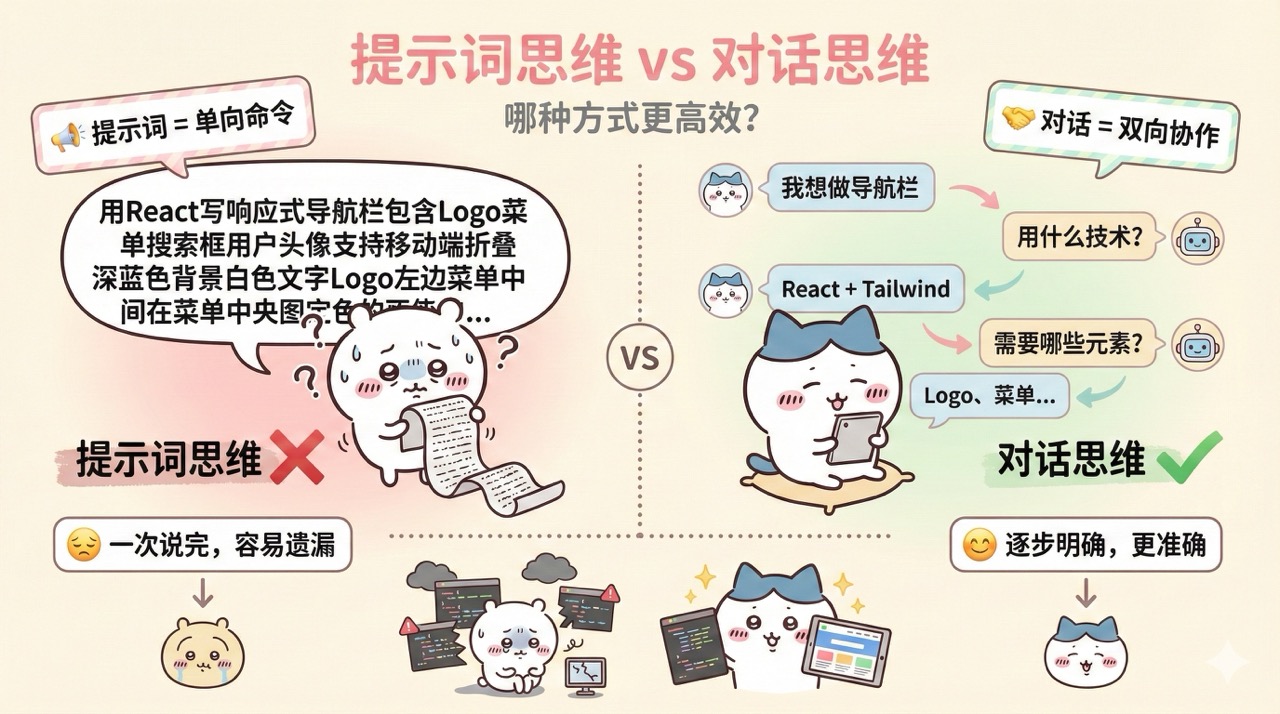
For example, traditional prompt thinking is like this:
"Please help me write a responsive navigation bar using React and Tailwind CSS, including a Logo, menu items (Home, About, Contact), a search box, and a user avatar. It should support mobile collapsible menus, with a dark blue background and white text. The Logo is on the left, the menu is in the center, and the user info is on the right..."
You want to clarify all requirements in one sentence. But often, some details are missed or not accurately conveyed.
On the other hand, conversational thinking is like this:
You: I want to create a navigation bar, can you help me?
AI: Of course. What tech stack do you want to use? Any design requirements?
You: I'm using React and Tailwind CSS. Design-wise, I want it to be clean and professional, with a dark blue background.
AI: Got it. What elements should the navigation bar include?
You: Logo, a few menu items, a search box, and a user avatar.
AI: Understood. Does it need to support mobile?
You: Yes, it should collapse into a hamburger menu on mobile.
See the difference?
Conversational thinking allows you to clarify requirements step by step, rather than having to think through all details at once. This is more natural and easier to get good results.
Benefits of Conversation
Using conversational thinking has several obvious benefits:
-
Reduce cognitive load: You don't need to think through all details at once; you can think as you chat.
-
Easier to identify issues: AI's questions will help you discover what you might have missed.
-
More accurate results: Through multiple rounds of communication, AI can better understand your needs.
-
Better learning outcomes: During the conversation, you will learn a lot of new knowledge and best practices.
2. Core Techniques of Iterative Dialogue
Here are some of the most important conversation techniques.
Technique 1: Start Big, Then Refine Gradually
Don't dive into details at the beginning. Start with the big picture and then refine step by step.
For example, if you want to create a blog system, don't start by saying: Help me write a blog system that supports Markdown, code highlighting, comments, likes, categories, tags, search, and RSS subscriptions.
Instead, start like this:
- I want to create a simple blog system where users can publish and view articles.
- Articles need to support Markdown format.
- Can you add code highlighting functionality?
- I also want a simple comment feature.
Each step is small and easy to understand and implement. This way, AI won't get confused by complex requirements, and you can adjust the direction at any time.
Technique 2: Be Specific, Not Abstract
AI is not good at understanding abstract concepts but excels at handling specific descriptions.
❌ Bad example: Create a good-looking button.
✅ Good example: Create a rounded button with a blue background (#3B82F6), white text, padding of 12px top and bottom, 24px left and right, and the background darkens to #2563EB on hover.
❌ Bad example: Add a user-friendly error message.
✅ Good example: When the user enters an invalid email format, display red text "Please enter a valid email address" below the input box.
The more specific the description, the more accurately AI can implement your needs.
Technique 3: Provide References and Examples
You can help AI understand your needs by describing them in words or providing images.
With words, you can say:
- I want a layout similar to GitHub's personal homepage: user info card on the left, activity timeline on the right.
- The button style should reference Stripe's design: clean, modern, with subtle shadows.
- The form validation prompt should reference Airbnb: real-time validation, error messages below the input box.
AI has seen many websites and apps, and the references you provide can help it quickly understand what you want.
A more direct method is to use images. Many large AI models (like Claude, GPT, Gemini) now support image understanding, so you can:
- Screenshot the design effect you want and let AI replicate it.
- Screenshot a bug or error and let AI see the specific issue.
- Screenshot a reference website's layout and let AI mimic it.
For example, prompts like:
- Please design my page based on the layout in this screenshot: [upload screenshot].
- My page doesn't display correctly on mobile, see this screenshot: [upload screenshot], how can I fix it?
A picture is worth a thousand words. Images can help AI understand your needs more accurately, especially in UI design, web development, and bug fixing.
Technique 4: Ask Step-by-Step Questions
Similar to Technique 1. For complex features, don't ask AI to complete everything at once. Break it into multiple steps and proceed one step at a time.
For example, implementing a user login feature:
- First, help me create a login form with email and password input fields and a login button.
- Now, add client-side validation to the form: the email must be in the correct format, and the password must be at least 6 characters.
- When the user clicks the login button, send a POST request to /api/login with the email and password.
- If the login is successful, redirect to the homepage; if it fails, display an error message.
After completing each step, you can test it to ensure everything is fine before continuing. This way, even if something goes wrong, it's easy to locate the issue.
Technique 5: Use Questions to Guide Thinking
Sometimes, if you're unsure what to do, let AI help you analyze.
- I want to add a caching mechanism here, but I'm not sure which solution to use. Can you analyze the pros and cons of Redis and Memcached?
- This page loads a bit slow, what do you think might be the reason? Any optimization suggestions?
- I'm considering using SSR or CSR, can you help me analyze the applicability of these two solutions in my project?
Such questions allow AI to leverage its knowledge advantage and help you make better decisions.
3. How to Describe Requirements Clearly?
Describing requirements is the most important part of the conversation. If described well, AI will do it right; if not, it will go astray.
Use a Requirement Description Framework
When describing requirements, you can use a systematic framework to organize your thoughts. Here is a practical framework:
Basic Version (5 Elements):
- What: What feature or component is needed?
- Why: What is the purpose of this feature?
- How: What are the technical implementation requirements?
- Style: What are the appearance and interaction requirements?
- When/Where: In what scenarios will it be used?
For example:
- I need a search box (What).
- To allow users to quickly find articles (Why).
- Implemented with React, real-time search on input (How).
- The style should be simple, with a search icon and rounded corners on the input box (Style).
- Placed on the right side of the top navigation bar (Where).
Of course, you don't need to include all five elements every time, but it's recommended to at least include the first three.
Advanced Version (6 Elements):
If you want more professional output, you can add this element:
- Audience: Who is this feature for? What is their technical level?
For example: "This search feature is for regular users, it should be simple and easy to understand, no advanced filtering needed."
This way, AI can adjust the implementation and interaction design based on the audience.
Explain Technical Background
If you want AI to help optimize an existing project, AI needs to know what technologies your project uses to provide suitable code.
At the start of each new conversation, it's recommended to explain the technical background, for example: My project uses Next.js 15 (App Router), TypeScript, Tailwind CSS, and Supabase.
If there are special coding standards, also explain them, for example: Our project uses functional components, not class components. All API calls use a custom useFetch hook.
This way, the code generated by AI will align with your project.
Although many AI programming tools now guide AI to analyze your existing project code first, manually clarifying the tech stack can make AI's output more accurate.
However, if you're not a programmer or don't understand these technologies, you can completely ignore this point. This is why, in the AI era, we still need to learn programming, because those who understand technology can better guide and utilize AI.
Describe Expected Output
Tell AI what kind of output you expect. For example:
- Please give me the complete component code, including TypeScript type definitions.
- Just give me the core logic, no styling code needed.
- Please give me a complete example that can run directly.
- Please explain how this code works step by step.
Clarifying the output format allows AI to better meet your needs; otherwise, AI might output a lot of irrelevant content.
I've found that the stronger the AI, the easier it is to complicate simple requirements. For example, I once asked AI to generate a small project, and it ended up generating 7 ~ 8 documents, wasting a lot of tokens.
4. Techniques for Follow-up Questions and Corrections
AI's first answer is often not perfect. At this point, you need to improve the results through follow-up questions and corrections.
The Art of Follow-up Questions
If AI's answer is not detailed enough, don't ask the same question again; instead, ask for details.
❌ Bad follow-up: More details please (too vague).
✅ Good follow-up:
- You mentioned using useEffect, can you explain in detail why it's used here?
- How is the performance of this function? Will it have issues with large amounts of data?
- You chose to use Map instead of Object, what was the reasoning behind that?
Specific follow-up questions lead to specific answers.
Let AI Ask You Questions
Sometimes, you might not know what information to provide. In such cases, let AI ask you questions proactively:
I want to do [your requirement]. Before answering, please ask me a few questions to understand more details, and then provide a solution.
This way, AI will ask you some key questions based on its understanding, such as tech stack, usage scenarios, design requirements, etc. By answering these questions, you can describe your needs more clearly, and AI can provide a more accurate solution.
This method is particularly useful when your requirements are not yet clear, letting AI help you organize your thoughts.
Methods for Correction
If AI misunderstands your meaning, correct it promptly.
- No, that's not what I want. I meant...
- This solution doesn't fit my scenario because... Can you give me another solution?
- You misunderstood my requirement. I want A, not B.
Don't hesitate to correct AI; feel free to scold it, humiliate it, or even treat it like a dumb dog. It won't get angry; instead, it will provide better answers based on your feedback.
Request Explanations
If you don't understand the code or solution provided by AI, ask it to explain.
- What does this code mean? Can you explain it line by line?
- Why write it this way? Are there other ways to write it?
- What are the pros and cons of this solution?
Understanding the principles allows you to truly grasp the knowledge.
5. How to Guide AI's Output?
Sometimes, AI provides some less-than-ideal solutions. At this point, you need to guide it in the right direction.
Set Constraints
Set constraints to make AI think within specific boundaries.
- Please give me a pure JavaScript implementation without relying on third-party libraries.
- This feature needs to complete within 100ms, please consider performance optimization.
- The code should be as concise as possible, no more than 20 lines.
- Consider edge cases, such as empty arrays, null values, etc.
These constraints make AI's output more aligned with your actual needs.
Request Multiple Solutions
Don't settle for the first solution; ask AI to provide multiple options.
- Please give me 3 different implementation methods and explain their pros and cons.
- Is there a simpler solution to this problem?
- Besides the method you just mentioned, are there other solutions?
Multiple solutions allow you to make more informed choices.
Additionally, when Yupi works on a large project, he lets multiple different AI models or AI products provide solutions simultaneously, then manually selects the best one. This method is suitable for friends with some professional knowledge.
Use Role-playing
Let AI play a specific role to get more professional advice.
- Please review this code from the perspective of a senior front-end engineer and provide improvement suggestions.
- Assume you are a UX designer, what issues does this interaction flow have?
- As a performance optimization expert, how would you improve this page's loading speed?
Role-playing can stimulate AI's expertise in specific fields.
If you're unsure what role to assign to AI, let AI choose the most suitable expert:
I want to discuss [your problem]. Please first select the most suitable domain expert to think about it, which can be a real-life celebrity or expert. Then answer my question from this expert's perspective.
For example, if you want to optimize a product's user experience, let AI choose a suitable UX expert. AI might select a well-known designer or product manager and provide advice from their perspective. Such answers are often more professional and in-depth.
6. Conversation Template Library
To improve efficiency, you can prepare some commonly used conversation templates.
- Template for Starting a New Feature
I want to develop a new feature: [feature description]. My tech stack is [tech stack]. Please help me:
1) Analyze the core requirements of this feature.
2) Suggest a reasonable implementation plan.
3) List potential issues.
- Template for Debugging Issues
I encountered a problem: [problem description]. The error message is: [error message]. The relevant code is: [code snippet]. Please help me:
1) Analyze possible causes.
2) Provide a solution.
3) Explain why this problem occurred.
- Template for Optimizing Code
This is my code: [code snippet]. Its function is: [function description]. Please help me:
1) Identify potential performance issues.
2) Improve the code's readability.
3) Point out potential bugs.
- Template for Learning New Knowledge
I want to learn [technology/concept]. Please:
1) Explain what it is in simple terms.
2) Give me a practical example.
3) Tell me when I should use it.
These templates can help you start conversations quickly and save time.
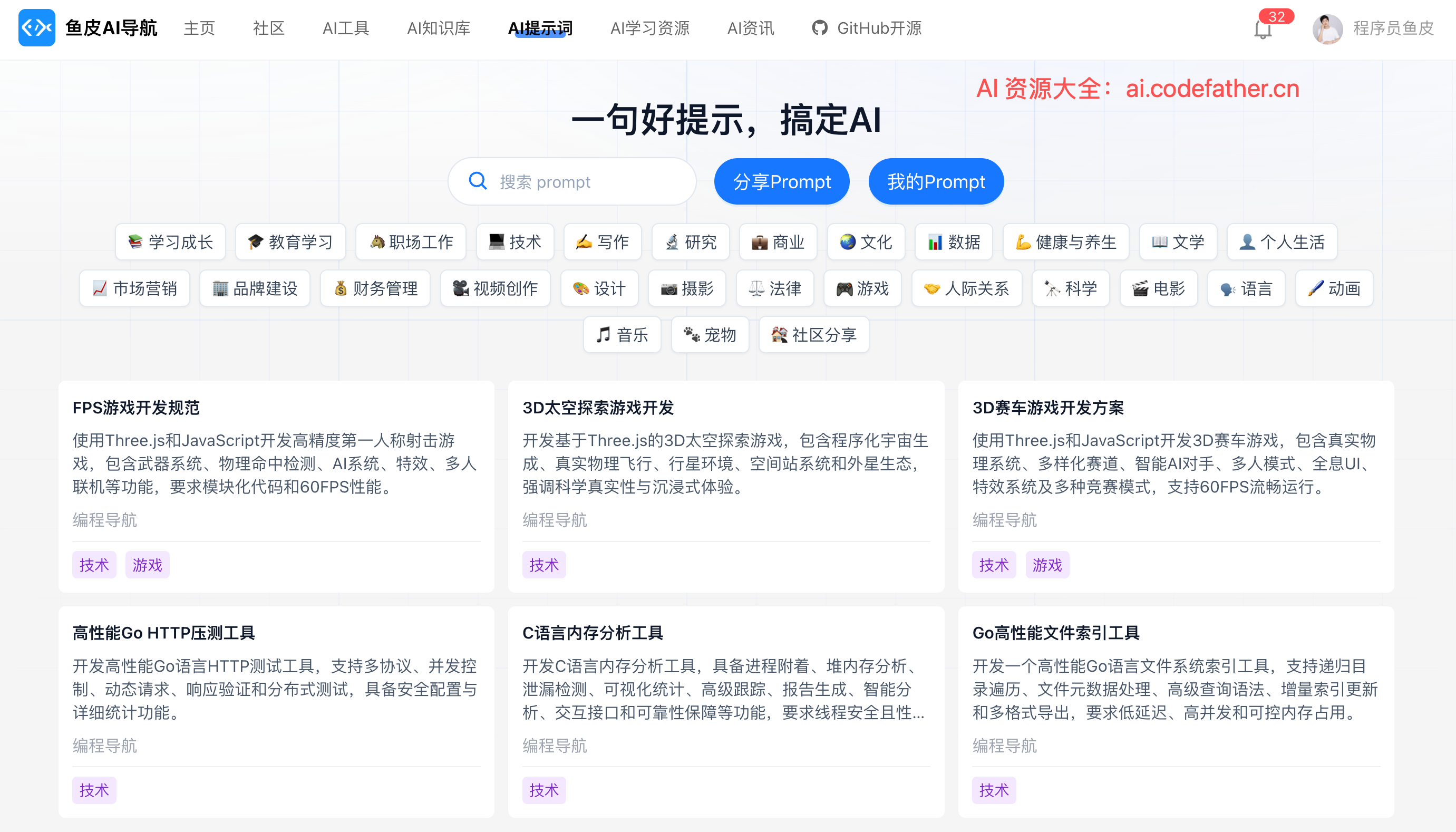
More AI prompt templates can be found on Yupi's AI Resource Navigation Website:
7. Common Conversation Pitfalls
When conversing with AI, there are some common mistakes to avoid.
Pitfall 1: Asking Too Much at Once
Don't cram too much content into one question.
❌ Bad example: Help me implement user registration, login, password reset, email verification, permission management, and profile editing features.
This way, AI won't know where to start or will give you a broad but shallow answer.
Correct approach: Ask about one feature at a time, complete one before moving to the next.
Pitfall 2: Don't Assume AI Has Memory
AI's memory is limited. Don't assume it remembers things from long ago.
If you're unsure whether AI's memory capacity is sufficient and still want to reference previous content, it's better to restate it: Remember the login form we did earlier? Now I want to build on it...
Or directly paste the relevant code: This is the login form code we wrote earlier: [code]. Now I want...
However, many AI programming tools display the current memory capacity, helping you manage it:

Pitfall 3: Don't Continue Without Testing
Every time AI gives you code, be sure to test it! Don't continue asking for the next feature without testing.
If there's an issue with the code, provide feedback to AI promptly. Don't wait until many features are done before discovering issues in the foundational parts.
Pitfall 4: Over-reliance
Don't ask AI everything. Some simple questions might be faster to resolve by checking documentation, searching, or using other tools.
AI is suitable for:
- Generating code frameworks.
- Solving complex problems.
- Learning new concepts.
- Reviewing and optimizing code.
Not suitable for:
- Querying API documentation.
- Finding simple syntax errors.
- Doing simple calculations (better to use a calculator).
Of course, this doesn't mean AI can't do these things; it depends on the specific scenario.
8. Practical Case: Complete Conversation Flow
Let me use a real example to demonstrate a complete, recommended conversation flow.
Suppose you want to create an "Add Task" feature for a to-do app.
Round 1: Clarify Requirements
You: "I want to add a new task feature to my to-do app."
AI: "Okay. How do you want users to add tasks? A form, an input box, or something else?"
You: "Just a simple input box. Users type the task content and press Enter to add it."
AI: "Got it. Does the task need any other information besides content? Like a deadline or priority?"
You: "For the MVP version, no, just the task content."
Round 2: Technical Implementation
You: "I'm using React and TypeScript. Please help me write this input box component."
AI: [Provides code]
You: "Looks good.