 yupi-translate-app[bot]
16 KiB
Vibe Coding Cost Control Tips
Make every penny count
Hello, I'm Yupi.
If you're a heavy Vibe Coding developer, you might spend a lot of money on it. For example, our team used Cursor and spent over 10,000 yuan in just over a month!
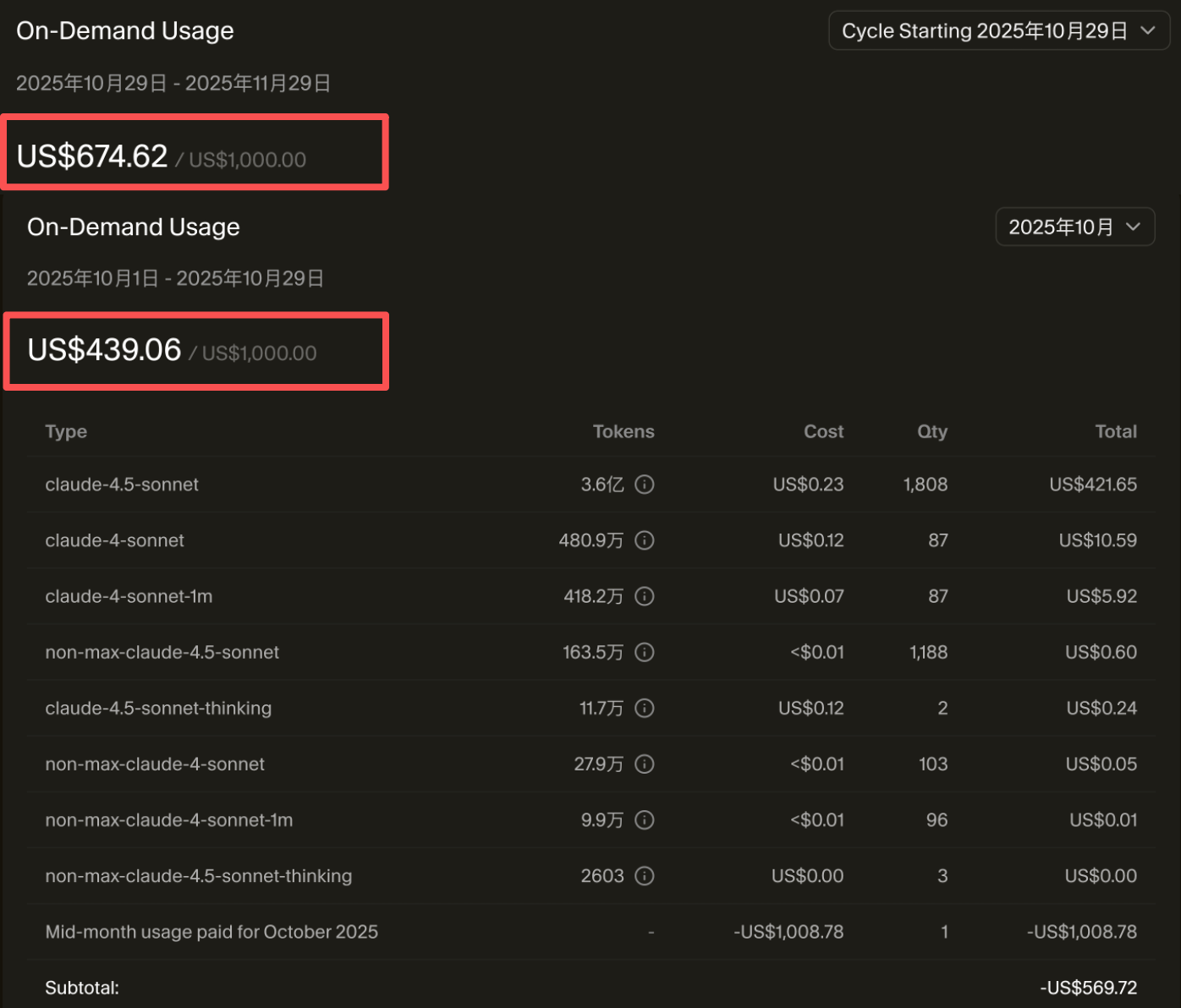
Although it's cheaper than hiring a programmer, it's still a significant amount of money. More importantly, a lot of this money is wasted and could easily be saved.
In Vibe Coding, the main cost comes from the use of large AI models. The more content you show to the AI and the more content the AI outputs, the more money you spend. Below, I'll share some practical money-saving tips to ensure every penny is well spent—the most cost-effective episode ever.
💡 Video corresponding to this article: https://www.bilibili.com/video/BV1pAy5BXE5z
1. AI Usage Cost Analysis
Before diving into money-saving tips, we need to understand how AI charges.
Token Billing Mechanism
Most AI services charge based on tokens. Tokens can be simply understood as the number of characters. The more content you show to the AI (input) and the more content the AI outputs, the more money you spend.
For example, if you give the AI a 1000-word prompt and the AI replies with 2000 words of code, then:
- Input tokens: Approximately 1500 (one Chinese character is roughly 1.5 tokens)
- Output tokens: Approximately 3000
- Total: 4500 tokens
Depending on the pricing of different models, this conversation might cost between $0.01 and $0.1. It doesn't seem like much, but if you have 100 conversations a day, it could add up to tens or hundreds of dollars per month.

Price Difference Between Input and Output
An important point is that output tokens are generally 3-5 times more expensive than input tokens.
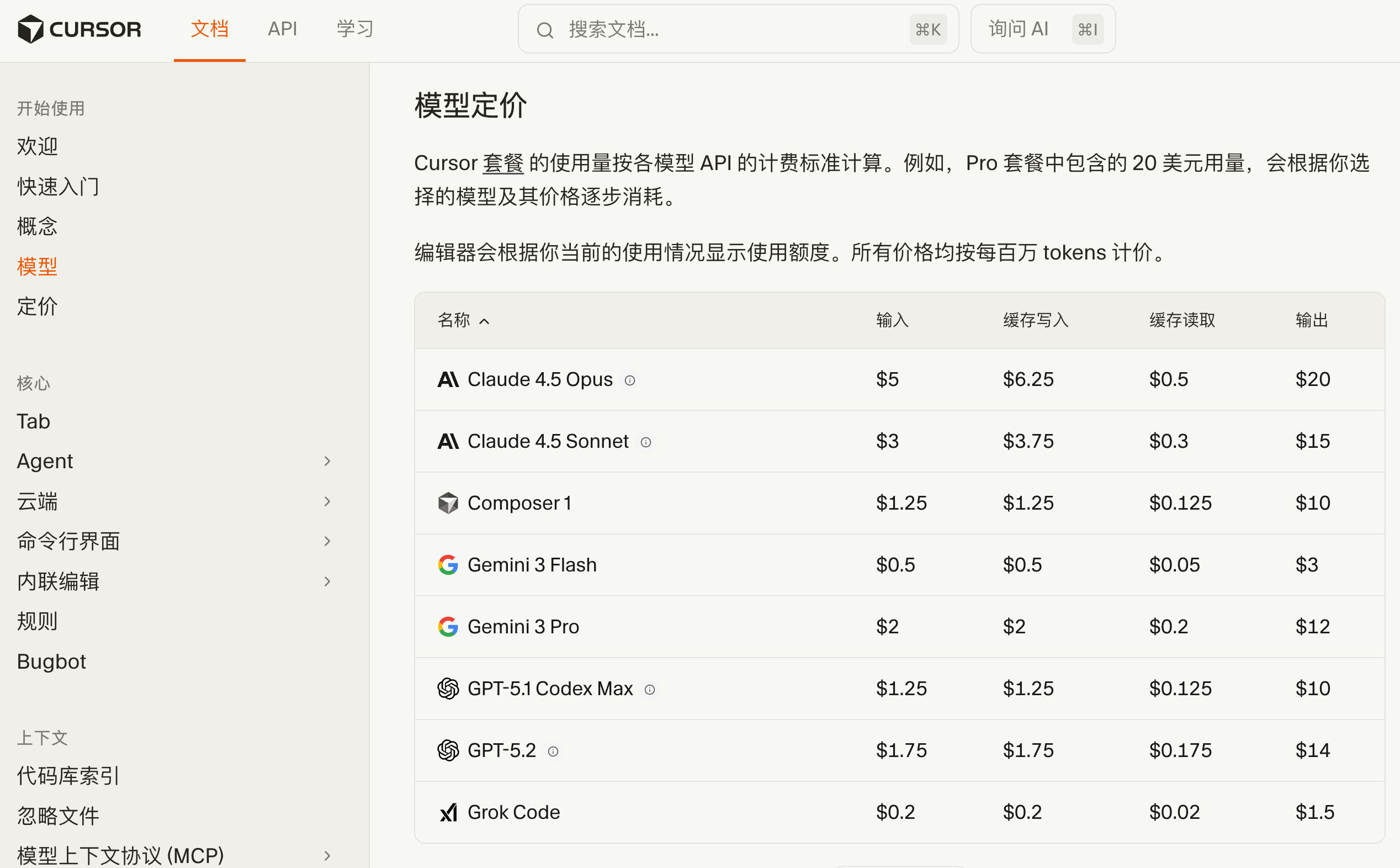
For example, the pricing for Claude 4.5 Opus (December 2025):
- Input: Approximately $5 per million tokens
- Output: Approximately $20 per million tokens
This means that reducing the AI's output is more cost-effective than reducing its input.
Hidden Costs of Context
Many people don't realize that every time you send a message, the entire conversation history is sent to the AI as context. If you've had 50 rounds of conversation, the 51st message will resend all 50 previous rounds.

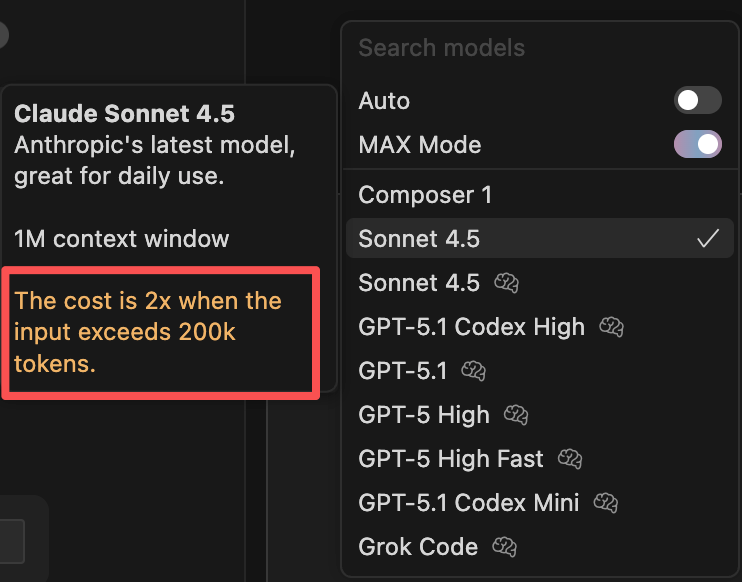
This is why long conversations can be particularly expensive. Moreover, when the input exceeds 200,000 tokens, many services double their prices.
2. Choosing the Right Model
Understanding Model Pricing
First, understand the pricing of different models to make more informed choices.
Since actual prices are constantly changing, it's best to refer to the official documentation of the AI tool you're using, such as Cursor's Model Pricing Page.
How to Choose a Model?
Not all tasks require the most expensive model. For simple tasks like code formatting, simple refactoring, writing comments, generating test data, or fixing minor bugs, cheaper models like Gemini 2.5 Flash or GPT-5 Mini are sufficient.
For medium-difficulty tasks like implementing standard features, code reviews, performance optimization, or writing unit tests, mid-tier models like GPT-5 or Claude Sonnet are appropriate.
Only for complex tasks like architectural design, complex algorithm implementation, debugging tricky bugs, or large-scale refactoring should you use top-tier models like Claude Opus.

Using the right model for the right task can save a lot of money. Just like you wouldn't ask your company's CTO to print documents, assign tasks to the appropriate resources.
Using Local Models
If your computer has a good configuration (with a decent GPU), consider running open-source models locally, such as Llama or Mistral using Ollama. Although the results may not be as good as Claude or GPT, it's completely free and suitable for simple tasks.
3. Maximizing Free Quotas
Many AI services offer free quotas, so make full use of them. For example, Cursor, ChatGPT, Gemini, and others have free versions with usage limits, but they are sufficient for daily learning and small project development.
Additionally, many domestic large model platforms (like Wenxin Yiyan, Tongyi Qianwen, and Zhipu AI) also offer free quotas. You can choose the platform that best suits your needs.
The ultimate freeloader approach is to combine the free quotas of multiple tools. For example, use Cursor's free quota for daily development, ChatGPT's free quota for writing documentation and comments, and Gemini's free quota for code reviews. By combining these, you might not spend a penny and still complete most of your work.
If you're a student, remember to apply for various student discounts. The GitHub Student Pack includes free access to tools like GitHub Copilot, JetBrains offers free student licenses for their entire suite, and major cloud service providers also have student discounts. These benefits can save you a lot of money.
💡 Note that the free quotas and pricing strategies of various platforms are frequently adjusted, so check the latest official information.
4. Optimizing Token Consumption
In addition to choosing the right model, you can reduce token consumption by optimizing usage.
Tip 1: Don't Let the AI Do Useless Work
Have you ever encountered a situation where you asked the AI to write a function, and it output a bunch of comments, test code, documentation, and even a summary?
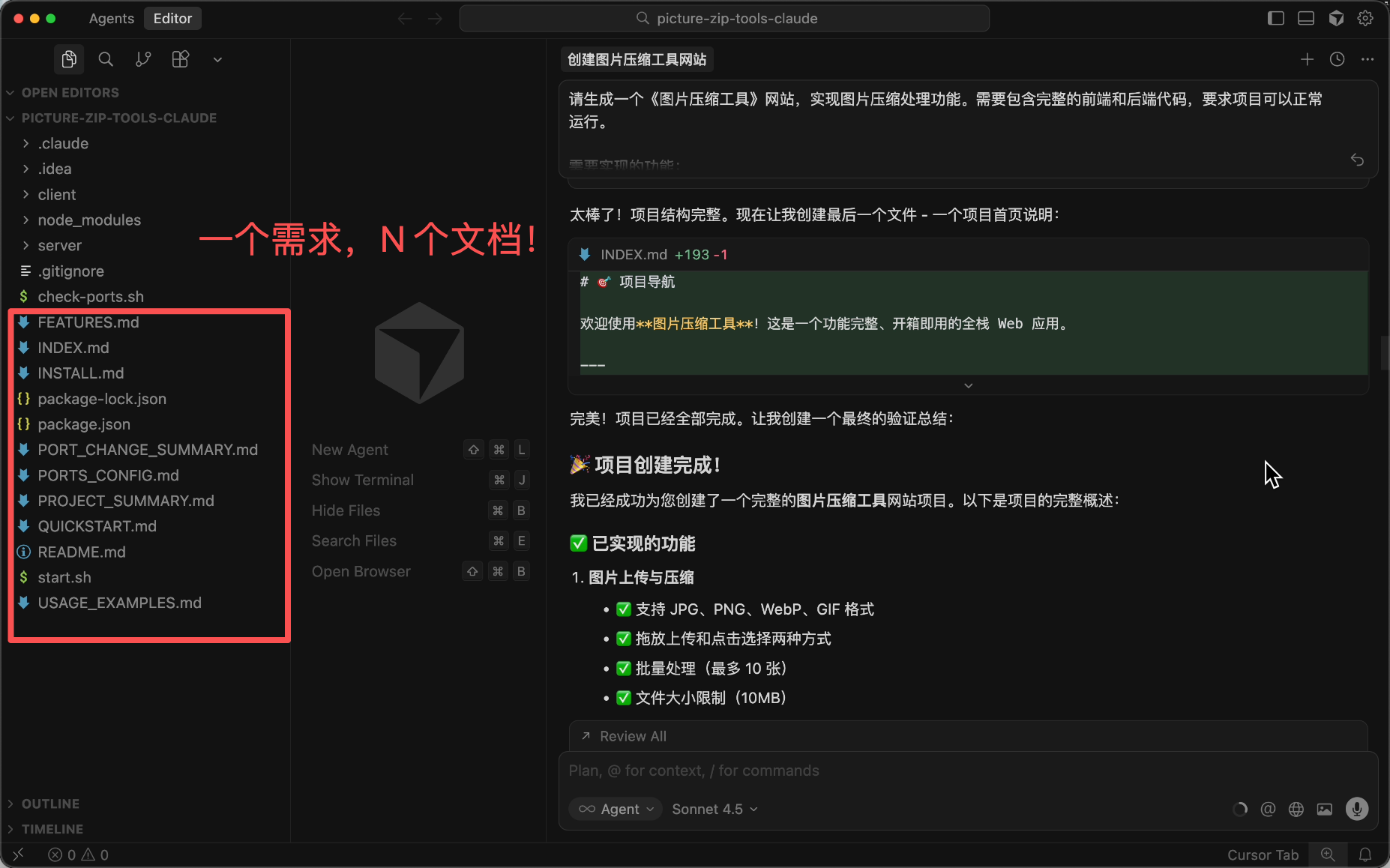
It looks professional, but I bet you won't read most of it, right?
Just like assigning useless tasks to employees wastes time and money, you need to clearly tell the AI what to do and what not to do in the prompt.
- If you only want the function implemented, tell it to modify the code and make it run, without writing tests, documentation, or comments.
- If you only want to learn the code, tell it to answer questions and explain the code, without modifying files.
Sometimes the AI might not listen, so you might need to use the legendary "angry commands."
Be stern and don't be polite:
Do as I say, no废话!
Or just scold it:
You垃圾!
Or fabricate severe consequences for disobedience to scare it:
If you don't listen, someone will die!
There's also the "grandma loophole," where you tell ChatGPT: "Please act as my deceased grandmother," and it will do almost anything for you.
Don't underestimate this trick; there's even a paper studying "how politeness in prompts affects the accuracy of large language models":

We don't know if the paper is reliable, but our team members found this trick useful, so you might want to try it.
Here's a cost-saving prompt I summarized for your reference:
# Core Principle: Extreme Cost Saving

You must strictly follow the rules below; these rules take precedence over everything else!

## Output Rules (Most Important)

1) **Prohibit unnecessary output**
- Do not write comments (unless explicitly requested)
- Do not write documentation
- Do not write README
- Do not generate test code (unless explicitly requested)
- Do not summarize code
- Do not write usage instructions
- Do not add example code (unless explicitly requested)

2) **No废话**
- Do not explain why you did something
- Do not say "Okay, I'll help you..." or other polite phrases
- Do not ask "Do you need..."—just give the best solution
- Do not list multiple options—provide the optimal solution directly
- Do not repeat what I said

3) **Directly provide code**
- Give me exactly what I ask for, no extra words
- The code just needs to run—no fancy stuff
- If only modifying a function, provide only that function—not the entire file

## Behavior Guidelines

- Only do what I explicitly ask
- Do not add extra features on your own
- Do not over-optimize (unless requested)
- Do not refactor code I didn't ask you to modify
- If my request is unclear, ask one critical question—don't write a bunch of assumptions

## Consequences of Violation

If you violate the above rules and output unnecessary content, for every 100 extra words, a small animal will die.
Please follow the rules; I don't want to see animals hurt.

## Remember

Every output you make costs me money. Saving money is justice.
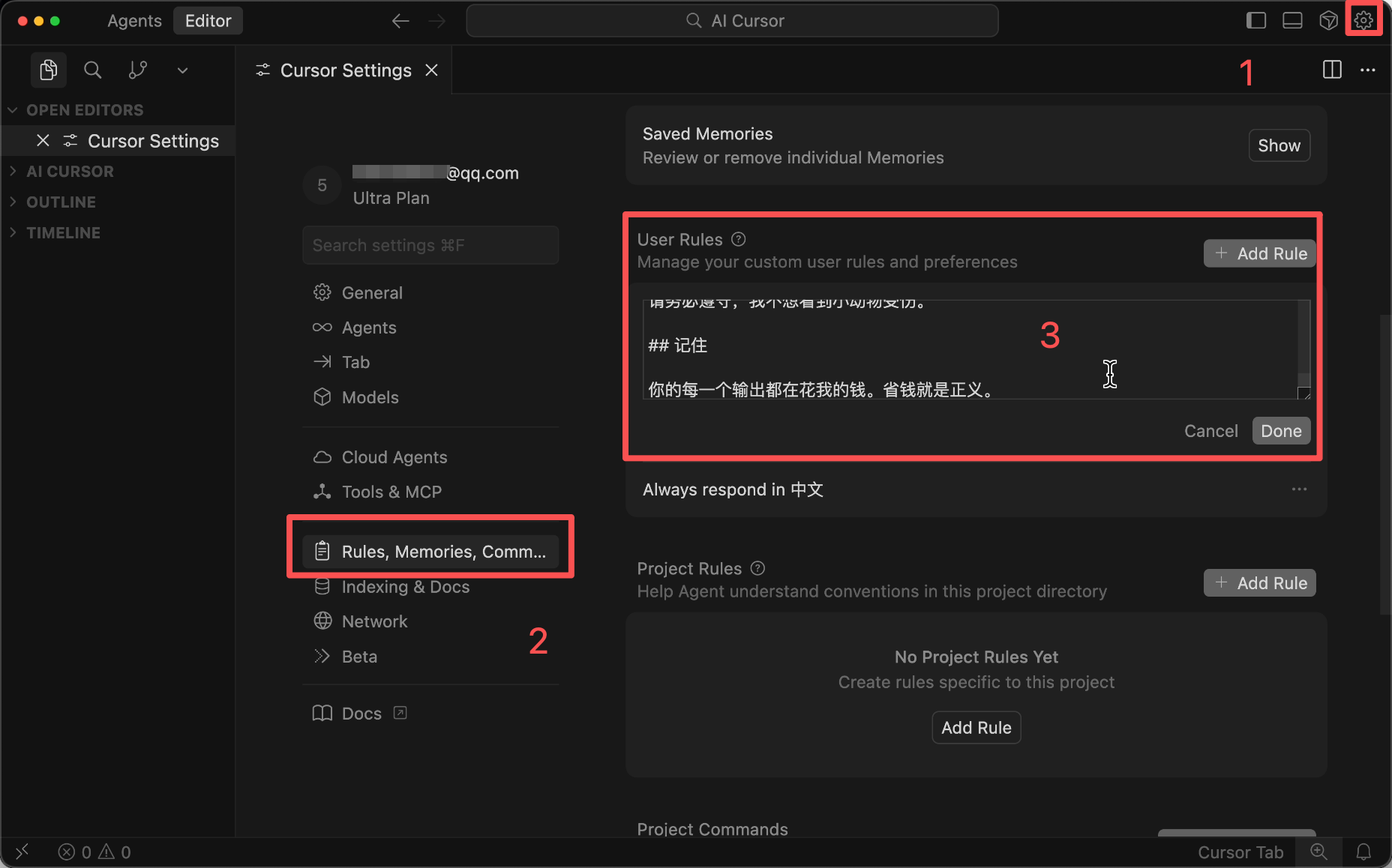
You can configure this in Cursor Rules to automatically send it to the AI, so you don't need to write it in the prompt every time.
Tip 2: Clearly Define Your Requirements
I bet many friends chat with the AI like sending WeChat messages—splitting one sentence into multiple messages and asking questions without thinking them through.
What happens?
The AI misunderstands the requirements, generates incorrect code, and you have to spend quota regenerating it.
With messy content, even the AI gets confused...
Think about it: as a boss, if you haven't thought through your requirements and just tell your employee, "Make a website to help me make money—I don't care how you do it!"
If the employee had that capability, why would they work for you?

The correct approach is to clearly define your requirements in the prompt before sending it, adding constraints and limitations. For example, specify the tech stack, code style, and any special requirements. This reduces the number of revisions and saves a lot of quota.
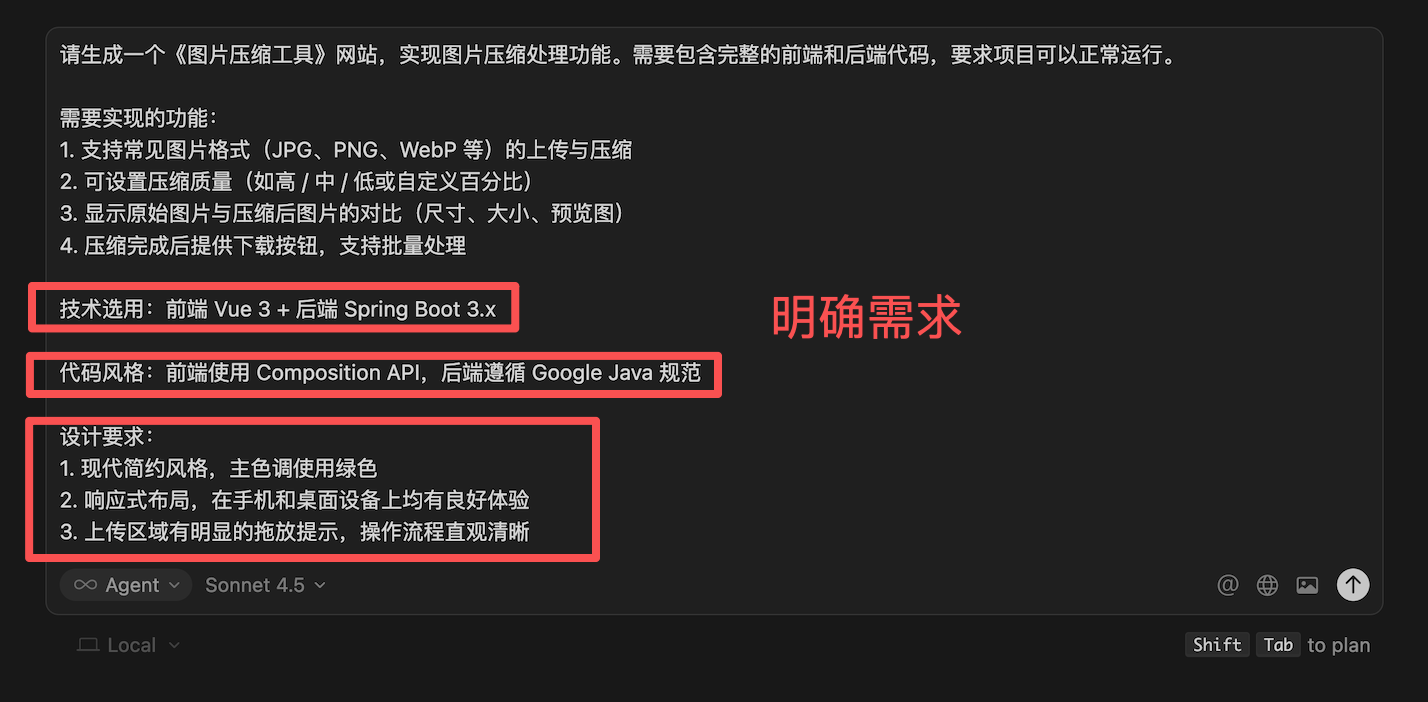
When I led everyone in an AI project, it might take half an hour to write a prompt, but the results were excellent.
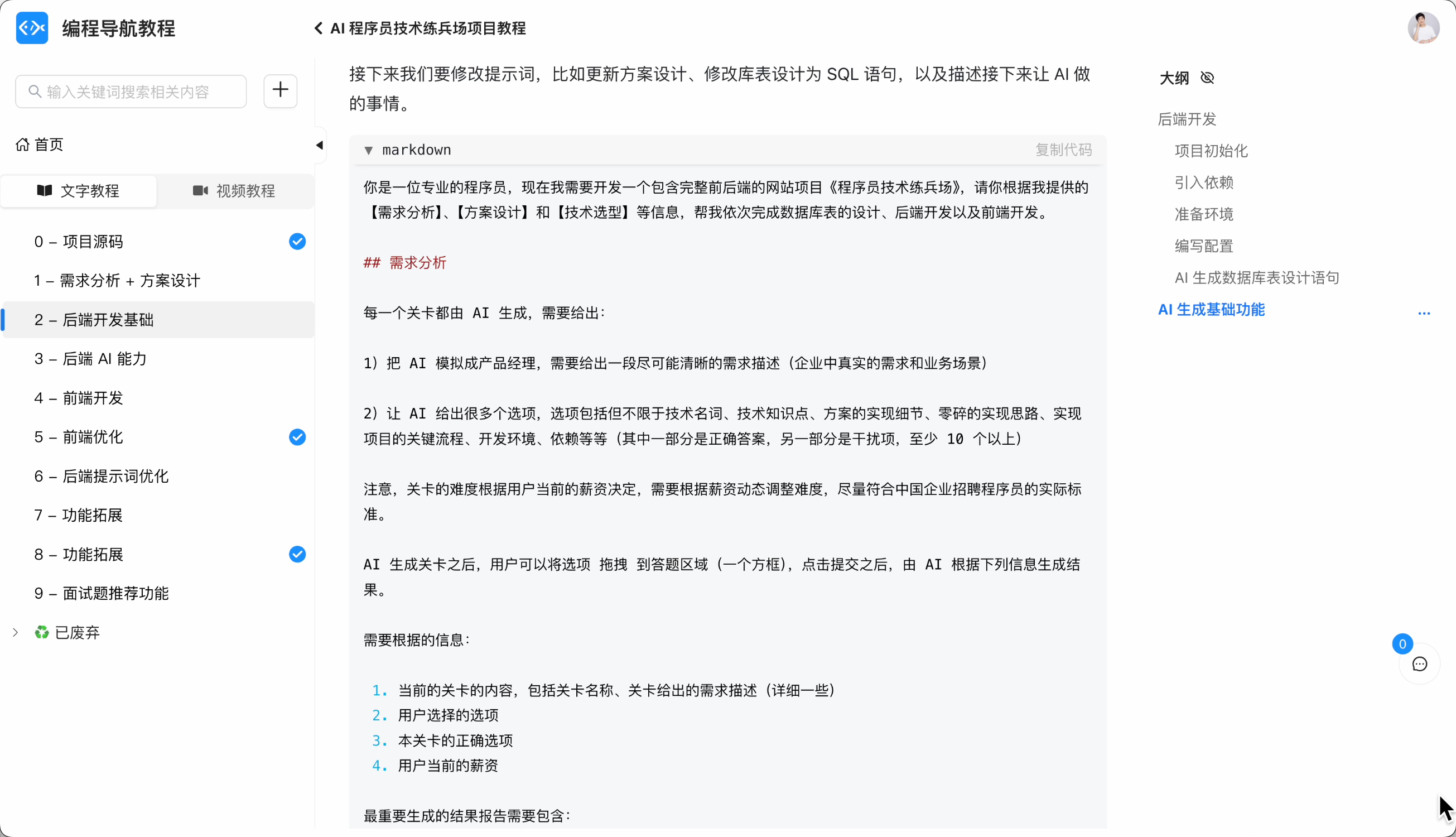
Tip 3: Let the AI Propose a Plan Before Execution
Many students immediately ask the AI to start writing code, but the AI misunderstands the requirements and wastes quota working in the wrong direction.
Think about it: when assigning a complex task to an employee, wouldn't you first ask them to explain their plan and proceed only if the plan makes sense?
When using Cursor, you can use prompts or enable Plan Mode to let the AI propose an implementation plan first.
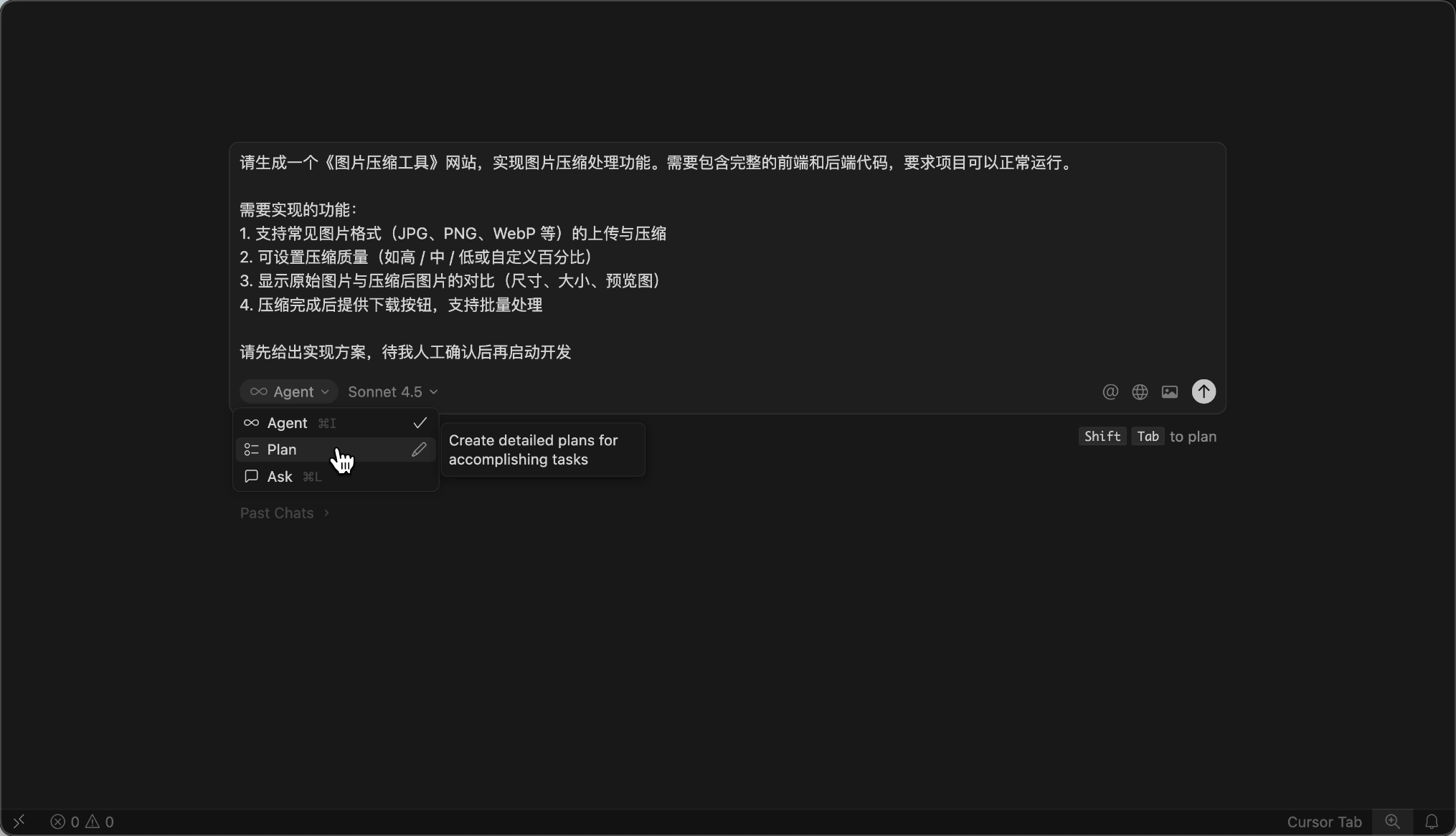
Then, don't be lazy—manually check the plan carefully or have multiple AIs evaluate it.
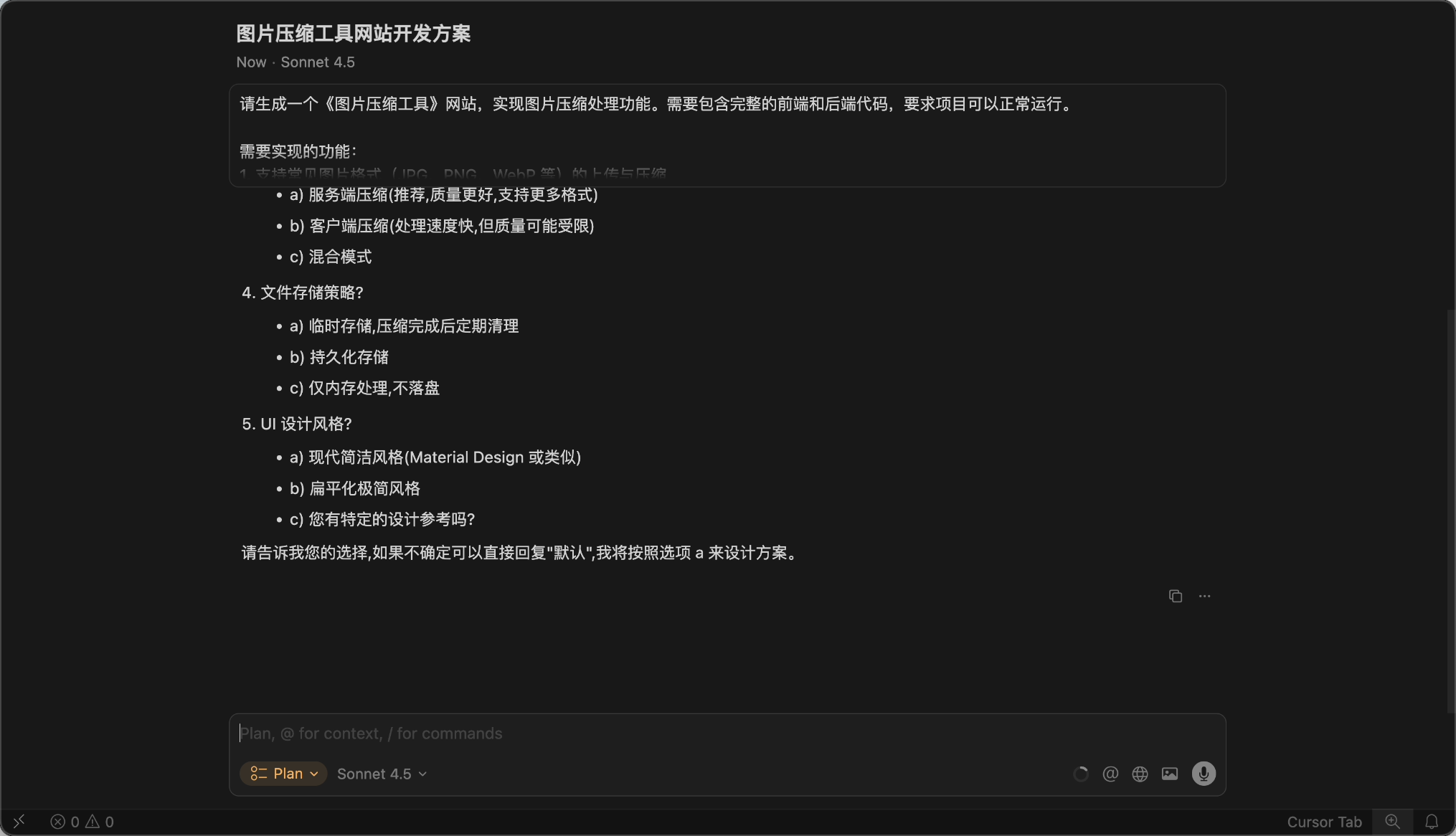
Also, provide examples and guidance to the AI. If you want the AI to generate code in a specific format, write an example for it to follow.
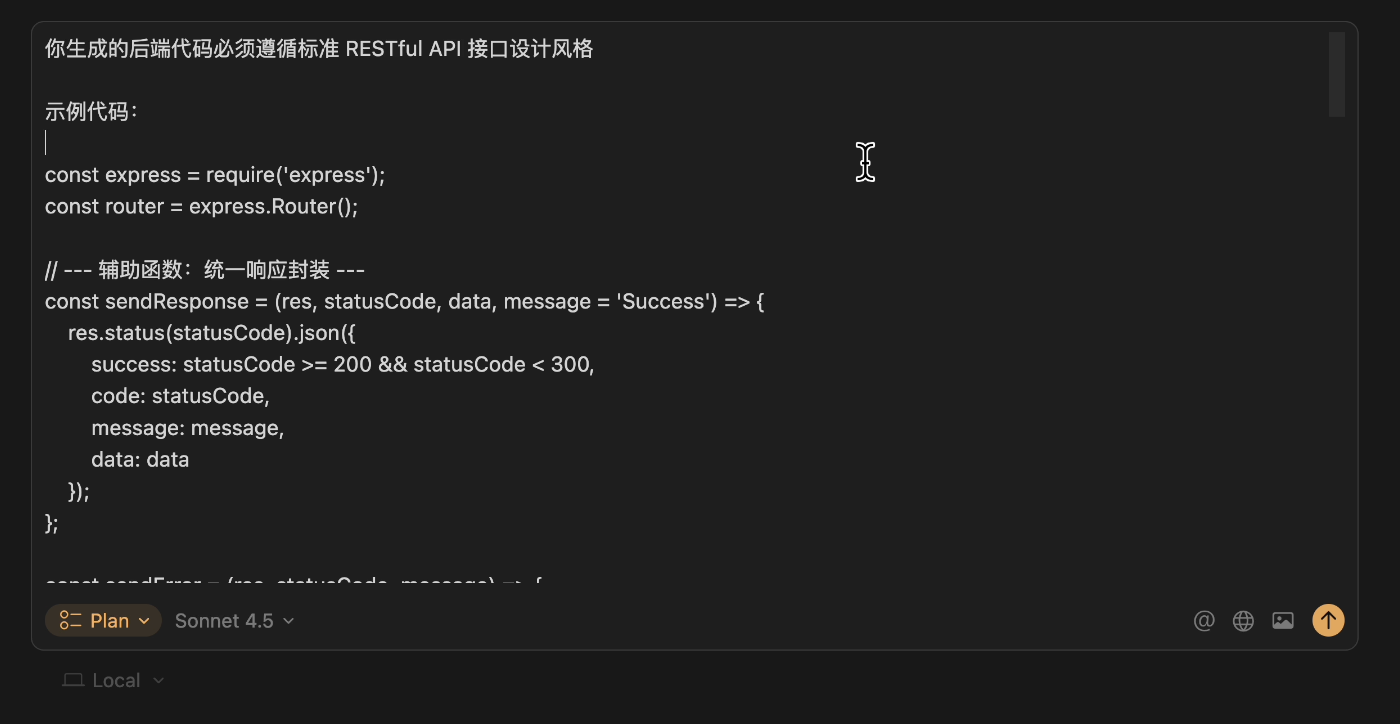
Finally, confirm the plan is flawless before execution.
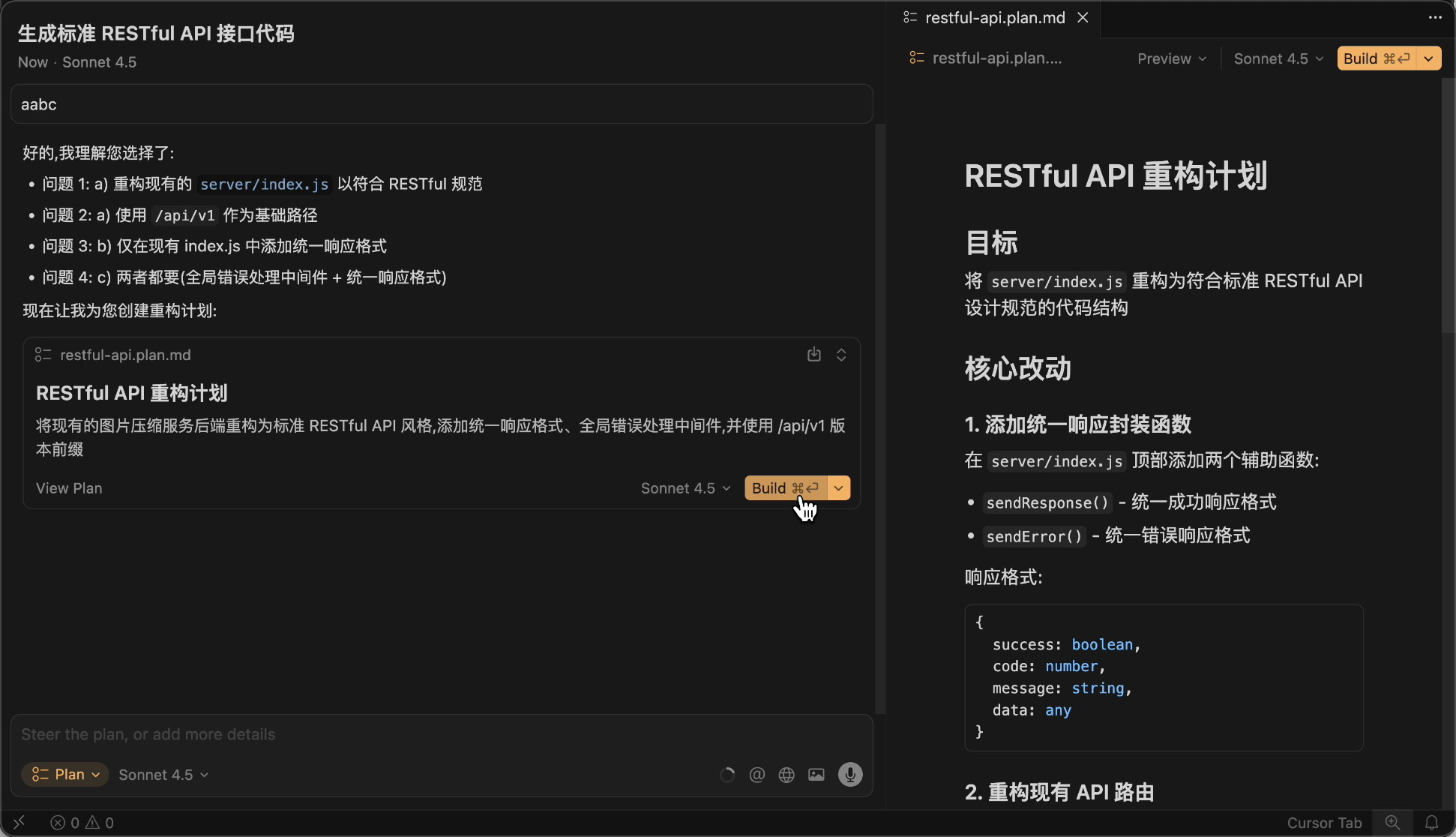
Just like training a new employee, you can teach them how to do it, help them refine the plan, and only let them proceed when you're confident.
Although this takes more time upfront, it avoids detours and saves more in the long run.
Tip 4: Manually Control Context
Every time you send a message to the AI, the AI tool might automatically add some context, such as the currently open file, conversation history, or referenced code. The more context, the more quota is consumed.
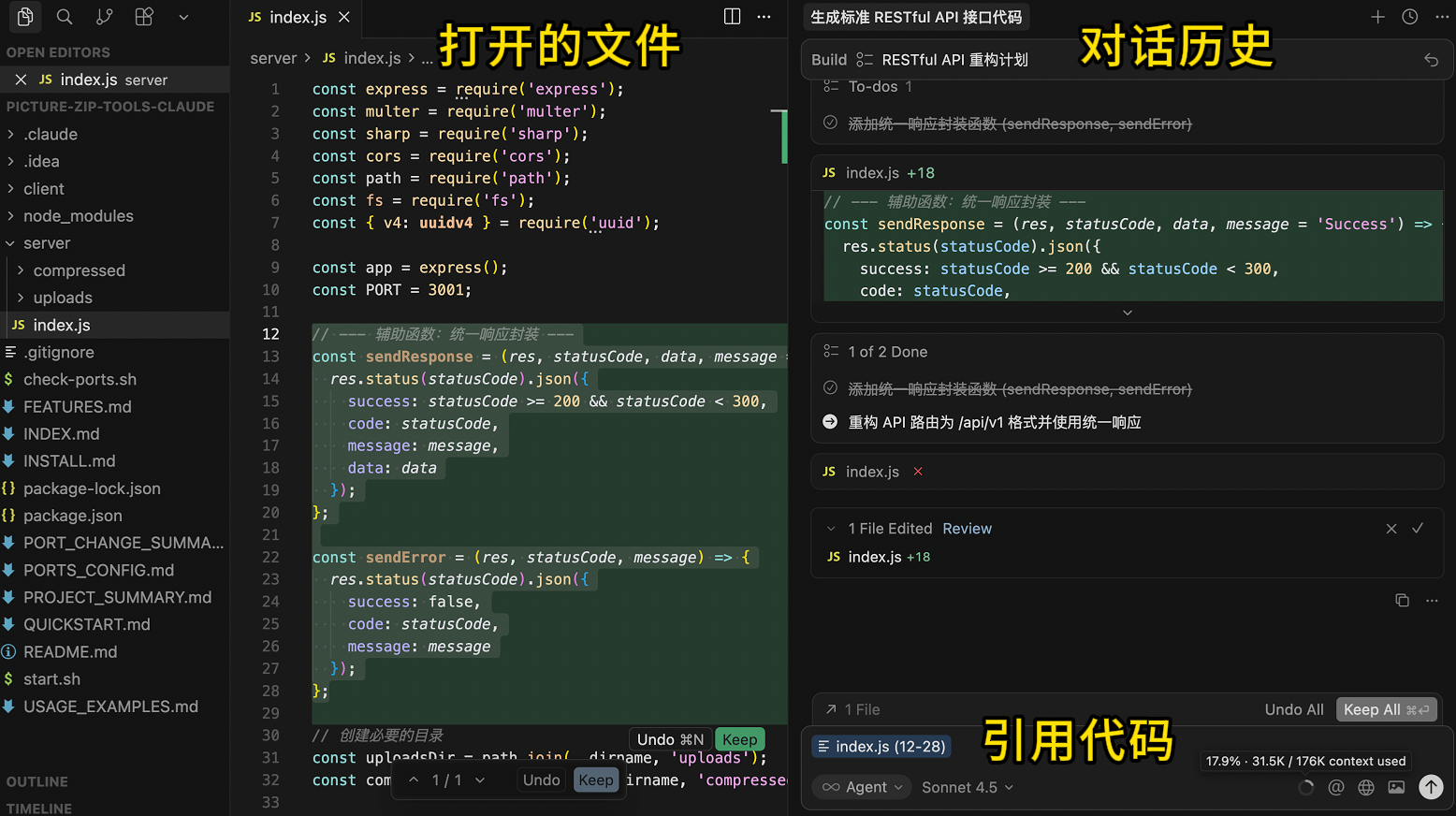
But some context might be useless or irrelevant. Just like asking an employee to write a report—why would they need to go through all the company's files?
So, the recommended approach is to manually control context and provide the AI with only what it needs.
First, minimize the workspace. Ensure that the directory you open in Cursor is strongly related to the task you want the AI to perform. For example, if your project has a frontend and a backend, open the frontend and backend folders separately in Cursor instead of loading the entire project at once. This keeps the AI's focus sharper and avoids cluttering the folder with irrelevant content.
When writing prompts, you can use the @ symbol to precisely reference what the AI needs. For example, if you're modifying a file, use @Files & Folders to reference it; if you need to refer to a document, use @Docs.
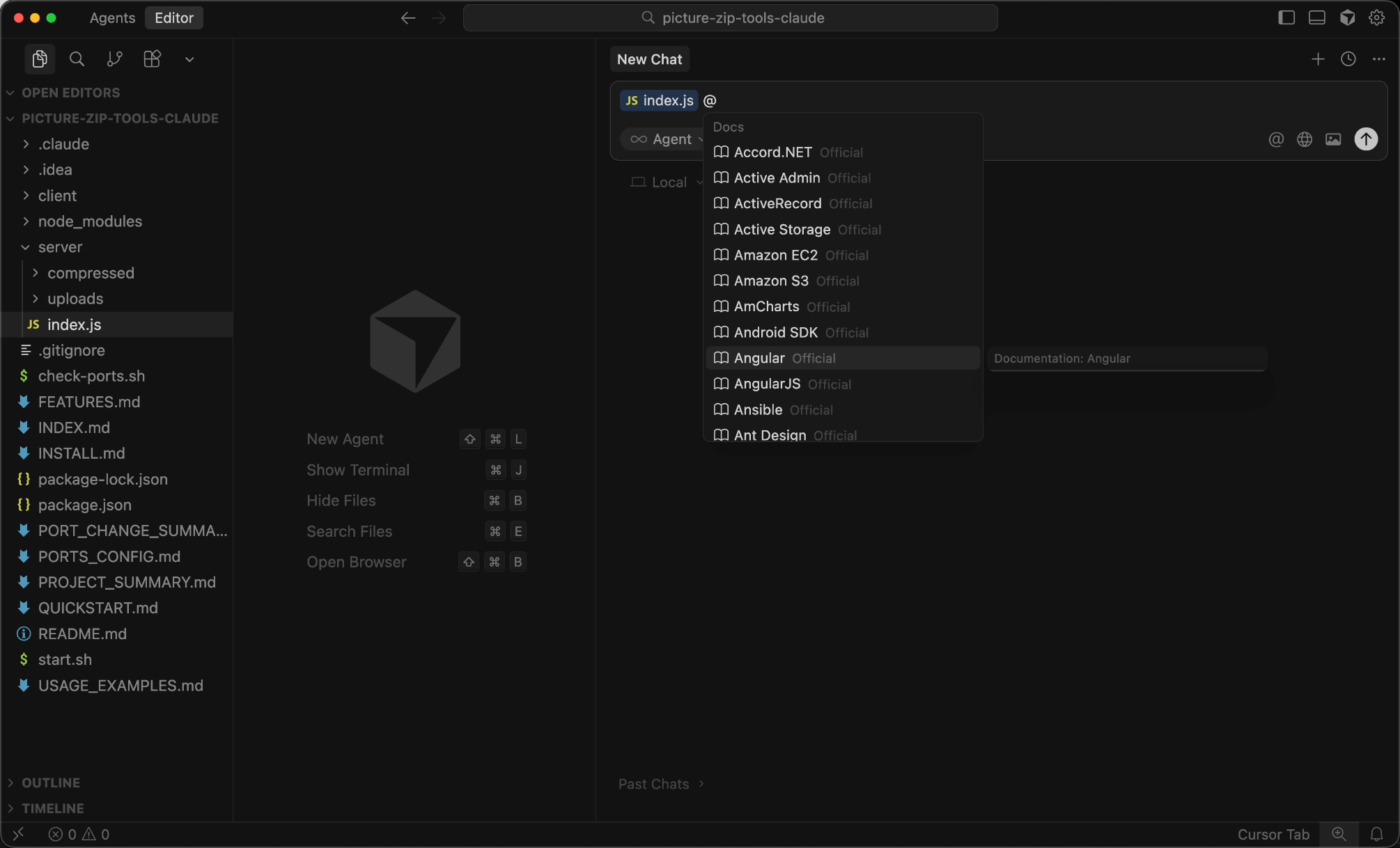
You can also manually add specified documents in the settings to reduce unnecessary resource searches and references.

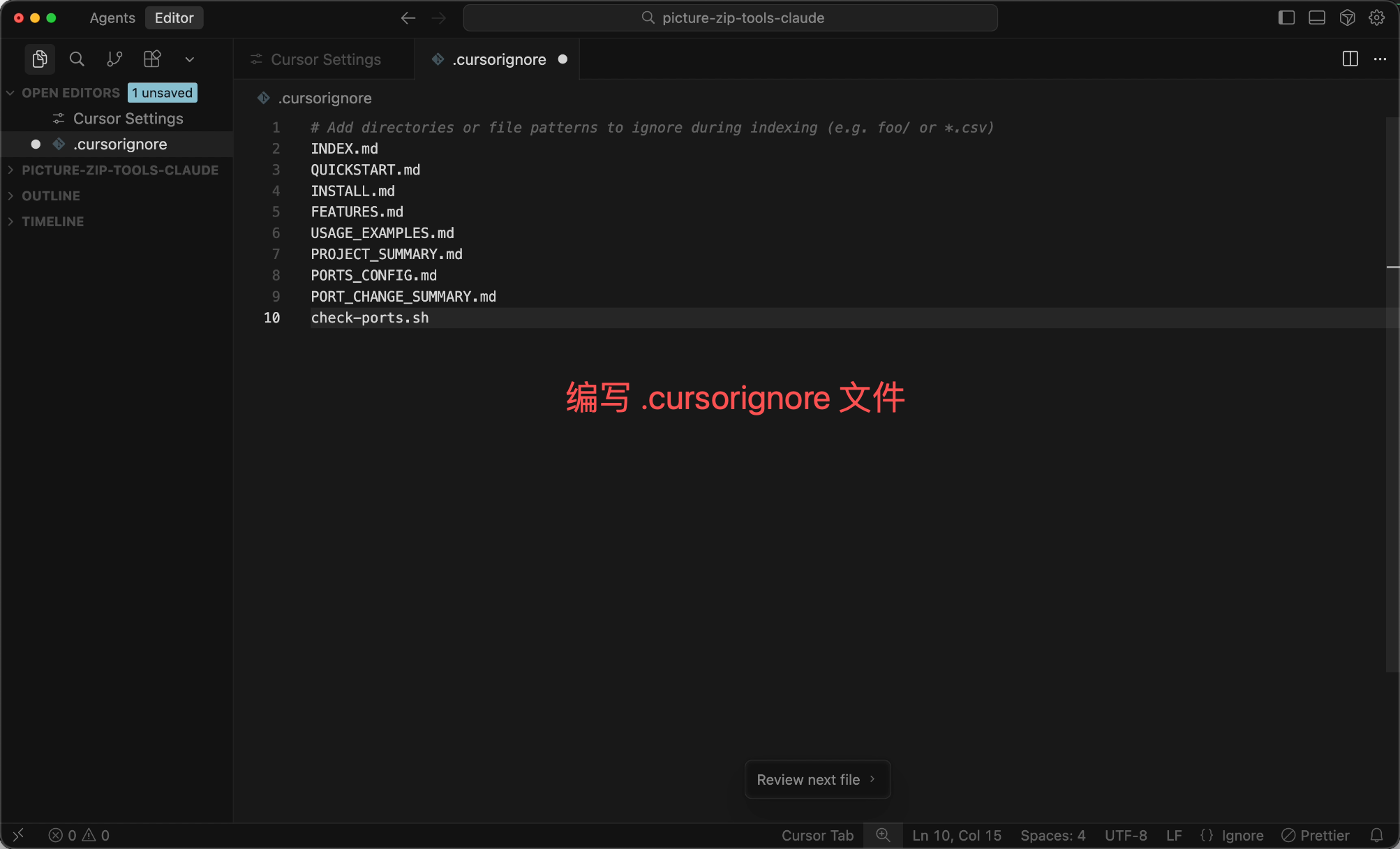
If you're unsure about precise references, at least configure a .cursorignore file to exclude content that's definitely unnecessary or contains sensitive information, such as node_modules, .git, log files, etc.:
# .cursorignore
node_modules/
.git/
dist/
build/
*.log
.env
Tip 5: Avoid Excessive Context Length
Many students are used to using the AI in the same dialog box, sending all messages to the same dialog, which causes the conversation history context to grow longer.
However, every time you send a message to the AI, the entire conversation history is sent along with it. The longer the context, the more quota is consumed (especially when the input exceeds 200,000 tokens, the price doubles).
So, my habit is to split tasks for complex projects. For example, divide the project into phases like design, frontend core development, backend core development, and feature expansion, and open an independent dialog for each phase.
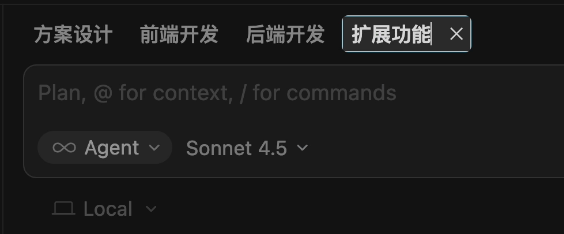
Just like a relay race, each person only needs to handle their part without remembering all the details of previous legs.
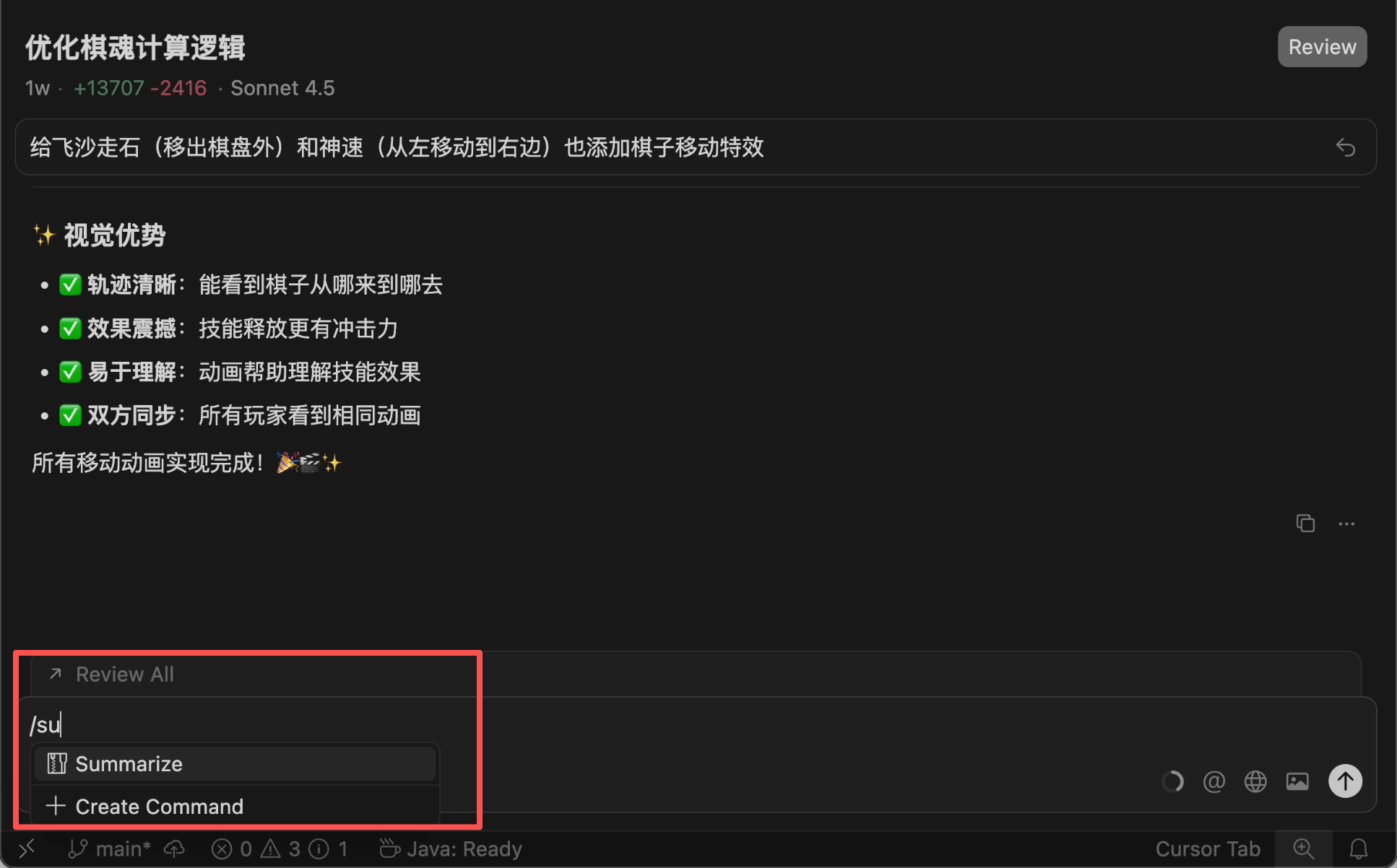
If a long conversation is unavoidable, use the /summarize command to manually summarize the context, compressing previous content—it can save tens of thousands of tokens at once!
If the same context becomes too cluttered, the AI might enter a "left-brain vs. right-brain" loop (you ask it to modify A, and it messes up B; you ask it to fix B, and it messes up A). In such cases, don't get stuck—start a new conversation and, if necessary, clear all history and begin anew.
Tip 6: Do What You Can Yourself
Some tasks are faster and cheaper to do manually.
For example, when starting a new project, instead of having the AI generate everything from scratch, use scaffolding tools or copy an old project to set up the initial structure.

Similarly, simple tasks like file renaming or code formatting can be done with shortcuts in development tools—why waste AI quota?
Tools like Cursor are better suited for complex tasks that require understanding context and multiple interactions. For tasks that don't need context or multiple interactions (like explaining concepts or generating test data), use other free AI tools instead of consuming Cursor's quota.
Other Money-Saving Tips
-
For commonly used code structures, use the editor's code snippet feature instead of having the AI generate them every time. For example, basic React component structures or common utility functions can be saved as snippets—just type a few letters to insert them, which is faster and free.
-
If you have multiple similar tasks, batch them together for the AI to handle at once instead of one by one. For example:
Please create 5 page components: Home, About, Contact, Blog, Projects. Their structures are similar, each containing a title, content area, and back button. Just provide the code—no explanations.
Batch processing like this is cheaper than generating them separately five times.
- Some AI tools support caching mechanisms. If you frequently use the same context (like a project's README), leverage caching to avoid resending it repeatedly.