 yupi-translate-app[bot]
7.4 KiB
System Monitoring and Alerting Practices
Detect issues promptly to ensure system stability
Hello everyone, I'm programmer Yupi. Today I'll share some very practical system monitoring and alerting tools.
Whether you're using Vibe Coding for personal projects or building a real product, mastering system monitoring and alerting methods can help you detect and resolve issues promptly, ensuring stable system operation.
Why Use Monitoring and Alerting?
When it comes to monitoring and alerting, developers without enterprise experience often overlook it. Some might even think it's unnecessary, believing they can just fix bugs when they occur.

This is completely wrong!
Think of a system as a human body. Sometimes a person might appear healthy on the surface, but may simply not have had the opportunity to detect internal abnormalities. When problems do emerge, the consequences are often more severe. That's why regular health checkups are needed to detect and address issues early. System monitoring and alerting serve a similar purpose - they can detect potential system anomalies and issues early, allowing for prompt resolution when problems occur online, thereby preventing or mitigating failures.
Additionally, monitoring systems offer other benefits, which we'll explore next.
How to Implement Monitoring and Alerting?
The most straightforward approach is to implement it yourself through code, such as adding logic to critical functions to send SMS/email/WeCom messages when certain exceptions occur. This is exactly how we started:
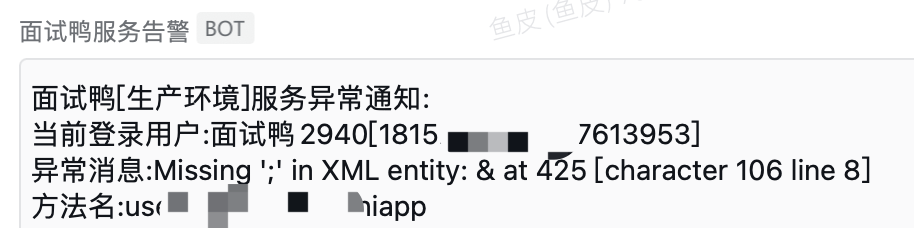
However, business alerts are just one layer of monitoring, akin to surface-level skin checks for the human body. To comprehensively and accurately monitor system health, we need full-spectrum diagnostics including server monitoring, network monitoring, application monitoring, database monitoring, API monitoring, etc.
Yes, it sounds complex, which is why monitoring has earned a more professional alias in modern operations: "observability." Observability refers to a system's ability to understand and diagnose its health status and performance by monitoring and analyzing its internal state. This concept extends beyond traditional monitoring to include data collection, analysis, and response. For example, if monitoring reveals low memory utilization, we can downgrade configurations to save costs; if memory utilization is too high, we can consider upgrading or scaling out.
Optimizing system observability yourself is quite complex, requiring consideration of data collection, storage, analysis, alert mechanisms, availability guarantees, performance, etc. Large companies typically have dedicated infrastructure teams for this.
For individual developers or small companies, since this is a comprehensive "health check," we generally don't implement it ourselves but instead opt for more professional tools or services that can be directly integrated. Below are some tools our team uses.
Recommended Monitoring Tools
1. Server Monitoring
- Built-in server monitoring capabilities
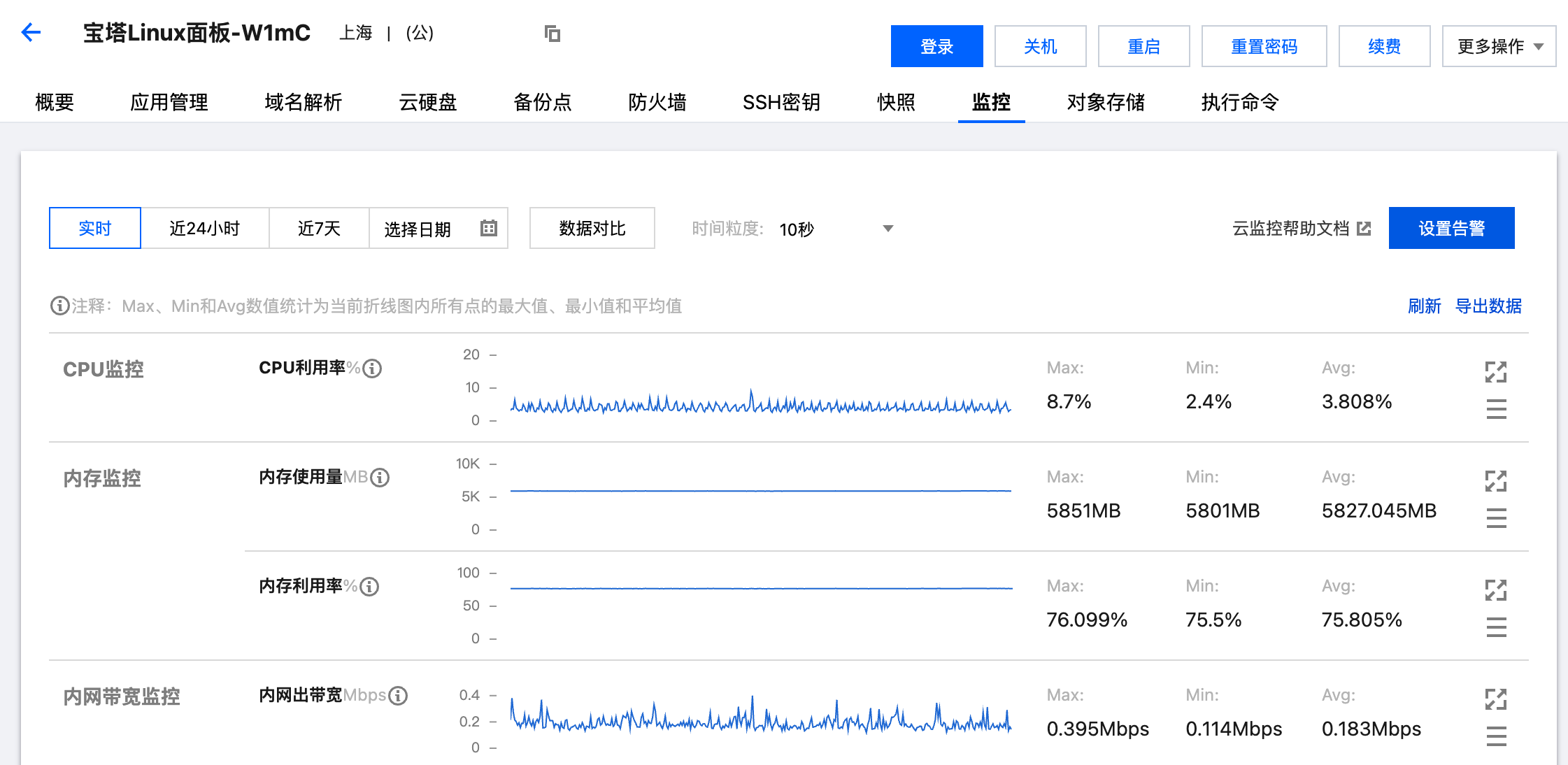
Most cloud servers from major providers come with built-in monitoring and alerting features. For example, Tencent Cloud's Lightweight Application Server monitoring shows CPU, memory, network bandwidth, disk usage, etc.:
- Container platform monitoring
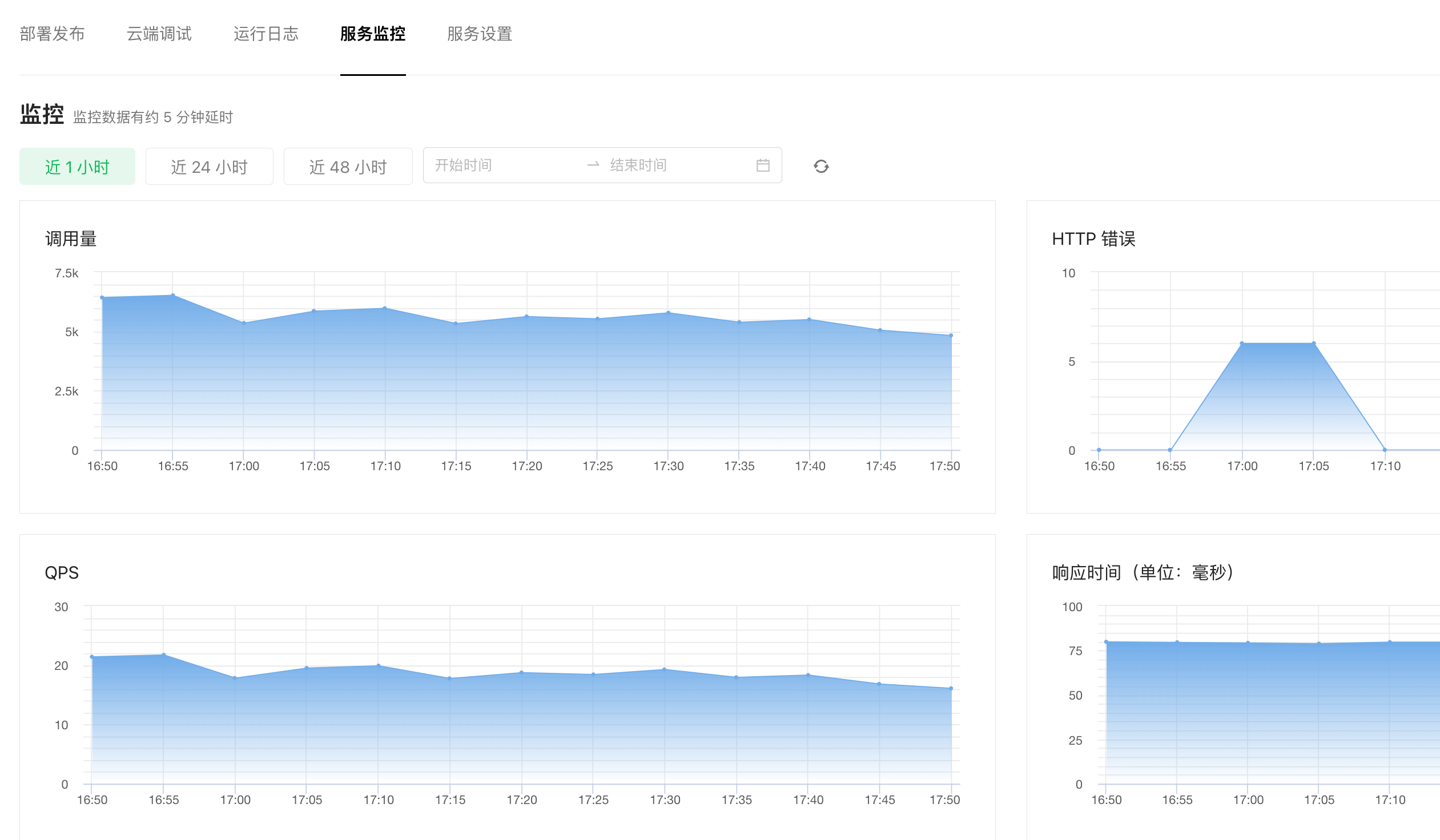
If you deploy projects using containers, most container platforms include monitoring capabilities. For example, WeChat Cloud Run's service monitoring shows not only system resource usage but also API call volumes, error rates, QPS, and response times, effectively providing built-in API monitoring.
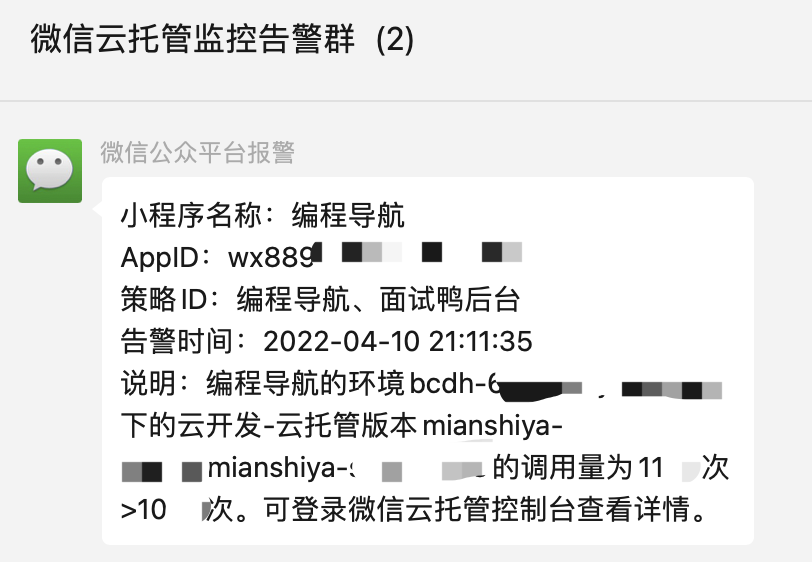
Moreover, Cloud Run supports receiving alerts in WeChat groups, which is very convenient. If a node gets attacked, you're notified immediately.
2. Database Monitoring
Previously, without database monitoring, it was difficult to track database performance - we couldn't tell if it was overworked or underutilized. Now, if you use third-party cloud database services, you can directly view resource utilization on the platform. For example, Tencent Cloud Database's built-in monitoring:
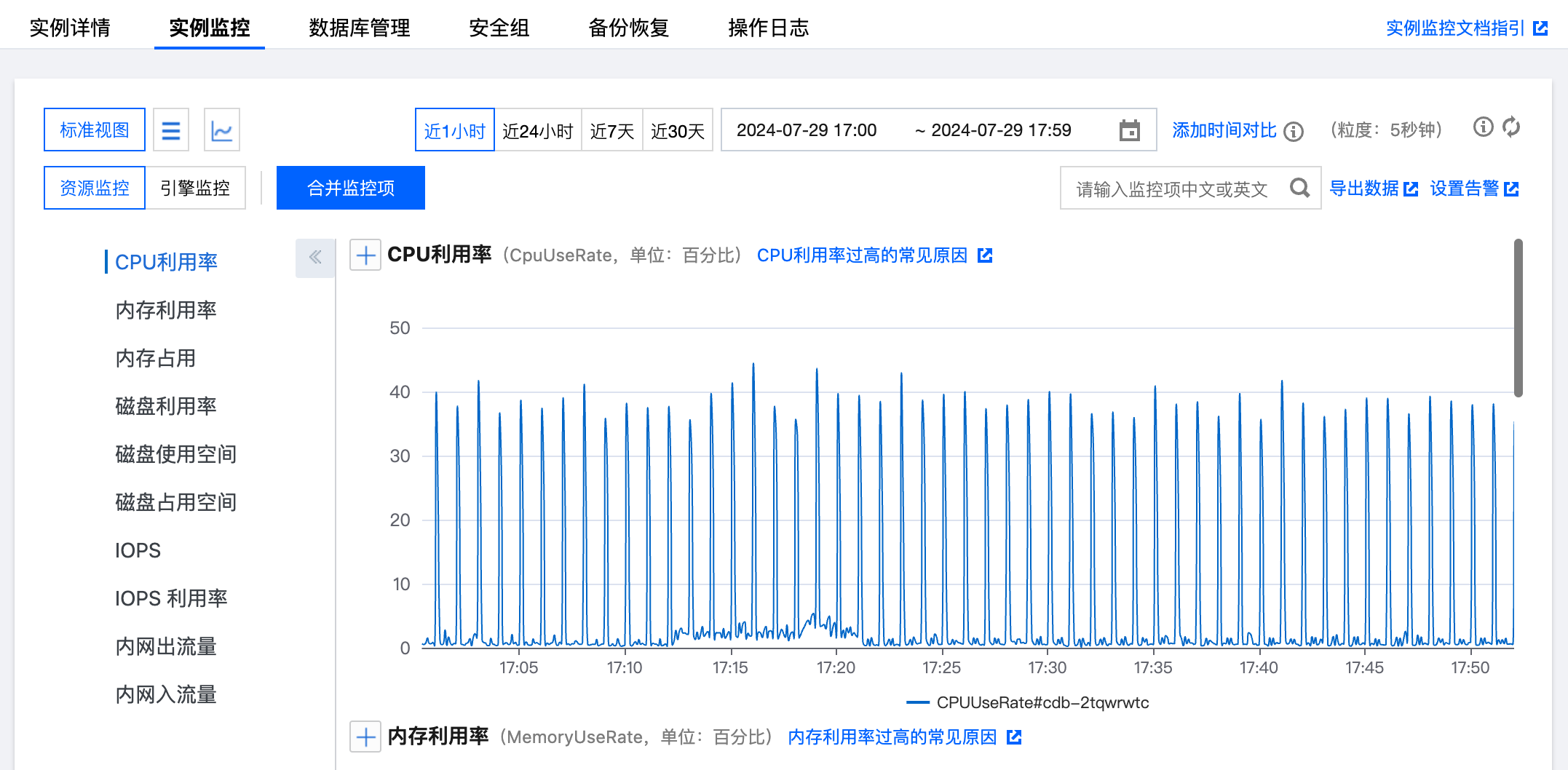
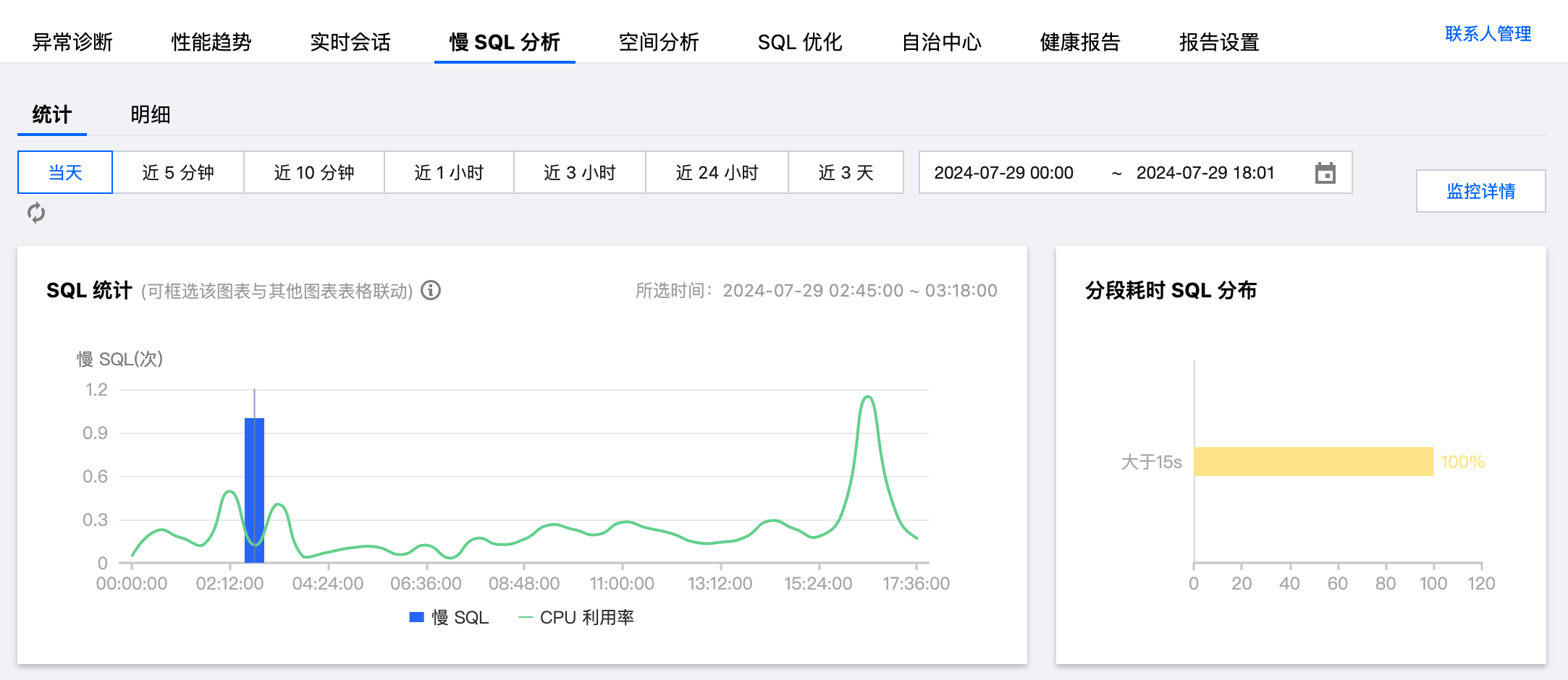
Where we once relied on user reports or server failures to detect harmful slow SQL queries, cloud databases now include intelligent assistants that identify slow SQL queries proactively.
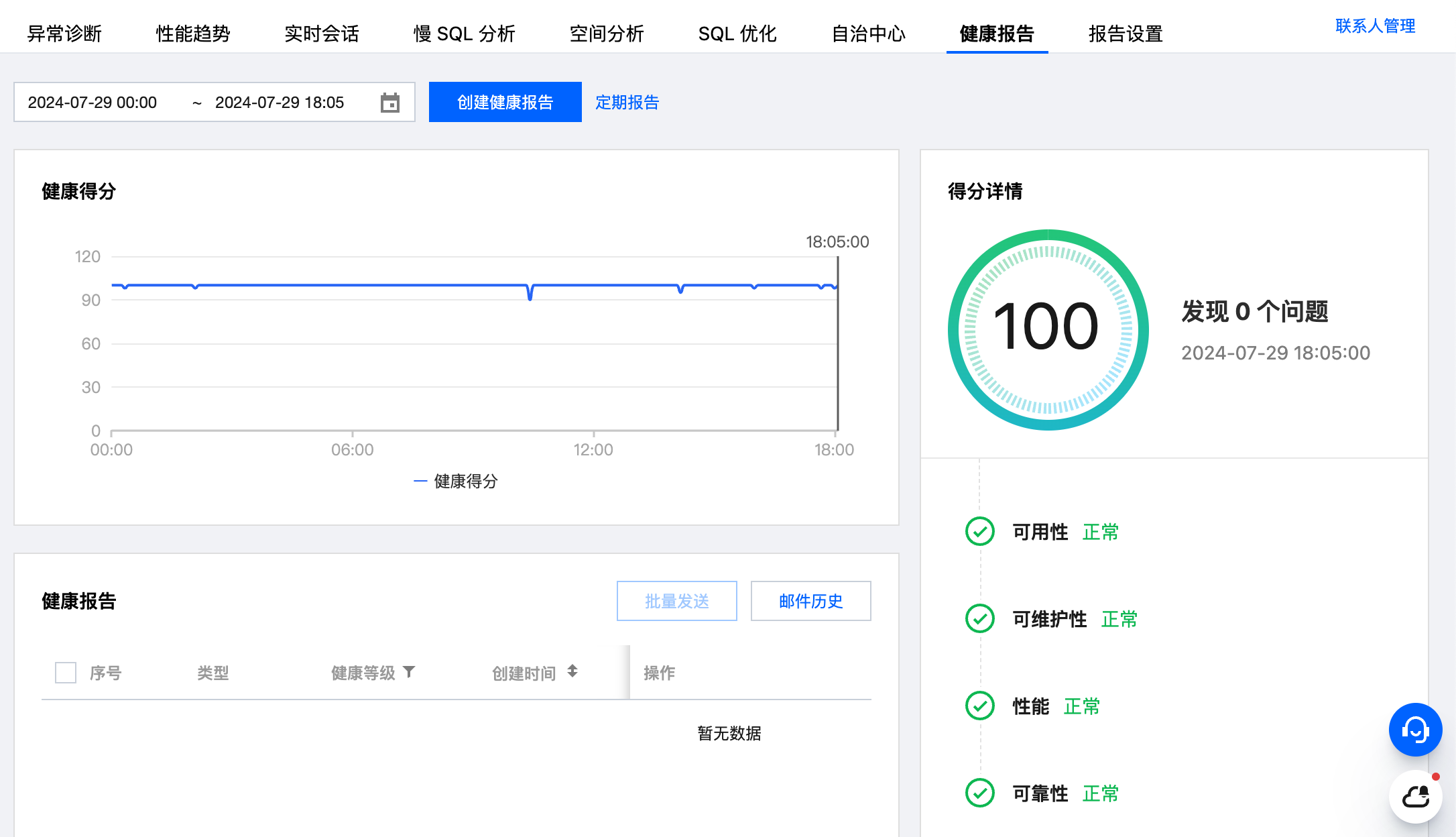
You can even run one-click database health checks, with recommendations for any score below 100:
3. Application Monitoring
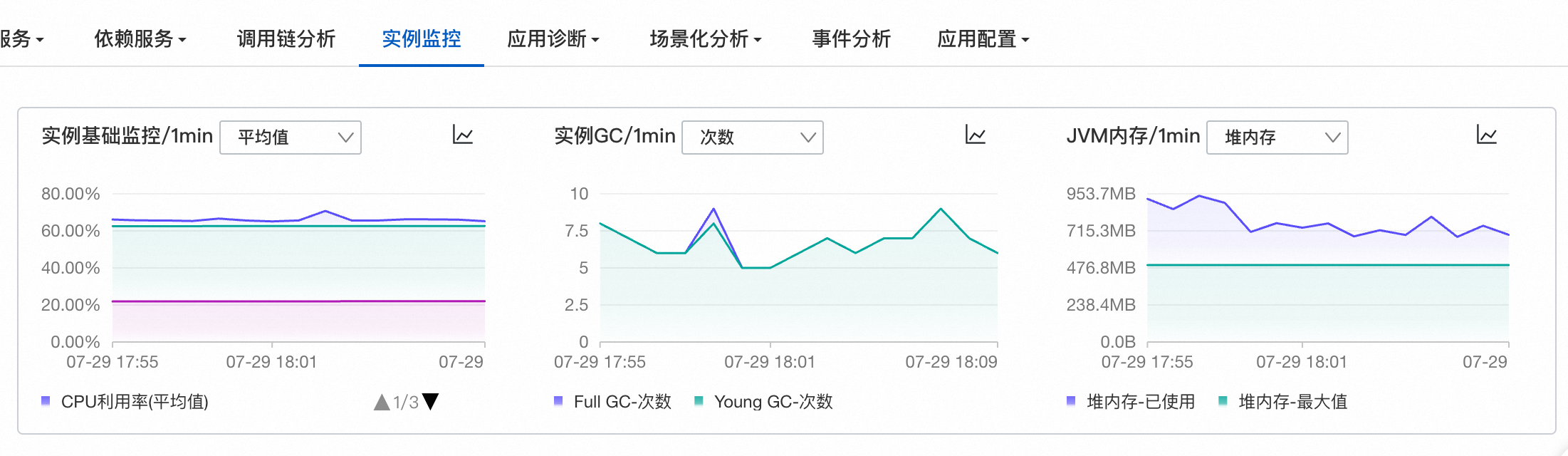
Application monitoring covers a broad scope. We use Alibaba Cloud's Application Real-Time Monitoring Service (ARMS), primarily because Alibaba demonstrates higher expertise in Java application services.
This includes monitoring application servers (like Java's Tomcat), API call statuses, internal service dependencies, scheduled tasks, thread pool statuses, JVM memory, GC activity, etc.
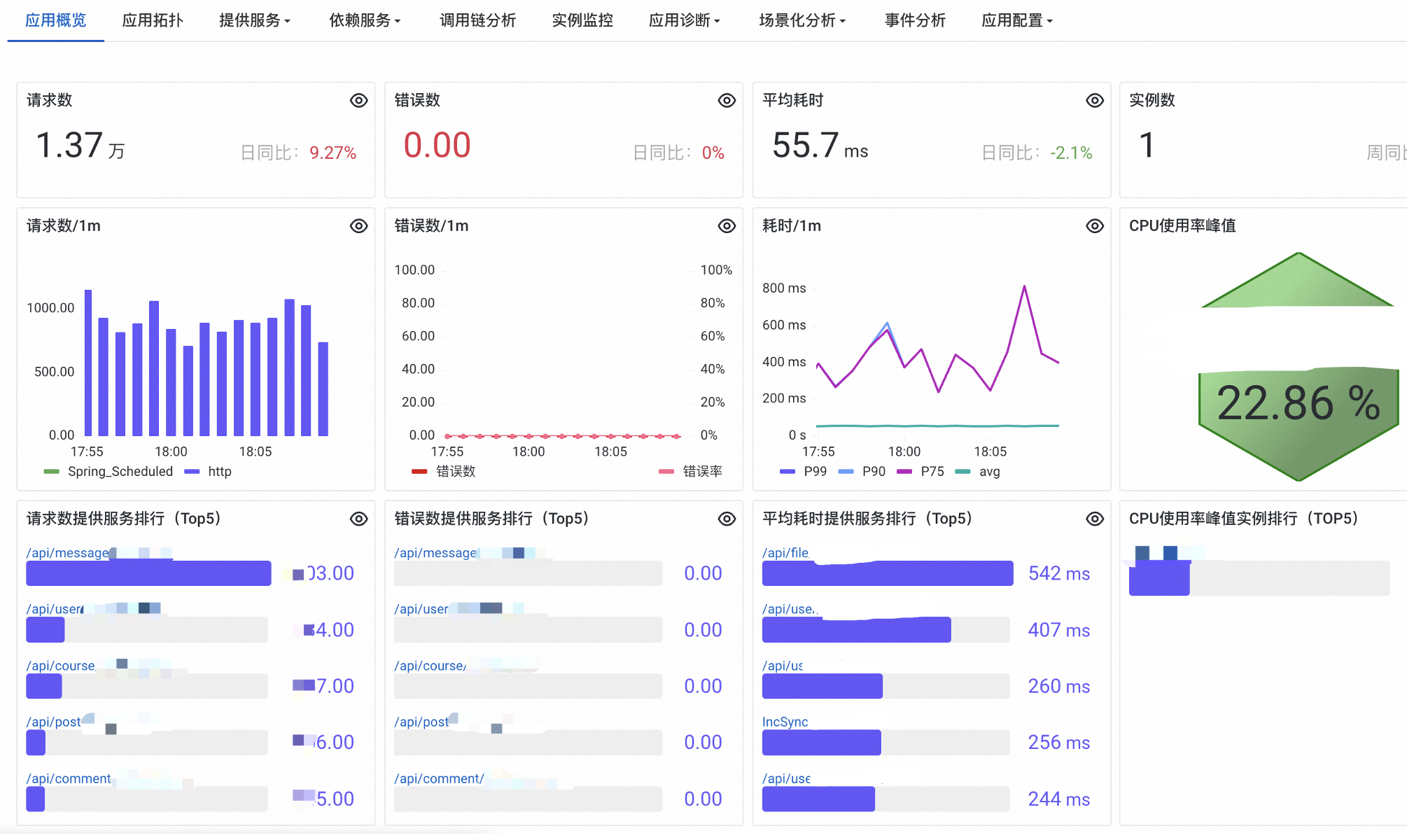
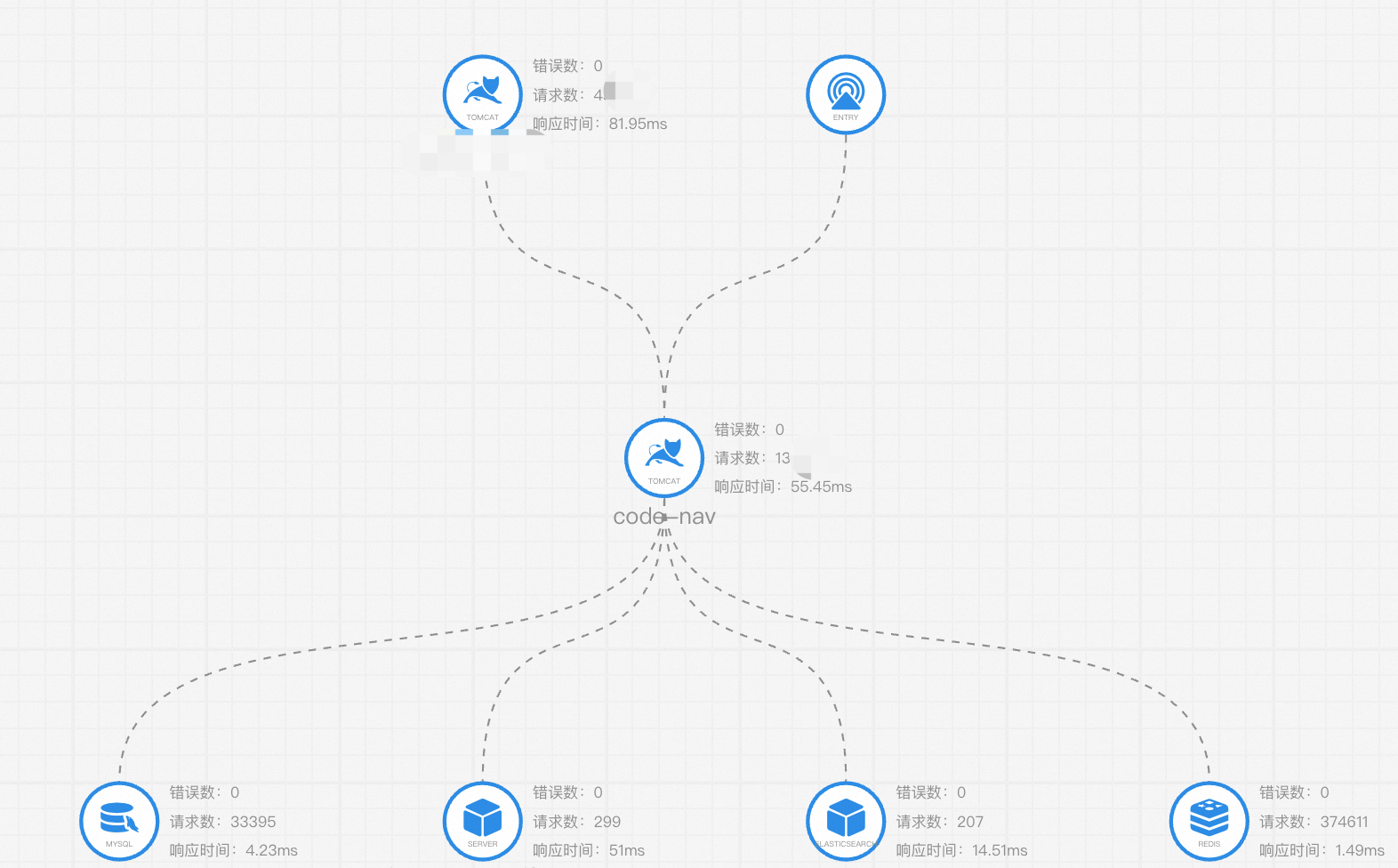
You can also view application topology and analyze call chains:
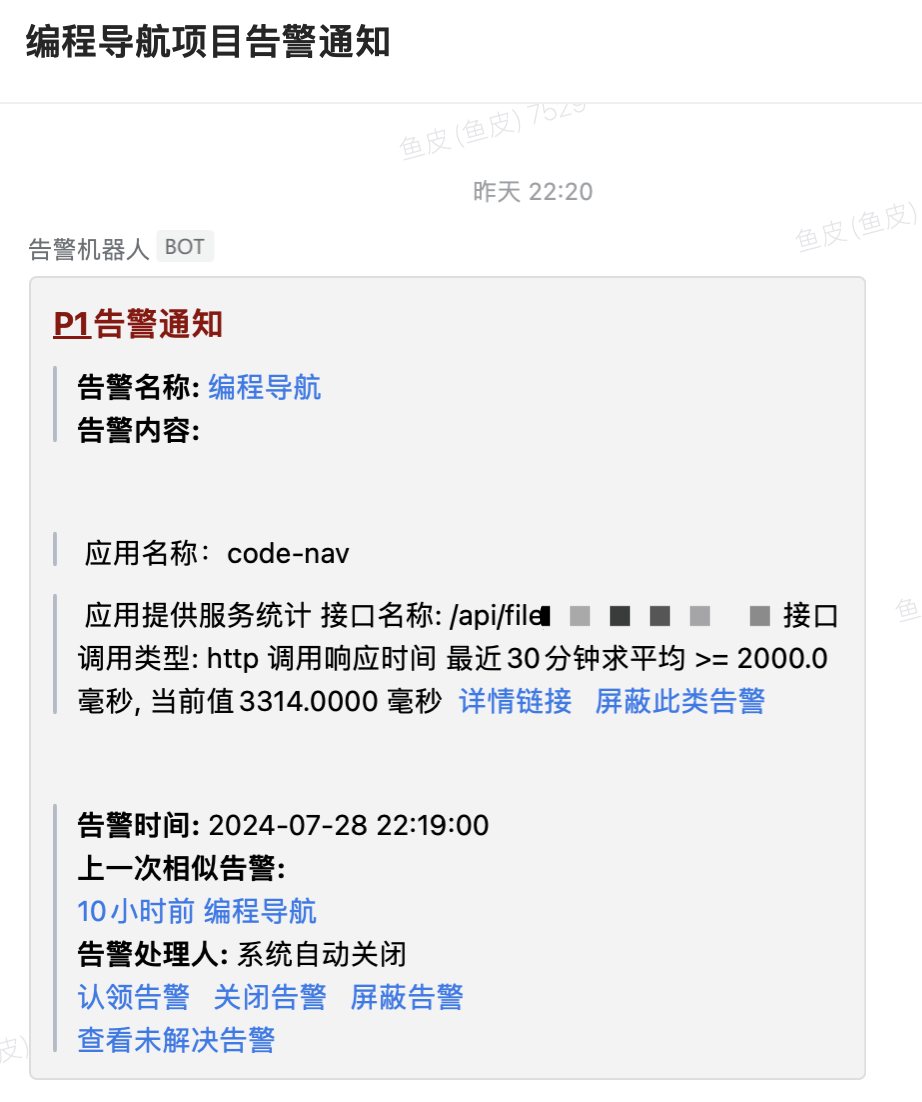
Beyond monitoring, its alerting capabilities are exceptional! We've integrated it with WeCom - any service issue triggers immediate alerts. You can quickly view alert details, acknowledge alerts, or mute them.
To be honest, the first few days after integration were painful, as it exposed many previously undetected system issues, with alerts pinging our WeCom group constantly through the night. Our dev team suffered.
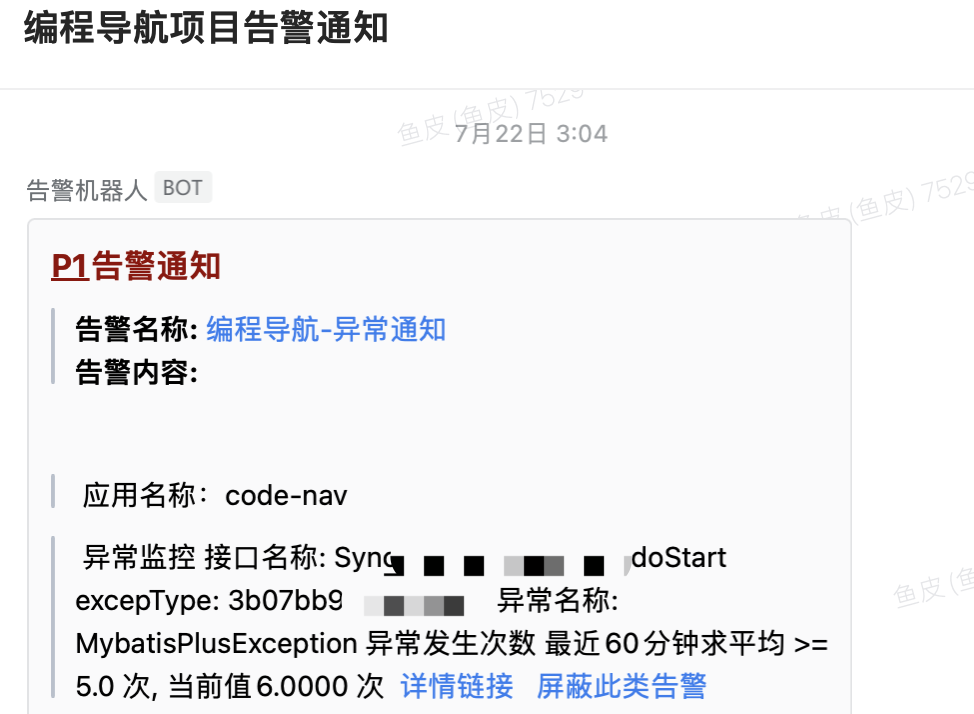
But we've adapted... or more accurately, after system optimizations, things have stabilized. Regardless, implementing monitoring and alerting is essential - it's like gaining x-ray vision into your system's health!
Note that monitoring services incur costs beyond certain usage thresholds, typically offering tens of GB free monthly. For enterprise projects, this quota gets exhausted quickly, but it's suitable for learning or personal sites.
4. Frontend Monitoring
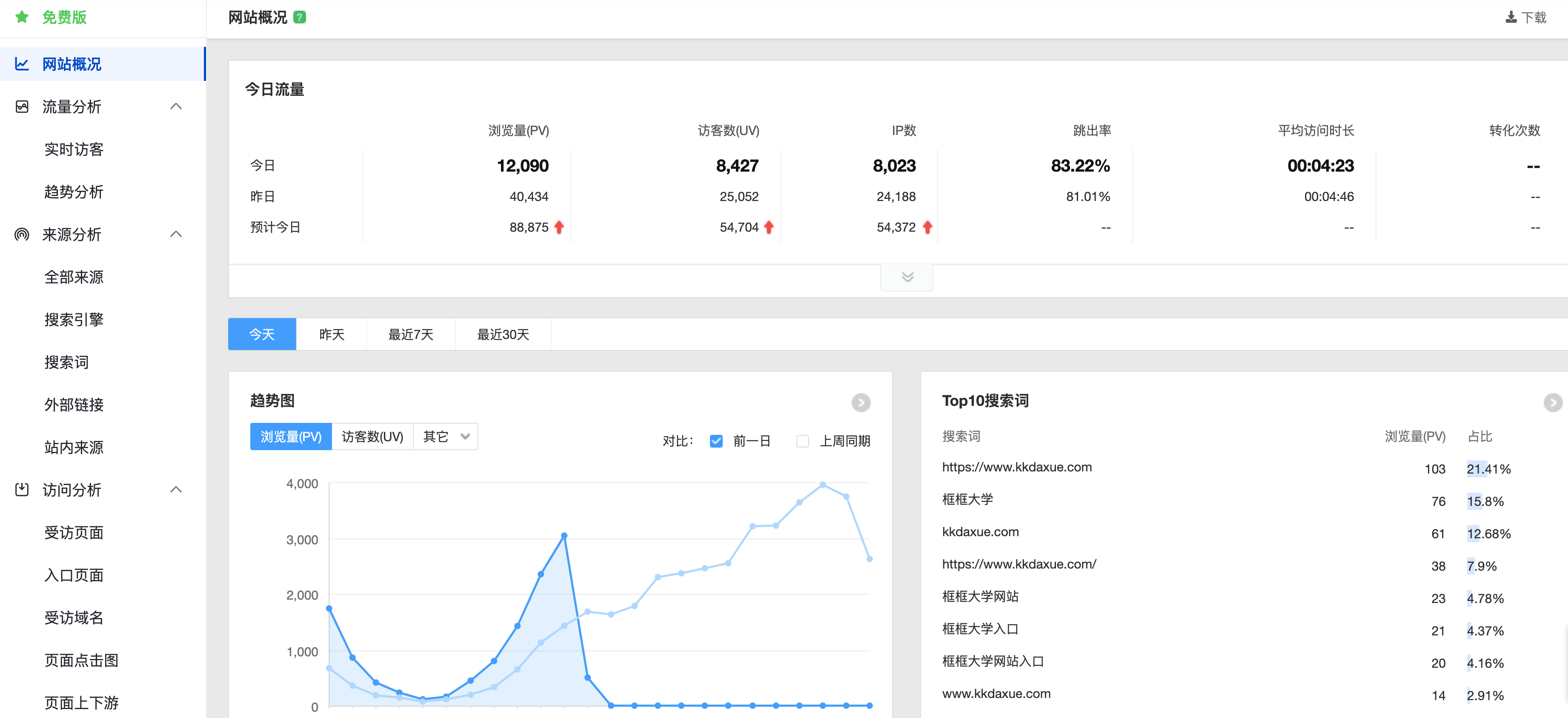
Beyond the above, sometimes we want user behavior insights, demographics, and business metrics: daily visitors, device types, mobile brands, new registrations, etc. This requires frontend monitoring (or backend tracking). As previously shared, Baidu Analytics can be integrated with just one line of code:
Recommended Resources
-
Yupi's AI Navigation: Comprehensive AI resources, latest AI news, free AI tutorials
-
Programming Navigation Learning Community: Learning paths, programming tutorials, practical projects, career guides, Q&A
-
Programmer Interview Guide: Internship/campus/social recruitment high-frequency topics, enterprise question analysis
-
Programmer Resume Builder: Professional templates, rich examples, direct interview access
-
1-on-1 Mock Interviews: Essential for internship/campus/social recruitment interviews