 yupi-translate-app[bot]
7.8 KiB
Website Data Protection Practices
Protect your data from malicious scraping
Hello everyone, I'm programmer Yupi. A couple of days ago, I was conducting a mock interview with a candidate who had two years of industry experience. Since he performed well, I spontaneously decided to discuss a business scenario problem we recently encountered. Here's the issue:
We recently launched a programmer coding practice website - Interview Duck, and many bad actors have targeted our site, attempting to scrape all 10,000+ interview questions and 300+ question banks. So how should we prevent such scraping behavior? For example, how can we identify users who illegally scrape data and automatically ban their accounts?
You can watch the entire discussion process in this video: https://www.bilibili.com/video/BV1b142187Tb
Below, I'll directly share with you a summary of methods to prevent scraping—there are a full 10 methods! The last one is quite unique~
How to Prevent Website Scraping?
1. Use Protocol Agreements
robots.txt is a file placed in the root directory of a website to inform search engine crawlers which parts should not be crawled.
For example, you can add the following rules to the robots.txt file to prohibit crawling of specific directories or files:
User-agent: *
Disallow: /private/
Disallow: /important/
While most compliant crawlers will follow these rules, malicious crawlers may ignore them. Therefore, robots.txt alone cannot completely stop all crawlers. However, it serves as the first line of defense, acting as a declaration and deterrent.
You can explicitly prohibit data scraping in the website's terms of service or usage agreements and treat violations as illegal. If website content is maliciously scraped and causes damage, robots.txt can serve as evidence of these violations.
2. Restrict Data Access Conditions
Instead of exposing all data directly, you can require users to log in or provide an API key to access specific data. You can also implement authentication mechanisms for critical content, such as OAuth 2.0 or JWT (JSON Web Tokens), ensuring only authorized users can access sensitive data and effectively preventing unauthorized crawlers from obtaining it.
3. Monitor Access Frequency and Ban
You can use caching tools like Redis (distributed caching) or Caffeine (local caching) to record the number of requests from each IP or client and set thresholds to limit the access frequency of a single IP address. When abnormal traffic is detected, the system can automatically ban the IP address or take other measures.
Note that while a Map can also track request frequency, since requests accumulate continuously, the memory usage will keep growing. Therefore, it's not recommended to use a Map, which cannot automatically release resources. If you must use memory for request frequency tracking, consider using Caffeine, a caching technology with data eviction mechanisms.
4. Multi-Level Handling Strategy
To avoid "false positives," instead of directly banning accounts of clients engaged in illegal scraping, you can implement a more flexible multi-level handling strategy. For example, when abnormal traffic is detected, issue a warning first. If the scraping behavior continues, take stricter measures like temporarily banning the IP address. If scraping persists after unbanning, impose permanent bans or other penalties.
The specific handling strategy can be customized based on actual needs, but it's not advisable to make it overly complex to avoid burdening the system.
5. Automated Alerts + Manual Intervention
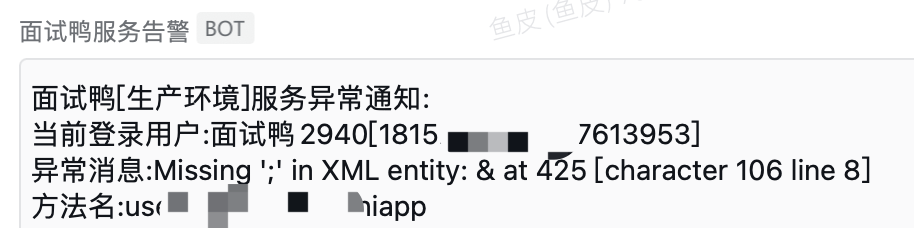
Implement automated alert capabilities, such as sending WeChat Work notifications when abnormal traffic or scraping behavior is detected. Website administrators can then intervene promptly to further analyze and handle the scraping requests.
This has been shared before—it's not just for scraping. Enterprise systems should ideally have comprehensive alerts for issues like API errors, high CPU/memory usage, etc.
6. Scraping Behavior Analysis
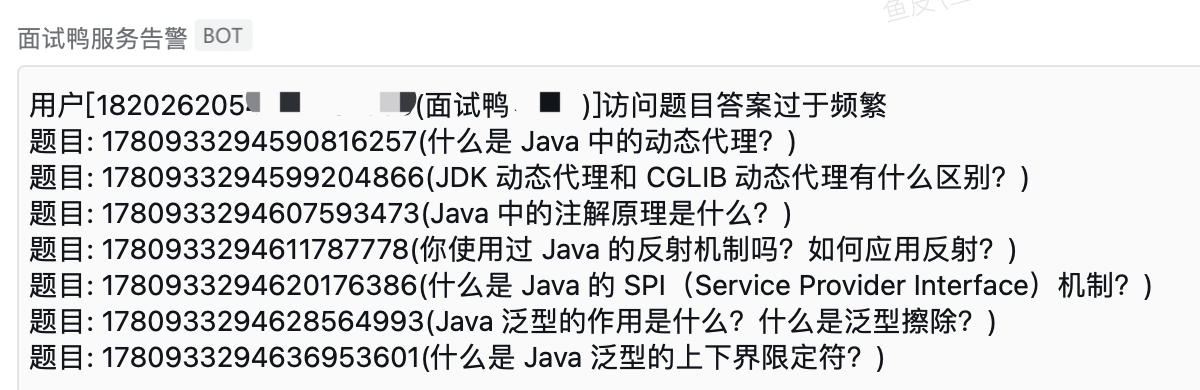
Illegal crawlers and normal users typically exhibit different behaviors. Crawlers often follow specific access patterns. For example, normal users spend varying amounts of time on each question, while crawlers usually fetch questions in a fixed order and at a fixed frequency, making them easy to identify.
For instance, the following scenario is likely a crawler:
7. Request Header Inspection
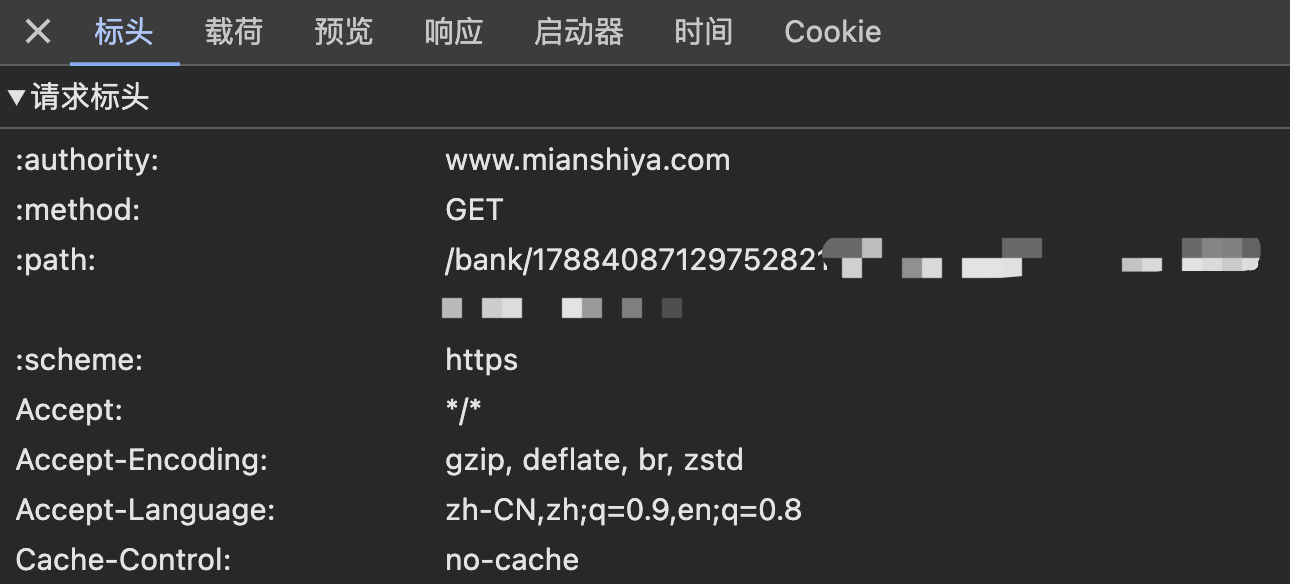
Every request sent to the server includes header information. You can intercept crawler requests by checking identifiers like User-Agent and Referer in the request headers.
Of course, this method only works against amateurs since request headers can be easily forged. By using a browser's built-in network console to obtain legitimate request headers, crawlers can bypass detection.
8. Publicly Share Data
I remember learning in a university information security class that one way to prevent cyberattacks is to make the attacker's cost exceed the potential gain. For example, if a password is valid for 10 minutes but takes 15 minutes to crack, no one will bother cracking it.
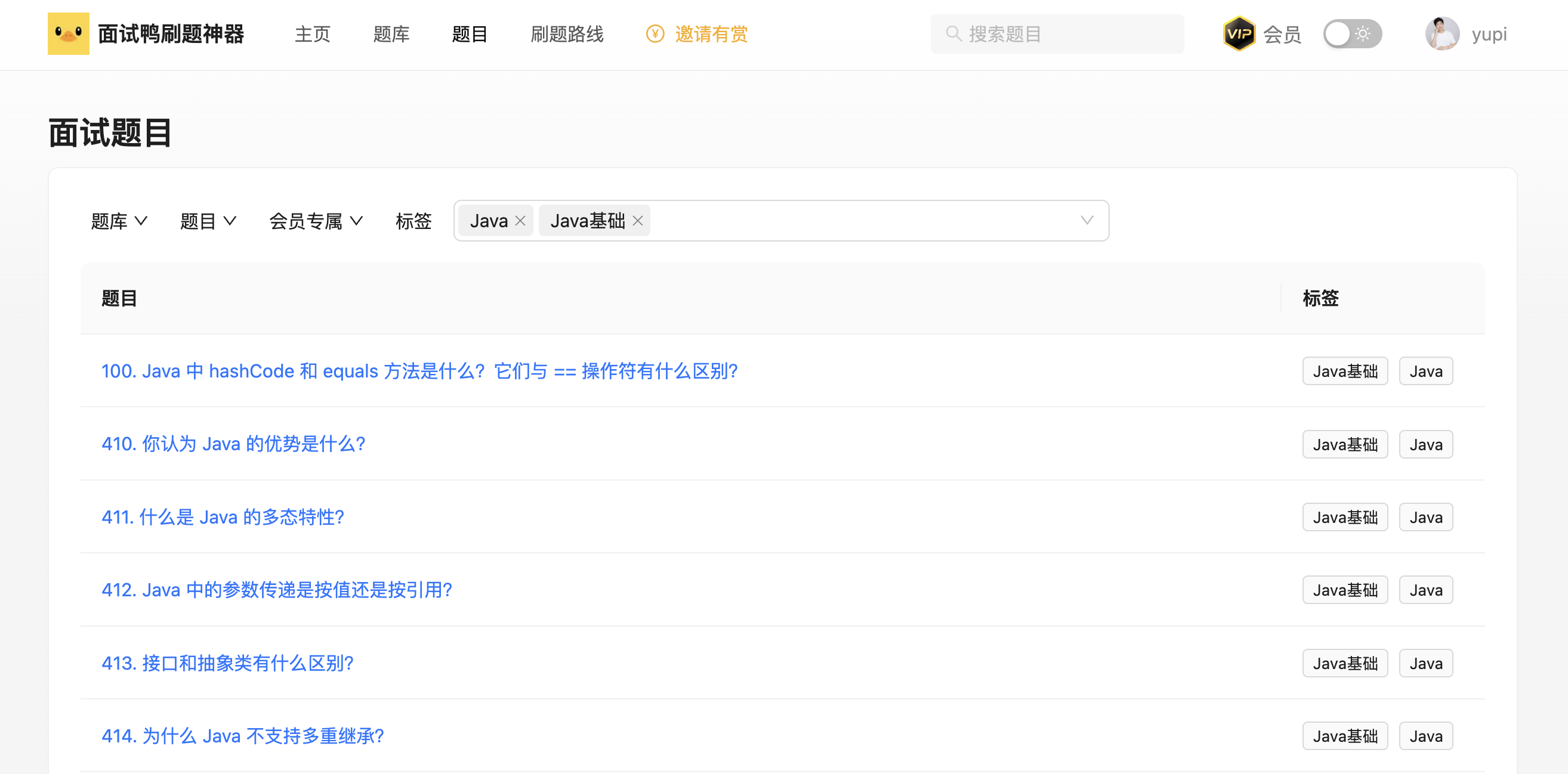
Applying this to scraping, our approach is to impose no restrictions—anyone can view our website's question data without logging in! We even provide various filtering and bookmarking features for questions. Most users just want to study, so there's no need to spend time scraping data.
9. Traceability Technology
While the questions are public, some high-quality solutions written by experts from major companies are only available to members. If users scrape this content, they should beware! Generally, if you log in to a website, there will always be access records. If you leak content that requires login—especially paid content—the website administrator can trace it back to you.
Common traceability technologies include watermarks and blind watermarks. For Interview Duck, users log in via WeChat, and if they're members, there are payment records. These technologies not only mark the data source but also help track its origin if misused, enhancing data protection.
10. Legal Education
Beyond the above methods, you can further limit scraping by integrating anti-scraping services, adding CAPTCHAs, or implementing dynamic timestamps. But remember, scraping cannot be perfectly prevented! Because you can't restrict real users, attackers can simulate genuine user behavior to scrape data—for example, by recruiting 10 users to each fetch a few hundred questions.
So my final method is—legal education. You can post clear legal disclaimers on the website stating that unauthorized scraping is illegal, which can deter some scraping attempts. Additionally, through videos and articles, we can raise legal awareness among programmers. Scraping carries risks—it's fine for personal learning, but don't overload websites, or you might face charges of damaging computer systems!

Recommended Resources
- Yupi AI Navigation: Comprehensive AI resources, latest AI news, free AI tutorials
- Programming Navigation Learning Circle: Learning paths, programming tutorials, practical projects, job search guides, Q&A
- Programmer Interview Cheat Sheet: Internship/campus/senior hiring FAQs, company question analysis
- Programmer Resume Builder: Professional templates, rich examples, direct interview access
- 1-on-1 Mock Interviews: Essential for internship/campus/senior interviews to land offers