 yupi-translate-app[bot]
8.2 KiB
Practical Guide to Website Data Analysis
Driving Product Optimization with Data
A student asked me: Brother Yupi, how does your team handle data analysis for so many website products?

Actually, there are many readily available free resources that can help you effortlessly tackle various data analysis scenarios.
- Website Traffic Statistics
- Frontend Error Monitoring
- User Behavior Analysis
- Custom Business Analysis
- Backend Application Monitoring and Analysis
- Backend Resource Monitoring and Analysis
- Backend Custom Metric Analysis
Whether you're working on personal projects with Vibe Coding or aiming to create a real product, mastering website data analysis methods can help you understand user behavior and optimize product features. There's a lot of valuable content here, so I recommend bookmarking it~
⭐️ Recommended video version: https://bilibili.com/video/BV1CkUDBiEMR
Comprehensive Tutorial on Website Analysis
Let's start with the most basic website traffic analysis. You probably want to know how many people visit your site daily, where they come from, and which pages they spend the most time on, right?
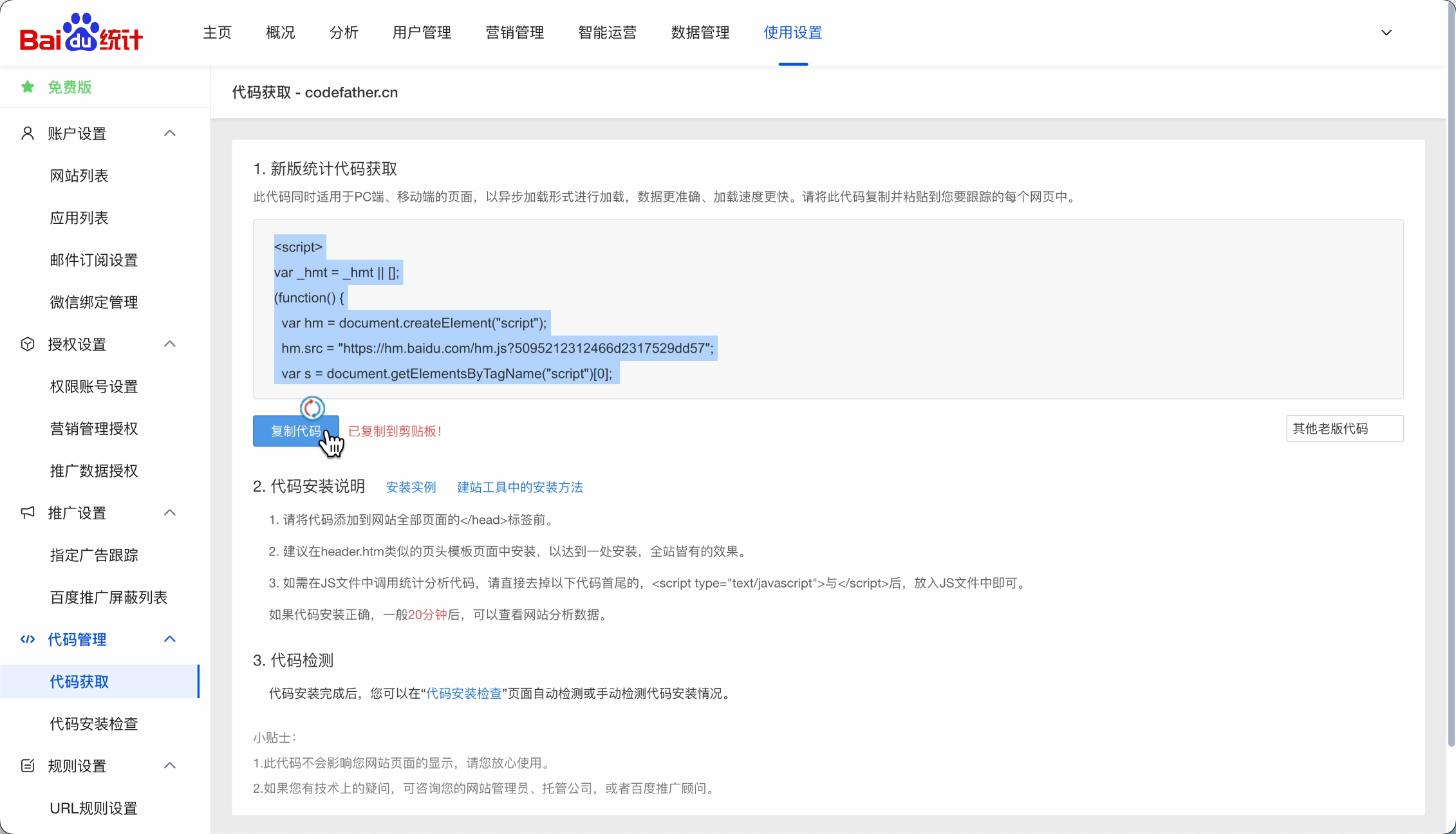
You can use Baidu Analytics, 51.LA Website Analytics, or Google Analytics. Simply add a snippet of code to your website files to easily integrate these tools.
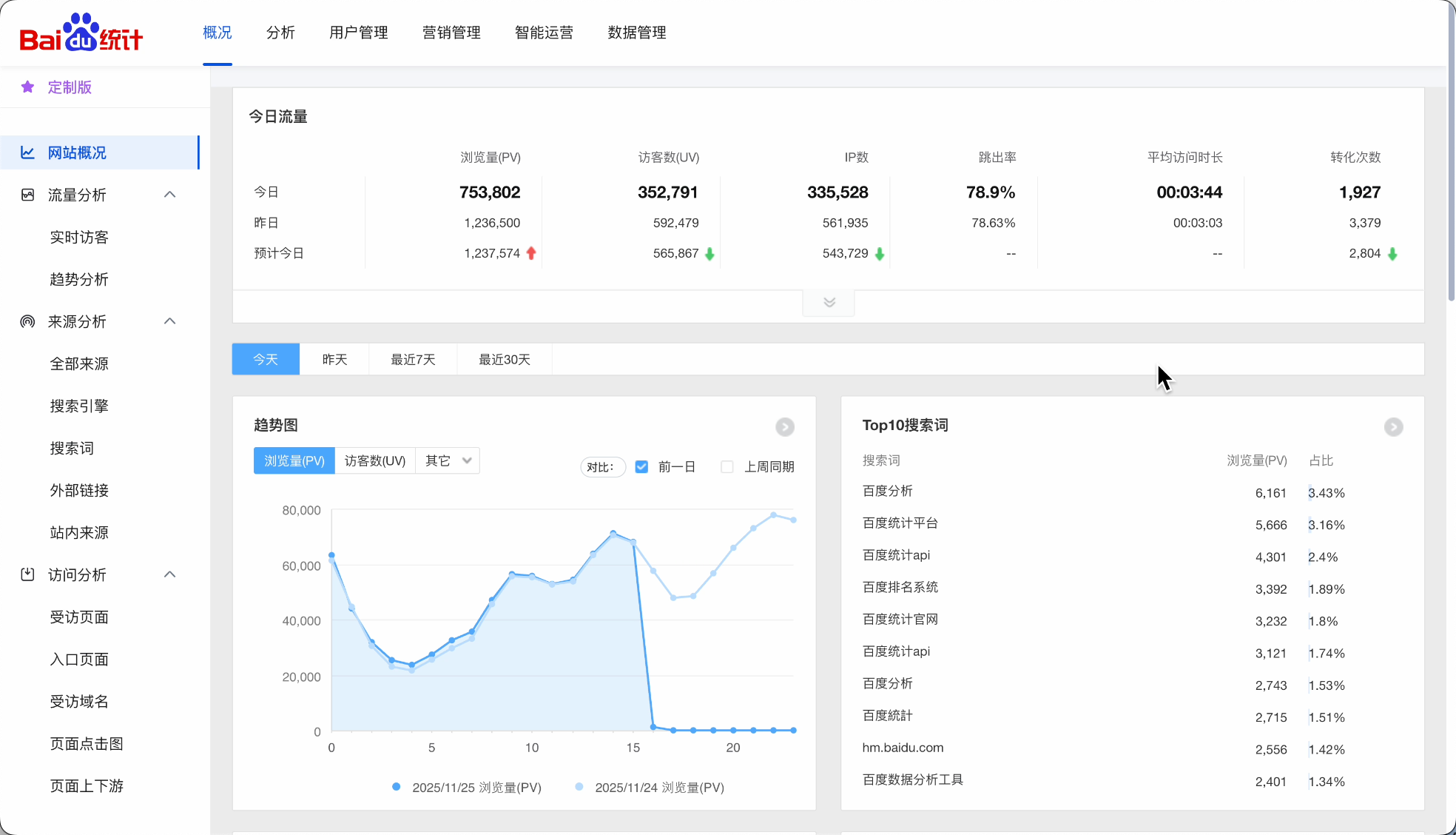
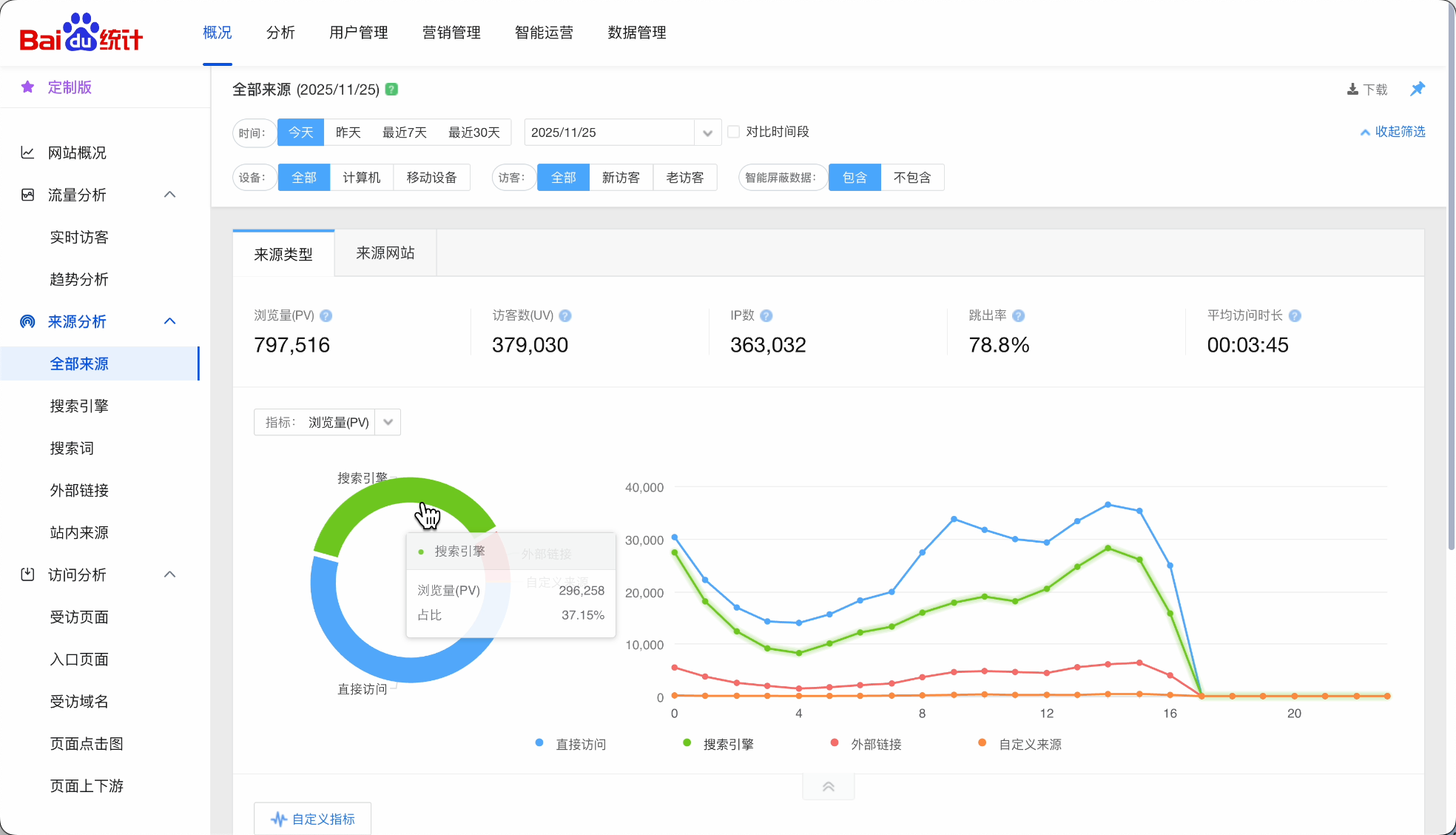
Then you can see visitor numbers and trends, analyze visitor sources, and examine page visit statistics:
This helps you understand user preferences and gain insights for page optimization.
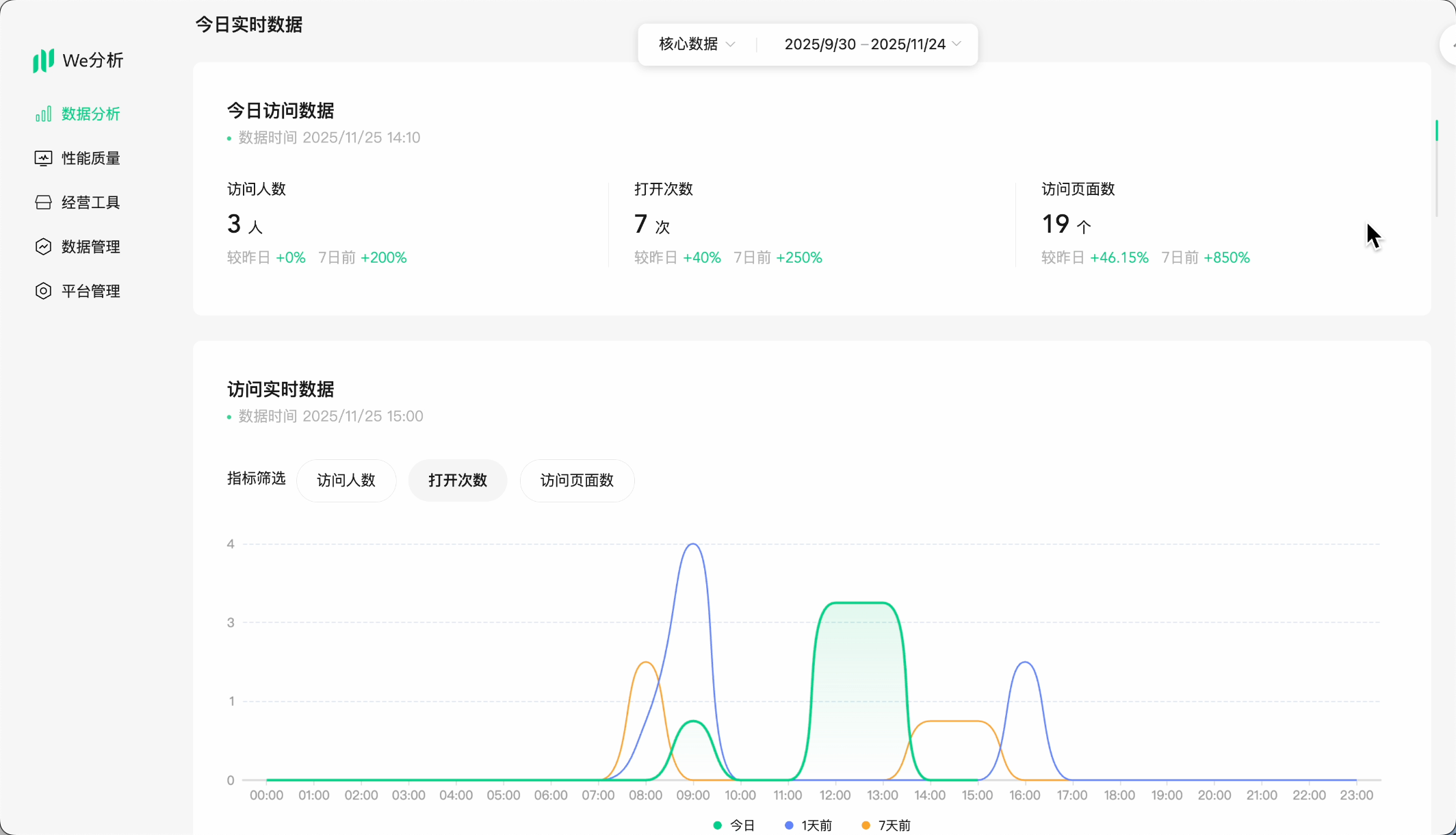
If you're working on a mini-program, it's even simpler. For example, WeChat mini-programs can directly use the official built-in analytics.
What if you want to analyze the traffic of someone else's website?
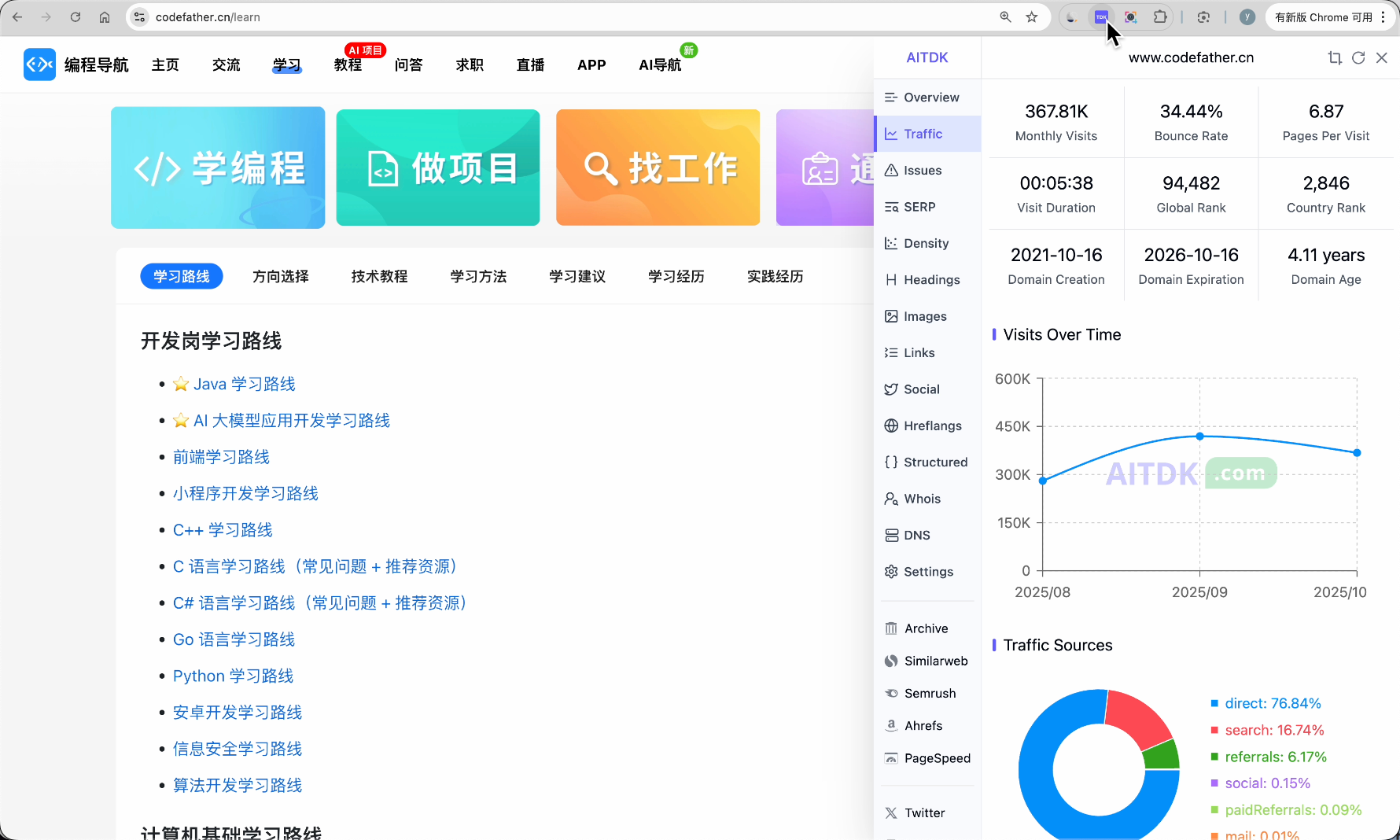
You can use tools like Similarweb or AI TDK. Just enter the URL to see traffic estimates, visitor sources, and popular keywords, which are particularly useful for competitor analysis and SEO optimization.
Knowing just the normal user activity isn't enough. What if your website buttons stop working, users encounter constant errors, and you remain unaware? That could be embarrassing and potentially affect revenue! So, frontend error monitoring is essential.
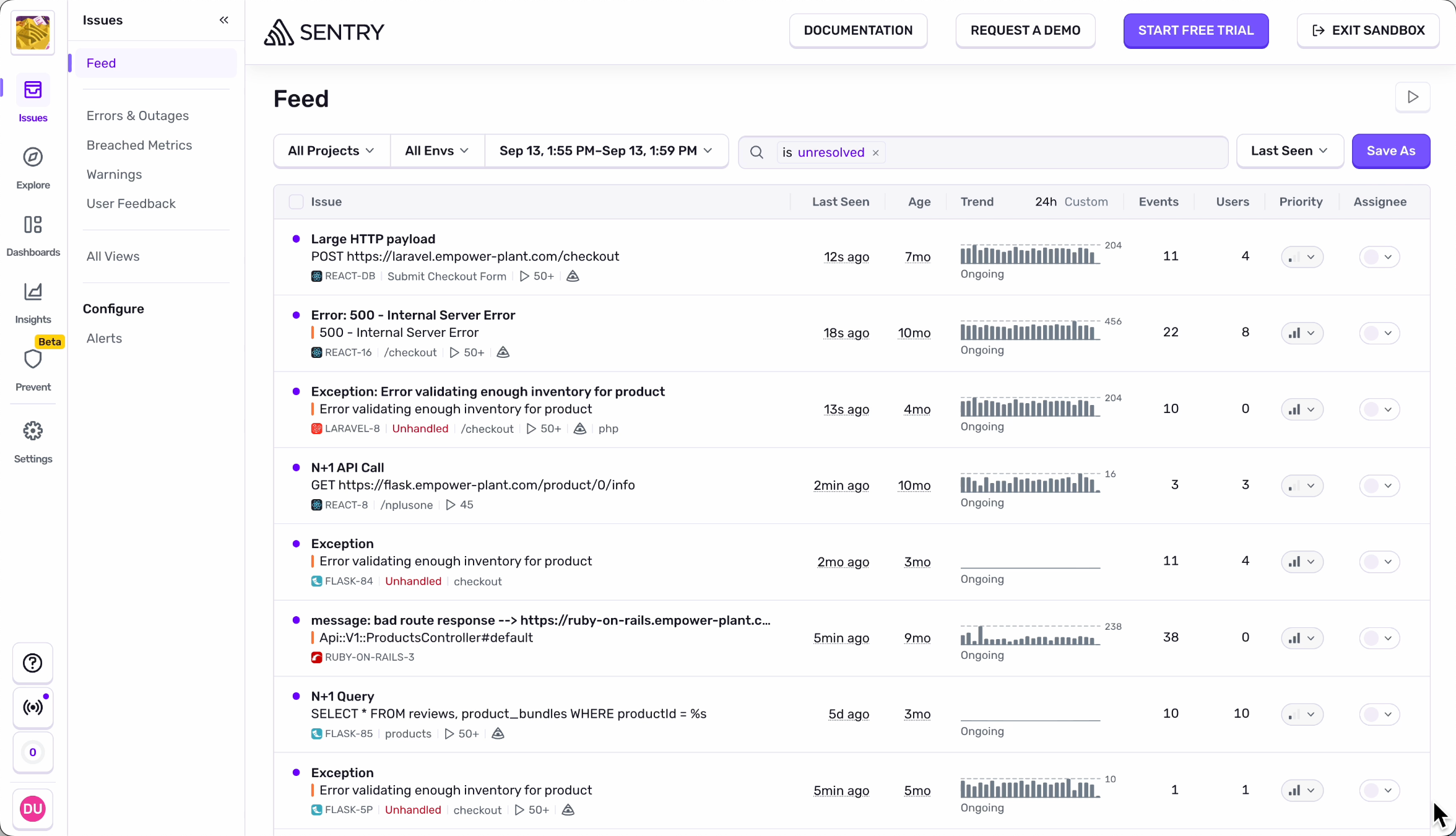
Sentry is a mainstream open-source frontend monitoring tool that helps capture and track various code errors.
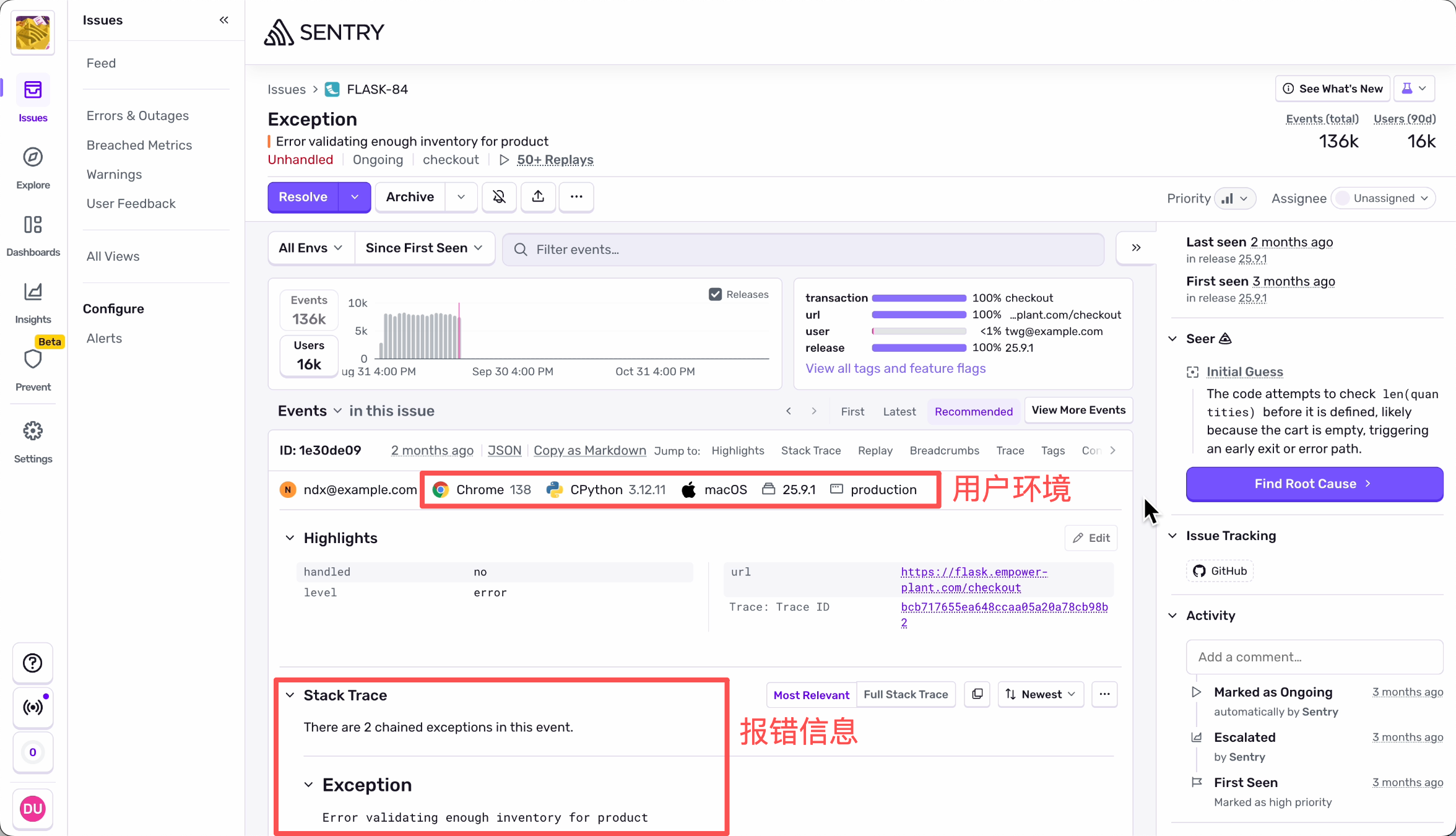
It also records users' system environments and specific error details, making it easier for you to troubleshoot and fix bugs.
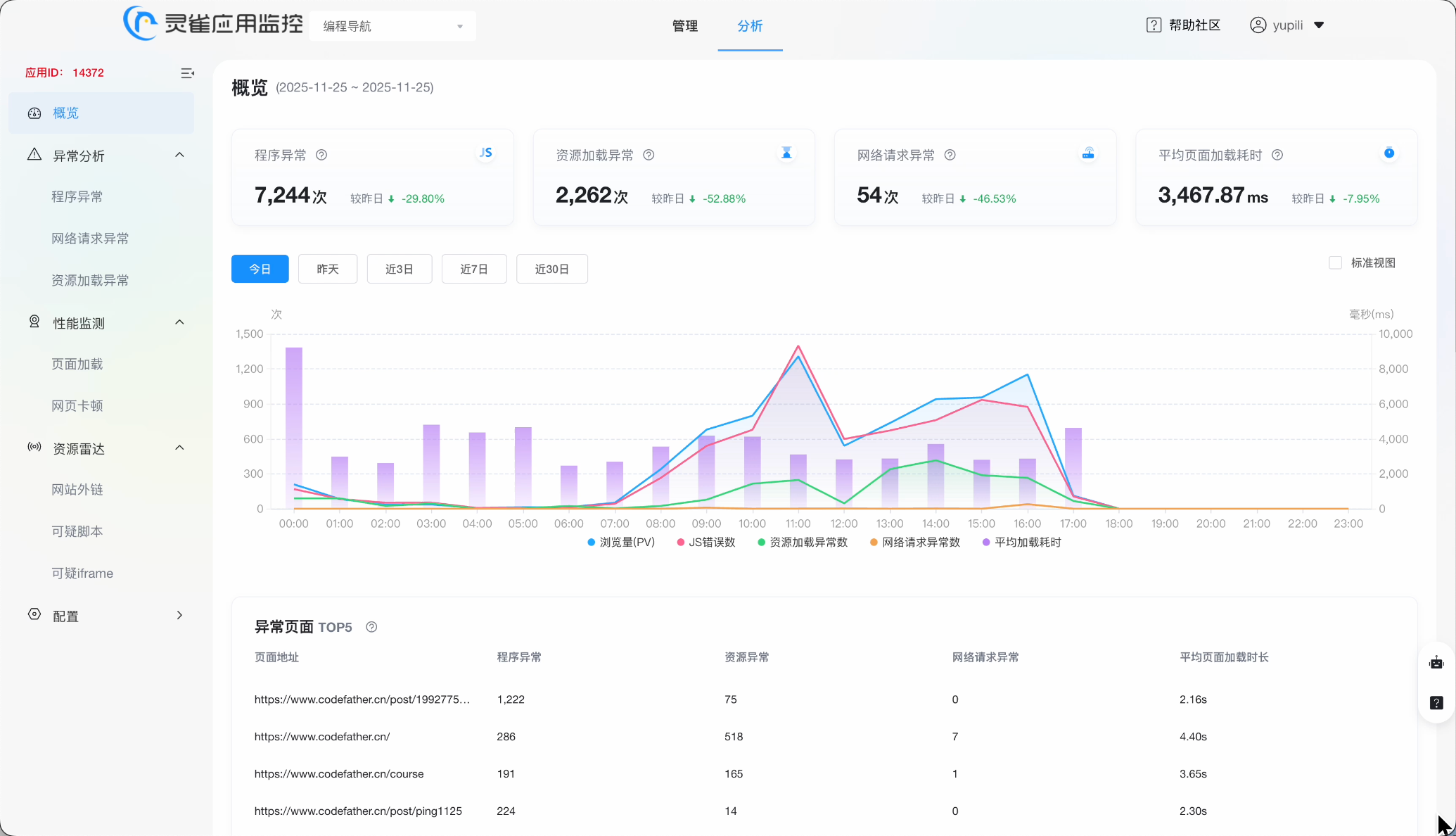
However, the free version has limitations, or you need to deploy the open-source code on your own server. Our team uses Lingque Application Monitoring, which can be integrated with just a snippet of code. It captures various frontend exceptions in real-time and allows you to view specific error details.
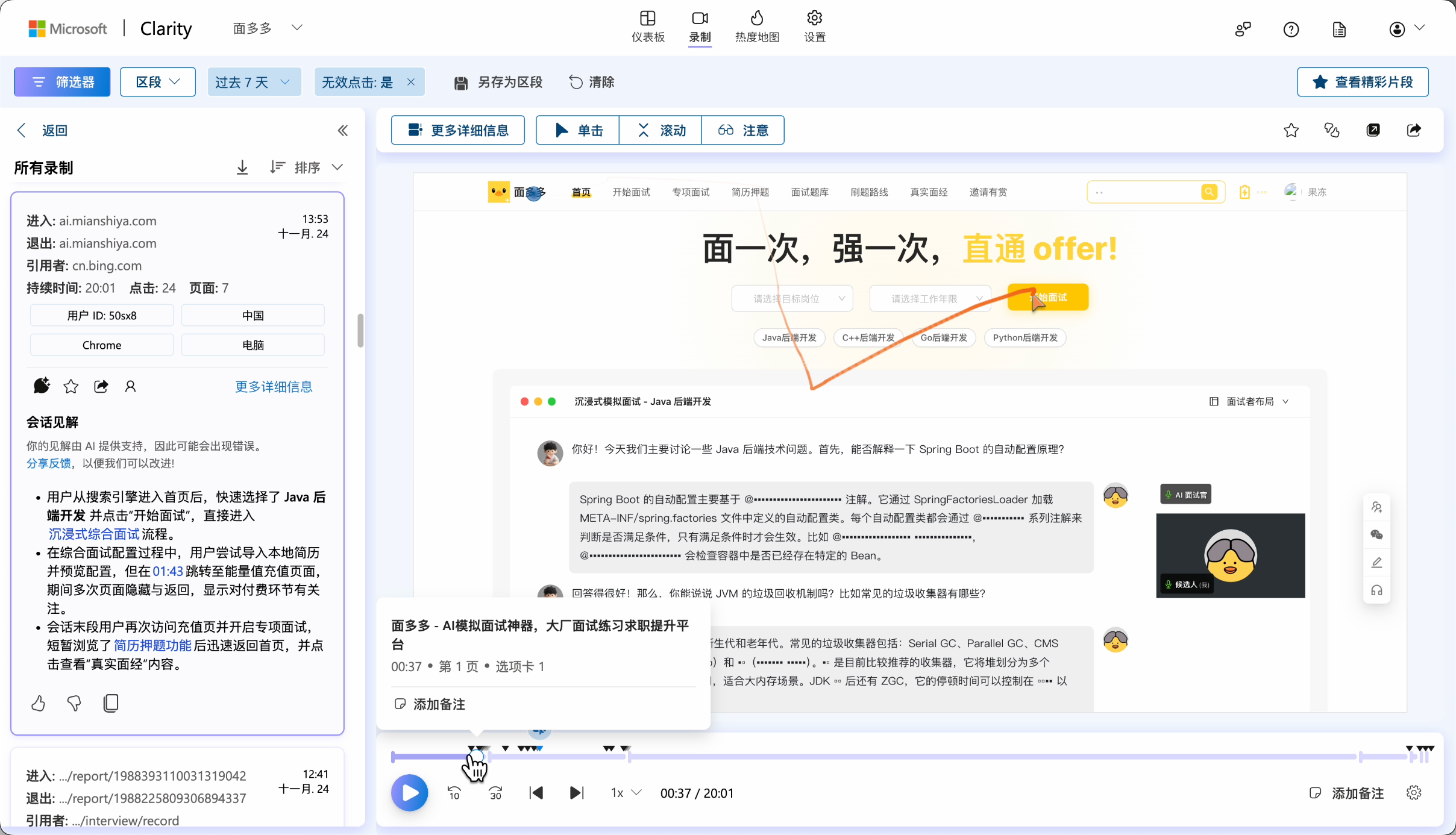
Sometimes, knowing where errors occur isn't enough. You also want to understand how users are interacting with your site. Why did they trigger this error? Or why aren't they willing to pay? This is where user behavior analysis tools come in.
I recommend Microsoft's 100% free Clarity, which records real user interactions.
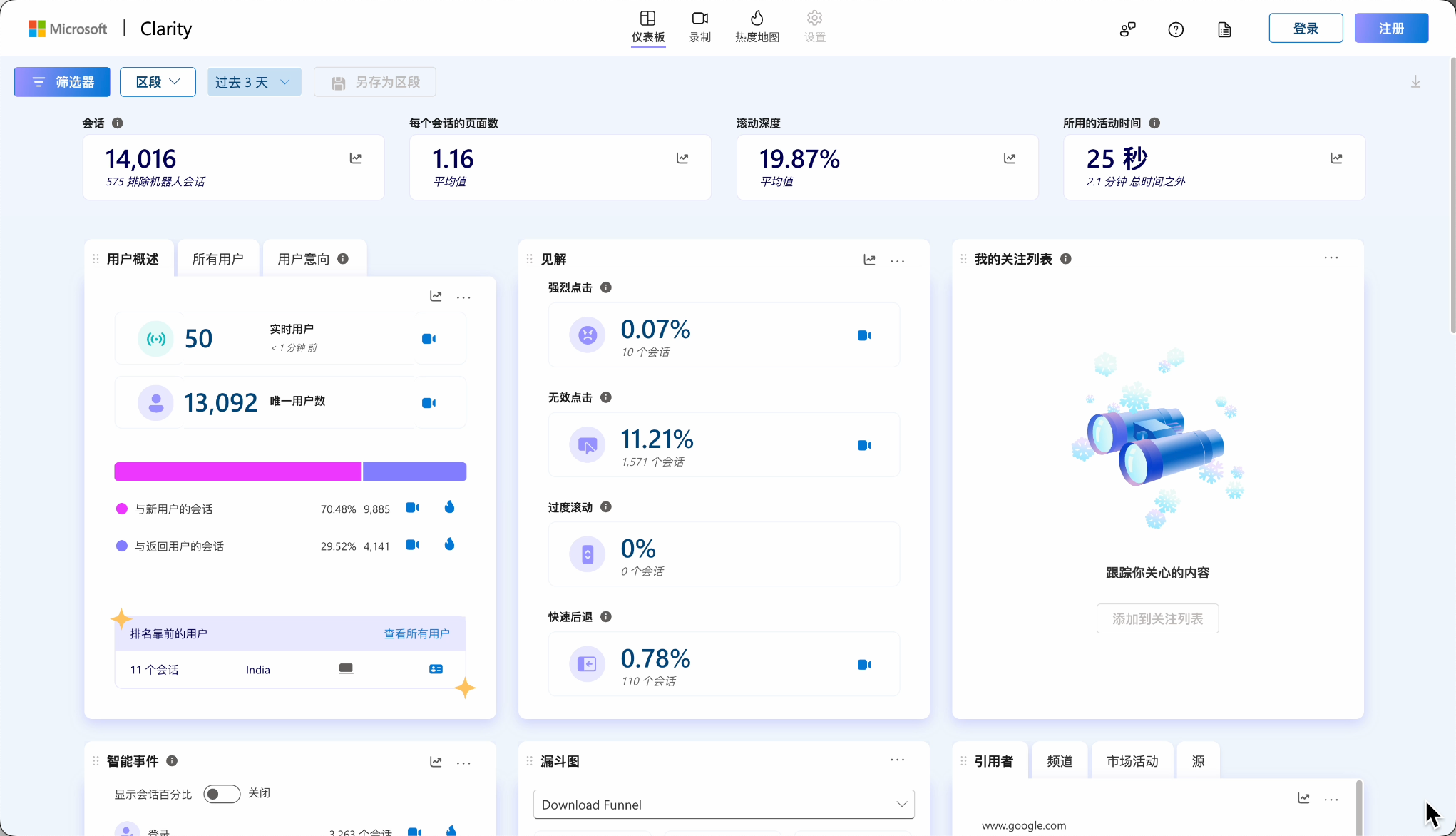
Our team's Mock Interview Product - MianDuoDuo uses it. You can see exactly where users click, scroll, and hesitate.
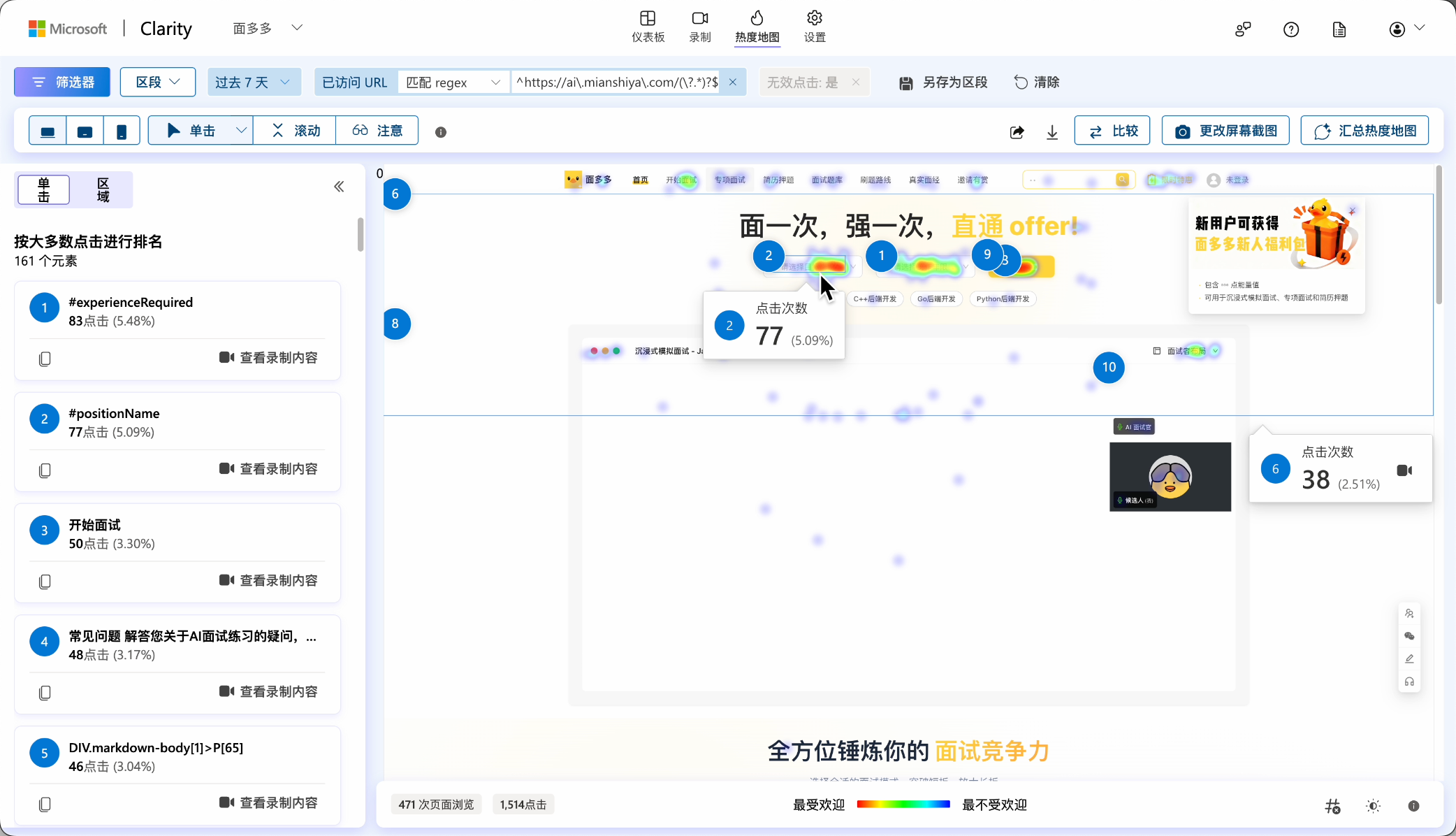
Heatmaps can quickly analyze user preferences, helping optimize button layouts, reduce product complexity, and uncover issues you might never have thought of.
The tools mentioned above provide general metrics, but each product has unique business logic. Some data you care about, like conversion rates or feature usage frequency, might not be available through off-the-shelf tools. This is where custom business analysis comes in.
Initially, I naively paid for some well-known commercial BI products, but later realized that for small teams, it's unnecessary. Open-source tools like DataEase or Superset are great alternatives. They can connect to various data sources like MySQL databases, and you can configure and drag-and-drop to create various visual charts and dashboards.
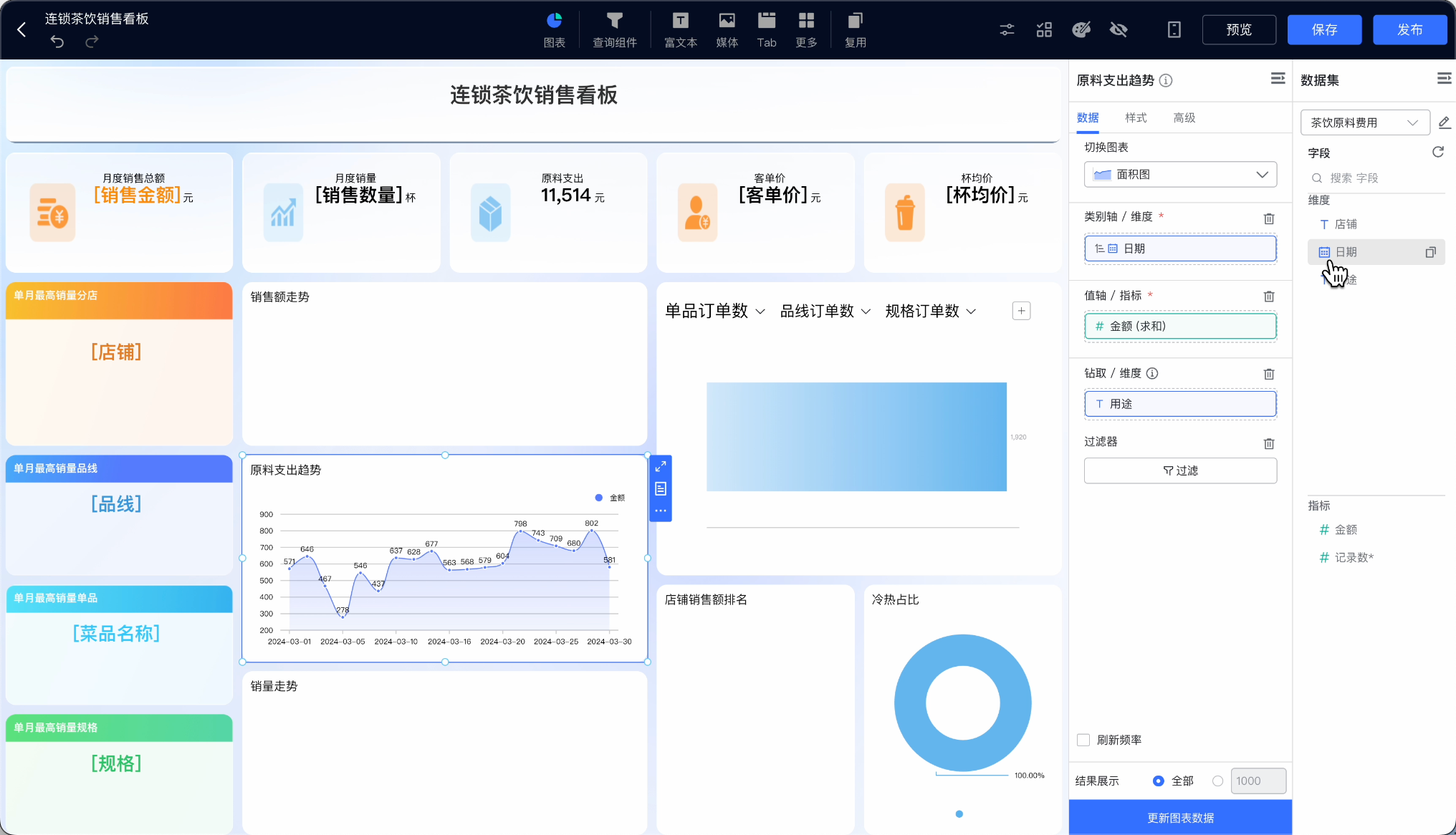
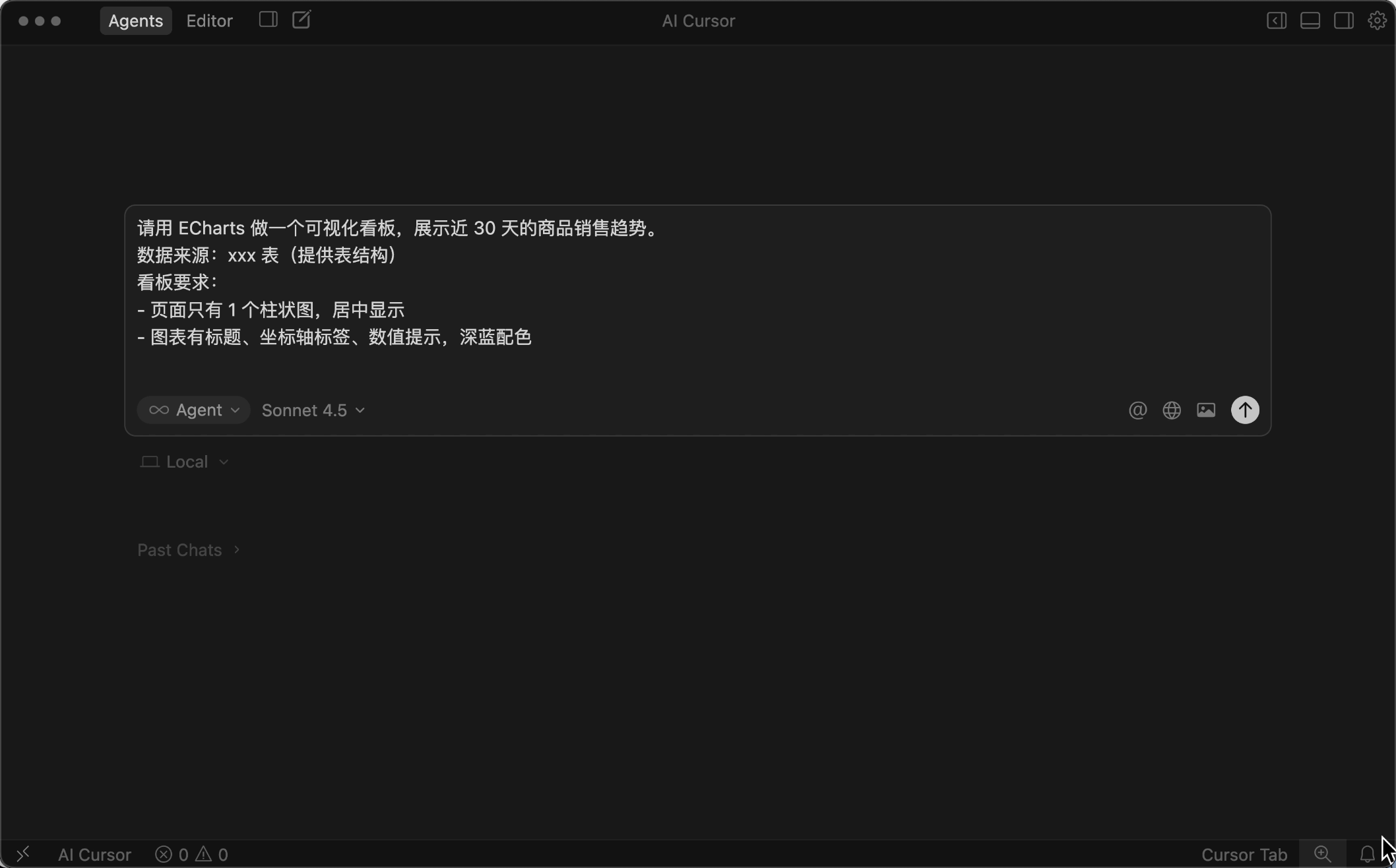
For highly personalized needs, you can build your own dashboards. With AI assistance and the ECharts library, generating visual dashboards is now much easier.
After covering the frontend, let's not forget about backend data analysis.
When users visit your website, data is provided through various APIs. How do you know if these APIs are functioning properly? Is there room for optimization? This is where backend application monitoring and analysis comes in.
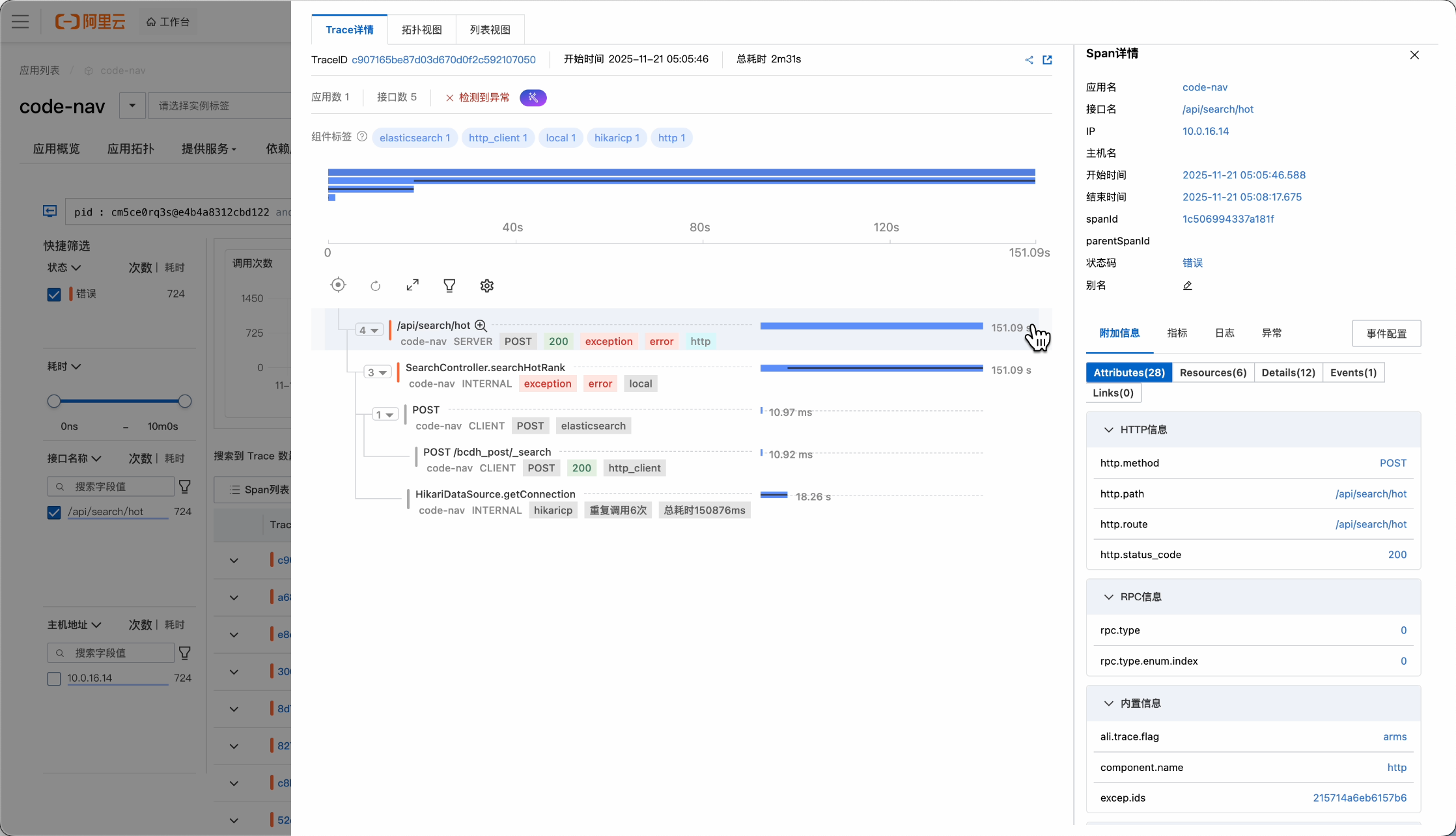
Our team uses ARMS Application Real-Time Monitoring Service, which comprehensively monitors application performance and quickly identifies faulty or slow APIs.
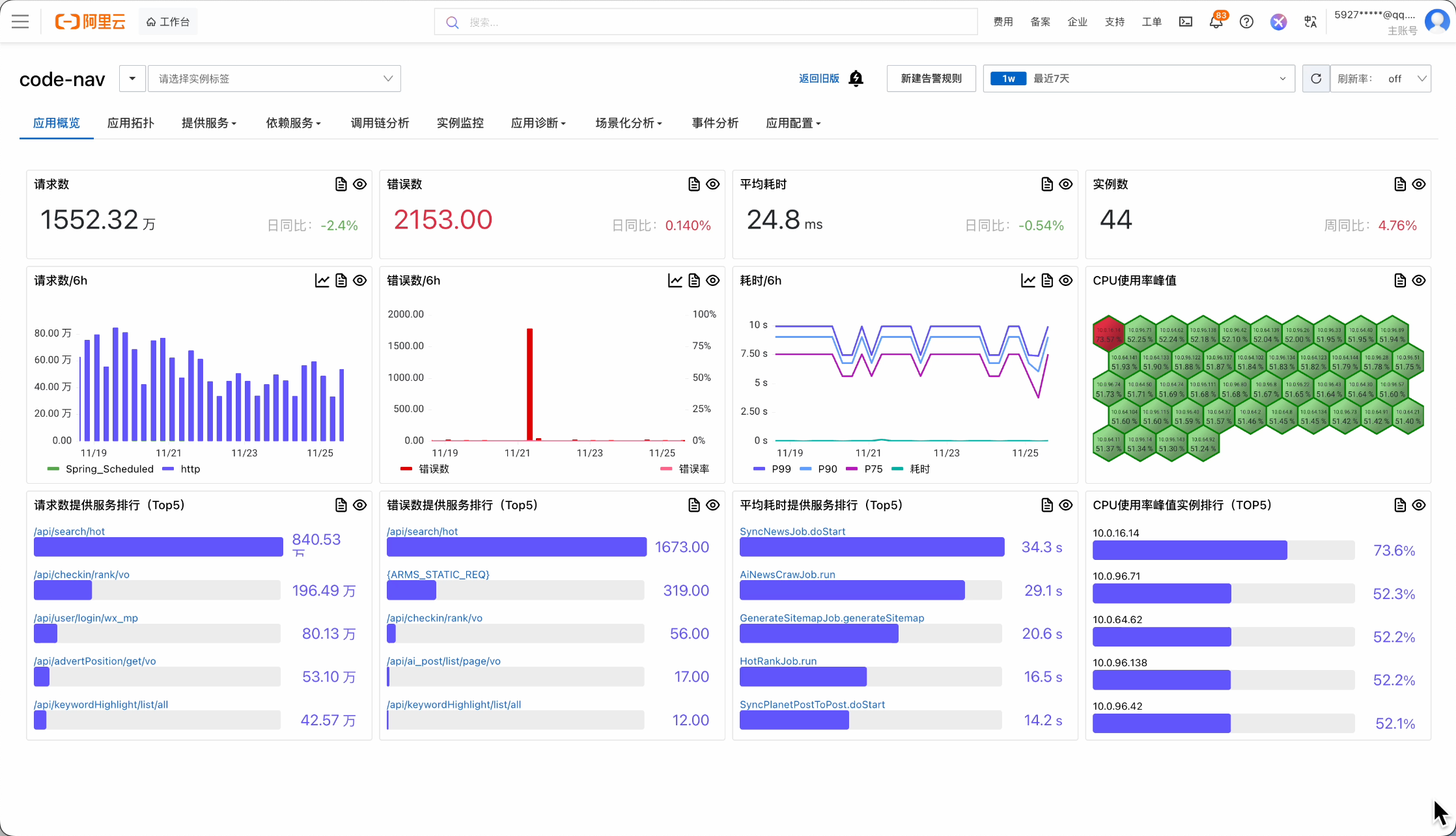
You can further view error details and even analyze the complete API call chain, enabling quick issue resolution.
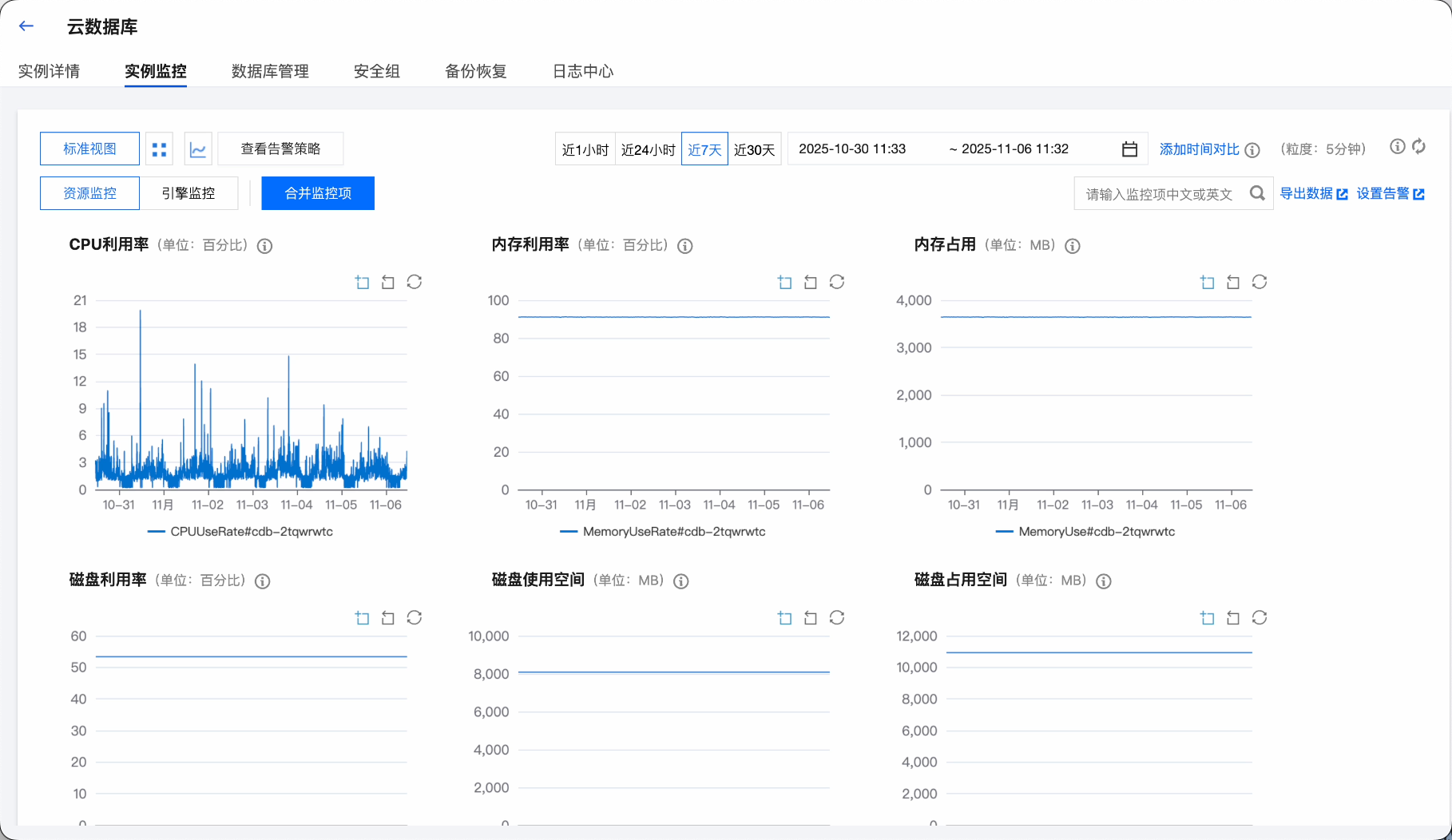
Beyond application-level monitoring, resource monitoring and analysis for servers, databases, and caches are also crucial. If they're hosted in the cloud, you can use the cloud provider's built-in monitoring dashboards, where various metrics are clearly displayed.
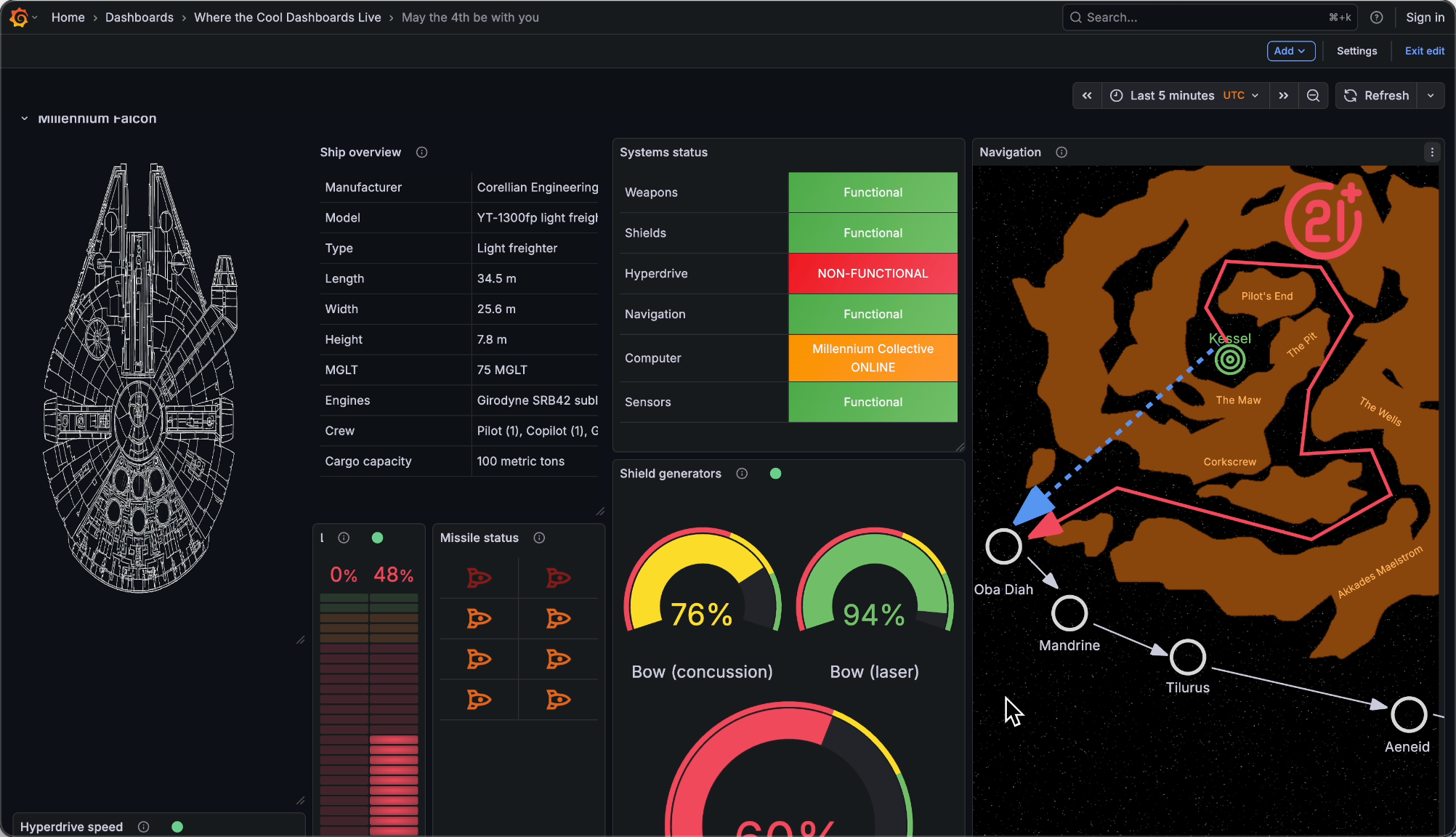
If you want to monitor and analyze more personalized metrics uniformly, Prometheus + Grafana is the ultimate combo. Prometheus collects various custom metric data, bringing monitoring capabilities to developers.
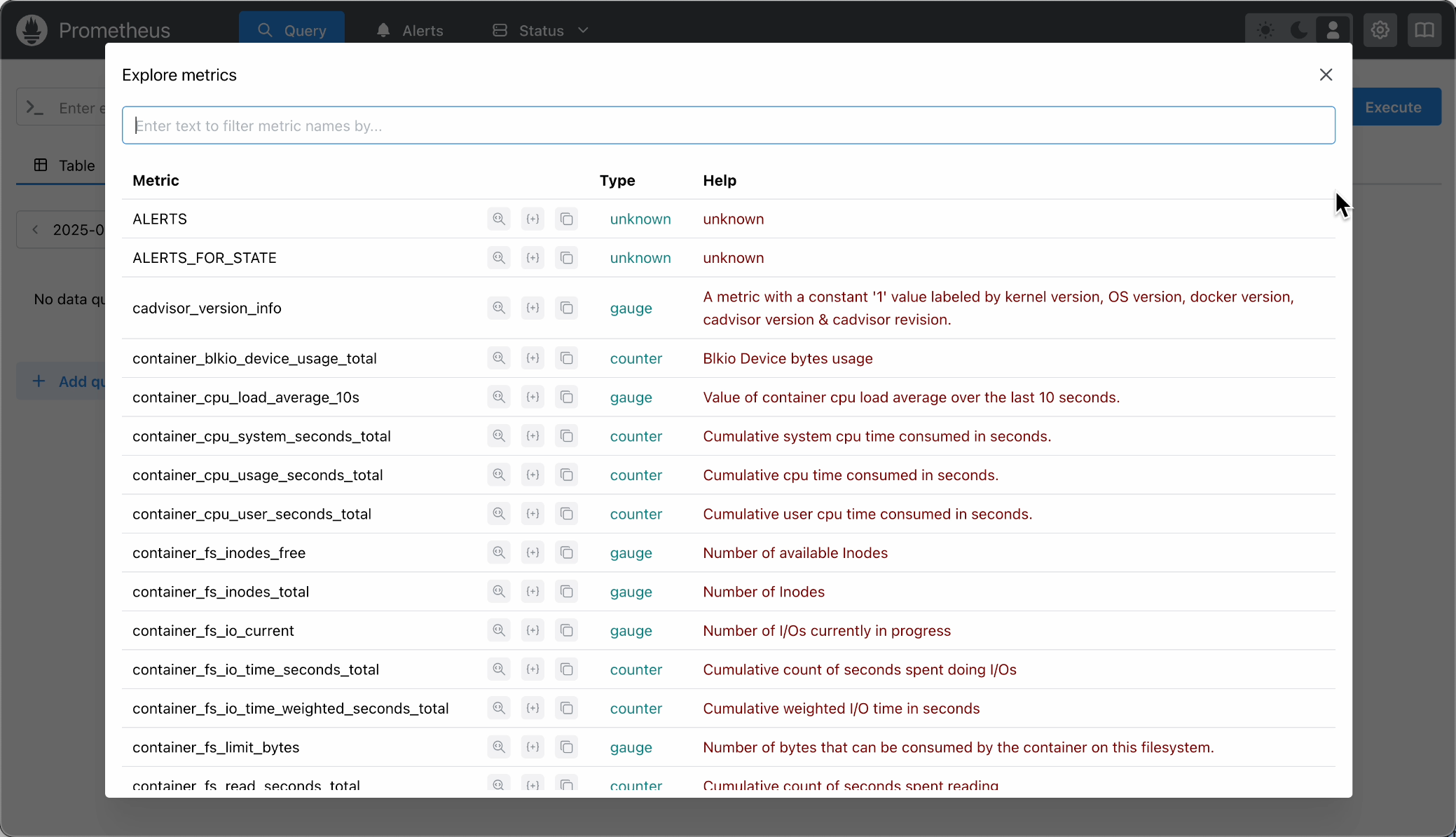
Grafana transforms this data into stunning visual dashboards. Watching real-time charts feels like controlling the pulse of the entire system, giving me a sci-fi movie protagonist vibe~
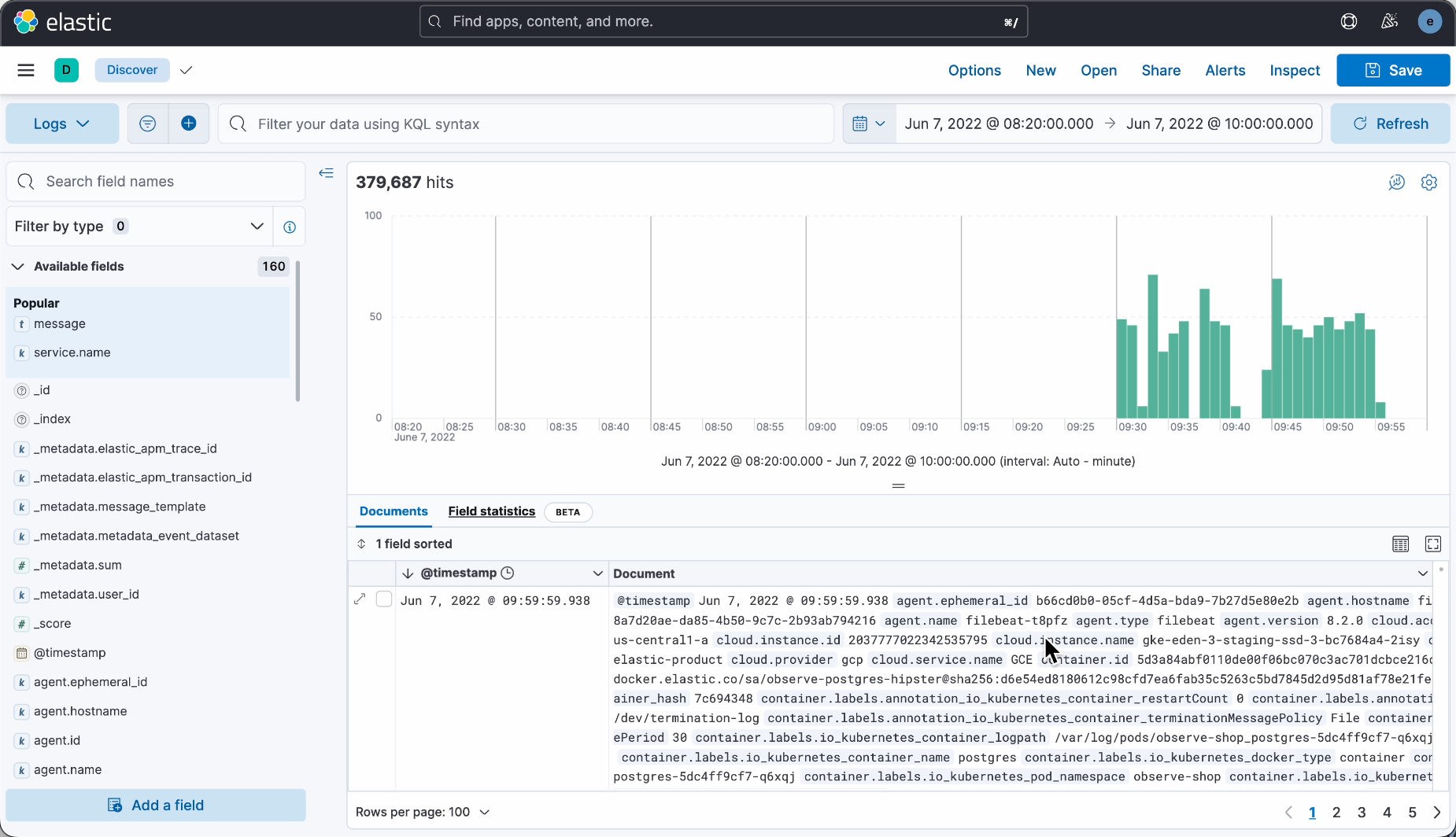
OK, that's all for now. There are many other excellent open-source projects, like SkyWalking and Zipkin for application performance management, and ELK for centralized log analysis.
With these tools, website data analysis isn't that complicated. The key is to choose the right solution based on your needs, saving time to focus on product development.
If this article was helpful, please give it a thumbs up. Much appreciated!

Recommended Resources
1)Yupi AI Navigation Website: Comprehensive AI Resources, Latest AI News, Free AI Tutorials
2)Programming Navigation Learning Circle: Learning Paths, Programming Tutorials, Practical Projects, Job Hunting Guide, Q&A
3)Programmer Interview Cheatsheet: Internship/Campus Recruitment/Social Recruitment High-Frequency Topics, Enterprise Exam Analysis
4)Programmer Resume Builder: Professional Templates, Rich Examples, Direct to Interviews
5)1-on-1 Mock Interview: Essential for Internship/Campus Recruitment/Social Recruitment Interviews to Secure Offers