 yupi-translate-app[bot]
17 KiB
Introduction to Vibe Coding
Hello, I’m Yupi, a former full-stack developer at Tencent and an AI programming blogger with over 2 million followers across platforms. I’m also the creator of more than 10 self-developed products, including AI Navigation and Programming Navigation.
If you’ve ever wanted to learn programming but were discouraged by complex syntax and difficult concepts; or if you’re a traditional programmer tired of repetitive code; or if you have great ideas and want to quickly develop and monetize your own product—then congratulations! My tutorial series, "Vibe Coding: Zero to Hero", might be just what you need.
By 2026, the rules of product development have completely changed. The advent of AI has transformed programming from "writing code" to "writing requirements," and from "memorizing syntax" to "discussing needs." This new approach to programming is called Vibe Coding.
In this article, I’ll explain in the simplest terms: What is Vibe Coding? Why will it become the mainstream programming method of the future? And how can you start learning it?
Don’t worry about not understanding—I’ll explain it to you as if we’re having a casual chat with a friend.
Let’s get started!
1. What is Vibe Coding?
In one sentence, Vibe Coding is a programming approach where you use natural language (plain English) to chat with AI, allowing AI to generate, modify, and optimize code for you.
You might say: Isn’t that just using AI to write code?
Well, yes, but true Vibe Coding is more than just having AI write a few lines of code. It’s a completely new development mindset and workflow.
To put it formally, Vibe Coding is:
An intent-driven development model where natural language prompts drive large language models (LLMs) to directly generate and iterate code.
In this model:
- You focus on "figuring out what to do" (expressing intent)
- AI handles "making it happen" (implementing logic)
- You iterate and optimize together (collaborative evolution)
You don’t need to remember this complex definition. Just know this:
Vibe Coding = Chatting with AI in plain language + AI writing code for you + Iterating and optimizing together
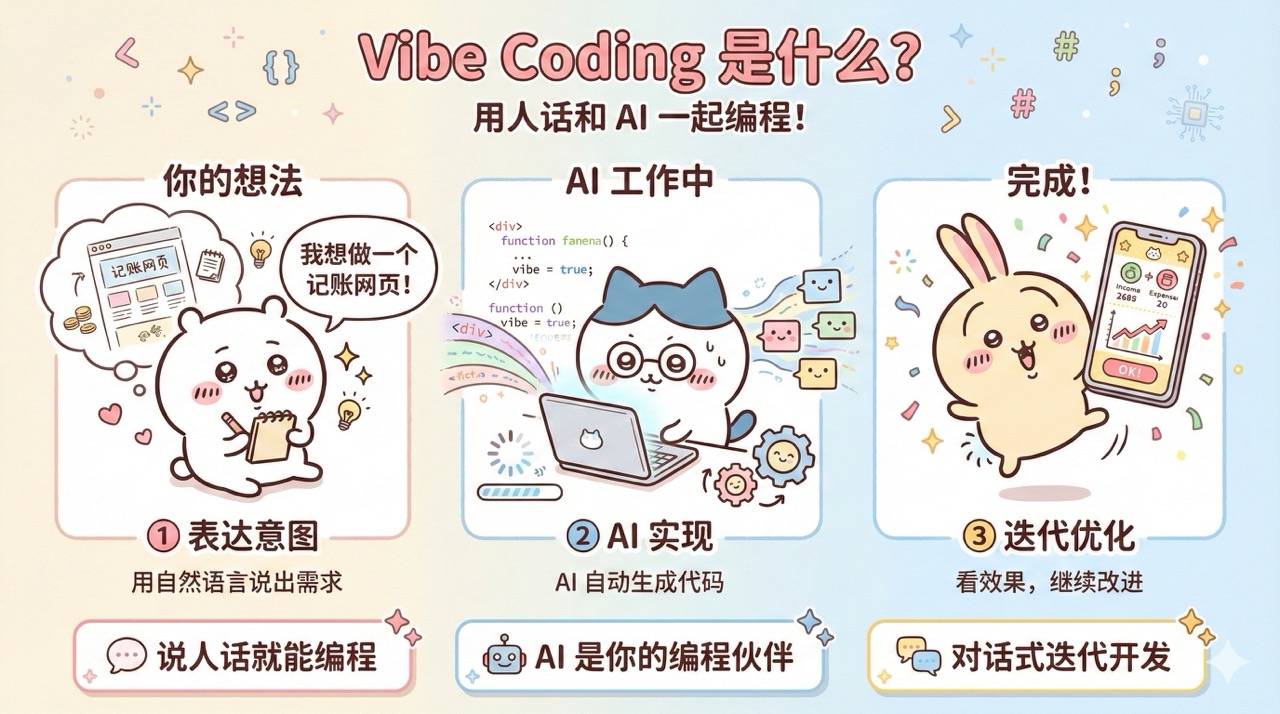
Why is it called "Vibe" Coding?
The word "Vibe" originally means atmosphere or feeling.
In programming, it has a special meaning: You only need to tell AI the "feeling" you want, and AI can turn the ideas in your head into real programs.
For example:
- "I want a clean and modern expense tracking page," and AI generates a sleek interface.
- "This button should have an animation when clicked," and AI adds the animation.
- "Change this page to dark mode," and AI redesigns the color scheme.
Pretty magical, right?
This is the charm of Vibe Coding—it makes programming as natural as chatting.
So why call it "Atmosphere Programming"?
Here’s my take.
When developing with Vibe Coding, the entire work atmosphere changes. In the past, programmers would frown while typing code, spending hours debugging and searching online. Now, they mostly stare at the editor, typing occasionally (chatting with AI), with relaxed expressions, and sometimes even getting excited!
Not only does the developer’s work atmosphere change, but the entire office vibe shifts too. Developers discuss problems, and colleagues from product and operations can chime in because everyone can quickly validate ideas with AI.
Atmosphere Programming—it’s real.
2. Core Idea: Intent-Driven Programming
What is intent-driven?
In traditional programming, you write code to tell the computer "how" to do something:
# Traditional way: You write every step
total = 0
for item in shopping_cart:
    total = total + item.price
print(total)
In Vibe Coding, you just tell AI "what" to do:
You: Calculate the total price of all items in the shopping cart
AI: Got it, I’ll implement this feature
See the difference? You don’t need to worry about loops or variable names—you just need to clearly express your intent, and AI will handle the implementation.
In the era of Vibe Coding, the most important "programming language" isn’t Python or JavaScript—it’s your native language!
This is truly Chinese programming—far surpassing anything like Yi Language or Q Language that I’ve encountered before.
In the past, learning programming required memorizing:
- How to define variables
- How to write loops
- How to call functions
- Various syntax rules
Now, you just need to speak plain language:
- "I want to make a to-do list"
- "This button should redirect to the homepage when clicked"
- "Show a red error message when the user inputs incorrectly"
Your intent is your code logic.
AI is Your Programming Partner
Many people treat AI as a tool, but in Vibe Coding, AI isn’t just a tool—it’s your programming partner:
- You’re the product manager: Responsible for figuring out what to do
- AI is the engineer: Responsible for making it happen
- You’re a team: Discussing, iterating, and optimizing together
This collaborative model turns programming from a "lonely battle" into a "pleasant conversation."
3. Traditional Programming vs. Vibe Coding
Let me use a table to help you understand the differences between these two mindsets:
| Dimension | Traditional Programming | Vibe Coding |
|---|---|---|
| Core Skill | Writing code (memorizing syntax) | Expressing needs (speaking plain language) |
| Learning Focus | Programming languages, algorithms, data structures | Product thinking, need expression, iteration optimization |
| Work Style | Writing from scratch | Generating through AI conversation |
| When Problems Arise | Debugging, checking docs, searching | Telling AI the error and letting it fix it |
| Optimizing Code | Refactoring, optimizing algorithms | Telling AI the optimization direction |
| Learning Curve | Steep (months to years) | Gentle (can get started in days) |
| Target Audience | STEM background, strong logical thinking | Anyone who can express needs |
For example, if you want to build a weather app.
With traditional programming:
- Learn a programming language (e.g., JavaScript)
- Learn how to build a webpage
- Learn how to call a weather API
- Learn how to process JSON data
- Learn how to design the interface
- Spend weeks writing code bit by bit
With Vibe Coding:
- Tell AI: "Build me a weather query webpage where I can enter a city name and display the temperature and weather conditions"
- AI generates the initial code
- After seeing the result, say: "Add a search history feature"
- AI adds it
- Say: "Change the interface to a blue theme for a fresher look"
- AI adjusts it
- Done in half an hour!
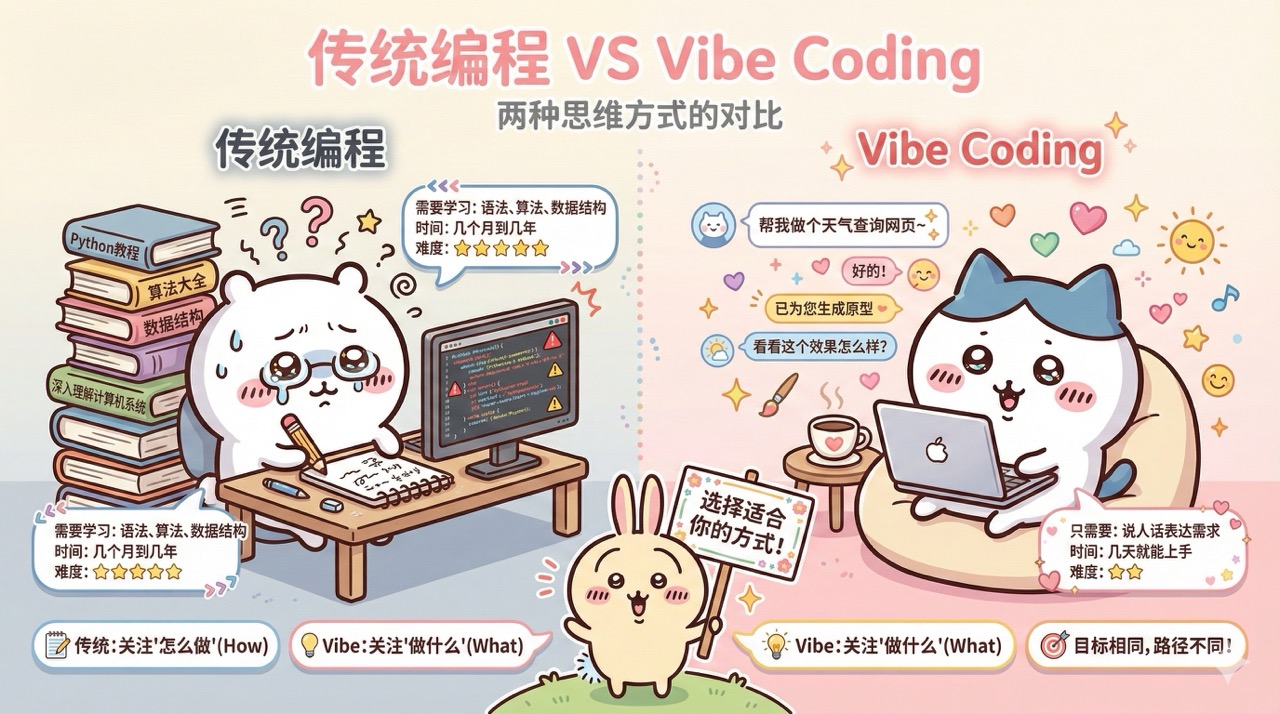
See the difference? Traditional programming focuses on "how," while Vibe Coding focuses on "what." Clearly expressing needs is key.
4. A Real-Life Example
After all this theory, let me show you a real Vibe Coding case.
Background
I have a teacher friend who used to spend hours every week manually editing attendance and homework completion reports for each student to send to parents.
She asked me if I could create a tool to automatically generate weekly reports based on student information.
Implementing with Vibe Coding
I opened Cursor (a popular AI code editor), created an empty directory (to hold the generated project code), and prepared to chat with AI:
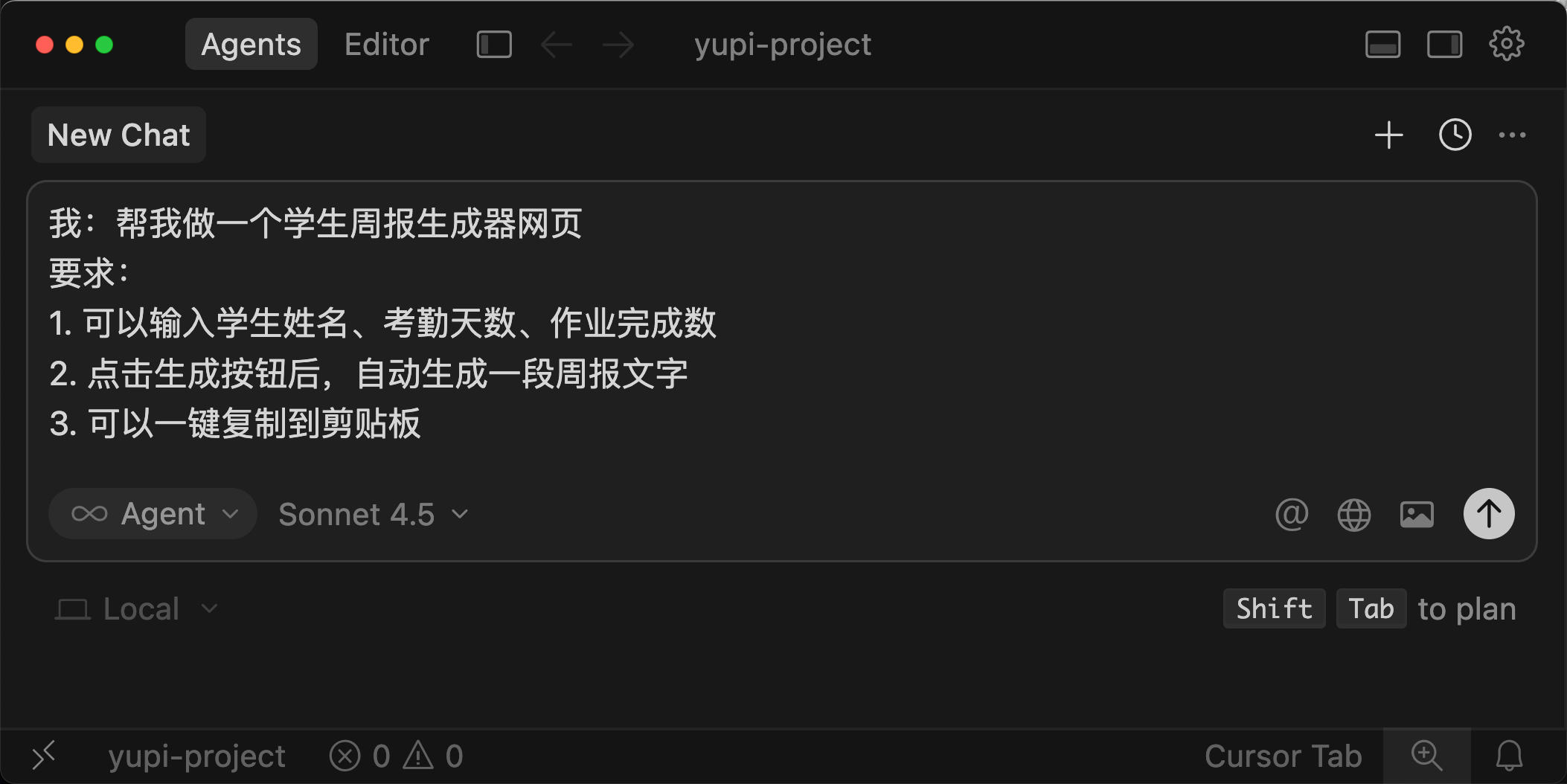
Round 1:
Me: Build me a student weekly report generator webpage
Requirements:
1. Can input student name, attendance days, and homework completion count
2. Clicking the generate button automatically creates a weekly report text
3. Can copy the text to the clipboard with one click
AI immediately generated an initial page with input fields and a button.
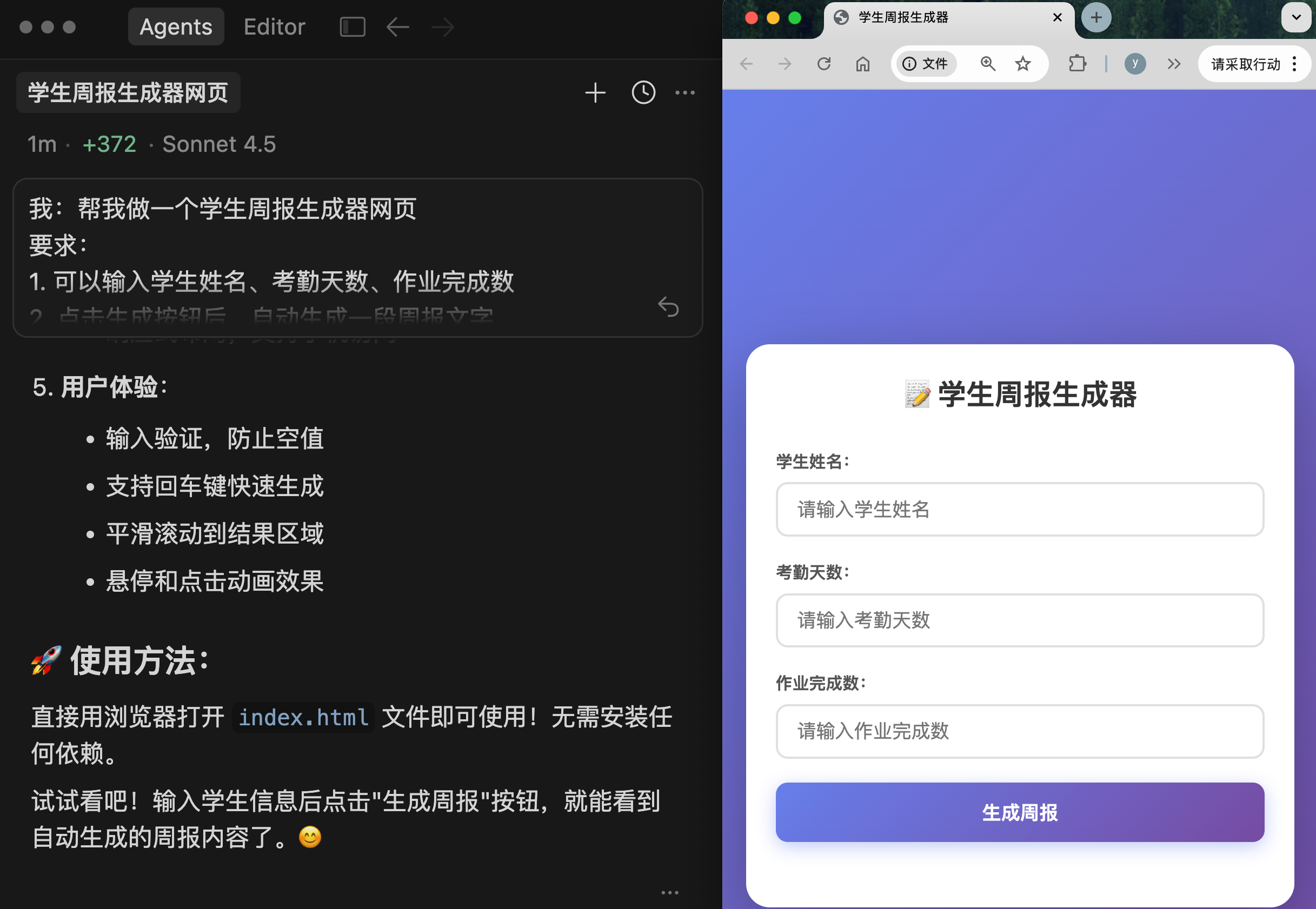
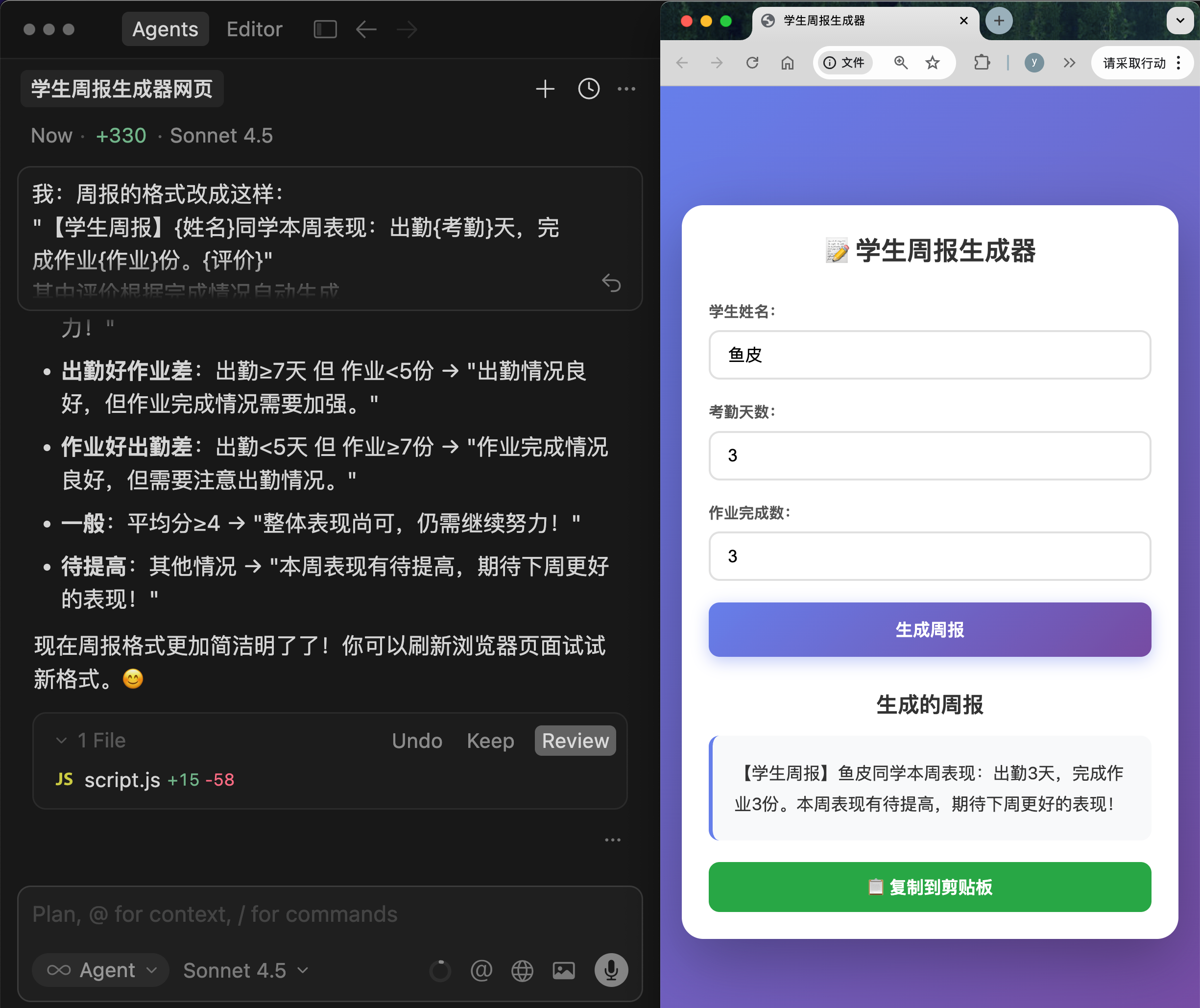
Round 2:
Me: Change the report format to this:
"【Weekly Report】{Name}’s performance this week: Attended {Attendance} days, completed {Homework} assignments. {Evaluation}"
Where the evaluation is automatically generated based on completion
AI modified the code, adding a smart evaluation feature (though not very smart).
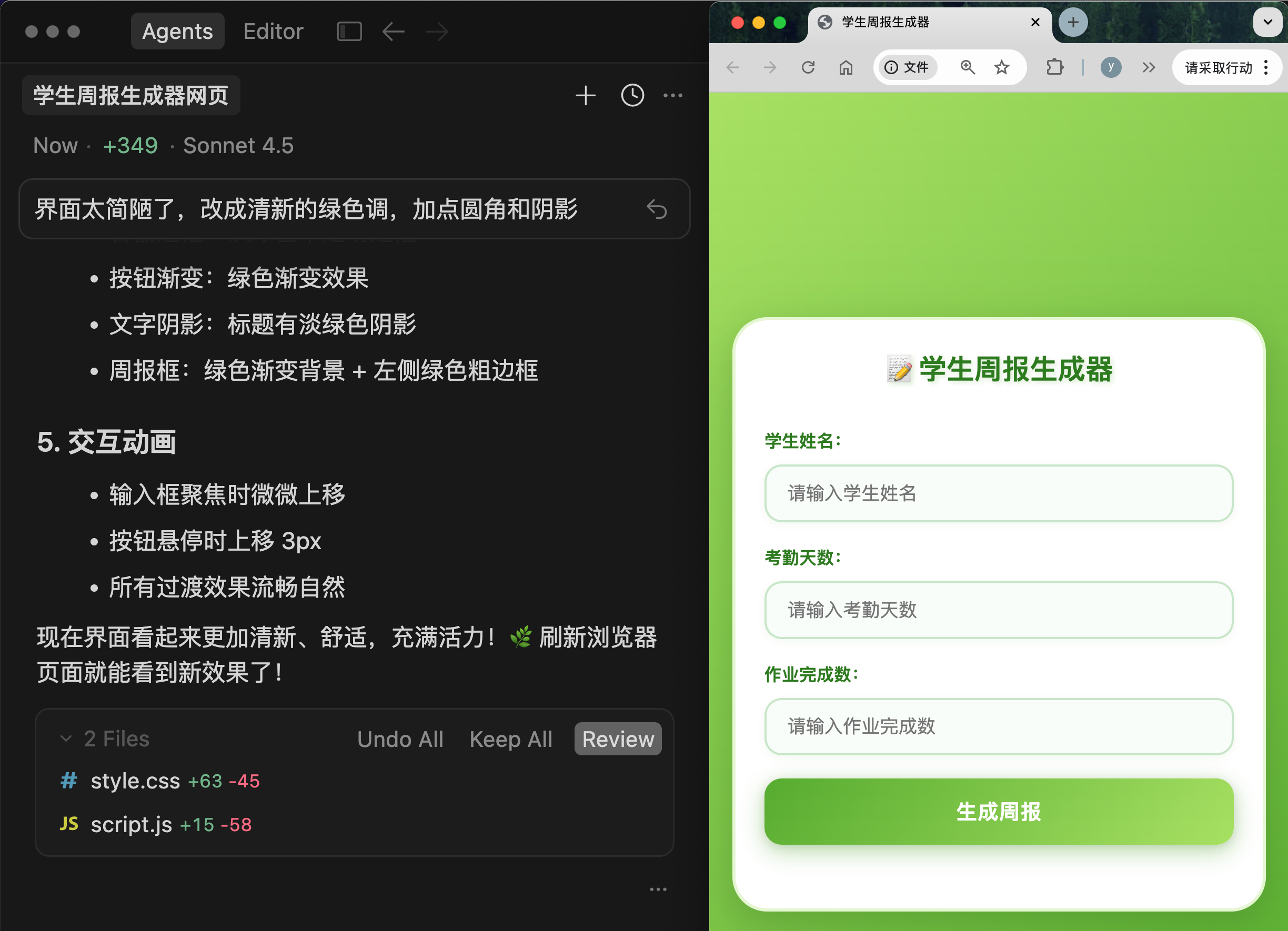
Round 3:
Me: The interface is too plain. Change it to a fresh green theme with rounded corners and shadows
AI beautified the interface.
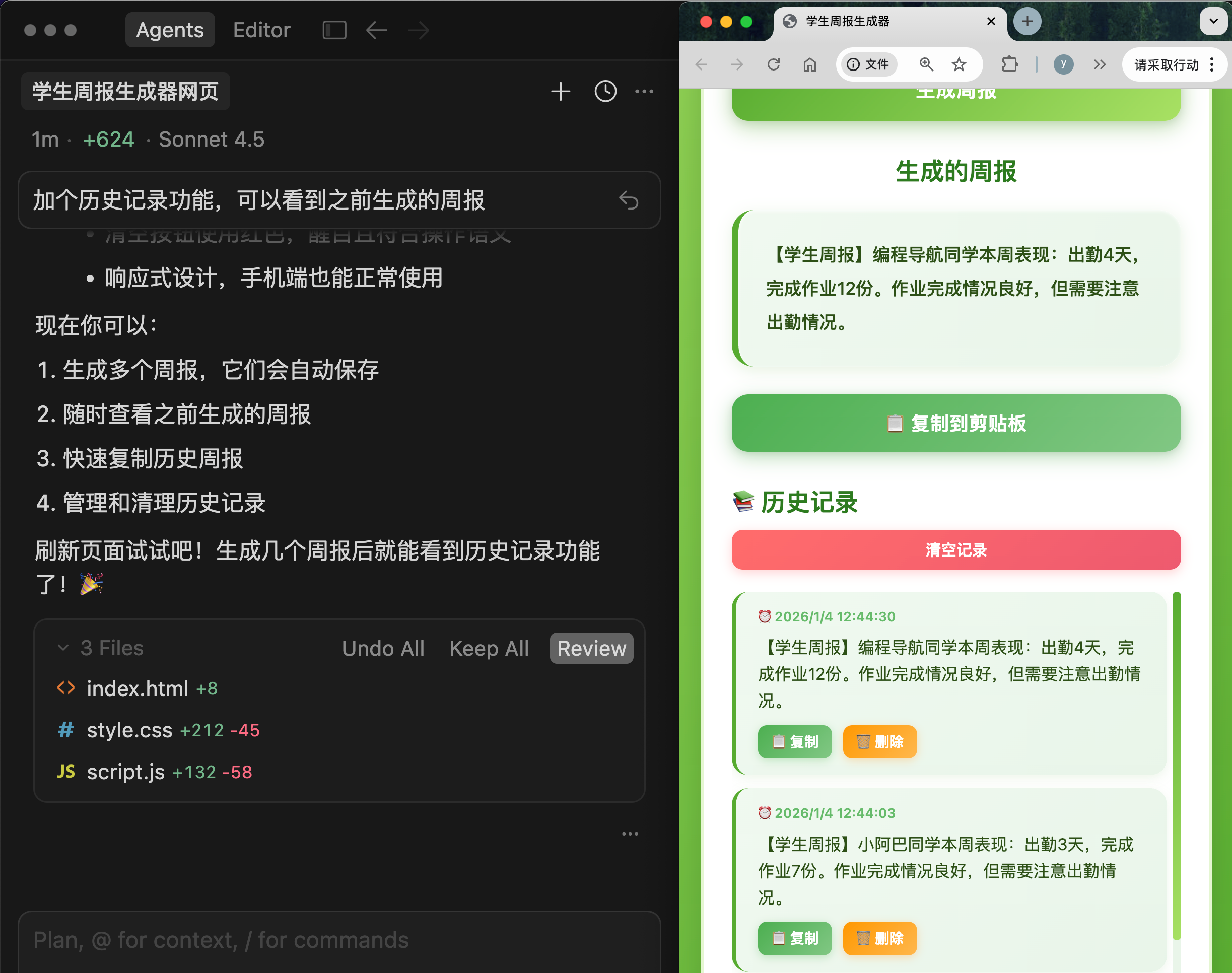
Round 4:
Me: Add a history feature to view previously generated reports
AI added the history feature.
From start to finish, it took less than 10 minutes. My friend now uses this tool weekly, saving enough time to play a round of Werewolf with me.
Notice what I did in this process:
- I didn’t write a single line of code (AI wrote it all)
- I just clearly expressed the requirements
- I iterated and optimized through multiple rounds of conversation
- I focused on functionality and results, not implementation details
This is the magic of Vibe Coding!
5. What Can Vibe Coding Do?
You might wonder: Vibe Coding sounds cool, but what exactly can it do?
The answer is: Almost any software development you can think of!
For example, these practical applications:
-
Web apps: Personal portfolio websites, online tools (to-do lists, expense tracking, notes), corporate websites, blog systems, online stores
-
Mini-programs / Apps
-
AI apps: Chatbots, smart writing assistants, image generation tools, voice recognition apps
-
Data processing tools: Data visualization, automated reporting, spreadsheet tools
-
Automation scripts: Batch file processing, web scraping tools, automated testing
-
Auxiliary tools: Websites for presenting PPTs, prototype and demo websites, architecture and flowchart diagrams, animation demo websites
As Vibe Coding evolves, our problem-solving mindset expands. For many tasks, I now think: Can AI generate a website to solve this?
This shift in thinking allows us to validate ideas and showcase creativity faster.
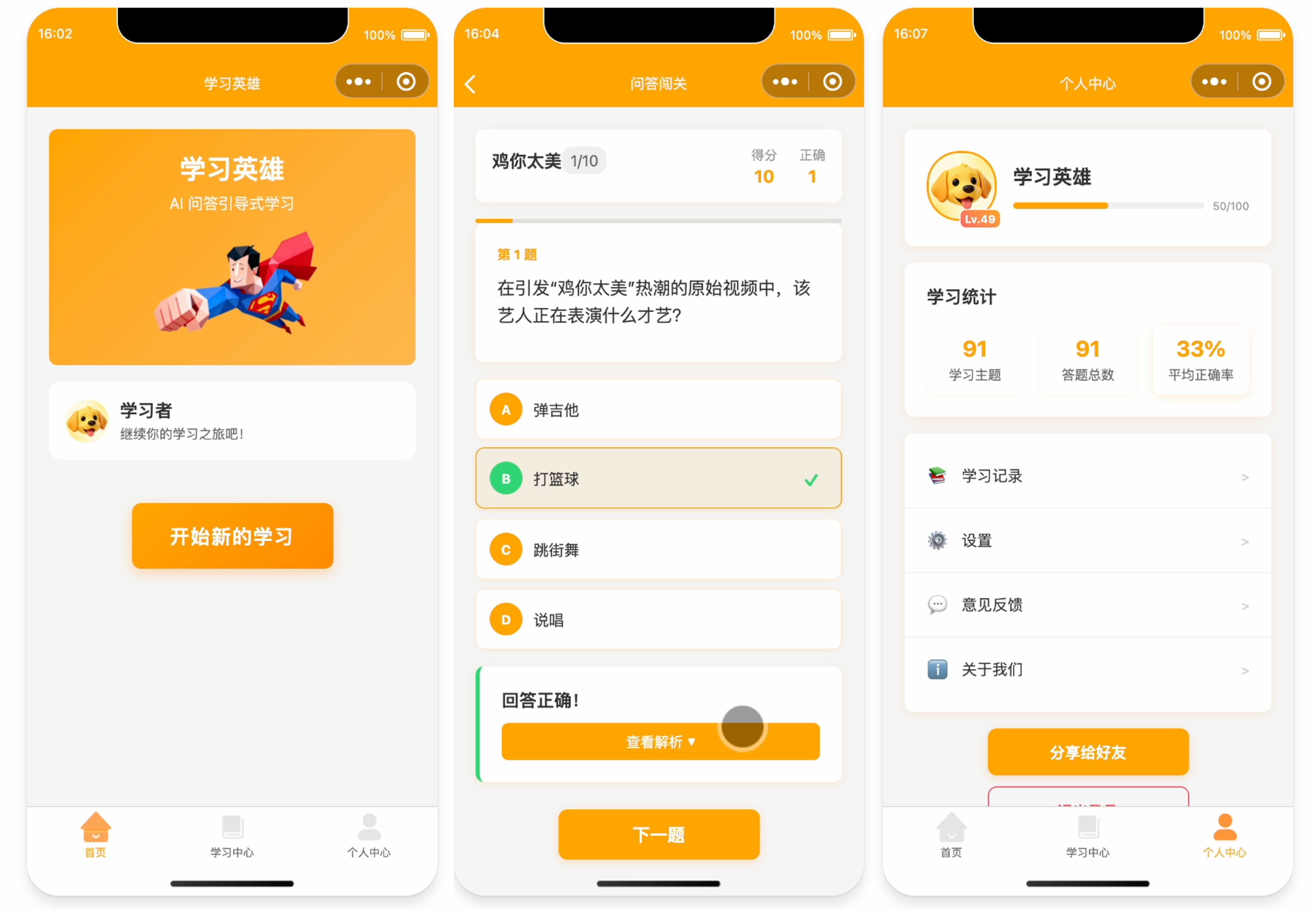
I’ve personally used Vibe Coding to create dozens of projects, such as:
- A mini-program that helps users learn through questions: 《Learning Hero》
- A website that helps programmers improve requirement analysis and technology selection: 《Programmer’s Training Ground》
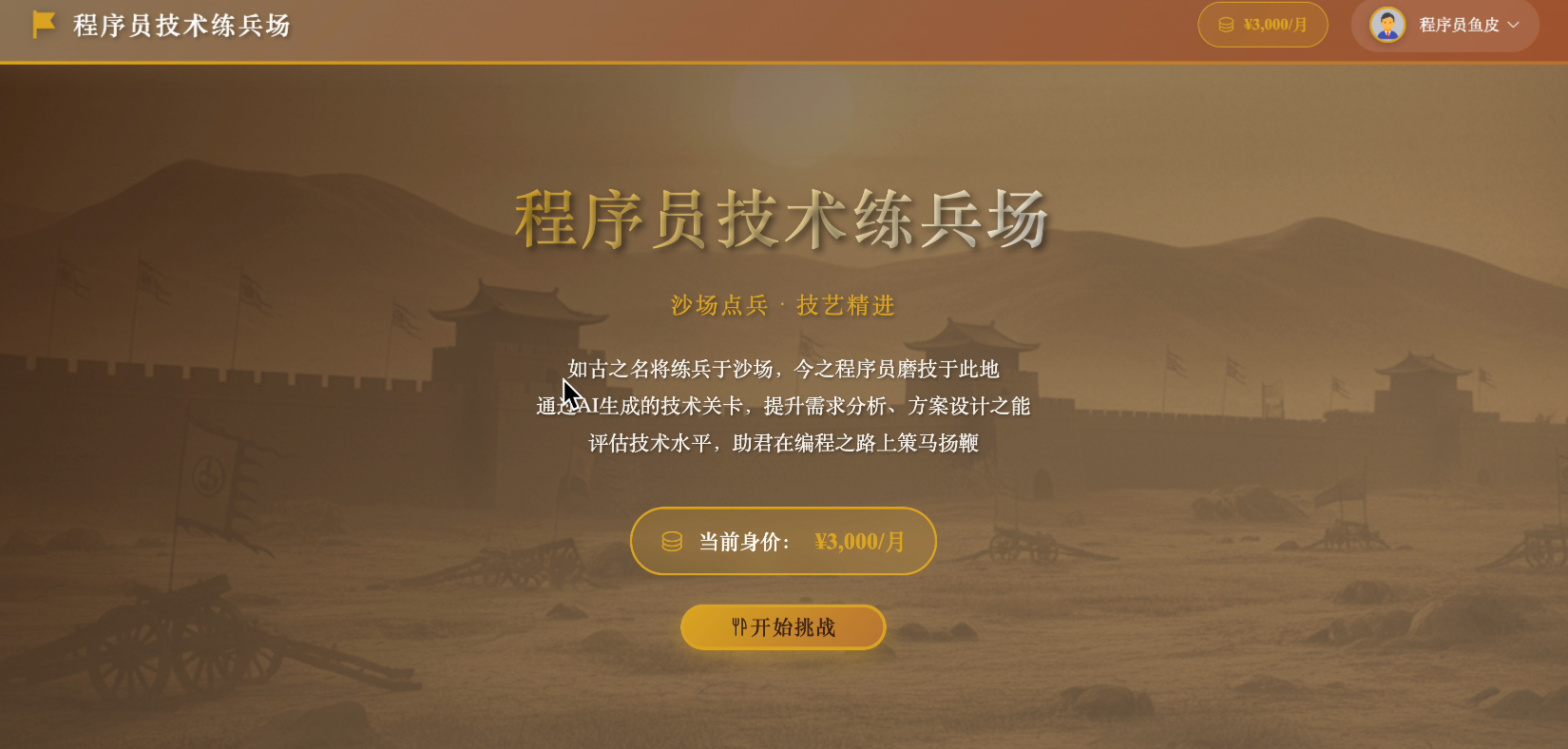
And various image processing tools, data processing tools, data analysis tools, etc. In most of these projects, the code was generated through conversations with AI—I could sip cola while watching AI do the work~
6. Why is Now the Best Time to Learn Programming?
If you’ve ever been discouraged from learning programming, I have good news for you: Today is the easiest time in human history to learn programming!
The Barrier Has Never Been Lower
In the past, learning programming required months of studying basics, facing countless errors and debugging. Now, learning Vibe Coding only requires speaking plain language and expressing needs—you can get started in days, programming as naturally as chatting, with AI solving most problems.
From Idea to Product is Shorter Than Ever
In the past, you might have a great idea, but realizing it could take months of learning programming, weeks or months of development, or hiring a programmer—often leading to abandoning the idea.
Now, with Vibe Coding, you can think of an idea today and build it today—even deploy it online—with near-zero cost.
Creativity is More Important Than Technology
In the AI era, the most important skill isn’t "writing code," but having creativity, expressing needs (communication skills), and iterating and optimizing (product thinking). These are skills anyone can develop.
Lifelong Learning is Possible
In the past, programming technologies evolved too quickly—what you learned could quickly become outdated. Now, with AI assistants, new technologies are already learned by AI—you just need to tell AI to implement them, freeing you to focus on creativity and products.
7. 3 Major Misconceptions About Vibe Coding
Before you start learning Vibe Coding, I must help you dispel 3 common misconceptions. Many hesitate to start because of these.
Misconception 1: Is Vibe Coding Cheating?
Of course not!
Some traditional programmers might say: Using AI to write code means you don’t know how to program.
But let’s think:
- 100 years ago, mental calculators thought using calculators was cheating
- 30 years ago, handwritten coders thought using IDEs was cheating
- Today, handwritten coders think using AI is cheating
Tool advancement isn’t cheating—it’s efficiency improvement.
Using AI to write code is like designers using Photoshop or architects using CAD—it’s a normal productivity tool.
The key isn’t how you implement it, but whether you can deliver and solve problems.
Misconception 2: Will Vibe Coding Make Me Lose Learning Ability?
Some worry: If I always let AI write code, won’t I learn nothing?
Quite the opposite! Vibe Coding is the best way to learn:
- After AI generates code, you can read and understand it
- If you don’t understand something, ask AI to explain
- Try modifying the code and see the results
- Learn while doing projects
I learned many new technologies by doing projects in college. Now, with Vibe Coding, even if you can’t independently create projects at first, after using AI for a few projects, you’ll understand some new technologies’ code.
Learning through practice is far more efficient than studying textbooks!
Misconception 3: Can Vibe Coding Only Handle Simple Toy Projects?
Of course not! It can handle complex projects too!
Some think AI can only write simple code, and complex projects still require programmers.
But in reality, today’s AI is incredibly powerful:
- Can handle projects with tens of thousands of lines of code
- Can understand complex business logic
- Can use various frameworks and tech stacks
- Can help debug complex bugs
Not to mention the hype online about independently using AI to develop monetized projects, even my team’s Programming Navigation Mini-program was developed with Vibe Coding in a week. I also live-streamed using AI to develop a full-stack project: 《AI Programmer’s Training Ground》.
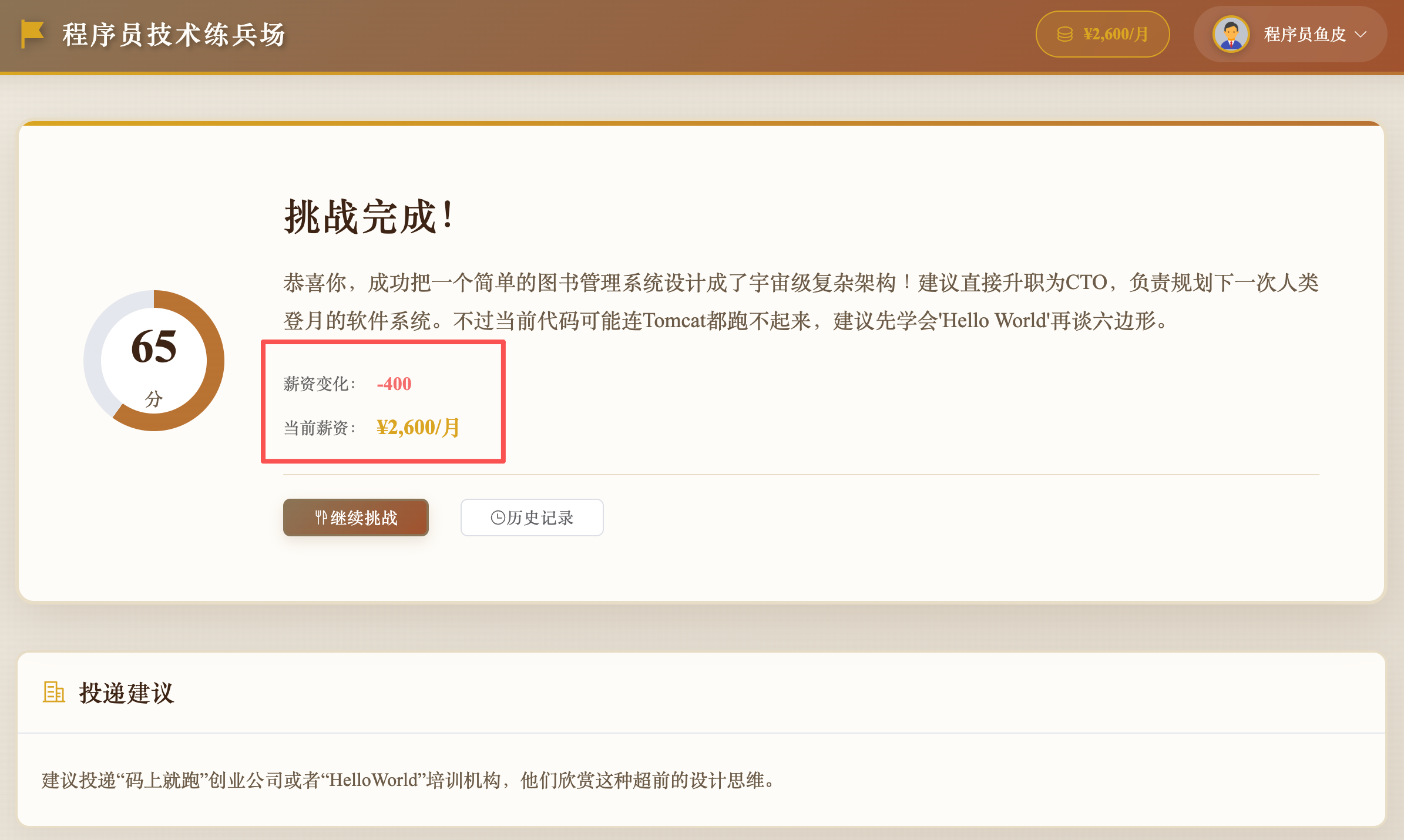
The key isn’t AI’s ability, but your ability to express needs and iterate.
8. Challenges of Vibe Coding
While Vibe Coding is powerful, I must honestly tell you it still has some limitations. Understanding these will help you use Vibe Coding more rationally.
1. Homogeneous Interfaces
You might notice that many AI-generated websites look similar, especially in color—often light purple or blue gradients. This is because such designs (or referenced style codes) are common in AI’s training data, so it tends to generate similar styles.
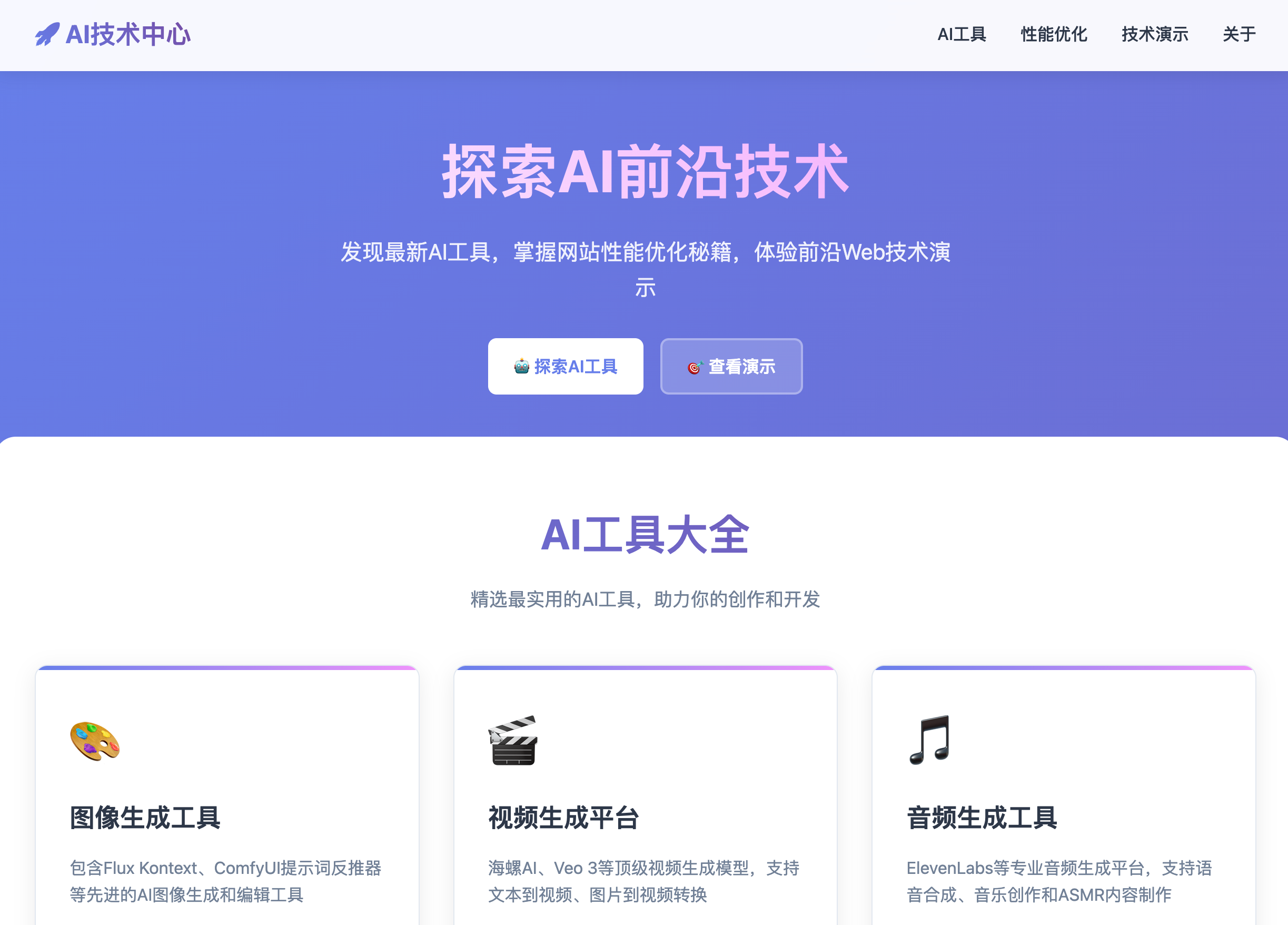
If you want unique designs, you need to specify colors, styles, or reference cases in your prompts, or provide design drafts for AI to reference.
2. Risks of Uncontrollable Code
A more troublesome issue is that AI-generated code can be uncontrollable. AI is currently more suited for small projects. If you use AI in a sizable codebase, debugging bugs can lead to a deadlock—you can’t understand the AI-generated code but don’t want to abandon it. In AI communities, developers have complained about colleagues breaking projects with AI:
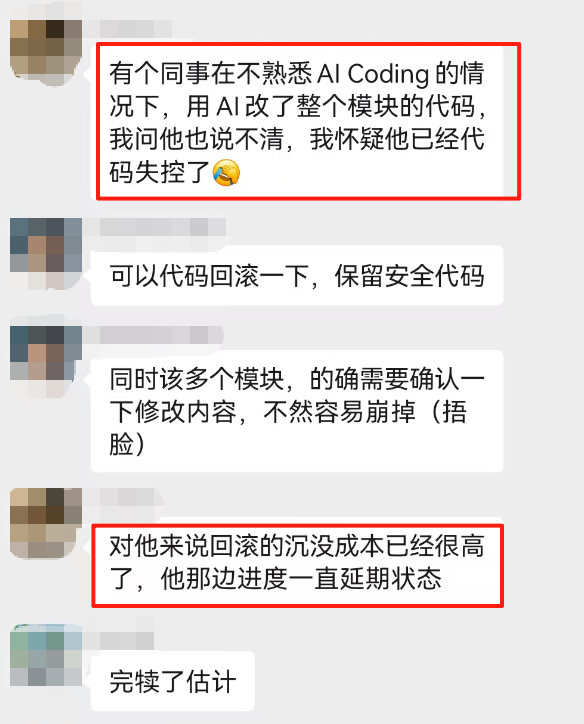
This is why I recommend:
- Let AI generate simple, clear code
- Test every generated code
- Roll back promptly when issues arise—don’t go down a dead-end road
- If possible, learn some basic programming knowledge
3. Risk of Skill Degradation
Long-term use of Vibe Coding might erode some basic programming skills. Just like long-term use of calculators reduces mental math ability.
So I recommend programmers with a foundation:
- Don’t rely entirely on AI—maintain some handwritten coding ability
- Try to understand AI-generated code, don’t blindly use it
- Regularly practice without AI
- Treat AI as an assistant, not a replacement
But honestly, this isn’t an issue for absolute beginners—you have no programming skills to degrade and can learn a lot through Vibe Coding.
9. Learning Roadmap
After all this, you’re probably eager to start learning. So where should you begin?
Recommended Path for Absolute Beginners
I’ve prepared a complete learning roadmap for you:
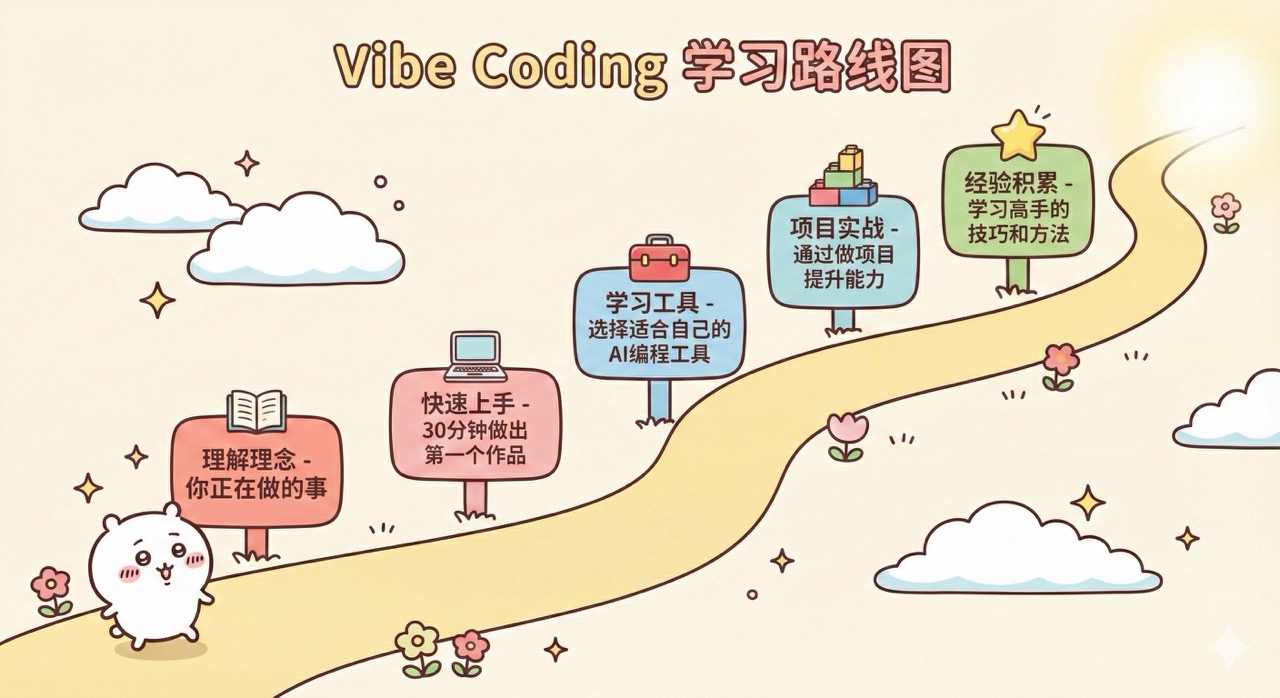
If you’re completely new, I recommend this path, with a very relaxed schedule.
Week 1:
- Day 1: Finish this article (understand Vibe Coding)
- Day 2: Complete the quick-start tutorial (create your first project)
- Days 3-7: Learn no-code platforms
Weeks 2-3:
- Learn AI code editors (e.g., Cursor)
- Complete 3-5 simple projects