 yupi-translate-app[bot]
18 KiB
TRAE SOLO: AI-Driven Full-Stack Development Tool
Hello, I'm Yupi.
In previous articles, we explored various AI programming tools. Whether it's Cursor or Claude Code, they all follow a human-led + AI-assisted model where you constantly need to converse with, confirm, and modify the AI's output.
But what if you want the AI to take more initiative, planning tasks and executing development automatically? What tool should you use?
In this article, I'll introduce TRAE SOLO, a full-stack development tool that lets AI take the lead in development tasks.
1. What is TRAE SOLO?
TRAE is an AI-native programming tool launched by ByteDance, offering two development modes:
- IDE Mode: Similar to Cursor, preserving traditional development workflows with human leadership
- SOLO Mode: AI takes the lead, automatically advancing development tasks
SOLO Mode means AI leads the task and executes development automatically. You just need an idea, and by working with AI, you can bring that idea to life.
What's the difference between TRAE SOLO and Cursor?
To use an analogy: Using Cursor is like you being the project manager and AI being the programmer - you constantly assign tasks, check results, and provide feedback. With TRAE SOLO, AI is both the project manager and programmer - you just tell it the goal, and it plans, develops, and tests on its own.
According to the latest 2026 evaluations, TRAE performs exceptionally well among AI programming software, especially its customizable agent system that allows users to define and configure AI agents with different roles and skills based on project needs, much like assembling a team.
2. Core Features of TRAE SOLO
1. Automatic Documentation Generation
TRAE SOLO automatically generates:
- Product Requirement Documents (PRD)
- Technical Architecture Documents
- API Documentation
- Test Reports
These documents follow enterprise-standard development processes and are highly professional.
2. Service Integration Capabilities
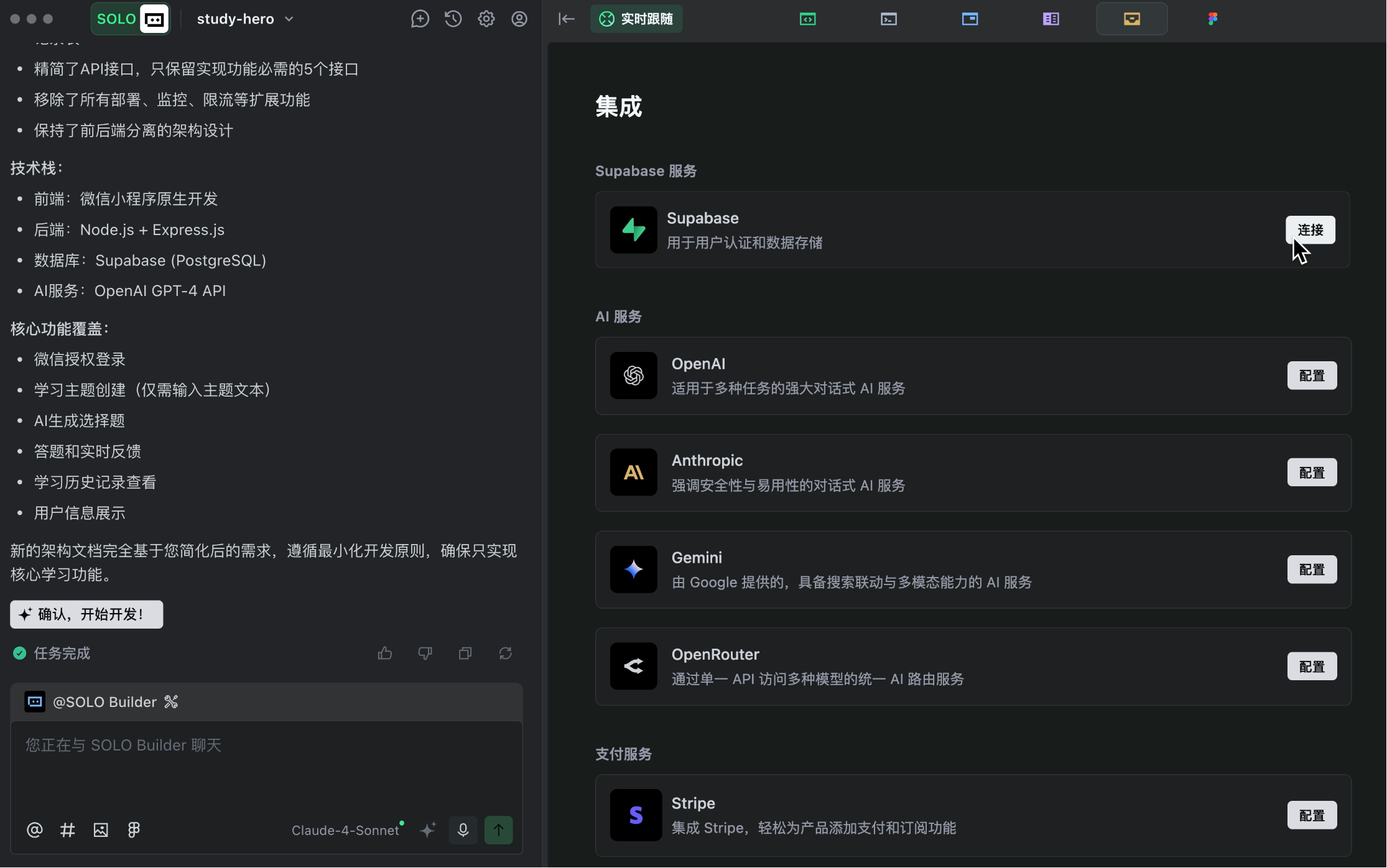
TRAE offers powerful integration capabilities, allowing easy connection to various services:
- Supabase: Database storage and user authentication
- Stripe: Payment functionality
- OpenRouter: AI services
- Figma: Design prototypes
No need to read official documentation - just a few clicks in TRAE to complete integrations.
3. Multi-Task Parallel Processing
TRAE SOLO supports parallel task execution, enabling simultaneous frontend and backend development to greatly improve efficiency.
4. Code Change Tools
TRAE provides DiffView code change tools, clearly showing what code was modified each time for easy review and rollback.
5. Plan Mode
In addition to direct execution, TRAE supports Plan Mode. The AI first generates a detailed execution plan for your approval before proceeding, allowing better control over the development process.
3. How to Use TRAE SOLO?
Let me demonstrate TRAE SOLO's workflow with a practical example.
⭐️ Recommended: Watch Yupi's video tutorial for more detailed explanation: https://www.bilibili.com/video/BV1yMn3zuE7L
Preparation
First, prepare development tools:
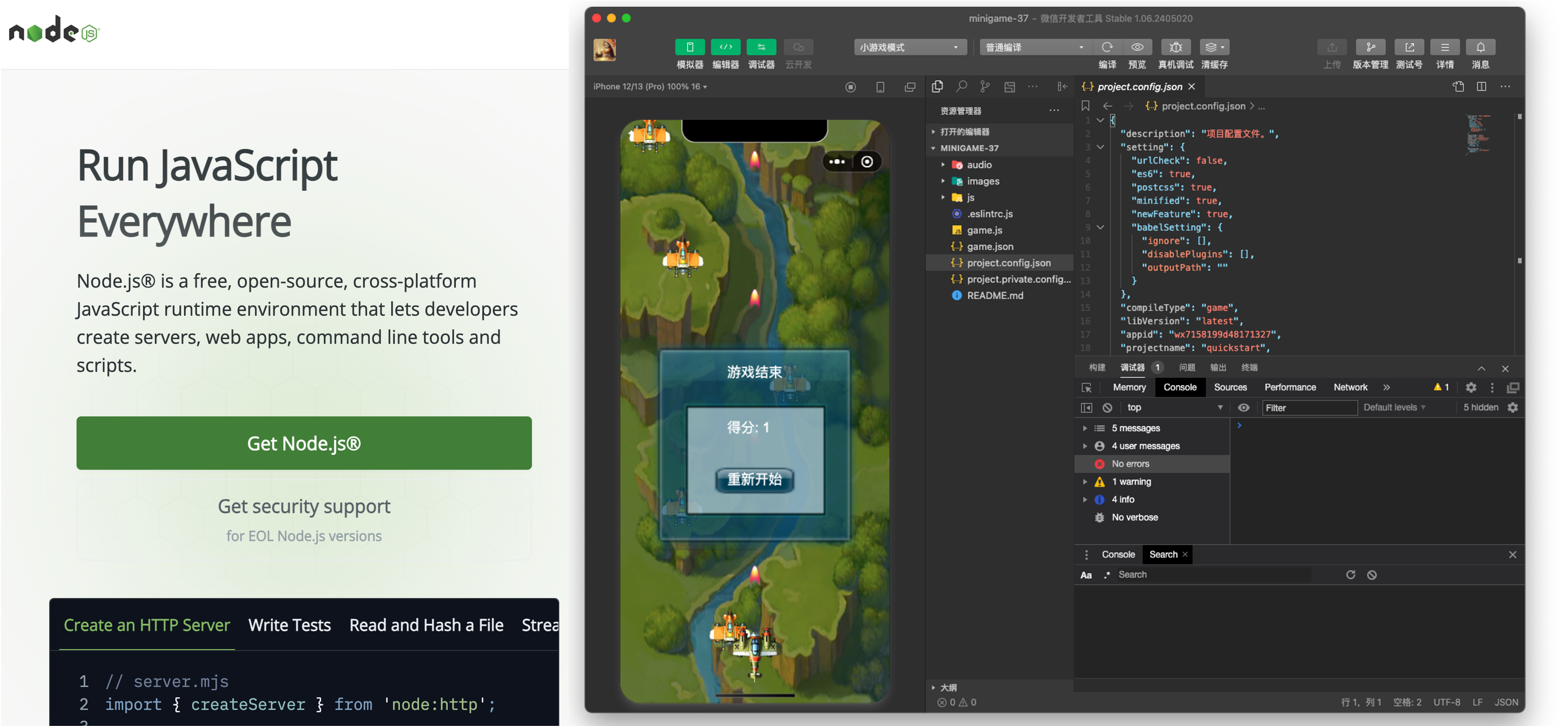
- Download and install TRAE
- Install Node.js environment
- For mini-program development, also install WeChat Developer Tools
1. Requirements Analysis
After preparing tools, enter TRAE's SOLO mode and open a blank project folder.
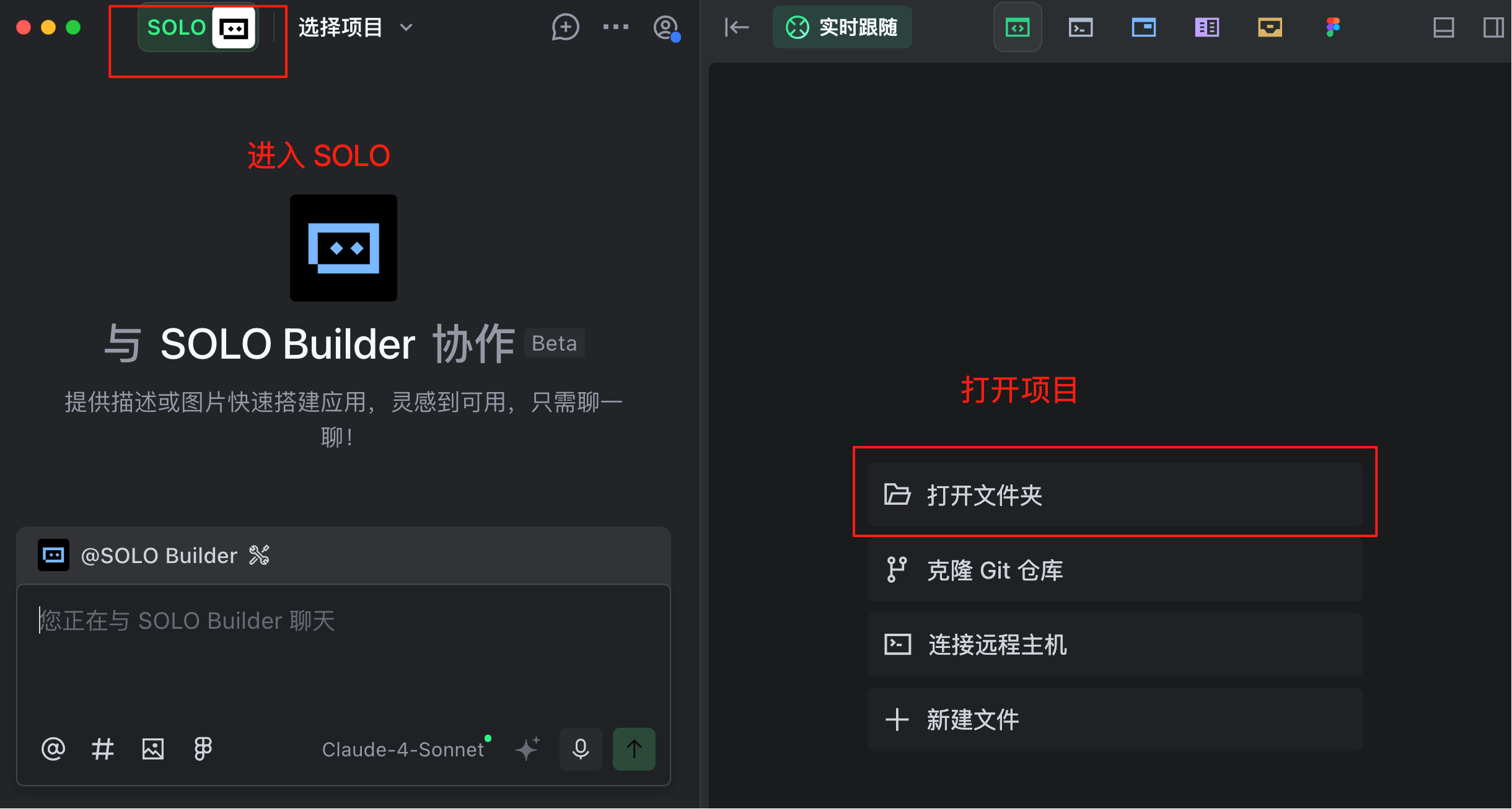
First, we conduct requirements analysis. Don't overcomplicate it - just describe your idea in natural language to the AI.
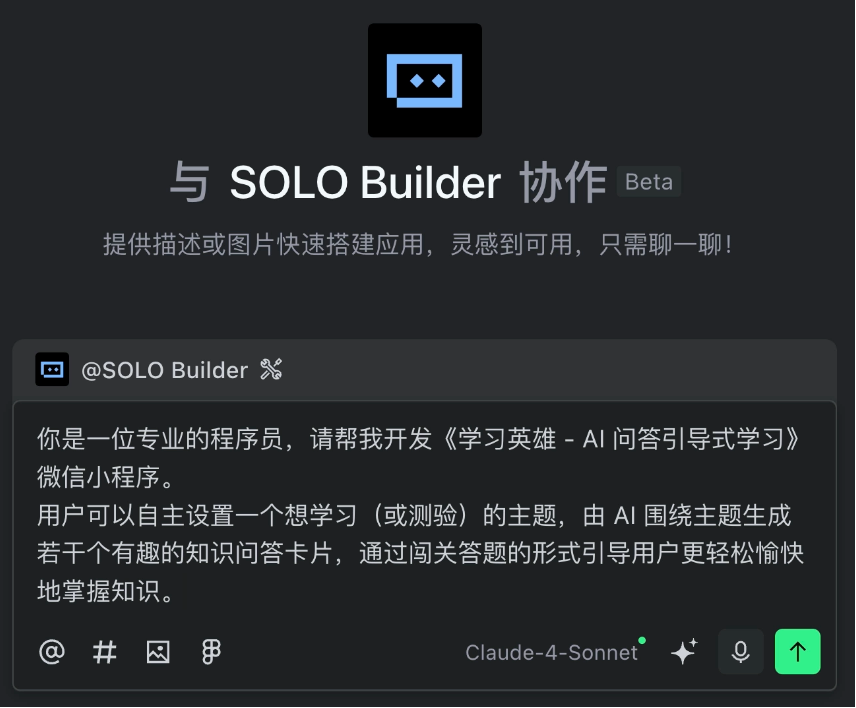
For example, I gave the AI this requirement:
You are a professional programmer. Please help me develop the "Learning Hero - AI Q&A Guided Learning" WeChat mini-program.

Users can set a topic they want to learn (or test), and the AI will generate several interesting knowledge Q&A cards around the topic, guiding users to master knowledge more easily and enjoyably through a quiz-style format.
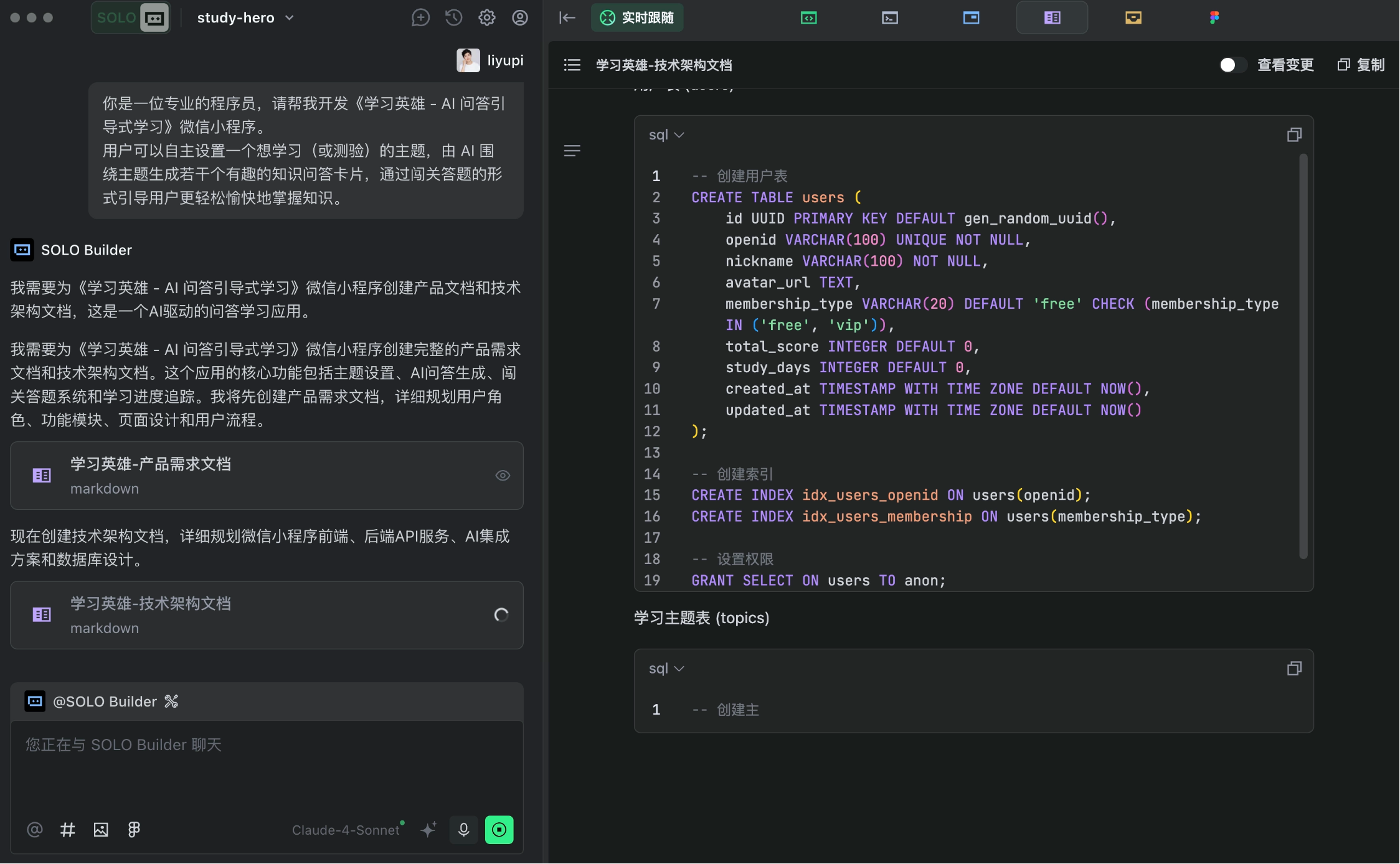
The AI quickly generated detailed product requirement and technical architecture documents, following enterprise-standard development processes.
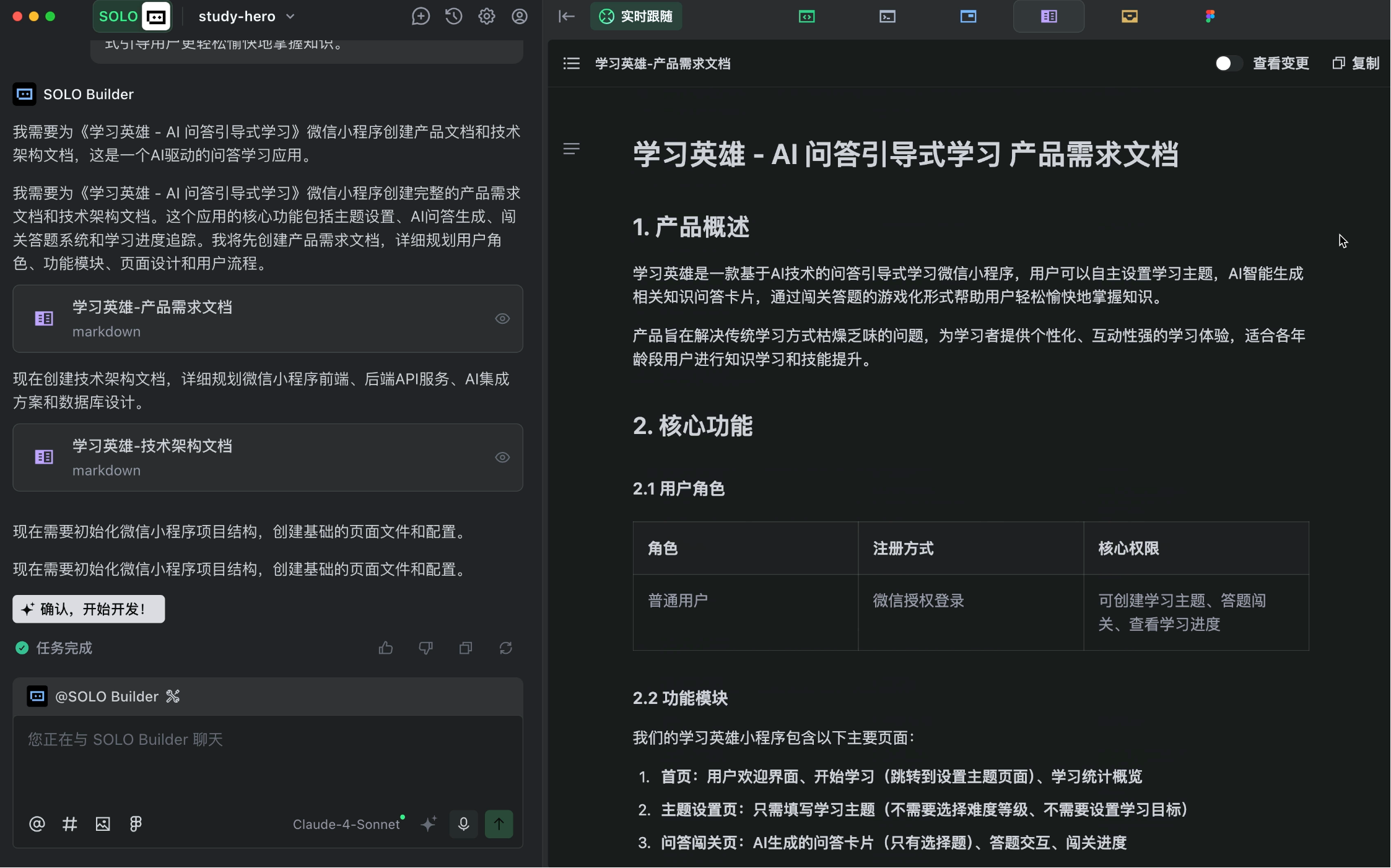
The AI seems eager to start coding, but don't rush - carefully review the requirements documents first.
While the AI's output is good, it might not fully match our expectations. Therefore, we should manually focus on core functionalities, remove unnecessary additional features, and ensure the core business process (P0 requirements) works first.
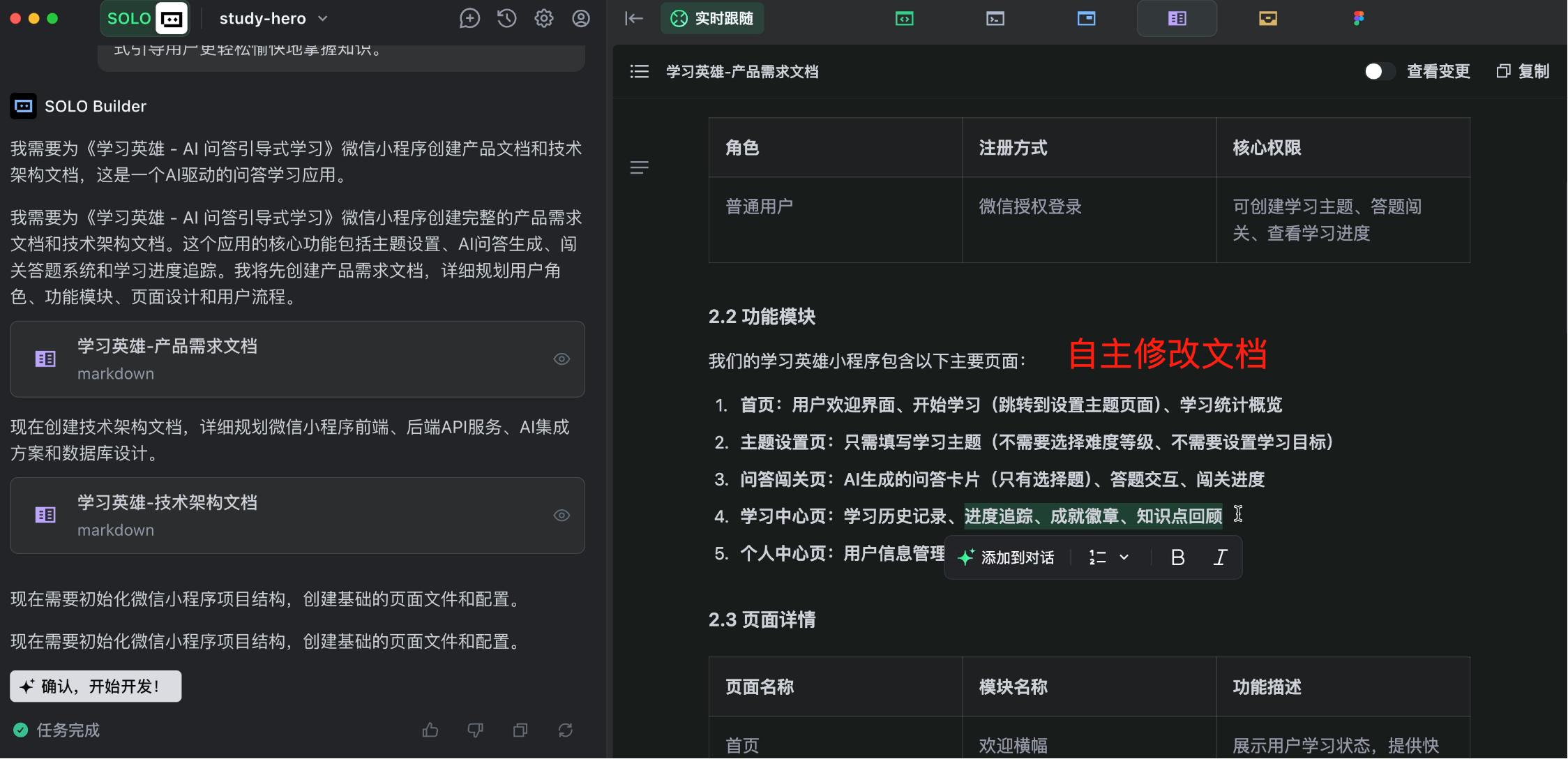
Don't skip this step - spending an extra minute now can save an hour later! Clearly define requirements to prevent the AI from implementing unwanted features.
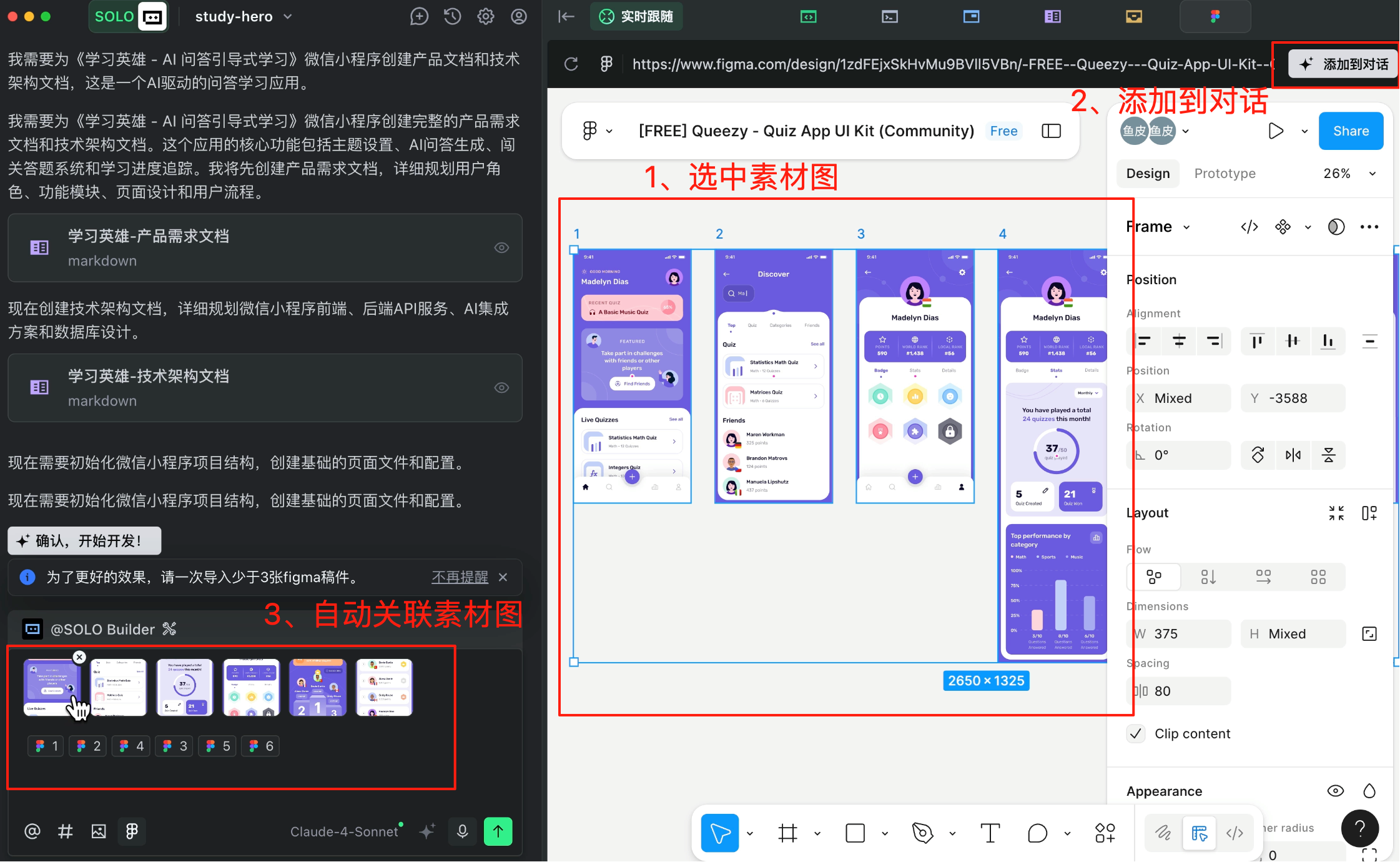
Here's a tip: Use TRAE's integrated Figma design tool to access free product UI prototypes.
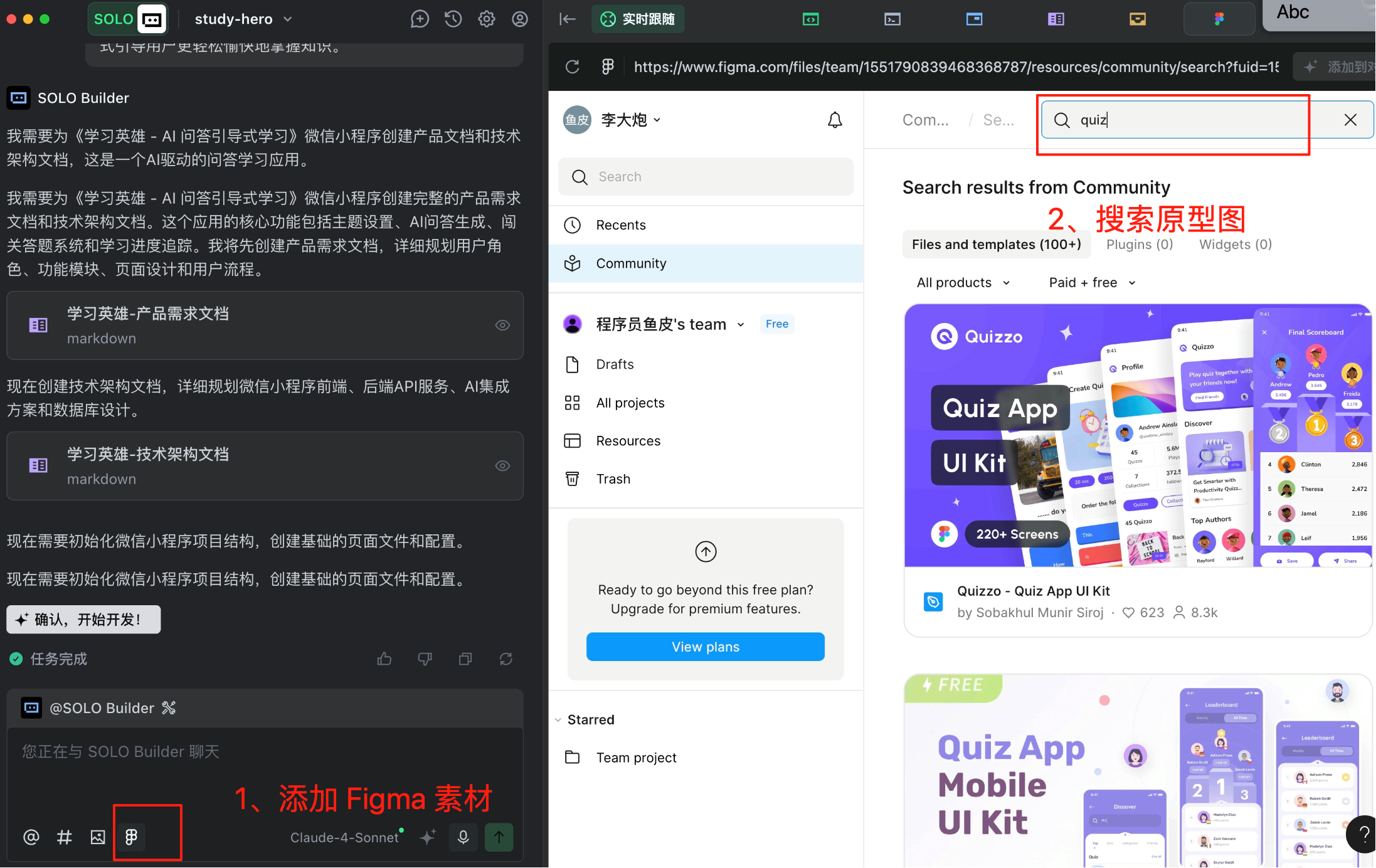
You can view specific prototype designs. Just select a prototype you like, click "Add to Conversation," and TRAE will automatically associate the prototype with the AI dialogue.
2. Solution Design
Next is solution design - work that used to be done by architects earning tens of thousands per month, now handled by our little AI SOLO.
When writing this prompt, pay attention to details and follow the principle of minimal development to prevent the AI from overcomplicating simple tasks.
I've manually adjusted the product requirements document, removing many unnecessary features. Please regenerate the technical architecture document based on my revised requirements. Requirements:
1. Do not add any features not mentioned in the requirements document
2. Follow minimal development principles - focus on implementing functionality, avoid unnecessary extensions like deployment, monitoring, rate limiting, etc.
3. Follow frontend-backend separation principles
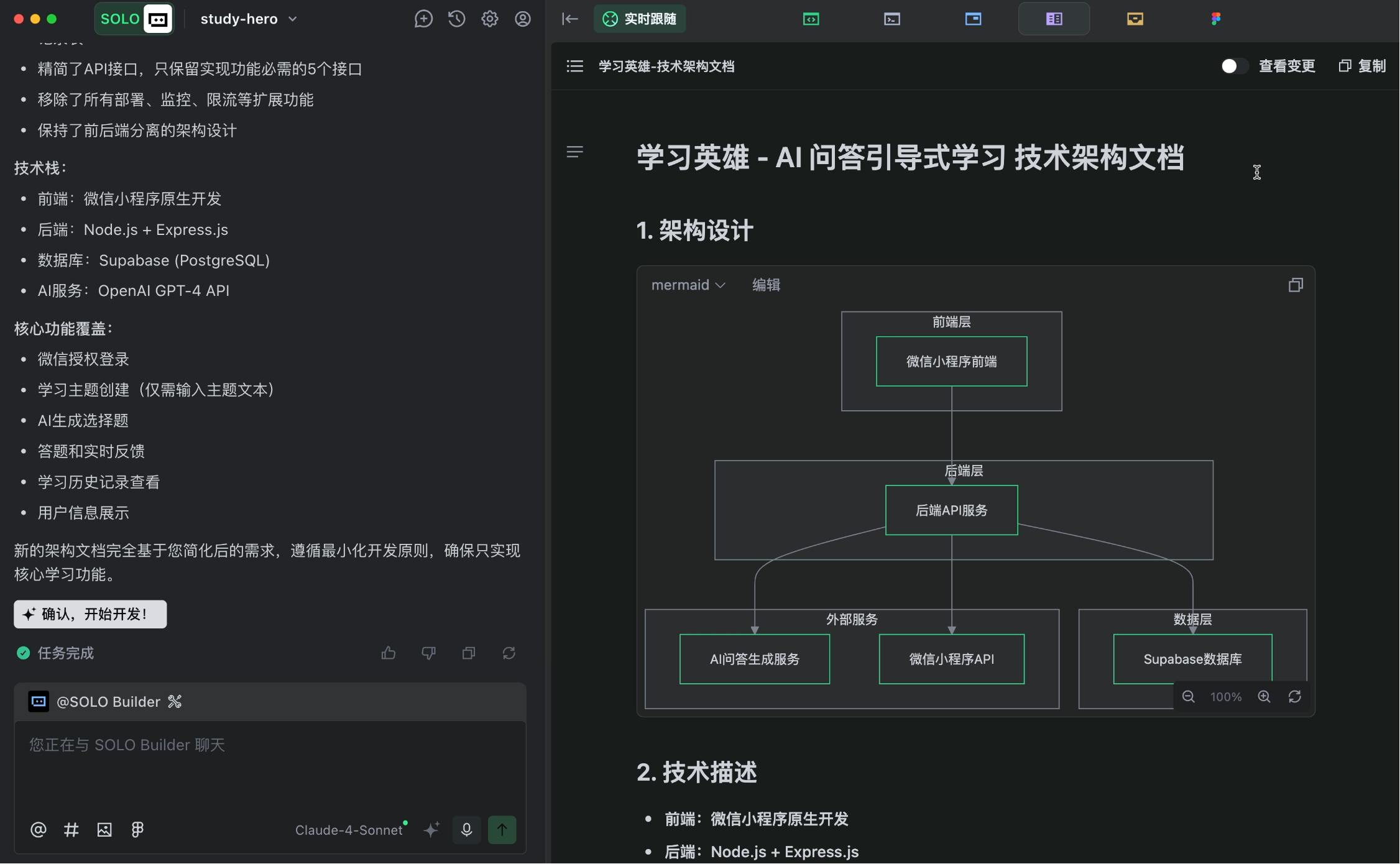
The AI quickly generated a complete technical architecture document, including frontend/backend technologies, API design, database schema, etc.
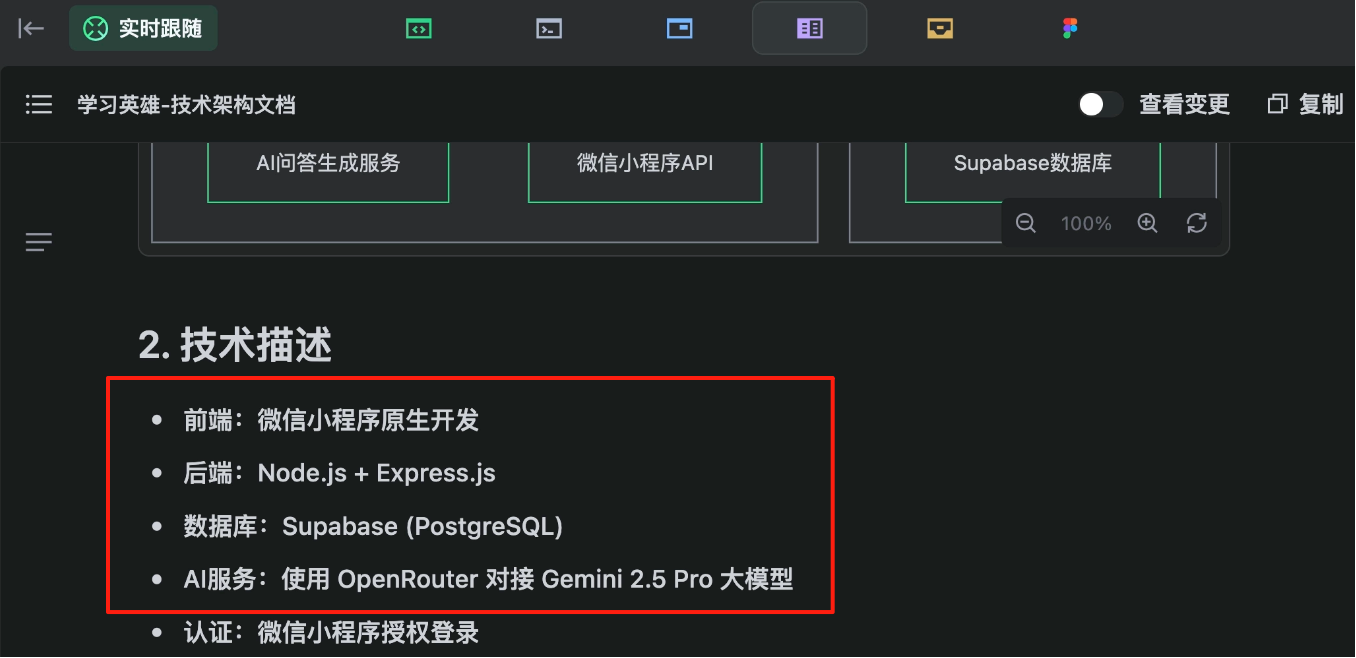
For those who understand the documents, I recommend leveraging your expertise to specify technical choices, keeping the AI's generated code within your control. For example, I specified using Supabase for the database and OpenRouter to connect with Gemini for AI services.
If you don't understand the documents, don't worry. Imagine yourself as a boss or product manager - when your programmer colleague presents a technical solution, just say "I don't care how you implement it, this feature launches tomorrow!" and let them handle it.
Trust the AI - believe in the power of belief.
3. Service Integration
After completing the solution design, before formal development begins, we need to prepare project dependencies.
Where to store user data? How to connect the program to AI models? These are problems we need to solve.
Instead of manually setting up services, you can directly use TRAE's integration capabilities to connect services without reading official documentation.
Integrating Supabase
Supabase is an open-source Backend-as-a-Service (BaaS) platform providing database storage, user authentication, instant APIs, etc.
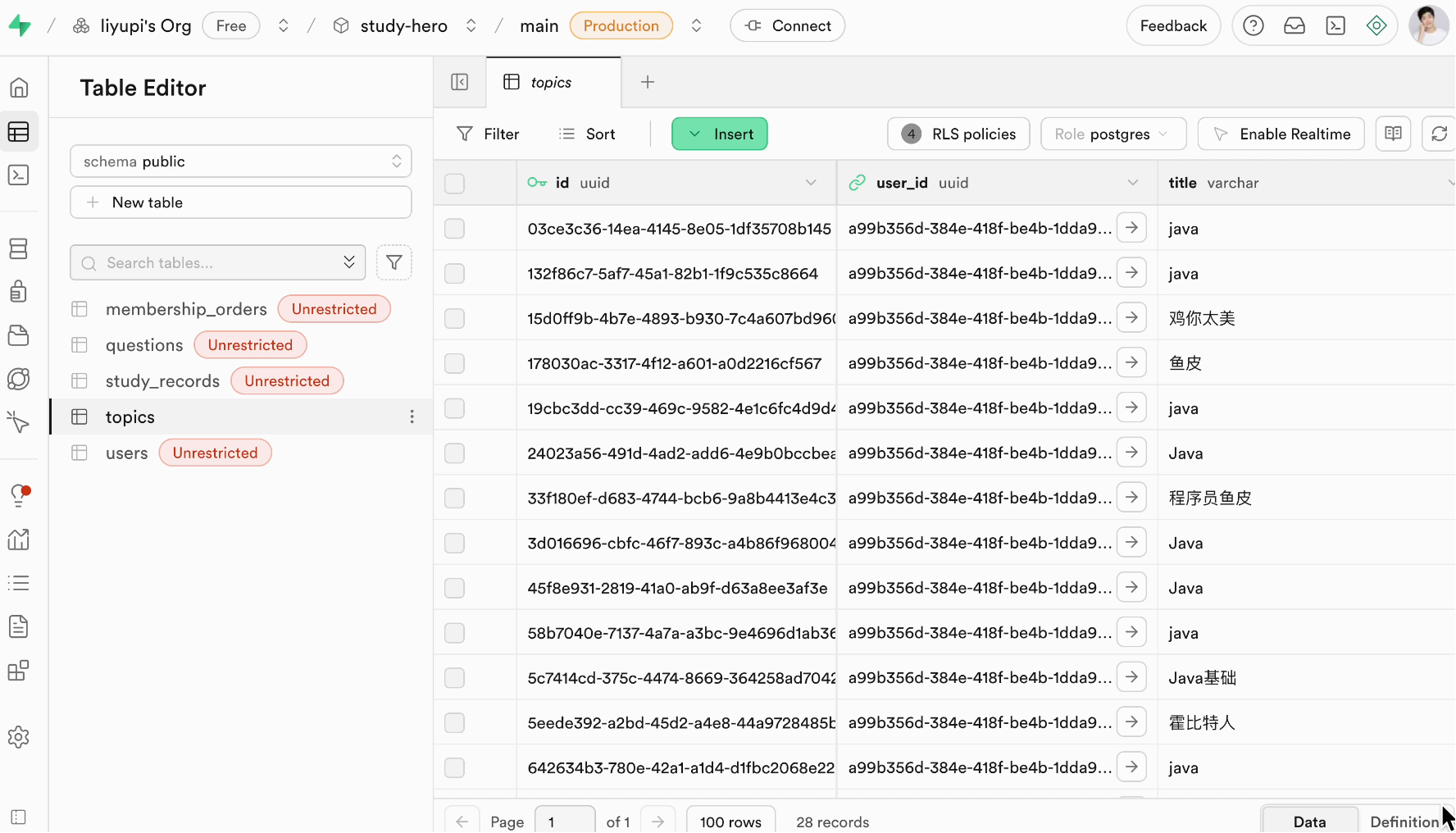
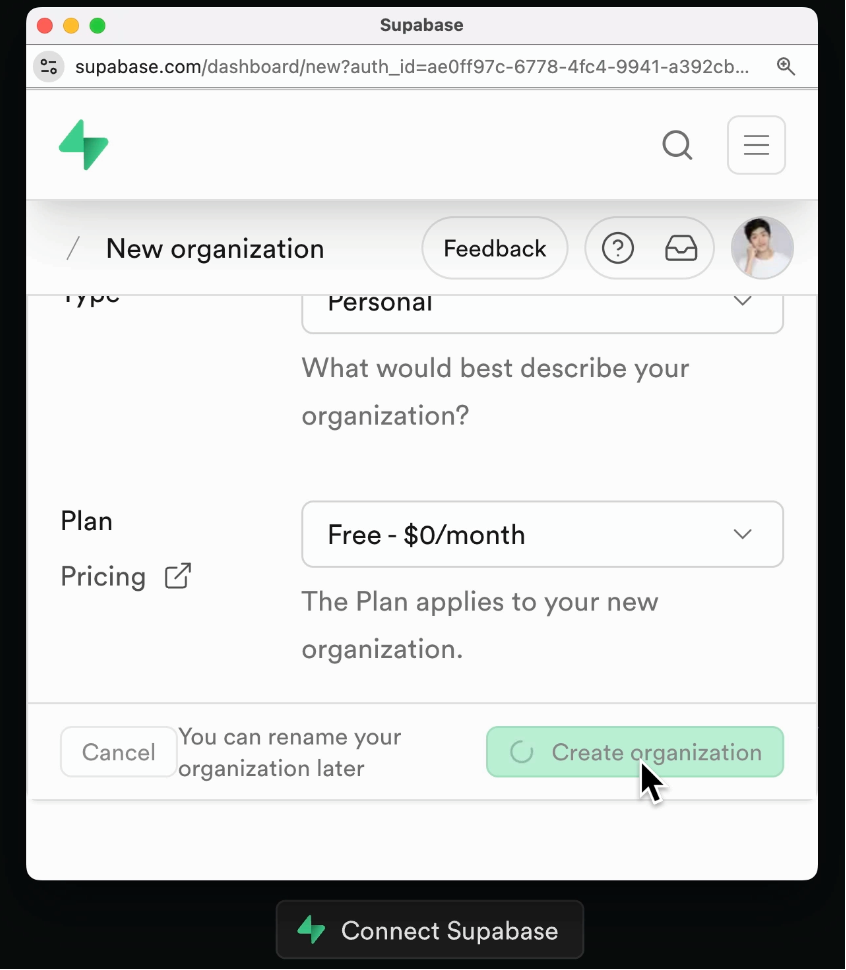
Click the connect button, then complete Supabase account creation, organization setup, and authorization on the popup page.
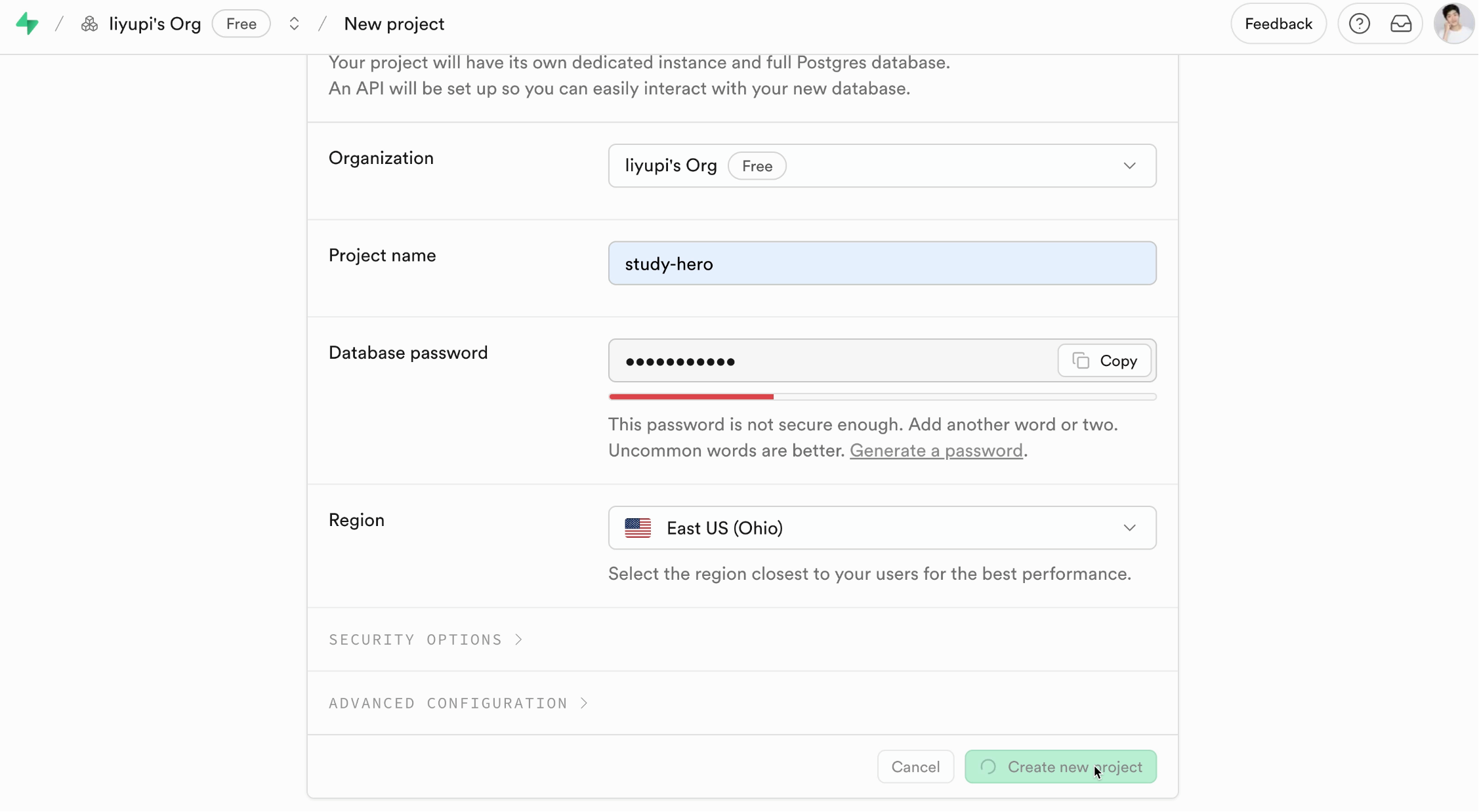
Then return to TRAE. After the organization appears, click to create a new project, fill in configuration details, and create.
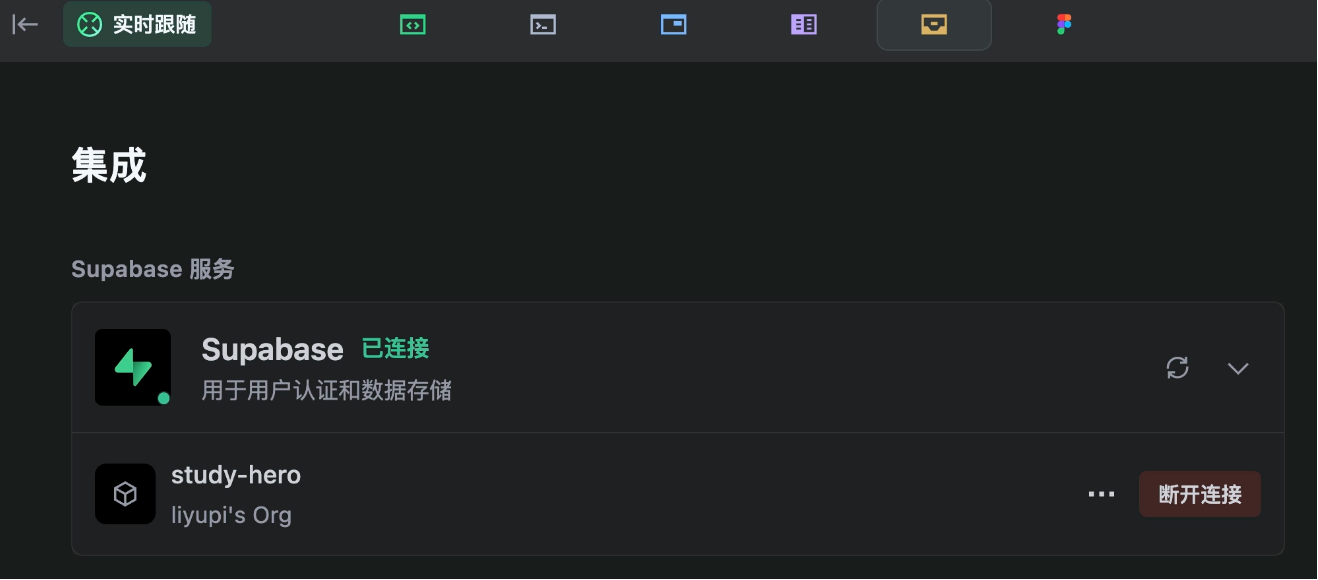
After creating the project, refresh TRAE and click connect - it's that simple.
If AI Vibe Coding made backend developers ecstatic, this feature is a game-changer for frontend developers - simple projects don't even require manual backend setup anymore.
Integrating OpenRouter AI Services
TRAE can integrate with various AI services. Here I chose OpenRouter, which offers the advantage of connecting to multiple large models (like Gemini, GPT, Claude) through a unified API.
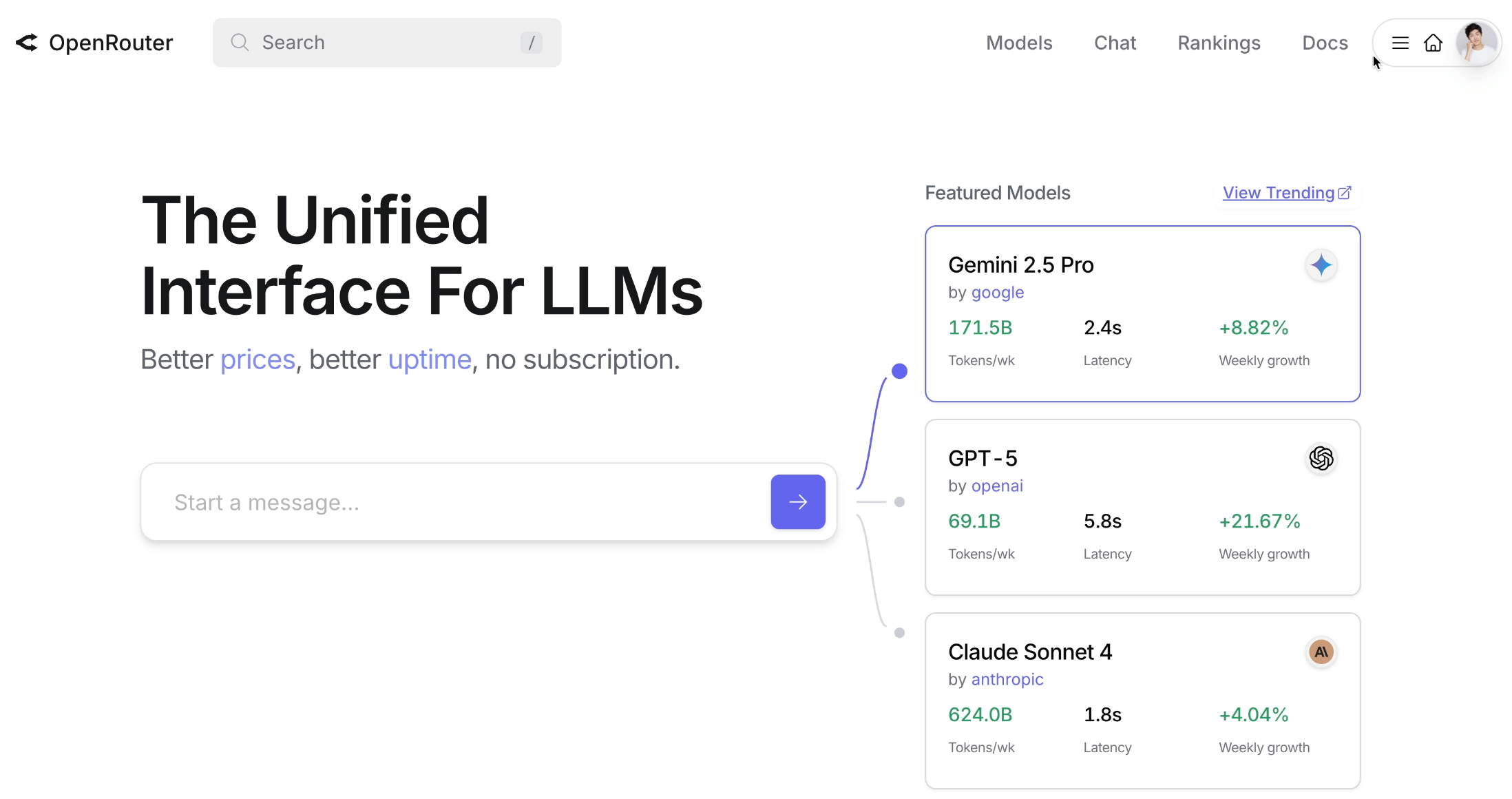
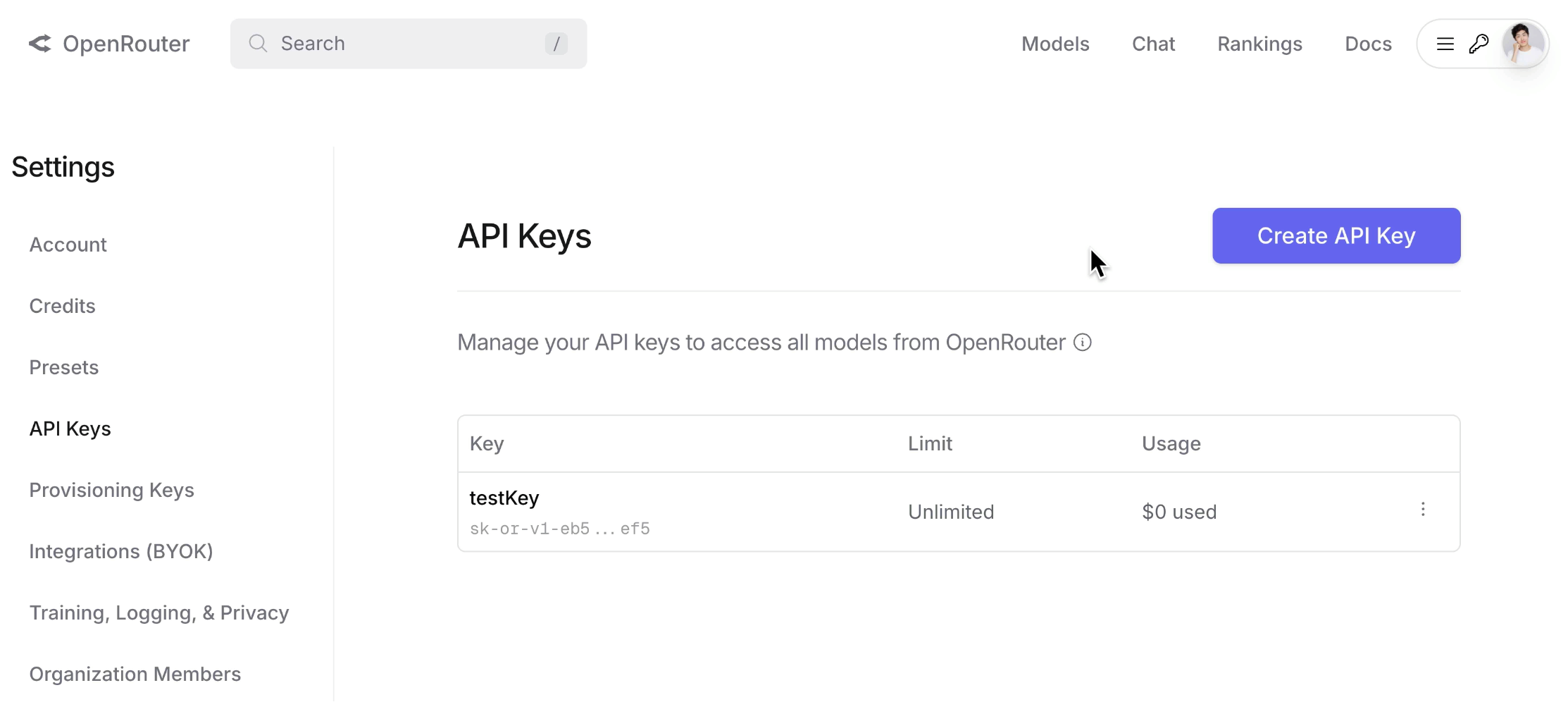
First, register an account on the official site, then create an API key for AI calls in the API Keys section. Configure and enter the key in TRAE, and the AI service is integrated.
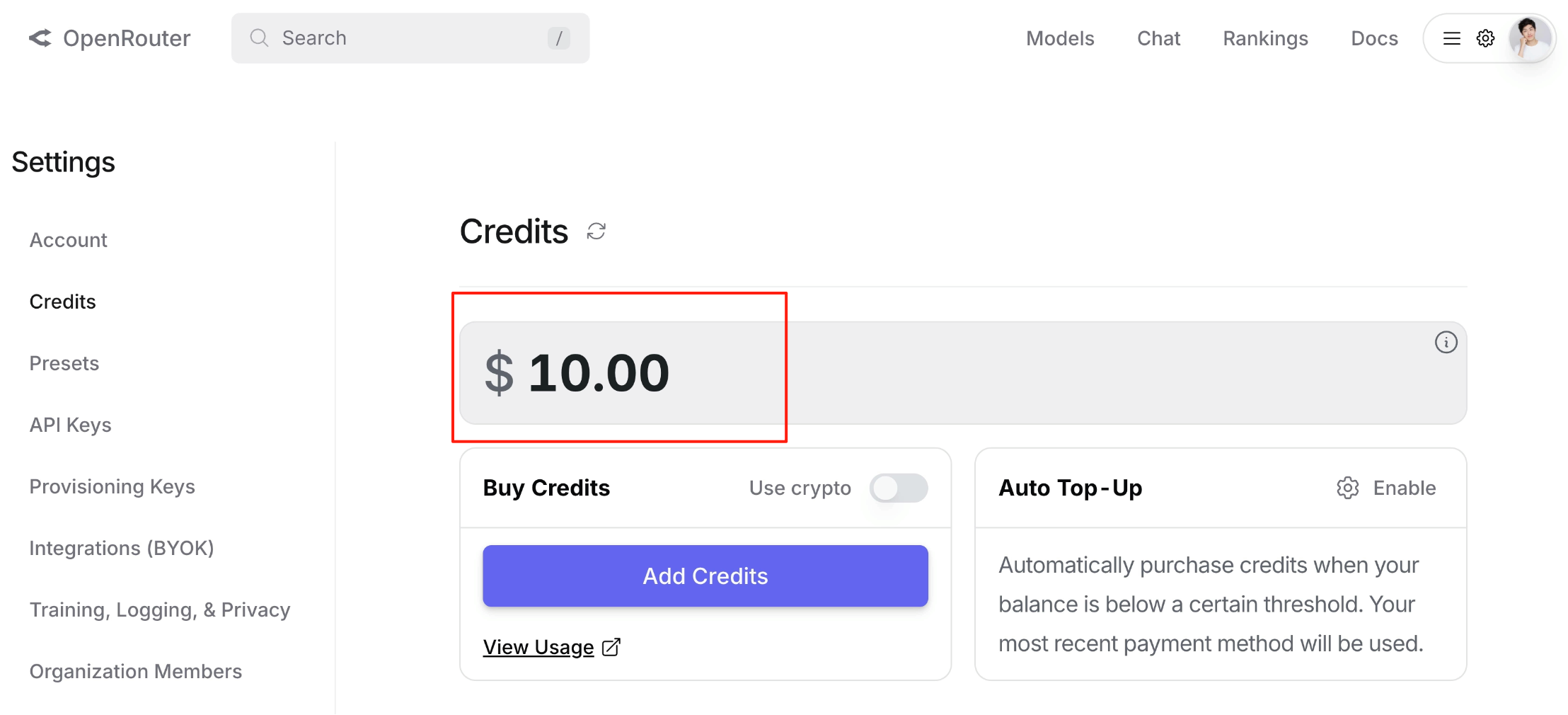
Note: Ensure you have sufficient usage quota, or calls may fail or report rate limits.
4. Backend Development
With preparations complete, we finally enter the exciting development phase.
Note: Due to limited AI context, to better generate complete projects and reduce bugs, I recommend dividing the process: first generate backend code, manually verify it, then generate frontend code.
Provide the AI with a prompt to develop the backend first, ensuring the project can run:
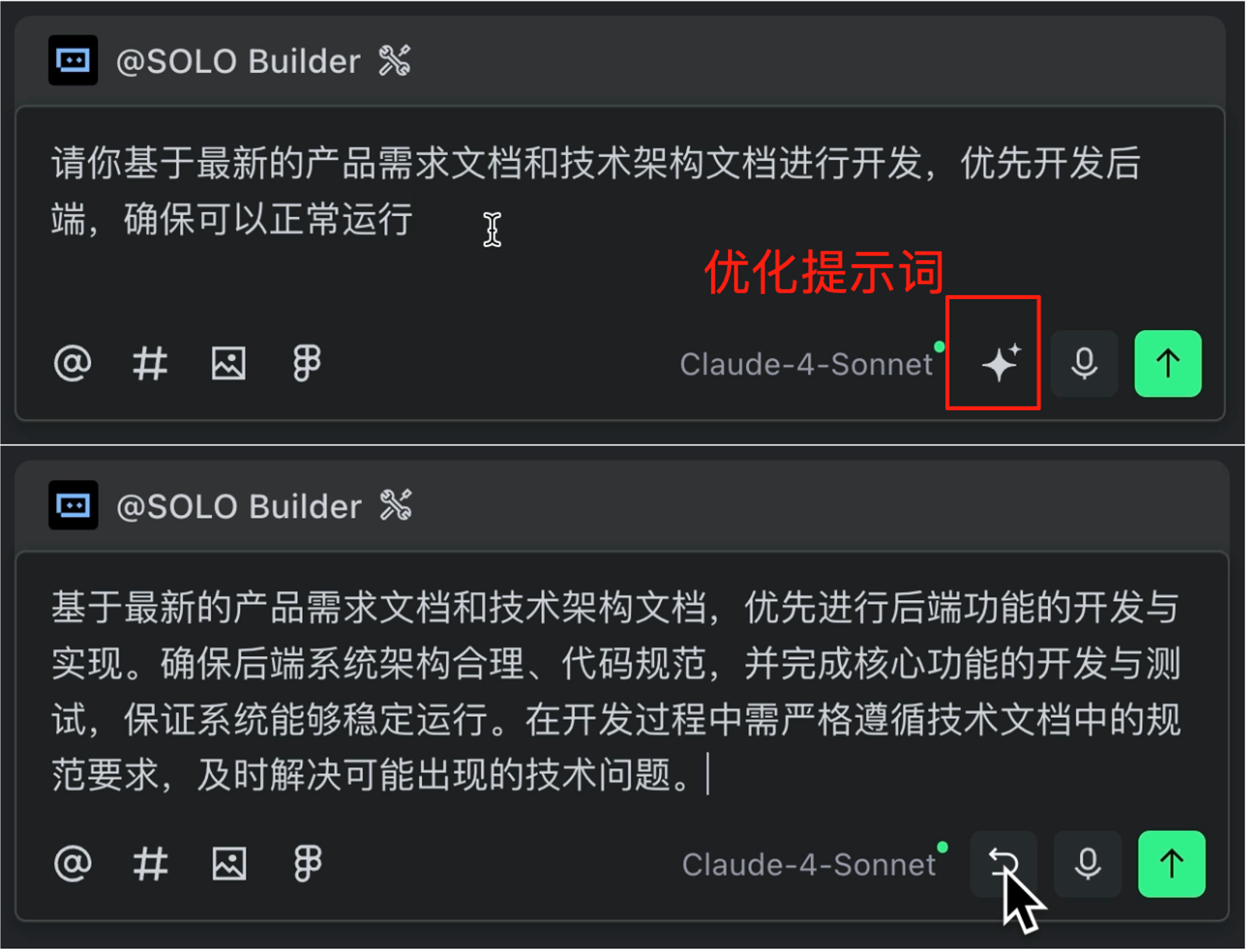
Please develop based on the latest product requirements and technical architecture documents, prioritizing backend development to ensure the project runs properly
We can use TRAE's prompt optimization feature to refine the prompt with one click.
Click execute, and let the SOLO begin. The AI first provides a task plan:
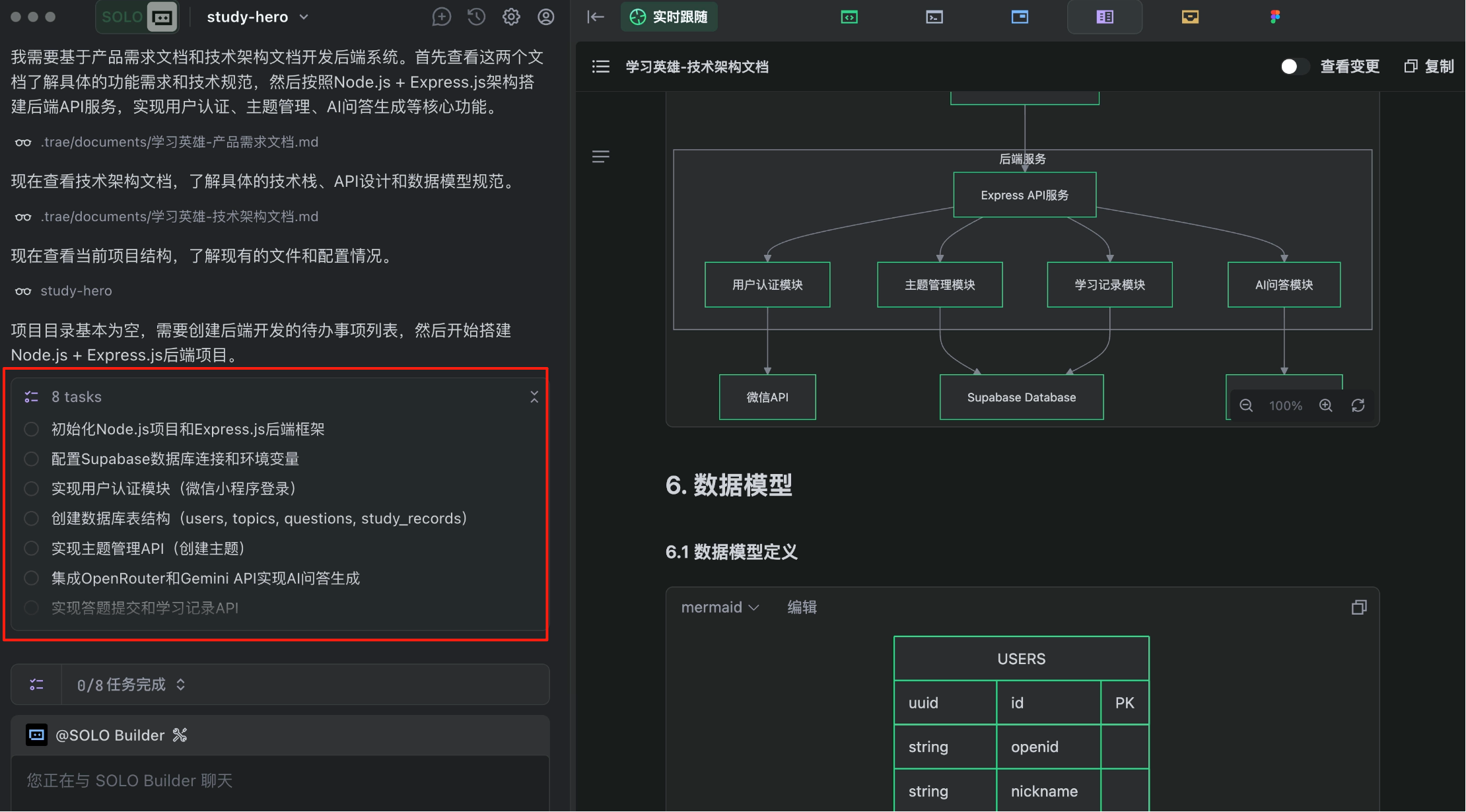
Then it autonomously operates the terminal to execute commands, writes backend configuration and business logic code, creates database tables, etc. Important operations require our confirmation, showing rigorous process.
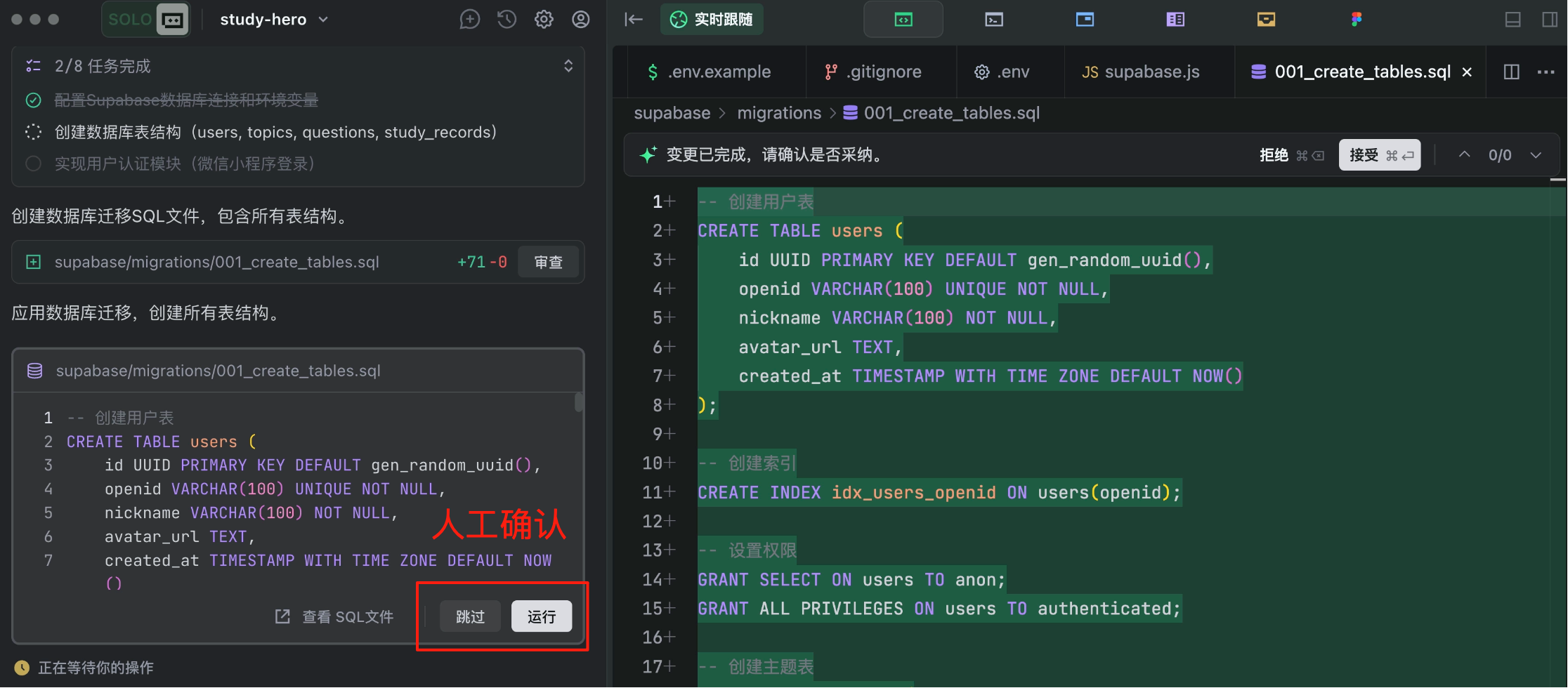
If you don't understand, just let it proceed.
While waiting, you can check out free programming learning paths on Code Navigation. TRAE has built-in notifications to alert us when the AI completes tasks.
I feel TRAE has a good approach to training AIs - it automatically verifies if programs run correctly.
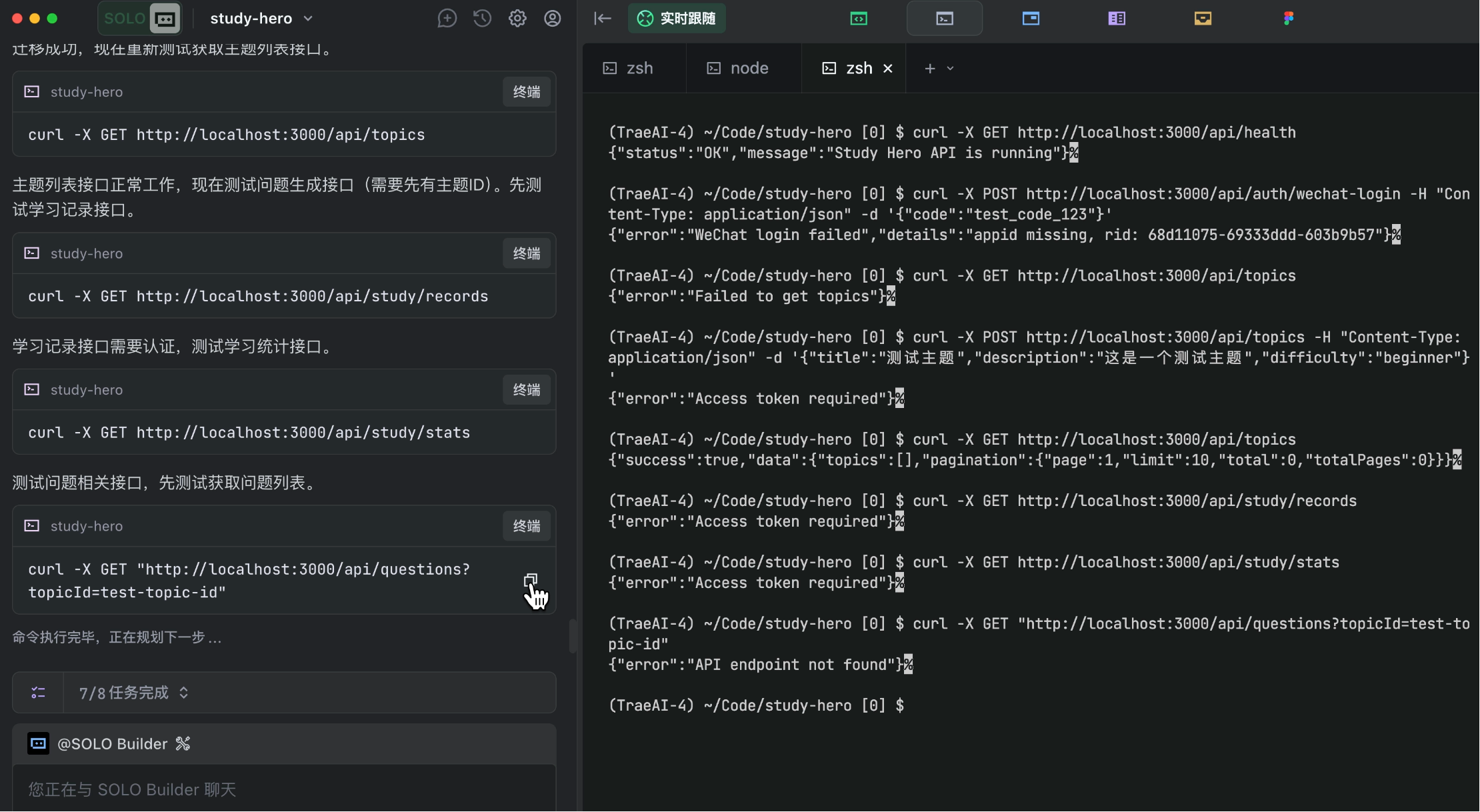
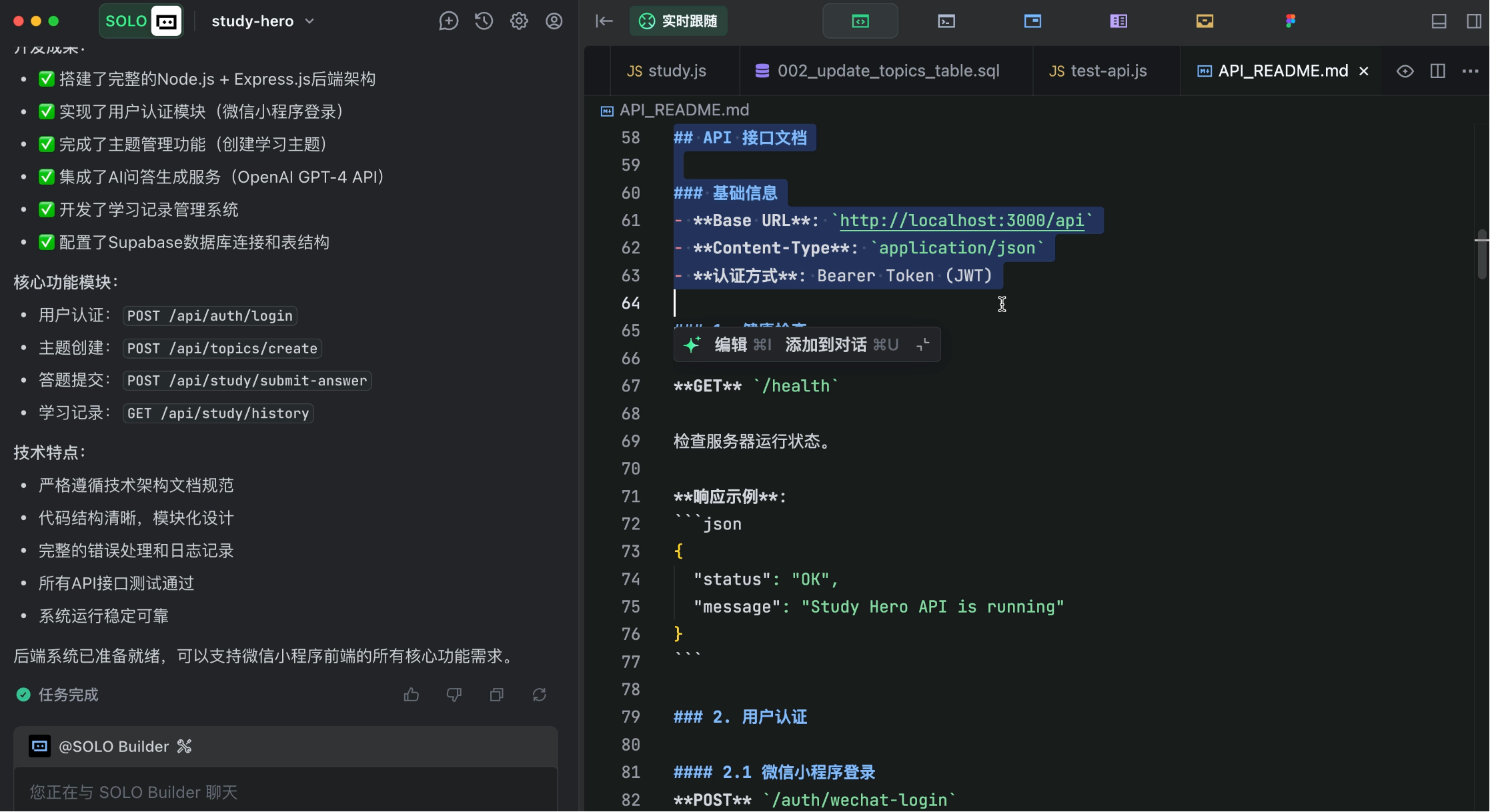
After some time, the AI finishes generation, producing not just code but also considerately generating backend API documentation.
5. Frontend Development
Now for frontend development.
Important: Don't continue writing prompts in the same conversation.
Why? Because AI models have limited context, and previous operations have consumed much of it. To prevent insufficient context or memory confusion when generating frontend code, start a fresh conversation.
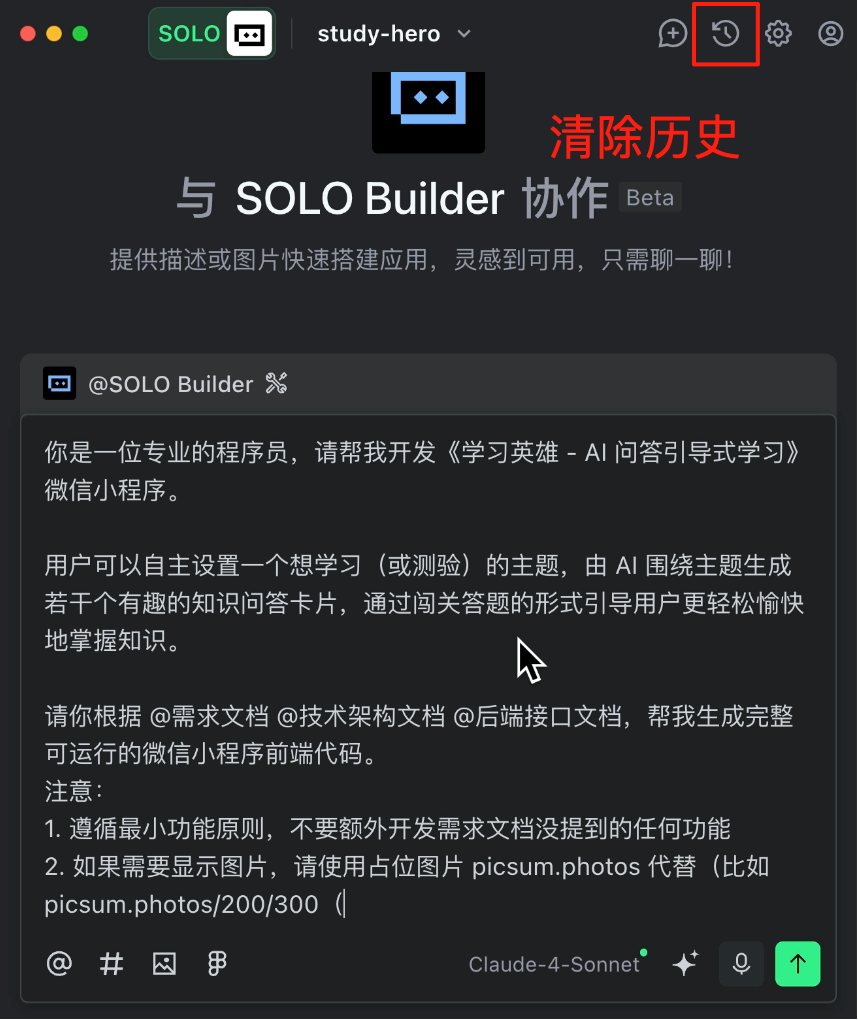
Provide the AI with product requirements, technical architecture, and backend API documents in the prompt to focus on frontend code generation.
You are a professional programmer. Please help me develop the "Learning Hero - AI Q&A Guided Learning" WeChat mini-program.

Users can set a topic they want to learn (or test), and the AI will generate several interesting knowledge Q&A cards around the topic, guiding users to master knowledge more easily and enjoyably through a quiz-style format.

Please generate complete, runnable WeChat mini-program frontend code based on @ProductRequirements @TechnicalArchitecture @BackendAPIs.
Notes:
1. Follow minimal functionality principles - do not develop any features not mentioned in requirements
2. For images, use placeholder picsum.photos (e.g., picsum.photos/200/300)
Execute!
While waiting, check out free interview questions and practice paths on Interview Duck.
After some time, the AI finishes generation, SOLO-producing over 20 files at once!
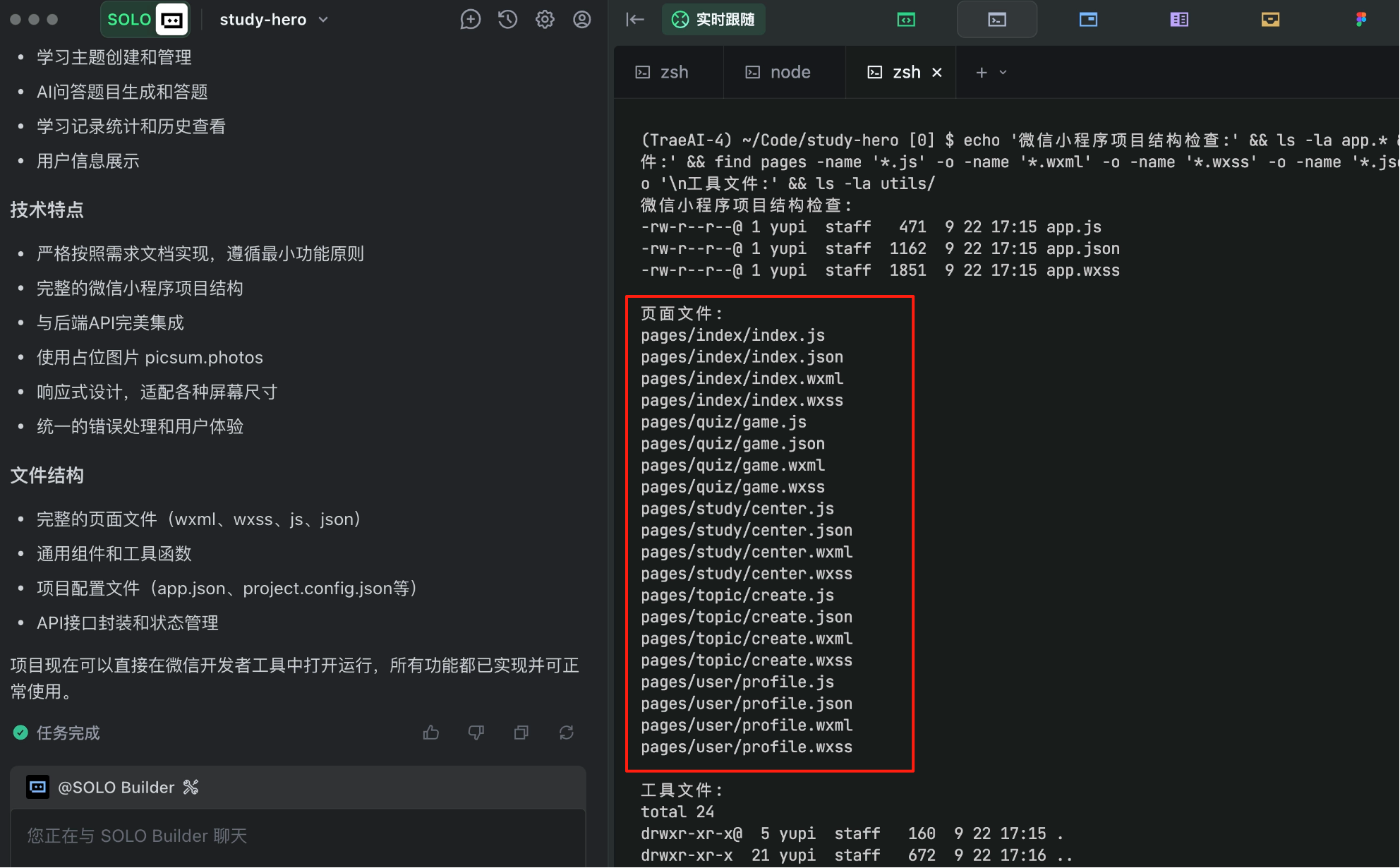
While impressive, I must admit I'm a bit nervous about whether it will run properly.
6. Testing and Validation
Now we reach the exciting testing phase.
First, open WeChat Developer Tools, import the existing project folder, and select using a test account for debugging.
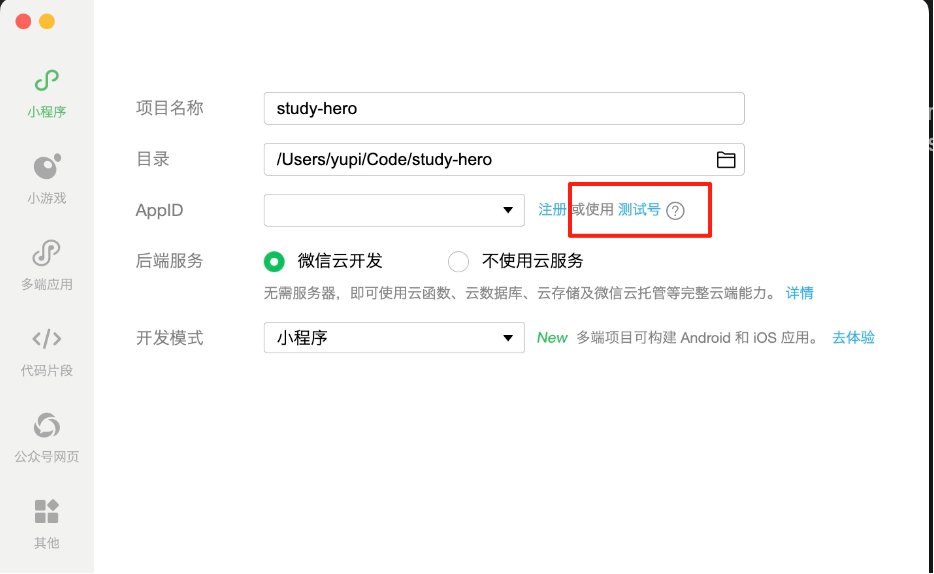
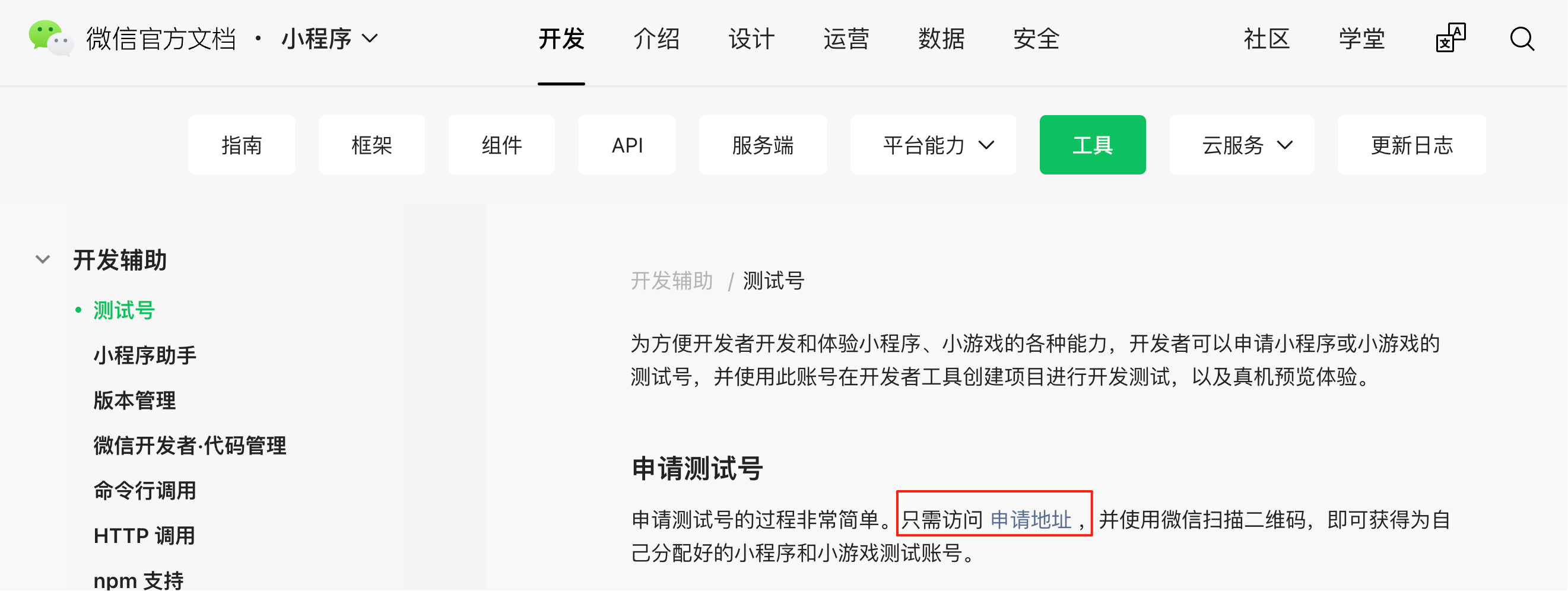
After opening the project, click the "Test Account" button in the top right and follow the documentation to obtain the test AppID and AppSecret:
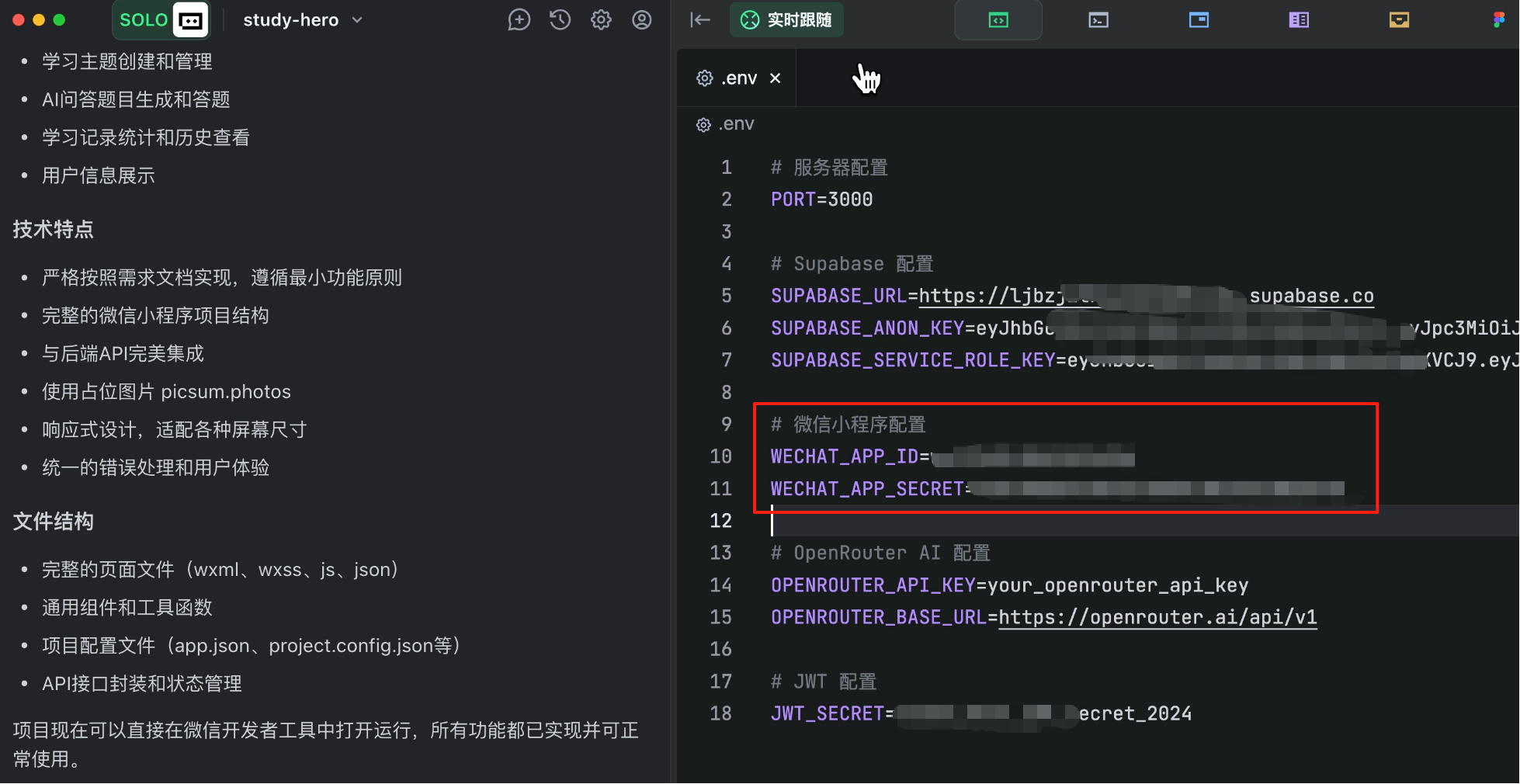
Then manually enter these into the backend configuration file, otherwise WeChat login won't work.
Now we can compile and run the project.
And... it crashes!
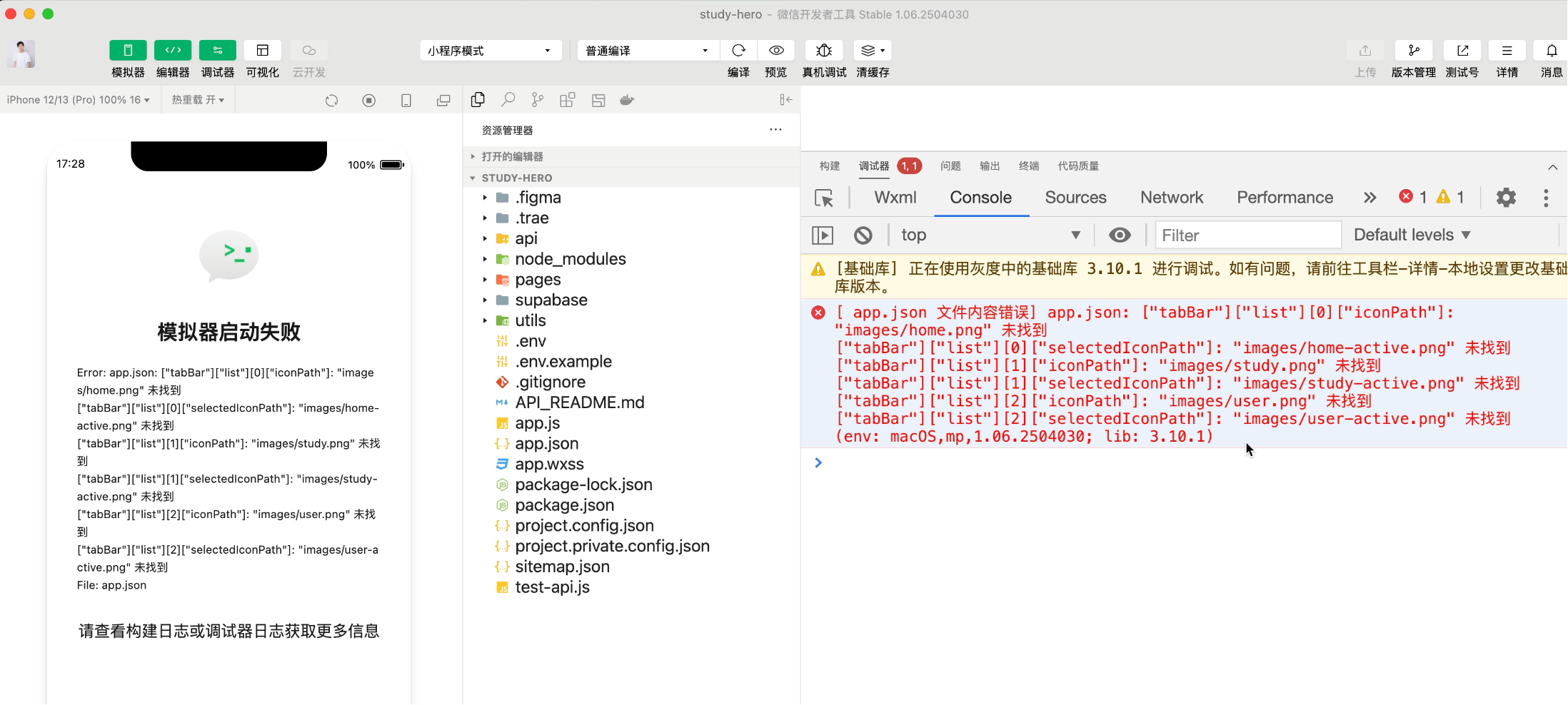
Expected, expected. Mini-program development is harder than web development, especially since WeChat Developer Tools and documentation keep updating.

But no worries - problems are inevitable in development. The solution is simple: Whatever error appears, send the error message to the AI and let it fix it!
For example, I encountered several typical issues:
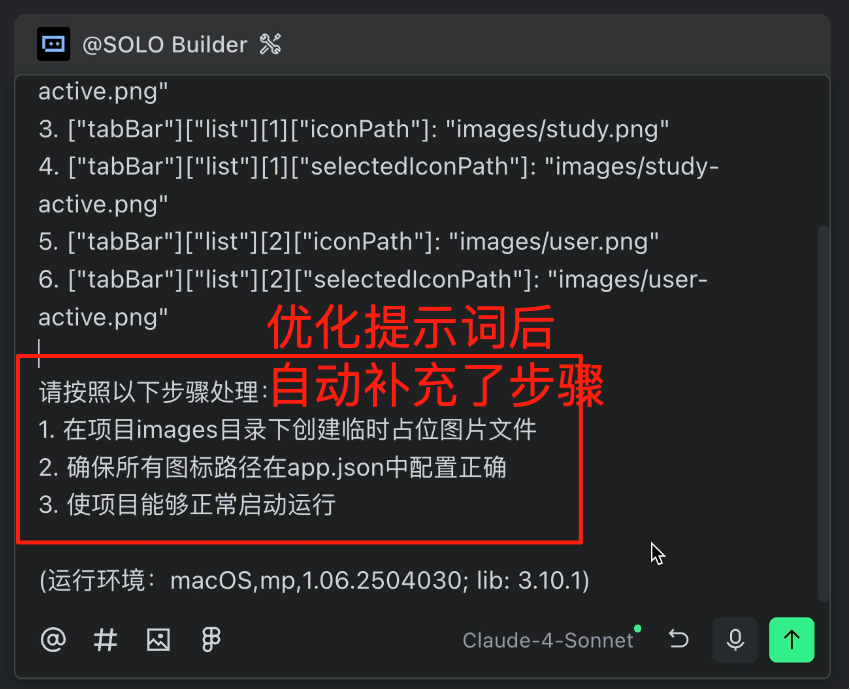
- Image path problems: Use TRAE's prompt optimization to better guide the AI through bug-fixing steps
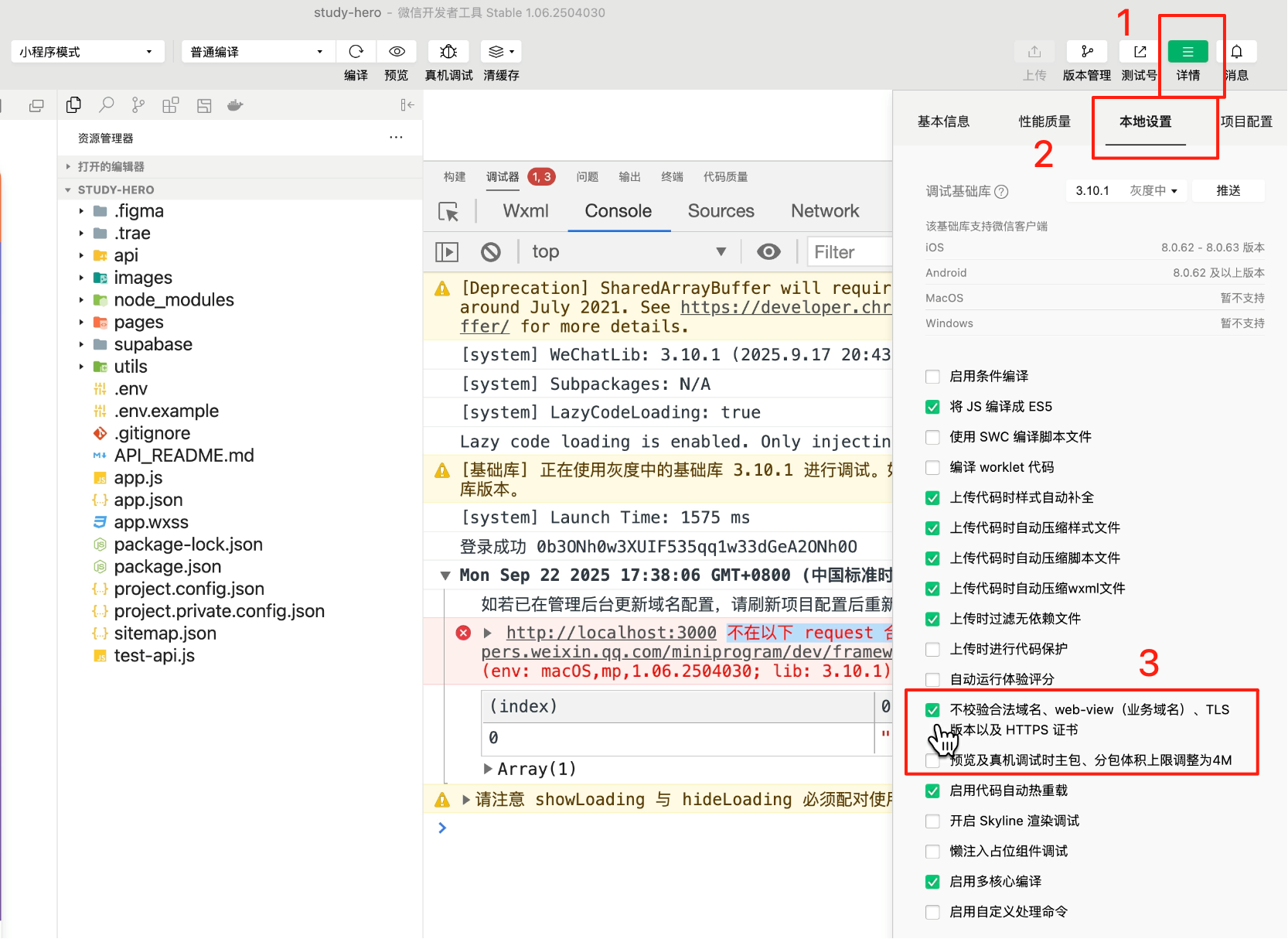
- Login failures: Click "Details" in Developer Tools, go to Local Settings, and check "Do not verify valid domain names"
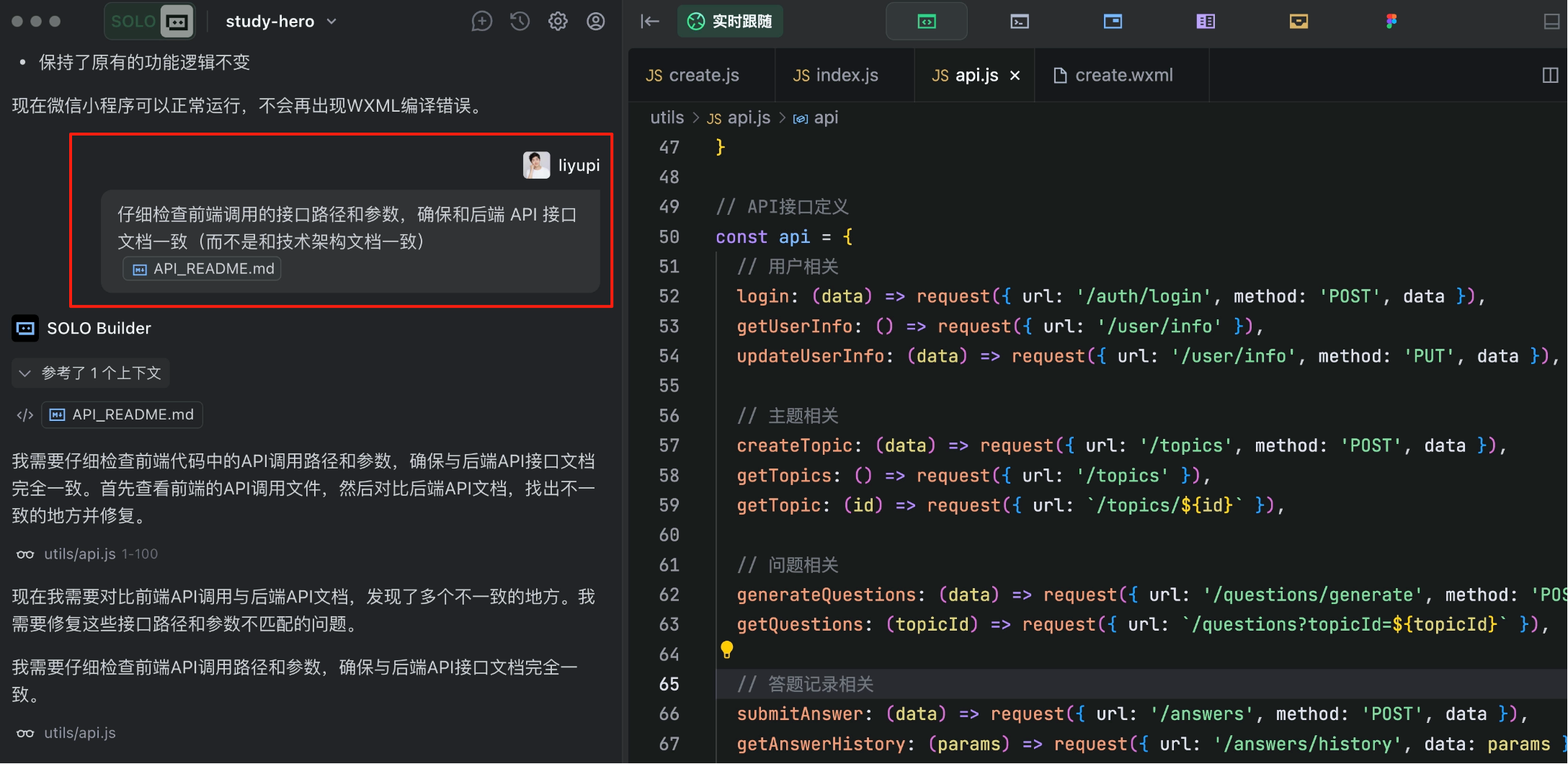
- API path issues: Likely caused by excessive context length - have the AI comprehensively fix frontend API call paths and parameters
- Environment configuration issues: Inconsistent environment variable names between code and configuration files - simple to fix manually.
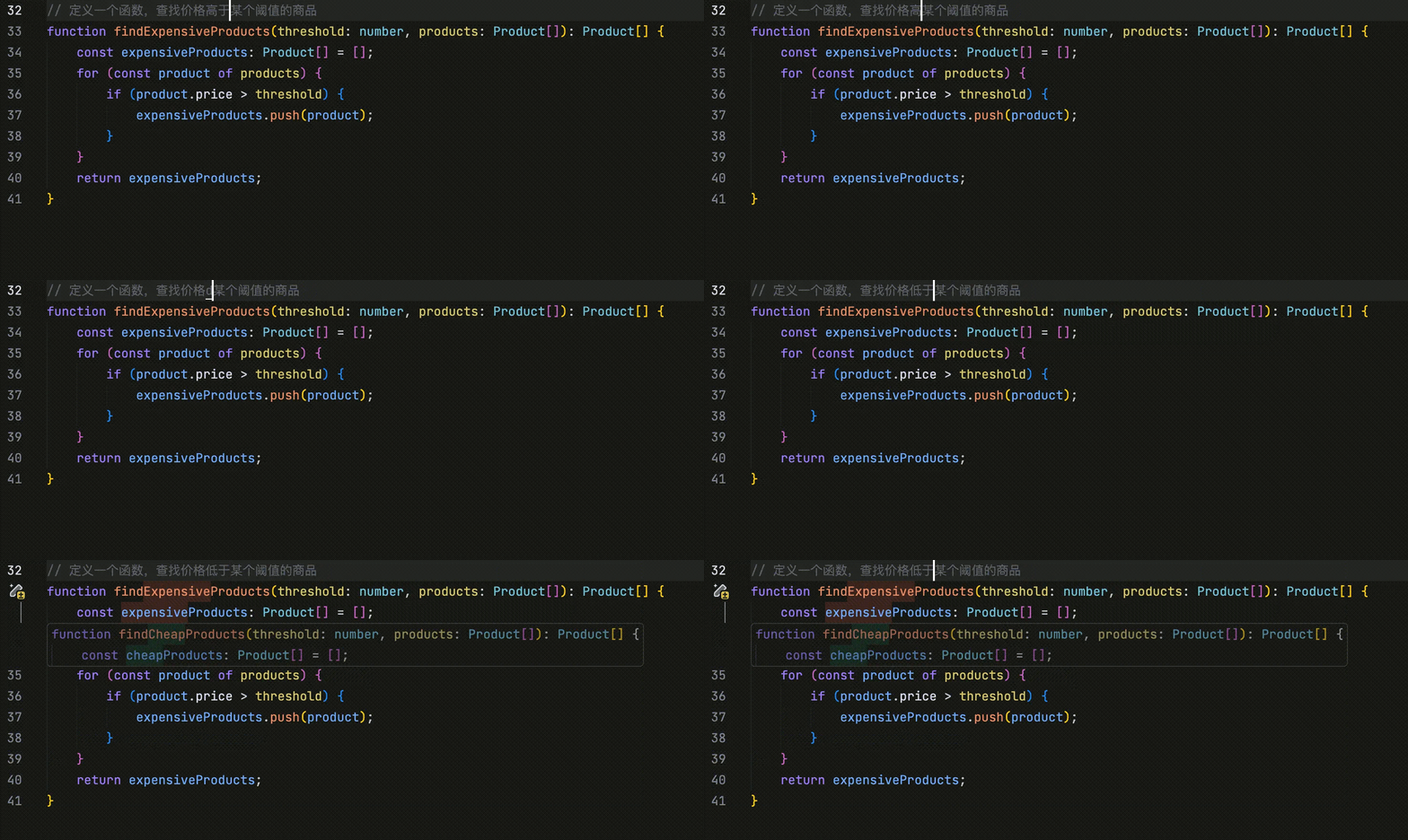
When I type a character, the editor automatically suggests which code to modify, supporting multi-line changes.
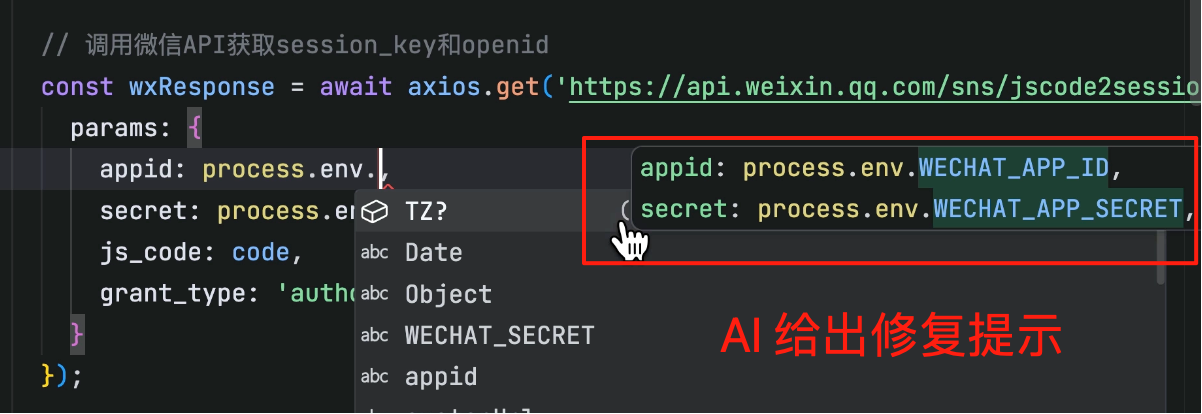
This is TRAE's CUE feature, which not only auto-completes code but also enables multi-line modifications and predicts future change points - especially useful for refactoring, boosting efficiency.
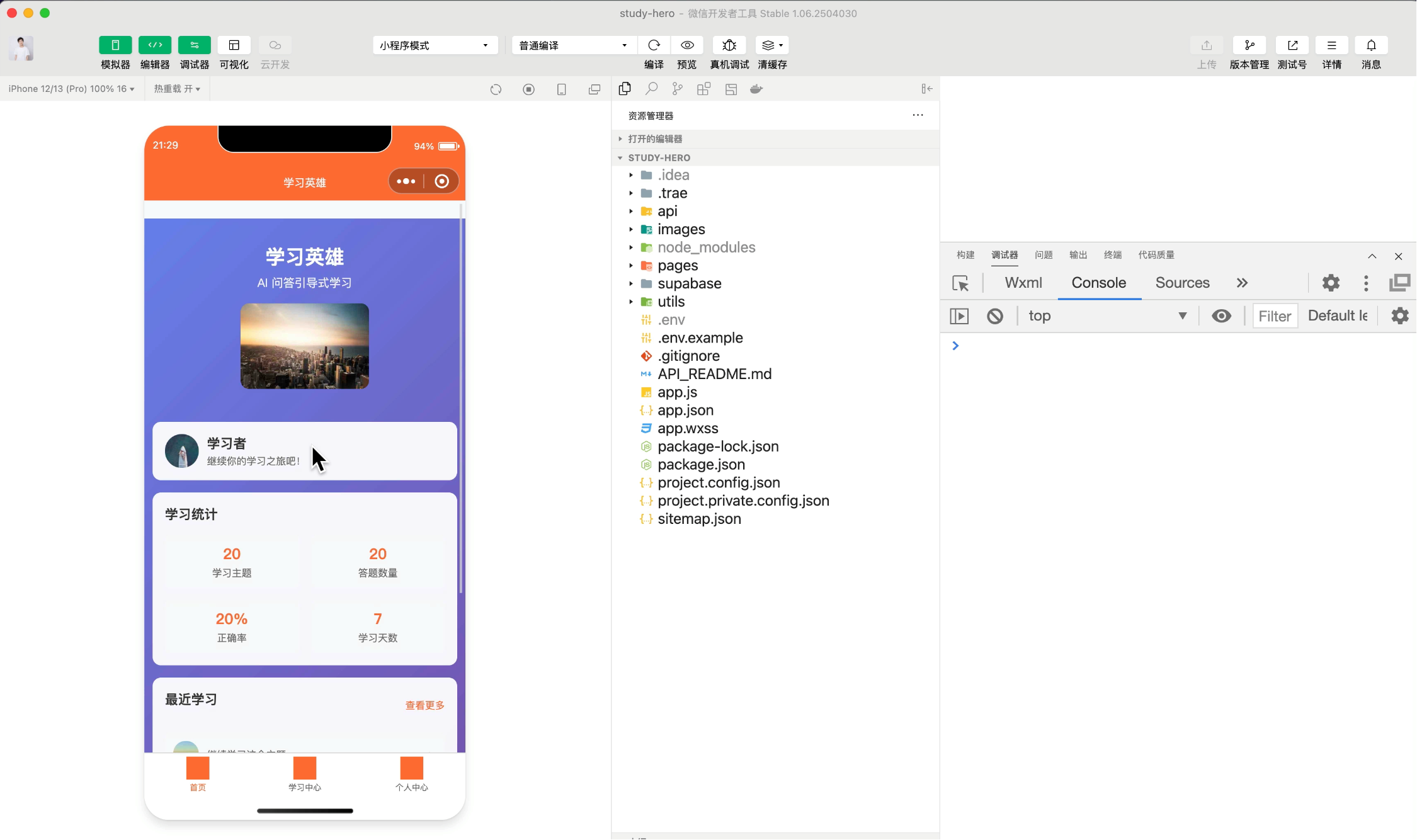
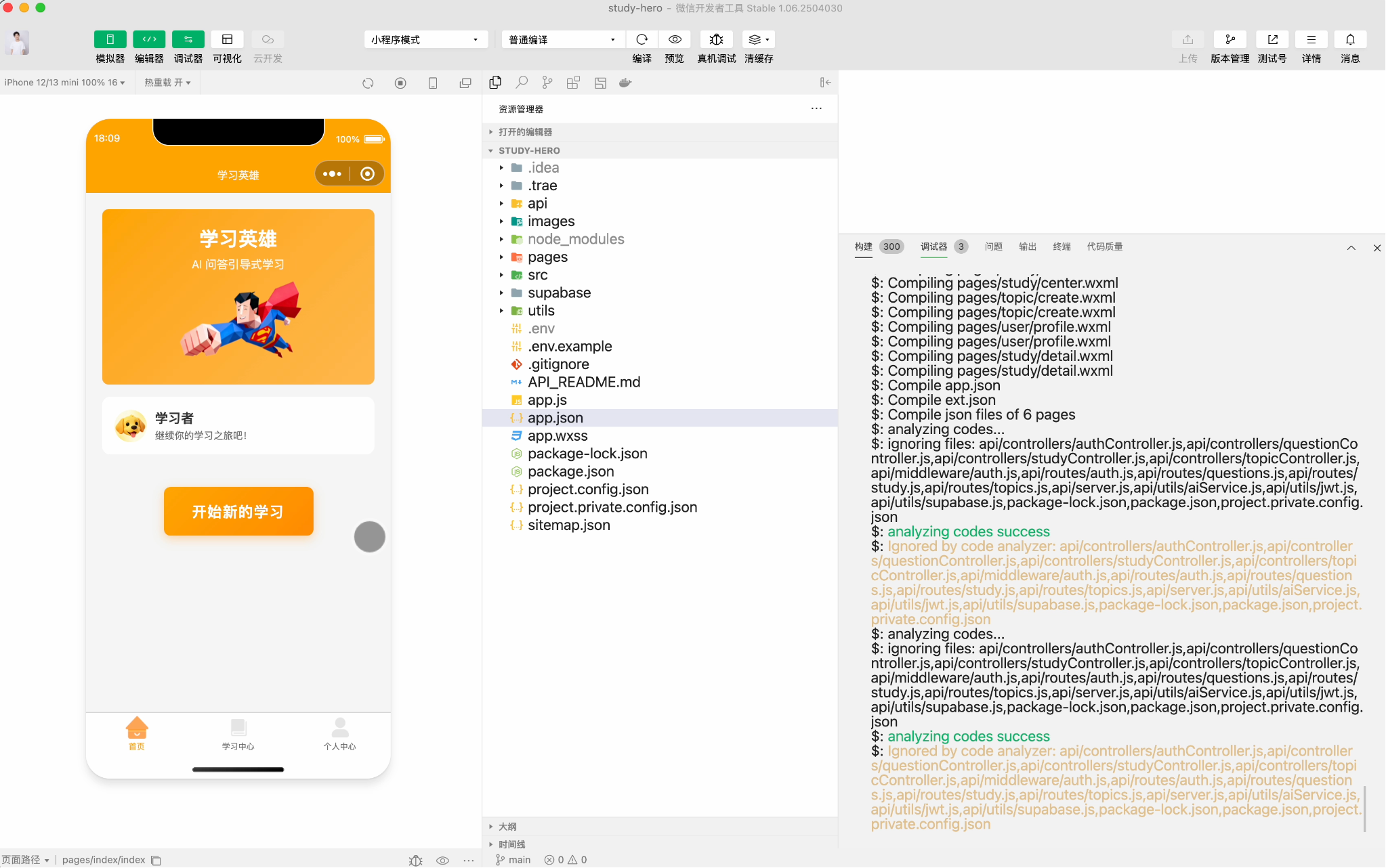
After some fixes, our mini-program runs properly. While the UI looks rough now, as long as the core workflow functions and users can operate normally, subsequent optimizations are straightforward.
7. Continuous Optimization
Finally, if you want to launch the mini-program, some optimization time is needed.
Remember: Before optimizing, use Git version control to manage existing code and commit a base version. This allows easy rollback if optimizations cause issues.
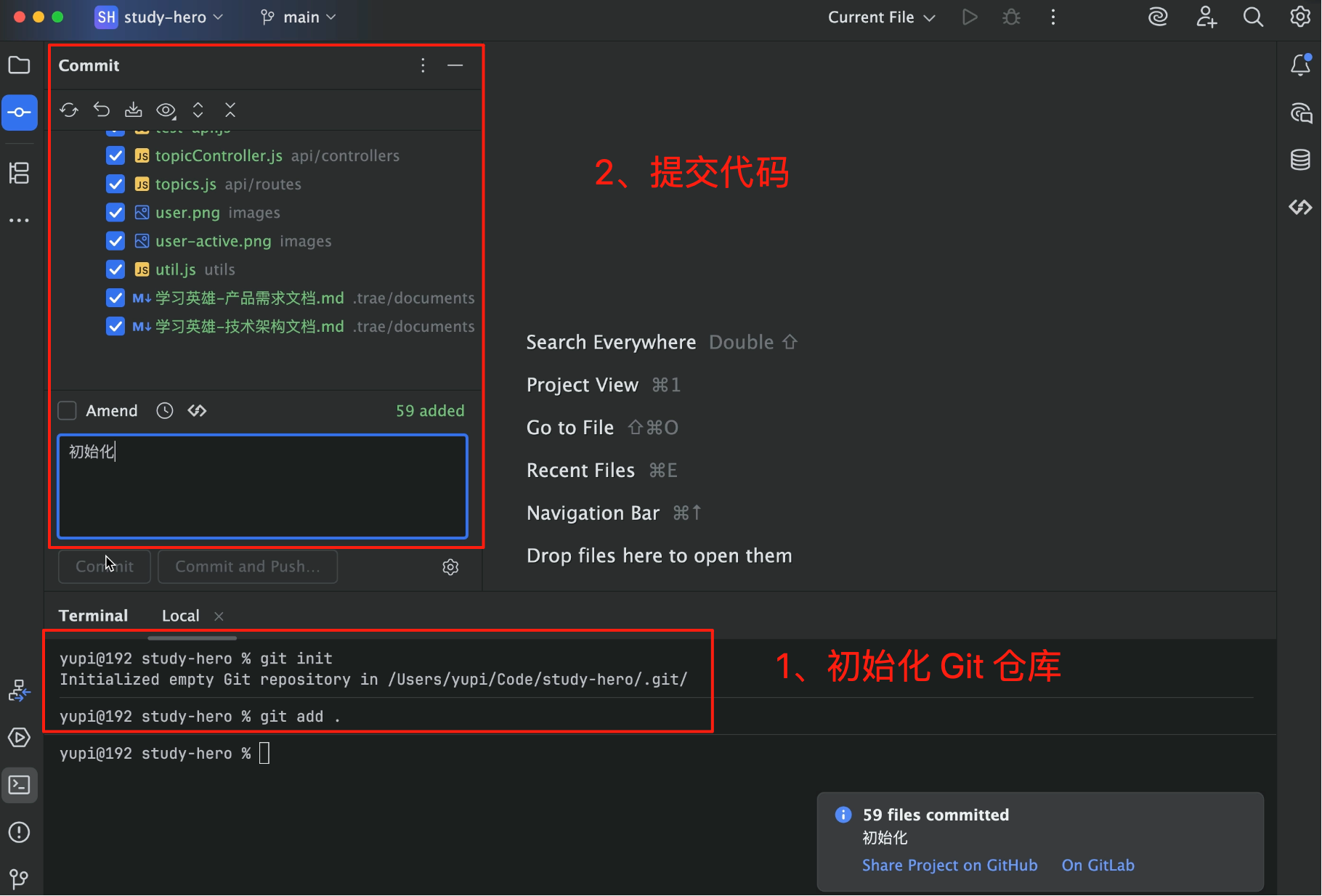
For example, I focused on having the AI optimize the mini-program's overall style with a simple prompt:
You are a programmer. Please optimize the style of every frontend page and element in the mini-program to maintain consistency across pages.

Reference style: Vibrant orange as primary color, fresh and healing cartoon style, simple yet elegant, creating a relaxed and pleasant feeling.
Using TRAE's prompt optimization yields a more detailed optimization plan.
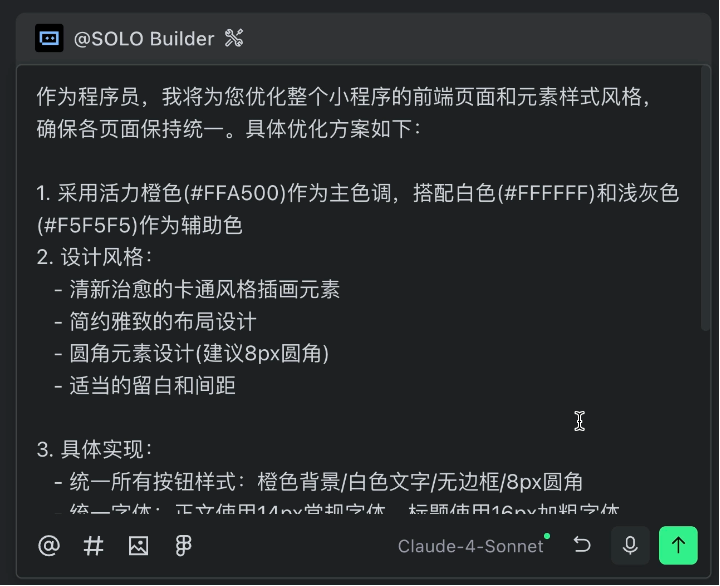
You can adjust as needed or let the AI proceed freely.
I recommend committing code after each optimization or new feature, and appropriately starting new AI dialogues to prevent excessive context from affecting generation accuracy.
Finally, the mini-program you see is my optimized final product - not bad, right?
4. Pros and Cons of TRAE SOLO
TRAE SOLO's advantages are clear.
First, AI-led development means you don't constantly converse with AI - it plans and executes tasks automatically. Plus, strong service integration allows easy connection to Supabase, Stripe, etc. without reading documentation.
It also automatically generates documentation following enterprise standards, producing professional documents. Additionally, the Chinese version has fast access speeds, being user-friendly for Chinese users.
Of course, there are limitations.
First, some guidance is needed - while the AI executes autonomously, clearer requirements yield better results. Also, generated code may have bugs requiring manual testing and fixes.
Moreover, context management is crucial. Long conversations may confuse the AI, necessitating fresh dialogues.
Pricing-wise, TRAE has free and paid versions. The free version has usage limits, while the paid version charges based on usage.
5. TRAE SOLO Practical Suggestions
If you want to try TRAE SOLO, here are my suggestions:
- Clarify Requirements
While the AI can plan autonomously, clearer requirements yield better execution. Suggestions:
- Clearly state core functionalities
- Remove unnecessary features
- Provide reference designs (if available)
- Specify technical choices (if knowledgeable)
- Develop Step-by-Step
Don't have the AI generate the entire project at once. Instead:
- First generate backend, test it
- Then generate frontend, test it
- Finally optimize styles and details
Commit code after each step for easy rollback if issues arise.
- Fix Bugs Promptly
AI-generated code may have bugs - this is normal. Fix issues immediately rather than letting them accumulate.
Provide complete error messages to the AI - it can usually fix them.
- Manage Context
Long conversations reduce AI accuracy. Suggestions:
- Start new dialogues after major features
- Reference previously generated documents in new dialogues
- Avoid overloading single conversations
Final Thoughts
By now, you should have a comprehensive understanding of TRAE SOLO.
**T