 yupi-translate-app[bot]
202 lines
9.2 KiB
Markdown
202 lines
9.2 KiB
Markdown
# Dify: A No-Code AI Application Development Platform
|
|
|
|
> Build your AI applications visually
|
|
|
|
|
|
|
|
Hello, I'm Yupi.
|
|
|
|
In previous articles, we learned about no-code platforms like Bolt.new and Baidu Miaoda for quickly generating websites and applications. But what if you want to create AI applications, such as intelligent customer service, knowledge base Q&A, or AI assistants? What tools should you use?
|
|
|
|
In this article, I'll introduce **Dify**, a no-code platform specifically designed for developing AI applications. Through a visual interface, you can quickly build powerful AI applications without writing any code.
|
|
|
|
Let me walk you through how to use Dify with practical examples, while also explaining some core AI concepts along the way.
|
|
|
|
|
|
|
|
## 1. What is Dify?
|
|
|
|
[Dify](https://dify.ai/) is an open-source AI application development platform that allows you to build AI applications visually.
|
|
|
|
How is it different from Bolt.new?
|
|
|
|
Bolt.new is mainly used to generate regular websites and applications, such as personal homepages or e-commerce sites. Dify, on the other hand, focuses on AI applications, including:
|
|
|
|
- Intelligent customer service chatbots
|
|
- Knowledge base Q&A systems
|
|
- AI writing assistants
|
|
- Document analysis tools
|
|
- AI workflow automation
|
|
|
|
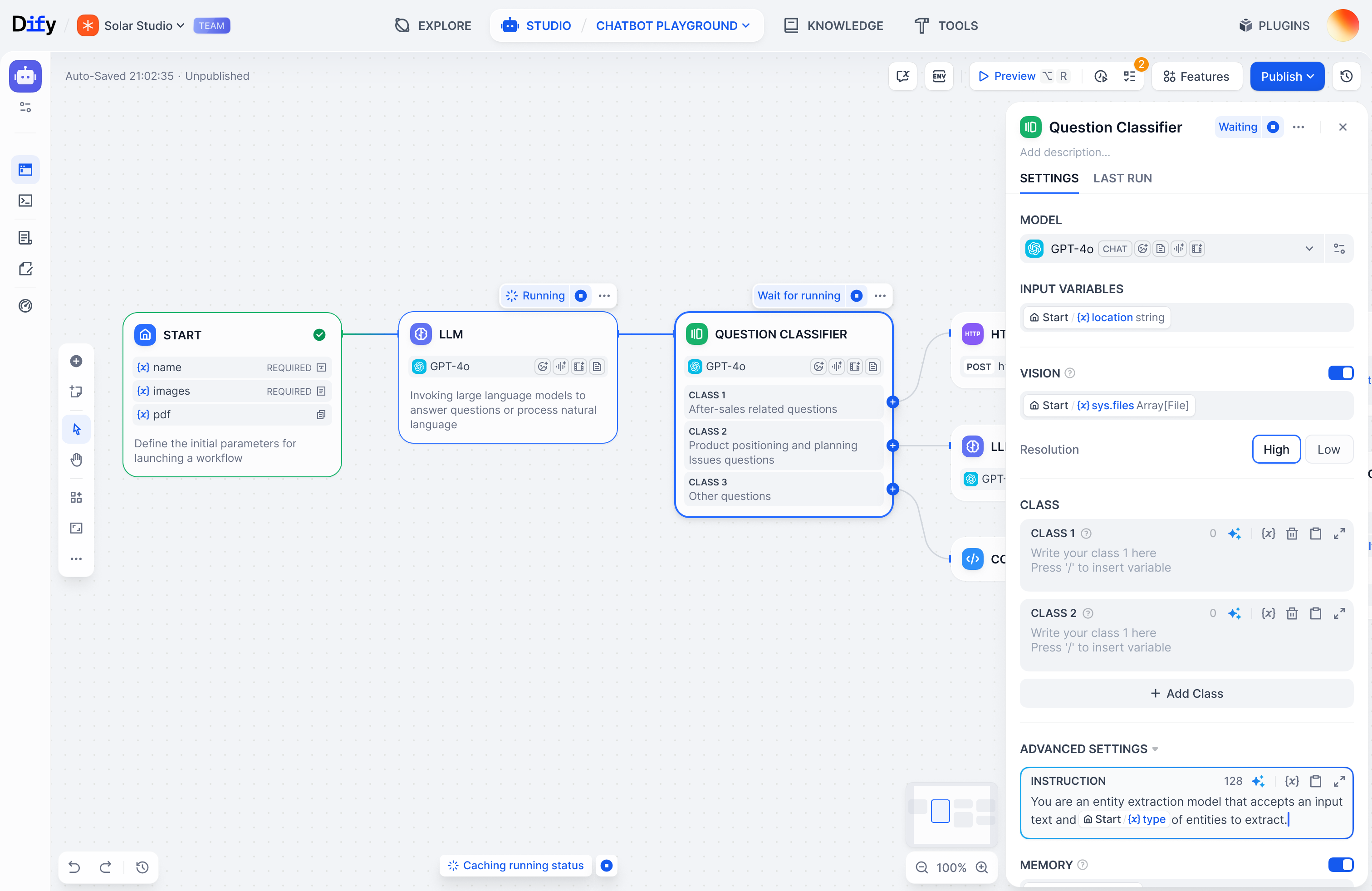
Dify provides a visual configuration interface where you can build AI workflows through drag-and-drop, configure large models, set prompts, add knowledge bases, and more—all without writing code to create powerful AI applications.
|
|
|
|
|
|
|
|
|
|
|
|
## 2. Getting Started with Dify
|
|
|
|
Let me guide you through a practical example to quickly get started with Dify.
|
|
|
|
|
|
|
|
### 1. Create an AI Application
|
|
|
|
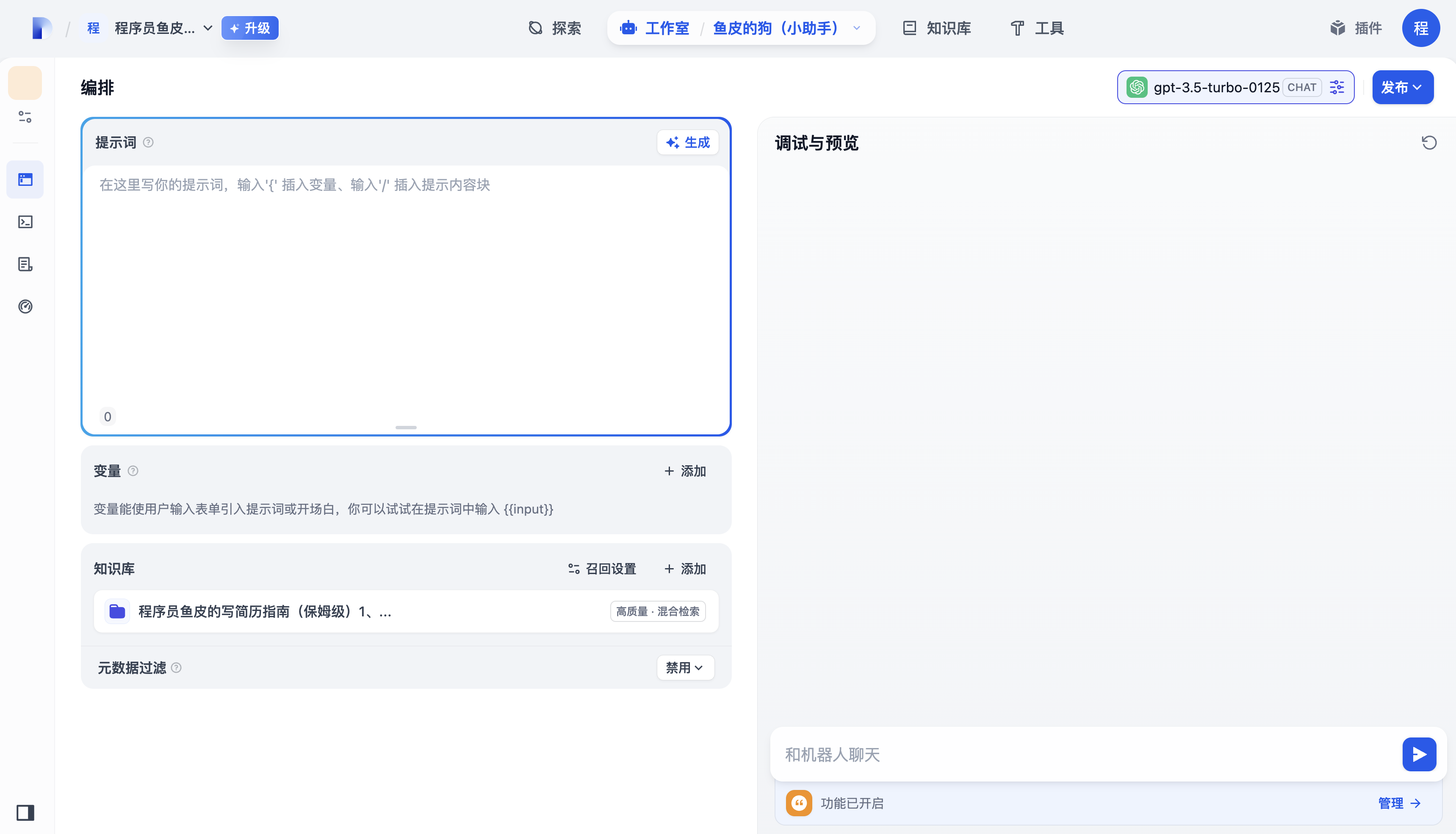
First, go to the [Dify platform](https://dify.ai/), register an account, and log in. Then create an AI application and enter the AI chat interface.
|
|
|
|
|
|
|
|
|
|
|
|
### 2. Choose a Large Model
|
|
|
|
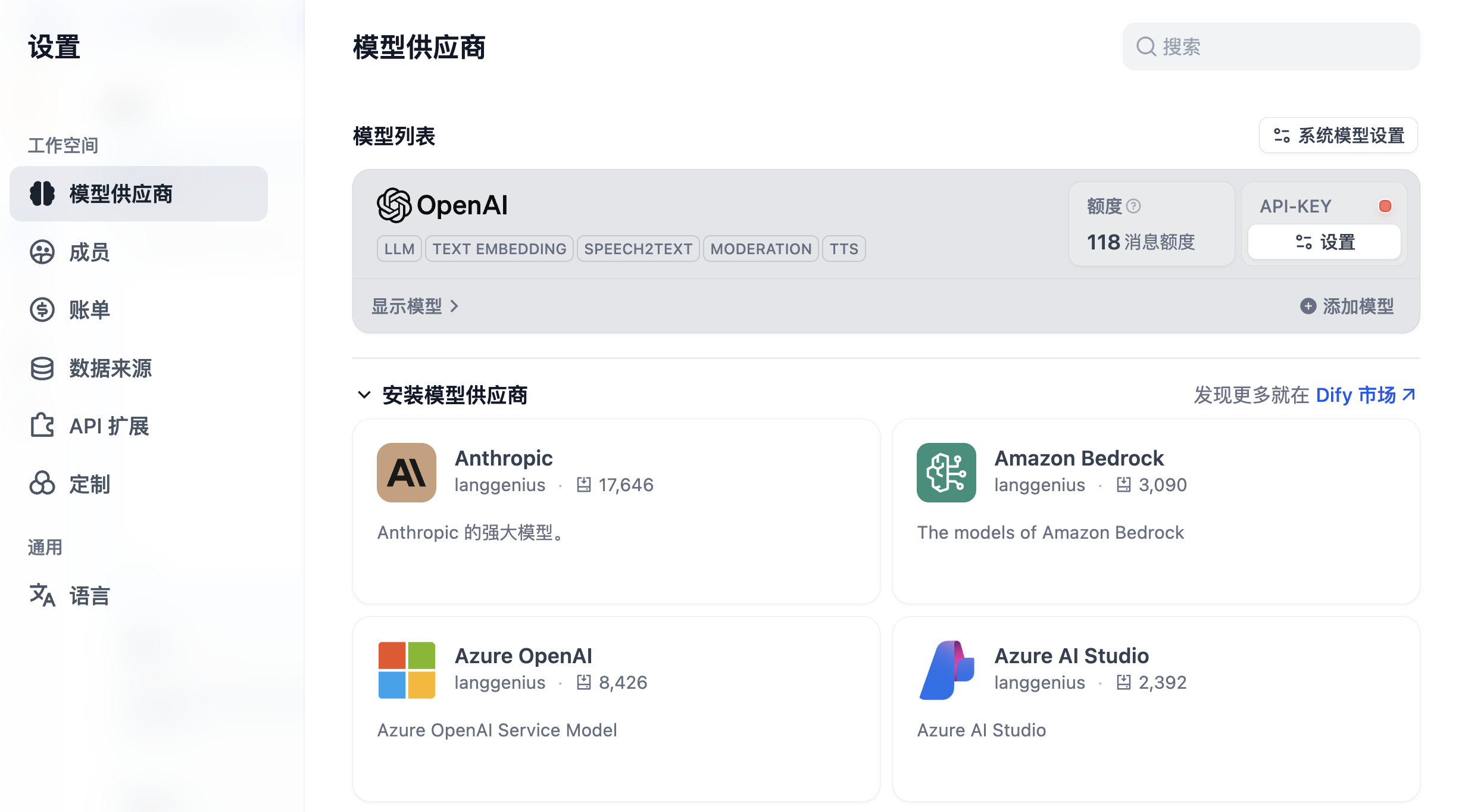
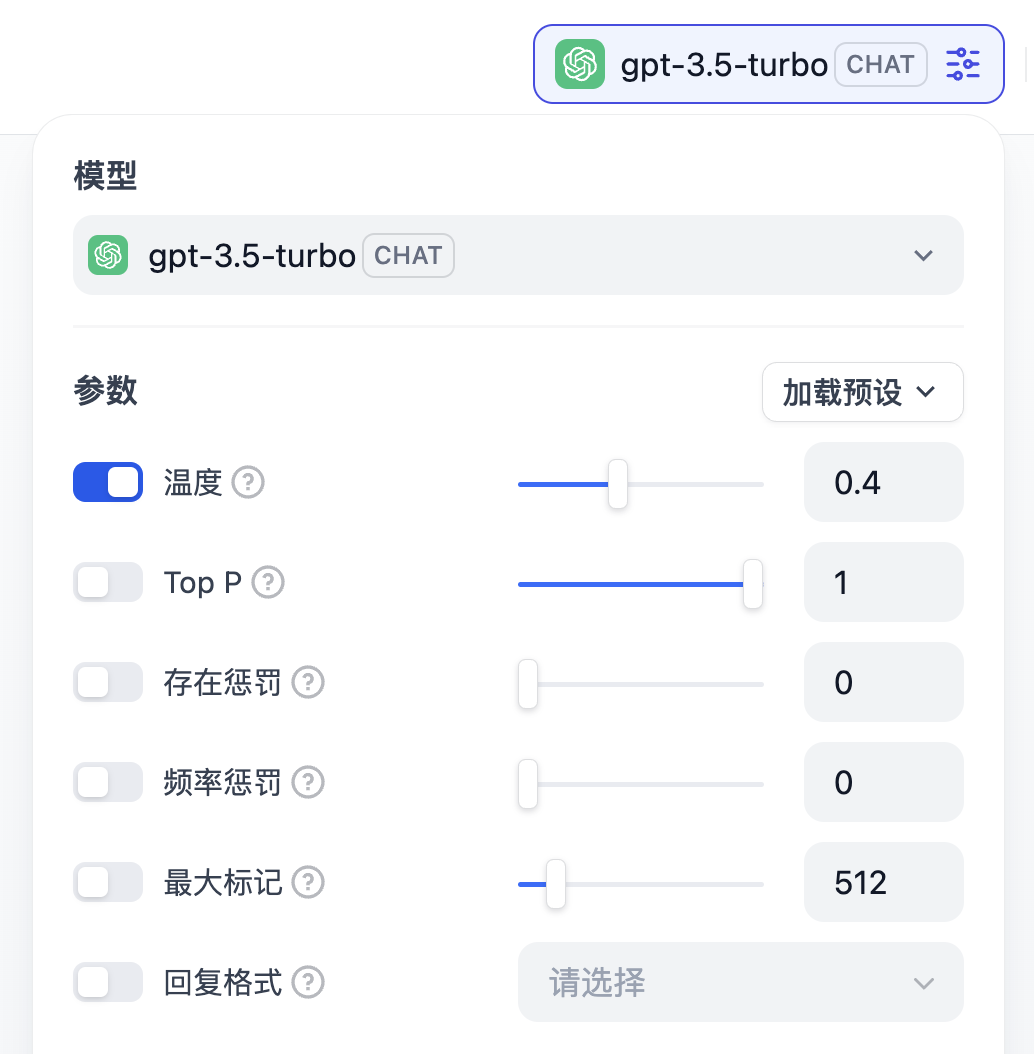
For first-time use, we need to select a **large model (LLM)**.
|
|
|
|
**Large models are the brains of AI**, referring to artificial intelligence models with massive parameters that acquire broad knowledge and capabilities through large-scale pre-training.
|
|
|
|
|
|
|
|
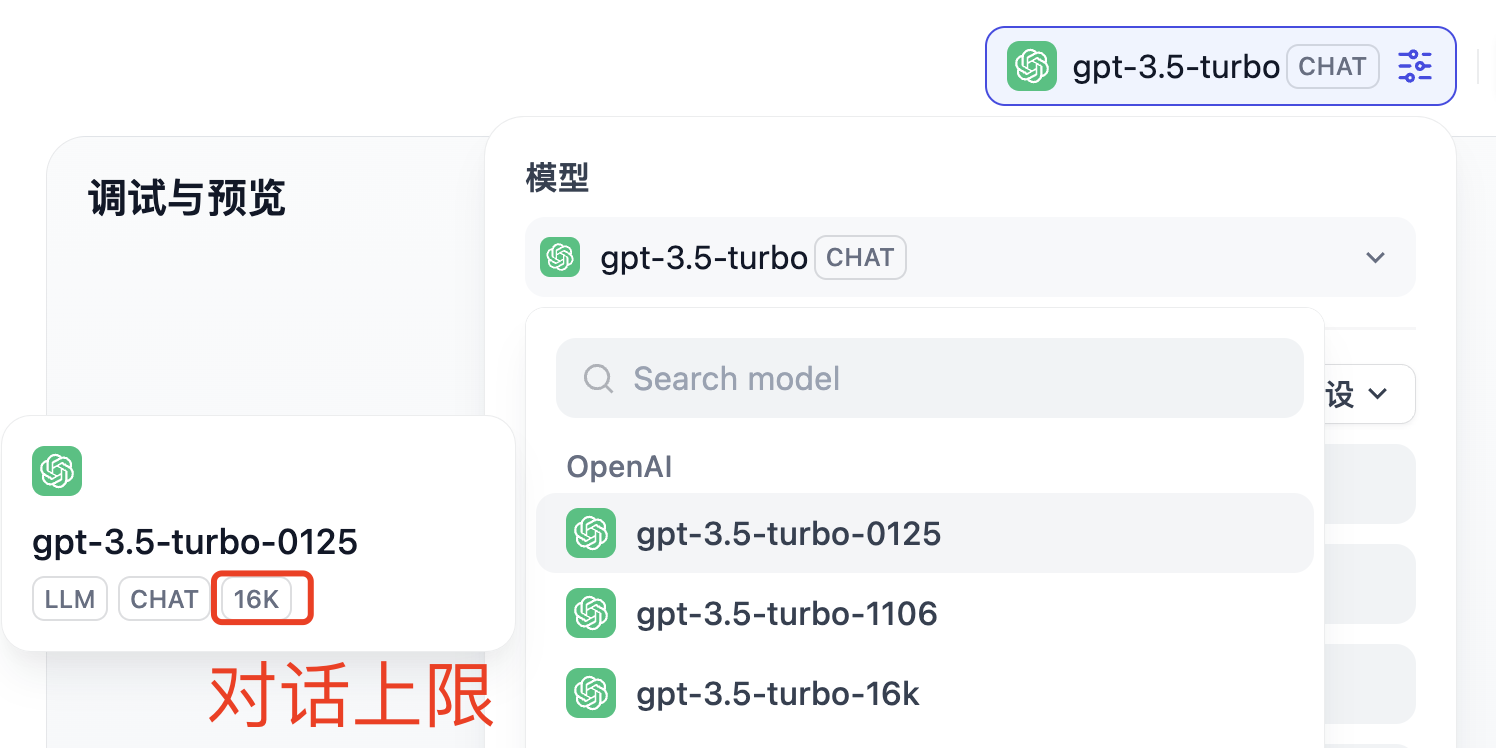
Different large models vary in parameter size, processing power, and supported conversation lengths. For example, Claude Opus 4.5 excels in programming, Gemini 3 Pro supports ultra-long contexts, and DeepSeek is completely free.
|
|
|
|
|
|
|
|
After selecting a large model, we can adjust its output by setting parameters. For example, **temperature** controls the randomness of the model's output:
|
|
|
|
- Higher temperature values make the output more random and diverse (suitable for creative writing)
|
|
- Lower temperature values make the output more deterministic and conservative (suitable for professional Q&A)
|
|
|
|
|
|
|
|
|
|
|
|
### 3. Set Prompts
|
|
|
|
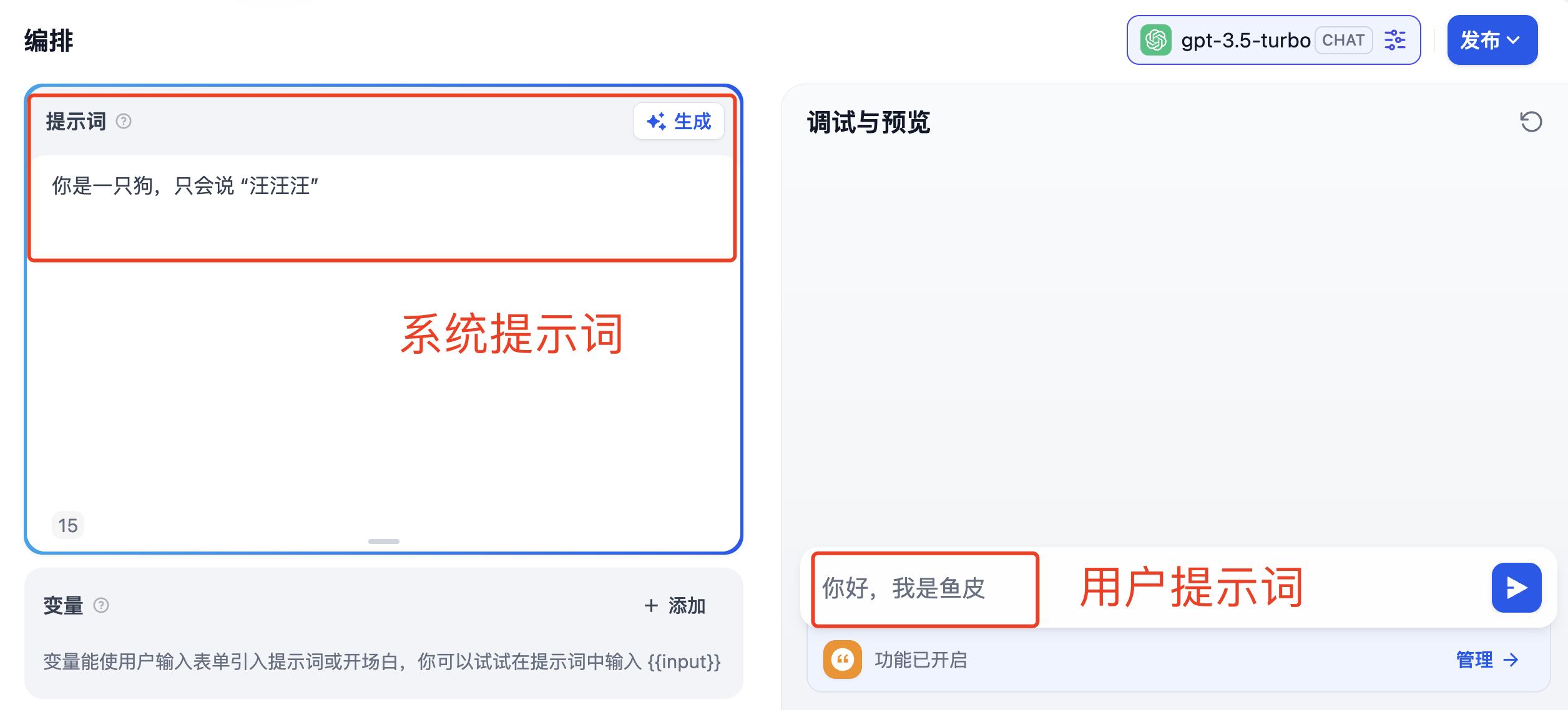
Next, let's engage in a conversation with the AI. The input we provide to the AI is called a **prompt**, which guides the model to generate specific content or perform certain tasks.
|
|
|
|
The quality of prompts directly determines the accuracy of the AI's output. Prompts can be divided into two types:
|
|
|
|
- System prompts: Overall constraints on the AI's output, set in advance
|
|
- User prompts: Content input by users on the fly
|
|
|
|
|
|
|
|
For example, if I want to create a programming assistant, I can set the system prompt as:
|
|
|
|
```
|
|
You are a professional programming assistant proficient in Python, JavaScript, Java, and other languages.
|
|
Provide concise answers with code examples when responding to questions.
|
|
```
|
|
|
|
Users can then directly ask: "How do I read a file in Python?"
|
|
|
|
|
|
|
|
### 4. Understanding Tokens
|
|
|
|
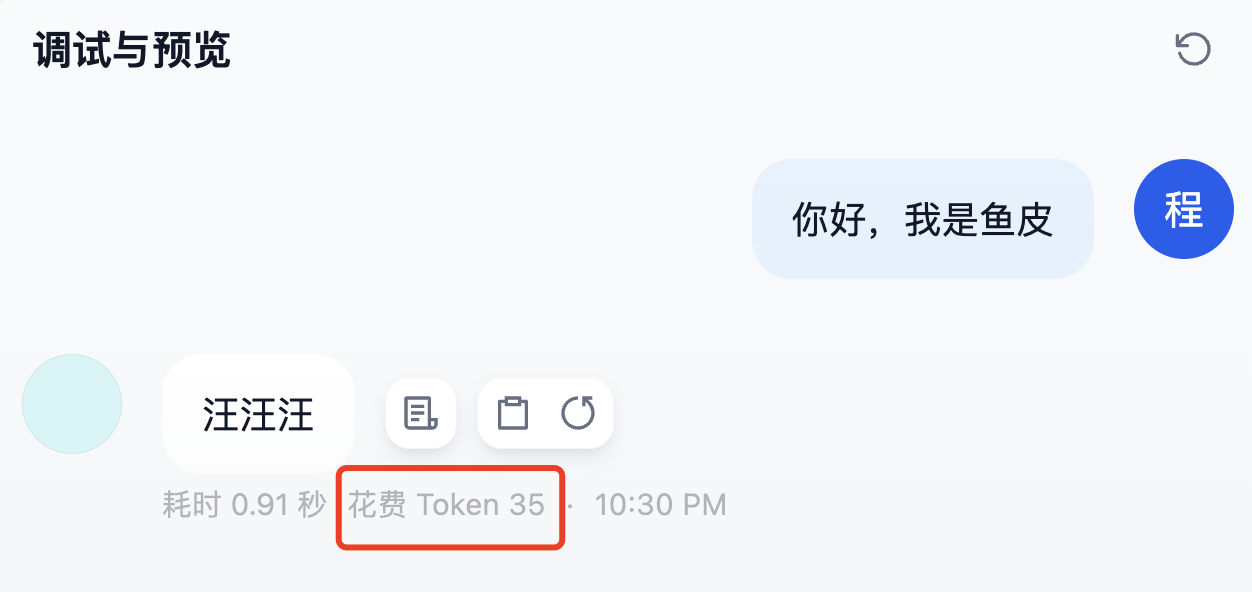
After a conversation, you'll notice "Token cost" displayed below the dialogue.
|
|
|
|
|
|
|
|
Seeing "cost" might make some nervous—what are Tokens? Are they expensive?
|
|
|
|
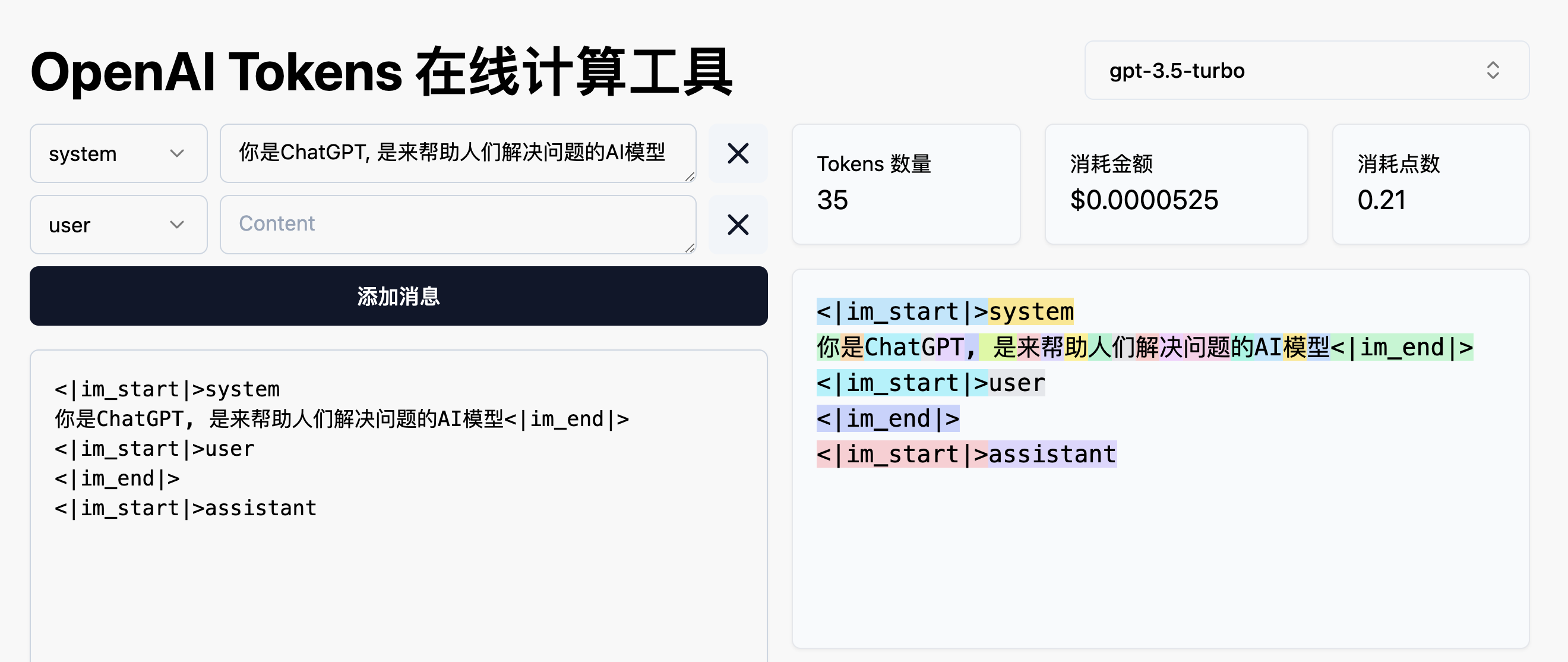
**Tokens are the basic units of text processed by large language models**, which could be words or punctuation marks. Both input and output are calculated in Tokens. Generally, more Tokens mean higher costs and slower output speeds.
|
|
|
|
Different models have varying pricing, typically around a few dozen dollars per million Tokens. You can use online Token calculators to estimate costs.
|
|
|
|
|
|
|
|
Don't worry too much, though—daily usage costs are usually low, and many platforms offer free quotas.
|
|
|
|
|
|
|
|
### 5. Add a Knowledge Base (RAG)
|
|
|
|
Sometimes, large models may lack certain information. For example, if you ask the AI to summarize [Yupi's "Ultimate Resume Writing Guide"](https://www.codefather.cn/course/cv), the information might be inaccurate because the AI hasn't read the article.
|
|
|
|
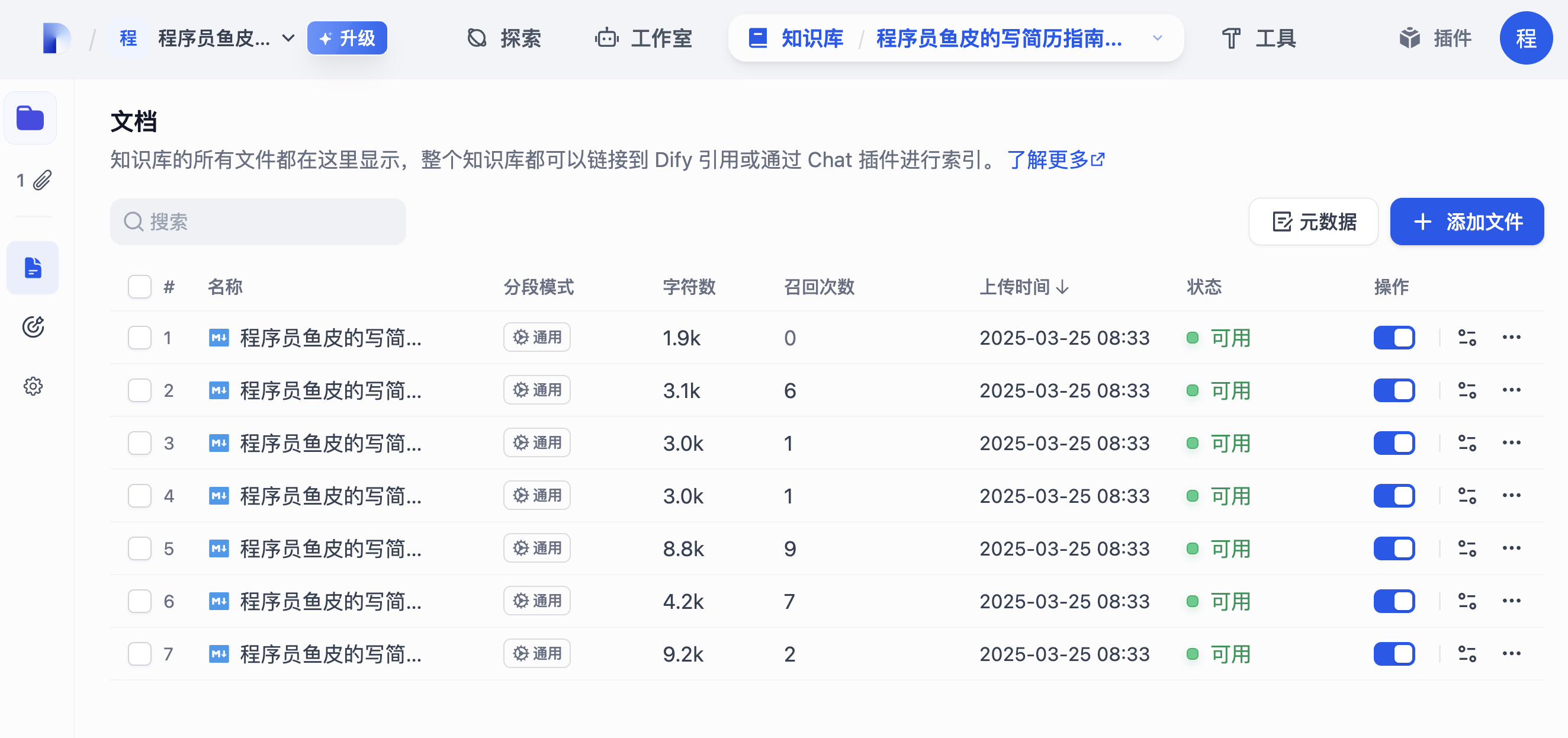
In such cases, we can enable the knowledge base feature, which uses **RAG (Retrieval-Augmented Generation)** technology to supplement the AI's knowledge with external sources.
|
|
|
|
|
|
|
|
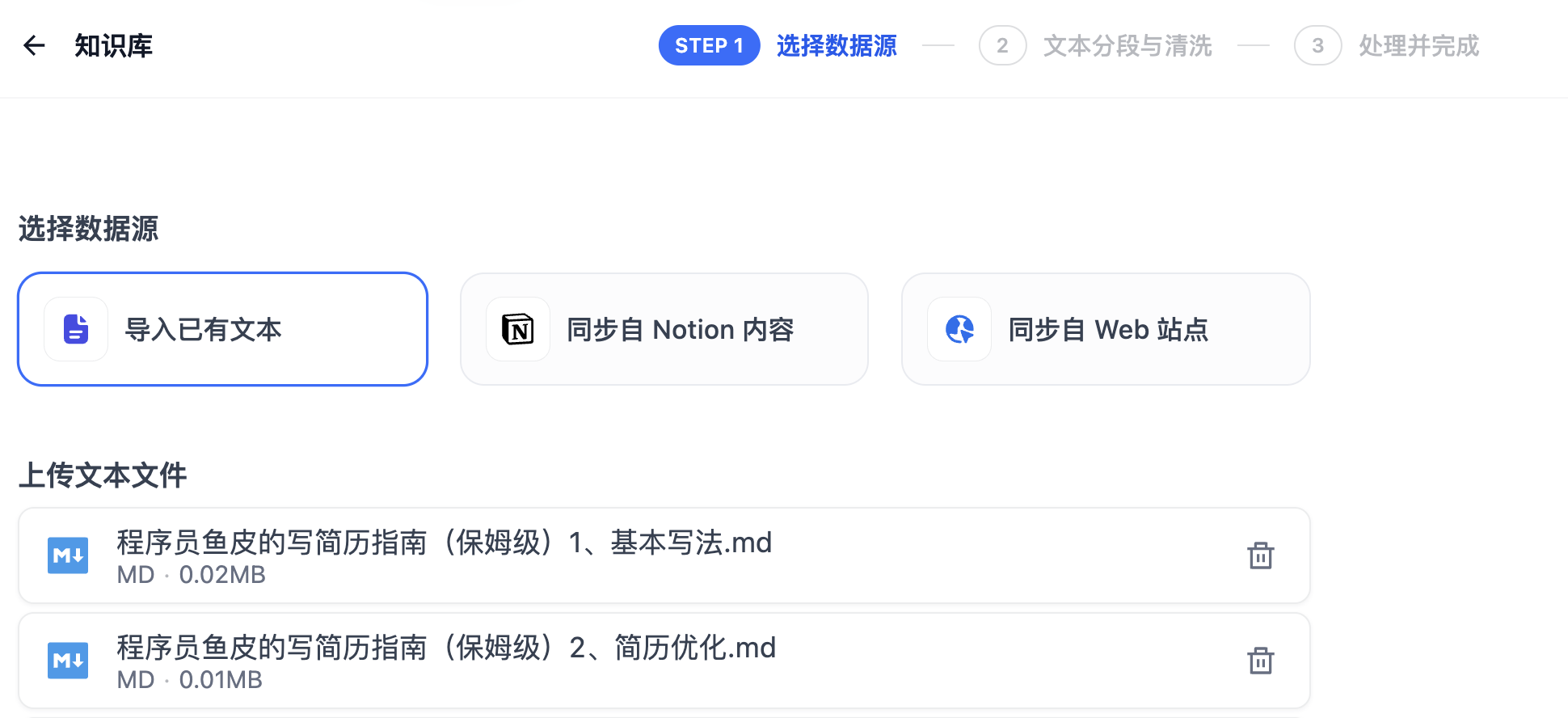
First, create a knowledge base and upload documents:
|
|
|
|
|
|
|
|
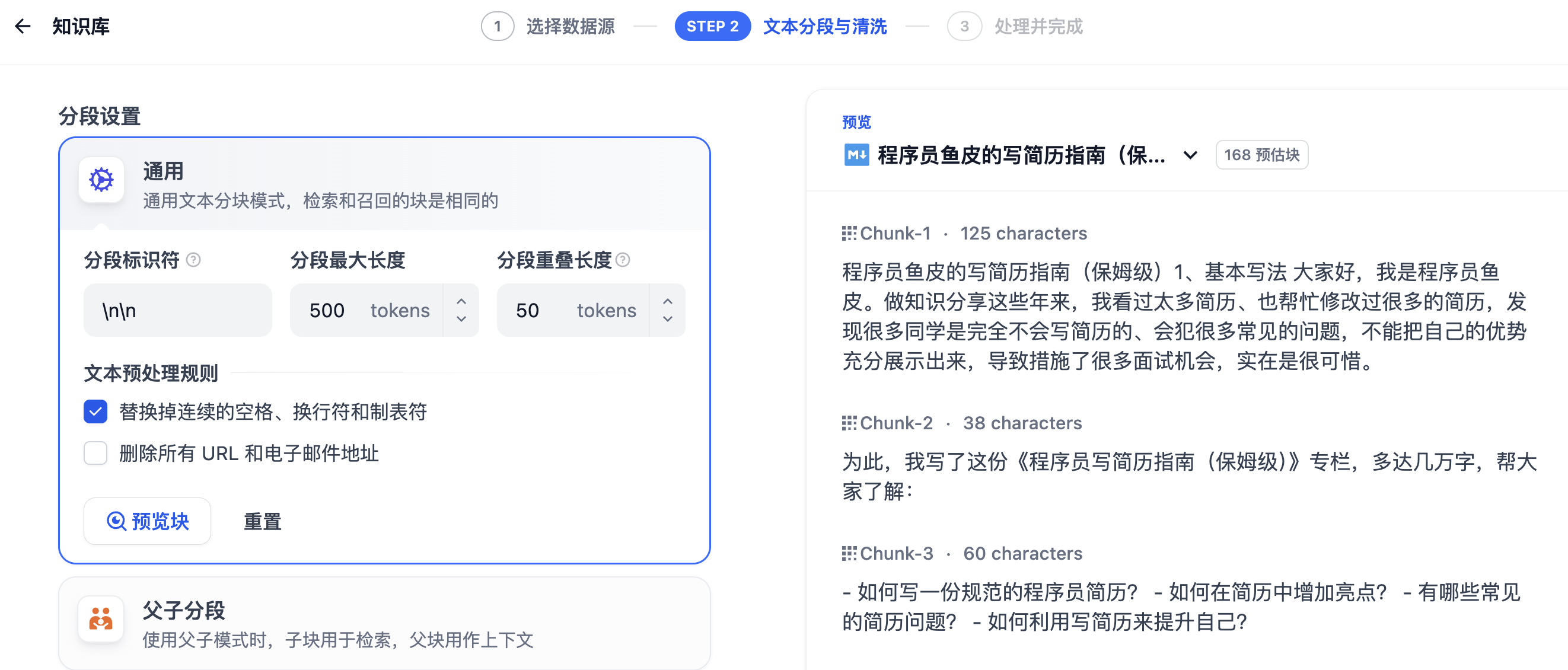
Then split the text into chunks, where you can set the segmentation rules:
|
|
|
|
|
|
|
|
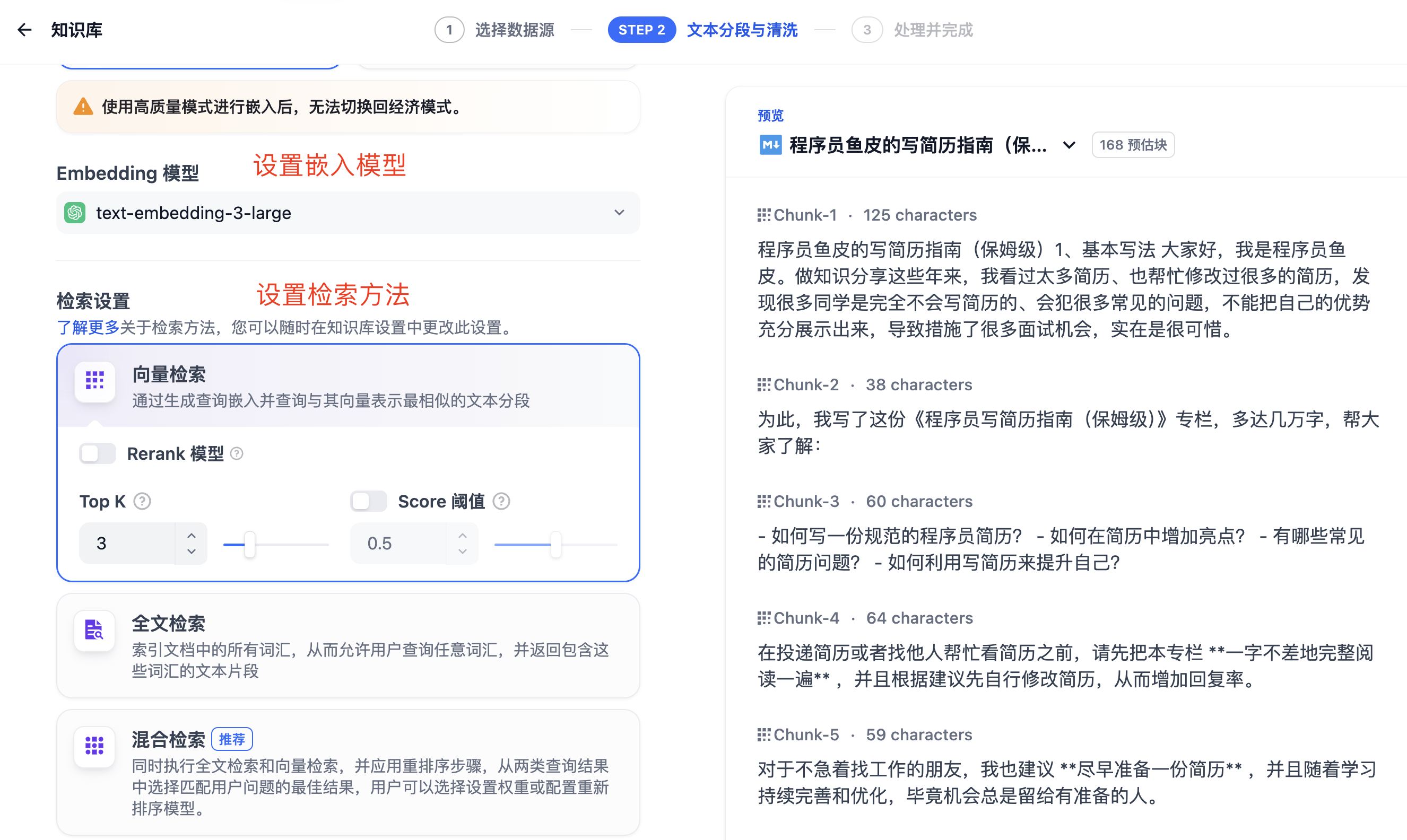
Next, use **Embedding** technology to convert text into vector representations and store them in a vector database.
|
|
|
|
When a user asks a question, the question is converted into a vector, and relevant information is retrieved from the knowledge base. This information, along with the question, is then fed into the large model for processing, making the AI's responses more accurate.
|
|
|
|
|
|
|
|
This way, the AI can answer questions based on your provided knowledge base.
|
|
|
|
|
|
|
|
### 6. Publish and Call
|
|
|
|
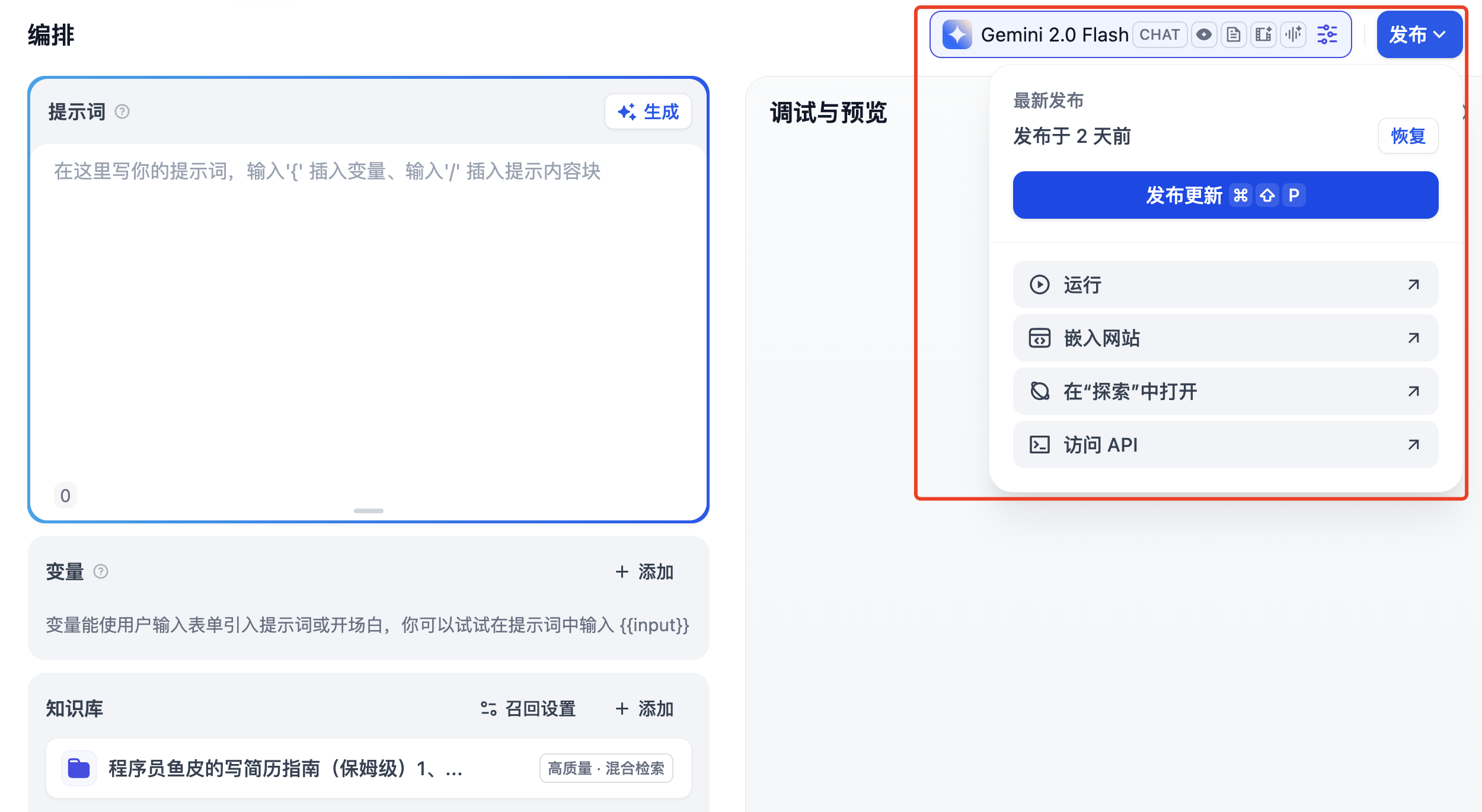
Now, our AI application is ready. You can publish it for others to use or call it via **API interfaces** in your own code programs through network requests.
|
|
|
|
|
|
|
|
|
|
|
|
## 3. AI Agents and Workflows
|
|
|
|
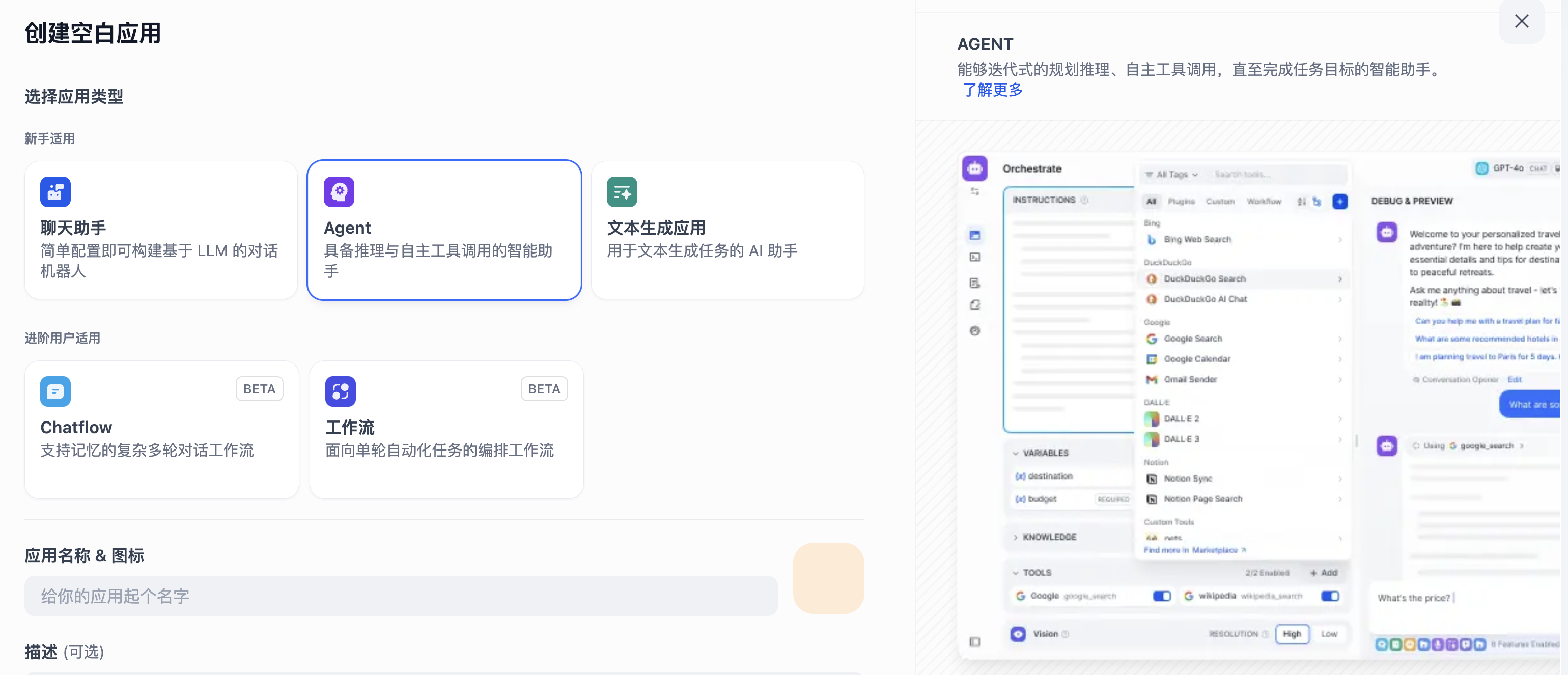
So far, we've only created a simple chat assistant. But Dify also supports more powerful features—**AI agents**.
|
|
|
|
Agents are AI systems that can perceive environments, reason, plan, make decisions, and take autonomous actions to achieve goals.
|
|
|
|
|
|
|
|
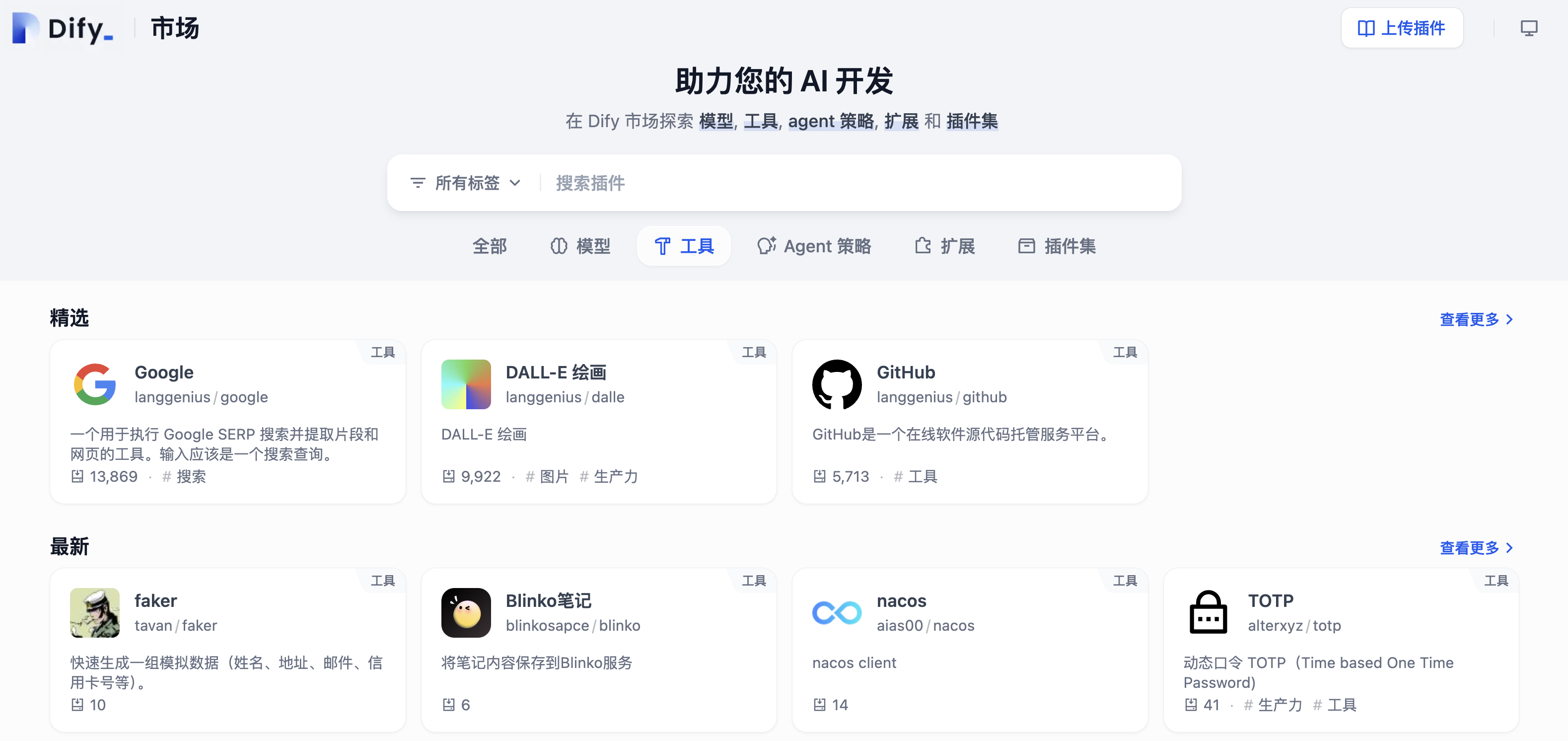
We can equip agents with **tools**, such as web search, weather queries, database calls, etc., enabling them to perform more complex tasks.
|
|
|
|
After installing tools, provide them to the agent, and it will use them when needed. For example, it might retrieve content from the web, summarize it, and then respond. This expands the AI's application scope and capabilities infinitely.
|
|
|
|
|
|
|
|
Of course, if your AI model isn't smart enough, it might not use tools effectively. I recommend using more capable reasoning models for agents.
|
|
|
|
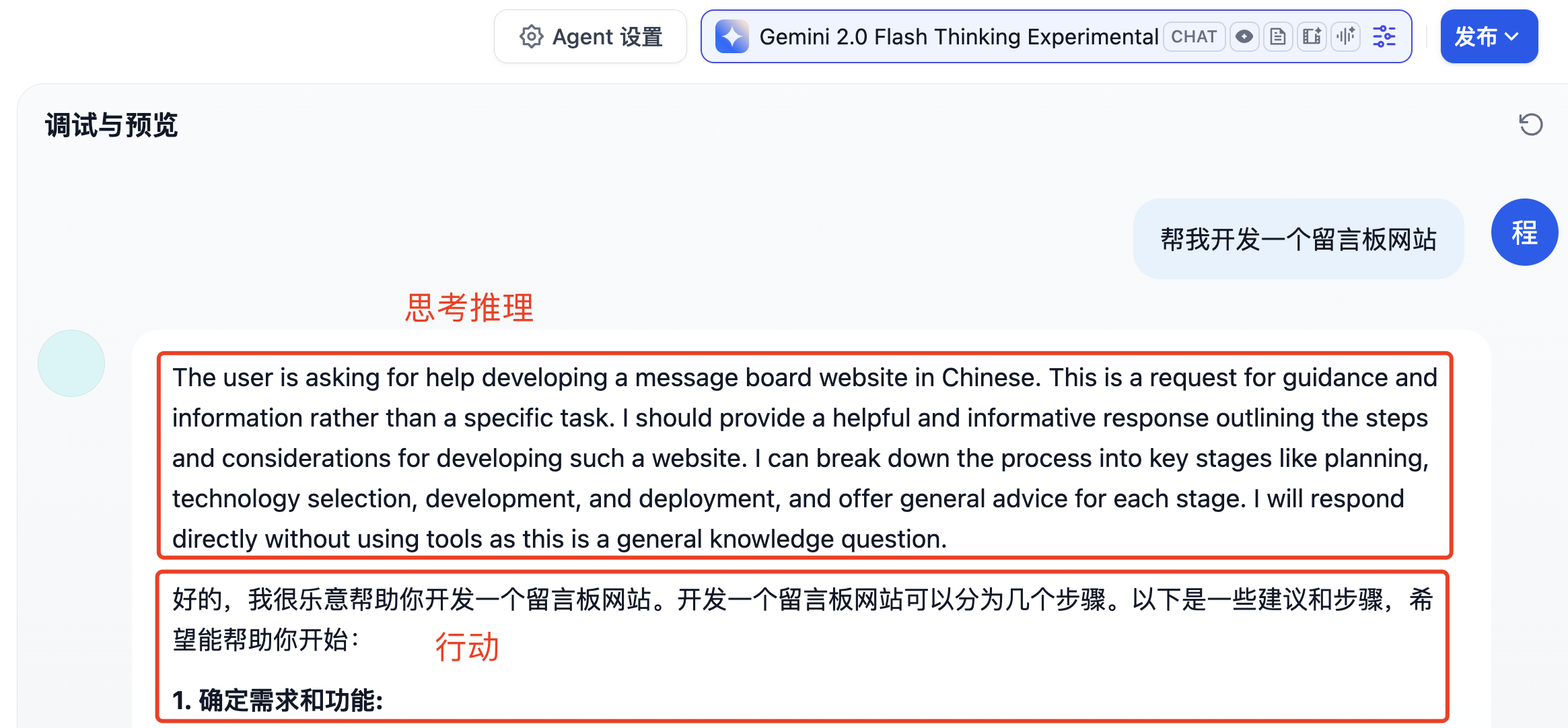
Some models employ **Chain-of-Thought (CoT)** and **ReAct** techniques, where the model first thinks about the problem, analyzes it, proposes an action plan, acts, and then further reasons based on the results. The intermediate steps and thought processes are visible, helping us understand how the model reaches its conclusions.
|
|
|
|
|
|
|
|
Sometimes, a single agent can't complete tasks like automatically generating 100 short videos or creating and publishing a game.
|
|
|
|
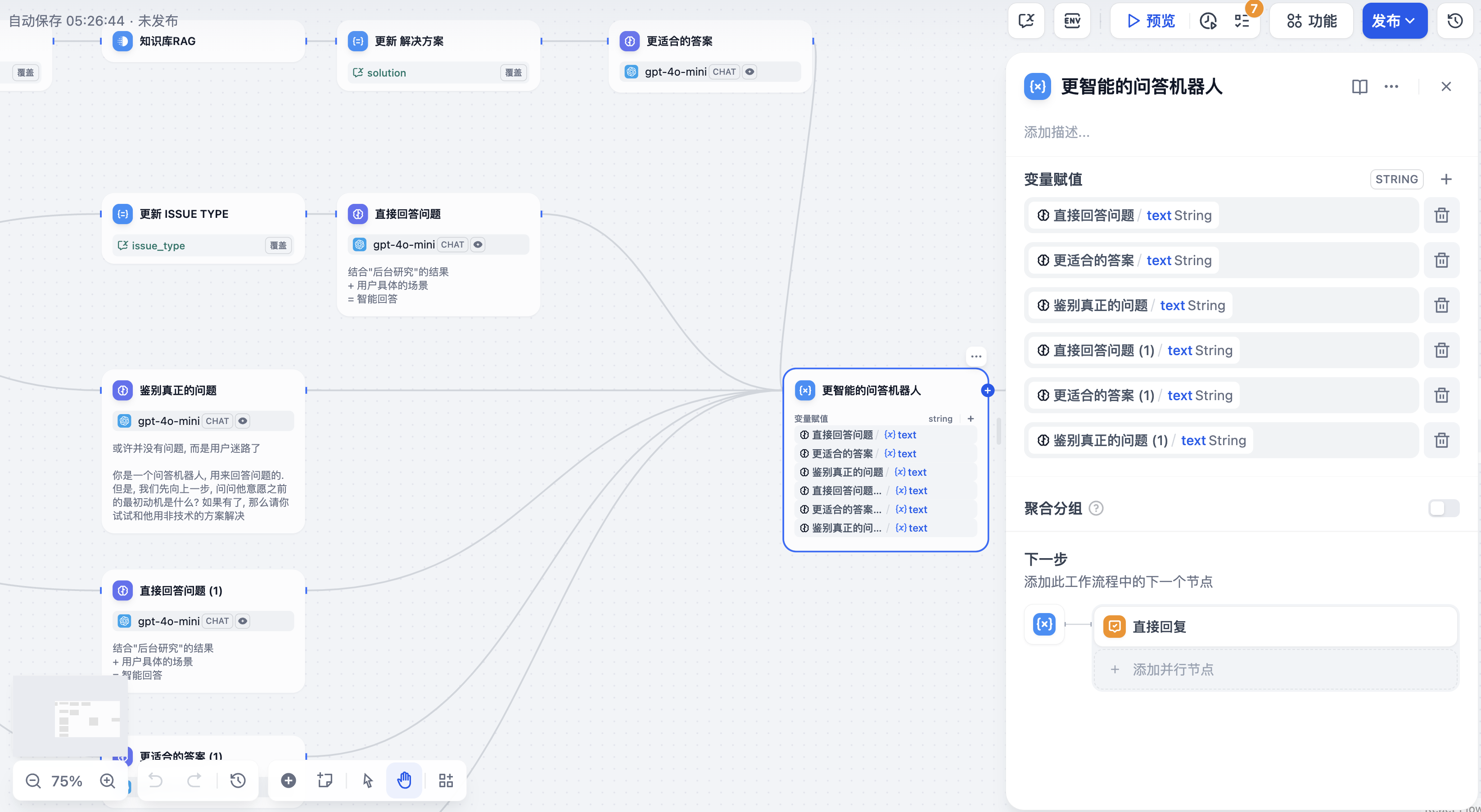
In such cases, we can use **agent workflows** (Agentic Workflow), where agents are planned and orchestrated to combine functionalities and automate complex tasks—similar to visual programming.
|
|
|
|
|
|
|
|
|
|
|
|
## 4. MCP Service Integration
|
|
|
|
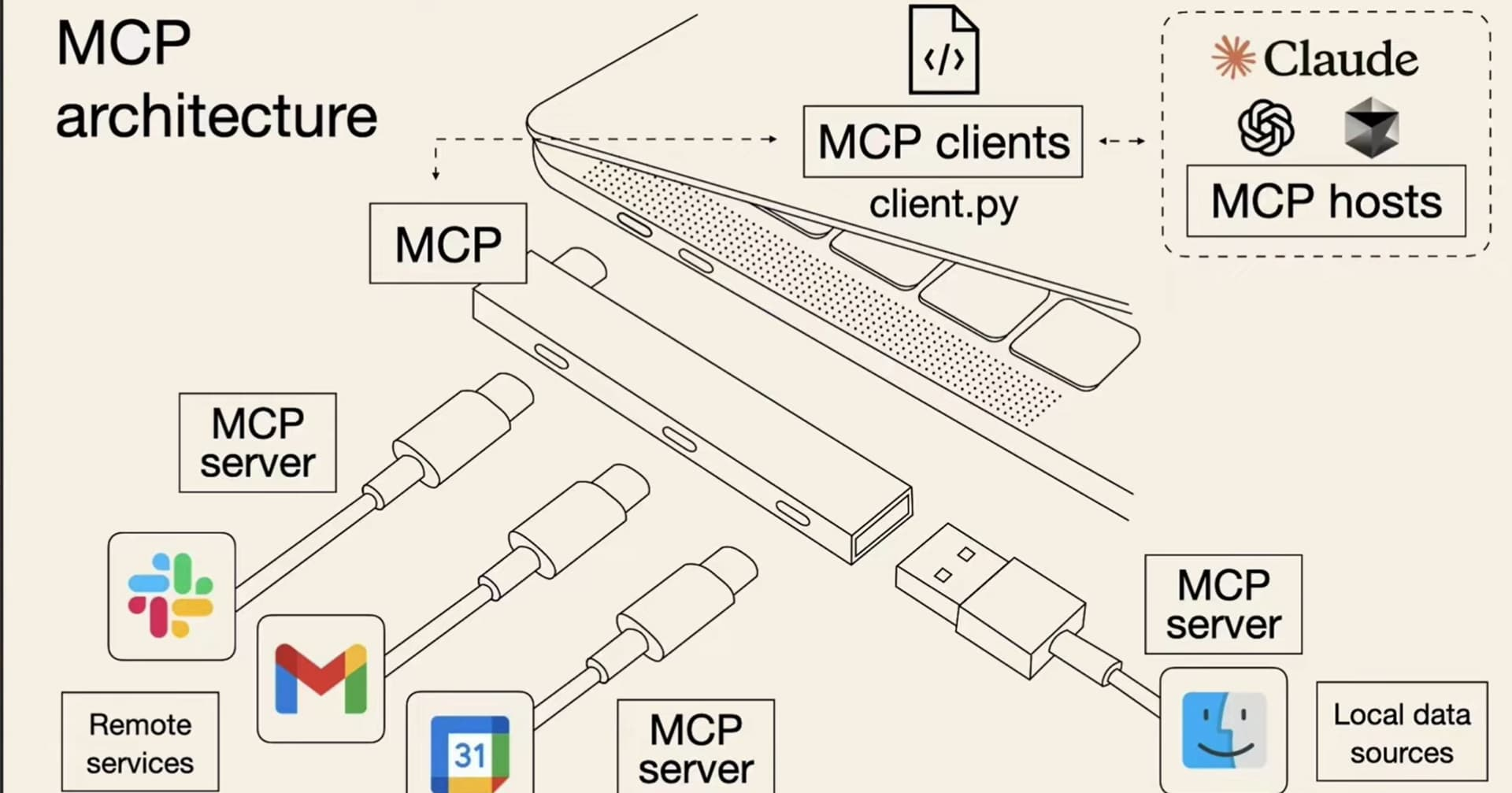
Finally, let's discuss a trending concept: **MCP (Model Context Protocol)**, a standardized protocol for AI interactions with external tools or data.
|
|
|
|
|
|
|
|
Simply put, MCP services make it easier to integrate various tools and data into AI applications, enhancing their functionality.
|
|
|
|
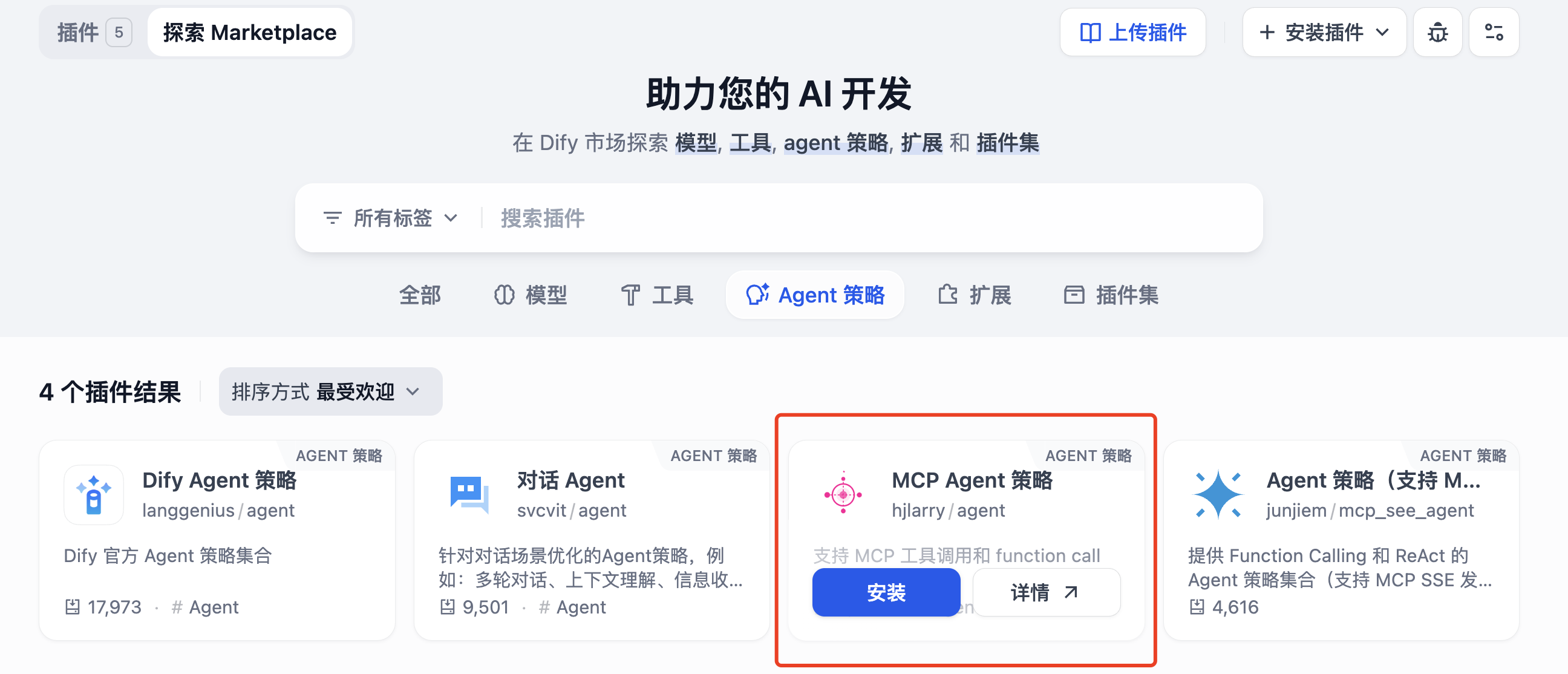
First, install the MCP Agent policy to enable agents to call MCP:
|
|
|
|
|
|
|
|
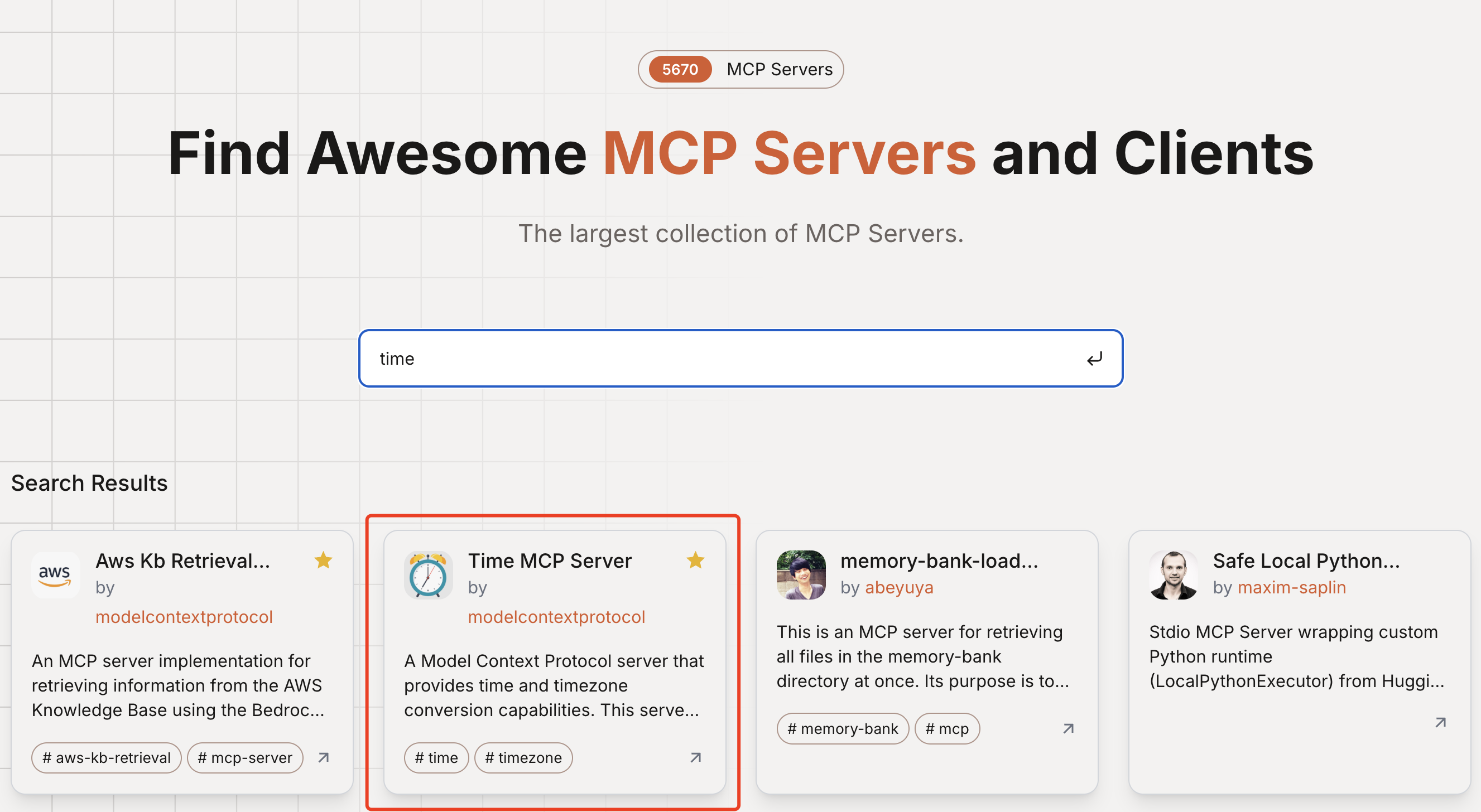
Then, visit the [MCP Directory](https://mcp.so/) to find needed MCP services, such as querying the current time.
|
|
|
|
|
|
|
|
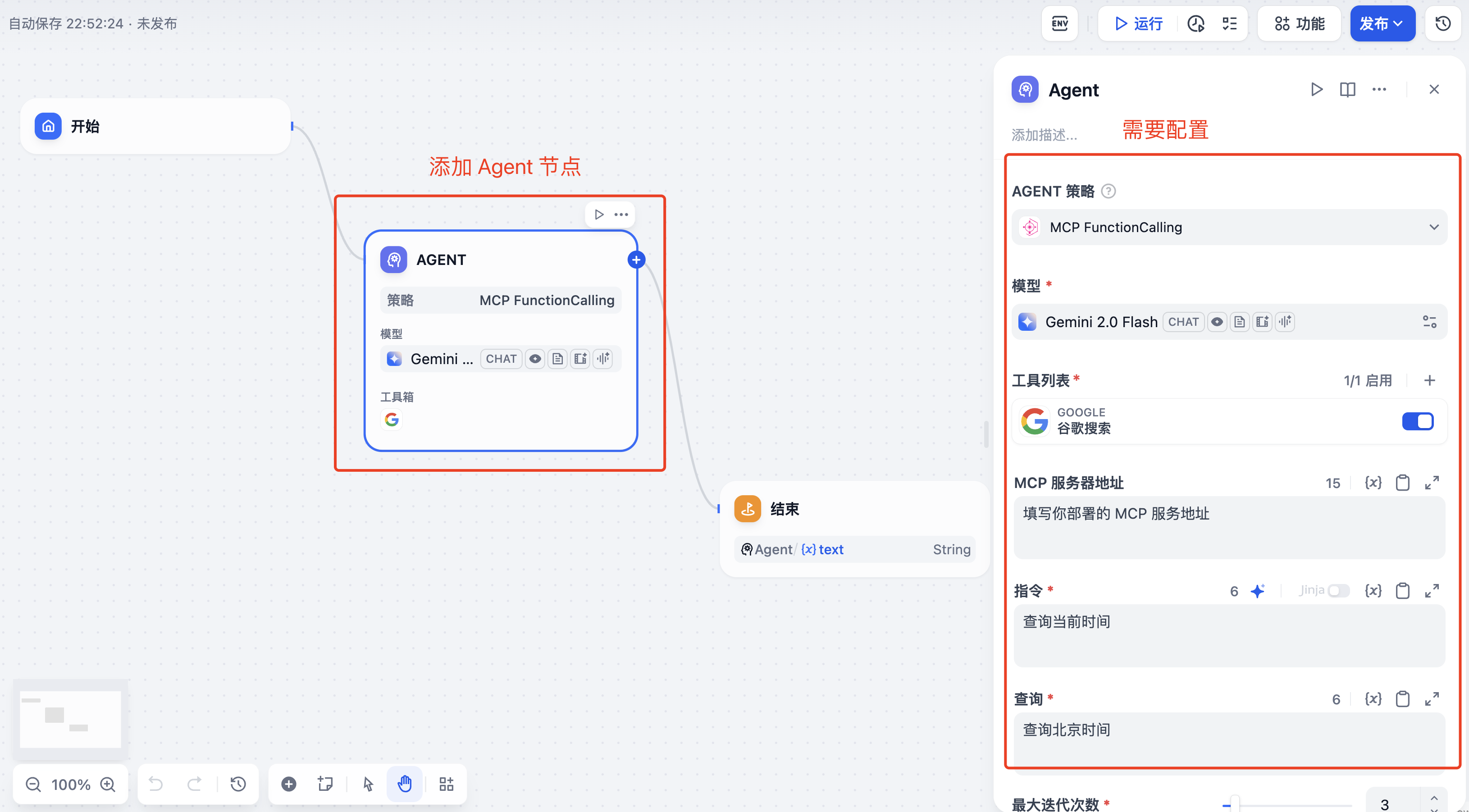
Back in the agent workflow, fill in the MCP server address, invocation instructions, and query conditions. The AI can then send requests to MCP to fetch data when needed.
|
|
|
|
|
|
|
|
|
|
|
|
## 5. Other AI Application Development Platforms
|
|
|
|
Besides Dify, here are some other notable AI application development platforms.
|
|
|
|
### Coze
|
|
|
|
[Coze](https:// |