 yupi-translate-app[bot]
192 lines
7.6 KiB
Markdown
192 lines
7.6 KiB
Markdown
# OpenSpec: Lightweight Specification-Driven Development Framework
|
|
|
|
> Keeping documentation and code always in sync
|
|
|
|
Hello, I'm programmer Yupi.
|
|
|
|
In previous articles, we learned about the Spec-kit specification-driven development framework. But you might find Spec-kit's workflow too complex - is there a more lightweight alternative?
|
|
|
|
In this article, I'll introduce **OpenSpec**, a lightweight specification-driven development framework that's simpler and easier to use than Spec-kit, making it ideal for feature iteration in existing projects.
|
|
|
|
## 1. What is OpenSpec?
|
|
|
|
[OpenSpec](https://openspec.dev/) is a lightweight specification-driven development framework that's simpler and more user-friendly than Spec-kit.
|
|
|
|
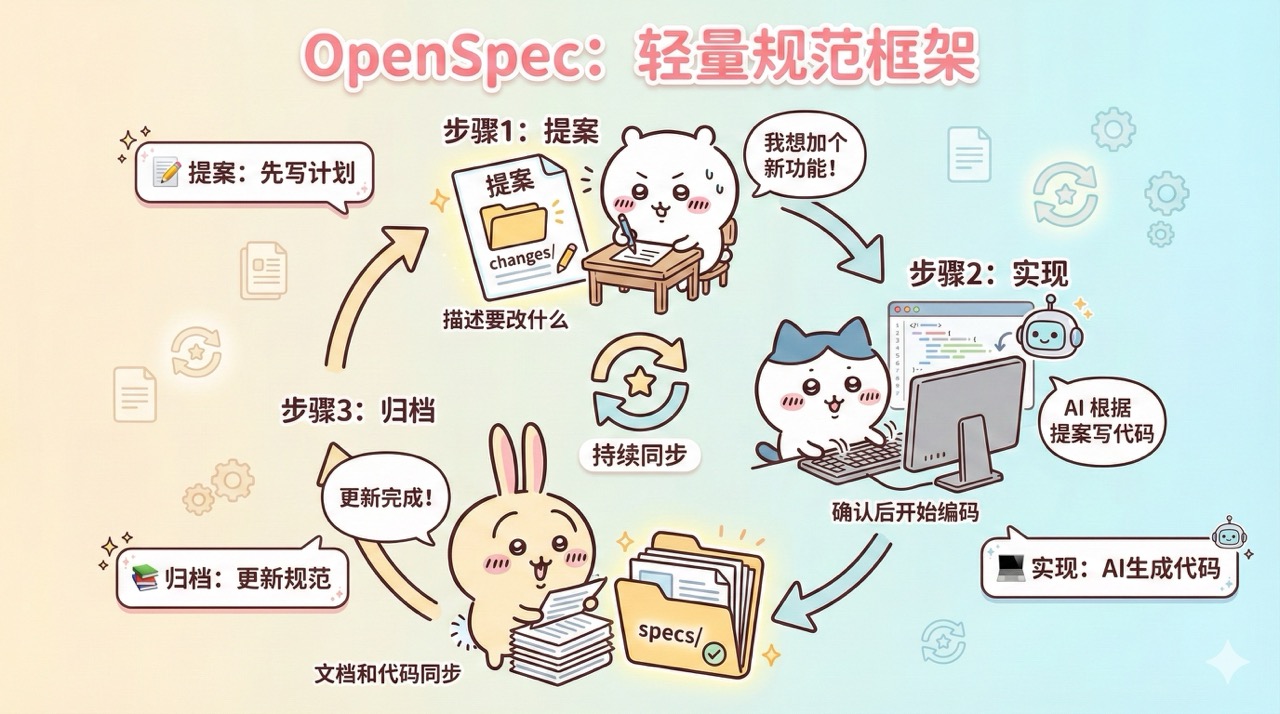
Its core philosophy involves treating specification documents as part of the codebase. For every feature change: **first draft a change proposal** => implement after confirmation => archive the changes into specification documents after implementation, ensuring documentation and code remain synchronized.
|
|
|
|
|
|
|
|
## 2. Quick Start with OpenSpec
|
|
|
|
Let me walk you through a practical example to quickly get started with OpenSpec.
|
|
|
|
### 1. Installing OpenSpec
|
|
|
|
Visit the [OpenSpec official repository](https://github.com/Fission-AI/OpenSpec/) to view documentation.
|
|
|
|
First ensure your computer has Node.js installed with the required version (e.g., here it requires Node.js >= 20.19.0), then install OpenSpec CLI globally:
|
|
|
|
```bash
|
|
npm install -g @fission-ai/openspec@latest
|
|
```
|
|
|
|
Navigate to your project directory and run the initialization command:
|
|
|
|
```bash
|
|
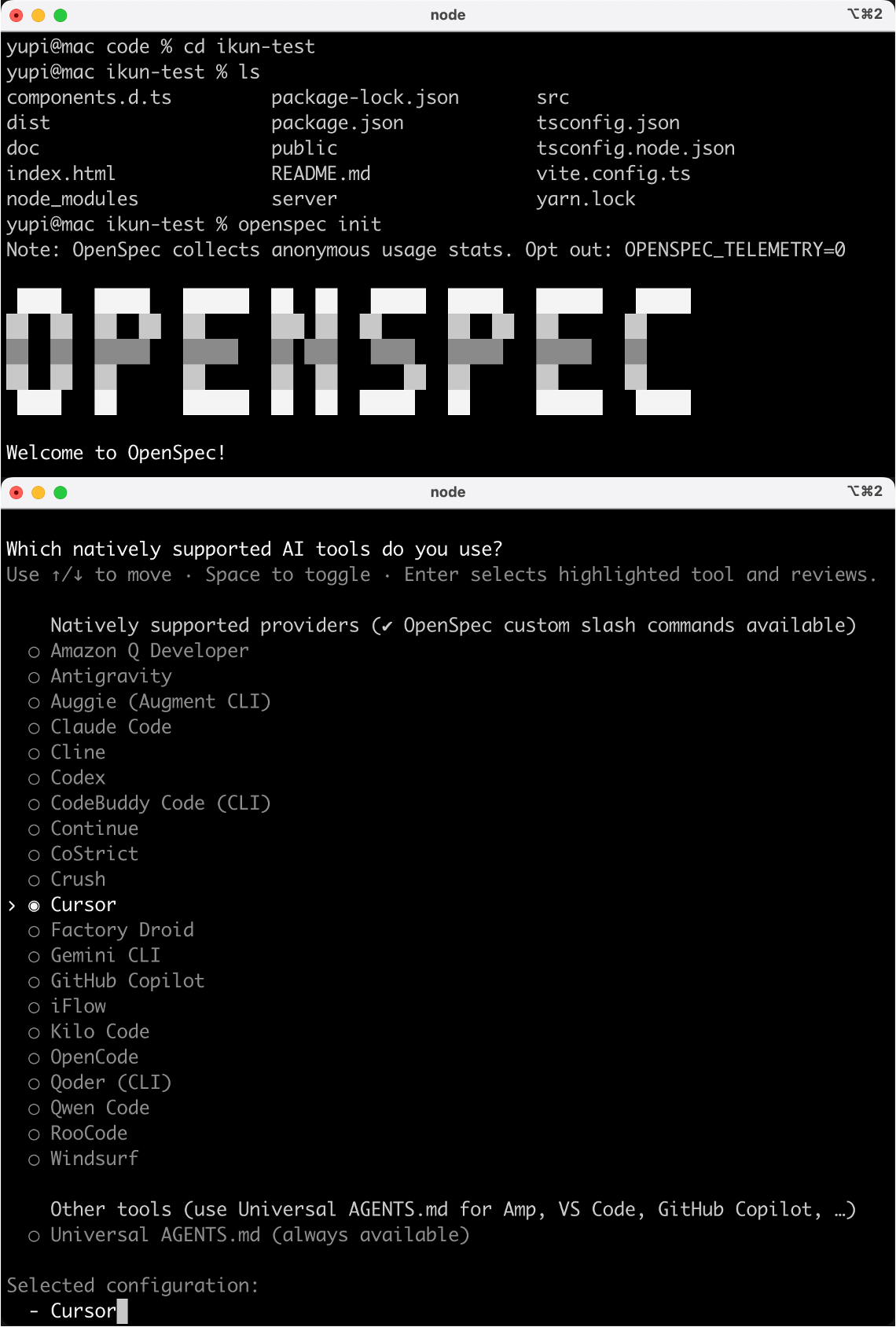
openspec init
|
|
```
|
|
|
|
During initialization, you'll be prompted to select AI tools to integrate (like Claude Code, Cursor, etc.). Here I choose Cursor.
|
|
|
|
|
|
|
|
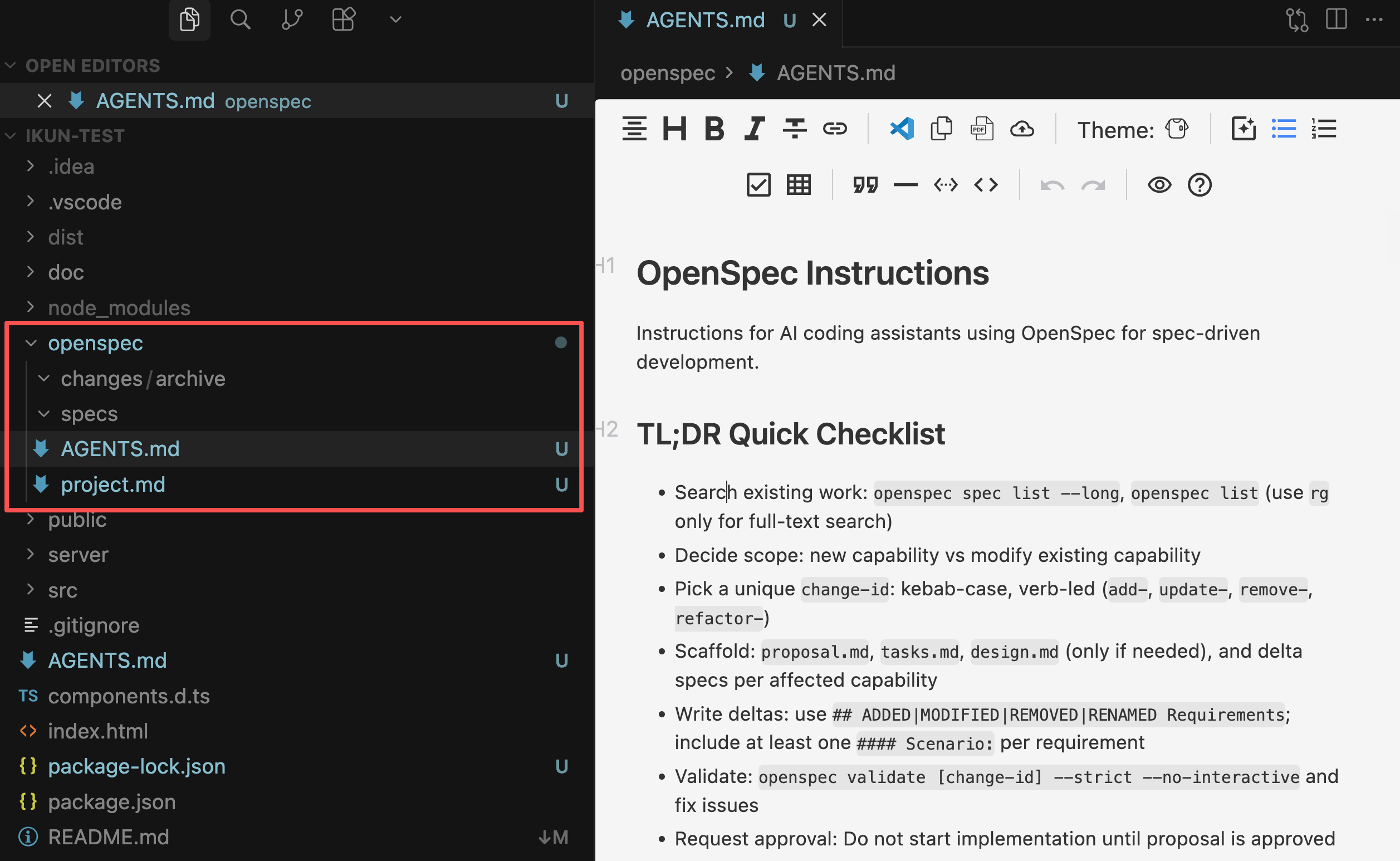
After running the command, OpenSpec will automatically generate an `openspec/` directory in your project containing:
|
|
|
|
- `openspec/specs/`: Stores main specification documents recording the project's complete current state
|
|
- `openspec/changes/`: Stores change proposals recording modification plans
|
|
- ⭐️ `openspec/AGENTS.md`: Guidelines for AI programming assistants to use OpenSpec for specification-driven development, including complete workflows for creating change proposals, writing requirement specifications, validating and archiving changes.
|
|
- `openspec/project.md`: Context description of the current project (used to record project information)
|
|
|
|
|
|
|
|
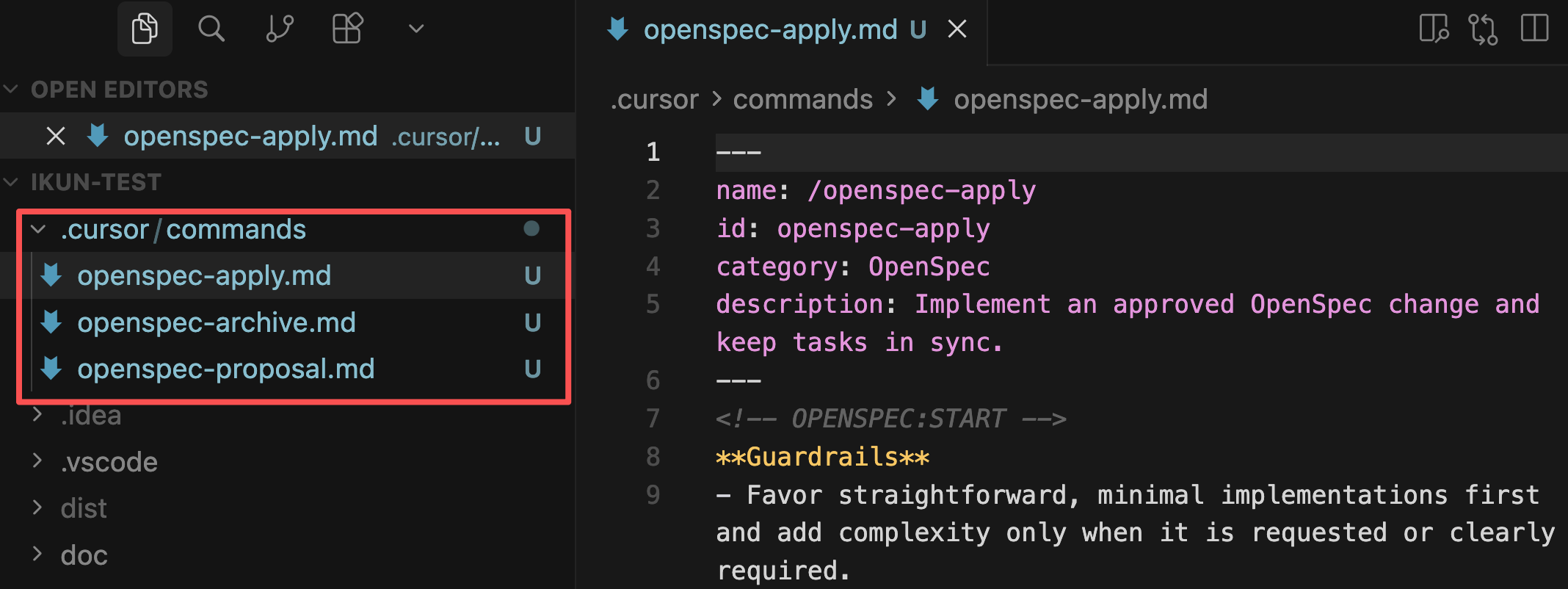
Additionally, it generates corresponding command files based on your selected AI programming tool, such as for Cursor:
|
|
|
|
|
|
|
|
With these files, we can begin the standardized development process.
|
|
|
|
### 2. Standardized Development Process
|
|
|
|
Referencing the [official documentation](https://github.com/Fission-AI/OpenSpec/), there are 5 main steps:
|
|
|
|
#### 1) Draft Change Proposal
|
|
|
|
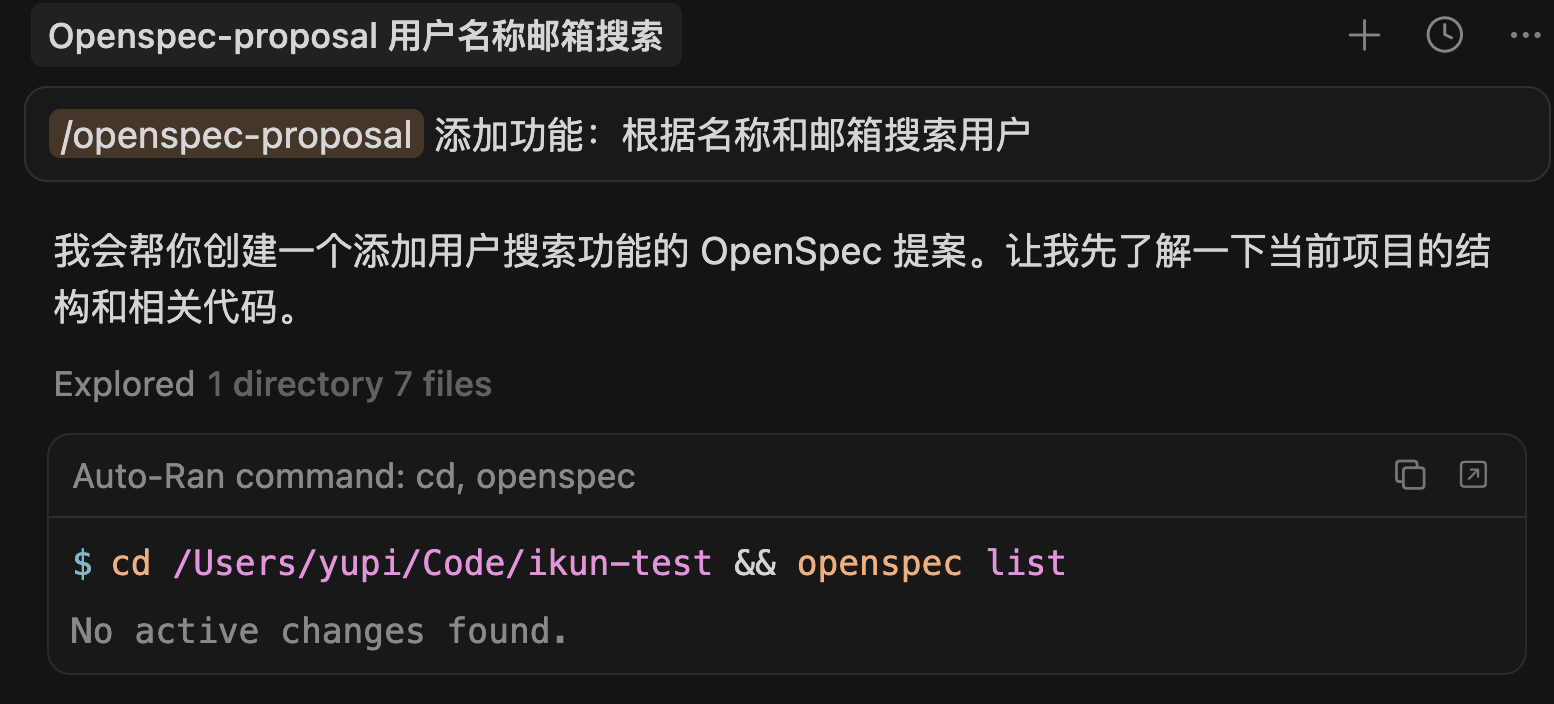
Directly tell your AI programming assistant to create a change proposal. For example, if I want to add user search functionality:
|
|
|
|
```markdown
|
|
Create an OpenSpec change to add feature: search users by name and email
|
|
```
|
|
|
|
Or use the slash command in AI programming tools (like Claude Code, Cursor):
|
|
|
|
```markdown
|
|
/openspec:proposal Add feature: search users by name and email
|
|
```
|
|
|
|
|
|
|
|
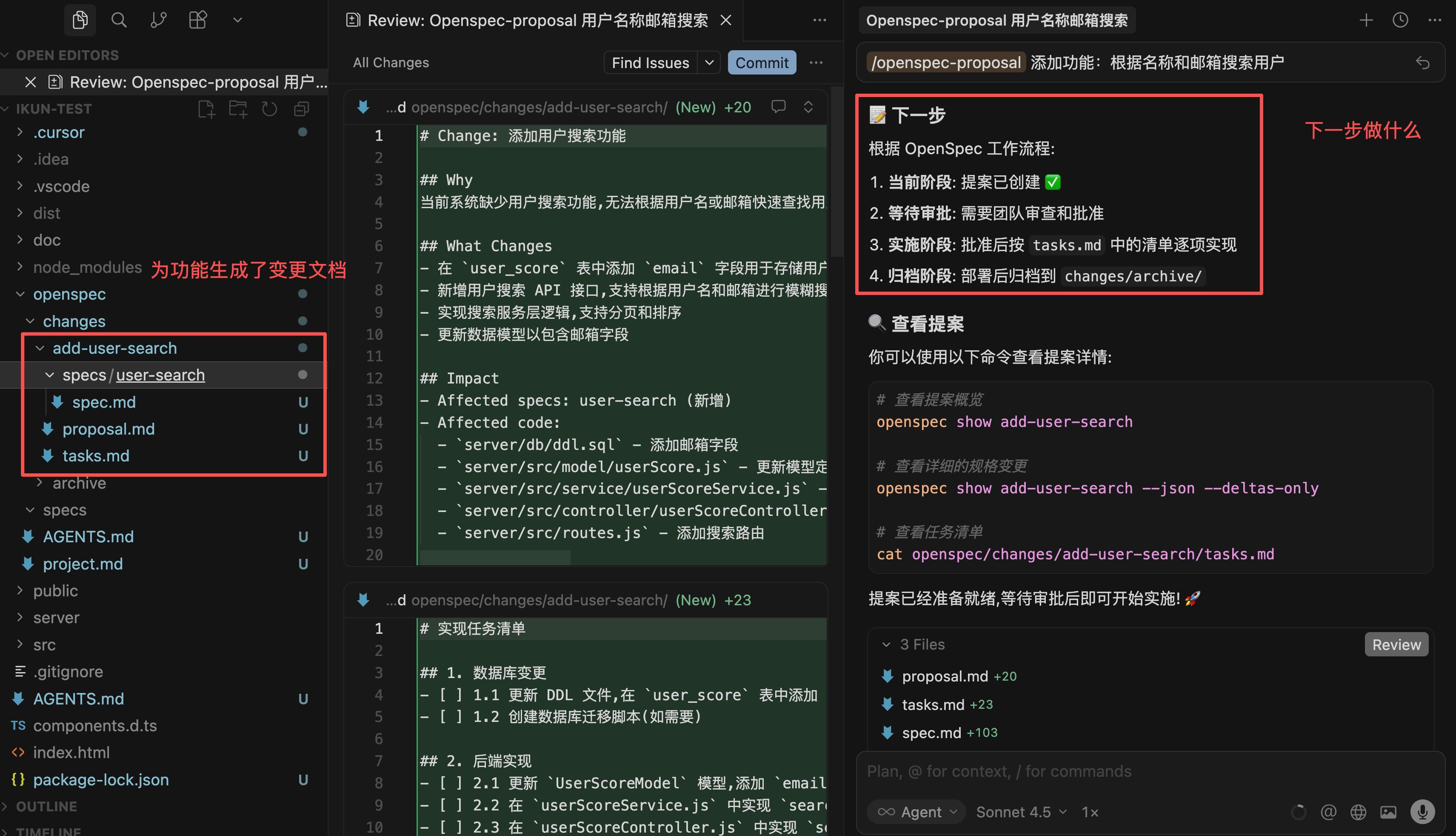
The AI will create a dedicated directory `openspec/changes/add-user-search/` containing several documents:
|
|
|
|
- `proposal.md`: Describes what to change and why
|
|
- `tasks.md`: Task breakdown of implementation steps
|
|
- `specs/…/spec.md`: Specific content of requirement changes
|
|
|
|
|
|
|
|
#### 2) Verify & Review
|
|
|
|
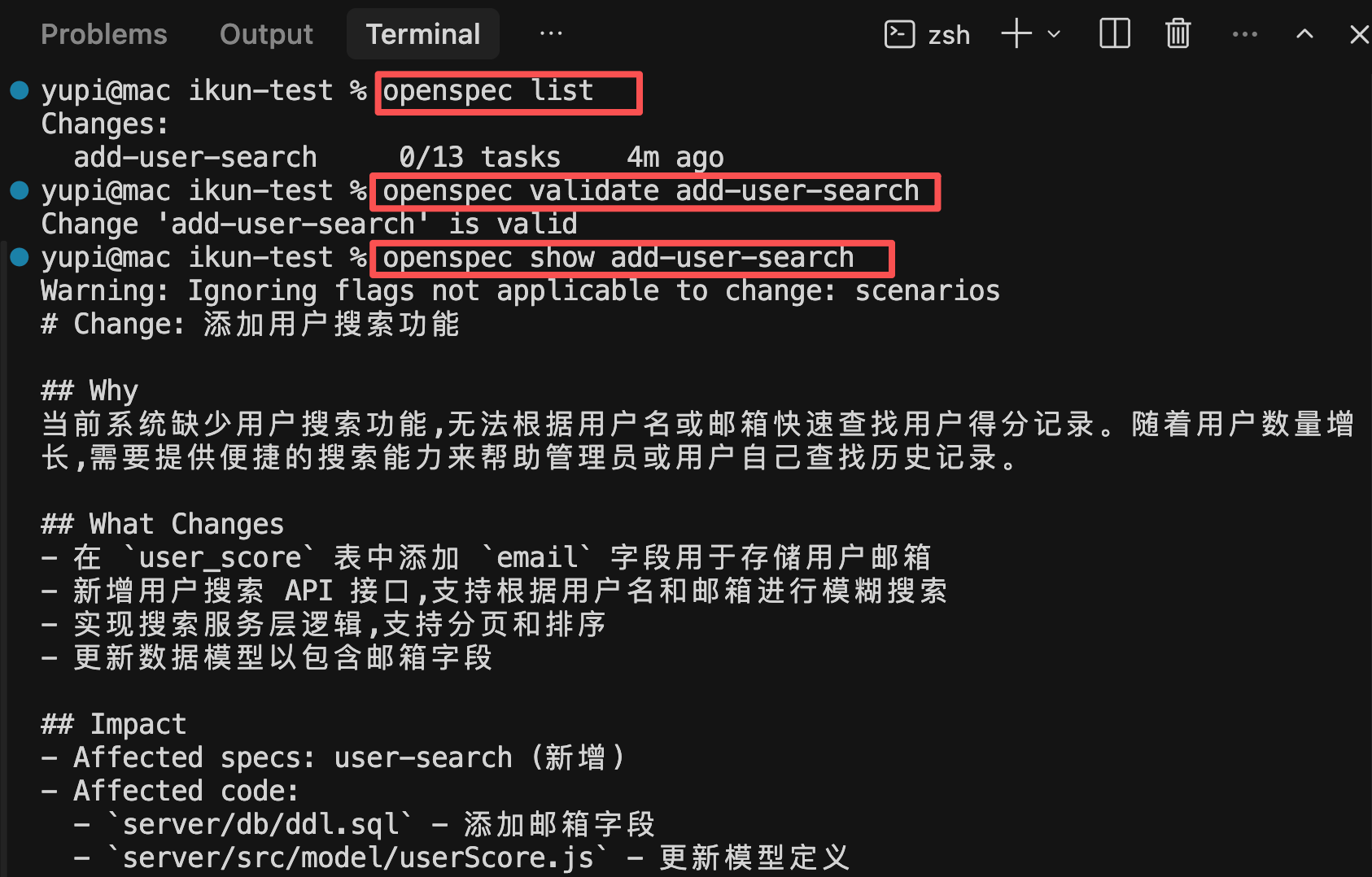
Run the following commands to check if the AI-created change proposal is correct:
|
|
|
|
```bash
|
|
openspec list # View all changes
|
|
openspec validate add-user-search # Verify format correctness
|
|
openspec show add-user-search # View detailed content
|
|
```
|
|
|
|
|
|
|
|
#### 3) Review Proposal with Team
|
|
|
|
If improvements are needed, continue the conversation with AI, for example:
|
|
|
|
```markdown
|
|
Can you help add more search conditions and limitations?
|
|
```
|
|
|
|
The AI will update specifications and task lists until consensus is reached.
|
|
|
|
#### 4) Implement Changes
|
|
|
|
After confirming specifications, have the AI begin implementation:
|
|
|
|
```markdown
|
|
The specifications are perfect, start generating code
|
|
```
|
|
|
|
Or use slash command:
|
|
|
|
```markdown
|
|
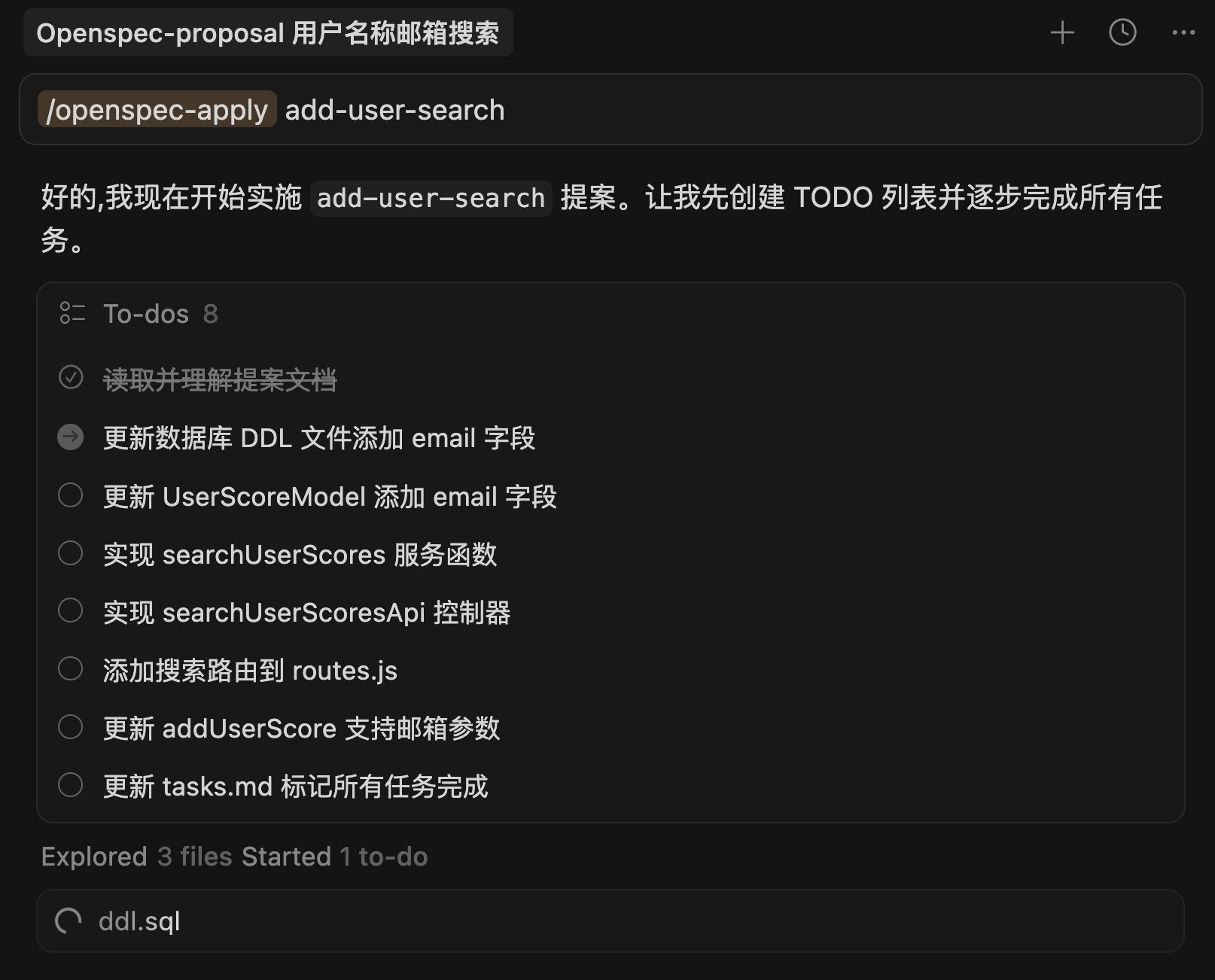
/openspec:apply add-user-search
|
|
```
|
|
|
|
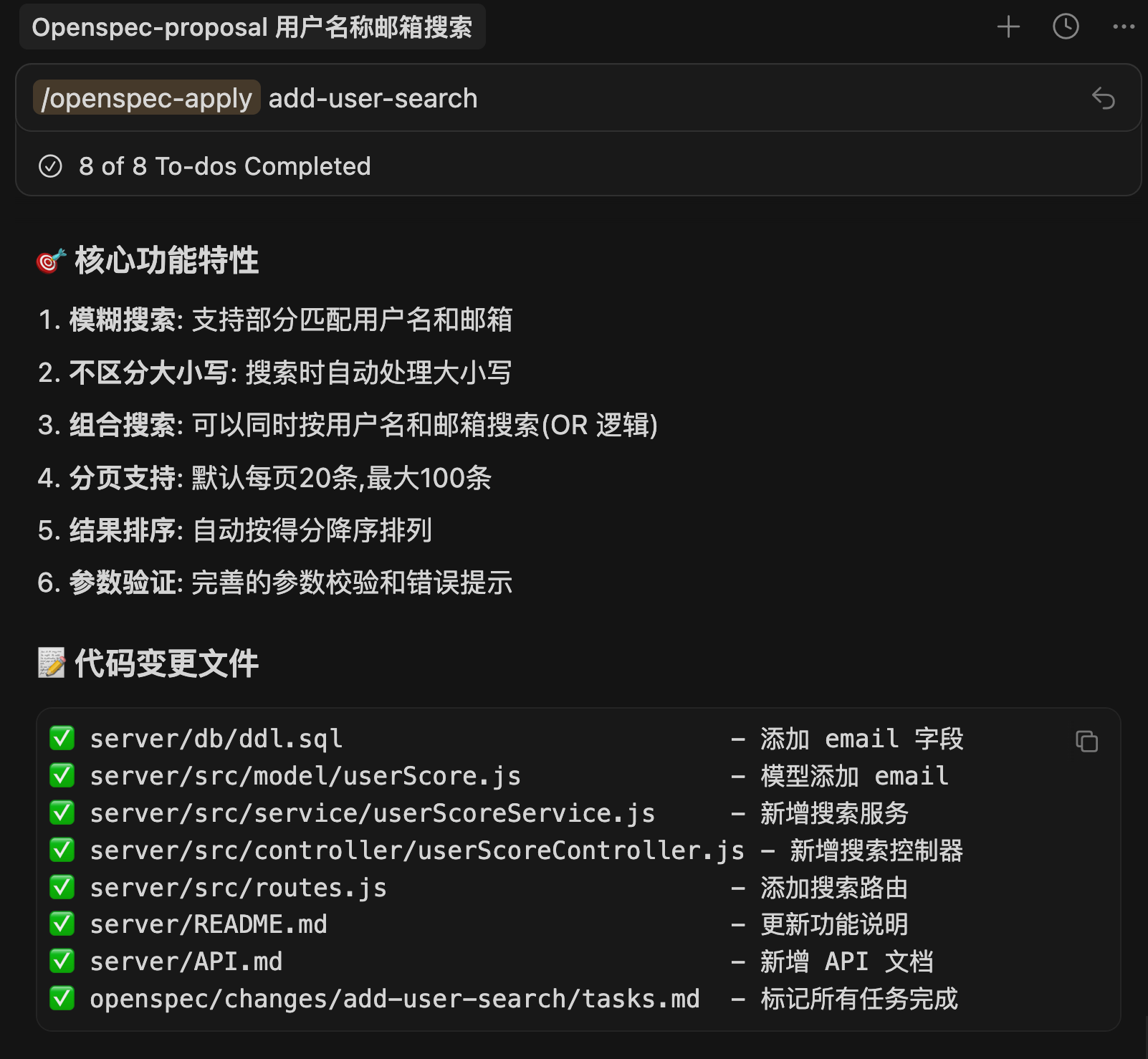
The AI will implement according to the task list in `tasks.md` and mark completion status.
|
|
|
|
|
|
|
|
Generation completes quickly, with the AI's output being very organized and all changes clearly visible:
|
|
|
|
|
|
|
|
#### 5) Archive Changes
|
|
|
|
After all tasks are completed, have the AI archive this change:
|
|
|
|
```markdown
|
|
Please archive this change
|
|
```
|
|
|
|
Or use slash command:
|
|
|
|
```markdown
|
|
/openspec:archive add-user-search
|
|
```
|
|
|
|
Or run in terminal:
|
|
|
|
```bash
|
|
openspec archive add-user-search --yes
|
|
```
|
|
|
|

|
|
|
|
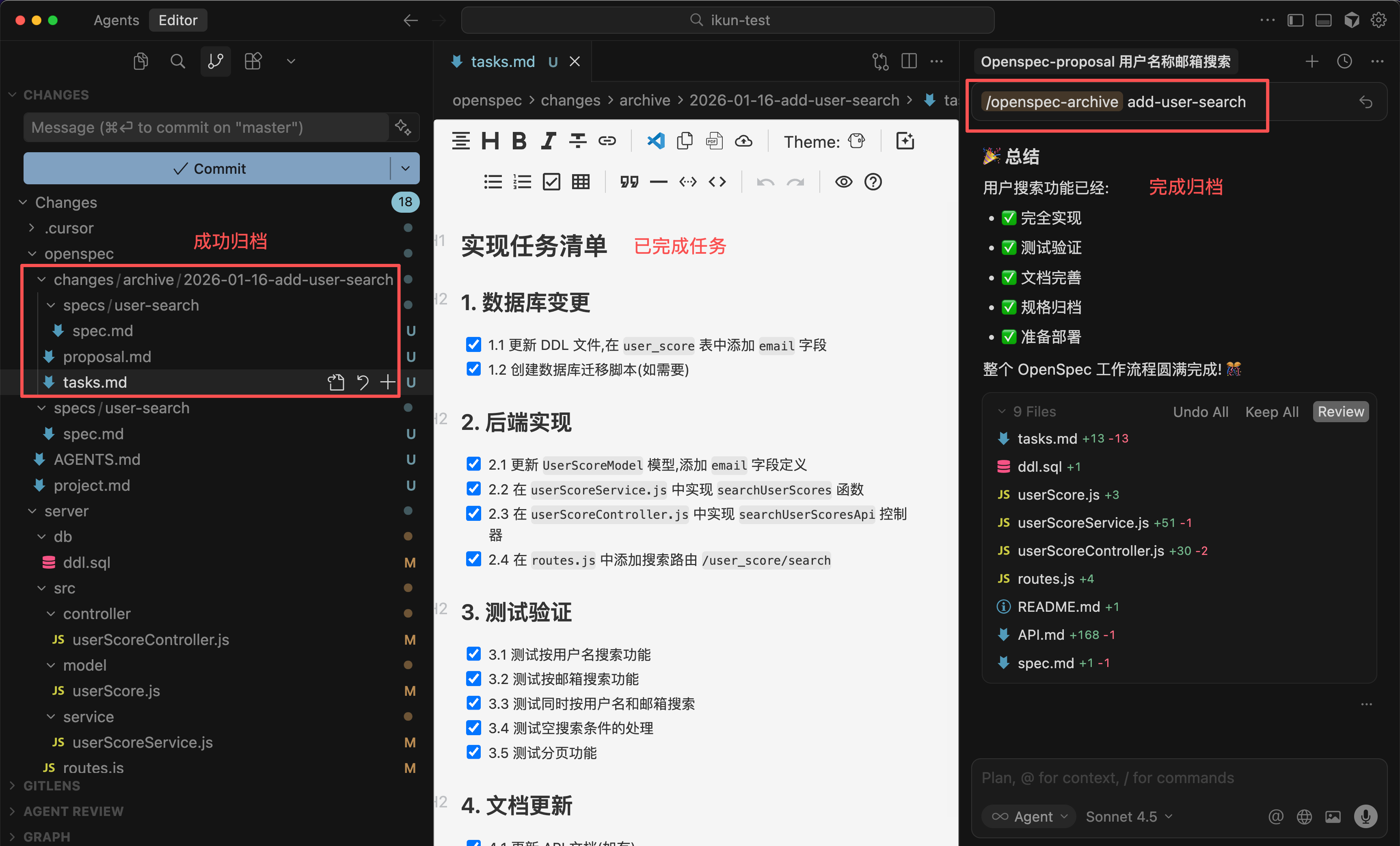
This command will:
|
|
- Move the change folder to `openspec/changes/archive/` archive area
|
|
- Automatically merge requirement changes into `openspec/specs/` main specifications
|
|
- Keep documentation and code synchronized
|
|
|
|
|
|
|
|
This way, through `openspec/changes/` history, you can trace the context of each change at any time.
|
|
|
|
Additionally, during the development process, it's recommended to regularly run the `openspec validate` command to ensure specification integrity.
|
|
|
|
## 3. Differences Between OpenSpec and Spec-kit
|
|
|
|
By now, you can probably sense the differences between OpenSpec and Spec-kit.
|
|
|
|
- Spec-kit requires a complete 7-step process: establish guidelines → write requirements → clarify questions → finalize solution → break down tasks → review → write code), suitable for large new projects from scratch
|
|
- OpenSpec has a simplified process: draft proposal → review → implement → archive → validate, with faster onboarding, ideal for feature iteration in existing projects.
|
|
|
|
If you're iterating features in an existing project, OpenSpec is the better choice. If you're starting a large new project from scratch, Spec-kit's complete process helps establish a solid foundation.
|
|
|
|
## Final Thoughts
|
|
|
|
By now, you should have a basic understanding of OpenSpec.
|
|
|
|
**OpenSpec is more lightweight than Spec-kit and better suited for daily development feature iteration.**
|
|
|
|
If you find Spec-kit too heavy, try OpenSpec. Its process is simpler but equally effective at keeping documentation and code synchronized, making team collaboration smoother.
|
|
|
|
I recommend trying OpenSpec in your projects to experience the benefits of specification-driven development firsthand.
|
|
|
|
## Recommended Resources
|
|
|
|
1) Yupi AI Navigation Site: [Comprehensive AI Resources, Latest AI News, Free AI Tutorials](https://ai.codefather.cn)
|
|
|
|
2) Programming Navigation Learning Community: [Learning Paths, Programming Tutorials, Practical Projects, Career Guides, Q&A](https://www.codefather.cn)
|
|
|
|
3) Programmer Interview Cheatsheet: [Internship/Campus Recruitment/Social Recruitment High-Frequency Points, Enterprise Question Analysis](https://www.mianshiya.com)
|
|
|
|
4) Programmer Resume Builder: [Professional Templates, Rich Examples, Direct to Interviews](https://www.laoyujianli.com)
|
|
|
|
5) 1-on-1 Mock Interviews: [Essential for Internship/Campus Recruitment/Social Recruitment Interviews to Get Offers](https://ai.mianshiya.com) |