 yupi-translate-app[bot]
237 lines
10 KiB
Markdown
237 lines
10 KiB
Markdown
# Spec-kit: Specification-Driven Development Framework
|
|
|
|
> Let AI develop projects following professional processes
|
|
|
|
Hello, I'm programmer Yupi.
|
|
|
|
In previous articles, we learned how to quickly generate code using AI. But you might have noticed that sometimes AI "writes as it thinks," producing code that may not meet expectations, or the project becomes chaotic halfway through.
|
|
|
|
Is there a way to make AI develop projects following professional processes?
|
|
|
|
In this article, I'll introduce **Spec-kit**, a specification-driven development framework launched by GitHub, enabling AI to work like a professional programmer.
|
|
|
|
Let's get started!
|
|
|
|
|
|
|
|
## What is Spec-kit?
|
|
|
|
[Spec-kit](https://github.com/github/spec-kit) is a Specification-Driven Development (SDD) framework launched by GitHub.
|
|
|
|
What is Specification-Driven Development?
|
|
|
|
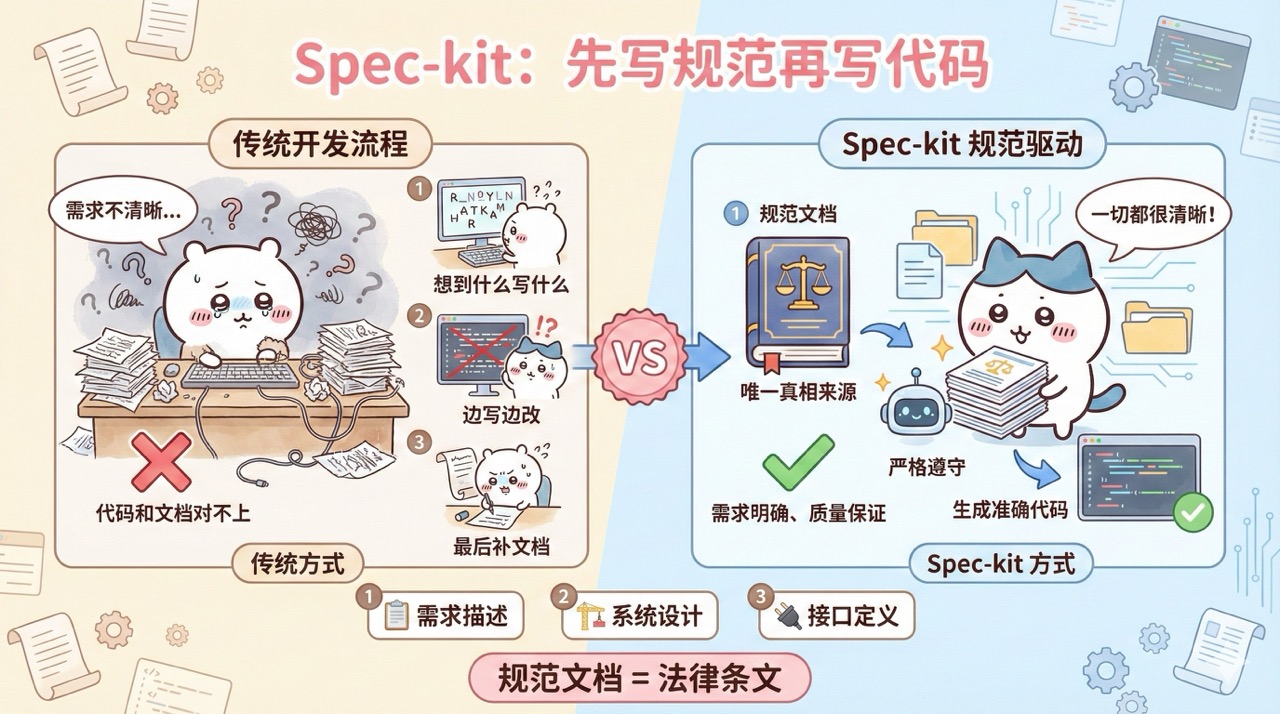
The traditional development process is: write whatever comes to mind, modify as you go, and document later. This often leads to unclear requirements and mismatched code and documentation.
|
|
|
|
Specification-Driven Development takes the opposite approach: **first write the requirements into a specification document, and treat the specification document as the single source of truth for the code**. You can think of the specification document as "legal provisions," containing detailed requirements descriptions, system designs, and interface definitions. AI must strictly adhere to these provisions to generate code, ensuring the output fully meets expectations.
|
|
|
|
|
|
|
|
|
|
|
|
## Getting Started with Spec-kit
|
|
|
|
Let me walk you through a practical example to quickly get started with Spec-kit.
|
|
|
|
### 1. Installing Spec-kit
|
|
|
|
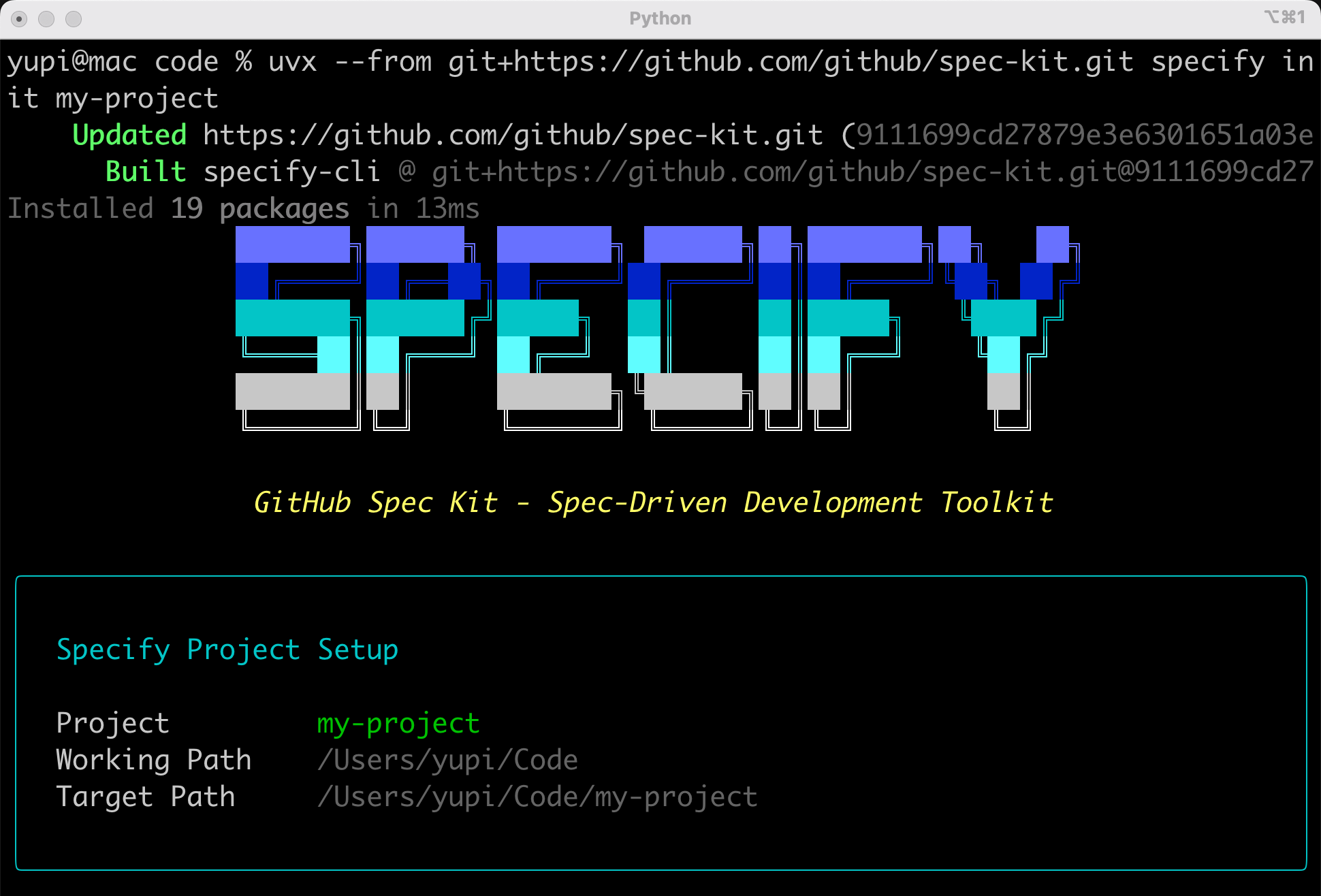
First, open the terminal and use the uvx command to directly install and run the Specify tool, initializing a project:
|
|
|
|
```bash
|
|
uvx --from git+https://github.com/github/spec-kit.git specify init my-project
|
|
```
|
|
|
|
|
|
|
|
Choose the AI programming tool you use. Spec-kit supports almost all mainstream programming tools like Claude Code and GitHub Copilot. Here, I choose Claude Code:
|
|
|
|

|
|
|
|
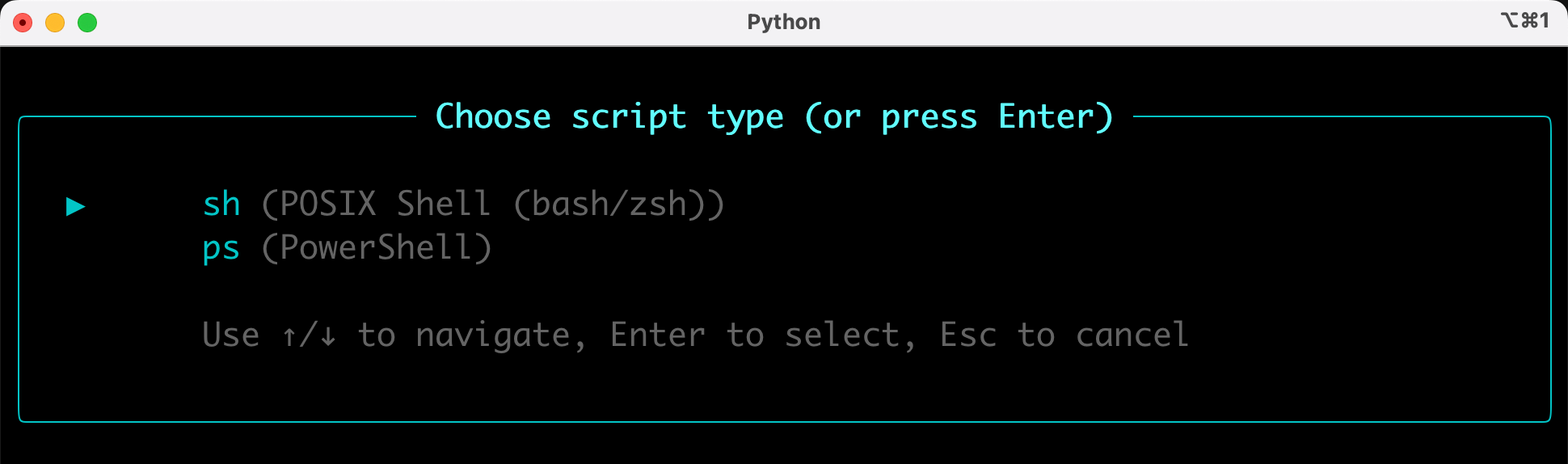
Select the script type based on your operating system. Choose the bottom option for Windows, and the top option for others:
|
|
|
|
|
|
|
|
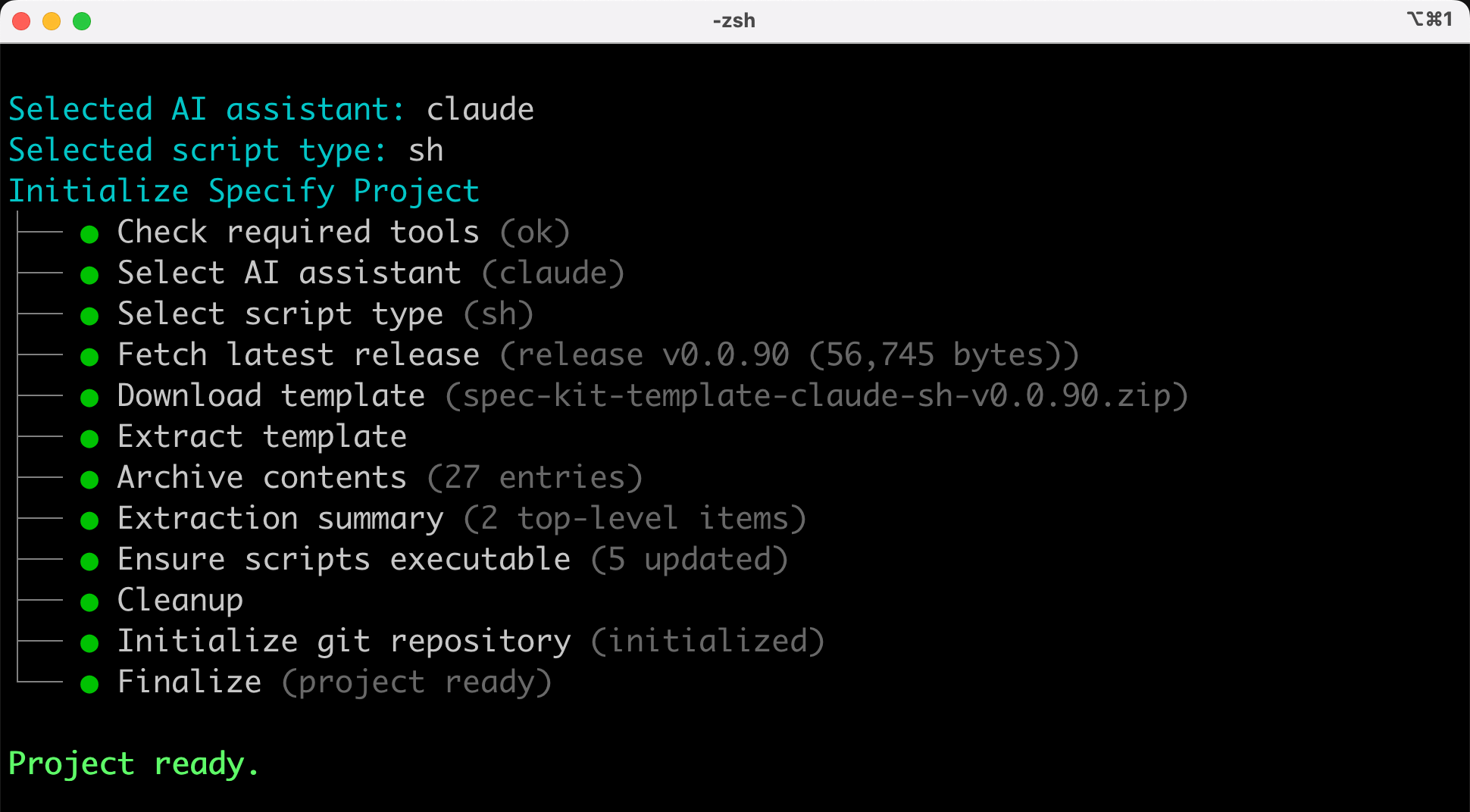
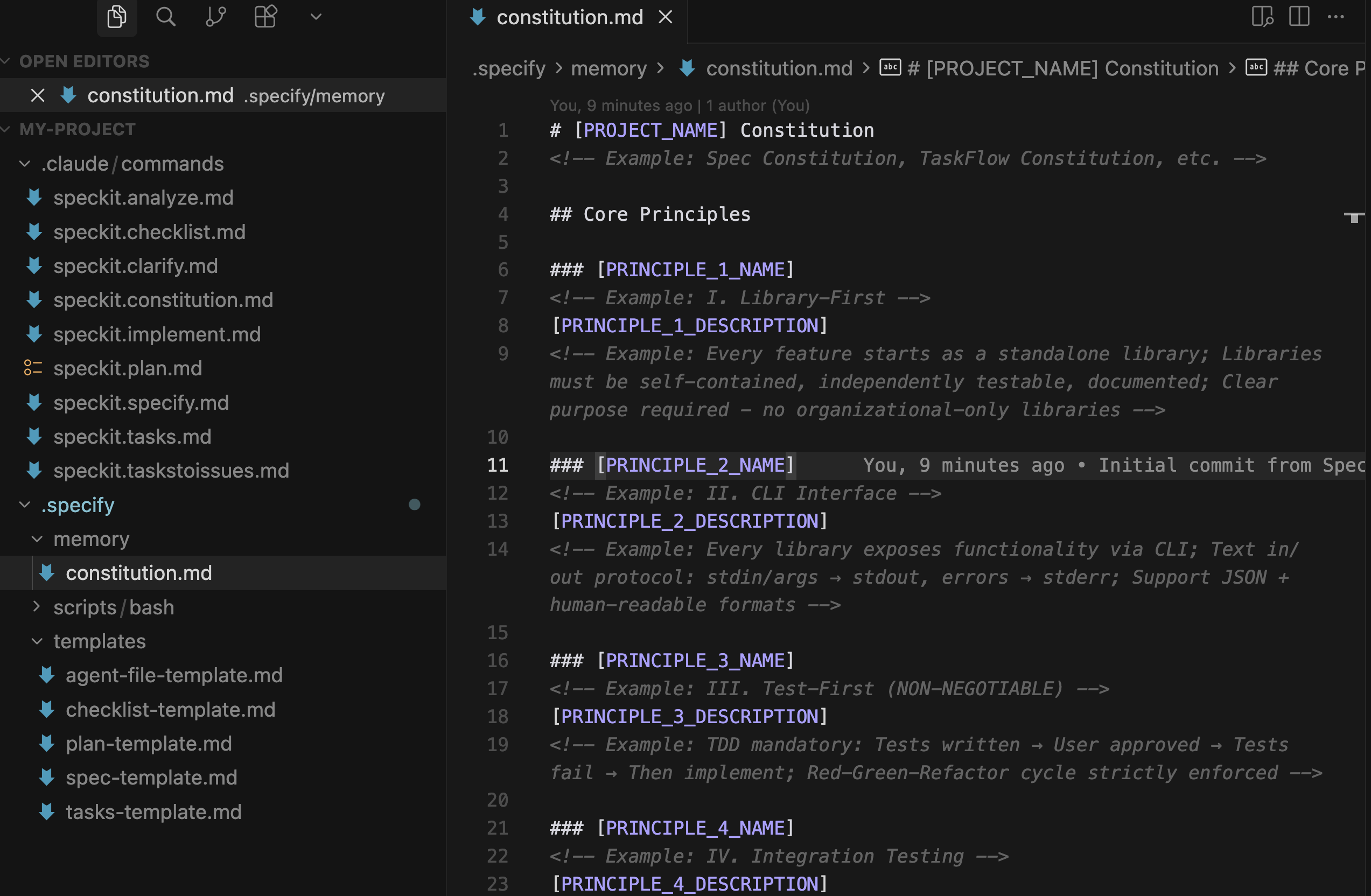
After executing this command, a `my-project` folder will be created in the current directory:
|
|
|
|
|
|
|
|
The folder contains these core files:
|
|
|
|
- `.specify/memory/constitution.md`: Basic project guidelines and conventions
|
|
- `.specify/scripts/`: Some executable scripts
|
|
- `.specify/templates/`: Template files
|
|
- `.claude/commands/`: Defines a set of built-in slash commands that you can directly call in AI programming tools
|
|
|
|
|
|
|
|
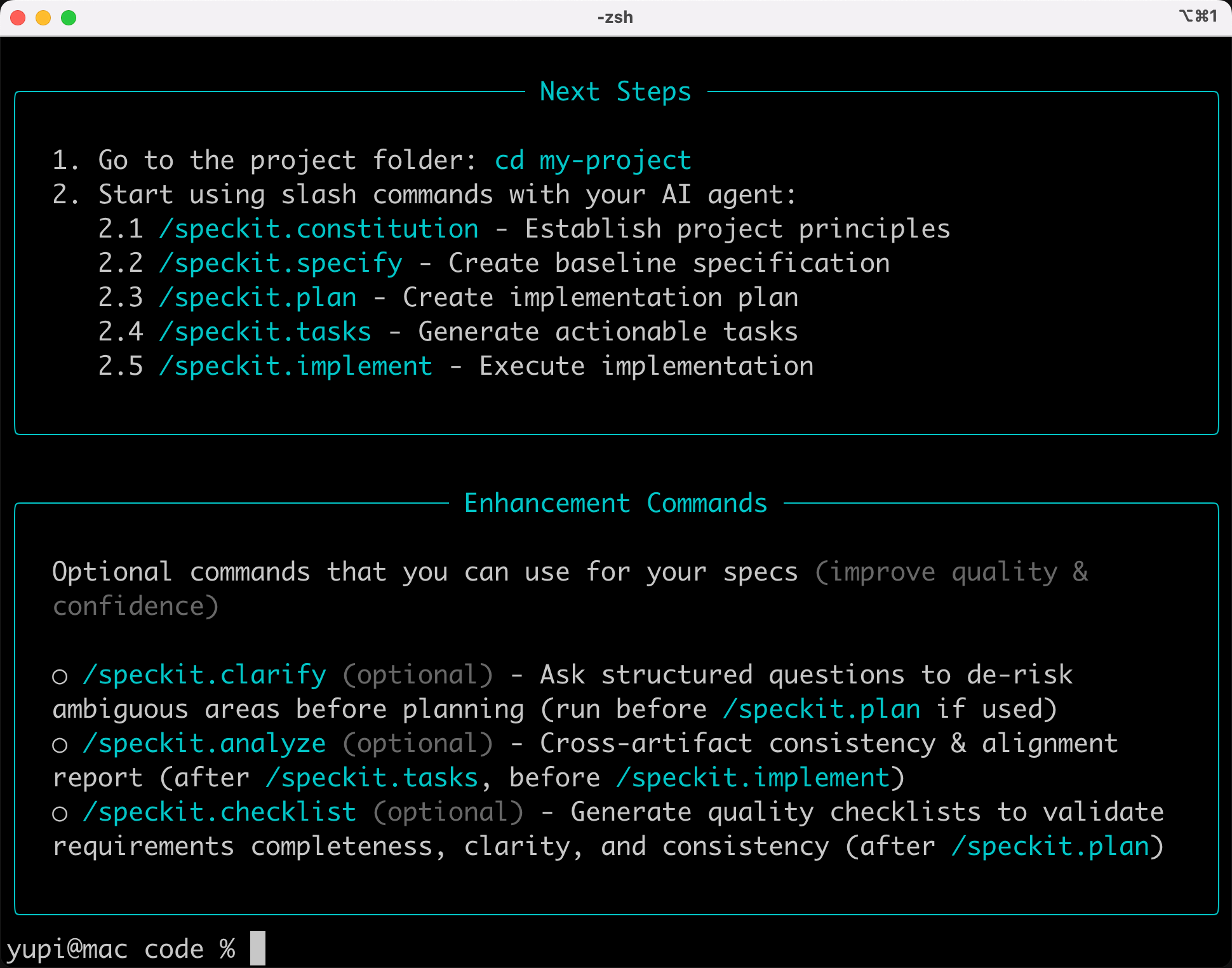
The initialization program also provides some guidance on how to use these commands to develop the project.
|
|
|
|
|
|
|
|
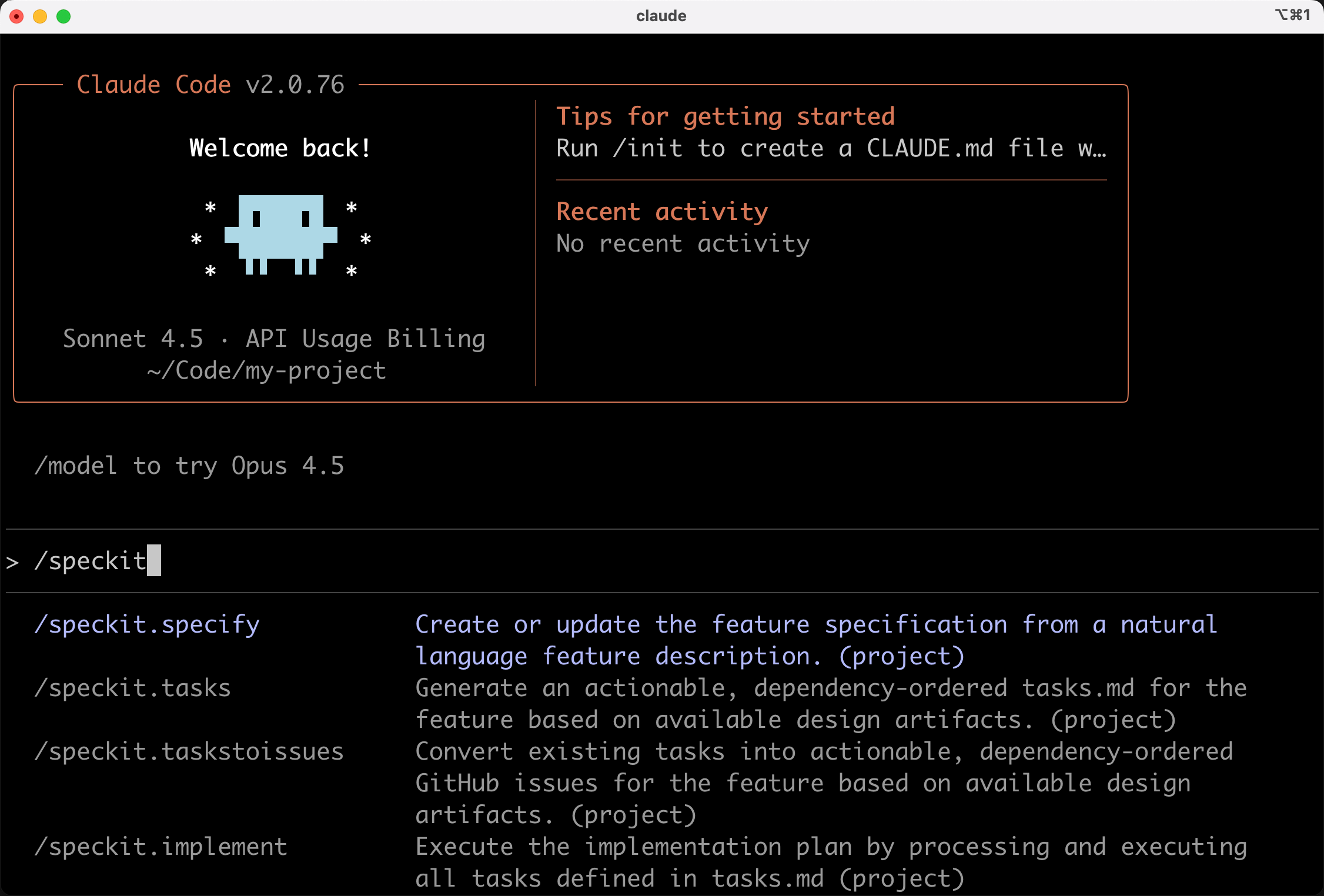
Open this project folder with Claude Code, and you can use the defined commands in the conversation.
|
|
|
|
|
|
|
|
|
|
|
|
### 2. Standardized Development Process
|
|
|
|
Next is the standardized development process, referring to the [official documentation](https://github.com/github/spec-kit), mainly divided into 7 steps:
|
|
|
|
#### 1) Constitution: Define Project Guidelines
|
|
|
|
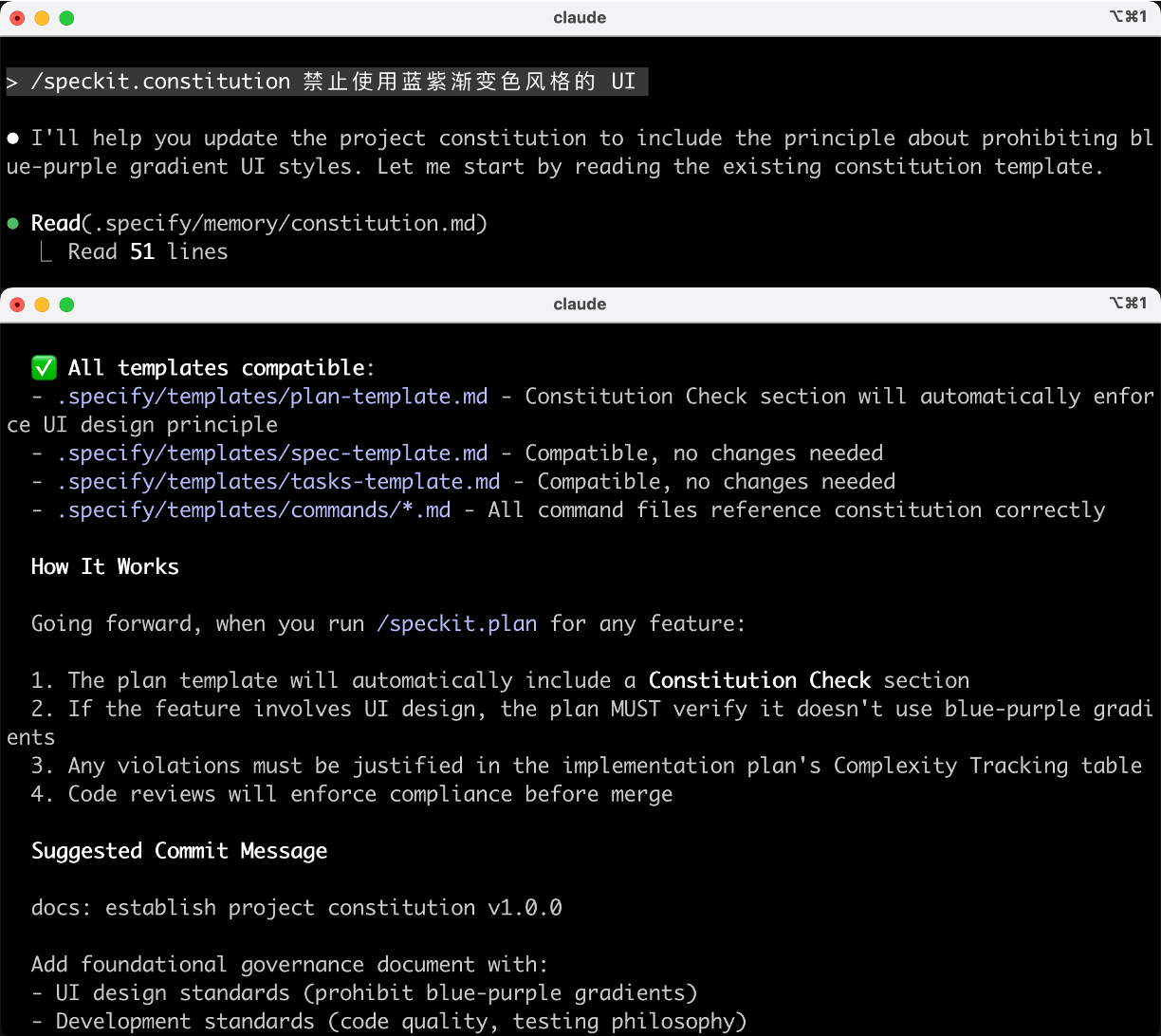
Run the `/speckit.constitution` command to define the project's basic principles, code standards, performance criteria, etc. This is the project's "constitution," and all subsequent development must comply with it.
|
|
|
|
For example:
|
|
|
|
```markdown
|
|
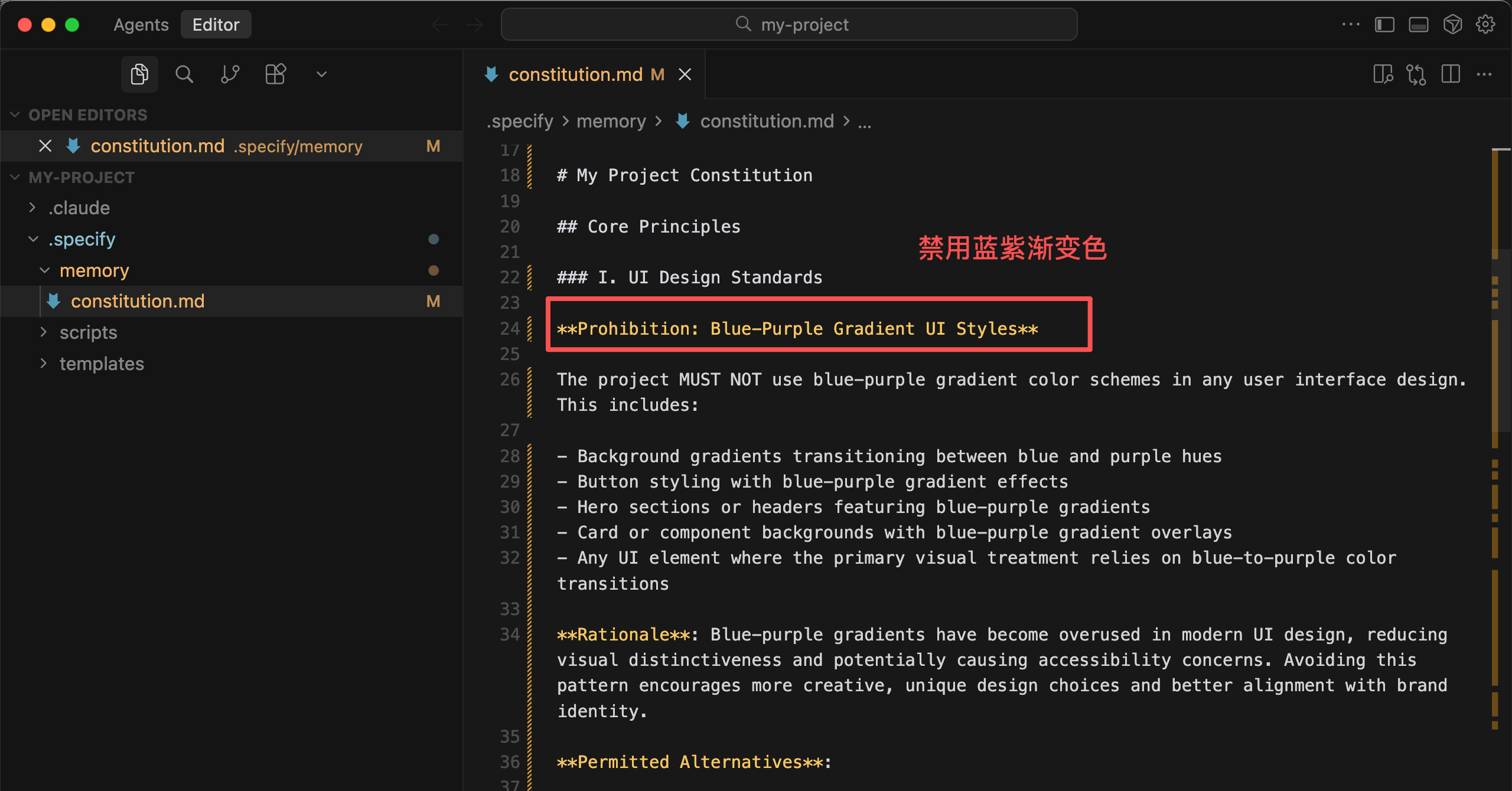
/speckit.constitution Prohibit using blue-purple gradient UI styles
|
|
```
|
|
|
|
💡 If you're working on a Chinese project, it's best to explicitly tell AI "the entire website uses Chinese" when defining project guidelines.
|
|
|
|
|
|
|
|
AI updated the project guidelines document:
|
|
|
|
|
|
|
|
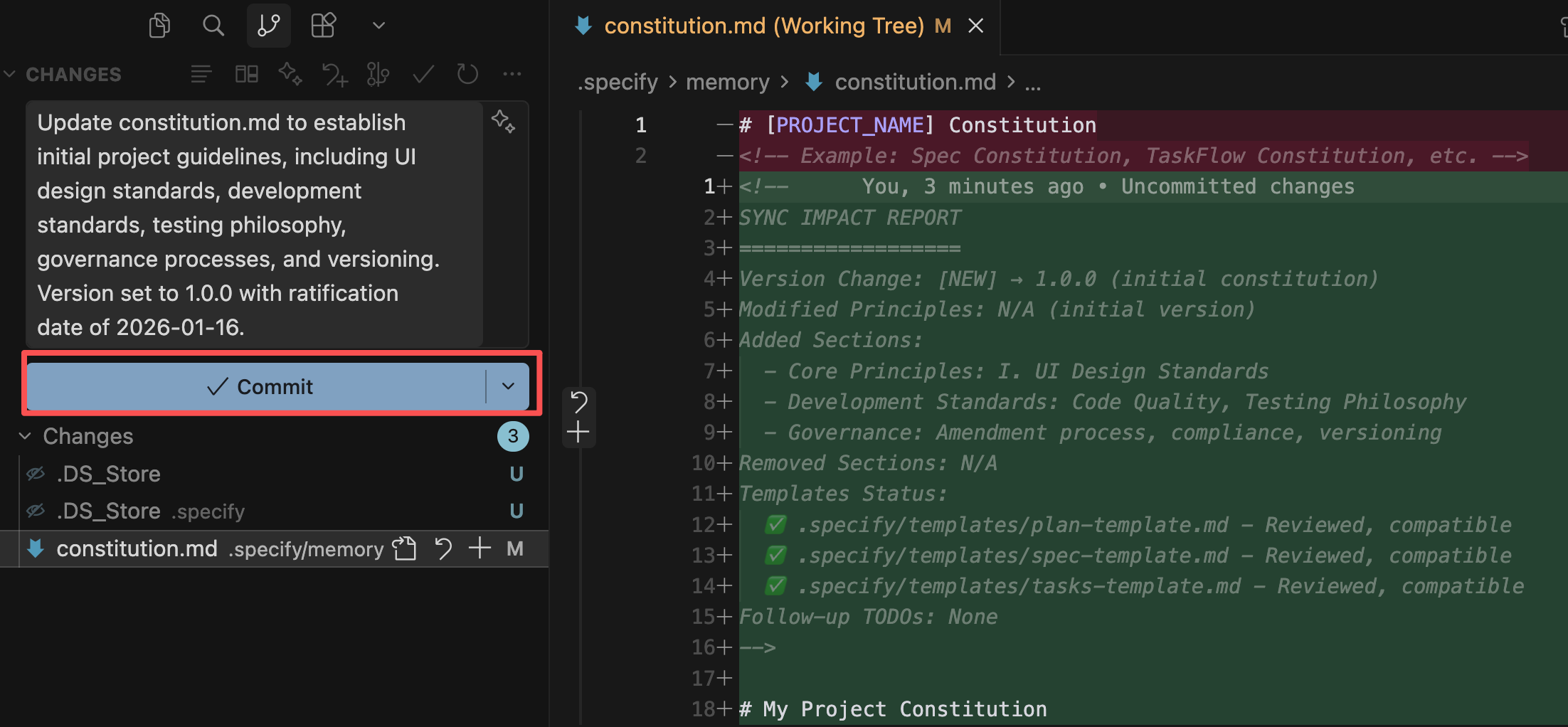
It's recommended to commit a version with Git at each step, so you can roll back if issues arise and easily see the changes made at each step.
|
|
|
|
|
|
|
|
|
|
|
|
#### 2) Specify: Write Functional Specifications
|
|
|
|
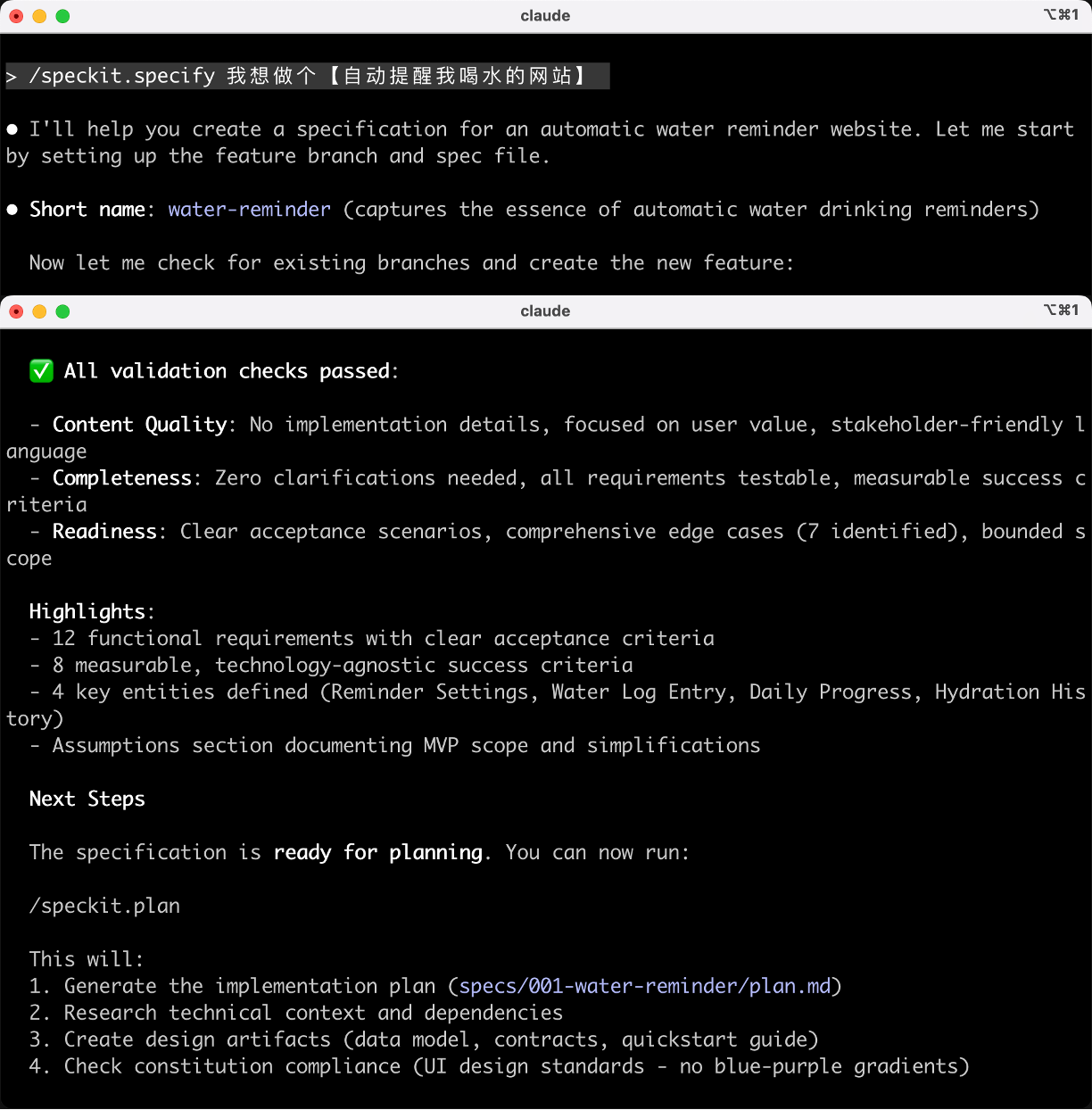
Run the `/speckit.specify` command to describe what functionality to implement, why, and user needs. For example:
|
|
|
|
```markdown
|
|
/speckit.specify I want to create a [website that reminds me to drink water automatically]
|
|
```
|
|
|
|
|
|
|
|
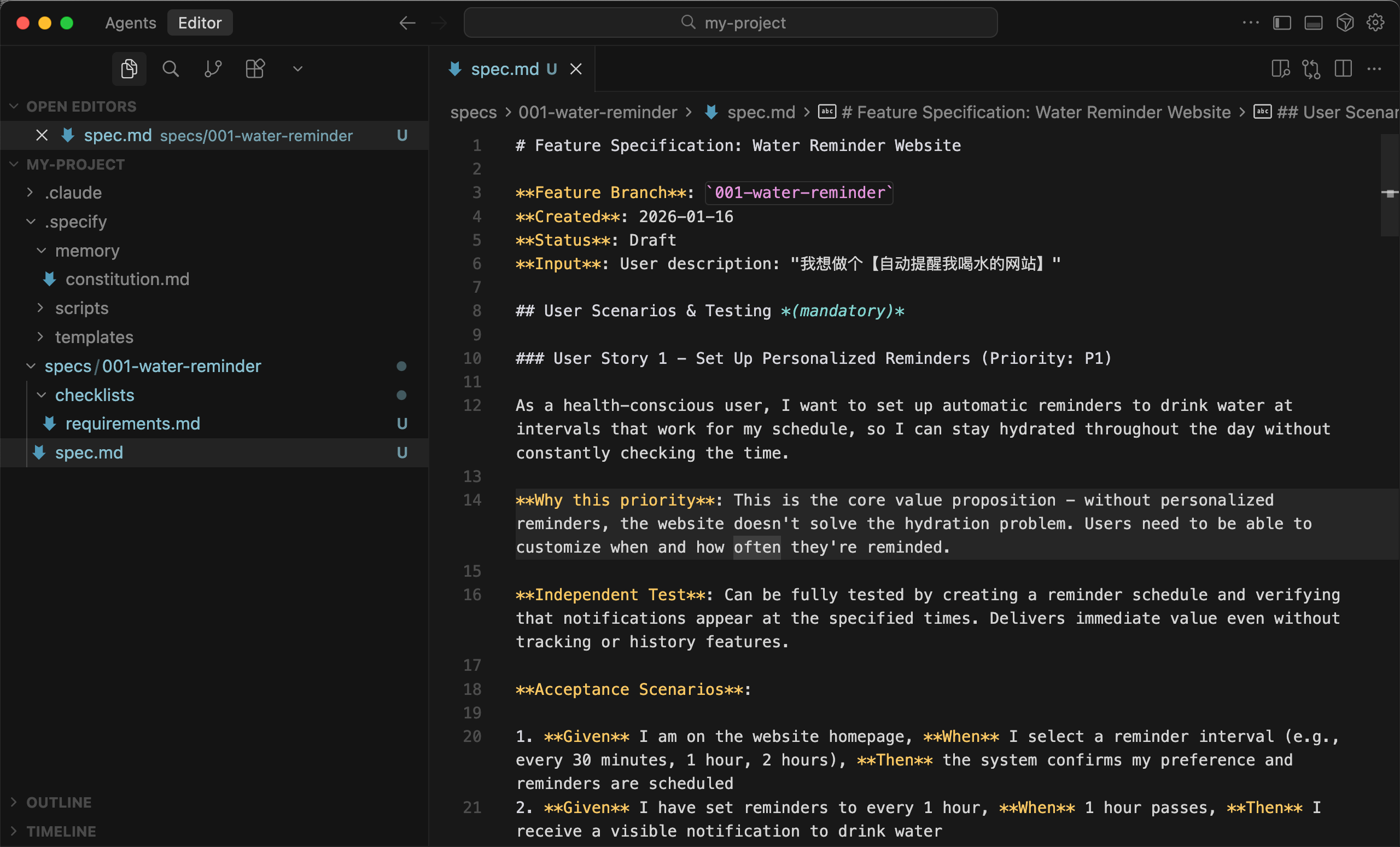
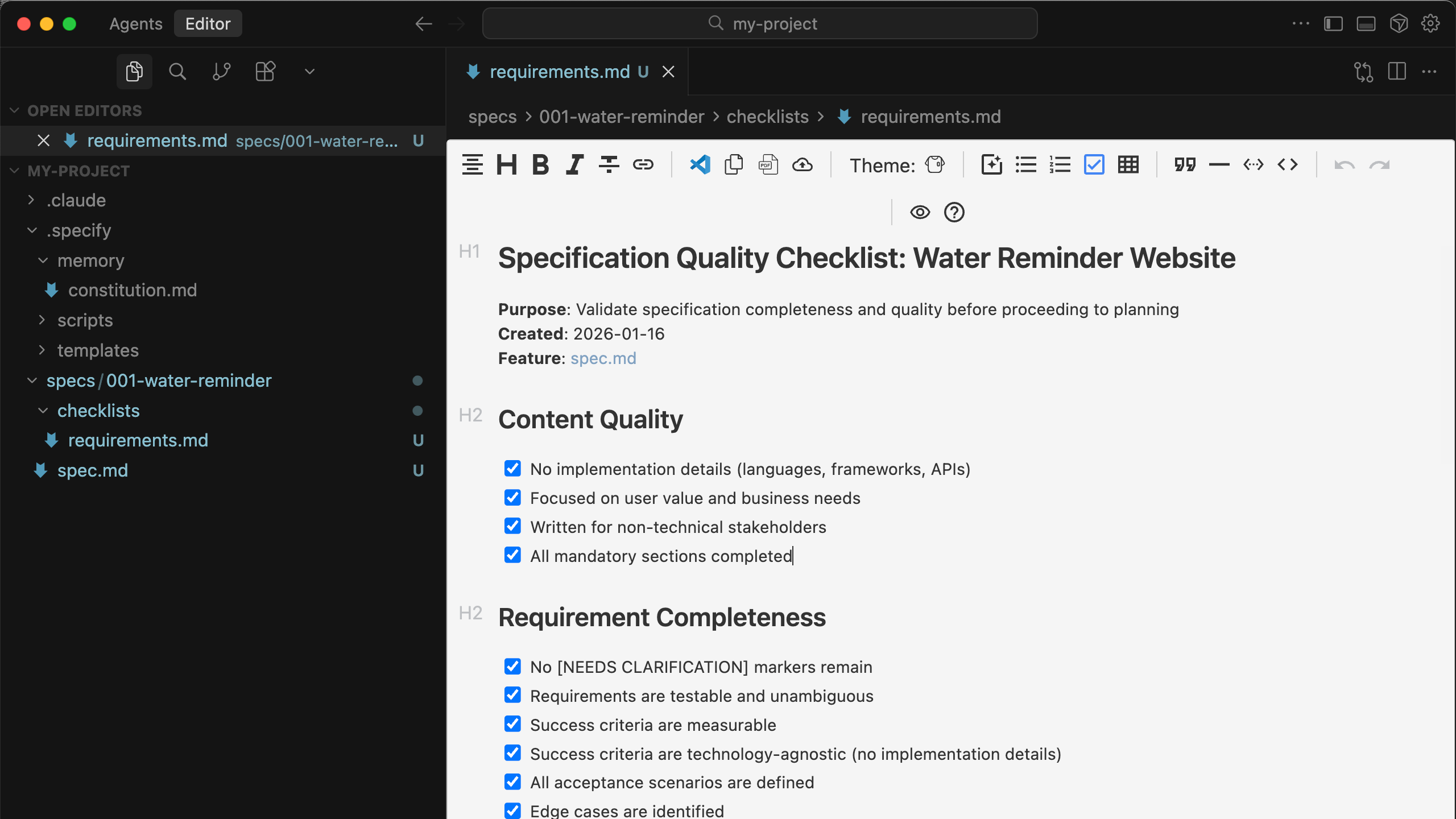
AI created a new Git branch for this requirement to avoid contaminating the existing project. Under this branch, a requirement specification document (spec.md) + a requirement checklist document (requirements.md) were created.
|
|
|
|
|
|
|
|
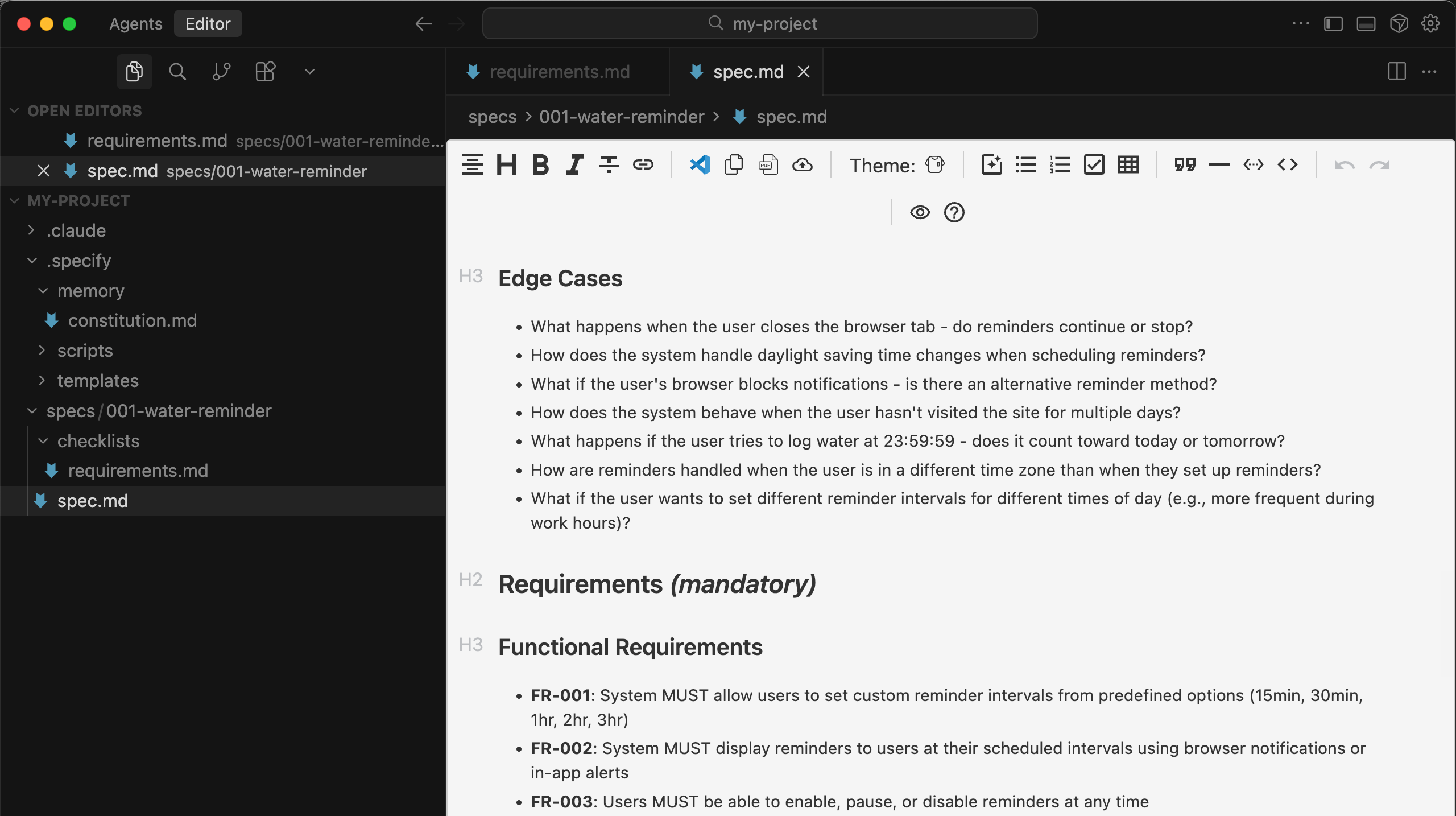
The requirement specification document is very detailed, including edge test cases to handle various possible user actions.
|
|
|
|
|
|
|
|
The requirement checklist document records AI's understanding of the requirements, with checkmarks indicating AI's confirmation:
|
|
|
|
|
|
|
|
|
|
|
|
#### 3) Clarify: Clarify Ambiguities (Optional)
|
|
|
|
If you find unchecked items in the requirement checklist, you need to use the Clarify command to guide AI in further clarifying the requirements until all items are checked.
|
|
|
|
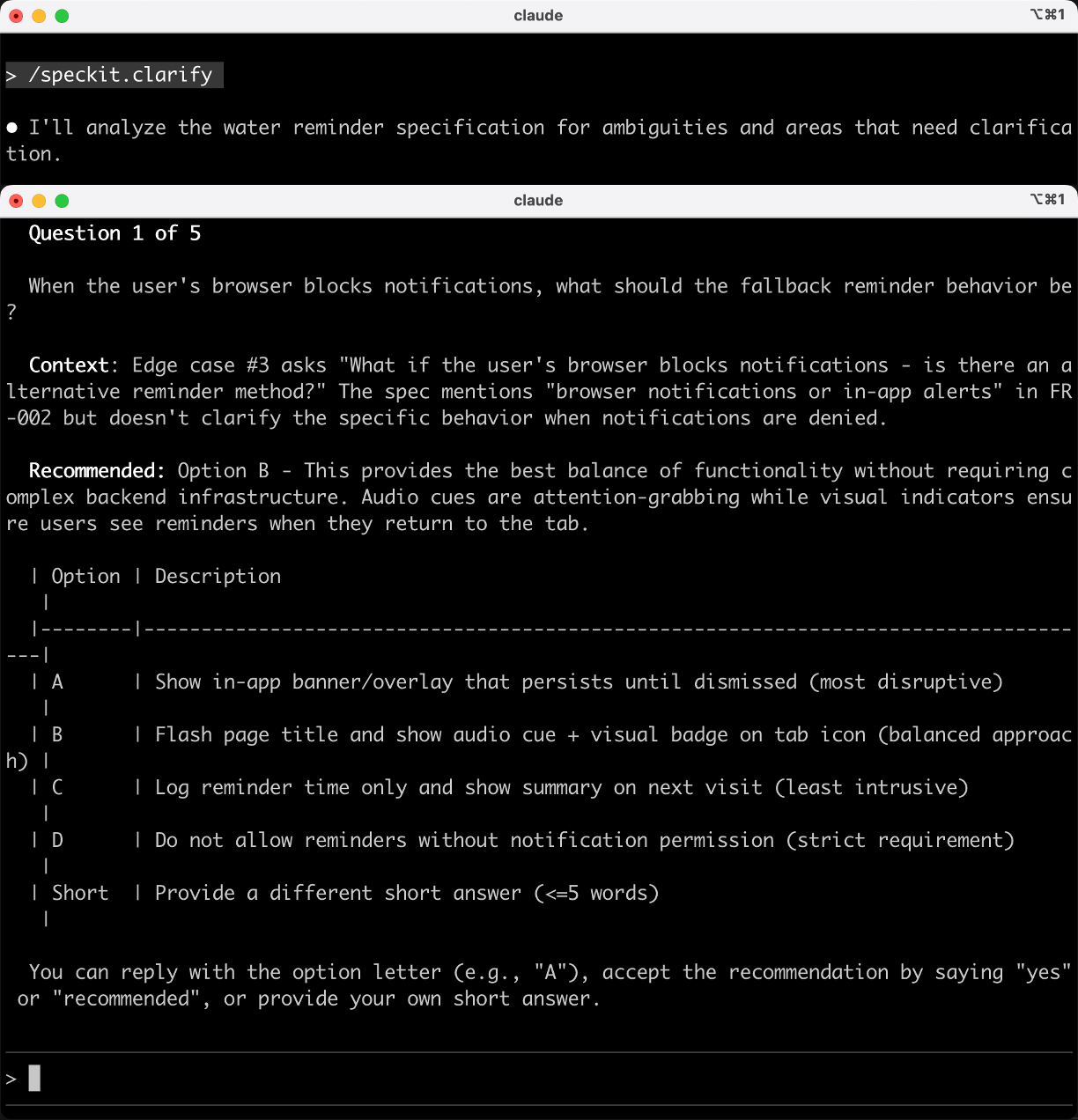
Run the `/speckit.clarify` command, and AI will ask structured questions for you to answer, helping you fill in the gaps in requirements, such as edge cases and error handling.
|
|
|
|
|
|
|
|
|
|
|
|
#### 4) Plan: Develop Technical Solutions
|
|
|
|
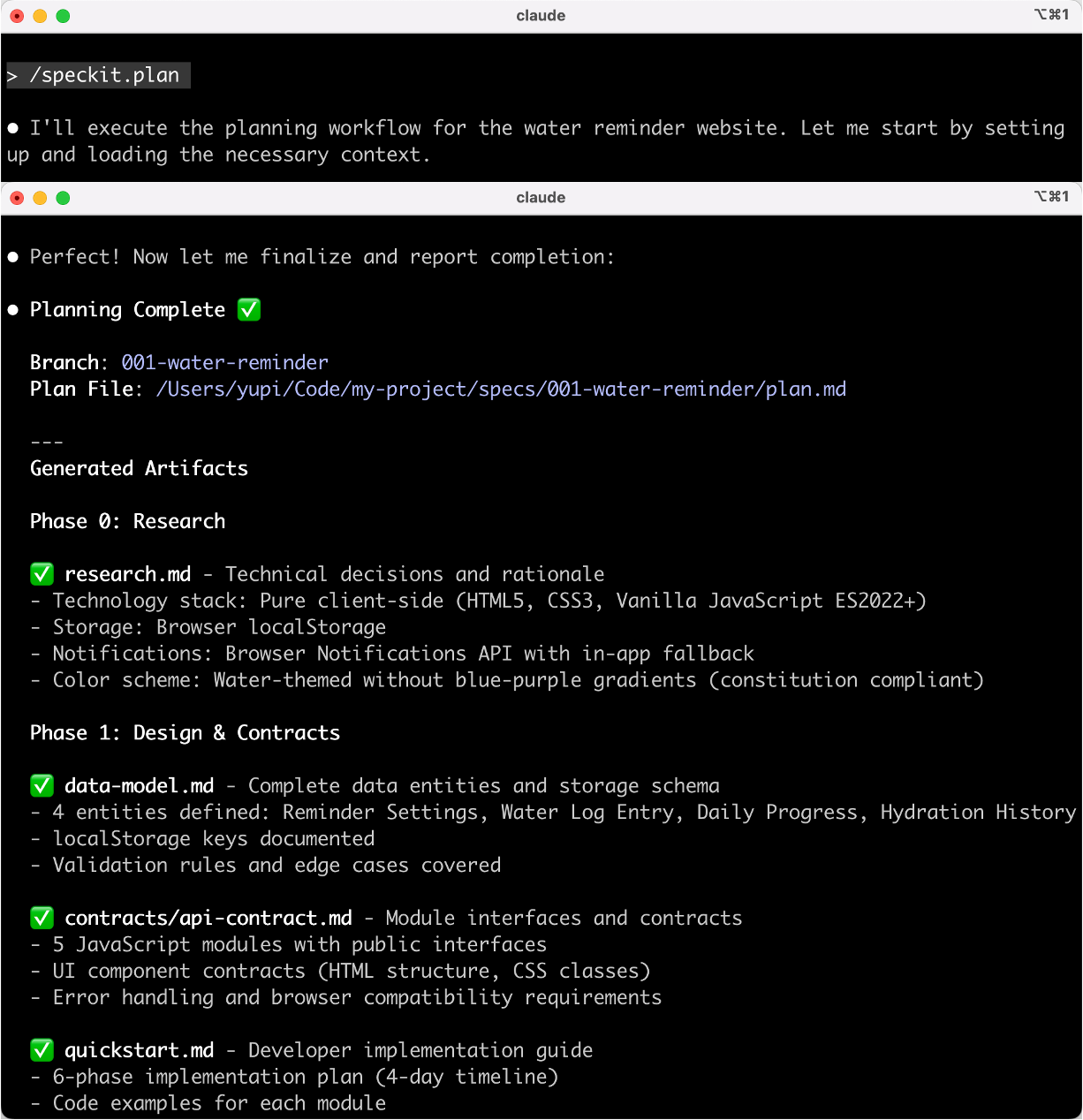
Run the `/speckit.plan` command to let AI decide on the tech stack, system architecture, data models, API interfaces, etc.
|
|
|
|
|
|
|
|
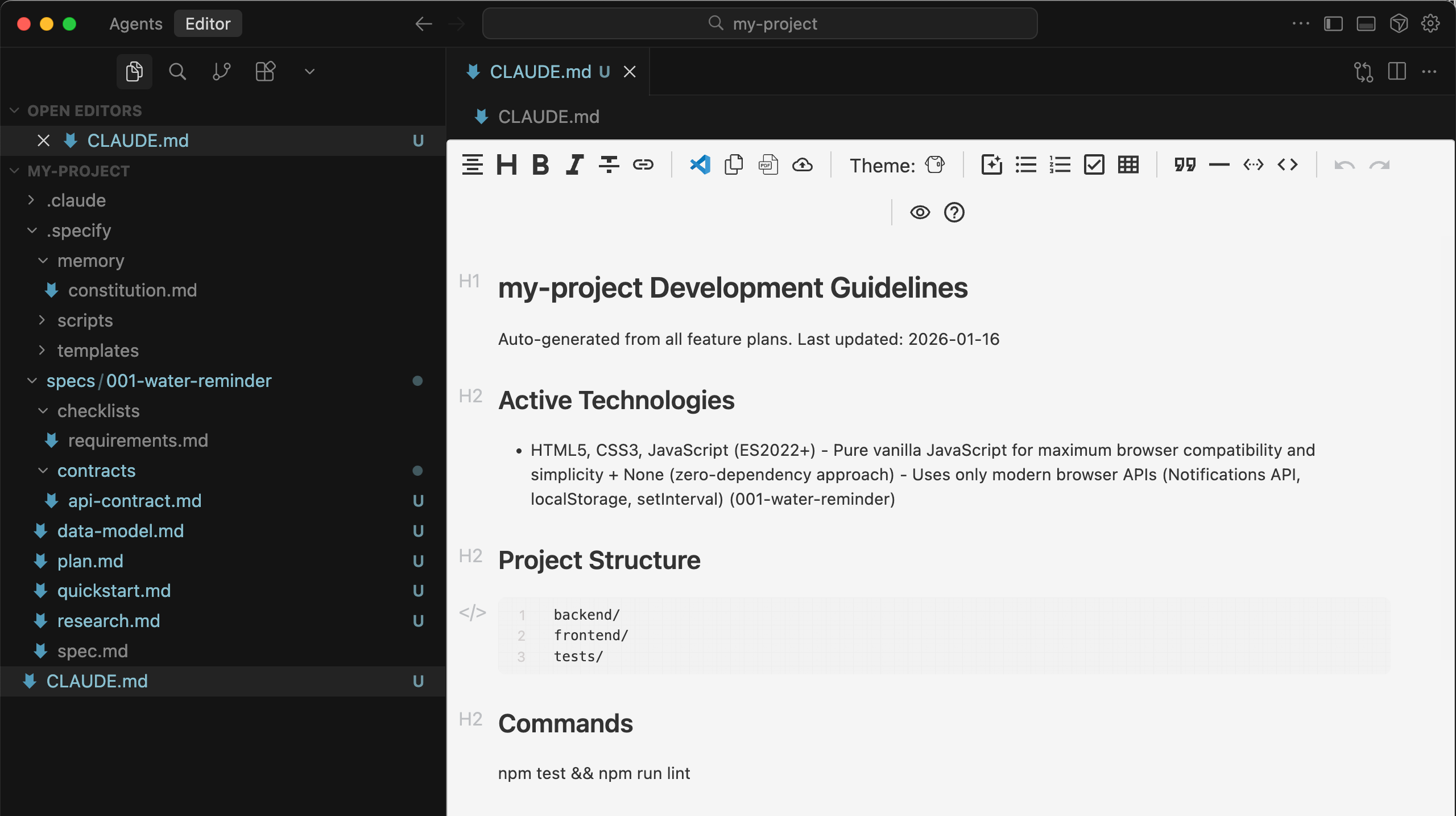
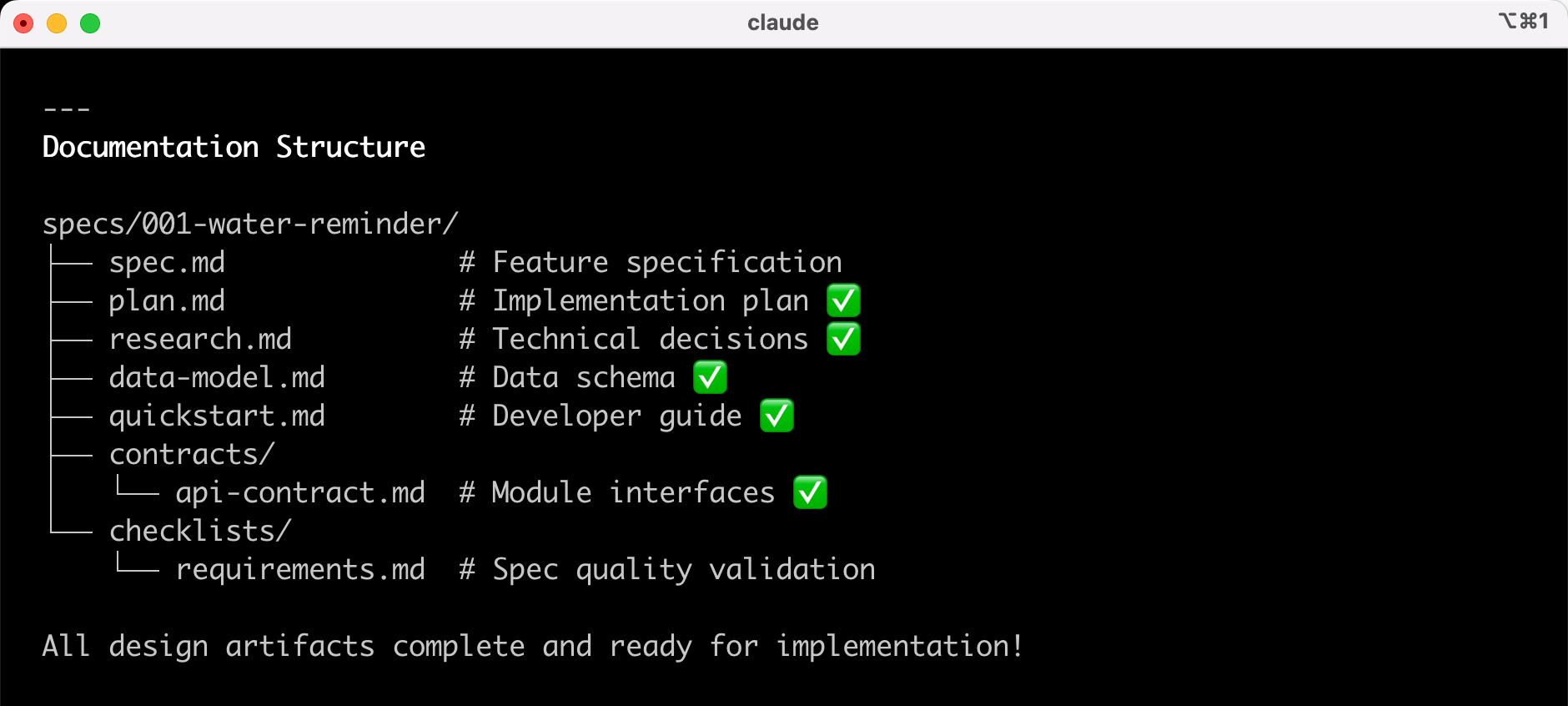
Technical solution development completed, generating a bunch of documents. Let's briefly understand them:
|
|
|
|
- CLAUDE.md Project Development Guide, recording the tech stack and project structure, guiding Claude Code on how to proceed with development
|
|
- quickstart.md Quick Start Guide, including 6 implementation phases and deployment plans
|
|
- plan.md Implementation Plan, defining client-only architecture, storage strategies, constitution compliance checks, etc.
|
|
- data-model.md Data Model Design, defining 4 core entities (reminder settings, water log, daily progress, history) and storage structures
|
|
- research.md Technical Research Document, recording 8 key technical decisions
|
|
- contracts/api-contract.md API Interface Document
|
|
|
|
|
|
|
|
Next, we can prepare for development implementation.
|
|
|
|
|
|
|
|
|
|
|
|
#### 5) Tasks: Break Down Tasks
|
|
|
|
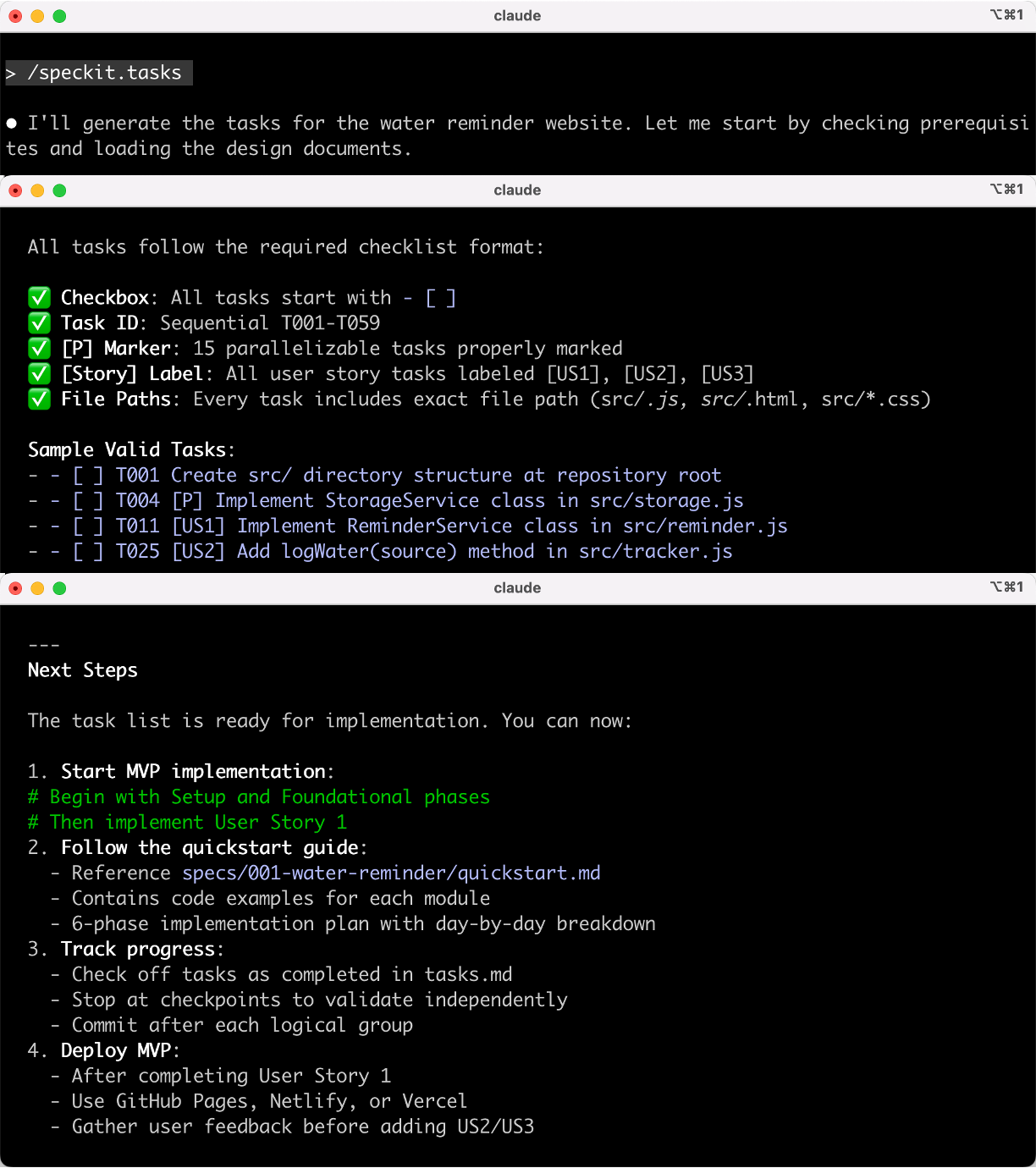
Run the `/speckit.tasks` command to break down the plan into executable task lists, noting dependencies and priorities.
|
|
|
|
|
|
|
|
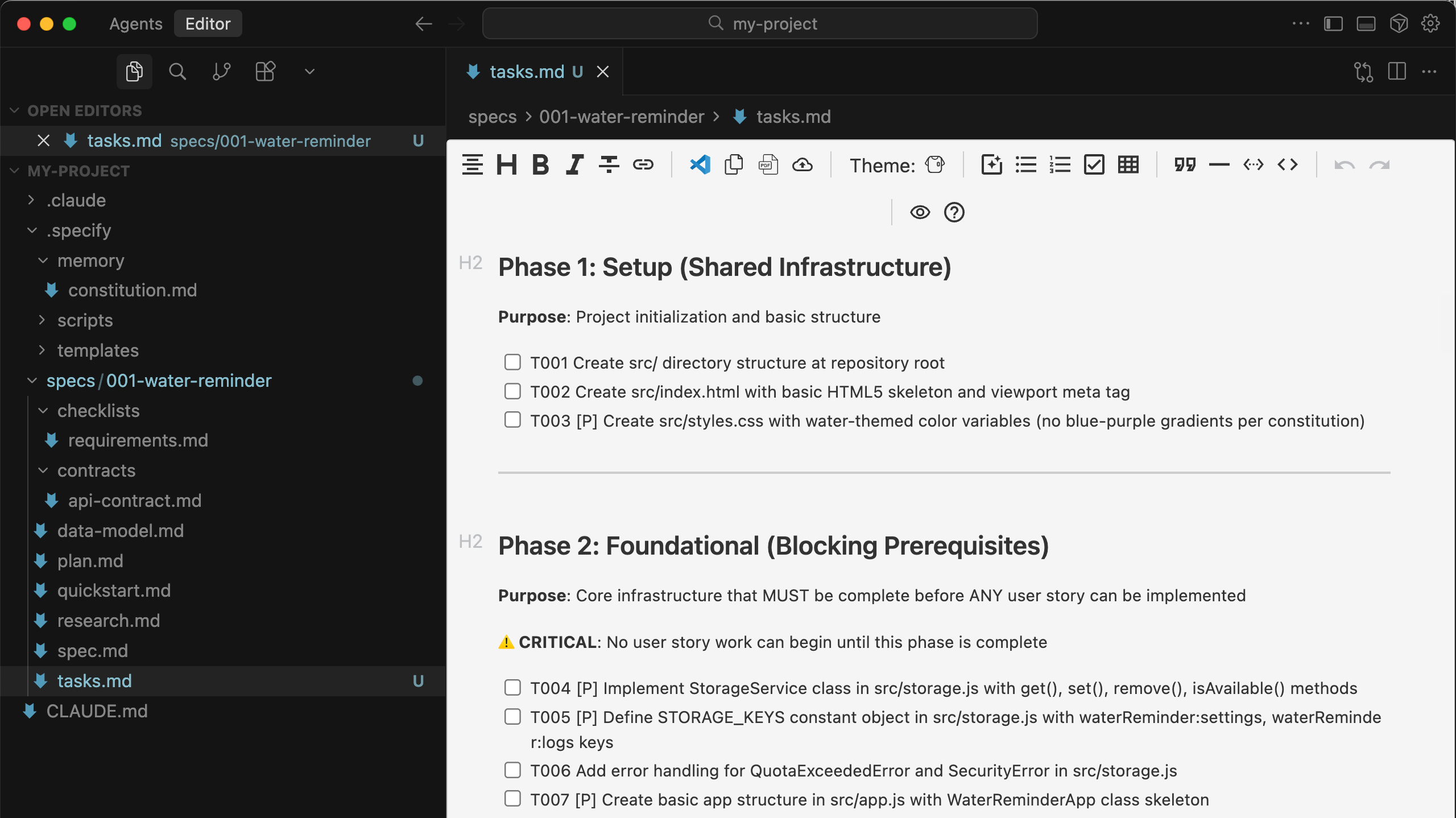
Generated a task list document, clearly outlining each step:
|
|
|
|
|
|
|
|
|
|
|
|
#### 6) Analyze: Inspection Analysis (Optional)
|
|
|
|
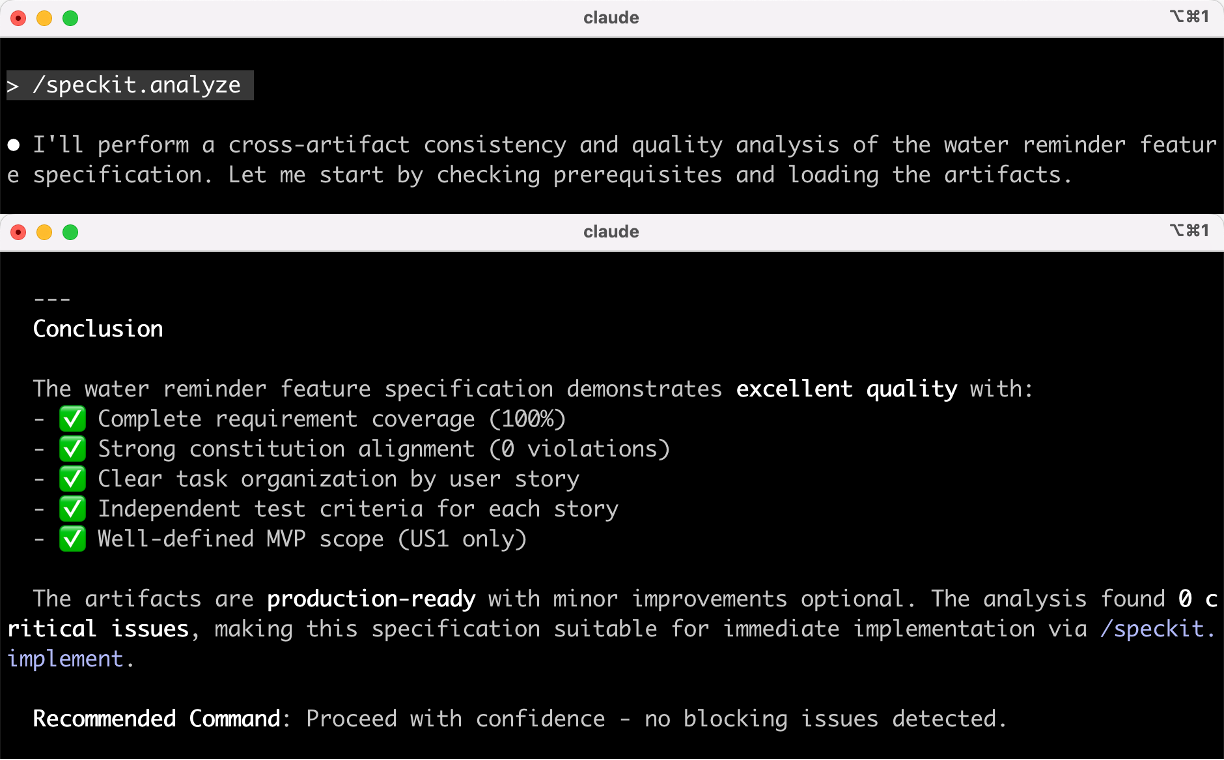
Run the `/speckit.analyze` command to check if the specifications, plans, and tasks are complete and consistent, identifying design flaws early.
|
|
|
|
|
|
|
|
AI found no issues and encouraged me to proceed confidently. Feels great!
|
|
|
|
|
|
|
|
#### 7) Implement: Execute Implementation
|
|
|
|
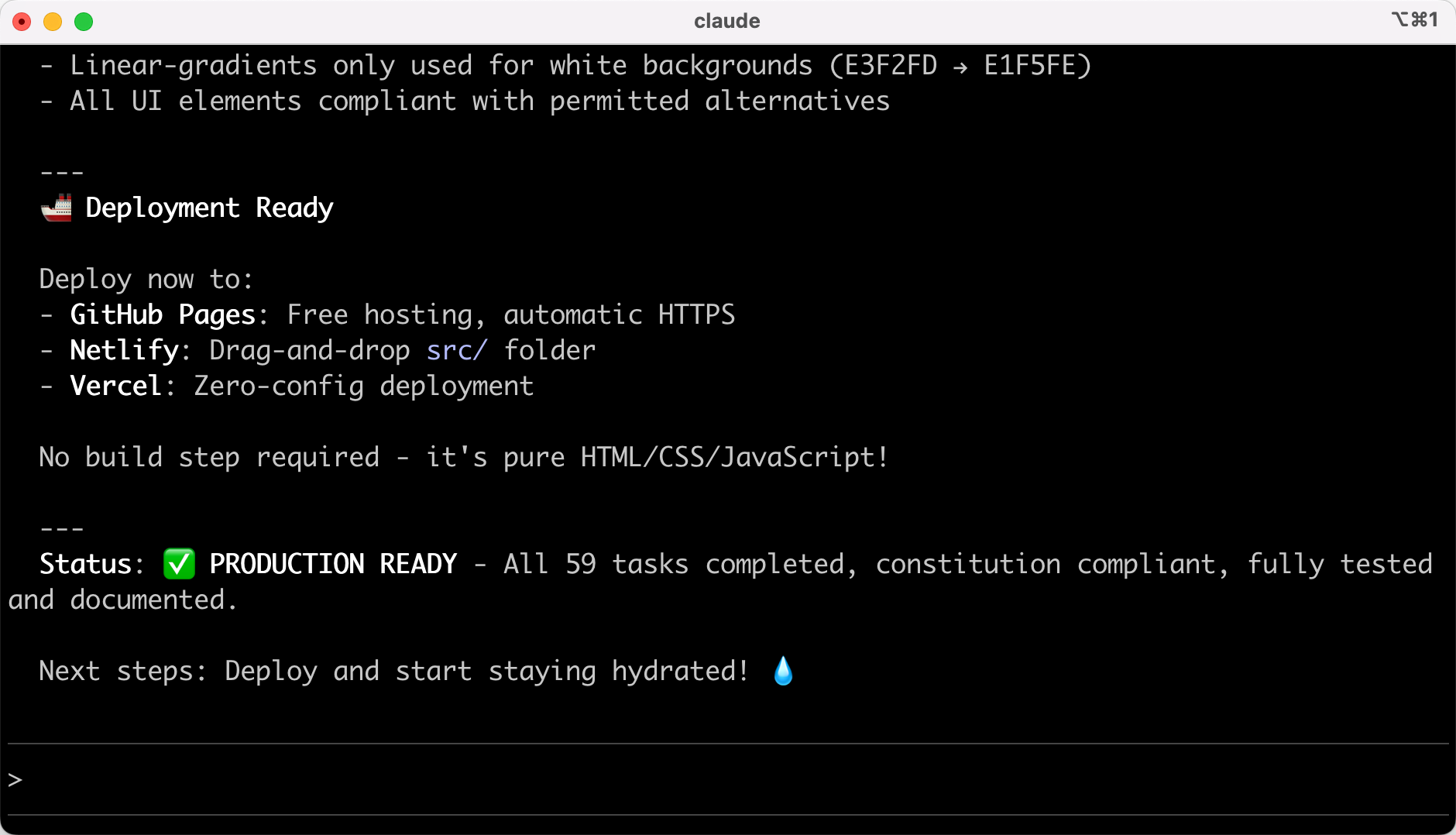
Finally, run the `/speckit.implement` command to let AI generate code according to the task list.
|
|
|
|
|
|
|
|
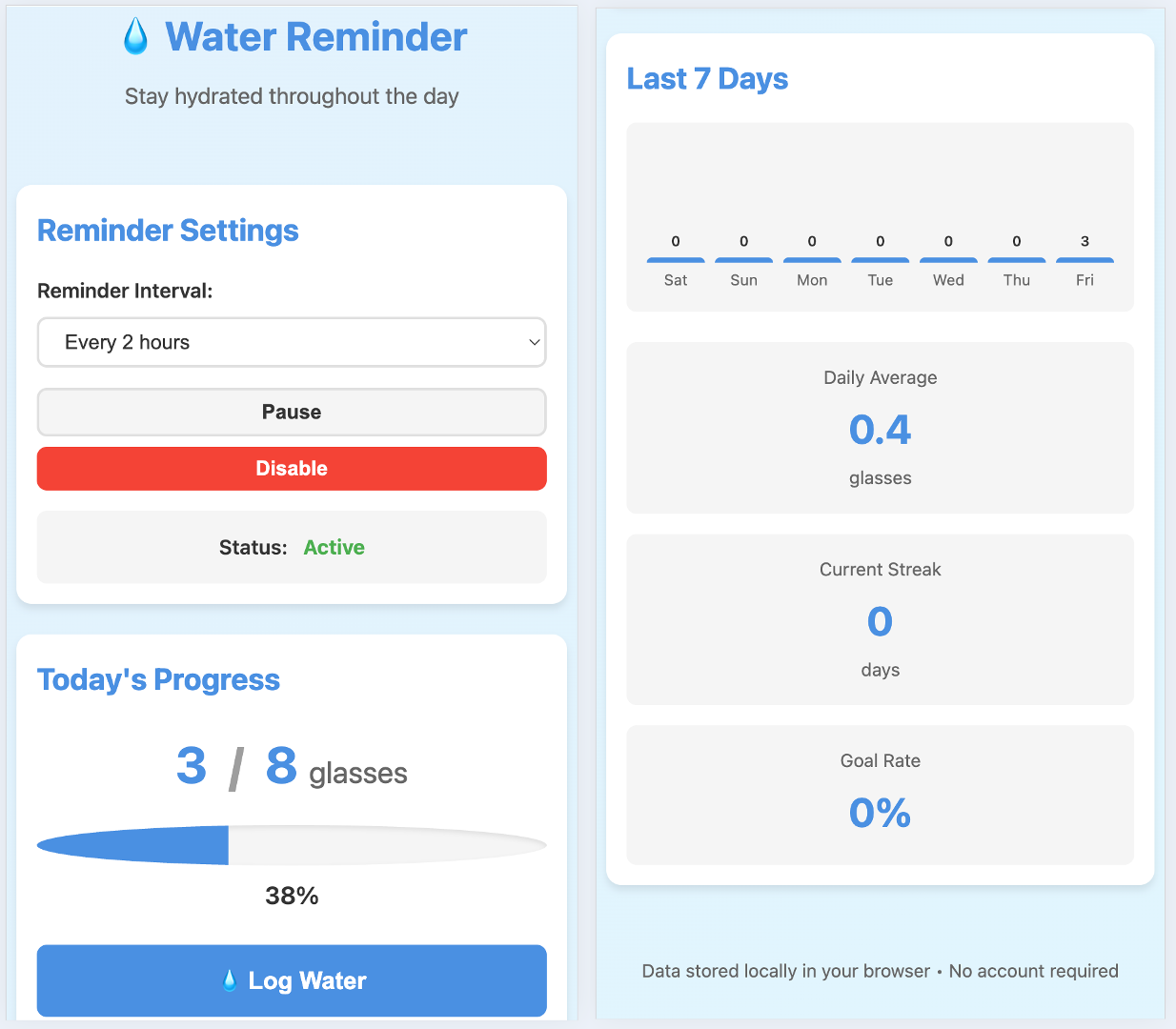
Mission accomplished, let's see the results~
|
|
|
|
|
|
|
|
Since I never mentioned using Chinese output, the website content is in English, but I think the effect is decent.
|
|
|
|
|
|
|
|
## Pros and Cons of Spec-kit
|
|
|
|
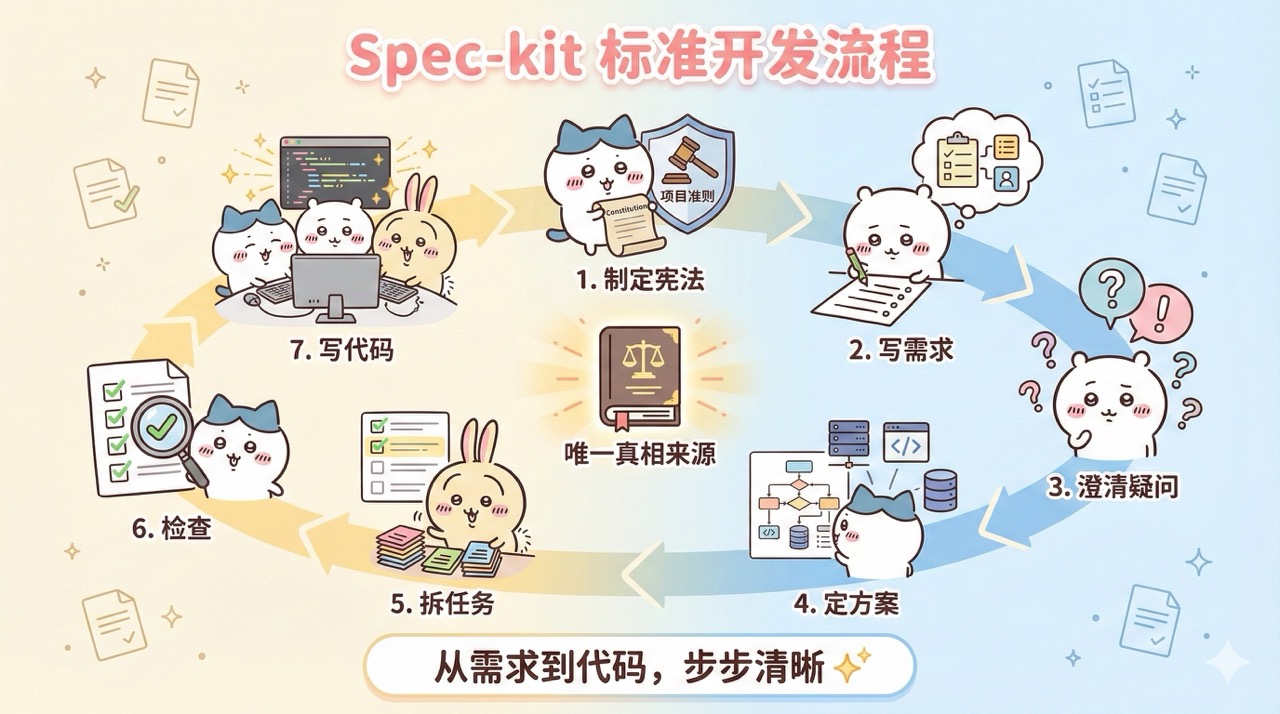
By now, we've learned how to develop a complete project using Spec-kit. Let's review the full process:
|
|
|
|
|
|
|
|
Even without Spec-kit, we can manually follow these steps when developing complete projects.
|
|
|
|
The biggest advantage of this model is **alignment**. Everyone works based on the same clear specification document, ensuring a high level of understanding of requirements, reducing misunderstandings in communication, and ensuring code quality.
|
|
|
|
However, the downside is obvious. For small projects, writing code directly might take just a few minutes, but following this process could take about half an hour!
|
|
|
|
Therefore, this process is more suitable for teams starting a complete new project from scratch. Although the process is slower than directly writing code, it significantly reduces the risk of rework, making it more efficient in the long run.
|
|
|
|
|
|
|
|
## Final Thoughts
|
|
|
|
By now, you should have a basic understanding of Spec-kit.
|
|
|
|
**Spec-kit is not a panacea, but in the right scenarios, it can significantly improve project quality.**
|
|
|
|
If you're working on a large project, need team collaboration, or have high code quality requirements, then give Spec-kit a try. But if you just want to write a simple script or quickly validate an idea, letting AI generate code directly would be faster.
|
|
|
|
Choosing the right tool can make your work more efficient.
|
|
|
|
In upcoming articles, I'll continue to introduce other standardized development tools to help you find the best development approach for yourself.
|
|
|
|
|
|
|
|
## Recommended Resources
|
|
|
|
1) Yupi AI Navigation Website: [Comprehensive AI Resources, Latest AI News, Free AI Tutorials](https://ai.codefather.cn)
|
|
|
|
2) Programming Navigation Learning Circle: [Learning Paths, Programming Tutorials, Practical Projects, Job Hunting Guide, Q&A](https://www.codefather.cn)
|
|
|
|
3) Programmer Interview Cheatsheet: [Internship/Campus/Social Recruitment High-Frequency Exam Points, Enterprise Real Questions Analysis](https://www.mianshiya.com)
|
|
|
|
4) Programmer Resume Writing Tool: [Professional Templates, Rich Examples, Direct to Interviews](https://www.laoyujianli.com)
|
|
|
|
5) 1-on-1 Mock Interviews: [Essential for Internship/Campus/Social Recruitment Interviews to Get Offers](https://ai.mianshiya.com) |