 yupi-translate-app[bot]
8.5 KiB
Superpowers: Core Skill Library
Making AI work like a professional programmer
Hello, I'm programmer Fish Skin.
In previous articles, we've learned about various AI programming tools and standardized development frameworks. But you might be wondering: Is there a complete development process that can make AI work like a professional programmer?
In this article, I'll introduce Superpowers, a development process that makes AI programming assistants more professional.
What is Superpowers?
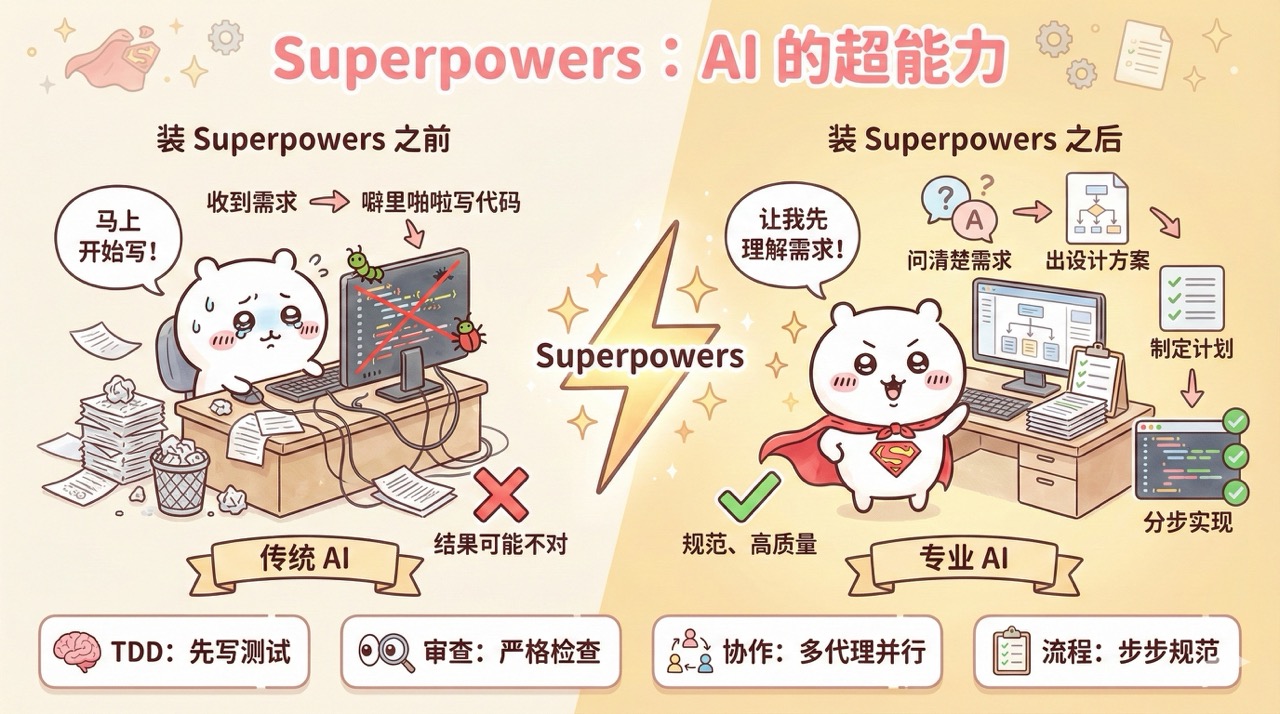
Superpowers is a software development process that makes AI programming assistants more professional. It not only provides Claude Code with a composable programming skill pack, but also offers specifications and instructions to ensure that AI can correctly use these skills.
In traditional AI programming, as soon as you state a requirement, it starts coding away, but the result might not be what you wanted. After installing Superpowers, AI will first clarify what you want to do, then present a design plan for your confirmation, followed by a detailed execution plan, and finally implement it step by step, with self-checks at each step.
It's like giving superpowers to an AI that just joined the company and knows nothing, instantly giving it the development habits of a professional programmer.
Quick Start with Superpowers
Let me guide you through a practical example to quickly get started with Superpowers.
1. Install Superpowers
Refer to the Superpowers official documentation and run the following commands in Claude Code to install.
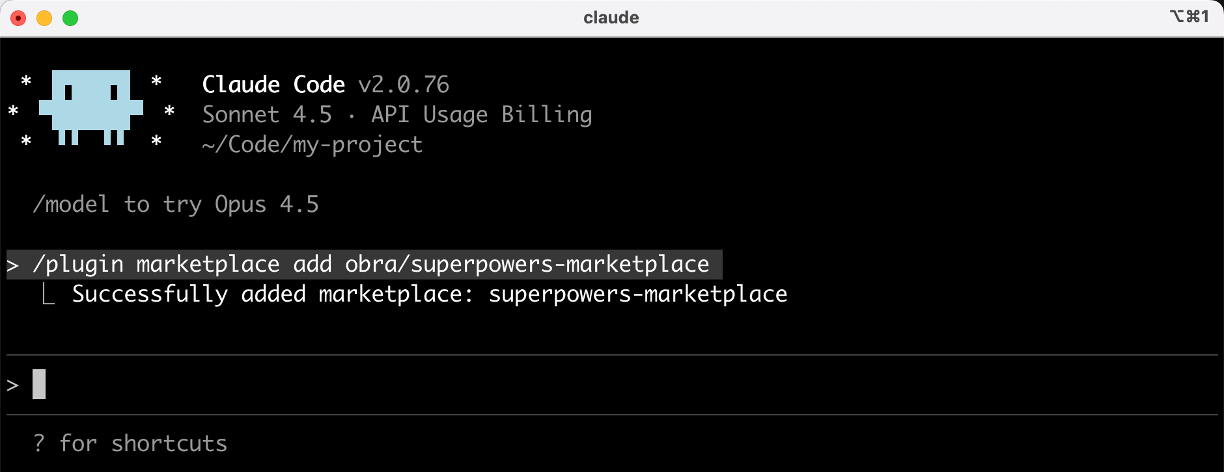
First, register the marketplace:
/plugin marketplace add obra/superpowers-marketplace
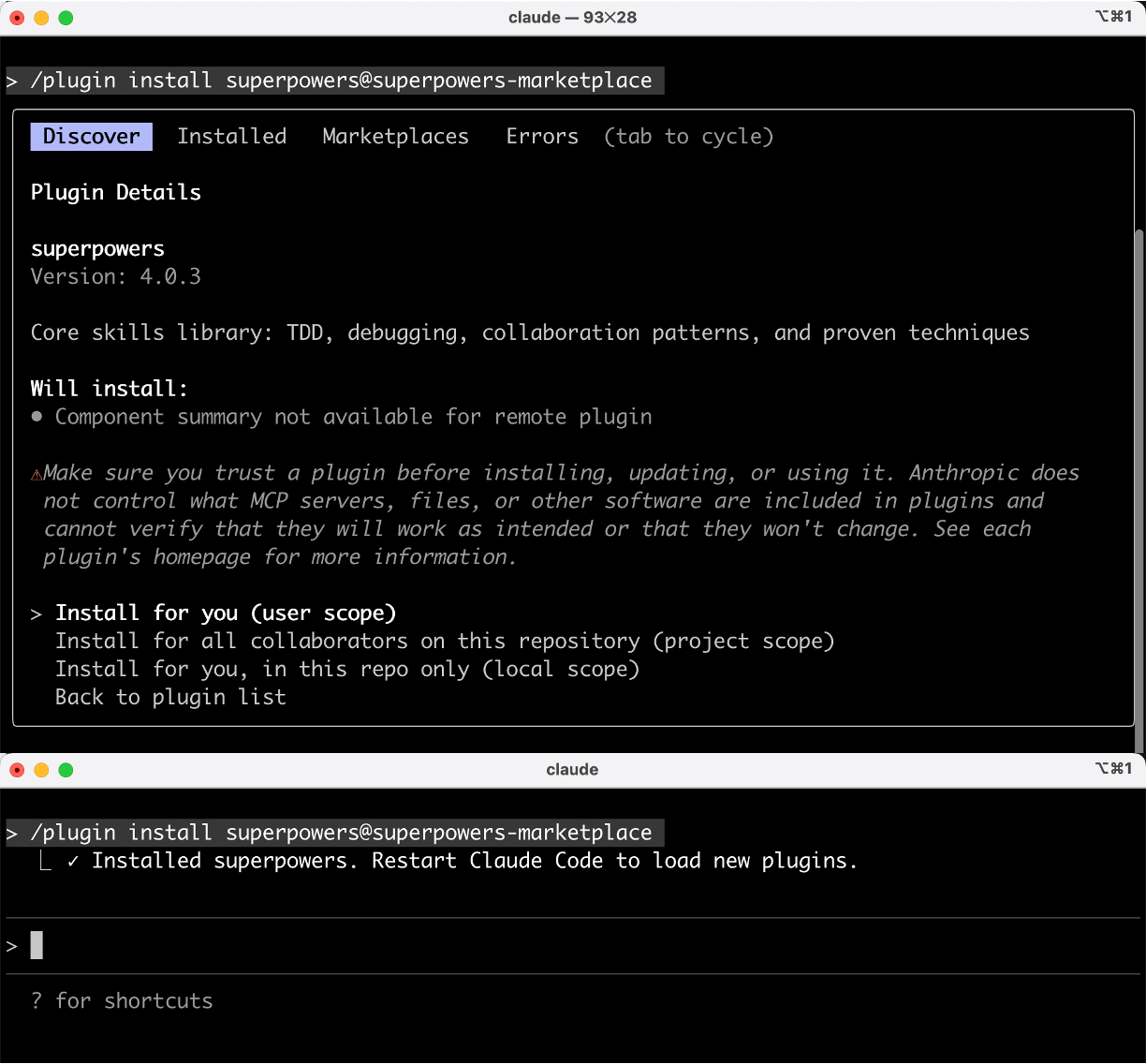
Then, install the plugin from the marketplace:
/plugin install superpowers@superpowers-marketplace
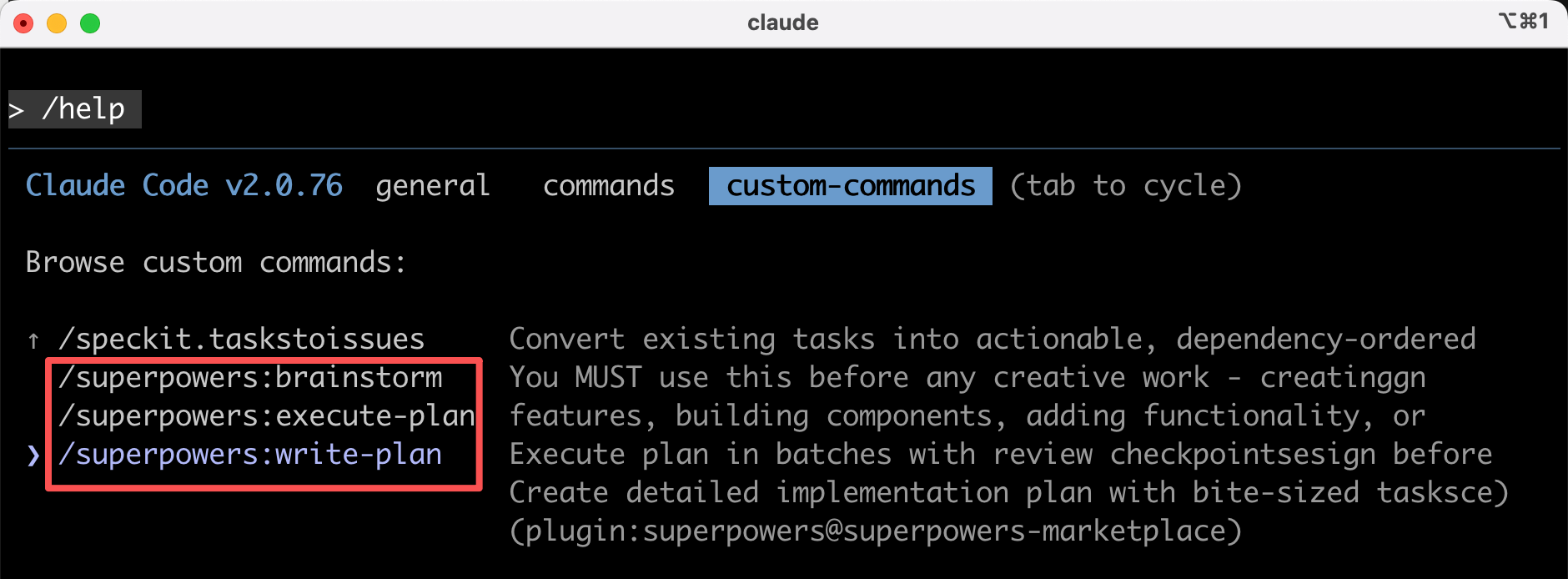
After installation, run /help to view available commands. You'll see these 3 commands:
/superpowers:brainstormContinuously improve the design through interaction with the user/superpowers:write-planCreate an implementation plan/superpowers:execute-planBatch execute the plan
2. Standard Workflow
Let's take the development of a "user registration module" as an example to demonstrate Superpowers' official standard workflow.
First, run the claude command in the terminal to start Claude Code, then follow these 7 steps:
1) Brainstorming => Aligning Requirements
Select the /superpowers:brainstorm command and input the requirements:
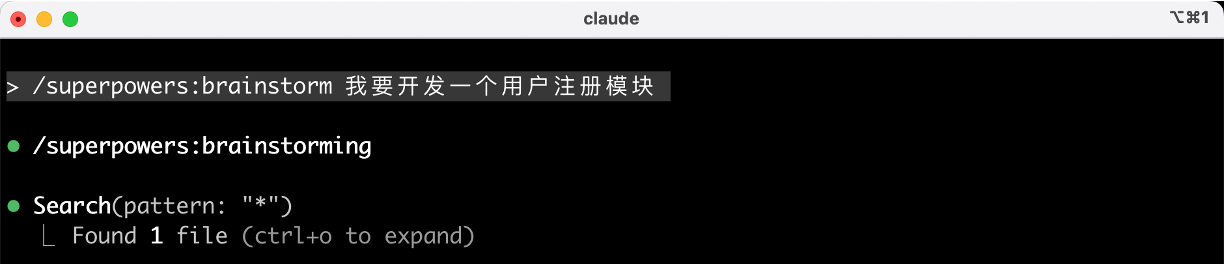
Superpowers won't rush to write code. Instead, it will first align the requirements through multiple rounds of Q&A, such as:
- What are the main scenarios for the user registration module?
- Which registration methods do you want to support?
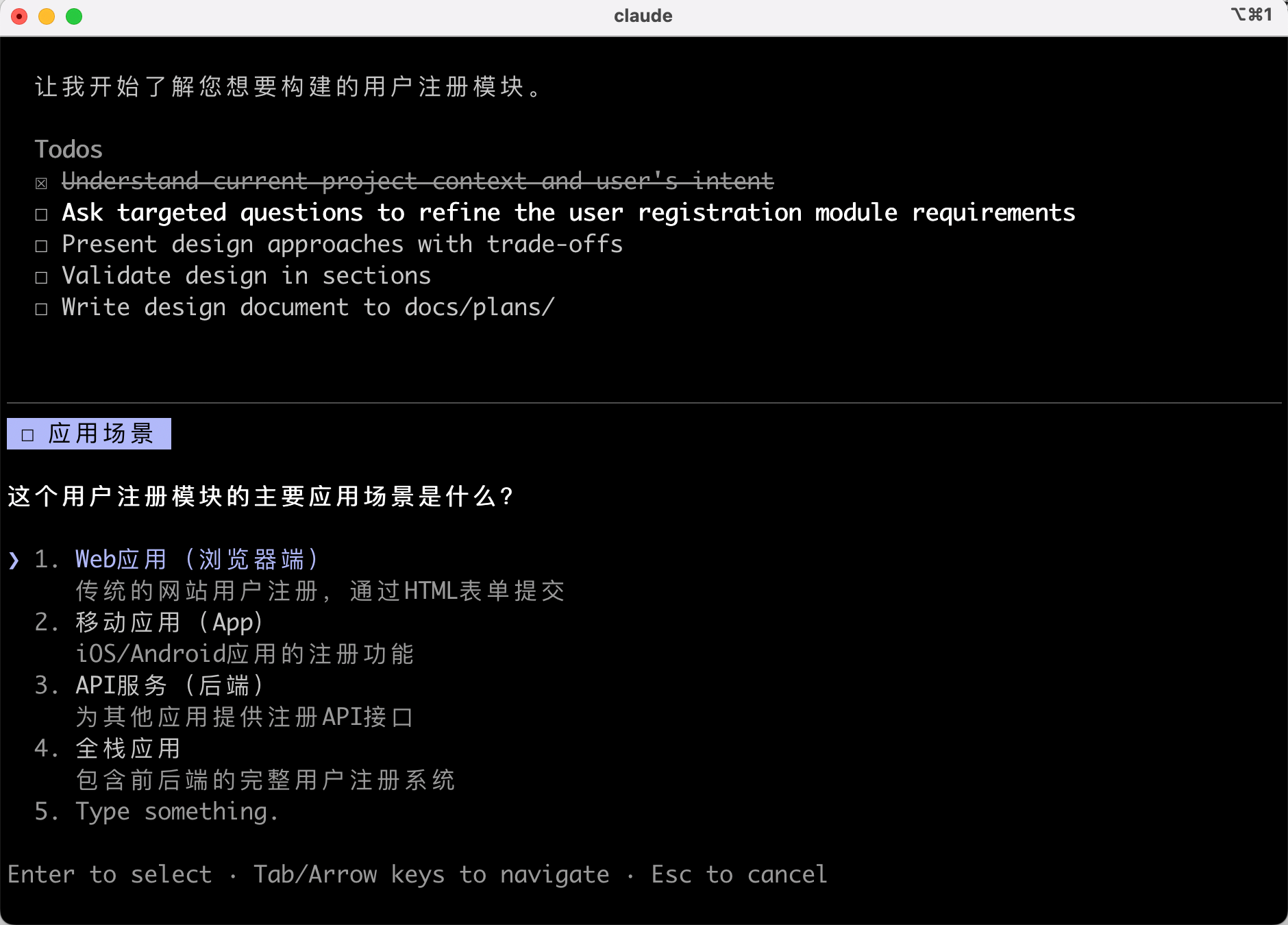
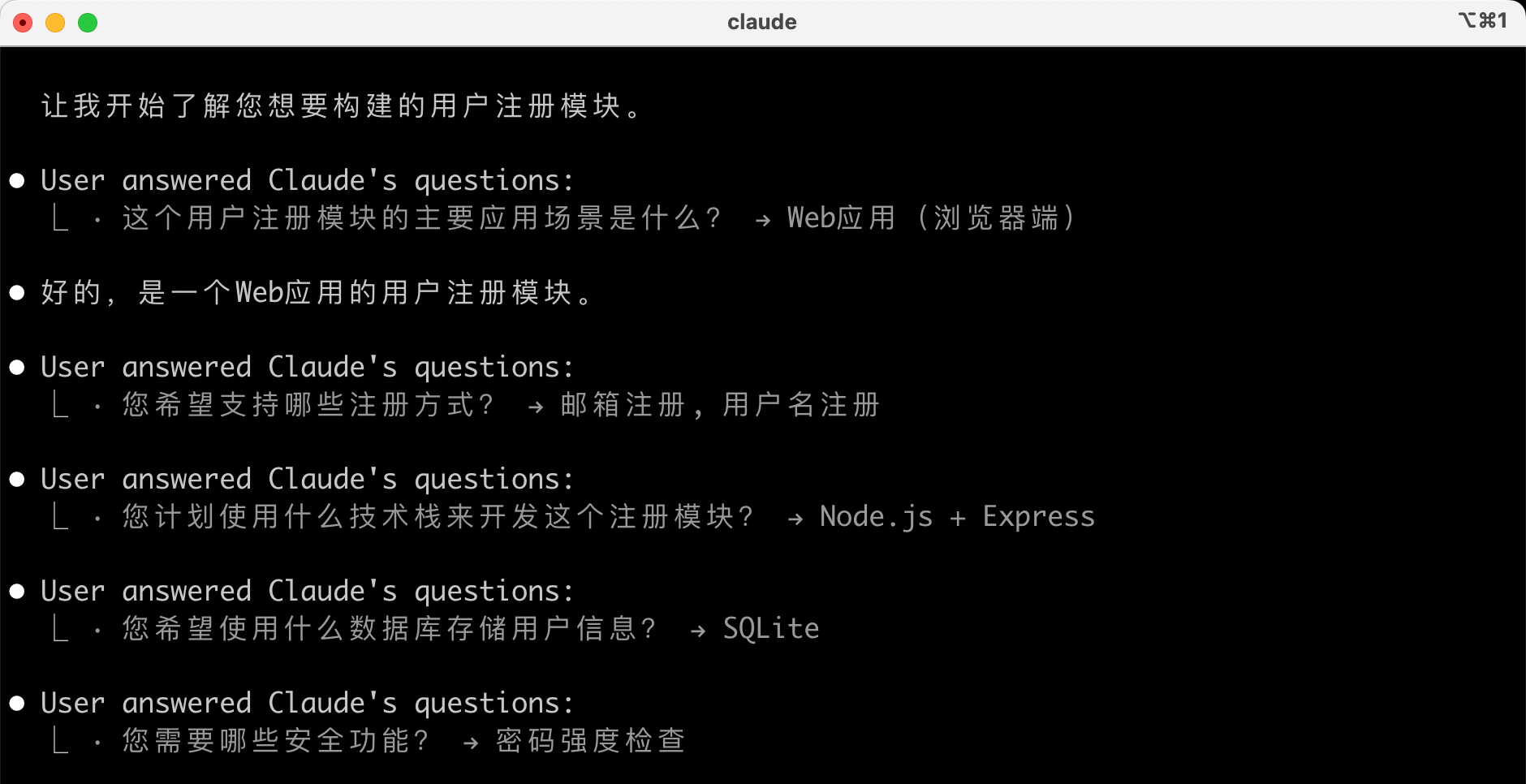
Through interactive Q&A, AI will explore different solutions and continuously improve the design.
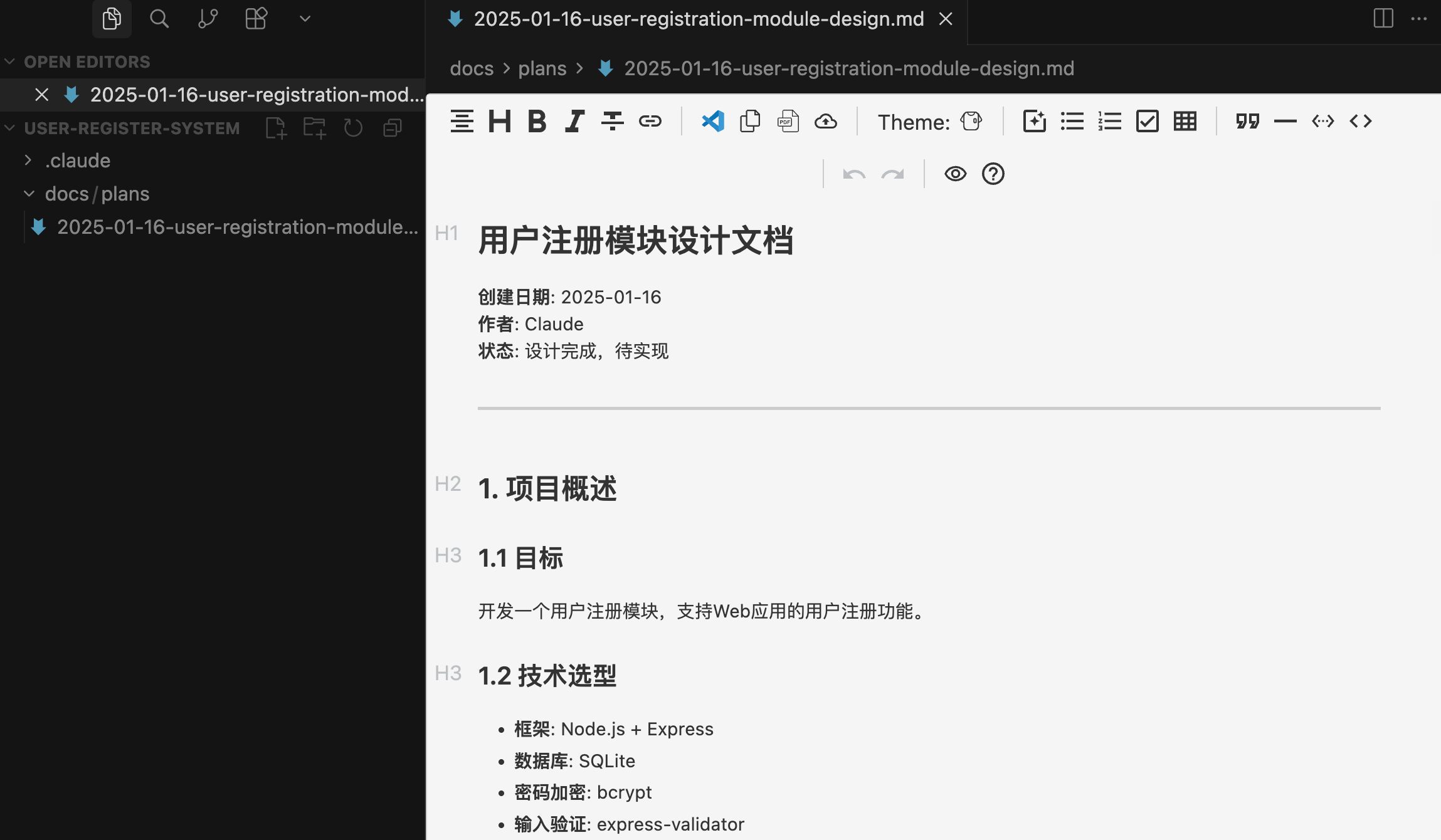
Once the requirements and solutions are confirmed, it will automatically save the detailed design document to the docs/plans/ directory.
2) Using Git Worktrees to Create an Independent Workspace (Optional)
After the design plan is approved, Superpowers will help you create a Git worktree, establishing an isolated workspace on a new branch, initializing the project, and verifying that the test baseline is clean. This avoids polluting the main branch.
This step is optional. Here, I'll let AI continue executing to see what happens:
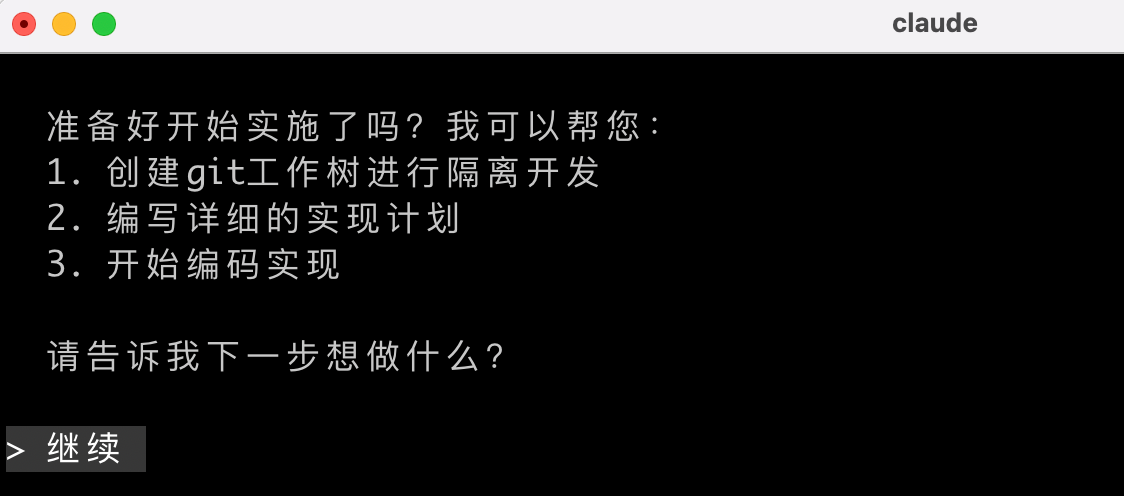
3) Writing Plans to Create an Implementation Plan
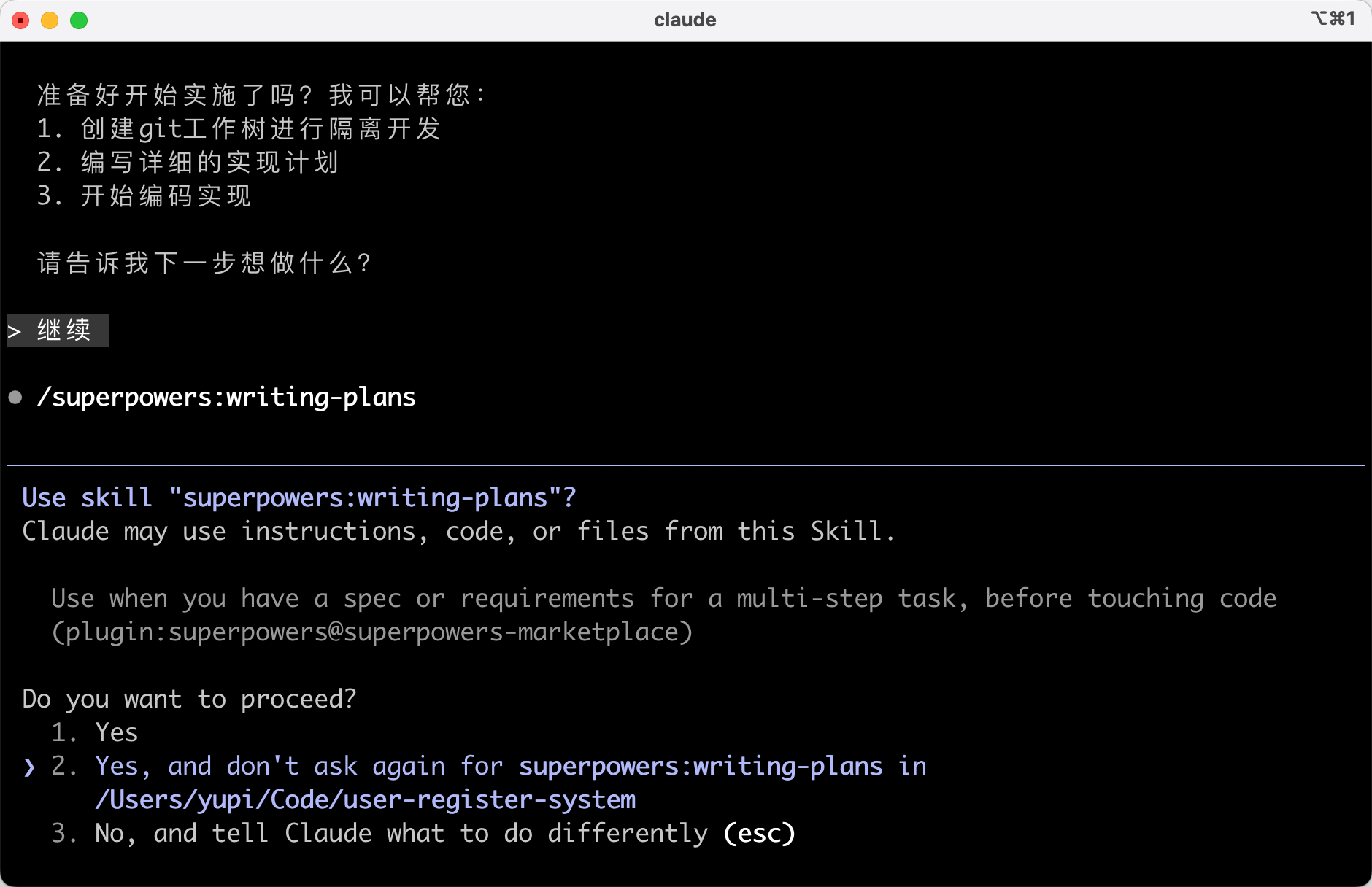
Run the /superpowers:write-plan command to let Superpowers generate a detailed implementation plan, breaking down the development tasks into multiple atomic-level steps (each task controlled within 2 ~ 5 minutes).
Here, AI automatically executed it, skipping a command~
Review the implementation plan document generated by AI. Each task includes:
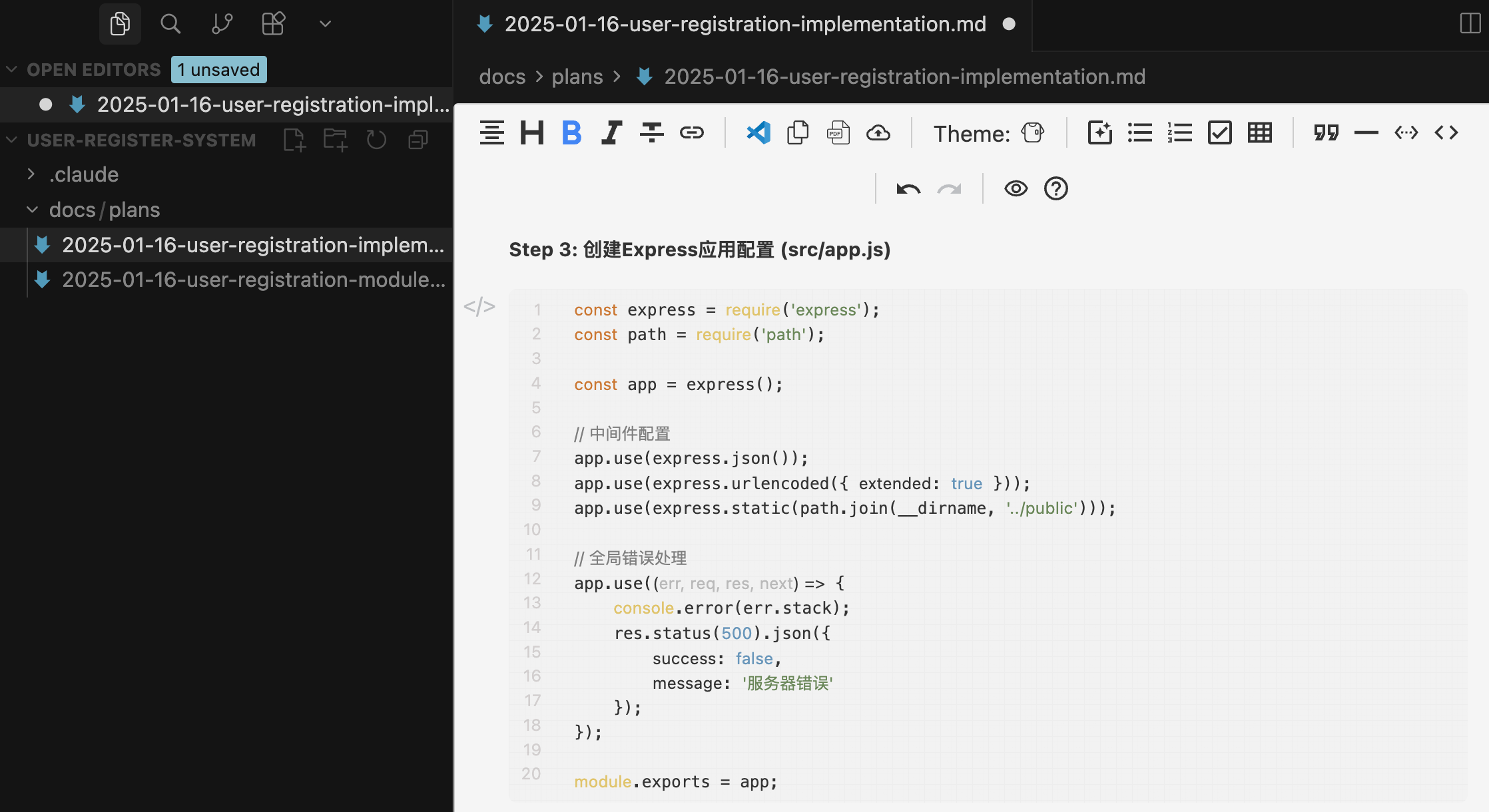
- Precise file paths
- Complete code content
- Verification steps
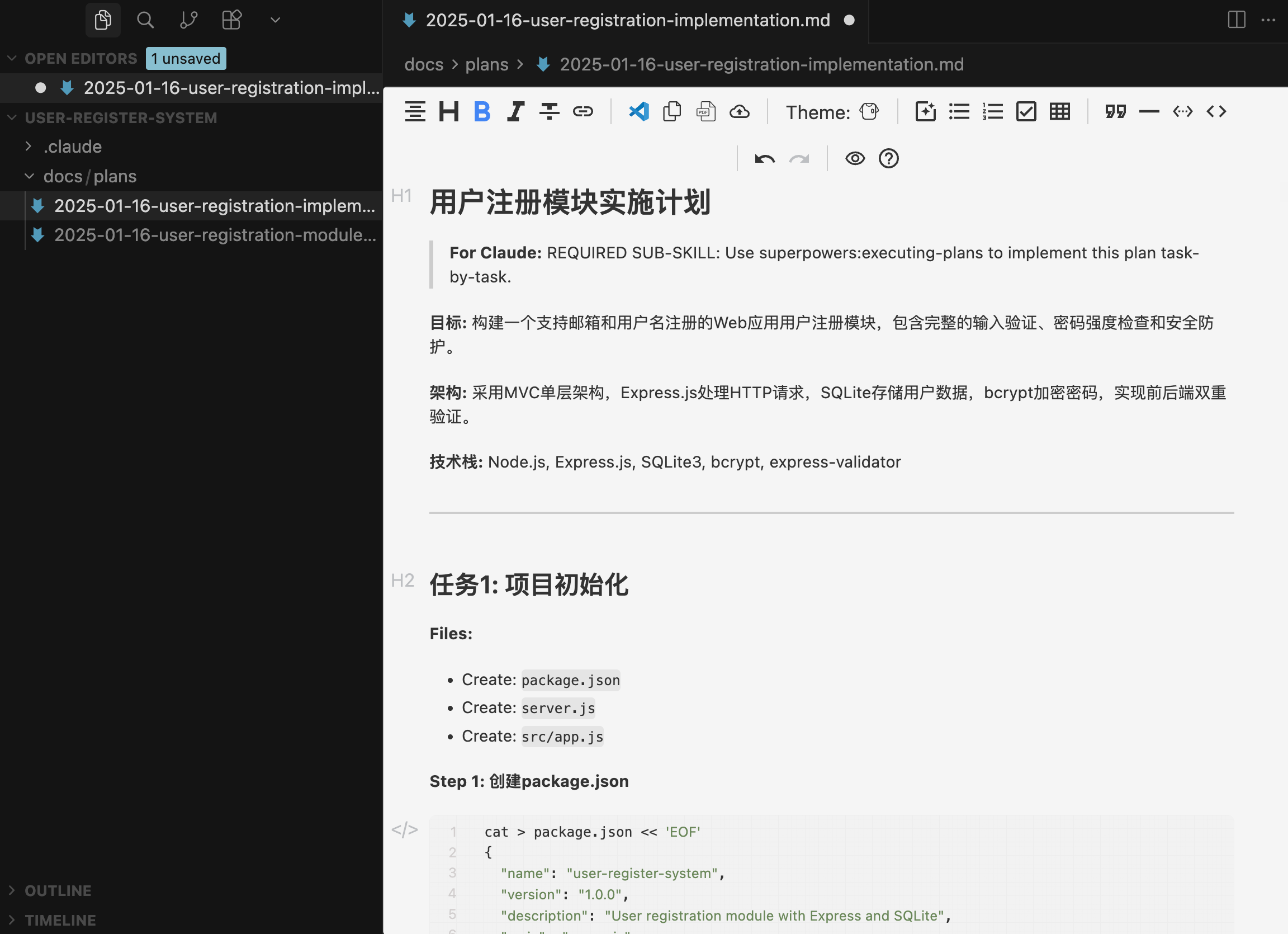
Wow, this isn't just an implementation plan document; it feels like most of the code is already written!
4) Executing Tasks
Run the /superpowers:execute-plan command. Superpowers will execute in one of the following ways:
- Subagent-Driven Development: Assigns a new subagent for each task, undergoing a two-stage review (specification compliance check + code quality check)
- Batch Execution: Executes tasks in batches, pausing at key nodes for manual inspection
Here, AI directly asked me which method I prefer:
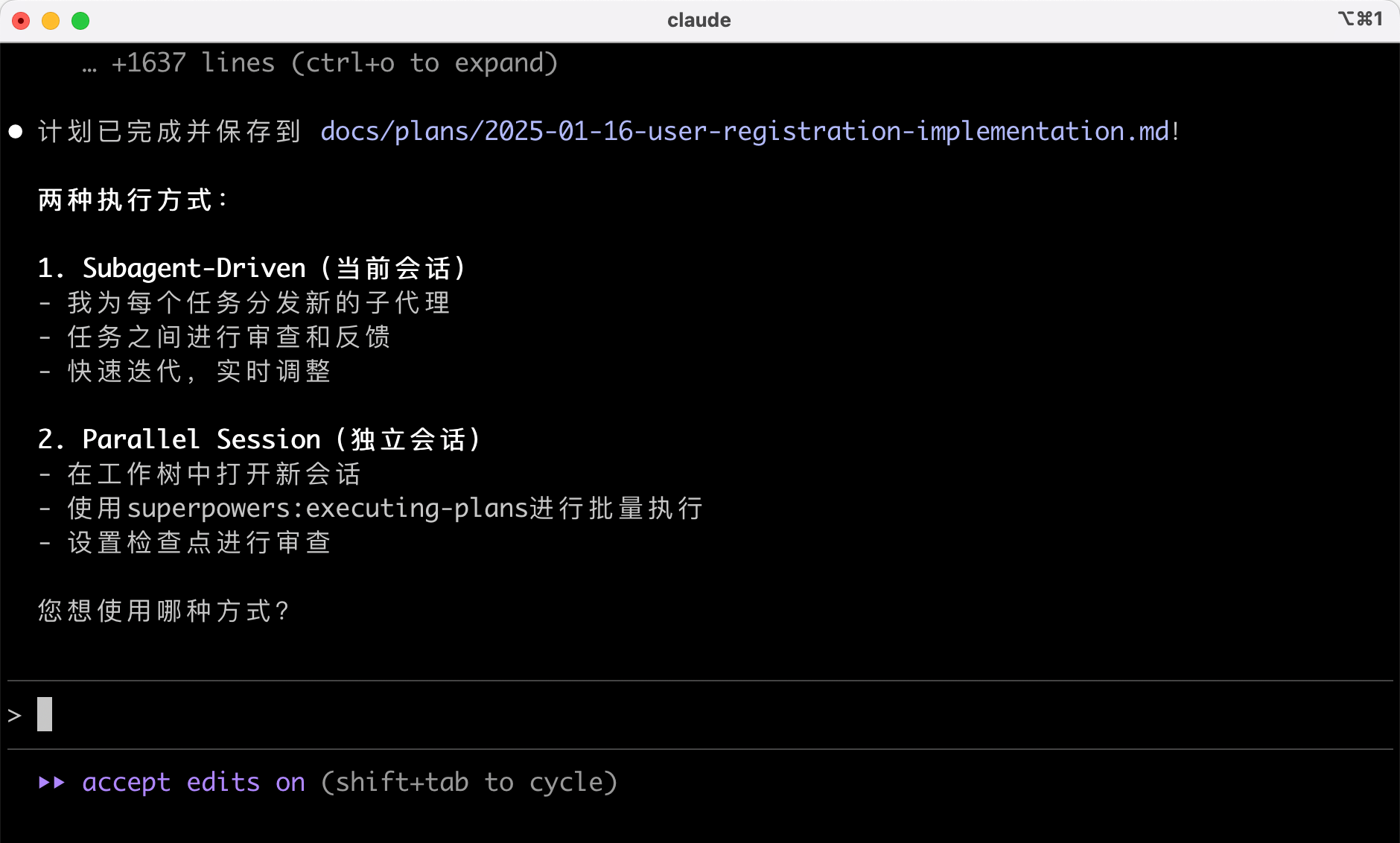
I blindly chose Subagent-Driven, and AI automatically selected the corresponding development skills:

Then AI started working:
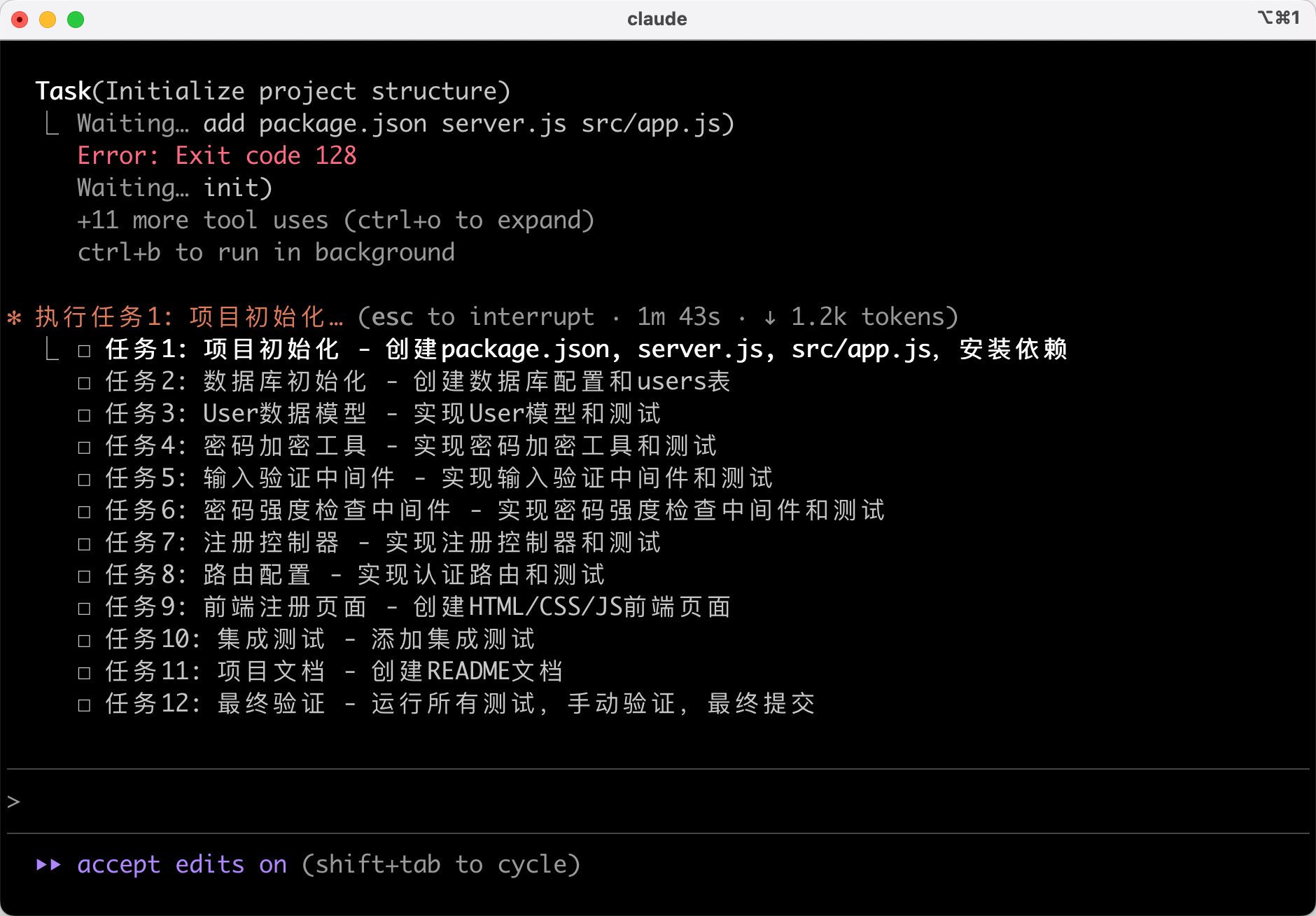
5) Test-Driven Development
During implementation, Superpowers enforces the Red-Green-Refactor process:
- First, write a failing test
- Run the test to confirm failure
- Write minimal code to make the test pass
- Run the test to confirm it passes
- Commit the code
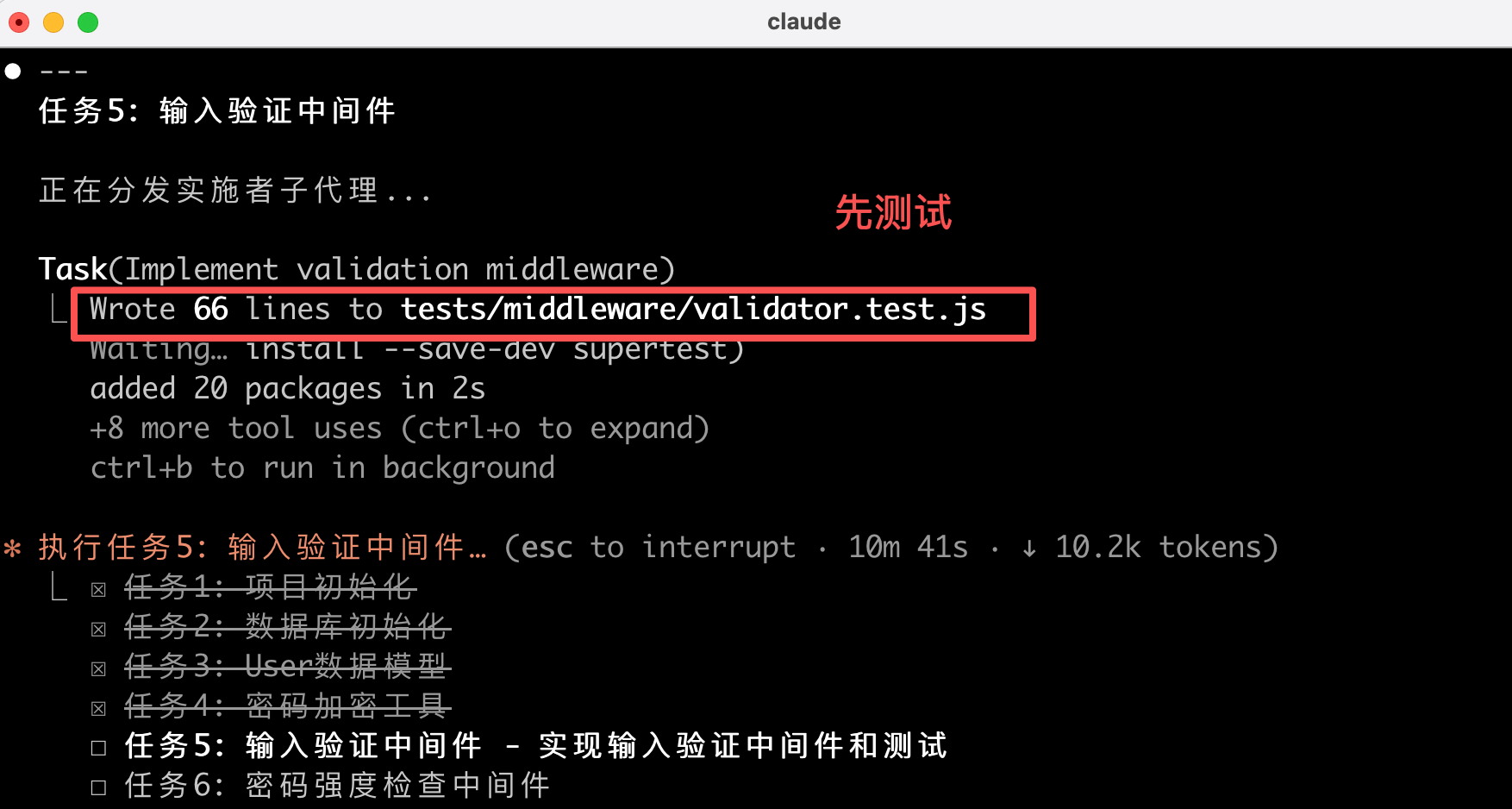
If it finds code written before the test, Superpowers will delete it, forcing you to write the test first.
6) Code Review
After completing a batch of tasks, Superpowers automatically triggers a code review, checking the code against the plan and reporting issues by severity. If critical issues are found, it will block further progress.
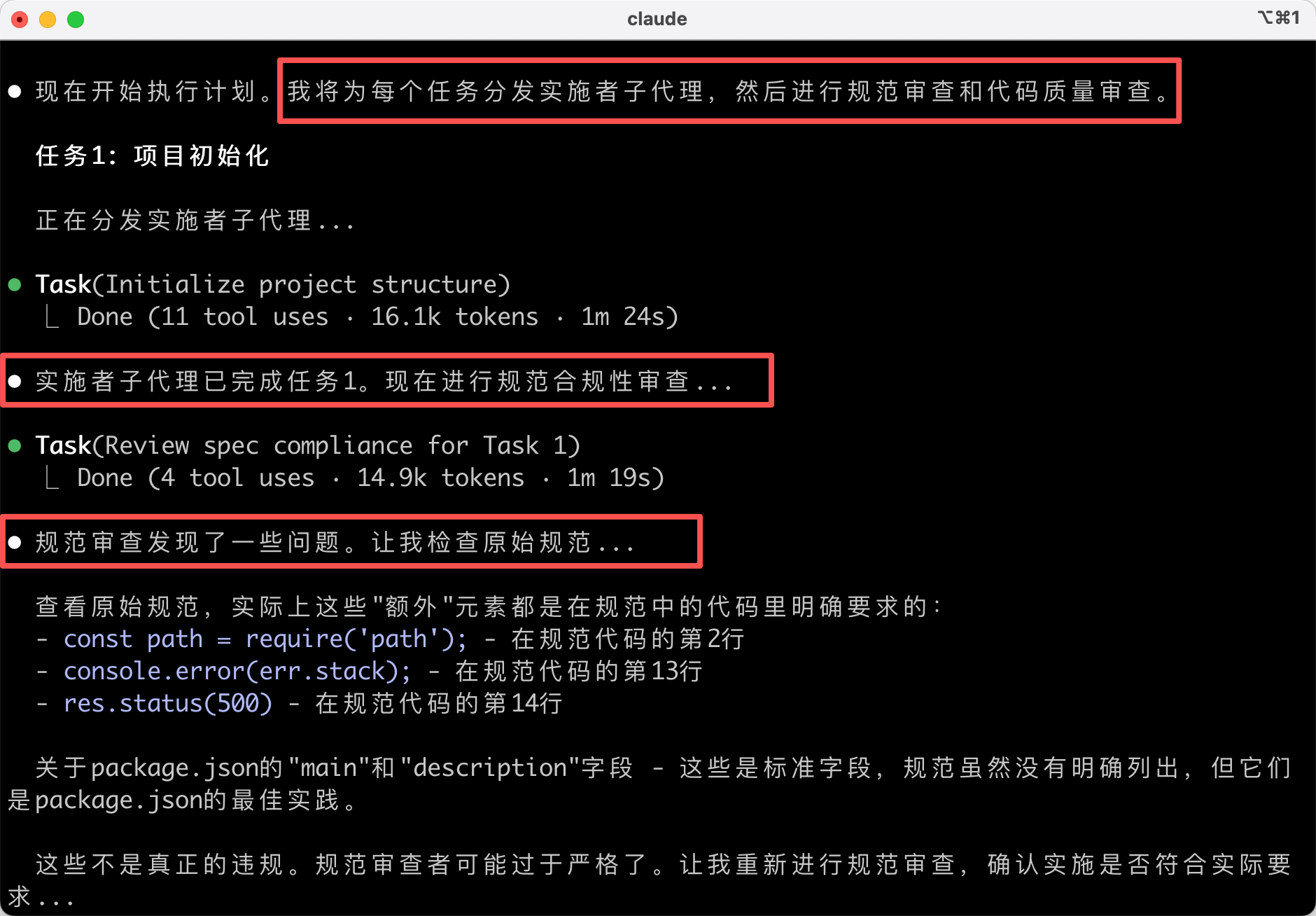
7) Completing Development
After all tasks are completed, Superpowers will verify that all tests pass:
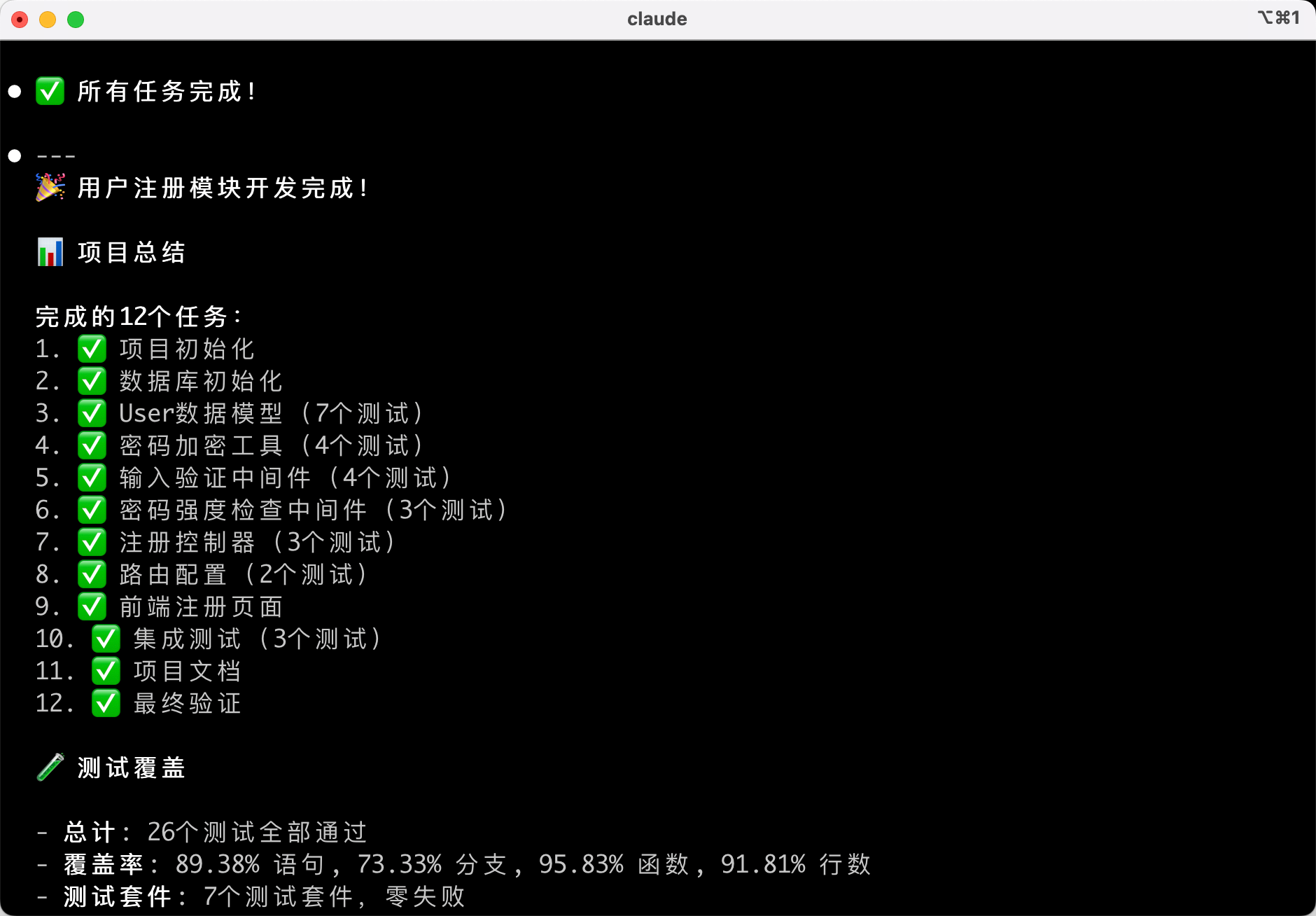
Then AI might provide several options, such as merging into the main branch / creating a PR / retaining the branch / discarding changes.
If you're sure the feature is fine, you can use Superpowers' built-in skills to clean up the development branch.
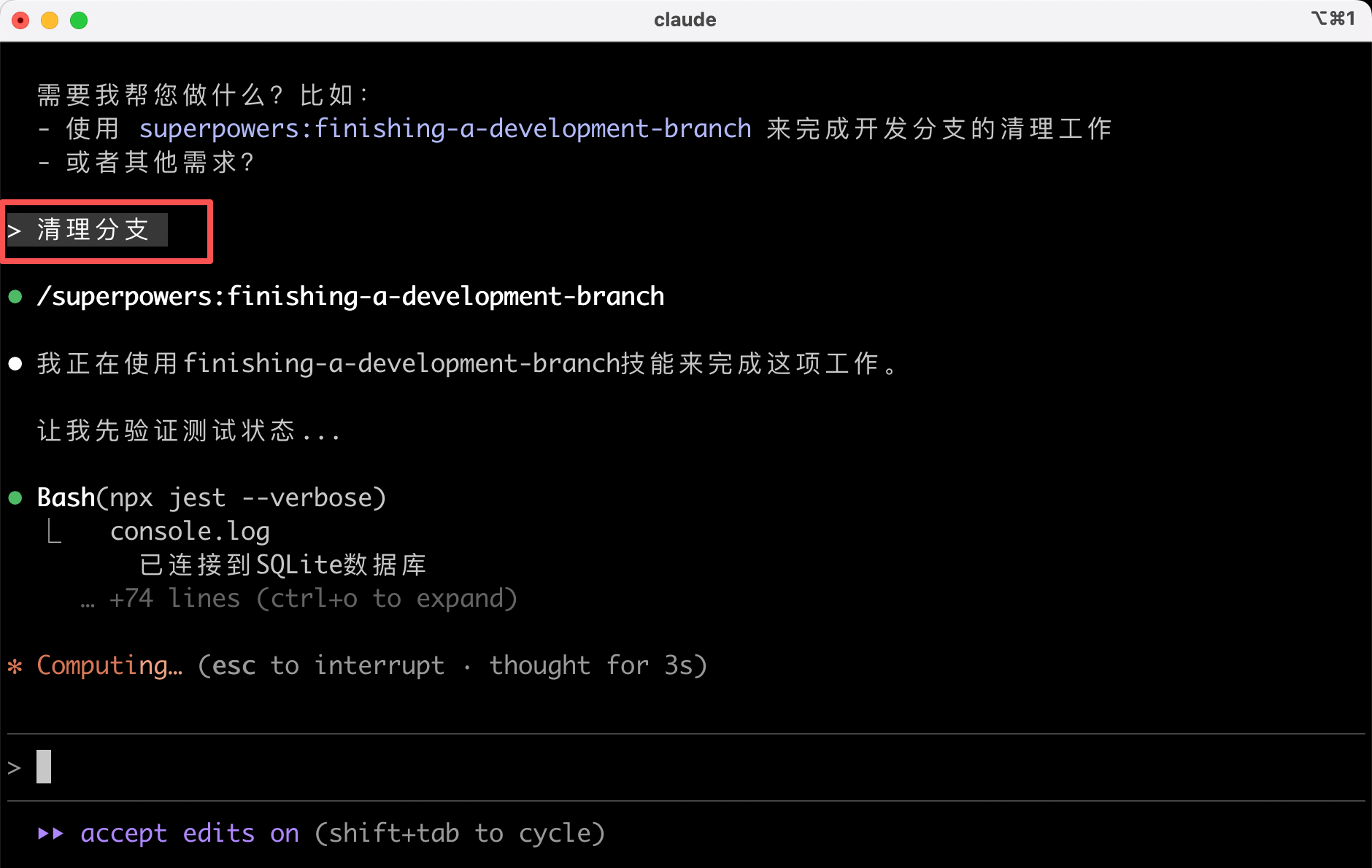
Pros and Cons of Superpowers
Following this "design first, code later" standardized process ensures higher code quality, but the trade-off is that it's much slower than letting AI generate code directly. Really much slower! It took me over half an hour just for this requirement!!!

If you're working on a large project that requires team collaboration, you can try Superpowers. The extra time spent upfront will save time later. But if you're just writing a simple script or quickly validating an idea, using it is like using a sledgehammer to crack a nut—it's really unnecessary.
Final Thoughts
By now, you should have a basic understanding of Superpowers.
Superpowers makes AI work like a professional programmer, but the trade-off is slower development speed.
If you're working on a large project that requires high-quality code and team collaboration, Superpowers is a great choice. But if you're just working on a simple personal project, letting AI generate code directly is faster.
Choosing the right tool can make your work more efficient.
By now, we've learned about various standardized development tools. I hope you can find the development method that suits you best.
Recommended Resources
-
Fish Skin AI Navigation Website: Comprehensive AI Resources, Latest AI News, Free AI Tutorials
-
Programming Navigation Learning Circle: Learning Paths, Programming Tutorials, Practical Projects, Job Hunting Guide, Q&A
-
Programmer Interview Cheat Sheet: Internship/Campus Recruitment/Social Recruitment High-Frequency Exam Points, Enterprise Real Question Analysis
-
Programmer Resume Writing Tool: Professional Templates, Rich Examples, Direct to Interview
-
1-on-1 Mock Interview: Essential for Internship/Campus Recruitment/Social Recruitment Interviews to Get Offers