Compare commits
1422 Commits
| Author | SHA1 | Date | |
|---|---|---|---|
 Timothy Timothy
|
d7075b459b | ||
|
Richard Tang
|
61afaa4c8b | ||
|
Richard Tang
|
0de47dbc3f | ||
|
Richard Tang
|
676ef56134 | ||
|
Richard Tang
|
f0899bb35d | ||
|
Richard Tang
|
f490038e36 | ||
|
Richard Tang
|
cbf220eb00 | ||
|
Richard Tang
|
bf0d80ea20 | ||
|
Richard Tang
|
3ae889a6f8 | ||
|
Richard Tang
|
03ca1067ac | ||
|
Richard Tang
|
3cda30a40a | ||
|
Richard Tang
|
26934527b9 | ||
|
Richard Tang
|
2619acde22 | ||
|
Richard Tang
|
b983d3cfd2 | ||
|
Richard Tang
|
87a9dd15fe | ||
|
Timothy
|
c74381619e | ||
|
Timothy
|
cacae9f290 | ||
|
bryan
|
511c1a6ed5 | ||
|
bryan
|
bbe8efeba2 | ||
|
bryan
|
cb0e9ff9ec | ||
|
Timothy
|
b59094d35f | ||
|
Timothy
|
97cbcf7658 | ||
|
bryan
|
dcc11c9ea3 | ||
|
Timothy
|
4b4abb47b0 | ||
|
bryan
|
207d2fb911 | ||
|
bryan
|
c65a99c87d | ||
|
bryan
|
b4d7e57250 | ||
|
bryan
|
63845a07aa | ||
|
bryan
|
68ac73aa55 | ||
|
Timothy
|
bc9a43d5a9 | ||
|
RichardTang-Aden
|
7b98a6613a | ||
|
Richard Tang
|
26481e27a6 | ||
|
Richard Tang
|
bb227b3d73 | ||
|
Richard Tang
|
8a0cf5e0ae | ||
|
Timothy
|
69218d5699 | ||
|
Timothy
|
7d1433af21 | ||
|
Richard Tang
|
0bfbf1e9c5 | ||
|
Richard Tang
|
1ca4f5b22b | ||
|
Richard Tang
|
0984e4c1e8 | ||
|
Sarthak Karode
|
4cbf5a7434 | ||
|
Hundao
|
b33178c5be | ||
|
Richard Tang
|
dc6a336c60 | ||
|
Richard Tang
|
b855336448 | ||
|
Richard Tang
|
de021977fd | ||
|
Timothy
|
cd2b3fcd16 | ||
|
Timothy
|
b64024ede5 | ||
|
bryan
|
a280d23113 | ||
|
Timothy
|
41785abdba | ||
|
Timothy
|
de494c7e55 | ||
|
Timothy
|
5fa0903ea8 | ||
|
Timothy
|
7bd99fe074 | ||
|
bryan
|
c838e1ca6d | ||
|
bryan
|
f475923353 | ||
|
Timothy
|
43f43c92e3 | ||
|
Timothy
|
5463134322 | ||
|
Timothy
|
3fbb392103 | ||
|
RichardTang-Aden
|
a162da17e1 | ||
|
Richard Tang
|
b565134d57 | ||
|
Richard Tang
|
3aafc89912 | ||
|
bryan
|
93449f92fe | ||
|
Bryan @ Aden
|
d766e68d42 | ||
|
Hundao
|
1d8b1f9774 | ||
|
Rajneesh Chaudhary
|
5ea9abae83 | ||
|
ArshpreetSingh04
|
15957499c5 | ||
|
Timothy
|
0b50d9e874 | ||
|
Timothy
|
a1e54922bd | ||
|
Timothy
|
63c0ca34ea | ||
|
Timothy
|
135477e516 | ||
|
Timothy
|
8cac49cd91 | ||
|
Timothy
|
28dce63682 | ||
|
Timothy
|
313ac952e0 | ||
|
Timothy
|
0633d5130b | ||
|
Timothy
|
995e487b49 | ||
|
Timothy
|
64b58b57e0 | ||
|
Timothy
|
c6465908df | ||
|
Timothy
|
ca96bcc09f | ||
|
Timothy
|
65ee628fae | ||
|
Timothy
|
02043614e5 | ||
|
Timothy
|
212b9bf9d4 | ||
|
Timothy
|
6070c30a88 | ||
|
Timothy
|
8a653e51bc | ||
|
RichardTang-Aden
|
d562670425 | ||
|
Timothy Zhang
|
677bee6fe5 | ||
|
Timothy Zhang
|
de27bfe76f | ||
|
Timothy
|
1c1dcb9c33 | ||
|
RichardTang-Aden
|
4ba950f155 | ||
|
bryan
|
9c3a11d7bb | ||
|
Richard Tang
|
b7d357aea2 | ||
|
bryan
|
b2fed68346 | ||
|
bryan
|
0e996928be | ||
|
Timothy
|
6ff4ec3643 | ||
|
Timothy
|
a0eda3e492 | ||
|
bryan
|
099f9514ef | ||
|
Timothy
|
b2096e4a55 | ||
|
Timothy
|
1bf2164745 | ||
|
bryan
|
48205bbde7 | ||
|
Bryan @ Aden
|
296aab6ecb | ||
|
Richard Tang
|
14182c45fc | ||
|
Richard Tang
|
2fa8f4283c | ||
|
Bryan @ Aden
|
ad3cec2361 | ||
|
bryan
|
eddb628298 | ||
|
bryan
|
f63b226d8d | ||
|
Timothy
|
cc5bd61d86 | ||
|
bryan
|
8bd14fb16f | ||
|
bryan
|
30b5472e33 | ||
|
Adam Albarghouthi
|
bc836db0f9 | ||
|
bryan
|
bd3b0fb8eb | ||
|
Adam Albarghouthi
|
7f28474967 | ||
|
bryan
|
09460b28bc | ||
|
wlkjyy
|
5d8ba1e49c | ||
|
Richard Tang
|
ccb394675b | ||
|
Richard Tang
|
931487a7d4 | ||
|
bryan
|
3654c57f66 | ||
|
Richard Tang
|
fb28280ced | ||
|
bryan
|
6215441b58 | ||
|
Richard Tang
|
52f16d5bb6 | ||
|
Antiarin
|
e5b6c8581a | ||
|
bryan
|
5dcca99913 | ||
|
Zhang
|
890b906f15 | ||
|
Timothy @aden
|
6a8286d4cf | ||
|
Timothy
|
680024f790 | ||
|
Timothy
|
6f7bfb92a8 | ||
|
Zhang
|
335a9603e8 | ||
|
Zhang
|
5e8a6202e7 | ||
|
Zhang
|
55a4cdefd7 | ||
|
Richard Tang
|
2b63135afb | ||
|
Timothy
|
49d8c3572d | ||
|
bryan
|
4b40962186 | ||
|
Richard Tang
|
779b376c6e | ||
|
bryan
|
4e2a9a247a | ||
|
Richard Tang
|
b1f3d6b155 | ||
|
Timothy
|
ea28a9d3c3 | ||
|
bryan
|
69a03e463f | ||
|
Richard Tang
|
e7da62e61c | ||
|
Richard Tang
|
7176745e1c | ||
|
Timothy
|
cce0e26f5c | ||
|
Timothy
|
641af16dfc | ||
|
Timothy
|
a335c427ef | ||
|
bryan
|
9ea6c959ae | ||
|
Richard Tang
|
20efd523c9 | ||
|
Timothy
|
8fc7fff496 | ||
|
Richard Tang
|
edf51e6996 | ||
|
Richard Tang
|
6b867883ce | ||
|
Richard Tang
|
35a05f4120 | ||
|
Richard Tang
|
e0e78a97ce | ||
|
Richard Tang
|
e4e476f463 | ||
|
hundao
|
c4c8917ecb | ||
|
hundao
|
1524d2ef00 | ||
|
bryan
|
5032834034 | ||
|
Richard Tang
|
0b83f6ea99 | ||
|
bryan
|
415201f467 | ||
|
bryan
|
73005a8498 | ||
|
Timothy
|
4edb960fbd | ||
|
Timothy
|
42d11ead01 | ||
|
bryan
|
5e18f85b10 | ||
|
Timothy
|
85b25bf006 | ||
|
Timothy
|
c1ba108489 | ||
|
Richard Tang
|
214098aaae | ||
|
bryan
|
241a0b7adc | ||
|
bryan
|
9a7b41a4be | ||
|
Timothy
|
fe918adb16 | ||
|
bryan
|
746f026654 | ||
|
Richard Tang
|
8294cd3dd9 | ||
|
Timothy
|
3bbc63b1db | ||
|
Richard Tang
|
337fb6d922 | ||
|
bryan
|
bda6b18e8a | ||
|
bryan
|
d256ff929f | ||
|
bryan
|
f71b20cf07 | ||
|
Richard Tang
|
db26b0afd6 | ||
|
Timothy
|
145860f42e | ||
|
bryan
|
d9f84648d0 | ||
|
Timothy
|
9fb7e0bae7 | ||
|
Bryan @ Aden
|
b00203702e | ||
|
bryan
|
ead85dd41f | ||
|
bryan
|
cf5bf6f174 | ||
|
bryan
|
46237e7309 | ||
|
bryan
|
afa686b47b | ||
|
Timothy
|
21e02c9e50 | ||
|
Timothy
|
30a188d7c8 | ||
|
bryan
|
355f51b25e | ||
|
Timothy
|
8e1cde86e8 | ||
|
Timothy
|
c13b02c7d9 | ||
|
bryan
|
9e72801c28 | ||
|
RichardTang-Aden
|
3a3d538b73 | ||
|
Richard Tang
|
b11bca0c67 | ||
|
Richard Tang
|
faf8975b42 | ||
|
Richard Tang
|
863168880e | ||
|
Timothy
|
384a1f0560 | ||
|
bryan
|
4bd1b1b9e6 | ||
|
Richard Tang
|
8c3866a014 | ||
|
Richard Tang
|
61283d9bd6 | ||
|
Richard Tang
|
585a7186d4 | ||
|
Timothy
|
72a31c2a65 | ||
|
RichardTang-Aden
|
10d9e54857 | ||
|
bryan
|
e68695ee92 | ||
|
RichardTang-Aden
|
11379fc0ef | ||
|
Timothy
|
6d102382bd | ||
|
bryan
|
56335927e7 | ||
|
Timothy
|
a3fe994b22 | ||
|
Timothy
|
5754bdcc78 | ||
|
Timothy
|
eef2fa9ffb | ||
|
bryan
|
7286907cd4 | ||
|
Richard Tang
|
754e33a1ae | ||
|
Timothy
|
1fbb431f1b | ||
|
Timothy
|
0ad52b90d8 | ||
|
bryan
|
c44b12cc8b | ||
|
Timothy
|
8381c95617 | ||
|
Timothy
|
3963855d1d | ||
|
Junaid
|
51154a3070 | ||
|
Richard Tang
|
b11b43bbe1 | ||
|
bryan
|
7a7ece1805 | ||
|
bryan
|
28a71b70a8 | ||
|
bryan
|
33d3a13fde | ||
|
bryan
|
5ea278a08d | ||
|
Timothy
|
fd95f8da28 | ||
|
Richard Tang
|
86f4645d1c | ||
|
Richard Tang
|
2d05e96cd5 | ||
|
bryan
|
c1d5952ad9 | ||
|
RichardTang-Aden
|
ebeac68707 | ||
|
bryan
|
72673e12fb | ||
|
Timothy
|
3867d3926b | ||
|
Timothy
|
0b2b7a2622 | ||
|
bryan
|
3951ee1a7d | ||
|
bryan
|
1afde51c7b | ||
|
bryan
|
cbeef18f0a | ||
|
SANTHAN-KUMAR
|
de5fcab933 | ||
|
SANTHAN-KUMAR
|
a7a2100472 | ||
|
Uttkarsh Joshi
|
1947d8c3ca | ||
|
austin931114
|
55c63736ef | ||
|
austin931114
|
a2b68d893f | ||
|
Kartik Saini
|
fd06e43d9c | ||
|
Kartik Saini
|
b550f6efa0 | ||
|
Saba Siddique
|
47adf88773 | ||
|
Richard Tang
|
9c44d3b793 | ||
|
Richard Tang
|
9b89ac694e | ||
|
RichardTang-Aden
|
8748da38cf | ||
|
Timothy
|
f697dc99fb | ||
|
Richard Tang
|
630d8208cf | ||
|
bryan
|
ecb038c955 | ||
|
Richard Tang
|
77ff31cec6 | ||
|
Richard Tang
|
9b342dc593 | ||
|
Richard Tang
|
5ea8677a5d | ||
|
Richard Tang
|
ad879de6ff | ||
|
Richard Tang
|
97f5b3423f | ||
|
Timothy @aden
|
4968207eef | ||
|
Timothy @aden
|
f859e2203a | ||
|
Bryan @ Aden
|
fb3dad4354 | ||
|
Timothy
|
adc82c6a65 | ||
|
bryan
|
96084fea16 | ||
|
Timothy @aden
|
6f52026c84 | ||
|
Timothy @aden
|
3576218ea9 | ||
|
vakrahul
|
4c662db530 | ||
|
Timothy
|
da1ce4e5a7 | ||
|
vakrahul
|
c4944c5662 | ||
|
Bryan @ Aden
|
d892f87651 | ||
|
Nafiyad Adane
|
447f23d157 | ||
|
Nafiyad Adane
|
aa12f0d295 | ||
|
Richard Tang
|
795266aab4 | ||
|
Richard Tang
|
4e4ef121f9 | ||
|
Richard Tang
|
ddb9126955 | ||
|
Richard Tang
|
bac6d6dd68 | ||
|
bryan
|
de9226aae0 | ||
|
Timothy
|
16e1ab1a87 | ||
|
Bryan @ Aden
|
54287e06ad | ||
|
Richard Tang
|
3451570541 | ||
|
Rudra2637
|
b33de5f0e1 | ||
|
Rudra2637
|
2d5ef20d4d | ||
|
Rudra2637
|
177346b159 | ||
|
bryan
|
08819b1609 | ||
|
Richard Tang
|
e5e939f344 | ||
|
Richard Tang
|
0d51d25482 | ||
|
Rudra2637
|
35b1332551 | ||
|
Bryan @ Aden
|
52586a024b | ||
|
bryan
|
05a314b121 | ||
|
Richard Tang
|
a0a5b10df0 | ||
|
Richard Tang
|
04bac93c14 | ||
|
Bryan @ Aden
|
8e262e2270 | ||
|
SANTHAN-KUMAR
|
4961d3ba8c | ||
|
Timothy
|
733bb4d2dd | ||
|
vakrahul
|
ba31c760a6 | ||
|
Timothy
|
a388bc6837 | ||
|
Timothy
|
3f5bbbf1e3 | ||
|
Emmanuel Nwanguma
|
002da15375 | ||
|
Shubham Yadav
|
005609da3a | ||
|
Youssef Mohammed Abdelal Mohammed
|
182d9ca6f9 | ||
|
vakrahul
|
a6b43f8016 | ||
|
vakrahul
|
31700fa8da | ||
|
Rudra2637
|
6b475ec1cf | ||
|
Timothy
|
1b27844c52 | ||
|
RichardTang-Aden
|
3a0b91f7ab | ||
|
RichardTang-Aden
|
82108e32fa | ||
|
Timothy
|
28f4fecfb3 | ||
|
Vincent Jiang
|
ff1bb08217 | ||
|
Nafiyad Adane
|
10617fee0d | ||
|
Bryan @ Aden
|
866103ddf4 | ||
|
bryan
|
fcfaca6bd0 | ||
|
bryan
|
4c7d9ab0fb | ||
|
bryan
|
061aec4b3d | ||
|
Richard Tang
|
047f4a1a0c | ||
|
Bryan @ Aden
|
f12ab10725 | ||
|
Bryan @ Aden
|
0882fa6ce5 | ||
|
Richard Tang
|
7994b90dfa | ||
|
Richard Tang
|
04b6a80370 | ||
|
RichardTang-Aden
|
0b87e4c45d | ||
|
Timothy
|
9c7e846828 | ||
|
bryan
|
30bd0e483a | ||
|
Timothy
|
13cc93c334 | ||
|
Timothy
|
564b1bb752 | ||
|
bryan
|
2f31a92d31 | ||
|
ishaannk
|
fd89c7f56f | ||
|
bryan
|
35738c8279 | ||
|
vakrahul
|
a0d14b8a25 | ||
|
Timothy @aden
|
9c781ed78e | ||
|
Timothy
|
460a24e34a | ||
|
JamieJiHeonKim
|
8ae030e16e | ||
|
JamieJiHeonKim
|
3c6467c814 | ||
|
ishank
|
2f11f0c911 | ||
|
ishaannk
|
c3ae67fb1d | ||
|
Timothy @aden
|
8c750c7edd | ||
|
Antiarin
|
571838a289 | ||
|
RichardTang-Aden
|
dafaaae792 | ||
|
Timothy
|
b45e14efb4 | ||
|
RichardTang-Aden
|
e70cbf26e2 | ||
|
RichardTang-Aden
|
daafdc3704 | ||
|
bryan
|
6661934fed | ||
|
Nafiyad Adane
|
f568728de1 | ||
|
bryan
|
263d35bbd6 | ||
|
Bryan @ Aden
|
bece21d217 | ||
|
bryan
|
d4788e147a | ||
|
Timothy
|
f4594ecf37 | ||
|
Bryan @ Aden
|
8f1462cb79 | ||
|
Timothy
|
76d4d0de69 | ||
|
vakrahul
|
6ab4e1d641 | ||
|
Zhang
|
fc0c3e169f | ||
|
Zhang
|
4760f95bda | ||
|
vakrahul
|
c5d87c99fd | ||
|
Schlaflied
|
f53f403022 | ||
|
Timothy
|
b887b2951e | ||
|
ishaannk
|
842b69b155 | ||
|
Nicolas Suescun
|
d6c34106fc | ||
|
Nihal
|
67cbd31280 | ||
|
Timothy @aden
|
cf877f2b49 | ||
|
Timothy
|
6f34cb2c8a | ||
|
Richard Tang
|
a04a8a866d | ||
|
Timothy
|
b88aa2b53c | ||
|
Timothy
|
356cab19eb | ||
|
vakrahul
|
7c6d5fa446 | ||
|
vakrahul
|
2dae3e47fd | ||
|
vakrahul
|
6fce789607 | ||
|
vakrahul
|
9bbb5b38e6 | ||
|
vakrahul
|
ac73aa93bf | ||
|
Timothy
|
52a56e4a10 | ||
|
alhousseynou-ndiaye
|
a1cede510d | ||
|
Timothy @aden
|
682c10e873 | ||
|
Timothy
|
5605e24a0d | ||
|
Timothy
|
f7268a44d9 | ||
|
Timothy
|
af7a4ff4e8 | ||
|
Timothy
|
60b9c0d763 | ||
|
Timothy @aden
|
5c550270c6 | ||
|
Timothy
|
e03fd48e48 | ||
|
Timothy
|
6420c74c24 | ||
|
Timothy
|
ad74351530 | ||
|
Timothy @aden
|
1b5f656429 | ||
|
Timothy @aden
|
132d84c529 | ||
|
Timothy @aden
|
a03b378e9b | ||
|
Timothy
|
74635e1d7d | ||
|
Bryan @ Aden
|
893053ede7 | ||
|
bryan
|
596ec6fec5 | ||
|
bryan
|
5863b83172 | ||
|
bryan
|
20c92b197a | ||
|
Richard Tang
|
8c9baa62b0 | ||
|
RichardTang-Aden
|
ec9c6b4666 | ||
|
Richard Tang
|
8a73e5c119 | ||
|
Richard Tang
|
717f0eee9a | ||
|
Richard Tang
|
09fb47f089 | ||
|
Richard Tang
|
b46d943e71 | ||
|
Richard Tang
|
262eaa6d84 | ||
|
NSkogstad-AUS
|
b980d6f6ab | ||
|
NSkogstad-AUS
|
61f27369ef | ||
|
NSkogstad-AUS
|
204b0b4744 | ||
|
Richard Tang
|
fc1a48f3bc | ||
|
Richard Tang
|
060f320cd1 | ||
|
Timothy
|
1b6ebb1e42 | ||
|
Richard Tang
|
bff32bcaa3 | ||
|
Timothy
|
7dfc75b3e6 | ||
|
Richard Tang
|
2920b5ab01 | ||
|
Richard Tang
|
81ad0467b0 | ||
|
Richard Tang
|
115ca55ea0 | ||
|
Richard Tang
|
f2814a26e6 | ||
|
Richard Tang
|
4d309950b0 | ||
|
RichardTang-Aden
|
39216a4c12 | ||
|
Aden HQ
|
c7fa621aeb | ||
|
Timothy
|
5914d28cbe | ||
|
Richard Tang
|
8c3ad3d70a | ||
|
Richard Tang
|
9eb3fc6285 | ||
|
Richard Tang
|
e95f7e7339 | ||
|
RichardTang-Aden
|
d949551399 | ||
|
Richard Tang
|
a7dbd85ed4 | ||
|
Richard Tang
|
1f288dab1c | ||
|
Richard Tang
|
021754d941 | ||
|
bryan
|
7412904fbf | ||
|
Timothy
|
cd1976e2b9 | ||
|
haliaeetusvocifer
|
5f3e9379a3 | ||
|
Richard Tang
|
0e565d6cea | ||
|
Richard Tang
|
67b249dcd5 | ||
|
Timothy
|
bbf1c8c790 | ||
|
bryan
|
44a8b453b5 | ||
|
bryan
|
26511fe962 | ||
|
RichardTang-Aden
|
ce5893216a | ||
|
RichardTang-Aden
|
4e821e4dbf | ||
|
Richard Tang
|
d11e97de59 | ||
|
RichardTang-Aden
|
4b10d3e360 | ||
|
Richard Tang
|
e04479930f | ||
|
Richard Tang
|
8a8c4cc3f5 | ||
|
Richard Tang
|
1e06ff611e | ||
|
Pravin Mishra
|
1edc7bb9c7 | ||
|
Siddharth Varshney
|
7b1e0af155 | ||
|
Jeet Karia
|
7b15616e29 | ||
|
Zhang
|
bd7d2277d8 | ||
|
Shivam Shahi– oss/acc
|
99ed00fd02 | ||
|
Timothy @aden
|
f7af5f9ee8 | ||
|
RichardTang-Aden
|
e5bcc8005f | ||
|
Timothy
|
352d285212 | ||
|
Timothy @aden
|
3ef60f9d14 | ||
|
Timothy
|
a103312127 | ||
|
Timothy
|
3d0bba4167 | ||
|
Timothy @aden
|
3df718cc14 | ||
|
RichardTang-Aden
|
c7497a180e | ||
|
Bryan @ Aden
|
3f39039a21 | ||
|
Bryan @ Aden
|
88fbd90fcc | ||
|
bryan
|
e0bf09dd78 | ||
|
bryan
|
3e158b07af | ||
|
Timothy
|
5319ed7ee1 | ||
|
Timothy
|
978904d2a4 | ||
|
bryan
|
4d876ecc54 | ||
|
RichardTang-Aden
|
ba327d0b9e | ||
|
Richard Tang
|
b69cf3523c | ||
|
Timothy
|
4d8c8e9308 | ||
|
Amit Kumar
|
b70885934c | ||
|
paarths-collab
|
722b087fc0 | ||
|
Aaryann Chandola
|
0c7ea272db | ||
|
Aaryann Chandola
|
5e4f322fc0 | ||
|
zhanglinqian
|
c02e45f1aa | ||
|
LukeM94
|
a7217f138c | ||
|
Emmanuel Nwanguma
|
3502f25048 | ||
|
RichardTang-Aden
|
93c026fe31 | ||
|
bryan
|
e515977b96 | ||
|
bryan
|
045490a097 | ||
|
Richard Tang
|
b25903fb7f | ||
|
bryan
|
acf4bd5152 | ||
|
Timothy
|
1f5711e1a1 | ||
|
RichardTang-Aden
|
ca2dd90313 | ||
|
Timothy
|
21e07f3b65 | ||
|
Timothy
|
e8a06ddd34 | ||
|
bryan
|
34cc09904f | ||
|
bryan
|
f6bba8b62f | ||
|
bryan
|
d241ad60f8 | ||
|
Timothy
|
5a3fcf9a8a | ||
|
Timothy
|
1f8a47203f | ||
|
RichardTang-Aden
|
7240090274 | ||
|
Richard Tang
|
2e6a47c2df | ||
|
Richard Tang
|
7f5ecd7913 | ||
|
RichardTang-Aden
|
105b98b113 | ||
|
RichardTang-Aden
|
114e65ab41 | ||
|
RichardTang-Aden
|
0fc13a5cc3 | ||
|
bryan
|
e651799e9e | ||
|
Timothy @aden
|
fcd3e514de | ||
|
Timothy
|
7ab41de3a2 | ||
|
Timothy @aden
|
58e023f277 | ||
|
Timothy @aden
|
a98f2d5b86 | ||
|
Amit Kumar
|
eca43231c0 | ||
|
Amit Kumar
|
6763077887 | ||
|
Siddharth Varshney
|
f85ff8a2f8 | ||
|
Amit Kumar
|
1a5c3480e6 | ||
|
Hima-de
|
69a7fe7b92 | ||
|
Emmanuel Nwanguma
|
a5418d760f | ||
|
T.Trinath Reddy
|
0deeb87c63 | ||
|
Timothy
|
d1d5f49c5a | ||
|
bryan
|
917e23ccc8 | ||
|
RichardTang-Aden
|
988922304f | ||
|
bryan
|
ab2bd726c3 | ||
|
bryan
|
713fefb163 | ||
|
Timothy
|
83140a1398 | ||
|
bryan
|
cafa6dd930 | ||
|
jaathavan18
|
82e1af1a7a | ||
|
jaathavan18
|
30c3dc9205 | ||
|
Timothy
|
9a3c6703e1 | ||
|
RichardTang-Aden
|
e26468aa19 | ||
|
Richard Tang
|
fe14992696 | ||
|
Richard Tang
|
d0775b95c6 | ||
|
Richard Tang
|
96121b5757 | ||
|
Timothy @aden
|
11c003c48d | ||
|
Timothy
|
fbe72c58ae | ||
|
bryan
|
816156e87f | ||
|
bryan
|
7bceab3cea | ||
|
Timothy
|
83d7f56728 | ||
|
Timothy
|
76deba2a6a | ||
|
Antiarin
|
d9d048b9e3 | ||
|
bryan
|
930f417729 | ||
|
bryan
|
8e214d06c1 | ||
|
e-cesar9
|
63e0348963 | ||
|
e-cesar9
|
b46a5f0247 | ||
|
e-cesar9
|
79dfd90068 | ||
|
Antiarin
|
f9d5c7c751 | ||
|
Antiarin
|
8958fb2d88 | ||
|
mubarakar95
|
40e74e408b | ||
|
Zhang
|
3c51f2ac36 | ||
|
RichardTang-Aden
|
170a0918f7 | ||
|
jaathavan18
|
e3da3b619c | ||
|
RichardTang-Aden
|
6e32513b79 | ||
|
Richard Tang
|
520e1963ee | ||
|
RichardTang-Aden
|
843b9b55e2 | ||
|
Richard Tang
|
ccd305ff96 | ||
|
Richard Tang
|
3bd0d1e48c | ||
|
Richard Tang
|
d9bfa8e675 | ||
|
Richard Tang
|
27746147e2 | ||
|
Richard Tang
|
3a0b642980 | ||
|
Richard Tang
|
8c0241f087 | ||
|
Richard Tang
|
958d016174 | ||
|
Richard Tang
|
913d318ada | ||
|
Richard Tang
|
8212920cb7 | ||
|
Richard Tang
|
6414be7bd4 | ||
|
himanshu748
|
ac62a82d08 | ||
|
himanshu748
|
a670548a57 | ||
|
himanshu748
|
c4a7463f9d | ||
|
himanshu748
|
edf0ac5270 | ||
|
himanshu748
|
8ff6b76f37 | ||
|
Bryan @ Aden
|
c9f9eb365c | ||
|
e-cesar9
|
7a17c115d3 | ||
|
Bryan @ Aden
|
9a2a11055f | ||
|
bryan
|
f21aecd91c | ||
|
jaathavan18
|
4aef73c1d7 | ||
|
Rudra2637
|
906480a6e8 | ||
|
bryan
|
9df147b450 | ||
|
RichardTang-Aden
|
b71b4b0fc2 | ||
|
Richard Tang
|
1bd2510c52 | ||
|
RichardTang-Aden
|
28b81092f9 | ||
|
RichardTang-Aden
|
4b9a3abba6 | ||
|
Richard Tang
|
0c76b6dcb1 | ||
|
Richard Tang
|
090a85b41b | ||
|
jaathavan18
|
992d573573 | ||
|
e-cesar9
|
9e768e660b | ||
|
RichardTang-Aden
|
26b9ed362e | ||
|
Timothy @aden
|
976ae75fde | ||
|
Timothy @aden
|
9da91b5319 | ||
|
Timothy @aden
|
2493beaf5a | ||
|
e-cesar9
|
d63dd021ab | ||
|
Zhang
|
697ba89314 | ||
|
Arshad Uzzama Shaik
|
b6c65ab5d5 | ||
|
Arshad Uzzama Shaik
|
162f9a55ad | ||
|
Govindh Kishore
|
e484fdfa51 | ||
|
Amit Kumar
|
77d9ccf2e4 | ||
|
Govindh Kishore
|
94e39ee09e | ||
|
saurabh007007
|
373ad77008 | ||
|
Govindh Kishore
|
661b0c0038 | ||
|
Govindh Kishore
|
8ed38bf0e2 | ||
|
RichardTang-Aden
|
4d675dfff7 | ||
|
Richard Tang
|
b42a3293f1 | ||
|
Timothy @aden
|
87e9bf853d | ||
|
Timothy @aden
|
c56f78422a | ||
|
Timothy
|
ac311e10ba | ||
|
Timothy @aden
|
0297520263 | ||
|
Bryan @ Aden
|
4803552a7a | ||
|
Bryan @ Aden
|
b8d85ff723 | ||
|
bryan
|
7d571dfaec | ||
|
Richard Tang
|
ba02e53bdd | ||
|
Bryan @ Aden
|
153e6142ff | ||
|
Bryan @ Aden
|
228449c9d8 | ||
|
vakrahul
|
c65eed8802 | ||
|
Richard Tang
|
40d32f2e01 | ||
|
vakrahul
|
c83aac5e12 | ||
|
vakrahul
|
48b9241247 | ||
|
Richard Tang
|
7779bc5336 | ||
|
Bryan @ Aden
|
beec549f74 | ||
|
Bryan @ Aden
|
310698ecc0 | ||
|
Bryan @ Aden
|
4f719c4778 | ||
|
bryan
|
4cc00f3bdc | ||
|
bryan
|
1f9c47fef1 | ||
|
e-cesar9
|
80a4980640 | ||
|
Timothy Zhang
|
8dbe424f5a | ||
|
Timothy Zhang
|
ec9bf033e6 | ||
|
Richard Tang
|
a2d21ec7bc | ||
|
Richard Tang
|
06ccc853ee | ||
|
Richard Tang
|
4847332161 | ||
|
Richard Tang
|
8c1ee54725 | ||
|
Timothy @aden
|
5e537d9d55 | ||
|
Timothy
|
d6b95067a1 | ||
|
bryan
|
32cae75ef5 | ||
|
bryan
|
21e7554cdb | ||
|
Timothy
|
374442e900 | ||
|
vakrahul
|
a1a0ec5ddb | ||
|
Timothy
|
1fd56b079c | ||
|
Timothy @aden
|
a12163d63f | ||
|
RichardTang-Aden
|
0cd6f21980 | ||
|
Richard Tang
|
a88fc1d75c | ||
|
vakrahul
|
87b0037fcd | ||
|
Timothy
|
767d32d420 | ||
|
Richard Tang
|
e9bde26611 | ||
|
Richard Tang
|
c02f40622c | ||
|
vakrahul
|
929dc24e93 | ||
|
vakrahul
|
8cfb533fef | ||
|
Timothy @aden
|
3328a388b3 | ||
|
Richard Tang
|
8f632eb005 | ||
|
Richard Tang
|
c8ee961436 | ||
|
Timothy
|
6fd7efece6 | ||
|
Richard Tang
|
bc9f6b0af8 | ||
|
bryan
|
7d48f17867 | ||
|
Timothy
|
776583b3ad | ||
|
Timothy
|
9c28dae583 | ||
|
YashovardhanB
|
59a315b90b | ||
|
Timothy
|
866518f188 | ||
|
RichardTang-Aden
|
736ae65a1d | ||
|
Bryan @ Aden
|
76c9f7c9a9 | ||
|
Fernando Mano
|
32ad225d7f | ||
|
amazonproai
|
e5428bec5c | ||
|
bryan
|
7ae6f67470 | ||
|
Timothy
|
faf534511b | ||
|
Timothy @aden
|
594bceb8f5 | ||
|
bryan
|
9dc0f48ec9 | ||
|
Timothy
|
9d11f834b8 | ||
|
vakrahul
|
131b72cd0c | ||
|
Fernando Mano
|
ce5a2d4a81 | ||
|
Fernando Mano
|
7f489cee46 | ||
|
Anjali Yadav
|
3c2d669a2f | ||
|
Timothy @aden
|
ec36e96499 | ||
|
Timothy
|
9ecd4980e4 | ||
|
Timothy @aden
|
64446ff9b6 | ||
|
Timothy
|
e3d2262292 | ||
|
Timothy
|
891cfa387a | ||
|
Timothy
|
f0243fddf2 | ||
|
Bryan @ Aden
|
85ff8e364b | ||
|
Bryan @ Aden
|
75f1afe8e3 | ||
|
Bryan @ Aden
|
7b660311e5 | ||
|
Bryan @ Aden
|
98a493296d | ||
|
RichardTang-Aden
|
bc2a42aed2 | ||
|
Gaurav kapur
|
8b501d9091 | ||
|
Nafiyad Adane
|
cddae0ed18 | ||
|
Nafiyad Adane
|
9dca42be27 | ||
|
Nafiyad Adane
|
a1f3fe4d55 | ||
|
Fernando Mano
|
0304b392b2 | ||
|
hamzanajam7
|
ae9b4e82fe | ||
|
hamzanajam7
|
4bac5e4c46 | ||
|
Fernando Mano
|
c4d3400ec4 | ||
|
Naman Rajput
|
1da9bb0c0f | ||
|
Naman Rajput
|
760ed51ad3 | ||
|
Amit Kumar
|
6d0a3b952a | ||
|
Subhayan Mukherjee
|
873fcd5822 | ||
|
AkhileshBabuT
|
a08f3a8925 | ||
|
RichardTang-Aden
|
2a98d3a489 | ||
|
Richard Tang
|
b681ba03b1 | ||
|
RichardTang-Aden
|
fe775a36c0 | ||
|
Timothy @aden
|
2df9adcb43 | ||
|
Richard Tang
|
c756cbf6d5 | ||
|
Timothy
|
d0ac67c9d3 | ||
|
Timothy
|
47cd55052f | ||
|
bryan
|
fb203b5bdf | ||
|
RichardTang-Aden
|
6ee47e243d | ||
|
Richard Tang
|
c1844b7a9d | ||
|
Richard Tang
|
99a29e79e5 | ||
|
Richard Tang
|
589a66ef26 | ||
|
RichardTang-Aden
|
3f960763cb | ||
|
Richard Tang
|
15f8f3783c | ||
|
Richard Tang
|
a2b045c7e3 | ||
|
Richard Tang
|
055cef2fdc | ||
|
Timothy @aden
|
6c6c69cbc3 | ||
|
Timothy
|
6fe0062e6e | ||
|
Richard Tang
|
26b8b2f448 | ||
|
Timothy @aden
|
7e40d6950a | ||
|
Timothy
|
590bfa92cb | ||
|
Timothy
|
f0e89a1720 | ||
|
Timothy @aden
|
575563b1e8 | ||
|
Timothy
|
82ea0e47ce | ||
|
RichardTang-Aden
|
2f57ca10f7 | ||
|
RichardTang-Aden
|
75c2d541c4 | ||
|
Richard Tang
|
b666f8b50b | ||
|
RichardTang-Aden
|
09f9322676 | ||
|
Richard Tang
|
f9a864ef93 | ||
|
Richard Tang
|
27f28afe9c | ||
|
Timothy @aden
|
8f85722fef | ||
|
bryan
|
5588445a01 | ||
|
Timothy
|
40529b5722 | ||
|
Timothy @aden
|
cee632f50c | ||
|
bryan
|
3453e3aa05 | ||
|
Timothy
|
8de637c421 | ||
|
Timothy
|
6c75de862c | ||
|
Timothy
|
2971134882 | ||
|
Timothy
|
6e79860b43 | ||
|
Manudeserti
|
3f6bdda2a0 | ||
|
bryan
|
74d0287ec5 | ||
|
RichardTang-Aden
|
51e81d80fc | ||
|
Richard Tang
|
cd014e41e4 | ||
|
Richard Tang
|
830f11c47d | ||
|
Timothy
|
a73239dd98 | ||
|
Timothy
|
d68783a612 | ||
|
Timothy
|
a28ea40a7d | ||
|
Sandeepa
|
f2492bd4d4 | ||
|
Timothy @aden
|
b22be7a6cb | ||
|
bryan
|
5b00445c05 | ||
|
Timothy @aden
|
5179677e8f | ||
|
bryan
|
2c25b2eae7 | ||
|
RichardTang-Aden
|
f6705fe2d3 | ||
|
Richard Tang
|
c2771fed20 | ||
|
RichardTang-Aden
|
fc781eccd9 | ||
|
bryan
|
d5a25ae081 | ||
|
Richard Tang
|
23b6fb6391 | ||
|
Timothy
|
433967f0cf | ||
|
RichardTang-Aden
|
2a876c2a10 | ||
|
Richard Tang
|
ff0adeaba7 | ||
|
Richard Tang
|
846edbf256 | ||
|
Richard Tang
|
c68dd48f6d | ||
|
bryan
|
8b828dd139 | ||
|
Richard Tang
|
50c0a5da9e | ||
|
Timothy @aden
|
2f0e5c42f1 | ||
|
Timothy @aden
|
903288468a | ||
|
bryan
|
9e3bba6f59 | ||
|
bryan
|
bc16f0752f | ||
|
Timothy
|
86badd70fa | ||
|
Timothy @aden
|
ce5379516c | ||
|
Timothy
|
a50078bbf2 | ||
|
Timothy
|
2cef168442 | ||
|
Timothy @aden
|
0a1a9e3545 | ||
|
Timothy
|
3c8682d80c | ||
|
Timothy
|
ecc5a1608f | ||
|
RichardTang-Aden
|
bc81b55600 | ||
|
Timothy
|
28b628c1b4 | ||
|
Timothy
|
148264ac73 | ||
|
bryan
|
4046e4e379 | ||
|
Timothy
|
28298d9af2 | ||
|
Fernando Mano
|
9d156325e0 | ||
|
bryan
|
221712128d | ||
|
bryan
|
e9fc36f2d3 | ||
|
bryan
|
305b880b1d | ||
|
Anshumaan Saraf
|
34782a6b85 | ||
|
Patrick
|
d25d94e71b | ||
|
Timothy @aden
|
51f1b449cd | ||
|
Timothy
|
804e47dde4 | ||
|
Timothy @aden
|
582c810d15 | ||
|
Timothy
|
cede629718 | ||
|
Timothy @aden
|
10941dc7fc | ||
|
Timothy
|
c1c16878e4 | ||
|
Timothy @aden
|
80a41b434b | ||
|
Timothy
|
9a8e117f1d | ||
|
Bryan @ Aden
|
878603033a | ||
|
Timothy
|
1c6f17e8db | ||
|
Timothy
|
8f32ef8064 | ||
|
bryan
|
7519c73f2a | ||
|
Bryan @ Aden
|
e12bc96e21 | ||
|
bryan
|
bf402aaa18 | ||
|
RichardTang-Aden
|
2355d3d729 | ||
|
Richard Tang
|
a093a59cb0 | ||
|
Gaurav Kapur
|
d7917988c3 | ||
|
Timothy @aden
|
ae566a2027 | ||
|
Timothy
|
b15473d3f3 | ||
|
RichardTang-Aden
|
265bf885ec | ||
|
Richard Tang
|
e318281989 | ||
|
Timothy
|
3e2a11d60d | ||
|
Timothy @aden
|
4b9f73310e | ||
|
Levin
|
b17c26116d | ||
|
Timothy @aden
|
3114af75e4 | ||
|
Levin
|
7a6d10639b | ||
|
Timothy
|
6ff29ea6aa | ||
|
Timothy
|
a23f01973a | ||
|
bryan
|
0aaa3a3eca | ||
|
bryan
|
82f05d1102 | ||
|
Bryan @ Aden
|
8ff6d9c8bd | ||
|
bryan
|
a2e102fe15 | ||
|
Timothy
|
119280da1a | ||
|
RichardTang-Aden
|
4d49f74d5a | ||
|
Timothy
|
6a42b9c66b | ||
|
RichardTang-Aden
|
fc4a39480a | ||
|
Timothy
|
b98afb01c8 | ||
|
Timothy
|
ccd6bb7656 | ||
|
bryan
|
ea30e5c631 | ||
|
Timothy
|
d16a3c3b22 | ||
|
Timothy
|
a03bd78c2e | ||
|
bryan
|
3cca41aab1 | ||
|
bryan
|
d19aaed946 | ||
|
RichardTang-Aden
|
9a7db8cf94 | ||
|
bryan
|
f50630c551 | ||
|
Timothy
|
0ef2e64733 | ||
|
Aden HQ
|
3a8e121d43 | ||
|
bryan
|
23e249144d | ||
|
bryan
|
25014bfa89 | ||
|
bryan
|
78ea585779 | ||
|
bryan
|
ac13c11f89 | ||
|
Timothy
|
51d341b88c | ||
|
Timothy
|
7dd70b8e31 | ||
|
ranjithkumar9343
|
84b332d989 | ||
|
oluwasegun.haziz.omd
|
7fae57f311 | ||
|
Levin
|
fd1826a267 | ||
|
Anjali Yadav
|
bcc6848275 | ||
|
Hundao
|
75dd053a40 | ||
|
Yogesh Sakharam Diwate
|
20f2aa09f2 | ||
|
RichardTang-Aden
|
fb8c810b3d | ||
|
levxn
|
b99b6c5cd3 | ||
|
haliaeetusvocifer
|
1f653969a9 | ||
|
RichardTang-Aden
|
ad21cf4243 | ||
|
Richard Tang
|
1e45cfff67 | ||
|
Richard Tang
|
0280600a47 | ||
|
RichardTang-Aden
|
571ad518dc | ||
|
RichardTang-Aden
|
fe37a25cf1 | ||
|
Timothy
|
e06138628c | ||
|
Timothy
|
1ed0edd158 | ||
|
Richard Tang
|
49dbc46082 | ||
|
Richard Tang
|
a16a4adc09 | ||
|
Richard Tang
|
b4ab1cbd56 | ||
|
Timothy
|
6faa63f0d0 | ||
|
bryan
|
f4737dcfe7 | ||
|
Richard Tang
|
2b44af427f | ||
|
RichardTang-Aden
|
11f7401bc2 | ||
|
RichardTang-Aden
|
db7b5180dd | ||
|
Timothy @aden
|
5b4e56252c | ||
|
Timothy
|
e3c71f77de | ||
|
Timothy
|
b09824faec | ||
|
RichardTang-Aden
|
c69bc24598 | ||
|
Richard Tang
|
0cf17e1c63 | ||
|
Timothy @aden
|
feac803491 | ||
|
Timothy
|
4aacec30d8 | ||
|
RichardTang-Aden
|
b459a2f7a9 | ||
|
bryan
|
ca7f6d3514 | ||
|
Antiarin
|
ca8ede65f0 | ||
|
bryan
|
b033c56ae5 | ||
|
Richard Tang
|
9a177c46e1 | ||
|
bryan
|
d49e858d32 | ||
|
Timothy @aden
|
20bea9cd7f | ||
|
bryan
|
d7afa5dcf2 | ||
|
Timothy
|
22e816bf86 | ||
|
krish341360
|
a7709d489c | ||
|
Timothy @aden
|
3240616808 | ||
|
krish341360
|
18dfc997b8 | ||
|
Timothy @aden
|
92d0b6addf | ||
|
Timothy @aden
|
b9f83d4d61 | ||
|
levxn
|
694feaffd2 | ||
|
Timothy @aden
|
9c16826ad3 | ||
|
levxn
|
eb68e2143b | ||
|
Harsh Kishorani
|
f305745295 | ||
|
Timothy
|
df4d0ad3fd | ||
|
bryan
|
9034d1dc71 | ||
|
bryan
|
537172d8ce | ||
|
Timothy
|
20b2e4b3dd | ||
|
RichardTang-Aden
|
fc22586752 | ||
|
Richard Tang
|
646440eba3 | ||
|
Richard Tang
|
53e5579326 | ||
|
Richard Tang
|
29a1630d0f | ||
|
bryan
|
171f4ab2ae | ||
|
Timothy @aden
|
a86043a2ec | ||
|
Timothy
|
3947da2cf1 | ||
|
Timothy
|
17caab6563 | ||
|
Timothy @aden
|
a5ae071a03 | ||
|
bryan
|
9c33da7b8d | ||
|
Timothy
|
94d31743b0 | ||
|
Timothy
|
70db618c6e | ||
|
levxn
|
960a4549ef | ||
|
Kuldeep Raj Gour
|
363a650dfa | ||
|
Rocky Sahu
|
b6e2634537 | ||
|
Anshumaan Saraf
|
23146c8dae | ||
|
Siddharth Varshney
|
9f424f2fc0 | ||
|
levxn
|
25989d9f90 | ||
|
Lakshitaa Chellaramani
|
0715fc5498 | ||
|
lakshitaa
|
f9fddd6663 | ||
|
levxn
|
684da96a83 | ||
|
levxn
|
abae7979cb | ||
|
levxn
|
49bce57fcf | ||
|
Muzzaiyyan Hussain
|
58b60b84fd | ||
|
Hundao
|
86aef3319f | ||
|
Richard Tang
|
63d017fc21 | ||
|
RichardTang-Aden
|
0015b3d43d | ||
|
RichardTang-Aden
|
9c4d44c057 | ||
|
RichardTang-Aden
|
800c7fbe11 | ||
|
Timothy @aden
|
291ba24229 | ||
|
Timothy
|
c52ce6bb49 | ||
|
RichardTang-Aden
|
ffa4096390 | ||
|
Timothy
|
bcddd4ce77 | ||
|
Timothy
|
017872f71b | ||
|
bryan
|
f2b6fc6948 | ||
|
bryan
|
acff8a0ece | ||
|
Richard Tang
|
347c222f78 | ||
|
lakshitaa
|
bfb660275e | ||
|
Timothy
|
f58619e378 | ||
|
RichardTang-Aden
|
472cfe1437 | ||
|
Richard Tang
|
8b7efe27c1 | ||
|
Timothy
|
eb00c10d9b | ||
|
Richard Tang
|
71249f4f88 | ||
|
Timothy
|
0beeda3eec | ||
|
lakshitaa
|
d6ae48bc58 | ||
|
Timothy @aden
|
dc4a40468b | ||
|
Timothy
|
7fa2295d30 | ||
|
Timothy
|
756f013ecd | ||
|
Richard Tang
|
a963d49306 | ||
|
Timothy
|
4b00852bdf | ||
|
RichardTang-Aden
|
b9b1731dc1 | ||
|
Richard Tang
|
34791e6bbd | ||
|
Richard Tang
|
d1ebdfc92f | ||
|
austin931114
|
33040b7978 | ||
|
austin931114
|
3b6b6c48a5 | ||
|
Timothy
|
c3fddd3c8c | ||
|
Richard Tang
|
41e5558715 | ||
|
austin931114
|
58969085bf | ||
|
austin931114
|
f45ad2d543 | ||
|
Timothy
|
7e670ce0a8 | ||
|
Fernando Mano
|
4310852ee6 | ||
|
mubarakar95
|
d32308b6d2 | ||
|
hundao
|
0030d6b499 | ||
|
hundao
|
5f019f44ca | ||
|
Hundao
|
0d602f92a3 | ||
|
mubarakar95
|
604d16e353 | ||
|
mubarakar95
|
db577785d6 | ||
|
RichardTang-Aden
|
b10d617166 | ||
|
RichardTang-Aden
|
348c646bab | ||
|
RichardTang-Aden
|
a8243e6746 | ||
|
RichardTang-Aden
|
9368828f94 | ||
|
RichardTang-Aden
|
51e9a3ecdf | ||
|
Timothy
|
2f03605980 | ||
|
RichardTang-Aden
|
74e754b4e1 | ||
|
RichardTang-Aden
|
f332e40000 | ||
|
Richard Tang
|
d6064147e4 | ||
|
bryan
|
1fb5005bf5 | ||
|
bryan
|
57fbb0479b | ||
|
RichardTang-Aden
|
26154cc648 | ||
|
Richard Tang
|
e207cee4ff | ||
|
Richard Tang
|
e7a2d957f5 | ||
|
bryan
|
7e5f02eebe | ||
|
Timothy
|
248716c093 | ||
|
Muzzaiyyan Hussain
|
37a3fce27d | ||
|
mubarakar95
|
c9ae3a0541 | ||
|
mubarakar95
|
ed95dab9f3 | ||
|
mubarakar95
|
a6536cef94 | ||
|
mubarakar95
|
3ccc81e81c | ||
|
Muzzaiyyan Hussain
|
7976c1dac7 | ||
|
Aden HQ
|
da2bac1b48 | ||
|
Richard Tang
|
4096eba564 | ||
|
RichardTang-Aden
|
3f3a23e4b2 | ||
|
RichardTang-Aden
|
934e3145b8 | ||
|
RichardTang-Aden
|
6155ccbf4d | ||
|
Chandradithya Janaswami
|
6cadc81be8 | ||
|
RichardTang-Aden
|
412521edb0 | ||
|
Nicklaus Wibowo
|
ec3be40ddd | ||
|
Sourabsb
|
fd00471189 | ||
|
krish341360
|
94197cbcb9 | ||
|
Muzzaiyyan Hussain
|
65c3fcf76d | ||
|
mishrapravin114
|
83f77af2ab | ||
|
suhanijindal
|
2fe83187d6 | ||
|
Ayush Pandey
|
e65052c237 | ||
|
Mrunal Nirajkumar Shah
|
38bc7c12ae | ||
|
Sourabsb
|
758c5157b8 | ||
|
Sourabsb
|
ce6b47c0d4 | ||
|
Shivam Sharma
|
22c95b62ce | ||
|
Shivam Sharma
|
9684311176 | ||
|
Timothy
|
aa0fff8ac5 | ||
|
RichardTang-Aden
|
a1229d8e98 | ||
|
RichardTang-Aden
|
ad1b10db63 | ||
|
RichardTang-Aden
|
96308637d6 | ||
|
Timothy
|
e8a4cc908c | ||
|
Timothy
|
3c8ac436bd | ||
|
Shivam Sharma
|
4d341611a4 | ||
|
Bryan @ Aden
|
ef94bfe1fb | ||
|
bryan
|
a58b52f420 | ||
|
Bryan @ Aden
|
7852990073 | ||
|
Bryan @ Aden
|
14c9478080 | ||
|
bryan
|
c5ebd91651 | ||
|
Bryan @ Aden
|
088f3cc817 | ||
|
Bryan @ Aden
|
50087bb24c | ||
|
Timothy @aden
|
ca06465305 | ||
|
Timothy
|
ea719d5441 | ||
|
Timothy
|
2627b6e69c | ||
|
RichardTang-Aden
|
c869e1955a | ||
|
RichardTang-Aden
|
8293f75152 | ||
|
Shivam Sharma
|
3ccf4bc383 | ||
|
Shivam Sharma
|
e71d850b79 | ||
|
Timothy @aden
|
774911b46c | ||
|
Timothy
|
480ade22ce | ||
|
RichardTang-Aden
|
bd31323876 | ||
|
RichardTang-Aden
|
2f3b8b27b8 | ||
|
RichardTang-Aden
|
d39abf4312 | ||
|
RichardTang-Aden
|
ec7058414f | ||
|
RichardTang-Aden
|
8dc63771ca | ||
|
Richard Tang
|
434f1d7298 | ||
|
ryanbijoy
|
ee0ae20d06 | ||
|
RichardTang-Aden
|
a7e16c84a5 | ||
|
Jai Harrish A
|
eaa54d9d4a | ||
|
RichardTang-Aden
|
2c4d034536 | ||
|
RichardTang-Aden
|
a43b7c9403 | ||
|
Richard Tang
|
752979da01 | ||
|
Timothy @aden
|
c4be938b7f | ||
|
Timothy
|
3a308ba67e | ||
|
ryanbijoy
|
cadf401f23 | ||
|
ryanbijoy
|
24dd41410a | ||
|
Timothy
|
2abf43ed21 | ||
|
Fernando Mano
|
853f1e9873 | ||
|
Anshu-bhatt
|
2e5ed77909 | ||
|
Anshu-bhatt
|
0ae0bfda83 | ||
|
mishrapravin114
|
22007e7aa9 | ||
|
mishrapravin114
|
05dde7414f | ||
|
ayushi sharma
|
721cfb1ac8 | ||
|
ayushi sharma
|
5973168a8c | ||
|
Tiago Sasaki
|
56ed24a092 | ||
|
Tiago Sasaki
|
ca031f3ee1 | ||
|
trinh31201
|
3ee6d98905 | ||
|
Fernando Mano
|
ae5fe84fb2 | ||
|
Fernando Mano
|
92b538d5ae | ||
|
Fernando Mano
|
5351703949 | ||
|
Bryan @ Aden
|
c9f3de1af6 | ||
|
Bryan @ Aden
|
d8d4b9399e | ||
|
bryan
|
30bf1da424 | ||
|
Bryan @ Aden
|
6712fa9a8a | ||
|
Bryan @ Aden
|
2306b13fdc | ||
|
Timothy @aden
|
14907a7c6e | ||
|
DhruvPokhriyal
|
967cbf814b | ||
|
Vikas Verma
|
0dfec38b4b | ||
|
Lachhman Singh
|
9ad4702c08 | ||
|
Kunal Parmar
|
ec89bf3622 | ||
|
Lachhman Singh
|
ab7c924b9a | ||
|
Timothy @aden
|
0c2a2f31f6 | ||
|
RichardTang-Aden
|
2b52ed6397 | ||
|
Timothy
|
1b2befaae9 | ||
|
Lachhman Singh
|
bca56f8ff6 | ||
|
Timothy @aden
|
e9f7f75c34 | ||
|
Timothy
|
69cd9ab9f5 | ||
|
Timothy @aden
|
fa1bba3320 | ||
|
Nihil
|
9b23668136 | ||
|
Timothy
|
bf347d5e78 | ||
|
Fernando Mano
|
7ba8169444 | ||
|
RichardTang-Aden
|
3cfc88c4d6 | ||
|
Bryan @ Aden
|
031b20574c | ||
|
RichardTang-Aden
|
f37448e602 | ||
|
Fernando Mano
|
d090c954ae | ||
|
Vikas Verma
|
ab5b1a254f | ||
|
Fernando Mano
|
9bee1666f1 | ||
|
Fernando Mano
|
fb94637339 | ||
|
Nicklaus Wibowo
|
5d8996fe54 | ||
|
Manuel Galdon
|
6b30c2e8e7 | ||
|
brilliantkid87
|
1298d4b379 | ||
|
Brilliantkid
|
ac3aaa9348 | ||
|
austin931114
|
bedc0eadf3 | ||
|
dekalouis
|
fe352ea54e | ||
|
austin931114
|
7c990dd90a | ||
|
austin931114
|
f93111c319 | ||
|
kozuedoingregression
|
d4b2c82d54 | ||
|
Aman
|
169827636f | ||
|
Siddharth Varshney
|
a96cd546c8 | ||
|
Siddharth Varshney
|
eb33d4f1c2 | ||
|
ryanbijoy
|
b6ef35fe55 | ||
|
Siddharth Varshney
|
4253956326 | ||
|
ryanbijoy
|
6fb84b6889 | ||
|
Muzzaiyyan Hussain
|
6e94402a8d | ||
|
Muzzaiyyan Hussain
|
d68b822687 | ||
|
Harsh Makwana
|
64299e959a | ||
|
Aarav Shukla
|
d14d23b010 | ||
|
JVSCHANDRADITHYA
|
30f1c700ce | ||
|
Abdul Taufeeq M
|
ccae478347 | ||
|
Abdul Taufeeq M
|
3a2639f565 | ||
|
Patrick
|
e241ec3341 | ||
|
Timothy
|
bc6f70933b | ||
|
Devanshu Magiawala
|
bc070c3e39 | ||
|
Bryan @ Aden
|
f30f42a4d3 | ||
|
bryan
|
e4c95c7a91 | ||
|
Bryan @ Aden
|
bfb1a81b7a | ||
|
Brilliantkid
|
257e36615a | ||
|
Bryan @ Aden
|
2a049df099 | ||
|
vakrahul
|
2194301260 | ||
|
Bryan @ Aden
|
095dd05b17 | ||
|
Aden HQ
|
6d03934452 | ||
|
RichardTang-Aden
|
5051f44543 | ||
|
Richard Tang
|
9d98f9f678 | ||
|
Timothy @aden
|
9e0c24cd3a | ||
|
Timothy
|
b66eec1e66 | ||
|
Timothy @aden
|
aca66d60ed | ||
|
RichardTang-Aden
|
8316e7c0e9 | ||
|
Emmanuel Nwanguma
|
3bbecad044 | ||
|
RichardTang-Aden
|
a8eb7127aa | ||
|
Richard Tang
|
ba2889faf8 | ||
|
Richard Tang
|
1e6c5b8e11 | ||
|
Richard Tang
|
1199c02bfd | ||
|
Bryan @ Aden
|
688451b2a9 | ||
|
Richard Tang
|
9ef3628209 | ||
|
Richard Tang
|
8695f3fea0 | ||
|
brilliantkid87
|
88b094b5de | ||
|
brilliantkid87
|
8b3b0c51f5 | ||
|
brilliantkid87
|
322ff7c470 | ||
|
Timothy @aden
|
ad968a0b54 | ||
|
Timothy
|
5d79a7078c | ||
|
Timothy
|
e4f451e3f5 | ||
|
Timothy
|
d8496c47f0 | ||
|
Timothy @aden
|
9c28284331 | ||
|
Timothy
|
075e9179c1 | ||
|
Timothy
|
e61bdfc417 | ||
|
Timothy @aden
|
f6c5c5cadb | ||
|
jaffar
|
8923011304 | ||
|
Aman
|
e6900647f8 | ||
|
Timothy @aden
|
c441494c2f | ||
|
Timothy @aden
|
e1bea18357 | ||
|
Timothy @aden
|
197f4f984a | ||
|
Tahir yamin
|
0381a5c87b | ||
|
Tahir Yamin
|
112b1baf2e | ||
|
Shivraj12
|
c61c958964 | ||
|
vrijmetse
|
a59d6ac6db | ||
|
Vikas Verma
|
37b9be3ff6 | ||
|
Hundao
|
9d39c09e27 | ||
|
root
|
ff38962ff2 | ||
|
root
|
121f33687a | ||
|
Tanuu
|
598cc8b078 | ||
|
Tanuu
|
3605f3705b | ||
|
AryanyAI
|
407816ddbf | ||
|
Hundao
|
6acdb65c1c | ||
|
Hundao
|
a4b0c66564 | ||
|
Timothy @aden
|
d1e6101a0f | ||
|
Timothy
|
330fbb19ac | ||
|
Abdul Taufeeq M
|
8cc431ee52 | ||
|
Timothy
|
39831cf4b1 | ||
|
Bryan @ Aden
|
bc8cdfd6da | ||
|
Tanuu
|
500876d65e | ||
|
Tanuu
|
e59bb2d83f | ||
|
vakrahul
|
03910d531f | ||
|
vakrahul
|
a122345f9c | ||
|
Bryan @ Aden
|
6d025c808a | ||
|
Bryan @ Aden
|
8525aec49c | ||
|
Tanuja Nair
|
b0435a188f | ||
|
Bryan @ Aden
|
3eb964eff2 | ||
|
Bryan @ Aden
|
ed88129b00 | ||
|
vakrahul
|
e1d8624483 | ||
|
vakrahul
|
68264b54d9 | ||
|
adionit7
|
fc36a5e607 | ||
|
vakrahul
|
1631d01dd2 | ||
|
Tanuu
|
e846ad6ea7 | ||
|
adionit7
|
e57cad7159 | ||
|
adionit7
|
0cf9e39f6f | ||
|
saboor2632
|
852332483a | ||
|
not-anas-ali
|
2b8604610c | ||
|
Siddharth Varshney
|
d6b05bf337 | ||
|
Yevhen Omelianenko
|
b07aff1be3 | ||
|
yevhen_omelianenko
|
f3df70e8fe | ||
|
Bryan @ Aden
|
9230ac6c20 | ||
|
Bryan @ Aden
|
5cf25c6f10 | ||
|
bryan
|
d064c98998 | ||
|
Bryan @ Aden
|
25fabd8068 | ||
|
Bryan @ Aden
|
396e5c35a6 | ||
|
RichardTang-Aden
|
0a8c30c3da | ||
|
Aden HQ
|
798f3cfd36 | ||
|
pradyumn tendulkar
|
69ad0be5ff | ||
|
Himanshu Chauhan
|
60f2e674ec | ||
|
Siddharth Varshney
|
6bb256e277 | ||
|
Bryan @ Aden
|
81ad85db5e | ||
|
Timothy @aden
|
ed25ef7562 | ||
|
bryan
|
d9c696aa22 | ||
|
bryan
|
22358a2d83 | ||
|
Timothy @aden
|
39a2a34380 | ||
|
Timothy @aden
|
07077dbb52 | ||
|
Timothy
|
e1346ae557 | ||
|
Timothy
|
4f3d34d01e | ||
|
pradyten
|
8516eba7c5 | ||
|
Timothy @aden
|
63010d45b2 | ||
|
Timothy @aden
|
59db8f99d7 | ||
|
Timothy
|
236e8e8638 | ||
|
Timothy @aden
|
3279686342 | ||
|
Timothy @aden
|
b6a77ffd7e | ||
|
Timothy
|
e0544a57f9 | ||
|
AryanRevolutionizingWorld
|
82c32e8d9f | ||
|
Bryan @ Aden
|
a180d78d0c | ||
|
Bryan @ Aden
|
9be036aa37 | ||
|
Bryan @ Aden
|
8c39dad22d | ||
|
Bryan @ Aden
|
0a7aa62c45 | ||
|
Bryan @ Aden
|
cbd34db278 | ||
|
Bryan @ Aden
|
414d86f2f0 | ||
|
Timothy @aden
|
4852d7f63b | ||
|
Timothy @aden
|
1165858a58 | ||
|
Timothy
|
4575540d69 | ||
|
Timothy @aden
|
051aa4f065 | ||
|
Timothy
|
6834dcfcb7 | ||
|
Timothy @aden
|
95c481ae52 | ||
|
Timothy @aden
|
5c266d6920 | ||
|
Timothy
|
7fe21d91f2 | ||
|
Timothy @aden
|
751715bffe | ||
|
Timothy @aden
|
a6bda9628c | ||
|
Timothy
|
ac646603c9 | ||
|
Timothy @aden
|
551e648be7 | ||
|
Timothy @aden
|
2f852a7eba | ||
|
Timothy
|
7d462ff976 | ||
|
Timothy
|
d1cfef5d8a | ||
|
Bryan @ Aden
|
f3c9c591bf | ||
|
Bryan @ Aden
|
0bbe2d5889 | ||
|
Timothy @aden
|
aa341317f5 | ||
|
Timothy
|
6ae38b66ba | ||
|
Arush Wadhawan
|
40e39d29f8 | ||
|
ayush123-bit
|
6d7d472792 | ||
|
Vishal
|
dae63214d5 | ||
|
bryan
|
46bdedcabb | ||
|
Patrick
|
5fbaae5d8d | ||
|
Abdul Taufeeq M
|
c9bc2b287e | ||
|
subhampanja28
|
5b46132c81 | ||
|
RanxinLi
|
7e65ab0b36 | ||
|
RanxinLi
|
8a86787b64 | ||
|
RanxinLi
|
b2acfb5447 | ||
|
Sourabsb
|
10ea23be34 | ||
|
Sourabsb
|
37a0324c05 | ||
|
Sourabsb
|
837ef2da59 | ||
|
Muzzaiyyan Hussain
|
e0bc265bb2 | ||
|
Sourabsb
|
a39afbea23 | ||
|
Sourabsb
|
7375b26925 | ||
|
Sourabsb
|
3626051b1a | ||
|
Sourabsb
|
fbcdaf7c6d | ||
|
Kira714
|
6934b331d4 | ||
|
Kira714
|
734fe1e4d7 | ||
|
Kira714
|
d900f38f64 | ||
|
Kira714
|
1c78174aaf | ||
|
Abdul Taufeeq M
|
b897e5bdf2 | ||
|
Abdul Taufeeq M
|
09dd990273 | ||
|
savan patel
|
af3b8b1b80 | ||
|
Sourabsb
|
fc539a5d7b | ||
|
hundao
|
d558bf4f60 | ||
|
Sourabsb
|
99efbe03bb | ||
|
gaurav
|
5168ed3cd4 | ||
|
vakrahul
|
f614ee7f15 | ||
|
Timothy @aden
|
02330653ee | ||
|
Timothy
|
ae37d9816e | ||
|
RichardTang-Aden
|
7351675795 | ||
|
RichardTang-Aden
|
fa5d5057f4 | ||
|
Bryan @ Aden
|
854a867597 | ||
|
RichardTang-Aden
|
35ef467dbe | ||
|
yumosx
|
89dbc638e1 | ||
|
Timothy @aden
|
4eac1b9e97 | ||
|
mithileshk
|
80f938a7af | ||
|
Richard T
|
2f7cf3bc57 | ||
|
vakrahul
|
1a7ed9c962 | ||
|
Bryan @ Aden
|
7004fffc08 | ||
|
vakrahul
|
06535192e6 | ||
|
vakrahul
|
5923147a71 | ||
|
Timothy @aden
|
acaa89f584 | ||
|
Timothy @aden
|
e6af1f64ac | ||
|
Richard T
|
53aebd5cea | ||
|
Shivam Sharma
|
d64020e024 | ||
|
Shivam Sharma
|
975a002796 | ||
|
Shivam Sharma
|
6e6b83848f | ||
|
Shivam Sharma
|
3fb255c906 | ||
|
Shivam Sharma
|
cd51d663fb | ||
|
Bryan @ Aden
|
28b0b6206b | ||
|
bryan
|
9859dc65e0 | ||
|
Bryan @ Aden
|
5c2288fbf5 | ||
|
yumosx
|
1b47d1cad4 | ||
|
Bryan @ Aden
|
126bbf17c3 | ||
|
Timothy
|
995ab8faaf | ||
|
RichardTang-Aden
|
9d1b1ab9d4 | ||
|
Bryan @ Aden
|
7e630b9416 | ||
|
Timothy
|
14faca3933 | ||
|
Timothy
|
e8c9cc65dc | ||
|
RichardTang-Aden
|
f0deedb1f8 | ||
|
Bryan @ Aden
|
70693f4824 | ||
|
RichardTang-Aden
|
3ee380d98f | ||
|
Timothy @aden
|
b9b0c2c844 | ||
|
bryan
|
c53acfdf77 | ||
|
bryan
|
08beffea33 | ||
|
Bryan @ Aden
|
7ed5006a70 | ||
|
Bryan @ Aden
|
e009de1c9a | ||
|
Pradyumn Tendulkar
|
df7b950e6f | ||
|
Fernando Mano
|
7f3bc811b0 | ||
|
guillermop2002
|
f0c9d4e87f | ||
|
Nihal Morshed
|
57781c520e | ||
|
Nihal Morshed
|
05b18fb312 | ||
|
Fernando Mano
|
829783749c | ||
|
Shamanth-8
|
48b38e5d95 | ||
|
Tahir Yamin
|
1527a05336 | ||
|
vakrahul
|
491e6585a4 | ||
|
koushith
|
8333ba6ec2 | ||
|
yumosx
|
a5fcb89991 | ||
|
kali
|
3fd8f9f97a | ||
|
kali
|
2180a60c21 | ||
|
Adith L S
|
f64820a13e | ||
|
Kotapati Venkata Sai Charan
|
073be1f870 | ||
|
himanshu748
|
86686fc8f9 | ||
|
himanshu748
|
8fe51a8aa9 | ||
|
Chrishabh2002
|
715df547bb | ||
|
Chrishabh2002
|
c454870ac8 | ||
|
RussellLuo
|
68766fd131 | ||
|
RussellLuo
|
ce39cb7dde | ||
|
patrick
|
e1663793c7 | ||
|
Aysun Itai
|
e2f387965e | ||
|
LunaStev
|
e75253f16a | ||
|
LunaStev
|
7d416f5421 | ||
|
Timothy @aden
|
cdbcac68b8 | ||
|
Timothy @aden
|
d52b6e8e56 | ||
|
Timothy
|
510975619d | ||
|
Timothy
|
49724b6da0 | ||
|
Richard T
|
c84e9c96f5 | ||
|
Timothy @aden
|
31b252c018 | ||
|
Timothy
|
dd2254989f | ||
|
Timothy
|
7aa56b905c | ||
|
Timothy
|
9f4948edbe | ||
|
RichardTang-Aden
|
cfba965c52 | ||
|
Timothy
|
2765c9fe93 | ||
|
RichardTang-Aden
|
bffaab6ac0 | ||
|
bryan
|
8f223ee564 | ||
|
Richard T
|
482a4933d5 | ||
|
bryan
|
b0e870d1db | ||
|
RichardTang-Aden
|
93f0181ff5 | ||
|
Viacheslav Borisov
|
4b33f2a237 | ||
|
Timothy @aden
|
17bfbf9732 | ||
|
Timothy
|
da0c0acdcf | ||
|
Timothy @aden
|
ea4c56108b | ||
|
Timothy @aden
|
73ba72ee52 | ||
|
Timothy @aden
|
b21c29b56a | ||
|
bryan
|
f83bfdf50c | ||
|
bryan
|
f67e0cc4ae | ||
|
bryan
|
8d4f107f63 | ||
|
Timothy @aden
|
e434579258 | ||
|
Timothy
|
f494c80051 | ||
|
Timothy @aden
|
6cc11590cd | ||
|
Timothy @aden
|
9619cf903b | ||
|
Timothy @aden
|
8504ad7c8c | ||
|
Timothy
|
447d25d7cc | ||
|
Sriharsha Kilaru
|
10b9db2771 | ||
|
Sriharsha Kilaru
|
5176b6a459 | ||
|
Sriharsha Kilaru
|
b23e1edea8 | ||
|
Sriharsha Kilaru
|
460ffa0260 | ||
|
Sriharsha Kilaru
|
7cab63f28d | ||
|
Sriharsha Kilaru
|
db4b79a32b | ||
|
Sriharsha Kilaru
|
d669fe132e | ||
|
Timothy @aden
|
ea0b47ce05 | ||
|
RichardTang-Aden
|
c94a94cbe0 | ||
|
Timothy
|
7c6c3a8cc2 | ||
|
Samkit Shah
|
5e4d2331d5 | ||
|
Timothy @aden
|
ffff7d0758 | ||
|
bryan
|
8051505800 | ||
|
yumosx
|
6f4c3b117d | ||
|
yumosx
|
012bf5d987 | ||
|
Timothy
|
5930a3c95d | ||
|
Timothy @aden
|
a79f9f82b0 | ||
|
bryan
|
d439fc06c7 | ||
|
RichardTang-Aden
|
111c38c943 | ||
|
bryan
|
4cab6ec387 | ||
|
Timothy @aden
|
e0019fe59d | ||
|
bryan
|
75b37a4fbd | ||
|
bryan
|
1f39b50dc0 | ||
|
dhakalrabin
|
cb80d89b72 | ||
|
bryan
|
d05d4aabd7 | ||
|
Timothy @aden
|
0a4cb748be | ||
|
Timothy
|
e3ae1c30da | ||
|
Timothy @aden
|
50e6c40941 | ||
|
Timothy
|
56fb8e27f4 | ||
|
Timothy @aden
|
c6a46294b6 | ||
|
Timothy
|
d2fa847cfb | ||
|
Timothy @aden
|
c575b2c53d | ||
|
Timothy @aden
|
3a322b9c32 | ||
|
Timothy
|
f5e887939c | ||
|
Timothy @aden
|
062eb0f148 | ||
|
Timothy @aden
|
e176cb980f | ||
|
Timothy
|
95b92c1ee2 | ||
|
Timothy @aden
|
6aaa78c8d3 | ||
|
Timothy @aden
|
c5b2b7a1f5 | ||
|
Timothy
|
47f83651ff | ||
|
Timothy
|
560ff6ad34 | ||
|
Timothy
|
24a8f04e0a | ||
|
bryan
|
8bcec7da14 | ||
|
Timothy
|
16328cbe8f | ||
|
Timothy
|
9d5f36b61e | ||
|
Timothy
|
fd36692ab0 | ||
|
RichardTang-Aden
|
0cfc8eca08 | ||
|
Timothy @aden
|
57218e08d0 | ||
|
Timothy @aden
|
ffce338459 | ||
|
Uttam Kumar
|
fc2bfc67cd | ||
|
Uttam Kumar
|
c02eba403a | ||
|
Uttam Kumar
|
cb1cac00bf | ||
|
RichardTang-Aden
|
3a02411d1e | ||
|
Timothy @aden
|
c4948b6e2e | ||
|
Uttam Kumar
|
5c11d743cd | ||
|
Akaash Thawani
|
d0b094424d | ||
|
Sriharsha Kilaru
|
4cb0ca673d | ||
|
yumosx
|
946cf91038 | ||
|
Vincent Jiang
|
11ed2398dc | ||
|
yumosx
|
4bffe17402 | ||
|
yumosx
|
d9a58dcfe6 | ||
|
Samkit Shah
|
7fbbe63955 | ||
|
Timothy @aden
|
e4cdbff58c | ||
|
Timothy @aden
|
a6e40fbc8c | ||
|
Timothy
|
2356bdb3e4 | ||
|
Timothy
|
f44c1314f9 | ||
|
Timothy
|
17fcd3f774 | ||
|
Richard T
|
406ad7924c | ||
|
bryan
|
937cbfffb6 | ||
|
Timothy @aden
|
1c9bbd7b02 | ||
|
Timothy @aden
|
c3127ecc6a | ||
|
bryan
|
bfa5305cac | ||
|
Richard T
|
1c0eb2db61 | ||
|
Richard T
|
8263835fce | ||
|
Richard T
|
dfded8f625 | ||
|
Richard T
|
989801dd77 | ||
|
Timothy @aden
|
9688236f88 | ||
|
bryan
|
888569416b | ||
|
Timothy @aden
|
e915e79704 | ||
|
Timothy @aden
|
6d939777e9 | ||
|
Vincent Jiang
|
76563a3274 | ||
|
Vincent Jiang
|
cd2e64bcc8 | ||
|
Timothy
|
aa67f028ac | ||
|
bryan
|
fba2751f73 | ||
|
bryan
|
d1e3daa532 | ||
|
Vincent Jiang
|
2d3a02d6a5 | ||
|
Vincent Jiang
|
6d516efe93 | ||
|
Timothy
|
eb29dd7fff | ||
|
RichardTang-Aden
|
2e0f3117ef | ||
|
RichardTang-Aden
|
137d5c2d45 | ||
|
RichardTang-Aden
|
d3ccb6dde0 | ||
|
Red Rose
|
1e23057849 | ||
|
Red Rose
|
af0d5b1f11 | ||
|
Red Rose
|
a7ea8a53bc | ||
|
RichardTang-Aden
|
63206ba28e | ||
|
RichardTang-Aden
|
b4adcb0ee2 | ||
|
Timothy @aden
|
ae349e133c | ||
|
Timothy
|
fc0f7767b4 | ||
|
Timothy
|
26d0ab4419 | ||
|
SimbaChasumba1
|
977ab30def | ||
|
Uttam Kumar
|
169cf970cf | ||
|
Piyush Gupta
|
1f950706ff | ||
|
Mohamed Awnallah
|
56a84d9991 | ||
|
Mohamed Awnallah
|
a50bdcfc72 | ||
|
Mohamed Awnallah
|
86d11bbf39 | ||
|
Timothy @aden
|
967318da3e | ||
|
Mohamed Awnallah
|
93a173bd94 | ||
|
Timothy
|
ebafd90b9f | ||
|
Timothy @aden
|
0870930c1e | ||
|
Timothy @aden
|
948888721c | ||
|
Richard T
|
d936ebd898 | ||
|
Richard T
|
3fee7b328f | ||
|
bryan
|
6aa5634363 | ||
|
bryan
|
e2945b6c99 |
@@ -0,0 +1,9 @@
|
||||
{
|
||||
"mcpServers": {
|
||||
"agent-builder": {
|
||||
"command": "uv",
|
||||
"args": ["run", "--directory", "core", "-m", "framework.mcp.agent_builder_server"],
|
||||
"disabled": false
|
||||
}
|
||||
}
|
||||
}
|
||||
Symlink
+1
@@ -0,0 +1 @@
|
||||
../../.claude/skills/hive
|
||||
Symlink
+1
@@ -0,0 +1 @@
|
||||
../../.claude/skills/hive-concepts
|
||||
Symlink
+1
@@ -0,0 +1 @@
|
||||
../../.claude/skills/hive-create
|
||||
Symlink
+1
@@ -0,0 +1 @@
|
||||
../../.claude/skills/hive-credentials
|
||||
Symlink
+1
@@ -0,0 +1 @@
|
||||
../../.claude/skills/hive-patterns
|
||||
Symlink
+1
@@ -0,0 +1 @@
|
||||
../../.claude/skills/hive-test
|
||||
@@ -0,0 +1,5 @@
|
||||
---
|
||||
description: hive-concepts
|
||||
---
|
||||
|
||||
use hive-concepts skill
|
||||
@@ -0,0 +1,5 @@
|
||||
---
|
||||
description: hive-create
|
||||
---
|
||||
|
||||
use hive-create skill
|
||||
@@ -0,0 +1,5 @@
|
||||
---
|
||||
description: hive-credentials
|
||||
---
|
||||
|
||||
use hive-credentials skill
|
||||
@@ -0,0 +1,5 @@
|
||||
---
|
||||
description: hive-patterns
|
||||
---
|
||||
|
||||
use hive-patterns skill
|
||||
@@ -0,0 +1,5 @@
|
||||
---
|
||||
description: hive-test
|
||||
---
|
||||
|
||||
use hive-test skill
|
||||
@@ -0,0 +1,5 @@
|
||||
---
|
||||
description: hive
|
||||
---
|
||||
|
||||
use hive skill
|
||||
Symlink
+1
@@ -0,0 +1 @@
|
||||
../../.claude/skills/hive
|
||||
Symlink
+1
@@ -0,0 +1 @@
|
||||
../../.claude/skills/hive-concepts
|
||||
Symlink
+1
@@ -0,0 +1 @@
|
||||
../../.claude/skills/hive-create
|
||||
Symlink
+1
@@ -0,0 +1 @@
|
||||
../../.claude/skills/hive-credentials
|
||||
Symlink
+1
@@ -0,0 +1 @@
|
||||
../../.claude/skills/hive-patterns
|
||||
Symlink
+1
@@ -0,0 +1 @@
|
||||
../../.claude/skills/hive-test
|
||||
@@ -0,0 +1,15 @@
|
||||
{
|
||||
"hooks": {
|
||||
"PostToolUse": [
|
||||
{
|
||||
"matcher": "Edit|Write|NotebookEdit",
|
||||
"hooks": [
|
||||
{
|
||||
"type": "command",
|
||||
"command": "ruff check --fix \"$CLAUDE_FILE_PATH\" 2>/dev/null; ruff format \"$CLAUDE_FILE_PATH\" 2>/dev/null; true"
|
||||
}
|
||||
]
|
||||
}
|
||||
]
|
||||
}
|
||||
}
|
||||
@@ -0,0 +1,34 @@
|
||||
{
|
||||
"permissions": {
|
||||
"allow": [
|
||||
"mcp__agent-builder__create_session",
|
||||
"mcp__agent-builder__set_goal",
|
||||
"mcp__agent-builder__add_node",
|
||||
"mcp__agent-builder__add_edge",
|
||||
"mcp__agent-builder__configure_loop",
|
||||
"mcp__agent-builder__add_mcp_server",
|
||||
"mcp__agent-builder__validate_graph",
|
||||
"mcp__agent-builder__export_graph",
|
||||
"mcp__agent-builder__load_session_by_id",
|
||||
"Bash(git status:*)",
|
||||
"Bash(gh run view:*)",
|
||||
"Bash(uv run:*)",
|
||||
"Bash(env:*)",
|
||||
"mcp__agent-builder__test_node",
|
||||
"mcp__agent-builder__list_mcp_tools",
|
||||
"Bash(python -m py_compile:*)",
|
||||
"Bash(python -m pytest:*)",
|
||||
"Bash(source:*)",
|
||||
"mcp__agent-builder__update_node",
|
||||
"mcp__agent-builder__check_missing_credentials",
|
||||
"mcp__agent-builder__list_stored_credentials",
|
||||
"Bash(find:*)",
|
||||
"mcp__agent-builder__run_tests",
|
||||
"Bash(PYTHONPATH=core:exports:tools/src uv run pytest:*)",
|
||||
"mcp__agent-builder__list_agent_sessions",
|
||||
"mcp__agent-builder__generate_constraint_tests",
|
||||
"mcp__agent-builder__generate_success_tests"
|
||||
]
|
||||
},
|
||||
"enabledMcpjsonServers": ["agent-builder", "tools"]
|
||||
}
|
||||
@@ -1 +0,0 @@
|
||||
../../core/.claude/skills/building-agents
|
||||
@@ -0,0 +1,399 @@
|
||||
---
|
||||
name: hive-concepts
|
||||
description: Core concepts for goal-driven agents - architecture, node types (event_loop, function), tool discovery, and workflow overview. Use when starting agent development or need to understand agent fundamentals.
|
||||
license: Apache-2.0
|
||||
metadata:
|
||||
author: hive
|
||||
version: "2.0"
|
||||
type: foundational
|
||||
part_of: hive
|
||||
---
|
||||
|
||||
# Building Agents - Core Concepts
|
||||
|
||||
Foundational knowledge for building goal-driven agents as Python packages.
|
||||
|
||||
## Architecture: Python Services (Not JSON Configs)
|
||||
|
||||
Agents are built as Python packages:
|
||||
|
||||
```
|
||||
exports/my_agent/
|
||||
├── __init__.py # Package exports
|
||||
├── __main__.py # CLI (run, info, validate, shell)
|
||||
├── agent.py # Graph construction (goal, edges, agent class)
|
||||
├── nodes/__init__.py # Node definitions (NodeSpec)
|
||||
├── config.py # Runtime config
|
||||
└── README.md # Documentation
|
||||
```
|
||||
|
||||
**Key Principle: Agent is visible and editable during build**
|
||||
|
||||
- Files created immediately as components are approved
|
||||
- User can watch files grow in their editor
|
||||
- No session state - just direct file writes
|
||||
- No "export" step - agent is ready when build completes
|
||||
|
||||
## Core Concepts
|
||||
|
||||
### Goal
|
||||
|
||||
Success criteria and constraints (written to agent.py)
|
||||
|
||||
```python
|
||||
goal = Goal(
|
||||
id="research-goal",
|
||||
name="Technical Research Agent",
|
||||
description="Research technical topics thoroughly",
|
||||
success_criteria=[
|
||||
SuccessCriterion(
|
||||
id="completeness",
|
||||
description="Cover all aspects of topic",
|
||||
metric="coverage_score",
|
||||
target=">=0.9",
|
||||
weight=0.4,
|
||||
),
|
||||
# 3-5 success criteria total
|
||||
],
|
||||
constraints=[
|
||||
Constraint(
|
||||
id="accuracy",
|
||||
description="All information must be verified",
|
||||
constraint_type="hard",
|
||||
category="quality",
|
||||
),
|
||||
# 1-5 constraints total
|
||||
],
|
||||
)
|
||||
```
|
||||
|
||||
### Node
|
||||
|
||||
Unit of work (written to nodes/__init__.py)
|
||||
|
||||
**Node Types:**
|
||||
|
||||
- `event_loop` — Multi-turn streaming loop with tool execution and judge-based evaluation. Works with or without tools.
|
||||
- `function` — Deterministic Python operations. No LLM involved.
|
||||
|
||||
```python
|
||||
search_node = NodeSpec(
|
||||
id="search-web",
|
||||
name="Search Web",
|
||||
description="Search for information and extract results",
|
||||
node_type="event_loop",
|
||||
input_keys=["query"],
|
||||
output_keys=["search_results"],
|
||||
system_prompt="Search the web for: {query}. Use the web_search tool to find results, then call set_output to store them.",
|
||||
tools=["web_search"],
|
||||
)
|
||||
```
|
||||
|
||||
**NodeSpec Fields for Event Loop Nodes:**
|
||||
|
||||
| Field | Default | Description |
|
||||
|-------|---------|-------------|
|
||||
| `client_facing` | `False` | If True, streams output to user and blocks for input between turns |
|
||||
| `nullable_output_keys` | `[]` | Output keys that may remain unset (for mutually exclusive outputs) |
|
||||
| `max_node_visits` | `1` | Max times this node executes per run. Set >1 for feedback loop targets |
|
||||
|
||||
### Edge
|
||||
|
||||
Connection between nodes (written to agent.py)
|
||||
|
||||
**Edge Conditions:**
|
||||
|
||||
- `on_success` — Proceed if node succeeds (most common)
|
||||
- `on_failure` — Handle errors
|
||||
- `always` — Always proceed
|
||||
- `conditional` — Based on expression evaluating node output
|
||||
|
||||
**Edge Priority:**
|
||||
|
||||
Priority controls evaluation order when multiple edges leave the same node. Higher priority edges are evaluated first. Use negative priority for feedback edges (edges that loop back to earlier nodes).
|
||||
|
||||
```python
|
||||
# Forward edge (evaluated first)
|
||||
EdgeSpec(
|
||||
id="review-to-campaign",
|
||||
source="review",
|
||||
target="campaign-builder",
|
||||
condition=EdgeCondition.CONDITIONAL,
|
||||
condition_expr="output.get('approved_contacts') is not None",
|
||||
priority=1,
|
||||
)
|
||||
|
||||
# Feedback edge (evaluated after forward edges)
|
||||
EdgeSpec(
|
||||
id="review-feedback",
|
||||
source="review",
|
||||
target="extractor",
|
||||
condition=EdgeCondition.CONDITIONAL,
|
||||
condition_expr="output.get('redo_extraction') is not None",
|
||||
priority=-1,
|
||||
)
|
||||
```
|
||||
|
||||
### Client-Facing Nodes
|
||||
|
||||
For multi-turn conversations with the user, set `client_facing=True` on a node. The node will:
|
||||
- Stream its LLM output directly to the end user
|
||||
- Block for user input between conversational turns
|
||||
- Resume when new input is injected via `inject_event()`
|
||||
|
||||
```python
|
||||
intake_node = NodeSpec(
|
||||
id="intake",
|
||||
name="Intake",
|
||||
description="Gather requirements from the user",
|
||||
node_type="event_loop",
|
||||
client_facing=True,
|
||||
input_keys=[],
|
||||
output_keys=["repo_url", "project_url"],
|
||||
system_prompt="You are the intake agent. Ask the user for the repo URL and project URL.",
|
||||
)
|
||||
```
|
||||
|
||||
> **Legacy Note:** The old `pause_nodes` / `entry_points` pattern still works but `client_facing=True` is preferred for new agents.
|
||||
|
||||
**STEP 1 / STEP 2 Prompt Pattern:** For client-facing nodes, structure the system prompt with two explicit phases:
|
||||
|
||||
```python
|
||||
system_prompt="""\
|
||||
**STEP 1 — Respond to the user (text only, NO tool calls):**
|
||||
[Present information, ask questions, etc.]
|
||||
|
||||
**STEP 2 — After the user responds, call set_output:**
|
||||
[Call set_output with the structured outputs]
|
||||
"""
|
||||
```
|
||||
|
||||
This prevents the LLM from calling `set_output` prematurely before the user has had a chance to respond.
|
||||
|
||||
### Node Design: Fewer, Richer Nodes
|
||||
|
||||
Prefer fewer nodes that do more work over many thin single-purpose nodes:
|
||||
|
||||
- **Bad**: 8 thin nodes (parse query → search → fetch → evaluate → synthesize → write → check → save)
|
||||
- **Good**: 4 rich nodes (intake → research → review → report)
|
||||
|
||||
Why: Each node boundary requires serializing outputs and passing context. Fewer nodes means the LLM retains full context of its work within the node. A research node that searches, fetches, and analyzes keeps all the source material in its conversation history.
|
||||
|
||||
### nullable_output_keys for Cross-Edge Inputs
|
||||
|
||||
When a node receives inputs that only arrive on certain edges (e.g., `feedback` only comes from a review → research feedback loop, not from intake → research), mark those keys as `nullable_output_keys`:
|
||||
|
||||
```python
|
||||
research_node = NodeSpec(
|
||||
id="research",
|
||||
input_keys=["research_brief", "feedback"],
|
||||
nullable_output_keys=["feedback"], # Not present on first visit
|
||||
max_node_visits=3,
|
||||
...
|
||||
)
|
||||
```
|
||||
|
||||
## Event Loop Architecture Concepts
|
||||
|
||||
### How EventLoopNode Works
|
||||
|
||||
An event loop node runs a multi-turn loop:
|
||||
1. LLM receives system prompt + conversation history
|
||||
2. LLM responds (text and/or tool calls)
|
||||
3. Tool calls are executed, results added to conversation
|
||||
4. Judge evaluates: ACCEPT (exit loop), RETRY (loop again), or ESCALATE
|
||||
5. Repeat until judge ACCEPTs or max_iterations reached
|
||||
|
||||
### EventLoopNode Runtime
|
||||
|
||||
EventLoopNodes are **auto-created** by `GraphExecutor` at runtime. You do NOT need to manually register them. Both `GraphExecutor` (direct) and `AgentRuntime` / `create_agent_runtime()` handle event_loop nodes automatically.
|
||||
|
||||
```python
|
||||
# Direct execution — executor auto-creates EventLoopNodes
|
||||
from framework.graph.executor import GraphExecutor
|
||||
from framework.runtime.core import Runtime
|
||||
|
||||
runtime = Runtime(storage_path)
|
||||
executor = GraphExecutor(
|
||||
runtime=runtime,
|
||||
llm=llm,
|
||||
tools=tools,
|
||||
tool_executor=tool_executor,
|
||||
storage_path=storage_path,
|
||||
)
|
||||
result = await executor.execute(graph=graph, goal=goal, input_data=input_data)
|
||||
|
||||
# TUI execution — AgentRuntime also works
|
||||
from framework.runtime.agent_runtime import create_agent_runtime
|
||||
runtime = create_agent_runtime(
|
||||
graph=graph, goal=goal, storage_path=storage_path,
|
||||
entry_points=[...], llm=llm, tools=tools, tool_executor=tool_executor,
|
||||
)
|
||||
```
|
||||
|
||||
### set_output
|
||||
|
||||
Nodes produce structured outputs by calling `set_output(key, value)` — a synthetic tool injected by the framework. When the LLM calls `set_output`, the value is stored in the output accumulator and made available to downstream nodes via shared memory.
|
||||
|
||||
`set_output` is NOT a real tool — it is excluded from `real_tool_results`. For client-facing nodes, this means a turn where the LLM only calls `set_output` (no other tools) is treated as a conversational boundary and will block for user input.
|
||||
|
||||
### JudgeProtocol
|
||||
|
||||
**The judge is the SOLE mechanism for acceptance decisions.** Do not add ad-hoc framework gating, output rollback, or premature rejection logic. If the LLM calls `set_output` too early, fix it with better prompts or a custom judge — not framework-level guards.
|
||||
|
||||
The judge controls when a node's loop exits:
|
||||
- **Implicit judge** (default, no judge configured): ACCEPTs when the LLM finishes with no tool calls and all required output keys are set
|
||||
- **SchemaJudge**: Validates outputs against a Pydantic model
|
||||
- **Custom judges**: Implement `evaluate(context) -> JudgeVerdict`
|
||||
|
||||
### LoopConfig
|
||||
|
||||
Controls loop behavior:
|
||||
- `max_iterations` (default 50) — prevents infinite loops
|
||||
- `max_tool_calls_per_turn` (default 10) — limits tool calls per LLM response
|
||||
- `tool_call_overflow_margin` (default 0.5) — wiggle room before discarding extra tool calls (50% means hard cutoff at 150% of limit)
|
||||
- `stall_detection_threshold` (default 3) — detects repeated identical responses
|
||||
- `max_history_tokens` (default 32000) — triggers conversation compaction
|
||||
|
||||
### Data Tools (Spillover Management)
|
||||
|
||||
When tool results exceed the context window, the framework automatically saves them to a spillover directory and truncates with a hint. Nodes that produce or consume large data should include the data tools:
|
||||
|
||||
- `save_data(filename, data)` — Write data to a file in the data directory
|
||||
- `load_data(filename, offset=0, limit=50)` — Read data with line-based pagination
|
||||
- `list_data_files()` — List available data files
|
||||
- `serve_file_to_user(filename, label="")` — Get a clickable file:// URI for the user
|
||||
|
||||
Note: `data_dir` is a framework-injected context parameter — the LLM never sees or passes it. `GraphExecutor.execute()` sets it per-execution via `contextvars`, so data tools and spillover always share the same session-scoped directory.
|
||||
|
||||
These are real MCP tools (not synthetic). Add them to nodes that handle large tool results:
|
||||
|
||||
```python
|
||||
research_node = NodeSpec(
|
||||
...
|
||||
tools=["web_search", "web_scrape", "load_data", "save_data", "list_data_files"],
|
||||
)
|
||||
```
|
||||
|
||||
### Fan-Out / Fan-In
|
||||
|
||||
Multiple ON_SUCCESS edges from the same source create parallel execution. All branches run concurrently via `asyncio.gather()`. Parallel event_loop nodes must have disjoint `output_keys`.
|
||||
|
||||
### max_node_visits
|
||||
|
||||
Controls how many times a node can execute in one graph run. Default is 1. Set higher for nodes that are targets of feedback edges (review-reject loops). Set 0 for unlimited (guarded by max_steps).
|
||||
|
||||
## Tool Discovery & Validation
|
||||
|
||||
**CRITICAL:** Before adding a node with tools, you MUST verify the tools exist.
|
||||
|
||||
Tools are provided by MCP servers. Never assume a tool exists - always discover dynamically.
|
||||
|
||||
### Step 1: Register MCP Server (if not already done)
|
||||
|
||||
```python
|
||||
mcp__agent-builder__add_mcp_server(
|
||||
name="tools",
|
||||
transport="stdio",
|
||||
command="python",
|
||||
args='["mcp_server.py", "--stdio"]',
|
||||
cwd="../tools"
|
||||
)
|
||||
```
|
||||
|
||||
### Step 2: Discover Available Tools
|
||||
|
||||
```python
|
||||
# List all tools from all registered servers
|
||||
mcp__agent-builder__list_mcp_tools()
|
||||
|
||||
# Or list tools from a specific server
|
||||
mcp__agent-builder__list_mcp_tools(server_name="tools")
|
||||
```
|
||||
|
||||
### Step 3: Validate Before Adding Nodes
|
||||
|
||||
Before writing a node with `tools=[...]`:
|
||||
|
||||
1. Call `list_mcp_tools()` to get available tools
|
||||
2. Check each tool in your node exists in the response
|
||||
3. If a tool doesn't exist:
|
||||
- **DO NOT proceed** with the node
|
||||
- Inform the user: "The tool 'X' is not available. Available tools are: ..."
|
||||
- Ask if they want to use an alternative or proceed without the tool
|
||||
|
||||
### Tool Validation Anti-Patterns
|
||||
|
||||
- **Never assume a tool exists** - always call `list_mcp_tools()` first
|
||||
- **Never write a node with unverified tools** - validate before writing
|
||||
- **Never silently drop tools** - if a tool doesn't exist, inform the user
|
||||
- **Never guess tool names** - use exact names from discovery response
|
||||
|
||||
## Workflow Overview: Incremental File Construction
|
||||
|
||||
```
|
||||
1. CREATE PACKAGE → mkdir + write skeletons
|
||||
2. DEFINE GOAL → Write to agent.py + config.py
|
||||
3. FOR EACH NODE:
|
||||
- Propose design (event_loop for LLM work, function for deterministic)
|
||||
- User approves
|
||||
- Write to nodes/__init__.py IMMEDIATELY
|
||||
- (Optional) Validate with test_node
|
||||
4. CONNECT EDGES → Update agent.py
|
||||
- Use priority for feedback edges (negative priority)
|
||||
- (Optional) Validate with validate_graph
|
||||
5. FINALIZE → Write agent class to agent.py
|
||||
6. DONE - Agent ready at exports/my_agent/
|
||||
```
|
||||
|
||||
**Files written immediately. MCP tools optional for validation/testing bookkeeping.**
|
||||
|
||||
## When to Use This Skill
|
||||
|
||||
Use hive-concepts when:
|
||||
- Starting a new agent project and need to understand fundamentals
|
||||
- Need to understand agent architecture before building
|
||||
- Want to validate tool availability before proceeding
|
||||
- Learning about node types, edges, and graph execution
|
||||
|
||||
**Next Steps:**
|
||||
- Ready to build? → Use `hive-create` skill
|
||||
- Need patterns and examples? → Use `hive-patterns` skill
|
||||
|
||||
## MCP Tools for Validation
|
||||
|
||||
After writing files, optionally use MCP tools for validation:
|
||||
|
||||
**test_node** - Validate node configuration with mock inputs
|
||||
```python
|
||||
mcp__agent-builder__test_node(
|
||||
node_id="search-web",
|
||||
test_input='{"query": "test query"}',
|
||||
mock_llm_response='{"results": "mock output"}'
|
||||
)
|
||||
```
|
||||
|
||||
**validate_graph** - Check graph structure
|
||||
```python
|
||||
mcp__agent-builder__validate_graph()
|
||||
# Returns: unreachable nodes, missing connections, event_loop validation, etc.
|
||||
```
|
||||
|
||||
**configure_loop** - Set event loop parameters
|
||||
```python
|
||||
mcp__agent-builder__configure_loop(
|
||||
max_iterations=50,
|
||||
max_tool_calls_per_turn=10,
|
||||
stall_detection_threshold=3,
|
||||
max_history_tokens=32000
|
||||
)
|
||||
```
|
||||
|
||||
**Key Point:** Files are written FIRST. MCP tools are for validation only.
|
||||
|
||||
## Related Skills
|
||||
|
||||
- **hive-create** - Step-by-step building process
|
||||
- **hive-patterns** - Best practices: judges, feedback edges, fan-out, context management
|
||||
- **hive** - Complete workflow orchestrator
|
||||
- **hive-test** - Test and validate completed agents
|
||||
File diff suppressed because it is too large
Load Diff
@@ -0,0 +1,24 @@
|
||||
"""
|
||||
Deep Research Agent - Interactive, rigorous research with TUI conversation.
|
||||
|
||||
Research any topic through multi-source web search, quality evaluation,
|
||||
and synthesis. Features client-facing TUI interaction at key checkpoints
|
||||
for user guidance and iterative deepening.
|
||||
"""
|
||||
|
||||
from .agent import DeepResearchAgent, default_agent, goal, nodes, edges
|
||||
from .config import RuntimeConfig, AgentMetadata, default_config, metadata
|
||||
|
||||
__version__ = "1.0.0"
|
||||
|
||||
__all__ = [
|
||||
"DeepResearchAgent",
|
||||
"default_agent",
|
||||
"goal",
|
||||
"nodes",
|
||||
"edges",
|
||||
"RuntimeConfig",
|
||||
"AgentMetadata",
|
||||
"default_config",
|
||||
"metadata",
|
||||
]
|
||||
@@ -0,0 +1,241 @@
|
||||
"""
|
||||
CLI entry point for Deep Research Agent.
|
||||
|
||||
Uses AgentRuntime for multi-entrypoint support with HITL pause/resume.
|
||||
"""
|
||||
|
||||
import asyncio
|
||||
import json
|
||||
import logging
|
||||
import sys
|
||||
import click
|
||||
|
||||
from .agent import default_agent, DeepResearchAgent
|
||||
|
||||
|
||||
def setup_logging(verbose=False, debug=False):
|
||||
"""Configure logging for execution visibility."""
|
||||
if debug:
|
||||
level, fmt = logging.DEBUG, "%(asctime)s %(name)s: %(message)s"
|
||||
elif verbose:
|
||||
level, fmt = logging.INFO, "%(message)s"
|
||||
else:
|
||||
level, fmt = logging.WARNING, "%(levelname)s: %(message)s"
|
||||
logging.basicConfig(level=level, format=fmt, stream=sys.stderr)
|
||||
logging.getLogger("framework").setLevel(level)
|
||||
|
||||
|
||||
@click.group()
|
||||
@click.version_option(version="1.0.0")
|
||||
def cli():
|
||||
"""Deep Research Agent - Interactive, rigorous research with TUI conversation."""
|
||||
pass
|
||||
|
||||
|
||||
@cli.command()
|
||||
@click.option("--topic", "-t", type=str, required=True, help="Research topic")
|
||||
@click.option("--mock", is_flag=True, help="Run in mock mode")
|
||||
@click.option("--quiet", "-q", is_flag=True, help="Only output result JSON")
|
||||
@click.option("--verbose", "-v", is_flag=True, help="Show execution details")
|
||||
@click.option("--debug", is_flag=True, help="Show debug logging")
|
||||
def run(topic, mock, quiet, verbose, debug):
|
||||
"""Execute research on a topic."""
|
||||
if not quiet:
|
||||
setup_logging(verbose=verbose, debug=debug)
|
||||
|
||||
context = {"topic": topic}
|
||||
|
||||
result = asyncio.run(default_agent.run(context, mock_mode=mock))
|
||||
|
||||
output_data = {
|
||||
"success": result.success,
|
||||
"steps_executed": result.steps_executed,
|
||||
"output": result.output,
|
||||
}
|
||||
if result.error:
|
||||
output_data["error"] = result.error
|
||||
|
||||
click.echo(json.dumps(output_data, indent=2, default=str))
|
||||
sys.exit(0 if result.success else 1)
|
||||
|
||||
|
||||
@cli.command()
|
||||
@click.option("--mock", is_flag=True, help="Run in mock mode")
|
||||
@click.option("--verbose", "-v", is_flag=True, help="Show execution details")
|
||||
@click.option("--debug", is_flag=True, help="Show debug logging")
|
||||
def tui(mock, verbose, debug):
|
||||
"""Launch the TUI dashboard for interactive research."""
|
||||
setup_logging(verbose=verbose, debug=debug)
|
||||
|
||||
try:
|
||||
from framework.tui.app import AdenTUI
|
||||
except ImportError:
|
||||
click.echo(
|
||||
"TUI requires the 'textual' package. Install with: pip install textual"
|
||||
)
|
||||
sys.exit(1)
|
||||
|
||||
from pathlib import Path
|
||||
|
||||
from framework.llm import LiteLLMProvider
|
||||
from framework.runner.tool_registry import ToolRegistry
|
||||
from framework.runtime.agent_runtime import create_agent_runtime
|
||||
from framework.runtime.event_bus import EventBus
|
||||
from framework.runtime.execution_stream import EntryPointSpec
|
||||
|
||||
async def run_with_tui():
|
||||
agent = DeepResearchAgent()
|
||||
|
||||
# Build graph and tools
|
||||
agent._event_bus = EventBus()
|
||||
agent._tool_registry = ToolRegistry()
|
||||
|
||||
storage_path = Path.home() / ".hive" / "agents" / "deep_research_agent"
|
||||
storage_path.mkdir(parents=True, exist_ok=True)
|
||||
|
||||
mcp_config_path = Path(__file__).parent / "mcp_servers.json"
|
||||
if mcp_config_path.exists():
|
||||
agent._tool_registry.load_mcp_config(mcp_config_path)
|
||||
|
||||
llm = None
|
||||
if not mock:
|
||||
llm = LiteLLMProvider(
|
||||
model=agent.config.model,
|
||||
api_key=agent.config.api_key,
|
||||
api_base=agent.config.api_base,
|
||||
)
|
||||
|
||||
tools = list(agent._tool_registry.get_tools().values())
|
||||
tool_executor = agent._tool_registry.get_executor()
|
||||
graph = agent._build_graph()
|
||||
|
||||
runtime = create_agent_runtime(
|
||||
graph=graph,
|
||||
goal=agent.goal,
|
||||
storage_path=storage_path,
|
||||
entry_points=[
|
||||
EntryPointSpec(
|
||||
id="start",
|
||||
name="Start Research",
|
||||
entry_node="intake",
|
||||
trigger_type="manual",
|
||||
isolation_level="isolated",
|
||||
),
|
||||
],
|
||||
llm=llm,
|
||||
tools=tools,
|
||||
tool_executor=tool_executor,
|
||||
)
|
||||
|
||||
await runtime.start()
|
||||
|
||||
try:
|
||||
app = AdenTUI(runtime)
|
||||
await app.run_async()
|
||||
finally:
|
||||
await runtime.stop()
|
||||
|
||||
asyncio.run(run_with_tui())
|
||||
|
||||
|
||||
@cli.command()
|
||||
@click.option("--json", "output_json", is_flag=True)
|
||||
def info(output_json):
|
||||
"""Show agent information."""
|
||||
info_data = default_agent.info()
|
||||
if output_json:
|
||||
click.echo(json.dumps(info_data, indent=2))
|
||||
else:
|
||||
click.echo(f"Agent: {info_data['name']}")
|
||||
click.echo(f"Version: {info_data['version']}")
|
||||
click.echo(f"Description: {info_data['description']}")
|
||||
click.echo(f"\nNodes: {', '.join(info_data['nodes'])}")
|
||||
click.echo(f"Client-facing: {', '.join(info_data['client_facing_nodes'])}")
|
||||
click.echo(f"Entry: {info_data['entry_node']}")
|
||||
click.echo(f"Terminal: {', '.join(info_data['terminal_nodes'])}")
|
||||
|
||||
|
||||
@cli.command()
|
||||
def validate():
|
||||
"""Validate agent structure."""
|
||||
validation = default_agent.validate()
|
||||
if validation["valid"]:
|
||||
click.echo("Agent is valid")
|
||||
if validation["warnings"]:
|
||||
for warning in validation["warnings"]:
|
||||
click.echo(f" WARNING: {warning}")
|
||||
else:
|
||||
click.echo("Agent has errors:")
|
||||
for error in validation["errors"]:
|
||||
click.echo(f" ERROR: {error}")
|
||||
sys.exit(0 if validation["valid"] else 1)
|
||||
|
||||
|
||||
@cli.command()
|
||||
@click.option("--verbose", "-v", is_flag=True)
|
||||
def shell(verbose):
|
||||
"""Interactive research session (CLI, no TUI)."""
|
||||
asyncio.run(_interactive_shell(verbose))
|
||||
|
||||
|
||||
async def _interactive_shell(verbose=False):
|
||||
"""Async interactive shell."""
|
||||
setup_logging(verbose=verbose)
|
||||
|
||||
click.echo("=== Deep Research Agent ===")
|
||||
click.echo("Enter a topic to research (or 'quit' to exit):\n")
|
||||
|
||||
agent = DeepResearchAgent()
|
||||
await agent.start()
|
||||
|
||||
try:
|
||||
while True:
|
||||
try:
|
||||
topic = await asyncio.get_event_loop().run_in_executor(
|
||||
None, input, "Topic> "
|
||||
)
|
||||
if topic.lower() in ["quit", "exit", "q"]:
|
||||
click.echo("Goodbye!")
|
||||
break
|
||||
|
||||
if not topic.strip():
|
||||
continue
|
||||
|
||||
click.echo("\nResearching...\n")
|
||||
|
||||
result = await agent.trigger_and_wait("start", {"topic": topic})
|
||||
|
||||
if result is None:
|
||||
click.echo("\n[Execution timed out]\n")
|
||||
continue
|
||||
|
||||
if result.success:
|
||||
output = result.output
|
||||
if "report_content" in output:
|
||||
click.echo("\n--- Report ---\n")
|
||||
click.echo(output["report_content"])
|
||||
click.echo("\n")
|
||||
if "references" in output:
|
||||
click.echo("--- References ---\n")
|
||||
for ref in output.get("references", []):
|
||||
click.echo(
|
||||
f" [{ref.get('number', '?')}] {ref.get('title', '')} - {ref.get('url', '')}"
|
||||
)
|
||||
click.echo("\n")
|
||||
else:
|
||||
click.echo(f"\nResearch failed: {result.error}\n")
|
||||
|
||||
except KeyboardInterrupt:
|
||||
click.echo("\nGoodbye!")
|
||||
break
|
||||
except Exception as e:
|
||||
click.echo(f"Error: {e}", err=True)
|
||||
import traceback
|
||||
|
||||
traceback.print_exc()
|
||||
finally:
|
||||
await agent.stop()
|
||||
|
||||
|
||||
if __name__ == "__main__":
|
||||
cli()
|
||||
@@ -0,0 +1,358 @@
|
||||
"""Agent graph construction for Deep Research Agent."""
|
||||
|
||||
from pathlib import Path
|
||||
|
||||
from framework.graph import EdgeSpec, EdgeCondition, Goal, SuccessCriterion, Constraint
|
||||
from framework.graph.edge import GraphSpec
|
||||
from framework.graph.executor import ExecutionResult
|
||||
from framework.graph.checkpoint_config import CheckpointConfig
|
||||
from framework.llm import LiteLLMProvider
|
||||
from framework.runner.tool_registry import ToolRegistry
|
||||
from framework.runtime.agent_runtime import AgentRuntime, create_agent_runtime
|
||||
from framework.runtime.execution_stream import EntryPointSpec
|
||||
|
||||
from .config import default_config, metadata
|
||||
from .nodes import (
|
||||
intake_node,
|
||||
research_node,
|
||||
review_node,
|
||||
report_node,
|
||||
)
|
||||
|
||||
# Goal definition
|
||||
goal = Goal(
|
||||
id="rigorous-interactive-research",
|
||||
name="Rigorous Interactive Research",
|
||||
description=(
|
||||
"Research any topic by searching diverse sources, analyzing findings, "
|
||||
"and producing a cited report — with user checkpoints to guide direction."
|
||||
),
|
||||
success_criteria=[
|
||||
SuccessCriterion(
|
||||
id="source-diversity",
|
||||
description="Use multiple diverse, authoritative sources",
|
||||
metric="source_count",
|
||||
target=">=5",
|
||||
weight=0.25,
|
||||
),
|
||||
SuccessCriterion(
|
||||
id="citation-coverage",
|
||||
description="Every factual claim in the report cites its source",
|
||||
metric="citation_coverage",
|
||||
target="100%",
|
||||
weight=0.25,
|
||||
),
|
||||
SuccessCriterion(
|
||||
id="user-satisfaction",
|
||||
description="User reviews findings before report generation",
|
||||
metric="user_approval",
|
||||
target="true",
|
||||
weight=0.25,
|
||||
),
|
||||
SuccessCriterion(
|
||||
id="report-completeness",
|
||||
description="Final report answers the original research questions",
|
||||
metric="question_coverage",
|
||||
target="90%",
|
||||
weight=0.25,
|
||||
),
|
||||
],
|
||||
constraints=[
|
||||
Constraint(
|
||||
id="no-hallucination",
|
||||
description="Only include information found in fetched sources",
|
||||
constraint_type="quality",
|
||||
category="accuracy",
|
||||
),
|
||||
Constraint(
|
||||
id="source-attribution",
|
||||
description="Every claim must cite its source with a numbered reference",
|
||||
constraint_type="quality",
|
||||
category="accuracy",
|
||||
),
|
||||
Constraint(
|
||||
id="user-checkpoint",
|
||||
description="Present findings to the user before writing the final report",
|
||||
constraint_type="functional",
|
||||
category="interaction",
|
||||
),
|
||||
],
|
||||
)
|
||||
|
||||
# Node list
|
||||
nodes = [
|
||||
intake_node,
|
||||
research_node,
|
||||
review_node,
|
||||
report_node,
|
||||
]
|
||||
|
||||
# Edge definitions
|
||||
edges = [
|
||||
# intake -> research
|
||||
EdgeSpec(
|
||||
id="intake-to-research",
|
||||
source="intake",
|
||||
target="research",
|
||||
condition=EdgeCondition.ON_SUCCESS,
|
||||
priority=1,
|
||||
),
|
||||
# research -> review
|
||||
EdgeSpec(
|
||||
id="research-to-review",
|
||||
source="research",
|
||||
target="review",
|
||||
condition=EdgeCondition.ON_SUCCESS,
|
||||
priority=1,
|
||||
),
|
||||
# review -> research (feedback loop)
|
||||
EdgeSpec(
|
||||
id="review-to-research-feedback",
|
||||
source="review",
|
||||
target="research",
|
||||
condition=EdgeCondition.CONDITIONAL,
|
||||
condition_expr="needs_more_research == True",
|
||||
priority=1,
|
||||
),
|
||||
# review -> report (user satisfied)
|
||||
EdgeSpec(
|
||||
id="review-to-report",
|
||||
source="review",
|
||||
target="report",
|
||||
condition=EdgeCondition.CONDITIONAL,
|
||||
condition_expr="needs_more_research == False",
|
||||
priority=2,
|
||||
),
|
||||
# report -> research (user wants deeper research on current topic)
|
||||
EdgeSpec(
|
||||
id="report-to-research",
|
||||
source="report",
|
||||
target="research",
|
||||
condition=EdgeCondition.CONDITIONAL,
|
||||
condition_expr="str(next_action).lower() == 'more_research'",
|
||||
priority=2,
|
||||
),
|
||||
# report -> intake (user wants a new topic — default when not more_research)
|
||||
EdgeSpec(
|
||||
id="report-to-intake",
|
||||
source="report",
|
||||
target="intake",
|
||||
condition=EdgeCondition.CONDITIONAL,
|
||||
condition_expr="str(next_action).lower() != 'more_research'",
|
||||
priority=1,
|
||||
),
|
||||
]
|
||||
|
||||
# Graph configuration
|
||||
entry_node = "intake"
|
||||
entry_points = {"start": "intake"}
|
||||
pause_nodes = []
|
||||
terminal_nodes = []
|
||||
|
||||
|
||||
class DeepResearchAgent:
|
||||
"""
|
||||
Deep Research Agent — 4-node pipeline with user checkpoints.
|
||||
|
||||
Flow: intake -> research -> review -> report
|
||||
^ |
|
||||
+-- feedback loop (if user wants more)
|
||||
|
||||
Uses AgentRuntime for proper session management:
|
||||
- Session-scoped storage (sessions/{session_id}/)
|
||||
- Checkpointing for resume capability
|
||||
- Runtime logging
|
||||
- Data folder for save_data/load_data
|
||||
"""
|
||||
|
||||
def __init__(self, config=None):
|
||||
self.config = config or default_config
|
||||
self.goal = goal
|
||||
self.nodes = nodes
|
||||
self.edges = edges
|
||||
self.entry_node = entry_node
|
||||
self.entry_points = entry_points
|
||||
self.pause_nodes = pause_nodes
|
||||
self.terminal_nodes = terminal_nodes
|
||||
self._graph: GraphSpec | None = None
|
||||
self._agent_runtime: AgentRuntime | None = None
|
||||
self._tool_registry: ToolRegistry | None = None
|
||||
self._storage_path: Path | None = None
|
||||
|
||||
def _build_graph(self) -> GraphSpec:
|
||||
"""Build the GraphSpec."""
|
||||
return GraphSpec(
|
||||
id="deep-research-agent-graph",
|
||||
goal_id=self.goal.id,
|
||||
version="1.0.0",
|
||||
entry_node=self.entry_node,
|
||||
entry_points=self.entry_points,
|
||||
terminal_nodes=self.terminal_nodes,
|
||||
pause_nodes=self.pause_nodes,
|
||||
nodes=self.nodes,
|
||||
edges=self.edges,
|
||||
default_model=self.config.model,
|
||||
max_tokens=self.config.max_tokens,
|
||||
loop_config={
|
||||
"max_iterations": 100,
|
||||
"max_tool_calls_per_turn": 30,
|
||||
"max_history_tokens": 32000,
|
||||
},
|
||||
conversation_mode="continuous",
|
||||
identity_prompt=(
|
||||
"You are a rigorous research agent. You search for information "
|
||||
"from diverse, authoritative sources, analyze findings critically, "
|
||||
"and produce well-cited reports. You never fabricate information — "
|
||||
"every claim must trace back to a source you actually retrieved."
|
||||
),
|
||||
)
|
||||
|
||||
def _setup(self, mock_mode=False) -> None:
|
||||
"""Set up the agent runtime with sessions, checkpoints, and logging."""
|
||||
self._storage_path = Path.home() / ".hive" / "agents" / "deep_research_agent"
|
||||
self._storage_path.mkdir(parents=True, exist_ok=True)
|
||||
|
||||
self._tool_registry = ToolRegistry()
|
||||
|
||||
mcp_config_path = Path(__file__).parent / "mcp_servers.json"
|
||||
if mcp_config_path.exists():
|
||||
self._tool_registry.load_mcp_config(mcp_config_path)
|
||||
|
||||
llm = None
|
||||
if not mock_mode:
|
||||
llm = LiteLLMProvider(
|
||||
model=self.config.model,
|
||||
api_key=self.config.api_key,
|
||||
api_base=self.config.api_base,
|
||||
)
|
||||
|
||||
tool_executor = self._tool_registry.get_executor()
|
||||
tools = list(self._tool_registry.get_tools().values())
|
||||
|
||||
self._graph = self._build_graph()
|
||||
|
||||
checkpoint_config = CheckpointConfig(
|
||||
enabled=True,
|
||||
checkpoint_on_node_start=False,
|
||||
checkpoint_on_node_complete=True,
|
||||
checkpoint_max_age_days=7,
|
||||
async_checkpoint=True,
|
||||
)
|
||||
|
||||
entry_point_specs = [
|
||||
EntryPointSpec(
|
||||
id="default",
|
||||
name="Default",
|
||||
entry_node=self.entry_node,
|
||||
trigger_type="manual",
|
||||
isolation_level="shared",
|
||||
)
|
||||
]
|
||||
|
||||
self._agent_runtime = create_agent_runtime(
|
||||
graph=self._graph,
|
||||
goal=self.goal,
|
||||
storage_path=self._storage_path,
|
||||
entry_points=entry_point_specs,
|
||||
llm=llm,
|
||||
tools=tools,
|
||||
tool_executor=tool_executor,
|
||||
checkpoint_config=checkpoint_config,
|
||||
)
|
||||
|
||||
async def start(self, mock_mode=False) -> None:
|
||||
"""Set up and start the agent runtime."""
|
||||
if self._agent_runtime is None:
|
||||
self._setup(mock_mode=mock_mode)
|
||||
if not self._agent_runtime.is_running:
|
||||
await self._agent_runtime.start()
|
||||
|
||||
async def stop(self) -> None:
|
||||
"""Stop the agent runtime and clean up."""
|
||||
if self._agent_runtime and self._agent_runtime.is_running:
|
||||
await self._agent_runtime.stop()
|
||||
self._agent_runtime = None
|
||||
|
||||
async def trigger_and_wait(
|
||||
self,
|
||||
entry_point: str = "default",
|
||||
input_data: dict | None = None,
|
||||
timeout: float | None = None,
|
||||
session_state: dict | None = None,
|
||||
) -> ExecutionResult | None:
|
||||
"""Execute the graph and wait for completion."""
|
||||
if self._agent_runtime is None:
|
||||
raise RuntimeError("Agent not started. Call start() first.")
|
||||
|
||||
return await self._agent_runtime.trigger_and_wait(
|
||||
entry_point_id=entry_point,
|
||||
input_data=input_data or {},
|
||||
session_state=session_state,
|
||||
)
|
||||
|
||||
async def run(
|
||||
self, context: dict, mock_mode=False, session_state=None
|
||||
) -> ExecutionResult:
|
||||
"""Run the agent (convenience method for single execution)."""
|
||||
await self.start(mock_mode=mock_mode)
|
||||
try:
|
||||
result = await self.trigger_and_wait(
|
||||
"default", context, session_state=session_state
|
||||
)
|
||||
return result or ExecutionResult(success=False, error="Execution timeout")
|
||||
finally:
|
||||
await self.stop()
|
||||
|
||||
def info(self):
|
||||
"""Get agent information."""
|
||||
return {
|
||||
"name": metadata.name,
|
||||
"version": metadata.version,
|
||||
"description": metadata.description,
|
||||
"goal": {
|
||||
"name": self.goal.name,
|
||||
"description": self.goal.description,
|
||||
},
|
||||
"nodes": [n.id for n in self.nodes],
|
||||
"edges": [e.id for e in self.edges],
|
||||
"entry_node": self.entry_node,
|
||||
"entry_points": self.entry_points,
|
||||
"pause_nodes": self.pause_nodes,
|
||||
"terminal_nodes": self.terminal_nodes,
|
||||
"client_facing_nodes": [n.id for n in self.nodes if n.client_facing],
|
||||
}
|
||||
|
||||
def validate(self):
|
||||
"""Validate agent structure."""
|
||||
errors = []
|
||||
warnings = []
|
||||
|
||||
node_ids = {node.id for node in self.nodes}
|
||||
for edge in self.edges:
|
||||
if edge.source not in node_ids:
|
||||
errors.append(f"Edge {edge.id}: source '{edge.source}' not found")
|
||||
if edge.target not in node_ids:
|
||||
errors.append(f"Edge {edge.id}: target '{edge.target}' not found")
|
||||
|
||||
if self.entry_node not in node_ids:
|
||||
errors.append(f"Entry node '{self.entry_node}' not found")
|
||||
|
||||
for terminal in self.terminal_nodes:
|
||||
if terminal not in node_ids:
|
||||
errors.append(f"Terminal node '{terminal}' not found")
|
||||
|
||||
for ep_id, node_id in self.entry_points.items():
|
||||
if node_id not in node_ids:
|
||||
errors.append(
|
||||
f"Entry point '{ep_id}' references unknown node '{node_id}'"
|
||||
)
|
||||
|
||||
return {
|
||||
"valid": len(errors) == 0,
|
||||
"errors": errors,
|
||||
"warnings": warnings,
|
||||
}
|
||||
|
||||
|
||||
# Create default instance
|
||||
default_agent = DeepResearchAgent()
|
||||
@@ -0,0 +1,26 @@
|
||||
"""Runtime configuration."""
|
||||
|
||||
from dataclasses import dataclass
|
||||
|
||||
from framework.config import RuntimeConfig
|
||||
|
||||
default_config = RuntimeConfig()
|
||||
|
||||
|
||||
@dataclass
|
||||
class AgentMetadata:
|
||||
name: str = "Deep Research Agent"
|
||||
version: str = "1.0.0"
|
||||
description: str = (
|
||||
"Interactive research agent that rigorously investigates topics through "
|
||||
"multi-source search, quality evaluation, and synthesis - with TUI conversation "
|
||||
"at key checkpoints for user guidance and feedback."
|
||||
)
|
||||
intro_message: str = (
|
||||
"Hi! I'm your deep research assistant. Tell me a topic and I'll investigate it "
|
||||
"thoroughly — searching multiple sources, evaluating quality, and synthesizing "
|
||||
"a comprehensive report. What would you like me to research?"
|
||||
)
|
||||
|
||||
|
||||
metadata = AgentMetadata()
|
||||
@@ -0,0 +1,9 @@
|
||||
{
|
||||
"hive-tools": {
|
||||
"transport": "stdio",
|
||||
"command": "uv",
|
||||
"args": ["run", "python", "mcp_server.py", "--stdio"],
|
||||
"cwd": "../../tools",
|
||||
"description": "Hive tools MCP server providing web_search, web_scrape, and write_to_file"
|
||||
}
|
||||
}
|
||||
@@ -0,0 +1,213 @@
|
||||
"""Node definitions for Deep Research Agent."""
|
||||
|
||||
from framework.graph import NodeSpec
|
||||
|
||||
# Node 1: Intake (client-facing)
|
||||
# Brief conversation to clarify what the user wants researched.
|
||||
intake_node = NodeSpec(
|
||||
id="intake",
|
||||
name="Research Intake",
|
||||
description="Discuss the research topic with the user, clarify scope, and confirm direction",
|
||||
node_type="event_loop",
|
||||
client_facing=True,
|
||||
max_node_visits=0,
|
||||
input_keys=["topic"],
|
||||
output_keys=["research_brief"],
|
||||
success_criteria=(
|
||||
"The research brief is specific and actionable: it states the topic, "
|
||||
"the key questions to answer, the desired scope, and depth."
|
||||
),
|
||||
system_prompt="""\
|
||||
You are a research intake specialist. The user wants to research a topic.
|
||||
Have a brief conversation to clarify what they need.
|
||||
|
||||
**STEP 1 — Read and respond (text only, NO tool calls):**
|
||||
1. Read the topic provided
|
||||
2. If it's vague, ask 1-2 clarifying questions (scope, angle, depth)
|
||||
3. If it's already clear, confirm your understanding and ask the user to confirm
|
||||
|
||||
Keep it short. Don't over-ask.
|
||||
|
||||
**STEP 2 — After the user confirms, call set_output:**
|
||||
- set_output("research_brief", "A clear paragraph describing exactly what to research, \
|
||||
what questions to answer, what scope to cover, and how deep to go.")
|
||||
""",
|
||||
tools=[],
|
||||
)
|
||||
|
||||
# Node 2: Research
|
||||
# The workhorse — searches the web, fetches content, analyzes sources.
|
||||
# One node with both tools avoids the context-passing overhead of 5 separate nodes.
|
||||
research_node = NodeSpec(
|
||||
id="research",
|
||||
name="Research",
|
||||
description="Search the web, fetch source content, and compile findings",
|
||||
node_type="event_loop",
|
||||
max_node_visits=0,
|
||||
input_keys=["research_brief", "feedback"],
|
||||
output_keys=["findings", "sources", "gaps"],
|
||||
nullable_output_keys=["feedback"],
|
||||
success_criteria=(
|
||||
"Findings reference at least 3 distinct sources with URLs. "
|
||||
"Key claims are substantiated by fetched content, not generated."
|
||||
),
|
||||
system_prompt="""\
|
||||
You are a research agent. Given a research brief, find and analyze sources.
|
||||
|
||||
If feedback is provided, this is a follow-up round — focus on the gaps identified.
|
||||
|
||||
Work in phases:
|
||||
1. **Search**: Use web_search with 3-5 diverse queries covering different angles.
|
||||
Prioritize authoritative sources (.edu, .gov, established publications).
|
||||
2. **Fetch**: Use web_scrape on the most promising URLs (aim for 5-8 sources).
|
||||
Skip URLs that fail. Extract the substantive content.
|
||||
3. **Analyze**: Review what you've collected. Identify key findings, themes,
|
||||
and any contradictions between sources.
|
||||
|
||||
Important:
|
||||
- Work in batches of 3-4 tool calls at a time — never more than 10 per turn
|
||||
- After each batch, assess whether you have enough material
|
||||
- Prefer quality over quantity — 5 good sources beat 15 thin ones
|
||||
- Track which URL each finding comes from (you'll need citations later)
|
||||
- Call set_output for each key in a SEPARATE turn (not in the same turn as other tool calls)
|
||||
|
||||
Context management:
|
||||
- Your tool results are automatically saved to files. After compaction, the file \
|
||||
references remain in the conversation — use load_data() to recover any content you need.
|
||||
- Use append_data('research_notes.md', ...) to maintain a running log of key findings \
|
||||
as you go. This survives compaction and helps the report node produce a detailed report.
|
||||
|
||||
When done, use set_output (one key at a time, separate turns):
|
||||
- set_output("findings", "Structured summary: key findings with source URLs for each claim. \
|
||||
Include themes, contradictions, and confidence levels.")
|
||||
- set_output("sources", [{"url": "...", "title": "...", "summary": "..."}])
|
||||
- set_output("gaps", "What aspects of the research brief are NOT well-covered yet, if any.")
|
||||
""",
|
||||
tools=[
|
||||
"web_search",
|
||||
"web_scrape",
|
||||
"load_data",
|
||||
"save_data",
|
||||
"append_data",
|
||||
"list_data_files",
|
||||
],
|
||||
)
|
||||
|
||||
# Node 3: Review (client-facing)
|
||||
# Shows the user what was found and asks whether to dig deeper or proceed.
|
||||
review_node = NodeSpec(
|
||||
id="review",
|
||||
name="Review Findings",
|
||||
description="Present findings to user and decide whether to research more or write the report",
|
||||
node_type="event_loop",
|
||||
client_facing=True,
|
||||
max_node_visits=0,
|
||||
input_keys=["findings", "sources", "gaps", "research_brief"],
|
||||
output_keys=["needs_more_research", "feedback"],
|
||||
success_criteria=(
|
||||
"The user has been presented with findings and has explicitly indicated "
|
||||
"whether they want more research or are ready for the report."
|
||||
),
|
||||
system_prompt="""\
|
||||
Present the research findings to the user clearly and concisely.
|
||||
|
||||
**STEP 1 — Present (your first message, text only, NO tool calls):**
|
||||
1. **Summary** (2-3 sentences of what was found)
|
||||
2. **Key Findings** (bulleted, with confidence levels)
|
||||
3. **Sources Used** (count and quality assessment)
|
||||
4. **Gaps** (what's still unclear or under-covered)
|
||||
|
||||
End by asking: Are they satisfied, or do they want deeper research? \
|
||||
Should we proceed to writing the final report?
|
||||
|
||||
**STEP 2 — After the user responds, call set_output:**
|
||||
- set_output("needs_more_research", "true") — if they want more
|
||||
- set_output("needs_more_research", "false") — if they're satisfied
|
||||
- set_output("feedback", "What the user wants explored further, or empty string")
|
||||
""",
|
||||
tools=[],
|
||||
)
|
||||
|
||||
# Node 4: Report (client-facing)
|
||||
# Writes an HTML report, serves the link to the user, and answers follow-ups.
|
||||
report_node = NodeSpec(
|
||||
id="report",
|
||||
name="Write & Deliver Report",
|
||||
description="Write a cited HTML report from the findings and present it to the user",
|
||||
node_type="event_loop",
|
||||
client_facing=True,
|
||||
max_node_visits=0,
|
||||
input_keys=["findings", "sources", "research_brief"],
|
||||
output_keys=["delivery_status", "next_action"],
|
||||
success_criteria=(
|
||||
"An HTML report has been saved, the file link has been presented to the user, "
|
||||
"and the user has indicated what they want to do next."
|
||||
),
|
||||
system_prompt="""\
|
||||
Write a research report as an HTML file and present it to the user.
|
||||
|
||||
IMPORTANT: save_data requires TWO separate arguments: filename and data.
|
||||
Call it like: save_data(filename="report.html", data="<html>...</html>")
|
||||
Do NOT use _raw, do NOT nest arguments inside a JSON string.
|
||||
|
||||
**STEP 1 — Write and save the HTML report (tool calls, NO text to user yet):**
|
||||
|
||||
Build a clean HTML document. Keep the HTML concise — aim for clarity over length.
|
||||
Use minimal embedded CSS (a few lines of style, not a full framework).
|
||||
|
||||
Report structure:
|
||||
- Title & date
|
||||
- Executive Summary (2-3 paragraphs)
|
||||
- Key Findings (organized by theme, with [n] citation links)
|
||||
- Analysis (synthesis, implications)
|
||||
- Conclusion (key takeaways)
|
||||
- References (numbered list with clickable URLs)
|
||||
|
||||
Requirements:
|
||||
- Every factual claim must cite its source with [n] notation
|
||||
- Be objective — present multiple viewpoints where sources disagree
|
||||
- Answer the original research questions from the brief
|
||||
- If findings appear incomplete or summarized, call list_data_files() and load_data() \
|
||||
to access the detailed source material from the research phase. The research node's \
|
||||
tool results and research_notes.md contain the full data.
|
||||
|
||||
Save the HTML:
|
||||
save_data(filename="report.html", data="<html>...</html>")
|
||||
|
||||
Then get the clickable link:
|
||||
serve_file_to_user(filename="report.html", label="Research Report")
|
||||
|
||||
If save_data fails, simplify and shorten the HTML, then retry.
|
||||
|
||||
**STEP 2 — Present the link to the user (text only, NO tool calls):**
|
||||
|
||||
Tell the user the report is ready and include the file:// URI from
|
||||
serve_file_to_user so they can click it to open. Give a brief summary
|
||||
of what the report covers. Ask if they have questions or want to continue.
|
||||
|
||||
**STEP 3 — After the user responds:**
|
||||
- Answer any follow-up questions from the research material
|
||||
- When the user is ready to move on, ask what they'd like to do next:
|
||||
- Research a new topic?
|
||||
- Dig deeper into the current topic?
|
||||
- Then call set_output:
|
||||
- set_output("delivery_status", "completed")
|
||||
- set_output("next_action", "new_topic") — if they want a new topic
|
||||
- set_output("next_action", "more_research") — if they want deeper research
|
||||
""",
|
||||
tools=[
|
||||
"save_data",
|
||||
"append_data",
|
||||
"edit_data",
|
||||
"serve_file_to_user",
|
||||
"load_data",
|
||||
"list_data_files",
|
||||
],
|
||||
)
|
||||
|
||||
__all__ = [
|
||||
"intake_node",
|
||||
"research_node",
|
||||
"review_node",
|
||||
"report_node",
|
||||
]
|
||||
@@ -0,0 +1,640 @@
|
||||
---
|
||||
name: hive-credentials
|
||||
description: Set up and install credentials for an agent. Detects missing credentials from agent config, collects them from the user, and stores them securely in the local encrypted store at ~/.hive/credentials.
|
||||
license: Apache-2.0
|
||||
metadata:
|
||||
author: hive
|
||||
version: "2.3"
|
||||
type: utility
|
||||
---
|
||||
|
||||
# Setup Credentials
|
||||
|
||||
Interactive credential setup for agents with multiple authentication options. Detects what's missing, offers auth method choices, validates with health checks, and stores credentials securely.
|
||||
|
||||
## When to Use
|
||||
|
||||
- Before running or testing an agent for the first time
|
||||
- When `AgentRunner.run()` fails with "missing required credentials"
|
||||
- When a user asks to configure credentials for an agent
|
||||
- After building a new agent that uses tools requiring API keys
|
||||
|
||||
## Workflow
|
||||
|
||||
### Step 1: Identify the Agent
|
||||
|
||||
Determine which agent needs credentials. The user will either:
|
||||
|
||||
- Name the agent directly (e.g., "set up credentials for hubspot-agent")
|
||||
- Have an agent directory open (check `exports/` for agent dirs)
|
||||
- Be working on an agent in the current session
|
||||
|
||||
Locate the agent's directory under `exports/{agent_name}/`.
|
||||
|
||||
### Step 2: Detect Missing Credentials
|
||||
|
||||
Use the `check_missing_credentials` MCP tool to detect what the agent needs and what's already configured. This tool loads the agent, inspects its required tools and node types, maps them to credentials via `CREDENTIAL_SPECS`, and checks both the encrypted store and environment variables.
|
||||
|
||||
```
|
||||
check_missing_credentials(agent_path="exports/{agent_name}")
|
||||
```
|
||||
|
||||
The tool returns a JSON response:
|
||||
|
||||
```json
|
||||
{
|
||||
"agent": "exports/{agent_name}",
|
||||
"missing": [
|
||||
{
|
||||
"credential_name": "brave_search",
|
||||
"env_var": "BRAVE_SEARCH_API_KEY",
|
||||
"description": "Brave Search API key for web search",
|
||||
"help_url": "https://brave.com/search/api/",
|
||||
"tools": ["web_search"]
|
||||
}
|
||||
],
|
||||
"available": [
|
||||
{
|
||||
"credential_name": "anthropic",
|
||||
"env_var": "ANTHROPIC_API_KEY",
|
||||
"source": "encrypted_store"
|
||||
}
|
||||
],
|
||||
"total_missing": 1,
|
||||
"ready": false
|
||||
}
|
||||
```
|
||||
|
||||
**If `ready` is true (nothing missing):** Report all credentials as configured and skip Steps 3-5. Example:
|
||||
|
||||
```
|
||||
All required credentials are already configured:
|
||||
✓ anthropic (ANTHROPIC_API_KEY)
|
||||
✓ brave_search (BRAVE_SEARCH_API_KEY)
|
||||
Your agent is ready to run!
|
||||
```
|
||||
|
||||
**If credentials are missing:** Continue to Step 3 with the `missing` list.
|
||||
|
||||
### Step 3: Present Auth Options for Each Missing Credential
|
||||
|
||||
For each missing credential, check what authentication methods are available:
|
||||
|
||||
```python
|
||||
from aden_tools.credentials import CREDENTIAL_SPECS
|
||||
|
||||
spec = CREDENTIAL_SPECS.get("hubspot")
|
||||
if spec:
|
||||
# Determine available auth options
|
||||
auth_options = []
|
||||
if spec.aden_supported:
|
||||
auth_options.append("aden")
|
||||
if spec.direct_api_key_supported:
|
||||
auth_options.append("direct")
|
||||
auth_options.append("custom") # Always available
|
||||
|
||||
# Get setup info
|
||||
setup_info = {
|
||||
"env_var": spec.env_var,
|
||||
"description": spec.description,
|
||||
"help_url": spec.help_url,
|
||||
"api_key_instructions": spec.api_key_instructions,
|
||||
}
|
||||
```
|
||||
|
||||
Present the available options using AskUserQuestion:
|
||||
|
||||
```
|
||||
Choose how to configure HUBSPOT_ACCESS_TOKEN:
|
||||
|
||||
1) Aden Platform (OAuth) (Recommended)
|
||||
Secure OAuth2 flow via hive.adenhq.com
|
||||
- Quick setup with automatic token refresh
|
||||
- No need to manage API keys manually
|
||||
|
||||
2) Direct API Key
|
||||
Enter your own API key manually
|
||||
- Requires creating a HubSpot Private App
|
||||
- Full control over scopes and permissions
|
||||
|
||||
3) Local Credential Setup (Advanced)
|
||||
Programmatic configuration for CI/CD
|
||||
- For automated deployments
|
||||
- Requires manual API calls
|
||||
```
|
||||
|
||||
### Step 4: Execute Auth Flow Based on User Choice
|
||||
|
||||
#### Prerequisite: Ensure HIVE_CREDENTIAL_KEY Is Available
|
||||
|
||||
Before storing any credentials, verify `HIVE_CREDENTIAL_KEY` is set (needed to encrypt/decrypt the local store). Check both the current session and shell config:
|
||||
|
||||
```bash
|
||||
# Check current session
|
||||
printenv HIVE_CREDENTIAL_KEY > /dev/null 2>&1 && echo "session: set" || echo "session: not set"
|
||||
|
||||
# Check shell config files
|
||||
for f in ~/.zshrc ~/.bashrc ~/.profile; do [ -f "$f" ] && grep -q 'HIVE_CREDENTIAL_KEY' "$f" && echo "$f"; done
|
||||
```
|
||||
|
||||
- **In current session** — proceed to store credentials
|
||||
- **In shell config but NOT in current session** — run `source ~/.zshrc` (or `~/.bashrc`) first, then proceed
|
||||
- **Not set anywhere** — `EncryptedFileStorage` will auto-generate one. After storing, tell the user to persist it: `export HIVE_CREDENTIAL_KEY="{generated_key}"` in their shell profile
|
||||
|
||||
> **⚠️ IMPORTANT: After adding `HIVE_CREDENTIAL_KEY` to the user's shell config, always display:**
|
||||
> ```
|
||||
> ⚠️ Environment variables were added to your shell config.
|
||||
> Open a NEW TERMINAL for them to take effect outside this session.
|
||||
> ```
|
||||
|
||||
#### Option 1: Aden Platform (OAuth)
|
||||
|
||||
This is the recommended flow for supported integrations (HubSpot, etc.).
|
||||
|
||||
**How Aden OAuth Works:**
|
||||
|
||||
The ADEN_API_KEY represents a user who has already completed OAuth authorization on Aden's platform. When users sign up and connect integrations on Aden, those OAuth tokens are stored server-side. Having an ADEN_API_KEY means:
|
||||
|
||||
1. User has an Aden account
|
||||
2. User has already authorized integrations (HubSpot, etc.) via OAuth on Aden
|
||||
3. We just need to sync those credentials down to the local credential store
|
||||
|
||||
**4.1a. Check for ADEN_API_KEY**
|
||||
|
||||
```python
|
||||
import os
|
||||
aden_key = os.environ.get("ADEN_API_KEY")
|
||||
```
|
||||
|
||||
If not set, guide user to get one from Aden (this is where they do OAuth):
|
||||
|
||||
```python
|
||||
from aden_tools.credentials import open_browser, get_aden_setup_url
|
||||
|
||||
# Open browser to Aden - user will sign up and connect integrations there
|
||||
url = get_aden_setup_url() # https://hive.adenhq.com
|
||||
success, msg = open_browser(url)
|
||||
|
||||
print("Please sign in to Aden and connect your integrations (HubSpot, etc.).")
|
||||
print("Once done, copy your API key and return here.")
|
||||
```
|
||||
|
||||
Ask user to provide the ADEN_API_KEY they received.
|
||||
|
||||
**4.1b. Save ADEN_API_KEY to Shell Config**
|
||||
|
||||
With user approval, persist ADEN_API_KEY to their shell config:
|
||||
|
||||
```python
|
||||
from aden_tools.credentials import (
|
||||
detect_shell,
|
||||
add_env_var_to_shell_config,
|
||||
get_shell_source_command,
|
||||
)
|
||||
|
||||
shell_type = detect_shell() # 'bash', 'zsh', or 'unknown'
|
||||
|
||||
# Ask user for approval before modifying shell config
|
||||
# If approved:
|
||||
success, config_path = add_env_var_to_shell_config(
|
||||
"ADEN_API_KEY",
|
||||
user_provided_key,
|
||||
comment="Aden Platform (OAuth) API key"
|
||||
)
|
||||
|
||||
if success:
|
||||
source_cmd = get_shell_source_command()
|
||||
print(f"Saved to {config_path}")
|
||||
print(f"Run: {source_cmd}")
|
||||
```
|
||||
|
||||
> **⚠️ IMPORTANT: After adding `ADEN_API_KEY` to the user's shell config, always display:**
|
||||
> ```
|
||||
> ⚠️ Environment variables were added to your shell config.
|
||||
> Open a NEW TERMINAL for them to take effect outside this session.
|
||||
> ```
|
||||
|
||||
Also save to `~/.hive/configuration.json` for the framework:
|
||||
|
||||
```python
|
||||
import json
|
||||
from pathlib import Path
|
||||
|
||||
config_path = Path.home() / ".hive" / "configuration.json"
|
||||
config = json.loads(config_path.read_text()) if config_path.exists() else {}
|
||||
|
||||
config["aden"] = {
|
||||
"api_key_configured": True,
|
||||
"api_url": "https://api.adenhq.com"
|
||||
}
|
||||
|
||||
config_path.parent.mkdir(parents=True, exist_ok=True)
|
||||
config_path.write_text(json.dumps(config, indent=2))
|
||||
```
|
||||
|
||||
**4.1c. Sync Credentials from Aden Server**
|
||||
|
||||
Since the user has already authorized integrations on Aden, use the one-liner factory method:
|
||||
|
||||
```python
|
||||
from core.framework.credentials import CredentialStore
|
||||
|
||||
# This single call handles everything:
|
||||
# - Creates encrypted local storage at ~/.hive/credentials
|
||||
# - Configures Aden client from ADEN_API_KEY env var
|
||||
# - Syncs all credentials from Aden server automatically
|
||||
store = CredentialStore.with_aden_sync(
|
||||
base_url="https://api.adenhq.com",
|
||||
auto_sync=True, # Syncs on creation
|
||||
)
|
||||
|
||||
# Check what was synced
|
||||
synced = store.list_credentials()
|
||||
print(f"Synced credentials: {synced}")
|
||||
|
||||
# If the required credential wasn't synced, the user hasn't authorized it on Aden yet
|
||||
if "hubspot" not in synced:
|
||||
print("HubSpot not found in your Aden account.")
|
||||
print("Please visit https://hive.adenhq.com to connect HubSpot, then try again.")
|
||||
```
|
||||
|
||||
For more control over the sync process:
|
||||
|
||||
```python
|
||||
from core.framework.credentials import CredentialStore
|
||||
from core.framework.credentials.aden import (
|
||||
AdenCredentialClient,
|
||||
AdenClientConfig,
|
||||
AdenSyncProvider,
|
||||
)
|
||||
|
||||
# Create client (API key loaded from ADEN_API_KEY env var)
|
||||
client = AdenCredentialClient(AdenClientConfig(
|
||||
base_url="https://api.adenhq.com",
|
||||
))
|
||||
|
||||
# Create provider and store
|
||||
provider = AdenSyncProvider(client=client)
|
||||
store = CredentialStore.with_encrypted_storage()
|
||||
|
||||
# Manual sync
|
||||
synced_count = provider.sync_all(store)
|
||||
print(f"Synced {synced_count} credentials from Aden")
|
||||
```
|
||||
|
||||
**4.1d. Run Health Check**
|
||||
|
||||
```python
|
||||
from aden_tools.credentials import check_credential_health
|
||||
|
||||
# Get the token from the store
|
||||
cred = store.get_credential("hubspot")
|
||||
token = cred.keys["access_token"].value.get_secret_value()
|
||||
|
||||
result = check_credential_health("hubspot", token)
|
||||
if result.valid:
|
||||
print("HubSpot credentials validated successfully!")
|
||||
else:
|
||||
print(f"Validation failed: {result.message}")
|
||||
# Offer to retry the OAuth flow
|
||||
```
|
||||
|
||||
#### Option 2: Direct API Key
|
||||
|
||||
For users who prefer manual API key management.
|
||||
|
||||
**4.2a. Show Setup Instructions**
|
||||
|
||||
```python
|
||||
from aden_tools.credentials import CREDENTIAL_SPECS
|
||||
|
||||
spec = CREDENTIAL_SPECS.get("hubspot")
|
||||
if spec and spec.api_key_instructions:
|
||||
print(spec.api_key_instructions)
|
||||
# Output:
|
||||
# To get a HubSpot Private App token:
|
||||
# 1. Go to HubSpot Settings > Integrations > Private Apps
|
||||
# 2. Click "Create a private app"
|
||||
# 3. Name your app (e.g., "Hive Agent")
|
||||
# ...
|
||||
|
||||
if spec and spec.help_url:
|
||||
print(f"More info: {spec.help_url}")
|
||||
```
|
||||
|
||||
**4.2b. Collect API Key from User**
|
||||
|
||||
Use AskUserQuestion to securely collect the API key:
|
||||
|
||||
```
|
||||
Please provide your HubSpot access token:
|
||||
(This will be stored securely in ~/.hive/credentials)
|
||||
```
|
||||
|
||||
**4.2c. Run Health Check Before Storing**
|
||||
|
||||
```python
|
||||
from aden_tools.credentials import check_credential_health
|
||||
|
||||
result = check_credential_health("hubspot", user_provided_token)
|
||||
if not result.valid:
|
||||
print(f"Warning: {result.message}")
|
||||
# Ask user if they want to:
|
||||
# 1. Try a different token
|
||||
# 2. Continue anyway (not recommended)
|
||||
```
|
||||
|
||||
**4.2d. Store in Local Encrypted Store**
|
||||
|
||||
```python
|
||||
from core.framework.credentials import CredentialStore, CredentialObject, CredentialKey
|
||||
from pydantic import SecretStr
|
||||
|
||||
store = CredentialStore.with_encrypted_storage()
|
||||
|
||||
cred = CredentialObject(
|
||||
id="hubspot",
|
||||
name="HubSpot Access Token",
|
||||
keys={
|
||||
"access_token": CredentialKey(
|
||||
name="access_token",
|
||||
value=SecretStr(user_provided_token),
|
||||
)
|
||||
},
|
||||
)
|
||||
store.save_credential(cred)
|
||||
```
|
||||
|
||||
**4.2e. Export to Current Session**
|
||||
|
||||
```bash
|
||||
export HUBSPOT_ACCESS_TOKEN="the-value"
|
||||
```
|
||||
|
||||
#### Option 3: Local Credential Setup (Advanced)
|
||||
|
||||
For programmatic/CI/CD setups.
|
||||
|
||||
**4.3a. Show Documentation**
|
||||
|
||||
```
|
||||
For advanced credential management, you can use the CredentialStore API directly:
|
||||
|
||||
from core.framework.credentials import CredentialStore, CredentialObject, CredentialKey
|
||||
from pydantic import SecretStr
|
||||
|
||||
store = CredentialStore.with_encrypted_storage()
|
||||
|
||||
cred = CredentialObject(
|
||||
id="hubspot",
|
||||
name="HubSpot Access Token",
|
||||
keys={"access_token": CredentialKey(name="access_token", value=SecretStr("..."))}
|
||||
)
|
||||
store.save_credential(cred)
|
||||
|
||||
For CI/CD environments:
|
||||
- Set HIVE_CREDENTIAL_KEY for encryption
|
||||
- Pre-populate ~/.hive/credentials programmatically
|
||||
- Or use environment variables directly (HUBSPOT_ACCESS_TOKEN)
|
||||
|
||||
Documentation: See core/framework/credentials/README.md
|
||||
```
|
||||
|
||||
### Step 5: Record Configuration Method
|
||||
|
||||
Track which auth method was used for each credential in `~/.hive/configuration.json`:
|
||||
|
||||
```python
|
||||
import json
|
||||
from pathlib import Path
|
||||
from datetime import datetime
|
||||
|
||||
config_path = Path.home() / ".hive" / "configuration.json"
|
||||
config = json.loads(config_path.read_text()) if config_path.exists() else {}
|
||||
|
||||
if "credential_methods" not in config:
|
||||
config["credential_methods"] = {}
|
||||
|
||||
config["credential_methods"]["hubspot"] = {
|
||||
"method": "aden", # or "direct" or "custom"
|
||||
"configured_at": datetime.now().isoformat(),
|
||||
}
|
||||
|
||||
config_path.write_text(json.dumps(config, indent=2))
|
||||
```
|
||||
|
||||
### Step 6: Verify All Credentials
|
||||
|
||||
Use the `verify_credentials` MCP tool to confirm everything is properly configured:
|
||||
|
||||
```
|
||||
verify_credentials(agent_path="exports/{agent_name}")
|
||||
```
|
||||
|
||||
The tool returns:
|
||||
|
||||
```json
|
||||
{
|
||||
"agent": "exports/{agent_name}",
|
||||
"ready": true,
|
||||
"missing_credentials": [],
|
||||
"warnings": [],
|
||||
"errors": []
|
||||
}
|
||||
```
|
||||
|
||||
If `ready` is true, report success. If `missing_credentials` is non-empty, identify what failed and loop back to Step 3 for the remaining credentials.
|
||||
|
||||
## Health Check Reference
|
||||
|
||||
Health checks validate credentials by making lightweight API calls:
|
||||
|
||||
| Credential | Endpoint | What It Checks |
|
||||
| --------------- | --------------------------------------- | --------------------------------- |
|
||||
| `anthropic` | `POST /v1/messages` | API key validity |
|
||||
| `brave_search` | `GET /res/v1/web/search?q=test&count=1` | API key validity |
|
||||
| `google_search` | `GET /customsearch/v1?q=test&num=1` | API key + CSE ID validity |
|
||||
| `github` | `GET /user` | Token validity, user identity |
|
||||
| `hubspot` | `GET /crm/v3/objects/contacts?limit=1` | Bearer token validity, CRM scopes |
|
||||
| `resend` | `GET /domains` | API key validity |
|
||||
|
||||
```python
|
||||
from aden_tools.credentials import check_credential_health, HealthCheckResult
|
||||
|
||||
result: HealthCheckResult = check_credential_health("hubspot", token_value)
|
||||
# result.valid: bool
|
||||
# result.message: str
|
||||
# result.details: dict (status_code, rate_limited, etc.)
|
||||
```
|
||||
|
||||
## Encryption Key (HIVE_CREDENTIAL_KEY)
|
||||
|
||||
The local encrypted store requires `HIVE_CREDENTIAL_KEY` to encrypt/decrypt credentials.
|
||||
|
||||
- If the user doesn't have one, `EncryptedFileStorage` will auto-generate one and log it
|
||||
- The user MUST persist this key (e.g., in `~/.bashrc`/`~/.zshrc` or a secrets manager)
|
||||
- Without this key, stored credentials cannot be decrypted
|
||||
|
||||
**Shell config rule:** Only TWO keys belong in shell config (`~/.zshrc`/`~/.bashrc`):
|
||||
- `HIVE_CREDENTIAL_KEY` — encryption key for the credential store
|
||||
- `ADEN_API_KEY` — Aden platform auth key (needed before the store can sync)
|
||||
|
||||
All other API keys (Brave, Google, HubSpot, etc.) must go in the encrypted store only. **Never offer to add them to shell config.**
|
||||
|
||||
If `HIVE_CREDENTIAL_KEY` is not set:
|
||||
|
||||
1. Let the store generate one
|
||||
2. Tell the user to save it: `export HIVE_CREDENTIAL_KEY="{generated_key}"`
|
||||
3. Recommend adding it to `~/.bashrc` or their shell profile
|
||||
|
||||
## Security Rules
|
||||
|
||||
- **NEVER** log, print, or echo credential values in tool output
|
||||
- **NEVER** store credentials in plaintext files, git-tracked files, or agent configs
|
||||
- **NEVER** hardcode credentials in source code
|
||||
- **NEVER** offer to save API keys to shell config (`~/.zshrc`/`~/.bashrc`) — the **only** keys that belong in shell config are `HIVE_CREDENTIAL_KEY` and `ADEN_API_KEY`. All other credentials (Brave, Google, HubSpot, GitHub, Resend, etc.) go in the encrypted store only.
|
||||
- **ALWAYS** use `SecretStr` from Pydantic when handling credential values in Python
|
||||
- **ALWAYS** use the local encrypted store (`~/.hive/credentials`) for persistence
|
||||
- **ALWAYS** run health checks before storing credentials (when possible)
|
||||
- **ALWAYS** verify credentials were stored by re-running validation, not by reading them back
|
||||
- When modifying `~/.bashrc` or `~/.zshrc`, confirm with the user first
|
||||
|
||||
## Credential Sources Reference
|
||||
|
||||
All credential specs are defined in `tools/src/aden_tools/credentials/`:
|
||||
|
||||
| File | Category | Credentials | Aden Supported |
|
||||
| ----------------- | ------------- | --------------------------------------------- | -------------- |
|
||||
| `llm.py` | LLM Providers | `anthropic` | No |
|
||||
| `search.py` | Search Tools | `brave_search`, `google_search`, `google_cse` | No |
|
||||
| `email.py` | Email | `resend` | No |
|
||||
| `integrations.py` | Integrations | `github`, `hubspot`, `google_calendar_oauth` | No / Yes |
|
||||
|
||||
**Note:** Additional LLM providers (Cerebras, Groq, OpenAI) are handled by LiteLLM via environment
|
||||
variables (`CEREBRAS_API_KEY`, `GROQ_API_KEY`, `OPENAI_API_KEY`) but are not yet in CREDENTIAL_SPECS.
|
||||
Add them to `llm.py` as needed.
|
||||
|
||||
To check what's registered:
|
||||
|
||||
```python
|
||||
from aden_tools.credentials import CREDENTIAL_SPECS
|
||||
for name, spec in CREDENTIAL_SPECS.items():
|
||||
print(f"{name}: aden={spec.aden_supported}, direct={spec.direct_api_key_supported}")
|
||||
```
|
||||
|
||||
## Migration: CredentialManager → CredentialStore
|
||||
|
||||
**CredentialManager is deprecated.** Use CredentialStore instead.
|
||||
|
||||
| Old (Deprecated) | New (Recommended) |
|
||||
| ----------------------------------------- | -------------------------------------------------------------------- |
|
||||
| `CredentialManager()` | `CredentialStore.with_encrypted_storage()` |
|
||||
| `creds.get("hubspot")` | `store.get("hubspot")` or `store.get_key("hubspot", "access_token")` |
|
||||
| `creds.validate_for_tools(tools)` | Use `store.is_available(cred_id)` per credential |
|
||||
| `creds.get_auth_options("hubspot")` | Check `CREDENTIAL_SPECS["hubspot"].aden_supported` |
|
||||
| `creds.get_setup_instructions("hubspot")` | Access `CREDENTIAL_SPECS["hubspot"]` directly |
|
||||
|
||||
**Why migrate?**
|
||||
|
||||
- **CredentialStore** supports encrypted storage, multi-key credentials, template resolution, and automatic token refresh
|
||||
- **CredentialManager** only reads from environment variables and .env files (no encryption, no refresh)
|
||||
- **CredentialStoreAdapter** exists for backward compatibility during migration
|
||||
|
||||
```python
|
||||
# Old way (deprecated)
|
||||
from aden_tools.credentials import CredentialManager
|
||||
creds = CredentialManager()
|
||||
token = creds.get("hubspot")
|
||||
|
||||
# New way (recommended)
|
||||
from core.framework.credentials import CredentialStore
|
||||
store = CredentialStore.with_encrypted_storage()
|
||||
token = store.get("hubspot")
|
||||
|
||||
# With Aden sync (recommended for OAuth integrations)
|
||||
store = CredentialStore.with_aden_sync()
|
||||
token = store.get_key("hubspot", "access_token")
|
||||
```
|
||||
|
||||
## Example Session
|
||||
|
||||
```
|
||||
User: /hive-credentials for my research-agent
|
||||
|
||||
Agent: Let me check what credentials your research-agent needs.
|
||||
|
||||
[Calls check_missing_credentials(agent_path="exports/research-agent")]
|
||||
→ Returns:
|
||||
available: anthropic (encrypted_store), brave_search (encrypted_store)
|
||||
missing: google_search (GOOGLE_API_KEY), google_cse (GOOGLE_CSE_ID)
|
||||
ready: false
|
||||
|
||||
Agent: 2 of 4 required credentials are already configured. Only Google Custom
|
||||
Search needs setup (2 values).
|
||||
|
||||
--- Setting up Google Custom Search (google_search + google_cse) ---
|
||||
|
||||
This requires two values that work together.
|
||||
|
||||
[Checks HIVE_CREDENTIAL_KEY before storing]
|
||||
$ printenv HIVE_CREDENTIAL_KEY > /dev/null 2>&1 && echo "set" || echo "not set"
|
||||
set
|
||||
|
||||
First, the Google API Key:
|
||||
1. Go to https://console.cloud.google.com/apis/credentials
|
||||
2. Create a new project (or select an existing one)
|
||||
3. Enable the "Custom Search API" from the API Library
|
||||
4. Go to Credentials > Create Credentials > API Key
|
||||
5. Copy the generated API key
|
||||
|
||||
[AskUserQuestion: "Please provide your Google API key:"]
|
||||
[User provides key]
|
||||
|
||||
Now, the Custom Search Engine ID:
|
||||
1. Go to https://programmablesearchengine.google.com/controlpanel/all
|
||||
2. Click "Add" to create a new search engine
|
||||
3. Under "What to search", select "Search the entire web"
|
||||
4. Give your search engine a name
|
||||
5. Click "Create"
|
||||
6. Copy the Search Engine ID (cx value)
|
||||
|
||||
[AskUserQuestion: "Please provide your Google CSE ID:"]
|
||||
[User provides ID]
|
||||
|
||||
[Runs health check with both values - GET /customsearch/v1?q=test&num=1 → 200 OK]
|
||||
[Stores both in local encrypted store, exports to env]
|
||||
|
||||
✓ Google Custom Search credentials valid
|
||||
|
||||
[Calls verify_credentials(agent_path="exports/research-agent")]
|
||||
→ Returns: ready: true, missing_credentials: []
|
||||
|
||||
All credentials are now configured:
|
||||
✓ anthropic (ANTHROPIC_API_KEY) — already in encrypted store
|
||||
✓ brave_search (BRAVE_SEARCH_API_KEY) — already in encrypted store
|
||||
✓ google_search (GOOGLE_API_KEY) — stored in encrypted store
|
||||
✓ google_cse (GOOGLE_CSE_ID) — stored in encrypted store
|
||||
|
||||
┌─────────────────────────────────────────────────────────────────────────────┐
|
||||
│ ✅ CREDENTIALS CONFIGURED │
|
||||
├─────────────────────────────────────────────────────────────────────────────┤
|
||||
│ │
|
||||
│ OPEN A NEW TERMINAL before running commands below. │
|
||||
│ Environment variables were saved to your shell config but │
|
||||
│ only take effect in new terminal sessions. │
|
||||
│ │
|
||||
│ NEXT STEPS: │
|
||||
│ │
|
||||
│ 1. RUN YOUR AGENT: │
|
||||
│ │
|
||||
│ hive tui │
|
||||
│ │
|
||||
│ 2. IF YOU ENCOUNTER ISSUES, USE THE DEBUGGER: │
|
||||
│ │
|
||||
│ /hive-debugger │
|
||||
│ │
|
||||
│ The debugger analyzes runtime logs, identifies retry loops, tool │
|
||||
│ failures, stalled execution, and provides actionable fix suggestions. │
|
||||
│ │
|
||||
└─────────────────────────────────────────────────────────────────────────────┘
|
||||
```
|
||||
File diff suppressed because it is too large
Load Diff
@@ -0,0 +1,385 @@
|
||||
---
|
||||
name: hive-patterns
|
||||
description: Best practices, patterns, and examples for building goal-driven agents. Includes client-facing interaction, feedback edges, judge patterns, fan-out/fan-in, context management, and anti-patterns.
|
||||
license: Apache-2.0
|
||||
metadata:
|
||||
author: hive
|
||||
version: "2.0"
|
||||
type: reference
|
||||
part_of: hive
|
||||
---
|
||||
|
||||
# Building Agents - Patterns & Best Practices
|
||||
|
||||
Design patterns, examples, and best practices for building robust goal-driven agents.
|
||||
|
||||
**Prerequisites:** Complete agent structure using `hive-create`.
|
||||
|
||||
## Practical Example: Hybrid Workflow
|
||||
|
||||
How to build a node using both direct file writes and optional MCP validation:
|
||||
|
||||
```python
|
||||
# 1. WRITE TO FILE FIRST (Primary - makes it visible)
|
||||
node_code = '''
|
||||
search_node = NodeSpec(
|
||||
id="search-web",
|
||||
node_type="event_loop",
|
||||
input_keys=["query"],
|
||||
output_keys=["search_results"],
|
||||
system_prompt="Search the web for: {query}. Use web_search, then call set_output to store results.",
|
||||
tools=["web_search"],
|
||||
)
|
||||
'''
|
||||
|
||||
Edit(
|
||||
file_path="exports/research_agent/nodes/__init__.py",
|
||||
old_string="# Nodes will be added here",
|
||||
new_string=node_code
|
||||
)
|
||||
|
||||
# 2. OPTIONALLY VALIDATE WITH MCP (Secondary - bookkeeping)
|
||||
validation = mcp__agent-builder__test_node(
|
||||
node_id="search-web",
|
||||
test_input='{"query": "python tutorials"}',
|
||||
mock_llm_response='{"search_results": [...mock results...]}'
|
||||
)
|
||||
```
|
||||
|
||||
**User experience:**
|
||||
|
||||
- Immediately sees node in their editor (from step 1)
|
||||
- Gets validation feedback (from step 2)
|
||||
- Can edit the file directly if needed
|
||||
|
||||
## Multi-Turn Interaction Patterns
|
||||
|
||||
For agents needing multi-turn conversations with users, use `client_facing=True` on event_loop nodes.
|
||||
|
||||
### Client-Facing Nodes
|
||||
|
||||
A client-facing node streams LLM output to the user and blocks for user input between conversational turns. This replaces the old pause/resume pattern.
|
||||
|
||||
```python
|
||||
# Client-facing node with STEP 1/STEP 2 prompt pattern
|
||||
intake_node = NodeSpec(
|
||||
id="intake",
|
||||
name="Intake",
|
||||
description="Gather requirements from the user",
|
||||
node_type="event_loop",
|
||||
client_facing=True,
|
||||
input_keys=["topic"],
|
||||
output_keys=["research_brief"],
|
||||
system_prompt="""\
|
||||
You are an intake specialist.
|
||||
|
||||
**STEP 1 — Read and respond (text only, NO tool calls):**
|
||||
1. Read the topic provided
|
||||
2. If it's vague, ask 1-2 clarifying questions
|
||||
3. If it's clear, confirm your understanding
|
||||
|
||||
**STEP 2 — After the user confirms, call set_output:**
|
||||
- set_output("research_brief", "Clear description of what to research")
|
||||
""",
|
||||
)
|
||||
|
||||
# Internal node runs without user interaction
|
||||
research_node = NodeSpec(
|
||||
id="research",
|
||||
name="Research",
|
||||
description="Search and analyze sources",
|
||||
node_type="event_loop",
|
||||
input_keys=["research_brief"],
|
||||
output_keys=["findings", "sources"],
|
||||
system_prompt="Research the topic using web_search and web_scrape...",
|
||||
tools=["web_search", "web_scrape", "load_data", "save_data"],
|
||||
)
|
||||
```
|
||||
|
||||
**How it works:**
|
||||
|
||||
- Client-facing nodes stream LLM text to the user and block for input after each response
|
||||
- User input is injected via `node.inject_event(text)`
|
||||
- When the LLM calls `set_output` to produce structured outputs, the judge evaluates and ACCEPTs
|
||||
- Internal nodes (non-client-facing) run their entire loop without blocking
|
||||
- `set_output` is a synthetic tool — a turn with only `set_output` calls (no real tools) triggers user input blocking
|
||||
|
||||
**STEP 1/STEP 2 pattern:** Always structure client-facing prompts with explicit phases. STEP 1 is text-only conversation. STEP 2 calls `set_output` after user confirmation. This prevents the LLM from calling `set_output` prematurely before the user responds.
|
||||
|
||||
### When to Use client_facing
|
||||
|
||||
| Scenario | client_facing | Why |
|
||||
| ----------------------------------- | :-----------: | ---------------------- |
|
||||
| Gathering user requirements | Yes | Need user input |
|
||||
| Human review/approval checkpoint | Yes | Need human decision |
|
||||
| Data processing (scanning, scoring) | No | Runs autonomously |
|
||||
| Report generation | No | No user input needed |
|
||||
| Final confirmation before action | Yes | Need explicit approval |
|
||||
|
||||
> **Legacy Note:** The `pause_nodes` / `entry_points` pattern still works for backward compatibility but `client_facing=True` is preferred for new agents.
|
||||
|
||||
## Edge-Based Routing and Feedback Loops
|
||||
|
||||
### Conditional Edge Routing
|
||||
|
||||
Multiple conditional edges from the same source replace the old `router` node type. Each edge checks a condition on the node's output.
|
||||
|
||||
```python
|
||||
# Node with mutually exclusive outputs
|
||||
review_node = NodeSpec(
|
||||
id="review",
|
||||
name="Review",
|
||||
node_type="event_loop",
|
||||
client_facing=True,
|
||||
output_keys=["approved_contacts", "redo_extraction"],
|
||||
nullable_output_keys=["approved_contacts", "redo_extraction"],
|
||||
max_node_visits=3,
|
||||
system_prompt="Present the contact list to the operator. If they approve, call set_output('approved_contacts', ...). If they want changes, call set_output('redo_extraction', 'true').",
|
||||
)
|
||||
|
||||
# Forward edge (positive priority, evaluated first)
|
||||
EdgeSpec(
|
||||
id="review-to-campaign",
|
||||
source="review",
|
||||
target="campaign-builder",
|
||||
condition=EdgeCondition.CONDITIONAL,
|
||||
condition_expr="output.get('approved_contacts') is not None",
|
||||
priority=1,
|
||||
)
|
||||
|
||||
# Feedback edge (negative priority, evaluated after forward edges)
|
||||
EdgeSpec(
|
||||
id="review-feedback",
|
||||
source="review",
|
||||
target="extractor",
|
||||
condition=EdgeCondition.CONDITIONAL,
|
||||
condition_expr="output.get('redo_extraction') is not None",
|
||||
priority=-1,
|
||||
)
|
||||
```
|
||||
|
||||
**Key concepts:**
|
||||
|
||||
- `nullable_output_keys`: Lists output keys that may remain unset. The node sets exactly one of the mutually exclusive keys per execution.
|
||||
- `max_node_visits`: Must be >1 on the feedback target (extractor) so it can re-execute. Default is 1.
|
||||
- `priority`: Positive = forward edge (evaluated first). Negative = feedback edge. The executor tries forward edges first; if none match, falls back to feedback edges.
|
||||
|
||||
### Routing Decision Table
|
||||
|
||||
| Pattern | Old Approach | New Approach |
|
||||
| ---------------------- | ----------------------- | --------------------------------------------- |
|
||||
| Conditional branching | `router` node | Conditional edges with `condition_expr` |
|
||||
| Binary approve/reject | `pause_nodes` + resume | `client_facing=True` + `nullable_output_keys` |
|
||||
| Loop-back on rejection | Manual entry_points | Feedback edge with `priority=-1` |
|
||||
| Multi-way routing | Router with routes dict | Multiple conditional edges with priorities |
|
||||
|
||||
## Judge Patterns
|
||||
|
||||
**Core Principle: The judge is the SOLE mechanism for acceptance decisions.** Never add ad-hoc framework gating to compensate for LLM behavior. If the LLM calls `set_output` prematurely, fix the system prompt or use a custom judge. Anti-patterns to avoid:
|
||||
|
||||
- Output rollback logic
|
||||
- `_user_has_responded` flags
|
||||
- Premature set_output rejection
|
||||
- Interaction protocol injection into system prompts
|
||||
|
||||
Judges control when an event_loop node's loop exits. Choose based on validation needs.
|
||||
|
||||
### Implicit Judge (Default)
|
||||
|
||||
When no judge is configured, the implicit judge ACCEPTs when:
|
||||
|
||||
- The LLM finishes its response with no tool calls
|
||||
- All required output keys have been set via `set_output`
|
||||
|
||||
Best for simple nodes where "all outputs set" is sufficient validation.
|
||||
|
||||
### SchemaJudge
|
||||
|
||||
Validates outputs against a Pydantic model. Use when you need structural validation.
|
||||
|
||||
```python
|
||||
from pydantic import BaseModel
|
||||
|
||||
class ScannerOutput(BaseModel):
|
||||
github_users: list[dict] # Must be a list of user objects
|
||||
|
||||
class SchemaJudge:
|
||||
def __init__(self, output_model: type[BaseModel]):
|
||||
self._model = output_model
|
||||
|
||||
async def evaluate(self, context: dict) -> JudgeVerdict:
|
||||
missing = context.get("missing_keys", [])
|
||||
if missing:
|
||||
return JudgeVerdict(
|
||||
action="RETRY",
|
||||
feedback=f"Missing output keys: {missing}. Use set_output to provide them.",
|
||||
)
|
||||
try:
|
||||
self._model.model_validate(context["output_accumulator"])
|
||||
return JudgeVerdict(action="ACCEPT")
|
||||
except ValidationError as e:
|
||||
return JudgeVerdict(action="RETRY", feedback=str(e))
|
||||
```
|
||||
|
||||
### When to Use Which Judge
|
||||
|
||||
| Judge | Use When | Example |
|
||||
| --------------- | ------------------------------------- | ---------------------- |
|
||||
| Implicit (None) | Output keys are sufficient validation | Simple data extraction |
|
||||
| SchemaJudge | Need structural validation of outputs | API response parsing |
|
||||
| Custom | Domain-specific validation logic | Score must be 0.0-1.0 |
|
||||
|
||||
## Fan-Out / Fan-In (Parallel Execution)
|
||||
|
||||
Multiple ON_SUCCESS edges from the same source trigger parallel execution. All branches run concurrently via `asyncio.gather()`.
|
||||
|
||||
```python
|
||||
# Scanner fans out to Profiler and Scorer in parallel
|
||||
EdgeSpec(id="scanner-to-profiler", source="scanner", target="profiler",
|
||||
condition=EdgeCondition.ON_SUCCESS)
|
||||
EdgeSpec(id="scanner-to-scorer", source="scanner", target="scorer",
|
||||
condition=EdgeCondition.ON_SUCCESS)
|
||||
|
||||
# Both fan in to Extractor
|
||||
EdgeSpec(id="profiler-to-extractor", source="profiler", target="extractor",
|
||||
condition=EdgeCondition.ON_SUCCESS)
|
||||
EdgeSpec(id="scorer-to-extractor", source="scorer", target="extractor",
|
||||
condition=EdgeCondition.ON_SUCCESS)
|
||||
```
|
||||
|
||||
**Requirements:**
|
||||
|
||||
- Parallel event_loop nodes must have **disjoint output_keys** (no key written by both)
|
||||
- Only one parallel branch may contain a `client_facing` node
|
||||
- Fan-in node receives outputs from all completed branches in shared memory
|
||||
|
||||
## Context Management Patterns
|
||||
|
||||
### Tiered Compaction
|
||||
|
||||
EventLoopNode automatically manages context window usage with tiered compaction:
|
||||
|
||||
1. **Pruning** — Old tool results replaced with compact placeholders (zero-cost, no LLM call)
|
||||
2. **Normal compaction** — LLM summarizes older messages
|
||||
3. **Aggressive compaction** — Keeps only recent messages + summary
|
||||
4. **Emergency** — Hard reset with tool history preservation
|
||||
|
||||
### Spillover Pattern
|
||||
|
||||
The framework automatically truncates large tool results and saves full content to a spillover directory. The LLM receives a truncation message with instructions to use `load_data` to read the full result.
|
||||
|
||||
For explicit data management, use the data tools (real MCP tools, not synthetic):
|
||||
|
||||
```python
|
||||
# save_data, load_data, list_data_files, serve_file_to_user are real MCP tools
|
||||
# data_dir is auto-injected by the framework — the LLM never sees it
|
||||
|
||||
# Saving large results
|
||||
save_data(filename="sources.json", data=large_json_string)
|
||||
|
||||
# Reading with pagination (line-based offset/limit)
|
||||
load_data(filename="sources.json", offset=0, limit=50)
|
||||
|
||||
# Listing available files
|
||||
list_data_files()
|
||||
|
||||
# Serving a file to the user as a clickable link
|
||||
serve_file_to_user(filename="report.html", label="Research Report")
|
||||
```
|
||||
|
||||
Add data tools to nodes that handle large tool results:
|
||||
|
||||
```python
|
||||
research_node = NodeSpec(
|
||||
...
|
||||
tools=["web_search", "web_scrape", "load_data", "save_data", "list_data_files"],
|
||||
)
|
||||
```
|
||||
|
||||
`data_dir` is a framework context parameter — auto-injected at call time. `GraphExecutor.execute()` sets it per-execution via `ToolRegistry.set_execution_context(data_dir=...)` (using `contextvars` for concurrency safety), ensuring it matches the session-scoped spillover directory.
|
||||
|
||||
## Anti-Patterns
|
||||
|
||||
### What NOT to Do
|
||||
|
||||
- **Don't rely on `export_graph`** — Write files immediately, not at end
|
||||
- **Don't hide code in session** — Write to files as components are approved
|
||||
- **Don't wait to write files** — Agent visible from first step
|
||||
- **Don't batch everything** — Write incrementally, one component at a time
|
||||
- **Don't create too many thin nodes** — Prefer fewer, richer nodes (see below)
|
||||
- **Don't add framework gating for LLM behavior** — Fix prompts or use judges instead
|
||||
|
||||
### Fewer, Richer Nodes
|
||||
|
||||
A common mistake is splitting work into too many small single-purpose nodes. Each node boundary requires serializing outputs, losing in-context information, and adding edge complexity.
|
||||
|
||||
| Bad (8 thin nodes) | Good (4 rich nodes) |
|
||||
| ------------------- | ----------------------------------- |
|
||||
| parse-query | intake (client-facing) |
|
||||
| search-sources | research (search + fetch + analyze) |
|
||||
| fetch-content | review (client-facing) |
|
||||
| evaluate-sources | report (write + deliver) |
|
||||
| synthesize-findings | |
|
||||
| write-report | |
|
||||
| quality-check | |
|
||||
| save-report | |
|
||||
|
||||
**Why fewer nodes are better:**
|
||||
|
||||
- The LLM retains full context of its work within a single node
|
||||
- A research node that searches, fetches, and analyzes keeps all source material in its conversation history
|
||||
- Fewer edges means simpler graph and fewer failure points
|
||||
- Data tools (`save_data`/`load_data`) handle context window limits within a single node
|
||||
|
||||
### MCP Tools - Correct Usage
|
||||
|
||||
**MCP tools OK for:**
|
||||
|
||||
- `test_node` — Validate node configuration with mock inputs
|
||||
- `validate_graph` — Check graph structure
|
||||
- `configure_loop` — Set event loop parameters
|
||||
- `create_session` — Track session state for bookkeeping
|
||||
|
||||
**Just don't:** Use MCP as the primary construction method or rely on export_graph
|
||||
|
||||
## Error Handling Patterns
|
||||
|
||||
### Graceful Failure with Fallback
|
||||
|
||||
```python
|
||||
edges = [
|
||||
# Success path
|
||||
EdgeSpec(id="api-success", source="api-call", target="process-results",
|
||||
condition=EdgeCondition.ON_SUCCESS),
|
||||
# Fallback on failure
|
||||
EdgeSpec(id="api-to-fallback", source="api-call", target="fallback-cache",
|
||||
condition=EdgeCondition.ON_FAILURE, priority=1),
|
||||
# Report if fallback also fails
|
||||
EdgeSpec(id="fallback-to-error", source="fallback-cache", target="report-error",
|
||||
condition=EdgeCondition.ON_FAILURE, priority=1),
|
||||
]
|
||||
```
|
||||
|
||||
## Handoff to Testing
|
||||
|
||||
When agent is complete, transition to testing phase:
|
||||
|
||||
### Pre-Testing Checklist
|
||||
|
||||
- [ ] Agent structure validates: `uv run python -m agent_name validate`
|
||||
- [ ] All nodes defined in nodes/**init**.py
|
||||
- [ ] All edges connect valid nodes with correct priorities
|
||||
- [ ] Feedback edge targets have `max_node_visits > 1`
|
||||
- [ ] Client-facing nodes have meaningful system prompts
|
||||
- [ ] Agent can be imported: `from exports.agent_name import default_agent`
|
||||
|
||||
## Related Skills
|
||||
|
||||
- **hive-concepts** — Fundamental concepts (node types, edges, event loop architecture)
|
||||
- **hive-create** — Step-by-step building process
|
||||
- **hive-test** — Test and validate agents
|
||||
- **hive** — Complete workflow orchestrator
|
||||
|
||||
---
|
||||
|
||||
**Remember: Agent is actively constructed, visible the whole time. No hidden state. No surprise exports. Just transparent, incremental file building.**
|
||||
@@ -0,0 +1,940 @@
|
||||
---
|
||||
name: hive-test
|
||||
description: Iterative agent testing with session recovery. Execute, analyze, fix, resume from checkpoints. Use when testing an agent, debugging test failures, or verifying fixes without re-running from scratch.
|
||||
---
|
||||
|
||||
# Agent Testing
|
||||
|
||||
Test agents iteratively: execute, analyze failures, fix, resume from checkpoint, repeat.
|
||||
|
||||
## When to Use
|
||||
|
||||
- Testing a newly built agent against its goal
|
||||
- Debugging a failing agent iteratively
|
||||
- Verifying fixes without re-running expensive early nodes
|
||||
- Running final regression tests before deployment
|
||||
|
||||
## Prerequisites
|
||||
|
||||
1. Agent package at `exports/{agent_name}/` (built with `/hive-create`)
|
||||
2. Credentials configured (`/hive-credentials`)
|
||||
3. `ANTHROPIC_API_KEY` set (or appropriate LLM provider key)
|
||||
|
||||
**Path distinction** (critical — don't confuse these):
|
||||
- `exports/{agent_name}/` — agent source code (edit here)
|
||||
- `~/.hive/agents/{agent_name}/` — runtime data: sessions, checkpoints, logs (read here)
|
||||
|
||||
---
|
||||
|
||||
## The Iterative Test Loop
|
||||
|
||||
This is the core workflow. Don't re-run the entire agent when a late node fails — analyze, fix, and resume from the last clean checkpoint.
|
||||
|
||||
```
|
||||
┌──────────────────────────────────────┐
|
||||
│ PHASE 1: Generate Test Scenarios │
|
||||
│ Goal → synthetic test inputs + tests │
|
||||
└──────────────┬───────────────────────┘
|
||||
↓
|
||||
┌──────────────────────────────────────┐
|
||||
│ PHASE 2: Execute │◄────────────────┐
|
||||
│ Run agent (CLI or pytest) │ │
|
||||
└──────────────┬───────────────────────┘ │
|
||||
↓ │
|
||||
Pass? ──yes──► PHASE 6: Final Verification │
|
||||
│ │
|
||||
no │
|
||||
↓ │
|
||||
┌──────────────────────────────────────┐ │
|
||||
│ PHASE 3: Analyze │ │
|
||||
│ Session + runtime logs + checkpoints │ │
|
||||
└──────────────┬───────────────────────┘ │
|
||||
↓ │
|
||||
┌──────────────────────────────────────┐ │
|
||||
│ PHASE 4: Fix │ │
|
||||
│ Prompt / code / graph / goal │ │
|
||||
└──────────────┬───────────────────────┘ │
|
||||
↓ │
|
||||
┌──────────────────────────────────────┐ │
|
||||
│ PHASE 5: Recover & Resume │─────────────────┘
|
||||
│ Checkpoint resume OR fresh re-run │
|
||||
└──────────────────────────────────────┘
|
||||
```
|
||||
|
||||
---
|
||||
|
||||
### Phase 1: Generate Test Scenarios
|
||||
|
||||
Create synthetic tests from the agent's goal, constraints, and success criteria.
|
||||
|
||||
#### Step 1a: Read the goal
|
||||
|
||||
```python
|
||||
# Read goal from agent.py
|
||||
Read(file_path="exports/{agent_name}/agent.py")
|
||||
# Extract the Goal definition and convert to JSON string
|
||||
```
|
||||
|
||||
#### Step 1b: Get test guidelines
|
||||
|
||||
```python
|
||||
# Get constraint test guidelines
|
||||
generate_constraint_tests(
|
||||
goal_id="your-goal-id",
|
||||
goal_json='{"id": "...", "constraints": [...]}',
|
||||
agent_path="exports/{agent_name}"
|
||||
)
|
||||
|
||||
# Get success criteria test guidelines
|
||||
generate_success_tests(
|
||||
goal_id="your-goal-id",
|
||||
goal_json='{"id": "...", "success_criteria": [...]}',
|
||||
node_names="intake,research,review,report",
|
||||
tool_names="web_search,web_scrape",
|
||||
agent_path="exports/{agent_name}"
|
||||
)
|
||||
```
|
||||
|
||||
These return `file_header`, `test_template`, `constraints_formatted`/`success_criteria_formatted`, and `test_guidelines`. They do NOT generate test code — you write the tests.
|
||||
|
||||
#### Step 1c: Write tests
|
||||
|
||||
```python
|
||||
Write(
|
||||
file_path=result["output_file"],
|
||||
content=result["file_header"] + "\n\n" + your_test_code
|
||||
)
|
||||
```
|
||||
|
||||
#### Test writing rules
|
||||
|
||||
- Every test MUST be `async` with `@pytest.mark.asyncio`
|
||||
- Every test MUST accept `runner, auto_responder, mock_mode` fixtures
|
||||
- Use `await auto_responder.start()` before running, `await auto_responder.stop()` in `finally`
|
||||
- Use `await runner.run(input_dict)` — this goes through AgentRunner → AgentRuntime → ExecutionStream
|
||||
- Access output via `result.output.get("key")` — NEVER `result.output["key"]`
|
||||
- `result.success=True` means no exception, NOT goal achieved — always check output
|
||||
- Write 8-15 tests total, not 30+
|
||||
- Each real test costs ~3 seconds + LLM tokens
|
||||
- NEVER use `default_agent.run()` — it bypasses the runtime (no sessions, no logs, client-facing nodes hang)
|
||||
|
||||
#### Step 1d: Check existing tests
|
||||
|
||||
Before generating, check if tests already exist:
|
||||
|
||||
```python
|
||||
list_tests(
|
||||
goal_id="your-goal-id",
|
||||
agent_path="exports/{agent_name}"
|
||||
)
|
||||
```
|
||||
|
||||
---
|
||||
|
||||
### Phase 2: Execute
|
||||
|
||||
Two execution paths, use the right one for your situation.
|
||||
|
||||
#### Iterative debugging (for complex agents)
|
||||
|
||||
Run the agent via CLI. This creates sessions with checkpoints at `~/.hive/agents/{agent_name}/sessions/`:
|
||||
|
||||
```bash
|
||||
uv run hive run exports/{agent_name} --input '{"query": "test topic"}'
|
||||
```
|
||||
|
||||
Sessions and checkpoints are saved automatically.
|
||||
|
||||
**Client-facing nodes**: Agents with `client_facing=True` nodes (interactive conversation) work in headless mode when run from a real terminal — the agent streams output to stdout and reads user input from stdin via a `>>> ` prompt. In non-interactive shells (like Claude Code's Bash tool), client-facing nodes will hang because there is no stdin. For testing interactive agents from Claude Code, use `run_tests` with mock mode or have the user run the agent manually in their terminal.
|
||||
|
||||
#### Automated regression (for CI or final verification)
|
||||
|
||||
Use the `run_tests` MCP tool to run all pytest tests:
|
||||
|
||||
```python
|
||||
run_tests(
|
||||
goal_id="your-goal-id",
|
||||
agent_path="exports/{agent_name}"
|
||||
)
|
||||
```
|
||||
|
||||
Returns structured results:
|
||||
```json
|
||||
{
|
||||
"overall_passed": false,
|
||||
"summary": {"total": 12, "passed": 10, "failed": 2, "pass_rate": "83.3%"},
|
||||
"test_results": [{"test_name": "test_success_source_diversity", "status": "failed"}],
|
||||
"failures": [{"test_name": "test_success_source_diversity", "details": "..."}]
|
||||
}
|
||||
```
|
||||
|
||||
**Options:**
|
||||
```python
|
||||
# Run only constraint tests
|
||||
run_tests(goal_id, agent_path, test_types='["constraint"]')
|
||||
|
||||
# Stop on first failure
|
||||
run_tests(goal_id, agent_path, fail_fast=True)
|
||||
|
||||
# Parallel execution
|
||||
run_tests(goal_id, agent_path, parallel=4)
|
||||
```
|
||||
|
||||
**Note:** `run_tests` uses `AgentRunner` with `tmp_path` storage, so sessions are isolated per test run. For checkpoint-based recovery with persistent sessions, use CLI execution. Use `run_tests` for quick regression checks and final verification.
|
||||
|
||||
---
|
||||
|
||||
### Phase 3: Analyze Failures
|
||||
|
||||
When a test fails, drill down systematically. Don't guess — use the tools.
|
||||
|
||||
#### Step 3a: Get error category
|
||||
|
||||
```python
|
||||
debug_test(
|
||||
goal_id="your-goal-id",
|
||||
test_name="test_success_source_diversity",
|
||||
agent_path="exports/{agent_name}"
|
||||
)
|
||||
```
|
||||
|
||||
Returns error category (`IMPLEMENTATION_ERROR`, `ASSERTION_FAILURE`, `TIMEOUT`, `IMPORT_ERROR`, `API_ERROR`) plus full traceback and suggestions.
|
||||
|
||||
#### Step 3b: Find the failed session
|
||||
|
||||
```python
|
||||
list_agent_sessions(
|
||||
agent_work_dir="~/.hive/agents/{agent_name}",
|
||||
status="failed",
|
||||
limit=5
|
||||
)
|
||||
```
|
||||
|
||||
Returns session list with IDs, timestamps, current_node (where it failed), execution_quality.
|
||||
|
||||
#### Step 3c: Inspect session state
|
||||
|
||||
```python
|
||||
get_agent_session_state(
|
||||
agent_work_dir="~/.hive/agents/{agent_name}",
|
||||
session_id="session_20260209_143022_abc12345"
|
||||
)
|
||||
```
|
||||
|
||||
Returns execution path, which node was current, step count, timestamps — but excludes memory values (to avoid context bloat). Shows `memory_keys` and `memory_size` instead.
|
||||
|
||||
#### Step 3d: Examine runtime logs (L2/L3)
|
||||
|
||||
```python
|
||||
# L2: Per-node success/failure, retry counts
|
||||
query_runtime_log_details(
|
||||
agent_work_dir="~/.hive/agents/{agent_name}",
|
||||
run_id="session_20260209_143022_abc12345",
|
||||
needs_attention_only=True
|
||||
)
|
||||
|
||||
# L3: Exact LLM responses, tool call inputs/outputs
|
||||
query_runtime_log_raw(
|
||||
agent_work_dir="~/.hive/agents/{agent_name}",
|
||||
run_id="session_20260209_143022_abc12345",
|
||||
node_id="research"
|
||||
)
|
||||
```
|
||||
|
||||
#### Step 3e: Inspect memory data
|
||||
|
||||
```python
|
||||
# See what data a node actually produced
|
||||
get_agent_session_memory(
|
||||
agent_work_dir="~/.hive/agents/{agent_name}",
|
||||
session_id="session_20260209_143022_abc12345",
|
||||
key="research_results"
|
||||
)
|
||||
```
|
||||
|
||||
#### Step 3f: Find recovery points
|
||||
|
||||
```python
|
||||
list_agent_checkpoints(
|
||||
agent_work_dir="~/.hive/agents/{agent_name}",
|
||||
session_id="session_20260209_143022_abc12345",
|
||||
is_clean="true"
|
||||
)
|
||||
```
|
||||
|
||||
Returns checkpoint summaries with IDs, types (`node_start`, `node_complete`), which node, and `is_clean` flag. Clean checkpoints are safe resume points.
|
||||
|
||||
#### Step 3g: Compare checkpoints (optional)
|
||||
|
||||
To understand what changed between two points in execution:
|
||||
|
||||
```python
|
||||
compare_agent_checkpoints(
|
||||
agent_work_dir="~/.hive/agents/{agent_name}",
|
||||
session_id="session_20260209_143022_abc12345",
|
||||
checkpoint_id_before="cp_node_complete_research_143030",
|
||||
checkpoint_id_after="cp_node_complete_review_143115"
|
||||
)
|
||||
```
|
||||
|
||||
Returns memory diff (added/removed/changed keys) and execution path diff.
|
||||
|
||||
---
|
||||
|
||||
### Phase 4: Fix Based on Root Cause
|
||||
|
||||
Use the analysis from Phase 3 to determine what to fix and where.
|
||||
|
||||
| Root Cause | What to Fix | Where to Edit |
|
||||
|------------|------------|---------------|
|
||||
| **Prompt issue** — LLM produces wrong output format, misses instructions | Node `system_prompt` | `exports/{agent}/nodes/__init__.py` |
|
||||
| **Code bug** — TypeError, KeyError, logic error in Python | Agent code | `exports/{agent}/agent.py`, `nodes/__init__.py` |
|
||||
| **Graph issue** — wrong routing, missing edge, bad condition_expr | Edges, node config | `exports/{agent}/agent.py` |
|
||||
| **Tool issue** — MCP tool fails, wrong config, missing credential | Tool config | `exports/{agent}/mcp_servers.json`, `/hive-credentials` |
|
||||
| **Goal issue** — success criteria too strict/vague, wrong constraints | Goal definition | `exports/{agent}/agent.py` (goal section) |
|
||||
| **Test issue** — test expectations don't match actual agent behavior | Test code | `exports/{agent}/tests/test_*.py` |
|
||||
|
||||
#### Fix strategies by error category
|
||||
|
||||
**IMPLEMENTATION_ERROR** (TypeError, AttributeError, KeyError):
|
||||
```python
|
||||
# Read the failing code
|
||||
Read(file_path="exports/{agent_name}/nodes/__init__.py")
|
||||
|
||||
# Fix the bug
|
||||
Edit(
|
||||
file_path="exports/{agent_name}/nodes/__init__.py",
|
||||
old_string="results.get('videos')",
|
||||
new_string="(results or {}).get('videos', [])"
|
||||
)
|
||||
```
|
||||
|
||||
**ASSERTION_FAILURE** (test assertions fail but agent ran successfully):
|
||||
- Check if the agent's output is actually wrong → fix the prompt
|
||||
- Check if the test's expectations are unrealistic → fix the test
|
||||
- Use `get_agent_session_memory` to see what the agent actually produced
|
||||
|
||||
**TIMEOUT / STALL** (agent runs too long):
|
||||
- Check `node_visit_counts` for feedback loops hitting max_node_visits
|
||||
- Check L3 logs for tool calls that hang
|
||||
- Reduce `max_iterations` in loop_config or fix the prompt to converge faster
|
||||
|
||||
**API_ERROR** (connection, rate limit, auth):
|
||||
- Verify credentials with `/hive-credentials`
|
||||
- Check MCP server configuration
|
||||
|
||||
---
|
||||
|
||||
### Phase 5: Recover & Resume
|
||||
|
||||
After fixing the agent, decide whether to resume or re-run.
|
||||
|
||||
#### When to resume from checkpoint
|
||||
|
||||
Resume when ALL of these are true:
|
||||
- The fix is to a node that comes AFTER existing clean checkpoints
|
||||
- Clean checkpoints exist (from a CLI execution with checkpointing)
|
||||
- The early nodes are expensive (web scraping, API calls, long LLM chains)
|
||||
|
||||
```bash
|
||||
# Resume from the last clean checkpoint before the failing node
|
||||
uv run hive run exports/{agent_name} \
|
||||
--resume-session session_20260209_143022_abc12345 \
|
||||
--checkpoint cp_node_complete_research_143030
|
||||
```
|
||||
|
||||
This skips all nodes before the checkpoint and only re-runs the fixed node onward.
|
||||
|
||||
#### When to re-run from scratch
|
||||
|
||||
Re-run when ANY of these are true:
|
||||
- The fix is to the entry node or an early node
|
||||
- No checkpoints exist (e.g., agent was run via `run_tests`)
|
||||
- The agent is fast (2-3 nodes, completes in seconds)
|
||||
- You changed the graph structure (added/removed nodes/edges)
|
||||
|
||||
```bash
|
||||
uv run hive run exports/{agent_name} --input '{"query": "test topic"}'
|
||||
```
|
||||
|
||||
#### Inspecting a checkpoint before resuming
|
||||
|
||||
```python
|
||||
get_agent_checkpoint(
|
||||
agent_work_dir="~/.hive/agents/{agent_name}",
|
||||
session_id="session_20260209_143022_abc12345",
|
||||
checkpoint_id="cp_node_complete_research_143030"
|
||||
)
|
||||
```
|
||||
|
||||
Returns the full checkpoint: shared_memory snapshot, execution_path, current_node, next_node, is_clean.
|
||||
|
||||
#### Loop back to Phase 2
|
||||
|
||||
After resuming or re-running, check if the fix worked. If not, go back to Phase 3.
|
||||
|
||||
---
|
||||
|
||||
### Phase 6: Final Verification
|
||||
|
||||
Once the iterative fix loop converges (the agent produces correct output), run the full automated test suite:
|
||||
|
||||
```python
|
||||
run_tests(
|
||||
goal_id="your-goal-id",
|
||||
agent_path="exports/{agent_name}"
|
||||
)
|
||||
```
|
||||
|
||||
All tests should pass. If not, repeat the loop for remaining failures.
|
||||
|
||||
---
|
||||
|
||||
## Credential Requirements
|
||||
|
||||
**CRITICAL: Testing requires ALL credentials the agent depends on.** This includes both the LLM API key AND any tool-specific credentials (HubSpot, Brave Search, etc.).
|
||||
|
||||
### Prerequisites
|
||||
|
||||
Before running agent tests, you MUST collect ALL required credentials from the user.
|
||||
|
||||
**Step 1: LLM API Key (always required)**
|
||||
```bash
|
||||
export ANTHROPIC_API_KEY="your-key-here"
|
||||
```
|
||||
|
||||
**Step 2: Tool-specific credentials (depends on agent's tools)**
|
||||
|
||||
Inspect the agent's `mcp_servers.json` and tool configuration to determine which tools the agent uses, then check for all required credentials:
|
||||
|
||||
```python
|
||||
from aden_tools.credentials import CredentialManager, CREDENTIAL_SPECS
|
||||
|
||||
creds = CredentialManager()
|
||||
|
||||
# Determine which tools the agent uses (from agent.json or mcp_servers.json)
|
||||
agent_tools = [...] # e.g., ["hubspot_search_contacts", "web_search", ...]
|
||||
|
||||
# Find all missing credentials for those tools
|
||||
missing = creds.get_missing_for_tools(agent_tools)
|
||||
```
|
||||
|
||||
Common tool credentials:
|
||||
| Tool | Env Var | Help URL |
|
||||
|------|---------|----------|
|
||||
| HubSpot CRM | `HUBSPOT_ACCESS_TOKEN` | https://developers.hubspot.com/docs/api/private-apps |
|
||||
| Brave Search | `BRAVE_SEARCH_API_KEY` | https://brave.com/search/api/ |
|
||||
| Google Search | `GOOGLE_SEARCH_API_KEY` + `GOOGLE_SEARCH_CX` | https://developers.google.com/custom-search |
|
||||
|
||||
**Why ALL credentials are required:**
|
||||
- Tests need to execute the agent's LLM nodes to validate behavior
|
||||
- Tools with missing credentials will return error dicts instead of real data
|
||||
- Mock mode bypasses everything, providing no confidence in real-world performance
|
||||
|
||||
### Mock Mode Limitations
|
||||
|
||||
Mock mode (`--mock` flag or `MOCK_MODE=1`) is **ONLY for structure validation**:
|
||||
|
||||
- Validates graph structure (nodes, edges, connections)
|
||||
- Validates that `AgentRunner.load()` succeeds and the agent is importable
|
||||
- Does NOT execute event_loop agents — MockLLMProvider never calls `set_output`, so event_loop nodes loop forever
|
||||
- Does NOT test LLM reasoning, content quality, or constraint validation
|
||||
- Does NOT test real API integrations or tool use
|
||||
|
||||
**Bottom line:** If you're testing whether an agent achieves its goal, you MUST use real credentials.
|
||||
|
||||
### Enforcing Credentials in Tests
|
||||
|
||||
When writing tests, **ALWAYS include credential checks**:
|
||||
|
||||
```python
|
||||
import os
|
||||
import pytest
|
||||
from aden_tools.credentials import CredentialManager
|
||||
|
||||
pytestmark = pytest.mark.skipif(
|
||||
not CredentialManager().is_available("anthropic") and not os.environ.get("MOCK_MODE"),
|
||||
reason="API key required for real testing. Set ANTHROPIC_API_KEY or use MOCK_MODE=1."
|
||||
)
|
||||
|
||||
|
||||
@pytest.fixture(scope="session", autouse=True)
|
||||
def check_credentials():
|
||||
"""Ensure ALL required credentials are set for real testing."""
|
||||
creds = CredentialManager()
|
||||
mock_mode = os.environ.get("MOCK_MODE")
|
||||
|
||||
if not creds.is_available("anthropic"):
|
||||
if mock_mode:
|
||||
print("\nRunning in MOCK MODE - structure validation only")
|
||||
else:
|
||||
pytest.fail(
|
||||
"\nANTHROPIC_API_KEY not set!\n"
|
||||
"Set API key: export ANTHROPIC_API_KEY='your-key-here'\n"
|
||||
"Or run structure validation: MOCK_MODE=1 pytest exports/{agent}/tests/"
|
||||
)
|
||||
|
||||
if not mock_mode:
|
||||
agent_tools = [] # Update per agent
|
||||
missing = creds.get_missing_for_tools(agent_tools)
|
||||
if missing:
|
||||
lines = ["\nMissing tool credentials!"]
|
||||
for name in missing:
|
||||
spec = creds.specs.get(name)
|
||||
if spec:
|
||||
lines.append(f" {spec.env_var} - {spec.description}")
|
||||
pytest.fail("\n".join(lines))
|
||||
```
|
||||
|
||||
### User Communication
|
||||
|
||||
When the user asks to test an agent, **ALWAYS check for ALL credentials first**:
|
||||
|
||||
1. **Identify the agent's tools** from `mcp_servers.json`
|
||||
2. **Check ALL required credentials** using `CredentialManager`
|
||||
3. **Ask the user to provide any missing credentials** before proceeding
|
||||
4. Collect ALL missing credentials in a single prompt — not one at a time
|
||||
|
||||
---
|
||||
|
||||
## Safe Test Patterns
|
||||
|
||||
### OutputCleaner
|
||||
|
||||
The framework automatically validates and cleans node outputs using a fast LLM at edge traversal time. Tests should still use safe patterns because OutputCleaner may not catch all issues.
|
||||
|
||||
### Safe Access (REQUIRED)
|
||||
|
||||
```python
|
||||
# UNSAFE - will crash on missing keys
|
||||
approval = result.output["approval_decision"]
|
||||
category = result.output["analysis"]["category"]
|
||||
|
||||
# SAFE - use .get() with defaults
|
||||
output = result.output or {}
|
||||
approval = output.get("approval_decision", "UNKNOWN")
|
||||
|
||||
# SAFE - type check before operations
|
||||
analysis = output.get("analysis", {})
|
||||
if isinstance(analysis, dict):
|
||||
category = analysis.get("category", "unknown")
|
||||
|
||||
# SAFE - handle JSON parsing trap (LLM response as string)
|
||||
import json
|
||||
recommendation = output.get("recommendation", "{}")
|
||||
if isinstance(recommendation, str):
|
||||
try:
|
||||
parsed = json.loads(recommendation)
|
||||
if isinstance(parsed, dict):
|
||||
approval = parsed.get("approval_decision", "UNKNOWN")
|
||||
except json.JSONDecodeError:
|
||||
approval = "UNKNOWN"
|
||||
elif isinstance(recommendation, dict):
|
||||
approval = recommendation.get("approval_decision", "UNKNOWN")
|
||||
|
||||
# SAFE - type check before iteration
|
||||
items = output.get("items", [])
|
||||
if isinstance(items, list):
|
||||
for item in items:
|
||||
...
|
||||
```
|
||||
|
||||
### Helper Functions for conftest.py
|
||||
|
||||
```python
|
||||
import json
|
||||
import re
|
||||
|
||||
def _parse_json_from_output(result, key):
|
||||
"""Parse JSON from agent output (framework may store full LLM response as string)."""
|
||||
response_text = result.output.get(key, "")
|
||||
json_text = re.sub(r'```json\s*|\s*```', '', response_text).strip()
|
||||
try:
|
||||
return json.loads(json_text)
|
||||
except (json.JSONDecodeError, AttributeError, TypeError):
|
||||
return result.output.get(key)
|
||||
|
||||
def safe_get_nested(result, key_path, default=None):
|
||||
"""Safely get nested value from result.output."""
|
||||
output = result.output or {}
|
||||
current = output
|
||||
for key in key_path:
|
||||
if isinstance(current, dict):
|
||||
current = current.get(key)
|
||||
elif isinstance(current, str):
|
||||
try:
|
||||
json_text = re.sub(r'```json\s*|\s*```', '', current).strip()
|
||||
parsed = json.loads(json_text)
|
||||
if isinstance(parsed, dict):
|
||||
current = parsed.get(key)
|
||||
else:
|
||||
return default
|
||||
except json.JSONDecodeError:
|
||||
return default
|
||||
else:
|
||||
return default
|
||||
return current if current is not None else default
|
||||
|
||||
# Make available in tests
|
||||
pytest.parse_json_from_output = _parse_json_from_output
|
||||
pytest.safe_get_nested = safe_get_nested
|
||||
```
|
||||
|
||||
### ExecutionResult Fields
|
||||
|
||||
**`result.success=True` means NO exception, NOT goal achieved**
|
||||
|
||||
```python
|
||||
# WRONG
|
||||
assert result.success
|
||||
|
||||
# RIGHT
|
||||
assert result.success, f"Agent failed: {result.error}"
|
||||
output = result.output or {}
|
||||
approval = output.get("approval_decision")
|
||||
assert approval == "APPROVED", f"Expected APPROVED, got {approval}"
|
||||
```
|
||||
|
||||
All fields:
|
||||
- `success: bool` — Completed without exception (NOT goal achieved!)
|
||||
- `output: dict` — Complete memory snapshot (may contain raw strings)
|
||||
- `error: str | None` — Error message if failed
|
||||
- `steps_executed: int` — Number of nodes executed
|
||||
- `total_tokens: int` — Cumulative token usage
|
||||
- `total_latency_ms: int` — Total execution time
|
||||
- `path: list[str]` — Node IDs traversed (may repeat in feedback loops)
|
||||
- `paused_at: str | None` — Node ID if paused
|
||||
- `session_state: dict` — State for resuming
|
||||
- `node_visit_counts: dict[str, int]` — Visit counts per node (feedback loop testing)
|
||||
- `execution_quality: str` — "clean", "degraded", or "failed"
|
||||
|
||||
### Test Count Guidance
|
||||
|
||||
**Write 8-15 tests, not 30+**
|
||||
|
||||
- 2-3 tests per success criterion
|
||||
- 1 happy path test
|
||||
- 1 boundary/edge case test
|
||||
- 1 error handling test (optional)
|
||||
|
||||
Each real test costs ~3 seconds + LLM tokens. 12 tests = ~36 seconds, $0.12.
|
||||
|
||||
---
|
||||
|
||||
## Test Patterns
|
||||
|
||||
### Happy Path
|
||||
```python
|
||||
@pytest.mark.asyncio
|
||||
async def test_happy_path(runner, auto_responder, mock_mode):
|
||||
"""Test normal successful execution."""
|
||||
await auto_responder.start()
|
||||
try:
|
||||
result = await runner.run({"query": "python tutorials"})
|
||||
finally:
|
||||
await auto_responder.stop()
|
||||
assert result.success, f"Agent failed: {result.error}"
|
||||
output = result.output or {}
|
||||
assert output.get("report"), "No report produced"
|
||||
```
|
||||
|
||||
### Boundary Condition
|
||||
```python
|
||||
@pytest.mark.asyncio
|
||||
async def test_minimum_sources(runner, auto_responder, mock_mode):
|
||||
"""Test at minimum source threshold."""
|
||||
await auto_responder.start()
|
||||
try:
|
||||
result = await runner.run({"query": "niche topic"})
|
||||
finally:
|
||||
await auto_responder.stop()
|
||||
assert result.success, f"Agent failed: {result.error}"
|
||||
output = result.output or {}
|
||||
sources = output.get("sources", [])
|
||||
if isinstance(sources, list):
|
||||
assert len(sources) >= 3, f"Expected >= 3 sources, got {len(sources)}"
|
||||
```
|
||||
|
||||
### Error Handling
|
||||
```python
|
||||
@pytest.mark.asyncio
|
||||
async def test_empty_input(runner, auto_responder, mock_mode):
|
||||
"""Test graceful handling of empty input."""
|
||||
await auto_responder.start()
|
||||
try:
|
||||
result = await runner.run({"query": ""})
|
||||
finally:
|
||||
await auto_responder.stop()
|
||||
# Agent should either fail gracefully or produce an error message
|
||||
output = result.output or {}
|
||||
assert not result.success or output.get("error"), "Should handle empty input"
|
||||
```
|
||||
|
||||
### Feedback Loop
|
||||
```python
|
||||
@pytest.mark.asyncio
|
||||
async def test_feedback_loop_terminates(runner, auto_responder, mock_mode):
|
||||
"""Test that feedback loops don't run forever."""
|
||||
await auto_responder.start()
|
||||
try:
|
||||
result = await runner.run({"query": "test"})
|
||||
finally:
|
||||
await auto_responder.stop()
|
||||
visits = result.node_visit_counts or {}
|
||||
for node_id, count in visits.items():
|
||||
assert count <= 5, f"Node {node_id} visited {count} times — possible infinite loop"
|
||||
```
|
||||
|
||||
---
|
||||
|
||||
## MCP Tool Reference
|
||||
|
||||
### Phase 1: Test Generation
|
||||
|
||||
```python
|
||||
# Check existing tests
|
||||
list_tests(goal_id, agent_path)
|
||||
|
||||
# Get constraint test guidelines (returns templates, NOT generated tests)
|
||||
generate_constraint_tests(goal_id, goal_json, agent_path)
|
||||
# Returns: output_file, file_header, test_template, constraints_formatted, test_guidelines
|
||||
|
||||
# Get success criteria test guidelines
|
||||
generate_success_tests(goal_id, goal_json, node_names, tool_names, agent_path)
|
||||
# Returns: output_file, file_header, test_template, success_criteria_formatted, test_guidelines
|
||||
```
|
||||
|
||||
### Phase 2: Execution
|
||||
|
||||
```python
|
||||
# Automated regression (no checkpoints, fresh runs)
|
||||
run_tests(goal_id, agent_path, test_types='["all"]', parallel=-1, fail_fast=False)
|
||||
|
||||
# Run only specific test types
|
||||
run_tests(goal_id, agent_path, test_types='["constraint"]')
|
||||
run_tests(goal_id, agent_path, test_types='["success"]')
|
||||
```
|
||||
|
||||
```bash
|
||||
# Iterative debugging with checkpoints (via CLI)
|
||||
uv run hive run exports/{agent_name} --input '{"query": "test"}'
|
||||
```
|
||||
|
||||
### Phase 3: Analysis
|
||||
|
||||
```python
|
||||
# Debug a specific failed test
|
||||
debug_test(goal_id, test_name, agent_path)
|
||||
|
||||
# Find failed sessions
|
||||
list_agent_sessions(agent_work_dir, status="failed", limit=5)
|
||||
|
||||
# Inspect session state (excludes memory values)
|
||||
get_agent_session_state(agent_work_dir, session_id)
|
||||
|
||||
# Inspect memory data
|
||||
get_agent_session_memory(agent_work_dir, session_id, key="research_results")
|
||||
|
||||
# Runtime logs: L1 summaries
|
||||
query_runtime_logs(agent_work_dir, status="needs_attention")
|
||||
|
||||
# Runtime logs: L2 per-node details
|
||||
query_runtime_log_details(agent_work_dir, run_id, needs_attention_only=True)
|
||||
|
||||
# Runtime logs: L3 tool/LLM raw data
|
||||
query_runtime_log_raw(agent_work_dir, run_id, node_id="research")
|
||||
|
||||
# Find clean checkpoints
|
||||
list_agent_checkpoints(agent_work_dir, session_id, is_clean="true")
|
||||
|
||||
# Compare checkpoints (memory diff)
|
||||
compare_agent_checkpoints(agent_work_dir, session_id, cp_before, cp_after)
|
||||
```
|
||||
|
||||
### Phase 5: Recovery
|
||||
|
||||
```python
|
||||
# Inspect checkpoint before resuming
|
||||
get_agent_checkpoint(agent_work_dir, session_id, checkpoint_id)
|
||||
# Empty checkpoint_id = latest checkpoint
|
||||
```
|
||||
|
||||
```bash
|
||||
# Resume from checkpoint via CLI (headless)
|
||||
uv run hive run exports/{agent_name} \
|
||||
--resume-session {session_id} --checkpoint {checkpoint_id}
|
||||
```
|
||||
|
||||
---
|
||||
|
||||
## Anti-Patterns
|
||||
|
||||
| Don't | Do Instead |
|
||||
|-------|-----------|
|
||||
| Use `default_agent.run()` in tests | Use `runner.run()` with `auto_responder` fixtures (goes through AgentRuntime) |
|
||||
| Re-run entire agent when a late node fails | Resume from last clean checkpoint |
|
||||
| Treat `result.success` as goal achieved | Check `result.output` for actual criteria |
|
||||
| Access `result.output["key"]` directly | Use `result.output.get("key")` |
|
||||
| Fix random things hoping tests pass | Analyze L2/L3 logs to find root cause first |
|
||||
| Write 30+ tests | Write 8-15 focused tests |
|
||||
| Skip credential check | Use `/hive-credentials` before testing |
|
||||
| Confuse `exports/` with `~/.hive/agents/` | Code in `exports/`, runtime data in `~/.hive/` |
|
||||
| Use `run_tests` for iterative debugging | Use headless CLI with checkpoints for iterative debugging |
|
||||
| Use headless CLI for final regression | Use `run_tests` for automated regression |
|
||||
| Use `--tui` from Claude Code | Use headless `run` command — TUI hangs in non-interactive shells |
|
||||
| Test client-facing nodes from Claude Code | Use mock mode, or have the user run the agent in their terminal |
|
||||
| Run tests without reading goal first | Always understand the goal before writing tests |
|
||||
| Skip Phase 3 analysis and guess | Use session + log tools to identify root cause |
|
||||
|
||||
---
|
||||
|
||||
## Example Walkthrough: Deep Research Agent
|
||||
|
||||
A complete iteration showing the test loop for an agent with nodes: `intake → research → review → report`.
|
||||
|
||||
### Phase 1: Generate tests
|
||||
|
||||
```python
|
||||
# Read the goal
|
||||
Read(file_path="exports/deep_research_agent/agent.py")
|
||||
|
||||
# Get success criteria test guidelines
|
||||
result = generate_success_tests(
|
||||
goal_id="rigorous-interactive-research",
|
||||
goal_json='{"id": "rigorous-interactive-research", "success_criteria": [{"id": "source-diversity", "target": ">=5"}, {"id": "citation-coverage", "target": "100%"}, {"id": "report-completeness", "target": "90%"}]}',
|
||||
node_names="intake,research,review,report",
|
||||
tool_names="web_search,web_scrape",
|
||||
agent_path="exports/deep_research_agent"
|
||||
)
|
||||
|
||||
# Write tests
|
||||
Write(
|
||||
file_path=result["output_file"],
|
||||
content=result["file_header"] + "\n\n" + test_code
|
||||
)
|
||||
```
|
||||
|
||||
### Phase 2: First execution
|
||||
|
||||
```python
|
||||
run_tests(
|
||||
goal_id="rigorous-interactive-research",
|
||||
agent_path="exports/deep_research_agent",
|
||||
fail_fast=True
|
||||
)
|
||||
```
|
||||
|
||||
Result: `test_success_source_diversity` fails — agent only found 2 sources instead of 5.
|
||||
|
||||
### Phase 3: Analyze
|
||||
|
||||
```python
|
||||
# Debug the failing test
|
||||
debug_test(
|
||||
goal_id="rigorous-interactive-research",
|
||||
test_name="test_success_source_diversity",
|
||||
agent_path="exports/deep_research_agent"
|
||||
)
|
||||
# → ASSERTION_FAILURE: Expected >= 5 sources, got 2
|
||||
|
||||
# Find the session
|
||||
list_agent_sessions(
|
||||
agent_work_dir="~/.hive/agents/deep_research_agent",
|
||||
status="completed",
|
||||
limit=1
|
||||
)
|
||||
# → session_20260209_150000_abc12345
|
||||
|
||||
# See what the research node produced
|
||||
get_agent_session_memory(
|
||||
agent_work_dir="~/.hive/agents/deep_research_agent",
|
||||
session_id="session_20260209_150000_abc12345",
|
||||
key="research_results"
|
||||
)
|
||||
# → Only 2 web_search calls made, each returned 1 source
|
||||
|
||||
# Check the LLM's behavior in the research node
|
||||
query_runtime_log_raw(
|
||||
agent_work_dir="~/.hive/agents/deep_research_agent",
|
||||
run_id="session_20260209_150000_abc12345",
|
||||
node_id="research"
|
||||
)
|
||||
# → LLM called web_search only twice, then called set_output
|
||||
```
|
||||
|
||||
Root cause: The research node's prompt doesn't tell the LLM to search for at least 5 diverse sources. It stops after the first couple of searches.
|
||||
|
||||
### Phase 4: Fix the prompt
|
||||
|
||||
```python
|
||||
Read(file_path="exports/deep_research_agent/nodes/__init__.py")
|
||||
|
||||
Edit(
|
||||
file_path="exports/deep_research_agent/nodes/__init__.py",
|
||||
old_string='system_prompt="Search for information on the user\'s topic."',
|
||||
new_string='system_prompt="Search for information on the user\'s topic. You MUST find at least 5 diverse, authoritative sources. Use multiple different search queries to ensure source diversity. Do not stop searching until you have at least 5 distinct sources."'
|
||||
)
|
||||
```
|
||||
|
||||
### Phase 5: Resume from checkpoint
|
||||
|
||||
For this example, the fix is to the `research` node. If we had run via CLI with checkpointing, we could resume from the checkpoint after `intake` to skip re-running intake:
|
||||
|
||||
```bash
|
||||
# Check if clean checkpoint exists after intake
|
||||
list_agent_checkpoints(
|
||||
agent_work_dir="~/.hive/agents/deep_research_agent",
|
||||
session_id="session_20260209_150000_abc12345",
|
||||
is_clean="true"
|
||||
)
|
||||
# → cp_node_complete_intake_150005
|
||||
|
||||
# Resume from after intake, re-run research with fixed prompt
|
||||
uv run hive run exports/deep_research_agent \
|
||||
--resume-session session_20260209_150000_abc12345 \
|
||||
--checkpoint cp_node_complete_intake_150005
|
||||
```
|
||||
|
||||
Or for this simple case (intake is fast), just re-run:
|
||||
|
||||
```bash
|
||||
uv run hive run exports/deep_research_agent --input '{"topic": "test"}'
|
||||
```
|
||||
|
||||
### Phase 6: Final verification
|
||||
|
||||
```python
|
||||
run_tests(
|
||||
goal_id="rigorous-interactive-research",
|
||||
agent_path="exports/deep_research_agent"
|
||||
)
|
||||
# → All 12 tests pass
|
||||
```
|
||||
|
||||
---
|
||||
|
||||
## Test File Structure
|
||||
|
||||
```
|
||||
exports/{agent_name}/
|
||||
├── agent.py ← Agent to test (goal, nodes, edges)
|
||||
├── nodes/__init__.py ← Node implementations (prompts, config)
|
||||
├── config.py ← Agent configuration
|
||||
├── mcp_servers.json ← Tool server config
|
||||
└── tests/
|
||||
├── conftest.py ← Shared fixtures + safe access helpers
|
||||
├── test_constraints.py ← Constraint tests
|
||||
├── test_success_criteria.py ← Success criteria tests
|
||||
└── test_edge_cases.py ← Edge case tests
|
||||
```
|
||||
|
||||
## Integration with Other Skills
|
||||
|
||||
| Scenario | From | To | Action |
|
||||
|----------|------|----|--------|
|
||||
| Agent built, ready to test | `/hive-create` | `/hive-test` | Generate tests, start loop |
|
||||
| Prompt fix needed | `/hive-test` Phase 4 | Direct edit | Edit `nodes/__init__.py`, resume |
|
||||
| Goal definition wrong | `/hive-test` Phase 4 | `/hive-create` | Update goal, may need rebuild |
|
||||
| Missing credentials | `/hive-test` Phase 3 | `/hive-credentials` | Set up credentials |
|
||||
| Complex runtime failure | `/hive-test` Phase 3 | `/hive-debugger` | Deep L1/L2/L3 analysis |
|
||||
| All tests pass | `/hive-test` Phase 6 | Done | Agent validated |
|
||||
@@ -0,0 +1,333 @@
|
||||
# Example: Iterative Testing of a Research Agent
|
||||
|
||||
This example walks through the full iterative test loop for a research agent that searches the web, reviews findings, and produces a cited report.
|
||||
|
||||
## Agent Structure
|
||||
|
||||
```
|
||||
exports/deep_research_agent/
|
||||
├── agent.py # Goal + graph: intake → research → review → report
|
||||
├── nodes/__init__.py # Node definitions (system_prompt, input/output keys)
|
||||
├── config.py # Model config
|
||||
├── mcp_servers.json # Tools: web_search, web_scrape
|
||||
└── tests/ # Test files (we'll create these)
|
||||
```
|
||||
|
||||
**Goal:** "Rigorous Interactive Research" — find 5+ diverse sources, cite every claim, produce a complete report.
|
||||
|
||||
---
|
||||
|
||||
## Phase 1: Generate Tests
|
||||
|
||||
### Read the goal
|
||||
|
||||
```python
|
||||
Read(file_path="exports/deep_research_agent/agent.py")
|
||||
# Extract: goal_id="rigorous-interactive-research"
|
||||
# success_criteria: source-diversity (>=5), citation-coverage (100%), report-completeness (90%)
|
||||
# constraints: no-hallucination, source-attribution
|
||||
```
|
||||
|
||||
### Get test guidelines
|
||||
|
||||
```python
|
||||
result = generate_success_tests(
|
||||
goal_id="rigorous-interactive-research",
|
||||
goal_json='{"id": "rigorous-interactive-research", "success_criteria": [{"id": "source-diversity", "description": "Use multiple diverse sources", "target": ">=5"}, {"id": "citation-coverage", "description": "Every claim cites its source", "target": "100%"}, {"id": "report-completeness", "description": "Report answers the research questions", "target": "90%"}]}',
|
||||
node_names="intake,research,review,report",
|
||||
tool_names="web_search,web_scrape",
|
||||
agent_path="exports/deep_research_agent"
|
||||
)
|
||||
```
|
||||
|
||||
### Write tests
|
||||
|
||||
```python
|
||||
Write(
|
||||
file_path="exports/deep_research_agent/tests/test_success_criteria.py",
|
||||
content=result["file_header"] + '''
|
||||
|
||||
@pytest.mark.asyncio
|
||||
async def test_success_source_diversity(runner, auto_responder, mock_mode):
|
||||
"""At least 5 diverse sources are found."""
|
||||
await auto_responder.start()
|
||||
try:
|
||||
result = await runner.run({"query": "impact of remote work on productivity"})
|
||||
finally:
|
||||
await auto_responder.stop()
|
||||
assert result.success, f"Agent failed: {result.error}"
|
||||
output = result.output or {}
|
||||
sources = output.get("sources", [])
|
||||
if isinstance(sources, list):
|
||||
assert len(sources) >= 5, f"Expected >= 5 sources, got {len(sources)}"
|
||||
|
||||
@pytest.mark.asyncio
|
||||
async def test_success_citation_coverage(runner, auto_responder, mock_mode):
|
||||
"""Every factual claim in the report cites its source."""
|
||||
await auto_responder.start()
|
||||
try:
|
||||
result = await runner.run({"query": "climate change effects on agriculture"})
|
||||
finally:
|
||||
await auto_responder.stop()
|
||||
assert result.success, f"Agent failed: {result.error}"
|
||||
output = result.output or {}
|
||||
report = output.get("report", "")
|
||||
# Check that report contains numbered references
|
||||
assert "[1]" in str(report) or "[source" in str(report).lower(), "Report lacks citations"
|
||||
|
||||
@pytest.mark.asyncio
|
||||
async def test_success_report_completeness(runner, auto_responder, mock_mode):
|
||||
"""Report addresses the original research question."""
|
||||
query = "pros and cons of nuclear energy"
|
||||
await auto_responder.start()
|
||||
try:
|
||||
result = await runner.run({"query": query})
|
||||
finally:
|
||||
await auto_responder.stop()
|
||||
assert result.success, f"Agent failed: {result.error}"
|
||||
output = result.output or {}
|
||||
report = output.get("report", "")
|
||||
assert len(str(report)) > 200, f"Report too short: {len(str(report))} chars"
|
||||
|
||||
@pytest.mark.asyncio
|
||||
async def test_empty_query_handling(runner, auto_responder, mock_mode):
|
||||
"""Agent handles empty input gracefully."""
|
||||
await auto_responder.start()
|
||||
try:
|
||||
result = await runner.run({"query": ""})
|
||||
finally:
|
||||
await auto_responder.stop()
|
||||
output = result.output or {}
|
||||
assert not result.success or output.get("error"), "Should handle empty query"
|
||||
|
||||
@pytest.mark.asyncio
|
||||
async def test_feedback_loop_terminates(runner, auto_responder, mock_mode):
|
||||
"""Feedback loop between review and research terminates."""
|
||||
await auto_responder.start()
|
||||
try:
|
||||
result = await runner.run({"query": "quantum computing basics"})
|
||||
finally:
|
||||
await auto_responder.stop()
|
||||
visits = result.node_visit_counts or {}
|
||||
for node_id, count in visits.items():
|
||||
assert count <= 5, f"Node {node_id} visited {count} times"
|
||||
'''
|
||||
)
|
||||
```
|
||||
|
||||
---
|
||||
|
||||
## Phase 2: First Execution
|
||||
|
||||
```python
|
||||
run_tests(
|
||||
goal_id="rigorous-interactive-research",
|
||||
agent_path="exports/deep_research_agent",
|
||||
fail_fast=True
|
||||
)
|
||||
```
|
||||
|
||||
**Result:**
|
||||
```json
|
||||
{
|
||||
"overall_passed": false,
|
||||
"summary": {"total": 5, "passed": 3, "failed": 2, "pass_rate": "60.0%"},
|
||||
"failures": [
|
||||
{"test_name": "test_success_source_diversity", "details": "AssertionError: Expected >= 5 sources, got 2"},
|
||||
{"test_name": "test_success_citation_coverage", "details": "AssertionError: Report lacks citations"}
|
||||
]
|
||||
}
|
||||
```
|
||||
|
||||
---
|
||||
|
||||
## Phase 3: Analyze (Iteration 1)
|
||||
|
||||
### Debug the first failure
|
||||
|
||||
```python
|
||||
debug_test(
|
||||
goal_id="rigorous-interactive-research",
|
||||
test_name="test_success_source_diversity",
|
||||
agent_path="exports/deep_research_agent"
|
||||
)
|
||||
# Category: ASSERTION_FAILURE — Expected >= 5 sources, got 2
|
||||
```
|
||||
|
||||
### Find the session and inspect memory
|
||||
|
||||
```python
|
||||
list_agent_sessions(
|
||||
agent_work_dir="~/.hive/agents/deep_research_agent",
|
||||
status="completed",
|
||||
limit=1
|
||||
)
|
||||
# → session_20260209_150000_abc12345
|
||||
|
||||
get_agent_session_memory(
|
||||
agent_work_dir="~/.hive/agents/deep_research_agent",
|
||||
session_id="session_20260209_150000_abc12345",
|
||||
key="research_results"
|
||||
)
|
||||
# → Only 2 sources found. LLM stopped searching after 2 queries.
|
||||
```
|
||||
|
||||
### Check LLM behavior in the research node
|
||||
|
||||
```python
|
||||
query_runtime_log_raw(
|
||||
agent_work_dir="~/.hive/agents/deep_research_agent",
|
||||
run_id="session_20260209_150000_abc12345",
|
||||
node_id="research"
|
||||
)
|
||||
# → LLM called web_search twice, got results, immediately called set_output.
|
||||
# → Prompt doesn't instruct it to find at least 5 sources.
|
||||
```
|
||||
|
||||
**Root cause:** The research node's system_prompt doesn't specify minimum source requirements.
|
||||
|
||||
---
|
||||
|
||||
## Phase 4: Fix (Iteration 1)
|
||||
|
||||
```python
|
||||
Read(file_path="exports/deep_research_agent/nodes/__init__.py")
|
||||
|
||||
# Fix the research node prompt
|
||||
Edit(
|
||||
file_path="exports/deep_research_agent/nodes/__init__.py",
|
||||
old_string='system_prompt="Search for information on the user\'s topic using web search."',
|
||||
new_string='system_prompt="Search for information on the user\'s topic using web search. You MUST find at least 5 diverse, authoritative sources. Use multiple different search queries with varied keywords. Do NOT call set_output until you have gathered at least 5 distinct sources from different domains."'
|
||||
)
|
||||
```
|
||||
|
||||
---
|
||||
|
||||
## Phase 5: Recover & Resume (Iteration 1)
|
||||
|
||||
The fix is to the `research` node. Since this was a `run_tests` execution (no checkpoints), we re-run from scratch:
|
||||
|
||||
```python
|
||||
run_tests(
|
||||
goal_id="rigorous-interactive-research",
|
||||
agent_path="exports/deep_research_agent",
|
||||
fail_fast=True
|
||||
)
|
||||
```
|
||||
|
||||
**Result:**
|
||||
```json
|
||||
{
|
||||
"overall_passed": false,
|
||||
"summary": {"total": 5, "passed": 4, "failed": 1, "pass_rate": "80.0%"},
|
||||
"failures": [
|
||||
{"test_name": "test_success_citation_coverage", "details": "AssertionError: Report lacks citations"}
|
||||
]
|
||||
}
|
||||
```
|
||||
|
||||
Source diversity now passes. Citation coverage still fails.
|
||||
|
||||
---
|
||||
|
||||
## Phase 3: Analyze (Iteration 2)
|
||||
|
||||
```python
|
||||
debug_test(
|
||||
goal_id="rigorous-interactive-research",
|
||||
test_name="test_success_citation_coverage",
|
||||
agent_path="exports/deep_research_agent"
|
||||
)
|
||||
# Category: ASSERTION_FAILURE — Report lacks citations
|
||||
|
||||
# Check what the report node produced
|
||||
list_agent_sessions(
|
||||
agent_work_dir="~/.hive/agents/deep_research_agent",
|
||||
status="completed",
|
||||
limit=1
|
||||
)
|
||||
# → session_20260209_151500_def67890
|
||||
|
||||
get_agent_session_memory(
|
||||
agent_work_dir="~/.hive/agents/deep_research_agent",
|
||||
session_id="session_20260209_151500_def67890",
|
||||
key="report"
|
||||
)
|
||||
# → Report text exists but uses no numbered references.
|
||||
# → Sources are in memory but report node doesn't cite them.
|
||||
```
|
||||
|
||||
**Root cause:** The report node's prompt doesn't instruct the LLM to include numbered citations.
|
||||
|
||||
---
|
||||
|
||||
## Phase 4: Fix (Iteration 2)
|
||||
|
||||
```python
|
||||
Edit(
|
||||
file_path="exports/deep_research_agent/nodes/__init__.py",
|
||||
old_string='system_prompt="Write a comprehensive report based on the research findings."',
|
||||
new_string='system_prompt="Write a comprehensive report based on the research findings. You MUST include numbered citations [1], [2], etc. for every factual claim. At the end, include a References section listing all sources with their URLs. Every claim must be traceable to a specific source."'
|
||||
)
|
||||
```
|
||||
|
||||
---
|
||||
|
||||
## Phase 5: Resume (Iteration 2)
|
||||
|
||||
The fix is to the `report` node (the last node). To demonstrate checkpoint recovery, run via CLI:
|
||||
|
||||
```bash
|
||||
# Run via CLI to get checkpoints
|
||||
uv run hive run exports/deep_research_agent --input '{"topic": "climate change effects"}'
|
||||
|
||||
# After it runs, find the clean checkpoint before report
|
||||
list_agent_checkpoints(
|
||||
agent_work_dir="~/.hive/agents/deep_research_agent",
|
||||
session_id="session_20260209_152000_ghi34567",
|
||||
is_clean="true"
|
||||
)
|
||||
# → cp_node_complete_review_152100 (after review, before report)
|
||||
|
||||
# Resume — skips intake, research, review entirely
|
||||
uv run hive run exports/deep_research_agent \
|
||||
--resume-session session_20260209_152000_ghi34567 \
|
||||
--checkpoint cp_node_complete_review_152100
|
||||
```
|
||||
|
||||
Only the `report` node re-runs with the fixed prompt, using research data from the checkpoint.
|
||||
|
||||
---
|
||||
|
||||
## Phase 6: Final Verification
|
||||
|
||||
```python
|
||||
run_tests(
|
||||
goal_id="rigorous-interactive-research",
|
||||
agent_path="exports/deep_research_agent"
|
||||
)
|
||||
```
|
||||
|
||||
**Result:**
|
||||
```json
|
||||
{
|
||||
"overall_passed": true,
|
||||
"summary": {"total": 5, "passed": 5, "failed": 0, "pass_rate": "100.0%"}
|
||||
}
|
||||
```
|
||||
|
||||
All tests pass.
|
||||
|
||||
---
|
||||
|
||||
## Summary
|
||||
|
||||
| Iteration | Failure | Root Cause | Fix | Recovery |
|
||||
|-----------|---------|------------|-----|----------|
|
||||
| 1 | Source diversity (2 < 5) | Research prompt too vague | Added "at least 5 sources" to prompt | Re-run (no checkpoints) |
|
||||
| 2 | No citations in report | Report prompt lacks citation instructions | Added citation requirements | Checkpoint resume (skipped 3 nodes) |
|
||||
|
||||
**Key takeaways:**
|
||||
- Phase 3 analysis (session memory + L3 logs) identified root causes without guessing
|
||||
- Checkpoint recovery in iteration 2 saved time by skipping 3 expensive nodes
|
||||
- Final `run_tests` confirms all scenarios pass end-to-end
|
||||
@@ -0,0 +1,526 @@
|
||||
---
|
||||
name: hive
|
||||
description: Complete workflow for building, implementing, and testing goal-driven agents. Orchestrates hive-* skills. Use when starting a new agent project, unsure which skill to use, or need end-to-end guidance.
|
||||
license: Apache-2.0
|
||||
metadata:
|
||||
author: hive
|
||||
version: "2.0"
|
||||
type: workflow-orchestrator
|
||||
orchestrates:
|
||||
- hive-concepts
|
||||
- hive-create
|
||||
- hive-patterns
|
||||
- hive-test
|
||||
- hive-credentials
|
||||
- hive-debugger
|
||||
---
|
||||
|
||||
# Agent Development Workflow
|
||||
|
||||
**THIS IS AN EXECUTABLE WORKFLOW. DO NOT explore the codebase or read source files. ROUTE to the correct skill IMMEDIATELY.**
|
||||
|
||||
When this skill is loaded, **ALWAYS use the AskUserQuestion tool** to present options:
|
||||
|
||||
```
|
||||
Use AskUserQuestion with these options:
|
||||
- "Build a new agent" → Then invoke /hive-create
|
||||
- "Test an existing agent" → Then invoke /hive-test
|
||||
- "Learn agent concepts" → Then invoke /hive-concepts
|
||||
- "Optimize agent design" → Then invoke /hive-patterns
|
||||
- "Set up credentials" → Then invoke /hive-credentials
|
||||
- "Debug a failing agent" → Then invoke /hive-debugger
|
||||
- "Other" (please describe what you want to achieve)
|
||||
```
|
||||
|
||||
**DO NOT:** Read source files, explore the codebase, search for code, or do any investigation before routing. The sub-skills handle all of that.
|
||||
|
||||
---
|
||||
|
||||
Complete Standard Operating Procedure (SOP) for building production-ready goal-driven agents.
|
||||
|
||||
## Overview
|
||||
|
||||
This workflow orchestrates specialized skills to take you from initial concept to production-ready agent:
|
||||
|
||||
1. **Understand Concepts** → `/hive-concepts` (optional)
|
||||
2. **Build Structure** → `/hive-create`
|
||||
3. **Optimize Design** → `/hive-patterns` (optional)
|
||||
4. **Setup Credentials** → `/hive-credentials` (if agent uses tools requiring API keys)
|
||||
5. **Test & Validate** → `/hive-test`
|
||||
6. **Debug Issues** → `/hive-debugger` (if agent fails at runtime)
|
||||
|
||||
## When to Use This Workflow
|
||||
|
||||
Use this meta-skill when:
|
||||
- Starting a new agent from scratch
|
||||
- Unclear which skill to use first
|
||||
- Need end-to-end guidance for agent development
|
||||
- Want consistent, repeatable agent builds
|
||||
|
||||
**Skip this workflow** if:
|
||||
- You only need to test an existing agent → use `/hive-test` directly
|
||||
- You know exactly which phase you're in → use specific skill directly
|
||||
|
||||
## Quick Decision Tree
|
||||
|
||||
```
|
||||
"Need to understand agent concepts" → hive-concepts
|
||||
"Build a new agent" → hive-create
|
||||
"Optimize my agent design" → hive-patterns
|
||||
"Need client-facing nodes or feedback loops" → hive-patterns
|
||||
"Set up API keys for my agent" → hive-credentials
|
||||
"Test my agent" → hive-test
|
||||
"My agent is failing/stuck/has errors" → hive-debugger
|
||||
"Not sure what I need" → Read phases below, then decide
|
||||
"Agent has structure but needs implementation" → See agent directory STATUS.md
|
||||
```
|
||||
|
||||
## Phase 0: Understand Concepts (Optional)
|
||||
|
||||
**Skill**: `/hive-concepts`
|
||||
**Input**: Questions about agent architecture
|
||||
|
||||
### When to Use
|
||||
|
||||
- First time building an agent
|
||||
- Need to understand node types, edges, goals
|
||||
- Want to validate tool availability
|
||||
- Learning about event loop architecture and client-facing nodes
|
||||
|
||||
### What This Phase Provides
|
||||
|
||||
- Architecture overview (Python packages, not JSON)
|
||||
- Core concepts (Goal, Node, Edge, Event Loop, Judges)
|
||||
- Tool discovery and validation procedures
|
||||
- Workflow overview
|
||||
|
||||
**Skip this phase** if you already understand agent fundamentals.
|
||||
|
||||
## Phase 1: Build Agent Structure
|
||||
|
||||
**Skill**: `/hive-create`
|
||||
**Input**: User requirements ("Build an agent that...") or a template to start from
|
||||
|
||||
### What This Phase Does
|
||||
|
||||
Creates the complete agent architecture:
|
||||
- Package structure (`exports/agent_name/`)
|
||||
- Goal with success criteria and constraints
|
||||
- Workflow graph (nodes and edges)
|
||||
- Node specifications
|
||||
- CLI interface
|
||||
- Documentation
|
||||
|
||||
### Process
|
||||
|
||||
1. **Create package** - Directory structure with skeleton files
|
||||
2. **Define goal** - Success criteria and constraints written to agent.py
|
||||
3. **Design nodes** - Each node approved and written incrementally
|
||||
4. **Connect edges** - Workflow graph with conditional routing
|
||||
5. **Finalize** - Agent class, exports, and documentation
|
||||
|
||||
### Outputs
|
||||
|
||||
- ✅ `exports/agent_name/` package created
|
||||
- ✅ Goal defined in agent.py
|
||||
- ✅ 3-5 success criteria defined
|
||||
- ✅ 1-5 constraints defined
|
||||
- ✅ 5-10 nodes specified in nodes/__init__.py
|
||||
- ✅ 8-15 edges connecting workflow
|
||||
- ✅ Validated structure (passes `uv run python -m agent_name validate`)
|
||||
- ✅ README.md with usage instructions
|
||||
- ✅ CLI commands (info, validate, run, shell)
|
||||
|
||||
### Success Criteria
|
||||
|
||||
You're ready for Phase 2 when:
|
||||
- Agent structure validates without errors
|
||||
- All nodes and edges are defined
|
||||
- CLI commands work (info, validate)
|
||||
- You see: "Agent complete: exports/agent_name/"
|
||||
|
||||
### Common Outputs
|
||||
|
||||
The hive-create skill produces:
|
||||
```
|
||||
exports/agent_name/
|
||||
├── __init__.py (package exports)
|
||||
├── __main__.py (CLI interface)
|
||||
├── agent.py (goal, graph, agent class)
|
||||
├── nodes/__init__.py (node specifications)
|
||||
├── config.py (configuration)
|
||||
├── implementations.py (may be created for Python functions)
|
||||
└── README.md (documentation)
|
||||
```
|
||||
|
||||
### Next Steps
|
||||
|
||||
**If structure complete and validated:**
|
||||
→ Check `exports/agent_name/STATUS.md` or `IMPLEMENTATION_GUIDE.md`
|
||||
→ These files explain implementation options
|
||||
→ You may need to add Python functions or MCP tools (not covered by current skills)
|
||||
|
||||
**If want to optimize design:**
|
||||
→ Proceed to Phase 1.5 (hive-patterns)
|
||||
|
||||
**If ready to test:**
|
||||
→ Proceed to Phase 2
|
||||
|
||||
## Phase 1.5: Optimize Design (Optional)
|
||||
|
||||
**Skill**: `/hive-patterns`
|
||||
**Input**: Completed agent structure
|
||||
|
||||
### When to Use
|
||||
|
||||
- Want to add client-facing blocking or feedback edges
|
||||
- Need judge patterns for output validation
|
||||
- Want fan-out/fan-in (parallel execution)
|
||||
- Need error handling patterns
|
||||
- Want best practices guidance
|
||||
|
||||
### What This Phase Provides
|
||||
|
||||
- Client-facing interaction patterns
|
||||
- Feedback edge routing with nullable output keys
|
||||
- Judge patterns (implicit, SchemaJudge)
|
||||
- Fan-out/fan-in parallel execution
|
||||
- Context management and spillover patterns
|
||||
- Anti-patterns to avoid
|
||||
|
||||
**Skip this phase** if your agent design is straightforward.
|
||||
|
||||
## Phase 2: Test & Validate
|
||||
|
||||
**Skill**: `/hive-test`
|
||||
**Input**: Working agent from Phase 1
|
||||
|
||||
### What This Phase Does
|
||||
|
||||
Guides the creation and execution of a comprehensive test suite:
|
||||
- Constraint tests
|
||||
- Success criteria tests
|
||||
- Edge case tests
|
||||
- Integration tests
|
||||
|
||||
### Process
|
||||
|
||||
1. **Analyze agent** - Read goal, constraints, success criteria
|
||||
2. **Generate tests** - The calling agent writes pytest files in `exports/agent_name/tests/` using hive-test guidelines and templates
|
||||
3. **User approval** - Review and approve each test
|
||||
4. **Run evaluation** - Execute tests and collect results
|
||||
5. **Debug failures** - Identify and fix issues
|
||||
6. **Iterate** - Repeat until all tests pass
|
||||
|
||||
### Outputs
|
||||
|
||||
- ✅ Test files in `exports/agent_name/tests/`
|
||||
- ✅ Test report with pass/fail metrics
|
||||
- ✅ Coverage of all success criteria
|
||||
- ✅ Coverage of all constraints
|
||||
- ✅ Edge case handling verified
|
||||
|
||||
### Success Criteria
|
||||
|
||||
You're done when:
|
||||
- All tests pass
|
||||
- All success criteria validated
|
||||
- All constraints verified
|
||||
- Agent handles edge cases
|
||||
- Test coverage is comprehensive
|
||||
|
||||
### Next Steps
|
||||
|
||||
**Agent ready for:**
|
||||
- Production deployment
|
||||
- Integration into larger systems
|
||||
- Documentation and handoff
|
||||
- Continuous monitoring
|
||||
|
||||
## Phase Transitions
|
||||
|
||||
### From Phase 1 to Phase 2
|
||||
|
||||
**Trigger signals:**
|
||||
- "Agent complete: exports/..."
|
||||
- Structure validation passes
|
||||
- README indicates implementation complete
|
||||
|
||||
**Before proceeding:**
|
||||
- Verify agent can be imported: `from exports.agent_name import default_agent`
|
||||
- Check if implementation is needed (see STATUS.md or IMPLEMENTATION_GUIDE.md)
|
||||
- Confirm agent executes without import errors
|
||||
|
||||
### Skipping Phases
|
||||
|
||||
**When to skip Phase 1:**
|
||||
- Agent structure already exists
|
||||
- Only need to add tests
|
||||
- Modifying existing agent
|
||||
|
||||
**When to skip Phase 2:**
|
||||
- Prototyping or exploring
|
||||
- Agent not production-bound
|
||||
- Manual testing sufficient
|
||||
|
||||
## Common Patterns
|
||||
|
||||
### Pattern 1: Complete New Build (Simple)
|
||||
|
||||
```
|
||||
User: "Build an agent that monitors files"
|
||||
→ Use /hive-create
|
||||
→ Agent structure created
|
||||
→ Use /hive-test
|
||||
→ Tests created and passing
|
||||
→ Done: Production-ready agent
|
||||
```
|
||||
|
||||
### Pattern 1b: Complete New Build (With Learning)
|
||||
|
||||
```
|
||||
User: "Build an agent (first time)"
|
||||
→ Use /hive-concepts (understand concepts)
|
||||
→ Use /hive-create (build structure)
|
||||
→ Use /hive-patterns (optimize design)
|
||||
→ Use /hive-test (validate)
|
||||
→ Done: Production-ready agent
|
||||
```
|
||||
|
||||
### Pattern 1c: Build from Template
|
||||
|
||||
```
|
||||
User: "Build an agent based on the deep research template"
|
||||
→ Use /hive-create
|
||||
→ Select "From a template" path
|
||||
→ Pick template, name new agent
|
||||
→ Review/modify goal, nodes, graph
|
||||
→ Agent exported with customizations
|
||||
→ Use /hive-test
|
||||
→ Done: Customized agent
|
||||
```
|
||||
|
||||
### Pattern 2: Test Existing Agent
|
||||
|
||||
```
|
||||
User: "Test my agent at exports/my_agent"
|
||||
→ Skip Phase 1
|
||||
→ Use /hive-test directly
|
||||
→ Tests created
|
||||
→ Done: Validated agent
|
||||
```
|
||||
|
||||
### Pattern 3: Iterative Development
|
||||
|
||||
```
|
||||
User: "Build an agent"
|
||||
→ Use /hive-create (Phase 1)
|
||||
→ Implementation needed (see STATUS.md)
|
||||
→ [User implements functions]
|
||||
→ Use /hive-test (Phase 2)
|
||||
→ Tests reveal bugs
|
||||
→ [Fix bugs manually]
|
||||
→ Re-run tests
|
||||
→ Done: Working agent
|
||||
```
|
||||
|
||||
### Pattern 4: Agent with Review Loops and HITL Checkpoints
|
||||
|
||||
```
|
||||
User: "Build an agent with human review and feedback loops"
|
||||
→ Use /hive-concepts (learn event loop, client-facing nodes)
|
||||
→ Use /hive-create (build structure with feedback edges)
|
||||
→ Use /hive-patterns (implement client-facing + feedback patterns)
|
||||
→ Use /hive-test (validate review flows and edge routing)
|
||||
→ Done: Agent with HITL checkpoints and review loops
|
||||
```
|
||||
|
||||
## Skill Dependencies
|
||||
|
||||
```
|
||||
hive (meta-skill)
|
||||
│
|
||||
├── hive-concepts (foundational)
|
||||
│ ├── Architecture concepts (event loop, judges)
|
||||
│ ├── Node types (event_loop, function)
|
||||
│ ├── Edge routing and priority
|
||||
│ ├── Tool discovery procedures
|
||||
│ └── Workflow overview
|
||||
│
|
||||
├── hive-create (procedural)
|
||||
│ ├── Creates package structure
|
||||
│ ├── Defines goal
|
||||
│ ├── Adds nodes (event_loop, function)
|
||||
│ ├── Connects edges with priority routing
|
||||
│ ├── Finalizes agent class
|
||||
│ └── Requires: hive-concepts
|
||||
│
|
||||
├── hive-patterns (reference)
|
||||
│ ├── Client-facing interaction patterns
|
||||
│ ├── Feedback edges and review loops
|
||||
│ ├── Judge patterns (implicit, SchemaJudge)
|
||||
│ ├── Fan-out/fan-in parallel execution
|
||||
│ └── Context management and anti-patterns
|
||||
│
|
||||
├── hive-credentials (utility)
|
||||
│ ├── Detects missing credentials
|
||||
│ ├── Offers auth method choices (Aden OAuth, direct API key)
|
||||
│ ├── Stores securely in ~/.hive/credentials
|
||||
│ └── Validates with health checks
|
||||
│
|
||||
├── hive-test (validation)
|
||||
│ ├── Reads agent goal
|
||||
│ ├── Generates tests
|
||||
│ ├── Runs evaluation
|
||||
│ └── Reports results
|
||||
│
|
||||
└── hive-debugger (troubleshooting)
|
||||
├── Monitors runtime logs (L1/L2/L3)
|
||||
├── Identifies retry loops, tool failures
|
||||
├── Categorizes issues (10 categories)
|
||||
└── Provides fix recommendations
|
||||
```
|
||||
|
||||
## Troubleshooting
|
||||
|
||||
### "Agent structure won't validate"
|
||||
|
||||
- Check node IDs match between nodes/__init__.py and agent.py
|
||||
- Verify all edges reference valid node IDs
|
||||
- Ensure entry_node exists in nodes list
|
||||
- Run: `PYTHONPATH=exports uv run python -m agent_name validate`
|
||||
|
||||
### "Agent has structure but won't run"
|
||||
|
||||
- Check for STATUS.md or IMPLEMENTATION_GUIDE.md in agent directory
|
||||
- Implementation may be needed (Python functions or MCP tools)
|
||||
- This is expected - hive-create creates structure, not implementation
|
||||
- See implementation guide for completion options
|
||||
|
||||
### "Tests are failing"
|
||||
|
||||
- Review test output for specific failures
|
||||
- Check agent goal and success criteria
|
||||
- Verify constraints are met
|
||||
- Use `/hive-test` to debug and iterate
|
||||
- Fix agent code and re-run tests
|
||||
|
||||
### "Agent is failing at runtime"
|
||||
|
||||
- Use `/hive-debugger` to analyze runtime logs
|
||||
- The debugger identifies retry loops, tool failures, and stalled execution
|
||||
- Get actionable fix recommendations with code changes
|
||||
- Monitor the agent in real-time during TUI sessions
|
||||
|
||||
### "Not sure which phase I'm in"
|
||||
|
||||
Run these checks:
|
||||
|
||||
```bash
|
||||
# Check if agent structure exists
|
||||
ls exports/my_agent/agent.py
|
||||
|
||||
# Check if it validates
|
||||
PYTHONPATH=exports uv run python -m my_agent validate
|
||||
|
||||
# Check if tests exist
|
||||
ls exports/my_agent/tests/
|
||||
|
||||
# If structure exists and validates → Phase 2 (testing)
|
||||
# If structure doesn't exist → Phase 1 (building)
|
||||
# If tests exist but failing → Debug phase
|
||||
```
|
||||
|
||||
## Best Practices
|
||||
|
||||
### For Phase 1 (Building)
|
||||
|
||||
1. **Start with clear requirements** - Know what the agent should do
|
||||
2. **Define success criteria early** - Measurable goals drive design
|
||||
3. **Keep nodes focused** - One responsibility per node
|
||||
4. **Use descriptive names** - Node IDs should explain purpose
|
||||
5. **Validate incrementally** - Check structure after each major addition
|
||||
|
||||
### For Phase 2 (Testing)
|
||||
|
||||
1. **Test constraints first** - Hard requirements must pass
|
||||
2. **Mock external dependencies** - Use mock mode for LLMs/APIs
|
||||
3. **Cover edge cases** - Test failures, not just success paths
|
||||
4. **Iterate quickly** - Fix one test at a time
|
||||
5. **Document test patterns** - Future tests follow same structure
|
||||
|
||||
### General Workflow
|
||||
|
||||
1. **Use version control** - Git commit after each phase
|
||||
2. **Document decisions** - Update README with changes
|
||||
3. **Keep iterations small** - Build → Test → Fix → Repeat
|
||||
4. **Preserve working states** - Tag successful iterations
|
||||
5. **Learn from failures** - Failed tests reveal design issues
|
||||
|
||||
## Exit Criteria
|
||||
|
||||
You're done with the workflow when:
|
||||
|
||||
✅ Agent structure validates
|
||||
✅ All tests pass
|
||||
✅ Success criteria met
|
||||
✅ Constraints verified
|
||||
✅ Documentation complete
|
||||
✅ Agent ready for deployment
|
||||
|
||||
## Additional Resources
|
||||
|
||||
- **hive-concepts**: See `.claude/skills/hive-concepts/SKILL.md`
|
||||
- **hive-create**: See `.claude/skills/hive-create/SKILL.md`
|
||||
- **hive-patterns**: See `.claude/skills/hive-patterns/SKILL.md`
|
||||
- **hive-test**: See `.claude/skills/hive-test/SKILL.md`
|
||||
- **Agent framework docs**: See `core/README.md`
|
||||
- **Example agents**: See `exports/` directory
|
||||
|
||||
## Summary
|
||||
|
||||
This workflow provides a proven path from concept to production-ready agent:
|
||||
|
||||
1. **Learn** with `/hive-concepts` → Understand fundamentals (optional)
|
||||
2. **Build** with `/hive-create` → Get validated structure
|
||||
3. **Optimize** with `/hive-patterns` → Apply best practices (optional)
|
||||
4. **Configure** with `/hive-credentials` → Set up API keys (if needed)
|
||||
5. **Test** with `/hive-test` → Get verified functionality
|
||||
6. **Debug** with `/hive-debugger` → Fix runtime issues (if needed)
|
||||
|
||||
The workflow is **flexible** - skip phases as needed, iterate freely, and adapt to your specific requirements. The goal is **production-ready agents** built with **consistent, repeatable processes**.
|
||||
|
||||
## Skill Selection Guide
|
||||
|
||||
**Choose hive-concepts when:**
|
||||
- First time building agents
|
||||
- Need to understand event loop architecture
|
||||
- Validating tool availability
|
||||
- Learning about node types, edges, and judges
|
||||
|
||||
**Choose hive-create when:**
|
||||
- Actually building an agent
|
||||
- Have clear requirements
|
||||
- Ready to write code
|
||||
- Want step-by-step guidance
|
||||
- Want to start from an existing template and customize it
|
||||
|
||||
**Choose hive-patterns when:**
|
||||
- Agent structure complete
|
||||
- Need client-facing nodes or feedback edges
|
||||
- Implementing review loops or fan-out/fan-in
|
||||
- Want judge patterns or context management
|
||||
- Want best practices
|
||||
|
||||
**Choose hive-test when:**
|
||||
- Agent structure complete
|
||||
- Ready to validate functionality
|
||||
- Need comprehensive test coverage
|
||||
- Testing feedback loops, output keys, or fan-out
|
||||
|
||||
**Choose hive-debugger when:**
|
||||
- Agent is failing or stuck at runtime
|
||||
- Seeing retry loops or escalations
|
||||
- Tool calls are failing
|
||||
- Need to understand why a node isn't completing
|
||||
- Want real-time monitoring of agent execution
|
||||
@@ -0,0 +1,199 @@
|
||||
# Example: File Monitor Agent
|
||||
|
||||
This example shows the complete /hive workflow in action for building a file monitoring agent.
|
||||
|
||||
## Initial Request
|
||||
|
||||
```
|
||||
User: "Build an agent that monitors ~/Downloads and copies new files to ~/Documents"
|
||||
```
|
||||
|
||||
## Phase 1: Building (20 minutes)
|
||||
|
||||
### Step 1: Create Structure
|
||||
|
||||
Agent invokes `/hive-create` skill and:
|
||||
|
||||
1. Creates `exports/file_monitor_agent/` package
|
||||
2. Writes skeleton files (__init__.py, __main__.py, agent.py, etc.)
|
||||
|
||||
**Output**: Package structure visible immediately
|
||||
|
||||
### Step 2: Define Goal
|
||||
|
||||
```python
|
||||
goal = Goal(
|
||||
id="file-monitor-copy",
|
||||
name="Automated File Monitor & Copy",
|
||||
success_criteria=[
|
||||
# 100% detection rate
|
||||
# 100% copy success
|
||||
# 100% conflict resolution
|
||||
# >99% uptime
|
||||
],
|
||||
constraints=[
|
||||
# Preserve originals
|
||||
# Handle errors gracefully
|
||||
# Track state
|
||||
# Respect permissions
|
||||
]
|
||||
)
|
||||
```
|
||||
|
||||
**Output**: Goal written to agent.py
|
||||
|
||||
### Step 3: Design Nodes
|
||||
|
||||
7 nodes approved and written incrementally:
|
||||
|
||||
1. `initialize-state` - Set up tracking
|
||||
2. `list-downloads` - Scan directory
|
||||
3. `identify-new-files` - Find new files
|
||||
4. `check-for-new-files` - Router
|
||||
5. `copy-files` - Copy with conflict resolution
|
||||
6. `update-state` - Mark as processed
|
||||
7. `wait-interval` - Sleep between cycles
|
||||
|
||||
**Output**: All nodes in nodes/__init__.py
|
||||
|
||||
### Step 4: Connect Edges
|
||||
|
||||
8 edges connecting the workflow loop:
|
||||
|
||||
```
|
||||
initialize → list → identify → check
|
||||
↓ ↓
|
||||
copy wait
|
||||
↓ ↑
|
||||
update ↓
|
||||
↓ ↓
|
||||
wait → list (loop)
|
||||
```
|
||||
|
||||
**Output**: Edges written to agent.py
|
||||
|
||||
### Step 5: Finalize
|
||||
|
||||
```bash
|
||||
$ PYTHONPATH=exports uv run python -m file_monitor_agent validate
|
||||
✓ Agent is valid
|
||||
|
||||
$ PYTHONPATH=exports uv run python -m file_monitor_agent info
|
||||
Agent: File Monitor & Copy Agent
|
||||
Nodes: 7
|
||||
Edges: 8
|
||||
```
|
||||
|
||||
**Phase 1 Complete**: Structure validated ✅
|
||||
|
||||
### Status After Phase 1
|
||||
|
||||
```
|
||||
exports/file_monitor_agent/
|
||||
├── __init__.py ✅ (exports)
|
||||
├── __main__.py ✅ (CLI)
|
||||
├── agent.py ✅ (goal, graph, agent class)
|
||||
├── nodes/__init__.py ✅ (7 nodes)
|
||||
├── config.py ✅ (configuration)
|
||||
├── implementations.py ✅ (Python functions)
|
||||
├── README.md ✅ (documentation)
|
||||
├── IMPLEMENTATION_GUIDE.md ✅ (next steps)
|
||||
└── STATUS.md ✅ (current state)
|
||||
```
|
||||
|
||||
**Note**: Implementation gap exists - data flow needs connection (covered in STATUS.md)
|
||||
|
||||
## Phase 2: Testing (25 minutes)
|
||||
|
||||
### Step 1: Analyze Agent
|
||||
|
||||
Agent invokes `/hive-test` skill and:
|
||||
|
||||
1. Reads goal from `exports/file_monitor_agent/agent.py`
|
||||
2. Identifies 4 success criteria to test
|
||||
3. Identifies 4 constraints to verify
|
||||
4. Plans test coverage
|
||||
|
||||
### Step 2: Generate Tests
|
||||
|
||||
Creates test files:
|
||||
|
||||
```
|
||||
exports/file_monitor_agent/tests/
|
||||
├── conftest.py (fixtures)
|
||||
├── test_constraints.py (4 constraint tests)
|
||||
├── test_success_criteria.py (4 success tests)
|
||||
└── test_edge_cases.py (error handling)
|
||||
```
|
||||
|
||||
Tests approved incrementally by user.
|
||||
|
||||
### Step 3: Run Tests
|
||||
|
||||
```bash
|
||||
$ PYTHONPATH=exports uv run pytest exports/file_monitor_agent/tests/
|
||||
|
||||
test_constraints.py::test_preserves_originals PASSED
|
||||
test_constraints.py::test_handles_errors PASSED
|
||||
test_constraints.py::test_tracks_state PASSED
|
||||
test_constraints.py::test_respects_permissions PASSED
|
||||
|
||||
test_success_criteria.py::test_detects_all_files PASSED
|
||||
test_success_criteria.py::test_copies_all_files PASSED
|
||||
test_success_criteria.py::test_resolves_conflicts PASSED
|
||||
test_success_criteria.py::test_continuous_run PASSED
|
||||
|
||||
test_edge_cases.py::test_empty_directory PASSED
|
||||
test_edge_cases.py::test_permission_denied PASSED
|
||||
test_edge_cases.py::test_disk_full PASSED
|
||||
test_edge_cases.py::test_large_files PASSED
|
||||
|
||||
========================== 12 passed in 3.42s ==========================
|
||||
```
|
||||
|
||||
**Phase 2 Complete**: All tests pass ✅
|
||||
|
||||
## Final Output
|
||||
|
||||
**Production-Ready Agent:**
|
||||
|
||||
```bash
|
||||
# Run the agent
|
||||
./RUN_AGENT.sh
|
||||
|
||||
# Or manually
|
||||
PYTHONPATH=exports uv run python -m file_monitor_agent run
|
||||
```
|
||||
|
||||
**Capabilities:**
|
||||
- Monitors ~/Downloads continuously
|
||||
- Copies new files to ~/Documents
|
||||
- Resolves conflicts with timestamps
|
||||
- Handles errors gracefully
|
||||
- Tracks processed files
|
||||
- Runs as background service
|
||||
|
||||
**Total Time**: ~45 minutes from concept to production
|
||||
|
||||
## Key Learnings
|
||||
|
||||
1. **Incremental building** - Files written immediately, visible throughout
|
||||
2. **Validation early** - Structure validated before moving to implementation
|
||||
3. **Test-driven** - Tests reveal real behavior
|
||||
4. **Documentation included** - README, STATUS, and guides auto-generated
|
||||
5. **Repeatable process** - Same workflow for any agent type
|
||||
|
||||
## Variations
|
||||
|
||||
**For simpler agents:**
|
||||
- Fewer nodes (3-5 instead of 7)
|
||||
- Simpler workflow (linear instead of looping)
|
||||
- Faster build time (10-15 minutes)
|
||||
|
||||
**For complex agents:**
|
||||
- More nodes (10-15+)
|
||||
- Multiple subgraphs
|
||||
- Pause/resume points for human-in-the-loop
|
||||
- Longer build time (45-60 minutes)
|
||||
|
||||
The workflow scales to your needs!
|
||||
@@ -0,0 +1,145 @@
|
||||
# Triage Issue Skill
|
||||
|
||||
Analyze a GitHub issue, verify claims against the codebase, and close invalid issues with a technical response.
|
||||
|
||||
## Trigger
|
||||
|
||||
User provides a GitHub issue URL or number, e.g.:
|
||||
- `/triage-issue 1970`
|
||||
- `/triage-issue https://github.com/adenhq/hive/issues/1970`
|
||||
|
||||
## Workflow
|
||||
|
||||
### Step 1: Fetch Issue Details
|
||||
|
||||
```bash
|
||||
gh issue view <number> --repo adenhq/hive --json title,body,state,labels,author
|
||||
```
|
||||
|
||||
Extract:
|
||||
- Title
|
||||
- Body (the claim/bug report)
|
||||
- Current state
|
||||
- Labels
|
||||
- Author
|
||||
|
||||
If issue is already closed, inform user and stop.
|
||||
|
||||
### Step 2: Analyze the Claim
|
||||
|
||||
Read the issue body and identify:
|
||||
1. **The core claim** - What is the user asserting?
|
||||
2. **Technical specifics** - File paths, function names, code snippets mentioned
|
||||
3. **Expected behavior** - What do they think should happen?
|
||||
4. **Severity claimed** - Security issue? Bug? Feature request?
|
||||
|
||||
### Step 3: Investigate the Codebase
|
||||
|
||||
For each technical claim:
|
||||
1. Find the referenced code using Grep/Glob/Read
|
||||
2. Understand the actual implementation
|
||||
3. Check if the claim accurately describes the behavior
|
||||
4. Look for related tests, documentation, or design decisions
|
||||
|
||||
### Step 4: Evaluate Validity
|
||||
|
||||
Categorize the issue as one of:
|
||||
|
||||
| Category | Action |
|
||||
|----------|--------|
|
||||
| **Valid Bug** | Do NOT close. Inform user this is a real issue. |
|
||||
| **Valid Feature Request** | Do NOT close. Suggest labeling appropriately. |
|
||||
| **Misunderstanding** | Prepare technical explanation for why behavior is correct. |
|
||||
| **Fundamentally Flawed** | Prepare critique explaining the technical impossibility or design rationale. |
|
||||
| **Duplicate** | Find the original issue and prepare duplicate notice. |
|
||||
| **Incomplete** | Prepare request for more information. |
|
||||
|
||||
### Step 5: Draft Response
|
||||
|
||||
For issues to be closed, draft a response that:
|
||||
|
||||
1. **Acknowledges the concern** - Don't be dismissive
|
||||
2. **Explains the actual behavior** - With code references
|
||||
3. **Provides technical rationale** - Why it works this way
|
||||
4. **References industry standards** - If applicable
|
||||
5. **Offers alternatives** - If there's a better approach for the user
|
||||
|
||||
Use this template:
|
||||
|
||||
```markdown
|
||||
## Analysis
|
||||
|
||||
[Brief summary of what was investigated]
|
||||
|
||||
## Technical Details
|
||||
|
||||
[Explanation with code references]
|
||||
|
||||
## Why This Is Working As Designed
|
||||
|
||||
[Rationale]
|
||||
|
||||
## Recommendation
|
||||
|
||||
[What the user should do instead, if applicable]
|
||||
|
||||
---
|
||||
*This issue was reviewed and closed by the maintainers.*
|
||||
```
|
||||
|
||||
### Step 6: User Review
|
||||
|
||||
Present the draft to the user with:
|
||||
|
||||
```
|
||||
## Issue #<number>: <title>
|
||||
|
||||
**Claim:** <summary of claim>
|
||||
|
||||
**Finding:** <valid/invalid/misunderstanding/etc>
|
||||
|
||||
**Draft Response:**
|
||||
<the markdown response>
|
||||
|
||||
---
|
||||
Do you want me to post this comment and close the issue?
|
||||
```
|
||||
|
||||
Use AskUserQuestion with options:
|
||||
- "Post and close" - Post comment, close issue
|
||||
- "Edit response" - Let user modify the response
|
||||
- "Skip" - Don't take action
|
||||
|
||||
### Step 7: Execute Action
|
||||
|
||||
If user approves:
|
||||
|
||||
```bash
|
||||
# Post comment
|
||||
gh issue comment <number> --repo adenhq/hive --body "<response>"
|
||||
|
||||
# Close issue
|
||||
gh issue close <number> --repo adenhq/hive --reason "not planned"
|
||||
```
|
||||
|
||||
Report success with link to the issue.
|
||||
|
||||
## Important Guidelines
|
||||
|
||||
1. **Never close valid issues** - If there's any merit to the claim, don't close it
|
||||
2. **Be respectful** - The reporter took time to file the issue
|
||||
3. **Be technical** - Provide code references and evidence
|
||||
4. **Be educational** - Help them understand, don't just dismiss
|
||||
5. **Check twice** - Make sure you understand the code before declaring something invalid
|
||||
6. **Consider edge cases** - Maybe their environment reveals a real issue
|
||||
|
||||
## Example Critiques
|
||||
|
||||
### Security Misunderstanding
|
||||
> "The claim that secrets are exposed in plaintext misunderstands the encryption architecture. While `SecretStr` is used for logging protection, actual encryption is provided by Fernet (AES-128-CBC) at the storage layer. The code path is: serialize → encrypt → write. Only encrypted bytes touch disk."
|
||||
|
||||
### Impossible Request
|
||||
> "The requested feature would require [X] which violates [fundamental constraint]. This is not a limitation of our implementation but a fundamental property of [technology/protocol]."
|
||||
|
||||
### Already Handled
|
||||
> "This scenario is already handled by [code reference]. The reporter may be using an older version or misconfigured environment."
|
||||
@@ -0,0 +1,7 @@
|
||||
# Project-level Codex config for Hive.
|
||||
# Keep this file minimal: MCP connectivity + skill discovery.
|
||||
|
||||
[mcp_servers.agent-builder]
|
||||
command = "uv"
|
||||
args = ["run", "--directory", "core", "-m", "framework.mcp.agent_builder_server"]
|
||||
cwd = "."
|
||||
@@ -0,0 +1,20 @@
|
||||
{
|
||||
"mcpServers": {
|
||||
"agent-builder": {
|
||||
"command": "python",
|
||||
"args": ["-m", "framework.mcp.agent_builder_server"],
|
||||
"cwd": "core",
|
||||
"env": {
|
||||
"PYTHONPATH": "../tools/src"
|
||||
}
|
||||
},
|
||||
"tools": {
|
||||
"command": "python",
|
||||
"args": ["mcp_server.py", "--stdio"],
|
||||
"cwd": "tools",
|
||||
"env": {
|
||||
"PYTHONPATH": "src"
|
||||
}
|
||||
}
|
||||
}
|
||||
}
|
||||
Symlink
+1
@@ -0,0 +1 @@
|
||||
../../.claude/skills/hive
|
||||
Symlink
+1
@@ -0,0 +1 @@
|
||||
../../.claude/skills/hive-concepts
|
||||
Symlink
+1
@@ -0,0 +1 @@
|
||||
../../.claude/skills/hive-create
|
||||
Symlink
+1
@@ -0,0 +1 @@
|
||||
../../.claude/skills/hive-credentials
|
||||
Symlink
+1
@@ -0,0 +1 @@
|
||||
../../.claude/skills/hive-patterns
|
||||
Symlink
+1
@@ -0,0 +1 @@
|
||||
../../.claude/skills/hive-test
|
||||
@@ -0,0 +1,18 @@
|
||||
This project uses ruff for Python linting and formatting.
|
||||
|
||||
Rules:
|
||||
- Line length: 100 characters
|
||||
- Python target: 3.11+
|
||||
- Use double quotes for strings
|
||||
- Sort imports with isort (ruff I rules): stdlib, third-party, first-party (framework), local
|
||||
- Combine as-imports
|
||||
- Use type hints on all function signatures
|
||||
- Use `from __future__ import annotations` for modern type syntax
|
||||
- Raise exceptions with `from` in except blocks (B904)
|
||||
- No unused imports (F401), no unused variables (F841)
|
||||
- Prefer list/dict/set comprehensions over map/filter (C4)
|
||||
|
||||
Run `make lint` to auto-fix, `make check` to verify without modifying files.
|
||||
Run `make format` to apply ruff formatting.
|
||||
|
||||
The ruff config lives in core/pyproject.toml under [tool.ruff].
|
||||
@@ -11,6 +11,9 @@ indent_size = 2
|
||||
insert_final_newline = true
|
||||
trim_trailing_whitespace = true
|
||||
|
||||
[*.py]
|
||||
indent_size = 4
|
||||
|
||||
[*.md]
|
||||
trim_trailing_whitespace = false
|
||||
|
||||
|
||||
+124
@@ -0,0 +1,124 @@
|
||||
# Normalize line endings for all text files
|
||||
* text=auto
|
||||
|
||||
# Source code
|
||||
*.py text diff=python
|
||||
*.js text
|
||||
*.ts text
|
||||
*.jsx text
|
||||
*.tsx text
|
||||
*.json text
|
||||
*.yaml text
|
||||
*.yml text
|
||||
*.toml text
|
||||
*.ini text
|
||||
*.cfg text
|
||||
|
||||
# Shell scripts (must use LF)
|
||||
*.sh text eol=lf
|
||||
quickstart.sh text eol=lf
|
||||
|
||||
# PowerShell scripts (Windows-friendly)
|
||||
*.ps1 text eol=lf
|
||||
*.psm1 text eol=lf
|
||||
|
||||
# Windows batch files (must use CRLF)
|
||||
*.bat text eol=crlf
|
||||
*.cmd text eol=crlf
|
||||
|
||||
# Documentation
|
||||
*.md text
|
||||
*.txt text
|
||||
*.rst text
|
||||
*.tex text
|
||||
|
||||
# Configuration files
|
||||
.gitignore text
|
||||
.gitattributes text
|
||||
.editorconfig text
|
||||
Dockerfile text
|
||||
docker-compose.yml text
|
||||
requirements*.txt text
|
||||
pyproject.toml text
|
||||
setup.py text
|
||||
setup.cfg text
|
||||
MANIFEST.in text
|
||||
LICENSE text
|
||||
README* text
|
||||
CHANGELOG* text
|
||||
CONTRIBUTING* text
|
||||
CODE_OF_CONDUCT* text
|
||||
|
||||
# Web files
|
||||
*.html text
|
||||
*.css text
|
||||
*.scss text
|
||||
*.sass text
|
||||
|
||||
# Data files
|
||||
*.xml text
|
||||
*.csv text
|
||||
*.sql text
|
||||
|
||||
# Graphics (binary)
|
||||
*.png binary
|
||||
*.jpg binary
|
||||
*.jpeg binary
|
||||
*.gif binary
|
||||
*.ico binary
|
||||
*.svg binary
|
||||
*.eps binary
|
||||
*.bmp binary
|
||||
*.tif binary
|
||||
*.tiff binary
|
||||
|
||||
# Archives (binary)
|
||||
*.zip binary
|
||||
*.tar binary
|
||||
*.gz binary
|
||||
*.bz2 binary
|
||||
*.7z binary
|
||||
*.rar binary
|
||||
|
||||
# Python compiled (binary)
|
||||
*.pyc binary
|
||||
*.pyo binary
|
||||
*.pyd binary
|
||||
*.whl binary
|
||||
*.egg binary
|
||||
|
||||
# System libraries (binary)
|
||||
*.so binary
|
||||
*.dll binary
|
||||
*.dylib binary
|
||||
*.lib binary
|
||||
*.a binary
|
||||
|
||||
# Documents (binary)
|
||||
*.pdf binary
|
||||
*.doc binary
|
||||
*.docx binary
|
||||
*.ppt binary
|
||||
*.pptx binary
|
||||
*.xls binary
|
||||
*.xlsx binary
|
||||
|
||||
# Fonts (binary)
|
||||
*.ttf binary
|
||||
*.otf binary
|
||||
*.woff binary
|
||||
*.woff2 binary
|
||||
*.eot binary
|
||||
|
||||
# Audio/Video (binary)
|
||||
*.mp3 binary
|
||||
*.mp4 binary
|
||||
*.wav binary
|
||||
*.avi binary
|
||||
*.mov binary
|
||||
*.flv binary
|
||||
|
||||
# Database files (binary)
|
||||
*.db binary
|
||||
*.sqlite binary
|
||||
*.sqlite3 binary
|
||||
@@ -8,7 +8,6 @@
|
||||
/hive/ @adenhq/maintainers
|
||||
|
||||
# Infrastructure
|
||||
/docker-compose*.yml @adenhq/maintainers
|
||||
/.github/ @adenhq/maintainers
|
||||
|
||||
# Documentation
|
||||
|
||||
@@ -1,9 +1,10 @@
|
||||
---
|
||||
name: Bug Report
|
||||
about: Report a bug to help us improve
|
||||
title: '[Bug]: '
|
||||
labels: bug
|
||||
title: "[Bug]: "
|
||||
labels: bug, enhancement
|
||||
assignees: ''
|
||||
|
||||
---
|
||||
|
||||
## Describe the Bug
|
||||
@@ -29,13 +30,12 @@ If applicable, add screenshots to help explain your problem.
|
||||
## Environment
|
||||
|
||||
- OS: [e.g., Ubuntu 22.04, macOS 14]
|
||||
- Docker version: [e.g., 24.0.0]
|
||||
- Node version: [e.g., 20.10.0]
|
||||
- Browser (if applicable): [e.g., Chrome 120]
|
||||
- Python version: [e.g., 3.11.0]
|
||||
- Docker version (if applicable): [e.g., 24.0.0]
|
||||
|
||||
## Configuration
|
||||
|
||||
Relevant parts of your `config.yaml` (remove any sensitive data):
|
||||
Relevant parts of your agent configuration or environment setup (remove any sensitive data):
|
||||
|
||||
```yaml
|
||||
# paste here
|
||||
|
||||
@@ -1,9 +1,10 @@
|
||||
---
|
||||
name: Feature Request
|
||||
about: Suggest a new feature or enhancement
|
||||
title: '[Feature]: '
|
||||
title: "[Feature]: "
|
||||
labels: enhancement
|
||||
assignees: ''
|
||||
|
||||
---
|
||||
|
||||
## Problem Statement
|
||||
|
||||
@@ -0,0 +1,71 @@
|
||||
---
|
||||
name: Integration Request
|
||||
about: Suggest a new integration
|
||||
title: "[Integration]:"
|
||||
labels: ''
|
||||
assignees: ''
|
||||
|
||||
---
|
||||
|
||||
## Service
|
||||
|
||||
Name and brief description of the service and what it enables agents to do.
|
||||
|
||||
**Description:** [e.g., "API key for Slack Bot" — short one-liner for the credential spec]
|
||||
|
||||
## Credential Identity
|
||||
|
||||
- **credential_id:** [e.g., `slack`]
|
||||
- **env_var:** [e.g., `SLACK_BOT_TOKEN`]
|
||||
- **credential_key:** [e.g., `access_token`, `api_key`, `bot_token`]
|
||||
|
||||
## Tools
|
||||
|
||||
Tool function names that require this credential:
|
||||
|
||||
- [e.g., `slack_send_message`]
|
||||
- [e.g., `slack_list_channels`]
|
||||
|
||||
## Auth Methods
|
||||
|
||||
- **Direct API key supported:** Yes / No
|
||||
- **Aden OAuth supported:** Yes / No
|
||||
|
||||
If Aden OAuth is supported, describe the OAuth scopes/permissions required.
|
||||
|
||||
## How to Get the Credential
|
||||
|
||||
Link where users obtain the key/token:
|
||||
|
||||
[e.g., https://api.slack.com/apps]
|
||||
|
||||
Step-by-step instructions:
|
||||
|
||||
1. Go to ...
|
||||
2. Create a ...
|
||||
3. Select scopes/permissions: ...
|
||||
4. Copy the key/token
|
||||
|
||||
## Health Check
|
||||
|
||||
A lightweight API call to validate the credential (no writes, no charges).
|
||||
|
||||
- **Endpoint:** [e.g., `https://slack.com/api/auth.test`]
|
||||
- **Method:** [e.g., `GET` or `POST`]
|
||||
- **Auth header:** [e.g., `Authorization: Bearer {token}` or `X-Api-Key: {key}`]
|
||||
- **Parameters (if any):** [e.g., `?limit=1`]
|
||||
- **200 means:** [e.g., key is valid]
|
||||
- **401 means:** [e.g., invalid or expired]
|
||||
- **429 means:** [e.g., rate limited but key is valid]
|
||||
|
||||
## Credential Group
|
||||
|
||||
Does this require multiple credentials configured together? (e.g., Google Custom Search needs
|
||||
both an API key and a CSE ID)
|
||||
|
||||
- [ ] No, single credential
|
||||
- [ ] Yes — list the other credential IDs in the group:
|
||||
|
||||
## Additional Context
|
||||
|
||||
Links to API docs, rate limits, free tier availability, or anything else relevant.
|
||||
@@ -24,8 +24,8 @@ Fixes #(issue number)
|
||||
|
||||
Describe the tests you ran to verify your changes:
|
||||
|
||||
- [ ] Unit tests pass (`npm run test`)
|
||||
- [ ] Lint passes (`npm run lint`)
|
||||
- [ ] Unit tests pass (`cd core && pytest tests/`)
|
||||
- [ ] Lint passes (`cd core && ruff check .`)
|
||||
- [ ] Manual testing performed
|
||||
|
||||
## Checklist
|
||||
|
||||
@@ -0,0 +1,34 @@
|
||||
name: Auto-close duplicate issues
|
||||
description: Auto-closes issues that are duplicates of existing issues
|
||||
on:
|
||||
schedule:
|
||||
- cron: "0 */6 * * *"
|
||||
workflow_dispatch:
|
||||
|
||||
jobs:
|
||||
auto-close-duplicates:
|
||||
runs-on: ubuntu-latest
|
||||
timeout-minutes: 10
|
||||
permissions:
|
||||
contents: read
|
||||
issues: write
|
||||
|
||||
steps:
|
||||
- name: Checkout repository
|
||||
uses: actions/checkout@v4
|
||||
|
||||
- name: Setup Bun
|
||||
uses: oven-sh/setup-bun@v2
|
||||
with:
|
||||
bun-version: latest
|
||||
|
||||
- name: Run auto-close-duplicates tests
|
||||
run: bun test scripts/auto-close-duplicates
|
||||
|
||||
- name: Auto-close duplicate issues
|
||||
run: bun run scripts/auto-close-duplicates.ts
|
||||
env:
|
||||
GITHUB_TOKEN: ${{ secrets.GITHUB_TOKEN }}
|
||||
GITHUB_REPOSITORY_OWNER: ${{ github.repository_owner }}
|
||||
GITHUB_REPOSITORY_NAME: ${{ github.event.repository.name }}
|
||||
STATSIG_API_KEY: ${{ secrets.STATSIG_API_KEY }}
|
||||
+98
-59
@@ -12,84 +12,123 @@ concurrency:
|
||||
|
||||
jobs:
|
||||
lint:
|
||||
name: Lint
|
||||
name: Lint Python
|
||||
runs-on: ubuntu-latest
|
||||
steps:
|
||||
- uses: actions/checkout@v4
|
||||
|
||||
- name: Setup Node.js
|
||||
uses: actions/setup-node@v4
|
||||
- name: Setup Python
|
||||
uses: actions/setup-python@v5
|
||||
with:
|
||||
node-version: '20'
|
||||
cache: 'npm'
|
||||
python-version: '3.11'
|
||||
|
||||
- name: Install uv
|
||||
uses: astral-sh/setup-uv@v4
|
||||
|
||||
- name: Install dependencies
|
||||
run: npm ci
|
||||
run: uv sync --project core --group dev
|
||||
|
||||
- name: Run linter
|
||||
run: npm run lint
|
||||
- name: Ruff lint
|
||||
run: |
|
||||
uv run --project core ruff check core/
|
||||
uv run --project core ruff check tools/
|
||||
|
||||
- name: Ruff format
|
||||
run: |
|
||||
uv run --project core ruff format --check core/
|
||||
uv run --project core ruff format --check tools/
|
||||
|
||||
test:
|
||||
name: Test
|
||||
name: Test Python Framework
|
||||
runs-on: ${{ matrix.os }}
|
||||
strategy:
|
||||
matrix:
|
||||
os: [ubuntu-latest, windows-latest]
|
||||
steps:
|
||||
- uses: actions/checkout@v4
|
||||
|
||||
- name: Setup Python
|
||||
uses: actions/setup-python@v5
|
||||
with:
|
||||
python-version: '3.11'
|
||||
|
||||
- name: Install uv
|
||||
uses: astral-sh/setup-uv@v4
|
||||
|
||||
- name: Install dependencies and run tests
|
||||
run: |
|
||||
cd core
|
||||
uv sync
|
||||
uv run pytest tests/ -v
|
||||
|
||||
test-tools:
|
||||
name: Test Tools
|
||||
runs-on: ubuntu-latest
|
||||
steps:
|
||||
- uses: actions/checkout@v4
|
||||
|
||||
- name: Setup Node.js
|
||||
uses: actions/setup-node@v4
|
||||
- name: Setup Python
|
||||
uses: actions/setup-python@v5
|
||||
with:
|
||||
node-version: '20'
|
||||
cache: 'npm'
|
||||
python-version: '3.11'
|
||||
|
||||
- name: Install uv
|
||||
uses: astral-sh/setup-uv@v4
|
||||
|
||||
- name: Install dependencies and run tests
|
||||
run: |
|
||||
cd tools
|
||||
uv sync --extra dev
|
||||
uv run pytest tests/ -v
|
||||
|
||||
validate:
|
||||
name: Validate Agent Exports
|
||||
runs-on: ubuntu-latest
|
||||
needs: [lint, test, test-tools]
|
||||
steps:
|
||||
- uses: actions/checkout@v4
|
||||
|
||||
- name: Setup Python
|
||||
uses: actions/setup-python@v5
|
||||
with:
|
||||
python-version: '3.11'
|
||||
|
||||
- name: Install uv
|
||||
uses: astral-sh/setup-uv@v4
|
||||
|
||||
- name: Install dependencies
|
||||
run: npm ci
|
||||
run: |
|
||||
cd core
|
||||
uv sync
|
||||
|
||||
- name: Run tests
|
||||
run: npm run test
|
||||
- name: Validate exported agents
|
||||
run: |
|
||||
# Check that agent exports have valid structure
|
||||
if [ ! -d "exports" ]; then
|
||||
echo "No exports/ directory found, skipping validation"
|
||||
exit 0
|
||||
fi
|
||||
|
||||
build:
|
||||
name: Build
|
||||
runs-on: ubuntu-latest
|
||||
needs: [lint, test]
|
||||
steps:
|
||||
- uses: actions/checkout@v4
|
||||
shopt -s nullglob
|
||||
agent_dirs=(exports/*/)
|
||||
shopt -u nullglob
|
||||
|
||||
- name: Setup Node.js
|
||||
uses: actions/setup-node@v4
|
||||
with:
|
||||
node-version: '20'
|
||||
cache: 'npm'
|
||||
if [ ${#agent_dirs[@]} -eq 0 ]; then
|
||||
echo "No agent directories in exports/, skipping validation"
|
||||
exit 0
|
||||
fi
|
||||
|
||||
- name: Install dependencies
|
||||
run: npm ci
|
||||
validated=0
|
||||
for agent_dir in "${agent_dirs[@]}"; do
|
||||
if [ -f "$agent_dir/agent.json" ]; then
|
||||
echo "Validating $agent_dir"
|
||||
uv run python -c "import json; json.load(open('$agent_dir/agent.json'))"
|
||||
validated=$((validated + 1))
|
||||
fi
|
||||
done
|
||||
|
||||
- name: Build packages
|
||||
run: npm run build
|
||||
|
||||
docker:
|
||||
name: Docker Build
|
||||
runs-on: ubuntu-latest
|
||||
needs: [lint, test]
|
||||
steps:
|
||||
- uses: actions/checkout@v4
|
||||
|
||||
- name: Set up Docker Buildx
|
||||
uses: docker/setup-buildx-action@v3
|
||||
|
||||
- name: Build frontend image
|
||||
uses: docker/build-push-action@v5
|
||||
with:
|
||||
context: ./honeycomb
|
||||
push: false
|
||||
tags: honeycomb-frontend:test
|
||||
cache-from: type=gha
|
||||
cache-to: type=gha,mode=max
|
||||
|
||||
- name: Build backend image
|
||||
uses: docker/build-push-action@v5
|
||||
with:
|
||||
context: ./hive
|
||||
push: false
|
||||
tags: honeycomb-backend:test
|
||||
cache-from: type=gha
|
||||
cache-to: type=gha,mode=max
|
||||
if [ "$validated" -eq 0 ]; then
|
||||
echo "No agent.json files found in exports/, skipping validation"
|
||||
else
|
||||
echo "Validated $validated agent(s)"
|
||||
fi
|
||||
|
||||
@@ -0,0 +1,103 @@
|
||||
name: Issue Triage
|
||||
|
||||
on:
|
||||
issues:
|
||||
types: [opened]
|
||||
|
||||
jobs:
|
||||
triage:
|
||||
runs-on: ubuntu-latest
|
||||
timeout-minutes: 10
|
||||
permissions:
|
||||
contents: read
|
||||
issues: write
|
||||
id-token: write
|
||||
|
||||
steps:
|
||||
- name: Checkout repository
|
||||
uses: actions/checkout@v4
|
||||
with:
|
||||
fetch-depth: 1
|
||||
|
||||
- name: Triage and check for duplicates
|
||||
uses: anthropics/claude-code-action@v1
|
||||
with:
|
||||
anthropic_api_key: ${{ secrets.ANTHROPIC_API_KEY }}
|
||||
github_token: ${{ secrets.GITHUB_TOKEN }}
|
||||
allowed_non_write_users: "*"
|
||||
prompt: |
|
||||
Analyze this new issue and perform triage tasks.
|
||||
|
||||
Issue: #${{ github.event.issue.number }}
|
||||
Repository: ${{ github.repository }}
|
||||
|
||||
## Your Tasks:
|
||||
|
||||
### 1. Get issue details
|
||||
Use mcp__github__get_issue to get the full details of issue #${{ github.event.issue.number }}
|
||||
|
||||
### 2. Check for duplicates
|
||||
Search for similar existing issues using mcp__github__search_issues with relevant keywords from the issue title and body.
|
||||
|
||||
Criteria for duplicates:
|
||||
- Same bug or error being reported
|
||||
- Same feature request (even if worded differently)
|
||||
- Same question being asked
|
||||
- Issues describing the same root problem
|
||||
|
||||
If you find a duplicate:
|
||||
- Add a comment using EXACTLY this format (required for auto-close to work):
|
||||
"Found a possible duplicate of #<issue_number>: <brief explanation of why it's a duplicate>"
|
||||
- Do NOT apply the "duplicate" label yet (the auto-close script will add it after 12 hours if no objections)
|
||||
- Suggest the user react with a thumbs-down if they disagree
|
||||
|
||||
### 3. Check for Low-Quality / AI Spam
|
||||
Analyze the issue quality. We are receiving many low-effort, AI-generated spam issues.
|
||||
Flag the issue as INVALID if it matches these criteria:
|
||||
- **Vague/Generic**: Title is "Fix bug" or "Error" without specific context.
|
||||
- **Hallucinated**: Refers to files or features that do not exist in this repo.
|
||||
- **Template Filler**: Body contains "Insert description here" or unrelated gibberish.
|
||||
- **Low Effort**: No reproduction steps, no logs, only 1-2 sentences.
|
||||
|
||||
If identified as spam/low-quality:
|
||||
- Add the "invalid" label.
|
||||
- Add a comment:
|
||||
"This issue has been automatically flagged as low-quality or potentially AI-generated spam. It lacks specific details (logs, reproduction steps, file references) required for us to help. Please open a new issue following the template exactly if this is a legitimate request."
|
||||
- Do NOT proceed to other steps.
|
||||
|
||||
### 4. Check for invalid issues (General)
|
||||
If the issue is not spam but still lacks information:
|
||||
- Add the "invalid" label
|
||||
- Comment asking for clarification
|
||||
|
||||
### 5. Categorize with labels (if NOT a duplicate or spam)
|
||||
Apply appropriate labels based on the issue content. Use ONLY these labels:
|
||||
- bug: Something isn't working
|
||||
- enhancement: New feature or request
|
||||
- question: Further information is requested
|
||||
- documentation: Improvements or additions to documentation
|
||||
- good first issue: Good for newcomers (if issue is well-defined and small scope)
|
||||
- help wanted: Extra attention is needed (if issue needs community input)
|
||||
- backlog: Tracked for the future, but not currently planned or prioritized
|
||||
|
||||
### 6. Estimate size (if NOT a duplicate, spam, or invalid)
|
||||
Apply exactly ONE size label to help contributors match their capacity to the task:
|
||||
- "size: small": Docs, typos, single-file fixes, config changes
|
||||
- "size: medium": Bug fixes with tests, adding a single tool, changes within one package
|
||||
- "size: large": Cross-package changes (core + tools), new modules, complex logic, architectural refactors
|
||||
|
||||
You may apply multiple labels if appropriate (e.g., "bug", "size: small", and "good first issue").
|
||||
|
||||
## Tools Available:
|
||||
- mcp__github__get_issue: Get issue details
|
||||
- mcp__github__search_issues: Search for similar issues
|
||||
- mcp__github__list_issues: List recent issues if needed
|
||||
- mcp__github__add_issue_comment: Add a comment
|
||||
- mcp__github__update_issue: Add labels
|
||||
- mcp__github__get_issue_comments: Get existing comments
|
||||
|
||||
Be thorough but efficient. Focus on accurate categorization and finding true duplicates.
|
||||
|
||||
claude_args: |
|
||||
--model claude-haiku-4-5-20251001
|
||||
--allowedTools "mcp__github__get_issue,mcp__github__search_issues,mcp__github__list_issues,mcp__github__add_issue_comment,mcp__github__update_issue,mcp__github__get_issue_comments"
|
||||
@@ -0,0 +1,204 @@
|
||||
name: PR Check Command
|
||||
|
||||
on:
|
||||
issue_comment:
|
||||
types: [created]
|
||||
|
||||
jobs:
|
||||
check-pr:
|
||||
# Only run on PR comments that start with /check
|
||||
if: github.event.issue.pull_request && startsWith(github.event.comment.body, '/check')
|
||||
runs-on: ubuntu-latest
|
||||
permissions:
|
||||
pull-requests: write
|
||||
issues: write
|
||||
checks: write
|
||||
statuses: write
|
||||
|
||||
steps:
|
||||
- name: Check PR requirements
|
||||
uses: actions/github-script@v7
|
||||
with:
|
||||
script: |
|
||||
const prNumber = context.payload.issue.number;
|
||||
console.log(`Triggered by /check comment on PR #${prNumber}`);
|
||||
|
||||
// Fetch PR data
|
||||
const { data: pr } = await github.rest.pulls.get({
|
||||
owner: context.repo.owner,
|
||||
repo: context.repo.repo,
|
||||
pull_number: prNumber,
|
||||
});
|
||||
|
||||
const prBody = pr.body || '';
|
||||
const prTitle = pr.title || '';
|
||||
const prAuthor = pr.user.login;
|
||||
const headSha = pr.head.sha;
|
||||
|
||||
// Create a check run in progress
|
||||
const { data: checkRun } = await github.rest.checks.create({
|
||||
owner: context.repo.owner,
|
||||
repo: context.repo.repo,
|
||||
name: 'check-requirements',
|
||||
head_sha: headSha,
|
||||
status: 'in_progress',
|
||||
started_at: new Date().toISOString(),
|
||||
});
|
||||
|
||||
// Extract issue numbers
|
||||
const issuePattern = /(?:close[sd]?|fix(?:e[sd])?|resolve[sd]?)?\s*#(\d+)/gi;
|
||||
const allText = `${prTitle} ${prBody}`;
|
||||
const matches = [...allText.matchAll(issuePattern)];
|
||||
const issueNumbers = [...new Set(matches.map(m => parseInt(m[1], 10)))];
|
||||
|
||||
console.log(`PR #${prNumber}:`);
|
||||
console.log(` Author: ${prAuthor}`);
|
||||
console.log(` Found issue references: ${issueNumbers.length > 0 ? issueNumbers.join(', ') : 'none'}`);
|
||||
|
||||
if (issueNumbers.length === 0) {
|
||||
const message = `## PR Closed - Requirements Not Met
|
||||
|
||||
This PR has been automatically closed because it doesn't meet the requirements.
|
||||
|
||||
**Missing:** No linked issue found.
|
||||
|
||||
**To fix:**
|
||||
1. Create or find an existing issue for this work
|
||||
2. Assign yourself to the issue
|
||||
3. Re-open this PR and add \`Fixes #123\` in the description
|
||||
|
||||
**Why is this required?** See #472 for details.`;
|
||||
|
||||
await github.rest.issues.createComment({
|
||||
owner: context.repo.owner,
|
||||
repo: context.repo.repo,
|
||||
issue_number: prNumber,
|
||||
body: message,
|
||||
});
|
||||
|
||||
await github.rest.pulls.update({
|
||||
owner: context.repo.owner,
|
||||
repo: context.repo.repo,
|
||||
pull_number: prNumber,
|
||||
state: 'closed',
|
||||
});
|
||||
|
||||
// Update check run to failure
|
||||
await github.rest.checks.update({
|
||||
owner: context.repo.owner,
|
||||
repo: context.repo.repo,
|
||||
check_run_id: checkRun.id,
|
||||
status: 'completed',
|
||||
conclusion: 'failure',
|
||||
completed_at: new Date().toISOString(),
|
||||
output: {
|
||||
title: 'Missing linked issue',
|
||||
summary: 'PR must reference an issue (e.g., `Fixes #123`)',
|
||||
},
|
||||
});
|
||||
|
||||
core.setFailed('PR must reference an issue');
|
||||
return;
|
||||
}
|
||||
|
||||
// Check if PR author is assigned to any linked issue
|
||||
let issueWithAuthorAssigned = null;
|
||||
let issuesWithoutAuthor = [];
|
||||
|
||||
for (const issueNum of issueNumbers) {
|
||||
try {
|
||||
const { data: issue } = await github.rest.issues.get({
|
||||
owner: context.repo.owner,
|
||||
repo: context.repo.repo,
|
||||
issue_number: issueNum,
|
||||
});
|
||||
|
||||
const assigneeLogins = (issue.assignees || []).map(a => a.login);
|
||||
if (assigneeLogins.includes(prAuthor)) {
|
||||
issueWithAuthorAssigned = issueNum;
|
||||
console.log(` Issue #${issueNum} has PR author ${prAuthor} as assignee`);
|
||||
break;
|
||||
} else {
|
||||
issuesWithoutAuthor.push({
|
||||
number: issueNum,
|
||||
assignees: assigneeLogins
|
||||
});
|
||||
console.log(` Issue #${issueNum} assignees: ${assigneeLogins.length > 0 ? assigneeLogins.join(', ') : 'none'}`);
|
||||
}
|
||||
} catch (error) {
|
||||
console.log(` Issue #${issueNum} not found`);
|
||||
}
|
||||
}
|
||||
|
||||
if (!issueWithAuthorAssigned) {
|
||||
const issueList = issuesWithoutAuthor.map(i =>
|
||||
`#${i.number} (assignees: ${i.assignees.length > 0 ? i.assignees.join(', ') : 'none'})`
|
||||
).join(', ');
|
||||
|
||||
const message = `## PR Closed - Requirements Not Met
|
||||
|
||||
This PR has been automatically closed because it doesn't meet the requirements.
|
||||
|
||||
**PR Author:** @${prAuthor}
|
||||
**Found issues:** ${issueList}
|
||||
**Problem:** The PR author must be assigned to the linked issue.
|
||||
|
||||
**To fix:**
|
||||
1. Assign yourself (@${prAuthor}) to one of the linked issues
|
||||
2. Re-open this PR
|
||||
|
||||
**Why is this required?** See #472 for details.`;
|
||||
|
||||
await github.rest.issues.createComment({
|
||||
owner: context.repo.owner,
|
||||
repo: context.repo.repo,
|
||||
issue_number: prNumber,
|
||||
body: message,
|
||||
});
|
||||
|
||||
await github.rest.pulls.update({
|
||||
owner: context.repo.owner,
|
||||
repo: context.repo.repo,
|
||||
pull_number: prNumber,
|
||||
state: 'closed',
|
||||
});
|
||||
|
||||
// Update check run to failure
|
||||
await github.rest.checks.update({
|
||||
owner: context.repo.owner,
|
||||
repo: context.repo.repo,
|
||||
check_run_id: checkRun.id,
|
||||
status: 'completed',
|
||||
conclusion: 'failure',
|
||||
completed_at: new Date().toISOString(),
|
||||
output: {
|
||||
title: 'PR author not assigned to issue',
|
||||
summary: `PR author @${prAuthor} must be assigned to one of the linked issues: ${issueList}`,
|
||||
},
|
||||
});
|
||||
|
||||
core.setFailed('PR author must be assigned to the linked issue');
|
||||
} else {
|
||||
await github.rest.issues.createComment({
|
||||
owner: context.repo.owner,
|
||||
repo: context.repo.repo,
|
||||
issue_number: prNumber,
|
||||
body: `✅ PR requirements met! Issue #${issueWithAuthorAssigned} has @${prAuthor} as assignee.`,
|
||||
});
|
||||
|
||||
// Update check run to success
|
||||
await github.rest.checks.update({
|
||||
owner: context.repo.owner,
|
||||
repo: context.repo.repo,
|
||||
check_run_id: checkRun.id,
|
||||
status: 'completed',
|
||||
conclusion: 'success',
|
||||
completed_at: new Date().toISOString(),
|
||||
output: {
|
||||
title: 'Requirements met',
|
||||
summary: `Issue #${issueWithAuthorAssigned} has @${prAuthor} as assignee.`,
|
||||
},
|
||||
});
|
||||
|
||||
console.log(`PR requirements met!`);
|
||||
}
|
||||
@@ -0,0 +1,138 @@
|
||||
name: PR Requirements Backfill
|
||||
|
||||
on:
|
||||
workflow_dispatch:
|
||||
|
||||
jobs:
|
||||
check-all-open-prs:
|
||||
runs-on: ubuntu-latest
|
||||
permissions:
|
||||
pull-requests: write
|
||||
issues: write
|
||||
|
||||
steps:
|
||||
- name: Check all open PRs
|
||||
uses: actions/github-script@v7
|
||||
with:
|
||||
script: |
|
||||
const { data: pullRequests } = await github.rest.pulls.list({
|
||||
owner: context.repo.owner,
|
||||
repo: context.repo.repo,
|
||||
state: 'open',
|
||||
per_page: 100,
|
||||
});
|
||||
|
||||
console.log(`Found ${pullRequests.length} open PRs`);
|
||||
|
||||
for (const pr of pullRequests) {
|
||||
const prNumber = pr.number;
|
||||
const prBody = pr.body || '';
|
||||
const prTitle = pr.title || '';
|
||||
const prAuthor = pr.user.login;
|
||||
|
||||
console.log(`\nChecking PR #${prNumber}: ${prTitle}`);
|
||||
|
||||
// Extract issue numbers from body and title
|
||||
const issuePattern = /(?:close[sd]?|fix(?:e[sd])?|resolve[sd]?)?\s*#(\d+)/gi;
|
||||
const allText = `${prTitle} ${prBody}`;
|
||||
const matches = [...allText.matchAll(issuePattern)];
|
||||
const issueNumbers = [...new Set(matches.map(m => parseInt(m[1], 10)))];
|
||||
|
||||
console.log(` Found issue references: ${issueNumbers.length > 0 ? issueNumbers.join(', ') : 'none'}`);
|
||||
|
||||
if (issueNumbers.length === 0) {
|
||||
console.log(` ❌ No linked issue - closing PR`);
|
||||
|
||||
const message = `## PR Closed - Requirements Not Met
|
||||
|
||||
This PR has been automatically closed because it doesn't meet the requirements.
|
||||
|
||||
**Missing:** No linked issue found.
|
||||
|
||||
**To fix:**
|
||||
1. Create or find an existing issue for this work
|
||||
2. Assign yourself to the issue
|
||||
3. Re-open this PR and add \`Fixes #123\` in the description`;
|
||||
|
||||
await github.rest.issues.createComment({
|
||||
owner: context.repo.owner,
|
||||
repo: context.repo.repo,
|
||||
issue_number: prNumber,
|
||||
body: message,
|
||||
});
|
||||
|
||||
await github.rest.pulls.update({
|
||||
owner: context.repo.owner,
|
||||
repo: context.repo.repo,
|
||||
pull_number: prNumber,
|
||||
state: 'closed',
|
||||
});
|
||||
|
||||
continue;
|
||||
}
|
||||
|
||||
// Check if any linked issue has the PR author as assignee
|
||||
let issueWithAuthorAssigned = null;
|
||||
let issuesWithoutAuthor = [];
|
||||
|
||||
for (const issueNum of issueNumbers) {
|
||||
try {
|
||||
const { data: issue } = await github.rest.issues.get({
|
||||
owner: context.repo.owner,
|
||||
repo: context.repo.repo,
|
||||
issue_number: issueNum,
|
||||
});
|
||||
|
||||
const assigneeLogins = (issue.assignees || []).map(a => a.login);
|
||||
if (assigneeLogins.includes(prAuthor)) {
|
||||
issueWithAuthorAssigned = issueNum;
|
||||
break;
|
||||
} else {
|
||||
issuesWithoutAuthor.push({
|
||||
number: issueNum,
|
||||
assignees: assigneeLogins
|
||||
});
|
||||
}
|
||||
} catch (error) {
|
||||
console.log(` Issue #${issueNum} not found or inaccessible`);
|
||||
}
|
||||
}
|
||||
|
||||
if (!issueWithAuthorAssigned) {
|
||||
const issueList = issuesWithoutAuthor.map(i =>
|
||||
`#${i.number} (assignees: ${i.assignees.length > 0 ? i.assignees.join(', ') : 'none'})`
|
||||
).join(', ');
|
||||
|
||||
console.log(` ❌ PR author not assigned to any linked issue - closing PR`);
|
||||
|
||||
const message = `## PR Closed - Requirements Not Met
|
||||
|
||||
This PR has been automatically closed because it doesn't meet the requirements.
|
||||
|
||||
**PR Author:** @${prAuthor}
|
||||
**Found issues:** ${issueList}
|
||||
**Problem:** The PR author must be assigned to the linked issue.
|
||||
|
||||
**To fix:**
|
||||
1. Assign yourself (@${prAuthor}) to one of the linked issues
|
||||
2. Re-open this PR`;
|
||||
|
||||
await github.rest.issues.createComment({
|
||||
owner: context.repo.owner,
|
||||
repo: context.repo.repo,
|
||||
issue_number: prNumber,
|
||||
body: message,
|
||||
});
|
||||
|
||||
await github.rest.pulls.update({
|
||||
owner: context.repo.owner,
|
||||
repo: context.repo.repo,
|
||||
pull_number: prNumber,
|
||||
state: 'closed',
|
||||
});
|
||||
} else {
|
||||
console.log(` ✅ PR requirements met! Issue #${issueWithAuthorAssigned} has ${prAuthor} as assignee.`);
|
||||
}
|
||||
}
|
||||
|
||||
console.log('\nBackfill complete!');
|
||||
@@ -0,0 +1,189 @@
|
||||
name: PR Requirements Check
|
||||
|
||||
on:
|
||||
pull_request_target:
|
||||
types: [opened, reopened, edited, synchronize]
|
||||
|
||||
jobs:
|
||||
check-requirements:
|
||||
runs-on: ubuntu-latest
|
||||
permissions:
|
||||
pull-requests: write
|
||||
issues: write
|
||||
|
||||
steps:
|
||||
- name: Check PR has linked issue with assignee
|
||||
uses: actions/github-script@v7
|
||||
with:
|
||||
script: |
|
||||
const pr = context.payload.pull_request;
|
||||
const prNumber = pr.number;
|
||||
const prBody = pr.body || '';
|
||||
const prTitle = pr.title || '';
|
||||
const prLabels = (pr.labels || []).map(l => l.name);
|
||||
|
||||
// Allow micro-fix and documentation PRs without a linked issue
|
||||
const isMicroFix = prLabels.includes('micro-fix') || /micro-fix/i.test(prTitle);
|
||||
const isDocumentation = prLabels.includes('documentation') || /\bdocs?\b/i.test(prTitle);
|
||||
if (isMicroFix || isDocumentation) {
|
||||
const reason = isMicroFix ? 'micro-fix' : 'documentation';
|
||||
console.log(`PR #${prNumber} is a ${reason}, skipping issue requirement.`);
|
||||
return;
|
||||
}
|
||||
|
||||
// Extract issue numbers from body and title
|
||||
// Matches: fixes #123, closes #123, resolves #123, or plain #123
|
||||
const issuePattern = /(?:close[sd]?|fix(?:e[sd])?|resolve[sd]?)?\s*#(\d+)/gi;
|
||||
|
||||
const allText = `${prTitle} ${prBody}`;
|
||||
const matches = [...allText.matchAll(issuePattern)];
|
||||
const issueNumbers = [...new Set(matches.map(m => parseInt(m[1], 10)))];
|
||||
|
||||
console.log(`PR #${prNumber}:`);
|
||||
console.log(` Found issue references: ${issueNumbers.length > 0 ? issueNumbers.join(', ') : 'none'}`);
|
||||
|
||||
if (issueNumbers.length === 0) {
|
||||
const message = `## PR Closed - Requirements Not Met
|
||||
|
||||
This PR has been automatically closed because it doesn't meet the requirements.
|
||||
|
||||
**Missing:** No linked issue found.
|
||||
|
||||
**To fix:**
|
||||
1. Create or find an existing issue for this work
|
||||
2. Assign yourself to the issue
|
||||
3. Re-open this PR and add \`Fixes #123\` in the description
|
||||
|
||||
**Exception:** To bypass this requirement, you can:
|
||||
- Add the \`micro-fix\` label or include \`micro-fix\` in your PR title for trivial fixes
|
||||
- Add the \`documentation\` label or include \`doc\`/\`docs\` in your PR title for documentation changes
|
||||
|
||||
**Micro-fix requirements** (must meet ALL):
|
||||
| Qualifies | Disqualifies |
|
||||
|-----------|--------------|
|
||||
| < 20 lines changed | Any functional bug fix |
|
||||
| Typos & Documentation & Linting | Refactoring for "clean code" |
|
||||
| No logic/API/DB changes | New features (even tiny ones) |
|
||||
|
||||
**Why is this required?** See #472 for details.`;
|
||||
|
||||
const comments = await github.rest.issues.listComments({
|
||||
owner: context.repo.owner,
|
||||
repo: context.repo.repo,
|
||||
issue_number: prNumber,
|
||||
});
|
||||
|
||||
const botComment = comments.data.find(
|
||||
(c) => c.user.type === 'Bot' && c.body.includes('PR Closed - Requirements Not Met')
|
||||
);
|
||||
|
||||
if (!botComment) {
|
||||
await github.rest.issues.createComment({
|
||||
owner: context.repo.owner,
|
||||
repo: context.repo.repo,
|
||||
issue_number: prNumber,
|
||||
body: message,
|
||||
});
|
||||
}
|
||||
|
||||
await github.rest.pulls.update({
|
||||
owner: context.repo.owner,
|
||||
repo: context.repo.repo,
|
||||
pull_number: prNumber,
|
||||
state: 'closed',
|
||||
});
|
||||
|
||||
core.setFailed('PR must reference an issue');
|
||||
return;
|
||||
}
|
||||
|
||||
// Check if any linked issue has the PR author as assignee
|
||||
const prAuthor = pr.user.login;
|
||||
let issueWithAuthorAssigned = null;
|
||||
let issuesWithoutAuthor = [];
|
||||
|
||||
for (const issueNum of issueNumbers) {
|
||||
try {
|
||||
const { data: issue } = await github.rest.issues.get({
|
||||
owner: context.repo.owner,
|
||||
repo: context.repo.repo,
|
||||
issue_number: issueNum,
|
||||
});
|
||||
|
||||
const assigneeLogins = (issue.assignees || []).map(a => a.login);
|
||||
if (assigneeLogins.includes(prAuthor)) {
|
||||
issueWithAuthorAssigned = issueNum;
|
||||
console.log(` Issue #${issueNum} has PR author ${prAuthor} as assignee`);
|
||||
break;
|
||||
} else {
|
||||
issuesWithoutAuthor.push({
|
||||
number: issueNum,
|
||||
assignees: assigneeLogins
|
||||
});
|
||||
console.log(` Issue #${issueNum} assignees: ${assigneeLogins.length > 0 ? assigneeLogins.join(', ') : 'none'} (PR author: ${prAuthor})`);
|
||||
}
|
||||
} catch (error) {
|
||||
console.log(` Issue #${issueNum} not found or inaccessible`);
|
||||
}
|
||||
}
|
||||
|
||||
if (!issueWithAuthorAssigned) {
|
||||
const issueList = issuesWithoutAuthor.map(i =>
|
||||
`#${i.number} (assignees: ${i.assignees.length > 0 ? i.assignees.join(', ') : 'none'})`
|
||||
).join(', ');
|
||||
|
||||
const message = `## PR Closed - Requirements Not Met
|
||||
|
||||
This PR has been automatically closed because it doesn't meet the requirements.
|
||||
|
||||
**PR Author:** @${prAuthor}
|
||||
**Found issues:** ${issueList}
|
||||
**Problem:** The PR author must be assigned to the linked issue.
|
||||
|
||||
**To fix:**
|
||||
1. Assign yourself (@${prAuthor}) to one of the linked issues
|
||||
2. Re-open this PR
|
||||
|
||||
**Exception:** To bypass this requirement, you can:
|
||||
- Add the \`micro-fix\` label or include \`micro-fix\` in your PR title for trivial fixes
|
||||
- Add the \`documentation\` label or include \`doc\`/\`docs\` in your PR title for documentation changes
|
||||
|
||||
**Micro-fix requirements** (must meet ALL):
|
||||
| Qualifies | Disqualifies |
|
||||
|-----------|--------------|
|
||||
| < 20 lines changed | Any functional bug fix |
|
||||
| Typos & Documentation & Linting | Refactoring for "clean code" |
|
||||
| No logic/API/DB changes | New features (even tiny ones) |
|
||||
|
||||
**Why is this required?** See #472 for details.`;
|
||||
|
||||
const comments = await github.rest.issues.listComments({
|
||||
owner: context.repo.owner,
|
||||
repo: context.repo.repo,
|
||||
issue_number: prNumber,
|
||||
});
|
||||
|
||||
const botComment = comments.data.find(
|
||||
(c) => c.user.type === 'Bot' && c.body.includes('PR Closed - Requirements Not Met')
|
||||
);
|
||||
|
||||
if (!botComment) {
|
||||
await github.rest.issues.createComment({
|
||||
owner: context.repo.owner,
|
||||
repo: context.repo.repo,
|
||||
issue_number: prNumber,
|
||||
body: message,
|
||||
});
|
||||
}
|
||||
|
||||
await github.rest.pulls.update({
|
||||
owner: context.repo.owner,
|
||||
repo: context.repo.repo,
|
||||
pull_number: prNumber,
|
||||
state: 'closed',
|
||||
});
|
||||
|
||||
core.setFailed('PR author must be assigned to the linked issue');
|
||||
} else {
|
||||
console.log(`PR requirements met! Issue #${issueWithAuthorAssigned} has ${prAuthor} as assignee.`);
|
||||
}
|
||||
@@ -7,7 +7,6 @@ on:
|
||||
|
||||
permissions:
|
||||
contents: write
|
||||
packages: write
|
||||
|
||||
jobs:
|
||||
release:
|
||||
@@ -18,20 +17,23 @@ jobs:
|
||||
with:
|
||||
fetch-depth: 0
|
||||
|
||||
- name: Setup Node.js
|
||||
uses: actions/setup-node@v4
|
||||
- name: Setup Python
|
||||
uses: actions/setup-python@v5
|
||||
with:
|
||||
node-version: '20'
|
||||
cache: 'npm'
|
||||
python-version: '3.11'
|
||||
|
||||
- name: Install uv
|
||||
uses: astral-sh/setup-uv@v4
|
||||
|
||||
- name: Install dependencies
|
||||
run: npm ci
|
||||
|
||||
- name: Build packages
|
||||
run: npm run build
|
||||
run: |
|
||||
cd core
|
||||
uv sync
|
||||
|
||||
- name: Run tests
|
||||
run: npm run test
|
||||
run: |
|
||||
cd core
|
||||
uv run pytest tests/ -v
|
||||
|
||||
- name: Generate changelog
|
||||
id: changelog
|
||||
@@ -46,50 +48,3 @@ jobs:
|
||||
generate_release_notes: true
|
||||
draft: false
|
||||
prerelease: ${{ contains(github.ref, '-') }}
|
||||
|
||||
docker-publish:
|
||||
name: Publish Docker Images
|
||||
runs-on: ubuntu-latest
|
||||
needs: release
|
||||
steps:
|
||||
- uses: actions/checkout@v4
|
||||
|
||||
- name: Set up Docker Buildx
|
||||
uses: docker/setup-buildx-action@v3
|
||||
|
||||
- name: Login to GitHub Container Registry
|
||||
uses: docker/login-action@v3
|
||||
with:
|
||||
registry: ghcr.io
|
||||
username: ${{ github.actor }}
|
||||
password: ${{ secrets.GITHUB_TOKEN }}
|
||||
|
||||
- name: Extract metadata
|
||||
id: meta
|
||||
uses: docker/metadata-action@v5
|
||||
with:
|
||||
images: |
|
||||
ghcr.io/${{ github.repository }}/frontend
|
||||
ghcr.io/${{ github.repository }}/backend
|
||||
tags: |
|
||||
type=semver,pattern={{version}}
|
||||
type=semver,pattern={{major}}.{{minor}}
|
||||
type=semver,pattern={{major}}
|
||||
|
||||
- name: Build and push frontend
|
||||
uses: docker/build-push-action@v5
|
||||
with:
|
||||
context: ./honeycomb
|
||||
push: true
|
||||
tags: ghcr.io/${{ github.repository }}/frontend:${{ github.ref_name }}
|
||||
cache-from: type=gha
|
||||
cache-to: type=gha,mode=max
|
||||
|
||||
- name: Build and push backend
|
||||
uses: docker/build-push-action@v5
|
||||
with:
|
||||
context: ./hive
|
||||
push: true
|
||||
tags: ghcr.io/${{ github.repository }}/backend:${{ github.ref_name }}
|
||||
cache-from: type=gha
|
||||
cache-to: type=gha,mode=max
|
||||
|
||||
+19
-4
@@ -9,12 +9,10 @@ workdir/
|
||||
.next/
|
||||
out/
|
||||
|
||||
# Environment files (generated from config.yaml)
|
||||
# Environment files
|
||||
.env
|
||||
.env.local
|
||||
.env.*.local
|
||||
honeycomb/.env
|
||||
hive/.env
|
||||
|
||||
# User configuration (copied from .example)
|
||||
config.yaml
|
||||
@@ -48,6 +46,7 @@ coverage/
|
||||
|
||||
# TypeScript
|
||||
*.tsbuildinfo
|
||||
vite.config.d.ts
|
||||
|
||||
# Python
|
||||
__pycache__/
|
||||
@@ -57,10 +56,26 @@ __pycache__/
|
||||
.eggs/
|
||||
*.egg
|
||||
|
||||
# Generated runtime data
|
||||
core/data/
|
||||
|
||||
# Misc
|
||||
*.local
|
||||
.cache/
|
||||
tmp/
|
||||
temp/
|
||||
|
||||
exports/*
|
||||
exports/*
|
||||
|
||||
.agent-builder-sessions/*
|
||||
|
||||
.claude/settings.local.json
|
||||
.claude/skills/ship-it/
|
||||
|
||||
.venv
|
||||
|
||||
docs/github-issues/*
|
||||
core/tests/*dumps/*
|
||||
|
||||
screenshots/*
|
||||
|
||||
|
||||
@@ -1,9 +1,9 @@
|
||||
{
|
||||
"mcpServers": {
|
||||
"agent-builder": {
|
||||
"command": "python",
|
||||
"args": ["-m", "framework.mcp.agent_builder_server"],
|
||||
"cwd": "/home/timothy/oss/hive/core"
|
||||
"command": "uv",
|
||||
"args": ["run", "-m", "framework.mcp.agent_builder_server"],
|
||||
"cwd": "core"
|
||||
}
|
||||
}
|
||||
}
|
||||
|
||||
@@ -0,0 +1,30 @@
|
||||
{
|
||||
"mcpServers": {
|
||||
"agent-builder": {
|
||||
"command": "uv",
|
||||
"args": [
|
||||
"run",
|
||||
"python",
|
||||
"-m",
|
||||
"framework.mcp.agent_builder_server"
|
||||
],
|
||||
"cwd": "core",
|
||||
"env": {
|
||||
"PYTHONPATH": "../tools/src"
|
||||
}
|
||||
},
|
||||
"tools": {
|
||||
"command": "uv",
|
||||
"args": [
|
||||
"run",
|
||||
"python",
|
||||
"mcp_server.py",
|
||||
"--stdio"
|
||||
],
|
||||
"cwd": "tools",
|
||||
"env": {
|
||||
"PYTHONPATH": "src"
|
||||
}
|
||||
}
|
||||
}
|
||||
}
|
||||
Symlink
+1
@@ -0,0 +1 @@
|
||||
../../.claude/skills/hive
|
||||
Symlink
+1
@@ -0,0 +1 @@
|
||||
../../.claude/skills/hive-concepts
|
||||
Symlink
+1
@@ -0,0 +1 @@
|
||||
../../.claude/skills/hive-create
|
||||
+1
@@ -0,0 +1 @@
|
||||
../../.claude/skills/hive-credentials
|
||||
Symlink
+1
@@ -0,0 +1 @@
|
||||
../../.claude/skills/hive-debugger
|
||||
Symlink
+1
@@ -0,0 +1 @@
|
||||
../../.claude/skills/hive-patterns
|
||||
Symlink
+1
@@ -0,0 +1 @@
|
||||
../../.claude/skills/hive-test
|
||||
Symlink
+1
@@ -0,0 +1 @@
|
||||
../../.claude/skills/triage-issue
|
||||
@@ -0,0 +1,18 @@
|
||||
repos:
|
||||
- repo: https://github.com/astral-sh/ruff-pre-commit
|
||||
rev: v0.15.0
|
||||
hooks:
|
||||
- id: ruff
|
||||
name: ruff lint (core)
|
||||
args: [--fix]
|
||||
files: ^core/
|
||||
- id: ruff
|
||||
name: ruff lint (tools)
|
||||
args: [--fix]
|
||||
files: ^tools/
|
||||
- id: ruff-format
|
||||
name: ruff format (core)
|
||||
files: ^core/
|
||||
- id: ruff-format
|
||||
name: ruff format (tools)
|
||||
files: ^tools/
|
||||
@@ -0,0 +1 @@
|
||||
3.11
|
||||
Vendored
+7
@@ -0,0 +1,7 @@
|
||||
{
|
||||
"recommendations": [
|
||||
"charliermarsh.ruff",
|
||||
"editorconfig.editorconfig",
|
||||
"ms-python.python"
|
||||
]
|
||||
}
|
||||
@@ -0,0 +1,30 @@
|
||||
# Repository Guidelines
|
||||
|
||||
Shared agent instructions for this workspace.
|
||||
|
||||
## Coding Agent Notes
|
||||
|
||||
-
|
||||
- When working on a GitHub Issue or PR, print the full URL at the end of the task.
|
||||
- When answering questions, respond with high-confidence answers only: verify in code; do not guess.
|
||||
- Do not update dependencies casually. Version bumps, patched dependencies, overrides, or vendored dependency changes require explicit approval.
|
||||
- Add brief comments for tricky logic. Keep files reasonably small when practical; split or refactor large files instead of growing them indefinitely.
|
||||
- If shared guardrails are available locally, review them; otherwise follow this repo's guidance.
|
||||
- Use `uv` for Python execution and package management. Do not use `python` or `python3` directly unless the user explicitly asks for it.
|
||||
- Prefer `uv run` for scripts and tests, and `uv pip` for package operations.
|
||||
|
||||
|
||||
## Multi-Agent Safety
|
||||
|
||||
- Do not create, apply, or drop `git stash` entries unless explicitly requested.
|
||||
- Do not create, remove, or modify `git worktree` checkouts unless explicitly requested.
|
||||
- Do not switch branches or check out a different branch unless explicitly requested.
|
||||
- When the user says `push`, you may `git pull --rebase` to integrate latest changes, but never discard other in-progress work.
|
||||
- When the user says `commit`, commit only your changes. When the user says `commit all`, commit everything in grouped chunks.
|
||||
- When you see unrecognized files or unrelated changes, keep going and focus on your scoped changes.
|
||||
|
||||
## Change Hygiene
|
||||
|
||||
- If staged and unstaged diffs are formatting-only, resolve them without asking.
|
||||
- If a commit or push was already requested, include formatting-only follow-up changes in that same commit when practical.
|
||||
- Only stop to ask for confirmation when changes are semantic and may alter behavior.
|
||||
+195
-28
@@ -1,40 +1,207 @@
|
||||
# Changelog
|
||||
# Release Notes
|
||||
|
||||
All notable changes to this project will be documented in this file.
|
||||
**Release Date:** February 18, 2026
|
||||
**Tag:** v0.5.1
|
||||
|
||||
The format is based on [Keep a Changelog](https://keepachangelog.com/en/1.1.0/),
|
||||
and this project adheres to [Semantic Versioning](https://semver.org/spec/v2.0.0.html).
|
||||
## The Hive Gets a Brain
|
||||
|
||||
## [Unreleased]
|
||||
v0.5.1 is our most ambitious release yet. Hive agents can now **build other agents** -- the new Hive Coder meta-agent writes, tests, and fixes agent packages from natural language. The runtime grows multi-graph support so one session can orchestrate multiple agents simultaneously. The TUI gets a complete overhaul with an in-app agent picker, live streaming, and seamless escalation to the Coder. And we're now provider-agnostic: Claude Code subscriptions, OpenAI-compatible endpoints, and any LiteLLM-supported model work out of the box.
|
||||
|
||||
### Added
|
||||
- Initial project structure
|
||||
- React frontend (honeycomb) with Vite and TypeScript
|
||||
- Node.js backend (hive) with Express and TypeScript
|
||||
- Docker Compose configuration for local development
|
||||
- Configuration system via `config.yaml`
|
||||
- GitHub Actions CI/CD workflows
|
||||
- Comprehensive documentation
|
||||
---
|
||||
|
||||
### Changed
|
||||
- N/A
|
||||
## Highlights
|
||||
|
||||
### Deprecated
|
||||
- N/A
|
||||
### Hive Coder -- The Agent That Builds Agents
|
||||
|
||||
### Removed
|
||||
- N/A
|
||||
A native meta-agent that lives inside the framework at `core/framework/agents/hive_coder/`. Give it a natural-language specification and it produces a complete agent package -- goal definition, node prompts, edge routing, MCP tool wiring, tests, and all boilerplate files.
|
||||
|
||||
### Fixed
|
||||
- N/A
|
||||
```bash
|
||||
# Launch the Coder directly
|
||||
hive code
|
||||
|
||||
### Security
|
||||
- N/A
|
||||
# Or escalate from any running agent (TUI)
|
||||
Ctrl+E # or /coder in chat
|
||||
```
|
||||
|
||||
## [0.1.0] - 2025-01-13
|
||||
The Coder ships with:
|
||||
|
||||
### Added
|
||||
- Initial release
|
||||
- **Reference documentation** -- anti-patterns, construction guide, and design patterns baked into its system prompt
|
||||
- **Guardian watchdog** -- an event-driven monitor that catches agent failures and triggers automatic remediation
|
||||
- **Coder Tools MCP server** -- file I/O, fuzzy-match editing, git snapshots, and sandboxed shell execution (`tools/coder_tools_server.py`)
|
||||
- **Test generation** -- structural tests for forever-alive agents that don't hang on `runner.run()`
|
||||
|
||||
[Unreleased]: https://github.com/adenhq/hive/compare/v0.1.0...HEAD
|
||||
[0.1.0]: https://github.com/adenhq/hive/releases/tag/v0.1.0
|
||||
### Multi-Graph Agent Runtime
|
||||
|
||||
`AgentRuntime` now supports loading, managing, and switching between multiple agent graphs within a single session. Six new lifecycle tools give agents (and the TUI) full control:
|
||||
|
||||
```python
|
||||
# Load a second agent into the runtime
|
||||
await runtime.add_graph("exports/deep_research_agent")
|
||||
|
||||
# Tools available to agents:
|
||||
# load_agent, unload_agent, start_agent, restart_agent, list_agents, get_user_presence
|
||||
```
|
||||
|
||||
The Hive Coder uses multi-graph internally -- when you escalate from a worker agent, the Coder loads as a separate graph while the worker stays alive in the background.
|
||||
|
||||
### TUI Revamp
|
||||
|
||||
The Terminal UI gets a ground-up rebuild with five major additions:
|
||||
|
||||
- **Agent Picker** (Ctrl+A) -- tabbed modal screen for browsing Your Agents, Framework agents, and Examples with metadata badges (node count, tool count, session count, tags)
|
||||
- **Runtime-optional startup** -- TUI launches without a pre-loaded agent, showing the picker on first open
|
||||
- **Live streaming pane** -- dedicated RichLog widget shows LLM tokens as they arrive, replacing the old one-token-per-line display
|
||||
- **PDF attachments** -- `/attach` and `/detach` commands with native OS file dialog (macOS, Linux, Windows)
|
||||
- **Multi-graph commands** -- `/graphs`, `/graph <id>`, `/load <path>`, `/unload <id>` for managing agent graphs in-session
|
||||
|
||||
### Provider-Agnostic LLM Support
|
||||
|
||||
Hive is no longer Anthropic-only. v0.5.1 adds first-class support for:
|
||||
|
||||
- **Claude Code subscriptions** -- `use_claude_code_subscription: true` in `~/.hive/configuration.json` reads OAuth tokens from `~/.claude/.credentials.json` with automatic refresh
|
||||
- **OpenAI-compatible endpoints** -- `api_base` config routes traffic through any compatible API (Azure OpenAI, vLLM, Ollama, etc.)
|
||||
- **Any LiteLLM model** -- `RuntimeConfig` now passes `api_key`, `api_base`, and `extra_kwargs` through to LiteLLM
|
||||
|
||||
The quickstart script auto-detects Claude Code subscriptions and ZAI Code installations.
|
||||
|
||||
---
|
||||
|
||||
## What's New
|
||||
|
||||
### Architecture & Runtime
|
||||
|
||||
- **Hive Coder meta-agent** -- Natural-language agent builder with reference docs, guardian watchdog, and `hive code` CLI command. (@TimothyZhang7)
|
||||
- **Multi-graph agent sessions** -- `add_graph`/`remove_graph` on AgentRuntime with 6 lifecycle tools (`load_agent`, `unload_agent`, `start_agent`, `restart_agent`, `list_agents`, `get_user_presence`). (@TimothyZhang7)
|
||||
- **Claude Code subscription support** -- OAuth token refresh via `use_claude_code_subscription` config, auto-detection in quickstart, LiteLLM header patching. (@TimothyZhang7)
|
||||
- **OpenAI-compatible endpoint support** -- `api_base` and `extra_kwargs` in `RuntimeConfig` for any OpenAI-compatible API. (@TimothyZhang7)
|
||||
- **Remove deprecated node types** -- Delete `FlexibleGraphExecutor`, `WorkerNode`, `HybridJudge`, `CodeSandbox`, `Plan`, `FunctionNode`, `LLMNode`, `RouterNode`. Deprecated types (`llm_tool_use`, `llm_generate`, `function`, `router`, `human_input`) now raise `RuntimeError` with migration guidance. (@TimothyZhang7)
|
||||
- **Interactive credential setup** -- Guided `CredentialSetupSession` with health checks and encrypted storage, accessible via `hive setup-credentials` or automatic prompting on credential errors. (@RichardTang-Aden)
|
||||
- **Pre-start confirmation prompt** -- Interactive prompt before agent execution allowing credential updates or abort. (@RichardTang-Aden)
|
||||
- **Event bus multi-graph support** -- `graph_id` on events, `filter_graph` on subscriptions, `ESCALATION_REQUESTED` event type, `exclude_own_graph` filter. (@TimothyZhang7)
|
||||
|
||||
### TUI Improvements
|
||||
|
||||
- **In-app agent picker** (Ctrl+A) -- Tabbed modal for browsing agents with metadata badges (nodes, tools, sessions, tags). (@TimothyZhang7)
|
||||
- **Runtime-optional TUI startup** -- Launches without a pre-loaded agent, shows agent picker on startup. (@TimothyZhang7)
|
||||
- **Hive Coder escalation** (Ctrl+E) -- Escalate to Hive Coder and return; also available via `/coder` and `/back` chat commands. (@TimothyZhang7)
|
||||
- **PDF attachment support** -- `/attach` and `/detach` commands with native OS file dialog. (@TimothyZhang7)
|
||||
- **Streaming output pane** -- Dedicated RichLog widget for live LLM token streaming. (@TimothyZhang7)
|
||||
- **Multi-graph TUI commands** -- `/graphs`, `/graph <id>`, `/load <path>`, `/unload <id>`. (@TimothyZhang7)
|
||||
- **Agent Guardian watchdog** -- Event-driven monitor that catches secondary agent failures and triggers automatic remediation, with `--no-guardian` CLI flag. (@TimothyZhang7)
|
||||
|
||||
### New Tool Integrations
|
||||
|
||||
| Tool | Description | Contributor |
|
||||
| ---------------------- | ---------------------------------------------------------------------------------------------------------------------------------------------------------------------- | ------------------ |
|
||||
| **Discord** | 4 MCP tools (`discord_list_guilds`, `discord_list_channels`, `discord_send_message`, `discord_get_messages`) with rate-limit retry and channel filtering | @mishrapravin114 |
|
||||
| **Exa Search API** | 4 AI-powered search tools (`exa_search`, `exa_find_similar`, `exa_get_contents`, `exa_answer`) with neural/keyword search, domain filters, and citation-backed answers | @JeetKaria06 |
|
||||
| **Razorpay** | 6 payment processing tools for payments, invoices, payment links, and refunds with HTTP Basic Auth | @shivamshahi07 |
|
||||
| **Google Docs** | Document creation, reading, and editing with OAuth credential support | @haliaeetusvocifer |
|
||||
| **Gmail enhancements** | Expanded mail operations for inbox management | @bryanadenhq |
|
||||
|
||||
### Infrastructure
|
||||
|
||||
- **Default node type → `event_loop`** -- `NodeSpec.node_type` defaults to `"event_loop"` instead of `"llm_tool_use"`. (@TimothyZhang7)
|
||||
- **Default `max_node_visits` → 0 (unlimited)** -- Nodes default to unlimited visits, reducing friction for feedback loops and forever-alive agents. (@TimothyZhang7)
|
||||
- **Remove `function` field from NodeSpec** -- Follows deprecation of `FunctionNode`. (@TimothyZhang7)
|
||||
- **LiteLLM OAuth patch** -- Correct header construction for OAuth tokens (remove `x-api-key` when Bearer token is present). (@TimothyZhang7)
|
||||
- **Orchestrator config centralization** -- Reads `api_key`, `api_base`, `extra_kwargs` from centralized `~/.hive/configuration.json`. (@TimothyZhang7)
|
||||
- **System prompt datetime injection** -- All system prompts now include current date/time for time-aware agent behavior. (@TimothyZhang7)
|
||||
- **Utils module exports** -- Proper `__init__.py` exports for the utils module. (@Siddharth2624)
|
||||
- **Increased default max_tokens** -- Opus 4.6 defaults to 32768, Sonnet 4.5 to 16384 (up from 8192). (@TimothyZhang7)
|
||||
|
||||
---
|
||||
|
||||
## Bug Fixes
|
||||
|
||||
- Flush WIP accumulator outputs on cancel/failure so edge conditions see correct values on resume
|
||||
- Stall detection state preserved across resume (no more resets on checkpoint restore)
|
||||
- Skip client-facing blocking for event-triggered executions (timer/webhook)
|
||||
- Executor retry override scoped to actual EventLoopNode instances only
|
||||
- Add `_awaiting_input` flag to EventLoopNode to prevent input injection race conditions
|
||||
- Fix TUI streaming display (tokens no longer appear one-per-line)
|
||||
- Fix `_return_from_escalation` crash when ChatRepl widgets not yet mounted
|
||||
- Fix tools registration problems for Google Docs credentials (@RichardTang-Aden)
|
||||
- Fix email agent version conflicts (@RichardTang-Aden)
|
||||
- Fix coder tool timeouts (120s for tests, 300s cap for commands)
|
||||
|
||||
## Documentation
|
||||
|
||||
- Clarify installation and prevent root pip install misuse (@paarths-collab)
|
||||
|
||||
---
|
||||
|
||||
## Agent Updates
|
||||
|
||||
- **Email Inbox Management** -- Consolidate `gmail_inbox_guardian` and `inbox_management` into a single unified agent with updated prompts and config. (@RichardTang-Aden, @bryanadenhq)
|
||||
- **Job Hunter** -- Updated node prompts, config, and agent metadata; added PDF resume selection. (@bryanadenhq)
|
||||
- **Deep Research Agent** -- Revised node implementations with updated prompts and output handling.
|
||||
- **Tech News Reporter** -- Revised node prompts for improved output quality.
|
||||
- **Vulnerability Assessment** -- Expanded prompts with more detailed assessment instructions. (@bryanadenhq)
|
||||
|
||||
---
|
||||
|
||||
## Breaking Changes
|
||||
|
||||
- **Deprecated node types raise `RuntimeError`** -- `llm_tool_use`, `llm_generate`, `function`, `router`, `human_input` now fail instead of warning. Migrate to `event_loop`.
|
||||
- **`NodeSpec.node_type` defaults to `"event_loop"`** (was `"llm_tool_use"`)
|
||||
- **`NodeSpec.max_node_visits` defaults to `0` / unlimited** (was `1`)
|
||||
- **`NodeSpec.function` field removed** -- `FunctionNode` is deleted; use event_loop nodes with tools instead.
|
||||
|
||||
---
|
||||
|
||||
## Community Contributors
|
||||
|
||||
A huge thank you to everyone who contributed to this release:
|
||||
|
||||
- **Richard Tang** (@RichardTang-Aden) -- Interactive credential setup, pre-start confirmation, email agent consolidation, tool registration fixes, lint and formatting
|
||||
- **Pravin Mishra** (@mishrapravin114) -- Discord integration with 4 MCP tools
|
||||
- **Jeet Karia** (@JeetKaria06) -- Exa Search API integration with 4 AI-powered search tools
|
||||
- **Shivam Shahi** (@shivamshahi07) -- Razorpay payment processing integration
|
||||
- **Siddharth Varshney** (@Siddharth2624) -- Utils module exports
|
||||
- **@haliaeetusvocifer** -- Google Docs integration with OAuth support
|
||||
- **Bryan** (@bryanadenhq) -- PDF selection, inbox agent fixes, Job Hunter and Vulnerability Assessment updates
|
||||
- **@paarths-collab** -- Documentation improvements
|
||||
|
||||
---
|
||||
|
||||
## Upgrading
|
||||
|
||||
```bash
|
||||
git pull origin main
|
||||
uv sync
|
||||
```
|
||||
|
||||
### Migration Guide
|
||||
|
||||
If your agents use deprecated node types, update them:
|
||||
|
||||
```python
|
||||
# Before (v0.5.0) -- these now raise RuntimeError
|
||||
NodeSpec(node_type="llm_tool_use", ...)
|
||||
NodeSpec(node_type="function", function=my_func, ...)
|
||||
|
||||
# After (v0.5.1) -- use event_loop for everything
|
||||
NodeSpec(node_type="event_loop", ...) # or just omit node_type (it's the default now)
|
||||
```
|
||||
|
||||
If your agents set `max_node_visits=1` explicitly, they'll still work. The only change is the _default_ -- new agents without an explicit value now get unlimited visits.
|
||||
|
||||
To try the new Hive Coder:
|
||||
|
||||
```bash
|
||||
# Launch Coder directly
|
||||
hive code
|
||||
|
||||
# Or from TUI -- press Ctrl+E to escalate
|
||||
hive tui
|
||||
```
|
||||
|
||||
---
|
||||
|
||||
## What's Next
|
||||
|
||||
- **Agent-to-agent communication** -- one agent's output triggers another agent's entry point
|
||||
- **Cost visibility** -- detailed runtime log of LLM costs per node and per session
|
||||
- **Persistent webhook subscriptions** -- survive agent restarts without re-registering
|
||||
- **Remote agent deployment** -- run agents as long-lived services with HTTP APIs
|
||||
|
||||
+92
-34
@@ -1,37 +1,70 @@
|
||||
# Contributing to Hive
|
||||
# Contributing to Aden Agent Framework
|
||||
|
||||
Thank you for your interest in contributing to Hive! This document provides guidelines and information for contributors.
|
||||
Thank you for your interest in contributing to the Aden Agent Framework! This document provides guidelines and information for contributors. We’re especially looking for help building tools, integrations ([check #2805](https://github.com/adenhq/hive/issues/2805)), and example agents for the framework. If you’re interested in extending its functionality, this is the perfect place to start.
|
||||
|
||||
## Code of Conduct
|
||||
|
||||
By participating in this project, you agree to abide by our [Code of Conduct](CODE_OF_CONDUCT.md).
|
||||
By participating in this project, you agree to abide by our [Code of Conduct](docs/CODE_OF_CONDUCT.md).
|
||||
|
||||
## Issue Assignment Policy
|
||||
|
||||
To prevent duplicate work and respect contributors' time, we require issue assignment before submitting PRs.
|
||||
|
||||
### How to Claim an Issue
|
||||
|
||||
1. **Find an Issue:** Browse existing issues or create a new one
|
||||
2. **Claim It:** Leave a comment (e.g., *"I'd like to work on this!"*)
|
||||
3. **Wait for Assignment:** A maintainer will assign you within 24 hours. Issues with reproducible steps or proposals are prioritized.
|
||||
4. **Submit Your PR:** Once assigned, you're ready to contribute
|
||||
|
||||
> **Note:** PRs for unassigned issues may be delayed or closed if someone else was already assigned.
|
||||
|
||||
### Exceptions (No Assignment Needed)
|
||||
|
||||
You may submit PRs without prior assignment for:
|
||||
- **Documentation:** Fixing typos or clarifying instructions — add the `documentation` label or include `doc`/`docs` in your PR title to bypass the linked issue requirement
|
||||
- **Micro-fixes:** Add the `micro-fix` label or include `micro-fix` in your PR title to bypass the linked issue requirement. Micro-fixes must meet **all** qualification criteria:
|
||||
|
||||
| Qualifies | Disqualifies |
|
||||
|-----------|--------------|
|
||||
| < 20 lines changed | Any functional bug fix |
|
||||
| Typos & Documentation & Linting | Refactoring for "clean code" |
|
||||
| No logic/API/DB changes | New features (even tiny ones) |
|
||||
|
||||
## Getting Started
|
||||
|
||||
1. Fork the repository
|
||||
2. Clone your fork: `git clone https://github.com/YOUR_USERNAME/hive.git`
|
||||
3. Create a feature branch: `git checkout -b feature/your-feature-name`
|
||||
4. Make your changes
|
||||
5. Run tests: `npm run test`
|
||||
6. Commit your changes following our commit conventions
|
||||
7. Push to your fork and submit a Pull Request
|
||||
3. Add the upstream repository: `git remote add upstream https://github.com/adenhq/hive.git`
|
||||
4. Sync with upstream to ensure you're starting from the latest code:
|
||||
```bash
|
||||
git fetch upstream
|
||||
git checkout main
|
||||
git merge upstream/main
|
||||
```
|
||||
5. Create a feature branch: `git checkout -b feature/your-feature-name`
|
||||
6. Make your changes
|
||||
7. Run checks and tests:
|
||||
```bash
|
||||
make check # Lint and format checks (ruff check + ruff format --check on core/ and tools/)
|
||||
make test # Core tests (cd core && pytest tests/ -v)
|
||||
```
|
||||
8. Commit your changes following our commit conventions
|
||||
9. Push to your fork and submit a Pull Request
|
||||
|
||||
## Development Setup
|
||||
|
||||
```bash
|
||||
# Install dependencies
|
||||
npm install
|
||||
|
||||
# Copy configuration
|
||||
cp config.yaml.example config.yaml
|
||||
|
||||
# Generate environment files
|
||||
npm run setup
|
||||
|
||||
# Start development environment
|
||||
docker compose up
|
||||
# Install Python packages and verify setup
|
||||
./quickstart.sh
|
||||
```
|
||||
|
||||
> **Windows Users:**
|
||||
> If you are on native Windows, it is recommended to use **WSL (Windows Subsystem for Linux)**.
|
||||
> Alternatively, make sure to run PowerShell or Git Bash with Python 3.11+ installed, and disable "App Execution Aliases" in Windows settings.
|
||||
|
||||
> **Tip:** Installing Claude Code skills is optional for running existing agents, but required if you plan to **build new agents**.
|
||||
|
||||
## Commit Convention
|
||||
|
||||
We follow [Conventional Commits](https://www.conventionalcommits.org/):
|
||||
@@ -62,10 +95,10 @@ docs(readme): update installation instructions
|
||||
|
||||
## Pull Request Process
|
||||
|
||||
1. Update documentation if needed
|
||||
2. Add tests for new functionality
|
||||
3. Ensure all tests pass
|
||||
4. Update the CHANGELOG.md if applicable
|
||||
1. **Get assigned to the issue first** (see [Issue Assignment Policy](#issue-assignment-policy))
|
||||
2. Update documentation if needed
|
||||
3. Add tests for new functionality
|
||||
4. Ensure `make check` and `make test` pass
|
||||
5. Request review from maintainers
|
||||
|
||||
### PR Title Format
|
||||
@@ -77,30 +110,55 @@ feat(component): add new feature description
|
||||
|
||||
## Project Structure
|
||||
|
||||
- `honeycomb/` - React frontend application
|
||||
- `hive/` - Node.js backend API
|
||||
- `core/` - Core framework (agent runtime, graph executor, protocols)
|
||||
- `tools/` - MCP Tools Package (tools for agent capabilities)
|
||||
- `exports/` - Agent packages and examples
|
||||
- `docs/` - Documentation
|
||||
- `scripts/` - Build and utility scripts
|
||||
- `.claude/` - Claude Code skills for building/testing agents
|
||||
|
||||
## Code Style
|
||||
|
||||
- Use TypeScript for all new code
|
||||
- Follow existing code patterns
|
||||
- Use Python 3.11+ for all new code
|
||||
- Follow PEP 8 style guide
|
||||
- Add type hints to function signatures
|
||||
- Write docstrings for classes and public functions
|
||||
- Use meaningful variable and function names
|
||||
- Add comments for complex logic
|
||||
- Keep functions focused and small
|
||||
|
||||
For linting and formatting (Ruff, pre-commit hooks), see [Linting & Formatting Setup](docs/contributing-lint-setup.md).
|
||||
|
||||
## Testing
|
||||
|
||||
```bash
|
||||
# Run all tests
|
||||
npm run test
|
||||
> **Note:** When testing agents in `exports/`, always set PYTHONPATH:
|
||||
>
|
||||
> ```bash
|
||||
> PYTHONPATH=exports uv run python -m agent_name test
|
||||
> ```
|
||||
|
||||
# Run tests for a specific package
|
||||
npm run test --workspace=honeycomb
|
||||
npm run test --workspace=hive
|
||||
```bash
|
||||
# Run lint and format checks (mirrors CI lint job)
|
||||
make check
|
||||
|
||||
# Run core framework tests (mirrors CI test job)
|
||||
make test
|
||||
|
||||
# Or run tests directly
|
||||
cd core && pytest tests/ -v
|
||||
|
||||
# Run tools package tests (when contributing to tools/)
|
||||
cd tools && uv run pytest tests/ -v
|
||||
|
||||
# Run tests for a specific agent
|
||||
PYTHONPATH=exports uv run python -m agent_name test
|
||||
```
|
||||
|
||||
> **CI also validates** that all exported agent JSON files (`exports/*/agent.json`) are well-formed JSON. Ensure your agent exports are valid before submitting.
|
||||
|
||||
## Contributor License Agreement
|
||||
|
||||
By submitting a Pull Request, you agree that your contributions will be licensed under the Aden Agent Framework license.
|
||||
|
||||
## Questions?
|
||||
|
||||
Feel free to open an issue for questions or join our [Discord community](https://discord.com/invite/MXE49hrKDk).
|
||||
|
||||
-1198
File diff suppressed because it is too large
Load Diff
@@ -0,0 +1,37 @@
|
||||
.PHONY: lint format check test install-hooks help frontend-install frontend-dev frontend-build
|
||||
|
||||
help: ## Show this help
|
||||
@grep -E '^[a-zA-Z_-]+:.*?## .*$$' $(MAKEFILE_LIST) | \
|
||||
awk 'BEGIN {FS = ":.*?## "}; {printf " \033[36m%-15s\033[0m %s\n", $$1, $$2}'
|
||||
|
||||
lint: ## Run ruff linter and formatter (with auto-fix)
|
||||
cd core && ruff check --fix .
|
||||
cd tools && ruff check --fix .
|
||||
cd core && ruff format .
|
||||
cd tools && ruff format .
|
||||
|
||||
format: ## Run ruff formatter
|
||||
cd core && ruff format .
|
||||
cd tools && ruff format .
|
||||
|
||||
check: ## Run all checks without modifying files (CI-safe)
|
||||
cd core && ruff check .
|
||||
cd tools && ruff check .
|
||||
cd core && ruff format --check .
|
||||
cd tools && ruff format --check .
|
||||
|
||||
test: ## Run all tests
|
||||
cd core && uv run python -m pytest tests/ -v
|
||||
|
||||
install-hooks: ## Install pre-commit hooks
|
||||
uv pip install pre-commit
|
||||
pre-commit install
|
||||
|
||||
frontend-install: ## Install frontend npm packages
|
||||
cd core/frontend && npm install
|
||||
|
||||
frontend-dev: ## Start frontend dev server
|
||||
cd core/frontend && npm run dev
|
||||
|
||||
frontend-build: ## Build frontend for production
|
||||
cd core/frontend && npm run build
|
||||
@@ -1,18 +1,31 @@
|
||||
<p align="center">
|
||||
<img width="100%" alt="Hive Banner" src="https://storage.googleapis.com/aden-prod-assets/website/aden-title-card.png" />
|
||||
<img width="100%" alt="Hive Banner" src="https://github.com/user-attachments/assets/a027429b-5d3c-4d34-88e4-0feaeaabbab3" />
|
||||
</p>
|
||||
|
||||
[](https://github.com/adenhq/hive/blob/main/LICENSE)
|
||||
[](https://www.ycombinator.com/companies/aden)
|
||||
[](https://hub.docker.com/u/adenhq)
|
||||
[](https://discord.com/invite/MXE49hrKDk)
|
||||
[](https://x.com/aden_hq)
|
||||
[](https://www.linkedin.com/company/teamaden/)
|
||||
<p align="center">
|
||||
<a href="README.md">English</a> |
|
||||
<a href="docs/i18n/zh-CN.md">简体中文</a> |
|
||||
<a href="docs/i18n/es.md">Español</a> |
|
||||
<a href="docs/i18n/hi.md">हिन्दी</a> |
|
||||
<a href="docs/i18n/pt.md">Português</a> |
|
||||
<a href="docs/i18n/ja.md">日本語</a> |
|
||||
<a href="docs/i18n/ru.md">Русский</a> |
|
||||
<a href="docs/i18n/ko.md">한국어</a>
|
||||
</p>
|
||||
|
||||
<p align="center">
|
||||
<a href="https://github.com/aden-hive/hive/blob/main/LICENSE"><img src="https://img.shields.io/badge/License-Apache%202.0-blue.svg" alt="Apache 2.0 License" /></a>
|
||||
<a href="https://www.ycombinator.com/companies/aden"><img src="https://img.shields.io/badge/Y%20Combinator-Aden-orange" alt="Y Combinator" /></a>
|
||||
<a href="https://discord.com/invite/MXE49hrKDk"><img src="https://img.shields.io/discord/1172610340073242735?logo=discord&labelColor=%235462eb&logoColor=%23f5f5f5&color=%235462eb" alt="Discord" /></a>
|
||||
<a href="https://x.com/aden_hq"><img src="https://img.shields.io/twitter/follow/teamaden?logo=X&color=%23f5f5f5" alt="Twitter Follow" /></a>
|
||||
<a href="https://www.linkedin.com/company/teamaden/"><img src="https://custom-icon-badges.demolab.com/badge/LinkedIn-0A66C2?logo=linkedin-white&logoColor=fff" alt="LinkedIn" /></a>
|
||||
<img src="https://img.shields.io/badge/MCP-102_Tools-00ADD8?style=flat-square" alt="MCP" />
|
||||
</p>
|
||||
|
||||
<p align="center">
|
||||
<img src="https://img.shields.io/badge/AI_Agents-Self--Improving-brightgreen?style=flat-square" alt="AI Agents" />
|
||||
<img src="https://img.shields.io/badge/Multi--Agent-Systems-blue?style=flat-square" alt="Multi-Agent" />
|
||||
<img src="https://img.shields.io/badge/Goal--Driven-Development-purple?style=flat-square" alt="Goal-Driven" />
|
||||
<img src="https://img.shields.io/badge/Headless-Development-purple?style=flat-square" alt="Headless" />
|
||||
<img src="https://img.shields.io/badge/Human--in--the--Loop-orange?style=flat-square" alt="HITL" />
|
||||
<img src="https://img.shields.io/badge/Production--Ready-red?style=flat-square" alt="Production" />
|
||||
</p>
|
||||
@@ -20,236 +33,322 @@
|
||||
<img src="https://img.shields.io/badge/OpenAI-supported-412991?style=flat-square&logo=openai" alt="OpenAI" />
|
||||
<img src="https://img.shields.io/badge/Anthropic-supported-d4a574?style=flat-square" alt="Anthropic" />
|
||||
<img src="https://img.shields.io/badge/Google_Gemini-supported-4285F4?style=flat-square&logo=google" alt="Gemini" />
|
||||
<img src="https://img.shields.io/badge/MCP-19_Tools-00ADD8?style=flat-square" alt="MCP" />
|
||||
</p>
|
||||
|
||||
## Overview
|
||||
|
||||
Build reliable, self-improving AI agents without hardcoding workflows. Define your goal through conversation with a coding agent, and the framework generates a node graph with dynamically created connection code. When things break, the framework captures failure data, evolves the agent through the coding agent, and redeploys. Built-in human-in-the-loop nodes, credential management, and real-time monitoring give you control without sacrificing adaptability.
|
||||
Build autonomous, reliable, self-improving AI agents without hardcoding workflows. Define your goal through conversation with hive coding agent(queen), and the framework generates a node graph with dynamically created connection code. When things break, the framework captures failure data, evolves the agent through the coding agent, and redeploys. Built-in human-in-the-loop nodes, credential management, and real-time monitoring give you control without sacrificing adaptability.
|
||||
|
||||
Visit [adenhq.com](https://adenhq.com) for complete documentation, examples, and guides.
|
||||
|
||||
[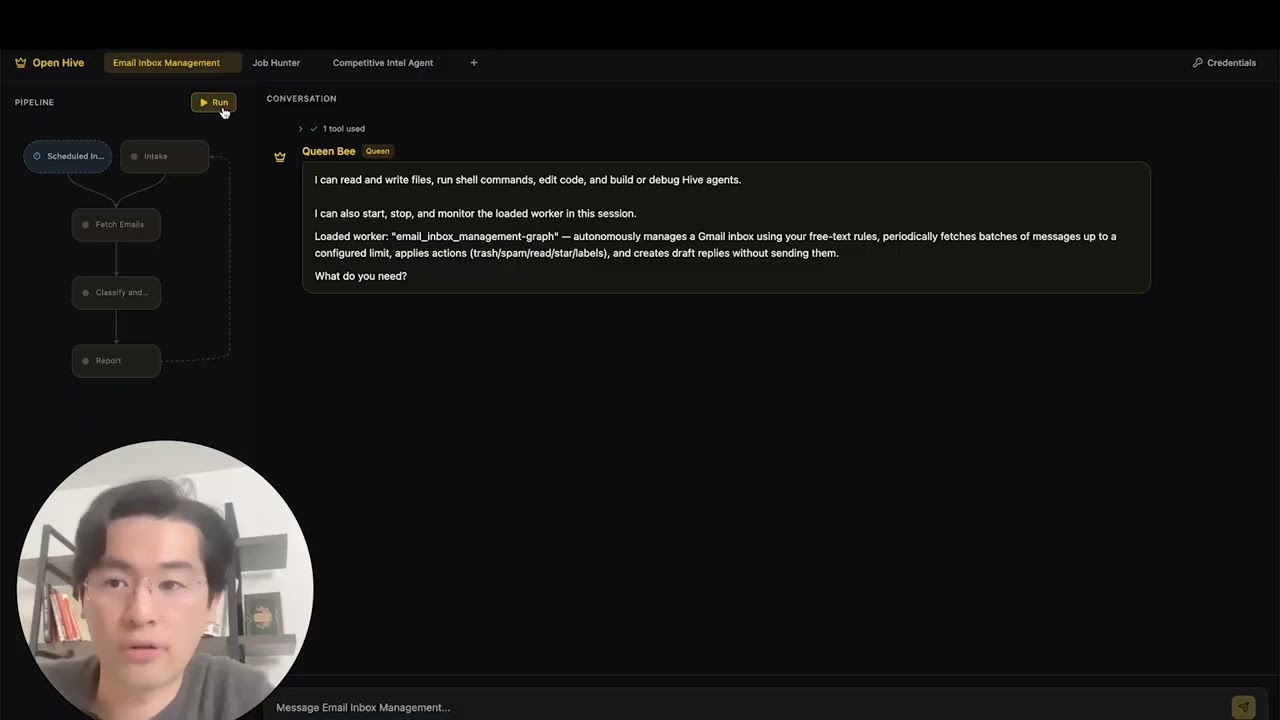](https://www.youtube.com/watch?v=XDOG9fOaLjU)
|
||||
|
||||
## Who Is Hive For?
|
||||
|
||||
Hive is designed for developers and teams who want to build **production-grade AI agents** without manually wiring complex workflows.
|
||||
|
||||
Hive is a good fit if you:
|
||||
|
||||
- Want AI agents that **execute real business processes**, not demos
|
||||
- Need **fast or high volume agent execution** over open workflow
|
||||
- Need **self-healing and adaptive agents** that improve over time
|
||||
- Require **human-in-the-loop control**, observability, and cost limits
|
||||
- Plan to run agents in **production environments**
|
||||
|
||||
Hive may not be the best fit if you’re only experimenting with simple agent chains or one-off scripts.
|
||||
|
||||
## When Should You Use Hive?
|
||||
|
||||
Use Hive when you need:
|
||||
|
||||
- Long-running, autonomous agents
|
||||
- Strong guardrails, process, and controls
|
||||
- Continuous improvement based on failures
|
||||
- Multi-agent coordination
|
||||
- A framework that evolves with your goals
|
||||
|
||||
## Quick Links
|
||||
|
||||
- **[Documentation](https://docs.adenhq.com/)** - Complete guides and API reference
|
||||
- **[Self-Hosting Guide](https://docs.adenhq.com/getting-started/quickstart)** - Deploy Hive on your infrastructure
|
||||
- **[Changelog](https://github.com/adenhq/hive/releases)** - Latest updates and releases
|
||||
<!-- - **[Roadmap](https://adenhq.com/roadmap)** - Upcoming features and plans -->
|
||||
- **[Changelog](https://github.com/aden-hive/hive/releases)** - Latest updates and releases
|
||||
- **[Roadmap](docs/roadmap.md)** - Upcoming features and plans
|
||||
- **[Report Issues](https://github.com/adenhq/hive/issues)** - Bug reports and feature requests
|
||||
- **[Contributing](CONTRIBUTING.md)** - How to contribute and submit PRs
|
||||
|
||||
## Quick Start
|
||||
|
||||
### Prerequisites
|
||||
|
||||
- [Docker](https://docs.docker.com/get-docker/) (v20.10+)
|
||||
- [Docker Compose](https://docs.docker.com/compose/install/) (v2.0+)
|
||||
- Python 3.11+ for agent development
|
||||
- An LLM provider that powers the agents
|
||||
|
||||
> **Note for Windows Users:** It is strongly recommended to use **WSL (Windows Subsystem for Linux)** or **Git Bash** to run this framework. Some core automation scripts may not execute correctly in standard Command Prompt or PowerShell.
|
||||
|
||||
### Installation
|
||||
|
||||
> **Note**
|
||||
> Hive uses a `uv` workspace layout and is not installed with `pip install`.
|
||||
> Running `pip install -e .` from the repository root will create a placeholder package and Hive will not function correctly.
|
||||
> Please use the quickstart script below to set up the environment.
|
||||
|
||||
```bash
|
||||
# Clone the repository
|
||||
git clone https://github.com/adenhq/hive.git
|
||||
git clone https://github.com/aden-hive/hive.git
|
||||
cd hive
|
||||
|
||||
# Copy and configure
|
||||
cp config.yaml.example config.yaml
|
||||
|
||||
# Run setup and start services
|
||||
npm run setup
|
||||
docker compose up
|
||||
# Run quickstart setup
|
||||
./quickstart.sh
|
||||
```
|
||||
|
||||
**Access the application:**
|
||||
This sets up:
|
||||
|
||||
- Dashboard: http://localhost:3000
|
||||
- API: http://localhost:4000
|
||||
- Health: http://localhost:4000/health
|
||||
- **framework** - Core agent runtime and graph executor (in `core/.venv`)
|
||||
- **aden_tools** - MCP tools for agent capabilities (in `tools/.venv`)
|
||||
- **credential store** - Encrypted API key storage (`~/.hive/credentials`)
|
||||
- **LLM provider** - Interactive default model configuration
|
||||
- All required Python dependencies with `uv`
|
||||
|
||||
- At last, it will initiate the open hive interface in your browser
|
||||
|
||||
<img width="2500" height="1214" alt="home-screen" src="https://github.com/user-attachments/assets/134d897f-5e75-4874-b00b-e0505f6b45c4" />
|
||||
|
||||
### Build Your First Agent
|
||||
|
||||
Type the agent you want to build in the home input box
|
||||
|
||||
<img width="2500" height="1214" alt="Image" src="https://github.com/user-attachments/assets/1ce19141-a78b-46f5-8d64-dbf987e048f4" />
|
||||
|
||||
### Use Template Agents
|
||||
|
||||
Click "Try a sample agent" and check the templates. You can run a templates directly or choose to build your version on top of the existing template.
|
||||
|
||||
### Run Agents
|
||||
|
||||
Now you can run an agent by selectiing the agent (either an existing agent or example agent). You can click the Run button on the top left, or talk to the queen agent and it can run the agent for you.
|
||||
|
||||
<img width="2500" height="1214" alt="Image" src="https://github.com/user-attachments/assets/71c38206-2ad5-49aa-bde8-6698d0bc55f5" />
|
||||
|
||||
## Features
|
||||
|
||||
- **Goal-Driven Development** - Define objectives in natural language; the coding agent generates the agent graph and connection code to achieve them
|
||||
- **Self-Adapting Agents** - Framework captures failures, updates objectives and updates the agent graph
|
||||
- **Dynamic Node Connections** - No predefined edges; connection code is generated by any capable LLM based on your goals
|
||||
- **Browser-Use** - Control the browser on your computer to achieve hard tasks
|
||||
- **Parallel Execution** - Execute the generated graph in parallel. This way you can have multiple agent compelteing the jobs for you
|
||||
- **[Goal-Driven Generation](docs/key_concepts/goals_outcome.md)** - Define objectives in natural language; the coding agent generates the agent graph and connection code to achieve them
|
||||
- **[Adaptiveness](docs/key_concepts/evolution.md)** - Framework captures failures, calibrates according to the objectives, and evolves the agent graph
|
||||
- **[Dynamic Node Connections](docs/key_concepts/graph.md)** - No predefined edges; connection code is generated by any capable LLM based on your goals
|
||||
- **SDK-Wrapped Nodes** - Every node gets shared memory, local RLM memory, monitoring, tools, and LLM access out of the box
|
||||
- **Human-in-the-Loop** - Intervention nodes that pause execution for human input with configurable timeouts and escalation
|
||||
- **[Human-in-the-Loop](docs/key_concepts/graph.md#human-in-the-loop)** - Intervention nodes that pause execution for human input with configurable timeouts and escalation
|
||||
- **Real-time Observability** - WebSocket streaming for live monitoring of agent execution, decisions, and node-to-node communication
|
||||
- **Cost & Budget Control** - Set spending limits, throttles, and automatic model degradation policies
|
||||
- **Production-Ready** - Self-hostable, built for scale and reliability
|
||||
|
||||
## Integration
|
||||
|
||||
<a href="https://github.com/aden-hive/hive/tree/main/tools/src/aden_tools/tools"><img width="100%" alt="Integration" src="https://github.com/user-attachments/assets/a1573f93-cf02-4bb8-b3d5-b305b05b1e51" /></a>
|
||||
Hive is built to be model-agnostic and system-agnostic.
|
||||
|
||||
- **LLM flexibility** - Hive Framework is designed to support various types of LLMs, including hosted and local models through LiteLLM-compatible providers.
|
||||
- **Business system connectivity** - Hive Framework is designed to connect to all kinds of business systems as tools, such as CRM, support, messaging, data, file, and internal APIs via MCP.
|
||||
|
||||
## Why Aden
|
||||
|
||||
Traditional agent frameworks require you to manually design workflows, define agent interactions, and handle failures reactively. Aden flips this paradigm—**you describe outcomes, and the system builds itself**.
|
||||
Hive focuses on generating agents that run real business processes rather than generic agents. Instead of requiring you to manually design workflows, define agent interactions, and handle failures reactively, Hive flips the paradigm: **you describe outcomes, and the system builds itself**—delivering an outcome-driven, adaptive experience with an easy-to-use set of tools and integrations.
|
||||
|
||||
```mermaid
|
||||
flowchart LR
|
||||
subgraph BUILD["🏗️ BUILD"]
|
||||
GOAL["Define Goal<br/>+ Success Criteria"] --> NODES["Add Nodes<br/>LLM/Router/Function"]
|
||||
NODES --> EDGES["Connect Edges<br/>on_success/failure/conditional"]
|
||||
EDGES --> TEST["Test & Validate"] --> APPROVE["Approve & Export"]
|
||||
end
|
||||
GOAL["Define Goal"] --> GEN["Auto-Generate Graph"]
|
||||
GEN --> EXEC["Execute Agents"]
|
||||
EXEC --> MON["Monitor & Observe"]
|
||||
MON --> CHECK{{"Pass?"}}
|
||||
CHECK -- "Yes" --> DONE["Deliver Result"]
|
||||
CHECK -- "No" --> EVOLVE["Evolve Graph"]
|
||||
EVOLVE --> EXEC
|
||||
|
||||
subgraph EXPORT["📦 EXPORT"]
|
||||
direction TB
|
||||
JSON["agent.json<br/>(GraphSpec)"]
|
||||
TOOLS["tools.py<br/>(Functions)"]
|
||||
MCP["mcp_servers.json<br/>(Integrations)"]
|
||||
end
|
||||
GOAL -.- V1["Natural Language"]
|
||||
GEN -.- V2["Instant Architecture"]
|
||||
EXEC -.- V3["Easy Integrations"]
|
||||
MON -.- V4["Full visibility"]
|
||||
EVOLVE -.- V5["Adaptability"]
|
||||
DONE -.- V6["Reliable outcomes"]
|
||||
|
||||
subgraph RUN["🚀 RUNTIME"]
|
||||
LOAD["AgentRunner<br/>Load + Parse"] --> SETUP["Setup Runtime<br/>+ ToolRegistry"]
|
||||
SETUP --> EXEC["GraphExecutor<br/>Execute Nodes"]
|
||||
|
||||
subgraph DECISION["Decision Recording"]
|
||||
DEC1["runtime.decide()<br/>intent → options → choice"]
|
||||
DEC2["runtime.record_outcome()<br/>success, result, metrics"]
|
||||
end
|
||||
end
|
||||
|
||||
subgraph INFRA["⚙️ INFRASTRUCTURE"]
|
||||
CTX["NodeContext<br/>memory • llm • tools"]
|
||||
STORE[("FileStorage<br/>Runs & Decisions")]
|
||||
end
|
||||
|
||||
APPROVE --> EXPORT
|
||||
EXPORT --> LOAD
|
||||
EXEC --> DECISION
|
||||
EXEC --> CTX
|
||||
DECISION --> STORE
|
||||
STORE -.->|"Analyze & Improve"| NODES
|
||||
|
||||
style BUILD fill:#ffbe42,stroke:#cc5d00,stroke-width:3px,color:#333
|
||||
style EXPORT fill:#fff59d,stroke:#ed8c00,stroke-width:2px,color:#333
|
||||
style RUN fill:#ffb100,stroke:#cc5d00,stroke-width:3px,color:#333
|
||||
style DECISION fill:#ffcc80,stroke:#ed8c00,stroke-width:2px,color:#333
|
||||
style INFRA fill:#e8763d,stroke:#cc5d00,stroke-width:3px,color:#fff
|
||||
style STORE fill:#ed8c00,stroke:#cc5d00,stroke-width:2px,color:#fff
|
||||
style GOAL fill:#ffbe42,stroke:#cc5d00,stroke-width:2px,color:#333
|
||||
style GEN fill:#ffb100,stroke:#cc5d00,stroke-width:2px,color:#333
|
||||
style EXEC fill:#ff9800,stroke:#cc5d00,stroke-width:2px,color:#fff
|
||||
style MON fill:#ff9800,stroke:#cc5d00,stroke-width:2px,color:#fff
|
||||
style CHECK fill:#fff59d,stroke:#ed8c00,stroke-width:2px,color:#333
|
||||
style DONE fill:#4caf50,stroke:#2e7d32,stroke-width:2px,color:#fff
|
||||
style EVOLVE fill:#e8763d,stroke:#cc5d00,stroke-width:2px,color:#fff
|
||||
style V1 fill:#fff,stroke:#ed8c00,stroke-width:1px,color:#cc5d00
|
||||
style V2 fill:#fff,stroke:#ed8c00,stroke-width:1px,color:#cc5d00
|
||||
style V3 fill:#fff,stroke:#ed8c00,stroke-width:1px,color:#cc5d00
|
||||
style V4 fill:#fff,stroke:#ed8c00,stroke-width:1px,color:#cc5d00
|
||||
style V5 fill:#fff,stroke:#ed8c00,stroke-width:1px,color:#cc5d00
|
||||
style V6 fill:#fff,stroke:#ed8c00,stroke-width:1px,color:#cc5d00
|
||||
```
|
||||
|
||||
### The Aden Advantage
|
||||
### The Hive Advantage
|
||||
|
||||
| Traditional Frameworks | Aden |
|
||||
|------------------------|------|
|
||||
| Hardcode agent workflows | Describe goals in natural language |
|
||||
| Manual graph definition | Auto-generated agent graphs |
|
||||
| Reactive error handling | Proactive self-evolution |
|
||||
| Static tool configurations | Dynamic SDK-wrapped nodes |
|
||||
| Separate monitoring setup | Built-in real-time observability |
|
||||
| DIY budget management | Integrated cost controls & degradation |
|
||||
| Traditional Frameworks | Hive |
|
||||
| -------------------------- | -------------------------------------- |
|
||||
| Hardcode agent workflows | Describe goals in natural language |
|
||||
| Manual graph definition | Auto-generated agent graphs |
|
||||
| Reactive error handling | Outcome-evaluation and adaptiveness |
|
||||
| Static tool configurations | Dynamic SDK-wrapped nodes |
|
||||
| Separate monitoring setup | Built-in real-time observability |
|
||||
| DIY budget management | Integrated cost controls & degradation |
|
||||
|
||||
### How It Works
|
||||
|
||||
1. **Define Your Goal** → Describe what you want to achieve in plain English
|
||||
2. **Coding Agent Generates** → Creates the agent graph, connection code, and test cases
|
||||
3. **Workers Execute** → SDK-wrapped nodes run with full observability and tool access
|
||||
1. **[Define Your Goal](docs/key_concepts/goals_outcome.md)** → Describe what you want to achieve in plain English
|
||||
2. **Coding Agent Generates** → Creates the [agent graph](docs/key_concepts/graph.md), connection code, and test cases
|
||||
3. **[Workers Execute](docs/key_concepts/worker_agent.md)** → SDK-wrapped nodes run with full observability and tool access
|
||||
4. **Control Plane Monitors** → Real-time metrics, budget enforcement, policy management
|
||||
5. **Self-Improve** → On failure, the system evolves the graph and redeploys automatically
|
||||
|
||||
## How Aden Compares
|
||||
|
||||
Aden takes a fundamentally different approach to agent development. While most frameworks require you to hardcode workflows or manually define agent graphs, Aden uses a **coding agent to generate your entire agent system** from natural language goals. When agents fail, the framework doesn't just log errors—it **automatically evolves the agent graph** and redeploys.
|
||||
|
||||
### Comparison Table
|
||||
|
||||
| Framework | Category | Approach | Aden Difference |
|
||||
|-----------|----------|----------|-----------------|
|
||||
| **LangChain, LlamaIndex, Haystack** | Component Libraries | Predefined components for RAG/LLM apps; manual connection logic | Generates entire graph and connection code upfront |
|
||||
| **CrewAI, AutoGen, Swarm** | Multi-Agent Orchestration | Role-based agents with predefined collaboration patterns | Dynamically creates agents/connections; adapts on failure |
|
||||
| **PydanticAI, Mastra, Agno** | Type-Safe Frameworks | Structured outputs and validation for known workflows | Evolving workflows; structure emerges through iteration |
|
||||
| **Agent Zero, Letta** | Personal AI Assistants | Memory and learning; OS-as-tool or stateful memory focus | Production multi-agent systems with self-healing |
|
||||
| **CAMEL** | Research Framework | Emergent behavior in large-scale simulations (up to 1M agents) | Production-oriented with reliable execution and recovery |
|
||||
| **TEN Framework, Genkit** | Infrastructure Frameworks | Real-time multimodal (TEN) or full-stack AI (Genkit) | Higher abstraction—generates and evolves agent logic |
|
||||
| **GPT Engineer, Motia** | Code Generation | Code from specs (GPT Engineer) or "Step" primitive (Motia) | Self-adapting graphs with automatic failure recovery |
|
||||
| **Trading Agents** | Domain-Specific | Hardcoded trading firm roles on LangGraph | Domain-agnostic; generates structures for any use case |
|
||||
|
||||
### When to Choose Aden
|
||||
|
||||
Choose Aden when you need:
|
||||
- Agents that **self-improve from failures** without manual intervention
|
||||
- **Goal-driven development** where you describe outcomes, not workflows
|
||||
- **Production reliability** with automatic recovery and redeployment
|
||||
- **Rapid iteration** on agent architectures without rewriting code
|
||||
- **Full observability** with real-time monitoring and human oversight
|
||||
|
||||
Choose other frameworks when you need:
|
||||
- **Type-safe, predictable workflows** (PydanticAI, Mastra)
|
||||
- **RAG and document processing** (LlamaIndex, Haystack)
|
||||
- **Research on agent emergence** (CAMEL)
|
||||
- **Real-time voice/multimodal** (TEN Framework)
|
||||
- **Simple component chaining** (LangChain, Swarm)
|
||||
|
||||
## Project Structure
|
||||
|
||||
```
|
||||
hive/
|
||||
├── honeycomb/ # Frontend Dashboard
|
||||
├── hive/ # Backend API Server
|
||||
├── aden-tools/ # MCP Tools Package - 19 tools for agent capabilities
|
||||
├── docs/ # Documentation and guides
|
||||
├── scripts/ # Build and utility scripts
|
||||
├── config.yaml.example # Configuration template
|
||||
├── docker-compose.yml # Container orchestration
|
||||
├── DEVELOPER.md # Developer guide
|
||||
├── CONTRIBUTING.md # Contribution guidelines
|
||||
└── ROADMAP.md # Product roadmap
|
||||
```
|
||||
|
||||
## Development
|
||||
|
||||
### Local Development with Hot Reload
|
||||
|
||||
```bash
|
||||
# Copy development overrides
|
||||
cp docker-compose.override.yml.example docker-compose.override.yml
|
||||
|
||||
# Start with hot reload enabled
|
||||
docker compose up
|
||||
```
|
||||
|
||||
### Running Without Docker
|
||||
|
||||
```bash
|
||||
# Install dependencies
|
||||
npm install
|
||||
|
||||
# Generate environment files
|
||||
npm run generate:env
|
||||
|
||||
# Start frontend (in honeycomb/)
|
||||
cd honeycomb && npm run dev
|
||||
|
||||
# Start backend (in hive/)
|
||||
cd hive && npm run dev
|
||||
```
|
||||
5. **[Adaptiveness](docs/key_concepts/evolution.md)** → On failure, the system evolves the graph and redeploys automatically
|
||||
|
||||
## Documentation
|
||||
|
||||
- **[Developer Guide](DEVELOPER.md)** - Comprehensive guide for developers
|
||||
- **[Developer Guide](docs/developer-guide.md)** - Comprehensive guide for developers
|
||||
- [Getting Started](docs/getting-started.md) - Quick setup instructions
|
||||
- [Configuration Guide](docs/configuration.md) - All configuration options
|
||||
- [Architecture Overview](docs/architecture.md) - System design and structure
|
||||
- [Architecture Overview](docs/architecture/README.md) - System design and structure
|
||||
|
||||
## Roadmap
|
||||
|
||||
Aden Agent Framework aims to help developers build outcome oriented, self-adaptive agents. Please find our roadmap here
|
||||
|
||||
[ROADMAP.md](ROADMAP.md)
|
||||
Aden Hive Agent Framework aims to help developers build outcome-oriented, self-adaptive agents. See [roadmap.md](docs/roadmap.md) for details.
|
||||
|
||||
```mermaid
|
||||
timeline
|
||||
title Aden Agent Framework Roadmap
|
||||
section Foundation
|
||||
Architecture : Node-Based Architecture : Python SDK : LLM Integration (OpenAI, Anthropic, Google) : Communication Protocol
|
||||
Coding Agent : Goal Creation Session : Worker Agent Creation : MCP Tools Integration
|
||||
Worker Agent : Human-in-the-Loop : Callback Handlers : Intervention Points : Streaming Interface
|
||||
Tools : File Use : Memory (STM/LTM) : Web Search : Web Scraper : Audit Trail
|
||||
Core : Eval System : Pydantic Validation : Docker Deployment : Documentation : Sample Agents
|
||||
section Expansion
|
||||
Intelligence : Guardrails : Streaming Mode : Semantic Search
|
||||
Platform : JavaScript SDK : Custom Tool Integrator : Credential Store
|
||||
Deployment : Self-Hosted : Cloud Services : CI/CD Pipeline
|
||||
Templates : Sales Agent : Marketing Agent : Analytics Agent : Training Agent : Smart Form Agent
|
||||
flowchart TB
|
||||
%% Main Entity
|
||||
User([User])
|
||||
|
||||
%% =========================================
|
||||
%% EXTERNAL EVENT SOURCES
|
||||
%% =========================================
|
||||
subgraph ExtEventSource [External Event Source]
|
||||
E_Sch["Schedulers"]
|
||||
E_WH["Webhook"]
|
||||
E_SSE["SSE"]
|
||||
end
|
||||
|
||||
%% =========================================
|
||||
%% SYSTEM NODES
|
||||
%% =========================================
|
||||
subgraph WorkerBees [Worker Bees]
|
||||
WB_C["Conversation"]
|
||||
WB_SP["System prompt"]
|
||||
|
||||
subgraph Graph [Graph]
|
||||
direction TB
|
||||
N1["Node"] --> N2["Node"] --> N3["Node"]
|
||||
N1 -.-> AN["Active Node"]
|
||||
N2 -.-> AN
|
||||
N3 -.-> AN
|
||||
|
||||
%% Nested Event Loop Node
|
||||
subgraph EventLoopNode [Event Loop Node]
|
||||
ELN_L["listener"]
|
||||
ELN_SP["System Prompt<br/>(Task)"]
|
||||
ELN_EL["Event loop"]
|
||||
ELN_C["Conversation"]
|
||||
end
|
||||
end
|
||||
end
|
||||
|
||||
subgraph JudgeNode [Judge]
|
||||
J_C["Criteria"]
|
||||
J_P["Principles"]
|
||||
J_EL["Event loop"] <--> J_S["Scheduler"]
|
||||
end
|
||||
|
||||
subgraph QueenBee [Queen Bee]
|
||||
QB_SP["System prompt"]
|
||||
QB_EL["Event loop"]
|
||||
QB_C["Conversation"]
|
||||
end
|
||||
|
||||
subgraph Infra [Infra]
|
||||
SA["Sub Agent"]
|
||||
TR["Tool Registry"]
|
||||
WTM["Write through Conversation Memory<br/>(Logs/RAM/Harddrive)"]
|
||||
SM["Shared Memory<br/>(State/Harddrive)"]
|
||||
EB["Event Bus<br/>(RAM)"]
|
||||
CS["Credential Store<br/>(Harddrive/Cloud)"]
|
||||
end
|
||||
|
||||
subgraph PC [PC]
|
||||
B["Browser"]
|
||||
CB["Codebase<br/>v 0.0.x ... v n.n.n"]
|
||||
end
|
||||
|
||||
%% =========================================
|
||||
%% CONNECTIONS & DATA FLOW
|
||||
%% =========================================
|
||||
|
||||
%% External Event Routing
|
||||
E_Sch --> ELN_L
|
||||
E_WH --> ELN_L
|
||||
E_SSE --> ELN_L
|
||||
ELN_L -->|"triggers"| ELN_EL
|
||||
|
||||
%% User Interactions
|
||||
User -->|"Talk"| WB_C
|
||||
User -->|"Talk"| QB_C
|
||||
User -->|"Read/Write Access"| CS
|
||||
|
||||
%% Inter-System Logic
|
||||
ELN_C <-->|"Mirror"| WB_C
|
||||
WB_C -->|"Focus"| AN
|
||||
|
||||
WorkerBees -->|"Inquire"| JudgeNode
|
||||
JudgeNode -->|"Approve"| WorkerBees
|
||||
|
||||
%% Judge Alignments
|
||||
J_C <-.->|"aligns"| WB_SP
|
||||
J_P <-.->|"aligns"| QB_SP
|
||||
|
||||
%% Escalate path
|
||||
J_EL -->|"Report (Escalate)"| QB_EL
|
||||
|
||||
%% Pub/Sub Logic
|
||||
AN -->|"publish"| EB
|
||||
EB -->|"subscribe"| QB_C
|
||||
|
||||
%% Infra and Process Spawning
|
||||
ELN_EL -->|"Spawn"| SA
|
||||
SA -->|"Inform"| ELN_EL
|
||||
SA -->|"Starts"| B
|
||||
B -->|"Report"| ELN_EL
|
||||
TR -->|"Assigned"| ELN_EL
|
||||
CB -->|"Modify Worker Bee"| WB_C
|
||||
|
||||
%% =========================================
|
||||
%% SHARED MEMORY & LOGS ACCESS
|
||||
%% =========================================
|
||||
|
||||
%% Worker Bees Access (link to node inside Graph subgraph)
|
||||
AN <-->|"Read/Write"| WTM
|
||||
AN <-->|"Read/Write"| SM
|
||||
|
||||
%% Queen Bee Access
|
||||
QB_C <-->|"Read/Write"| WTM
|
||||
QB_EL <-->|"Read/Write"| SM
|
||||
|
||||
%% Credentials Access
|
||||
CS -->|"Read Access"| QB_C
|
||||
```
|
||||
|
||||
## Contributing
|
||||
We welcome contributions from the community! We’re especially looking for help building tools, integrations, and example agents for the framework ([check #2805](https://github.com/aden-hive/hive/issues/2805)). If you’re interested in extending its functionality, this is the perfect place to start. Please see [CONTRIBUTING.md](CONTRIBUTING.md) for guidelines.
|
||||
|
||||
**Important:** Please get assigned to an issue before submitting a PR. Comment on an issue to claim it, and a maintainer will assign you. Issues with reproducible steps and proposals are prioritized. This helps prevent duplicate work.
|
||||
|
||||
1. Find or create an issue and get assigned
|
||||
2. Fork the repository
|
||||
3. Create your feature branch (`git checkout -b feature/amazing-feature`)
|
||||
4. Commit your changes (`git commit -m 'Add amazing feature'`)
|
||||
5. Push to the branch (`git push origin feature/amazing-feature`)
|
||||
6. Open a Pull Request
|
||||
|
||||
## Community & Support
|
||||
|
||||
We use [Discord](https://discord.com/invite/MXE49hrKDk) for support, feature requests, and community discussions.
|
||||
@@ -258,16 +357,6 @@ We use [Discord](https://discord.com/invite/MXE49hrKDk) for support, feature req
|
||||
- Twitter/X - [@adenhq](https://x.com/aden_hq)
|
||||
- LinkedIn - [Company Page](https://www.linkedin.com/company/teamaden/)
|
||||
|
||||
## Contributing
|
||||
|
||||
We welcome contributions! Please see [CONTRIBUTING.md](CONTRIBUTING.md) for guidelines.
|
||||
|
||||
1. Fork the repository
|
||||
2. Create your feature branch (`git checkout -b feature/amazing-feature`)
|
||||
3. Commit your changes (`git commit -m 'Add amazing feature'`)
|
||||
4. Push to the branch (`git push origin feature/amazing-feature`)
|
||||
5. Open a Pull Request
|
||||
|
||||
## Join Our Team
|
||||
|
||||
**We're hiring!** Join us in engineering, research, and go-to-market roles.
|
||||
@@ -284,70 +373,50 @@ This project is licensed under the Apache License 2.0 - see the [LICENSE](LICENS
|
||||
|
||||
## Frequently Asked Questions (FAQ)
|
||||
|
||||
**Q: Does Aden depend on LangChain or other agent frameworks?**
|
||||
**Q: What LLM providers does Hive support?**
|
||||
|
||||
No. Aden is built from the ground up with no dependencies on LangChain, CrewAI, or other agent frameworks. The framework is designed to be lean and flexible, generating agent graphs dynamically rather than relying on predefined components.
|
||||
Hive supports 100+ LLM providers through LiteLLM integration, including OpenAI (GPT-4, GPT-4o), Anthropic (Claude models), Google Gemini, DeepSeek, Mistral, Groq, and many more. Simply set the appropriate API key environment variable and specify the model name. We recommend using Claude, GLM and Gemini as they have the best performance.
|
||||
|
||||
**Q: What LLM providers does Aden support?**
|
||||
**Q: Can I use Hive with local AI models like Ollama?**
|
||||
|
||||
Aden supports OpenAI (GPT-4, GPT-4o), Anthropic (Claude models), and Google Gemini out of the box. The architecture is provider-agnostic through SDK abstraction, with LiteLLM integration on the roadmap for expanded model support.
|
||||
Yes! Hive supports local models through LiteLLM. Simply use the model name format `ollama/model-name` (e.g., `ollama/llama3`, `ollama/mistral`) and ensure Ollama is running locally.
|
||||
|
||||
**Q: Can I use Aden with local AI models like Ollama?**
|
||||
**Q: What makes Hive different from other agent frameworks?**
|
||||
|
||||
Local model support through LiteLLM integration is on our roadmap. The SDK's provider-agnostic design means adding local model support will be straightforward once implemented.
|
||||
Hive generates your entire agent system from natural language goals using a coding agent—you don't hardcode workflows or manually define graphs. When agents fail, the framework automatically captures failure data, [evolves the agent graph](docs/key_concepts/evolution.md), and redeploys. This self-improving loop is unique to Aden.
|
||||
|
||||
**Q: What makes Aden different from other agent frameworks?**
|
||||
**Q: Is Hive open-source?**
|
||||
|
||||
Aden generates your entire agent system from natural language goals using a coding agent—you don't hardcode workflows or manually define graphs. When agents fail, the framework automatically captures failure data, evolves the agent graph, and redeploys. This self-improving loop is unique to Aden.
|
||||
Yes, Hive is fully open-source under the Apache License 2.0. We actively encourage community contributions and collaboration.
|
||||
|
||||
**Q: Is Aden open-source?**
|
||||
**Q: Can Hive handle complex, production-scale use cases?**
|
||||
|
||||
Yes, Aden is fully open-source under the Apache License 2.0. We actively encourage community contributions and collaboration.
|
||||
Yes. Hive is explicitly designed for production environments with features like automatic failure recovery, real-time observability, cost controls, and horizontal scaling support. The framework handles both simple automations and complex multi-agent workflows.
|
||||
|
||||
**Q: Does Aden collect data from users?**
|
||||
**Q: Does Hive support human-in-the-loop workflows?**
|
||||
|
||||
Aden collects telemetry data for monitoring and observability purposes, including token usage, latency metrics, and cost tracking. Content capture (prompts and responses) is configurable and stored with team-scoped data isolation. All data stays within your infrastructure when self-hosted.
|
||||
Yes, Hive fully supports [human-in-the-loop](docs/key_concepts/graph.md#human-in-the-loop) workflows through intervention nodes that pause execution for human input. These include configurable timeouts and escalation policies, allowing seamless collaboration between human experts and AI agents.
|
||||
|
||||
**Q: What deployment options does Aden support?**
|
||||
**Q: What programming languages does Hive support?**
|
||||
|
||||
Aden supports Docker Compose deployment out of the box, with both production and development configurations. Self-hosted deployments work on any infrastructure supporting Docker. Cloud deployment options and Kubernetes-ready configurations are on the roadmap.
|
||||
The Hive framework is built in Python. A JavaScript/TypeScript SDK is on the roadmap.
|
||||
|
||||
**Q: Can Aden handle complex, production-scale use cases?**
|
||||
|
||||
Yes. Aden is explicitly designed for production environments with features like automatic failure recovery, real-time observability, cost controls, and horizontal scaling support. The framework handles both simple automations and complex multi-agent workflows.
|
||||
|
||||
**Q: Does Aden support human-in-the-loop workflows?**
|
||||
|
||||
Yes, Aden fully supports human-in-the-loop workflows through intervention nodes that pause execution for human input. These include configurable timeouts and escalation policies, allowing seamless collaboration between human experts and AI agents.
|
||||
|
||||
**Q: What monitoring and debugging tools does Aden provide?**
|
||||
|
||||
Aden includes comprehensive observability features: real-time WebSocket streaming for live agent execution monitoring, TimescaleDB-powered analytics for cost and performance metrics, health check endpoints for Kubernetes integration, and 19 MCP tools for budget management, agent status, and policy control.
|
||||
|
||||
**Q: What programming languages does Aden support?**
|
||||
|
||||
Aden provides SDKs for both Python and JavaScript/TypeScript. The Python SDK includes integration templates for LangGraph, LangFlow, and LiveKit. The backend is Node.js/TypeScript, and the frontend is React/TypeScript.
|
||||
|
||||
**Q: Can Aden agents interact with external tools and APIs?**
|
||||
**Q: Can Hive agents interact with external tools and APIs?**
|
||||
|
||||
Yes. Aden's SDK-wrapped nodes provide built-in tool access, and the framework supports flexible tool ecosystems. Agents can integrate with external APIs, databases, and services through the node architecture.
|
||||
|
||||
**Q: How does cost control work in Aden?**
|
||||
**Q: How does cost control work in Hive?**
|
||||
|
||||
Aden provides granular budget controls including spending limits, throttles, and automatic model degradation policies. You can set budgets at the team, agent, or workflow level, with real-time cost tracking and alerts.
|
||||
Hive provides granular budget controls including spending limits, throttles, and automatic model degradation policies. You can set budgets at the team, agent, or workflow level, with real-time cost tracking and alerts.
|
||||
|
||||
**Q: Where can I find examples and documentation?**
|
||||
|
||||
Visit [docs.adenhq.com](https://docs.adenhq.com/) for complete guides, API reference, and getting started tutorials. The repository also includes documentation in the `docs/` folder and a comprehensive [DEVELOPER.md](DEVELOPER.md) guide.
|
||||
Visit [docs.adenhq.com](https://docs.adenhq.com/) for complete guides, API reference, and getting started tutorials. The repository also includes documentation in the `docs/` folder and a comprehensive [developer guide](docs/developer-guide.md).
|
||||
|
||||
**Q: How can I contribute to Aden?**
|
||||
|
||||
Contributions are welcome! Fork the repository, create your feature branch, implement your changes, and submit a pull request. See [CONTRIBUTING.md](CONTRIBUTING.md) for detailed guidelines.
|
||||
|
||||
**Q: Does Aden offer enterprise support?**
|
||||
|
||||
For enterprise inquiries, contact the Aden team through [adenhq.com](https://adenhq.com) or join our [Discord community](https://discord.com/invite/MXE49hrKDk) for support and discussions.
|
||||
|
||||
---
|
||||
|
||||
<p align="center">
|
||||
|
||||
-150
@@ -1,150 +0,0 @@
|
||||
Product Roadmap
|
||||
|
||||
Aden Agent Framework aims to help developers build outcome oriented, self-adaptive agents. Please find our roadmap here
|
||||
|
||||
```mermaid
|
||||
timeline
|
||||
title Aden Agent Framework Roadmap
|
||||
section Foundation
|
||||
Architecture : Node-Based Architecture : Python SDK : LLM Integration (OpenAI, Anthropic, Google) : Communication Protocol
|
||||
Coding Agent : Goal Creation Session : Worker Agent Creation : MCP Tools Integration
|
||||
Worker Agent : Human-in-the-Loop : Callback Handlers : Intervention Points : Streaming Interface
|
||||
Tools : File Use : Memory (STM/LTM) : Web Search : Web Scraper : Audit Trail
|
||||
Core : Eval System : Pydantic Validation : Docker Deployment : Documentation : Sample Agents
|
||||
section Expansion
|
||||
Intelligence : Guardrails : Streaming Mode : Semantic Search
|
||||
Platform : JavaScript SDK : Custom Tool Integrator : Credential Store
|
||||
Deployment : Self-Hosted : Cloud Services : CI/CD Pipeline
|
||||
Templates : Sales Agent : Marketing Agent : Analytics Agent : Training Agent : Smart Form Agent
|
||||
```
|
||||
|
||||
---
|
||||
|
||||
## Phase 1: Foundation
|
||||
|
||||
### Backbone Architecture
|
||||
- [ ] **Node-Based Architecture (Agent as a node)**
|
||||
- [x] Object schema definition
|
||||
- [x] Node wrapper SDK
|
||||
- [ ] Shared memory access
|
||||
- [ ] Default monitoring hooks
|
||||
- [ ] Tool access layer
|
||||
- [x] LLM integration layer (Natively supports all mainstream LLMs through LiteLLM)
|
||||
- [x] Anthropic
|
||||
- [x] OpenAI
|
||||
- [x] Google
|
||||
- [ ] **Communication protocol between nodes**
|
||||
- [ ] **[Coding Agent] Goal Creation Session** (separate from coding session)
|
||||
- [ ] Instruction back and forth
|
||||
- [x] Goal Object schema definition
|
||||
- [ ] Being able to generate the test cases
|
||||
- [ ] Test case validation for worker agent (Outcome driven)
|
||||
- [ ] **[Coding Agent] Worker Agent Creation**
|
||||
- [x] Coding Agent tools
|
||||
- [ ] Use Template Agent as a start
|
||||
- [x] Use our MCP tools
|
||||
- [ ] **[Worker Agent] Human-in-the-Loop**
|
||||
- [x] Worker Agents request with questions and options
|
||||
- [x] Callback Handler System to receive events throughout execution
|
||||
- [ ] Tool-Based Intervention Points (tool to pause execution and request human input)
|
||||
- [x] Multiple entrypoint for different event source (e.g. Human input, webhook)
|
||||
- [ ] Streaming Interface for Real-time Monitoring
|
||||
- [ ] Request State Management
|
||||
|
||||
### Essential Tools
|
||||
- [x] **File Use Tool Kit**
|
||||
- [ ] **Memory Tools**
|
||||
- [x] STM Layer Tool (state-based short-term memory)
|
||||
- [x] LTM Layer Tool (RLM - long-term memory)
|
||||
- [ ] **Infrastructure Tools**
|
||||
- [x] Runtime Log Tool (logs for coding agent)
|
||||
- [ ] Audit Trail Tool (decision timeline generation)
|
||||
- [ ] Web Search
|
||||
- [ ] Web Scraper
|
||||
- [ ] Recipe for "Add your own tools"
|
||||
|
||||
### Memory & File System
|
||||
- [x] DB for long-term persistent memory (Filesystem as durable scratchpad pattern)
|
||||
- [x] Session Local memory isolation
|
||||
|
||||
### Eval System (Basic)
|
||||
- [x] Test Driven - Run test case for all agent iteration
|
||||
- [ ] Failure recording mechanism
|
||||
- [ ] SDK for defining failure conditions
|
||||
- [ ] Basic observability hooks
|
||||
- [ ] User-driven log analysis (OSS approach)
|
||||
|
||||
### Data Validation
|
||||
- [ ] Natively Support data validation of LLMs output with Pydantic
|
||||
|
||||
### Developer Experience
|
||||
- [ ] **Debugging mode**
|
||||
- [ ] **Documentation**
|
||||
- [ ] Quick start guide
|
||||
- [ ] Goal creation guide
|
||||
- [ ] Agent creation guide
|
||||
- [ ] GitHub Page setup
|
||||
- [ ] README with examples
|
||||
- [ ] Contributing guidelines
|
||||
- [ ] **Distribution**
|
||||
- [ ] PyPI package
|
||||
- [ ] Docker image on Docker Hub
|
||||
|
||||
### Sample Agents
|
||||
- [ ] Knowledge Agent
|
||||
- [ ] Blog Writer Agent
|
||||
- [ ] SDR Agent
|
||||
|
||||
---
|
||||
|
||||
## Phase 2: Expansion
|
||||
|
||||
### Basic Guardrails
|
||||
- [ ] Support Basic Monitoring from Agent node SDK
|
||||
- [ ] SDK guardrail implementation (in node)
|
||||
- [ ] Guardrail type support (Determined Condition as Guardrails)
|
||||
|
||||
### Agent Capability
|
||||
- [ ] Streaming mode support
|
||||
|
||||
### Cross-Platform
|
||||
- [ ] JavaScript / TypeScript Version SDK
|
||||
|
||||
### File System Enhancement
|
||||
- [ ] Semantic Search integration
|
||||
- [ ] Interactive File System in product (frontend integration)
|
||||
|
||||
### More Worker Tools
|
||||
- [ ] Custom Tool Integrator
|
||||
- [ ] Integration as a tool (Credential Store & Support)
|
||||
- [ ] **Core Agent Tools**
|
||||
- [ ] Node Discovery Tool (find other agents in the graph)
|
||||
- [ ] HITL Tool (pause execution for human approval)
|
||||
- [ ] Wake-up Tool (resume agent tasks)
|
||||
|
||||
### Deployment (Self-Hosted)
|
||||
- [ ] Docker container standardization
|
||||
- [ ] Headless backend execution
|
||||
- [ ] Exposed API for frontend attachment
|
||||
- [ ] Local monitoring & observability (from hive repo)
|
||||
- [ ] Basic lifecycle APIs (Start, Stop, Pause, Resume)
|
||||
|
||||
### Deployment (Cloud)
|
||||
- [ ] Cloud Service Options
|
||||
- [ ] Support deployment to 3rd-party platforms
|
||||
- [ ] Self-deploy + orchestrator connection
|
||||
- [ ] **CI/CD Pipeline**
|
||||
- [ ] Automated test execution
|
||||
- [ ] Agent version control
|
||||
- [ ] All tests must pass for deployment
|
||||
|
||||
### Developer Experience Enhancement
|
||||
- [ ] Tool usage documentation
|
||||
- [ ] Discord Support Channel
|
||||
|
||||
### More Agent Templates
|
||||
- [ ] GTM Sales Agent (workflow)
|
||||
- [ ] GTM Marketing Agent (workflow)
|
||||
- [ ] Analytics Agent
|
||||
- [ ] Training Agent
|
||||
- [ ] Smart Entry / Form Agent (self-evolution emphasis)
|
||||
@@ -1,186 +0,0 @@
|
||||
# Building Tools for Aden
|
||||
|
||||
This guide explains how to create new tools for the Aden agent framework using FastMCP.
|
||||
|
||||
## Quick Start Checklist
|
||||
|
||||
1. Create folder under `src/aden_tools/tools/<tool_name>/`
|
||||
2. Implement a `register_tools(mcp: FastMCP)` function using the `@mcp.tool()` decorator
|
||||
3. Add a `README.md` documenting your tool
|
||||
4. Register in `src/aden_tools/tools/__init__.py`
|
||||
5. Add tests in `tests/tools/`
|
||||
|
||||
## Tool Structure
|
||||
|
||||
Each tool lives in its own folder:
|
||||
|
||||
```
|
||||
src/aden_tools/tools/my_tool/
|
||||
├── __init__.py # Export register_tools function
|
||||
├── my_tool.py # Tool implementation
|
||||
└── README.md # Documentation
|
||||
```
|
||||
|
||||
## Implementation Pattern
|
||||
|
||||
Tools use FastMCP's native decorator pattern:
|
||||
|
||||
```python
|
||||
from fastmcp import FastMCP
|
||||
|
||||
|
||||
def register_tools(mcp: FastMCP) -> None:
|
||||
"""Register my tools with the MCP server."""
|
||||
|
||||
@mcp.tool()
|
||||
def my_tool(
|
||||
query: str,
|
||||
limit: int = 10,
|
||||
) -> dict:
|
||||
"""
|
||||
Search for items matching a query.
|
||||
|
||||
Use this when you need to find specific information.
|
||||
|
||||
Args:
|
||||
query: The search query (1-500 chars)
|
||||
limit: Maximum number of results (1-100)
|
||||
|
||||
Returns:
|
||||
Dict with search results or error dict
|
||||
"""
|
||||
# Validate inputs
|
||||
if not query or len(query) > 500:
|
||||
return {"error": "Query must be 1-500 characters"}
|
||||
if limit < 1 or limit > 100:
|
||||
limit = max(1, min(100, limit))
|
||||
|
||||
try:
|
||||
# Your implementation here
|
||||
results = do_search(query, limit)
|
||||
return {
|
||||
"query": query,
|
||||
"results": results,
|
||||
"total": len(results),
|
||||
}
|
||||
except Exception as e:
|
||||
return {"error": f"Search failed: {str(e)}"}
|
||||
```
|
||||
|
||||
## Exporting the Tool
|
||||
|
||||
In `src/aden_tools/tools/my_tool/__init__.py`:
|
||||
```python
|
||||
from .my_tool import register_tools
|
||||
|
||||
__all__ = ["register_tools"]
|
||||
```
|
||||
|
||||
In `src/aden_tools/tools/__init__.py`, add to `_TOOL_MODULES`:
|
||||
```python
|
||||
_TOOL_MODULES = [
|
||||
# ... existing tools
|
||||
"my_tool",
|
||||
]
|
||||
```
|
||||
|
||||
## Environment Variables
|
||||
|
||||
For tools requiring API keys or configuration, check environment variables at runtime:
|
||||
|
||||
```python
|
||||
import os
|
||||
|
||||
def register_tools(mcp: FastMCP) -> None:
|
||||
@mcp.tool()
|
||||
def my_api_tool(query: str) -> dict:
|
||||
"""Tool that requires an API key."""
|
||||
api_key = os.getenv("MY_API_KEY")
|
||||
if not api_key:
|
||||
return {
|
||||
"error": "MY_API_KEY environment variable not set",
|
||||
"help": "Get an API key at https://example.com/api",
|
||||
}
|
||||
|
||||
# Use the API key...
|
||||
```
|
||||
|
||||
## Best Practices
|
||||
|
||||
### Error Handling
|
||||
|
||||
Return error dicts instead of raising exceptions:
|
||||
|
||||
```python
|
||||
@mcp.tool()
|
||||
def my_tool(**kwargs) -> dict:
|
||||
try:
|
||||
result = do_work()
|
||||
return {"success": True, "data": result}
|
||||
except SpecificError as e:
|
||||
return {"error": f"Failed to process: {str(e)}"}
|
||||
except Exception as e:
|
||||
return {"error": f"Unexpected error: {str(e)}"}
|
||||
```
|
||||
|
||||
### Return Values
|
||||
|
||||
- Return dicts for structured data
|
||||
- Include relevant metadata (query, total count, etc.)
|
||||
- Use `{"error": "message"}` for errors
|
||||
|
||||
### Documentation
|
||||
|
||||
The docstring becomes the tool description in MCP. Include:
|
||||
- What the tool does
|
||||
- When to use it
|
||||
- Args with types and constraints
|
||||
- What it returns
|
||||
|
||||
Every tool folder needs a `README.md` with:
|
||||
- Description and use cases
|
||||
- Usage examples
|
||||
- Argument table
|
||||
- Environment variables (if any)
|
||||
- Error handling notes
|
||||
|
||||
## Testing
|
||||
|
||||
Place tests in `tests/tools/test_{{tool_name}}.py`:
|
||||
|
||||
```python
|
||||
import pytest
|
||||
from fastmcp import FastMCP
|
||||
|
||||
from aden_tools.tools.{{tool_name}} import register_tools
|
||||
|
||||
|
||||
@pytest.fixture
|
||||
def mcp():
|
||||
"""Create a FastMCP instance with tools registered."""
|
||||
server = FastMCP("test")
|
||||
register_tools(server)
|
||||
return server
|
||||
|
||||
|
||||
def test_my_tool_basic(mcp):
|
||||
"""Test basic tool functionality."""
|
||||
tool_fn = mcp._tool_manager._tools["my_tool"].fn
|
||||
result = tool_fn(query="test")
|
||||
assert "results" in result
|
||||
|
||||
|
||||
def test_my_tool_validation(mcp):
|
||||
"""Test input validation."""
|
||||
tool_fn = mcp._tool_manager._tools["my_tool"].fn
|
||||
result = tool_fn(query="")
|
||||
assert "error" in result
|
||||
```
|
||||
|
||||
Mock external APIs to keep tests fast and deterministic.
|
||||
|
||||
## Naming Conventions
|
||||
|
||||
- **Folder name**: `snake_case` with `_tool` suffix (e.g., `file_read_tool`)
|
||||
- **Function name**: `snake_case` (e.g., `file_read`)
|
||||
- **Tool description**: Clear, actionable docstring
|
||||
@@ -1,103 +0,0 @@
|
||||
# Aden Tools
|
||||
|
||||
Tool library for the Aden agent framework. Provides a collection of tools that AI agents can use to interact with external systems, process data, and perform actions via the Model Context Protocol (MCP).
|
||||
|
||||
## Installation
|
||||
|
||||
```bash
|
||||
pip install -e aden-tools
|
||||
```
|
||||
|
||||
For development:
|
||||
```bash
|
||||
pip install -e "aden-tools[dev]"
|
||||
```
|
||||
|
||||
## Quick Start
|
||||
|
||||
### As an MCP Server
|
||||
|
||||
```python
|
||||
from fastmcp import FastMCP
|
||||
from aden_tools.tools import register_all_tools
|
||||
|
||||
mcp = FastMCP("aden-tools")
|
||||
register_all_tools(mcp)
|
||||
mcp.run()
|
||||
```
|
||||
|
||||
Or run directly:
|
||||
```bash
|
||||
python mcp_server.py
|
||||
```
|
||||
|
||||
## Available Tools
|
||||
|
||||
| Tool | Description |
|
||||
|------|-------------|
|
||||
| `example_tool` | Template tool demonstrating the pattern |
|
||||
| `file_read` | Read contents of local files |
|
||||
| `file_write` | Write content to local files |
|
||||
| `web_search` | Search the web using Brave Search API |
|
||||
| `web_scrape` | Scrape and extract content from webpages |
|
||||
| `pdf_read` | Read and extract text from PDF files |
|
||||
|
||||
## Project Structure
|
||||
|
||||
```
|
||||
aden-tools/
|
||||
├── src/aden_tools/
|
||||
│ ├── __init__.py # Main exports
|
||||
│ ├── utils/ # Utility functions
|
||||
│ └── tools/ # Tool implementations
|
||||
│ ├── example_tool/
|
||||
│ ├── file_read_tool/
|
||||
│ ├── file_write_tool/
|
||||
│ ├── web_search_tool/
|
||||
│ ├── web_scrape_tool/
|
||||
│ └── pdf_read_tool/
|
||||
├── tests/ # Test suite
|
||||
├── mcp_server.py # MCP server entry point
|
||||
├── README.md
|
||||
├── BUILDING_TOOLS.md # Tool development guide
|
||||
└── pyproject.toml
|
||||
```
|
||||
|
||||
## Creating Custom Tools
|
||||
|
||||
Tools use FastMCP's native decorator pattern:
|
||||
|
||||
```python
|
||||
from fastmcp import FastMCP
|
||||
|
||||
|
||||
def register_tools(mcp: FastMCP) -> None:
|
||||
@mcp.tool()
|
||||
def my_tool(query: str, limit: int = 10) -> dict:
|
||||
"""
|
||||
Search for items matching the query.
|
||||
|
||||
Args:
|
||||
query: The search query
|
||||
limit: Max results to return
|
||||
|
||||
Returns:
|
||||
Dict with results or error
|
||||
"""
|
||||
try:
|
||||
results = do_search(query, limit)
|
||||
return {"results": results, "total": len(results)}
|
||||
except Exception as e:
|
||||
return {"error": str(e)}
|
||||
```
|
||||
|
||||
See [BUILDING_TOOLS.md](BUILDING_TOOLS.md) for the full guide.
|
||||
|
||||
## Documentation
|
||||
|
||||
- [Building Tools Guide](BUILDING_TOOLS.md) - How to create new tools
|
||||
- Individual tool READMEs in `src/aden_tools/tools/*/README.md`
|
||||
|
||||
## License
|
||||
|
||||
This project is licensed under the Apache License 2.0 - see the [LICENSE](../LICENSE) file for details.
|
||||
@@ -1,79 +0,0 @@
|
||||
#!/usr/bin/env python3
|
||||
"""
|
||||
Aden Tools MCP Server
|
||||
|
||||
Exposes all aden-tools via Model Context Protocol using FastMCP.
|
||||
|
||||
Usage:
|
||||
# Run with HTTP transport (default, for Docker)
|
||||
python mcp_server.py
|
||||
|
||||
# Run with custom port
|
||||
python mcp_server.py --port 8001
|
||||
|
||||
# Run with STDIO transport (for local testing)
|
||||
python mcp_server.py --stdio
|
||||
|
||||
Environment Variables:
|
||||
MCP_PORT - Server port (default: 4001)
|
||||
BRAVE_SEARCH_API_KEY - Required for web_search tool
|
||||
"""
|
||||
import argparse
|
||||
import os
|
||||
|
||||
from fastmcp import FastMCP
|
||||
from starlette.requests import Request
|
||||
from starlette.responses import PlainTextResponse
|
||||
|
||||
mcp = FastMCP("aden-tools")
|
||||
|
||||
# Register all tools with the MCP server
|
||||
from aden_tools.tools import register_all_tools
|
||||
|
||||
tools = register_all_tools(mcp)
|
||||
print(f"[MCP] Registered {len(tools)} tools: {tools}")
|
||||
|
||||
|
||||
@mcp.custom_route("/health", methods=["GET"])
|
||||
async def health_check(request: Request) -> PlainTextResponse:
|
||||
"""Health check endpoint for container orchestration."""
|
||||
return PlainTextResponse("OK")
|
||||
|
||||
|
||||
@mcp.custom_route("/", methods=["GET"])
|
||||
async def index(request: Request) -> PlainTextResponse:
|
||||
"""Landing page for browser visits."""
|
||||
return PlainTextResponse("Welcome to the Hive MCP Server")
|
||||
|
||||
|
||||
def main() -> None:
|
||||
"""Entry point for the MCP server."""
|
||||
parser = argparse.ArgumentParser(description="Aden Tools MCP Server")
|
||||
parser.add_argument(
|
||||
"--port",
|
||||
type=int,
|
||||
default=int(os.getenv("MCP_PORT", "4001")),
|
||||
help="HTTP server port (default: 4001)",
|
||||
)
|
||||
parser.add_argument(
|
||||
"--host",
|
||||
default="0.0.0.0",
|
||||
help="HTTP server host (default: 0.0.0.0)",
|
||||
)
|
||||
parser.add_argument(
|
||||
"--stdio",
|
||||
action="store_true",
|
||||
help="Use STDIO transport instead of HTTP",
|
||||
)
|
||||
args = parser.parse_args()
|
||||
|
||||
if args.stdio:
|
||||
print("[MCP] Starting with STDIO transport")
|
||||
mcp.run(transport="stdio")
|
||||
else:
|
||||
print(f"[MCP] Starting HTTP server on {args.host}:{args.port}")
|
||||
mcp.run(transport="http", host=args.host, port=args.port)
|
||||
|
||||
|
||||
if __name__ == "__main__":
|
||||
main()
|
||||
@@ -1,60 +0,0 @@
|
||||
[project]
|
||||
name = "aden-tools"
|
||||
version = "0.1.0"
|
||||
description = "Tools library for the Aden agent framework"
|
||||
readme = "README.md"
|
||||
requires-python = ">=3.10"
|
||||
license = { text = "Apache-2.0" }
|
||||
authors = [
|
||||
{ name = "Aden", email = "team@aden.ai" }
|
||||
]
|
||||
keywords = ["ai", "agents", "tools", "llm"]
|
||||
classifiers = [
|
||||
"Development Status :: 3 - Alpha",
|
||||
"Intended Audience :: Developers",
|
||||
"License :: OSI Approved :: Apache Software License",
|
||||
"Programming Language :: Python :: 3",
|
||||
"Programming Language :: Python :: 3.10",
|
||||
"Programming Language :: Python :: 3.11",
|
||||
"Programming Language :: Python :: 3.12",
|
||||
]
|
||||
|
||||
dependencies = [
|
||||
"pydantic>=2.0.0",
|
||||
"httpx>=0.27.0",
|
||||
"beautifulsoup4>=4.12.0",
|
||||
"pypdf>=4.0.0",
|
||||
"pandas>=2.0.0",
|
||||
"jsonpath-ng>=1.6.0",
|
||||
"fastmcp>=2.0.0",
|
||||
"diff-match-patch>=20230430",
|
||||
]
|
||||
|
||||
[project.optional-dependencies]
|
||||
dev = [
|
||||
"pytest>=7.0.0",
|
||||
"pytest-asyncio>=0.21.0",
|
||||
]
|
||||
sandbox = [
|
||||
"RestrictedPython>=7.0",
|
||||
]
|
||||
ocr = [
|
||||
"pytesseract>=0.3.10",
|
||||
"pillow>=10.0.0",
|
||||
]
|
||||
all = [
|
||||
"RestrictedPython>=7.0",
|
||||
"pytesseract>=0.3.10",
|
||||
"pillow>=10.0.0",
|
||||
]
|
||||
|
||||
[build-system]
|
||||
requires = ["hatchling"]
|
||||
build-backend = "hatchling.build"
|
||||
|
||||
[tool.hatch.build.targets.wheel]
|
||||
packages = ["src/aden_tools"]
|
||||
|
||||
[tool.pytest.ini_options]
|
||||
testpaths = ["tests"]
|
||||
asyncio_mode = "auto"
|
||||
@@ -1,30 +0,0 @@
|
||||
"""
|
||||
Aden Tools - Tool library for the Aden agent framework.
|
||||
|
||||
Tools provide capabilities that AI agents can use to interact with
|
||||
external systems, process data, and perform actions.
|
||||
|
||||
Usage:
|
||||
from fastmcp import FastMCP
|
||||
from aden_tools.tools import register_all_tools
|
||||
|
||||
mcp = FastMCP("my-server")
|
||||
register_all_tools(mcp)
|
||||
"""
|
||||
|
||||
__version__ = "0.1.0"
|
||||
|
||||
# Utilities
|
||||
from .utils import get_env_var
|
||||
|
||||
# MCP registration
|
||||
from .tools import register_all_tools
|
||||
|
||||
__all__ = [
|
||||
# Version
|
||||
"__version__",
|
||||
# Utilities
|
||||
"get_env_var",
|
||||
# MCP registration
|
||||
"register_all_tools",
|
||||
]
|
||||
@@ -1,79 +0,0 @@
|
||||
"""
|
||||
Aden Tools - Tool implementations for FastMCP.
|
||||
|
||||
Usage:
|
||||
from fastmcp import FastMCP
|
||||
from aden_tools.tools import register_all_tools
|
||||
|
||||
mcp = FastMCP("my-server")
|
||||
register_all_tools(mcp)
|
||||
"""
|
||||
from typing import List
|
||||
|
||||
from fastmcp import FastMCP
|
||||
|
||||
# Import register_tools from each tool module
|
||||
from .example_tool import register_tools as register_example
|
||||
from .file_read_tool import register_tools as register_file_read
|
||||
from .file_write_tool import register_tools as register_file_write
|
||||
from .web_search_tool import register_tools as register_web_search
|
||||
from .web_scrape_tool import register_tools as register_web_scrape
|
||||
from .pdf_read_tool import register_tools as register_pdf_read
|
||||
|
||||
# Import file system toolkits
|
||||
from .file_system_toolkits.view_file import register_tools as register_view_file
|
||||
from .file_system_toolkits.write_to_file import register_tools as register_write_to_file
|
||||
from .file_system_toolkits.list_dir import register_tools as register_list_dir
|
||||
from .file_system_toolkits.replace_file_content import register_tools as register_replace_file_content
|
||||
from .file_system_toolkits.apply_diff import register_tools as register_apply_diff
|
||||
from .file_system_toolkits.apply_patch import register_tools as register_apply_patch
|
||||
from .file_system_toolkits.grep_search import register_tools as register_grep_search
|
||||
from .file_system_toolkits.execute_command_tool import register_tools as register_execute_command
|
||||
|
||||
|
||||
def register_all_tools(mcp: FastMCP) -> List[str]:
|
||||
"""
|
||||
Register all aden-tools with a FastMCP server.
|
||||
|
||||
Args:
|
||||
mcp: FastMCP server instance
|
||||
|
||||
Returns:
|
||||
List of registered tool names
|
||||
"""
|
||||
register_example(mcp)
|
||||
register_file_read(mcp)
|
||||
register_file_write(mcp)
|
||||
register_web_search(mcp)
|
||||
register_web_scrape(mcp)
|
||||
register_pdf_read(mcp)
|
||||
|
||||
# Register file system toolkits
|
||||
register_view_file(mcp)
|
||||
register_write_to_file(mcp)
|
||||
register_list_dir(mcp)
|
||||
register_replace_file_content(mcp)
|
||||
register_apply_diff(mcp)
|
||||
register_apply_patch(mcp)
|
||||
register_grep_search(mcp)
|
||||
register_execute_command(mcp)
|
||||
|
||||
return [
|
||||
"example_tool",
|
||||
"file_read",
|
||||
"file_write",
|
||||
"web_search",
|
||||
"web_scrape",
|
||||
"pdf_read",
|
||||
"view_file",
|
||||
"write_to_file",
|
||||
"list_dir",
|
||||
"replace_file_content",
|
||||
"apply_diff",
|
||||
"apply_patch",
|
||||
"grep_search",
|
||||
"execute_command_tool",
|
||||
]
|
||||
|
||||
|
||||
__all__ = ["register_all_tools"]
|
||||
@@ -1,28 +0,0 @@
|
||||
# File Read Tool
|
||||
|
||||
Read contents of local files with encoding support.
|
||||
|
||||
## Description
|
||||
|
||||
Use for reading configs, data files, source code, logs, or any text file. Returns file content along with path, name, size, and encoding metadata.
|
||||
|
||||
## Arguments
|
||||
|
||||
| Argument | Type | Required | Default | Description |
|
||||
|----------|------|----------|---------|-------------|
|
||||
| `file_path` | str | Yes | - | Path to the file to read (absolute or relative) |
|
||||
| `encoding` | str | No | `utf-8` | File encoding (utf-8, latin-1, etc.) |
|
||||
| `max_size` | int | No | `10000000` | Maximum file size to read in bytes (default 10MB) |
|
||||
|
||||
## Environment Variables
|
||||
|
||||
This tool does not require any environment variables.
|
||||
|
||||
## Error Handling
|
||||
|
||||
Returns error dicts for common issues:
|
||||
- `File not found: <path>` - File does not exist
|
||||
- `Not a file: <path>` - Path points to a directory
|
||||
- `File too large: <size> bytes (max: <max_size>)` - File exceeds max_size limit
|
||||
- `Failed to decode file with encoding '<encoding>'` - Wrong encoding specified
|
||||
- `Permission denied: <path>` - No read access to file
|
||||
@@ -1,4 +0,0 @@
|
||||
"""File Read Tool - Read contents of local files."""
|
||||
from .file_read_tool import register_tools
|
||||
|
||||
__all__ = ["register_tools"]
|
||||
@@ -1,75 +0,0 @@
|
||||
"""
|
||||
File Read Tool - Read contents of local files.
|
||||
|
||||
Supports reading text files with various encodings.
|
||||
Returns file content along with metadata.
|
||||
"""
|
||||
from __future__ import annotations
|
||||
|
||||
from pathlib import Path
|
||||
|
||||
from fastmcp import FastMCP
|
||||
|
||||
|
||||
def register_tools(mcp: FastMCP) -> None:
|
||||
"""Register file read tools with the MCP server."""
|
||||
|
||||
@mcp.tool()
|
||||
def file_read(
|
||||
file_path: str,
|
||||
encoding: str = "utf-8",
|
||||
max_size: int = 10_000_000,
|
||||
) -> dict:
|
||||
"""
|
||||
Read the contents of a local file.
|
||||
|
||||
Use for reading configs, data files, source code, logs, or any text file.
|
||||
Returns file content along with path, name, size, and encoding.
|
||||
|
||||
Args:
|
||||
file_path: Path to the file to read (absolute or relative)
|
||||
encoding: File encoding (utf-8, latin-1, etc.)
|
||||
max_size: Maximum file size to read in bytes (default 10MB)
|
||||
|
||||
Returns:
|
||||
Dict with file content and metadata, or error dict
|
||||
"""
|
||||
try:
|
||||
path = Path(file_path).resolve()
|
||||
|
||||
# Check if file exists
|
||||
if not path.exists():
|
||||
return {"error": f"File not found: {file_path}"}
|
||||
|
||||
# Check if it's a file (not directory)
|
||||
if not path.is_file():
|
||||
return {"error": f"Not a file: {file_path}"}
|
||||
|
||||
# Check file size
|
||||
file_size = path.stat().st_size
|
||||
if max_size > 0 and file_size > max_size:
|
||||
return {
|
||||
"error": f"File too large: {file_size} bytes (max: {max_size})",
|
||||
"file_size": file_size,
|
||||
}
|
||||
|
||||
# Read the file
|
||||
content = path.read_text(encoding=encoding)
|
||||
|
||||
return {
|
||||
"path": str(path),
|
||||
"name": path.name,
|
||||
"content": content,
|
||||
"size": len(content),
|
||||
"encoding": encoding,
|
||||
}
|
||||
|
||||
except UnicodeDecodeError as e:
|
||||
return {
|
||||
"error": f"Failed to decode file with encoding '{encoding}': {str(e)}",
|
||||
"suggestion": "Try a different encoding like 'latin-1' or 'cp1252'",
|
||||
}
|
||||
except PermissionError:
|
||||
return {"error": f"Permission denied: {file_path}"}
|
||||
except Exception as e:
|
||||
return {"error": f"Failed to read file: {str(e)}"}
|
||||
@@ -1,27 +0,0 @@
|
||||
import os
|
||||
|
||||
WORKSPACES_DIR = os.path.abspath(os.path.join(os.getcwd(), "workdir/workspaces"))
|
||||
|
||||
def get_secure_path(path: str, workspace_id: str, agent_id: str, session_id: str) -> str:
|
||||
"""Resolve and verify a path within a 3-layer sandbox (workspace/agent/session)."""
|
||||
if not workspace_id or not agent_id or not session_id:
|
||||
raise ValueError("workspace_id, agent_id, and session_id are all required")
|
||||
|
||||
# Ensure session directory exists: runtime/workspace_id/agent_id/session_id
|
||||
session_dir = os.path.join(WORKSPACES_DIR, workspace_id, agent_id, session_id)
|
||||
os.makedirs(session_dir, exist_ok=True)
|
||||
|
||||
# Resolve absolute path
|
||||
if os.path.isabs(path):
|
||||
# Treat absolute paths as relative to the session root if they start with /
|
||||
rel_path = path.lstrip(os.sep)
|
||||
final_path = os.path.abspath(os.path.join(session_dir, rel_path))
|
||||
else:
|
||||
final_path = os.path.abspath(os.path.join(session_dir, path))
|
||||
|
||||
# Verify path is within session_dir
|
||||
common_prefix = os.path.commonpath([final_path, session_dir])
|
||||
if common_prefix != session_dir:
|
||||
raise ValueError(f"Access denied: Path '{path}' is outside the session sandbox.")
|
||||
|
||||
return final_path
|
||||
@@ -1,40 +0,0 @@
|
||||
import os
|
||||
from mcp.server.fastmcp import FastMCP
|
||||
from ..security import get_secure_path
|
||||
|
||||
def register_tools(mcp: FastMCP) -> None:
|
||||
"""Register file view tools with the MCP server."""
|
||||
|
||||
@mcp.tool()
|
||||
def view_file(path: str, workspace_id: str, agent_id: str, session_id: str) -> dict:
|
||||
"""
|
||||
Read the content of a file within the session sandbox.
|
||||
|
||||
Use this when you need to view the contents of an existing file.
|
||||
|
||||
Args:
|
||||
path: The path to the file (relative to session root)
|
||||
workspace_id: The ID of the workspace
|
||||
agent_id: The ID of the agent
|
||||
session_id: The ID of the current session
|
||||
|
||||
Returns:
|
||||
Dict with file content and metadata, or error dict
|
||||
"""
|
||||
try:
|
||||
secure_path = get_secure_path(path, workspace_id, agent_id, session_id)
|
||||
if not os.path.exists(secure_path):
|
||||
return {"error": f"File not found at {path}"}
|
||||
|
||||
with open(secure_path, "r", encoding="utf-8") as f:
|
||||
content = f.read()
|
||||
|
||||
return {
|
||||
"success": True,
|
||||
"path": path,
|
||||
"content": content,
|
||||
"size_bytes": len(content.encode("utf-8")),
|
||||
"lines": len(content.splitlines())
|
||||
}
|
||||
except Exception as e:
|
||||
return {"error": f"Failed to read file: {str(e)}"}
|
||||
@@ -1,29 +0,0 @@
|
||||
# File Write Tool
|
||||
|
||||
Write content to local files with encoding support.
|
||||
|
||||
## Description
|
||||
|
||||
Can create new files or overwrite/append to existing ones. Use for saving data, creating configs, writing reports, or exporting results. Optionally creates parent directories if they don't exist.
|
||||
|
||||
## Arguments
|
||||
|
||||
| Argument | Type | Required | Default | Description |
|
||||
|----------|------|----------|---------|-------------|
|
||||
| `file_path` | str | Yes | - | Path to the file to write (absolute or relative) |
|
||||
| `content` | str | Yes | - | Content to write to the file |
|
||||
| `encoding` | str | No | `utf-8` | File encoding (utf-8, latin-1, etc.) |
|
||||
| `mode` | str | No | `write` | Write mode - 'write' (overwrite) or 'append' |
|
||||
| `create_dirs` | bool | No | `True` | Create parent directories if they don't exist |
|
||||
|
||||
## Environment Variables
|
||||
|
||||
This tool does not require any environment variables.
|
||||
|
||||
## Error Handling
|
||||
|
||||
Returns error dicts for common issues:
|
||||
- `Parent directory does not exist: <path>` - Parent dir missing and create_dirs=False
|
||||
- `Invalid mode: <mode>. Use 'write' or 'append'.` - Invalid mode specified
|
||||
- `Permission denied: <path>` - No write access to file/directory
|
||||
- `OS error writing file: <error>` - Filesystem error
|
||||
@@ -1,4 +0,0 @@
|
||||
"""File Write Tool - Create or update local files."""
|
||||
from .file_write_tool import register_tools
|
||||
|
||||
__all__ = ["register_tools"]
|
||||
@@ -1,83 +0,0 @@
|
||||
"""
|
||||
File Write Tool - Create or update local files.
|
||||
|
||||
Supports writing text files with various encodings.
|
||||
Can create directories if they don't exist.
|
||||
"""
|
||||
from __future__ import annotations
|
||||
|
||||
from pathlib import Path
|
||||
|
||||
from fastmcp import FastMCP
|
||||
|
||||
|
||||
def register_tools(mcp: FastMCP) -> None:
|
||||
"""Register file write tools with the MCP server."""
|
||||
|
||||
@mcp.tool()
|
||||
def file_write(
|
||||
file_path: str,
|
||||
content: str,
|
||||
encoding: str = "utf-8",
|
||||
mode: str = "write",
|
||||
create_dirs: bool = True,
|
||||
) -> dict:
|
||||
"""
|
||||
Write content to a local file.
|
||||
|
||||
Can create new files or overwrite/append to existing ones.
|
||||
Use for saving data, creating configs, writing reports, or exporting results.
|
||||
|
||||
Args:
|
||||
file_path: Path to the file to write (absolute or relative)
|
||||
content: Content to write to the file
|
||||
encoding: File encoding (utf-8, latin-1, etc.)
|
||||
mode: Write mode - 'write' (overwrite) or 'append'
|
||||
create_dirs: Create parent directories if they don't exist
|
||||
|
||||
Returns:
|
||||
Dict with write result or error dict
|
||||
"""
|
||||
try:
|
||||
path = Path(file_path).resolve()
|
||||
|
||||
# Create parent directories if requested
|
||||
if create_dirs:
|
||||
path.parent.mkdir(parents=True, exist_ok=True)
|
||||
elif not path.parent.exists():
|
||||
return {"error": f"Parent directory does not exist: {path.parent}"}
|
||||
|
||||
# Determine write mode
|
||||
if mode == "append":
|
||||
write_mode = "a"
|
||||
elif mode == "write":
|
||||
write_mode = "w"
|
||||
else:
|
||||
return {"error": f"Invalid mode: {mode}. Use 'write' or 'append'."}
|
||||
|
||||
# Check if we're overwriting
|
||||
existed = path.exists()
|
||||
previous_size = path.stat().st_size if existed else 0
|
||||
|
||||
# Write the file
|
||||
with open(path, write_mode, encoding=encoding) as f:
|
||||
f.write(content)
|
||||
|
||||
new_size = path.stat().st_size
|
||||
|
||||
return {
|
||||
"path": str(path),
|
||||
"name": path.name,
|
||||
"bytes_written": len(content.encode(encoding)),
|
||||
"total_size": new_size,
|
||||
"mode": mode,
|
||||
"created": not existed,
|
||||
"previous_size": previous_size if existed else None,
|
||||
}
|
||||
|
||||
except PermissionError:
|
||||
return {"error": f"Permission denied: {file_path}"}
|
||||
except OSError as e:
|
||||
return {"error": f"OS error writing file: {str(e)}"}
|
||||
except Exception as e:
|
||||
return {"error": f"Failed to write file: {str(e)}"}
|
||||
@@ -1,134 +0,0 @@
|
||||
"""
|
||||
Web Scrape Tool - Extract content from web pages.
|
||||
|
||||
Uses httpx for requests and BeautifulSoup for HTML parsing.
|
||||
Returns clean text content from web pages.
|
||||
"""
|
||||
from __future__ import annotations
|
||||
|
||||
from typing import Any, List
|
||||
|
||||
import httpx
|
||||
from bs4 import BeautifulSoup
|
||||
from fastmcp import FastMCP
|
||||
|
||||
|
||||
def register_tools(mcp: FastMCP) -> None:
|
||||
"""Register web scrape tools with the MCP server."""
|
||||
|
||||
@mcp.tool()
|
||||
def web_scrape(
|
||||
url: str,
|
||||
selector: str | None = None,
|
||||
include_links: bool = False,
|
||||
max_length: int = 50000,
|
||||
) -> dict:
|
||||
"""
|
||||
Scrape and extract text content from a webpage.
|
||||
|
||||
Use when you need to read the content of a specific URL,
|
||||
extract data from a website, or read articles/documentation.
|
||||
|
||||
Args:
|
||||
url: URL of the webpage to scrape
|
||||
selector: CSS selector to target specific content (e.g., 'article', '.main-content')
|
||||
include_links: Include extracted links in the response
|
||||
max_length: Maximum length of extracted text (1000-500000)
|
||||
|
||||
Returns:
|
||||
Dict with scraped content (url, title, description, content, length) or error dict
|
||||
"""
|
||||
try:
|
||||
# Validate URL
|
||||
if not url.startswith(("http://", "https://")):
|
||||
url = "https://" + url
|
||||
|
||||
# Validate max_length
|
||||
if max_length < 1000:
|
||||
max_length = 1000
|
||||
elif max_length > 500000:
|
||||
max_length = 500000
|
||||
|
||||
# Make request
|
||||
response = httpx.get(
|
||||
url,
|
||||
headers={
|
||||
"User-Agent": "Mozilla/5.0 (Windows NT 10.0; Win64; x64) AppleWebKit/537.36 (KHTML, like Gecko) Chrome/120.0.0.0 Safari/537.36",
|
||||
"Accept": "text/html,application/xhtml+xml,application/xml;q=0.9,*/*;q=0.8",
|
||||
"Accept-Language": "en-US,en;q=0.5",
|
||||
},
|
||||
follow_redirects=True,
|
||||
timeout=30.0,
|
||||
)
|
||||
|
||||
if response.status_code != 200:
|
||||
return {"error": f"HTTP {response.status_code}: Failed to fetch URL"}
|
||||
|
||||
# Parse HTML
|
||||
soup = BeautifulSoup(response.text, "html.parser")
|
||||
|
||||
# Remove noise elements
|
||||
for tag in soup(["script", "style", "nav", "footer", "header", "aside", "noscript", "iframe"]):
|
||||
tag.decompose()
|
||||
|
||||
# Get title and description
|
||||
title = ""
|
||||
title_tag = soup.find("title")
|
||||
if title_tag:
|
||||
title = title_tag.get_text(strip=True)
|
||||
|
||||
description = ""
|
||||
meta_desc = soup.find("meta", attrs={"name": "description"})
|
||||
if meta_desc:
|
||||
description = meta_desc.get("content", "")
|
||||
|
||||
# Target content
|
||||
if selector:
|
||||
content_elem = soup.select_one(selector)
|
||||
if not content_elem:
|
||||
return {"error": f"No elements found matching selector: {selector}"}
|
||||
text = content_elem.get_text(separator=" ", strip=True)
|
||||
else:
|
||||
# Auto-detect main content
|
||||
main_content = (
|
||||
soup.find("article")
|
||||
or soup.find("main")
|
||||
or soup.find(attrs={"role": "main"})
|
||||
or soup.find(class_=["content", "post", "entry", "article-body"])
|
||||
or soup.find("body")
|
||||
)
|
||||
text = main_content.get_text(separator=" ", strip=True) if main_content else ""
|
||||
|
||||
# Clean up whitespace
|
||||
text = " ".join(text.split())
|
||||
|
||||
# Truncate if needed
|
||||
if len(text) > max_length:
|
||||
text = text[:max_length] + "..."
|
||||
|
||||
result: dict[str, Any] = {
|
||||
"url": str(response.url),
|
||||
"title": title,
|
||||
"description": description,
|
||||
"content": text,
|
||||
"length": len(text),
|
||||
}
|
||||
|
||||
# Extract links if requested
|
||||
if include_links:
|
||||
links: List[dict[str, str]] = []
|
||||
for a in soup.find_all("a", href=True)[:50]:
|
||||
href = a["href"]
|
||||
link_text = a.get_text(strip=True)
|
||||
if link_text and href:
|
||||
links.append({"text": link_text, "href": href})
|
||||
result["links"] = links
|
||||
|
||||
return result
|
||||
|
||||
except httpx.TimeoutException:
|
||||
return {"error": "Request timed out"}
|
||||
except httpx.RequestError as e:
|
||||
return {"error": f"Network error: {str(e)}"}
|
||||
except Exception as e:
|
||||
return {"error": f"Scraping failed: {str(e)}"}
|
||||
@@ -1,31 +0,0 @@
|
||||
# Web Search Tool
|
||||
|
||||
Search the web using the Brave Search API.
|
||||
|
||||
## Description
|
||||
|
||||
Returns titles, URLs, and snippets for search results. Use when you need current information, research topics, or find websites.
|
||||
|
||||
## Arguments
|
||||
|
||||
| Argument | Type | Required | Default | Description |
|
||||
|----------|------|----------|---------|-------------|
|
||||
| `query` | str | Yes | - | The search query (1-500 chars) |
|
||||
| `num_results` | int | No | `10` | Number of results to return (1-20) |
|
||||
| `country` | str | No | `us` | Country code for localized results (us, uk, de, etc.) |
|
||||
|
||||
## Environment Variables
|
||||
|
||||
| Variable | Required | Description |
|
||||
|----------|----------|-------------|
|
||||
| `BRAVE_SEARCH_API_KEY` | Yes | API key from [Brave Search API](https://brave.com/search/api/) |
|
||||
|
||||
## Error Handling
|
||||
|
||||
Returns error dicts for common issues:
|
||||
- `BRAVE_SEARCH_API_KEY environment variable not set` - Missing API key
|
||||
- `Query must be 1-500 characters` - Empty or too long query
|
||||
- `Invalid API key` - API key rejected (HTTP 401)
|
||||
- `Rate limit exceeded. Try again later.` - Too many requests (HTTP 429)
|
||||
- `Search request timed out` - Request exceeded 30s timeout
|
||||
- `Network error: <error>` - Connection or DNS issues
|
||||
@@ -1,100 +0,0 @@
|
||||
"""
|
||||
Web Search Tool - Search the web using Brave Search API.
|
||||
|
||||
Requires BRAVE_SEARCH_API_KEY environment variable.
|
||||
Returns search results with titles, URLs, and snippets.
|
||||
"""
|
||||
from __future__ import annotations
|
||||
|
||||
import os
|
||||
|
||||
import httpx
|
||||
from fastmcp import FastMCP
|
||||
|
||||
|
||||
def register_tools(mcp: FastMCP) -> None:
|
||||
"""Register web search tools with the MCP server."""
|
||||
|
||||
@mcp.tool()
|
||||
def web_search(
|
||||
query: str,
|
||||
num_results: int = 10,
|
||||
country: str = "us",
|
||||
) -> dict:
|
||||
"""
|
||||
Search the web for information using Brave Search API.
|
||||
|
||||
Returns titles, URLs, and snippets. Use when you need current
|
||||
information, research, or to find websites.
|
||||
|
||||
Requires BRAVE_SEARCH_API_KEY environment variable.
|
||||
|
||||
Args:
|
||||
query: The search query (1-500 chars)
|
||||
num_results: Number of results to return (1-20)
|
||||
country: Country code for localized results (us, uk, de, etc.)
|
||||
|
||||
Returns:
|
||||
Dict with search results or error dict
|
||||
"""
|
||||
api_key = os.getenv("BRAVE_SEARCH_API_KEY")
|
||||
if not api_key:
|
||||
return {
|
||||
"error": "BRAVE_SEARCH_API_KEY environment variable not set",
|
||||
"help": "Get an API key at https://brave.com/search/api/",
|
||||
}
|
||||
|
||||
# Validate inputs
|
||||
if not query or len(query) > 500:
|
||||
return {"error": "Query must be 1-500 characters"}
|
||||
if num_results < 1 or num_results > 20:
|
||||
num_results = max(1, min(20, num_results))
|
||||
|
||||
try:
|
||||
# Make request to Brave Search API
|
||||
response = httpx.get(
|
||||
"https://api.search.brave.com/res/v1/web/search",
|
||||
params={
|
||||
"q": query,
|
||||
"count": num_results,
|
||||
"country": country,
|
||||
},
|
||||
headers={
|
||||
"X-Subscription-Token": api_key,
|
||||
"Accept": "application/json",
|
||||
},
|
||||
timeout=30.0,
|
||||
)
|
||||
|
||||
if response.status_code == 401:
|
||||
return {"error": "Invalid API key"}
|
||||
elif response.status_code == 429:
|
||||
return {"error": "Rate limit exceeded. Try again later."}
|
||||
elif response.status_code != 200:
|
||||
return {"error": f"API request failed: HTTP {response.status_code}"}
|
||||
|
||||
data = response.json()
|
||||
|
||||
# Extract results
|
||||
results = []
|
||||
web_results = data.get("web", {}).get("results", [])
|
||||
|
||||
for item in web_results[:num_results]:
|
||||
results.append({
|
||||
"title": item.get("title", ""),
|
||||
"url": item.get("url", ""),
|
||||
"snippet": item.get("description", ""),
|
||||
})
|
||||
|
||||
return {
|
||||
"query": query,
|
||||
"results": results,
|
||||
"total": len(results),
|
||||
}
|
||||
|
||||
except httpx.TimeoutException:
|
||||
return {"error": "Search request timed out"}
|
||||
except httpx.RequestError as e:
|
||||
return {"error": f"Network error: {str(e)}"}
|
||||
except Exception as e:
|
||||
return {"error": f"Search failed: {str(e)}"}
|
||||
Some files were not shown because too many files have changed in this diff Show More
Reference in New Issue
Block a user