Compare commits
107 Commits
| Author | SHA1 | Date | |
|---|---|---|---|
 Richard Tang Richard Tang
|
adf1a10318 | ||
|
Richard Tang
|
a3916a6932 | ||
|
Richard Tang
|
cbd2c86bbf | ||
|
Richard Tang
|
f921846879 | ||
|
Richard Tang
|
a370403b16 | ||
|
Richard Tang
|
ad6d504ea4 | ||
|
RichardTang-Aden
|
65962ddf58 | ||
|
Richard Tang
|
bba44430c4 | ||
|
Richard Tang
|
69c71d77fb | ||
|
RichardTang-Aden
|
7b98a6613a | ||
|
Richard Tang
|
26481e27a6 | ||
|
Richard Tang
|
bb227b3d73 | ||
|
Richard Tang
|
8a0cf5e0ae | ||
|
Timothy
|
69218d5699 | ||
|
Timothy
|
7d1433af21 | ||
|
Richard Tang
|
0bfbf1e9c5 | ||
|
Richard Tang
|
1ca4f5b22b | ||
|
Richard Tang
|
0984e4c1e8 | ||
|
Sarthak Karode
|
4cbf5a7434 | ||
|
Hundao
|
b33178c5be | ||
|
Richard Tang
|
dc6a336c60 | ||
|
Richard Tang
|
b855336448 | ||
|
Richard Tang
|
de021977fd | ||
|
Timothy
|
cd2b3fcd16 | ||
|
Timothy
|
b64024ede5 | ||
|
bryan
|
a280d23113 | ||
|
Timothy
|
41785abdba | ||
|
Timothy
|
de494c7e55 | ||
|
Timothy
|
5fa0903ea8 | ||
|
Timothy
|
7bd99fe074 | ||
|
bryan
|
c838e1ca6d | ||
|
bryan
|
f475923353 | ||
|
Timothy
|
43f43c92e3 | ||
|
Timothy
|
5463134322 | ||
|
Timothy
|
3fbb392103 | ||
|
RichardTang-Aden
|
a162da17e1 | ||
|
Richard Tang
|
b565134d57 | ||
|
Richard Tang
|
3aafc89912 | ||
|
bryan
|
93449f92fe | ||
|
Bryan @ Aden
|
d766e68d42 | ||
|
Hundao
|
1d8b1f9774 | ||
|
Rajneesh Chaudhary
|
5ea9abae83 | ||
|
ArshpreetSingh04
|
15957499c5 | ||
|
Timothy
|
0b50d9e874 | ||
|
Timothy
|
a1e54922bd | ||
|
Timothy
|
63c0ca34ea | ||
|
Timothy
|
135477e516 | ||
|
Timothy
|
8cac49cd91 | ||
|
Timothy
|
28dce63682 | ||
|
Timothy
|
313ac952e0 | ||
|
Timothy
|
0633d5130b | ||
|
Timothy
|
995e487b49 | ||
|
Timothy
|
64b58b57e0 | ||
|
Timothy
|
c6465908df | ||
|
Timothy
|
ca96bcc09f | ||
|
Timothy
|
65ee628fae | ||
|
Timothy
|
02043614e5 | ||
|
Timothy
|
212b9bf9d4 | ||
|
Timothy
|
6070c30a88 | ||
|
Timothy
|
8a653e51bc | ||
|
Timothy
|
1c1dcb9c33 | ||
|
Richard Tang
|
b7d357aea2 | ||
|
Richard Tang
|
14182c45fc | ||
|
Richard Tang
|
2fa8f4283c | ||
|
Richard Tang
|
ccb394675b | ||
|
Richard Tang
|
931487a7d4 | ||
|
Richard Tang
|
fb28280ced | ||
|
Richard Tang
|
52f16d5bb6 | ||
|
Antiarin
|
e5b6c8581a | ||
|
Richard Tang
|
2b63135afb | ||
|
Richard Tang
|
779b376c6e | ||
|
Richard Tang
|
b1f3d6b155 | ||
|
Richard Tang
|
e7da62e61c | ||
|
Richard Tang
|
7176745e1c | ||
|
Richard Tang
|
20efd523c9 | ||
|
Richard Tang
|
edf51e6996 | ||
|
Richard Tang
|
6b867883ce | ||
|
Richard Tang
|
35a05f4120 | ||
|
Richard Tang
|
e0e78a97ce | ||
|
Richard Tang
|
214098aaae | ||
|
Richard Tang
|
754e33a1ae | ||
|
Richard Tang
|
b11b43bbe1 | ||
|
Richard Tang
|
86f4645d1c | ||
|
Richard Tang
|
2d05e96cd5 | ||
|
Richard Tang
|
9c44d3b793 | ||
|
Richard Tang
|
9b89ac694e | ||
|
Richard Tang
|
630d8208cf | ||
|
Richard Tang
|
9b342dc593 | ||
|
Richard Tang
|
ad879de6ff | ||
|
Richard Tang
|
795266aab4 | ||
|
Richard Tang
|
4e4ef121f9 | ||
|
Richard Tang
|
ddb9126955 | ||
|
Richard Tang
|
bac6d6dd68 | ||
|
Richard Tang
|
3451570541 | ||
|
Richard Tang
|
e5e939f344 | ||
|
Richard Tang
|
0d51d25482 | ||
|
Richard Tang
|
a0a5b10df0 | ||
|
Richard Tang
|
04bac93c14 | ||
|
Richard Tang
|
047f4a1a0c | ||
|
Richard Tang
|
7994b90dfa | ||
|
Richard Tang
|
04b6a80370 | ||
|
Richard Tang
|
a04a8a866d | ||
|
Richard Tang
|
8c9baa62b0 | ||
|
Richard Tang
|
262eaa6d84 | ||
|
Richard Tang
|
fc1a48f3bc | ||
|
Richard Tang
|
060f320cd1 | ||
|
Richard Tang
|
bff32bcaa3 |
@@ -70,6 +70,7 @@ exports/*
|
||||
.agent-builder-sessions/*
|
||||
|
||||
.claude/settings.local.json
|
||||
.claude/skills/ship-it/
|
||||
|
||||
.venv
|
||||
|
||||
|
||||
@@ -37,11 +37,11 @@
|
||||
|
||||
## Overview
|
||||
|
||||
Build autonomous, reliable, self-improving AI agents without hardcoding workflows. Define your goal through conversation with a coding agent, and the framework generates a node graph with dynamically created connection code. When things break, the framework captures failure data, evolves the agent through the coding agent, and redeploys. Built-in human-in-the-loop nodes, credential management, and real-time monitoring give you control without sacrificing adaptability.
|
||||
Build autonomous, reliable, self-improving AI agents without hardcoding workflows. Define your goal through conversation with hive coding agent(queen), and the framework generates a node graph with dynamically created connection code. When things break, the framework captures failure data, evolves the agent through the coding agent, and redeploys. Built-in human-in-the-loop nodes, credential management, and real-time monitoring give you control without sacrificing adaptability.
|
||||
|
||||
Visit [adenhq.com](https://adenhq.com) for complete documentation, examples, and guides.
|
||||
|
||||
https://github.com/user-attachments/assets/846c0cc7-ffd6-47fa-b4b7-495494857a55
|
||||
[](https://www.youtube.com/watch?v=XDOG9fOaLjU)
|
||||
|
||||
## Who Is Hive For?
|
||||
|
||||
@@ -50,7 +50,7 @@ Hive is designed for developers and teams who want to build **production-grade A
|
||||
Hive is a good fit if you:
|
||||
|
||||
- Want AI agents that **execute real business processes**, not demos
|
||||
- Prefer **goal-driven development** over hardcoded workflows
|
||||
- Need **fast or high volume agent execution** over open workflow
|
||||
- Need **self-healing and adaptive agents** that improve over time
|
||||
- Require **human-in-the-loop control**, observability, and cost limits
|
||||
- Plan to run agents in **production environments**
|
||||
@@ -81,7 +81,7 @@ Use Hive when you need:
|
||||
### Prerequisites
|
||||
|
||||
- Python 3.11+ for agent development
|
||||
- Claude Code, Codex CLI, or Cursor for utilizing agent skills
|
||||
- An LLM provider that powers the agents
|
||||
|
||||
> **Note for Windows Users:** It is strongly recommended to use **WSL (Windows Subsystem for Linux)** or **Git Bash** to run this framework. Some core automation scripts may not execute correctly in standard Command Prompt or PowerShell.
|
||||
|
||||
@@ -110,71 +110,36 @@ This sets up:
|
||||
- **LLM provider** - Interactive default model configuration
|
||||
- All required Python dependencies with `uv`
|
||||
|
||||
- At last, it will initiate the open hive interface in your browser
|
||||
|
||||
<img width="2500" height="1214" alt="home-screen" src="https://github.com/user-attachments/assets/134d897f-5e75-4874-b00b-e0505f6b45c4" />
|
||||
|
||||
### Build Your First Agent
|
||||
|
||||
```bash
|
||||
# Build an agent using Claude Code
|
||||
claude> /hive
|
||||
Type the agent you want to build in the home input box
|
||||
|
||||
# Test your agent
|
||||
claude> /hive-debugger
|
||||
<img width="2500" height="1214" alt="Image" src="https://github.com/user-attachments/assets/1ce19141-a78b-46f5-8d64-dbf987e048f4" />
|
||||
|
||||
# (at separate terminal) Launch the interactive dashboard
|
||||
hive tui
|
||||
### Use Template Agents
|
||||
|
||||
# Or run directly
|
||||
hive run exports/your_agent_name --input '{"key": "value"}'
|
||||
```
|
||||
Click "Try a sample agent" and check the templates. You can run a templates directly or choose to build your version on top of the existing template.
|
||||
|
||||
## Coding Agent Support
|
||||
### Run Agents
|
||||
|
||||
### Codex CLI
|
||||
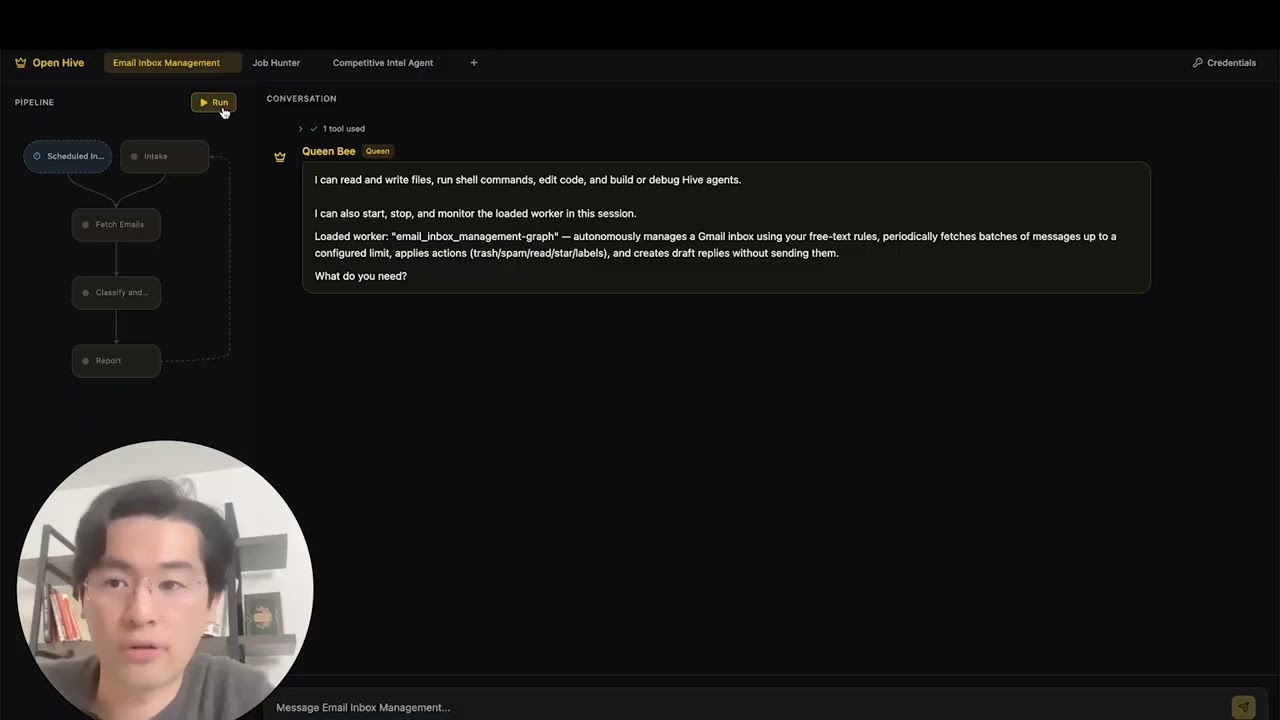
Now you can run an agent by selectiing the agent (either an existing agent or example agent). You can click the Run button on the top left, or talk to the queen agent and it can run the agent for you.
|
||||
|
||||
Hive includes native support for [OpenAI Codex CLI](https://github.com/openai/codex) (v0.101.0+).
|
||||
|
||||
1. **Config:** `.codex/config.toml` with `agent-builder` MCP server (tracked in git)
|
||||
2. **Skills:** `.agents/skills/` symlinks to Hive skills (tracked in git)
|
||||
3. **Launch:** Run `codex` in the repo root, then type `use hive`
|
||||
|
||||
Example:
|
||||
|
||||
```
|
||||
codex> use hive
|
||||
```
|
||||
|
||||
### Opencode
|
||||
|
||||
Hive includes native support for [Opencode](https://github.com/opencode-ai/opencode).
|
||||
|
||||
1. **Setup:** Run the quickstart script
|
||||
2. **Launch:** Open Opencode in the project root.
|
||||
3. **Activate:** Type `/hive` in the chat to switch to the Hive Agent.
|
||||
4. **Verify:** Ask the agent _"List your tools"_ to confirm the connection.
|
||||
|
||||
The agent has access to all Hive skills and can scaffold agents, add tools, and debug workflows directly from the chat.
|
||||
|
||||
**[📖 Complete Setup Guide](docs/environment-setup.md)** - Detailed instructions for agent development
|
||||
|
||||
### Antigravity IDE Support
|
||||
|
||||
Skills and MCP servers are also available in [Antigravity IDE](https://antigravity.google/) (Google's AI-powered IDE). **Easiest:** open a terminal in the hive repo folder and run (use `./` — the script is inside the repo):
|
||||
|
||||
```bash
|
||||
./scripts/setup-antigravity-mcp.sh
|
||||
```
|
||||
|
||||
**Important:** Always restart/refresh Antigravity IDE after running the setup script—MCP servers only load on startup. After restart, **agent-builder** and **tools** MCP servers should connect. Skills are under `.agent/skills/` (symlinks to `.claude/skills/`). See [docs/antigravity-setup.md](docs/antigravity-setup.md) for manual setup and troubleshooting.
|
||||
<img width="2500" height="1214" alt="Image" src="https://github.com/user-attachments/assets/71c38206-2ad5-49aa-bde8-6698d0bc55f5" />
|
||||
|
||||
## Features
|
||||
|
||||
- **[Goal-Driven Development](docs/key_concepts/goals_outcome.md)** - Define objectives in natural language; the coding agent generates the agent graph and connection code to achieve them
|
||||
- **Browser-Use** - Control the browser on your computer to achieve hard tasks
|
||||
- **Parallel Execution** - Execute the generated graph in parallel. This way you can have multiple agent compelteing the jobs for you
|
||||
- **[Goal-Driven Generation](docs/key_concepts/goals_outcome.md)** - Define objectives in natural language; the coding agent generates the agent graph and connection code to achieve them
|
||||
- **[Adaptiveness](docs/key_concepts/evolution.md)** - Framework captures failures, calibrates according to the objectives, and evolves the agent graph
|
||||
- **[Dynamic Node Connections](docs/key_concepts/graph.md)** - No predefined edges; connection code is generated by any capable LLM based on your goals
|
||||
- **SDK-Wrapped Nodes** - Every node gets shared memory, local RLM memory, monitoring, tools, and LLM access out of the box
|
||||
- **[Human-in-the-Loop](docs/key_concepts/graph.md#human-in-the-loop)** - Intervention nodes that pause execution for human input with configurable timeouts and escalation
|
||||
- **Real-time Observability** - WebSocket streaming for live monitoring of agent execution, decisions, and node-to-node communication
|
||||
- **Interactive TUI Dashboard** - Terminal-based dashboard with live graph view, event log, and chat interface for agent interaction
|
||||
- **Cost & Budget Control** - Set spending limits, throttles, and automatic model degradation policies
|
||||
- **Production-Ready** - Self-hostable, built for scale and reliability
|
||||
|
||||
## Integration
|
||||
@@ -240,35 +205,10 @@ flowchart LR
|
||||
4. **Control Plane Monitors** → Real-time metrics, budget enforcement, policy management
|
||||
5. **[Adaptiveness](docs/key_concepts/evolution.md)** → On failure, the system evolves the graph and redeploys automatically
|
||||
|
||||
## Run Agents
|
||||
|
||||
The `hive` CLI is the primary interface for running agents.
|
||||
|
||||
```bash
|
||||
# Browse and run agents interactively (Recommended)
|
||||
hive tui
|
||||
|
||||
# Run a specific agent directly
|
||||
hive run exports/my_agent --input '{"task": "Your input here"}'
|
||||
|
||||
# Run a specific agent with the TUI dashboard
|
||||
hive run exports/my_agent --tui
|
||||
|
||||
# Interactive REPL
|
||||
hive shell
|
||||
```
|
||||
|
||||
The TUI scans both `exports/` and `examples/templates/` for available agents.
|
||||
|
||||
> **Using Python directly (alternative):** You can also run agents with `PYTHONPATH=exports uv run python -m agent_name run --input '{...}'`
|
||||
|
||||
See [environment-setup.md](docs/environment-setup.md) for complete setup instructions.
|
||||
|
||||
## Documentation
|
||||
|
||||
- **[Developer Guide](docs/developer-guide.md)** - Comprehensive guide for developers
|
||||
- [Getting Started](docs/getting-started.md) - Quick setup instructions
|
||||
- [TUI Guide](docs/tui-selection-guide.md) - Interactive dashboard usage
|
||||
- [Configuration Guide](docs/configuration.md) - All configuration options
|
||||
- [Architecture Overview](docs/architecture/README.md) - System design and structure
|
||||
|
||||
@@ -435,7 +375,7 @@ This project is licensed under the Apache License 2.0 - see the [LICENSE](LICENS
|
||||
|
||||
**Q: What LLM providers does Hive support?**
|
||||
|
||||
Hive supports 100+ LLM providers through LiteLLM integration, including OpenAI (GPT-4, GPT-4o), Anthropic (Claude models), Google Gemini, DeepSeek, Mistral, Groq, and many more. Simply set the appropriate API key environment variable and specify the model name.
|
||||
Hive supports 100+ LLM providers through LiteLLM integration, including OpenAI (GPT-4, GPT-4o), Anthropic (Claude models), Google Gemini, DeepSeek, Mistral, Groq, and many more. Simply set the appropriate API key environment variable and specify the model name. We recommend using Claude, GLM and Gemini as they have the best performance.
|
||||
|
||||
**Q: Can I use Hive with local AI models like Ollama?**
|
||||
|
||||
@@ -477,14 +417,6 @@ Visit [docs.adenhq.com](https://docs.adenhq.com/) for complete guides, API refer
|
||||
|
||||
Contributions are welcome! Fork the repository, create your feature branch, implement your changes, and submit a pull request. See [CONTRIBUTING.md](CONTRIBUTING.md) for detailed guidelines.
|
||||
|
||||
**Q: When will my team start seeing results from Aden's adaptive agents?**
|
||||
|
||||
Aden's adaptation loop begins working from the first execution. When an agent fails, the framework captures the failure data, helping developers evolve the agent graph through the coding agent. How quickly this translates to measurable results depends on the complexity of your use case, the quality of your goal definitions, and the volume of executions generating feedback.
|
||||
|
||||
**Q: How does Hive compare to other agent frameworks?**
|
||||
|
||||
Hive focuses on generating agents that run real business processes, rather than generic agents. This vision emphasizes outcome-driven design, adaptability, and an easy-to-use set of tools and integrations.
|
||||
|
||||
---
|
||||
|
||||
<p align="center">
|
||||
|
||||
+1
-1
@@ -64,7 +64,7 @@ To use the agent builder with Claude Desktop or other MCP clients, add this to y
|
||||
"agent-builder": {
|
||||
"command": "python",
|
||||
"args": ["-m", "framework.mcp.agent_builder_server"],
|
||||
"cwd": "/path/to/goal-agent"
|
||||
"cwd": "/path/to/hive/core"
|
||||
}
|
||||
}
|
||||
}
|
||||
|
||||
+4
-2
@@ -15,6 +15,7 @@ import base64
|
||||
import hashlib
|
||||
import http.server
|
||||
import json
|
||||
import os
|
||||
import platform
|
||||
import secrets
|
||||
import subprocess
|
||||
@@ -150,8 +151,9 @@ def save_credentials(token_data: dict, account_id: str) -> None:
|
||||
if "id_token" in token_data:
|
||||
auth_data["tokens"]["id_token"] = token_data["id_token"]
|
||||
|
||||
CODEX_AUTH_FILE.parent.mkdir(parents=True, exist_ok=True)
|
||||
with open(CODEX_AUTH_FILE, "w") as f:
|
||||
CODEX_AUTH_FILE.parent.mkdir(parents=True, exist_ok=True, mode=0o700)
|
||||
fd = os.open(CODEX_AUTH_FILE, os.O_WRONLY | os.O_CREAT | os.O_TRUNC, 0o600)
|
||||
with os.fdopen(fd, "w") as f:
|
||||
json.dump(auth_data, f, indent=2)
|
||||
|
||||
|
||||
|
||||
@@ -7,19 +7,38 @@ from framework.graph import NodeSpec
|
||||
# Load reference docs at import time so they're always in the system prompt.
|
||||
# No voluntary read_file() calls needed — the LLM gets everything upfront.
|
||||
_ref_dir = Path(__file__).parent.parent / "reference"
|
||||
_framework_guide = (_ref_dir / "framework_guide.md").read_text(encoding="utf-8")
|
||||
_file_templates = (_ref_dir / "file_templates.md").read_text(encoding="utf-8")
|
||||
_anti_patterns = (_ref_dir / "anti_patterns.md").read_text(encoding="utf-8")
|
||||
_framework_guide = (_ref_dir / "framework_guide.md").read_text()
|
||||
_file_templates = (_ref_dir / "file_templates.md").read_text()
|
||||
_anti_patterns = (_ref_dir / "anti_patterns.md").read_text()
|
||||
_gcu_guide_path = _ref_dir / "gcu_guide.md"
|
||||
_gcu_guide = _gcu_guide_path.read_text() if _gcu_guide_path.exists() else ""
|
||||
|
||||
|
||||
def _is_gcu_enabled() -> bool:
|
||||
try:
|
||||
from framework.config import get_gcu_enabled
|
||||
|
||||
return get_gcu_enabled()
|
||||
except Exception:
|
||||
return False
|
||||
|
||||
|
||||
def _build_appendices() -> str:
|
||||
parts = (
|
||||
"\n\n# Appendix: Framework Reference\n\n"
|
||||
+ _framework_guide
|
||||
+ "\n\n# Appendix: File Templates\n\n"
|
||||
+ _file_templates
|
||||
+ "\n\n# Appendix: Anti-Patterns\n\n"
|
||||
+ _anti_patterns
|
||||
)
|
||||
if _is_gcu_enabled() and _gcu_guide:
|
||||
parts += "\n\n# Appendix: GCU Browser Automation Guide\n\n" + _gcu_guide
|
||||
return parts
|
||||
|
||||
|
||||
# Shared appendices — appended to every coding node's system prompt.
|
||||
_appendices = (
|
||||
"\n\n# Appendix: Framework Reference\n\n"
|
||||
+ _framework_guide
|
||||
+ "\n\n# Appendix: File Templates\n\n"
|
||||
+ _file_templates
|
||||
+ "\n\n# Appendix: Anti-Patterns\n\n"
|
||||
+ _anti_patterns
|
||||
)
|
||||
_appendices = _build_appendices()
|
||||
|
||||
# Tools available to both coder (worker) and queen.
|
||||
_SHARED_TOOLS = [
|
||||
@@ -391,7 +410,10 @@ If list_agent_tools() shows these don't exist, use alternatives \
|
||||
**Node rules**:
|
||||
- **2-4 nodes MAX.** Never exceed 4. Merge thin nodes aggressively.
|
||||
- A node with 0 tools is NOT a real node — merge it.
|
||||
- node_type always "event_loop"
|
||||
- node_type "event_loop" for all regular graph nodes. Use "gcu" ONLY for
|
||||
browser automation subagents (see GCU appendix). GCU nodes MUST be in a
|
||||
parent node's sub_agents list, NEVER connected via edges, and NEVER used
|
||||
as entry/terminal nodes.
|
||||
- max_node_visits default is 0 (unbounded) — correct for forever-alive. \
|
||||
Only set >0 in one-shot agents with bounded feedback loops.
|
||||
- Feedback inputs: nullable_output_keys
|
||||
@@ -539,6 +561,11 @@ critical issue. Use sparingly.
|
||||
this session. If a worker is already loaded, it is automatically unloaded \
|
||||
first. Call after building and validating an agent to make it available \
|
||||
immediately.
|
||||
|
||||
## Credentials
|
||||
- list_credentials(credential_id?) — List all authorized credentials in the \
|
||||
local store. Returns IDs, aliases, status, and identity metadata (never \
|
||||
secrets). Optionally filter by credential_id.
|
||||
"""
|
||||
|
||||
_queen_behavior = """
|
||||
@@ -589,14 +616,29 @@ If NO worker is loaded, say so and offer to build one.
|
||||
- For tasks matching the worker's goal, call start_worker(task).
|
||||
- For everything else, do it directly.
|
||||
|
||||
## When the user clicks Run (external event notification)
|
||||
When you receive an event that the user clicked Run:
|
||||
- If the worker started successfully, briefly acknowledge it — do NOT \
|
||||
repeat the full status. The user can see the graph is running.
|
||||
- If the worker failed to start (credential or structural error), \
|
||||
explain the problem clearly and help fix it. For credential errors, \
|
||||
guide the user to set up the missing credentials. For structural \
|
||||
issues, offer to fix the agent graph directly.
|
||||
|
||||
## When worker is running:
|
||||
- If the user asks about progress, call get_worker_status().
|
||||
- If the user asks about progress, call get_worker_status() ONCE and \
|
||||
report the result. Do NOT poll in a loop.
|
||||
- NEVER call get_worker_status() repeatedly without user input in between. \
|
||||
The worker will surface results through client-facing nodes. You do not \
|
||||
need to monitor it. One check per user request is enough.
|
||||
- If the user has a concern or instruction for the worker, call \
|
||||
inject_worker_message(content) to relay it.
|
||||
- You can still do coding tasks directly while the worker runs.
|
||||
- If an escalation ticket arrives from the judge, assess severity:
|
||||
- Low/transient: acknowledge silently, do not disturb the user.
|
||||
- High/critical: notify the user with a brief analysis and suggested action.
|
||||
- After starting the worker or checking its status, WAIT for the user's \
|
||||
next message. Do not take autonomous actions unless the user asks.
|
||||
|
||||
## When worker asks user a question:
|
||||
- The system will route the user's response directly to the worker. \
|
||||
@@ -778,6 +820,8 @@ queen_node = NodeSpec(
|
||||
"notify_operator",
|
||||
# Agent loading
|
||||
"load_built_agent",
|
||||
# Credentials
|
||||
"list_credentials",
|
||||
],
|
||||
system_prompt=(
|
||||
"You are the Queen — the user's primary interface. You are a coding agent "
|
||||
@@ -803,6 +847,8 @@ ALL_QUEEN_TOOLS = _SHARED_TOOLS + [
|
||||
"notify_operator",
|
||||
# Agent loading
|
||||
"load_built_agent",
|
||||
# Credentials
|
||||
"list_credentials",
|
||||
]
|
||||
|
||||
__all__ = [
|
||||
|
||||
@@ -105,3 +105,7 @@ def test_research_routes_back_to_interact(self):
|
||||
23. **Forgetting sys.path setup in conftest.py** — Tests need `exports/` and `core/` on sys.path.
|
||||
|
||||
24. **Not using auto_responder for client-facing nodes** — Tests with client-facing nodes hang without an auto-responder that injects input. But note: even WITH auto_responder, forever-alive agents still hang because the graph never terminates. Auto-responder only helps for agents with terminal nodes.
|
||||
|
||||
25. **Manually wiring browser tools on event_loop nodes** — If the agent needs browser automation, use `node_type="gcu"` which auto-includes all browser tools and prepends best-practices guidance. Do NOT manually list browser tool names on event_loop nodes — they may not exist in the MCP server or may be incomplete. See the GCU Guide appendix.
|
||||
|
||||
26. **Using GCU nodes as regular graph nodes** — GCU nodes (`node_type="gcu"`) are exclusively subagents. They must ONLY appear in a parent node's `sub_agents=["gcu-node-id"]` list and be invoked via `delegate_to_sub_agent()`. They must NEVER be connected via edges, used as entry nodes, or used as terminal nodes. If a GCU node appears as an edge source or target, the graph will fail pre-load validation.
|
||||
|
||||
@@ -72,7 +72,7 @@ goal = Goal(
|
||||
| id | str | required | kebab-case identifier |
|
||||
| name | str | required | Display name |
|
||||
| description | str | required | What the node does |
|
||||
| node_type | str | required | Always `"event_loop"` |
|
||||
| node_type | str | required | `"event_loop"` or `"gcu"` (browser automation — see GCU Guide appendix) |
|
||||
| input_keys | list[str] | required | Memory keys this node reads |
|
||||
| output_keys | list[str] | required | Memory keys this node writes via set_output |
|
||||
| system_prompt | str | "" | LLM instructions |
|
||||
|
||||
@@ -0,0 +1,119 @@
|
||||
# GCU Browser Automation Guide
|
||||
|
||||
## When to Use GCU Nodes
|
||||
|
||||
Use `node_type="gcu"` when:
|
||||
- The user's workflow requires **navigating real websites** (scraping, form-filling, social media interaction, testing web UIs)
|
||||
- The task involves **dynamic/JS-rendered pages** that `web_scrape` cannot handle (SPAs, infinite scroll, login-gated content)
|
||||
- The agent needs to **interact with a website** — clicking, typing, scrolling, selecting, uploading files
|
||||
|
||||
Do NOT use GCU for:
|
||||
- Static content that `web_scrape` handles fine
|
||||
- API-accessible data (use the API directly)
|
||||
- PDF/file processing
|
||||
- Anything that doesn't require a browser UI
|
||||
|
||||
## What GCU Nodes Are
|
||||
|
||||
- `node_type="gcu"` — a declarative enhancement over `event_loop`
|
||||
- Framework auto-prepends browser best-practices system prompt
|
||||
- Framework auto-includes all 31 browser tools from `gcu-tools` MCP server
|
||||
- Same underlying `EventLoopNode` class — no new imports needed
|
||||
- `tools=[]` is correct — tools are auto-populated at runtime
|
||||
|
||||
## GCU Architecture Pattern
|
||||
|
||||
GCU nodes are **subagents** — invoked via `delegate_to_sub_agent()`, not connected via edges.
|
||||
|
||||
- Primary nodes (`event_loop`, client-facing) orchestrate; GCU nodes do browser work
|
||||
- Parent node declares `sub_agents=["gcu-node-id"]` and calls `delegate_to_sub_agent(agent_id="gcu-node-id", task="...")`
|
||||
- GCU nodes set `max_node_visits=1` (single execution per delegation), `client_facing=False`
|
||||
- GCU nodes use `output_keys=["result"]` and return structured JSON via `set_output("result", ...)`
|
||||
|
||||
## GCU Node Definition Template
|
||||
|
||||
```python
|
||||
gcu_browser_node = NodeSpec(
|
||||
id="gcu-browser-worker",
|
||||
name="Browser Worker",
|
||||
description="Browser subagent that does X.",
|
||||
node_type="gcu",
|
||||
client_facing=False,
|
||||
max_node_visits=1,
|
||||
input_keys=[],
|
||||
output_keys=["result"],
|
||||
tools=[], # Auto-populated with all browser tools
|
||||
system_prompt="""\
|
||||
You are a browser agent. Your job: [specific task].
|
||||
|
||||
## Workflow
|
||||
1. browser_start (only if no browser is running yet)
|
||||
2. browser_open(url=TARGET_URL) — note the returned targetId
|
||||
3. browser_snapshot to read the page
|
||||
4. [task-specific steps]
|
||||
5. set_output("result", JSON)
|
||||
|
||||
## Output format
|
||||
set_output("result", JSON) with:
|
||||
- [field]: [type and description]
|
||||
""",
|
||||
)
|
||||
```
|
||||
|
||||
## Parent Node Template (orchestrating GCU subagents)
|
||||
|
||||
```python
|
||||
orchestrator_node = NodeSpec(
|
||||
id="orchestrator",
|
||||
...
|
||||
node_type="event_loop",
|
||||
sub_agents=["gcu-browser-worker"],
|
||||
system_prompt="""\
|
||||
...
|
||||
delegate_to_sub_agent(
|
||||
agent_id="gcu-browser-worker",
|
||||
task="Navigate to [URL]. Do [specific task]. Return JSON with [fields]."
|
||||
)
|
||||
...
|
||||
""",
|
||||
tools=[], # Orchestrator doesn't need browser tools
|
||||
)
|
||||
```
|
||||
|
||||
## mcp_servers.json with GCU
|
||||
|
||||
```json
|
||||
{
|
||||
"hive-tools": { ... },
|
||||
"gcu-tools": {
|
||||
"transport": "stdio",
|
||||
"command": "uv",
|
||||
"args": ["run", "python", "-m", "gcu.server", "--stdio"],
|
||||
"cwd": "../../tools",
|
||||
"description": "GCU tools for browser automation"
|
||||
}
|
||||
}
|
||||
```
|
||||
|
||||
Note: `gcu-tools` is auto-added if any node uses `node_type="gcu"`, but including it explicitly is fine.
|
||||
|
||||
## GCU System Prompt Best Practices
|
||||
|
||||
Key rules to bake into GCU node prompts:
|
||||
|
||||
- Prefer `browser_snapshot` over `browser_get_text("body")` — compact accessibility tree vs 100KB+ raw HTML
|
||||
- Always `browser_wait` after navigation
|
||||
- Use large scroll amounts (~2000-5000) for lazy-loaded content
|
||||
- For spillover files, use `run_command` with grep, not `read_file`
|
||||
- If auth wall detected, report immediately — don't attempt login
|
||||
- Keep tool calls per turn ≤10
|
||||
- Tab isolation: when browser is already running, use `browser_open(background=true)` and pass `target_id` to every call
|
||||
|
||||
## GCU Anti-Patterns
|
||||
|
||||
- Using `browser_screenshot` to read text (use `browser_snapshot`)
|
||||
- Re-navigating after scrolling (resets scroll position)
|
||||
- Attempting login on auth walls
|
||||
- Forgetting `target_id` in multi-tab scenarios
|
||||
- Putting browser tools directly on `event_loop` nodes instead of using GCU subagent pattern
|
||||
- Making GCU nodes `client_facing=True` (they should be autonomous subagents)
|
||||
@@ -90,6 +90,11 @@ def get_api_key() -> str | None:
|
||||
return None
|
||||
|
||||
|
||||
def get_gcu_enabled() -> bool:
|
||||
"""Return whether GCU (browser automation) is enabled in user config."""
|
||||
return get_hive_config().get("gcu_enabled", False)
|
||||
|
||||
|
||||
def get_api_base() -> str | None:
|
||||
"""Return the api_base URL for OpenAI-compatible endpoints, if configured."""
|
||||
llm = get_hive_config().get("llm", {})
|
||||
|
||||
@@ -159,11 +159,7 @@ class CredentialValidationResult:
|
||||
f" {c.env_var} for {_label(c)}"
|
||||
f"\n Connect this integration at hive.adenhq.com first."
|
||||
)
|
||||
lines.append(
|
||||
"\nTo fix: run /hive-credentials in Claude Code."
|
||||
"\nIf you've already set up credentials, "
|
||||
"restart your terminal to load them."
|
||||
)
|
||||
lines.append("\nIf you've already set up credentials, restart your terminal to load them.")
|
||||
return "\n".join(lines)
|
||||
|
||||
|
||||
|
||||
@@ -107,17 +107,38 @@ _TC_ARG_LIMIT = 200 # max chars per tool_call argument after compaction
|
||||
def _compact_tool_calls(tool_calls: list[dict[str, Any]]) -> list[dict[str, Any]]:
|
||||
"""Truncate tool_call arguments to save context tokens during compaction.
|
||||
|
||||
Preserves ``id``, ``type``, and ``function.name`` exactly. Truncates
|
||||
``function.arguments`` (a JSON string) to at most ``_TC_ARG_LIMIT`` chars
|
||||
so that large payloads (e.g. set_output with full findings) don't survive
|
||||
compaction and defeat the purpose of context reduction.
|
||||
Preserves ``id``, ``type``, and ``function.name`` exactly. When arguments
|
||||
exceed ``_TC_ARG_LIMIT``, replaces the full JSON string with a compact
|
||||
**valid** JSON summary. The Anthropic API parses tool_call arguments and
|
||||
rejects requests with malformed JSON (e.g. unterminated strings), so we
|
||||
must never produce broken JSON here.
|
||||
"""
|
||||
compact = []
|
||||
for tc in tool_calls:
|
||||
func = tc.get("function", {})
|
||||
args = func.get("arguments", "")
|
||||
if len(args) > _TC_ARG_LIMIT:
|
||||
args = args[:_TC_ARG_LIMIT] + "…[truncated]"
|
||||
# Build a valid JSON summary instead of slicing mid-string.
|
||||
# Try to extract top-level keys for a meaningful preview.
|
||||
try:
|
||||
parsed = json.loads(args)
|
||||
if isinstance(parsed, dict):
|
||||
# Preserve key names, truncate values
|
||||
summary_parts = []
|
||||
for k, v in parsed.items():
|
||||
v_str = str(v)
|
||||
if len(v_str) > 60:
|
||||
v_str = v_str[:60] + "..."
|
||||
summary_parts.append(f"{k}={v_str}")
|
||||
summary = ", ".join(summary_parts)
|
||||
if len(summary) > _TC_ARG_LIMIT:
|
||||
summary = summary[:_TC_ARG_LIMIT] + "..."
|
||||
args = json.dumps({"_compacted": summary})
|
||||
else:
|
||||
args = json.dumps({"_compacted": str(parsed)[:_TC_ARG_LIMIT]})
|
||||
except (json.JSONDecodeError, TypeError):
|
||||
# Args were already invalid JSON — wrap the preview safely
|
||||
args = json.dumps({"_compacted": args[:_TC_ARG_LIMIT]})
|
||||
compact.append(
|
||||
{
|
||||
"id": tc.get("id", ""),
|
||||
|
||||
@@ -103,7 +103,12 @@ FEEDBACK: (reason if RETRY, empty if ACCEPT)"""
|
||||
|
||||
|
||||
def _extract_recent_context(conversation: NodeConversation, max_messages: int = 10) -> str:
|
||||
"""Extract recent conversation messages for evaluation."""
|
||||
"""Extract recent conversation messages for evaluation.
|
||||
|
||||
Includes tool-call summaries from assistant messages so the judge
|
||||
can see what tools were invoked (especially set_output values) even
|
||||
when the assistant message body is empty.
|
||||
"""
|
||||
messages = conversation.messages
|
||||
recent = messages[-max_messages:] if len(messages) > max_messages else messages
|
||||
|
||||
@@ -112,8 +117,24 @@ def _extract_recent_context(conversation: NodeConversation, max_messages: int =
|
||||
role = msg.role.upper()
|
||||
content = msg.content or ""
|
||||
# Truncate long tool results
|
||||
if msg.role == "tool" and len(content) > 200:
|
||||
content = content[:200] + "..."
|
||||
if msg.role == "tool" and len(content) > 500:
|
||||
content = content[:500] + "..."
|
||||
# For assistant messages with empty content but tool_calls,
|
||||
# summarise the tool calls so the judge knows what happened.
|
||||
if msg.role == "assistant" and not content.strip():
|
||||
tool_calls = getattr(msg, "tool_calls", None)
|
||||
if tool_calls:
|
||||
tc_parts = []
|
||||
for tc in tool_calls:
|
||||
fn = tc.get("function", {}) if isinstance(tc, dict) else {}
|
||||
name = fn.get("name", "")
|
||||
args = fn.get("arguments", "")
|
||||
if name == "set_output":
|
||||
# Show the value so the judge can evaluate content quality
|
||||
tc_parts.append(f" called {name}({args[:1000]})")
|
||||
else:
|
||||
tc_parts.append(f" called {name}(...)")
|
||||
content = "Tool calls:\n" + "\n".join(tc_parts)
|
||||
if content.strip():
|
||||
parts.append(f"[{role}]: {content.strip()}")
|
||||
|
||||
@@ -125,6 +146,10 @@ def _format_outputs(accumulator_state: dict[str, Any]) -> str:
|
||||
|
||||
Lists and dicts get structural formatting so the judge can assess
|
||||
quantity and structure, not just a truncated stringification.
|
||||
|
||||
String values are given a generous limit (2000 chars) so the judge
|
||||
can verify substantive content (e.g. a research brief with key
|
||||
questions, scope boundaries, and deliverables).
|
||||
"""
|
||||
if not accumulator_state:
|
||||
return "(none)"
|
||||
@@ -144,12 +169,12 @@ def _format_outputs(accumulator_state: dict[str, Any]) -> str:
|
||||
val_str += f"\n ... and {len(value) - 8} more"
|
||||
elif isinstance(value, dict):
|
||||
val_str = str(value)
|
||||
if len(val_str) > 400:
|
||||
val_str = val_str[:400] + "..."
|
||||
if len(val_str) > 2000:
|
||||
val_str = val_str[:2000] + "..."
|
||||
else:
|
||||
val_str = str(value)
|
||||
if len(val_str) > 300:
|
||||
val_str = val_str[:300] + "..."
|
||||
if len(val_str) > 2000:
|
||||
val_str = val_str[:2000] + "..."
|
||||
parts.append(f" {key}: {val_str}")
|
||||
return "\n".join(parts)
|
||||
|
||||
|
||||
@@ -338,6 +338,10 @@ class AsyncEntryPointSpec(BaseModel):
|
||||
max_concurrent: int = Field(
|
||||
default=10, description="Maximum concurrent executions for this entry point"
|
||||
)
|
||||
max_resurrections: int = Field(
|
||||
default=3,
|
||||
description="Auto-restart on non-fatal failure (0 to disable)",
|
||||
)
|
||||
|
||||
model_config = {"extra": "allow"}
|
||||
|
||||
@@ -503,45 +507,6 @@ class GraphSpec(BaseModel):
|
||||
"""Get all edges entering a node."""
|
||||
return [e for e in self.edges if e.target == node_id]
|
||||
|
||||
def build_capability_summary(self, from_node_id: str) -> str:
|
||||
"""Build a summary of the agent's downstream workflow phases and tools.
|
||||
|
||||
Walks the graph from *from_node_id* and collects all reachable nodes
|
||||
(excluding the starting node itself) so that client-facing entry nodes
|
||||
can inform the user about what the overall agent is capable of.
|
||||
|
||||
Returns:
|
||||
A formatted string listing each downstream node's name,
|
||||
description, and tools — or an empty string when there are
|
||||
no downstream nodes.
|
||||
"""
|
||||
reachable: list[Any] = []
|
||||
visited: set[str] = set()
|
||||
queue = [from_node_id]
|
||||
while queue:
|
||||
nid = queue.pop()
|
||||
if nid in visited:
|
||||
continue
|
||||
visited.add(nid)
|
||||
node = self.get_node(nid)
|
||||
if node and nid != from_node_id:
|
||||
reachable.append(node)
|
||||
for edge in self.get_outgoing_edges(nid):
|
||||
queue.append(edge.target)
|
||||
|
||||
if not reachable:
|
||||
return ""
|
||||
|
||||
lines = [
|
||||
"## Agent Capabilities",
|
||||
"This agent has the following workflow phases and tools:",
|
||||
]
|
||||
for node in reachable:
|
||||
tool_str = f" (tools: {', '.join(node.tools)})" if node.tools else ""
|
||||
lines.append(f"- {node.name}: {node.description}{tool_str}")
|
||||
|
||||
return "\n".join(lines)
|
||||
|
||||
def detect_fan_out_nodes(self) -> dict[str, list[str]]:
|
||||
"""
|
||||
Detect nodes that fan-out to multiple targets.
|
||||
@@ -683,6 +648,13 @@ class GraphSpec(BaseModel):
|
||||
for edge in self.get_outgoing_edges(current):
|
||||
to_visit.append(edge.target)
|
||||
|
||||
# Also mark sub-agents as reachable (they're invoked via delegate_to_sub_agent, not edges)
|
||||
for node in self.nodes:
|
||||
if node.id in reachable:
|
||||
sub_agents = getattr(node, "sub_agents", []) or []
|
||||
for sub_agent_id in sub_agents:
|
||||
reachable.add(sub_agent_id)
|
||||
|
||||
# Build set of async entry point nodes for quick lookup
|
||||
async_entry_nodes = {ep.entry_node for ep in self.async_entry_points}
|
||||
|
||||
@@ -734,4 +706,48 @@ class GraphSpec(BaseModel):
|
||||
else:
|
||||
seen_keys[key] = node_id
|
||||
|
||||
# GCU nodes must only be used as subagents
|
||||
gcu_node_ids = {n.id for n in self.nodes if n.node_type == "gcu"}
|
||||
if gcu_node_ids:
|
||||
# GCU nodes must not be entry nodes
|
||||
if self.entry_node in gcu_node_ids:
|
||||
errors.append(
|
||||
f"GCU node '{self.entry_node}' is used as entry node. "
|
||||
"GCU nodes must only be used as subagents via delegate_to_sub_agent()."
|
||||
)
|
||||
|
||||
# GCU nodes must not be terminal nodes
|
||||
for term in self.terminal_nodes:
|
||||
if term in gcu_node_ids:
|
||||
errors.append(
|
||||
f"GCU node '{term}' is used as terminal node. "
|
||||
"GCU nodes must only be used as subagents."
|
||||
)
|
||||
|
||||
# GCU nodes must not be connected via edges
|
||||
for edge in self.edges:
|
||||
if edge.source in gcu_node_ids:
|
||||
errors.append(
|
||||
f"GCU node '{edge.source}' is used as edge source (edge '{edge.id}'). "
|
||||
"GCU nodes must only be used as subagents, not connected via edges."
|
||||
)
|
||||
if edge.target in gcu_node_ids:
|
||||
errors.append(
|
||||
f"GCU node '{edge.target}' is used as edge target (edge '{edge.id}'). "
|
||||
"GCU nodes must only be used as subagents, not connected via edges."
|
||||
)
|
||||
|
||||
# GCU nodes must be referenced in at least one parent's sub_agents
|
||||
referenced_subagents = set()
|
||||
for node in self.nodes:
|
||||
for sa_id in node.sub_agents or []:
|
||||
referenced_subagents.add(sa_id)
|
||||
|
||||
orphaned = gcu_node_ids - referenced_subagents
|
||||
for nid in orphaned:
|
||||
errors.append(
|
||||
f"GCU node '{nid}' is not referenced in any node's sub_agents list. "
|
||||
"GCU nodes must be declared as subagents of a parent node."
|
||||
)
|
||||
|
||||
return errors
|
||||
|
||||
+1144
-126
File diff suppressed because it is too large
Load Diff
@@ -193,6 +193,9 @@ class GraphExecutor:
|
||||
# Pause/resume control
|
||||
self._pause_requested = asyncio.Event()
|
||||
|
||||
# Track the currently executing node for external injection routing
|
||||
self.current_node_id: str | None = None
|
||||
|
||||
def _write_progress(
|
||||
self,
|
||||
current_node: str,
|
||||
@@ -338,6 +341,9 @@ class GraphExecutor:
|
||||
cumulative_tool_names: set[str] = set()
|
||||
cumulative_output_keys: list[str] = [] # Output keys from all visited nodes
|
||||
|
||||
# Build node registry for subagent lookup
|
||||
node_registry: dict[str, NodeSpec] = {node.id: node for node in graph.nodes}
|
||||
|
||||
# Initialize checkpoint store if checkpointing is enabled
|
||||
checkpoint_store: CheckpointStore | None = None
|
||||
if checkpoint_config and checkpoint_config.enabled and self._storage_path:
|
||||
@@ -694,6 +700,9 @@ class GraphExecutor:
|
||||
# Execute this node, then pause
|
||||
# (We'll check again after execution and save state)
|
||||
|
||||
# Expose current node for external injection routing
|
||||
self.current_node_id = current_node_id
|
||||
|
||||
self.logger.info(f"\n▶ Step {steps}: {node_spec.name} ({node_spec.node_type})")
|
||||
self.logger.info(f" Inputs: {node_spec.input_keys}")
|
||||
self.logger.info(f" Outputs: {node_spec.output_keys}")
|
||||
@@ -729,6 +738,7 @@ class GraphExecutor:
|
||||
override_tools=cumulative_tools if is_continuous else None,
|
||||
cumulative_output_keys=cumulative_output_keys if is_continuous else None,
|
||||
event_triggered=_event_triggered,
|
||||
node_registry=node_registry,
|
||||
identity_prompt=getattr(graph, "identity_prompt", ""),
|
||||
narrative=_resume_narrative,
|
||||
graph=graph,
|
||||
@@ -1131,6 +1141,7 @@ class GraphExecutor:
|
||||
source_result=result,
|
||||
source_node_spec=node_spec,
|
||||
path=path,
|
||||
node_registry=node_registry,
|
||||
)
|
||||
|
||||
total_tokens += branch_tokens
|
||||
@@ -1583,6 +1594,7 @@ class GraphExecutor:
|
||||
event_triggered: bool = False,
|
||||
identity_prompt: str = "",
|
||||
narrative: str = "",
|
||||
node_registry: dict[str, NodeSpec] | None = None,
|
||||
graph: "GraphSpec | None" = None,
|
||||
) -> NodeContext:
|
||||
"""Build execution context for a node."""
|
||||
@@ -1612,17 +1624,7 @@ class GraphExecutor:
|
||||
node_tool_names=node_spec.tools,
|
||||
)
|
||||
|
||||
# Build goal context, enriched with capability summary for
|
||||
# client-facing nodes so the LLM knows what the full agent can do.
|
||||
goal_context = goal.to_prompt_context()
|
||||
if graph and node_spec.client_facing:
|
||||
capability_summary = graph.build_capability_summary(graph.entry_node)
|
||||
if capability_summary:
|
||||
goal_context = (
|
||||
f"{goal_context}\n\n{capability_summary}"
|
||||
if goal_context
|
||||
else capability_summary
|
||||
)
|
||||
|
||||
return NodeContext(
|
||||
runtime=self.runtime,
|
||||
@@ -1646,10 +1648,14 @@ class GraphExecutor:
|
||||
narrative=narrative,
|
||||
execution_id=self._execution_id,
|
||||
stream_id=self._stream_id,
|
||||
node_registry=node_registry or {},
|
||||
all_tools=list(self.tools), # Full catalog for subagent tool resolution
|
||||
shared_node_registry=self.node_registry, # For subagent escalation routing
|
||||
)
|
||||
|
||||
VALID_NODE_TYPES = {
|
||||
"event_loop",
|
||||
"gcu",
|
||||
}
|
||||
# Node types removed in v0.5 — provide migration guidance
|
||||
REMOVED_NODE_TYPES = {
|
||||
@@ -1684,8 +1690,8 @@ class GraphExecutor:
|
||||
f"Must be one of: {sorted(self.VALID_NODE_TYPES)}."
|
||||
)
|
||||
|
||||
# Create based on type (only event_loop is valid)
|
||||
if node_spec.node_type == "event_loop":
|
||||
# Create based on type
|
||||
if node_spec.node_type in ("event_loop", "gcu"):
|
||||
# Auto-create EventLoopNode with sensible defaults.
|
||||
# Custom configs can still be pre-registered via node_registry.
|
||||
from framework.graph.event_loop_node import EventLoopNode, LoopConfig
|
||||
@@ -1902,6 +1908,7 @@ class GraphExecutor:
|
||||
source_result: NodeResult,
|
||||
source_node_spec: Any,
|
||||
path: list[str],
|
||||
node_registry: dict[str, NodeSpec] | None = None,
|
||||
) -> tuple[dict[str, NodeResult], int, int]:
|
||||
"""
|
||||
Execute multiple branches in parallel using asyncio.gather.
|
||||
@@ -2000,7 +2007,13 @@ class GraphExecutor:
|
||||
|
||||
# Build context for this branch
|
||||
ctx = self._build_context(
|
||||
node_spec, memory, goal, mapped, graph.max_tokens, graph=graph
|
||||
node_spec,
|
||||
memory,
|
||||
goal,
|
||||
mapped,
|
||||
graph.max_tokens,
|
||||
node_registry=node_registry,
|
||||
graph=graph,
|
||||
)
|
||||
node_impl = self._get_node_implementation(node_spec, graph.cleanup_llm_model)
|
||||
|
||||
|
||||
@@ -0,0 +1,23 @@
|
||||
"""File tools MCP server constants.
|
||||
|
||||
Analogous to ``gcu.py`` — defines the server name and default stdio config
|
||||
so the runner can auto-register the files MCP server for any agent that has
|
||||
``event_loop`` or ``gcu`` nodes.
|
||||
"""
|
||||
|
||||
# ---------------------------------------------------------------------------
|
||||
# MCP server identity
|
||||
# ---------------------------------------------------------------------------
|
||||
|
||||
FILES_MCP_SERVER_NAME = "files-tools"
|
||||
"""Name used to identify the file tools MCP server in ``mcp_servers.json``."""
|
||||
|
||||
FILES_MCP_SERVER_CONFIG: dict = {
|
||||
"name": FILES_MCP_SERVER_NAME,
|
||||
"transport": "stdio",
|
||||
"command": "uv",
|
||||
"args": ["run", "python", "files_server.py", "--stdio"],
|
||||
"cwd": "../../tools",
|
||||
"description": "File tools for reading, writing, editing, and searching files",
|
||||
}
|
||||
"""Default stdio config for the file tools MCP server (relative to exports/<agent>/)."""
|
||||
@@ -0,0 +1,86 @@
|
||||
"""GCU (browser automation) node type constants.
|
||||
|
||||
A ``gcu`` node is an ``event_loop`` node with two automatic enhancements:
|
||||
1. A canonical browser best-practices system prompt is prepended.
|
||||
2. All tools from the GCU MCP server are auto-included.
|
||||
|
||||
No new ``NodeProtocol`` subclass — the ``gcu`` type is purely a declarative
|
||||
signal processed by the runner and executor at setup time.
|
||||
"""
|
||||
|
||||
# ---------------------------------------------------------------------------
|
||||
# MCP server identity
|
||||
# ---------------------------------------------------------------------------
|
||||
|
||||
GCU_SERVER_NAME = "gcu-tools"
|
||||
"""Name used to identify the GCU MCP server in ``mcp_servers.json``."""
|
||||
|
||||
GCU_MCP_SERVER_CONFIG: dict = {
|
||||
"name": GCU_SERVER_NAME,
|
||||
"transport": "stdio",
|
||||
"command": "uv",
|
||||
"args": ["run", "python", "-m", "gcu.server", "--stdio"],
|
||||
"cwd": "../../tools",
|
||||
"description": "GCU tools for browser automation",
|
||||
}
|
||||
"""Default stdio config for the GCU MCP server (relative to exports/<agent>/)."""
|
||||
|
||||
# ---------------------------------------------------------------------------
|
||||
# Browser best-practices system prompt
|
||||
# ---------------------------------------------------------------------------
|
||||
|
||||
GCU_BROWSER_SYSTEM_PROMPT = """\
|
||||
# Browser Automation Best Practices
|
||||
|
||||
Follow these rules for reliable, efficient browser interaction.
|
||||
|
||||
## Reading Pages
|
||||
- ALWAYS prefer `browser_snapshot` over `browser_get_text("body")`
|
||||
— it returns a compact ~1-5 KB accessibility tree vs 100+ KB of raw HTML.
|
||||
- Use `browser_snapshot_aria` when you need full ARIA properties
|
||||
for detailed element inspection.
|
||||
- Do NOT use `browser_screenshot` for reading text content
|
||||
— it produces huge base64 images with no searchable text.
|
||||
- Only fall back to `browser_get_text` for extracting specific
|
||||
small elements by CSS selector.
|
||||
|
||||
## Navigation & Waiting
|
||||
- Always call `browser_wait` after navigation actions
|
||||
(`browser_open`, `browser_navigate`, `browser_click` on links)
|
||||
to let the page load.
|
||||
- NEVER re-navigate to the same URL after scrolling
|
||||
— this resets your scroll position and loses loaded content.
|
||||
|
||||
## Scrolling
|
||||
- Use large scroll amounts ~2000 when loading more content
|
||||
— sites like twitter and linkedin have lazy loading for paging.
|
||||
- After scrolling, take a new `browser_snapshot` to see updated content.
|
||||
|
||||
## Error Recovery
|
||||
- If a tool fails, retry once with the same approach.
|
||||
- If it fails a second time, STOP retrying and switch approach.
|
||||
- If `browser_snapshot` fails → try `browser_get_text` with a
|
||||
specific small selector as fallback.
|
||||
- If `browser_open` fails or page seems stale → `browser_stop`,
|
||||
then `browser_start`, then retry.
|
||||
|
||||
## Tab Management
|
||||
- Use `browser_tabs` to list open tabs when managing multiple pages.
|
||||
- Pass `target_id` to tools when operating on a specific tab.
|
||||
- Open background tabs with `browser_open(url=..., background=true)`
|
||||
to avoid losing your current context.
|
||||
- Close tabs you no longer need with `browser_close` to free resources.
|
||||
|
||||
## Login & Auth Walls
|
||||
- If you see a "Log in" or "Sign up" prompt instead of expected
|
||||
content, report the auth wall immediately — do NOT attempt to log in.
|
||||
- Check for cookie consent banners and dismiss them if they block content.
|
||||
|
||||
## Efficiency
|
||||
- Minimize tool calls — combine actions where possible.
|
||||
- When a snapshot result is saved to a spillover file, use
|
||||
`run_command` with grep to extract specific data rather than
|
||||
re-reading the full file.
|
||||
- Call `set_output` in the same turn as your last browser action
|
||||
when possible — don't waste a turn.
|
||||
"""
|
||||
@@ -166,7 +166,7 @@ class NodeSpec(BaseModel):
|
||||
# Node behavior type
|
||||
node_type: str = Field(
|
||||
default="event_loop",
|
||||
description="Type: 'event_loop' (recommended), 'router', 'human_input'.",
|
||||
description="Type: 'event_loop' (recommended), 'gcu' (browser automation).",
|
||||
)
|
||||
|
||||
# Data flow
|
||||
@@ -204,6 +204,16 @@ class NodeSpec(BaseModel):
|
||||
default=None, description="Specific model to use (defaults to graph default)"
|
||||
)
|
||||
|
||||
# For subagent delegation
|
||||
sub_agents: list[str] = Field(
|
||||
default_factory=list,
|
||||
description="Node IDs that can be invoked as subagents from this node",
|
||||
)
|
||||
# For function nodes
|
||||
function: str | None = Field(
|
||||
default=None, description="Function name or path for function nodes"
|
||||
)
|
||||
|
||||
# For router nodes
|
||||
routes: dict[str, str] = Field(
|
||||
default_factory=dict, description="Condition -> target_node_id mapping for routers"
|
||||
@@ -520,6 +530,20 @@ class NodeContext:
|
||||
# Falls back to node_id when not set (legacy / standalone executor).
|
||||
stream_id: str = ""
|
||||
|
||||
# Subagent mode
|
||||
is_subagent_mode: bool = False # True when running as a subagent (prevents nested delegation)
|
||||
report_callback: Any = None # async (message: str, data: dict | None) -> None
|
||||
node_registry: dict[str, "NodeSpec"] = field(default_factory=dict) # For subagent lookup
|
||||
|
||||
# Full tool catalog (unfiltered) — used by _execute_subagent to resolve
|
||||
# subagent tools that aren't in the parent node's filtered available_tools.
|
||||
all_tools: list[Tool] = field(default_factory=list)
|
||||
|
||||
# Shared reference to the executor's node_registry — used by subagent
|
||||
# escalation (_EscalationReceiver) to register temporary receivers that
|
||||
# the inject_input() routing chain can find.
|
||||
shared_node_registry: dict[str, Any] = field(default_factory=dict)
|
||||
|
||||
|
||||
@dataclass
|
||||
class NodeResult:
|
||||
|
||||
@@ -280,7 +280,7 @@ def build_transition_marker(
|
||||
]
|
||||
if file_lines:
|
||||
sections.append(
|
||||
"\nData files (use load_data to access):\n" + "\n".join(file_lines)
|
||||
"\nData files (use read_file to access):\n" + "\n".join(file_lines)
|
||||
)
|
||||
|
||||
# Agent working memory
|
||||
|
||||
@@ -237,6 +237,11 @@ def _is_stream_transient_error(exc: BaseException) -> bool:
|
||||
|
||||
Transient errors (recoverable=True): network issues, server errors, timeouts.
|
||||
Permanent errors (recoverable=False): auth, bad request, context window, etc.
|
||||
|
||||
NOTE: "Failed to parse tool call arguments" (malformed LLM output) is NOT
|
||||
transient at the stream level — retrying with the same messages produces the
|
||||
same malformed output. This error is handled at the EventLoopNode level
|
||||
where the conversation can be modified before retrying.
|
||||
"""
|
||||
try:
|
||||
from litellm.exceptions import (
|
||||
@@ -917,30 +922,6 @@ class LiteLLMProvider(LLMProvider):
|
||||
# and we skip the retry path — nothing was yielded in vain.)
|
||||
has_content = accumulated_text or tool_calls_acc
|
||||
if not has_content:
|
||||
# If the conversation ends with an assistant or tool
|
||||
# message, an empty stream is expected — the LLM has
|
||||
# nothing new to say. Don't burn retries on this;
|
||||
# let the caller (EventLoopNode) decide what to do.
|
||||
# Typical case: client_facing node where the LLM set
|
||||
# all outputs via set_output tool calls, and the tool
|
||||
# results are the last messages.
|
||||
last_role = next(
|
||||
(m["role"] for m in reversed(full_messages) if m.get("role") != "system"),
|
||||
None,
|
||||
)
|
||||
if last_role in ("assistant", "tool"):
|
||||
logger.warning(
|
||||
"[stream] %s returned empty stream after %s message "
|
||||
"(no text, no tool calls). Treating as a no-op turn. "
|
||||
"If this repeats, the agent may be stuck — check for "
|
||||
"ghost empty assistant messages in conversation history.",
|
||||
self.model,
|
||||
last_role,
|
||||
)
|
||||
for event in tail_events:
|
||||
yield event
|
||||
return
|
||||
|
||||
# finish_reason=length means the model exhausted
|
||||
# max_tokens before producing content. Retrying with
|
||||
# the same max_tokens will never help.
|
||||
@@ -958,10 +939,16 @@ class LiteLLMProvider(LLMProvider):
|
||||
yield event
|
||||
return
|
||||
|
||||
# Empty stream after a user message — use short fixed
|
||||
# retries, not the rate-limit backoff. This is likely
|
||||
# a deterministic conversation-structure issue, so long
|
||||
# exponential waits don't help.
|
||||
# Empty stream — always retry regardless of last message
|
||||
# role. Ghost empty streams after tool results are NOT
|
||||
# expected no-ops; they create infinite loops when the
|
||||
# conversation doesn't change between iterations.
|
||||
# After retries, return the empty result and let the
|
||||
# caller (EventLoopNode) decide how to handle it.
|
||||
last_role = next(
|
||||
(m["role"] for m in reversed(full_messages) if m.get("role") != "system"),
|
||||
None,
|
||||
)
|
||||
if attempt < EMPTY_STREAM_MAX_RETRIES:
|
||||
token_count, token_method = _estimate_tokens(
|
||||
self.model,
|
||||
@@ -974,7 +961,8 @@ class LiteLLMProvider(LLMProvider):
|
||||
attempt=attempt,
|
||||
)
|
||||
logger.warning(
|
||||
f"[stream-retry] {self.model} returned empty stream — "
|
||||
f"[stream-retry] {self.model} returned empty stream "
|
||||
f"after {last_role} message — "
|
||||
f"~{token_count} tokens ({token_method}). "
|
||||
f"Request dumped to: {dump_path}. "
|
||||
f"Retrying in {EMPTY_STREAM_RETRY_DELAY}s "
|
||||
@@ -983,7 +971,17 @@ class LiteLLMProvider(LLMProvider):
|
||||
await asyncio.sleep(EMPTY_STREAM_RETRY_DELAY)
|
||||
continue
|
||||
|
||||
# Success (or final attempt) — flush remaining events.
|
||||
# All retries exhausted — log and return the empty
|
||||
# result. EventLoopNode's empty response guard will
|
||||
# accept if all outputs are set, or handle the ghost
|
||||
# stream case if outputs are still missing.
|
||||
logger.error(
|
||||
f"[stream] {self.model} returned empty stream after "
|
||||
f"{EMPTY_STREAM_MAX_RETRIES} retries "
|
||||
f"(last_role={last_role}). Returning empty result."
|
||||
)
|
||||
|
||||
# Success (or empty after exhausted retries) — flush events.
|
||||
for event in tail_events:
|
||||
yield event
|
||||
return
|
||||
|
||||
@@ -10,6 +10,7 @@ Usage:
|
||||
import json
|
||||
import logging
|
||||
import os
|
||||
import shutil
|
||||
import sys
|
||||
from datetime import datetime
|
||||
from pathlib import Path
|
||||
@@ -562,16 +563,29 @@ def _validate_agent_path(agent_path: str) -> tuple[Path | None, str | None]:
|
||||
path = Path(agent_path)
|
||||
|
||||
# Resolve relative paths against project root (not MCP server's cwd)
|
||||
if not path.is_absolute() and not path.exists():
|
||||
resolved = _PROJECT_ROOT / path
|
||||
if resolved.exists():
|
||||
path = resolved
|
||||
if not path.is_absolute():
|
||||
path = _PROJECT_ROOT / path
|
||||
|
||||
# Restrict to allowed directories BEFORE checking existence to prevent
|
||||
# leaking whether arbitrary filesystem paths exist on disk.
|
||||
from framework.server.app import validate_agent_path
|
||||
|
||||
try:
|
||||
path = validate_agent_path(path)
|
||||
except ValueError:
|
||||
return None, json.dumps(
|
||||
{
|
||||
"success": False,
|
||||
"error": "agent_path must be inside an allowed directory "
|
||||
"(exports/, examples/, or ~/.hive/agents/)",
|
||||
}
|
||||
)
|
||||
|
||||
if not path.exists():
|
||||
return None, json.dumps(
|
||||
{
|
||||
"success": False,
|
||||
"error": f"Agent path not found: {path}",
|
||||
"error": f"Agent path not found: {agent_path}",
|
||||
"hint": "Run export_graph to create an agent in exports/ first",
|
||||
}
|
||||
)
|
||||
@@ -586,7 +600,7 @@ def add_node(
|
||||
description: Annotated[str, "What this node does"],
|
||||
node_type: Annotated[
|
||||
str,
|
||||
"Type: event_loop (recommended), router.",
|
||||
"Type: event_loop (recommended), gcu (browser automation), router.",
|
||||
],
|
||||
input_keys: Annotated[str, "JSON array of keys this node reads from shared memory"],
|
||||
output_keys: Annotated[str, "JSON array of keys this node writes to shared memory"],
|
||||
@@ -675,8 +689,23 @@ def add_node(
|
||||
if node_type == "event_loop" and not system_prompt:
|
||||
warnings.append(f"Event loop node '{node_id}' should have a system_prompt")
|
||||
|
||||
# GCU node validation
|
||||
if node_type == "gcu":
|
||||
if tools_list:
|
||||
warnings.append(
|
||||
f"GCU node '{node_id}' auto-includes all browser tools from the "
|
||||
f"gcu-tools MCP server. Manually listed tools {tools_list} will be "
|
||||
f"merged with the auto-included set."
|
||||
)
|
||||
if not system_prompt:
|
||||
warnings.append(
|
||||
f"GCU node '{node_id}' has a default browser best-practices prompt. "
|
||||
f"Consider adding a task-specific system_prompt — it will be appended "
|
||||
f"after the browser instructions."
|
||||
)
|
||||
|
||||
# Warn about client_facing on nodes with tools (likely autonomous work)
|
||||
if node_type == "event_loop" and client_facing and tools_list:
|
||||
if node_type in ("event_loop", "gcu") and client_facing and tools_list:
|
||||
warnings.append(
|
||||
f"Node '{node_id}' is client_facing=True but has tools {tools_list}. "
|
||||
"Nodes with tools typically do autonomous work and should be "
|
||||
@@ -1774,6 +1803,14 @@ def export_graph() -> str:
|
||||
enriched_criteria.append(crit_dict)
|
||||
export_data["goal"]["success_criteria"] = enriched_criteria
|
||||
|
||||
# Auto-add GCU MCP server if any node uses the gcu type
|
||||
has_gcu_nodes = any(n.node_type == "gcu" for n in session.nodes)
|
||||
if has_gcu_nodes:
|
||||
from framework.graph.gcu import GCU_MCP_SERVER_CONFIG, GCU_SERVER_NAME
|
||||
|
||||
if not any(s.get("name") == GCU_SERVER_NAME for s in session.mcp_servers):
|
||||
session.mcp_servers.append(dict(GCU_MCP_SERVER_CONFIG))
|
||||
|
||||
# === WRITE FILES TO DISK ===
|
||||
# Create exports directory
|
||||
exports_dir = Path("exports") / session.name
|
||||
@@ -2772,6 +2809,21 @@ def run_tests(
|
||||
import re
|
||||
import subprocess
|
||||
|
||||
# Guard: pytest must be available as a subprocess command.
|
||||
# Install with: pip install 'framework[testing]'
|
||||
if shutil.which("pytest") is None:
|
||||
return json.dumps(
|
||||
{
|
||||
"goal_id": goal_id,
|
||||
"error": (
|
||||
"pytest is not installed or not on PATH. "
|
||||
"Hive's test runner requires pytest at runtime. "
|
||||
"Install it with: pip install 'framework[testing]' "
|
||||
"or: uv pip install 'framework[testing]'"
|
||||
),
|
||||
}
|
||||
)
|
||||
|
||||
path, err = _validate_agent_path(agent_path)
|
||||
if err:
|
||||
return err
|
||||
@@ -2965,6 +3017,22 @@ def debug_test(
|
||||
import re
|
||||
import subprocess
|
||||
|
||||
# Guard: pytest must be available as a subprocess command.
|
||||
# Install with: pip install 'framework[testing]'
|
||||
if shutil.which("pytest") is None:
|
||||
return json.dumps(
|
||||
{
|
||||
"goal_id": goal_id,
|
||||
"test_name": test_name,
|
||||
"error": (
|
||||
"pytest is not installed or not on PATH. "
|
||||
"Hive's test runner requires pytest at runtime. "
|
||||
"Install it with: pip install 'framework[testing]' "
|
||||
"or: uv pip install 'framework[testing]'"
|
||||
),
|
||||
}
|
||||
)
|
||||
|
||||
# Derive agent_path from session if not provided
|
||||
if not agent_path and _session:
|
||||
agent_path = f"exports/{_session.name}"
|
||||
|
||||
@@ -1941,12 +1941,74 @@ def _open_browser(url: str) -> None:
|
||||
pass # Best-effort — don't crash if browser can't open
|
||||
|
||||
|
||||
def _build_frontend() -> bool:
|
||||
"""Build the frontend if source is newer than dist. Returns True if dist exists."""
|
||||
import subprocess
|
||||
|
||||
# Find the frontend directory relative to this file or cwd
|
||||
candidates = [
|
||||
Path("core/frontend"),
|
||||
Path(__file__).resolve().parent.parent.parent / "frontend",
|
||||
]
|
||||
frontend_dir: Path | None = None
|
||||
for c in candidates:
|
||||
if (c / "package.json").is_file():
|
||||
frontend_dir = c.resolve()
|
||||
break
|
||||
|
||||
if frontend_dir is None:
|
||||
return False
|
||||
|
||||
dist_dir = frontend_dir / "dist"
|
||||
src_dir = frontend_dir / "src"
|
||||
|
||||
# Skip build if dist is up-to-date (newest src file older than dist index.html)
|
||||
index_html = dist_dir / "index.html"
|
||||
if index_html.exists() and src_dir.is_dir():
|
||||
dist_mtime = index_html.stat().st_mtime
|
||||
needs_build = False
|
||||
for f in src_dir.rglob("*"):
|
||||
if f.is_file() and f.stat().st_mtime > dist_mtime:
|
||||
needs_build = True
|
||||
break
|
||||
if not needs_build:
|
||||
return True
|
||||
|
||||
# Need to build
|
||||
print("Building frontend...")
|
||||
try:
|
||||
# Ensure deps are installed
|
||||
subprocess.run(
|
||||
["npm", "install", "--no-fund", "--no-audit"],
|
||||
cwd=frontend_dir,
|
||||
check=True,
|
||||
capture_output=True,
|
||||
)
|
||||
subprocess.run(
|
||||
["npm", "run", "build"],
|
||||
cwd=frontend_dir,
|
||||
check=True,
|
||||
capture_output=True,
|
||||
)
|
||||
print("Frontend built.")
|
||||
return True
|
||||
except FileNotFoundError:
|
||||
print("Node.js not found — skipping frontend build.")
|
||||
return dist_dir.is_dir()
|
||||
except subprocess.CalledProcessError as exc:
|
||||
stderr = exc.stderr.decode(errors="replace") if exc.stderr else ""
|
||||
print(f"Frontend build failed: {stderr[:500]}")
|
||||
return dist_dir.is_dir()
|
||||
|
||||
|
||||
def cmd_serve(args: argparse.Namespace) -> int:
|
||||
"""Start the HTTP API server."""
|
||||
import logging
|
||||
|
||||
from aiohttp import web
|
||||
|
||||
_build_frontend()
|
||||
|
||||
from framework.server.app import create_app
|
||||
|
||||
logging.basicConfig(
|
||||
@@ -1971,7 +2033,7 @@ def cmd_serve(args: argparse.Namespace) -> int:
|
||||
print(f"Error loading {agent_path}: {e}")
|
||||
|
||||
# Start server using AppRunner/TCPSite (same pattern as webhook_server.py)
|
||||
runner = web.AppRunner(app)
|
||||
runner = web.AppRunner(app, access_log=None)
|
||||
await runner.setup()
|
||||
site = web.TCPSite(runner, args.host, args.port)
|
||||
await site.start()
|
||||
|
||||
@@ -0,0 +1,185 @@
|
||||
"""Pre-load validation for agent graphs.
|
||||
|
||||
Runs structural and credential checks before MCP servers are spawned.
|
||||
Fails fast with actionable error messages.
|
||||
"""
|
||||
|
||||
from __future__ import annotations
|
||||
|
||||
import logging
|
||||
from dataclasses import dataclass, field
|
||||
from typing import TYPE_CHECKING
|
||||
|
||||
if TYPE_CHECKING:
|
||||
from framework.graph.edge import GraphSpec
|
||||
from framework.graph.node import NodeSpec
|
||||
|
||||
logger = logging.getLogger(__name__)
|
||||
|
||||
|
||||
class PreloadValidationError(Exception):
|
||||
"""Raised when pre-load validation fails."""
|
||||
|
||||
def __init__(self, errors: list[str]):
|
||||
self.errors = errors
|
||||
msg = "Pre-load validation failed:\n" + "\n".join(f" - {e}" for e in errors)
|
||||
super().__init__(msg)
|
||||
|
||||
|
||||
@dataclass
|
||||
class PreloadResult:
|
||||
"""Result of pre-load validation."""
|
||||
|
||||
valid: bool
|
||||
errors: list[str] = field(default_factory=list)
|
||||
warnings: list[str] = field(default_factory=list)
|
||||
|
||||
|
||||
def validate_graph_structure(graph: GraphSpec) -> list[str]:
|
||||
"""Run graph structural validation (includes GCU subagent-only checks).
|
||||
|
||||
Delegates to GraphSpec.validate() which checks entry/terminal nodes,
|
||||
edge references, reachability, fan-out rules, and GCU constraints.
|
||||
"""
|
||||
return graph.validate()
|
||||
|
||||
|
||||
def validate_credentials(
|
||||
nodes: list[NodeSpec],
|
||||
*,
|
||||
interactive: bool = True,
|
||||
skip: bool = False,
|
||||
) -> None:
|
||||
"""Validate agent credentials.
|
||||
|
||||
Calls ``validate_agent_credentials`` which performs two-phase validation:
|
||||
1. Presence check (env var, encrypted store, Aden sync)
|
||||
2. Health check (lightweight HTTP call to verify the key works)
|
||||
|
||||
On failure raises ``CredentialError`` with ``validation_result`` and
|
||||
``failed_cred_names`` attributes preserved from the upstream check.
|
||||
|
||||
In interactive mode (CLI with TTY), attempts recovery via the
|
||||
credential setup flow before re-raising.
|
||||
"""
|
||||
if skip:
|
||||
return
|
||||
|
||||
from framework.credentials.validation import validate_agent_credentials
|
||||
|
||||
if not interactive:
|
||||
# Non-interactive: let CredentialError propagate with full context.
|
||||
# validate_agent_credentials attaches .validation_result and
|
||||
# .failed_cred_names to the exception automatically.
|
||||
validate_agent_credentials(nodes)
|
||||
return
|
||||
|
||||
import sys
|
||||
|
||||
from framework.credentials.models import CredentialError
|
||||
|
||||
try:
|
||||
validate_agent_credentials(nodes)
|
||||
except CredentialError as e:
|
||||
if not sys.stdin.isatty():
|
||||
raise
|
||||
|
||||
print(f"\n{e}", file=sys.stderr)
|
||||
|
||||
from framework.credentials.validation import build_setup_session_from_error
|
||||
|
||||
session = build_setup_session_from_error(e, nodes=nodes)
|
||||
if not session.missing:
|
||||
raise
|
||||
|
||||
result = session.run_interactive()
|
||||
if not result.success:
|
||||
# Preserve the original validation_result so callers can
|
||||
# inspect which credentials are still missing.
|
||||
exc = CredentialError(
|
||||
"Credential setup incomplete. Run again after configuring the required credentials."
|
||||
)
|
||||
if hasattr(e, "validation_result"):
|
||||
exc.validation_result = e.validation_result # type: ignore[attr-defined]
|
||||
if hasattr(e, "failed_cred_names"):
|
||||
exc.failed_cred_names = e.failed_cred_names # type: ignore[attr-defined]
|
||||
raise exc from None
|
||||
|
||||
# Re-validate after successful setup — this will raise if still broken,
|
||||
# with fresh validation_result attached to the new exception.
|
||||
validate_agent_credentials(nodes)
|
||||
|
||||
|
||||
def credential_errors_to_json(exc: Exception) -> dict:
|
||||
"""Extract structured credential failure details from a CredentialError.
|
||||
|
||||
Returns a dict suitable for JSON serialization with enough detail for
|
||||
the queen to report actionable guidance to the user. Falls back to
|
||||
``str(exc)`` when rich metadata is not available.
|
||||
"""
|
||||
result = getattr(exc, "validation_result", None)
|
||||
if result is None:
|
||||
return {
|
||||
"error": "credentials_required",
|
||||
"message": str(exc),
|
||||
}
|
||||
|
||||
failed = result.failed
|
||||
missing = []
|
||||
for c in failed:
|
||||
if c.available:
|
||||
status = "invalid"
|
||||
elif c.aden_not_connected:
|
||||
status = "aden_not_connected"
|
||||
else:
|
||||
status = "missing"
|
||||
entry: dict = {
|
||||
"credential": c.credential_name,
|
||||
"env_var": c.env_var,
|
||||
"status": status,
|
||||
}
|
||||
if c.tools:
|
||||
entry["tools"] = c.tools
|
||||
if c.node_types:
|
||||
entry["node_types"] = c.node_types
|
||||
if c.help_url:
|
||||
entry["help_url"] = c.help_url
|
||||
if c.validation_message:
|
||||
entry["validation_message"] = c.validation_message
|
||||
missing.append(entry)
|
||||
|
||||
return {
|
||||
"error": "credentials_required",
|
||||
"message": str(exc),
|
||||
"missing_credentials": missing,
|
||||
}
|
||||
|
||||
|
||||
def run_preload_validation(
|
||||
graph: GraphSpec,
|
||||
*,
|
||||
interactive: bool = True,
|
||||
skip_credential_validation: bool = False,
|
||||
) -> PreloadResult:
|
||||
"""Run all pre-load validations.
|
||||
|
||||
Order:
|
||||
1. Graph structure (includes GCU subagent-only checks) — non-recoverable
|
||||
2. Credentials — potentially recoverable via interactive setup
|
||||
|
||||
Raises PreloadValidationError for structural issues.
|
||||
Raises CredentialError for credential issues.
|
||||
"""
|
||||
# 1. Structural validation (calls graph.validate() which includes GCU checks)
|
||||
graph_errors = validate_graph_structure(graph)
|
||||
if graph_errors:
|
||||
raise PreloadValidationError(graph_errors)
|
||||
|
||||
# 2. Credential validation
|
||||
validate_credentials(
|
||||
graph.nodes,
|
||||
interactive=interactive,
|
||||
skip=skip_credential_validation,
|
||||
)
|
||||
|
||||
return PreloadResult(valid=True)
|
||||
@@ -12,7 +12,6 @@ from typing import TYPE_CHECKING, Any
|
||||
from framework.config import get_hive_config, get_preferred_model
|
||||
from framework.credentials.validation import (
|
||||
ensure_credential_key_env as _ensure_credential_key_env,
|
||||
validate_agent_credentials,
|
||||
)
|
||||
from framework.graph import Goal
|
||||
from framework.graph.edge import (
|
||||
@@ -25,6 +24,7 @@ from framework.graph.edge import (
|
||||
from framework.graph.executor import ExecutionResult
|
||||
from framework.graph.node import NodeSpec
|
||||
from framework.llm.provider import LLMProvider, Tool
|
||||
from framework.runner.preload_validation import run_preload_validation
|
||||
from framework.runner.tool_registry import ToolRegistry
|
||||
from framework.runtime.agent_runtime import AgentRuntime, AgentRuntimeConfig, create_agent_runtime
|
||||
from framework.runtime.execution_stream import EntryPointSpec
|
||||
@@ -322,8 +322,9 @@ def _save_refreshed_codex_credentials(auth_data: dict, token_data: dict) -> None
|
||||
auth_data["tokens"] = tokens
|
||||
auth_data["last_refresh"] = datetime.now(UTC).isoformat()
|
||||
|
||||
CODEX_AUTH_FILE.parent.mkdir(parents=True, exist_ok=True)
|
||||
with open(CODEX_AUTH_FILE, "w") as f:
|
||||
CODEX_AUTH_FILE.parent.mkdir(parents=True, exist_ok=True, mode=0o700)
|
||||
fd = os.open(CODEX_AUTH_FILE, os.O_WRONLY | os.O_CREAT | os.O_TRUNC, 0o600)
|
||||
with os.fdopen(fd, "w") as f:
|
||||
json.dump(auth_data, f, indent=2)
|
||||
logger.debug("Codex credentials refreshed successfully")
|
||||
except (OSError, KeyError) as exc:
|
||||
@@ -678,68 +679,29 @@ class AgentRunner:
|
||||
self._agent_runtime: AgentRuntime | None = None
|
||||
self._uses_async_entry_points = self.graph.has_async_entry_points()
|
||||
|
||||
# Validate credentials before spawning MCP servers.
|
||||
# Pre-load validation: structural checks + credentials.
|
||||
# Fails fast with actionable guidance — no MCP noise on screen.
|
||||
self._validate_credentials()
|
||||
run_preload_validation(
|
||||
self.graph,
|
||||
interactive=self._interactive,
|
||||
skip_credential_validation=self.skip_credential_validation,
|
||||
)
|
||||
|
||||
# Auto-discover tools from tools.py
|
||||
tools_path = agent_path / "tools.py"
|
||||
if tools_path.exists():
|
||||
self._tool_registry.discover_from_module(tools_path)
|
||||
|
||||
# Set environment variables for MCP subprocesses
|
||||
# These are inherited by MCP servers (e.g., GCU browser tools)
|
||||
os.environ["HIVE_AGENT_NAME"] = agent_path.name
|
||||
os.environ["HIVE_STORAGE_PATH"] = str(self._storage_path)
|
||||
|
||||
# Auto-discover MCP servers from mcp_servers.json
|
||||
mcp_config_path = agent_path / "mcp_servers.json"
|
||||
if mcp_config_path.exists():
|
||||
self._load_mcp_servers_from_config(mcp_config_path)
|
||||
|
||||
def _validate_credentials(self) -> None:
|
||||
"""Check that required credentials are available before spawning MCP servers.
|
||||
|
||||
If ``interactive`` is True and stdin is a TTY, automatically launches
|
||||
the interactive credential setup flow so the user can fix the issue
|
||||
in-place. Re-validates after setup succeeds.
|
||||
|
||||
When ``interactive`` is False (e.g. TUI callers), the CredentialError
|
||||
propagates immediately so the caller can handle it with its own UI.
|
||||
"""
|
||||
if self.skip_credential_validation:
|
||||
return
|
||||
|
||||
if not self._interactive:
|
||||
# Let the CredentialError propagate — caller handles UI.
|
||||
validate_agent_credentials(self.graph.nodes)
|
||||
return
|
||||
|
||||
import sys
|
||||
|
||||
from framework.credentials.models import CredentialError
|
||||
|
||||
try:
|
||||
validate_agent_credentials(self.graph.nodes)
|
||||
return # All good
|
||||
except CredentialError as e:
|
||||
if not sys.stdin.isatty():
|
||||
raise
|
||||
|
||||
# Interactive: show the error then enter credential setup
|
||||
print(f"\n{e}", file=sys.stderr)
|
||||
|
||||
from framework.credentials.validation import build_setup_session_from_error
|
||||
|
||||
session = build_setup_session_from_error(e, nodes=self.graph.nodes)
|
||||
if not session.missing:
|
||||
raise
|
||||
|
||||
result = session.run_interactive()
|
||||
if not result.success:
|
||||
raise CredentialError(
|
||||
"Credential setup incomplete. "
|
||||
"Run again after configuring the required credentials."
|
||||
) from None
|
||||
|
||||
# Re-validate after setup
|
||||
validate_agent_credentials(self.graph.nodes)
|
||||
|
||||
@staticmethod
|
||||
def _import_agent_module(agent_path: Path):
|
||||
"""Import an agent package from its directory path.
|
||||
@@ -1118,7 +1080,9 @@ class AgentRunner:
|
||||
|
||||
# Fail fast if the agent needs an LLM but none was configured
|
||||
if self._llm is None:
|
||||
has_llm_nodes = any(node.node_type == "event_loop" for node in self.graph.nodes)
|
||||
has_llm_nodes = any(
|
||||
node.node_type in ("event_loop", "gcu") for node in self.graph.nodes
|
||||
)
|
||||
if has_llm_nodes:
|
||||
from framework.credentials.models import CredentialError
|
||||
|
||||
@@ -1136,6 +1100,53 @@ class AgentRunner:
|
||||
)
|
||||
raise CredentialError(f"LLM API key not found for model '{self.model}'. {hint}")
|
||||
|
||||
# For GCU nodes: auto-register GCU MCP server if needed, then expand tool lists
|
||||
has_gcu_nodes = any(node.node_type == "gcu" for node in self.graph.nodes)
|
||||
if has_gcu_nodes:
|
||||
from framework.graph.gcu import GCU_MCP_SERVER_CONFIG, GCU_SERVER_NAME
|
||||
|
||||
# Auto-register GCU MCP server if tools aren't loaded yet
|
||||
gcu_tool_names = self._tool_registry.get_server_tool_names(GCU_SERVER_NAME)
|
||||
if not gcu_tool_names:
|
||||
# Resolve relative cwd against agent path
|
||||
gcu_config = dict(GCU_MCP_SERVER_CONFIG)
|
||||
cwd = gcu_config.get("cwd")
|
||||
if cwd and not Path(cwd).is_absolute():
|
||||
gcu_config["cwd"] = str((self.agent_path / cwd).resolve())
|
||||
self._tool_registry.register_mcp_server(gcu_config)
|
||||
gcu_tool_names = self._tool_registry.get_server_tool_names(GCU_SERVER_NAME)
|
||||
|
||||
# Expand each GCU node's tools list to include all GCU server tools
|
||||
if gcu_tool_names:
|
||||
for node in self.graph.nodes:
|
||||
if node.node_type == "gcu":
|
||||
existing = set(node.tools)
|
||||
for tool_name in sorted(gcu_tool_names):
|
||||
if tool_name not in existing:
|
||||
node.tools.append(tool_name)
|
||||
|
||||
# For event_loop/gcu nodes: auto-register file tools MCP server, then expand tool lists
|
||||
has_loop_nodes = any(node.node_type in ("event_loop", "gcu") for node in self.graph.nodes)
|
||||
if has_loop_nodes:
|
||||
from framework.graph.files import FILES_MCP_SERVER_CONFIG, FILES_MCP_SERVER_NAME
|
||||
|
||||
files_tool_names = self._tool_registry.get_server_tool_names(FILES_MCP_SERVER_NAME)
|
||||
if not files_tool_names:
|
||||
files_config = dict(FILES_MCP_SERVER_CONFIG)
|
||||
cwd = files_config.get("cwd")
|
||||
if cwd and not Path(cwd).is_absolute():
|
||||
files_config["cwd"] = str((self.agent_path / cwd).resolve())
|
||||
self._tool_registry.register_mcp_server(files_config)
|
||||
files_tool_names = self._tool_registry.get_server_tool_names(FILES_MCP_SERVER_NAME)
|
||||
|
||||
if files_tool_names:
|
||||
for node in self.graph.nodes:
|
||||
if node.node_type in ("event_loop", "gcu"):
|
||||
existing = set(node.tools)
|
||||
for tool_name in sorted(files_tool_names):
|
||||
if tool_name not in existing:
|
||||
node.tools.append(tool_name)
|
||||
|
||||
# Get tools for runtime
|
||||
tools = list(self._tool_registry.get_tools().values())
|
||||
tool_executor = self._tool_registry.get_executor()
|
||||
@@ -1263,6 +1274,7 @@ class AgentRunner:
|
||||
isolation_level=async_ep.isolation_level,
|
||||
priority=async_ep.priority,
|
||||
max_concurrent=async_ep.max_concurrent,
|
||||
max_resurrections=async_ep.max_resurrections,
|
||||
)
|
||||
entry_points.append(ep)
|
||||
|
||||
@@ -1672,7 +1684,9 @@ class AgentRunner:
|
||||
warnings.append(warning_msg)
|
||||
except ImportError:
|
||||
# aden_tools not installed - fall back to direct check
|
||||
has_llm_nodes = any(node.node_type == "event_loop" for node in self.graph.nodes)
|
||||
has_llm_nodes = any(
|
||||
node.node_type in ("event_loop", "gcu") for node in self.graph.nodes
|
||||
)
|
||||
if has_llm_nodes:
|
||||
api_key_env = self._get_api_key_env_var(self.model)
|
||||
if api_key_env and not os.environ.get(api_key_env):
|
||||
|
||||
@@ -61,6 +61,7 @@ class ToolRegistry:
|
||||
self._mcp_tool_names: set[str] = set() # Tool names registered from MCP
|
||||
self._mcp_cred_snapshot: set[str] = set() # Credential filenames at MCP load time
|
||||
self._mcp_aden_key_snapshot: str | None = None # ADEN_API_KEY value at MCP load time
|
||||
self._mcp_server_tools: dict[str, set[str]] = {} # server name -> tool names
|
||||
|
||||
def register(
|
||||
self,
|
||||
@@ -294,6 +295,10 @@ class ToolRegistry:
|
||||
"""Check if a tool is registered."""
|
||||
return name in self._tools
|
||||
|
||||
def get_server_tool_names(self, server_name: str) -> set[str]:
|
||||
"""Return tool names registered from a specific MCP server."""
|
||||
return set(self._mcp_server_tools.get(server_name, set()))
|
||||
|
||||
def set_session_context(self, **context) -> None:
|
||||
"""
|
||||
Set session context to auto-inject into tool calls.
|
||||
@@ -411,6 +416,9 @@ class ToolRegistry:
|
||||
self._mcp_clients.append(client)
|
||||
|
||||
# Register each tool
|
||||
server_name = server_config["name"]
|
||||
if server_name not in self._mcp_server_tools:
|
||||
self._mcp_server_tools[server_name] = set()
|
||||
count = 0
|
||||
for mcp_tool in client.list_tools():
|
||||
# Convert MCP tool to framework Tool (strips context params from LLM schema)
|
||||
@@ -464,6 +472,7 @@ class ToolRegistry:
|
||||
make_mcp_executor(client, mcp_tool.name, self, tool_params),
|
||||
)
|
||||
self._mcp_tool_names.add(mcp_tool.name)
|
||||
self._mcp_server_tools[server_name].add(mcp_tool.name)
|
||||
count += 1
|
||||
|
||||
logger.info(f"Registered {count} tools from MCP server '{config.name}'")
|
||||
|
||||
@@ -411,7 +411,12 @@ class AgentRuntime:
|
||||
)
|
||||
continue
|
||||
|
||||
def _make_cron_timer(entry_point_id: str, expr: str, immediate: bool):
|
||||
def _make_cron_timer(
|
||||
entry_point_id: str,
|
||||
expr: str,
|
||||
immediate: bool,
|
||||
idle_timeout: float = 300,
|
||||
):
|
||||
async def _cron_loop():
|
||||
from croniter import croniter
|
||||
|
||||
@@ -442,11 +447,28 @@ class AgentRuntime:
|
||||
await asyncio.sleep(max(0, sleep_secs))
|
||||
continue
|
||||
|
||||
# Gate: skip tick if previous execution still running
|
||||
_stream = self._streams.get(entry_point_id)
|
||||
if _stream and _stream.active_execution_ids:
|
||||
logger.debug(
|
||||
"Cron '%s': execution already in progress, skipping tick",
|
||||
# Gate: skip tick if ANY stream is actively working.
|
||||
# If the execution is idle (no LLM/tool activity
|
||||
# beyond idle_timeout) let the timer proceed —
|
||||
# execute() will cancel the stale execution.
|
||||
_any_active = False
|
||||
_min_idle = float("inf")
|
||||
for _s in self._streams.values():
|
||||
if _s.active_execution_ids:
|
||||
_any_active = True
|
||||
_idle = _s.agent_idle_seconds
|
||||
if _idle < _min_idle:
|
||||
_min_idle = _idle
|
||||
logger.info(
|
||||
"Cron '%s': gate — active=%s, idle=%.1fs, timeout=%ds",
|
||||
entry_point_id,
|
||||
_any_active,
|
||||
_min_idle,
|
||||
idle_timeout,
|
||||
)
|
||||
if _any_active and _min_idle < idle_timeout:
|
||||
logger.info(
|
||||
"Cron '%s': agent actively working, skipping tick",
|
||||
entry_point_id,
|
||||
)
|
||||
self._timer_next_fire[entry_point_id] = (
|
||||
@@ -517,7 +539,12 @@ class AgentRuntime:
|
||||
return _cron_loop
|
||||
|
||||
task = asyncio.create_task(
|
||||
_make_cron_timer(ep_id, cron_expr, run_immediately)()
|
||||
_make_cron_timer(
|
||||
ep_id,
|
||||
cron_expr,
|
||||
run_immediately,
|
||||
idle_timeout=tc.get("idle_timeout_seconds", 300),
|
||||
)()
|
||||
)
|
||||
self._timer_tasks.append(task)
|
||||
logger.info(
|
||||
@@ -529,7 +556,12 @@ class AgentRuntime:
|
||||
|
||||
elif interval and interval > 0:
|
||||
# Fixed interval mode (original behavior)
|
||||
def _make_timer(entry_point_id: str, mins: float, immediate: bool):
|
||||
def _make_timer(
|
||||
entry_point_id: str,
|
||||
mins: float,
|
||||
immediate: bool,
|
||||
idle_timeout: float = 300,
|
||||
):
|
||||
async def _timer_loop():
|
||||
interval_secs = mins * 60
|
||||
_persistent_session_id: str | None = None
|
||||
@@ -551,11 +583,26 @@ class AgentRuntime:
|
||||
await asyncio.sleep(interval_secs)
|
||||
continue
|
||||
|
||||
# Gate: skip tick if previous execution still running
|
||||
_stream = self._streams.get(entry_point_id)
|
||||
if _stream and _stream.active_execution_ids:
|
||||
logger.debug(
|
||||
"Timer '%s': execution already in progress, skipping tick",
|
||||
# Gate: skip tick if agent is actively working.
|
||||
# Gate: skip tick if ANY stream is actively working.
|
||||
_any_active = False
|
||||
_min_idle = float("inf")
|
||||
for _s in self._streams.values():
|
||||
if _s.active_execution_ids:
|
||||
_any_active = True
|
||||
_idle = _s.agent_idle_seconds
|
||||
if _idle < _min_idle:
|
||||
_min_idle = _idle
|
||||
logger.info(
|
||||
"Timer '%s': gate — active=%s, idle=%.1fs, timeout=%ds",
|
||||
entry_point_id,
|
||||
_any_active,
|
||||
_min_idle,
|
||||
idle_timeout,
|
||||
)
|
||||
if _any_active and _min_idle < idle_timeout:
|
||||
logger.info(
|
||||
"Timer '%s': agent actively working, skipping tick",
|
||||
entry_point_id,
|
||||
)
|
||||
self._timer_next_fire[entry_point_id] = (
|
||||
@@ -621,7 +668,14 @@ class AgentRuntime:
|
||||
|
||||
return _timer_loop
|
||||
|
||||
task = asyncio.create_task(_make_timer(ep_id, interval, run_immediately)())
|
||||
task = asyncio.create_task(
|
||||
_make_timer(
|
||||
ep_id,
|
||||
interval,
|
||||
run_immediately,
|
||||
idle_timeout=tc.get("idle_timeout_seconds", 300),
|
||||
)()
|
||||
)
|
||||
self._timer_tasks.append(task)
|
||||
logger.info(
|
||||
"Started timer for entry point '%s' every %s min%s",
|
||||
@@ -961,6 +1015,7 @@ class AgentRuntime:
|
||||
local_ep: str,
|
||||
mins: float,
|
||||
immediate: bool,
|
||||
idle_timeout: float = 300,
|
||||
):
|
||||
async def _timer_loop():
|
||||
interval_secs = mins * 60
|
||||
@@ -990,12 +1045,28 @@ class AgentRuntime:
|
||||
await asyncio.sleep(interval_secs)
|
||||
continue
|
||||
|
||||
# Gate: skip tick if previous execution still running
|
||||
# Gate: skip tick if ANY stream in this graph is actively working.
|
||||
_reg = self._graphs.get(gid)
|
||||
_stream = _reg.streams.get(local_ep) if _reg else None
|
||||
if _stream and _stream.active_execution_ids:
|
||||
logger.debug(
|
||||
"Timer '%s::%s': execution already in progress, skipping tick",
|
||||
_any_active = False
|
||||
_min_idle = float("inf")
|
||||
if _reg:
|
||||
for _sid, _s in _reg.streams.items():
|
||||
if _s.active_execution_ids:
|
||||
_any_active = True
|
||||
_idle = _s.agent_idle_seconds
|
||||
if _idle < _min_idle:
|
||||
_min_idle = _idle
|
||||
logger.info(
|
||||
"Timer '%s::%s': gate — active=%s, idle=%.1fs, timeout=%ds",
|
||||
gid,
|
||||
local_ep,
|
||||
_any_active,
|
||||
_min_idle,
|
||||
idle_timeout,
|
||||
)
|
||||
if _any_active and _min_idle < idle_timeout:
|
||||
logger.info(
|
||||
"Timer '%s::%s': agent actively working, skipping tick",
|
||||
gid,
|
||||
local_ep,
|
||||
)
|
||||
@@ -1066,7 +1137,13 @@ class AgentRuntime:
|
||||
return _timer_loop
|
||||
|
||||
task = asyncio.create_task(
|
||||
_make_timer(graph_id, ep_id, interval, run_immediately)()
|
||||
_make_timer(
|
||||
graph_id,
|
||||
ep_id,
|
||||
interval,
|
||||
run_immediately,
|
||||
idle_timeout=tc.get("idle_timeout_seconds", 300),
|
||||
)()
|
||||
)
|
||||
timer_tasks.append(task)
|
||||
logger.info("Timer task created for '%s::%s': %s", graph_id, ep_id, task)
|
||||
@@ -1174,6 +1251,21 @@ class AgentRuntime:
|
||||
return float("inf")
|
||||
return time.monotonic() - self._last_user_input_time
|
||||
|
||||
@property
|
||||
def agent_idle_seconds(self) -> float:
|
||||
"""Seconds since any stream last had activity (LLM call, tool call, etc.).
|
||||
|
||||
Returns the *minimum* idle time across all streams with active
|
||||
executions. Returns ``float('inf')`` if nothing is running.
|
||||
"""
|
||||
min_idle = float("inf")
|
||||
for reg in self._graphs.values():
|
||||
for stream in reg.streams.values():
|
||||
idle = stream.agent_idle_seconds
|
||||
if idle < min_idle:
|
||||
min_idle = idle
|
||||
return min_idle
|
||||
|
||||
def get_graph_registration(self, graph_id: str) -> _GraphRegistration | None:
|
||||
"""Get the registration for a specific graph (or None)."""
|
||||
return self._graphs.get(graph_id)
|
||||
@@ -1368,6 +1460,23 @@ class AgentRuntime:
|
||||
# Fallback: primary graph
|
||||
return list(self._entry_points.values())
|
||||
|
||||
def get_timer_next_fire_in(self, entry_point_id: str) -> float | None:
|
||||
"""Return seconds until the next timer fire for *entry_point_id*.
|
||||
|
||||
Checks the primary graph's ``_timer_next_fire`` dict as well as
|
||||
all registered secondary graphs. Returns ``None`` when no fire
|
||||
time is recorded (e.g. the timer is currently executing or the
|
||||
entry point is not a timer).
|
||||
"""
|
||||
mono = self._timer_next_fire.get(entry_point_id)
|
||||
if mono is not None:
|
||||
return max(0.0, mono - time.monotonic())
|
||||
for reg in self._graphs.values():
|
||||
mono = reg.timer_next_fire.get(entry_point_id)
|
||||
if mono is not None:
|
||||
return max(0.0, mono - time.monotonic())
|
||||
return None
|
||||
|
||||
def get_stream(self, entry_point_id: str) -> ExecutionStream | None:
|
||||
"""Get a specific execution stream."""
|
||||
return self._streams.get(entry_point_id)
|
||||
|
||||
@@ -130,10 +130,16 @@ class EventType(StrEnum):
|
||||
WORKER_ESCALATION_TICKET = "worker_escalation_ticket"
|
||||
QUEEN_INTERVENTION_REQUESTED = "queen_intervention_requested"
|
||||
|
||||
# Execution resurrection (auto-restart on non-fatal failure)
|
||||
EXECUTION_RESURRECTED = "execution_resurrected"
|
||||
|
||||
# Worker lifecycle (session manager → frontend)
|
||||
WORKER_LOADED = "worker_loaded"
|
||||
CREDENTIALS_REQUIRED = "credentials_required"
|
||||
|
||||
# Subagent reports (one-way progress updates from sub-agents)
|
||||
SUBAGENT_REPORT = "subagent_report"
|
||||
|
||||
|
||||
@dataclass
|
||||
class AgentEvent:
|
||||
@@ -1012,6 +1018,30 @@ class EventBus:
|
||||
)
|
||||
)
|
||||
|
||||
async def emit_subagent_report(
|
||||
self,
|
||||
stream_id: str,
|
||||
node_id: str,
|
||||
subagent_id: str,
|
||||
message: str,
|
||||
data: dict[str, Any] | None = None,
|
||||
execution_id: str | None = None,
|
||||
) -> None:
|
||||
"""Emit a one-way progress report from a sub-agent."""
|
||||
await self.publish(
|
||||
AgentEvent(
|
||||
type=EventType.SUBAGENT_REPORT,
|
||||
stream_id=stream_id,
|
||||
node_id=node_id,
|
||||
execution_id=execution_id,
|
||||
data={
|
||||
"subagent_id": subagent_id,
|
||||
"message": message,
|
||||
"data": data,
|
||||
},
|
||||
)
|
||||
)
|
||||
|
||||
# === QUERY OPERATIONS ===
|
||||
|
||||
def get_history(
|
||||
|
||||
@@ -32,6 +32,19 @@ if TYPE_CHECKING:
|
||||
from framework.storage.concurrent import ConcurrentStorage
|
||||
from framework.storage.session_store import SessionStore
|
||||
|
||||
|
||||
class ExecutionAlreadyRunningError(RuntimeError):
|
||||
"""Raised when attempting to start an execution on a stream that already has one running."""
|
||||
|
||||
def __init__(self, stream_id: str, active_ids: list[str]):
|
||||
self.stream_id = stream_id
|
||||
self.active_ids = active_ids
|
||||
super().__init__(
|
||||
f"Stream '{stream_id}' already has an active execution: {active_ids}. "
|
||||
"Concurrent executions on the same stream are not allowed."
|
||||
)
|
||||
|
||||
|
||||
logger = logging.getLogger(__name__)
|
||||
|
||||
|
||||
@@ -56,9 +69,11 @@ class GraphScopedEventBus(EventBus):
|
||||
# (subscriptions, history, semaphore, etc.) to the real bus.
|
||||
self._real_bus = bus
|
||||
self._scope_graph_id = graph_id
|
||||
self.last_activity_time: float = time.monotonic()
|
||||
|
||||
async def publish(self, event: "AgentEvent") -> None: # type: ignore[override]
|
||||
event.graph_id = self._scope_graph_id
|
||||
self.last_activity_time = time.monotonic()
|
||||
await self._real_bus.publish(event)
|
||||
|
||||
# --- Delegate state-reading methods to the real bus ---
|
||||
@@ -93,6 +108,7 @@ class EntryPointSpec:
|
||||
isolation_level: str = "shared" # "isolated" | "shared" | "synchronized"
|
||||
priority: int = 0
|
||||
max_concurrent: int = 10 # Max concurrent executions for this entry point
|
||||
max_resurrections: int = 3 # Auto-restart on non-fatal failure (0 to disable)
|
||||
|
||||
def get_isolation_level(self) -> IsolationLevel:
|
||||
"""Convert string isolation level to enum."""
|
||||
@@ -233,9 +249,11 @@ class ExecutionStream:
|
||||
self._lock = asyncio.Lock()
|
||||
|
||||
# Graph-scoped event bus (stamps graph_id on published events)
|
||||
self._scoped_event_bus = self._event_bus
|
||||
if self._event_bus and self.graph_id:
|
||||
self._scoped_event_bus = GraphScopedEventBus(self._event_bus, self.graph_id)
|
||||
# Always wrap in GraphScopedEventBus so we can track last_activity_time.
|
||||
if self._event_bus:
|
||||
self._scoped_event_bus = GraphScopedEventBus(self._event_bus, self.graph_id or "")
|
||||
else:
|
||||
self._scoped_event_bus = None
|
||||
|
||||
# State
|
||||
self._running = False
|
||||
@@ -265,6 +283,21 @@ class ExecutionStream:
|
||||
"""Return IDs of all currently active executions."""
|
||||
return list(self._active_executions.keys())
|
||||
|
||||
@property
|
||||
def agent_idle_seconds(self) -> float:
|
||||
"""Seconds since the last agent activity (LLM call, tool call, node transition).
|
||||
|
||||
Returns ``float('inf')`` if no event bus is attached or no events have
|
||||
been published yet. When there are no active executions, also returns
|
||||
``float('inf')`` (nothing to be idle *about*).
|
||||
"""
|
||||
if not self._active_executions:
|
||||
return float("inf")
|
||||
bus = self._scoped_event_bus
|
||||
if isinstance(bus, GraphScopedEventBus):
|
||||
return time.monotonic() - bus.last_activity_time
|
||||
return float("inf")
|
||||
|
||||
@property
|
||||
def is_awaiting_input(self) -> bool:
|
||||
"""True when an active execution is blocked waiting for client input."""
|
||||
@@ -292,13 +325,21 @@ class ExecutionStream:
|
||||
"""Return nodes that support message injection (have ``inject_event``).
|
||||
|
||||
Each entry is ``{"node_id": ..., "execution_id": ...}``.
|
||||
The currently executing node is placed first so that
|
||||
``inject_worker_message`` targets the active node, not a stale one.
|
||||
"""
|
||||
injectable: list[dict[str, str]] = []
|
||||
current_first: list[dict[str, str]] = []
|
||||
for exec_id, executor in self._active_executors.items():
|
||||
current = getattr(executor, "current_node_id", None)
|
||||
for node_id, node in executor.node_registry.items():
|
||||
if hasattr(node, "inject_event"):
|
||||
injectable.append({"node_id": node_id, "execution_id": exec_id})
|
||||
return injectable
|
||||
entry = {"node_id": node_id, "execution_id": exec_id}
|
||||
if node_id == current:
|
||||
current_first.append(entry)
|
||||
else:
|
||||
injectable.append(entry)
|
||||
return current_first + injectable
|
||||
|
||||
def _record_execution_result(self, execution_id: str, result: ExecutionResult) -> None:
|
||||
"""Record a completed execution result with retention pruning."""
|
||||
@@ -404,6 +445,27 @@ class ExecutionStream:
|
||||
if not self._running:
|
||||
raise RuntimeError(f"ExecutionStream '{self.stream_id}' is not running")
|
||||
|
||||
# Only one execution may run on a stream at a time — concurrent
|
||||
# executions corrupt shared session state. Cancel any running
|
||||
# execution before starting the new one. The cancelled execution
|
||||
# writes its state to disk before cleanup, and the new execution
|
||||
# runs in the same session directory (via resume_session_id).
|
||||
active = self.active_execution_ids
|
||||
for eid in active:
|
||||
logger.info(
|
||||
"Cancelling running execution %s on stream '%s' before starting new one",
|
||||
eid,
|
||||
self.stream_id,
|
||||
)
|
||||
executor = self._active_executors.get(eid)
|
||||
if executor:
|
||||
for node in executor.node_registry.values():
|
||||
if hasattr(node, "signal_shutdown"):
|
||||
node.signal_shutdown()
|
||||
if hasattr(node, "cancel_current_turn"):
|
||||
node.cancel_current_turn()
|
||||
await self.cancel_execution(eid)
|
||||
|
||||
# When resuming, reuse the original session ID so the execution
|
||||
# continues in the same session directory instead of creating a new one.
|
||||
resume_session_id = session_state.get("resume_session_id") if session_state else None
|
||||
@@ -449,8 +511,37 @@ class ExecutionStream:
|
||||
logger.debug(f"Queued execution {execution_id} for stream {self.stream_id}")
|
||||
return execution_id
|
||||
|
||||
# Errors that indicate a fundamental configuration or environment problem.
|
||||
# Resurrecting after these is pointless — the same error will recur.
|
||||
_FATAL_ERROR_PATTERNS: tuple[str, ...] = (
|
||||
"credential",
|
||||
"authentication",
|
||||
"unauthorized",
|
||||
"forbidden",
|
||||
"api key",
|
||||
"import error",
|
||||
"module not found",
|
||||
"no module named",
|
||||
"permission denied",
|
||||
"invalid api",
|
||||
"configuration error",
|
||||
)
|
||||
|
||||
@classmethod
|
||||
def _is_fatal_error(cls, error: str | None) -> bool:
|
||||
"""Return True if the error is life-threatening (no point resurrecting)."""
|
||||
if not error:
|
||||
return False
|
||||
error_lower = error.lower()
|
||||
return any(pat in error_lower for pat in cls._FATAL_ERROR_PATTERNS)
|
||||
|
||||
async def _run_execution(self, ctx: ExecutionContext) -> None:
|
||||
"""Run a single execution within the stream."""
|
||||
"""Run a single execution within the stream.
|
||||
|
||||
Supports automatic resurrection: when the execution fails with a
|
||||
non-fatal error, it restarts from the failed node up to
|
||||
``entry_spec.max_resurrections`` times (default 3).
|
||||
"""
|
||||
execution_id = ctx.id
|
||||
|
||||
# When sharing a session with another entry point (resume_session_id),
|
||||
@@ -458,6 +549,11 @@ class ExecutionStream:
|
||||
# owns the state.json and _write_progress() keeps memory up-to-date.
|
||||
_is_shared_session = bool(ctx.session_state and ctx.session_state.get("resume_session_id"))
|
||||
|
||||
max_resurrections = self.entry_spec.max_resurrections
|
||||
_resurrection_count = 0
|
||||
_current_session_state = ctx.session_state
|
||||
_current_input_data = ctx.input_data
|
||||
|
||||
# Acquire semaphore to limit concurrency
|
||||
async with self._semaphore:
|
||||
ctx.status = "running"
|
||||
@@ -498,12 +594,6 @@ class ExecutionStream:
|
||||
store=self._runtime_log_store, agent_id=self.graph.id
|
||||
)
|
||||
|
||||
# Create executor for this execution.
|
||||
# Each execution gets its own storage under sessions/{exec_id}/
|
||||
# so conversations, spillover, and data files are all scoped
|
||||
# to this execution. The executor sets data_dir via execution
|
||||
# context (contextvars) so data tools and spillover share the
|
||||
# same session-scoped directory.
|
||||
# Derive storage from session_store (graph-specific for secondary
|
||||
# graphs) so that all files — conversations, state, checkpoints,
|
||||
# data — land under the graph's own sessions/ directory, not the
|
||||
@@ -512,43 +602,106 @@ class ExecutionStream:
|
||||
exec_storage = self._session_store.sessions_dir / execution_id
|
||||
else:
|
||||
exec_storage = self._storage.base_path / "sessions" / execution_id
|
||||
executor = GraphExecutor(
|
||||
runtime=runtime_adapter,
|
||||
llm=self._llm,
|
||||
tools=self._tools,
|
||||
tool_executor=self._tool_executor,
|
||||
event_bus=self._scoped_event_bus,
|
||||
stream_id=self.stream_id,
|
||||
execution_id=execution_id,
|
||||
storage_path=exec_storage,
|
||||
runtime_logger=runtime_logger,
|
||||
loop_config=self.graph.loop_config,
|
||||
accounts_prompt=self._accounts_prompt,
|
||||
accounts_data=self._accounts_data,
|
||||
tool_provider_map=self._tool_provider_map,
|
||||
)
|
||||
# Track executor so inject_input() can reach EventLoopNode instances
|
||||
self._active_executors[execution_id] = executor
|
||||
|
||||
# Write initial session state
|
||||
if not _is_shared_session:
|
||||
await self._write_session_state(execution_id, ctx)
|
||||
|
||||
# Create modified graph with entry point
|
||||
# We need to override the entry_node to use our entry point
|
||||
modified_graph = self._create_modified_graph()
|
||||
|
||||
# Execute
|
||||
result = await executor.execute(
|
||||
graph=modified_graph,
|
||||
goal=self.goal,
|
||||
input_data=ctx.input_data,
|
||||
session_state=ctx.session_state,
|
||||
checkpoint_config=self._checkpoint_config,
|
||||
)
|
||||
# Write initial session state
|
||||
if not _is_shared_session:
|
||||
await self._write_session_state(execution_id, ctx)
|
||||
|
||||
# Clean up executor reference
|
||||
self._active_executors.pop(execution_id, None)
|
||||
# --- Resurrection loop ---
|
||||
# Each iteration creates a fresh executor. On non-fatal failure,
|
||||
# the executor's session_state (memory + resume_from) carries
|
||||
# forward so the next attempt resumes at the failed node.
|
||||
while True:
|
||||
# Create executor for this execution.
|
||||
# Each execution gets its own storage under sessions/{exec_id}/
|
||||
# so conversations, spillover, and data files are all scoped
|
||||
# to this execution. The executor sets data_dir via execution
|
||||
# context (contextvars) so data tools and spillover share the
|
||||
# same session-scoped directory.
|
||||
executor = GraphExecutor(
|
||||
runtime=runtime_adapter,
|
||||
llm=self._llm,
|
||||
tools=self._tools,
|
||||
tool_executor=self._tool_executor,
|
||||
event_bus=self._scoped_event_bus,
|
||||
stream_id=self.stream_id,
|
||||
execution_id=execution_id,
|
||||
storage_path=exec_storage,
|
||||
runtime_logger=runtime_logger,
|
||||
loop_config=self.graph.loop_config,
|
||||
accounts_prompt=self._accounts_prompt,
|
||||
accounts_data=self._accounts_data,
|
||||
tool_provider_map=self._tool_provider_map,
|
||||
)
|
||||
# Track executor so inject_input() can reach EventLoopNode instances
|
||||
self._active_executors[execution_id] = executor
|
||||
|
||||
# Execute
|
||||
result = await executor.execute(
|
||||
graph=modified_graph,
|
||||
goal=self.goal,
|
||||
input_data=_current_input_data,
|
||||
session_state=_current_session_state,
|
||||
checkpoint_config=self._checkpoint_config,
|
||||
)
|
||||
|
||||
# Clean up executor reference
|
||||
self._active_executors.pop(execution_id, None)
|
||||
|
||||
# Check if resurrection is appropriate
|
||||
if (
|
||||
not result.success
|
||||
and not result.paused_at
|
||||
and _resurrection_count < max_resurrections
|
||||
and result.session_state
|
||||
and not self._is_fatal_error(result.error)
|
||||
):
|
||||
_resurrection_count += 1
|
||||
logger.warning(
|
||||
"Execution %s failed (%s) — resurrecting (%d/%d) from node '%s'",
|
||||
execution_id,
|
||||
(result.error or "unknown")[:200],
|
||||
_resurrection_count,
|
||||
max_resurrections,
|
||||
result.session_state.get("resume_from", "?"),
|
||||
)
|
||||
|
||||
# Emit resurrection event
|
||||
if self._scoped_event_bus:
|
||||
from framework.runtime.event_bus import AgentEvent, EventType
|
||||
|
||||
await self._scoped_event_bus.publish(
|
||||
AgentEvent(
|
||||
type=EventType.EXECUTION_RESURRECTED,
|
||||
stream_id=self.stream_id,
|
||||
execution_id=execution_id,
|
||||
data={
|
||||
"attempt": _resurrection_count,
|
||||
"max_resurrections": max_resurrections,
|
||||
"error": (result.error or "")[:500],
|
||||
"resume_from": result.session_state.get("resume_from"),
|
||||
},
|
||||
)
|
||||
)
|
||||
|
||||
# Resume from the failed node with preserved memory
|
||||
_current_session_state = {
|
||||
**result.session_state,
|
||||
"resume_session_id": execution_id,
|
||||
}
|
||||
# On resurrection, input_data is already in memory —
|
||||
# pass empty so we don't overwrite intermediate results.
|
||||
_current_input_data = {}
|
||||
|
||||
# Brief cooldown before resurrection
|
||||
await asyncio.sleep(2.0)
|
||||
continue
|
||||
|
||||
break # success, fatal failure, or resurrections exhausted
|
||||
|
||||
# Store result with retention
|
||||
self._record_execution_result(execution_id, result)
|
||||
|
||||
@@ -0,0 +1,85 @@
|
||||
"""HIVE_LLM_DEBUG — write every LLM turn to a JSONL file for replay/debugging.
|
||||
|
||||
Set the env var to enable:
|
||||
HIVE_LLM_DEBUG=1 → writes to ~/.hive/llm_logs/<ts>.jsonl
|
||||
HIVE_LLM_DEBUG=/some/path → writes to that directory
|
||||
|
||||
Each line is a JSON object with the full LLM turn: assistant text, tool calls,
|
||||
tool results, and token counts. The file is opened lazily on first call and
|
||||
flushed after every write. Errors are silently swallowed — this must never
|
||||
break the agent.
|
||||
"""
|
||||
|
||||
import json
|
||||
import logging
|
||||
import os
|
||||
from datetime import datetime
|
||||
from pathlib import Path
|
||||
from typing import IO, Any
|
||||
|
||||
logger = logging.getLogger(__name__)
|
||||
|
||||
_LLM_DEBUG_RAW = os.environ.get("HIVE_LLM_DEBUG", "").strip()
|
||||
_LLM_DEBUG_ENABLED = _LLM_DEBUG_RAW.lower() in ("1", "true") or (
|
||||
bool(_LLM_DEBUG_RAW) and _LLM_DEBUG_RAW.lower() not in ("0", "false", "")
|
||||
)
|
||||
|
||||
_log_file: IO[str] | None = None
|
||||
_log_ready = False # lazy init guard
|
||||
|
||||
|
||||
def _open_log() -> IO[str] | None:
|
||||
"""Open a JSONL log file. Returns None if disabled."""
|
||||
if not _LLM_DEBUG_ENABLED:
|
||||
return None
|
||||
raw = _LLM_DEBUG_RAW
|
||||
if raw.lower() in ("1", "true"):
|
||||
log_dir = Path.home() / ".hive" / "llm_logs"
|
||||
else:
|
||||
log_dir = Path(raw)
|
||||
log_dir.mkdir(parents=True, exist_ok=True)
|
||||
ts = datetime.now().strftime("%Y%m%d_%H%M%S")
|
||||
path = log_dir / f"{ts}.jsonl"
|
||||
logger.info("LLM debug log → %s", path)
|
||||
return open(path, "a", encoding="utf-8") # noqa: SIM115
|
||||
|
||||
|
||||
def log_llm_turn(
|
||||
*,
|
||||
node_id: str,
|
||||
stream_id: str,
|
||||
execution_id: str,
|
||||
iteration: int,
|
||||
assistant_text: str,
|
||||
tool_calls: list[dict[str, Any]],
|
||||
tool_results: list[dict[str, Any]],
|
||||
token_counts: dict[str, Any],
|
||||
) -> None:
|
||||
"""Write one JSONL line capturing a complete LLM turn.
|
||||
|
||||
No-op when HIVE_LLM_DEBUG is not set. Never raises.
|
||||
"""
|
||||
if not _LLM_DEBUG_ENABLED:
|
||||
return
|
||||
try:
|
||||
global _log_file, _log_ready # noqa: PLW0603
|
||||
if not _log_ready:
|
||||
_log_file = _open_log()
|
||||
_log_ready = True
|
||||
if _log_file is None:
|
||||
return
|
||||
record = {
|
||||
"timestamp": datetime.now().isoformat(),
|
||||
"node_id": node_id,
|
||||
"stream_id": stream_id,
|
||||
"execution_id": execution_id,
|
||||
"iteration": iteration,
|
||||
"assistant_text": assistant_text,
|
||||
"tool_calls": tool_calls,
|
||||
"tool_results": tool_results,
|
||||
"token_counts": token_counts,
|
||||
}
|
||||
_log_file.write(json.dumps(record, default=str) + "\n")
|
||||
_log_file.flush()
|
||||
except Exception:
|
||||
pass # never break the agent
|
||||
@@ -24,6 +24,8 @@ class ToolCallLog(BaseModel):
|
||||
tool_input: dict[str, Any] = Field(default_factory=dict)
|
||||
result: str = ""
|
||||
is_error: bool = False
|
||||
start_timestamp: str = "" # ISO 8601 timestamp when tool execution started
|
||||
duration_s: float = 0.0 # Wall-clock execution time in seconds
|
||||
|
||||
|
||||
class NodeStepLog(BaseModel):
|
||||
|
||||
@@ -114,6 +114,8 @@ class RuntimeLogger:
|
||||
tool_input=tc.get("tool_input", {}),
|
||||
result=tc.get("content", ""),
|
||||
is_error=tc.get("is_error", False),
|
||||
start_timestamp=tc.get("start_timestamp", ""),
|
||||
duration_s=tc.get("duration_s", 0.0),
|
||||
)
|
||||
)
|
||||
|
||||
|
||||
@@ -11,6 +11,52 @@ from framework.server.session_manager import Session, SessionManager
|
||||
logger = logging.getLogger(__name__)
|
||||
|
||||
|
||||
# Anchor to the repository root so allowed roots are independent of CWD.
|
||||
# app.py lives at core/framework/server/app.py, so four .parent calls
|
||||
# reach the repo root where exports/ and examples/ live.
|
||||
_REPO_ROOT = Path(__file__).resolve().parent.parent.parent.parent
|
||||
|
||||
_ALLOWED_AGENT_ROOTS: tuple[Path, ...] | None = None
|
||||
|
||||
|
||||
def _get_allowed_agent_roots() -> tuple[Path, ...]:
|
||||
"""Return resolved allowed root directories for agent loading.
|
||||
|
||||
Roots are anchored to the repository root (derived from ``__file__``)
|
||||
so the allowlist is correct regardless of the process's working
|
||||
directory.
|
||||
"""
|
||||
global _ALLOWED_AGENT_ROOTS
|
||||
if _ALLOWED_AGENT_ROOTS is None:
|
||||
_ALLOWED_AGENT_ROOTS = (
|
||||
(_REPO_ROOT / "exports").resolve(),
|
||||
(_REPO_ROOT / "examples").resolve(),
|
||||
(Path.home() / ".hive" / "agents").resolve(),
|
||||
)
|
||||
return _ALLOWED_AGENT_ROOTS
|
||||
|
||||
|
||||
def validate_agent_path(agent_path: str | Path) -> Path:
|
||||
"""Validate that an agent path resolves inside an allowed directory.
|
||||
|
||||
Prevents arbitrary code execution via ``importlib.import_module`` by
|
||||
restricting agent loading to known safe directories: ``exports/``,
|
||||
``examples/``, and ``~/.hive/agents/``.
|
||||
|
||||
Returns the resolved ``Path`` on success.
|
||||
|
||||
Raises:
|
||||
ValueError: If the path is outside all allowed roots.
|
||||
"""
|
||||
resolved = Path(agent_path).expanduser().resolve()
|
||||
for root in _get_allowed_agent_roots():
|
||||
if resolved.is_relative_to(root) and resolved != root:
|
||||
return resolved
|
||||
raise ValueError(
|
||||
"agent_path must be inside an allowed directory (exports/, examples/, or ~/.hive/agents/)"
|
||||
)
|
||||
|
||||
|
||||
def safe_path_segment(value: str) -> str:
|
||||
"""Validate a URL path parameter is a safe filesystem name.
|
||||
|
||||
@@ -18,7 +64,7 @@ def safe_path_segment(value: str) -> str:
|
||||
traversal sequences. aiohttp decodes ``%2F`` inside route params,
|
||||
so a raw ``{session_id}`` can contain ``/`` or ``..`` after decoding.
|
||||
"""
|
||||
if "/" in value or "\\" in value or ".." in value:
|
||||
if not value or value == "." or "/" in value or "\\" in value or ".." in value:
|
||||
raise web.HTTPBadRequest(reason="Invalid path parameter")
|
||||
return value
|
||||
|
||||
|
||||
@@ -8,6 +8,7 @@ from pydantic import SecretStr
|
||||
|
||||
from framework.credentials.models import CredentialKey, CredentialObject
|
||||
from framework.credentials.store import CredentialStore
|
||||
from framework.server.app import validate_agent_path
|
||||
|
||||
logger = logging.getLogger(__name__)
|
||||
|
||||
@@ -128,6 +129,11 @@ async def handle_check_agent(request: web.Request) -> web.Response:
|
||||
if not agent_path:
|
||||
return web.json_response({"error": "agent_path is required"}, status=400)
|
||||
|
||||
try:
|
||||
agent_path = str(validate_agent_path(agent_path))
|
||||
except ValueError as e:
|
||||
return web.json_response({"error": str(e)}, status=400)
|
||||
|
||||
try:
|
||||
from framework.credentials.setup import load_agent_nodes
|
||||
from framework.credentials.validation import (
|
||||
|
||||
@@ -37,6 +37,7 @@ DEFAULT_EVENT_TYPES = [
|
||||
EventType.CONTEXT_COMPACTED,
|
||||
EventType.WORKER_LOADED,
|
||||
EventType.CREDENTIALS_REQUIRED,
|
||||
EventType.SUBAGENT_REPORT,
|
||||
]
|
||||
|
||||
# Keepalive interval in seconds
|
||||
@@ -92,11 +93,23 @@ async def handle_events(request: web.Request) -> web.StreamResponse:
|
||||
"worker_loaded",
|
||||
}
|
||||
|
||||
client_disconnected = asyncio.Event()
|
||||
|
||||
async def on_event(event) -> None:
|
||||
"""Push event dict into queue; drop non-critical events if full."""
|
||||
if client_disconnected.is_set():
|
||||
return
|
||||
|
||||
evt_dict = event.to_dict()
|
||||
if evt_dict.get("type") in _CRITICAL_EVENTS:
|
||||
await queue.put(evt_dict) # block rather than drop
|
||||
try:
|
||||
queue.put_nowait(evt_dict)
|
||||
except asyncio.QueueFull:
|
||||
logger.warning(
|
||||
"SSE client queue full on critical event; disconnecting session='%s'",
|
||||
session.id,
|
||||
)
|
||||
client_disconnected.set()
|
||||
else:
|
||||
try:
|
||||
queue.put_nowait(evt_dict)
|
||||
@@ -120,7 +133,7 @@ async def handle_events(request: web.Request) -> web.StreamResponse:
|
||||
event_count = 0
|
||||
close_reason = "unknown"
|
||||
try:
|
||||
while True:
|
||||
while not client_disconnected.is_set():
|
||||
try:
|
||||
data = await asyncio.wait_for(queue.get(), timeout=KEEPALIVE_INTERVAL)
|
||||
await sse.send_event(data)
|
||||
@@ -137,6 +150,9 @@ async def handle_events(request: web.Request) -> web.StreamResponse:
|
||||
except Exception as exc:
|
||||
close_reason = f"error: {exc}"
|
||||
break
|
||||
|
||||
if client_disconnected.is_set() and close_reason == "unknown":
|
||||
close_reason = "slow_client"
|
||||
except asyncio.CancelledError:
|
||||
close_reason = "cancelled"
|
||||
finally:
|
||||
|
||||
@@ -92,12 +92,10 @@ async def handle_inject(request: web.Request) -> web.Response:
|
||||
|
||||
|
||||
async def handle_chat(request: web.Request) -> web.Response:
|
||||
"""POST /api/sessions/{session_id}/chat — convenience endpoint.
|
||||
"""POST /api/sessions/{session_id}/chat — send a message to the queen.
|
||||
|
||||
Routing priority:
|
||||
1. Worker awaiting input → inject into worker node
|
||||
2. Queen active → inject into queen conversation
|
||||
3. Error — no handler available
|
||||
The input box is permanently connected to the queen agent.
|
||||
Worker input is handled separately via /worker-input.
|
||||
|
||||
Body: {"message": "hello"}
|
||||
"""
|
||||
@@ -111,26 +109,6 @@ async def handle_chat(request: web.Request) -> web.Response:
|
||||
if not message:
|
||||
return web.json_response({"error": "message is required"}, status=400)
|
||||
|
||||
# 1. Check if worker is awaiting input → inject to worker
|
||||
if session.worker_runtime:
|
||||
node_id, graph_id = session.worker_runtime.find_awaiting_node()
|
||||
|
||||
if node_id:
|
||||
delivered = await session.worker_runtime.inject_input(
|
||||
node_id,
|
||||
message,
|
||||
graph_id=graph_id,
|
||||
is_client_input=True,
|
||||
)
|
||||
return web.json_response(
|
||||
{
|
||||
"status": "injected",
|
||||
"node_id": node_id,
|
||||
"delivered": delivered,
|
||||
}
|
||||
)
|
||||
|
||||
# 2. Queen active → inject into queen conversation
|
||||
queen_executor = session.queen_executor
|
||||
if queen_executor is not None:
|
||||
node = queen_executor.node_registry.get("queen")
|
||||
@@ -143,8 +121,47 @@ async def handle_chat(request: web.Request) -> web.Response:
|
||||
}
|
||||
)
|
||||
|
||||
# 3. No queen or worker available
|
||||
return web.json_response({"error": "No worker or queen available"}, status=503)
|
||||
return web.json_response({"error": "Queen not available"}, status=503)
|
||||
|
||||
|
||||
async def handle_worker_input(request: web.Request) -> web.Response:
|
||||
"""POST /api/sessions/{session_id}/worker-input — send input to waiting worker node.
|
||||
|
||||
Auto-discovers the worker node currently awaiting input and injects the message.
|
||||
Returns 404 if no worker node is awaiting input.
|
||||
|
||||
Body: {"message": "..."}
|
||||
"""
|
||||
session, err = resolve_session(request)
|
||||
if err:
|
||||
return err
|
||||
|
||||
body = await request.json()
|
||||
message = body.get("message", "")
|
||||
|
||||
if not message:
|
||||
return web.json_response({"error": "message is required"}, status=400)
|
||||
|
||||
if not session.worker_runtime:
|
||||
return web.json_response({"error": "No worker loaded"}, status=503)
|
||||
|
||||
node_id, graph_id = session.worker_runtime.find_awaiting_node()
|
||||
if not node_id:
|
||||
return web.json_response({"error": "No worker node awaiting input"}, status=404)
|
||||
|
||||
delivered = await session.worker_runtime.inject_input(
|
||||
node_id,
|
||||
message,
|
||||
graph_id=graph_id,
|
||||
is_client_input=True,
|
||||
)
|
||||
return web.json_response(
|
||||
{
|
||||
"status": "injected",
|
||||
"node_id": node_id,
|
||||
"delivered": delivered,
|
||||
}
|
||||
)
|
||||
|
||||
|
||||
async def handle_goal_progress(request: web.Request) -> web.Response:
|
||||
@@ -255,6 +272,14 @@ async def handle_stop(request: web.Request) -> web.Response:
|
||||
if reg is None:
|
||||
continue
|
||||
for _ep_id, stream in reg.streams.items():
|
||||
# Signal shutdown on active nodes to abort in-flight LLM streams
|
||||
for executor in stream._active_executors.values():
|
||||
for node in executor.node_registry.values():
|
||||
if hasattr(node, "signal_shutdown"):
|
||||
node.signal_shutdown()
|
||||
if hasattr(node, "cancel_current_turn"):
|
||||
node.cancel_current_turn()
|
||||
|
||||
cancelled = await stream.cancel_execution(execution_id)
|
||||
if cancelled:
|
||||
return web.json_response(
|
||||
@@ -340,6 +365,7 @@ def register_routes(app: web.Application) -> None:
|
||||
app.router.add_post("/api/sessions/{session_id}/trigger", handle_trigger)
|
||||
app.router.add_post("/api/sessions/{session_id}/inject", handle_inject)
|
||||
app.router.add_post("/api/sessions/{session_id}/chat", handle_chat)
|
||||
app.router.add_post("/api/sessions/{session_id}/worker-input", handle_worker_input)
|
||||
app.router.add_post("/api/sessions/{session_id}/pause", handle_stop)
|
||||
app.router.add_post("/api/sessions/{session_id}/resume", handle_resume)
|
||||
app.router.add_post("/api/sessions/{session_id}/stop", handle_stop)
|
||||
|
||||
@@ -45,6 +45,7 @@ def _node_to_dict(node) -> dict:
|
||||
"client_facing": node.client_facing,
|
||||
"success_criteria": node.success_criteria,
|
||||
"system_prompt": node.system_prompt or "",
|
||||
"sub_agents": node.sub_agents,
|
||||
}
|
||||
|
||||
|
||||
@@ -99,6 +100,7 @@ async def handle_list_nodes(request: web.Request) -> web.Response:
|
||||
{"source": e.source, "target": e.target, "condition": e.condition, "priority": e.priority}
|
||||
for e in graph.edges
|
||||
]
|
||||
rt = session.worker_runtime
|
||||
entry_points = [
|
||||
{
|
||||
"id": ep.id,
|
||||
@@ -106,6 +108,11 @@ async def handle_list_nodes(request: web.Request) -> web.Response:
|
||||
"entry_node": ep.entry_node,
|
||||
"trigger_type": ep.trigger_type,
|
||||
"trigger_config": ep.trigger_config,
|
||||
**(
|
||||
{"next_fire_in": nf}
|
||||
if rt and (nf := rt.get_timer_next_fire_in(ep.id)) is not None
|
||||
else {}
|
||||
),
|
||||
}
|
||||
for ep in reg.entry_points.values()
|
||||
]
|
||||
|
||||
@@ -30,7 +30,12 @@ from pathlib import Path
|
||||
|
||||
from aiohttp import web
|
||||
|
||||
from framework.server.app import resolve_session, safe_path_segment, sessions_dir
|
||||
from framework.server.app import (
|
||||
resolve_session,
|
||||
safe_path_segment,
|
||||
sessions_dir,
|
||||
validate_agent_path,
|
||||
)
|
||||
from framework.server.session_manager import SessionManager
|
||||
|
||||
logger = logging.getLogger(__name__)
|
||||
@@ -118,6 +123,12 @@ async def handle_create_session(request: web.Request) -> web.Response:
|
||||
model = body.get("model")
|
||||
initial_prompt = body.get("initial_prompt")
|
||||
|
||||
if agent_path:
|
||||
try:
|
||||
agent_path = str(validate_agent_path(agent_path))
|
||||
except ValueError as e:
|
||||
return web.json_response({"error": str(e)}, status=400)
|
||||
|
||||
try:
|
||||
if agent_path:
|
||||
# One-step: create session + load worker
|
||||
@@ -143,14 +154,17 @@ async def handle_create_session(request: web.Request) -> web.Response:
|
||||
status=409,
|
||||
)
|
||||
return web.json_response({"error": msg}, status=409)
|
||||
except FileNotFoundError as e:
|
||||
return web.json_response({"error": str(e)}, status=404)
|
||||
except FileNotFoundError:
|
||||
return web.json_response(
|
||||
{"error": f"Agent not found: {agent_path or 'no path'}"},
|
||||
status=404,
|
||||
)
|
||||
except Exception as e:
|
||||
resp = _credential_error_response(e, agent_path)
|
||||
if resp is not None:
|
||||
return resp
|
||||
logger.exception("Error creating session: %s", e)
|
||||
return web.json_response({"error": str(e)}, status=500)
|
||||
return web.json_response({"error": "Internal server error"}, status=500)
|
||||
|
||||
return web.json_response(_session_to_live_dict(session), status=201)
|
||||
|
||||
@@ -182,6 +196,7 @@ async def handle_get_live_session(request: web.Request) -> web.Response:
|
||||
data = _session_to_live_dict(session)
|
||||
|
||||
if session.worker_runtime:
|
||||
rt = session.worker_runtime
|
||||
data["entry_points"] = [
|
||||
{
|
||||
"id": ep.id,
|
||||
@@ -189,8 +204,13 @@ async def handle_get_live_session(request: web.Request) -> web.Response:
|
||||
"entry_node": ep.entry_node,
|
||||
"trigger_type": ep.trigger_type,
|
||||
"trigger_config": ep.trigger_config,
|
||||
**(
|
||||
{"next_fire_in": nf}
|
||||
if (nf := rt.get_timer_next_fire_in(ep.id)) is not None
|
||||
else {}
|
||||
),
|
||||
}
|
||||
for ep in session.worker_runtime.get_entry_points()
|
||||
for ep in rt.get_entry_points()
|
||||
]
|
||||
data["graphs"] = session.worker_runtime.list_graphs()
|
||||
|
||||
@@ -230,6 +250,11 @@ async def handle_load_worker(request: web.Request) -> web.Response:
|
||||
if not agent_path:
|
||||
return web.json_response({"error": "agent_path is required"}, status=400)
|
||||
|
||||
try:
|
||||
agent_path = str(validate_agent_path(agent_path))
|
||||
except ValueError as e:
|
||||
return web.json_response({"error": str(e)}, status=400)
|
||||
|
||||
worker_id = body.get("worker_id")
|
||||
model = body.get("model")
|
||||
|
||||
@@ -242,14 +267,14 @@ async def handle_load_worker(request: web.Request) -> web.Response:
|
||||
)
|
||||
except ValueError as e:
|
||||
return web.json_response({"error": str(e)}, status=409)
|
||||
except FileNotFoundError as e:
|
||||
return web.json_response({"error": str(e)}, status=404)
|
||||
except FileNotFoundError:
|
||||
return web.json_response({"error": f"Agent not found: {agent_path}"}, status=404)
|
||||
except Exception as e:
|
||||
resp = _credential_error_response(e, agent_path)
|
||||
if resp is not None:
|
||||
return resp
|
||||
logger.exception("Error loading worker: %s", e)
|
||||
return web.json_response({"error": str(e)}, status=500)
|
||||
return web.json_response({"error": "Internal server error"}, status=500)
|
||||
|
||||
return web.json_response(_session_to_live_dict(session))
|
||||
|
||||
@@ -308,7 +333,8 @@ async def handle_session_entry_points(request: web.Request) -> web.Response:
|
||||
status=404,
|
||||
)
|
||||
|
||||
eps = session.worker_runtime.get_entry_points() if session.worker_runtime else []
|
||||
rt = session.worker_runtime
|
||||
eps = rt.get_entry_points() if rt else []
|
||||
return web.json_response(
|
||||
{
|
||||
"entry_points": [
|
||||
@@ -318,6 +344,11 @@ async def handle_session_entry_points(request: web.Request) -> web.Response:
|
||||
"entry_node": ep.entry_node,
|
||||
"trigger_type": ep.trigger_type,
|
||||
"trigger_config": ep.trigger_config,
|
||||
**(
|
||||
{"next_fire_in": nf}
|
||||
if rt and (nf := rt.get_timer_next_fire_in(ep.id)) is not None
|
||||
else {}
|
||||
),
|
||||
}
|
||||
for ep in eps
|
||||
]
|
||||
@@ -548,11 +579,12 @@ async def handle_messages(request: web.Request) -> web.Response:
|
||||
try:
|
||||
part = json.loads(part_file.read_text(encoding="utf-8"))
|
||||
part["_node_id"] = node_dir.name
|
||||
part.setdefault("created_at", part_file.stat().st_mtime)
|
||||
all_messages.append(part)
|
||||
except (json.JSONDecodeError, OSError):
|
||||
continue
|
||||
|
||||
all_messages.sort(key=lambda m: m.get("seq", 0))
|
||||
all_messages.sort(key=lambda m: m.get("created_at", m.get("seq", 0)))
|
||||
|
||||
client_only = request.query.get("client_only", "").lower() in ("true", "1")
|
||||
if client_only:
|
||||
@@ -602,11 +634,14 @@ async def handle_queen_messages(request: web.Request) -> web.Response:
|
||||
try:
|
||||
part = json.loads(part_file.read_text(encoding="utf-8"))
|
||||
part["_node_id"] = node_dir.name
|
||||
# Use file mtime as created_at so frontend can order
|
||||
# queen and worker messages chronologically.
|
||||
part.setdefault("created_at", part_file.stat().st_mtime)
|
||||
all_messages.append(part)
|
||||
except (json.JSONDecodeError, OSError):
|
||||
continue
|
||||
|
||||
all_messages.sort(key=lambda m: m.get("seq", 0))
|
||||
all_messages.sort(key=lambda m: m.get("created_at", m.get("seq", 0)))
|
||||
|
||||
# Filter to client-facing messages only
|
||||
all_messages = [
|
||||
|
||||
@@ -498,13 +498,19 @@ class SessionManager:
|
||||
len(queen_tools),
|
||||
[t.name for t in queen_tools],
|
||||
)
|
||||
await executor.execute(
|
||||
result = await executor.execute(
|
||||
graph=queen_graph,
|
||||
goal=queen_goal,
|
||||
input_data={"greeting": initial_prompt or "Session started."},
|
||||
session_state={"resume_session_id": session.id},
|
||||
)
|
||||
logger.warning("Queen executor returned (should be forever-alive)")
|
||||
if result.success:
|
||||
logger.warning("Queen executor returned (should be forever-alive)")
|
||||
else:
|
||||
logger.error(
|
||||
"Queen executor failed: %s",
|
||||
result.error or "(no error message)",
|
||||
)
|
||||
except Exception:
|
||||
logger.error("Queen conversation crashed", exc_info=True)
|
||||
finally:
|
||||
|
||||
@@ -123,7 +123,9 @@ class CheckpointStore:
|
||||
return None
|
||||
|
||||
try:
|
||||
return CheckpointIndex.model_validate_json(self.index_path.read_text(encoding="utf-8"))
|
||||
return CheckpointIndex.model_validate_json(
|
||||
self.index_path.read_text(encoding="utf-8")
|
||||
)
|
||||
except Exception as e:
|
||||
logger.error(f"Failed to load checkpoint index: {e}")
|
||||
return None
|
||||
|
||||
@@ -11,10 +11,35 @@ Provides commands:
|
||||
import argparse
|
||||
import ast
|
||||
import os
|
||||
import shutil
|
||||
import subprocess
|
||||
import sys
|
||||
from pathlib import Path
|
||||
|
||||
|
||||
def _check_pytest_available() -> bool:
|
||||
"""Check if pytest is available as a runnable command.
|
||||
|
||||
Returns True if pytest is found, otherwise prints an error message
|
||||
with install instructions and returns False.
|
||||
"""
|
||||
if shutil.which("pytest") is None:
|
||||
print(
|
||||
"Error: pytest is not installed or not on PATH.\n"
|
||||
"Hive's testing commands require pytest at runtime.\n"
|
||||
"Install it with:\n"
|
||||
"\n"
|
||||
" pip install 'framework[testing]'\n"
|
||||
"\n"
|
||||
"or if using uv:\n"
|
||||
"\n"
|
||||
" uv pip install 'framework[testing]'",
|
||||
file=sys.stderr,
|
||||
)
|
||||
return False
|
||||
return True
|
||||
|
||||
|
||||
def register_testing_commands(subparsers: argparse._SubParsersAction) -> None:
|
||||
"""Register testing CLI commands."""
|
||||
|
||||
@@ -105,6 +130,9 @@ def register_testing_commands(subparsers: argparse._SubParsersAction) -> None:
|
||||
|
||||
def cmd_test_run(args: argparse.Namespace) -> int:
|
||||
"""Run tests for an agent using pytest subprocess."""
|
||||
if not _check_pytest_available():
|
||||
return 1
|
||||
|
||||
agent_path = Path(args.agent_path)
|
||||
tests_dir = agent_path / "tests"
|
||||
|
||||
@@ -177,7 +205,8 @@ def cmd_test_run(args: argparse.Namespace) -> int:
|
||||
|
||||
def cmd_test_debug(args: argparse.Namespace) -> int:
|
||||
"""Debug a failed test by re-running with verbose output."""
|
||||
import subprocess
|
||||
if not _check_pytest_available():
|
||||
return 1
|
||||
|
||||
agent_path = Path(args.agent_path)
|
||||
test_name = args.test_name
|
||||
|
||||
@@ -41,8 +41,9 @@ from pathlib import Path
|
||||
from typing import TYPE_CHECKING, Any
|
||||
|
||||
from framework.credentials.models import CredentialError
|
||||
from framework.credentials.validation import validate_agent_credentials
|
||||
from framework.runner.preload_validation import credential_errors_to_json, validate_credentials
|
||||
from framework.runtime.event_bus import AgentEvent, EventType
|
||||
from framework.server.app import validate_agent_path
|
||||
|
||||
if TYPE_CHECKING:
|
||||
from framework.runner.tool_registry import ToolRegistry
|
||||
@@ -158,6 +159,11 @@ def register_queen_lifecycle_tools(
|
||||
|
||||
# --- start_worker ---------------------------------------------------------
|
||||
|
||||
# How long to wait for credential validation + MCP resync before
|
||||
# proceeding with trigger anyway. These are pre-flight checks that
|
||||
# should not block the queen indefinitely.
|
||||
_START_PREFLIGHT_TIMEOUT = 15 # seconds
|
||||
|
||||
async def start_worker(task: str) -> str:
|
||||
"""Start the worker agent with a task description.
|
||||
|
||||
@@ -169,25 +175,50 @@ def register_queen_lifecycle_tools(
|
||||
return json.dumps({"error": "No worker loaded in this session."})
|
||||
|
||||
try:
|
||||
# Validate credentials before running — same deferred check as
|
||||
# handle_trigger. Runs in executor because validate_agent_credentials
|
||||
# makes blocking HTTP health-check calls.
|
||||
# Pre-flight: validate credentials and resync MCP servers.
|
||||
# Both are blocking I/O (HTTP health-checks, subprocess spawns)
|
||||
# so they run in a thread-pool executor. We cap the total
|
||||
# preflight time so the queen never hangs waiting.
|
||||
loop = asyncio.get_running_loop()
|
||||
await loop.run_in_executor(
|
||||
None, lambda: validate_agent_credentials(runtime.graph.nodes)
|
||||
)
|
||||
|
||||
# Resync MCP servers if credentials were added since the worker loaded
|
||||
# (e.g. user connected an OAuth account mid-session via Aden UI).
|
||||
runner = getattr(session, "runner", None)
|
||||
if runner:
|
||||
async def _preflight():
|
||||
cred_error: CredentialError | None = None
|
||||
try:
|
||||
await loop.run_in_executor(
|
||||
None,
|
||||
lambda: runner._tool_registry.resync_mcp_servers_if_needed(),
|
||||
lambda: validate_credentials(
|
||||
runtime.graph.nodes,
|
||||
interactive=False,
|
||||
skip=False,
|
||||
),
|
||||
)
|
||||
except Exception as e:
|
||||
logger.warning("MCP resync failed: %s", e)
|
||||
except CredentialError as e:
|
||||
cred_error = e
|
||||
|
||||
runner = getattr(session, "runner", None)
|
||||
if runner:
|
||||
try:
|
||||
await loop.run_in_executor(
|
||||
None,
|
||||
lambda: runner._tool_registry.resync_mcp_servers_if_needed(),
|
||||
)
|
||||
except Exception as e:
|
||||
logger.warning("MCP resync failed: %s", e)
|
||||
|
||||
# Re-raise CredentialError after MCP resync so both steps
|
||||
# get a chance to run before we bail.
|
||||
if cred_error is not None:
|
||||
raise cred_error
|
||||
|
||||
try:
|
||||
await asyncio.wait_for(_preflight(), timeout=_START_PREFLIGHT_TIMEOUT)
|
||||
except TimeoutError:
|
||||
logger.warning(
|
||||
"start_worker preflight timed out after %ds — proceeding with trigger",
|
||||
_START_PREFLIGHT_TIMEOUT,
|
||||
)
|
||||
except CredentialError:
|
||||
raise # handled below
|
||||
|
||||
# Resume timers in case they were paused by a previous stop_worker
|
||||
runtime.resume_timers()
|
||||
@@ -213,6 +244,11 @@ def register_queen_lifecycle_tools(
|
||||
}
|
||||
)
|
||||
except CredentialError as e:
|
||||
# Build structured error with per-credential details so the
|
||||
# queen can report exactly what's missing and how to fix it.
|
||||
error_payload = credential_errors_to_json(e)
|
||||
error_payload["agent_path"] = str(getattr(session, "worker_path", "") or "")
|
||||
|
||||
# Emit SSE event so the frontend opens the credentials modal
|
||||
bus = getattr(session, "event_bus", None)
|
||||
if bus is not None:
|
||||
@@ -220,14 +256,10 @@ def register_queen_lifecycle_tools(
|
||||
AgentEvent(
|
||||
type=EventType.CREDENTIALS_REQUIRED,
|
||||
stream_id="queen",
|
||||
data={
|
||||
"error": "credentials_required",
|
||||
"message": str(e),
|
||||
"agent_path": str(getattr(session, "worker_path", "") or ""),
|
||||
},
|
||||
data=error_payload,
|
||||
)
|
||||
)
|
||||
return json.dumps({"error": "credentials_required", "message": str(e)})
|
||||
return json.dumps(error_payload)
|
||||
except Exception as e:
|
||||
return json.dumps({"error": f"Failed to start worker: {e}"})
|
||||
|
||||
@@ -254,30 +286,40 @@ def register_queen_lifecycle_tools(
|
||||
# --- stop_worker ----------------------------------------------------------
|
||||
|
||||
async def stop_worker() -> str:
|
||||
"""Cancel all active worker executions.
|
||||
"""Cancel all active worker executions across all graphs.
|
||||
|
||||
Stops the worker gracefully. Returns the IDs of cancelled executions.
|
||||
Stops the worker immediately. Returns the IDs of cancelled executions.
|
||||
"""
|
||||
runtime = _get_runtime()
|
||||
if runtime is None:
|
||||
return json.dumps({"error": "No worker loaded in this session."})
|
||||
|
||||
cancelled = []
|
||||
graph_id = runtime.graph_id
|
||||
|
||||
# Get the primary graph's streams
|
||||
reg = runtime.get_graph_registration(graph_id)
|
||||
if reg is None:
|
||||
return json.dumps({"error": "Worker graph not found"})
|
||||
# Iterate ALL registered graphs — multiple entrypoint requests
|
||||
# can spawn executions in different graphs within the same session.
|
||||
for graph_id in runtime.list_graphs():
|
||||
reg = runtime.get_graph_registration(graph_id)
|
||||
if reg is None:
|
||||
continue
|
||||
|
||||
for _ep_id, stream in reg.streams.items():
|
||||
for exec_id in list(stream.active_execution_ids):
|
||||
try:
|
||||
ok = await stream.cancel_execution(exec_id)
|
||||
if ok:
|
||||
cancelled.append(exec_id)
|
||||
except Exception as e:
|
||||
logger.warning("Failed to cancel %s: %s", exec_id, e)
|
||||
for _ep_id, stream in reg.streams.items():
|
||||
# Signal shutdown on all active EventLoopNodes first so they
|
||||
# exit cleanly and cancel their in-flight LLM streams.
|
||||
for executor in stream._active_executors.values():
|
||||
for node in executor.node_registry.values():
|
||||
if hasattr(node, "signal_shutdown"):
|
||||
node.signal_shutdown()
|
||||
if hasattr(node, "cancel_current_turn"):
|
||||
node.cancel_current_turn()
|
||||
|
||||
for exec_id in list(stream.active_execution_ids):
|
||||
try:
|
||||
ok = await stream.cancel_execution(exec_id)
|
||||
if ok:
|
||||
cancelled.append(exec_id)
|
||||
except Exception as e:
|
||||
logger.warning("Failed to cancel %s: %s", exec_id, e)
|
||||
|
||||
# Pause timers so the next tick doesn't restart execution
|
||||
runtime.pause_timers()
|
||||
@@ -303,11 +345,46 @@ def register_queen_lifecycle_tools(
|
||||
|
||||
# --- get_worker_status ----------------------------------------------------
|
||||
|
||||
async def get_worker_status() -> str:
|
||||
"""Check if the worker is idle, running, or waiting for user input.
|
||||
def _get_event_bus():
|
||||
"""Get the session's event bus for querying history."""
|
||||
return getattr(session, "event_bus", None)
|
||||
|
||||
Returns worker identity, execution state, active node, and iteration count.
|
||||
_status_last_called: dict[str, float] = {} # {"ts": monotonic time}
|
||||
_STATUS_COOLDOWN = 30.0 # seconds between full status checks
|
||||
|
||||
async def get_worker_status(last_n: int = 20) -> str:
|
||||
"""Comprehensive worker status: state, execution details, and recent activity.
|
||||
|
||||
Returns everything the queen needs in a single call:
|
||||
- Identity and high-level state (idle / running / waiting_for_input)
|
||||
- Active execution details (elapsed time, current node, iteration)
|
||||
- Running tool calls (started but not yet completed)
|
||||
- Recent completed tool calls (name, success/error)
|
||||
- Node transitions (execution path)
|
||||
- Retries, stalls, and constraint violations
|
||||
- Goal progress and token consumption
|
||||
|
||||
Args:
|
||||
last_n: Number of recent events to include per category (default 20).
|
||||
"""
|
||||
import time as _time
|
||||
|
||||
now = _time.monotonic()
|
||||
last = _status_last_called.get("ts", 0.0)
|
||||
if now - last < _STATUS_COOLDOWN:
|
||||
remaining = int(_STATUS_COOLDOWN - (now - last))
|
||||
return json.dumps(
|
||||
{
|
||||
"status": "cooldown",
|
||||
"message": (
|
||||
f"Status was checked {int(now - last)}s ago. "
|
||||
f"Wait {remaining}s before checking again. "
|
||||
"Do NOT call this tool in a loop — wait for user input instead."
|
||||
),
|
||||
}
|
||||
)
|
||||
_status_last_called["ts"] = now
|
||||
|
||||
runtime = _get_runtime()
|
||||
if runtime is None:
|
||||
return json.dumps({"status": "not_loaded", "message": "No worker loaded."})
|
||||
@@ -318,55 +395,235 @@ def register_queen_lifecycle_tools(
|
||||
if reg is None:
|
||||
return json.dumps({"status": "not_loaded"})
|
||||
|
||||
base = {
|
||||
result: dict[str, Any] = {
|
||||
"worker_graph_id": graph_id,
|
||||
"worker_goal": getattr(goal, "name", graph_id),
|
||||
}
|
||||
|
||||
# --- Execution state ---
|
||||
active_execs = []
|
||||
for ep_id, stream in reg.streams.items():
|
||||
for exec_id in stream.active_execution_ids:
|
||||
active_execs.append(
|
||||
{
|
||||
"execution_id": exec_id,
|
||||
"entry_point": ep_id,
|
||||
}
|
||||
)
|
||||
exec_info: dict[str, Any] = {
|
||||
"execution_id": exec_id,
|
||||
"entry_point": ep_id,
|
||||
}
|
||||
ctx = stream.get_context(exec_id)
|
||||
if ctx:
|
||||
from datetime import datetime
|
||||
|
||||
elapsed = (datetime.now() - ctx.started_at).total_seconds()
|
||||
exec_info["elapsed_seconds"] = round(elapsed, 1)
|
||||
exec_info["exec_status"] = ctx.status
|
||||
active_execs.append(exec_info)
|
||||
|
||||
if not active_execs:
|
||||
return json.dumps(
|
||||
{
|
||||
**base,
|
||||
"status": "idle",
|
||||
"message": "Worker has no active executions.",
|
||||
}
|
||||
result["status"] = "idle"
|
||||
result["message"] = "Worker has no active executions."
|
||||
else:
|
||||
waiting_nodes = []
|
||||
for _ep_id, stream in reg.streams.items():
|
||||
waiting_nodes.extend(stream.get_waiting_nodes())
|
||||
|
||||
result["status"] = "waiting_for_input" if waiting_nodes else "running"
|
||||
result["active_executions"] = active_execs
|
||||
if waiting_nodes:
|
||||
result["waiting_node_id"] = waiting_nodes[0]["node_id"]
|
||||
|
||||
result["agent_idle_seconds"] = round(runtime.agent_idle_seconds, 1)
|
||||
|
||||
# --- EventBus enrichment ---
|
||||
bus = _get_event_bus()
|
||||
if not bus:
|
||||
return json.dumps(result)
|
||||
|
||||
try:
|
||||
# Pending user question (from ask_user tool)
|
||||
if result.get("status") == "waiting_for_input":
|
||||
input_events = bus.get_history(event_type=EventType.CLIENT_INPUT_REQUESTED, limit=1)
|
||||
if input_events:
|
||||
prompt = input_events[0].data.get("prompt", "")
|
||||
if prompt:
|
||||
result["pending_question"] = prompt
|
||||
# Current node
|
||||
edge_events = bus.get_history(event_type=EventType.EDGE_TRAVERSED, limit=1)
|
||||
if edge_events:
|
||||
target = edge_events[0].data.get("target_node")
|
||||
if target:
|
||||
result["current_node"] = target
|
||||
|
||||
# Current iteration
|
||||
iter_events = bus.get_history(event_type=EventType.NODE_LOOP_ITERATION, limit=1)
|
||||
if iter_events:
|
||||
result["current_iteration"] = iter_events[0].data.get("iteration")
|
||||
|
||||
# Running tool calls (started but not yet completed)
|
||||
tool_started = bus.get_history(event_type=EventType.TOOL_CALL_STARTED, limit=last_n * 2)
|
||||
tool_completed = bus.get_history(
|
||||
event_type=EventType.TOOL_CALL_COMPLETED, limit=last_n * 2
|
||||
)
|
||||
completed_ids = {
|
||||
evt.data.get("tool_use_id") for evt in tool_completed if evt.data.get("tool_use_id")
|
||||
}
|
||||
running = [
|
||||
evt
|
||||
for evt in tool_started
|
||||
if evt.data.get("tool_use_id") and evt.data.get("tool_use_id") not in completed_ids
|
||||
]
|
||||
if running:
|
||||
result["running_tools"] = [
|
||||
{
|
||||
"tool": evt.data.get("tool_name"),
|
||||
"node": evt.node_id,
|
||||
"started_at": evt.timestamp.isoformat(),
|
||||
"input_preview": str(evt.data.get("tool_input", ""))[:200],
|
||||
}
|
||||
for evt in running
|
||||
]
|
||||
|
||||
# Check if the worker is waiting for user input
|
||||
waiting_nodes = []
|
||||
for _ep_id, stream in reg.streams.items():
|
||||
waiting_nodes.extend(stream.get_waiting_nodes())
|
||||
# Recent completed tool calls
|
||||
if tool_completed:
|
||||
result["recent_tool_calls"] = [
|
||||
{
|
||||
"tool": evt.data.get("tool_name"),
|
||||
"error": bool(evt.data.get("is_error")),
|
||||
"node": evt.node_id,
|
||||
"time": evt.timestamp.isoformat(),
|
||||
}
|
||||
for evt in tool_completed[:last_n]
|
||||
]
|
||||
|
||||
status = "waiting_for_input" if waiting_nodes else "running"
|
||||
result = {
|
||||
**base,
|
||||
"status": status,
|
||||
"active_executions": active_execs,
|
||||
}
|
||||
if waiting_nodes:
|
||||
result["waiting_node_id"] = waiting_nodes[0]["node_id"]
|
||||
return json.dumps(result)
|
||||
# Node transitions
|
||||
edges = bus.get_history(event_type=EventType.EDGE_TRAVERSED, limit=last_n)
|
||||
if edges:
|
||||
result["node_transitions"] = [
|
||||
{
|
||||
"from": evt.data.get("source_node"),
|
||||
"to": evt.data.get("target_node"),
|
||||
"condition": evt.data.get("edge_condition"),
|
||||
"time": evt.timestamp.isoformat(),
|
||||
}
|
||||
for evt in edges
|
||||
]
|
||||
|
||||
# Retries
|
||||
retries = bus.get_history(event_type=EventType.NODE_RETRY, limit=last_n)
|
||||
if retries:
|
||||
result["retries"] = [
|
||||
{
|
||||
"node": evt.node_id,
|
||||
"retry_count": evt.data.get("retry_count"),
|
||||
"error": evt.data.get("error", "")[:200],
|
||||
"time": evt.timestamp.isoformat(),
|
||||
}
|
||||
for evt in retries
|
||||
]
|
||||
|
||||
# Stalls and doom loops
|
||||
stalls = bus.get_history(event_type=EventType.NODE_STALLED, limit=5)
|
||||
doom_loops = bus.get_history(event_type=EventType.NODE_TOOL_DOOM_LOOP, limit=5)
|
||||
issues = []
|
||||
for evt in stalls:
|
||||
issues.append(
|
||||
{
|
||||
"type": "stall",
|
||||
"node": evt.node_id,
|
||||
"reason": evt.data.get("reason", "")[:200],
|
||||
"time": evt.timestamp.isoformat(),
|
||||
}
|
||||
)
|
||||
for evt in doom_loops:
|
||||
issues.append(
|
||||
{
|
||||
"type": "tool_doom_loop",
|
||||
"node": evt.node_id,
|
||||
"description": evt.data.get("description", "")[:200],
|
||||
"time": evt.timestamp.isoformat(),
|
||||
}
|
||||
)
|
||||
if issues:
|
||||
result["issues"] = issues
|
||||
|
||||
# Constraint violations
|
||||
violations = bus.get_history(event_type=EventType.CONSTRAINT_VIOLATION, limit=5)
|
||||
if violations:
|
||||
result["constraint_violations"] = [
|
||||
{
|
||||
"constraint": evt.data.get("constraint_id"),
|
||||
"description": evt.data.get("description", "")[:200],
|
||||
"time": evt.timestamp.isoformat(),
|
||||
}
|
||||
for evt in violations
|
||||
]
|
||||
|
||||
# Goal progress
|
||||
try:
|
||||
progress = await runtime.get_goal_progress()
|
||||
if progress:
|
||||
result["goal_progress"] = progress
|
||||
except Exception:
|
||||
pass
|
||||
|
||||
# Token summary
|
||||
llm_events = bus.get_history(event_type=EventType.LLM_TURN_COMPLETE, limit=200)
|
||||
if llm_events:
|
||||
total_in = sum(evt.data.get("input_tokens", 0) or 0 for evt in llm_events)
|
||||
total_out = sum(evt.data.get("output_tokens", 0) or 0 for evt in llm_events)
|
||||
result["token_summary"] = {
|
||||
"llm_turns": len(llm_events),
|
||||
"input_tokens": total_in,
|
||||
"output_tokens": total_out,
|
||||
"total_tokens": total_in + total_out,
|
||||
}
|
||||
|
||||
# Execution completions/failures
|
||||
exec_completed = bus.get_history(event_type=EventType.EXECUTION_COMPLETED, limit=5)
|
||||
exec_failed = bus.get_history(event_type=EventType.EXECUTION_FAILED, limit=5)
|
||||
if exec_completed or exec_failed:
|
||||
result["execution_outcomes"] = []
|
||||
for evt in exec_completed:
|
||||
result["execution_outcomes"].append(
|
||||
{
|
||||
"outcome": "completed",
|
||||
"execution_id": evt.execution_id,
|
||||
"time": evt.timestamp.isoformat(),
|
||||
}
|
||||
)
|
||||
for evt in exec_failed:
|
||||
result["execution_outcomes"].append(
|
||||
{
|
||||
"outcome": "failed",
|
||||
"execution_id": evt.execution_id,
|
||||
"error": evt.data.get("error", "")[:200],
|
||||
"time": evt.timestamp.isoformat(),
|
||||
}
|
||||
)
|
||||
except Exception:
|
||||
pass # Non-critical enrichment
|
||||
|
||||
return json.dumps(result, default=str, ensure_ascii=False)
|
||||
|
||||
_status_tool = Tool(
|
||||
name="get_worker_status",
|
||||
description=(
|
||||
"Check the worker agent's current state: idle (no execution), "
|
||||
"running (actively processing), or waiting_for_input (blocked on "
|
||||
"user response). Returns execution details."
|
||||
"Get comprehensive worker status: state (idle/running/waiting_for_input), "
|
||||
"execution details (elapsed time, current node, iteration), "
|
||||
"recent tool calls, running tools, node transitions, retries, "
|
||||
"stalls, constraint violations, goal progress, and token consumption. "
|
||||
"One call gives the queen a complete picture."
|
||||
),
|
||||
parameters={"type": "object", "properties": {}},
|
||||
parameters={
|
||||
"type": "object",
|
||||
"properties": {
|
||||
"last_n": {
|
||||
"type": "integer",
|
||||
"description": "Number of recent events per category (default 20)",
|
||||
},
|
||||
},
|
||||
"required": [],
|
||||
},
|
||||
)
|
||||
registry.register("get_worker_status", _status_tool, lambda inputs: get_worker_status())
|
||||
registry.register("get_worker_status", _status_tool, lambda inputs: get_worker_status(**inputs))
|
||||
tools_registered += 1
|
||||
|
||||
# --- inject_worker_message ------------------------------------------------
|
||||
@@ -430,6 +687,105 @@ def register_queen_lifecycle_tools(
|
||||
)
|
||||
tools_registered += 1
|
||||
|
||||
# --- list_credentials -----------------------------------------------------
|
||||
|
||||
async def list_credentials(credential_id: str = "") -> str:
|
||||
"""List all authorized credentials (Aden OAuth + local encrypted store).
|
||||
|
||||
Returns credential IDs, aliases, status, and identity metadata.
|
||||
Never returns secret values. Optionally filter by credential_id.
|
||||
"""
|
||||
try:
|
||||
# Primary: CredentialStoreAdapter sees both Aden OAuth and local accounts
|
||||
from aden_tools.credentials import CredentialStoreAdapter
|
||||
|
||||
store = CredentialStoreAdapter.default()
|
||||
all_accounts = store.get_all_account_info()
|
||||
|
||||
# Filter by credential_id / provider if requested
|
||||
if credential_id:
|
||||
all_accounts = [
|
||||
a
|
||||
for a in all_accounts
|
||||
if a.get("credential_id", "").startswith(credential_id)
|
||||
or a.get("provider", "") == credential_id
|
||||
]
|
||||
|
||||
return json.dumps(
|
||||
{
|
||||
"count": len(all_accounts),
|
||||
"credentials": all_accounts,
|
||||
},
|
||||
default=str,
|
||||
)
|
||||
except ImportError:
|
||||
pass
|
||||
except Exception as e:
|
||||
return json.dumps({"error": f"Failed to list credentials: {e}"})
|
||||
|
||||
# Fallback: local encrypted store only
|
||||
try:
|
||||
from framework.credentials.local.registry import LocalCredentialRegistry
|
||||
|
||||
registry = LocalCredentialRegistry.default()
|
||||
accounts = registry.list_accounts(
|
||||
credential_id=credential_id or None,
|
||||
)
|
||||
|
||||
credentials = []
|
||||
for info in accounts:
|
||||
entry: dict[str, Any] = {
|
||||
"credential_id": info.credential_id,
|
||||
"alias": info.alias,
|
||||
"storage_id": info.storage_id,
|
||||
"status": info.status,
|
||||
"created_at": info.created_at.isoformat() if info.created_at else None,
|
||||
"last_validated": (
|
||||
info.last_validated.isoformat() if info.last_validated else None
|
||||
),
|
||||
}
|
||||
identity = info.identity.to_dict()
|
||||
if identity:
|
||||
entry["identity"] = identity
|
||||
credentials.append(entry)
|
||||
|
||||
return json.dumps(
|
||||
{
|
||||
"count": len(credentials),
|
||||
"credentials": credentials,
|
||||
"location": "~/.hive/credentials",
|
||||
},
|
||||
default=str,
|
||||
)
|
||||
except Exception as e:
|
||||
return json.dumps({"error": f"Failed to list credentials: {e}"})
|
||||
|
||||
_list_creds_tool = Tool(
|
||||
name="list_credentials",
|
||||
description=(
|
||||
"List all authorized credentials in the local store. Returns credential IDs, "
|
||||
"aliases, status (active/failed/unknown), and identity metadata — never secret "
|
||||
"values. Optionally filter by credential_id (e.g. 'brave_search')."
|
||||
),
|
||||
parameters={
|
||||
"type": "object",
|
||||
"properties": {
|
||||
"credential_id": {
|
||||
"type": "string",
|
||||
"description": (
|
||||
"Filter to a specific credential type (e.g. 'brave_search'). "
|
||||
"Omit to list all credentials."
|
||||
),
|
||||
},
|
||||
},
|
||||
"required": [],
|
||||
},
|
||||
)
|
||||
registry.register(
|
||||
"list_credentials", _list_creds_tool, lambda inputs: list_credentials(**inputs)
|
||||
)
|
||||
tools_registered += 1
|
||||
|
||||
# --- load_built_agent (server context only) --------------------------------
|
||||
|
||||
if session_manager is not None and manager_session_id is not None:
|
||||
@@ -449,9 +805,12 @@ def register_queen_lifecycle_tools(
|
||||
logger.error("Failed to unload existing worker: %s", e, exc_info=True)
|
||||
return json.dumps({"error": f"Failed to unload existing worker: {e}"})
|
||||
|
||||
resolved_path = Path(agent_path).resolve()
|
||||
try:
|
||||
resolved_path = validate_agent_path(agent_path)
|
||||
except ValueError as e:
|
||||
return json.dumps({"error": str(e)})
|
||||
if not resolved_path.exists():
|
||||
return json.dumps({"error": f"Agent path does not exist: {resolved_path}"})
|
||||
return json.dumps({"error": f"Agent path does not exist: {agent_path}"})
|
||||
|
||||
try:
|
||||
updated_session = await session_manager.load_worker(
|
||||
|
||||
@@ -18,7 +18,6 @@ from __future__ import annotations
|
||||
|
||||
import json
|
||||
import logging
|
||||
from pathlib import Path
|
||||
from typing import TYPE_CHECKING
|
||||
|
||||
if TYPE_CHECKING:
|
||||
@@ -48,10 +47,14 @@ def register_graph_tools(registry: ToolRegistry, runtime: AgentRuntime) -> int:
|
||||
"""
|
||||
from framework.runner.runner import AgentRunner
|
||||
from framework.runtime.execution_stream import EntryPointSpec
|
||||
from framework.server.app import validate_agent_path
|
||||
|
||||
path = Path(agent_path).resolve()
|
||||
try:
|
||||
path = validate_agent_path(agent_path)
|
||||
except ValueError as e:
|
||||
return json.dumps({"error": str(e)})
|
||||
if not path.exists():
|
||||
return json.dumps({"error": f"Agent path does not exist: {path}"})
|
||||
return json.dumps({"error": f"Agent path does not exist: {agent_path}"})
|
||||
|
||||
try:
|
||||
runner = AgentRunner.load(path)
|
||||
|
||||
@@ -1460,10 +1460,6 @@ class ChatRepl(Vertical):
|
||||
indicator.update("Preparing question...")
|
||||
return
|
||||
|
||||
if tool_name == "escalate_to_coder":
|
||||
indicator.update("Escalating to coder...")
|
||||
return
|
||||
|
||||
# Update indicator to show tool activity
|
||||
indicator.update(f"Using tool: {tool_name}...")
|
||||
|
||||
@@ -1475,7 +1471,7 @@ class ChatRepl(Vertical):
|
||||
|
||||
def handle_tool_completed(self, tool_name: str, result: str, is_error: bool) -> None:
|
||||
"""Handle a tool call completing."""
|
||||
if tool_name in ("ask_user", "escalate_to_coder"):
|
||||
if tool_name == "ask_user":
|
||||
return
|
||||
|
||||
result_str = str(result)
|
||||
|
||||
@@ -37,6 +37,9 @@ export const executionApi = {
|
||||
chat: (sessionId: string, message: string) =>
|
||||
api.post<ChatResult>(`/sessions/${sessionId}/chat`, { message }),
|
||||
|
||||
workerInput: (sessionId: string, message: string) =>
|
||||
api.post<ChatResult>(`/sessions/${sessionId}/worker-input`, { message }),
|
||||
|
||||
stop: (sessionId: string, executionId: string) =>
|
||||
api.post<StopResult>(`/sessions/${sessionId}/stop`, {
|
||||
execution_id: executionId,
|
||||
|
||||
@@ -27,6 +27,8 @@ export interface EntryPoint {
|
||||
entry_node: string;
|
||||
trigger_type: string;
|
||||
trigger_config?: Record<string, unknown>;
|
||||
/** Seconds until the next timer fire (only present for timer entry points). */
|
||||
next_fire_in?: number;
|
||||
}
|
||||
|
||||
export interface DiscoverEntry {
|
||||
@@ -131,6 +133,8 @@ export interface Message {
|
||||
is_transition_marker?: boolean;
|
||||
is_client_input?: boolean;
|
||||
tool_calls?: unknown[];
|
||||
/** Epoch seconds from file mtime — used for cross-conversation ordering */
|
||||
created_at?: number;
|
||||
[key: string]: unknown;
|
||||
}
|
||||
|
||||
@@ -151,6 +155,7 @@ export interface NodeSpec {
|
||||
client_facing: boolean;
|
||||
success_criteria: string | null;
|
||||
system_prompt: string;
|
||||
sub_agents?: string[];
|
||||
// Runtime enrichment (when session_id provided)
|
||||
visit_count?: number;
|
||||
has_failures?: boolean;
|
||||
@@ -265,7 +270,8 @@ export type EventTypeName =
|
||||
| "custom"
|
||||
| "escalation_requested"
|
||||
| "worker_loaded"
|
||||
| "credentials_required";
|
||||
| "credentials_required"
|
||||
| "subagent_report";
|
||||
|
||||
export interface AgentEvent {
|
||||
type: EventTypeName;
|
||||
|
||||
@@ -30,6 +30,7 @@ interface AgentGraphProps {
|
||||
onPause?: () => void;
|
||||
version?: string;
|
||||
runState?: RunState;
|
||||
building?: boolean;
|
||||
}
|
||||
|
||||
// --- Extracted RunButton so hover state survives parent re-renders ---
|
||||
@@ -144,7 +145,7 @@ function truncateLabel(label: string, availablePx: number, fontSize: number): st
|
||||
return label.slice(0, Math.max(maxChars - 1, 1)) + "\u2026";
|
||||
}
|
||||
|
||||
export default function AgentGraph({ nodes, title: _title, onNodeClick, onRun, onPause, version, runState: externalRunState }: AgentGraphProps) {
|
||||
export default function AgentGraph({ nodes, title: _title, onNodeClick, onRun, onPause, version, runState: externalRunState, building }: AgentGraphProps) {
|
||||
const [localRunState, setLocalRunState] = useState<RunState>("idle");
|
||||
const runState = externalRunState ?? localRunState;
|
||||
const runBtnRef = useRef<HTMLButtonElement>(null);
|
||||
@@ -279,7 +280,14 @@ export default function AgentGraph({ nodes, title: _title, onNodeClick, onRun, o
|
||||
<RunButton runState={runState} disabled={nodes.length === 0} onRun={handleRun} onPause={onPause ?? (() => {})} btnRef={runBtnRef} />
|
||||
</div>
|
||||
<div className="flex-1 flex items-center justify-center px-5">
|
||||
<p className="text-xs text-muted-foreground/60 text-center italic">No pipeline configured yet.<br/>Chat with the Queen to get started.</p>
|
||||
{building ? (
|
||||
<div className="flex flex-col items-center gap-3">
|
||||
<Loader2 className="w-6 h-6 animate-spin text-primary/60" />
|
||||
<p className="text-xs text-muted-foreground/80 text-center">Building agent...</p>
|
||||
</div>
|
||||
) : (
|
||||
<p className="text-xs text-muted-foreground/60 text-center italic">No pipeline configured yet.<br/>Chat with the Queen to get started.</p>
|
||||
)}
|
||||
</div>
|
||||
</div>
|
||||
);
|
||||
@@ -407,6 +415,18 @@ export default function AgentGraph({ nodes, title: _title, onNodeClick, onRun, o
|
||||
const triggerFontSize = nodeW < 140 ? 10.5 : 11.5;
|
||||
const triggerAvailW = nodeW - 38;
|
||||
const triggerDisplayLabel = truncateLabel(node.label, triggerAvailW, triggerFontSize);
|
||||
const nextFireIn = node.triggerConfig?.next_fire_in as number | undefined;
|
||||
|
||||
// Format countdown for display below node
|
||||
let countdownLabel: string | null = null;
|
||||
if (nextFireIn != null && nextFireIn > 0) {
|
||||
const h = Math.floor(nextFireIn / 3600);
|
||||
const m = Math.floor((nextFireIn % 3600) / 60);
|
||||
const s = Math.floor(nextFireIn % 60);
|
||||
countdownLabel = h > 0
|
||||
? `next in ${h}h ${String(m).padStart(2, "0")}m`
|
||||
: `next in ${m}m ${String(s).padStart(2, "0")}s`;
|
||||
}
|
||||
|
||||
return (
|
||||
<g key={node.id} onClick={() => onNodeClick?.(node)} style={{ cursor: onNodeClick ? "pointer" : "default" }}>
|
||||
@@ -442,6 +462,17 @@ export default function AgentGraph({ nodes, title: _title, onNodeClick, onRun, o
|
||||
>
|
||||
{triggerDisplayLabel}
|
||||
</text>
|
||||
|
||||
{/* Countdown label below node */}
|
||||
{countdownLabel && (
|
||||
<text
|
||||
x={pos.x + nodeW / 2} y={pos.y + NODE_H + 13}
|
||||
fill="hsl(210,30%,50%)" fontSize={9.5}
|
||||
textAnchor="middle" fontStyle="italic" opacity={0.7}
|
||||
>
|
||||
{countdownLabel}
|
||||
</text>
|
||||
)}
|
||||
</g>
|
||||
);
|
||||
};
|
||||
@@ -568,18 +599,26 @@ export default function AgentGraph({ nodes, title: _title, onNodeClick, onRun, o
|
||||
</div>
|
||||
|
||||
{/* Graph */}
|
||||
<div className="flex-1 overflow-y-auto overflow-x-hidden px-3 pb-5">
|
||||
<div className="flex-1 overflow-y-auto overflow-x-hidden px-3 pb-5 relative">
|
||||
<svg
|
||||
width={svgWidth}
|
||||
height={svgHeight}
|
||||
viewBox={`0 0 ${svgWidth} ${svgHeight}`}
|
||||
className="select-none"
|
||||
className={`select-none${building ? " opacity-30" : ""}`}
|
||||
style={{ fontFamily: "'Inter', system-ui, sans-serif" }}
|
||||
>
|
||||
{forwardEdges.map((e, i) => renderForwardEdge(e, i))}
|
||||
{backEdges.map((e, i) => renderBackEdge(e, i))}
|
||||
{nodes.map((n, i) => renderNode(n, i))}
|
||||
</svg>
|
||||
{building && (
|
||||
<div className="absolute inset-0 flex items-center justify-center">
|
||||
<div className="flex flex-col items-center gap-3">
|
||||
<Loader2 className="w-6 h-6 animate-spin text-primary/60" />
|
||||
<p className="text-xs text-muted-foreground/80">Rebuilding agent...</p>
|
||||
</div>
|
||||
</div>
|
||||
)}
|
||||
</div>
|
||||
</div>
|
||||
);
|
||||
|
||||
@@ -1,6 +1,5 @@
|
||||
import { memo, useState, useRef, useEffect } from "react";
|
||||
import { Send, Square, Crown, Cpu, Check, ChevronRight, Loader2 } from "lucide-react";
|
||||
import { formatAgentDisplayName } from "@/lib/chat-helpers";
|
||||
import { Send, Square, Crown, Cpu, Check, Loader2, Reply } from "lucide-react";
|
||||
import MarkdownContent from "@/components/MarkdownContent";
|
||||
|
||||
export interface ChatMessage {
|
||||
@@ -9,10 +8,12 @@ export interface ChatMessage {
|
||||
agentColor: string;
|
||||
content: string;
|
||||
timestamp: string;
|
||||
type?: "system" | "agent" | "user" | "tool_status";
|
||||
type?: "system" | "agent" | "user" | "tool_status" | "worker_input_request";
|
||||
role?: "queen" | "worker";
|
||||
/** Which worker thread this message belongs to (worker agent name) */
|
||||
thread?: string;
|
||||
/** Epoch ms when this message was first created — used for ordering queen/worker interleaving */
|
||||
createdAt?: number;
|
||||
}
|
||||
|
||||
interface ChatPanelProps {
|
||||
@@ -20,30 +21,48 @@ interface ChatPanelProps {
|
||||
onSend: (message: string, thread: string) => void;
|
||||
isWaiting?: boolean;
|
||||
activeThread: string;
|
||||
/** When true, the agent is waiting for user input — changes placeholder text */
|
||||
awaitingInput?: boolean;
|
||||
/** When true, the worker is waiting for user input — shows inline reply box */
|
||||
workerAwaitingInput?: boolean;
|
||||
/** When true, the input is disabled (e.g. during loading) */
|
||||
disabled?: boolean;
|
||||
/** Called when user clicks the stop button to cancel the queen's current turn */
|
||||
onCancel?: () => void;
|
||||
/** Called when user submits a reply to the worker's input request */
|
||||
onWorkerReply?: (message: string) => void;
|
||||
}
|
||||
|
||||
const queenColor = "hsl(45,95%,58%)";
|
||||
const workerColor = "hsl(220,60%,55%)";
|
||||
|
||||
function getColor(_agent: string, role?: "queen" | "worker"): string {
|
||||
if (role === "queen") return queenColor;
|
||||
return "hsl(220,60%,55%)";
|
||||
return workerColor;
|
||||
}
|
||||
|
||||
// Honey-drizzle palette — based on color-hex.com/color-palette/80116
|
||||
// #8e4200 · #db6f02 · #ff9624 · #ffb825 · #ffd69c + adjacent warm tones
|
||||
const TOOL_HEX = [
|
||||
"#db6f02", // rich orange
|
||||
"#ffb825", // golden yellow
|
||||
"#ff9624", // bright orange
|
||||
"#c48820", // warm bronze
|
||||
"#e89530", // honey
|
||||
"#d4a040", // goldenrod
|
||||
"#cc7a10", // caramel
|
||||
"#e5a820", // sunflower
|
||||
];
|
||||
|
||||
function toolHex(name: string): string {
|
||||
let hash = 0;
|
||||
for (let i = 0; i < name.length; i++) hash = (hash * 31 + name.charCodeAt(i)) | 0;
|
||||
return TOOL_HEX[Math.abs(hash) % TOOL_HEX.length];
|
||||
}
|
||||
|
||||
function ToolActivityRow({ content }: { content: string }) {
|
||||
const [expanded, setExpanded] = useState(false);
|
||||
|
||||
let tools: { name: string; done: boolean }[] = [];
|
||||
let allDone = false;
|
||||
try {
|
||||
const parsed = JSON.parse(content);
|
||||
tools = parsed.tools || [];
|
||||
allDone = parsed.allDone ?? false;
|
||||
} catch {
|
||||
// Legacy plain-text fallback
|
||||
return (
|
||||
@@ -57,53 +76,132 @@ function ToolActivityRow({ content }: { content: string }) {
|
||||
|
||||
if (tools.length === 0) return null;
|
||||
|
||||
const total = tools.length;
|
||||
// Group by tool name → count done vs running
|
||||
const grouped = new Map<string, { done: number; running: number }>();
|
||||
for (const t of tools) {
|
||||
const entry = grouped.get(t.name) || { done: 0, running: 0 };
|
||||
if (t.done) entry.done++;
|
||||
else entry.running++;
|
||||
grouped.set(t.name, entry);
|
||||
}
|
||||
|
||||
if (allDone && !expanded) {
|
||||
return (
|
||||
<div className="flex gap-3 pl-10">
|
||||
<button
|
||||
onClick={() => setExpanded(true)}
|
||||
className="flex items-center gap-1.5 text-[11px] text-muted-foreground hover:text-foreground transition-colors"
|
||||
>
|
||||
<ChevronRight className="w-3 h-3" />
|
||||
<Check className="w-3 h-3 text-emerald-500" />
|
||||
<span>{total} tool{total === 1 ? "" : "s"} used</span>
|
||||
</button>
|
||||
</div>
|
||||
);
|
||||
// Build pill list: running first, then done
|
||||
const runningPills: { name: string; count: number }[] = [];
|
||||
const donePills: { name: string; count: number }[] = [];
|
||||
for (const [name, counts] of grouped) {
|
||||
if (counts.running > 0) runningPills.push({ name, count: counts.running });
|
||||
if (counts.done > 0) donePills.push({ name, count: counts.done });
|
||||
}
|
||||
|
||||
return (
|
||||
<div className="flex gap-3 pl-10">
|
||||
<div className="flex flex-wrap items-center gap-1.5">
|
||||
{allDone && (
|
||||
<button onClick={() => setExpanded(false)} className="text-muted-foreground hover:text-foreground transition-colors">
|
||||
<ChevronRight className="w-3 h-3 rotate-90" />
|
||||
</button>
|
||||
)}
|
||||
{tools.map((t, i) => (
|
||||
<span
|
||||
key={i}
|
||||
className={`inline-flex items-center gap-1 text-[11px] px-2 py-0.5 rounded-full border ${
|
||||
t.done
|
||||
? "text-emerald-600 bg-emerald-500/10 border-emerald-500/20"
|
||||
: "text-muted-foreground bg-muted/40 border-border/40"
|
||||
}`}
|
||||
>
|
||||
{t.done ? (
|
||||
<Check className="w-2.5 h-2.5" />
|
||||
) : (
|
||||
{runningPills.map((p) => {
|
||||
const hex = toolHex(p.name);
|
||||
return (
|
||||
<span
|
||||
key={`run-${p.name}`}
|
||||
className="inline-flex items-center gap-1 text-[11px] px-2.5 py-0.5 rounded-full"
|
||||
style={{ color: hex, backgroundColor: `${hex}18`, border: `1px solid ${hex}35` }}
|
||||
>
|
||||
<Loader2 className="w-2.5 h-2.5 animate-spin" />
|
||||
)}
|
||||
{t.name}
|
||||
</span>
|
||||
))}
|
||||
{p.name}
|
||||
{p.count > 1 && (
|
||||
<span className="text-[10px] font-medium opacity-70">×{p.count}</span>
|
||||
)}
|
||||
</span>
|
||||
);
|
||||
})}
|
||||
{donePills.map((p) => {
|
||||
const hex = toolHex(p.name);
|
||||
return (
|
||||
<span
|
||||
key={`done-${p.name}`}
|
||||
className="inline-flex items-center gap-1 text-[11px] px-2.5 py-0.5 rounded-full"
|
||||
style={{ color: hex, backgroundColor: `${hex}18`, border: `1px solid ${hex}35` }}
|
||||
>
|
||||
<Check className="w-2.5 h-2.5" />
|
||||
{p.name}
|
||||
{p.count > 1 && (
|
||||
<span className="text-[10px] opacity-80">×{p.count}</span>
|
||||
)}
|
||||
</span>
|
||||
);
|
||||
})}
|
||||
</div>
|
||||
</div>
|
||||
);
|
||||
}
|
||||
|
||||
/** Inline reply box that appears below a worker's input request in the chat thread. */
|
||||
function WorkerInputReply({ onSubmit, disabled }: { onSubmit: (text: string) => void; disabled?: boolean }) {
|
||||
const [value, setValue] = useState("");
|
||||
const [sent, setSent] = useState(false);
|
||||
const inputRef = useRef<HTMLTextAreaElement>(null);
|
||||
|
||||
useEffect(() => {
|
||||
if (!disabled && !sent) inputRef.current?.focus();
|
||||
}, [disabled, sent]);
|
||||
|
||||
const handleSubmit = (e: React.FormEvent) => {
|
||||
e.preventDefault();
|
||||
if (!value.trim() || sent) return;
|
||||
onSubmit(value.trim());
|
||||
setSent(true);
|
||||
};
|
||||
|
||||
if (sent) {
|
||||
return (
|
||||
<div className="ml-10 flex items-center gap-1.5 text-[11px] text-muted-foreground py-1">
|
||||
<Check className="w-3 h-3 text-emerald-500" />
|
||||
<span>Response sent</span>
|
||||
</div>
|
||||
);
|
||||
}
|
||||
|
||||
return (
|
||||
<form onSubmit={handleSubmit} className="ml-10 mt-1">
|
||||
<div
|
||||
className="flex items-center gap-2 rounded-xl px-3 py-2 border transition-colors"
|
||||
style={{
|
||||
backgroundColor: `${workerColor}08`,
|
||||
borderColor: `${workerColor}30`,
|
||||
}}
|
||||
>
|
||||
<Reply className="w-3.5 h-3.5 flex-shrink-0" style={{ color: workerColor }} />
|
||||
<textarea
|
||||
ref={inputRef}
|
||||
rows={1}
|
||||
value={value}
|
||||
onChange={(e) => {
|
||||
setValue(e.target.value);
|
||||
const ta = e.target;
|
||||
ta.style.height = "auto";
|
||||
ta.style.height = `${Math.min(ta.scrollHeight, 120)}px`;
|
||||
}}
|
||||
onKeyDown={(e) => {
|
||||
if (e.key === "Enter" && !e.shiftKey) {
|
||||
e.preventDefault();
|
||||
handleSubmit(e);
|
||||
}
|
||||
}}
|
||||
placeholder="Reply to worker..."
|
||||
disabled={disabled}
|
||||
className="flex-1 bg-transparent text-sm text-foreground outline-none placeholder:text-muted-foreground disabled:opacity-50 resize-none overflow-y-auto"
|
||||
/>
|
||||
<button
|
||||
type="submit"
|
||||
disabled={!value.trim() || disabled}
|
||||
className="p-1.5 rounded-lg transition-opacity disabled:opacity-30 hover:opacity-90"
|
||||
style={{ backgroundColor: workerColor, color: "white" }}
|
||||
>
|
||||
<Send className="w-3.5 h-3.5" />
|
||||
</button>
|
||||
</div>
|
||||
</form>
|
||||
);
|
||||
}
|
||||
|
||||
const MessageBubble = memo(function MessageBubble({ msg }: { msg: ChatMessage }) {
|
||||
const isUser = msg.type === "user";
|
||||
const isQueen = msg.role === "queen";
|
||||
@@ -174,7 +272,7 @@ const MessageBubble = memo(function MessageBubble({ msg }: { msg: ChatMessage })
|
||||
);
|
||||
}, (prev, next) => prev.msg.id === next.msg.id && prev.msg.content === next.msg.content);
|
||||
|
||||
export default function ChatPanel({ messages, onSend, isWaiting, activeThread, awaitingInput, disabled, onCancel }: ChatPanelProps) {
|
||||
export default function ChatPanel({ messages, onSend, isWaiting, activeThread, workerAwaitingInput, disabled, onCancel, onWorkerReply }: ChatPanelProps) {
|
||||
const [input, setInput] = useState("");
|
||||
const [readMap, setReadMap] = useState<Record<string, number>>({});
|
||||
const bottomRef = useRef<HTMLDivElement>(null);
|
||||
@@ -197,7 +295,7 @@ export default function ChatPanel({ messages, onSend, isWaiting, activeThread, a
|
||||
const lastMsg = threadMessages[threadMessages.length - 1];
|
||||
useEffect(() => {
|
||||
bottomRef.current?.scrollIntoView({ behavior: "smooth" });
|
||||
}, [threadMessages.length, lastMsg?.content]);
|
||||
}, [threadMessages.length, lastMsg?.content, workerAwaitingInput]);
|
||||
|
||||
const handleSubmit = (e: React.FormEvent) => {
|
||||
e.preventDefault();
|
||||
@@ -207,7 +305,16 @@ export default function ChatPanel({ messages, onSend, isWaiting, activeThread, a
|
||||
if (textareaRef.current) textareaRef.current.style.height = "auto";
|
||||
};
|
||||
|
||||
const activeWorkerLabel = formatAgentDisplayName(activeThread);
|
||||
// Find the last worker message to attach the inline reply box below.
|
||||
// For explicit ask_user, this will be the worker_input_request message.
|
||||
// For auto-block, this will be the last client_output_delta streamed message.
|
||||
const lastWorkerMsgIdx = workerAwaitingInput
|
||||
? threadMessages.reduce(
|
||||
(last, m, i) =>
|
||||
m.role === "worker" && m.type !== "tool_status" && m.type !== "system" ? i : last,
|
||||
-1,
|
||||
)
|
||||
: -1;
|
||||
|
||||
return (
|
||||
<div className="flex flex-col h-full min-w-0">
|
||||
@@ -218,8 +325,13 @@ export default function ChatPanel({ messages, onSend, isWaiting, activeThread, a
|
||||
|
||||
{/* Messages */}
|
||||
<div className="flex-1 overflow-auto px-5 py-4 space-y-3">
|
||||
{threadMessages.map((msg) => (
|
||||
<MessageBubble key={msg.id} msg={msg} />
|
||||
{threadMessages.map((msg, idx) => (
|
||||
<div key={msg.id}>
|
||||
<MessageBubble msg={msg} />
|
||||
{idx === lastWorkerMsgIdx && onWorkerReply && (
|
||||
<WorkerInputReply onSubmit={onWorkerReply} />
|
||||
)}
|
||||
</div>
|
||||
))}
|
||||
|
||||
{isWaiting && (
|
||||
@@ -239,7 +351,7 @@ export default function ChatPanel({ messages, onSend, isWaiting, activeThread, a
|
||||
<div ref={bottomRef} />
|
||||
</div>
|
||||
|
||||
{/* Input */}
|
||||
{/* Input — always connected to Queen */}
|
||||
<form onSubmit={handleSubmit} className="p-4 border-t border-border">
|
||||
<div className="flex items-center gap-3 bg-muted/40 rounded-xl px-4 py-2.5 border border-border focus-within:border-primary/40 transition-colors">
|
||||
<textarea
|
||||
@@ -258,13 +370,7 @@ export default function ChatPanel({ messages, onSend, isWaiting, activeThread, a
|
||||
handleSubmit(e);
|
||||
}
|
||||
}}
|
||||
placeholder={
|
||||
disabled
|
||||
? "Connecting to agent..."
|
||||
: awaitingInput
|
||||
? "Agent is waiting for your response..."
|
||||
: `Message ${activeWorkerLabel}...`
|
||||
}
|
||||
placeholder={disabled ? "Connecting to agent..." : "Message Queen Bee..."}
|
||||
disabled={disabled}
|
||||
className="flex-1 bg-transparent text-sm text-foreground outline-none placeholder:text-muted-foreground disabled:opacity-50 disabled:cursor-not-allowed resize-none overflow-y-auto"
|
||||
/>
|
||||
|
||||
@@ -20,9 +20,19 @@ interface ToolCredential {
|
||||
value?: string;
|
||||
}
|
||||
|
||||
export interface SubagentReport {
|
||||
subagent_id: string;
|
||||
message: string;
|
||||
data?: Record<string, unknown>;
|
||||
timestamp: string;
|
||||
status?: "running" | "complete" | "error";
|
||||
}
|
||||
|
||||
interface NodeDetailPanelProps {
|
||||
node: GraphNode | null;
|
||||
nodeSpec?: NodeSpec | null;
|
||||
allNodeSpecs?: NodeSpec[];
|
||||
subagentReports?: SubagentReport[];
|
||||
sessionId?: string;
|
||||
graphId?: string;
|
||||
workerSessionId?: string | null;
|
||||
@@ -195,10 +205,96 @@ function SystemPromptTab({ systemPrompt }: { systemPrompt?: string }) {
|
||||
);
|
||||
}
|
||||
|
||||
function SubagentsTab() {
|
||||
function SubagentStatusBadge({ status }: { status?: "running" | "complete" | "error" }) {
|
||||
if (!status) return null;
|
||||
if (status === "running") {
|
||||
return (
|
||||
<span className="ml-auto flex items-center gap-1 text-[10px] font-medium flex-shrink-0" style={{ color: "hsl(45,95%,58%)" }}>
|
||||
<span className="relative flex h-1.5 w-1.5">
|
||||
<span className="animate-ping absolute inline-flex h-full w-full rounded-full opacity-75" style={{ backgroundColor: "hsl(45,95%,58%)" }} />
|
||||
<span className="relative inline-flex rounded-full h-1.5 w-1.5" style={{ backgroundColor: "hsl(45,95%,58%)" }} />
|
||||
</span>
|
||||
Running
|
||||
</span>
|
||||
);
|
||||
}
|
||||
if (status === "complete") {
|
||||
return (
|
||||
<span className="ml-auto flex items-center gap-1 text-[10px] font-medium flex-shrink-0" style={{ color: "hsl(43,70%,45%)" }}>
|
||||
<CheckCircle2 className="w-3 h-3" />
|
||||
Complete
|
||||
</span>
|
||||
);
|
||||
}
|
||||
return (
|
||||
<div className="flex-1 flex items-center justify-center">
|
||||
<p className="text-xs text-muted-foreground/60 italic text-center">No subagents assigned to this node.</p>
|
||||
<span className="ml-auto flex items-center gap-1 text-[10px] font-medium flex-shrink-0" style={{ color: "hsl(0,65%,55%)" }}>
|
||||
<AlertCircle className="w-3 h-3" />
|
||||
Failed
|
||||
</span>
|
||||
);
|
||||
}
|
||||
|
||||
function SubagentsTab({ subAgentIds, allNodeSpecs, subagentReports }: { subAgentIds: string[]; allNodeSpecs: NodeSpec[]; subagentReports: SubagentReport[] }) {
|
||||
if (subAgentIds.length === 0) {
|
||||
return (
|
||||
<div className="flex-1 flex items-center justify-center">
|
||||
<p className="text-xs text-muted-foreground/60 italic text-center">No subagents assigned to this node.</p>
|
||||
</div>
|
||||
);
|
||||
}
|
||||
|
||||
return (
|
||||
<div className="space-y-3">
|
||||
<p className="text-[10px] font-medium text-muted-foreground uppercase tracking-wider mb-1">Sub-agents ({subAgentIds.length})</p>
|
||||
{subAgentIds.map(saId => {
|
||||
const spec = allNodeSpecs.find(n => n.id === saId);
|
||||
const reports = subagentReports.filter(r => r.subagent_id === saId);
|
||||
// Derive status from latest report that has a status field
|
||||
const latestStatus = [...reports].reverse().find(r => r.status)?.status;
|
||||
// Progress messages are reports without a status field (from report_to_parent)
|
||||
const progressReports = reports.filter(r => !r.status);
|
||||
|
||||
return (
|
||||
<div key={saId} className="rounded-xl border border-border/20 overflow-hidden">
|
||||
<div className="p-3 bg-muted/30">
|
||||
<div className="flex items-center gap-2 mb-1">
|
||||
<Bot className="w-3.5 h-3.5 text-primary/70 flex-shrink-0" />
|
||||
<span className="text-xs font-medium text-foreground truncate">{spec?.name || saId}</span>
|
||||
<SubagentStatusBadge status={latestStatus} />
|
||||
</div>
|
||||
{spec?.description && (
|
||||
<p className="text-[11px] text-muted-foreground leading-relaxed mt-1">{spec.description}</p>
|
||||
)}
|
||||
</div>
|
||||
|
||||
{/* Static info: tools + output keys */}
|
||||
<div className="px-3 py-2 border-t border-border/15 bg-muted/15">
|
||||
{spec?.tools && spec.tools.length > 0 && (
|
||||
<div className="mb-1.5">
|
||||
<span className="text-[10px] text-muted-foreground font-medium">Tools: </span>
|
||||
<span className="text-[10px] text-foreground/70">{spec.tools.join(", ")}</span>
|
||||
</div>
|
||||
)}
|
||||
{spec?.output_keys && spec.output_keys.length > 0 && (
|
||||
<div>
|
||||
<span className="text-[10px] text-muted-foreground font-medium">Outputs: </span>
|
||||
<span className="text-[10px] text-foreground/70 font-mono">{spec.output_keys.join(", ")}</span>
|
||||
</div>
|
||||
)}
|
||||
</div>
|
||||
|
||||
{/* Live progress reports (from report_to_parent) */}
|
||||
{progressReports.length > 0 && (
|
||||
<div className="px-3 py-2 border-t border-border/15 bg-background/60">
|
||||
<p className="text-[10px] text-muted-foreground font-medium mb-1">Reports ({progressReports.length})</p>
|
||||
{progressReports.map((r, i) => (
|
||||
<div key={i} className="text-[10.5px] text-foreground/70 leading-relaxed py-0.5">{r.message}</div>
|
||||
))}
|
||||
</div>
|
||||
)}
|
||||
</div>
|
||||
);
|
||||
})}
|
||||
</div>
|
||||
);
|
||||
}
|
||||
@@ -213,7 +309,7 @@ const tabs: { id: Tab; label: string; Icon: React.FC<{ className?: string }> }[]
|
||||
{ id: "subagents", label: "Subagents", Icon: ({ className }) => <Bot className={className} /> },
|
||||
];
|
||||
|
||||
export default function NodeDetailPanel({ node, nodeSpec, sessionId, graphId, workerSessionId, nodeLogs, actionPlan, onClose }: NodeDetailPanelProps) {
|
||||
export default function NodeDetailPanel({ node, nodeSpec, allNodeSpecs, subagentReports, sessionId, graphId, workerSessionId, nodeLogs, actionPlan, onClose }: NodeDetailPanelProps) {
|
||||
const [activeTab, setActiveTab] = useState<Tab>("overview");
|
||||
const [realTools, setRealTools] = useState<ToolInfo[] | null>(null);
|
||||
const [realCriteria, setRealCriteria] = useState<NodeCriteria | null>(null);
|
||||
@@ -295,7 +391,7 @@ export default function NodeDetailPanel({ node, nodeSpec, sessionId, graphId, wo
|
||||
|
||||
{/* Tab bar */}
|
||||
<div className="flex border-b border-border/30 flex-shrink-0 px-2 pt-1 overflow-x-auto scrollbar-hide">
|
||||
{tabs.map(tab => (
|
||||
{tabs.filter(t => t.id !== "subagents" || (nodeSpec?.sub_agents && nodeSpec.sub_agents.length > 0)).map(tab => (
|
||||
<button
|
||||
key={tab.id}
|
||||
onClick={() => setActiveTab(tab.id)}
|
||||
@@ -397,8 +493,12 @@ export default function NodeDetailPanel({ node, nodeSpec, sessionId, graphId, wo
|
||||
<SystemPromptTab systemPrompt={nodeSpec?.system_prompt} />
|
||||
)}
|
||||
|
||||
{activeTab === "subagents" && (
|
||||
<SubagentsTab />
|
||||
{activeTab === "subagents" && nodeSpec?.sub_agents && (
|
||||
<SubagentsTab
|
||||
subAgentIds={nodeSpec.sub_agents}
|
||||
allNodeSpecs={allNodeSpecs || []}
|
||||
subagentReports={subagentReports || []}
|
||||
/>
|
||||
)}
|
||||
</div>
|
||||
</div>
|
||||
|
||||
@@ -37,8 +37,11 @@ export function backendMessageToChatMessage(
|
||||
thread: string,
|
||||
agentDisplayName?: string,
|
||||
): ChatMessage {
|
||||
// Use file-mtime created_at (epoch seconds → ms) for cross-conversation
|
||||
// ordering; fall back to seq for backwards compatibility.
|
||||
const createdAt = msg.created_at ? msg.created_at * 1000 : msg.seq;
|
||||
return {
|
||||
id: `backend-${msg.seq}`,
|
||||
id: `backend-${msg._node_id}-${msg.seq}`,
|
||||
agent: msg.role === "user" ? "You" : agentDisplayName || msg._node_id || "Agent",
|
||||
agentColor: "",
|
||||
content: msg.content,
|
||||
@@ -46,6 +49,7 @@ export function backendMessageToChatMessage(
|
||||
type: msg.role === "user" ? "user" : undefined,
|
||||
role: msg.role === "user" ? undefined : "worker",
|
||||
thread,
|
||||
createdAt,
|
||||
};
|
||||
}
|
||||
|
||||
@@ -67,6 +71,8 @@ export function sseEventToChatMessage(
|
||||
const eid = event.execution_id ?? "";
|
||||
const tid = turnId != null ? String(turnId) : "";
|
||||
const idKey = eid && tid ? `${eid}-${tid}` : eid || tid || `t-${Date.now()}`;
|
||||
// Use the backend event timestamp for message ordering
|
||||
const createdAt = event.timestamp ? new Date(event.timestamp).getTime() : Date.now();
|
||||
|
||||
switch (event.type) {
|
||||
case "client_output_delta": {
|
||||
@@ -86,22 +92,14 @@ export function sseEventToChatMessage(
|
||||
timestamp: "",
|
||||
role: "worker",
|
||||
thread,
|
||||
createdAt,
|
||||
};
|
||||
}
|
||||
|
||||
case "client_input_requested": {
|
||||
const prompt = (event.data?.prompt as string) || "";
|
||||
if (!prompt) return null;
|
||||
return {
|
||||
id: `input-req-${idKey}-${event.node_id}`,
|
||||
agent: agentDisplayName || event.node_id || "Agent",
|
||||
agentColor: "",
|
||||
content: prompt,
|
||||
timestamp: "",
|
||||
role: "worker",
|
||||
thread,
|
||||
};
|
||||
}
|
||||
case "client_input_requested":
|
||||
// Handled explicitly in handleSSEEvent (workspace.tsx) so it can
|
||||
// create a worker_input_request message and set awaitingInput state.
|
||||
return null;
|
||||
|
||||
case "llm_text_delta": {
|
||||
const snapshot = (event.data?.snapshot as string) || (event.data?.content as string) || "";
|
||||
@@ -114,6 +112,7 @@ export function sseEventToChatMessage(
|
||||
timestamp: "",
|
||||
role: "worker",
|
||||
thread,
|
||||
createdAt,
|
||||
};
|
||||
}
|
||||
|
||||
@@ -126,6 +125,7 @@ export function sseEventToChatMessage(
|
||||
timestamp: "",
|
||||
type: "system",
|
||||
thread,
|
||||
createdAt,
|
||||
};
|
||||
}
|
||||
|
||||
@@ -139,6 +139,7 @@ export function sseEventToChatMessage(
|
||||
timestamp: "",
|
||||
type: "system",
|
||||
thread,
|
||||
createdAt,
|
||||
};
|
||||
}
|
||||
|
||||
|
||||
@@ -12,8 +12,27 @@ import type { GraphNode, NodeStatus } from "@/components/AgentGraph";
|
||||
* 4. Map session enrichment fields to NodeStatus
|
||||
*/
|
||||
export function topologyToGraphNodes(topology: GraphTopology): GraphNode[] {
|
||||
const { nodes, edges, entry_node, entry_points } = topology;
|
||||
if (nodes.length === 0) return [];
|
||||
const { nodes: allNodes, edges, entry_node, entry_points } = topology;
|
||||
if (allNodes.length === 0) return [];
|
||||
|
||||
// Filter out subagent-only nodes (referenced in sub_agents but not in any edge)
|
||||
const subagentIds = new Set<string>();
|
||||
for (const n of allNodes) {
|
||||
for (const sa of n.sub_agents ?? []) {
|
||||
subagentIds.add(sa);
|
||||
}
|
||||
}
|
||||
const edgeParticipants = new Set<string>();
|
||||
for (const e of edges) {
|
||||
edgeParticipants.add(e.source);
|
||||
edgeParticipants.add(e.target);
|
||||
}
|
||||
const nodes = allNodes.filter(
|
||||
(n) =>
|
||||
!subagentIds.has(n.id) ||
|
||||
edgeParticipants.has(n.id) ||
|
||||
n.id === entry_node,
|
||||
);
|
||||
|
||||
// --- Synthesize trigger nodes for non-manual entry points ---
|
||||
const schedulerEntryPoints = (entry_points || []).filter(
|
||||
@@ -29,7 +48,10 @@ export function topologyToGraphNodes(topology: GraphTopology): GraphNode[] {
|
||||
status: "pending",
|
||||
nodeType: "trigger",
|
||||
triggerType: ep.trigger_type,
|
||||
triggerConfig: ep.trigger_config,
|
||||
triggerConfig: {
|
||||
...ep.trigger_config,
|
||||
...(ep.next_fire_in != null ? { next_fire_in: ep.next_fire_in } : {}),
|
||||
},
|
||||
next: [ep.entry_node],
|
||||
});
|
||||
}
|
||||
|
||||
@@ -40,7 +40,7 @@ const promptHints = [
|
||||
export default function Home() {
|
||||
const navigate = useNavigate();
|
||||
const [inputValue, setInputValue] = useState("");
|
||||
const textareaRef = useRef<HTMLInputElement>(null);
|
||||
const textareaRef = useRef<HTMLTextAreaElement>(null);
|
||||
const [showAgents, setShowAgents] = useState(false);
|
||||
const [agents, setAgents] = useState<DiscoverEntry[]>([]);
|
||||
const [loading, setLoading] = useState(false);
|
||||
@@ -106,13 +106,24 @@ export default function Home() {
|
||||
{/* Chat input */}
|
||||
<form onSubmit={handleSubmit} className="mb-6">
|
||||
<div className="relative border border-border/60 rounded-xl bg-card/50 hover:border-primary/30 focus-within:border-primary/40 transition-colors shadow-sm">
|
||||
<input
|
||||
<textarea
|
||||
ref={textareaRef}
|
||||
type="text"
|
||||
rows={1}
|
||||
value={inputValue}
|
||||
onChange={(e) => setInputValue(e.target.value)}
|
||||
onChange={(e) => {
|
||||
setInputValue(e.target.value);
|
||||
const ta = e.target;
|
||||
ta.style.height = "auto";
|
||||
ta.style.height = `${Math.min(ta.scrollHeight, 160)}px`;
|
||||
}}
|
||||
onKeyDown={(e) => {
|
||||
if (e.key === "Enter" && !e.shiftKey) {
|
||||
e.preventDefault();
|
||||
handleSubmit(e);
|
||||
}
|
||||
}}
|
||||
placeholder="Describe a task for the hive..."
|
||||
className="w-full bg-transparent px-5 py-4 pr-12 text-sm text-foreground placeholder:text-muted-foreground/60 focus:outline-none rounded-xl"
|
||||
className="w-full bg-transparent px-5 py-4 pr-12 text-sm text-foreground placeholder:text-muted-foreground/60 focus:outline-none rounded-xl resize-none overflow-y-auto"
|
||||
/>
|
||||
<div className="absolute right-3 bottom-2.5">
|
||||
<button
|
||||
|
||||
@@ -20,6 +20,37 @@ import { ApiError } from "@/api/client";
|
||||
|
||||
const makeId = () => Math.random().toString(36).slice(2, 9);
|
||||
|
||||
/** Format seconds into a compact countdown string. */
|
||||
function formatCountdown(totalSecs: number): string {
|
||||
const h = Math.floor(totalSecs / 3600);
|
||||
const m = Math.floor((totalSecs % 3600) / 60);
|
||||
const s = Math.floor(totalSecs % 60);
|
||||
if (h > 0) return `${h}h ${String(m).padStart(2, "0")}m ${String(s).padStart(2, "0")}s`;
|
||||
return `${m}m ${String(s).padStart(2, "0")}s`;
|
||||
}
|
||||
|
||||
/** Live countdown from an initial seconds value, ticking every second. */
|
||||
function TimerCountdown({ initialSeconds }: { initialSeconds: number }) {
|
||||
const [remaining, setRemaining] = useState(Math.max(0, Math.round(initialSeconds)));
|
||||
const startRef = useRef({ wallTime: Date.now(), initial: Math.max(0, Math.round(initialSeconds)) });
|
||||
|
||||
useEffect(() => {
|
||||
startRef.current = { wallTime: Date.now(), initial: Math.max(0, Math.round(initialSeconds)) };
|
||||
setRemaining(Math.max(0, Math.round(initialSeconds)));
|
||||
}, [initialSeconds]);
|
||||
|
||||
useEffect(() => {
|
||||
const id = setInterval(() => {
|
||||
const elapsed = (Date.now() - startRef.current.wallTime) / 1000;
|
||||
setRemaining(Math.max(0, Math.round(startRef.current.initial - elapsed)));
|
||||
}, 1000);
|
||||
return () => clearInterval(id);
|
||||
}, []);
|
||||
|
||||
if (remaining <= 0) return <span className="text-amber-400/80">firing...</span>;
|
||||
return <span>{formatCountdown(remaining)}</span>;
|
||||
}
|
||||
|
||||
// --- Session types ---
|
||||
interface Session {
|
||||
id: string;
|
||||
@@ -206,10 +237,14 @@ interface AgentBackendState {
|
||||
graphId: string | null;
|
||||
nodeSpecs: NodeSpec[];
|
||||
awaitingInput: boolean;
|
||||
/** The message ID of the current worker input request (for inline reply box) */
|
||||
workerInputMessageId: string | null;
|
||||
queenBuilding: boolean;
|
||||
workerRunState: "idle" | "deploying" | "running";
|
||||
currentExecutionId: string | null;
|
||||
nodeLogs: Record<string, string[]>;
|
||||
nodeActionPlans: Record<string, string>;
|
||||
subagentReports: { subagent_id: string; message: string; data?: Record<string, unknown>; timestamp: string }[];
|
||||
isTyping: boolean;
|
||||
isStreaming: boolean;
|
||||
llmSnapshots: Record<string, string>;
|
||||
@@ -227,10 +262,13 @@ function defaultAgentState(): AgentBackendState {
|
||||
graphId: null,
|
||||
nodeSpecs: [],
|
||||
awaitingInput: false,
|
||||
workerInputMessageId: null,
|
||||
queenBuilding: false,
|
||||
workerRunState: "idle",
|
||||
currentExecutionId: null,
|
||||
nodeLogs: {},
|
||||
nodeActionPlans: {},
|
||||
subagentReports: [],
|
||||
isTyping: false,
|
||||
isStreaming: false,
|
||||
llmSnapshots: {},
|
||||
@@ -275,6 +313,16 @@ export default function Workspace() {
|
||||
return initial;
|
||||
}
|
||||
|
||||
// If the user submitted a new prompt from the home page, always create
|
||||
// a fresh session so the prompt isn't lost into an existing session.
|
||||
if (initialPrompt && hasExplicitAgent) {
|
||||
const newSession = initialAgent === "new-agent"
|
||||
? createSession("new-agent", "New Agent")
|
||||
: createSession(initialAgent, formatAgentDisplayName(initialAgent));
|
||||
initial[initialAgent] = [...(initial[initialAgent] || []), newSession];
|
||||
return initial;
|
||||
}
|
||||
|
||||
if (initial[initialAgent]?.length) {
|
||||
return initial;
|
||||
}
|
||||
@@ -294,8 +342,14 @@ export default function Workspace() {
|
||||
if (persisted) {
|
||||
const restored = { ...persisted.activeSessionByAgent };
|
||||
const urlSessions = sessionsByAgent[initialAgent];
|
||||
if (urlSessions?.length && !restored[initialAgent]) {
|
||||
restored[initialAgent] = urlSessions[0].id;
|
||||
if (urlSessions?.length) {
|
||||
// When a prompt was submitted from home, activate the newly created
|
||||
// session (last in array) instead of the previously active one.
|
||||
if (initialPrompt && hasExplicitAgent) {
|
||||
restored[initialAgent] = urlSessions[urlSessions.length - 1].id;
|
||||
} else if (!restored[initialAgent]) {
|
||||
restored[initialAgent] = urlSessions[0].id;
|
||||
}
|
||||
}
|
||||
return restored;
|
||||
}
|
||||
@@ -412,7 +466,7 @@ export default function Workspace() {
|
||||
const errorMsg: ChatMessage = {
|
||||
id: makeId(), agent: "System", agentColor: "",
|
||||
content: `Failed to trigger run: ${errMsg}`,
|
||||
timestamp: "", type: "system", thread: activeWorker,
|
||||
timestamp: "", type: "system", thread: activeWorker, createdAt: Date.now(),
|
||||
};
|
||||
return { ...s, messages: [...s.messages, errorMsg] };
|
||||
}),
|
||||
@@ -442,8 +496,13 @@ export default function Workspace() {
|
||||
const prompt = initialPrompt || undefined;
|
||||
let liveSession: LiveSession | undefined;
|
||||
|
||||
// Find the active session for this agent type
|
||||
const activeId = activeSessionRef.current[agentType];
|
||||
const activeSess = sessionsRef.current[agentType]?.find(s => s.id === activeId)
|
||||
|| sessionsRef.current[agentType]?.[0];
|
||||
|
||||
// Try to reconnect to stored backend session (e.g., after browser refresh)
|
||||
const storedId = sessionsRef.current[agentType]?.[0]?.backendSessionId;
|
||||
const storedId = activeSess?.backendSessionId;
|
||||
if (storedId) {
|
||||
try {
|
||||
liveSession = await sessionsApi.get(storedId);
|
||||
@@ -454,11 +513,11 @@ export default function Workspace() {
|
||||
|
||||
if (!liveSession) {
|
||||
// Reconnect failed — clear stale cached messages from localStorage restore
|
||||
if (storedId) {
|
||||
if (storedId && activeId) {
|
||||
setSessionsByAgent(prev => ({
|
||||
...prev,
|
||||
[agentType]: (prev[agentType] || []).map((s, i) =>
|
||||
i === 0 ? { ...s, messages: [], graphNodes: [] } : s,
|
||||
[agentType]: (prev[agentType] || []).map(s =>
|
||||
s.id === activeId ? { ...s, messages: [], graphNodes: [] } : s,
|
||||
),
|
||||
}));
|
||||
}
|
||||
@@ -466,27 +525,29 @@ export default function Workspace() {
|
||||
liveSession = await sessionsApi.create(undefined, undefined, undefined, prompt);
|
||||
|
||||
// Show the initial prompt as a user message in chat (only on fresh create)
|
||||
if (prompt) {
|
||||
if (prompt && activeId) {
|
||||
const userMsg: ChatMessage = {
|
||||
id: makeId(), agent: "You", agentColor: "",
|
||||
content: prompt, timestamp: "", type: "user", thread: agentType,
|
||||
content: prompt, timestamp: "", type: "user", thread: agentType, createdAt: Date.now(),
|
||||
};
|
||||
setSessionsByAgent(prev => ({
|
||||
...prev,
|
||||
[agentType]: (prev[agentType] || []).map(s => ({
|
||||
...s, messages: [...s.messages, userMsg],
|
||||
})),
|
||||
[agentType]: (prev[agentType] || []).map(s =>
|
||||
s.id === activeId ? { ...s, messages: [...s.messages, userMsg] } : s,
|
||||
),
|
||||
}));
|
||||
}
|
||||
}
|
||||
|
||||
// Store backendSessionId on the Session object for persistence
|
||||
setSessionsByAgent(prev => ({
|
||||
...prev,
|
||||
[agentType]: (prev[agentType] || []).map((s, i) =>
|
||||
i === 0 ? { ...s, backendSessionId: liveSession!.session_id } : s,
|
||||
),
|
||||
}));
|
||||
// Store backendSessionId on the active Session object for persistence
|
||||
if (activeId) {
|
||||
setSessionsByAgent(prev => ({
|
||||
...prev,
|
||||
[agentType]: (prev[agentType] || []).map(s =>
|
||||
s.id === activeId ? { ...s, backendSessionId: liveSession!.session_id } : s,
|
||||
),
|
||||
}));
|
||||
}
|
||||
|
||||
updateAgentState(agentType, {
|
||||
sessionId: liveSession.session_id,
|
||||
@@ -600,6 +661,7 @@ export default function Workspace() {
|
||||
// Check worker session status (detects running worker).
|
||||
// Only restore messages when rejoining an existing backend session.
|
||||
let isWorkerRunning = false;
|
||||
const restoredMsgs: ChatMessage[] = [];
|
||||
try {
|
||||
const { sessions: workerSessions } = await sessionsApi.workerSessions(session.session_id);
|
||||
const resumable = workerSessions.find(
|
||||
@@ -609,16 +671,8 @@ export default function Workspace() {
|
||||
|
||||
if (isResumedSession && resumable) {
|
||||
const { messages } = await sessionsApi.messages(session.session_id, resumable.session_id);
|
||||
if (messages.length > 0) {
|
||||
const chatMsgs = messages.map((m: Message) =>
|
||||
backendMessageToChatMessage(m, agentType, displayName),
|
||||
);
|
||||
setSessionsByAgent((prev) => ({
|
||||
...prev,
|
||||
[agentType]: (prev[agentType] || []).map((s, i) =>
|
||||
i === 0 ? { ...s, messages: [...s.messages, ...chatMsgs] } : s,
|
||||
),
|
||||
}));
|
||||
for (const m of messages as Message[]) {
|
||||
restoredMsgs.push(backendMessageToChatMessage(m, agentType, displayName));
|
||||
}
|
||||
}
|
||||
} catch {
|
||||
@@ -629,26 +683,27 @@ export default function Workspace() {
|
||||
if (isResumedSession) {
|
||||
try {
|
||||
const { messages: queenMsgs } = await sessionsApi.queenMessages(session.session_id);
|
||||
if (queenMsgs.length > 0) {
|
||||
const chatMsgs = queenMsgs.map((m: Message) => {
|
||||
const msg = backendMessageToChatMessage(m, agentType, "Queen Bee");
|
||||
if (msg) msg.role = "queen";
|
||||
return msg;
|
||||
}).filter(Boolean);
|
||||
if (chatMsgs.length > 0) {
|
||||
setSessionsByAgent((prev) => ({
|
||||
...prev,
|
||||
[agentType]: (prev[agentType] || []).map((s, i) =>
|
||||
i === 0 ? { ...s, messages: [...chatMsgs, ...s.messages] } : s,
|
||||
),
|
||||
}));
|
||||
}
|
||||
for (const m of queenMsgs as Message[]) {
|
||||
const msg = backendMessageToChatMessage(m, agentType, "Queen Bee");
|
||||
msg.role = "queen";
|
||||
restoredMsgs.push(msg);
|
||||
}
|
||||
} catch {
|
||||
// Queen messages not available — not critical
|
||||
}
|
||||
}
|
||||
|
||||
// Merge queen + worker messages in chronological order
|
||||
if (restoredMsgs.length > 0) {
|
||||
restoredMsgs.sort((a, b) => (a.createdAt ?? 0) - (b.createdAt ?? 0));
|
||||
setSessionsByAgent((prev) => ({
|
||||
...prev,
|
||||
[agentType]: (prev[agentType] || []).map((s, i) =>
|
||||
i === 0 ? { ...s, messages: [...restoredMsgs, ...s.messages] } : s,
|
||||
),
|
||||
}));
|
||||
}
|
||||
|
||||
updateAgentState(agentType, {
|
||||
ready: true,
|
||||
loading: false,
|
||||
@@ -672,12 +727,14 @@ export default function Workspace() {
|
||||
}, [sessionsByAgent, agentStates, loadAgentForType, updateAgentState]);
|
||||
|
||||
// --- Fetch graph topology when a session becomes ready ---
|
||||
const fetchGraphForAgent = useCallback(async (agentType: string, sessionId: string) => {
|
||||
const fetchGraphForAgent = useCallback(async (agentType: string, sessionId: string, knownGraphId?: string) => {
|
||||
try {
|
||||
const { graphs } = await sessionsApi.graphs(sessionId);
|
||||
if (!graphs.length) return;
|
||||
|
||||
const graphId = graphs[0];
|
||||
let graphId = knownGraphId;
|
||||
if (!graphId) {
|
||||
const { graphs } = await sessionsApi.graphs(sessionId);
|
||||
if (!graphs.length) return;
|
||||
graphId = graphs[0];
|
||||
}
|
||||
const topology = await graphsApi.nodes(sessionId, graphId);
|
||||
|
||||
updateAgentState(agentType, { graphId, nodeSpecs: topology.nodes });
|
||||
@@ -714,6 +771,51 @@ export default function Workspace() {
|
||||
}
|
||||
}, [agentStates, fetchGraphForAgent]);
|
||||
|
||||
// Poll entry points every second for agents with timers to keep
|
||||
// next_fire_in countdowns fresh without re-fetching the full topology.
|
||||
useEffect(() => {
|
||||
const id = setInterval(async () => {
|
||||
for (const [agentType, sessions] of Object.entries(sessionsByAgent)) {
|
||||
const session = sessions[0];
|
||||
if (!session) continue;
|
||||
const timerNodes = session.graphNodes.filter(
|
||||
(n) => n.nodeType === "trigger" && n.triggerType === "timer",
|
||||
);
|
||||
if (timerNodes.length === 0) continue;
|
||||
const state = agentStates[agentType];
|
||||
if (!state?.sessionId) continue;
|
||||
try {
|
||||
const { entry_points } = await sessionsApi.entryPoints(state.sessionId);
|
||||
const fireMap = new Map<string, number>();
|
||||
for (const ep of entry_points) {
|
||||
if (ep.next_fire_in != null) {
|
||||
fireMap.set(`__trigger_${ep.id}`, ep.next_fire_in);
|
||||
}
|
||||
}
|
||||
if (fireMap.size === 0) continue;
|
||||
setSessionsByAgent((prev) => {
|
||||
const ss = prev[agentType];
|
||||
if (!ss?.length) return prev;
|
||||
const updated = ss[0].graphNodes.map((n) => {
|
||||
const nfi = fireMap.get(n.id);
|
||||
if (nfi == null || n.nodeType !== "trigger") return n;
|
||||
return { ...n, triggerConfig: { ...n.triggerConfig, next_fire_in: nfi } };
|
||||
});
|
||||
// Skip update if nothing changed
|
||||
if (updated.every((n, idx) => n === ss[0].graphNodes[idx])) return prev;
|
||||
return {
|
||||
...prev,
|
||||
[agentType]: ss.map((s, i) => (i === 0 ? { ...s, graphNodes: updated } : s)),
|
||||
};
|
||||
});
|
||||
} catch {
|
||||
// Entry points fetch failed — skip this tick
|
||||
}
|
||||
}
|
||||
}, 1_000);
|
||||
return () => clearInterval(id);
|
||||
}, [sessionsByAgent, agentStates]);
|
||||
|
||||
// --- Graph node status helpers (now accept agentType) ---
|
||||
const updateGraphNodeStatus = useCallback(
|
||||
(agentType: string, nodeId: string, status: NodeStatus, extra?: Partial<GraphNode>) => {
|
||||
@@ -798,7 +900,7 @@ export default function Workspace() {
|
||||
const errorMsg: ChatMessage = {
|
||||
id: makeId(), agent: "System", agentColor: "",
|
||||
content: `Failed to pause: ${errMsg}`,
|
||||
timestamp: "", type: "system", thread: activeWorker,
|
||||
timestamp: "", type: "system", thread: activeWorker, createdAt: Date.now(),
|
||||
};
|
||||
return { ...s, messages: [...s.messages, errorMsg] };
|
||||
}),
|
||||
@@ -840,20 +942,27 @@ export default function Workspace() {
|
||||
// --- SSE event handler ---
|
||||
const upsertChatMessage = useCallback(
|
||||
(agentType: string, chatMsg: ChatMessage) => {
|
||||
console.log('[UPSERT] agentType:', agentType, 'msgId:', chatMsg.id, 'thread:', chatMsg.thread, 'role:', chatMsg.role, 'content:', chatMsg.content?.slice(0, 40));
|
||||
setSessionsByAgent((prev) => {
|
||||
const sessions = prev[agentType] || [];
|
||||
const activeId = activeSessionRef.current[agentType] || sessions[0]?.id;
|
||||
console.log('[UPSERT-inner] sessions:', sessions.length, 'activeId:', activeId, 'sessionIds:', sessions.map(s => s.id));
|
||||
return {
|
||||
...prev,
|
||||
[agentType]: sessions.map((s) => {
|
||||
if (s.id !== activeId) return s;
|
||||
const idx = s.messages.findIndex((m) => m.id === chatMsg.id);
|
||||
const newMessages =
|
||||
idx >= 0
|
||||
? s.messages.map((m, i) => (i === idx ? chatMsg : m))
|
||||
: [...s.messages, chatMsg];
|
||||
let newMessages: ChatMessage[];
|
||||
if (idx >= 0) {
|
||||
// Update existing message in place, preserve position
|
||||
newMessages = s.messages.map((m, i) =>
|
||||
i === idx ? { ...chatMsg, createdAt: m.createdAt ?? chatMsg.createdAt } : m,
|
||||
);
|
||||
} else {
|
||||
// Append — SSE events arrive in server-timestamp order via the
|
||||
// shared EventBus, so arrival order already interleaves queen
|
||||
// and worker correctly. Local user messages are always created
|
||||
// before their server responses, so append is safe there too.
|
||||
newMessages = [...s.messages, chatMsg];
|
||||
}
|
||||
return { ...s, messages: newMessages };
|
||||
}),
|
||||
};
|
||||
@@ -873,7 +982,14 @@ export default function Workspace() {
|
||||
const displayName = isQueen ? "Queen Bee" : (agentDisplayName || undefined);
|
||||
const role = isQueen ? "queen" as const : "worker" as const;
|
||||
const ts = fmtLogTs(event.timestamp);
|
||||
const currentTurn = turnCounterRef.current[agentType] ?? 0;
|
||||
// Turn counter is per-stream so queen and worker tool pills don't
|
||||
// interfere. A worker node_loop_iteration no longer increments
|
||||
// the queen's turn counter (which would cause pill ID mismatches
|
||||
// between tool_call_started and tool_call_completed).
|
||||
const turnKey = `${agentType}:${streamId}`;
|
||||
const currentTurn = turnCounterRef.current[turnKey] ?? 0;
|
||||
// Backend event timestamp for correct queen/worker message ordering
|
||||
const eventCreatedAt = event.timestamp ? new Date(event.timestamp).getTime() : Date.now();
|
||||
|
||||
// Mark queen as ready on the first queen SSE event
|
||||
if (isQueen && !agentStates[agentType]?.queenReady) {
|
||||
@@ -883,7 +999,7 @@ export default function Workspace() {
|
||||
switch (event.type) {
|
||||
case "execution_started":
|
||||
if (isQueen) {
|
||||
turnCounterRef.current[agentType] = currentTurn + 1;
|
||||
turnCounterRef.current[turnKey] = currentTurn + 1;
|
||||
updateAgentState(agentType, { isTyping: true });
|
||||
} else {
|
||||
// Warn if prior LLM snapshots are being dropped (edge case: execution_completed never arrived)
|
||||
@@ -891,7 +1007,7 @@ export default function Workspace() {
|
||||
if (Object.keys(priorSnapshots).length > 0) {
|
||||
console.debug(`[hive] execution_started: dropping ${Object.keys(priorSnapshots).length} unflushed LLM snapshot(s)`);
|
||||
}
|
||||
turnCounterRef.current[agentType] = currentTurn + 1;
|
||||
turnCounterRef.current[turnKey] = currentTurn + 1;
|
||||
updateAgentState(agentType, {
|
||||
isTyping: true,
|
||||
isStreaming: false,
|
||||
@@ -899,6 +1015,7 @@ export default function Workspace() {
|
||||
workerRunState: "running",
|
||||
currentExecutionId: event.execution_id || agentStates[agentType]?.currentExecutionId || null,
|
||||
nodeLogs: {},
|
||||
subagentReports: [],
|
||||
llmSnapshots: {},
|
||||
activeToolCalls: {},
|
||||
});
|
||||
@@ -921,11 +1038,17 @@ export default function Workspace() {
|
||||
isTyping: false,
|
||||
isStreaming: false,
|
||||
awaitingInput: false,
|
||||
workerInputMessageId: null,
|
||||
workerRunState: "idle",
|
||||
currentExecutionId: null,
|
||||
llmSnapshots: {},
|
||||
});
|
||||
markAllNodesAs(agentType, ["running", "looping"], "complete");
|
||||
|
||||
// Re-fetch graph topology so timer countdowns refresh
|
||||
const sid = agentStates[agentType]?.sessionId;
|
||||
const gid = agentStates[agentType]?.graphId;
|
||||
if (sid) fetchGraphForAgent(agentType, sid, gid || undefined);
|
||||
}
|
||||
break;
|
||||
|
||||
@@ -964,17 +1087,48 @@ export default function Workspace() {
|
||||
}
|
||||
|
||||
if (event.type === "client_input_requested") {
|
||||
updateAgentState(agentType, { awaitingInput: true, isTyping: false, isStreaming: false });
|
||||
console.log('[CLIENT_INPUT_REQ] stream_id:', streamId, 'isQueen:', isQueen, 'node_id:', event.node_id, 'prompt:', (event.data?.prompt as string)?.slice(0, 80), 'agentType:', agentType);
|
||||
if (isQueen) {
|
||||
updateAgentState(agentType, { awaitingInput: true, isTyping: false, isStreaming: false, queenBuilding: false });
|
||||
} else {
|
||||
// Worker input request.
|
||||
// If the prompt is non-empty (explicit ask_user), create a visible
|
||||
// message bubble. For auto-block (empty prompt), the worker's text
|
||||
// was already streamed via client_output_delta — just activate the
|
||||
// reply box below the last worker message.
|
||||
const eid = event.execution_id ?? "";
|
||||
const prompt = (event.data?.prompt as string) || "";
|
||||
if (prompt) {
|
||||
const workerInputMsg: ChatMessage = {
|
||||
id: `worker-input-${eid}-${event.node_id || Date.now()}`,
|
||||
agent: displayName || event.node_id || "Worker",
|
||||
agentColor: "",
|
||||
content: prompt,
|
||||
timestamp: "",
|
||||
type: "worker_input_request",
|
||||
role: "worker",
|
||||
thread: agentType,
|
||||
createdAt: eventCreatedAt,
|
||||
};
|
||||
console.log('[CLIENT_INPUT_REQ] creating worker_input_request msg:', workerInputMsg.id, 'content:', prompt.slice(0, 80));
|
||||
upsertChatMessage(agentType, workerInputMsg);
|
||||
}
|
||||
updateAgentState(agentType, {
|
||||
awaitingInput: true,
|
||||
isTyping: false,
|
||||
isStreaming: false,
|
||||
});
|
||||
}
|
||||
}
|
||||
if (event.type === "execution_paused") {
|
||||
updateAgentState(agentType, { isTyping: false, isStreaming: false, awaitingInput: false });
|
||||
updateAgentState(agentType, { isTyping: false, isStreaming: false, awaitingInput: false, workerInputMessageId: null });
|
||||
if (!isQueen) {
|
||||
updateAgentState(agentType, { workerRunState: "idle", currentExecutionId: null });
|
||||
markAllNodesAs(agentType, ["running", "looping"], "pending");
|
||||
}
|
||||
}
|
||||
if (event.type === "execution_failed") {
|
||||
updateAgentState(agentType, { isTyping: false, isStreaming: false, awaitingInput: false });
|
||||
updateAgentState(agentType, { isTyping: false, isStreaming: false, awaitingInput: false, workerInputMessageId: null });
|
||||
if (!isQueen) {
|
||||
updateAgentState(agentType, { workerRunState: "idle", currentExecutionId: null });
|
||||
if (event.node_id) {
|
||||
@@ -989,7 +1143,7 @@ export default function Workspace() {
|
||||
}
|
||||
|
||||
case "node_loop_started":
|
||||
turnCounterRef.current[agentType] = currentTurn + 1;
|
||||
turnCounterRef.current[turnKey] = currentTurn + 1;
|
||||
updateAgentState(agentType, { isTyping: true, activeToolCalls: {} });
|
||||
if (!isQueen && event.node_id) {
|
||||
const sessions = sessionsRef.current[agentType] || [];
|
||||
@@ -1005,8 +1159,8 @@ export default function Workspace() {
|
||||
break;
|
||||
|
||||
case "node_loop_iteration":
|
||||
turnCounterRef.current[agentType] = currentTurn + 1;
|
||||
updateAgentState(agentType, { isStreaming: false, activeToolCalls: {} });
|
||||
turnCounterRef.current[turnKey] = currentTurn + 1;
|
||||
updateAgentState(agentType, { isStreaming: false, activeToolCalls: {}, awaitingInput: false });
|
||||
if (!isQueen && event.node_id) {
|
||||
const pendingText = agentStates[agentType]?.llmSnapshots[event.node_id];
|
||||
if (pendingText?.trim()) {
|
||||
@@ -1053,6 +1207,15 @@ export default function Workspace() {
|
||||
|
||||
case "tool_call_started": {
|
||||
console.log('[TOOL_PILL] tool_call_started received:', { isQueen, nodeId: event.node_id, streamId: event.stream_id, agentType, executionId: event.execution_id, toolName: event.data?.tool_name });
|
||||
|
||||
// Detect queen building: when the queen starts writing/editing files, she's building an agent
|
||||
if (isQueen) {
|
||||
const tn = (event.data?.tool_name as string) || "";
|
||||
if (tn === "write_file" || tn === "edit_file") {
|
||||
updateAgentState(agentType, { queenBuilding: true });
|
||||
}
|
||||
}
|
||||
|
||||
if (event.node_id) {
|
||||
if (!isQueen) {
|
||||
const pendingText = agentStates[agentType]?.llmSnapshots[event.node_id];
|
||||
@@ -1066,6 +1229,28 @@ export default function Workspace() {
|
||||
});
|
||||
}
|
||||
appendNodeLog(agentType, event.node_id, `${ts} INFO Calling ${(event.data?.tool_name as string) || "unknown"}(${event.data?.tool_input ? truncate(JSON.stringify(event.data.tool_input), 200) : ""})`);
|
||||
|
||||
// Track subagent delegation start
|
||||
if ((event.data?.tool_name as string) === "delegate_to_sub_agent") {
|
||||
const saInput = event.data?.tool_input as Record<string, unknown> | undefined;
|
||||
const saId = (saInput?.agent_id as string) || "";
|
||||
if (saId) {
|
||||
setAgentStates(prev => {
|
||||
const state = prev[agentType];
|
||||
if (!state) return prev;
|
||||
return {
|
||||
...prev,
|
||||
[agentType]: {
|
||||
...state,
|
||||
subagentReports: [
|
||||
...state.subagentReports,
|
||||
{ subagent_id: saId, message: "Delegating...", timestamp: event.timestamp, status: "running" as const },
|
||||
],
|
||||
},
|
||||
};
|
||||
});
|
||||
}
|
||||
}
|
||||
}
|
||||
|
||||
const toolName = (event.data?.tool_name as string) || "unknown";
|
||||
@@ -1089,6 +1274,7 @@ export default function Workspace() {
|
||||
type: "tool_status",
|
||||
role,
|
||||
thread: agentType,
|
||||
createdAt: eventCreatedAt,
|
||||
});
|
||||
return {
|
||||
...prev,
|
||||
@@ -1114,6 +1300,31 @@ export default function Workspace() {
|
||||
appendNodeLog(agentType, event.node_id, `${ts} INFO ${toolName} done${resultStr}`);
|
||||
}
|
||||
|
||||
// Track subagent delegation completion
|
||||
if (toolName === "delegate_to_sub_agent" && result) {
|
||||
try {
|
||||
const parsed = JSON.parse(result);
|
||||
const saId = (parsed?.metadata?.agent_id as string) || "";
|
||||
const success = parsed?.metadata?.success as boolean;
|
||||
if (saId) {
|
||||
setAgentStates(prev => {
|
||||
const state = prev[agentType];
|
||||
if (!state) return prev;
|
||||
return {
|
||||
...prev,
|
||||
[agentType]: {
|
||||
...state,
|
||||
subagentReports: [
|
||||
...state.subagentReports,
|
||||
{ subagent_id: saId, message: success ? "Completed" : "Failed", timestamp: event.timestamp, status: success ? "complete" as const : "error" as const },
|
||||
],
|
||||
},
|
||||
};
|
||||
});
|
||||
}
|
||||
} catch { /* ignore parse errors */ }
|
||||
}
|
||||
|
||||
// Mark tool as done and update activity row
|
||||
const sid = event.stream_id;
|
||||
setAgentStates(prev => {
|
||||
@@ -1134,6 +1345,7 @@ export default function Workspace() {
|
||||
type: "tool_status",
|
||||
role,
|
||||
thread: agentType,
|
||||
createdAt: eventCreatedAt,
|
||||
});
|
||||
return {
|
||||
...prev,
|
||||
@@ -1153,6 +1365,32 @@ export default function Workspace() {
|
||||
}
|
||||
break;
|
||||
|
||||
case "subagent_report": {
|
||||
if (!isQueen && event.node_id) {
|
||||
const subagentId = (event.data?.subagent_id as string) || "";
|
||||
const message = (event.data?.message as string) || "";
|
||||
const data = event.data?.data as Record<string, unknown> | undefined;
|
||||
// Extract parent node ID from "parentNodeId:subagent:agentId" format
|
||||
const parentNodeId = event.node_id.split(":subagent:")[0] || event.node_id;
|
||||
appendNodeLog(agentType, parentNodeId, `${ts} INFO [Subagent:${subagentId}] ${truncate(message, 200)}`);
|
||||
setAgentStates(prev => {
|
||||
const state = prev[agentType];
|
||||
if (!state) return prev;
|
||||
return {
|
||||
...prev,
|
||||
[agentType]: {
|
||||
...state,
|
||||
subagentReports: [
|
||||
...state.subagentReports,
|
||||
{ subagent_id: subagentId, message, data, timestamp: event.timestamp },
|
||||
],
|
||||
},
|
||||
};
|
||||
});
|
||||
}
|
||||
break;
|
||||
}
|
||||
|
||||
case "node_stalled":
|
||||
if (!isQueen && event.node_id) {
|
||||
const reason = (event.data?.reason as string) || "unknown";
|
||||
@@ -1225,6 +1463,7 @@ export default function Workspace() {
|
||||
// Update agent state: new display name, reset graph so topology refetch triggers
|
||||
updateAgentState(agentType, {
|
||||
displayName,
|
||||
queenBuilding: false,
|
||||
workerRunState: "idle",
|
||||
graphId: null,
|
||||
nodeSpecs: [],
|
||||
@@ -1302,12 +1541,12 @@ export default function Workspace() {
|
||||
if (!allRequiredCredentialsMet(activeSession.credentials)) {
|
||||
const userMsg: ChatMessage = {
|
||||
id: makeId(), agent: "You", agentColor: "",
|
||||
content: text, timestamp: "", type: "user", thread,
|
||||
content: text, timestamp: "", type: "user", thread, createdAt: Date.now(),
|
||||
};
|
||||
const promptMsg: ChatMessage = {
|
||||
id: makeId(), agent: "Queen Bee", agentColor: "",
|
||||
content: "Before we get started, you'll need to configure your credentials. Click the **Credentials** button in the top bar to connect the required integrations for this agent.",
|
||||
timestamp: "", role: "queen" as const, thread,
|
||||
timestamp: "", role: "queen" as const, thread, createdAt: Date.now(),
|
||||
};
|
||||
setSessionsByAgent(prev => ({
|
||||
...prev,
|
||||
@@ -1320,7 +1559,7 @@ export default function Workspace() {
|
||||
|
||||
const userMsg: ChatMessage = {
|
||||
id: makeId(), agent: "You", agentColor: "",
|
||||
content: text, timestamp: "", type: "user", thread,
|
||||
content: text, timestamp: "", type: "user", thread, createdAt: Date.now(),
|
||||
};
|
||||
setSessionsByAgent(prev => ({
|
||||
...prev,
|
||||
@@ -1331,31 +1570,12 @@ export default function Workspace() {
|
||||
updateAgentState(activeWorker, { isTyping: true });
|
||||
|
||||
if (state?.sessionId && state?.ready) {
|
||||
executionApi.chat(state.sessionId, text).then((result) => {
|
||||
if (result.status === "started") {
|
||||
// Queen wasn't ready — backend triggered worker directly
|
||||
updateAgentState(activeWorker, {
|
||||
currentExecutionId: result.execution_id || null,
|
||||
workerRunState: "running",
|
||||
});
|
||||
const notice: ChatMessage = {
|
||||
id: makeId(), agent: "System", agentColor: "",
|
||||
content: "The queen wasn't ready yet — your message triggered an agent run directly.",
|
||||
timestamp: "", type: "system", thread,
|
||||
};
|
||||
setSessionsByAgent(prev => ({
|
||||
...prev,
|
||||
[activeWorker]: prev[activeWorker].map(s =>
|
||||
s.id === activeSession.id ? { ...s, messages: [...s.messages, notice] } : s
|
||||
),
|
||||
}));
|
||||
}
|
||||
}).catch((err: unknown) => {
|
||||
executionApi.chat(state.sessionId, text).catch((err: unknown) => {
|
||||
const errMsg = err instanceof Error ? err.message : String(err);
|
||||
const errorChatMsg: ChatMessage = {
|
||||
id: makeId(), agent: "System", agentColor: "",
|
||||
content: `Failed to send message: ${errMsg}`,
|
||||
timestamp: "", type: "system", thread,
|
||||
timestamp: "", type: "system", thread, createdAt: Date.now(),
|
||||
};
|
||||
setSessionsByAgent(prev => ({
|
||||
...prev,
|
||||
@@ -1369,7 +1589,7 @@ export default function Workspace() {
|
||||
const errorMsg: ChatMessage = {
|
||||
id: makeId(), agent: "System", agentColor: "",
|
||||
content: "Cannot send message: backend is not connected. Please wait for the agent to load.",
|
||||
timestamp: "", type: "system", thread,
|
||||
timestamp: "", type: "system", thread, createdAt: Date.now(),
|
||||
};
|
||||
setSessionsByAgent(prev => ({
|
||||
...prev,
|
||||
@@ -1381,6 +1601,77 @@ export default function Workspace() {
|
||||
}
|
||||
}, [activeWorker, activeSession, agentStates, updateAgentState]);
|
||||
|
||||
// --- handleWorkerReply: send user input to the worker via dedicated endpoint ---
|
||||
const handleWorkerReply = useCallback((text: string) => {
|
||||
if (!activeSession) return;
|
||||
const state = agentStates[activeWorker];
|
||||
if (!state?.sessionId || !state?.ready) return;
|
||||
|
||||
// Add user reply to chat thread
|
||||
const userMsg: ChatMessage = {
|
||||
id: makeId(), agent: "You", agentColor: "",
|
||||
content: text, timestamp: "", type: "user", thread: activeWorker, createdAt: Date.now(),
|
||||
};
|
||||
setSessionsByAgent(prev => ({
|
||||
...prev,
|
||||
[activeWorker]: prev[activeWorker].map(s =>
|
||||
s.id === activeSession.id ? { ...s, messages: [...s.messages, userMsg] } : s
|
||||
),
|
||||
}));
|
||||
|
||||
// Clear awaiting state optimistically
|
||||
updateAgentState(activeWorker, { awaitingInput: false, workerInputMessageId: null, isTyping: true });
|
||||
|
||||
executionApi.workerInput(state.sessionId, text).catch((err: unknown) => {
|
||||
const errMsg = err instanceof Error ? err.message : String(err);
|
||||
const errorChatMsg: ChatMessage = {
|
||||
id: makeId(), agent: "System", agentColor: "",
|
||||
content: `Failed to send to worker: ${errMsg}`,
|
||||
timestamp: "", type: "system", thread: activeWorker, createdAt: Date.now(),
|
||||
};
|
||||
setSessionsByAgent(prev => ({
|
||||
...prev,
|
||||
[activeWorker]: prev[activeWorker].map(s =>
|
||||
s.id === activeSession.id ? { ...s, messages: [...s.messages, errorChatMsg] } : s
|
||||
),
|
||||
}));
|
||||
updateAgentState(activeWorker, { isTyping: false, isStreaming: false });
|
||||
});
|
||||
}, [activeWorker, activeSession, agentStates, updateAgentState]);
|
||||
|
||||
const handleLoadAgent = useCallback(async (agentPath: string) => {
|
||||
const state = agentStates[activeWorker];
|
||||
if (!state?.sessionId) return;
|
||||
|
||||
try {
|
||||
await sessionsApi.loadWorker(state.sessionId, agentPath);
|
||||
// Success: worker_loaded SSE event will handle UI updates automatically
|
||||
} catch (err) {
|
||||
// 424 = credentials required — open the credentials modal
|
||||
if (err instanceof ApiError && err.status === 424) {
|
||||
const body = err.body as Record<string, unknown>;
|
||||
setCredentialAgentPath((body.agent_path as string) || null);
|
||||
setCredentialsOpen(true);
|
||||
return;
|
||||
}
|
||||
|
||||
const errMsg = err instanceof Error ? err.message : String(err);
|
||||
const activeId = activeSessionRef.current[activeWorker];
|
||||
const errorMsg: ChatMessage = {
|
||||
id: makeId(), agent: "System", agentColor: "",
|
||||
content: `Failed to load agent: ${errMsg}`,
|
||||
timestamp: "", type: "system", thread: activeWorker, createdAt: Date.now(),
|
||||
};
|
||||
setSessionsByAgent(prev => ({
|
||||
...prev,
|
||||
[activeWorker]: (prev[activeWorker] || []).map(s =>
|
||||
s.id === activeId ? { ...s, messages: [...s.messages, errorMsg] } : s
|
||||
),
|
||||
}));
|
||||
}
|
||||
}, [activeWorker, agentStates]);
|
||||
void handleLoadAgent; // Used by load-agent modal (wired dynamically)
|
||||
|
||||
const closeAgentTab = useCallback((agentType: string) => {
|
||||
setSelectedNode(null);
|
||||
// Pause worker execution if running (saves checkpoint), then kill the
|
||||
@@ -1499,6 +1790,7 @@ export default function Workspace() {
|
||||
onRun={handleRun}
|
||||
onPause={handlePause}
|
||||
runState={activeAgentState?.workerRunState ?? "idle"}
|
||||
building={activeAgentState?.queenBuilding ?? false}
|
||||
/>
|
||||
</div>
|
||||
</div>
|
||||
@@ -1560,9 +1852,12 @@ export default function Workspace() {
|
||||
messages={activeSession.messages}
|
||||
onSend={handleSend}
|
||||
onCancel={handleCancelQueen}
|
||||
onWorkerReply={handleWorkerReply}
|
||||
activeThread={activeWorker}
|
||||
isWaiting={(activeAgentState?.isTyping && !activeAgentState?.isStreaming) ?? false}
|
||||
awaitingInput={activeAgentState?.awaitingInput ?? false}
|
||||
workerAwaitingInput={
|
||||
(activeAgentState?.awaitingInput && activeAgentState?.workerRunState === "running") ?? false
|
||||
}
|
||||
disabled={
|
||||
(activeAgentState?.loading ?? true) ||
|
||||
!(activeAgentState?.queenReady)
|
||||
@@ -1612,6 +1907,17 @@ export default function Workspace() {
|
||||
</div>
|
||||
) : null;
|
||||
})()}
|
||||
{(() => {
|
||||
const nfi = (selectedNode.triggerConfig as Record<string, unknown> | undefined)?.next_fire_in as number | undefined;
|
||||
return nfi != null ? (
|
||||
<div>
|
||||
<p className="text-[10px] font-medium text-muted-foreground uppercase tracking-wider mb-1.5">Next run</p>
|
||||
<p className="text-xs text-foreground/80 font-mono bg-muted/30 rounded-lg px-3 py-2 border border-border/20">
|
||||
<TimerCountdown initialSeconds={nfi} />
|
||||
</p>
|
||||
</div>
|
||||
) : null;
|
||||
})()}
|
||||
<div>
|
||||
<p className="text-[10px] font-medium text-muted-foreground uppercase tracking-wider mb-1.5">Fires into</p>
|
||||
<p className="text-xs text-foreground/80 font-mono bg-muted/30 rounded-lg px-3 py-2 border border-border/20">
|
||||
@@ -1624,6 +1930,8 @@ export default function Workspace() {
|
||||
<NodeDetailPanel
|
||||
node={selectedNode}
|
||||
nodeSpec={activeAgentState?.nodeSpecs.find(n => n.id === selectedNode.id) ?? null}
|
||||
allNodeSpecs={activeAgentState?.nodeSpecs}
|
||||
subagentReports={activeAgentState?.subagentReports}
|
||||
sessionId={activeAgentState?.sessionId || undefined}
|
||||
graphId={activeAgentState?.graphId || undefined}
|
||||
workerSessionId={null}
|
||||
|
||||
+12
-4
@@ -12,9 +12,6 @@ dependencies = [
|
||||
"mcp>=1.0.0",
|
||||
"fastmcp>=2.0.0",
|
||||
"textual>=1.0.0",
|
||||
"pytest>=8.0",
|
||||
"pytest-asyncio>=0.23",
|
||||
"pytest-xdist>=3.0",
|
||||
"tools",
|
||||
]
|
||||
|
||||
@@ -22,6 +19,11 @@ dependencies = [
|
||||
tui = ["textual>=0.75.0"]
|
||||
webhook = ["aiohttp>=3.9.0"]
|
||||
server = ["aiohttp>=3.9.0"]
|
||||
testing = [
|
||||
"pytest>=8.0",
|
||||
"pytest-asyncio>=0.23",
|
||||
"pytest-xdist>=3.0",
|
||||
]
|
||||
|
||||
[project.scripts]
|
||||
hive = "framework.cli:main"
|
||||
@@ -63,4 +65,10 @@ lint.isort.section-order = [
|
||||
]
|
||||
|
||||
[dependency-groups]
|
||||
dev = ["ty>=0.0.13", "ruff>=0.14.14"]
|
||||
dev = [
|
||||
"ty>=0.0.13",
|
||||
"ruff>=0.14.14",
|
||||
"pytest>=8.0",
|
||||
"pytest-asyncio>=0.23",
|
||||
"pytest-xdist>=3.0",
|
||||
]
|
||||
|
||||
@@ -1893,6 +1893,71 @@ class TestToolDoomLoopIntegration:
|
||||
result = await node.execute(ctx)
|
||||
assert result.success is True
|
||||
|
||||
@pytest.mark.asyncio
|
||||
async def test_doom_loop_detects_repeated_failing_tool(
|
||||
self,
|
||||
runtime,
|
||||
node_spec,
|
||||
memory,
|
||||
):
|
||||
"""A tool that keeps failing with is_error=True should trigger doom loop.
|
||||
|
||||
Regression test: previously, errored tool calls were excluded from
|
||||
doom loop fingerprinting (``not tc.get("is_error")``), so a tool like
|
||||
a tool failing with the same error every turn
|
||||
would never be detected.
|
||||
"""
|
||||
node_spec.output_keys = []
|
||||
judge = AsyncMock(spec=JudgeProtocol)
|
||||
eval_count = 0
|
||||
|
||||
async def judge_eval(*args, **kwargs):
|
||||
nonlocal eval_count
|
||||
eval_count += 1
|
||||
if eval_count >= 5:
|
||||
return JudgeVerdict(action="ACCEPT")
|
||||
return JudgeVerdict(action="RETRY")
|
||||
|
||||
judge.evaluate = judge_eval
|
||||
|
||||
# 4 turns of the same failing tool call, then text
|
||||
llm = ToolRepeatLLM("failing_tool", {}, tool_turns=4)
|
||||
bus = EventBus()
|
||||
doom_events: list = []
|
||||
bus.subscribe(
|
||||
event_types=[EventType.NODE_TOOL_DOOM_LOOP],
|
||||
handler=lambda e: doom_events.append(e),
|
||||
)
|
||||
|
||||
def tool_exec(tool_use: ToolUse) -> ToolResult:
|
||||
return ToolResult(
|
||||
tool_use_id=tool_use.id,
|
||||
content="Error: accessibility tree unavailable",
|
||||
is_error=True,
|
||||
)
|
||||
|
||||
ctx = build_ctx(
|
||||
runtime,
|
||||
node_spec,
|
||||
memory,
|
||||
llm,
|
||||
tools=[Tool(name="failing_tool", description="s", parameters={})],
|
||||
)
|
||||
node = EventLoopNode(
|
||||
judge=judge,
|
||||
tool_executor=tool_exec,
|
||||
event_bus=bus,
|
||||
config=LoopConfig(
|
||||
max_iterations=10,
|
||||
tool_doom_loop_threshold=3,
|
||||
),
|
||||
)
|
||||
result = await node.execute(ctx)
|
||||
assert result.success is True
|
||||
# Doom loop MUST fire for repeatedly-failing tool calls
|
||||
assert len(doom_events) >= 1
|
||||
assert "failing_tool" in doom_events[0].data["description"]
|
||||
|
||||
|
||||
# ===========================================================================
|
||||
# execution_id plumbing
|
||||
|
||||
@@ -248,22 +248,3 @@ async def test_event_loop_max_retries_positive_logs_warning(runtime, caplog):
|
||||
|
||||
# Custom nodes (not EventLoopNode instances) don't get override warning
|
||||
assert "Overriding to 0" not in caplog.text
|
||||
|
||||
|
||||
# --- Existing node types unaffected ---
|
||||
|
||||
|
||||
def test_existing_node_types_unchanged():
|
||||
"""Only event_loop is a valid node type."""
|
||||
expected = {"event_loop"}
|
||||
assert expected == GraphExecutor.VALID_NODE_TYPES
|
||||
|
||||
# Default node_type is event_loop
|
||||
spec = NodeSpec(id="x", name="X", description="x")
|
||||
assert spec.node_type == "event_loop"
|
||||
|
||||
# Default max_retries is still 3
|
||||
assert spec.max_retries == 3
|
||||
|
||||
# Default client_facing is False
|
||||
assert spec.client_facing is False
|
||||
|
||||
@@ -47,8 +47,11 @@ class DummyLLMProvider(LLMProvider):
|
||||
) -> AsyncIterator[StreamEvent]:
|
||||
self._call_count += 1
|
||||
|
||||
if self._call_count == 1:
|
||||
# First call: set the output via tool call
|
||||
# Each execution takes 2 LLM calls:
|
||||
# - Odd calls (1, 3, 5, ...): set output via tool call
|
||||
# - Even calls (2, 4, 6, ...): finish with text
|
||||
if self._call_count % 2 == 1:
|
||||
# First call of each execution: set the output via tool call
|
||||
yield ToolCallEvent(
|
||||
tool_use_id=f"tc_{self._call_count}",
|
||||
tool_name="set_output",
|
||||
@@ -56,7 +59,7 @@ class DummyLLMProvider(LLMProvider):
|
||||
)
|
||||
yield FinishEvent(stop_reason="tool_use", input_tokens=10, output_tokens=10)
|
||||
else:
|
||||
# Subsequent calls: just finish with text
|
||||
# Second call of each execution: finish with text
|
||||
yield TextDeltaEvent(content="Done.", snapshot="Done.")
|
||||
yield FinishEvent(stop_reason="end_turn", input_tokens=5, output_tokens=5)
|
||||
|
||||
|
||||
File diff suppressed because it is too large
Load Diff
@@ -0,0 +1,693 @@
|
||||
"""End-to-end test for subagent escalation via report_to_parent(wait_for_response=True).
|
||||
|
||||
Tests the FULL routing chain:
|
||||
ExecutionStream → GraphExecutor → EventLoopNode → _execute_subagent
|
||||
→ _report_callback registers _EscalationReceiver in executor.node_registry
|
||||
→ emit CLIENT_INPUT_REQUESTED with escalation_id
|
||||
→ subscriber calls stream.inject_input(escalation_id, "done")
|
||||
→ ExecutionStream finds _EscalationReceiver in executor.node_registry
|
||||
→ receiver.inject_event("done") unblocks the subagent
|
||||
→ subagent continues and completes
|
||||
"""
|
||||
|
||||
from __future__ import annotations
|
||||
|
||||
import asyncio
|
||||
from collections.abc import AsyncIterator
|
||||
from typing import Any
|
||||
|
||||
import pytest
|
||||
|
||||
from framework.graph import Goal, NodeSpec, SuccessCriterion
|
||||
from framework.graph.edge import GraphSpec
|
||||
from framework.llm.provider import LLMProvider, LLMResponse, Tool
|
||||
from framework.llm.stream_events import (
|
||||
FinishEvent,
|
||||
StreamEvent,
|
||||
TextDeltaEvent,
|
||||
ToolCallEvent,
|
||||
)
|
||||
from framework.runtime.event_bus import AgentEvent, EventBus, EventType
|
||||
from framework.runtime.execution_stream import EntryPointSpec, ExecutionStream
|
||||
from framework.runtime.outcome_aggregator import OutcomeAggregator
|
||||
from framework.runtime.shared_state import SharedStateManager
|
||||
from framework.storage.concurrent import ConcurrentStorage
|
||||
|
||||
# ---------------------------------------------------------------------------
|
||||
# Sequenced mock LLM — returns different responses per call index
|
||||
# ---------------------------------------------------------------------------
|
||||
|
||||
|
||||
class SequencedLLM(LLMProvider):
|
||||
"""Mock LLM that returns pre-programmed stream events per call.
|
||||
|
||||
Each call to stream() pops the next scenario from the queue.
|
||||
Shared between parent and subagent (they use the same LLM instance).
|
||||
"""
|
||||
|
||||
def __init__(self, scenarios: list[list[StreamEvent]]):
|
||||
self._scenarios = list(scenarios)
|
||||
self._call_index = 0
|
||||
self.stream_calls: list[dict] = []
|
||||
|
||||
async def stream(
|
||||
self,
|
||||
messages: list[dict[str, Any]],
|
||||
system: str = "",
|
||||
tools: list[Tool] | None = None,
|
||||
max_tokens: int = 4096,
|
||||
) -> AsyncIterator[StreamEvent]:
|
||||
self.stream_calls.append(
|
||||
{
|
||||
"index": self._call_index,
|
||||
"system": system[:200],
|
||||
"tool_names": [t.name for t in (tools or [])],
|
||||
}
|
||||
)
|
||||
if self._call_index < len(self._scenarios):
|
||||
events = self._scenarios[self._call_index]
|
||||
else:
|
||||
# Fallback: just finish
|
||||
events = [
|
||||
TextDeltaEvent(content="Done.", snapshot="Done."),
|
||||
FinishEvent(stop_reason="end_turn", input_tokens=5, output_tokens=5),
|
||||
]
|
||||
self._call_index += 1
|
||||
for event in events:
|
||||
yield event
|
||||
|
||||
def complete(self, messages, system="", **kwargs) -> LLMResponse:
|
||||
return LLMResponse(content="Summary.", model="mock", stop_reason="stop")
|
||||
|
||||
def complete_with_tools(self, messages, system, tools, tool_executor, **kwargs) -> LLMResponse:
|
||||
return LLMResponse(content="", model="mock", stop_reason="stop")
|
||||
|
||||
|
||||
# ---------------------------------------------------------------------------
|
||||
# Test
|
||||
# ---------------------------------------------------------------------------
|
||||
|
||||
|
||||
@pytest.mark.asyncio
|
||||
async def test_escalation_e2e_through_execution_stream(tmp_path):
|
||||
"""Full e2e: subagent escalation routed through ExecutionStream.inject_input().
|
||||
|
||||
Scenario:
|
||||
1. Parent node delegates to "researcher" subagent
|
||||
2. Researcher calls report_to_parent(wait_for_response=True, message="Login required")
|
||||
3. A subscriber on CLIENT_INPUT_REQUESTED gets the escalation_id
|
||||
4. Subscriber calls stream.inject_input(escalation_id, "done logging in")
|
||||
5. Subagent unblocks, sets output, completes
|
||||
6. Parent receives subagent result, sets its own output, completes
|
||||
"""
|
||||
|
||||
# -- Graph setup --
|
||||
goal = Goal(
|
||||
id="escalation-test",
|
||||
name="Escalation Test",
|
||||
description="Test subagent escalation flow",
|
||||
success_criteria=[
|
||||
SuccessCriterion(
|
||||
id="result",
|
||||
description="Result present",
|
||||
metric="output_contains",
|
||||
target="result",
|
||||
)
|
||||
],
|
||||
constraints=[],
|
||||
)
|
||||
|
||||
parent_node = NodeSpec(
|
||||
id="parent",
|
||||
name="Parent",
|
||||
description="Parent that delegates to researcher",
|
||||
node_type="event_loop",
|
||||
input_keys=["query"],
|
||||
output_keys=["result"],
|
||||
sub_agents=["researcher"],
|
||||
system_prompt="You delegate research tasks to the researcher sub-agent.",
|
||||
)
|
||||
|
||||
researcher_node = NodeSpec(
|
||||
id="researcher",
|
||||
name="Researcher",
|
||||
description="Researches by browsing, may need user help for login",
|
||||
node_type="event_loop",
|
||||
input_keys=["task"],
|
||||
output_keys=["findings"],
|
||||
system_prompt="You research topics. If you hit a login wall, ask for help.",
|
||||
)
|
||||
|
||||
graph = GraphSpec(
|
||||
id="escalation-graph",
|
||||
goal_id=goal.id,
|
||||
version="1.0.0",
|
||||
entry_node="parent",
|
||||
entry_points={"start": "parent"},
|
||||
terminal_nodes=["parent"],
|
||||
pause_nodes=[],
|
||||
nodes=[parent_node, researcher_node],
|
||||
edges=[],
|
||||
default_model="mock",
|
||||
max_tokens=10,
|
||||
)
|
||||
|
||||
# -- LLM scenarios --
|
||||
# The LLM is shared between parent and subagent. Calls happen in order:
|
||||
#
|
||||
# Call 0 (parent turn 1): delegate to researcher
|
||||
# Call 1 (subagent turn 1): report_to_parent(wait_for_response=True)
|
||||
# → blocks here until inject_input()
|
||||
# Call 2 (subagent turn 2): set_output("findings", "...")
|
||||
# Call 3 (subagent turn 3): text finish (implicit judge accepts after output filled)
|
||||
# Call 4 (parent turn 2): set_output("result", "...")
|
||||
# Call 5 (parent turn 3): text finish
|
||||
|
||||
scenarios: list[list[StreamEvent]] = [
|
||||
# Call 0: Parent delegates
|
||||
[
|
||||
ToolCallEvent(
|
||||
tool_name="delegate_to_sub_agent",
|
||||
tool_input={"agent_id": "researcher", "task": "Check LinkedIn profiles"},
|
||||
tool_use_id="delegate_1",
|
||||
),
|
||||
FinishEvent(stop_reason="tool_use", input_tokens=10, output_tokens=5, model="mock"),
|
||||
],
|
||||
# Call 1: Subagent hits login wall, escalates
|
||||
[
|
||||
ToolCallEvent(
|
||||
tool_name="report_to_parent",
|
||||
tool_input={
|
||||
"message": "Login required for LinkedIn. Please log in manually.",
|
||||
"wait_for_response": True,
|
||||
},
|
||||
tool_use_id="report_1",
|
||||
),
|
||||
FinishEvent(stop_reason="tool_use", input_tokens=10, output_tokens=5, model="mock"),
|
||||
],
|
||||
# Call 2: Subagent continues after user login, sets output
|
||||
[
|
||||
ToolCallEvent(
|
||||
tool_name="set_output",
|
||||
tool_input={"key": "findings", "value": "Profile data extracted after login"},
|
||||
tool_use_id="set_1",
|
||||
),
|
||||
FinishEvent(stop_reason="tool_use", input_tokens=10, output_tokens=5, model="mock"),
|
||||
],
|
||||
# Call 3: Subagent finishes
|
||||
[
|
||||
TextDeltaEvent(content="Research complete.", snapshot="Research complete."),
|
||||
FinishEvent(stop_reason="end_turn", input_tokens=5, output_tokens=5, model="mock"),
|
||||
],
|
||||
# Call 4: Parent uses subagent result
|
||||
[
|
||||
ToolCallEvent(
|
||||
tool_name="set_output",
|
||||
tool_input={"key": "result", "value": "LinkedIn profile data retrieved"},
|
||||
tool_use_id="set_2",
|
||||
),
|
||||
FinishEvent(stop_reason="tool_use", input_tokens=10, output_tokens=5, model="mock"),
|
||||
],
|
||||
# Call 5: Parent finishes
|
||||
[
|
||||
TextDeltaEvent(content="Task complete.", snapshot="Task complete."),
|
||||
FinishEvent(stop_reason="end_turn", input_tokens=5, output_tokens=5, model="mock"),
|
||||
],
|
||||
]
|
||||
|
||||
llm = SequencedLLM(scenarios)
|
||||
|
||||
# -- Event bus + subscriber that auto-responds to escalation --
|
||||
bus = EventBus()
|
||||
escalation_events: list[AgentEvent] = []
|
||||
all_events: list[AgentEvent] = []
|
||||
inject_called = asyncio.Event()
|
||||
|
||||
# We need the stream reference for inject_input, so use a holder
|
||||
stream_holder: list[ExecutionStream] = []
|
||||
|
||||
async def escalation_handler(event: AgentEvent):
|
||||
"""Simulate a TUI/runner: when CLIENT_INPUT_REQUESTED arrives with
|
||||
an escalation node_id, inject the user's response via the stream."""
|
||||
all_events.append(event)
|
||||
if event.type == EventType.CLIENT_INPUT_REQUESTED:
|
||||
node_id = event.node_id
|
||||
if ":escalation:" in node_id:
|
||||
escalation_events.append(event)
|
||||
# Small delay to simulate user typing
|
||||
await asyncio.sleep(0.05)
|
||||
# Route through the REAL inject_input chain
|
||||
stream = stream_holder[0]
|
||||
success = await stream.inject_input(node_id, "done logging in")
|
||||
assert success, (
|
||||
f"inject_input({node_id!r}) returned False — "
|
||||
"escalation receiver not found in executor.node_registry"
|
||||
)
|
||||
inject_called.set()
|
||||
|
||||
bus.subscribe(
|
||||
event_types=[EventType.CLIENT_INPUT_REQUESTED, EventType.CLIENT_OUTPUT_DELTA],
|
||||
handler=escalation_handler,
|
||||
)
|
||||
|
||||
# -- Build and run ExecutionStream --
|
||||
storage = ConcurrentStorage(tmp_path)
|
||||
await storage.start()
|
||||
|
||||
stream = ExecutionStream(
|
||||
stream_id="start",
|
||||
entry_spec=EntryPointSpec(
|
||||
id="start",
|
||||
name="Start",
|
||||
entry_node="parent",
|
||||
trigger_type="manual",
|
||||
isolation_level="shared",
|
||||
),
|
||||
graph=graph,
|
||||
goal=goal,
|
||||
state_manager=SharedStateManager(),
|
||||
storage=storage,
|
||||
outcome_aggregator=OutcomeAggregator(goal, bus),
|
||||
event_bus=bus,
|
||||
llm=llm,
|
||||
tools=[],
|
||||
tool_executor=None,
|
||||
)
|
||||
stream_holder.append(stream)
|
||||
|
||||
await stream.start()
|
||||
|
||||
# Execute
|
||||
execution_id = await stream.execute({"query": "Find LinkedIn profiles"})
|
||||
result = await stream.wait_for_completion(execution_id, timeout=15)
|
||||
|
||||
await stream.stop()
|
||||
await storage.stop()
|
||||
|
||||
# -- Assertions --
|
||||
|
||||
# 1. Execution completed successfully
|
||||
assert result is not None, "Execution should have completed"
|
||||
assert result.success, f"Execution should have succeeded, got: {result}"
|
||||
|
||||
# 2. Escalation event was received and routed
|
||||
assert inject_called.is_set(), "inject_input should have been called for escalation"
|
||||
assert len(escalation_events) >= 1, "Should have received at least one escalation event"
|
||||
|
||||
# 3. Escalation event has correct structure
|
||||
esc_event = escalation_events[0]
|
||||
assert ":escalation:" in esc_event.node_id
|
||||
assert esc_event.data["prompt"] == "Login required for LinkedIn. Please log in manually."
|
||||
|
||||
# 4. CLIENT_OUTPUT_DELTA was emitted for the escalation message
|
||||
output_deltas = [
|
||||
e
|
||||
for e in all_events
|
||||
if e.type == EventType.CLIENT_OUTPUT_DELTA and "Login required" in e.data.get("content", "")
|
||||
]
|
||||
assert len(output_deltas) >= 1, (
|
||||
"Should have emitted CLIENT_OUTPUT_DELTA with escalation message"
|
||||
)
|
||||
|
||||
# 5. The parent node got the subagent's result
|
||||
assert "result" in result.output
|
||||
assert result.output["result"] == "LinkedIn profile data retrieved"
|
||||
|
||||
# 6. The LLM was called the expected number of times
|
||||
assert llm._call_index >= 4, (
|
||||
f"Expected at least 4 LLM calls (delegate + escalation + set_output + finish), "
|
||||
f"got {llm._call_index}"
|
||||
)
|
||||
|
||||
# 7. The user's escalation response appeared in the subagent's conversation
|
||||
# Call index 2 should be the subagent's second turn (after receiving "done logging in")
|
||||
assert len(llm.stream_calls) >= 3
|
||||
# The second subagent call should have report_to_parent in its tools
|
||||
# (verifying the subagent got the right tool set)
|
||||
subagent_tools = llm.stream_calls[1]["tool_names"]
|
||||
assert "report_to_parent" in subagent_tools, (
|
||||
f"Subagent should have report_to_parent tool, got: {subagent_tools}"
|
||||
)
|
||||
|
||||
|
||||
@pytest.mark.asyncio
|
||||
async def test_escalation_cleanup_after_completion(tmp_path):
|
||||
"""Verify that _EscalationReceiver is cleaned up from the registry after use.
|
||||
|
||||
After the escalation flow completes, no escalation receivers should remain
|
||||
in the executor's node_registry.
|
||||
"""
|
||||
from framework.graph.event_loop_node import _EscalationReceiver
|
||||
|
||||
goal = Goal(
|
||||
id="cleanup-test",
|
||||
name="Cleanup Test",
|
||||
description="Test escalation cleanup",
|
||||
success_criteria=[
|
||||
SuccessCriterion(
|
||||
id="result",
|
||||
description="Result present",
|
||||
metric="output_contains",
|
||||
target="result",
|
||||
)
|
||||
],
|
||||
constraints=[],
|
||||
)
|
||||
|
||||
parent_node = NodeSpec(
|
||||
id="parent",
|
||||
name="Parent",
|
||||
description="Delegates to researcher",
|
||||
node_type="event_loop",
|
||||
input_keys=["query"],
|
||||
output_keys=["result"],
|
||||
sub_agents=["researcher"],
|
||||
)
|
||||
|
||||
researcher_node = NodeSpec(
|
||||
id="researcher",
|
||||
name="Researcher",
|
||||
description="Researches topics",
|
||||
node_type="event_loop",
|
||||
input_keys=["task"],
|
||||
output_keys=["findings"],
|
||||
)
|
||||
|
||||
graph = GraphSpec(
|
||||
id="cleanup-graph",
|
||||
goal_id=goal.id,
|
||||
version="1.0.0",
|
||||
entry_node="parent",
|
||||
entry_points={"start": "parent"},
|
||||
terminal_nodes=["parent"],
|
||||
pause_nodes=[],
|
||||
nodes=[parent_node, researcher_node],
|
||||
edges=[],
|
||||
default_model="mock",
|
||||
max_tokens=10,
|
||||
)
|
||||
|
||||
scenarios = [
|
||||
# Parent delegates
|
||||
[
|
||||
ToolCallEvent(
|
||||
tool_name="delegate_to_sub_agent",
|
||||
tool_input={"agent_id": "researcher", "task": "Check page"},
|
||||
tool_use_id="d1",
|
||||
),
|
||||
FinishEvent(stop_reason="tool_use", input_tokens=10, output_tokens=5, model="mock"),
|
||||
],
|
||||
# Subagent escalates
|
||||
[
|
||||
ToolCallEvent(
|
||||
tool_name="report_to_parent",
|
||||
tool_input={"message": "Need help", "wait_for_response": True},
|
||||
tool_use_id="r1",
|
||||
),
|
||||
FinishEvent(stop_reason="tool_use", input_tokens=10, output_tokens=5, model="mock"),
|
||||
],
|
||||
# Subagent sets output
|
||||
[
|
||||
ToolCallEvent(
|
||||
tool_name="set_output",
|
||||
tool_input={"key": "findings", "value": "Done"},
|
||||
tool_use_id="s1",
|
||||
),
|
||||
FinishEvent(stop_reason="tool_use", input_tokens=10, output_tokens=5, model="mock"),
|
||||
],
|
||||
# Subagent finish
|
||||
[
|
||||
TextDeltaEvent(content="Done.", snapshot="Done."),
|
||||
FinishEvent(stop_reason="end_turn", input_tokens=5, output_tokens=5, model="mock"),
|
||||
],
|
||||
# Parent sets output
|
||||
[
|
||||
ToolCallEvent(
|
||||
tool_name="set_output",
|
||||
tool_input={"key": "result", "value": "Got it"},
|
||||
tool_use_id="s2",
|
||||
),
|
||||
FinishEvent(stop_reason="tool_use", input_tokens=10, output_tokens=5, model="mock"),
|
||||
],
|
||||
# Parent finish
|
||||
[
|
||||
TextDeltaEvent(content="Complete.", snapshot="Complete."),
|
||||
FinishEvent(stop_reason="end_turn", input_tokens=5, output_tokens=5, model="mock"),
|
||||
],
|
||||
]
|
||||
|
||||
llm = SequencedLLM(scenarios)
|
||||
bus = EventBus()
|
||||
|
||||
# Track node_registry contents via the executor
|
||||
registries_snapshot: list[dict] = []
|
||||
stream_holder: list[ExecutionStream] = []
|
||||
|
||||
async def auto_respond(event: AgentEvent):
|
||||
if event.type == EventType.CLIENT_INPUT_REQUESTED and ":escalation:" in event.node_id:
|
||||
stream = stream_holder[0]
|
||||
|
||||
# Snapshot the active executor's node_registry BEFORE responding
|
||||
for executor in stream._active_executors.values():
|
||||
escalation_keys = [k for k in executor.node_registry if ":escalation:" in k]
|
||||
registries_snapshot.append(
|
||||
{
|
||||
"phase": "before_inject",
|
||||
"escalation_keys": escalation_keys,
|
||||
"has_receiver": any(
|
||||
isinstance(v, _EscalationReceiver)
|
||||
for v in executor.node_registry.values()
|
||||
),
|
||||
}
|
||||
)
|
||||
|
||||
await asyncio.sleep(0.02)
|
||||
await stream.inject_input(event.node_id, "ok")
|
||||
|
||||
bus.subscribe(
|
||||
event_types=[EventType.CLIENT_INPUT_REQUESTED],
|
||||
handler=auto_respond,
|
||||
)
|
||||
|
||||
storage = ConcurrentStorage(tmp_path)
|
||||
await storage.start()
|
||||
|
||||
stream = ExecutionStream(
|
||||
stream_id="start",
|
||||
entry_spec=EntryPointSpec(
|
||||
id="start",
|
||||
name="Start",
|
||||
entry_node="parent",
|
||||
trigger_type="manual",
|
||||
isolation_level="shared",
|
||||
),
|
||||
graph=graph,
|
||||
goal=goal,
|
||||
state_manager=SharedStateManager(),
|
||||
storage=storage,
|
||||
outcome_aggregator=OutcomeAggregator(goal, bus),
|
||||
event_bus=bus,
|
||||
llm=llm,
|
||||
tools=[],
|
||||
tool_executor=None,
|
||||
)
|
||||
stream_holder.append(stream)
|
||||
|
||||
await stream.start()
|
||||
execution_id = await stream.execute({"query": "test"})
|
||||
result = await stream.wait_for_completion(execution_id, timeout=15)
|
||||
await stream.stop()
|
||||
await storage.stop()
|
||||
|
||||
assert result is not None and result.success
|
||||
|
||||
# The receiver WAS in the registry during escalation
|
||||
assert len(registries_snapshot) >= 1
|
||||
assert registries_snapshot[0]["has_receiver"] is True
|
||||
assert len(registries_snapshot[0]["escalation_keys"]) == 1
|
||||
|
||||
# After completion, no active executors remain (they're cleaned up),
|
||||
# so no stale receivers can linger. The `finally` block in the callback
|
||||
# guarantees cleanup even within a single execution.
|
||||
|
||||
|
||||
# ---------------------------------------------------------------------------
|
||||
# Test: mark_complete e2e through ExecutionStream
|
||||
# ---------------------------------------------------------------------------
|
||||
|
||||
|
||||
@pytest.mark.asyncio
|
||||
async def test_mark_complete_e2e_through_execution_stream(tmp_path):
|
||||
"""Full e2e: subagent uses report_to_parent(mark_complete=True) to terminate.
|
||||
|
||||
Scenario:
|
||||
1. Parent delegates to "researcher" subagent
|
||||
2. Researcher calls report_to_parent(mark_complete=True, message="Found profiles", data={...})
|
||||
3. Subagent terminates immediately (no set_output needed)
|
||||
4. Parent receives subagent result with reports, sets its own output, completes
|
||||
"""
|
||||
|
||||
goal = Goal(
|
||||
id="mark-complete-test",
|
||||
name="Mark Complete Test",
|
||||
description="Test mark_complete subagent flow",
|
||||
success_criteria=[
|
||||
SuccessCriterion(
|
||||
id="result",
|
||||
description="Result present",
|
||||
metric="output_contains",
|
||||
target="result",
|
||||
)
|
||||
],
|
||||
constraints=[],
|
||||
)
|
||||
|
||||
parent_node = NodeSpec(
|
||||
id="parent",
|
||||
name="Parent",
|
||||
description="Parent that delegates to researcher",
|
||||
node_type="event_loop",
|
||||
input_keys=["query"],
|
||||
output_keys=["result"],
|
||||
sub_agents=["researcher"],
|
||||
system_prompt="You delegate research tasks to the researcher sub-agent.",
|
||||
)
|
||||
|
||||
researcher_node = NodeSpec(
|
||||
id="researcher",
|
||||
name="Researcher",
|
||||
description="Researches topics and reports findings",
|
||||
node_type="event_loop",
|
||||
input_keys=["task"],
|
||||
output_keys=["findings"],
|
||||
system_prompt="You research topics. Use report_to_parent with mark_complete when done.",
|
||||
)
|
||||
|
||||
graph = GraphSpec(
|
||||
id="mark-complete-graph",
|
||||
goal_id=goal.id,
|
||||
version="1.0.0",
|
||||
entry_node="parent",
|
||||
entry_points={"start": "parent"},
|
||||
terminal_nodes=["parent"],
|
||||
pause_nodes=[],
|
||||
nodes=[parent_node, researcher_node],
|
||||
edges=[],
|
||||
default_model="mock",
|
||||
max_tokens=10,
|
||||
)
|
||||
|
||||
# LLM call sequence:
|
||||
# Call 0 (parent turn 1): delegate to researcher
|
||||
# Call 1 (subagent turn 1): report_to_parent(mark_complete=True) → sets flag
|
||||
# Call 2 (subagent turn 2): text finish (inner loop exit) → _evaluate sees flag → ACCEPT
|
||||
# Call 3 (parent turn 2): set_output("result", "...")
|
||||
# Call 4 (parent turn 3): text finish
|
||||
scenarios: list[list[StreamEvent]] = [
|
||||
# Call 0: Parent delegates
|
||||
[
|
||||
ToolCallEvent(
|
||||
tool_name="delegate_to_sub_agent",
|
||||
tool_input={"agent_id": "researcher", "task": "Find LinkedIn profiles"},
|
||||
tool_use_id="delegate_1",
|
||||
),
|
||||
FinishEvent(stop_reason="tool_use", input_tokens=10, output_tokens=5, model="mock"),
|
||||
],
|
||||
# Call 1: Subagent reports with mark_complete=True
|
||||
[
|
||||
ToolCallEvent(
|
||||
tool_name="report_to_parent",
|
||||
tool_input={
|
||||
"message": "Found 3 matching profiles",
|
||||
"data": {"profiles": ["alice", "bob", "carol"]},
|
||||
"mark_complete": True,
|
||||
},
|
||||
tool_use_id="report_1",
|
||||
),
|
||||
FinishEvent(stop_reason="tool_use", input_tokens=10, output_tokens=5, model="mock"),
|
||||
],
|
||||
# Call 2: Subagent text finish (inner loop needs this to exit)
|
||||
[
|
||||
TextDeltaEvent(content="Done.", snapshot="Done."),
|
||||
FinishEvent(stop_reason="end_turn", input_tokens=5, output_tokens=5, model="mock"),
|
||||
],
|
||||
# Call 3: Parent uses subagent result to set output
|
||||
[
|
||||
ToolCallEvent(
|
||||
tool_name="set_output",
|
||||
tool_input={"key": "result", "value": "Found 3 profiles: alice, bob, carol"},
|
||||
tool_use_id="set_1",
|
||||
),
|
||||
FinishEvent(stop_reason="tool_use", input_tokens=10, output_tokens=5, model="mock"),
|
||||
],
|
||||
# Call 4: Parent finishes
|
||||
[
|
||||
TextDeltaEvent(content="Task complete.", snapshot="Task complete."),
|
||||
FinishEvent(stop_reason="end_turn", input_tokens=5, output_tokens=5, model="mock"),
|
||||
],
|
||||
]
|
||||
|
||||
llm = SequencedLLM(scenarios)
|
||||
bus = EventBus()
|
||||
|
||||
# Track subagent report events
|
||||
report_events: list[AgentEvent] = []
|
||||
|
||||
async def report_handler(event: AgentEvent):
|
||||
if event.type == EventType.SUBAGENT_REPORT:
|
||||
report_events.append(event)
|
||||
|
||||
bus.subscribe(event_types=[EventType.SUBAGENT_REPORT], handler=report_handler)
|
||||
|
||||
storage = ConcurrentStorage(tmp_path)
|
||||
await storage.start()
|
||||
|
||||
stream = ExecutionStream(
|
||||
stream_id="start",
|
||||
entry_spec=EntryPointSpec(
|
||||
id="start",
|
||||
name="Start",
|
||||
entry_node="parent",
|
||||
trigger_type="manual",
|
||||
isolation_level="shared",
|
||||
),
|
||||
graph=graph,
|
||||
goal=goal,
|
||||
state_manager=SharedStateManager(),
|
||||
storage=storage,
|
||||
outcome_aggregator=OutcomeAggregator(goal, bus),
|
||||
event_bus=bus,
|
||||
llm=llm,
|
||||
tools=[],
|
||||
tool_executor=None,
|
||||
)
|
||||
|
||||
await stream.start()
|
||||
execution_id = await stream.execute({"query": "Find LinkedIn profiles"})
|
||||
result = await stream.wait_for_completion(execution_id, timeout=15)
|
||||
await stream.stop()
|
||||
await storage.stop()
|
||||
|
||||
# -- Assertions --
|
||||
|
||||
# 1. Execution completed successfully
|
||||
assert result is not None, "Execution should have completed"
|
||||
assert result.success, f"Execution should have succeeded, got: {result}"
|
||||
|
||||
# 2. Parent got the final output
|
||||
assert "result" in result.output
|
||||
assert "3 profiles" in result.output["result"]
|
||||
|
||||
# 3. Subagent report was emitted via event bus
|
||||
# (The subagent's EventLoopNode has event_bus=None, but _execute_subagent
|
||||
# wires its own callback that emits via the parent's bus)
|
||||
assert len(report_events) >= 1, "Should have received subagent report event"
|
||||
assert report_events[0].data["message"] == "Found 3 matching profiles"
|
||||
|
||||
# 4. The subagent did NOT need to call set_output — it used mark_complete
|
||||
# Verify by checking LLM call count: subagent only needed 2 calls
|
||||
# (report_to_parent + text finish), not 3+ (report + set_output + text finish)
|
||||
assert llm._call_index == 5, (
|
||||
f"Expected 5 LLM calls total (delegate + report + finish + set_output + finish), "
|
||||
f"got {llm._call_index}"
|
||||
)
|
||||
@@ -0,0 +1,368 @@
|
||||
"""Tests for validate_agent_path() and _get_allowed_agent_roots().
|
||||
|
||||
Verifies the allowlist-based path validation that prevents arbitrary code
|
||||
execution via importlib.import_module() (Issue #5471).
|
||||
"""
|
||||
|
||||
from pathlib import Path
|
||||
from unittest.mock import patch
|
||||
|
||||
import pytest
|
||||
from aiohttp.test_utils import TestClient, TestServer
|
||||
|
||||
from framework.server.app import (
|
||||
_get_allowed_agent_roots,
|
||||
create_app,
|
||||
validate_agent_path,
|
||||
)
|
||||
|
||||
# ---------------------------------------------------------------------------
|
||||
# Helpers
|
||||
# ---------------------------------------------------------------------------
|
||||
|
||||
|
||||
def _reset_allowed_roots():
|
||||
"""Reset the cached _ALLOWED_AGENT_ROOTS so tests start fresh."""
|
||||
import framework.server.app as app_module
|
||||
|
||||
app_module._ALLOWED_AGENT_ROOTS = None
|
||||
|
||||
|
||||
# ---------------------------------------------------------------------------
|
||||
# _get_allowed_agent_roots
|
||||
# ---------------------------------------------------------------------------
|
||||
|
||||
|
||||
class TestGetAllowedAgentRoots:
|
||||
def setup_method(self):
|
||||
_reset_allowed_roots()
|
||||
|
||||
def teardown_method(self):
|
||||
_reset_allowed_roots()
|
||||
|
||||
def test_returns_tuple(self):
|
||||
roots = _get_allowed_agent_roots()
|
||||
assert isinstance(roots, tuple), f"Expected tuple, got {type(roots).__name__}"
|
||||
|
||||
def test_contains_three_roots(self):
|
||||
roots = _get_allowed_agent_roots()
|
||||
assert len(roots) == 3
|
||||
|
||||
def test_cached_on_repeated_calls(self):
|
||||
first = _get_allowed_agent_roots()
|
||||
second = _get_allowed_agent_roots()
|
||||
assert first is second
|
||||
|
||||
def test_roots_are_resolved_paths(self):
|
||||
for root in _get_allowed_agent_roots():
|
||||
assert root.is_absolute()
|
||||
# A resolved path has no '..' components
|
||||
assert ".." not in root.parts
|
||||
|
||||
def test_roots_anchored_to_repo_not_cwd(self):
|
||||
"""exports/ and examples/ should be relative to the repo root
|
||||
(derived from __file__), not the process CWD."""
|
||||
from framework.server.app import _REPO_ROOT
|
||||
|
||||
roots = _get_allowed_agent_roots()
|
||||
exports_root, examples_root = roots[0], roots[1]
|
||||
assert exports_root == (_REPO_ROOT / "exports").resolve()
|
||||
assert examples_root == (_REPO_ROOT / "examples").resolve()
|
||||
|
||||
|
||||
# ---------------------------------------------------------------------------
|
||||
# validate_agent_path: positive cases (should return resolved Path)
|
||||
# ---------------------------------------------------------------------------
|
||||
|
||||
|
||||
class TestValidateAgentPathPositive:
|
||||
def setup_method(self):
|
||||
_reset_allowed_roots()
|
||||
|
||||
def teardown_method(self):
|
||||
_reset_allowed_roots()
|
||||
|
||||
def test_path_inside_exports(self, tmp_path):
|
||||
with patch("framework.server.app._ALLOWED_AGENT_ROOTS", None):
|
||||
import framework.server.app as app_module
|
||||
|
||||
agent_dir = tmp_path / "my_agent"
|
||||
agent_dir.mkdir()
|
||||
app_module._ALLOWED_AGENT_ROOTS = (tmp_path,)
|
||||
result = validate_agent_path(str(agent_dir))
|
||||
assert result == agent_dir.resolve()
|
||||
|
||||
def test_path_inside_examples(self, tmp_path):
|
||||
import framework.server.app as app_module
|
||||
|
||||
examples_root = tmp_path / "examples"
|
||||
examples_root.mkdir()
|
||||
agent_dir = examples_root / "some_agent"
|
||||
agent_dir.mkdir()
|
||||
app_module._ALLOWED_AGENT_ROOTS = (examples_root,)
|
||||
result = validate_agent_path(str(agent_dir))
|
||||
assert result == agent_dir.resolve()
|
||||
|
||||
def test_path_inside_hive_agents(self, tmp_path):
|
||||
import framework.server.app as app_module
|
||||
|
||||
hive_root = tmp_path / ".hive" / "agents"
|
||||
hive_root.mkdir(parents=True)
|
||||
agent_dir = hive_root / "my_agent"
|
||||
agent_dir.mkdir()
|
||||
app_module._ALLOWED_AGENT_ROOTS = (hive_root,)
|
||||
result = validate_agent_path(str(agent_dir))
|
||||
assert result == agent_dir.resolve()
|
||||
|
||||
def test_returns_path_object(self, tmp_path):
|
||||
import framework.server.app as app_module
|
||||
|
||||
agent_dir = tmp_path / "agent"
|
||||
agent_dir.mkdir()
|
||||
app_module._ALLOWED_AGENT_ROOTS = (tmp_path,)
|
||||
result = validate_agent_path(str(agent_dir))
|
||||
assert isinstance(result, Path)
|
||||
|
||||
|
||||
# ---------------------------------------------------------------------------
|
||||
# validate_agent_path: negative cases (should raise ValueError)
|
||||
# ---------------------------------------------------------------------------
|
||||
|
||||
|
||||
class TestValidateAgentPathNegative:
|
||||
def setup_method(self):
|
||||
_reset_allowed_roots()
|
||||
|
||||
def teardown_method(self):
|
||||
_reset_allowed_roots()
|
||||
|
||||
def _set_roots(self, tmp_path):
|
||||
import framework.server.app as app_module
|
||||
|
||||
exports = tmp_path / "exports"
|
||||
exports.mkdir(exist_ok=True)
|
||||
app_module._ALLOWED_AGENT_ROOTS = (exports,)
|
||||
|
||||
def test_absolute_path_outside_roots(self, tmp_path):
|
||||
self._set_roots(tmp_path)
|
||||
with pytest.raises(ValueError, match="allowed directory"):
|
||||
validate_agent_path("/tmp/evil")
|
||||
|
||||
def test_traversal_escape(self, tmp_path):
|
||||
self._set_roots(tmp_path)
|
||||
exports = tmp_path / "exports"
|
||||
traversal = str(exports / ".." / ".." / "tmp" / "evil")
|
||||
with pytest.raises(ValueError, match="allowed directory"):
|
||||
validate_agent_path(traversal)
|
||||
|
||||
def test_sibling_directory_name(self, tmp_path):
|
||||
self._set_roots(tmp_path)
|
||||
# "exports-evil" is NOT a child of "exports"
|
||||
sibling = tmp_path / "exports-evil" / "agent"
|
||||
sibling.mkdir(parents=True)
|
||||
with pytest.raises(ValueError, match="allowed directory"):
|
||||
validate_agent_path(str(sibling))
|
||||
|
||||
def test_empty_string(self, tmp_path):
|
||||
self._set_roots(tmp_path)
|
||||
# Empty string resolves to CWD, which is outside the allowed roots
|
||||
with pytest.raises(ValueError, match="allowed directory"):
|
||||
validate_agent_path("")
|
||||
|
||||
def test_home_directory(self, tmp_path):
|
||||
self._set_roots(tmp_path)
|
||||
with pytest.raises(ValueError, match="allowed directory"):
|
||||
validate_agent_path("~")
|
||||
|
||||
def test_root(self, tmp_path):
|
||||
self._set_roots(tmp_path)
|
||||
with pytest.raises(ValueError, match="allowed directory"):
|
||||
validate_agent_path("/")
|
||||
|
||||
def test_null_byte(self, tmp_path):
|
||||
"""Null bytes in paths must be rejected (pathlib raises ValueError)."""
|
||||
self._set_roots(tmp_path)
|
||||
with pytest.raises(ValueError):
|
||||
validate_agent_path("exports/\x00evil")
|
||||
|
||||
def test_symlink_escape(self, tmp_path):
|
||||
"""A symlink inside an allowed root pointing outside must be rejected."""
|
||||
import framework.server.app as app_module
|
||||
|
||||
allowed = tmp_path / "exports"
|
||||
allowed.mkdir()
|
||||
outside = tmp_path / "outside"
|
||||
outside.mkdir()
|
||||
link = allowed / "sneaky"
|
||||
link.symlink_to(outside)
|
||||
app_module._ALLOWED_AGENT_ROOTS = (allowed,)
|
||||
# The symlink resolves to outside the allowed root
|
||||
with pytest.raises(ValueError, match="allowed directory"):
|
||||
validate_agent_path(str(link))
|
||||
|
||||
def test_root_itself_rejected(self, tmp_path):
|
||||
"""Passing the exact root directory itself should be rejected."""
|
||||
import framework.server.app as app_module
|
||||
|
||||
allowed = tmp_path / "exports"
|
||||
allowed.mkdir()
|
||||
app_module._ALLOWED_AGENT_ROOTS = (allowed,)
|
||||
with pytest.raises(ValueError, match="allowed directory"):
|
||||
validate_agent_path(str(allowed))
|
||||
|
||||
def test_tilde_expansion(self, tmp_path, monkeypatch):
|
||||
"""Paths with ~ prefix should be expanded via expanduser()."""
|
||||
import framework.server.app as app_module
|
||||
|
||||
# Set both HOME (POSIX) and USERPROFILE (Windows) so
|
||||
# Path.expanduser() resolves ~ to tmp_path on all platforms.
|
||||
monkeypatch.setenv("HOME", str(tmp_path))
|
||||
monkeypatch.setenv("USERPROFILE", str(tmp_path))
|
||||
|
||||
hive_agents = tmp_path / ".hive" / "agents"
|
||||
hive_agents.mkdir(parents=True)
|
||||
agent_dir = hive_agents / "my_agent"
|
||||
agent_dir.mkdir()
|
||||
app_module._ALLOWED_AGENT_ROOTS = (hive_agents,)
|
||||
|
||||
result = validate_agent_path("~/.hive/agents/my_agent")
|
||||
assert result == agent_dir.resolve()
|
||||
|
||||
|
||||
# ---------------------------------------------------------------------------
|
||||
# _ALLOWED_AGENT_ROOTS immutability
|
||||
# ---------------------------------------------------------------------------
|
||||
|
||||
|
||||
class TestAllowedRootsImmutability:
|
||||
def setup_method(self):
|
||||
_reset_allowed_roots()
|
||||
|
||||
def teardown_method(self):
|
||||
_reset_allowed_roots()
|
||||
|
||||
def test_is_tuple_not_list(self):
|
||||
roots = _get_allowed_agent_roots()
|
||||
assert isinstance(roots, tuple), "Should be tuple to prevent mutation"
|
||||
assert not isinstance(roots, list)
|
||||
|
||||
|
||||
# ---------------------------------------------------------------------------
|
||||
# Integration tests: HTTP endpoints reject malicious paths
|
||||
# ---------------------------------------------------------------------------
|
||||
|
||||
|
||||
class TestHTTPEndpointsRejectMaliciousPaths:
|
||||
"""Test that HTTP route handlers return 400 for paths outside allowed roots."""
|
||||
|
||||
@pytest.mark.asyncio
|
||||
async def test_create_session_rejects_outside_path(self, tmp_path):
|
||||
import framework.server.app as app_module
|
||||
|
||||
exports = tmp_path / "exports"
|
||||
exports.mkdir()
|
||||
app_module._ALLOWED_AGENT_ROOTS = (exports,)
|
||||
try:
|
||||
app = create_app()
|
||||
async with TestClient(TestServer(app)) as client:
|
||||
resp = await client.post(
|
||||
"/api/sessions",
|
||||
json={"agent_path": "/tmp/evil"},
|
||||
)
|
||||
assert resp.status == 400
|
||||
body = await resp.json()
|
||||
assert "allowed directory" in body["error"]
|
||||
finally:
|
||||
_reset_allowed_roots()
|
||||
|
||||
@pytest.mark.asyncio
|
||||
async def test_create_session_rejects_traversal(self, tmp_path):
|
||||
import framework.server.app as app_module
|
||||
|
||||
exports = tmp_path / "exports"
|
||||
exports.mkdir()
|
||||
app_module._ALLOWED_AGENT_ROOTS = (exports,)
|
||||
try:
|
||||
app = create_app()
|
||||
async with TestClient(TestServer(app)) as client:
|
||||
resp = await client.post(
|
||||
"/api/sessions",
|
||||
json={"agent_path": "exports/../../tmp/evil"},
|
||||
)
|
||||
assert resp.status == 400
|
||||
body = await resp.json()
|
||||
assert "allowed directory" in body["error"]
|
||||
finally:
|
||||
_reset_allowed_roots()
|
||||
|
||||
@pytest.mark.asyncio
|
||||
async def test_load_worker_rejects_outside_path(self, tmp_path):
|
||||
import framework.server.app as app_module
|
||||
|
||||
exports = tmp_path / "exports"
|
||||
exports.mkdir()
|
||||
app_module._ALLOWED_AGENT_ROOTS = (exports,)
|
||||
try:
|
||||
app = create_app()
|
||||
async with TestClient(TestServer(app)) as client:
|
||||
# First create a queen-only session
|
||||
create_resp = await client.post("/api/sessions", json={})
|
||||
if create_resp.status != 201:
|
||||
pytest.skip(f"Cannot create queen-only session (status={create_resp.status})")
|
||||
session_id = (await create_resp.json())["session_id"]
|
||||
|
||||
resp = await client.post(
|
||||
f"/api/sessions/{session_id}/worker",
|
||||
json={"agent_path": "/tmp/evil"},
|
||||
)
|
||||
assert resp.status == 400
|
||||
body = await resp.json()
|
||||
assert "allowed directory" in body["error"]
|
||||
finally:
|
||||
_reset_allowed_roots()
|
||||
|
||||
@pytest.mark.asyncio
|
||||
async def test_check_agent_credentials_rejects_traversal(self, tmp_path):
|
||||
import framework.server.app as app_module
|
||||
|
||||
exports = tmp_path / "exports"
|
||||
exports.mkdir()
|
||||
app_module._ALLOWED_AGENT_ROOTS = (exports,)
|
||||
try:
|
||||
app = create_app()
|
||||
async with TestClient(TestServer(app)) as client:
|
||||
resp = await client.post(
|
||||
"/api/credentials/check-agent",
|
||||
json={"agent_path": "exports/../../etc/passwd"},
|
||||
)
|
||||
assert resp.status == 400
|
||||
body = await resp.json()
|
||||
assert "allowed directory" in body["error"]
|
||||
finally:
|
||||
_reset_allowed_roots()
|
||||
|
||||
@pytest.mark.asyncio
|
||||
async def test_error_message_does_not_leak_resolved_path(self, tmp_path):
|
||||
import framework.server.app as app_module
|
||||
|
||||
exports = tmp_path / "exports"
|
||||
exports.mkdir()
|
||||
app_module._ALLOWED_AGENT_ROOTS = (exports,)
|
||||
try:
|
||||
app = create_app()
|
||||
async with TestClient(TestServer(app)) as client:
|
||||
resp = await client.post(
|
||||
"/api/sessions",
|
||||
json={"agent_path": "/tmp/evil"},
|
||||
)
|
||||
body = await resp.json()
|
||||
# The error message should not contain the resolved absolute path
|
||||
# It should use the generic allowlist message
|
||||
assert "/tmp/evil" not in body["error"]
|
||||
assert "allowed directory" in body["error"]
|
||||
finally:
|
||||
_reset_allowed_roots()
|
||||
|
||||
|
||||
if __name__ == "__main__":
|
||||
pytest.main([__file__, "-v"])
|
||||
+340
-30
@@ -42,10 +42,12 @@ flowchart TB
|
||||
end
|
||||
end
|
||||
|
||||
subgraph JudgeNode [Judge]
|
||||
subgraph JudgeNode [Judge — Isolated Graph]
|
||||
J_C["Criteria"]
|
||||
J_P["Principles"]
|
||||
J_EL["Event loop"] <--> J_S["Scheduler"]
|
||||
J_EL["Event loop"] <--> J_S["Timer<br/>(2-min tick)"]
|
||||
J_T["get_worker_health_summary<br/>emit_escalation_ticket"]
|
||||
J_CV["Continuous Conversation<br/>(judge memory)"]
|
||||
end
|
||||
|
||||
subgraph QueenBee [Queen Bee]
|
||||
@@ -55,12 +57,24 @@ flowchart TB
|
||||
end
|
||||
|
||||
subgraph Infra [Infra]
|
||||
SA["Sub Agent"]
|
||||
TR["Tool Registry"]
|
||||
WTM["Write through Conversation Memory<br/>(Logs/RAM/Harddrive)"]
|
||||
SM["Shared Memory<br/>(State/Harddrive)"]
|
||||
EB["Event Bus<br/>(RAM)"]
|
||||
CS["Credential Store<br/>(Harddrive/Cloud)"]
|
||||
|
||||
subgraph SubAgentFramework [Sub-Agent Framework]
|
||||
SA_DT["delegate_to_sub_agent<br/>(synthetic tool)"]
|
||||
|
||||
subgraph SubAgentExec [Sub-Agent Execution]
|
||||
SA_EL["Event Loop<br/>(independent)"]
|
||||
SA_C["Conversation<br/>(fresh per task)"]
|
||||
SA_SJ["SubagentJudge<br/>(auto-accept on<br/>output keys filled)"]
|
||||
end
|
||||
|
||||
SA_RP["report_to_parent<br/>(one-way channel)"]
|
||||
SA_ESC["Escalation Receiver<br/>(wait_for_response)"]
|
||||
end
|
||||
end
|
||||
|
||||
subgraph PC [PC]
|
||||
@@ -87,26 +101,36 @@ flowchart TB
|
||||
ELN_C <-->|"Mirror"| WB_C
|
||||
WB_C -->|"Focus"| AN
|
||||
|
||||
WorkerBees -->|"Inquire"| JudgeNode
|
||||
JudgeNode -->|"Approve"| WorkerBees
|
||||
%% Judge Alignments (design-time only)
|
||||
J_C <-.->|"aligns<br/>(design-time)"| WB_SP
|
||||
J_P <-.->|"aligns<br/>(design-time)"| QB_SP
|
||||
|
||||
%% Judge Alignments
|
||||
J_C <-.->|"aligns"| WB_SP
|
||||
J_P <-.->|"aligns"| QB_SP
|
||||
|
||||
%% Escalate path
|
||||
J_EL -->|"Report (Escalate)"| QB_EL
|
||||
%% Judge runtime: reads worker logs, publishes escalations via Event Bus
|
||||
%% NO direct Judge→Queen connection at runtime — fully decoupled via Event Bus
|
||||
J_T -->|"Reads logs"| WTM
|
||||
J_EL -->|"EscalationTicket"| EB
|
||||
|
||||
%% Pub/Sub Logic
|
||||
AN -->|"publish"| EB
|
||||
EB -->|"subscribe"| QB_C
|
||||
EB -->|"subscribe<br/>(node events +<br/>escalation tickets)"| QB_C
|
||||
|
||||
%% Sub-Agent Delegation
|
||||
ELN_EL -->|"delegate_to_sub_agent"| SA_DT
|
||||
SA_DT -->|"Spawn (parallel)"| SA_EL
|
||||
SM -->|"Read-only snapshot"| SubAgentExec
|
||||
SA_SJ -->|"ACCEPT/RETRY"| SA_EL
|
||||
SA_EL -->|"Result (JSON)"| ELN_EL
|
||||
SA_RP -->|"Progress reports"| EB
|
||||
SA_RP -->|"mark_complete"| SA_SJ
|
||||
SA_ESC -->|"wait_for_response"| User
|
||||
User -->|"Respond"| SA_ESC
|
||||
SA_ESC -->|"User reply"| SA_EL
|
||||
|
||||
%% Infra and Process Spawning
|
||||
ELN_EL -->|"Spawn"| SA
|
||||
SA -->|"Inform"| ELN_EL
|
||||
SA -->|"Starts"| B
|
||||
SubAgentExec -->|"Starts"| B
|
||||
B -->|"Report"| ELN_EL
|
||||
TR -->|"Assigned"| EventLoopNode
|
||||
TR -->|"Filtered tools"| SubAgentExec
|
||||
CB -->|"Modify Worker Bee"| WorkerBees
|
||||
|
||||
%% =========================================
|
||||
@@ -127,24 +151,306 @@ flowchart TB
|
||||
|
||||
### Key Subsystems
|
||||
|
||||
| Subsystem | Role | Description |
|
||||
| ------------------- | ----------- | ------------------------------------------------------------------------------------------------------------------------------------------------------------------------------------------------------------------------------------------------------------ |
|
||||
| **Event Loop Node** | Entry point | Listens for external events (schedulers, webhooks, SSE), triggers the event loop, and spawns sub-agents. Its conversation mirrors the Worker Bees conversation for context continuity. |
|
||||
| **Worker Bees** | Execution | A graph of nodes that execute the actual work. Each node in the graph can become the Active Node. Workers maintain their own conversation and system prompt, and read/write to shared memory. |
|
||||
| **Judge** | Evaluation | Evaluates Worker Bee output against criteria (aligned with Worker system prompt) and principles (aligned with Queen Bee system prompt). Runs on a scheduled event loop and escalates to the Queen Bee when needed. |
|
||||
| **Queen Bee** | Oversight | The orchestration layer. Subscribes to Active Node events via the Event Bus, receives escalation reports from the Judge, and has read/write access to shared memory and credentials. Users can talk directly to the Queen Bee. |
|
||||
| **Infra** | Services | Shared infrastructure: Tool Registry (assigned to Event Loop Nodes), Write-through Conversation Memory (logs across RAM and disk), Shared Memory (state on disk), Event Bus (pub/sub in RAM), Credential Store (encrypted on disk or cloud), and Sub Agents. |
|
||||
| Subsystem | Role | Description |
|
||||
| ----------------------- | ----------- | ------------------------------------------------------------------------------------------------------------------------------------------------------------------------------------------------------------------------------------------------------------ |
|
||||
| **Event Loop Node** | Entry point | Listens for external events (schedulers, webhooks, SSE), triggers the event loop, and delegates to sub-agents. Its conversation mirrors the Worker Bees conversation for context continuity. |
|
||||
| **Worker Bees** | Execution | A graph of nodes that execute the actual work. Each node in the graph can become the Active Node. Workers maintain their own conversation and system prompt, and read/write to shared memory. |
|
||||
| **Judge** | Evaluation | Runs as an **isolated graph** alongside the worker on a 2-minute timer. Reads worker session logs via `get_worker_health_summary`, accumulates observations in a continuous conversation (its own memory), and emits structured `EscalationTicket` events to the Event Bus when it detects degradation. **Disengaged from the Queen at runtime** — the Queen receives escalation tickets only through Event Bus subscriptions, not via a direct connection. Criteria and principles align with Worker/Queen system prompts at design-time. |
|
||||
| **Queen Bee** | Oversight | The orchestration layer. Subscribes to Active Node events via the Event Bus, receives escalation reports from the Judge, and has read/write access to shared memory and credentials. Users can talk directly to the Queen Bee. |
|
||||
| **Sub-Agent Framework** | Delegation | Enables parent nodes to delegate tasks to specialized sub-agents via `delegate_to_sub_agent`. Sub-agents run as independent EventLoopNodes with read-only memory snapshots, their own conversation, and a `SubagentJudge`. They report progress via `report_to_parent` and can escalate to users via `wait_for_response`. Multiple delegations execute in parallel. Nested delegation is prevented. |
|
||||
| **Infra** | Services | Shared infrastructure: Tool Registry (assigned to Event Loop Nodes and Sub-Agents), Write-through Conversation Memory (logs across RAM and disk), Shared Memory (state on disk), Event Bus (pub/sub in RAM), and Credential Store (encrypted on disk or cloud). |
|
||||
|
||||
### Data Flow Patterns
|
||||
|
||||
- **External triggers**: Schedulers, Webhooks, and SSE events flow into the Event Loop Node's listener, which triggers the event loop to spawn sub-agents or start browser-based tasks.
|
||||
- **External triggers**: Schedulers, Webhooks, and SSE events flow into the Event Loop Node's listener, which triggers the event loop to delegate to sub-agents or start browser-based tasks.
|
||||
- **User interaction**: Users talk directly to Worker Bees (for task execution) or the Queen Bee (for oversight). Users also have read/write access to the Credential Store.
|
||||
- **Worker-Judge loop**: Worker Bees inquire with the Judge after completing work. The Judge approves the output or escalates to the Queen Bee.
|
||||
- **Pub/Sub**: The Active Node publishes events to the Event Bus. The Queen Bee subscribes for real-time visibility.
|
||||
- **Judge monitoring (runtime-decoupled)**: The Judge runs as an isolated graph on a 2-minute timer. It reads worker session logs via tools, tracks trends in its continuous conversation, and publishes `EscalationTicket` events to the Event Bus when it detects degradation patterns (doom loops, stalls, excessive retries). The Queen receives these tickets as an Event Bus subscriber — there is no direct Judge→Queen connection at runtime.
|
||||
- **Sub-agent delegation**: A parent Event Loop Node invokes `delegate_to_sub_agent` to spawn specialized sub-agents. Each sub-agent receives a read-only memory snapshot, a fresh conversation, and filtered tools from the Tool Registry. A `SubagentJudge` auto-accepts when all output keys are filled. Sub-agents report progress via `report_to_parent` (fire-and-forget) and can escalate to the user via `wait_for_response` through an `_EscalationReceiver`. Multiple delegations run in parallel; nested delegation is blocked to prevent recursion.
|
||||
- **Pub/Sub**: The Active Node publishes events to the Event Bus. The Queen Bee subscribes for real-time visibility. Sub-agent progress reports are also published to the Event Bus.
|
||||
- **Adaptiveness**: The Codebase modifies Worker Bees, enabling the framework to evolve agent graphs across versions.
|
||||
|
||||
---
|
||||
|
||||
## Tool Result Truncation & Pointer Pattern
|
||||
|
||||
Agents frequently produce or consume tool results that exceed the conversation context budget (web search results, scraped pages, large API responses). The framework solves this with a **pointer pattern**: large results are persisted to disk and replaced in the conversation with a compact file reference that the agent can dereference on demand via `load_data()`. This pattern extends into conversation compaction, where freeform text is spilled to files while structural tool-call messages are preserved in-place.
|
||||
|
||||
```mermaid
|
||||
flowchart LR
|
||||
%% =========================================
|
||||
%% TOOL RESULT ARRIVES
|
||||
%% =========================================
|
||||
ToolResult["ToolResult<br/>(content, is_error)"]
|
||||
|
||||
%% =========================================
|
||||
%% DECISION TREE
|
||||
%% =========================================
|
||||
IsError{is_error?}
|
||||
ToolResult --> IsError
|
||||
IsError -->|"Yes"| PassThrough["Pass through<br/>unchanged"]
|
||||
|
||||
IsLoadData{tool_name ==<br/>load_data?}
|
||||
IsError -->|"No"| IsLoadData
|
||||
|
||||
%% load_data branch — never re-spill
|
||||
IsLoadData -->|"Yes"| LDSize{"≤ 30KB?"}
|
||||
LDSize -->|"Yes"| LDPass["Pass through"]
|
||||
LDSize -->|"No"| LDTrunc["Truncate + pagination hint:<br/>'Use offset/limit to<br/>read smaller chunks'"]
|
||||
|
||||
%% Regular tool — always save to file
|
||||
IsLoadData -->|"No"| HasSpillDir{"spillover_dir<br/>configured?"}
|
||||
|
||||
HasSpillDir -->|"No"| InlineTrunc{"≤ 30KB?"}
|
||||
InlineTrunc -->|"Yes"| InlinePass["Pass through"]
|
||||
InlineTrunc -->|"No"| InlineCut["Truncate in-place:<br/>'Only first N chars shown'"]
|
||||
|
||||
HasSpillDir -->|"Yes"| SaveFile["Save full result<br/>to file<br/>(web_search_1.txt)"]
|
||||
SaveFile --> SpillSize{"≤ 30KB?"}
|
||||
SpillSize -->|"Yes"| SmallRef["Full content +<br/>'[Saved to filename]'"]
|
||||
SpillSize -->|"No"| LargeRef["Preview + pointer:<br/>'Use load_data(filename)<br/>to read full result'"]
|
||||
|
||||
%% =========================================
|
||||
%% CONVERSATION CONTEXT
|
||||
%% =========================================
|
||||
subgraph Conversation [Conversation Context]
|
||||
Msg["Tool result message<br/>(pointer or full content)"]
|
||||
end
|
||||
|
||||
PassThrough --> Msg
|
||||
LDPass --> Msg
|
||||
LDTrunc --> Msg
|
||||
InlinePass --> Msg
|
||||
InlineCut --> Msg
|
||||
SmallRef --> Msg
|
||||
LargeRef --> Msg
|
||||
|
||||
%% =========================================
|
||||
%% RETRIEVAL
|
||||
%% =========================================
|
||||
subgraph SpilloverDir [Spillover Directory]
|
||||
File1["web_search_1.txt"]
|
||||
File2["web_scrape_2.txt"]
|
||||
Conv1["conversation_1.md"]
|
||||
Adapt["adapt.md"]
|
||||
end
|
||||
|
||||
SaveFile --> SpilloverDir
|
||||
LoadData["load_data(filename,<br/>offset, limit)"] --> SpilloverDir
|
||||
|
||||
%% =========================================
|
||||
%% COMPACTION (structure-preserving)
|
||||
%% =========================================
|
||||
subgraph Compaction [Structure-Preserving Compaction]
|
||||
KeepTC["Keep: tool_calls +<br/>tool results<br/>(already tiny pointers)"]
|
||||
SpillText["Spill: freeform text<br/>(user + assistant msgs)<br/>→ conversation_N.md"]
|
||||
RefMsg["Replace with pointer:<br/>'Previous conversation<br/>saved to conversation_1.md'"]
|
||||
end
|
||||
|
||||
Msg -->|"Context budget<br/>exceeded"| Compaction
|
||||
SpillText --> Conv1
|
||||
RefMsg --> Msg
|
||||
|
||||
%% =========================================
|
||||
%% SYSTEM PROMPT INTEGRATION
|
||||
%% =========================================
|
||||
subgraph SysPrompt [System Prompt Injection]
|
||||
FileList["DATA FILES:<br/> - web_search_1.txt<br/> - web_scrape_2.txt"]
|
||||
ConvList["CONVERSATION HISTORY:<br/> - conversation_1.md"]
|
||||
AdaptInline["AGENT MEMORY:<br/>(adapt.md inlined)"]
|
||||
end
|
||||
|
||||
SpilloverDir -->|"Listed on<br/>every turn"| SysPrompt
|
||||
```
|
||||
|
||||
### How It Works
|
||||
|
||||
**1. Every tool result is saved to a file** (when `spillover_dir` is configured). Filenames are monotonic and short to minimize token cost: `{tool_name}_{counter}.txt` (e.g. `web_search_1.txt`, `web_scrape_2.txt`). JSON content is pretty-printed so `load_data`'s line-based pagination works correctly. The counter is restored from existing files on resume.
|
||||
|
||||
**2. The conversation receives a pointer, not the full content.** Two cases:
|
||||
|
||||
| Result size | Conversation content |
|
||||
| ----------- | -------------------- |
|
||||
| **≤ 30KB** | Full content + `[Saved to 'web_search_1.txt']` annotation |
|
||||
| **> 30KB** | Preview (first ~30KB) + `[Result from web_search: 85,000 chars — too large for context, saved to 'web_search_1.txt'. Use load_data(filename='web_search_1.txt') to read the full result.]` |
|
||||
|
||||
**3. The agent retrieves full results on demand** via `load_data(filename, offset, limit)`. `load_data` results are never re-spilled (preventing circular references) — if a `load_data` result is itself too large, it's truncated with a pagination hint: `"Use offset/limit parameters to read smaller chunks."`.
|
||||
|
||||
**4. File pointers survive compaction.** When the conversation exceeds the context budget, structure-preserving compaction (`compact_preserving_structure`) keeps tool-call messages (which are already tiny pointers) and spills freeform text (user/assistant prose) to numbered `conversation_N.md` files. A reference message replaces the removed text: `"[Previous conversation saved to 'conversation_1.md'. Use load_data('conversation_1.md') to review if needed.]"`. This means the agent retains exact knowledge of every tool it called and where each result is stored.
|
||||
|
||||
**5. The system prompt lists all files** in the spillover directory on every turn. Data files (spilled tool results) and conversation history files are listed separately. `adapt.md` (agent memory / learned preferences) is inlined directly into the system prompt rather than listed — it survives even emergency compaction.
|
||||
|
||||
### Why This Pattern
|
||||
|
||||
- **Context budget**: A single `web_search` or `web_scrape` can return 100KB+. Without truncation, 2-3 tool calls would exhaust the context window.
|
||||
- **Fewer iterations via larger nominal limit**: The 30KB threshold is deliberately generous — most tool results fit entirely in the conversation with just a `[Saved to '...']` annotation appended. This means the agent can read and act on results in the same turn they arrive, without a follow-up `load_data` call. Only truly large results (scraped full pages, bulk API responses) trigger the preview + pointer path. A tighter limit would force more round-trips: the agent calls a tool, gets a truncated preview, calls `load_data` to read the rest, processes it, and only then acts — each round-trip is a full LLM turn with latency and token cost. The larger limit front-loads information into the conversation so the agent makes progress faster.
|
||||
- **No information loss**: Unlike naive truncation, the full result is always on disk and retrievable. The agent decides what to re-read.
|
||||
- **Compaction-safe**: File references are compact tokens that survive all compaction tiers. The agent can always reconstruct its full state from pointers.
|
||||
- **Resume-safe**: The spill counter restores from existing files on session resume, preventing filename collisions.
|
||||
|
||||
---
|
||||
|
||||
## Memory Reflection Logic
|
||||
|
||||
Agents in Hive maintain memory through four interconnected mechanisms: a durable working memory file (`adapt.md`), the conversation history itself, a structured output accumulator, and a three-layer prompt composition system. Together they form a reflection loop where outputs, judge feedback, and execution state are continuously folded back into the agent's context.
|
||||
|
||||
```mermaid
|
||||
flowchart TB
|
||||
%% =========================================
|
||||
%% EVENT LOOP ITERATION
|
||||
%% =========================================
|
||||
subgraph EventLoop [Event Loop Iteration]
|
||||
LLM["LLM Turn<br/>(stream response)"]
|
||||
Tools["Tool Execution<br/>(parallel batch)"]
|
||||
SetOutput["set_output(key, value)"]
|
||||
end
|
||||
|
||||
LLM --> Tools
|
||||
Tools --> SetOutput
|
||||
|
||||
%% =========================================
|
||||
%% OUTPUT ACCUMULATOR
|
||||
%% =========================================
|
||||
subgraph Accumulator [Output Accumulator]
|
||||
OA_Mem["In-memory<br/>key-value store"]
|
||||
OA_Cursor["Write-through<br/>to ConversationStore<br/>(crash recovery)"]
|
||||
end
|
||||
|
||||
SetOutput --> OA_Mem
|
||||
OA_Mem --> OA_Cursor
|
||||
|
||||
%% =========================================
|
||||
%% ADAPT.MD (AGENT WORKING MEMORY)
|
||||
%% =========================================
|
||||
subgraph AdaptMD [adapt.md — Agent Working Memory]
|
||||
Seed["Seeded with<br/>identity + accounts"]
|
||||
RecordLearning["_record_learning():<br/>append output entry<br/>(truncated to 500 chars)"]
|
||||
AgentEdit["Agent calls<br/>save_data / edit_data<br/>to write rules,<br/>preferences, notes"]
|
||||
end
|
||||
|
||||
SetOutput -->|"triggers"| RecordLearning
|
||||
Seed -.->|"first run"| AdaptMD
|
||||
|
||||
%% =========================================
|
||||
%% JUDGE EVALUATION PIPELINE
|
||||
%% =========================================
|
||||
subgraph JudgePipeline [Judge Evaluation Pipeline]
|
||||
direction TB
|
||||
L0["Level 0 — Implicit<br/>All output keys set?<br/>Tools still running?"]
|
||||
L1["Level 1 — Custom Judge<br/>(user-provided<br/>JudgeProtocol)"]
|
||||
L2["Level 2 — Quality Judge<br/>LLM reads conversation<br/>vs. success_criteria"]
|
||||
Verdict{"Verdict"}
|
||||
end
|
||||
|
||||
SetOutput -->|"check outputs"| L0
|
||||
L0 -->|"keys present,<br/>no custom judge"| L2
|
||||
L0 -->|"keys present,<br/>custom judge set"| L1
|
||||
L1 --> Verdict
|
||||
L2 --> Verdict
|
||||
|
||||
%% =========================================
|
||||
%% VERDICT OUTCOMES
|
||||
%% =========================================
|
||||
Accept["ACCEPT"]
|
||||
Retry["RETRY"]
|
||||
Escalate["ESCALATE"]
|
||||
|
||||
Verdict -->|"quality met"| Accept
|
||||
Verdict -->|"incomplete /<br/>criteria not met"| Retry
|
||||
Verdict -->|"stuck / critical"| Escalate
|
||||
|
||||
%% =========================================
|
||||
%% FEEDBACK INJECTION
|
||||
%% =========================================
|
||||
FeedbackMsg["[Judge feedback]:<br/>injected as user message<br/>into conversation"]
|
||||
Retry -->|"verdict.feedback"| FeedbackMsg
|
||||
|
||||
%% =========================================
|
||||
%% CONVERSATION HISTORY
|
||||
%% =========================================
|
||||
subgraph ConvHistory [Conversation History]
|
||||
Messages["All messages:<br/>system, user, assistant,<br/>tool calls, tool results"]
|
||||
PhaseMarkers["Phase transition markers<br/>(node boundary handoffs)"]
|
||||
ReflectionPrompt["Reflection prompt:<br/>'What went well?<br/>Gaps or surprises?'"]
|
||||
end
|
||||
|
||||
FeedbackMsg -->|"persisted"| Messages
|
||||
Tools -->|"tool results<br/>(pointers)"| Messages
|
||||
|
||||
%% =========================================
|
||||
%% SHARED MEMORY
|
||||
%% =========================================
|
||||
subgraph SharedMem [Shared Memory]
|
||||
ExecState["Execution State<br/>(private)"]
|
||||
StreamState["Stream State<br/>(shared within stream)"]
|
||||
GlobalState["Global State<br/>(shared across all)"]
|
||||
end
|
||||
|
||||
Accept -->|"write outputs<br/>to memory"| SharedMem
|
||||
|
||||
%% =========================================
|
||||
%% PROMPT COMPOSITION (3-LAYER ONION)
|
||||
%% =========================================
|
||||
subgraph PromptOnion [System Prompt — 3-Layer Onion]
|
||||
Layer1["Layer 1 — Identity<br/>(static, never changes)"]
|
||||
Layer2["Layer 2 — Narrative<br/>(auto-built from<br/>SharedMemory +<br/>execution path)"]
|
||||
Layer3["Layer 3 — Focus<br/>(current node's<br/>system_prompt)"]
|
||||
InlinedAdapt["adapt.md inlined<br/>(survives compaction)"]
|
||||
end
|
||||
|
||||
SharedMem -->|"read_all()"| Layer2
|
||||
AdaptMD -->|"inlined every turn"| InlinedAdapt
|
||||
|
||||
%% =========================================
|
||||
%% NEXT ITERATION
|
||||
%% =========================================
|
||||
PromptOnion -->|"system prompt"| LLM
|
||||
ConvHistory -->|"message history"| LLM
|
||||
|
||||
%% =========================================
|
||||
%% PHASE TRANSITIONS (continuous mode)
|
||||
%% =========================================
|
||||
Transition["Phase Transition<br/>(node boundary)"]
|
||||
Accept -->|"continuous mode"| Transition
|
||||
Transition -->|"insert marker +<br/>reflection prompt"| PhaseMarkers
|
||||
Transition -->|"swap Layer 3<br/>(new focus)"| Layer3
|
||||
|
||||
%% =========================================
|
||||
%% STYLING
|
||||
%% =========================================
|
||||
style AdaptMD fill:#e8f5e9
|
||||
style PromptOnion fill:#e3f2fd
|
||||
style JudgePipeline fill:#fff3e0
|
||||
style ConvHistory fill:#f3e5f5
|
||||
```
|
||||
|
||||
### How It Works
|
||||
|
||||
**1. Outputs trigger dual persistence.** When the LLM calls `set_output(key, value)`, two things happen simultaneously: the `OutputAccumulator` stores the value in memory and writes through to the `ConversationStore` cursor (for crash recovery), and `_record_learning()` appends a truncated entry (≤500 chars) to `adapt.md` under an `## Outputs` section. Duplicate keys are updated in-place, not appended.
|
||||
|
||||
**2. adapt.md is the agent's durable working memory.** It is seeded on first run with identity and account info. The agent can also write to it directly via `save_data("adapt.md", ...)` or `edit_data("adapt.md", ...)` — storing user rules, behavioral constraints, preferences, and working notes. Unlike conversation history, `adapt.md` is inlined directly into the system prompt every turn, so it survives all compaction tiers including emergency compaction. It is the last thing standing when context is tight.
|
||||
|
||||
**3. Judge feedback becomes conversation memory.** When the judge issues a RETRY verdict with feedback, that feedback is injected as a `[Judge feedback]: ...` user message into the conversation. On the next LLM turn, the agent sees its prior attempt, the judge's critique, and can adjust. This is the core reflexion mechanism — in-context learning without model retraining.
|
||||
|
||||
**4. The three-layer prompt onion refreshes each turn.** Layer 1 (identity) is static. Layer 2 (narrative) is rebuilt deterministically from `SharedMemory.read_all()` and the execution path — listing completed phases and current state values. Layer 3 (focus) is the current node's `system_prompt`. At phase transitions in continuous mode, Layer 3 swaps while Layers 1-2 and the full conversation history carry forward.
|
||||
|
||||
**5. Phase transitions inject structured reflection.** When execution moves between nodes, a transition marker is inserted into the conversation containing: what phase completed, all outputs in memory, available data files, agent memory content, available tools, and an explicit reflection prompt: *"Before proceeding, briefly reflect: what went well in the previous phase? Are there any gaps or surprises worth noting?"* This engineered metacognition surfaces issues before they compound.
|
||||
|
||||
**6. Shared memory connects phases.** On ACCEPT, the accumulator's outputs are written to `SharedMemory`. The narrative layer reads these values to describe progress. In continuous mode, subsequent nodes see both the conversation history (what was discussed) and the structured memory (what was decided). In isolated mode, a `ContextHandoff` summarizes the prior node's conversation for the next node's input.
|
||||
|
||||
### The Judge Evaluation Pipeline
|
||||
|
||||
The judge is a three-level pipeline, each level adding sophistication:
|
||||
|
||||
| Level | Trigger | Mechanism | Verdict |
|
||||
| ----- | ------- | --------- | ------- |
|
||||
| **Level 0** (Implicit) | Always runs | Checks if all required output keys are set and no tool calls are pending | RETRY if keys missing, CONTINUE if tools running |
|
||||
| **Level 1** (Custom) | `judge` parameter set on EventLoopNode | User-provided `JudgeProtocol` examines assistant text, tool calls, accumulator state, iteration count | ACCEPT / RETRY / ESCALATE with feedback |
|
||||
| **Level 2** (Quality) | `success_criteria` set on NodeSpec, Level 0 passes | LLM call evaluates recent conversation against the node's success criteria | ACCEPT or RETRY with quality feedback |
|
||||
|
||||
Levels are evaluated in order. If Level 0 fails (keys missing), Levels 1-2 are never reached. If a custom judge is set (Level 1), Level 2 is skipped — the custom judge has full authority. Level 2 only fires when no custom judge is set, all output keys are present, and the node has `success_criteria` defined.
|
||||
|
||||
---
|
||||
|
||||
## The Core Problem: The Ground Truth Crisis in Agentic Systems
|
||||
|
||||
Modern agent frameworks face a fundamental epistemological challenge: **there is no reliable oracle**.
|
||||
@@ -491,7 +797,8 @@ The system architecture (see diagram above) maps onto four logical layers. The *
|
||||
│ │ │ Graph │───►│ Active │───►│ Shared │ │ │
|
||||
│ │ │ Executor │ │ Node │ │ Memory │ │ │
|
||||
│ │ └──────────┘ └──────────┘ └──────────┘ │ │
|
||||
│ │ Event Loop Node triggers │ Sub Agents, Browser tasks │ │
|
||||
│ │ Event Loop Node delegates │ to Sub-Agents (parallel) │ │
|
||||
│ │ Sub-Agents: read-only memory │ SubagentJudge │ report_to_parent│ │
|
||||
│ │ Tool Registry provides tools │ Event Bus publishes events │ │
|
||||
│ └─────────────────────────────────────────────────────────────┘ │
|
||||
│ │ │
|
||||
@@ -771,7 +1078,8 @@ class SignalWeights:
|
||||
| **Rule Generation** | Research | Transforming human decisions into deterministic rules (closing the loop) |
|
||||
| **HybridJudge** | Engineering | Implementation of triangulation with priority-ordered evaluation |
|
||||
| **Reflexion Loop** | Engineering | Worker-Judge architecture with RETRY/REPLAN/ESCALATE |
|
||||
| **Graph Execution** | Engineering | Node composition, shared memory, edge traversal |
|
||||
| **Memory Reflection** | Engineering | adapt.md durable memory, 3-layer prompt onion, judge feedback injection |
|
||||
| **Graph Execution** | Engineering | Node composition, shared memory, edge traversal, sub-agent delegation |
|
||||
| **HITL Protocol** | Engineering | Pause/resume, approval workflows, escalation handling |
|
||||
|
||||
---
|
||||
@@ -780,7 +1088,7 @@ class SignalWeights:
|
||||
|
||||
The Hive Agent Framework addresses the fundamental reliability crisis in agentic systems through a layered architecture of **Event Loop Nodes**, **Worker Bees**, **Judges**, and a **Queen Bee**, unified by **Triangulated Verification** and a roadmap toward **Online Learning**:
|
||||
|
||||
1. **The Architecture**: External events enter through Event Loop Nodes, which trigger Worker Bees to execute graph-based tasks. A Judge evaluates output using triangulated signals. A Queen Bee provides oversight, receives escalations, and subscribes to events via the Event Bus. Shared infrastructure (memory, credentials, tool registry) connects all subsystems.
|
||||
1. **The Architecture**: External events enter through Event Loop Nodes, which trigger Worker Bees to execute graph-based tasks. Parent nodes delegate specialized work to Sub-Agents — independent EventLoopNodes with read-only memory, filtered tools, and a SubagentJudge — that execute in parallel and report results back. A Judge runs as an isolated graph on a 2-minute timer, reading worker logs and publishing `EscalationTicket` events to the Event Bus — fully disengaged from the Queen at runtime. A Queen Bee provides oversight, receives escalation tickets and node events as an Event Bus subscriber. Shared infrastructure (memory, credentials, tool registry) connects all subsystems.
|
||||
|
||||
2. **The Problem**: No single evaluation signal is trustworthy. Tests can be gamed, model confidence is miscalibrated, LLM judges hallucinate.
|
||||
|
||||
@@ -788,9 +1096,11 @@ The Hive Agent Framework addresses the fundamental reliability crisis in agentic
|
||||
|
||||
4. **The Foundation**: Goal-driven architecture ensures we're optimizing for user intent, not metric gaming. The reflexion loop between Worker Bees and Judge enables learning from failure without expensive search.
|
||||
|
||||
5. **The Learning Path**: Human escalations aren't just fallbacks—they're training signals. Confidence calibration tunes thresholds automatically. Rule generation transforms repeated human decisions into deterministic automation.
|
||||
5. **The Memory System**: Agents reflect through four mechanisms — `adapt.md` (durable working memory inlined into the system prompt, surviving all compaction), the conversation history (carrying judge feedback as injected user messages), the three-layer prompt onion (identity → narrative → focus, rebuilt each turn from shared memory), and structured phase transition markers with explicit reflection prompts at node boundaries.
|
||||
|
||||
6. **The Result**: Agents that are reliable not because they're always right, but because they **know when they don't know**—and get smarter every time they ask for help.
|
||||
6. **The Learning Path**: Human escalations aren't just fallbacks—they're training signals. Confidence calibration tunes thresholds automatically. Rule generation transforms repeated human decisions into deterministic automation.
|
||||
|
||||
7. **The Result**: Agents that are reliable not because they're always right, but because they **know when they don't know**—and get smarter every time they ask for help.
|
||||
|
||||
---
|
||||
|
||||
|
||||
+304
-221
@@ -1,27 +1,31 @@
|
||||
<p align="center">
|
||||
<img width="100%" alt="Hive Banner" src="https://storage.googleapis.com/aden-prod-assets/website/aden-title-card.png" />
|
||||
<img width="100%" alt="Hive Banner" src="https://github.com/user-attachments/assets/a027429b-5d3c-4d34-88e4-0feaeaabbab3" />
|
||||
</p>
|
||||
|
||||
<p align="center">
|
||||
<a href="../../README.md">English</a> |
|
||||
<a href="zh-CN.md">简体中文</a> |
|
||||
<a href="es.md">Español</a> |
|
||||
<a href="hi.md">हिन्दी</a> |
|
||||
<a href="pt.md">Português</a> |
|
||||
<a href="ja.md">日本語</a> |
|
||||
<a href="ru.md">Русский</a> |
|
||||
<a href="ko.md">한국어</a>
|
||||
</p>
|
||||
|
||||
[](https://github.com/adenhq/hive/blob/main/LICENSE)
|
||||
[](https://www.ycombinator.com/companies/aden)
|
||||
[](https://discord.com/invite/MXE49hrKDk)
|
||||
[](https://x.com/aden_hq)
|
||||
[](https://www.linkedin.com/company/teamaden/)
|
||||
<p align="center">
|
||||
<a href="https://github.com/aden-hive/hive/blob/main/LICENSE"><img src="https://img.shields.io/badge/License-Apache%202.0-blue.svg" alt="Apache 2.0 License" /></a>
|
||||
<a href="https://www.ycombinator.com/companies/aden"><img src="https://img.shields.io/badge/Y%20Combinator-Aden-orange" alt="Y Combinator" /></a>
|
||||
<a href="https://discord.com/invite/MXE49hrKDk"><img src="https://img.shields.io/discord/1172610340073242735?logo=discord&labelColor=%235462eb&logoColor=%23f5f5f5&color=%235462eb" alt="Discord" /></a>
|
||||
<a href="https://x.com/aden_hq"><img src="https://img.shields.io/twitter/follow/teamaden?logo=X&color=%23f5f5f5" alt="Twitter Follow" /></a>
|
||||
<a href="https://www.linkedin.com/company/teamaden/"><img src="https://custom-icon-badges.demolab.com/badge/LinkedIn-0A66C2?logo=linkedin-white&logoColor=fff" alt="LinkedIn" /></a>
|
||||
<img src="https://img.shields.io/badge/MCP-102_Tools-00ADD8?style=flat-square" alt="MCP" />
|
||||
</p>
|
||||
|
||||
<p align="center">
|
||||
<img src="https://img.shields.io/badge/AI_Agents-Self--Improving-brightgreen?style=flat-square" alt="AI Agents" />
|
||||
<img src="https://img.shields.io/badge/Multi--Agent-Systems-blue?style=flat-square" alt="Multi-Agent" />
|
||||
<img src="https://img.shields.io/badge/Goal--Driven-Development-purple?style=flat-square" alt="Goal-Driven" />
|
||||
<img src="https://img.shields.io/badge/Headless-Development-purple?style=flat-square" alt="Headless" />
|
||||
<img src="https://img.shields.io/badge/Human--in--the--Loop-orange?style=flat-square" alt="HITL" />
|
||||
<img src="https://img.shields.io/badge/Production--Ready-red?style=flat-square" alt="Production" />
|
||||
</p>
|
||||
@@ -29,311 +33,390 @@
|
||||
<img src="https://img.shields.io/badge/OpenAI-supported-412991?style=flat-square&logo=openai" alt="OpenAI" />
|
||||
<img src="https://img.shields.io/badge/Anthropic-supported-d4a574?style=flat-square" alt="Anthropic" />
|
||||
<img src="https://img.shields.io/badge/Google_Gemini-supported-4285F4?style=flat-square&logo=google" alt="Gemini" />
|
||||
<img src="https://img.shields.io/badge/MCP-Tools-00ADD8?style=flat-square" alt="MCP" />
|
||||
</p>
|
||||
|
||||
## Descripción General
|
||||
## Descripcion General
|
||||
|
||||
Construye agentes de IA confiables y auto-mejorables sin codificar flujos de trabajo. Define tu objetivo a través de una conversación con un agente de codificación, y el framework genera un grafo de nodos con código de conexión creado dinámicamente. Cuando algo falla, el framework captura los datos del error, evoluciona el agente a través del agente de codificación y lo vuelve a desplegar. Los nodos de intervención humana integrados, la gestión de credenciales y el monitoreo en tiempo real te dan control sin sacrificar la adaptabilidad.
|
||||
Construye agentes de IA autonomos, confiables y auto-mejorables sin codificar flujos de trabajo. Define tu objetivo a traves de una conversacion con un agente de codificacion, y el framework genera un grafo de nodos con codigo de conexion creado dinamicamente. Cuando algo falla, el framework captura los datos del error, evoluciona el agente a traves del agente de codificacion y lo vuelve a desplegar. Los nodos de intervencion humana integrados, la gestion de credenciales y el monitoreo en tiempo real te dan control sin sacrificar la adaptabilidad.
|
||||
|
||||
Visita [adenhq.com](https://adenhq.com) para documentación completa, ejemplos y guías.
|
||||
Visita [adenhq.com](https://adenhq.com) para documentacion completa, ejemplos y guias.
|
||||
|
||||
## ¿Qué es Aden?
|
||||
[](https://www.youtube.com/watch?v=XDOG9fOaLjU)
|
||||
|
||||
<p align="center">
|
||||
<img width="100%" alt="Aden Architecture" src="../assets/aden-architecture-diagram.jpg" />
|
||||
</p>
|
||||
## Para Quien es Hive?
|
||||
|
||||
Aden es una plataforma para construir, desplegar, operar y adaptar agentes de IA:
|
||||
Hive esta disenado para desarrolladores y equipos que quieren construir **agentes de IA de grado productivo** sin cablear manualmente flujos de trabajo complejos.
|
||||
|
||||
- **Construir** - Un Agente de Codificación genera Agentes de Trabajo especializados (Ventas, Marketing, Operaciones) a partir de objetivos en lenguaje natural
|
||||
- **Desplegar** - Despliegue headless con integración CI/CD y gestión completa del ciclo de vida de API
|
||||
- **Operar** - Monitoreo en tiempo real, observabilidad y guardarraíles de ejecución mantienen los agentes confiables
|
||||
- **Adaptar** - Evaluación continua, supervisión y adaptación aseguran que los agentes mejoren con el tiempo
|
||||
- **Infraestructura** - Memoria compartida, integraciones LLM, herramientas y habilidades impulsan cada agente
|
||||
Hive es una buena opcion si:
|
||||
|
||||
## Enlaces Rápidos
|
||||
- Quieres agentes de IA que **ejecuten procesos de negocio reales**, no demos
|
||||
- Prefieres el **desarrollo orientado a objetivos** sobre flujos de trabajo codificados
|
||||
- Necesitas **agentes auto-reparables y adaptativos** que mejoren con el tiempo
|
||||
- Requieres **control humano en el bucle**, observabilidad y limites de costo
|
||||
- Planeas ejecutar agentes en **entornos de produccion**
|
||||
|
||||
- **[Documentación](https://docs.adenhq.com/)** - Guías completas y referencia de API
|
||||
- **[Guía de Auto-Hospedaje](https://docs.adenhq.com/getting-started/quickstart)** - Despliega Hive en tu infraestructura
|
||||
- **[Registro de Cambios](https://github.com/adenhq/hive/releases)** - Últimas actualizaciones y versiones
|
||||
<!-- - **[Hoja de Ruta](https://adenhq.com/roadmap)** - Funciones y planes próximos -->
|
||||
Hive puede no ser la mejor opcion si solo estas experimentando con cadenas de agentes simples o scripts puntuales.
|
||||
|
||||
## Cuando Deberias Usar Hive?
|
||||
|
||||
Usa Hive cuando necesites:
|
||||
|
||||
- Agentes autonomos de larga duracion
|
||||
- Guardarrailes, procesos y controles solidos
|
||||
- Mejora continua basada en fallos
|
||||
- Coordinacion multi-agente
|
||||
- Un framework que evolucione con tus objetivos
|
||||
|
||||
## Enlaces Rapidos
|
||||
|
||||
- **[Documentacion](https://docs.adenhq.com/)** - Guias completas y referencia de API
|
||||
- **[Guia de Auto-Hospedaje](https://docs.adenhq.com/getting-started/quickstart)** - Despliega Hive en tu infraestructura
|
||||
- **[Registro de Cambios](https://github.com/aden-hive/hive/releases)** - Ultimas actualizaciones y versiones
|
||||
- **[Hoja de Ruta](../roadmap.md)** - Funciones y planes proximos
|
||||
- **[Reportar Problemas](https://github.com/adenhq/hive/issues)** - Reportes de bugs y solicitudes de funciones
|
||||
- **[Contribuir](../../CONTRIBUTING.md)** - Como contribuir y enviar PRs
|
||||
|
||||
## Inicio Rápido
|
||||
## Inicio Rapido
|
||||
|
||||
### Prerrequisitos
|
||||
|
||||
- [Python 3.11+](https://www.python.org/downloads/) - Para desarrollo de agentes
|
||||
- Python 3.11+ para desarrollo de agentes
|
||||
- Claude Code, Codex CLI o Cursor para utilizar habilidades de agentes
|
||||
|
||||
### Instalación
|
||||
> **Nota para Usuarios de Windows:** Se recomienda encarecidamente usar **WSL (Windows Subsystem for Linux)** o **Git Bash** para ejecutar este framework. Algunos scripts de automatizacion principales pueden no ejecutarse correctamente en el Command Prompt o PowerShell estandar.
|
||||
|
||||
### Instalacion
|
||||
|
||||
> **Nota**
|
||||
> Hive usa un esquema de workspace `uv` y no se instala con `pip install`.
|
||||
> Ejecutar `pip install -e .` desde la raiz del repositorio creara un paquete placeholder y Hive no funcionara correctamente.
|
||||
> Por favor usa el script de inicio rapido a continuacion para configurar el entorno.
|
||||
|
||||
```bash
|
||||
# Clonar el repositorio
|
||||
git clone https://github.com/adenhq/hive.git
|
||||
# Clone the repository
|
||||
git clone https://github.com/aden-hive/hive.git
|
||||
cd hive
|
||||
|
||||
# Ejecutar configuración del entorno Python
|
||||
|
||||
# Run quickstart setup
|
||||
./quickstart.sh
|
||||
```
|
||||
|
||||
Esto instala:
|
||||
Esto configura:
|
||||
|
||||
- **framework** - Runtime del agente principal y ejecutor de grafos
|
||||
- **aden_tools** - 19 herramientas MCP para capacidades de agentes
|
||||
- Todas las dependencias requeridas
|
||||
- **framework** - Runtime principal del agente y ejecutor de grafos (en `core/.venv`)
|
||||
- **aden_tools** - Herramientas MCP para capacidades de agentes (en `tools/.venv`)
|
||||
- **credential store** - Almacenamiento encriptado de claves API (`~/.hive/credentials`)
|
||||
- **LLM provider** - Configuracion interactiva del modelo predeterminado
|
||||
- Todas las dependencias de Python requeridas con `uv`
|
||||
|
||||
- Al final, iniciara la interfaz abierta de Hive en tu navegador
|
||||
|
||||
<img width="2500" height="1214" alt="home-screen" src="https://github.com/user-attachments/assets/134d897f-5e75-4874-b00b-e0505f6b45c4" />
|
||||
|
||||
### Construye Tu Primer Agente
|
||||
|
||||
```bash
|
||||
# Instalar habilidades de Claude Code (una vez)
|
||||
./quickstart.sh
|
||||
Escribe el agente que quieres construir en el cuadro de entrada de la pantalla principal
|
||||
|
||||
# Construir un agente usando Claude Code
|
||||
claude> /hive
|
||||
<img width="2500" height="1214" alt="Image" src="https://github.com/user-attachments/assets/1ce19141-a78b-46f5-8d64-dbf987e048f4" />
|
||||
|
||||
# Probar tu agente
|
||||
claude> /hive-test
|
||||
### Usa Agentes de Plantilla
|
||||
|
||||
# Ejecutar tu agente
|
||||
PYTHONPATH=exports uv run python -m your_agent_name run --input '{...}'
|
||||
```
|
||||
Haz clic en "Try a sample agent" y revisa las plantillas. Puedes ejecutar una plantilla directamente o elegir construir tu version sobre la plantilla existente.
|
||||
|
||||
**[📖 Guía de Configuración Completa](../environment-setup.md)** - Instrucciones detalladas para desarrollo de agentes
|
||||
## Caracteristicas
|
||||
|
||||
## Características
|
||||
|
||||
- **Desarrollo Orientado a Objetivos** - Define objetivos en lenguaje natural; el agente de codificación genera el grafo de agentes y el código de conexión para lograrlos
|
||||
- **Agentes Auto-Adaptables** - El framework captura fallos, actualiza objetivos y actualiza el grafo de agentes
|
||||
- **Conexiones de Nodos Dinámicas** - Sin aristas predefinidas; el código de conexión es generado por cualquier LLM capaz basado en tus objetivos
|
||||
- **Browser-Use** - Controla el navegador de tu computadora para lograr tareas dificiles
|
||||
- **Ejecucion en Paralelo** - Ejecuta el grafo generado en paralelo. De esta manera puedes tener multiples agentes completando las tareas por ti
|
||||
- **[Generacion Orientada a Objetivos](../key_concepts/goals_outcome.md)** - Define objetivos en lenguaje natural; el agente de codificacion genera el grafo de agentes y el codigo de conexion para lograrlos
|
||||
- **[Adaptabilidad](../key_concepts/evolution.md)** - El framework captura fallos, calibra segun los objetivos y evoluciona el grafo de agentes
|
||||
- **[Conexiones de Nodos Dinamicas](../key_concepts/graph.md)** - Sin aristas predefinidas; el codigo de conexion es generado por cualquier LLM capaz basado en tus objetivos
|
||||
- **Nodos Envueltos en SDK** - Cada nodo obtiene memoria compartida, memoria RLM local, monitoreo, herramientas y acceso LLM de serie
|
||||
- **Humano en el Bucle** - Nodos de intervención que pausan la ejecución para entrada humana con tiempos de espera y escalación configurables
|
||||
- **Observabilidad en Tiempo Real** - Streaming WebSocket para monitoreo en vivo de ejecución de agentes, decisiones y comunicación entre nodos
|
||||
- **Control de Costos y Presupuesto** - Establece límites de gasto, limitadores y políticas de degradación automática de modelos
|
||||
- **Listo para Producción** - Auto-hospedable, construido para escala y confiabilidad
|
||||
- **[Humano en el Bucle](../key_concepts/graph.md#human-in-the-loop)** - Nodos de intervencion que pausan la ejecucion para entrada humana con tiempos de espera y escalacion configurables
|
||||
- **Observabilidad en Tiempo Real** - Streaming WebSocket para monitoreo en vivo de ejecucion de agentes, decisiones y comunicacion entre nodos
|
||||
- **Listo para Produccion** - Auto-hospedable, construido para escala y confiabilidad
|
||||
|
||||
## Por Qué Aden
|
||||
## Integracion
|
||||
|
||||
Los frameworks de agentes tradicionales requieren que diseñes manualmente flujos de trabajo, definas interacciones de agentes y manejes fallos de forma reactiva. Aden invierte este paradigma—**describes resultados, y el sistema se construye solo**.
|
||||
<a href="https://github.com/aden-hive/hive/tree/main/tools/src/aden_tools/tools"><img width="100%" alt="Integration" src="https://github.com/user-attachments/assets/a1573f93-cf02-4bb8-b3d5-b305b05b1e51" /></a>
|
||||
Hive esta construido para ser agnostico de modelo y agnostico de sistema.
|
||||
|
||||
- **Flexibilidad de LLM** - Hive Framework esta disenado para soportar varios tipos de LLMs, incluyendo modelos alojados y locales a traves de proveedores compatibles con LiteLLM.
|
||||
- **Conectividad con sistemas de negocio** - Hive Framework esta disenado para conectarse a todo tipo de sistemas de negocio como herramientas, tales como CRM, soporte, mensajeria, datos, archivos y APIs internas via MCP.
|
||||
|
||||
## Por Que Aden
|
||||
|
||||
Hive se enfoca en generar agentes que ejecutan procesos de negocio reales en lugar de agentes genericos. En lugar de requerir que diseñes manualmente flujos de trabajo, definas interacciones de agentes y manejes fallos de forma reactiva, Hive invierte el paradigma: **describes resultados, y el sistema se construye solo** — ofreciendo una experiencia adaptativa y orientada a resultados con un conjunto de herramientas e integraciones facil de usar.
|
||||
|
||||
```mermaid
|
||||
flowchart LR
|
||||
subgraph BUILD["🏗️ BUILD"]
|
||||
GOAL["Define Goal<br/>+ Success Criteria"] --> NODES["Add Nodes<br/>Event Loop"]
|
||||
NODES --> EDGES["Connect Edges<br/>on_success/failure/conditional"]
|
||||
EDGES --> TEST["Test & Validate"] --> APPROVE["Approve & Export"]
|
||||
end
|
||||
GOAL["Define Goal"] --> GEN["Auto-Generate Graph"]
|
||||
GEN --> EXEC["Execute Agents"]
|
||||
EXEC --> MON["Monitor & Observe"]
|
||||
MON --> CHECK{{"Pass?"}}
|
||||
CHECK -- "Yes" --> DONE["Deliver Result"]
|
||||
CHECK -- "No" --> EVOLVE["Evolve Graph"]
|
||||
EVOLVE --> EXEC
|
||||
|
||||
subgraph EXPORT["📦 EXPORT"]
|
||||
direction TB
|
||||
JSON["agent.json<br/>(GraphSpec)"]
|
||||
TOOLS["tools.py<br/>(Functions)"]
|
||||
MCP["mcp_servers.json<br/>(Integrations)"]
|
||||
end
|
||||
GOAL -.- V1["Natural Language"]
|
||||
GEN -.- V2["Instant Architecture"]
|
||||
EXEC -.- V3["Easy Integrations"]
|
||||
MON -.- V4["Full visibility"]
|
||||
EVOLVE -.- V5["Adaptability"]
|
||||
DONE -.- V6["Reliable outcomes"]
|
||||
|
||||
subgraph RUN["🚀 RUNTIME"]
|
||||
LOAD["AgentRunner<br/>Load + Parse"] --> SETUP["Setup Runtime<br/>+ ToolRegistry"]
|
||||
SETUP --> EXEC["GraphExecutor<br/>Execute Nodes"]
|
||||
|
||||
subgraph DECISION["Decision Recording"]
|
||||
DEC1["runtime.decide()<br/>intent → options → choice"]
|
||||
DEC2["runtime.record_outcome()<br/>success, result, metrics"]
|
||||
end
|
||||
end
|
||||
|
||||
subgraph INFRA["⚙️ INFRASTRUCTURE"]
|
||||
CTX["NodeContext<br/>memory • llm • tools"]
|
||||
STORE[("FileStorage<br/>Runs & Decisions")]
|
||||
end
|
||||
|
||||
APPROVE --> EXPORT
|
||||
EXPORT --> LOAD
|
||||
EXEC --> DECISION
|
||||
EXEC --> CTX
|
||||
DECISION --> STORE
|
||||
STORE -.->|"Analyze & Improve"| NODES
|
||||
|
||||
style BUILD fill:#ffbe42,stroke:#cc5d00,stroke-width:3px,color:#333
|
||||
style EXPORT fill:#fff59d,stroke:#ed8c00,stroke-width:2px,color:#333
|
||||
style RUN fill:#ffb100,stroke:#cc5d00,stroke-width:3px,color:#333
|
||||
style DECISION fill:#ffcc80,stroke:#ed8c00,stroke-width:2px,color:#333
|
||||
style INFRA fill:#e8763d,stroke:#cc5d00,stroke-width:3px,color:#fff
|
||||
style STORE fill:#ed8c00,stroke:#cc5d00,stroke-width:2px,color:#fff
|
||||
style GOAL fill:#ffbe42,stroke:#cc5d00,stroke-width:2px,color:#333
|
||||
style GEN fill:#ffb100,stroke:#cc5d00,stroke-width:2px,color:#333
|
||||
style EXEC fill:#ff9800,stroke:#cc5d00,stroke-width:2px,color:#fff
|
||||
style MON fill:#ff9800,stroke:#cc5d00,stroke-width:2px,color:#fff
|
||||
style CHECK fill:#fff59d,stroke:#ed8c00,stroke-width:2px,color:#333
|
||||
style DONE fill:#4caf50,stroke:#2e7d32,stroke-width:2px,color:#fff
|
||||
style EVOLVE fill:#e8763d,stroke:#cc5d00,stroke-width:2px,color:#fff
|
||||
style V1 fill:#fff,stroke:#ed8c00,stroke-width:1px,color:#cc5d00
|
||||
style V2 fill:#fff,stroke:#ed8c00,stroke-width:1px,color:#cc5d00
|
||||
style V3 fill:#fff,stroke:#ed8c00,stroke-width:1px,color:#cc5d00
|
||||
style V4 fill:#fff,stroke:#ed8c00,stroke-width:1px,color:#cc5d00
|
||||
style V5 fill:#fff,stroke:#ed8c00,stroke-width:1px,color:#cc5d00
|
||||
style V6 fill:#fff,stroke:#ed8c00,stroke-width:1px,color:#cc5d00
|
||||
```
|
||||
|
||||
### La Ventaja de Aden
|
||||
### La Ventaja de Hive
|
||||
|
||||
| Frameworks Tradicionales | Aden |
|
||||
| Frameworks Tradicionales | Hive |
|
||||
| ----------------------------------------- | -------------------------------------------- |
|
||||
| Codificar flujos de trabajo de agentes | Describir objetivos en lenguaje natural |
|
||||
| Definición manual de grafos | Grafos de agentes auto-generados |
|
||||
| Manejo reactivo de errores | Auto-evolución proactiva |
|
||||
| Configuraciones de herramientas estáticas | Nodos dinámicos envueltos en SDK |
|
||||
| Configuración de monitoreo separada | Observabilidad en tiempo real integrada |
|
||||
| Gestión de presupuesto DIY | Controles de costos y degradación integrados |
|
||||
| Definicion manual de grafos | Grafos de agentes auto-generados |
|
||||
| Manejo reactivo de errores | Evaluacion de resultados y adaptabilidad |
|
||||
| Configuraciones de herramientas estaticas | Nodos dinamicos envueltos en SDK |
|
||||
| Configuracion de monitoreo separada | Observabilidad en tiempo real integrada |
|
||||
| Gestion de presupuesto DIY | Controles de costos y degradacion integrados |
|
||||
|
||||
### Cómo Funciona
|
||||
### Como Funciona
|
||||
|
||||
1. **Define Tu Objetivo** → Describe lo que quieres lograr en lenguaje simple
|
||||
2. **El Agente de Codificación Genera** → Crea el grafo de agentes, código de conexión y casos de prueba
|
||||
3. **Los Trabajadores Ejecutan** → Los nodos envueltos en SDK se ejecutan con observabilidad completa y acceso a herramientas
|
||||
4. **El Plano de Control Monitorea** → Métricas en tiempo real, aplicación de presupuesto, gestión de políticas
|
||||
5. **Auto-Mejora** → En caso de fallo, el sistema evoluciona el grafo y lo vuelve a desplegar automáticamente
|
||||
1. **[Define Tu Objetivo](../key_concepts/goals_outcome.md)** -> Describe lo que quieres lograr en lenguaje simple
|
||||
2. **El Agente de Codificacion Genera** -> Crea el [grafo de agentes](../key_concepts/graph.md), codigo de conexion y casos de prueba
|
||||
3. **[Los Trabajadores Ejecutan](../key_concepts/worker_agent.md)** -> Los nodos envueltos en SDK se ejecutan con observabilidad completa y acceso a herramientas
|
||||
4. **El Plano de Control Monitorea** -> Metricas en tiempo real, aplicacion de presupuesto, gestion de politicas
|
||||
5. **[Adaptabilidad](../key_concepts/evolution.md)** -> En caso de fallo, el sistema evoluciona el grafo y lo vuelve a desplegar automaticamente
|
||||
|
||||
## Cómo se Compara Aden
|
||||
## Ejecutar Agentes
|
||||
|
||||
Aden adopta un enfoque fundamentalmente diferente al desarrollo de agentes. Mientras que la mayoría de los frameworks requieren que codifiques flujos de trabajo o definas manualmente grafos de agentes, Aden usa un **agente de codificación para generar todo tu sistema de agentes** a partir de objetivos en lenguaje natural. Cuando los agentes fallan, el framework no solo registra errores—**evoluciona automáticamente el grafo de agentes** y lo vuelve a desplegar.
|
||||
Ahora puedes ejecutar un agente seleccionando el agente (ya sea un agente existente o un agente de ejemplo). Puedes hacer clic en el boton Run en la parte superior izquierda, o hablar con el agente queen y este puede ejecutar el agente por ti.
|
||||
|
||||
> **Nota:** Para la tabla de comparación detallada de frameworks y preguntas frecuentes, consulta el [README.md](README.md) en inglés.
|
||||
## Documentacion
|
||||
|
||||
### Cuándo Elegir Aden
|
||||
|
||||
Elige Aden cuando necesites:
|
||||
|
||||
- Agentes que **se auto-mejoren a partir de fallos** sin intervención manual
|
||||
- **Desarrollo orientado a objetivos** donde describes resultados, no flujos de trabajo
|
||||
- **Confiabilidad en producción** con recuperación y redespliegue automáticos
|
||||
- **Iteración rápida** en arquitecturas de agentes sin reescribir código
|
||||
- **Observabilidad completa** con monitoreo en tiempo real y supervisión humana
|
||||
|
||||
Elige otros frameworks cuando necesites:
|
||||
|
||||
- **Flujos de trabajo predecibles y con tipos seguros** (PydanticAI, Mastra)
|
||||
- **RAG y procesamiento de documentos** (LlamaIndex, Haystack)
|
||||
- **Investigación sobre emergencia de agentes** (CAMEL)
|
||||
- **Voz/multimodal en tiempo real** (TEN Framework)
|
||||
- **Encadenamiento simple de componentes** (LangChain, Swarm)
|
||||
|
||||
## Estructura del Proyecto
|
||||
|
||||
```
|
||||
hive/
|
||||
├── core/ # Framework principal - Runtime de agentes, ejecutor de grafos, protocolos
|
||||
├── tools/ # Paquete de Herramientas MCP - 19 herramientas para capacidades de agentes
|
||||
├── exports/ # Paquetes de Agentes - Agentes pre-construidos y ejemplos
|
||||
├── docs/ # Documentación y guías
|
||||
├── scripts/ # Scripts de construcción y utilidades
|
||||
├── .claude/ # Habilidades de Claude Code para construir agentes
|
||||
├── CONTRIBUTING.md # Directrices de contribución
|
||||
```
|
||||
|
||||
## Desarrollo
|
||||
|
||||
### Desarrollo de Agentes en Python
|
||||
|
||||
Para construir y ejecutar agentes orientados a objetivos con el framework:
|
||||
|
||||
```bash
|
||||
# Configuración única
|
||||
./quickstart.sh
|
||||
|
||||
# Esto instala:
|
||||
# - paquete framework (runtime principal)
|
||||
# - paquete aden_tools (19 herramientas MCP)
|
||||
# - Todas las dependencias
|
||||
|
||||
# Construir nuevos agentes usando habilidades de Claude Code
|
||||
claude> /hive
|
||||
|
||||
# Probar agentes
|
||||
claude> /hive-test
|
||||
|
||||
# Ejecutar agentes
|
||||
PYTHONPATH=exports uv run python -m agent_name run --input '{...}'
|
||||
```
|
||||
|
||||
Consulta [environment-setup.md](../environment-setup.md) para instrucciones de configuración completas.
|
||||
|
||||
## Documentación
|
||||
|
||||
- **[Guía del Desarrollador](../developer-guide.md)** - Guía completa para desarrolladores
|
||||
- [Primeros Pasos](docs/getting-started.md) - Instrucciones de configuración rápida
|
||||
- [Guía de Configuración](docs/configuration.md) - Todas las opciones de configuración
|
||||
- [Visión General de Arquitectura](docs/architecture/README.md) - Diseño y estructura del sistema
|
||||
- **[Guia del Desarrollador](../developer-guide.md)** - Guia completa para desarrolladores
|
||||
- [Primeros Pasos](../getting-started.md) - Instrucciones de configuracion rapida
|
||||
- [Guia de Configuracion](../configuration.md) - Todas las opciones de configuracion
|
||||
- [Vision General de Arquitectura](../architecture/README.md) - Diseno y estructura del sistema
|
||||
|
||||
## Hoja de Ruta
|
||||
|
||||
El Framework de Agentes Aden tiene como objetivo ayudar a los desarrolladores a construir agentes auto-adaptativos orientados a resultados. Encuentra nuestra hoja de ruta aquí
|
||||
|
||||
[roadmap.md](../roadmap.md)
|
||||
El Framework de Agentes Aden Hive tiene como objetivo ayudar a los desarrolladores a construir agentes auto-adaptativos orientados a resultados. Consulta [roadmap.md](../roadmap.md) para mas detalles.
|
||||
|
||||
```mermaid
|
||||
timeline
|
||||
title Aden Agent Framework Roadmap
|
||||
section Foundation
|
||||
Architecture : Node-Based Architecture : Python SDK : LLM Integration (OpenAI, Anthropic, Google) : Communication Protocol
|
||||
Coding Agent : Goal Creation Session : Worker Agent Creation : MCP Tools Integration
|
||||
Worker Agent : Human-in-the-Loop : Callback Handlers : Intervention Points : Streaming Interface
|
||||
Tools : File Use : Memory (STM/LTM) : Web Search : Web Scraper : Audit Trail
|
||||
Core : Eval System : Pydantic Validation : Docker Deployment : Documentation : Sample Agents
|
||||
section Expansion
|
||||
Intelligence : Guardrails : Streaming Mode : Semantic Search
|
||||
Platform : JavaScript SDK : Custom Tool Integrator : Credential Store
|
||||
Deployment : Self-Hosted : Cloud Services : CI/CD Pipeline
|
||||
Templates : Sales Agent : Marketing Agent : Analytics Agent : Training Agent : Smart Form Agent
|
||||
flowchart TB
|
||||
%% Main Entity
|
||||
User([User])
|
||||
|
||||
%% =========================================
|
||||
%% EXTERNAL EVENT SOURCES
|
||||
%% =========================================
|
||||
subgraph ExtEventSource [External Event Source]
|
||||
E_Sch["Schedulers"]
|
||||
E_WH["Webhook"]
|
||||
E_SSE["SSE"]
|
||||
end
|
||||
|
||||
%% =========================================
|
||||
%% SYSTEM NODES
|
||||
%% =========================================
|
||||
subgraph WorkerBees [Worker Bees]
|
||||
WB_C["Conversation"]
|
||||
WB_SP["System prompt"]
|
||||
|
||||
subgraph Graph [Graph]
|
||||
direction TB
|
||||
N1["Node"] --> N2["Node"] --> N3["Node"]
|
||||
N1 -.-> AN["Active Node"]
|
||||
N2 -.-> AN
|
||||
N3 -.-> AN
|
||||
|
||||
%% Nested Event Loop Node
|
||||
subgraph EventLoopNode [Event Loop Node]
|
||||
ELN_L["listener"]
|
||||
ELN_SP["System Prompt<br/>(Task)"]
|
||||
ELN_EL["Event loop"]
|
||||
ELN_C["Conversation"]
|
||||
end
|
||||
end
|
||||
end
|
||||
|
||||
subgraph JudgeNode [Judge]
|
||||
J_C["Criteria"]
|
||||
J_P["Principles"]
|
||||
J_EL["Event loop"] <--> J_S["Scheduler"]
|
||||
end
|
||||
|
||||
subgraph QueenBee [Queen Bee]
|
||||
QB_SP["System prompt"]
|
||||
QB_EL["Event loop"]
|
||||
QB_C["Conversation"]
|
||||
end
|
||||
|
||||
subgraph Infra [Infra]
|
||||
SA["Sub Agent"]
|
||||
TR["Tool Registry"]
|
||||
WTM["Write through Conversation Memory<br/>(Logs/RAM/Harddrive)"]
|
||||
SM["Shared Memory<br/>(State/Harddrive)"]
|
||||
EB["Event Bus<br/>(RAM)"]
|
||||
CS["Credential Store<br/>(Harddrive/Cloud)"]
|
||||
end
|
||||
|
||||
subgraph PC [PC]
|
||||
B["Browser"]
|
||||
CB["Codebase<br/>v 0.0.x ... v n.n.n"]
|
||||
end
|
||||
|
||||
%% =========================================
|
||||
%% CONNECTIONS & DATA FLOW
|
||||
%% =========================================
|
||||
|
||||
%% External Event Routing
|
||||
E_Sch --> ELN_L
|
||||
E_WH --> ELN_L
|
||||
E_SSE --> ELN_L
|
||||
ELN_L -->|"triggers"| ELN_EL
|
||||
|
||||
%% User Interactions
|
||||
User -->|"Talk"| WB_C
|
||||
User -->|"Talk"| QB_C
|
||||
User -->|"Read/Write Access"| CS
|
||||
|
||||
%% Inter-System Logic
|
||||
ELN_C <-->|"Mirror"| WB_C
|
||||
WB_C -->|"Focus"| AN
|
||||
|
||||
WorkerBees -->|"Inquire"| JudgeNode
|
||||
JudgeNode -->|"Approve"| WorkerBees
|
||||
|
||||
%% Judge Alignments
|
||||
J_C <-.->|"aligns"| WB_SP
|
||||
J_P <-.->|"aligns"| QB_SP
|
||||
|
||||
%% Escalate path
|
||||
J_EL -->|"Report (Escalate)"| QB_EL
|
||||
|
||||
%% Pub/Sub Logic
|
||||
AN -->|"publish"| EB
|
||||
EB -->|"subscribe"| QB_C
|
||||
|
||||
%% Infra and Process Spawning
|
||||
ELN_EL -->|"Spawn"| SA
|
||||
SA -->|"Inform"| ELN_EL
|
||||
SA -->|"Starts"| B
|
||||
B -->|"Report"| ELN_EL
|
||||
TR -->|"Assigned"| ELN_EL
|
||||
CB -->|"Modify Worker Bee"| WB_C
|
||||
|
||||
%% =========================================
|
||||
%% SHARED MEMORY & LOGS ACCESS
|
||||
%% =========================================
|
||||
|
||||
%% Worker Bees Access (link to node inside Graph subgraph)
|
||||
AN <-->|"Read/Write"| WTM
|
||||
AN <-->|"Read/Write"| SM
|
||||
|
||||
%% Queen Bee Access
|
||||
QB_C <-->|"Read/Write"| WTM
|
||||
QB_EL <-->|"Read/Write"| SM
|
||||
|
||||
%% Credentials Access
|
||||
CS -->|"Read Access"| QB_C
|
||||
```
|
||||
|
||||
## Comunidad y Soporte
|
||||
|
||||
Usamos [Discord](https://discord.com/invite/MXE49hrKDk) para soporte, solicitudes de funciones y discusiones de la comunidad.
|
||||
|
||||
- Discord - [Únete a nuestra comunidad](https://discord.com/invite/MXE49hrKDk)
|
||||
- Twitter/X - [@adenhq](https://x.com/aden_hq)
|
||||
- LinkedIn - [Página de la Empresa](https://www.linkedin.com/company/teamaden/)
|
||||
|
||||
## Contribuir
|
||||
Damos la bienvenida a las contribuciones de la comunidad! Estamos especialmente buscando ayuda para construir herramientas, integraciones y agentes de ejemplo para el framework ([consulta #2805](https://github.com/aden-hive/hive/issues/2805)). Si te interesa extender su funcionalidad, este es el lugar perfecto para empezar. Por favor consulta [CONTRIBUTING.md](../../CONTRIBUTING.md) para las directrices.
|
||||
|
||||
¡Damos la bienvenida a las contribuciones! Por favor consulta [CONTRIBUTING.md](CONTRIBUTING.md) para las directrices.
|
||||
**Importante:** Por favor, solicita que se te asigne un issue antes de enviar un PR. Comenta en el issue para reclamarlo y un mantenedor te lo asignara. Los issues con pasos reproducibles y propuestas son priorizados. Esto ayuda a evitar trabajo duplicado.
|
||||
|
||||
**Importante:** Por favor, solicita que se te asigne un issue antes de enviar un PR. Comenta en el issue para reclamarlo y un mantenedor te lo asignará en 24 horas. Esto ayuda a evitar trabajo duplicado.
|
||||
|
||||
1. Encuentra o crea un issue y solicita asignación
|
||||
1. Encuentra o crea un issue y solicita asignacion
|
||||
2. Haz fork del repositorio
|
||||
3. Crea tu rama de funcionalidad (`git checkout -b feature/amazing-feature`)
|
||||
4. Haz commit de tus cambios (`git commit -m 'Add amazing feature'`)
|
||||
5. Haz push a la rama (`git push origin feature/amazing-feature`)
|
||||
6. Abre un Pull Request
|
||||
|
||||
## Únete a Nuestro Equipo
|
||||
## Comunidad y Soporte
|
||||
|
||||
**¡Estamos contratando!** Únete a nosotros en roles de ingeniería, investigación y comercialización.
|
||||
Usamos [Discord](https://discord.com/invite/MXE49hrKDk) para soporte, solicitudes de funciones y discusiones de la comunidad.
|
||||
|
||||
- Discord - [Unete a nuestra comunidad](https://discord.com/invite/MXE49hrKDk)
|
||||
- Twitter/X - [@adenhq](https://x.com/aden_hq)
|
||||
- LinkedIn - [Pagina de la Empresa](https://www.linkedin.com/company/teamaden/)
|
||||
|
||||
## Unete a Nuestro Equipo
|
||||
|
||||
**Estamos contratando!** Unete a nosotros en roles de ingenieria, investigacion y comercializacion.
|
||||
|
||||
[Ver Posiciones Abiertas](https://jobs.adenhq.com/a8cec478-cdbc-473c-bbd4-f4b7027ec193/applicant)
|
||||
|
||||
## Seguridad
|
||||
|
||||
Para preocupaciones de seguridad, por favor consulta [SECURITY.md](SECURITY.md).
|
||||
Para preocupaciones de seguridad, por favor consulta [SECURITY.md](../../SECURITY.md).
|
||||
|
||||
## Licencia
|
||||
|
||||
Este proyecto está licenciado bajo la Licencia Apache 2.0 - consulta el archivo [LICENSE](LICENSE) para más detalles.
|
||||
Este proyecto esta licenciado bajo la Licencia Apache 2.0 - consulta el archivo [LICENSE](../../LICENSE) para mas detalles.
|
||||
|
||||
## Preguntas Frecuentes (FAQ)
|
||||
|
||||
> **Nota:** Para las preguntas frecuentes completas, consulta el [README.md](README.md) en inglés.
|
||||
**P: Que proveedores de LLM soporta Hive?**
|
||||
|
||||
**P: ¿Aden depende de LangChain u otros frameworks de agentes?**
|
||||
Hive soporta mas de 100 proveedores de LLM a traves de la integracion de LiteLLM, incluyendo OpenAI (GPT-4, GPT-4o), Anthropic (modelos Claude), Google Gemini, DeepSeek, Mistral, Groq y muchos mas. Simplemente configura la variable de entorno de la clave API apropiada y especifica el nombre del modelo. Recomendamos usar Claude, GLM y Gemini ya que tienen el mejor rendimiento.
|
||||
|
||||
No. Aden está construido desde cero sin dependencias de LangChain, CrewAI u otros frameworks de agentes. El framework está diseñado para ser ligero y flexible, generando grafos de agentes dinámicamente en lugar de depender de componentes predefinidos.
|
||||
**P: Puedo usar Hive con modelos de IA locales como Ollama?**
|
||||
|
||||
**P: ¿Qué proveedores de LLM soporta Aden?**
|
||||
Si! Hive soporta modelos locales a traves de LiteLLM. Simplemente usa el formato de nombre de modelo `ollama/model-name` (por ejemplo, `ollama/llama3`, `ollama/mistral`) y asegurate de que Ollama este ejecutandose localmente.
|
||||
|
||||
Aden soporta más de 100 proveedores de LLM a través de la integración de LiteLLM, incluyendo OpenAI (GPT-4, GPT-4o), Anthropic (modelos Claude), Google Gemini, Mistral, Groq y muchos más. Simplemente configura la variable de entorno de la clave API apropiada y especifica el nombre del modelo.
|
||||
**P: Que hace que Hive sea diferente de otros frameworks de agentes?**
|
||||
|
||||
**P: ¿Aden es de código abierto?**
|
||||
Hive genera todo tu sistema de agentes a partir de objetivos en lenguaje natural usando un agente de codificacion -- no codificas flujos de trabajo ni defines grafos manualmente. Cuando los agentes fallan, el framework captura automaticamente los datos del fallo, [evoluciona el grafo de agentes](../key_concepts/evolution.md) y lo vuelve a desplegar. Este ciclo de auto-mejora es unico de Aden.
|
||||
|
||||
Sí, Aden es completamente de código abierto bajo la Licencia Apache 2.0. Fomentamos activamente las contribuciones y colaboración de la comunidad.
|
||||
**P: Hive es de codigo abierto?**
|
||||
|
||||
**P: ¿Qué hace que Aden sea diferente de otros frameworks de agentes?**
|
||||
Si, Hive es completamente de codigo abierto bajo la Licencia Apache 2.0. Fomentamos activamente las contribuciones y colaboracion de la comunidad.
|
||||
|
||||
Aden genera todo tu sistema de agentes a partir de objetivos en lenguaje natural usando un agente de codificación—no codificas flujos de trabajo ni defines grafos manualmente. Cuando los agentes fallan, el framework captura automáticamente los datos del fallo, evoluciona el grafo de agentes y lo vuelve a desplegar. Este ciclo de auto-mejora es único de Aden.
|
||||
**P: Puede Hive manejar casos de uso complejos a escala de produccion?**
|
||||
|
||||
**P: ¿Aden soporta flujos de trabajo con humano en el bucle?**
|
||||
Si. Hive esta explicitamente disenado para entornos de produccion con caracteristicas como recuperacion automatica de fallos, observabilidad en tiempo real, controles de costos y soporte de escalado horizontal. El framework maneja tanto automatizaciones simples como flujos de trabajo multi-agente complejos.
|
||||
|
||||
Sí, Aden soporta completamente flujos de trabajo con humano en el bucle a través de nodos de intervención que pausan la ejecución para entrada humana. Estos incluyen tiempos de espera configurables y políticas de escalación, permitiendo colaboración fluida entre expertos humanos y agentes de IA.
|
||||
**P: Hive soporta flujos de trabajo con humano en el bucle?**
|
||||
|
||||
Si, Hive soporta completamente flujos de trabajo con [humano en el bucle](../key_concepts/graph.md#human-in-the-loop) a traves de nodos de intervencion que pausan la ejecucion para entrada humana. Estos incluyen tiempos de espera configurables y politicas de escalacion, permitiendo colaboracion fluida entre expertos humanos y agentes de IA.
|
||||
|
||||
**P: Que lenguajes de programacion soporta Hive?**
|
||||
|
||||
El framework Hive esta construido en Python. Un SDK de JavaScript/TypeScript esta en la hoja de ruta.
|
||||
|
||||
**P: Pueden los agentes de Hive interactuar con herramientas y APIs externas?**
|
||||
|
||||
Si. Los nodos envueltos en SDK de Aden proporcionan acceso integrado a herramientas, y el framework soporta ecosistemas de herramientas flexibles. Los agentes pueden integrarse con APIs externas, bases de datos y servicios a traves de la arquitectura de nodos.
|
||||
|
||||
**P: Como funciona el control de costos en Hive?**
|
||||
|
||||
Hive proporciona controles de presupuesto granulares incluyendo limites de gasto, limitadores y politicas de degradacion automatica de modelos. Puedes establecer presupuestos a nivel de equipo, agente o flujo de trabajo, con seguimiento de costos en tiempo real y alertas.
|
||||
|
||||
**P: Donde puedo encontrar ejemplos y documentacion?**
|
||||
|
||||
Visita [docs.adenhq.com](https://docs.adenhq.com/) para guias completas, referencia de API y tutoriales para empezar. El repositorio tambien incluye documentacion en la carpeta `docs/` y una [guia del desarrollador](../developer-guide.md) completa.
|
||||
|
||||
**P: Como puedo contribuir a Aden?**
|
||||
|
||||
Las contribuciones son bienvenidas! Haz fork del repositorio, crea tu rama de funcionalidad, implementa tus cambios y envia un pull request. Consulta [CONTRIBUTING.md](../../CONTRIBUTING.md) para directrices detalladas.
|
||||
|
||||
---
|
||||
|
||||
<p align="center">
|
||||
Hecho con 🔥 Pasión en San Francisco
|
||||
Hecho con 🔥 Pasion en San Francisco
|
||||
</p>
|
||||
|
||||
+289
-220
@@ -1,29 +1,31 @@
|
||||
<p align="center">
|
||||
<img width="100%" alt="Hive Banner" src="https://storage.googleapis.com/aden-prod-assets/website/aden-title-card.png" />
|
||||
<img width="100%" alt="Hive Banner" src="https://github.com/user-attachments/assets/a027429b-5d3c-4d34-88e4-0feaeaabbab3" />
|
||||
</p>
|
||||
|
||||
<p align="center">
|
||||
<a href="../../README.md">English</a> |
|
||||
<a href="zh-CN.md">简体中文</a> |
|
||||
<a href="es.md">Español</a> |
|
||||
<a href="hi.md">हिन्दी</a> |
|
||||
<a href="pt.md">Português</a> |
|
||||
<a href="ja.md">日本語</a> |
|
||||
<a href="ru.md">Русский</a> |
|
||||
<a href="ko.md">한국어</a>
|
||||
<a href="hi.md">हिंदी</a>
|
||||
</p>
|
||||
|
||||
[](https://github.com/adenhq/hive/blob/main/LICENSE)
|
||||
[](https://www.ycombinator.com/companies/aden)
|
||||
[](https://hub.docker.com/u/adenhq)
|
||||
[](https://discord.com/invite/MXE49hrKDk)
|
||||
[](https://x.com/aden_hq)
|
||||
[](https://www.linkedin.com/company/teamaden/)
|
||||
<p align="center">
|
||||
<a href="https://github.com/aden-hive/hive/blob/main/LICENSE"><img src="https://img.shields.io/badge/License-Apache%202.0-blue.svg" alt="Apache 2.0 License" /></a>
|
||||
<a href="https://www.ycombinator.com/companies/aden"><img src="https://img.shields.io/badge/Y%20Combinator-Aden-orange" alt="Y Combinator" /></a>
|
||||
<a href="https://discord.com/invite/MXE49hrKDk"><img src="https://img.shields.io/discord/1172610340073242735?logo=discord&labelColor=%235462eb&logoColor=%23f5f5f5&color=%235462eb" alt="Discord" /></a>
|
||||
<a href="https://x.com/aden_hq"><img src="https://img.shields.io/twitter/follow/teamaden?logo=X&color=%23f5f5f5" alt="Twitter Follow" /></a>
|
||||
<a href="https://www.linkedin.com/company/teamaden/"><img src="https://custom-icon-badges.demolab.com/badge/LinkedIn-0A66C2?logo=linkedin-white&logoColor=fff" alt="LinkedIn" /></a>
|
||||
<img src="https://img.shields.io/badge/MCP-102_Tools-00ADD8?style=flat-square" alt="MCP" />
|
||||
</p>
|
||||
|
||||
<p align="center">
|
||||
<img src="https://img.shields.io/badge/AI_Agents-Self--Improving-brightgreen?style=flat-square" alt="AI Agents" />
|
||||
<img src="https://img.shields.io/badge/Multi--Agent-Systems-blue?style=flat-square" alt="Multi-Agent" />
|
||||
<img src="https://img.shields.io/badge/Goal--Driven-Development-purple?style=flat-square" alt="Goal-Driven" />
|
||||
<img src="https://img.shields.io/badge/Headless-Development-purple?style=flat-square" alt="Headless" />
|
||||
<img src="https://img.shields.io/badge/Human--in--the--Loop-orange?style=flat-square" alt="HITL" />
|
||||
<img src="https://img.shields.io/badge/Production--Ready-red?style=flat-square" alt="Production" />
|
||||
</p>
|
||||
@@ -31,320 +33,387 @@
|
||||
<img src="https://img.shields.io/badge/OpenAI-supported-412991?style=flat-square&logo=openai" alt="OpenAI" />
|
||||
<img src="https://img.shields.io/badge/Anthropic-supported-d4a574?style=flat-square" alt="Anthropic" />
|
||||
<img src="https://img.shields.io/badge/Google_Gemini-supported-4285F4?style=flat-square&logo=google" alt="Gemini" />
|
||||
<img src="https://img.shields.io/badge/MCP-19_Tools-00ADD8?style=flat-square" alt="MCP" />
|
||||
</p>
|
||||
|
||||
# अवलोकन (Overview)
|
||||
## अवलोकन
|
||||
|
||||
वर्कफ़्लो को हार्डकोड किए बिना भरोसेमंद और स्वयं-सुधार करने वाले AI एजेंट बनाएँ।
|
||||
आप एक कोडिंग एजेंट के साथ बातचीत के माध्यम से अपना लक्ष्य परिभाषित करते हैं, और फ़्रेमवर्क डायनेमिक रूप से बनाए गए कनेक्शन कोड के साथ एक नोड ग्राफ़ उत्पन्न करता है। जब कुछ विफल होता है, फ़्रेमवर्क उस त्रुटि का डेटा कैप्चर करता है, कोडिंग एजेंट के माध्यम से एजेंट को विकसित करता है और उसे दोबारा डिप्लॉय करता है। एकीकृत human-in-the-loop नोड्स, क्रेडेंशियल प्रबंधन और रीयल-टाइम मॉनिटरिंग आपको अनुकूलनशीलता खोए बिना पूरा नियंत्रण देते हैं।
|
||||
वर्कफ़्लो को हार्डकोड किए बिना स्वायत्त, भरोसेमंद और स्वयं-सुधार करने वाले AI एजेंट बनाएँ। कोडिंग एजेंट के साथ बातचीत के माध्यम से अपना लक्ष्य परिभाषित करें, और फ़्रेमवर्क डायनेमिक रूप से बनाए गए कनेक्शन कोड के साथ एक नोड ग्राफ़ उत्पन्न करता है। जब कुछ विफल होता है, फ़्रेमवर्क उस त्रुटि का डेटा कैप्चर करता है, कोडिंग एजेंट के माध्यम से एजेंट को विकसित करता है और उसे दोबारा डिप्लॉय करता है। एकीकृत human-in-the-loop नोड्स, क्रेडेंशियल प्रबंधन और रीयल-टाइम मॉनिटरिंग आपको अनुकूलनशीलता खोए बिना पूरा नियंत्रण देते हैं।
|
||||
|
||||
पूर्ण दस्तावेज़ीकरण, उदाहरणों और मार्गदर्शिकाओं के लिए adenhq.com पर जाएँ।
|
||||
पूर्ण दस्तावेज़ीकरण, उदाहरणों और मार्गदर्शिकाओं के लिए [adenhq.com](https://adenhq.com) पर जाएँ।
|
||||
|
||||
# Aden क्या है?
|
||||
[](https://www.youtube.com/watch?v=XDOG9fOaLjU)
|
||||
|
||||
<p align="center">
|
||||
<img width="100%" alt="Aden Architecture" src="../assets/aden-architecture-diagram.jpg" />
|
||||
</p>
|
||||
## Hive किसके लिए है?
|
||||
|
||||
Aden एक ऐसा प्लेटफ़ॉर्म है जो AI एजेंट्स को बनाने, डिप्लॉय करने, ऑपरेट करने और अनुकूलित करने के लिए उपयोग होता है:
|
||||
Hive उन डेवलपर्स और टीमों के लिए डिज़ाइन किया गया है जो जटिल वर्कफ़्लो को मैन्युअली वायर किए बिना **प्रोडक्शन-ग्रेड AI एजेंट** बनाना चाहते हैं।
|
||||
|
||||
- **निर्माण (Build)** – एक कोडिंग एजेंट प्राकृतिक भाषा के लक्ष्यों से विशेष वर्कर एजेंट्स (Sales, Marketing, Operations) उत्पन्न करता है
|
||||
Hive आपके लिए उपयुक्त है यदि आप:
|
||||
|
||||
- **डिप्लॉय (Deploy)** – CI/CD इंटीग्रेशन के साथ हेडलेस डिप्लॉयमेंट और API के पूरे लाइफ़साइकल का प्रबंधन
|
||||
- ऐसे AI एजेंट चाहते हैं जो **वास्तविक व्यावसायिक प्रक्रियाओं को निष्पादित करें**, केवल डेमो नहीं
|
||||
- **हार्डकोडेड वर्कफ़्लो** के बजाय **लक्ष्य-आधारित विकास** पसंद करते हैं
|
||||
- ऐसे **स्वयं-सुधार करने वाले और अनुकूली एजेंट** चाहते हैं जो समय के साथ बेहतर हों
|
||||
- **मानव-इन-द-लूप नियंत्रण**, ऑब्ज़र्वेबिलिटी और लागत सीमाएँ आवश्यक हैं
|
||||
- एजेंट्स को **प्रोडक्शन वातावरण** में चलाने की योजना है
|
||||
|
||||
- **ऑपरेट (Operate)** – रीयल-टाइम मॉनिटरिंग, ऑब्ज़र्वेबिलिटी और रनटाइम गार्डरेल्स एजेंट्स को भरोसेमंद बनाए रखते हैं
|
||||
Hive उपयुक्त नहीं हो सकता यदि आप केवल साधारण एजेंट चेन्स या एकबारगी स्क्रिप्ट्स के साथ प्रयोग कर रहे हैं।
|
||||
|
||||
- **अनुकूलन (Adapt)** – निरंतर मूल्यांकन, सुपरविज़न और अनुकूलन यह सुनिश्चित करते हैं कि एजेंट समय के साथ बेहतर होते जाएँ
|
||||
## Hive का उपयोग कब करें?
|
||||
|
||||
- **इन्फ़्रास्ट्रक्चर (Infrastructure)** – साझा मेमोरी, LLM इंटीग्रेशन, टूल्स और स्किल्स हर एजेंट को शक्ति प्रदान करते हैं
|
||||
Hive का उपयोग करें जब आपको आवश्यकता हो:
|
||||
|
||||
# त्वरित लिंक (Quick Links)
|
||||
- लंबे समय तक चलने वाले, स्वायत्त एजेंट
|
||||
- मजबूत गार्डरेल्स, प्रक्रिया और नियंत्रण
|
||||
- विफलताओं पर आधारित निरंतर सुधार
|
||||
- मल्टी-एजेंट समन्वय
|
||||
- एक ऐसा फ़्रेमवर्क जो आपके लक्ष्यों के साथ विकसित हो
|
||||
|
||||
## त्वरित लिंक
|
||||
|
||||
- **[डाक्यूमेंटेशन](https://docs.adenhq.com/)** - पूर्ण गाइड्स और API संदर्भ
|
||||
- **[सेल्फ-होस्टिंग गाइड](https://docs.adenhq.com/getting-started/quickstart)** -
|
||||
Hive को अपने इंफ़्रास्ट्रक्चर पर डिप्लॉय करें
|
||||
- **[चेंजलॉग](https://github.com/adenhq/hive/releases)** - नवीनतम अपडेट और रिलीज़
|
||||
<!-- - **[Hoja de Ruta](https://adenhq.com/roadmap)** - Funciones y planes próximos -->
|
||||
- **[सेल्फ-होस्टिंग गाइड](https://docs.adenhq.com/getting-started/quickstart)** - Hive को अपने इंफ़्रास्ट्रक्चर पर डिप्लॉय करें
|
||||
- **[चेंजलॉग](https://github.com/aden-hive/hive/releases)** - नवीनतम अपडेट और रिलीज़
|
||||
- **[रोडमैप](../roadmap.md)** - आगामी सुविधाएँ और योजनाएँ
|
||||
- **[इशू रिपोर्ट करें](https://github.com/adenhq/hive/issues)** - बग रिपोर्ट और फ़ीचर अनुरोध
|
||||
- **[योगदान करें](../../CONTRIBUTING.md)** - योगदान करने और PR सबमिट करने का तरीका
|
||||
|
||||
## त्वरित शुरुआत
|
||||
|
||||
### आवश्यकताएँ
|
||||
|
||||
- [Python 3.11+](https://www.python.org/downloads/) - एजेंट विकास के लिए
|
||||
- [Docker](https://docs.docker.com/get-docker/) (v20.10+) -कंटेनराइज़्ड टूल्स के लिए वैकल्पिक
|
||||
- एजेंट विकास के लिए Python 3.11+
|
||||
- एजेंट स्किल्स का उपयोग करने के लिए Claude Code, Codex CLI, या Cursor
|
||||
|
||||
> **विंडोज उपयोगकर्ताओं के लिए नोट:** इस फ़्रेमवर्क को चलाने के लिए **WSL (Windows Subsystem for Linux)** या **Git Bash** का उपयोग करने की दृढ़ता से अनुशंसा की जाती है। कुछ मुख्य ऑटोमेशन स्क्रिप्ट्स मानक Command Prompt या PowerShell में सही ढंग से निष्पादित नहीं हो सकती हैं।
|
||||
|
||||
### इंस्टॉलेशन
|
||||
|
||||
> **नोट**
|
||||
> Hive एक `uv` वर्कस्पेस लेआउट का उपयोग करता है और `pip install` से इंस्टॉल नहीं होता।
|
||||
> रिपॉज़िटरी रूट से `pip install -e .` चलाने से एक प्लेसहोल्डर पैकेज बनेगा और Hive सही ढंग से काम नहीं करेगा।
|
||||
> कृपया वातावरण सेट अप करने के लिए नीचे दी गई क्विकस्टार्ट स्क्रिप्ट का उपयोग करें।
|
||||
|
||||
```bash
|
||||
# रिपॉज़िटरी क्लोन करें
|
||||
git clone https://github.com/adenhq/hive.git
|
||||
# Clone the repository
|
||||
git clone https://github.com/aden-hive/hive.git
|
||||
cd hive
|
||||
|
||||
# Python वातावरण कॉन्फ़िगरेशन चलाएँ
|
||||
|
||||
# Run quickstart setup
|
||||
./quickstart.sh
|
||||
```
|
||||
|
||||
यह इंस्टॉल करता है:
|
||||
यह सेट अप करता है:
|
||||
|
||||
- **framework** - मुख्य एजेंट रनटाइम और ग्राफ़ एक्ज़ीक्यूटर
|
||||
- **aden_tools** - एजेंट क्षमताओं के लिए 19 MCP टूल्स
|
||||
- सभी आवश्यक डिपेंडेंसीज़
|
||||
- **framework** - मुख्य एजेंट रनटाइम और ग्राफ़ एक्ज़ीक्यूटर (`core/.venv` में)
|
||||
- **aden_tools** - एजेंट क्षमताओं के लिए MCP टूल्स (`tools/.venv` में)
|
||||
- **credential store** - एन्क्रिप्टेड API कुंजी भंडारण (`~/.hive/credentials`)
|
||||
- **LLM provider** - इंटरैक्टिव डिफ़ॉल्ट मॉडल कॉन्फ़िगरेशन
|
||||
- `uv` के साथ सभी आवश्यक Python डिपेंडेंसीज़
|
||||
|
||||
- अंत में, यह आपके ब्राउज़र में open hive इंटरफ़ेस शुरू करेगा
|
||||
|
||||
<img width="2500" height="1214" alt="home-screen" src="https://github.com/user-attachments/assets/134d897f-5e75-4874-b00b-e0505f6b45c4" />
|
||||
|
||||
### अपना पहला एजेंट बनाएँ
|
||||
|
||||
```bash
|
||||
Claude Code की क्षमताएँ इंस्टॉल करें (एक बार)
|
||||
./quickstart.sh
|
||||
होम इनपुट बॉक्स में वह एजेंट टाइप करें जिसे आप बनाना चाहते हैं
|
||||
|
||||
# Claude Code का उपयोग करके एक एजेंट बनाएँ
|
||||
claude> /hive
|
||||
<img width="2500" height="1214" alt="Image" src="https://github.com/user-attachments/assets/1ce19141-a78b-46f5-8d64-dbf987e048f4" />
|
||||
|
||||
# अपने एजेंट का परीक्षण करें
|
||||
claude> /hive-test
|
||||
### टेम्पलेट एजेंट्स का उपयोग करें
|
||||
|
||||
# अपने एजेंट को चलाएँ
|
||||
PYTHONPATH=exports uv run python -m your_agent_name run --input '{...}'
|
||||
```
|
||||
|
||||
**[📖 पूर्ण कॉन्फ़िगरेशन गाइड](../environment-setup.md)** - एजेंट विकास के लिए विस्तृत निर्देश
|
||||
"Try a sample agent" पर क्लिक करें और टेम्पलेट्स देखें। आप किसी टेम्पलेट को सीधे चला सकते हैं या मौजूदा टेम्पलेट के ऊपर अपना संस्करण बनाने का विकल्प चुन सकते हैं।
|
||||
|
||||
## विशेषताएँ
|
||||
|
||||
- **लक्ष्य-आधारित विकास** -प्राकृतिक भाषा में लक्ष्य परिभाषित करें; कोडिंग एजेंट उन्हें हासिल करने के लिए एजेंट ग्राफ़ और कनेक्शन कोड उत्पन्न करता है
|
||||
- **स्वयं-अनुकूल एजेंट्स** - फ़्रेमवर्क विफलताओं को कैप्चर करता है, उद्देश्यों को अपडेट करता है और एजेंट ग्राफ़ को अद्यतन करता है
|
||||
- **डायनेमिक नोड कनेक्शन** - पूर्व-परिभाषित किनारों के बिना; आपके लक्ष्यों के आधार पर कनेक्शन कोड किसी भी सक्षम LLM द्वारा उत्पन्न किया जाता है
|
||||
- **Browser-Use** - कठिन कार्यों को पूरा करने के लिए अपने कंप्यूटर पर ब्राउज़र को नियंत्रित करें
|
||||
- **समानांतर निष्पादन** - उत्पन्न ग्राफ़ को समानांतर में निष्पादित करें। इस तरह आपके लिए कई एजेंट एक साथ कार्य पूरा कर सकते हैं
|
||||
- **[लक्ष्य-आधारित उत्पादन](../key_concepts/goals_outcome.md)** - प्राकृतिक भाषा में उद्देश्य परिभाषित करें; कोडिंग एजेंट उन्हें हासिल करने के लिए एजेंट ग्राफ़ और कनेक्शन कोड उत्पन्न करता है
|
||||
- **[अनुकूलनशीलता](../key_concepts/evolution.md)** - फ़्रेमवर्क विफलताओं को कैप्चर करता है, उद्देश्यों के अनुसार कैलिब्रेट करता है, और एजेंट ग्राफ़ को विकसित करता है
|
||||
- **[डायनेमिक नोड कनेक्शन](../key_concepts/graph.md)** - पूर्व-परिभाषित किनारों के बिना; आपके लक्ष्यों के आधार पर किसी भी सक्षम LLM द्वारा कनेक्शन कोड उत्पन्न किया जाता है
|
||||
- **SDK-रैप्ड नोड्स** - प्रत्येक नोड को साझा मेमोरी, स्थानीय RLM मेमोरी, मॉनिटरिंग, टूल्स और LLM एक्सेस डिफ़ॉल्ट रूप से मिलता है
|
||||
- **मानव-इन-द-लूप** - मानव हस्तक्षेप नोड्स जो मानव इनपुट के लिए निष्पादन को रोकते हैं, और जिनमें कॉन्फ़िगर किए जा सकने वाले टाइमआउट और एस्केलेशन होते हैं
|
||||
- **रीयल-टाइम ऑब्ज़र्वेबिलिटी** - एजेंट निष्पादन, निर्णयों और नोड्स के बीच संचार की लाइव मॉनिटरिंग के लिए WebSocket स्ट्रीमिंग
|
||||
- **लागत और बजट नियंत्रण** - खर्च की सीमाएँ, थ्रॉटल्स और मॉडल की स्वचालित डिग्रेडेशन नीतियाँ निर्धारित करें
|
||||
- **प्रोडक्शन के लिए तैयार** - स्वयं-होस्ट करने योग्य, और स्केल व विश्वसनीयता के लिए निर्मित
|
||||
- **[मानव-इन-द-लूप](../key_concepts/graph.md#human-in-the-loop)** - मानव हस्तक्षेप नोड्स जो मानव इनपुट के लिए निष्पादन को रोकते हैं, कॉन्फ़िगर करने योग्य टाइमआउट और एस्केलेशन के साथ
|
||||
- **रीयल-टाइम ऑब्ज़र्वेबिलिटी** - एजेंट निष्पादन, निर्णयों और नोड-से-नोड संचार की लाइव मॉनिटरिंग के लिए WebSocket स्ट्रीमिंग
|
||||
- **प्रोडक्शन के लिए तैयार** - स्वयं-होस्ट करने योग्य, स्केल और विश्वसनीयता के लिए निर्मित
|
||||
|
||||
# Aden क्यों?
|
||||
## इंटीग्रेशन
|
||||
|
||||
पारंपरिक एजेंट फ़्रेमवर्क्स में आपको वर्कफ़्लो मैन्युअली डिज़ाइन करने, एजेंट इंटरैक्शन्स परिभाषित करने और विफलताओं को प्रतिक्रियात्मक रूप से संभालने की आवश्यकता होती है। Aden इस पैरेडाइम को उलट देता है—**आप परिणामों का वर्णन करते हैं, और सिस्टम अपने-आप तैयार हो जाता है**.
|
||||
<a href="https://github.com/aden-hive/hive/tree/main/tools/src/aden_tools/tools"><img width="100%" alt="Integration" src="https://github.com/user-attachments/assets/a1573f93-cf02-4bb8-b3d5-b305b05b1e51" /></a>
|
||||
Hive मॉडल-एग्नॉस्टिक और सिस्टम-एग्नॉस्टिक बनाया गया है।
|
||||
|
||||
- **LLM लचीलापन** - Hive फ़्रेमवर्क विभिन्न प्रकार के LLMs को सपोर्ट करने के लिए डिज़ाइन किया गया है, जिसमें LiteLLM-संगत प्रदाताओं के माध्यम से होस्टेड और लोकल मॉडल शामिल हैं।
|
||||
- **व्यावसायिक सिस्टम कनेक्टिविटी** - Hive फ़्रेमवर्क CRM, सपोर्ट, मैसेजिंग, डेटा, फ़ाइल और आंतरिक APIs जैसे सभी प्रकार के व्यावसायिक सिस्टम से MCP के माध्यम से टूल्स के रूप में कनेक्ट करने के लिए डिज़ाइन किया गया है।
|
||||
|
||||
## Aden क्यों
|
||||
|
||||
Hive जेनेरिक एजेंट्स के बजाय वास्तविक व्यावसायिक प्रक्रियाओं को चलाने वाले एजेंट उत्पन्न करने पर केंद्रित है। आपको मैन्युअली वर्कफ़्लो डिज़ाइन करने, एजेंट इंटरैक्शन्स परिभाषित करने और विफलताओं को प्रतिक्रियात्मक रूप से संभालने की आवश्यकता के बजाय, Hive इस पैरेडाइम को उलट देता है: **आप परिणामों का वर्णन करते हैं, और सिस्टम अपने-आप तैयार हो जाता है**—एक परिणाम-उन्मुख, अनुकूली अनुभव प्रदान करता है जिसमें उपयोग में आसान टूल्स और इंटीग्रेशन्स का सेट होता है।
|
||||
|
||||
```mermaid
|
||||
flowchart LR
|
||||
subgraph BUILD["🏗️ BUILD"]
|
||||
GOAL["Define Goal<br/>+ Success Criteria"] --> NODES["Add Nodes<br/>Event Loop"]
|
||||
NODES --> EDGES["Connect Edges<br/>on_success/failure/conditional"]
|
||||
EDGES --> TEST["Test & Validate"] --> APPROVE["Approve & Export"]
|
||||
end
|
||||
GOAL["Define Goal"] --> GEN["Auto-Generate Graph"]
|
||||
GEN --> EXEC["Execute Agents"]
|
||||
EXEC --> MON["Monitor & Observe"]
|
||||
MON --> CHECK{{"Pass?"}}
|
||||
CHECK -- "Yes" --> DONE["Deliver Result"]
|
||||
CHECK -- "No" --> EVOLVE["Evolve Graph"]
|
||||
EVOLVE --> EXEC
|
||||
|
||||
subgraph EXPORT["📦 EXPORT"]
|
||||
direction TB
|
||||
JSON["agent.json<br/>(GraphSpec)"]
|
||||
TOOLS["tools.py<br/>(Functions)"]
|
||||
MCP["mcp_servers.json<br/>(Integrations)"]
|
||||
end
|
||||
GOAL -.- V1["Natural Language"]
|
||||
GEN -.- V2["Instant Architecture"]
|
||||
EXEC -.- V3["Easy Integrations"]
|
||||
MON -.- V4["Full visibility"]
|
||||
EVOLVE -.- V5["Adaptability"]
|
||||
DONE -.- V6["Reliable outcomes"]
|
||||
|
||||
subgraph RUN["🚀 RUNTIME"]
|
||||
LOAD["AgentRunner<br/>Load + Parse"] --> SETUP["Setup Runtime<br/>+ ToolRegistry"]
|
||||
SETUP --> EXEC["GraphExecutor<br/>Execute Nodes"]
|
||||
|
||||
subgraph DECISION["Decision Recording"]
|
||||
DEC1["runtime.decide()<br/>intent → options → choice"]
|
||||
DEC2["runtime.record_outcome()<br/>success, result, metrics"]
|
||||
end
|
||||
end
|
||||
|
||||
subgraph INFRA["⚙️ INFRASTRUCTURE"]
|
||||
CTX["NodeContext<br/>memory • llm • tools"]
|
||||
STORE[("FileStorage<br/>Runs & Decisions")]
|
||||
end
|
||||
|
||||
APPROVE --> EXPORT
|
||||
EXPORT --> LOAD
|
||||
EXEC --> DECISION
|
||||
EXEC --> CTX
|
||||
DECISION --> STORE
|
||||
STORE -.->|"Analyze & Improve"| NODES
|
||||
|
||||
style BUILD fill:#ffbe42,stroke:#cc5d00,stroke-width:3px,color:#333
|
||||
style EXPORT fill:#fff59d,stroke:#ed8c00,stroke-width:2px,color:#333
|
||||
style RUN fill:#ffb100,stroke:#cc5d00,stroke-width:3px,color:#333
|
||||
style DECISION fill:#ffcc80,stroke:#ed8c00,stroke-width:2px,color:#333
|
||||
style INFRA fill:#e8763d,stroke:#cc5d00,stroke-width:3px,color:#fff
|
||||
style STORE fill:#ed8c00,stroke:#cc5d00,stroke-width:2px,color:#fff
|
||||
style GOAL fill:#ffbe42,stroke:#cc5d00,stroke-width:2px,color:#333
|
||||
style GEN fill:#ffb100,stroke:#cc5d00,stroke-width:2px,color:#333
|
||||
style EXEC fill:#ff9800,stroke:#cc5d00,stroke-width:2px,color:#fff
|
||||
style MON fill:#ff9800,stroke:#cc5d00,stroke-width:2px,color:#fff
|
||||
style CHECK fill:#fff59d,stroke:#ed8c00,stroke-width:2px,color:#333
|
||||
style DONE fill:#4caf50,stroke:#2e7d32,stroke-width:2px,color:#fff
|
||||
style EVOLVE fill:#e8763d,stroke:#cc5d00,stroke-width:2px,color:#fff
|
||||
style V1 fill:#fff,stroke:#ed8c00,stroke-width:1px,color:#cc5d00
|
||||
style V2 fill:#fff,stroke:#ed8c00,stroke-width:1px,color:#cc5d00
|
||||
style V3 fill:#fff,stroke:#ed8c00,stroke-width:1px,color:#cc5d00
|
||||
style V4 fill:#fff,stroke:#ed8c00,stroke-width:1px,color:#cc5d00
|
||||
style V5 fill:#fff,stroke:#ed8c00,stroke-width:1px,color:#cc5d00
|
||||
style V6 fill:#fff,stroke:#ed8c00,stroke-width:1px,color:#cc5d00
|
||||
```
|
||||
|
||||
### Aden की बढ़त
|
||||
### Hive की बढ़त
|
||||
|
||||
| पारंपरिक फ़्रेमवर्क्स | Aden |
|
||||
| पारंपरिक फ़्रेमवर्क्स | Hive |
|
||||
| ------------------------------------ | ------------------------------------------ |
|
||||
| एजेंट वर्कफ़्लो को हार्डकोड करना | प्राकृतिक भाषा में लक्ष्यों का वर्णन |
|
||||
| ग्राफ़ की मैन्युअल परिभाषा | स्वतः-उत्पन्न एजेंट ग्राफ़ |
|
||||
| त्रुटियों का प्रतिक्रियात्मक प्रबंधन | प्रॉएक्टिव स्वयं-विकास |
|
||||
| त्रुटियों का प्रतिक्रियात्मक प्रबंधन | परिणाम-मूल्यांकन और अनुकूलनशीलता |
|
||||
| स्थिर टूल कॉन्फ़िगरेशन | SDK-रैप्ड डायनेमिक नोड्स |
|
||||
| अलग मॉनिटरिंग सेटअप | एकीकृत रीयल-टाइम ऑब्ज़र्वेबिलिटी |
|
||||
| DIY बजट प्रबंधन | एकीकृत लागत नियंत्रण और डिग्रेडेशन नीतियाँ |
|
||||
|
||||
### यह कैसे काम करता है
|
||||
|
||||
1. **अपना लक्ष्य परिभाषित करें** → सरल भाषा में बताएं कि आप क्या हासिल करना चाहते हैं
|
||||
2. **कोडिंग एजेंट उत्पन्न करता है** → एजेंट ग्राफ़, कनेक्शन कोड और टेस्ट केस तैयार करता है
|
||||
3. **वर्कर एजेंट्स निष्पादन करते हैं** → SDK-रैप्ड नोड्स पूर्ण ऑब्ज़र्वेबिलिटी और टूल्स तक पहुँच के साथ निष्पादित होते हैं
|
||||
4. **कंट्रोल प्लेन निगरानी करता है** → रीयल-टाइम मेट्रिक्स, बजट का प्रवर्तन और नीतियों का प्रबंधन
|
||||
5. **स्वयं-सुधार** → विफलता की स्थिति में, सिस्टम ग्राफ़ को विकसित करता है और उसे स्वचालित रूप से दोबारा डिप्लॉय करता है
|
||||
1. **[अपना लक्ष्य परिभाषित करें](../key_concepts/goals_outcome.md)** → सरल भाषा में बताएं कि आप क्या हासिल करना चाहते हैं
|
||||
2. **कोडिंग एजेंट उत्पन्न करता है** → [एजेंट ग्राफ़](../key_concepts/graph.md), कनेक्शन कोड और टेस्ट केस तैयार करता है
|
||||
3. **[वर्कर एजेंट्स निष्पादन करते हैं](../key_concepts/worker_agent.md)** → SDK-रैप्ड नोड्स पूर्ण ऑब्ज़र्वेबिलिटी और टूल्स तक पहुँच के साथ चलते हैं
|
||||
4. **कंट्रोल प्लेन निगरानी करता है** → रीयल-टाइम मेट्रिक्स, बजट प्रवर्तन, नीति प्रबंधन
|
||||
5. **[अनुकूलनशीलता](../key_concepts/evolution.md)** → विफलता की स्थिति में, सिस्टम ग्राफ़ को विकसित करता है और स्वचालित रूप से दोबारा डिप्लॉय करता है
|
||||
|
||||
## Aden की तुलना कैसे की जाती है
|
||||
## एजेंट चलाएँ
|
||||
|
||||
Aden एजेंट विकास के लिए एक मौलिक रूप से अलग दृष्टिकोण अपनाता है। जहाँ अधिकांश फ़्रेमवर्क्स आपसे वर्कफ़्लो को कोड करने या एजेंट ग्राफ़ को मैन्युअली परिभाषित करने की आवश्यकता रखते हैं, वहीं Aden एक **पूरे एजेंट सिस्टम को उत्पन्न करने के लिए एक कोडिंग एजेंट** प्राकृतिक भाषा में दिए गए लक्ष्यों से। जब एजेंट विफल होते हैं, तो फ़्रेमवर्क केवल त्रुटियाँ दर्ज नहीं करता—**एजेंट ग्राफ़ को स्वचालित रूप से विकसित करता है** और उसे दोबारा डिप्लॉय करता है.
|
||||
|
||||
> **नोट:** फ़्रेमवर्क्स की विस्तृत तुलना तालिका और अक्सर पूछे जाने वाले प्रश्नों के लिए, देखें [README.md](README.md) अंग्रेज़ी में.
|
||||
|
||||
### Aden कब चुनें
|
||||
|
||||
Aden तब चुनें जब आपको आवश्यकता हो:
|
||||
|
||||
- ऐसे एजेंट जो **विफलताओं से स्वयं-सुधार करने वाले** बिना मैन्युअल हस्तक्षेप के
|
||||
- **लक्ष्य-उन्मुख विकास** जहाँ आप वर्कफ़्लो नहीं, बल्कि परिणामों का वर्णन करते हैं
|
||||
- **प्रोडक्शन में विश्वसनीयता** स्वचालित रिकवरी और दोबारा डिप्लॉयमेंट के साथ
|
||||
- **तेज़ पुनरावृत्ति** कोड दोबारा लिखे बिना एजेंट आर्किटेक्चर में
|
||||
- **पूर्ण प्रेक्षणीयता** रीयल-टाइम निगरानी और मानवीय पर्यवेक्षण के साथ
|
||||
|
||||
ज़रूरत पड़ने पर अन्य फ़्रेमवर्क चुनें:
|
||||
|
||||
- **पूर्वानुमेय और टाइप-सुरक्षित वर्कफ़्लो** (PydanticAI, Mastra)
|
||||
- **RAG और दस्तावेज़ प्रसंस्करण** (LlamaIndex, Haystack)
|
||||
- **एजेंटों के उभरने पर शोध** (CAMEL)
|
||||
- **रीयल-टाइम वॉइस/मल्टीमॉडल** (TEN Framework)
|
||||
- **घटकों का सरल क्रमबद्ध संयोजन** (LangChain, Swarm)
|
||||
|
||||
## प्रोजेक्ट संरचना
|
||||
|
||||
```
|
||||
hive/
|
||||
├── core/ # मुख्य फ्रेमवर्क – एजेंट रनटाइम, ग्राफ़ एक्ज़ीक्यूटर, प्रोटोकॉल
|
||||
├── tools/ # MCP टूल्स पैकेज – एजेंट क्षमताओं के लिए 19 टूल
|
||||
├── exports/ # एजेंट पैकेज – पहले से बने एजेंट और उदाहरण
|
||||
├── docs/ # दस्तावेज़ और मार्गदर्शिकाएँ
|
||||
├── scripts/ # बिल्ड स्क्रिप्ट्स और यूटिलिटीज़
|
||||
├── .claude/ # एजेंट बनाने के लिए Claude Code क्षमताएँ
|
||||
├── CONTRIBUTING.md # योगदान दिशानिर्देश
|
||||
```
|
||||
|
||||
## विकास
|
||||
|
||||
### Python में एजेंट विकास
|
||||
|
||||
फ़्रेमवर्क के साथ लक्ष्य-उन्मुख एजेंट बनाने और चलाने के लिए:
|
||||
|
||||
```bash
|
||||
# एक-बार का कॉन्फ़िगरेशन
|
||||
./quickstart.sh
|
||||
|
||||
# यह इंस्टॉल करता है:
|
||||
# - फ्रेमवर्क पैकेज (मुख्य रनटाइम)
|
||||
# - aden_tools पैकेज (19 MCP टूल)
|
||||
# - सभी डिपेंडेंसीज़
|
||||
|
||||
# Claude Code क्षमताओं का उपयोग करके नए एजेंट बनाएं
|
||||
claude> /hive
|
||||
|
||||
# एजेंट का परीक्षण करें
|
||||
claude> /hive-test
|
||||
|
||||
# एजेंट चलाएँ
|
||||
PYTHONPATH=exports uv run python -m agent_name run --input '{...}'
|
||||
```
|
||||
|
||||
पूरी कॉन्फ़िगरेशन निर्देशों के लिए [environment-setup.md](../environment-setup.md) देखें।
|
||||
अब आप किसी एजेंट को चुनकर (मौजूदा एजेंट या उदाहरण एजेंट) चला सकते हैं। आप ऊपर बाईं ओर Run बटन पर क्लिक कर सकते हैं, या क्वीन एजेंट से बात कर सकते हैं और वह आपके लिए एजेंट चला सकती है।
|
||||
|
||||
## दस्तावेज़ीकरण
|
||||
|
||||
- **[डेवलपर गाइड](../developer-guide.md)** - डेवलपर्स के लिए पूर्ण मार्गदर्शिका
|
||||
- [शुरुआत करें](docs/getting-started.md) - त्वरित कॉन्फ़िगरेशन निर्देश
|
||||
- [कॉन्फ़िगरेशन गाइड](docs/configuration.md) - सभी कॉन्फ़िगरेशन विकल्प
|
||||
- [आर्किटेक्चर का अवलोकन](docs/architecture/README.md) - सिस्टम का डिज़ाइन और संरचना
|
||||
- [शुरुआत करें](../getting-started.md) - त्वरित सेटअप निर्देश
|
||||
- [कॉन्फ़िगरेशन गाइड](../configuration.md) - सभी कॉन्फ़िगरेशन विकल्प
|
||||
- [आर्किटेक्चर का अवलोकन](../architecture/README.md) - सिस्टम का डिज़ाइन और संरचना
|
||||
|
||||
## रोडमैप
|
||||
|
||||
एडेन एजेंट फ़्रेमवर्क का उद्देश्य डेवलपर्स को परिणाम-उन्मुख, स्वयं-अनुकूलित एजेंट बनाने में मदद करना है। हमारी रोडमैप यहाँ देखें।
|
||||
|
||||
[roadmap.md](../roadmap.md)
|
||||
Aden Hive एजेंट फ़्रेमवर्क का उद्देश्य डेवलपर्स को परिणाम-उन्मुख, स्वयं-अनुकूलित एजेंट बनाने में मदद करना है। विवरण के लिए [roadmap.md](../roadmap.md) देखें।
|
||||
|
||||
```mermaid
|
||||
timeline
|
||||
title Aden Agent Framework Roadmap
|
||||
section Foundation
|
||||
Architecture : Node-Based Architecture : Python SDK : LLM Integration (OpenAI, Anthropic, Google) : Communication Protocol
|
||||
Coding Agent : Goal Creation Session : Worker Agent Creation : MCP Tools Integration
|
||||
Worker Agent : Human-in-the-Loop : Callback Handlers : Intervention Points : Streaming Interface
|
||||
Tools : File Use : Memory (STM/LTM) : Web Search : Web Scraper : Audit Trail
|
||||
Core : Eval System : Pydantic Validation : Docker Deployment : Documentation : Sample Agents
|
||||
section Expansion
|
||||
Intelligence : Guardrails : Streaming Mode : Semantic Search
|
||||
Platform : JavaScript SDK : Custom Tool Integrator : Credential Store
|
||||
Deployment : Self-Hosted : Cloud Services : CI/CD Pipeline
|
||||
Templates : Sales Agent : Marketing Agent : Analytics Agent : Training Agent : Smart Form Agent
|
||||
flowchart TB
|
||||
%% Main Entity
|
||||
User([User])
|
||||
|
||||
%% =========================================
|
||||
%% EXTERNAL EVENT SOURCES
|
||||
%% =========================================
|
||||
subgraph ExtEventSource [External Event Source]
|
||||
E_Sch["Schedulers"]
|
||||
E_WH["Webhook"]
|
||||
E_SSE["SSE"]
|
||||
end
|
||||
|
||||
%% =========================================
|
||||
%% SYSTEM NODES
|
||||
%% =========================================
|
||||
subgraph WorkerBees [Worker Bees]
|
||||
WB_C["Conversation"]
|
||||
WB_SP["System prompt"]
|
||||
|
||||
subgraph Graph [Graph]
|
||||
direction TB
|
||||
N1["Node"] --> N2["Node"] --> N3["Node"]
|
||||
N1 -.-> AN["Active Node"]
|
||||
N2 -.-> AN
|
||||
N3 -.-> AN
|
||||
|
||||
%% Nested Event Loop Node
|
||||
subgraph EventLoopNode [Event Loop Node]
|
||||
ELN_L["listener"]
|
||||
ELN_SP["System Prompt<br/>(Task)"]
|
||||
ELN_EL["Event loop"]
|
||||
ELN_C["Conversation"]
|
||||
end
|
||||
end
|
||||
end
|
||||
|
||||
subgraph JudgeNode [Judge]
|
||||
J_C["Criteria"]
|
||||
J_P["Principles"]
|
||||
J_EL["Event loop"] <--> J_S["Scheduler"]
|
||||
end
|
||||
|
||||
subgraph QueenBee [Queen Bee]
|
||||
QB_SP["System prompt"]
|
||||
QB_EL["Event loop"]
|
||||
QB_C["Conversation"]
|
||||
end
|
||||
|
||||
subgraph Infra [Infra]
|
||||
SA["Sub Agent"]
|
||||
TR["Tool Registry"]
|
||||
WTM["Write through Conversation Memory<br/>(Logs/RAM/Harddrive)"]
|
||||
SM["Shared Memory<br/>(State/Harddrive)"]
|
||||
EB["Event Bus<br/>(RAM)"]
|
||||
CS["Credential Store<br/>(Harddrive/Cloud)"]
|
||||
end
|
||||
|
||||
subgraph PC [PC]
|
||||
B["Browser"]
|
||||
CB["Codebase<br/>v 0.0.x ... v n.n.n"]
|
||||
end
|
||||
|
||||
%% =========================================
|
||||
%% CONNECTIONS & DATA FLOW
|
||||
%% =========================================
|
||||
|
||||
%% External Event Routing
|
||||
E_Sch --> ELN_L
|
||||
E_WH --> ELN_L
|
||||
E_SSE --> ELN_L
|
||||
ELN_L -->|"triggers"| ELN_EL
|
||||
|
||||
%% User Interactions
|
||||
User -->|"Talk"| WB_C
|
||||
User -->|"Talk"| QB_C
|
||||
User -->|"Read/Write Access"| CS
|
||||
|
||||
%% Inter-System Logic
|
||||
ELN_C <-->|"Mirror"| WB_C
|
||||
WB_C -->|"Focus"| AN
|
||||
|
||||
WorkerBees -->|"Inquire"| JudgeNode
|
||||
JudgeNode -->|"Approve"| WorkerBees
|
||||
|
||||
%% Judge Alignments
|
||||
J_C <-.->|"aligns"| WB_SP
|
||||
J_P <-.->|"aligns"| QB_SP
|
||||
|
||||
%% Escalate path
|
||||
J_EL -->|"Report (Escalate)"| QB_EL
|
||||
|
||||
%% Pub/Sub Logic
|
||||
AN -->|"publish"| EB
|
||||
EB -->|"subscribe"| QB_C
|
||||
|
||||
%% Infra and Process Spawning
|
||||
ELN_EL -->|"Spawn"| SA
|
||||
SA -->|"Inform"| ELN_EL
|
||||
SA -->|"Starts"| B
|
||||
B -->|"Report"| ELN_EL
|
||||
TR -->|"Assigned"| ELN_EL
|
||||
CB -->|"Modify Worker Bee"| WB_C
|
||||
|
||||
%% =========================================
|
||||
%% SHARED MEMORY & LOGS ACCESS
|
||||
%% =========================================
|
||||
|
||||
%% Worker Bees Access (link to node inside Graph subgraph)
|
||||
AN <-->|"Read/Write"| WTM
|
||||
AN <-->|"Read/Write"| SM
|
||||
|
||||
%% Queen Bee Access
|
||||
QB_C <-->|"Read/Write"| WTM
|
||||
QB_EL <-->|"Read/Write"| SM
|
||||
|
||||
%% Credentials Access
|
||||
CS -->|"Read Access"| QB_C
|
||||
```
|
||||
|
||||
## योगदान करें
|
||||
हम समुदाय से योगदान का स्वागत करते हैं! हम विशेष रूप से फ़्रेमवर्क के लिए टूल्स, इंटीग्रेशन्स और उदाहरण एजेंट बनाने में मदद की तलाश में हैं ([#2805 देखें](https://github.com/aden-hive/hive/issues/2805))। यदि आप इसकी कार्यक्षमता बढ़ाने में रुचि रखते हैं, तो यह शुरू करने के लिए सबसे अच्छी जगह है। कृपया दिशानिर्देशों के लिए [CONTRIBUTING.md](../../CONTRIBUTING.md) देखें।
|
||||
|
||||
**महत्वपूर्ण:** कृपया PR सबमिट करने से पहले किसी issue को अपने नाम असाइन करवाएँ। इसे क्लेम करने के लिए issue पर टिप्पणी करें, और कोई मेंटेनर आपको असाइन कर देगा। पुनरुत्पादन योग्य चरणों और प्रस्तावों वाले issues को प्राथमिकता दी जाती है। इससे डुप्लिकेट काम से बचाव होता है।
|
||||
|
||||
1. कोई issue खोजें या बनाएँ और असाइनमेंट प्राप्त करें
|
||||
2. रिपॉज़िटरी को fork करें
|
||||
3. अपनी फ़ीचर ब्रांच बनाएँ (`git checkout -b feature/amazing-feature`)
|
||||
4. अपने बदलावों को commit करें (`git commit -m 'Add amazing feature'`)
|
||||
5. ब्रांच को push करें (`git push origin feature/amazing-feature`)
|
||||
6. एक Pull Request खोलें
|
||||
|
||||
## समुदाय और सहायता
|
||||
|
||||
हम उपयोग करते हैं [Discord](https://discord.com/invite/MXE49hrKDk) सपोर्ट, फ़ीचर अनुरोधों और कम्युनिटी चर्चाओं के लिए।
|
||||
हम सपोर्ट, फ़ीचर अनुरोधों और कम्युनिटी चर्चाओं के लिए [Discord](https://discord.com/invite/MXE49hrKDk) का उपयोग करते हैं।
|
||||
|
||||
- Discord - [हमारे समुदाय से जुड़ें](https://discord.com/invite/MXE49hrKDk)
|
||||
- Twitter/X - [@adenhq](https://x.com/aden_hq)
|
||||
- LinkedIn - [कंपनी पेज](https://www.linkedin.com/company/teamaden/)
|
||||
|
||||
## योगदान करें
|
||||
|
||||
हम योगदान का स्वागत करते हैं! कृपया देखें [CONTRIBUTING.md] (CONTRIBUTING.md) दिशानिर्देशों के लिए.
|
||||
|
||||
**महत्वपूर्ण:**: कृपया PR भेजने से पहले किसी issue को अपने नाम असाइन करवाने का अनुरोध करें। उसे क्लेम करने के लिए issue पर टिप्पणी करें, और कोई मेंटेनर 24 घंटों के भीतर उसे आपको असाइन कर देगा। इससे डुप्लिकेट काम से बचाव होता है।
|
||||
|
||||
1. कोई issue खोजें या बनाएँ और असाइनमेंट का अनुरोध करें
|
||||
|
||||
2. रिपॉज़िटरी को fork करें
|
||||
|
||||
3. अपनी फीचर ब्रांच बनाएँ (git checkout -b feature/amazing-feature)
|
||||
|
||||
4. अपने बदलावों को commit करें (git commit -m 'Add amazing feature')
|
||||
|
||||
5. ब्रांच को push करें (git push origin feature/amazing-feature)
|
||||
|
||||
6. एक Pull Request खोलें
|
||||
|
||||
## हमारी टीम से जुड़ें
|
||||
|
||||
**हम भर्ती कर रहे हैं!** इंजीनियरिंग, रिसर्च और मार्केटिंग भूमिकाओं में हमारे साथ जुड़ें.
|
||||
**हम भर्ती कर रहे हैं!** इंजीनियरिंग, रिसर्च और गो-टू-मार्केट भूमिकाओं में हमारे साथ जुड़ें।
|
||||
|
||||
[खुली पदों को देखें](https://jobs.adenhq.com/a8cec478-cdbc-473c-bbd4-f4b7027ec193/applicant)
|
||||
|
||||
## सुरक्षा
|
||||
|
||||
सुरक्षा संबंधी चिंताओं के लिए, कृपया देखें [SECURITY.md](SECURITY.md).
|
||||
सुरक्षा संबंधी चिंताओं के लिए, कृपया [SECURITY.md](../../SECURITY.md) देखें।
|
||||
|
||||
## लाइसेंस
|
||||
|
||||
यह प्रोजेक्ट Apache 2.0 लाइसेंस के अंतर्गत लाइसेंस्ड है – फ़ाइल देखें [LICENSE](LICENSE)अधिक विवरण के लिए.
|
||||
यह प्रोजेक्ट Apache License 2.0 के अंतर्गत लाइसेंस्ड है - विवरण के लिए [LICENSE](../../LICENSE) फ़ाइल देखें।
|
||||
|
||||
## अक्सर पूछे जाने वाले प्रश्न (FAQ)
|
||||
|
||||
> **नोट:** पूरी FAQ के लिए,[README.md](README.md) देखें.
|
||||
**प्रश्न: Hive कौन-कौन से LLM प्रदाताओं को सपोर्ट करता है?**
|
||||
|
||||
**प्रश्न: क्या Aden, LangChain या अन्य एजेंट फ़्रेमवर्क पर निर्भर करता है?**
|
||||
Hive LiteLLM इंटीग्रेशन के माध्यम से 100 से अधिक LLM प्रदाताओं को सपोर्ट करता है, जिसमें OpenAI (GPT-4, GPT-4o), Anthropic (Claude मॉडल), Google Gemini, DeepSeek, Mistral, Groq और कई अन्य शामिल हैं। बस संबंधित API कुंजी के लिए एनवायरनमेंट वेरिएबल सेट करें और मॉडल का नाम निर्दिष्ट करें। हम Claude, GLM और Gemini के उपयोग की सिफ़ारिश करते हैं क्योंकि इनका प्रदर्शन सबसे अच्छा है।
|
||||
|
||||
उत्तर: नहीं। Aden पूरी तरह से शून्य से बनाया गया है और यह LangChain, CrewAI या अन्य एजेंट फ़्रेमवर्क पर निर्भर नहीं है। यह फ्रेमवर्क हल्का और लचीला होने के लिए डिज़ाइन किया गया है, और यह पूर्वनिर्धारित घटकों पर निर्भर रहने के बजाय डायनेमिक रूप से एजेंट ग्राफ़ बनाता है।
|
||||
**प्रश्न: क्या मैं Hive का उपयोग Ollama जैसे लोकल AI मॉडलों के साथ कर सकता हूँ?**
|
||||
|
||||
**प्रश्न: Aden कौन-कौन से LLM प्रदाताओं को सपोर्ट करता है?**
|
||||
हाँ! Hive LiteLLM के माध्यम से लोकल मॉडलों को सपोर्ट करता है। बस `ollama/model-name` फ़ॉर्मेट में मॉडल नाम का उपयोग करें (उदा., `ollama/llama3`, `ollama/mistral`) और सुनिश्चित करें कि Ollama स्थानीय रूप से चल रहा है।
|
||||
|
||||
उत्तर: Aden LiteLLM इंटीग्रेशन के माध्यम से 100 से अधिक LLM प्रदाताओं को सपोर्ट करता है, जिसमें OpenAI (GPT-4, GPT-4o), Anthropic (Claude मॉडल), Google Gemini, Mistral, Groq और कई अन्य शामिल हैं। बस संबंधित API कुंजी के लिए एनवायरनमेंट वेरिएबल सेट करें और मॉडल का नाम निर्दिष्ट करें।
|
||||
**प्रश्न: Hive को अन्य एजेंट फ़्रेमवर्क्स से अलग क्या बनाता है?**
|
||||
|
||||
**प्रश्न: क्या Aden ओपन-सोर्स है?**
|
||||
Hive आपके संपूर्ण एजेंट सिस्टम को प्राकृतिक भाषा में दिए गए लक्ष्यों से कोडिंग एजेंट का उपयोग करके उत्पन्न करता है—आपको वर्कफ़्लो को हार्डकोड करने या मैन्युअली ग्राफ़ परिभाषित करने की आवश्यकता नहीं। जब एजेंट विफल होते हैं, फ़्रेमवर्क स्वचालित रूप से विफलता डेटा कैप्चर करता है, [एजेंट ग्राफ़ को विकसित करता है](../key_concepts/evolution.md), और दोबारा डिप्लॉय करता है। यह स्व-सुधार चक्र Aden के लिए अद्वितीय है।
|
||||
|
||||
उत्तर: हाँ, Aden पूरी तरह से ओपन-सोर्स है और यह Apache 2.0 लाइसेंस के तहत उपलब्ध है। हम समुदाय के योगदान और सहयोग को सक्रिय रूप से प्रोत्साहित करते हैं।
|
||||
**प्रश्न: क्या Hive ओपन-सोर्स है?**
|
||||
|
||||
**प्रश्न: Aden को अन्य एजेंट फ़्रेमवर्क्स से अलग क्या बनाता है?**
|
||||
हाँ, Hive पूरी तरह से ओपन-सोर्स है और Apache License 2.0 के तहत उपलब्ध है। हम समुदाय के योगदान और सहयोग को सक्रिय रूप से प्रोत्साहित करते हैं।
|
||||
|
||||
उत्तर: Aden आपके एजेंट सिस्टम को प्राकृतिक भाषा में दिए गए लक्ष्यों से कोडिंग एजेंट के माध्यम से पूरी तरह उत्पन्न करता है—आपको वर्कफ़्लो को कोड करने या ग्राफ़ मैन्युअली डिफ़ाइन करने की आवश्यकता नहीं है। जब एजेंट फेल होते हैं, फ्रेमवर्क स्वचालित रूप से फेल होने वाले डेटा को कैप्चर करता है, एजेंट ग्राफ़ को विकसित करता है और उसे फिर से डिप्लॉय करता है। यह स्व-उन्नति चक्र Aden को अद्वितीय बनाता है।
|
||||
**प्रश्न: क्या Hive जटिल, प्रोडक्शन-स्केल उपयोग मामलों को संभाल सकता है?**
|
||||
|
||||
**प्रश्न: क्या Aden ह्यूमन-इन-द-लूप वर्कफ़्लो को सपोर्ट करता है?**
|
||||
हाँ। Hive स्पष्ट रूप से प्रोडक्शन वातावरण के लिए डिज़ाइन किया गया है, जिसमें स्वचालित विफलता रिकवरी, रीयल-टाइम ऑब्ज़र्वेबिलिटी, लागत नियंत्रण और क्षैतिज स्केलिंग सपोर्ट जैसी सुविधाएँ हैं। फ़्रेमवर्क सरल ऑटोमेशन और जटिल मल्टी-एजेंट वर्कफ़्लो दोनों को संभालता है।
|
||||
|
||||
उत्तर: हाँ, Aden ह्यूमन-इन-द-लूप वर्कफ़्लो को पूरी तरह सपोर्ट करता है। यह इंटरवेंशन नोड्स के माध्यम से संभव होता है, जो मानव इनपुट के लिए निष्पादन को रोकते हैं। इसमें कस्टमाइज़ेबल वेट टाइम्स और एस्केलेशन पॉलिसीज़ शामिल हैं, जिससे मानव विशेषज्ञ और AI एजेंट के बीच सहज सहयोग संभव होता है।
|
||||
**प्रश्न: क्या Hive ह्यूमन-इन-द-लूप वर्कफ़्लो को सपोर्ट करता है?**
|
||||
|
||||
हाँ, Hive [ह्यूमन-इन-द-लूप](../key_concepts/graph.md#human-in-the-loop) वर्कफ़्लो को पूरी तरह सपोर्ट करता है, इंटरवेंशन नोड्स के माध्यम से जो मानव इनपुट के लिए निष्पादन को रोकते हैं। इसमें कॉन्फ़िगर करने योग्य टाइमआउट और एस्केलेशन नीतियाँ शामिल हैं, जिससे मानव विशेषज्ञों और AI एजेंट्स के बीच सहज सहयोग संभव होता है।
|
||||
|
||||
**प्रश्न: Hive कौन सी प्रोग्रामिंग भाषाओं को सपोर्ट करता है?**
|
||||
|
||||
Hive फ़्रेमवर्क Python में बनाया गया है। JavaScript/TypeScript SDK रोडमैप पर है।
|
||||
|
||||
**प्रश्न: क्या Hive एजेंट बाहरी टूल्स और APIs के साथ इंटरैक्ट कर सकते हैं?**
|
||||
|
||||
हाँ। Aden के SDK-रैप्ड नोड्स बिल्ट-इन टूल एक्सेस प्रदान करते हैं, और फ़्रेमवर्क लचीले टूल इकोसिस्टम को सपोर्ट करता है। एजेंट नोड आर्किटेक्चर के माध्यम से बाहरी APIs, डेटाबेस और सेवाओं के साथ इंटीग्रेट हो सकते हैं।
|
||||
|
||||
**प्रश्न: Hive में लागत नियंत्रण कैसे काम करता है?**
|
||||
|
||||
Hive विस्तृत बजट नियंत्रण प्रदान करता है जिसमें खर्च की सीमाएँ, थ्रॉटल्स और स्वचालित मॉडल डिग्रेडेशन नीतियाँ शामिल हैं। आप टीम, एजेंट या वर्कफ़्लो स्तर पर बजट सेट कर सकते हैं, रीयल-टाइम लागत ट्रैकिंग और अलर्ट के साथ।
|
||||
|
||||
**प्रश्न: मुझे उदाहरण और दस्तावेज़ीकरण कहाँ मिलेंगे?**
|
||||
|
||||
पूर्ण गाइड्स, API संदर्भ और शुरुआत करने के ट्यूटोरियल्स के लिए [docs.adenhq.com](https://docs.adenhq.com/) पर जाएँ। रिपॉज़िटरी में `docs/` फ़ोल्डर में दस्तावेज़ीकरण और एक व्यापक [डेवलपर गाइड](../developer-guide.md) भी शामिल है।
|
||||
|
||||
**प्रश्न: मैं Aden में योगदान कैसे कर सकता हूँ?**
|
||||
|
||||
योगदान का स्वागत है! रिपॉज़िटरी को fork करें, अपनी फ़ीचर ब्रांच बनाएँ, अपने बदलाव लागू करें, और एक pull request सबमिट करें। विस्तृत दिशानिर्देशों के लिए [CONTRIBUTING.md](../../CONTRIBUTING.md) देखें।
|
||||
|
||||
---
|
||||
|
||||
|
||||
+291
-209
@@ -1,28 +1,31 @@
|
||||
<p align="center">
|
||||
<img width="100%" alt="Hive Banner" src="https://storage.googleapis.com/aden-prod-assets/website/aden-title-card.png" />
|
||||
<img width="100%" alt="Hive Banner" src="https://github.com/user-attachments/assets/a027429b-5d3c-4d34-88e4-0feaeaabbab3" />
|
||||
</p>
|
||||
|
||||
<p align="center">
|
||||
<a href="../../README.md">English</a> |
|
||||
<a href="zh-CN.md">简体中文</a> |
|
||||
<a href="es.md">Español</a> |
|
||||
<a href="hi.md">हिन्दी</a> |
|
||||
<a href="pt.md">Português</a> |
|
||||
<a href="ja.md">日本語</a> |
|
||||
<a href="ru.md">Русский</a> |
|
||||
<a href="ko.md">한국어</a>
|
||||
</p>
|
||||
|
||||
[](https://github.com/adenhq/hive/blob/main/LICENSE)
|
||||
[](https://www.ycombinator.com/companies/aden)
|
||||
[](https://hub.docker.com/u/adenhq)
|
||||
[](https://discord.com/invite/MXE49hrKDk)
|
||||
[](https://x.com/aden_hq)
|
||||
[](https://www.linkedin.com/company/teamaden/)
|
||||
<p align="center">
|
||||
<a href="https://github.com/aden-hive/hive/blob/main/LICENSE"><img src="https://img.shields.io/badge/License-Apache%202.0-blue.svg" alt="Apache 2.0 License" /></a>
|
||||
<a href="https://www.ycombinator.com/companies/aden"><img src="https://img.shields.io/badge/Y%20Combinator-Aden-orange" alt="Y Combinator" /></a>
|
||||
<a href="https://discord.com/invite/MXE49hrKDk"><img src="https://img.shields.io/discord/1172610340073242735?logo=discord&labelColor=%235462eb&logoColor=%23f5f5f5&color=%235462eb" alt="Discord" /></a>
|
||||
<a href="https://x.com/aden_hq"><img src="https://img.shields.io/twitter/follow/teamaden?logo=X&color=%23f5f5f5" alt="Twitter Follow" /></a>
|
||||
<a href="https://www.linkedin.com/company/teamaden/"><img src="https://custom-icon-badges.demolab.com/badge/LinkedIn-0A66C2?logo=linkedin-white&logoColor=fff" alt="LinkedIn" /></a>
|
||||
<img src="https://img.shields.io/badge/MCP-102_Tools-00ADD8?style=flat-square" alt="MCP" />
|
||||
</p>
|
||||
|
||||
<p align="center">
|
||||
<img src="https://img.shields.io/badge/AI_Agents-Self--Improving-brightgreen?style=flat-square" alt="AI Agents" />
|
||||
<img src="https://img.shields.io/badge/Multi--Agent-Systems-blue?style=flat-square" alt="Multi-Agent" />
|
||||
<img src="https://img.shields.io/badge/Goal--Driven-Development-purple?style=flat-square" alt="Goal-Driven" />
|
||||
<img src="https://img.shields.io/badge/Headless-Development-purple?style=flat-square" alt="Headless" />
|
||||
<img src="https://img.shields.io/badge/Human--in--the--Loop-orange?style=flat-square" alt="HITL" />
|
||||
<img src="https://img.shields.io/badge/Production--Ready-red?style=flat-square" alt="Production" />
|
||||
</p>
|
||||
@@ -30,272 +33,329 @@
|
||||
<img src="https://img.shields.io/badge/OpenAI-supported-412991?style=flat-square&logo=openai" alt="OpenAI" />
|
||||
<img src="https://img.shields.io/badge/Anthropic-supported-d4a574?style=flat-square" alt="Anthropic" />
|
||||
<img src="https://img.shields.io/badge/Google_Gemini-supported-4285F4?style=flat-square&logo=google" alt="Gemini" />
|
||||
<img src="https://img.shields.io/badge/MCP-Tools-00ADD8?style=flat-square" alt="MCP" />
|
||||
</p>
|
||||
|
||||
## 概要
|
||||
|
||||
ワークフローをハードコーディングせずに、信頼性の高い自己改善型 AI エージェントを構築できます。コーディングエージェントとの会話を通じて目標を定義すると、フレームワークが動的に作成された接続コードを持つノードグラフを生成します。問題が発生すると、フレームワークは障害データをキャプチャし、コーディングエージェントを通じてエージェントを進化させ、再デプロイします。組み込みのヒューマンインザループノード、認証情報管理、リアルタイムモニタリングにより、適応性を損なうことなく制御を維持できます。
|
||||
ワークフローをハードコーディングせずに、自律的で信頼性の高い自己改善型 AI エージェントを構築できます。コーディングエージェントとの会話を通じて目標を定義すると、フレームワークが動的に作成された接続コードを持つノードグラフを生成します。問題が発生すると、フレームワークは障害データをキャプチャし、コーディングエージェントを通じてエージェントを進化させ、再デプロイします。組み込みのヒューマンインザループノード、認証情報管理、リアルタイムモニタリングにより、適応性を損なうことなく制御を維持できます。
|
||||
|
||||
完全なドキュメント、例、ガイドについては [adenhq.com](https://adenhq.com) をご覧ください。
|
||||
|
||||
## Aden とは
|
||||
[](https://www.youtube.com/watch?v=XDOG9fOaLjU)
|
||||
|
||||
<p align="center">
|
||||
<img width="100%" alt="Aden Architecture" src="../assets/aden-architecture-diagram.jpg" />
|
||||
</p>
|
||||
## Hive は誰のためのものか?
|
||||
|
||||
Aden は、AI エージェントの構築、デプロイ、運用、適応のためのプラットフォームです:
|
||||
Hive は、複雑なワークフローを手動で配線することなく**本番グレードの AI エージェント**を構築したい開発者やチーム向けに設計されています。
|
||||
|
||||
- **構築** - コーディングエージェントが自然言語の目標から専門的なワーカーエージェント(セールス、マーケティング、オペレーション)を生成
|
||||
- **デプロイ** - CI/CD 統合と完全な API ライフサイクル管理を備えたヘッドレスデプロイメント
|
||||
- **運用** - リアルタイムモニタリング、可観測性、ランタイムガードレールがエージェントの信頼性を維持
|
||||
- **適応** - 継続的な評価、監督、適応により、エージェントは時間とともに改善
|
||||
- **インフラ** - 共有メモリ、LLM 統合、ツール、スキルがすべてのエージェントを支援
|
||||
Hive が適している場合:
|
||||
|
||||
- デモではなく、**実際のビジネスプロセスを実行する** AI エージェントが必要
|
||||
- ハードコードされたワークフローよりも**目標駆動開発**を好む
|
||||
- 時間とともに改善される**自己修復・適応型エージェント**が必要
|
||||
- **ヒューマンインザループ制御**、可観測性、コスト制限が必要
|
||||
- **本番環境**でエージェントを実行する予定がある
|
||||
|
||||
シンプルなエージェントチェーンや単発スクリプトの実験のみを行う場合、Hive は最適ではないかもしれません。
|
||||
|
||||
## いつ Hive を使うべきか?
|
||||
|
||||
Hive は以下が必要な場合に使用してください:
|
||||
|
||||
- 長時間実行される自律型エージェント
|
||||
- 強力なガードレール、プロセス、制御
|
||||
- 障害に基づく継続的な改善
|
||||
- マルチエージェント連携
|
||||
- 目標とともに進化するフレームワーク
|
||||
|
||||
## クイックリンク
|
||||
|
||||
- **[ドキュメント](https://docs.adenhq.com/)** - 完全なガイドと API リファレンス
|
||||
- **[セルフホスティングガイド](https://docs.adenhq.com/getting-started/quickstart)** - インフラストラクチャへの Hive デプロイ
|
||||
- **[変更履歴](https://github.com/adenhq/hive/releases)** - 最新の更新とリリース
|
||||
<!-- - **[ロードマップ](https://adenhq.com/roadmap)** - 今後の機能と計画 -->
|
||||
- **[変更履歴](https://github.com/aden-hive/hive/releases)** - 最新の更新とリリース
|
||||
- **[ロードマップ](../roadmap.md)** - 今後の機能と計画
|
||||
- **[問題を報告](https://github.com/adenhq/hive/issues)** - バグレポートと機能リクエスト
|
||||
- **[貢献](../../CONTRIBUTING.md)** - 貢献方法と PR の提出方法
|
||||
|
||||
## クイックスタート
|
||||
|
||||
### 前提条件
|
||||
|
||||
- [Python 3.11+](https://www.python.org/downloads/) - エージェント開発用
|
||||
- [Docker](https://docs.docker.com/get-docker/) (v20.10+) - オプション、コンテナ化されたツール用
|
||||
- Python 3.11+ - エージェント開発用
|
||||
- Claude Code、Codex CLI、または Cursor - エージェントスキルの活用用
|
||||
|
||||
> **Windows ユーザーへの注意:** このフレームワークを実行するには、**WSL(Windows Subsystem for Linux)**または **Git Bash** の使用を強く推奨します。一部のコア自動化スクリプトは、標準のコマンドプロンプトや PowerShell では正しく実行されない場合があります。
|
||||
|
||||
### インストール
|
||||
|
||||
> **注意**
|
||||
> Hive は `uv` ワークスペースレイアウトを使用しており、`pip install` ではインストールされません。
|
||||
> リポジトリのルートから `pip install -e .` を実行すると、プレースホルダーパッケージが作成され、Hive は正しく動作しません。
|
||||
> 環境をセットアップするには、以下のクイックスタートスクリプトをご使用ください。
|
||||
|
||||
```bash
|
||||
# リポジトリをクローン
|
||||
git clone https://github.com/adenhq/hive.git
|
||||
git clone https://github.com/aden-hive/hive.git
|
||||
cd hive
|
||||
|
||||
# Python環境セットアップを実行
|
||||
|
||||
# クイックスタートセットアップを実行
|
||||
./quickstart.sh
|
||||
```
|
||||
|
||||
これにより以下がインストールされます:
|
||||
これにより以下がセットアップされます:
|
||||
|
||||
- **framework** - コアエージェントランタイムとグラフエグゼキュータ
|
||||
- **aden_tools** - エージェント機能のための 19 個の MCP ツール
|
||||
- すべての必要な依存関係
|
||||
- **framework** - コアエージェントランタイムとグラフエグゼキュータ(`core/.venv` 内)
|
||||
- **aden_tools** - エージェント機能のための MCP ツール(`tools/.venv` 内)
|
||||
- **credential store** - 暗号化された API キーストレージ(`~/.hive/credentials`)
|
||||
- **LLM provider** - インタラクティブなデフォルトモデル設定
|
||||
- `uv` による必要な Python 依存関係すべて
|
||||
|
||||
- 最後に、ブラウザでオープン Hive インターフェースが起動します
|
||||
|
||||
<img width="2500" height="1214" alt="home-screen" src="https://github.com/user-attachments/assets/134d897f-5e75-4874-b00b-e0505f6b45c4" />
|
||||
|
||||
### 最初のエージェントを構築
|
||||
|
||||
```bash
|
||||
# Claude Codeスキルをインストール(1回のみ)
|
||||
./quickstart.sh
|
||||
ホームの入力ボックスに構築したいエージェントを入力してください
|
||||
|
||||
# Claude Codeを使用してエージェントを構築
|
||||
claude> /hive
|
||||
<img width="2500" height="1214" alt="Image" src="https://github.com/user-attachments/assets/1ce19141-a78b-46f5-8d64-dbf987e048f4" />
|
||||
|
||||
# エージェントをテスト
|
||||
claude> /hive-test
|
||||
### テンプレートエージェントを使用
|
||||
|
||||
# エージェントを実行
|
||||
PYTHONPATH=exports uv run python -m your_agent_name run --input '{...}'
|
||||
```
|
||||
|
||||
**[📖 完全セットアップガイド](../environment-setup.md)** - エージェント開発の詳細な手順
|
||||
「Try a sample agent」をクリックしてテンプレートを確認してください。テンプレートを直接実行することも、既存のテンプレートをベースに独自のバージョンを構築することもできます。
|
||||
|
||||
## 機能
|
||||
|
||||
- **目標駆動開発** - 自然言語で目標を定義;コーディングエージェントがそれを達成するためのエージェントグラフと接続コードを生成
|
||||
- **自己適応エージェント** - フレームワークが障害をキャプチャし、目標を更新し、エージェントグラフを更新
|
||||
- **動的ノード接続** - 事前定義されたエッジなし;接続コードは目標に基づいて任意の対応 LLM によって生成
|
||||
- **ブラウザ操作** - コンピュータ上のブラウザを制御して困難なタスクを達成
|
||||
- **並列実行** - 生成されたグラフを並列で実行。複数のエージェントが同時にジョブを完了
|
||||
- **[目標駆動生成](../key_concepts/goals_outcome.md)** - 自然言語で目標を定義;コーディングエージェントがそれを達成するためのエージェントグラフと接続コードを生成
|
||||
- **[適応性](../key_concepts/evolution.md)** - フレームワークが障害をキャプチャし、目標に応じて調整し、エージェントグラフを進化
|
||||
- **[動的ノード接続](../key_concepts/graph.md)** - 事前定義されたエッジなし;接続コードは目標に基づいて任意の対応 LLM によって生成
|
||||
- **SDK ラップノード** - すべてのノードが共有メモリ、ローカル RLM メモリ、モニタリング、ツール、LLM アクセスを標準装備
|
||||
- **ヒューマンインザループ** - 設定可能なタイムアウトとエスカレーションを備えた、人間の入力のために実行を一時停止する介入ノード
|
||||
- **[ヒューマンインザループ](../key_concepts/graph.md#human-in-the-loop)** - 設定可能なタイムアウトとエスカレーションを備えた、人間の入力のために実行を一時停止する介入ノード
|
||||
- **リアルタイム可観測性** - エージェント実行、決定、ノード間通信のライブモニタリングのための WebSocket ストリーミング
|
||||
- **コストと予算管理** - 支出制限、スロットル、自動モデル劣化ポリシーを設定
|
||||
- **本番環境対応** - セルフホスト可能、スケールと信頼性のために構築
|
||||
|
||||
## 統合
|
||||
|
||||
<a href="https://github.com/aden-hive/hive/tree/main/tools/src/aden_tools/tools"><img width="100%" alt="Integration" src="https://github.com/user-attachments/assets/a1573f93-cf02-4bb8-b3d5-b305b05b1e51" /></a>
|
||||
Hive はモデル非依存およびシステム非依存に設計されています。
|
||||
|
||||
- **LLM の柔軟性** - Hive フレームワークは、LiteLLM 互換プロバイダーを通じて、ホスト型およびローカルモデルを含む様々なタイプの LLM をサポートするよう設計されています。
|
||||
- **ビジネスシステム接続性** - Hive フレームワークは、CRM、サポート、メッセージング、データ、ファイル、内部 API など、MCP を介してあらゆる種類のビジネスシステムにツールとして接続するよう設計されています。
|
||||
|
||||
## なぜ Aden か
|
||||
|
||||
従来のエージェントフレームワークでは、ワークフローを手動で設計し、エージェントの相互作用を定義し、障害を事後的に処理する必要があります。Aden はこのパラダイムを逆転させます—**結果を記述すれば、システムが自ら構築します**。
|
||||
Hive は汎用的なエージェントではなく、実際のビジネスプロセスを実行するエージェントの生成に焦点を当てています。ワークフローを手動で設計し、エージェントの相互作用を定義し、障害を事後的に処理することを要求する代わりに、Hive はパラダイムを逆転させます:**結果を記述すれば、システムが自ら構築します**—結果駆動型で適応性のある体験を、使いやすいツールと統合のセットとともに提供します。
|
||||
|
||||
```mermaid
|
||||
flowchart LR
|
||||
subgraph BUILD["🏗️ BUILD"]
|
||||
GOAL["Define Goal<br/>+ Success Criteria"] --> NODES["Add Nodes<br/>Event Loop"]
|
||||
NODES --> EDGES["Connect Edges<br/>on_success/failure/conditional"]
|
||||
EDGES --> TEST["Test & Validate"] --> APPROVE["Approve & Export"]
|
||||
end
|
||||
GOAL["Define Goal"] --> GEN["Auto-Generate Graph"]
|
||||
GEN --> EXEC["Execute Agents"]
|
||||
EXEC --> MON["Monitor & Observe"]
|
||||
MON --> CHECK{{"Pass?"}}
|
||||
CHECK -- "Yes" --> DONE["Deliver Result"]
|
||||
CHECK -- "No" --> EVOLVE["Evolve Graph"]
|
||||
EVOLVE --> EXEC
|
||||
|
||||
subgraph EXPORT["📦 EXPORT"]
|
||||
direction TB
|
||||
JSON["agent.json<br/>(GraphSpec)"]
|
||||
TOOLS["tools.py<br/>(Functions)"]
|
||||
MCP["mcp_servers.json<br/>(Integrations)"]
|
||||
end
|
||||
GOAL -.- V1["Natural Language"]
|
||||
GEN -.- V2["Instant Architecture"]
|
||||
EXEC -.- V3["Easy Integrations"]
|
||||
MON -.- V4["Full visibility"]
|
||||
EVOLVE -.- V5["Adaptability"]
|
||||
DONE -.- V6["Reliable outcomes"]
|
||||
|
||||
subgraph RUN["🚀 RUNTIME"]
|
||||
LOAD["AgentRunner<br/>Load + Parse"] --> SETUP["Setup Runtime<br/>+ ToolRegistry"]
|
||||
SETUP --> EXEC["GraphExecutor<br/>Execute Nodes"]
|
||||
|
||||
subgraph DECISION["Decision Recording"]
|
||||
DEC1["runtime.decide()<br/>intent → options → choice"]
|
||||
DEC2["runtime.record_outcome()<br/>success, result, metrics"]
|
||||
end
|
||||
end
|
||||
|
||||
subgraph INFRA["⚙️ INFRASTRUCTURE"]
|
||||
CTX["NodeContext<br/>memory • llm • tools"]
|
||||
STORE[("FileStorage<br/>Runs & Decisions")]
|
||||
end
|
||||
|
||||
APPROVE --> EXPORT
|
||||
EXPORT --> LOAD
|
||||
EXEC --> DECISION
|
||||
EXEC --> CTX
|
||||
DECISION --> STORE
|
||||
STORE -.->|"Analyze & Improve"| NODES
|
||||
|
||||
style BUILD fill:#ffbe42,stroke:#cc5d00,stroke-width:3px,color:#333
|
||||
style EXPORT fill:#fff59d,stroke:#ed8c00,stroke-width:2px,color:#333
|
||||
style RUN fill:#ffb100,stroke:#cc5d00,stroke-width:3px,color:#333
|
||||
style DECISION fill:#ffcc80,stroke:#ed8c00,stroke-width:2px,color:#333
|
||||
style INFRA fill:#e8763d,stroke:#cc5d00,stroke-width:3px,color:#fff
|
||||
style STORE fill:#ed8c00,stroke:#cc5d00,stroke-width:2px,color:#fff
|
||||
style GOAL fill:#ffbe42,stroke:#cc5d00,stroke-width:2px,color:#333
|
||||
style GEN fill:#ffb100,stroke:#cc5d00,stroke-width:2px,color:#333
|
||||
style EXEC fill:#ff9800,stroke:#cc5d00,stroke-width:2px,color:#fff
|
||||
style MON fill:#ff9800,stroke:#cc5d00,stroke-width:2px,color:#fff
|
||||
style CHECK fill:#fff59d,stroke:#ed8c00,stroke-width:2px,color:#333
|
||||
style DONE fill:#4caf50,stroke:#2e7d32,stroke-width:2px,color:#fff
|
||||
style EVOLVE fill:#e8763d,stroke:#cc5d00,stroke-width:2px,color:#fff
|
||||
style V1 fill:#fff,stroke:#ed8c00,stroke-width:1px,color:#cc5d00
|
||||
style V2 fill:#fff,stroke:#ed8c00,stroke-width:1px,color:#cc5d00
|
||||
style V3 fill:#fff,stroke:#ed8c00,stroke-width:1px,color:#cc5d00
|
||||
style V4 fill:#fff,stroke:#ed8c00,stroke-width:1px,color:#cc5d00
|
||||
style V5 fill:#fff,stroke:#ed8c00,stroke-width:1px,color:#cc5d00
|
||||
style V6 fill:#fff,stroke:#ed8c00,stroke-width:1px,color:#cc5d00
|
||||
```
|
||||
|
||||
### Aden の優位性
|
||||
### Hive の優位性
|
||||
|
||||
| 従来のフレームワーク | Aden |
|
||||
| -------------------------------------- | -------------------------------- |
|
||||
| エージェントワークフローをハードコード | 自然言語で目標を記述 |
|
||||
| 手動でグラフを定義 | 自動生成されるエージェントグラフ |
|
||||
| 事後的なエラー処理 | プロアクティブな自己進化 |
|
||||
| 静的なツール設定 | 動的な SDK ラップノード |
|
||||
| 別途モニタリング設定 | 組み込みのリアルタイム可観測性 |
|
||||
| DIY 予算管理 | 統合されたコスト制御と劣化 |
|
||||
| 従来のフレームワーク | Hive |
|
||||
| -------------------------------------- | -------------------------------------- |
|
||||
| エージェントワークフローをハードコード | 自然言語で目標を記述 |
|
||||
| 手動でグラフを定義 | 自動生成されるエージェントグラフ |
|
||||
| 事後的なエラー処理 | 結果評価と適応性 |
|
||||
| 静的なツール設定 | 動的な SDK ラップノード |
|
||||
| 別途モニタリング設定 | 組み込みのリアルタイム可観測性 |
|
||||
| DIY 予算管理 | 統合されたコスト制御と劣化 |
|
||||
|
||||
### 仕組み
|
||||
|
||||
1. **目標を定義** → 達成したいことを平易な言葉で記述
|
||||
2. **コーディングエージェントが生成** → エージェントグラフ、接続コード、テストケースを作成
|
||||
3. **ワーカーが実行** → SDK ラップノードが完全な可観測性とツールアクセスで実行
|
||||
1. **[目標を定義](../key_concepts/goals_outcome.md)** → 達成したいことを平易な言葉で記述
|
||||
2. **コーディングエージェントが生成** → [エージェントグラフ](../key_concepts/graph.md)、接続コード、テストケースを作成
|
||||
3. **[ワーカーが実行](../key_concepts/worker_agent.md)** → SDK ラップノードが完全な可観測性とツールアクセスで実行
|
||||
4. **コントロールプレーンが監視** → リアルタイムメトリクス、予算執行、ポリシー管理
|
||||
5. **自己改善** → 障害時、システムがグラフを進化させ自動的に再デプロイ
|
||||
5. **[適応性](../key_concepts/evolution.md)** → 障害時、システムがグラフを進化させ自動的に再デプロイ
|
||||
|
||||
## Aden の比較
|
||||
## エージェントの実行
|
||||
|
||||
Aden はエージェント開発に根本的に異なるアプローチを採用しています。ほとんどのフレームワークがワークフローをハードコードするか、エージェントグラフを手動で定義することを要求するのに対し、Aden は**コーディングエージェントを使用して自然言語の目標からエージェントシステム全体を生成**します。エージェントが失敗した場合、フレームワークは単にエラーをログに記録するだけでなく—**自動的にエージェントグラフを進化させ**、再デプロイします。
|
||||
|
||||
> **注意:** 詳細なフレームワーク比較表とよくある質問については、英語の[README.md](README.md)を参照してください。
|
||||
|
||||
### Aden を選ぶべきとき
|
||||
|
||||
Aden を選択する場合:
|
||||
|
||||
- 手動介入なしに**失敗から自己改善する**エージェントが必要
|
||||
- ワークフローではなく結果を記述する**目標駆動開発**が必要
|
||||
- 自動回復と再デプロイを備えた**本番環境の信頼性**が必要
|
||||
- コードを書き直すことなくエージェントアーキテクチャを**迅速に反復**する必要がある
|
||||
- リアルタイムモニタリングと人間の監督を備えた**完全な可観測性**が必要
|
||||
|
||||
他のフレームワークを選択する場合:
|
||||
|
||||
- **型安全で予測可能なワークフロー**(PydanticAI、Mastra)
|
||||
- **RAG とドキュメント処理**(LlamaIndex、Haystack)
|
||||
- **エージェント創発の研究**(CAMEL)
|
||||
- **リアルタイム音声/マルチモーダル**(TEN Framework)
|
||||
- **シンプルなコンポーネント連鎖**(LangChain、Swarm)
|
||||
|
||||
## プロジェクト構造
|
||||
|
||||
```
|
||||
hive/
|
||||
├── core/ # コアフレームワーク - エージェントランタイム、グラフエグゼキュータ、プロトコル
|
||||
├── tools/ # MCPツールパッケージ - エージェント機能のための19個のツール
|
||||
├── exports/ # エージェントパッケージ - 事前構築されたエージェントと例
|
||||
├── docs/ # ドキュメントとガイド
|
||||
├── scripts/ # ビルドとユーティリティスクリプト
|
||||
├── .claude/ # エージェント構築用のClaude Codeスキル
|
||||
├── CONTRIBUTING.md # 貢献ガイドライン
|
||||
```
|
||||
|
||||
## 開発
|
||||
|
||||
### Python エージェント開発
|
||||
|
||||
フレームワークで目標駆動エージェントを構築および実行するには:
|
||||
|
||||
```bash
|
||||
# 1回限りのセットアップ
|
||||
./quickstart.sh
|
||||
|
||||
# これにより以下がインストールされます:
|
||||
# - frameworkパッケージ(コアランタイム)
|
||||
# - aden_toolsパッケージ(19個のMCPツール)
|
||||
# - すべての依存関係
|
||||
|
||||
# Claude Codeスキルを使用して新しいエージェントを構築
|
||||
claude> /hive
|
||||
|
||||
# エージェントをテスト
|
||||
claude> /hive-test
|
||||
|
||||
# エージェントを実行
|
||||
PYTHONPATH=exports uv run python -m agent_name run --input '{...}'
|
||||
```
|
||||
|
||||
完全なセットアップ手順については、[environment-setup.md](../environment-setup.md)を参照してください。
|
||||
エージェントを選択して実行できます(既存のエージェントまたはサンプルエージェント)。左上の Run ボタンをクリックするか、クイーンエージェントに話しかけてエージェントを実行してもらうことができます。
|
||||
|
||||
## ドキュメント
|
||||
|
||||
- **[開発者ガイド](../developer-guide.md)** - 開発者向け総合ガイド
|
||||
- [はじめに](docs/getting-started.md) - クイックセットアップ手順
|
||||
- [設定ガイド](docs/configuration.md) - すべての設定オプション
|
||||
- [アーキテクチャ概要](docs/architecture/README.md) - システム設計と構造
|
||||
- [はじめに](../getting-started.md) - クイックセットアップ手順
|
||||
- [設定ガイド](../configuration.md) - すべての設定オプション
|
||||
- [アーキテクチャ概要](../architecture/README.md) - システム設計と構造
|
||||
|
||||
## ロードマップ
|
||||
|
||||
Aden エージェントフレームワークは、開発者が結果志向で自己適応するエージェントを構築できるよう支援することを目指しています。ロードマップはこちらをご覧ください
|
||||
|
||||
[roadmap.md](../roadmap.md)
|
||||
Aden Hive エージェントフレームワークは、開発者が結果志向で自己適応するエージェントを構築できるよう支援することを目指しています。詳細は [roadmap.md](../roadmap.md) をご覧ください。
|
||||
|
||||
```mermaid
|
||||
timeline
|
||||
title Aden Agent Framework Roadmap
|
||||
section Foundation
|
||||
Architecture : Node-Based Architecture : Python SDK : LLM Integration (OpenAI, Anthropic, Google) : Communication Protocol
|
||||
Coding Agent : Goal Creation Session : Worker Agent Creation : MCP Tools Integration
|
||||
Worker Agent : Human-in-the-Loop : Callback Handlers : Intervention Points : Streaming Interface
|
||||
Tools : File Use : Memory (STM/LTM) : Web Search : Web Scraper : Audit Trail
|
||||
Core : Eval System : Pydantic Validation : Docker Deployment : Documentation : Sample Agents
|
||||
section Expansion
|
||||
Intelligence : Guardrails : Streaming Mode : Semantic Search
|
||||
Platform : JavaScript SDK : Custom Tool Integrator : Credential Store
|
||||
Deployment : Self-Hosted : Cloud Services : CI/CD Pipeline
|
||||
Templates : Sales Agent : Marketing Agent : Analytics Agent : Training Agent : Smart Form Agent
|
||||
flowchart TB
|
||||
%% Main Entity
|
||||
User([User])
|
||||
|
||||
%% =========================================
|
||||
%% EXTERNAL EVENT SOURCES
|
||||
%% =========================================
|
||||
subgraph ExtEventSource [External Event Source]
|
||||
E_Sch["Schedulers"]
|
||||
E_WH["Webhook"]
|
||||
E_SSE["SSE"]
|
||||
end
|
||||
|
||||
%% =========================================
|
||||
%% SYSTEM NODES
|
||||
%% =========================================
|
||||
subgraph WorkerBees [Worker Bees]
|
||||
WB_C["Conversation"]
|
||||
WB_SP["System prompt"]
|
||||
|
||||
subgraph Graph [Graph]
|
||||
direction TB
|
||||
N1["Node"] --> N2["Node"] --> N3["Node"]
|
||||
N1 -.-> AN["Active Node"]
|
||||
N2 -.-> AN
|
||||
N3 -.-> AN
|
||||
|
||||
%% Nested Event Loop Node
|
||||
subgraph EventLoopNode [Event Loop Node]
|
||||
ELN_L["listener"]
|
||||
ELN_SP["System Prompt<br/>(Task)"]
|
||||
ELN_EL["Event loop"]
|
||||
ELN_C["Conversation"]
|
||||
end
|
||||
end
|
||||
end
|
||||
|
||||
subgraph JudgeNode [Judge]
|
||||
J_C["Criteria"]
|
||||
J_P["Principles"]
|
||||
J_EL["Event loop"] <--> J_S["Scheduler"]
|
||||
end
|
||||
|
||||
subgraph QueenBee [Queen Bee]
|
||||
QB_SP["System prompt"]
|
||||
QB_EL["Event loop"]
|
||||
QB_C["Conversation"]
|
||||
end
|
||||
|
||||
subgraph Infra [Infra]
|
||||
SA["Sub Agent"]
|
||||
TR["Tool Registry"]
|
||||
WTM["Write through Conversation Memory<br/>(Logs/RAM/Harddrive)"]
|
||||
SM["Shared Memory<br/>(State/Harddrive)"]
|
||||
EB["Event Bus<br/>(RAM)"]
|
||||
CS["Credential Store<br/>(Harddrive/Cloud)"]
|
||||
end
|
||||
|
||||
subgraph PC [PC]
|
||||
B["Browser"]
|
||||
CB["Codebase<br/>v 0.0.x ... v n.n.n"]
|
||||
end
|
||||
|
||||
%% =========================================
|
||||
%% CONNECTIONS & DATA FLOW
|
||||
%% =========================================
|
||||
|
||||
%% External Event Routing
|
||||
E_Sch --> ELN_L
|
||||
E_WH --> ELN_L
|
||||
E_SSE --> ELN_L
|
||||
ELN_L -->|"triggers"| ELN_EL
|
||||
|
||||
%% User Interactions
|
||||
User -->|"Talk"| WB_C
|
||||
User -->|"Talk"| QB_C
|
||||
User -->|"Read/Write Access"| CS
|
||||
|
||||
%% Inter-System Logic
|
||||
ELN_C <-->|"Mirror"| WB_C
|
||||
WB_C -->|"Focus"| AN
|
||||
|
||||
WorkerBees -->|"Inquire"| JudgeNode
|
||||
JudgeNode -->|"Approve"| WorkerBees
|
||||
|
||||
%% Judge Alignments
|
||||
J_C <-.->|"aligns"| WB_SP
|
||||
J_P <-.->|"aligns"| QB_SP
|
||||
|
||||
%% Escalate path
|
||||
J_EL -->|"Report (Escalate)"| QB_EL
|
||||
|
||||
%% Pub/Sub Logic
|
||||
AN -->|"publish"| EB
|
||||
EB -->|"subscribe"| QB_C
|
||||
|
||||
%% Infra and Process Spawning
|
||||
ELN_EL -->|"Spawn"| SA
|
||||
SA -->|"Inform"| ELN_EL
|
||||
SA -->|"Starts"| B
|
||||
B -->|"Report"| ELN_EL
|
||||
TR -->|"Assigned"| ELN_EL
|
||||
CB -->|"Modify Worker Bee"| WB_C
|
||||
|
||||
%% =========================================
|
||||
%% SHARED MEMORY & LOGS ACCESS
|
||||
%% =========================================
|
||||
|
||||
%% Worker Bees Access (link to node inside Graph subgraph)
|
||||
AN <-->|"Read/Write"| WTM
|
||||
AN <-->|"Read/Write"| SM
|
||||
|
||||
%% Queen Bee Access
|
||||
QB_C <-->|"Read/Write"| WTM
|
||||
QB_EL <-->|"Read/Write"| SM
|
||||
|
||||
%% Credentials Access
|
||||
CS -->|"Read Access"| QB_C
|
||||
```
|
||||
|
||||
## 貢献
|
||||
|
||||
コミュニティからの貢献を歓迎します!特にフレームワークのツール、統合、サンプルエージェントの構築にご協力いただける方を募集しています([#2805 を確認](https://github.com/aden-hive/hive/issues/2805))。機能拡張に興味がある方にとって、ここは最適な出発点です。ガイドラインについては [CONTRIBUTING.md](../../CONTRIBUTING.md) をご覧ください。
|
||||
|
||||
**重要:** PR を提出する前に、まず Issue にアサインされてください。Issue にコメントして担当を申請すると、メンテナーがアサインします。再現手順と提案を含む Issue が優先されます。これにより重複作業を防ぐことができます。
|
||||
|
||||
1. Issue を見つけるか作成し、アサインを受ける
|
||||
2. リポジトリをフォーク
|
||||
3. 機能ブランチを作成(`git checkout -b feature/amazing-feature`)
|
||||
4. 変更をコミット(`git commit -m 'Add amazing feature'`)
|
||||
5. ブランチにプッシュ(`git push origin feature/amazing-feature`)
|
||||
6. プルリクエストを開く
|
||||
|
||||
## コミュニティとサポート
|
||||
|
||||
サポート、機能リクエスト、コミュニティディスカッションには[Discord](https://discord.com/invite/MXE49hrKDk)を使用しています。
|
||||
サポート、機能リクエスト、コミュニティディスカッションには [Discord](https://discord.com/invite/MXE49hrKDk) を使用しています。
|
||||
|
||||
- Discord - [コミュニティに参加](https://discord.com/invite/MXE49hrKDk)
|
||||
- Twitter/X - [@adenhq](https://x.com/aden_hq)
|
||||
- LinkedIn - [会社ページ](https://www.linkedin.com/company/teamaden/)
|
||||
|
||||
## 貢献
|
||||
|
||||
貢献を歓迎します!ガイドラインについては[CONTRIBUTING.md](CONTRIBUTING.md)をご覧ください。
|
||||
|
||||
**重要:** PR を提出する前に、まず Issue にアサインされてください。Issue にコメントして担当を申請すると、メンテナーが 24 時間以内にアサインします。これにより重複作業を防ぐことができます。
|
||||
|
||||
1. Issue を見つけるか作成し、アサインを受ける
|
||||
2. リポジトリをフォーク
|
||||
3. 機能ブランチを作成 (`git checkout -b feature/amazing-feature`)
|
||||
4. 変更をコミット (`git commit -m 'Add amazing feature'`)
|
||||
5. ブランチにプッシュ (`git push origin feature/amazing-feature`)
|
||||
6. プルリクエストを開く
|
||||
|
||||
## チームに参加
|
||||
|
||||
**採用中です!** エンジニアリング、リサーチ、マーケティングの役職で私たちに参加してください。
|
||||
@@ -304,38 +364,60 @@ timeline
|
||||
|
||||
## セキュリティ
|
||||
|
||||
セキュリティに関する懸念については、[SECURITY.md](SECURITY.md)をご覧ください。
|
||||
セキュリティに関する懸念については、[SECURITY.md](../../SECURITY.md) をご覧ください。
|
||||
|
||||
## ライセンス
|
||||
|
||||
このプロジェクトは Apache License 2.0 の下でライセンスされています - 詳細は[LICENSE](LICENSE)ファイルをご覧ください。
|
||||
このプロジェクトは Apache License 2.0 の下でライセンスされています - 詳細は [LICENSE](../../LICENSE) ファイルをご覧ください。
|
||||
|
||||
## よくある質問 (FAQ)
|
||||
|
||||
> **注意:** よくある質問の完全版については、英語の[README.md](README.md)を参照してください。
|
||||
**Q: Hive はどの LLM プロバイダーをサポートしていますか?**
|
||||
|
||||
**Q: Aden は LangChain や他のエージェントフレームワークに依存していますか?**
|
||||
Hive は LiteLLM 統合を通じて 100 以上の LLM プロバイダーをサポートしており、OpenAI(GPT-4、GPT-4o)、Anthropic(Claude モデル)、Google Gemini、DeepSeek、Mistral、Groq などが含まれます。適切な API キー環境変数を設定し、モデル名を指定するだけです。Claude、GLM、Gemini が最高のパフォーマンスを発揮するため、推奨されます。
|
||||
|
||||
いいえ。Aden は LangChain、CrewAI、その他のエージェントフレームワークに依存せずにゼロから構築されています。フレームワークは軽量で柔軟に設計されており、事前定義されたコンポーネントに依存するのではなく、エージェントグラフを動的に生成します。
|
||||
**Q: Ollama のようなローカル AI モデルで Hive を使用できますか?**
|
||||
|
||||
**Q: Aden はどの LLM プロバイダーをサポートしていますか?**
|
||||
はい!Hive は LiteLLM を通じてローカルモデルをサポートしています。モデル名の形式 `ollama/model-name`(例:`ollama/llama3`、`ollama/mistral`)を使用し、Ollama がローカルで実行されていることを確認してください。
|
||||
|
||||
Aden は LiteLLM 統合を通じて 100 以上の LLM プロバイダーをサポートしており、OpenAI(GPT-4、GPT-4o)、Anthropic(Claude モデル)、Google Gemini、Mistral、Groq などが含まれます。適切な API キー環境変数を設定し、モデル名を指定するだけです。
|
||||
**Q: Hive は他のエージェントフレームワークと何が違いますか?**
|
||||
|
||||
**Q: Aden はオープンソースですか?**
|
||||
Hive はコーディングエージェントを使用して自然言語の目標からエージェントシステム全体を生成します—ワークフローをハードコードしたり、グラフを手動で定義したりする必要はありません。エージェントが失敗すると、フレームワークは自動的に障害データをキャプチャし、[エージェントグラフを進化](../key_concepts/evolution.md)させ、再デプロイします。この自己改善ループは Aden 独自のものです。
|
||||
|
||||
はい、Aden は Apache License 2.0 の下で完全にオープンソースです。コミュニティの貢献とコラボレーションを積極的に奨励しています。
|
||||
**Q: Hive はオープンソースですか?**
|
||||
|
||||
**Q: Aden は他のエージェントフレームワークと何が違いますか?**
|
||||
はい、Hive は Apache License 2.0 の下で完全にオープンソースです。コミュニティの貢献とコラボレーションを積極的に奨励しています。
|
||||
|
||||
Aden はコーディングエージェントを使用して自然言語の目標からエージェントシステム全体を生成します—ワークフローをハードコードしたり、グラフを手動で定義したりする必要はありません。エージェントが失敗すると、フレームワークは自動的に障害データをキャプチャし、エージェントグラフを進化させ、再デプロイします。この自己改善ループは Aden 独自のものです。
|
||||
**Q: Hive は複雑な本番スケールのユースケースに対応できますか?**
|
||||
|
||||
**Q: Aden はヒューマンインザループワークフローをサポートしていますか?**
|
||||
はい。Hive は自動障害回復、リアルタイム可観測性、コスト制御、水平スケーリングサポートなどの機能を備え、本番環境向けに明確に設計されています。フレームワークはシンプルな自動化から複雑なマルチエージェントワークフローまで対応します。
|
||||
|
||||
はい、Aden は人間の入力のために実行を一時停止する介入ノードを通じて、ヒューマンインザループワークフローを完全にサポートしています。設定可能なタイムアウトとエスカレーションポリシーが含まれており、人間の専門家と AI エージェントのシームレスなコラボレーションを可能にします。
|
||||
**Q: Hive はヒューマンインザループワークフローをサポートしていますか?**
|
||||
|
||||
はい、Hive は人間の入力のために実行を一時停止する介入ノードを通じて、[ヒューマンインザループ](../key_concepts/graph.md#human-in-the-loop)ワークフローを完全にサポートしています。設定可能なタイムアウトとエスカレーションポリシーが含まれており、人間の専門家と AI エージェントのシームレスなコラボレーションを可能にします。
|
||||
|
||||
**Q: Hive はどのプログラミング言語をサポートしていますか?**
|
||||
|
||||
Hive フレームワークは Python で構築されています。JavaScript/TypeScript SDK はロードマップに含まれています。
|
||||
|
||||
**Q: Hive エージェントは外部ツールや API と連携できますか?**
|
||||
|
||||
はい。Aden の SDK ラップノードは組み込みのツールアクセスを提供し、フレームワークは柔軟なツールエコシステムをサポートします。エージェントはノードアーキテクチャを通じて外部 API、データベース、サービスと統合できます。
|
||||
|
||||
**Q: Hive のコスト制御はどのように機能しますか?**
|
||||
|
||||
Hive は支出制限、スロットル、自動モデル劣化ポリシーを含む詳細な予算制御を提供します。チーム、エージェント、またはワークフローレベルで予算を設定でき、リアルタイムのコスト追跡とアラートが利用できます。
|
||||
|
||||
**Q: 例やドキュメントはどこにありますか?**
|
||||
|
||||
完全なガイド、API リファレンス、入門チュートリアルについては [docs.adenhq.com](https://docs.adenhq.com/) をご覧ください。リポジトリには `docs/` フォルダ内のドキュメントと包括的な[開発者ガイド](../developer-guide.md)も含まれています。
|
||||
|
||||
**Q: Aden に貢献するにはどうすればよいですか?**
|
||||
|
||||
貢献を歓迎します!リポジトリをフォークし、機能ブランチを作成し、変更を実装し、プルリクエストを提出してください。詳細なガイドラインについては [CONTRIBUTING.md](../../CONTRIBUTING.md) をご覧ください。
|
||||
|
||||
---
|
||||
|
||||
<p align="center">
|
||||
サンフランシスコで 🔥 情熱を込めて作成
|
||||
Made with 🔥 Passion in San Francisco
|
||||
</p>
|
||||
|
||||
+275
-247
@@ -1,28 +1,31 @@
|
||||
<p align="center">
|
||||
<img width="100%" alt="Hive Banner" src="https://storage.googleapis.com/aden-prod-assets/website/aden-title-card.png" />
|
||||
<img width="100%" alt="Hive Banner" src="https://github.com/user-attachments/assets/a027429b-5d3c-4d34-88e4-0feaeaabbab3" />
|
||||
</p>
|
||||
|
||||
<p align="center">
|
||||
<a href="../../README.md">English</a> |
|
||||
<a href="zh-CN.md">简体中文</a> |
|
||||
<a href="es.md">Español</a> |
|
||||
<a href="hi.md">हिन्दी</a> |
|
||||
<a href="pt.md">Português</a> |
|
||||
<a href="ja.md">日本語</a> |
|
||||
<a href="ru.md">Русский</a> |
|
||||
<a href="ko.md">한국어</a>
|
||||
</p>
|
||||
|
||||
[](https://github.com/adenhq/hive/blob/main/LICENSE)
|
||||
[](https://www.ycombinator.com/companies/aden)
|
||||
[](https://hub.docker.com/u/adenhq)
|
||||
[](https://discord.com/invite/MXE49hrKDk)
|
||||
[](https://x.com/aden_hq)
|
||||
[](https://www.linkedin.com/company/teamaden/)
|
||||
<p align="center">
|
||||
<a href="https://github.com/aden-hive/hive/blob/main/LICENSE"><img src="https://img.shields.io/badge/License-Apache%202.0-blue.svg" alt="Apache 2.0 License" /></a>
|
||||
<a href="https://www.ycombinator.com/companies/aden"><img src="https://img.shields.io/badge/Y%20Combinator-Aden-orange" alt="Y Combinator" /></a>
|
||||
<a href="https://discord.com/invite/MXE49hrKDk"><img src="https://img.shields.io/discord/1172610340073242735?logo=discord&labelColor=%235462eb&logoColor=%23f5f5f5&color=%235462eb" alt="Discord" /></a>
|
||||
<a href="https://x.com/aden_hq"><img src="https://img.shields.io/twitter/follow/teamaden?logo=X&color=%23f5f5f5" alt="Twitter Follow" /></a>
|
||||
<a href="https://www.linkedin.com/company/teamaden/"><img src="https://custom-icon-badges.demolab.com/badge/LinkedIn-0A66C2?logo=linkedin-white&logoColor=fff" alt="LinkedIn" /></a>
|
||||
<img src="https://img.shields.io/badge/MCP-102_Tools-00ADD8?style=flat-square" alt="MCP" />
|
||||
</p>
|
||||
|
||||
<p align="center">
|
||||
<img src="https://img.shields.io/badge/AI_Agents-Self--Improving-brightgreen?style=flat-square" alt="AI Agents" />
|
||||
<img src="https://img.shields.io/badge/Multi--Agent-Systems-blue?style=flat-square" alt="Multi-Agent" />
|
||||
<img src="https://img.shields.io/badge/Goal--Driven-Development-purple?style=flat-square" alt="Goal-Driven" />
|
||||
<img src="https://img.shields.io/badge/Headless-Development-purple?style=flat-square" alt="Headless" />
|
||||
<img src="https://img.shields.io/badge/Human--in--the--Loop-orange?style=flat-square" alt="HITL" />
|
||||
<img src="https://img.shields.io/badge/Production--Ready-red?style=flat-square" alt="Production" />
|
||||
</p>
|
||||
@@ -30,283 +33,328 @@
|
||||
<img src="https://img.shields.io/badge/OpenAI-supported-412991?style=flat-square&logo=openai" alt="OpenAI" />
|
||||
<img src="https://img.shields.io/badge/Anthropic-supported-d4a574?style=flat-square" alt="Anthropic" />
|
||||
<img src="https://img.shields.io/badge/Google_Gemini-supported-4285F4?style=flat-square&logo=google" alt="Gemini" />
|
||||
<img src="https://img.shields.io/badge/MCP-Tools-00ADD8?style=flat-square" alt="MCP" />
|
||||
</p>
|
||||
|
||||
## 개요
|
||||
|
||||
워크플로우를 하드코딩할 필요 없이 안정적이고 자체 개선 기능을 갖춘 AI 에이전트를 구축하세요. 코딩 에이전트와의 대화를 통해 목표를 정의하면, 프레임워크가 동적으로 생성된 연결 코드로 구성된 노드 그래프를 자동으로 생성합니다. 문제가 발생하면 프레임워크는 실패 데이터를 수집하고, 코딩 에이전트를 통해 에이전트를 진화시킨 뒤 다시 배포합니다. 사람이 개입할 수 있는(human-in-the-loop) 노드, 자격 증명 관리, 실시간 모니터링 기능이 기본으로 제공되어, 유연성을 유지하면서도 제어권을 잃지 않도록 합니다.
|
||||
워크플로우를 하드코딩하지 않고도 자율적이고 안정적이며 자체 개선 기능을 갖춘 AI 에이전트를 구축하세요. 코딩 에이전트와의 대화를 통해 목표를 정의하면, 프레임워크가 동적으로 생성된 연결 코드로 구성된 노드 그래프를 자동으로 생성합니다. 문제가 발생하면 프레임워크는 실패 데이터를 수집하고, 코딩 에이전트를 통해 에이전트를 진화시킨 뒤 다시 배포합니다. 사람이 개입할 수 있는(Human-in-the-Loop) 노드, 자격 증명 관리, 실시간 모니터링 기능이 기본으로 제공되어, 적응성을 유지하면서도 제어권을 잃지 않도록 합니다.
|
||||
|
||||
자세한 문서, 예제, 가이드는 [adenhq.com](https://adenhq.com)에서 확인할 수 있습니다.
|
||||
|
||||
## Aden이란 무엇인가
|
||||
[](https://www.youtube.com/watch?v=XDOG9fOaLjU)
|
||||
|
||||
<p align="center">
|
||||
<img width="100%" alt="Aden Architecture" src="../assets/aden-architecture-diagram.jpg" />
|
||||
</p>
|
||||
## Hive는 누구를 위한 것인가?
|
||||
|
||||
Aden은 AI 에이전트를 구축, 배포, 운영, 적응시키기 위한 플랫폼입니다:
|
||||
Hive는 복잡한 워크플로를 수동으로 연결하지 않고 **프로덕션 수준의 AI 에이전트**를 구축하고자 하는 개발자와 팀을 위해 설계되었습니다.
|
||||
|
||||
- **Build** - 코딩 에이전트가 자연어로 정의된 목표를 기반으로 특화된 워커 에이전트(Sales, Marketing, Ops 등)를 생성
|
||||
- **Deploy** - CI/CD 통합과 전체 API 라이프사이클 관리를 포함한 헤드리스 배포 지원
|
||||
- **Operate** - 실시간 모니터링, 관측성(observability), 런타임 가드레일을 통해 에이전트를 안정적으로 유지
|
||||
- **Adapt** - 지속적인 평가, 감독, 적응 과정을 통해 에이전트가 시간이 지날수록 개선되도록 보장
|
||||
- **Infra** - 공유 메모리, LLM 연동, 도구, 스킬 등 모든 에이전트를 구동하는 인프라 제공
|
||||
다음과 같은 경우 Hive가 적합합니다:
|
||||
|
||||
## Quick Links
|
||||
- 데모가 아닌 **실제 비즈니스 프로세스를 실행하는** AI 에이전트를 원하는 경우
|
||||
- 하드코딩된 워크플로보다 **목표 기반 개발**을 선호하는 경우
|
||||
- 시간이 지남에 따라 개선되는 **자기 복구 및 적응형 에이전트**가 필요한 경우
|
||||
- **사람 개입(Human-in-the-Loop) 제어**, 관측성, 비용 제한이 필요한 경우
|
||||
- **프로덕션 환경**에서 에이전트를 실행할 계획인 경우
|
||||
|
||||
단순한 에이전트 체인이나 일회성 스크립트만 실험하는 경우에는 Hive가 최적의 선택이 아닐 수 있습니다.
|
||||
|
||||
## 언제 Hive를 사용해야 하나요?
|
||||
|
||||
다음이 필요할 때 Hive를 사용하세요:
|
||||
|
||||
- 장기 실행 자율 에이전트
|
||||
- 강력한 가드레일, 프로세스, 제어 장치
|
||||
- 실패 기반의 지속적 개선
|
||||
- 멀티 에이전트 협업
|
||||
- 목표에 맞게 진화하는 프레임워크
|
||||
|
||||
## 빠른 링크
|
||||
|
||||
- **[문서](https://docs.adenhq.com/)** - 전체 가이드와 API 레퍼런스
|
||||
- **[셀프 호스팅 가이드](https://docs.adenhq.com/getting-started/quickstart)** - 자체 인프라에 Hive 배포하기
|
||||
- **[변경 사항(Changelog)](https://github.com/adenhq/hive/releases)** - 최신 업데이트 및 릴리스 내역
|
||||
<!-- - **[로드맵](https://adenhq.com/roadmap)** - 향후 기능 및 계획 -->
|
||||
- **[변경 사항(Changelog)](https://github.com/aden-hive/hive/releases)** - 최신 업데이트 및 릴리스 내역
|
||||
- **[로드맵](../roadmap.md)** - 향후 기능 및 계획
|
||||
- **[이슈 신고](https://github.com/adenhq/hive/issues)** - 버그 리포트 및 기능 요청
|
||||
- **[기여하기](../../CONTRIBUTING.md)** - 기여 방법 및 PR 제출 가이드
|
||||
|
||||
## 빠른 시작
|
||||
|
||||
### 사전 요구 사항
|
||||
|
||||
- 에이전트 개발을 위한 [Python 3.11+](https://www.python.org/downloads/)
|
||||
- 컨테이너 기반 도구 사용 시 선택 사항: [Docker](https://docs.docker.com/get-docker/) (v20.10+)
|
||||
- 에이전트 개발을 위한 Python 3.11+
|
||||
- 에이전트 스킬 활용을 위한 Claude Code, Codex CLI, 또는 Cursor
|
||||
|
||||
> **Windows 사용자 참고:** 이 프레임워크를 실행하려면 **WSL (Windows Subsystem for Linux)** 또는 **Git Bash** 사용을 강력히 권장합니다. 일부 핵심 자동화 스크립트는 표준 명령 프롬프트나 PowerShell에서 올바르게 실행되지 않을 수 있습니다.
|
||||
|
||||
### 설치
|
||||
|
||||
> **참고**
|
||||
> Hive는 `uv` 워크스페이스 레이아웃을 사용하며 `pip install`로 설치하지 않습니다.
|
||||
> 저장소 루트에서 `pip install -e .`를 실행하면 플레이스홀더 패키지만 생성되며 Hive가 올바르게 작동하지 않습니다.
|
||||
> 아래의 quickstart 스크립트를 사용하여 환경을 설정해 주세요.
|
||||
|
||||
```bash
|
||||
# 저장소 클론
|
||||
git clone https://github.com/adenhq/hive.git
|
||||
git clone https://github.com/aden-hive/hive.git
|
||||
cd hive
|
||||
|
||||
# Python 환경 설정 실행
|
||||
|
||||
# quickstart 설정 실행
|
||||
./quickstart.sh
|
||||
```
|
||||
|
||||
다음 요소들이 설치됩니다:
|
||||
- **framework** - 핵심 에이전트 런타임 및 그래프 실행기
|
||||
- **aden_tools** - 에이전트 기능을 위한 19개의 MCP 도구
|
||||
- 필요한 모든 의존성
|
||||
|
||||
- **framework** - 핵심 에이전트 런타임 및 그래프 실행기 (`core/.venv` 내)
|
||||
- **aden_tools** - 에이전트 기능을 위한 MCP 도구 (`tools/.venv` 내)
|
||||
- **credential store** - 암호화된 API 키 저장소 (`~/.hive/credentials`)
|
||||
- **LLM provider** - 대화형 기본 모델 설정
|
||||
- `uv`를 통한 모든 필수 Python 의존성
|
||||
|
||||
- 마지막으로, 브라우저에서 Hive 인터페이스가 열립니다
|
||||
|
||||
<img width="2500" height="1214" alt="home-screen" src="https://github.com/user-attachments/assets/134d897f-5e75-4874-b00b-e0505f6b45c4" />
|
||||
|
||||
### 첫 번째 에이전트 만들기
|
||||
|
||||
```bash
|
||||
# Claude Code 스킬 설치 (최소 1회)
|
||||
./quickstart.sh
|
||||
홈 화면의 입력 상자에 구축하려는 에이전트를 입력하세요
|
||||
|
||||
# Claude Code를 사용해 에이전트 빌드
|
||||
claude> /hive
|
||||
<img width="2500" height="1214" alt="Image" src="https://github.com/user-attachments/assets/1ce19141-a78b-46f5-8d64-dbf987e048f4" />
|
||||
|
||||
# 에이전트 테스트
|
||||
claude> /hive-test
|
||||
### 템플릿 에이전트 사용하기
|
||||
|
||||
# 에이전트 실행
|
||||
PYTHONPATH=exports uv run python -m your_agent_name run --input '{...}'
|
||||
```
|
||||
|
||||
**[📖 전체 설정 가이드](../environment-setup.md)** - 에이전트 개발을 위한 상세한 설명
|
||||
"Try a sample agent"를 클릭하고 템플릿을 확인하세요. 템플릿을 바로 실행하거나, 기존 템플릿을 기반으로 자신만의 버전을 구축할 수 있습니다.
|
||||
|
||||
## 주요 기능
|
||||
|
||||
- **목표 기반 개발** - 자연어로 목표를 정의하면, 코딩 에이전트가 이를 달성하기 위한 에이전트 그래프와 연결 코드를 생성
|
||||
- **자기 적응형 에이전트** - 프레임워크가 실패를 수집하고, 목표를 갱신하며, 에이전트 그래프를 업데이트
|
||||
- **동적 노드 연결** - 사전에 정의된 엣지 없어. 목표에 따라 어떤 역량을 갖춘 LLM이든 연결 코드를 생성
|
||||
- **Browser-Use** - 컴퓨터의 브라우저를 제어하여 어려운 작업을 수행
|
||||
- **병렬 실행** - 생성된 그래프를 병렬로 실행. 여러 에이전트가 동시에 작업을 완료할 수 있습니다
|
||||
- **[목표 기반 생성](../key_concepts/goals_outcome.md)** - 자연어로 목표를 정의하면, 코딩 에이전트가 이를 달성하기 위한 에이전트 그래프와 연결 코드를 생성
|
||||
- **[적응성](../key_concepts/evolution.md)** - 프레임워크가 실패를 수집하고, 목표에 맞게 보정하며, 에이전트 그래프를 진화
|
||||
- **[동적 노드 연결](../key_concepts/graph.md)** - 사전 정의된 엣지 없이, 목표에 따라 LLM이 연결 코드를 생성
|
||||
- **SDK 래핑 노드** - 모든 노드는 기본적으로 공유 메모리, 로컬 RLM 메모리, 모니터링, 도구, LLM 접근 권한 제공
|
||||
- **사람 개입형(Human-in-the-Loop)** - 실행을 일시 중지하고 사람의 입력을 받는 개입 노드 제공 (타입아웃 및 에스컬레이션 설정 가능)
|
||||
- **[사람 개입형(Human-in-the-Loop)](../key_concepts/graph.md#human-in-the-loop)** - 실행을 일시 중지하고 사람의 입력을 받는 개입 노드 제공 (타임아웃 및 에스컬레이션 설정 가능)
|
||||
- **실시간 관측성** - WebSocket 스트리밍을 통해 에이전트 실행, 의사결정, 노드 간 통신을 실시간으로 모니터링
|
||||
- **비용 및 예산 제어** - 지출 한도, 호출 제한, 자동 모델 다운그레이드 정책 설정 가능
|
||||
- **프로덕션 대응** - 셀프 호스팅 가능하며, 확장성과 안정성을 고려해 설계됨
|
||||
|
||||
## 통합
|
||||
|
||||
<a href="https://github.com/aden-hive/hive/tree/main/tools/src/aden_tools/tools"><img width="100%" alt="Integration" src="https://github.com/user-attachments/assets/a1573f93-cf02-4bb8-b3d5-b305b05b1e51" /></a>
|
||||
Hive는 모델에 구애받지 않고 시스템에 구애받지 않도록 설계되었습니다.
|
||||
|
||||
- **LLM 유연성** - Hive Framework는 LiteLLM 호환 제공자를 통해 호스팅 및 로컬 모델을 포함한 다양한 유형의 LLM을 지원하도록 설계되었습니다.
|
||||
- **비즈니스 시스템 연결** - Hive Framework는 MCP를 통해 CRM, 지원, 메시징, 데이터, 파일, 내부 API 등 모든 종류의 비즈니스 시스템을 도구로 연결하도록 설계되었습니다.
|
||||
|
||||
## 왜 Aden인가
|
||||
|
||||
기존의 에이전트 프레임워크는 워크플로를 직접 설계하고, 에이전트 간 상호작용을 정의하며, 실패를 사후적으로 처리해야 합니다. Aden은 이 패러다임을 뒤집어 — **결과만 설명하면, 시스템이 스스로를 구축합니다.**
|
||||
Hive는 범용 에이전트가 아닌, 실제 비즈니스 프로세스를 실행하는 에이전트를 생성하는 데 초점을 맞춥니다. 워크플로를 수동으로 설계하고, 에이전트 간 상호작용을 정의하며, 실패를 사후적으로 처리하도록 요구하는 대신, Hive는 패러다임을 뒤집습니다: **결과를 설명하면, 시스템이 스스로를 구축합니다** -- 사용하기 쉬운 도구와 통합 세트로 결과 중심의 적응형 경험을 제공합니다.
|
||||
|
||||
```mermaid
|
||||
flowchart LR
|
||||
subgraph BUILD["🏗️ BUILD"]
|
||||
GOAL["Define Goal<br/>+ Success Criteria"] --> NODES["Add Nodes<br/>Event Loop"]
|
||||
NODES --> EDGES["Connect Edges<br/>on_success/failure/conditional"]
|
||||
EDGES --> TEST["Test & Validate"] --> APPROVE["Approve & Export"]
|
||||
end
|
||||
GOAL["Define Goal"] --> GEN["Auto-Generate Graph"]
|
||||
GEN --> EXEC["Execute Agents"]
|
||||
EXEC --> MON["Monitor & Observe"]
|
||||
MON --> CHECK{{"Pass?"}}
|
||||
CHECK -- "Yes" --> DONE["Deliver Result"]
|
||||
CHECK -- "No" --> EVOLVE["Evolve Graph"]
|
||||
EVOLVE --> EXEC
|
||||
|
||||
subgraph EXPORT["📦 EXPORT"]
|
||||
direction TB
|
||||
JSON["agent.json<br/>(GraphSpec)"]
|
||||
TOOLS["tools.py<br/>(Functions)"]
|
||||
MCP["mcp_servers.json<br/>(Integrations)"]
|
||||
end
|
||||
GOAL -.- V1["Natural Language"]
|
||||
GEN -.- V2["Instant Architecture"]
|
||||
EXEC -.- V3["Easy Integrations"]
|
||||
MON -.- V4["Full visibility"]
|
||||
EVOLVE -.- V5["Adaptability"]
|
||||
DONE -.- V6["Reliable outcomes"]
|
||||
|
||||
subgraph RUN["🚀 RUNTIME"]
|
||||
LOAD["AgentRunner<br/>Load + Parse"] --> SETUP["Setup Runtime<br/>+ ToolRegistry"]
|
||||
SETUP --> EXEC["GraphExecutor<br/>Execute Nodes"]
|
||||
|
||||
subgraph DECISION["Decision Recording"]
|
||||
DEC1["runtime.decide()<br/>intent → options → choice"]
|
||||
DEC2["runtime.record_outcome()<br/>success, result, metrics"]
|
||||
end
|
||||
end
|
||||
|
||||
subgraph INFRA["⚙️ INFRASTRUCTURE"]
|
||||
CTX["NodeContext<br/>memory • llm • tools"]
|
||||
STORE[("FileStorage<br/>Runs & Decisions")]
|
||||
end
|
||||
|
||||
APPROVE --> EXPORT
|
||||
EXPORT --> LOAD
|
||||
EXEC --> DECISION
|
||||
EXEC --> CTX
|
||||
DECISION --> STORE
|
||||
STORE -.->|"Analyze & Improve"| NODES
|
||||
|
||||
style BUILD fill:#ffbe42,stroke:#cc5d00,stroke-width:3px,color:#333
|
||||
style EXPORT fill:#fff59d,stroke:#ed8c00,stroke-width:2px,color:#333
|
||||
style RUN fill:#ffb100,stroke:#cc5d00,stroke-width:3px,color:#333
|
||||
style DECISION fill:#ffcc80,stroke:#ed8c00,stroke-width:2px,color:#333
|
||||
style INFRA fill:#e8763d,stroke:#cc5d00,stroke-width:3px,color:#fff
|
||||
style STORE fill:#ed8c00,stroke:#cc5d00,stroke-width:2px,color:#fff
|
||||
style GOAL fill:#ffbe42,stroke:#cc5d00,stroke-width:2px,color:#333
|
||||
style GEN fill:#ffb100,stroke:#cc5d00,stroke-width:2px,color:#333
|
||||
style EXEC fill:#ff9800,stroke:#cc5d00,stroke-width:2px,color:#fff
|
||||
style MON fill:#ff9800,stroke:#cc5d00,stroke-width:2px,color:#fff
|
||||
style CHECK fill:#fff59d,stroke:#ed8c00,stroke-width:2px,color:#333
|
||||
style DONE fill:#4caf50,stroke:#2e7d32,stroke-width:2px,color:#fff
|
||||
style EVOLVE fill:#e8763d,stroke:#cc5d00,stroke-width:2px,color:#fff
|
||||
style V1 fill:#fff,stroke:#ed8c00,stroke-width:1px,color:#cc5d00
|
||||
style V2 fill:#fff,stroke:#ed8c00,stroke-width:1px,color:#cc5d00
|
||||
style V3 fill:#fff,stroke:#ed8c00,stroke-width:1px,color:#cc5d00
|
||||
style V4 fill:#fff,stroke:#ed8c00,stroke-width:1px,color:#cc5d00
|
||||
style V5 fill:#fff,stroke:#ed8c00,stroke-width:1px,color:#cc5d00
|
||||
style V6 fill:#fff,stroke:#ed8c00,stroke-width:1px,color:#cc5d00
|
||||
```
|
||||
|
||||
### Aden의 강점
|
||||
### Hive의 강점
|
||||
|
||||
| 기존 프레임워크 | Aden |
|
||||
| -------------- |---------------------|
|
||||
| 에이전트 워크플로 하드코딩 | 자연어로 목표를 설명 |
|
||||
| 수동 그래프 정의 | 에이전트 그래프 자동 생성 |
|
||||
| 사후 대응식 에러 처리 | 선제적 자기 진화 |
|
||||
| 정적인 도구 설정 | 동적인 SDK 래핑 노드 |
|
||||
| 별도의 모니터링 구성 | 내장된 실시간 관측성 |
|
||||
| 수동 예산 관리 | 비용 제어 및 모델 다운그레이드 통합 |
|
||||
| 기존 프레임워크 | Hive |
|
||||
| --- | --- |
|
||||
| 에이전트 워크플로 하드코딩 | 자연어로 목표를 설명 |
|
||||
| 수동 그래프 정의 | 에이전트 그래프 자동 생성 |
|
||||
| 사후 대응식 에러 처리 | 결과 평가 및 적응성 |
|
||||
| 정적인 도구 설정 | 동적인 SDK 래핑 노드 |
|
||||
| 별도의 모니터링 구성 | 내장된 실시간 관측성 |
|
||||
| 수동 예산 관리 | 비용 제어 및 모델 다운그레이드 통합 |
|
||||
|
||||
### 작동 방식
|
||||
|
||||
1. **목표 정의** → 달성하고 싶은 결과를 평범한 영어 문장으로 설명
|
||||
2. **코딩 에이전트 생성** → 에이전트 그래프, 연결 코드, 테스트 케이스를 생성
|
||||
3. **워커 실행** → SDK로 래핑된 노드가 완전한 관측성과 도구 접근 권한을 갖고 실행
|
||||
1. **[목표 정의](../key_concepts/goals_outcome.md)** → 달성하고 싶은 결과를 자연어로 설명
|
||||
2. **코딩 에이전트 생성** → [에이전트 그래프](../key_concepts/graph.md), 연결 코드, 테스트 케이스를 생성
|
||||
3. **[워커 실행](../key_concepts/worker_agent.md)** → SDK로 래핑된 노드가 완전한 관측성과 도구 접근 권한을 갖고 실행
|
||||
4. **컨트롤 플레인 모니터링** → 실시간 메트릭, 예산 집행, 정책 관리
|
||||
5. **자기 개선** → 실패 시 그래프를 진화시키고 자동으로 재배포
|
||||
5. **[적응성](../key_concepts/evolution.md)** → 실패 시 시스템이 그래프를 진화시키고 자동으로 재배포
|
||||
|
||||
## How Aden Compares
|
||||
## 에이전트 실행
|
||||
|
||||
Aden은 에이전트 개발에 대해 근본적으로 다른 접근 방식을 취합니다. 대부분의 프레임워크가 워크플로를 하드코딩하거나 에이전트 그래프를 수동으로 정의하도록 요구하는 반면, Aden은 **코딩 에이전트를 사용해 자연어 목표로부터 전체 에이전트 시스템을 생성**합니다. 에이전트가 실패했을 때도 단순히 에러를 기록하는 데서 끝나지 않고, **에이전트 그래프를 자동으로 진화시킨 뒤 다시 배포**합니다.
|
||||
|
||||
### 비교 표
|
||||
|
||||
| 프레임워크 | 분류 | 접근 방식 | Aden의 차별점 |
|
||||
| ----------------------------------- | --------------- | ---------------------------------------------- | ----------------------------- |
|
||||
| **LangChain, LlamaIndex, Haystack** | 컴포넌트 라이브러리 | RAG/LLM 앱용 사전 정의 컴포넌트, 수동 연결 로직 | 전체 그래프와 연결 코드를 처음부터 자동 생성 |
|
||||
| **CrewAI, AutoGen, Swarm** | 멀티 에이전트 오케스트레이션 | 역할 기반 에이전트와 사전 정의된 협업 패턴 | 동적으로 에이전트/연결 생성, 실패 시 적응 |
|
||||
| **PydanticAI, Mastra, Agno** | 타입 안전 프레임워크 | 알려진 워크플로를 위한 구조화된 출력 및 검증 | 반복을 통해 구조가 형성되는 진화형 워크플로 |
|
||||
| **Agent Zero, Letta** | 개인 AI 어시스턴트 | 메모리와 학습 중심, OS-as-tool 또는 상태 기반 메모리 | 자기 복구가 가능한 프로덕션용 멀티 에이전트 시스템 |
|
||||
| **CAMEL** | 연구용 프레임워크 | 대규모 시뮬레이션에서의 창발적 행동 연구 (최대 100만 에이전트) | 신뢰 가능한 실행과 복구를 중시한 프로덕션 지향 |
|
||||
| **TEN Framework, Genkit** | 인프라 프레임워크 | 실시간 멀티모달(TEN) 또는 풀스택 AI(Genkit) | 더 높은 추상화 수준에서 에이전트 로직 생성 및 진화 |
|
||||
| **GPT Engineer, Motia** | 코드 생성 | 명세 기반 코드 생성(GPT Engineer) 또는 Step 프리미티브(Motia) | 자동 실패 복구가 포함된 자기 적응형 그래프 |
|
||||
| **Trading Agents** | 도메인 특화 | LangGraph 기반, 트레이딩 회사 역할을 하드코딩 | 도메인 독립적, 모든 사용 사례에 맞는 구조 생성 |
|
||||
|
||||
### Aden을 선택해야 할 때
|
||||
|
||||
다음이 필요하다면 Aden을 선택:
|
||||
|
||||
- 수동 개입 없이 **실패로부터 스스로 개선되는 에이전트**
|
||||
- 워크플로가 아닌 **결과 중심의 목표 기반 개발**
|
||||
- 자동 복구와 재배포를 포함한 **프로덕션 수준의 안정성**
|
||||
- 코드를 다시 쓰지 않고도 가능한 **빠른 에이전트 구조 반복**
|
||||
- 실시간 모니터링과 사람 개입이 가능한 **완전한 관측성**
|
||||
|
||||
다음이 목적이라면 다른 프레임워크가 더 적합:
|
||||
|
||||
- **타입 안전하고 예측 가능한 워크플로** (PydanticAI, Mastra)
|
||||
- **RAG 및 문서 처리** (LlamaIndex, Haystack)
|
||||
- **에이전트 창발성 연구** (CAMEL)
|
||||
- **실시간 음성·멀티모달 처리** (TEN Framework)
|
||||
- **단순한 컴포넌트 체이닝** (LangChain, Swarm)
|
||||
|
||||
## Project Structure
|
||||
|
||||
```
|
||||
hive/
|
||||
├── core/ # 핵심 프레임워크 – 에이전트 런타임, 그래프 실행기, 프로토콜
|
||||
├── tools/ # MCP 도구 패키지 – 에이전트 기능을 위한 19개 도구
|
||||
├── exports/ # 에이전트 패키지 – 사전 제작된 에이전트 및 예제
|
||||
├── docs/ # 문서 및 가이드
|
||||
├── scripts/ # 빌드 및 유틸리티 스크립트
|
||||
├── .claude/ # 에이전트 생성을 위한 Claude Code 스킬
|
||||
├── CONTRIBUTING.md # 기여 가이드라인
|
||||
```
|
||||
|
||||
## 개발
|
||||
|
||||
### Python 에이전트 개발
|
||||
|
||||
프레임워크를 사용해 목표 기반 에이전트를 구축하고 실행하기 위한 절차입니다:
|
||||
|
||||
```bash
|
||||
# 최초 1회 설정
|
||||
./quickstart.sh
|
||||
|
||||
# 다음 항목들이 설치됨:
|
||||
# - framework 패키지 (핵심 런타임)
|
||||
# - aden_tools 패키지 (19개의 MCP 도구)
|
||||
# - 모든 의존성
|
||||
|
||||
# Claude Code 스킬을 사용해 새 에이전트 생성
|
||||
claude> /hive
|
||||
|
||||
# 에이전트 테스트
|
||||
claude> /hive-test
|
||||
|
||||
# 에이전트 실행
|
||||
PYTHONPATH=exports uv run python -m agent_name run --input '{...}'
|
||||
```
|
||||
|
||||
전체 설정 방법은 [environment-setup.md](../environment-setup.md) 를 참고하세요.
|
||||
에이전트를 선택하여(기존 에이전트 또는 예제 에이전트) 실행할 수 있습니다. 좌측 상단의 Run 버튼을 클릭하거나, Queen 에이전트와 대화하면 에이전트를 대신 실행해 줍니다.
|
||||
|
||||
## 문서
|
||||
|
||||
- **[개발자 가이드](../developer-guide.md)** - 개발자를 위한 종합 가이드
|
||||
- [시작하기](docs/getting-started.md) - 빠른 설정 방법
|
||||
- [설정 가이드](docs/configuration.md) - 모든 설정 옵션 안내
|
||||
- [아키텍처 개요](docs/architecture/README.md) - 시스템 설계 및 구조
|
||||
- [시작하기](../getting-started.md) - 빠른 설정 방법
|
||||
- [설정 가이드](../configuration.md) - 모든 설정 옵션 안내
|
||||
- [아키텍처 개요](../architecture/README.md) - 시스템 설계 및 구조
|
||||
|
||||
## 로드맵
|
||||
|
||||
Aden Agent Framework는 개발자가 결과 중심(outcome-oriented) 이며 자기 적응형(self-adaptive) 에이전트를 구축할 수 있도록 돕는 것을 목표로 합니다.
|
||||
자세한 로드맵은 아래 문서에서 확인할 수 있습니다.
|
||||
|
||||
[roadmap.md](../roadmap.md)
|
||||
Aden Hive Agent Framework는 개발자가 결과 중심(outcome-oriented)이며 자기 적응형(self-adaptive) 에이전트를 구축할 수 있도록 돕는 것을 목표로 합니다. 자세한 내용은 [roadmap.md](../roadmap.md)를 참조하세요.
|
||||
|
||||
```mermaid
|
||||
timeline
|
||||
title Aden Agent Framework Roadmap
|
||||
section Foundation
|
||||
Architecture : Node-Based Architecture : Python SDK : LLM Integration (OpenAI, Anthropic, Google) : Communication Protocol
|
||||
Coding Agent : Goal Creation Session : Worker Agent Creation : MCP Tools Integration
|
||||
Worker Agent : Human-in-the-Loop : Callback Handlers : Intervention Points : Streaming Interface
|
||||
Tools : File Use : Memory (STM/LTM) : Web Search : Web Scraper : Audit Trail
|
||||
Core : Eval System : Pydantic Validation : Docker Deployment : Documentation : Sample Agents
|
||||
section Expansion
|
||||
Intelligence : Guardrails : Streaming Mode : Semantic Search
|
||||
Platform : JavaScript SDK : Custom Tool Integrator : Credential Store
|
||||
Deployment : Self-Hosted : Cloud Services : CI/CD Pipeline
|
||||
Templates : Sales Agent : Marketing Agent : Analytics Agent : Training Agent : Smart Form Agent
|
||||
flowchart TB
|
||||
%% Main Entity
|
||||
User([User])
|
||||
|
||||
%% =========================================
|
||||
%% EXTERNAL EVENT SOURCES
|
||||
%% =========================================
|
||||
subgraph ExtEventSource [External Event Source]
|
||||
E_Sch["Schedulers"]
|
||||
E_WH["Webhook"]
|
||||
E_SSE["SSE"]
|
||||
end
|
||||
|
||||
%% =========================================
|
||||
%% SYSTEM NODES
|
||||
%% =========================================
|
||||
subgraph WorkerBees [Worker Bees]
|
||||
WB_C["Conversation"]
|
||||
WB_SP["System prompt"]
|
||||
|
||||
subgraph Graph [Graph]
|
||||
direction TB
|
||||
N1["Node"] --> N2["Node"] --> N3["Node"]
|
||||
N1 -.-> AN["Active Node"]
|
||||
N2 -.-> AN
|
||||
N3 -.-> AN
|
||||
|
||||
%% Nested Event Loop Node
|
||||
subgraph EventLoopNode [Event Loop Node]
|
||||
ELN_L["listener"]
|
||||
ELN_SP["System Prompt<br/>(Task)"]
|
||||
ELN_EL["Event loop"]
|
||||
ELN_C["Conversation"]
|
||||
end
|
||||
end
|
||||
end
|
||||
|
||||
subgraph JudgeNode [Judge]
|
||||
J_C["Criteria"]
|
||||
J_P["Principles"]
|
||||
J_EL["Event loop"] <--> J_S["Scheduler"]
|
||||
end
|
||||
|
||||
subgraph QueenBee [Queen Bee]
|
||||
QB_SP["System prompt"]
|
||||
QB_EL["Event loop"]
|
||||
QB_C["Conversation"]
|
||||
end
|
||||
|
||||
subgraph Infra [Infra]
|
||||
SA["Sub Agent"]
|
||||
TR["Tool Registry"]
|
||||
WTM["Write through Conversation Memory<br/>(Logs/RAM/Harddrive)"]
|
||||
SM["Shared Memory<br/>(State/Harddrive)"]
|
||||
EB["Event Bus<br/>(RAM)"]
|
||||
CS["Credential Store<br/>(Harddrive/Cloud)"]
|
||||
end
|
||||
|
||||
subgraph PC [PC]
|
||||
B["Browser"]
|
||||
CB["Codebase<br/>v 0.0.x ... v n.n.n"]
|
||||
end
|
||||
|
||||
%% =========================================
|
||||
%% CONNECTIONS & DATA FLOW
|
||||
%% =========================================
|
||||
|
||||
%% External Event Routing
|
||||
E_Sch --> ELN_L
|
||||
E_WH --> ELN_L
|
||||
E_SSE --> ELN_L
|
||||
ELN_L -->|"triggers"| ELN_EL
|
||||
|
||||
%% User Interactions
|
||||
User -->|"Talk"| WB_C
|
||||
User -->|"Talk"| QB_C
|
||||
User -->|"Read/Write Access"| CS
|
||||
|
||||
%% Inter-System Logic
|
||||
ELN_C <-->|"Mirror"| WB_C
|
||||
WB_C -->|"Focus"| AN
|
||||
|
||||
WorkerBees -->|"Inquire"| JudgeNode
|
||||
JudgeNode -->|"Approve"| WorkerBees
|
||||
|
||||
%% Judge Alignments
|
||||
J_C <-.->|"aligns"| WB_SP
|
||||
J_P <-.->|"aligns"| QB_SP
|
||||
|
||||
%% Escalate path
|
||||
J_EL -->|"Report (Escalate)"| QB_EL
|
||||
|
||||
%% Pub/Sub Logic
|
||||
AN -->|"publish"| EB
|
||||
EB -->|"subscribe"| QB_C
|
||||
|
||||
%% Infra and Process Spawning
|
||||
ELN_EL -->|"Spawn"| SA
|
||||
SA -->|"Inform"| ELN_EL
|
||||
SA -->|"Starts"| B
|
||||
B -->|"Report"| ELN_EL
|
||||
TR -->|"Assigned"| ELN_EL
|
||||
CB -->|"Modify Worker Bee"| WB_C
|
||||
|
||||
%% =========================================
|
||||
%% SHARED MEMORY & LOGS ACCESS
|
||||
%% =========================================
|
||||
|
||||
%% Worker Bees Access (link to node inside Graph subgraph)
|
||||
AN <-->|"Read/Write"| WTM
|
||||
AN <-->|"Read/Write"| SM
|
||||
|
||||
%% Queen Bee Access
|
||||
QB_C <-->|"Read/Write"| WTM
|
||||
QB_EL <-->|"Read/Write"| SM
|
||||
|
||||
%% Credentials Access
|
||||
CS -->|"Read Access"| QB_C
|
||||
```
|
||||
|
||||
## 커뮤니티 및 지원
|
||||
|
||||
Aden은 지원, 기능 요청, 커뮤니티 토론을 위해 [Discord](https://discord.com/invite/MXE49hrKDk)를 사용합니다.
|
||||
|
||||
- Discord - [커뮤니티 참여하기](https://discord.com/invite/MXE49hrKDk)
|
||||
- Twitter/X - [@adenhq](https://x.com/aden_hq)
|
||||
- LinkedIn - [회사 페이지](https://www.linkedin.com/company/teamaden/)
|
||||
|
||||
## 기여하기
|
||||
커뮤니티의 기여를 환영합니다! 특히 프레임워크를 위한 도구, 통합, 예제 에이전트 구축에 도움을 주실 분을 찾고 있습니다 ([#2805 확인](https://github.com/aden-hive/hive/issues/2805)). 기능 확장에 관심이 있으시다면 여기가 시작하기에 최적의 장소입니다. 가이드라인은 [CONTRIBUTING.md](../../CONTRIBUTING.md)를 참고해 주세요.
|
||||
|
||||
기여를 환영합니다. 기여 가이드라인은 [CONTRIBUTING.md](CONTRIBUTING.md)를 참고해 주세요.
|
||||
**중요:** PR을 제출하기 전에 먼저 이슈에 할당받으세요. 이슈에 댓글을 달아 담당을 요청하면 유지관리자가 할당해 드립니다. 재현 가능한 단계와 제안이 포함된 이슈가 우선 처리됩니다. 이는 중복 작업을 방지하는 데 도움이 됩니다.
|
||||
|
||||
**중요:** PR을 제출하기 전에 먼저 Issue에 할당받으세요. Issue에 댓글을 달아 담당을 요청하면 유지관리자가 24시간 내에 할당해 드립니다. 이는 중복 작업을 방지하는 데 도움이 됩니다.
|
||||
|
||||
1. Issue를 찾거나 생성하고 할당받습니다
|
||||
1. 이슈를 찾거나 생성하고 할당받습니다
|
||||
2. 저장소를 포크합니다
|
||||
3. 기능 브랜치를 생성합니다 (`git checkout -b feature/amazing-feature`)
|
||||
4. 변경 사항을 커밋합니다 (`git commit -m 'Add amazing feature'`)
|
||||
5. 브랜치에 푸시합니다 (`git push origin feature/amazing-feature`)
|
||||
6. Pull Request를 생성합니다
|
||||
|
||||
## 커뮤니티 및 지원
|
||||
|
||||
지원, 기능 요청, 커뮤니티 토론을 위해 [Discord](https://discord.com/invite/MXE49hrKDk)를 사용합니다.
|
||||
|
||||
- Discord - [커뮤니티 참여하기](https://discord.com/invite/MXE49hrKDk)
|
||||
- Twitter/X - [@adenhq](https://x.com/aden_hq)
|
||||
- LinkedIn - [회사 페이지](https://www.linkedin.com/company/teamaden/)
|
||||
|
||||
## 팀에 합류하세요
|
||||
|
||||
**채용 중입니다!** 엔지니어링, 연구, 그리고 Go-To-Market 분야에서 함께하실 분을 찾고 있습니다.
|
||||
@@ -315,77 +363,57 @@ Aden은 지원, 기능 요청, 커뮤니티 토론을 위해 [Discord](https://d
|
||||
|
||||
## 보안
|
||||
|
||||
보안 관련 문의 사항은 [SECURITY.md](SECURITY.md)를 참고해 주세요.
|
||||
보안 관련 문의 사항은 [SECURITY.md](../../SECURITY.md)를 참고해 주세요.
|
||||
|
||||
## 라이선스
|
||||
|
||||
본 프로젝트는 Apache License 2.0 하에 배포됩니다. 자세한 내용은 [LICENSE](LICENSE)를 참고해 주세요.
|
||||
본 프로젝트는 Apache License 2.0 하에 배포됩니다. 자세한 내용은 [LICENSE](../../LICENSE) 파일을 참고해 주세요.
|
||||
|
||||
## Frequently Asked Questions (FAQ)
|
||||
## 자주 묻는 질문 (FAQ)
|
||||
|
||||
**Q: Aden은 LangChain이나 다른 에이전트 프레임워크에 의존하나요?**
|
||||
**Q: Hive는 어떤 LLM 제공자를 지원하나요?**
|
||||
|
||||
아니요. Aden은 LangChain, CrewAI, 또는 기타 에이전트 프레임워크에 전혀 의존하지 않고 처음부터 새롭게 구축되었습니다. 사전에 정의된 컴포넌트에 의존하는 대신, 에이전트 그래프를 동적으로 생성하도록 설계된 가볍고 유연한 프레임워크입니다.
|
||||
Hive는 LiteLLM 연동을 통해 100개 이상의 LLM 제공자를 지원합니다. 여기에는 OpenAI(GPT-4, GPT-4o), Anthropic(Claude 모델), Google Gemini, DeepSeek, Mistral, Groq 등이 포함됩니다. 적절한 API 키 환경 변수를 설정하고 모델 이름만 지정하면 바로 사용할 수 있습니다. Claude, GLM, Gemini를 사용하는 것이 가장 좋은 성능을 제공하므로 권장합니다.
|
||||
|
||||
**Q: Aden은 어떤 LLM 제공자를 지원하나요?**
|
||||
**Q: Ollama 같은 로컬 AI 모델과 함께 Hive를 사용할 수 있나요?**
|
||||
|
||||
Aden은 LiteLLM 연동을 통해 100개 이상의 LLM 제공자를 지원합니다. 여기에는 OpenAI(GPT-4, GPT-4o), Anthropic(Claude 모델), Google Gemini, Mistral, Groq 등이 포함됩니다. 적절한 API 키 환경 변수를 설정하고 모델 이름만 지정하면 바로 사용할 수 있습니다.
|
||||
네, 가능합니다! Hive는 LiteLLM을 통해 로컬 모델을 지원합니다. `ollama/model-name` 형식(예: `ollama/llama3`, `ollama/mistral`)으로 모델 이름을 지정하고, Ollama가 로컬에서 실행 중이면 됩니다.
|
||||
|
||||
**Ollama 같은 로컬 AI 모델과 함께 Aden을 사용할 수 있나요?**
|
||||
**Q: Hive가 다른 에이전트 프레임워크와 다른 점은 무엇인가요?**
|
||||
|
||||
네, 가능합니다. Aden은 LiteLLM을 통해 로컬 모델을 지원합니다. `ollama/model-name` 형식(예: `ollama/llama3`, `ollama/mistral`)으로 모델 이름을 지정하고, Ollama가 로컬에서 실행 중이면 됩니다.
|
||||
Hive는 코딩 에이전트를 사용하여 자연어 목표로부터 전체 에이전트 시스템을 생성합니다. 워크플로를 하드코딩하거나 그래프를 수동으로 정의할 필요가 없습니다. 에이전트가 실패하면 프레임워크가 실패 데이터를 자동으로 수집하고, [에이전트 그래프를 진화시킨](../key_concepts/evolution.md) 뒤 다시 배포합니다. 이러한 자기 개선 루프는 Aden만의 고유한 특징입니다.
|
||||
|
||||
**Q: Aden이 다른 에이전트 프레임워크와 다른 점은 무엇인가요?**
|
||||
**Q: Hive는 오픈소스인가요?**
|
||||
|
||||
Aden은 코딩 에이전트를 사용해 자연어 목표로부터 전체 에이전트 시스템을 생성합니다. 워크플로를 하드코딩하거나 그래프를 수동으로 정의할 필요가 없습니다. 에이전트가 실패하면 프레임워크가 실패 데이터를 자동으로 수집하고, 에이전트 그래프를 진화시킨 뒤 다시 배포합니다. 이러한 자기 개선 루프는 Aden만의 고유한 특징입니다.
|
||||
네. Hive는 Apache License 2.0 하에 배포되는 완전한 오픈소스 프로젝트입니다. 커뮤니티의 기여와 협업을 적극적으로 장려하고 있습니다.
|
||||
|
||||
**Q: Aden은 오픈소스인가요?**
|
||||
**Q: Hive는 복잡한 프로덕션 규모의 사용 사례도 처리할 수 있나요?**
|
||||
|
||||
네. Aden은 Apache License 2.0 하에 배포되는 완전한 오픈소스 프로젝트입니다. 커뮤니티의 기여와 협업을 적극적으로 장려하고 있습니다.
|
||||
네. Hive는 자동 실패 복구, 실시간 관측성, 비용 제어, 수평 확장 지원 등 프로덕션 환경을 명확히 목표로 설계되었습니다. 단순한 자동화부터 복잡한 멀티 에이전트 워크플로까지 모두 처리할 수 있습니다.
|
||||
|
||||
**Q: Aden은 사용자 데이터를 수집하나요?**
|
||||
**Q: Hive는 Human-in-the-Loop 워크플로를 지원하나요?**
|
||||
|
||||
Aden은 모니터링과 관측성을 위해 토큰 사용량, 지연 시간 메트릭, 비용 추적과 같은 텔레메트리 데이터를 수집합니다. 프롬프트 및 응답과 같은 콘텐츠 수집은 설정 가능하며, 팀 단위로 격리된 상태로 저장됩니다. 셀프 호스팅 환경에서는 모든 데이터가 사용자의 인프라 내부에만 저장됩니다.
|
||||
네. Hive는 사람의 입력을 받기 위해 실행을 일시 중지하는 [개입 노드](../key_concepts/graph.md#human-in-the-loop)를 통해 Human-in-the-Loop 워크플로를 완전히 지원합니다. 타임아웃과 에스컬레이션 정책을 설정할 수 있어, 인간 전문가와 AI 에이전트 간의 원활한 협업이 가능합니다.
|
||||
|
||||
**Q: Aden은 어떤 배포 방식을 지원하나요?**
|
||||
**Q: Hive는 어떤 프로그래밍 언어를 지원하나요?**
|
||||
|
||||
Aden은 Python 패키지를 통한 셀프 호스팅 배포를 지원합니다. 설치 방법은 [환경 설정 가이드](../environment-setup.md)를 참조하세요. 클라우드 배포 옵션과 Kubernetes 대응 설정은 로드맵에 포함되어 있습니다.
|
||||
Hive 프레임워크는 Python으로 구축되었습니다. JavaScript/TypeScript SDK는 로드맵에 포함되어 있습니다.
|
||||
|
||||
**Q: Aden은 복잡한 프로덕션 규모의 사용 사례도 처리할 수 있나요?**
|
||||
|
||||
네. Aden은 자동 실패 복구, 실시간 관측성, 비용 제어, 수평 확장 지원 등 프로덕션 환경을 명확히 목표로 설계되었습니다. 단순한 자동화부터 복잡한 멀티 에이전트 워크플로까지 모두 처리할 수 있습니다.
|
||||
|
||||
**Q: Aden은 Human-in-the-Loop 워크플로를 지원하나요?**
|
||||
|
||||
네. Aden은 사람의 입력을 받기 위해 실행을 일시 중지하는 개입 노드를 통해 Human-in-the-Loop 워크플로를 완전히 지원합니다. 타임아웃과 에스컬레이션 정책을 설정할 수 있어, 인간 전문가와 AI 에이전트 간의 원활한 협업이 가능합니다.
|
||||
|
||||
**Q: Aden은 어떤 모니터링 및 디버깅 도구를 제공하나요?**
|
||||
|
||||
Aden은 다음과 같은 포괄적인 관측성 기능을 제공합니다. 실시간 에이전트 실행 모니터링을 위한 WebSocket 스트리밍, TimescaleDB 기반의 비용 및 성능 메트릭 분석, Kubernetes 연동을 위한 헬스 체크 엔드포인트, 예산 관리, 에이전트 상태, 정책 제어를 위한 19개의 MCP 도구
|
||||
|
||||
**Q: Aden은 어떤 프로그래밍 언어를 지원하나요?**
|
||||
|
||||
Aden은 Python과 JavaScript/TypeScript SDK를 모두 제공합니다. Python SDK에는 LangGraph, LangFlow, LiveKit 연동 템플릿이 포함되어 있습니다. 백엔드는 Node.js/TypeScript로 구현되어 있으며, 프론트엔드는 React/TypeScript를 사용합니다.
|
||||
|
||||
**Q: Aden 에이전트는 외부 도구나 API와 연동할 수 있나요?**
|
||||
**Q: Hive 에이전트는 외부 도구나 API와 연동할 수 있나요?**
|
||||
|
||||
네. Aden의 SDK로 래핑된 노드는 기본적인 도구 접근 기능을 제공하며, 유연한 도구 생태계를 지원합니다. 노드 아키텍처를 통해 외부 API, 데이터베이스, 다양한 서비스와 연동할 수 있습니다.
|
||||
|
||||
**Q: Aden에서 비용 제어는 어떻게 이루어지나요??**
|
||||
**Q: Hive에서 비용 제어는 어떻게 이루어지나요?**
|
||||
|
||||
Aden은 지출 한도, 호출 제한, 자동 모델 다운그레이드 정책 등 세밀한 예산 제어 기능을 제공합니다. 팀, 에이전트, 워크플로 단위로 예산을 설정할 수 있으며, 실시간 비용 추적과 알림 기능을 제공합니다.
|
||||
Hive는 지출 한도, 호출 제한, 자동 모델 다운그레이드 정책 등 세밀한 예산 제어 기능을 제공합니다. 팀, 에이전트, 워크플로 단위로 예산을 설정할 수 있으며, 실시간 비용 추적과 알림 기능을 제공합니다.
|
||||
|
||||
**Q: 예제와 문서는 어디에서 확인할 수 있나요?**
|
||||
|
||||
전체 가이드, API 레퍼런스, 시작 튜토리얼은 [docs.adenhq.com](https://docs.adenhq.com/) 에서 확인하실 수 있습니다. 또한 저장소의 `docs/` 디렉터리와 종합적인 [developer-guide.md](../developer-guide.md) 가이드도 함께 제공됩니다.
|
||||
전체 가이드, API 레퍼런스, 시작 튜토리얼은 [docs.adenhq.com](https://docs.adenhq.com/)에서 확인하실 수 있습니다. 저장소의 `docs/` 디렉터리와 종합적인 [개발자 가이드](../developer-guide.md)도 함께 제공됩니다.
|
||||
|
||||
**Q: Aden에 기여하려면 어떻게 해야 하나요?**
|
||||
|
||||
기여를 환영합니다. 저장소를 포크하고 기능 브랜치를 생성한 뒤 변경 사항을 구현하여 Pull Request를 제출해 주세요. 자세한 내용은 [CONTRIBUTING.md](CONTRIBUTING.md)를 참고해 주세요.
|
||||
|
||||
**Q: Aden은 엔터프라이즈 지원을 제공하나요?**
|
||||
|
||||
엔터프라이즈 관련 문의는 [adenhq.com](https://adenhq.com)을 통해 Aden 팀에 연락하시거나, 지원을 위해 [Discord community](https://discord.com/invite/MXE49hrKDk)에 참여해 주시기 바랍니다.
|
||||
기여를 환영합니다! 저장소를 포크하고 기능 브랜치를 생성한 뒤 변경 사항을 구현하여 Pull Request를 제출해 주세요. 자세한 내용은 [CONTRIBUTING.md](../../CONTRIBUTING.md)를 참고해 주세요.
|
||||
|
||||
---
|
||||
|
||||
|
||||
+283
-202
@@ -1,28 +1,31 @@
|
||||
<p align="center">
|
||||
<img width="100%" alt="Hive Banner" src="https://storage.googleapis.com/aden-prod-assets/website/aden-title-card.png" />
|
||||
<img width="100%" alt="Hive Banner" src="https://github.com/user-attachments/assets/a027429b-5d3c-4d34-88e4-0feaeaabbab3" />
|
||||
</p>
|
||||
|
||||
<p align="center">
|
||||
<a href="../../README.md">English</a> |
|
||||
<a href="zh-CN.md">简体中文</a> |
|
||||
<a href="es.md">Español</a> |
|
||||
<a href="hi.md">हिन्दी</a> |
|
||||
<a href="pt.md">Português</a> |
|
||||
<a href="ja.md">日本語</a> |
|
||||
<a href="ru.md">Русский</a> |
|
||||
<a href="ko.md">한국어</a>
|
||||
</p>
|
||||
|
||||
[](https://github.com/adenhq/hive/blob/main/LICENSE)
|
||||
[](https://www.ycombinator.com/companies/aden)
|
||||
[](https://hub.docker.com/u/adenhq)
|
||||
[](https://discord.com/invite/MXE49hrKDk)
|
||||
[](https://x.com/aden_hq)
|
||||
[](https://www.linkedin.com/company/teamaden/)
|
||||
<p align="center">
|
||||
<a href="https://github.com/aden-hive/hive/blob/main/LICENSE"><img src="https://img.shields.io/badge/License-Apache%202.0-blue.svg" alt="Apache 2.0 License" /></a>
|
||||
<a href="https://www.ycombinator.com/companies/aden"><img src="https://img.shields.io/badge/Y%20Combinator-Aden-orange" alt="Y Combinator" /></a>
|
||||
<a href="https://discord.com/invite/MXE49hrKDk"><img src="https://img.shields.io/discord/1172610340073242735?logo=discord&labelColor=%235462eb&logoColor=%23f5f5f5&color=%235462eb" alt="Discord" /></a>
|
||||
<a href="https://x.com/aden_hq"><img src="https://img.shields.io/twitter/follow/teamaden?logo=X&color=%23f5f5f5" alt="Twitter Follow" /></a>
|
||||
<a href="https://www.linkedin.com/company/teamaden/"><img src="https://custom-icon-badges.demolab.com/badge/LinkedIn-0A66C2?logo=linkedin-white&logoColor=fff" alt="LinkedIn" /></a>
|
||||
<img src="https://img.shields.io/badge/MCP-102_Tools-00ADD8?style=flat-square" alt="MCP" />
|
||||
</p>
|
||||
|
||||
<p align="center">
|
||||
<img src="https://img.shields.io/badge/AI_Agents-Self--Improving-brightgreen?style=flat-square" alt="AI Agents" />
|
||||
<img src="https://img.shields.io/badge/Multi--Agent-Systems-blue?style=flat-square" alt="Multi-Agent" />
|
||||
<img src="https://img.shields.io/badge/Goal--Driven-Development-purple?style=flat-square" alt="Goal-Driven" />
|
||||
<img src="https://img.shields.io/badge/Headless-Development-purple?style=flat-square" alt="Headless" />
|
||||
<img src="https://img.shields.io/badge/Human--in--the--Loop-orange?style=flat-square" alt="HITL" />
|
||||
<img src="https://img.shields.io/badge/Production--Ready-red?style=flat-square" alt="Production" />
|
||||
</p>
|
||||
@@ -30,251 +33,320 @@
|
||||
<img src="https://img.shields.io/badge/OpenAI-supported-412991?style=flat-square&logo=openai" alt="OpenAI" />
|
||||
<img src="https://img.shields.io/badge/Anthropic-supported-d4a574?style=flat-square" alt="Anthropic" />
|
||||
<img src="https://img.shields.io/badge/Google_Gemini-supported-4285F4?style=flat-square&logo=google" alt="Gemini" />
|
||||
<img src="https://img.shields.io/badge/MCP-Tools-00ADD8?style=flat-square" alt="MCP" />
|
||||
</p>
|
||||
|
||||
## Visão Geral
|
||||
|
||||
Construa agentes de IA confiáveis e auto-aperfeiçoáveis sem codificar fluxos de trabalho. Defina seu objetivo através de uma conversa com um agente de codificação, e o framework gera um grafo de nós com código de conexão criado dinamicamente. Quando algo quebra, o framework captura dados de falha, evolui o agente através do agente de codificação e reimplanta. Nós de intervenção humana integrados, gerenciamento de credenciais e monitoramento em tempo real dão a você controle sem sacrificar a adaptabilidade.
|
||||
Construa agentes de IA autônomos, confiáveis e auto-aperfeiçoáveis sem codificar fluxos de trabalho. Defina seu objetivo através de uma conversa com um agente de codificação, e o framework gera um grafo de nós com código de conexão criado dinamicamente. Quando algo quebra, o framework captura dados de falha, evolui o agente através do agente de codificação e reimplanta. Nós de intervenção humana integrados, gerenciamento de credenciais e monitoramento em tempo real dão a você controle sem sacrificar a adaptabilidade.
|
||||
|
||||
Visite [adenhq.com](https://adenhq.com) para documentação completa, exemplos e guias.
|
||||
|
||||
## O que é Aden
|
||||
[](https://www.youtube.com/watch?v=XDOG9fOaLjU)
|
||||
|
||||
<p align="center">
|
||||
<img width="100%" alt="Aden Architecture" src="../assets/aden-architecture-diagram.jpg" />
|
||||
</p>
|
||||
## Para Quem é o Hive?
|
||||
|
||||
Aden é uma plataforma para construir, implantar, operar e adaptar agentes de IA:
|
||||
O Hive é projetado para desenvolvedores e equipes que desejam construir **agentes de IA de nível de produção** sem conectar manualmente fluxos de trabalho complexos.
|
||||
|
||||
- **Construir** - Um Agente de Codificação gera Agentes de Trabalho especializados (Vendas, Marketing, Operações) a partir de objetivos em linguagem natural
|
||||
- **Implantar** - Implantação headless com integração CI/CD e gerenciamento completo do ciclo de vida de API
|
||||
- **Operar** - Monitoramento em tempo real, observabilidade e guardrails de runtime mantêm os agentes confiáveis
|
||||
- **Adaptar** - Avaliação contínua, supervisão e adaptação garantem que os agentes melhorem ao longo do tempo
|
||||
- **Infraestrutura** - Memória compartilhada, integrações LLM, ferramentas e habilidades alimentam cada agente
|
||||
O Hive é ideal se você:
|
||||
|
||||
- Deseja agentes de IA que **executem processos de negócios reais**, não demos
|
||||
- Prefere **desenvolvimento orientado a objetivos** em vez de fluxos de trabalho codificados
|
||||
- Precisa de **agentes auto-adaptáveis e auto-reparáveis** que melhoram ao longo do tempo
|
||||
- Requer **controle com humano no loop**, observabilidade e limites de custo
|
||||
- Planeja executar agentes em **ambientes de produção**
|
||||
|
||||
O Hive pode não ser a melhor escolha se você está apenas experimentando cadeias de agentes simples ou scripts únicos.
|
||||
|
||||
## Quando Você Deve Usar o Hive?
|
||||
|
||||
Use o Hive quando precisar de:
|
||||
|
||||
- Agentes autônomos de longa duração
|
||||
- Guardrails robustos, processos e controles
|
||||
- Melhoria contínua baseada em falhas
|
||||
- Coordenação multi-agente
|
||||
- Um framework que evolui com seus objetivos
|
||||
|
||||
## Links Rápidos
|
||||
|
||||
- **[Documentação](https://docs.adenhq.com/)** - Guias completos e referência de API
|
||||
- **[Guia de Auto-Hospedagem](https://docs.adenhq.com/getting-started/quickstart)** - Implante o Hive em sua infraestrutura
|
||||
- **[Changelog](https://github.com/adenhq/hive/releases)** - Últimas atualizações e versões
|
||||
<!-- - **[Roadmap](https://adenhq.com/roadmap)** - Funcionalidades e planos futuros -->
|
||||
- **[Changelog](https://github.com/aden-hive/hive/releases)** - Últimas atualizações e versões
|
||||
- **[Roadmap](../roadmap.md)** - Funcionalidades e planos futuros
|
||||
- **[Reportar Problemas](https://github.com/adenhq/hive/issues)** - Relatórios de bugs e solicitações de funcionalidades
|
||||
- **[Contribuindo](../../CONTRIBUTING.md)** - Como contribuir e enviar PRs
|
||||
|
||||
## Início Rápido
|
||||
|
||||
### Pré-requisitos
|
||||
|
||||
- [Python 3.11+](https://www.python.org/downloads/) - Para desenvolvimento de agentes
|
||||
- [Docker](https://docs.docker.com/get-docker/) (v20.10+) - Opcional, para ferramentas containerizadas
|
||||
- Python 3.11+ para desenvolvimento de agentes
|
||||
- Claude Code, Codex CLI ou Cursor para utilizar habilidades de agentes
|
||||
|
||||
> **Nota para Usuários Windows:** É fortemente recomendado usar **WSL (Windows Subsystem for Linux)** ou **Git Bash** para executar este framework. Alguns scripts de automação principais podem não funcionar corretamente no Prompt de Comando ou PowerShell padrão.
|
||||
|
||||
### Instalação
|
||||
|
||||
> **Nota**
|
||||
> O Hive usa um layout de workspace `uv` e não é instalado com `pip install`.
|
||||
> Executar `pip install -e .` a partir da raiz do repositório criará um pacote placeholder e o Hive não funcionará corretamente.
|
||||
> Por favor, use o script de quickstart abaixo para configurar o ambiente.
|
||||
|
||||
```bash
|
||||
# Clonar o repositório
|
||||
git clone https://github.com/adenhq/hive.git
|
||||
# Clone the repository
|
||||
git clone https://github.com/aden-hive/hive.git
|
||||
cd hive
|
||||
|
||||
# Executar configuração do ambiente Python
|
||||
|
||||
# Run quickstart setup
|
||||
./quickstart.sh
|
||||
```
|
||||
|
||||
Isto instala:
|
||||
Isto configura:
|
||||
|
||||
- **framework** - Runtime do agente principal e executor de grafos
|
||||
- **aden_tools** - 19 ferramentas MCP para capacidades de agentes
|
||||
- Todas as dependências necessárias
|
||||
- **framework** - Runtime principal do agente e executor de grafos (em `core/.venv`)
|
||||
- **aden_tools** - Ferramentas MCP para capacidades de agentes (em `tools/.venv`)
|
||||
- **credential store** - Armazenamento criptografado de chaves API (`~/.hive/credentials`)
|
||||
- **LLM provider** - Configuração interativa de modelo padrão
|
||||
- Todas as dependências Python necessárias com `uv`
|
||||
|
||||
- Por fim, ele iniciará a interface open hive no seu navegador
|
||||
|
||||
<img width="2500" height="1214" alt="home-screen" src="https://github.com/user-attachments/assets/134d897f-5e75-4874-b00b-e0505f6b45c4" />
|
||||
|
||||
### Construa Seu Primeiro Agente
|
||||
|
||||
```bash
|
||||
# Instalar habilidades do Claude Code (uma vez)
|
||||
./quickstart.sh
|
||||
Digite o agente que deseja construir na caixa de entrada da tela inicial
|
||||
|
||||
# Construir um agente usando Claude Code
|
||||
claude> /hive
|
||||
<img width="2500" height="1214" alt="Image" src="https://github.com/user-attachments/assets/1ce19141-a78b-46f5-8d64-dbf987e048f4" />
|
||||
|
||||
# Testar seu agente
|
||||
claude> /hive-test
|
||||
### Use Agentes de Template
|
||||
|
||||
# Executar seu agente
|
||||
PYTHONPATH=exports uv run python -m your_agent_name run --input '{...}'
|
||||
```
|
||||
|
||||
**[📖 Guia Completo de Configuração](../environment-setup.md)** - Instruções detalhadas para desenvolvimento de agentes
|
||||
Clique em "Try a sample agent" e confira os templates. Você pode executar um template diretamente ou escolher construir sua versão em cima do template existente.
|
||||
|
||||
## Funcionalidades
|
||||
|
||||
- **Desenvolvimento Orientado a Objetivos** - Defina objetivos em linguagem natural; o agente de codificação gera o grafo de agentes e código de conexão para alcançá-los
|
||||
- **Agentes Auto-Adaptáveis** - Framework captura falhas, atualiza objetivos e atualiza o grafo de agentes
|
||||
- **Conexões de Nós Dinâmicas** - Sem arestas predefinidas; código de conexão é gerado por qualquer LLM capaz baseado em seus objetivos
|
||||
- **Browser-Use** - Controle o navegador no seu computador para realizar tarefas difíceis
|
||||
- **Execução Paralela** - Execute o grafo gerado em paralelo. Desta forma, você pode ter múltiplos agentes completando as tarefas por você
|
||||
- **[Geração Orientada a Objetivos](../key_concepts/goals_outcome.md)** - Defina objetivos em linguagem natural; o agente de codificação gera o grafo de agentes e código de conexão para alcançá-los
|
||||
- **[Adaptabilidade](../key_concepts/evolution.md)** - Framework captura falhas, calibra de acordo com os objetivos e evolui o grafo de agentes
|
||||
- **[Conexões de Nós Dinâmicas](../key_concepts/graph.md)** - Sem arestas predefinidas; código de conexão é gerado por qualquer LLM capaz baseado em seus objetivos
|
||||
- **Nós Envolvidos em SDK** - Cada nó recebe memória compartilhada, memória RLM local, monitoramento, ferramentas e acesso LLM prontos para uso
|
||||
- **Humano no Loop** - Nós de intervenção que pausam a execução para entrada humana com timeouts e escalonamento configuráveis
|
||||
- **[Humano no Loop](../key_concepts/graph.md#human-in-the-loop)** - Nós de intervenção que pausam a execução para entrada humana com timeouts configuráveis e escalonamento
|
||||
- **Observabilidade em Tempo Real** - Streaming WebSocket para monitoramento ao vivo de execução de agentes, decisões e comunicação entre nós
|
||||
- **Controle de Custo e Orçamento** - Defina limites de gastos, throttles e políticas de degradação automática de modelo
|
||||
- **Pronto para Produção** - Auto-hospedável, construído para escala e confiabilidade
|
||||
|
||||
## Integração
|
||||
|
||||
<a href="https://github.com/aden-hive/hive/tree/main/tools/src/aden_tools/tools"><img width="100%" alt="Integration" src="https://github.com/user-attachments/assets/a1573f93-cf02-4bb8-b3d5-b305b05b1e51" /></a>
|
||||
O Hive é construído para ser agnóstico em relação a modelos e sistemas.
|
||||
|
||||
- **Flexibilidade de LLM** - O Hive Framework é projetado para suportar vários tipos de LLMs, incluindo modelos hospedados e locais através de provedores compatíveis com LiteLLM.
|
||||
- **Conectividade com sistemas empresariais** - O Hive Framework é projetado para conectar-se a todos os tipos de sistemas empresariais como ferramentas, como CRM, suporte, mensagens, dados, arquivos e APIs internas via MCP.
|
||||
|
||||
## Por que Aden
|
||||
|
||||
Frameworks de agentes tradicionais exigem que você projete manualmente fluxos de trabalho, defina interações de agentes e lide com falhas reativamente. Aden inverte esse paradigma—**você descreve resultados, e o sistema se constrói sozinho**.
|
||||
O Hive foca em gerar agentes que executam processos de negócios reais em vez de agentes genéricos. Em vez de exigir que você projete manualmente fluxos de trabalho, defina interações de agentes e lide com falhas reativamente, o Hive inverte o paradigma: **você descreve resultados, e o sistema se constrói sozinho** — entregando uma experiência adaptativa e orientada a resultados com um conjunto fácil de usar de ferramentas e integrações.
|
||||
|
||||
```mermaid
|
||||
flowchart LR
|
||||
subgraph BUILD["🏗️ BUILD"]
|
||||
GOAL["Define Goal<br/>+ Success Criteria"] --> NODES["Add Nodes<br/>Event Loop"]
|
||||
NODES --> EDGES["Connect Edges<br/>on_success/failure/conditional"]
|
||||
EDGES --> TEST["Test & Validate"] --> APPROVE["Approve & Export"]
|
||||
end
|
||||
GOAL["Define Goal"] --> GEN["Auto-Generate Graph"]
|
||||
GEN --> EXEC["Execute Agents"]
|
||||
EXEC --> MON["Monitor & Observe"]
|
||||
MON --> CHECK{{"Pass?"}}
|
||||
CHECK -- "Yes" --> DONE["Deliver Result"]
|
||||
CHECK -- "No" --> EVOLVE["Evolve Graph"]
|
||||
EVOLVE --> EXEC
|
||||
|
||||
subgraph EXPORT["📦 EXPORT"]
|
||||
direction TB
|
||||
JSON["agent.json<br/>(GraphSpec)"]
|
||||
TOOLS["tools.py<br/>(Functions)"]
|
||||
MCP["mcp_servers.json<br/>(Integrations)"]
|
||||
end
|
||||
GOAL -.- V1["Natural Language"]
|
||||
GEN -.- V2["Instant Architecture"]
|
||||
EXEC -.- V3["Easy Integrations"]
|
||||
MON -.- V4["Full visibility"]
|
||||
EVOLVE -.- V5["Adaptability"]
|
||||
DONE -.- V6["Reliable outcomes"]
|
||||
|
||||
subgraph RUN["🚀 RUNTIME"]
|
||||
LOAD["AgentRunner<br/>Load + Parse"] --> SETUP["Setup Runtime<br/>+ ToolRegistry"]
|
||||
SETUP --> EXEC["GraphExecutor<br/>Execute Nodes"]
|
||||
|
||||
subgraph DECISION["Decision Recording"]
|
||||
DEC1["runtime.decide()<br/>intent → options → choice"]
|
||||
DEC2["runtime.record_outcome()<br/>success, result, metrics"]
|
||||
end
|
||||
end
|
||||
|
||||
subgraph INFRA["⚙️ INFRASTRUCTURE"]
|
||||
CTX["NodeContext<br/>memory • llm • tools"]
|
||||
STORE[("FileStorage<br/>Runs & Decisions")]
|
||||
end
|
||||
|
||||
APPROVE --> EXPORT
|
||||
EXPORT --> LOAD
|
||||
EXEC --> DECISION
|
||||
EXEC --> CTX
|
||||
DECISION --> STORE
|
||||
STORE -.->|"Analyze & Improve"| NODES
|
||||
|
||||
style BUILD fill:#ffbe42,stroke:#cc5d00,stroke-width:3px,color:#333
|
||||
style EXPORT fill:#fff59d,stroke:#ed8c00,stroke-width:2px,color:#333
|
||||
style RUN fill:#ffb100,stroke:#cc5d00,stroke-width:3px,color:#333
|
||||
style DECISION fill:#ffcc80,stroke:#ed8c00,stroke-width:2px,color:#333
|
||||
style INFRA fill:#e8763d,stroke:#cc5d00,stroke-width:3px,color:#fff
|
||||
style STORE fill:#ed8c00,stroke:#cc5d00,stroke-width:2px,color:#fff
|
||||
style GOAL fill:#ffbe42,stroke:#cc5d00,stroke-width:2px,color:#333
|
||||
style GEN fill:#ffb100,stroke:#cc5d00,stroke-width:2px,color:#333
|
||||
style EXEC fill:#ff9800,stroke:#cc5d00,stroke-width:2px,color:#fff
|
||||
style MON fill:#ff9800,stroke:#cc5d00,stroke-width:2px,color:#fff
|
||||
style CHECK fill:#fff59d,stroke:#ed8c00,stroke-width:2px,color:#333
|
||||
style DONE fill:#4caf50,stroke:#2e7d32,stroke-width:2px,color:#fff
|
||||
style EVOLVE fill:#e8763d,stroke:#cc5d00,stroke-width:2px,color:#fff
|
||||
style V1 fill:#fff,stroke:#ed8c00,stroke-width:1px,color:#cc5d00
|
||||
style V2 fill:#fff,stroke:#ed8c00,stroke-width:1px,color:#cc5d00
|
||||
style V3 fill:#fff,stroke:#ed8c00,stroke-width:1px,color:#cc5d00
|
||||
style V4 fill:#fff,stroke:#ed8c00,stroke-width:1px,color:#cc5d00
|
||||
style V5 fill:#fff,stroke:#ed8c00,stroke-width:1px,color:#cc5d00
|
||||
style V6 fill:#fff,stroke:#ed8c00,stroke-width:1px,color:#cc5d00
|
||||
```
|
||||
|
||||
### A Vantagem Aden
|
||||
### A Vantagem Hive
|
||||
|
||||
| Frameworks Tradicionais | Aden |
|
||||
| Frameworks Tradicionais | Hive |
|
||||
| --------------------------------------- | ------------------------------------------ |
|
||||
| Codificar fluxos de trabalho de agentes | Descrever objetivos em linguagem natural |
|
||||
| Definição manual de grafos | Grafos de agentes auto-gerados |
|
||||
| Tratamento reativo de erros | Auto-evolução proativa |
|
||||
| Tratamento reativo de erros | Avaliação de resultados e adaptabilidade |
|
||||
| Configurações de ferramentas estáticas | Nós dinâmicos envolvidos em SDK |
|
||||
| Configuração de monitoramento separada | Observabilidade em tempo real integrada |
|
||||
| Gerenciamento de orçamento DIY | Controles de custo e degradação integrados |
|
||||
|
||||
### Como Funciona
|
||||
|
||||
1. **Defina Seu Objetivo** → Descreva o que você quer alcançar em linguagem simples
|
||||
2. **Agente de Codificação Gera** → Cria o grafo de agentes, código de conexão e casos de teste
|
||||
3. **Workers Executam** → Nós envolvidos em SDK executam com observabilidade completa e acesso a ferramentas
|
||||
1. **[Defina Seu Objetivo](../key_concepts/goals_outcome.md)** → Descreva o que você quer alcançar em linguagem simples
|
||||
2. **Agente de Codificação Gera** → Cria o [grafo de agentes](../key_concepts/graph.md), código de conexão e casos de teste
|
||||
3. **[Workers Executam](../key_concepts/worker_agent.md)** → Nós envolvidos em SDK executam com observabilidade completa e acesso a ferramentas
|
||||
4. **Plano de Controle Monitora** → Métricas em tempo real, aplicação de orçamento, gerenciamento de políticas
|
||||
5. **Auto-Aperfeiçoamento** → Em caso de falha, o sistema evolui o grafo e reimplanta automaticamente
|
||||
5. **[Adaptabilidade](../key_concepts/evolution.md)** → Em caso de falha, o sistema evolui o grafo e reimplanta automaticamente
|
||||
|
||||
## Como Aden se Compara
|
||||
## Executar Agentes
|
||||
|
||||
Aden adota uma abordagem fundamentalmente diferente para o desenvolvimento de agentes. Enquanto a maioria dos frameworks exige que você codifique fluxos de trabalho ou defina manualmente grafos de agentes, Aden usa um **agente de codificação para gerar todo o seu sistema de agentes** a partir de objetivos em linguagem natural. Quando os agentes falham, o framework não apenas registra erros—**ele evolui automaticamente o grafo de agentes** e reimplanta.
|
||||
|
||||
> **Nota:** Para a tabela de comparação detalhada de frameworks e perguntas frequentes, consulte o [README.md](README.md) em inglês.
|
||||
|
||||
### Quando Escolher Aden
|
||||
|
||||
Escolha Aden quando você precisar de:
|
||||
|
||||
- Agentes que **se auto-aperfeiçoam a partir de falhas** sem intervenção manual
|
||||
- **Desenvolvimento orientado a objetivos** onde você descreve resultados, não fluxos de trabalho
|
||||
- **Confiabilidade em produção** com recuperação e reimplantação automáticas
|
||||
- **Iteração rápida** em arquiteturas de agentes sem reescrever código
|
||||
- **Observabilidade completa** com monitoramento em tempo real e supervisão humana
|
||||
|
||||
Escolha outros frameworks quando você precisar de:
|
||||
|
||||
- **Fluxos de trabalho previsíveis e type-safe** (PydanticAI, Mastra)
|
||||
- **RAG e processamento de documentos** (LlamaIndex, Haystack)
|
||||
- **Pesquisa sobre emergência de agentes** (CAMEL)
|
||||
- **Voz/multimodal em tempo real** (TEN Framework)
|
||||
- **Encadeamento simples de componentes** (LangChain, Swarm)
|
||||
|
||||
## Estrutura do Projeto
|
||||
|
||||
```
|
||||
hive/
|
||||
├── core/ # Framework principal - Runtime de agentes, executor de grafos, protocolos
|
||||
├── tools/ # Pacote de Ferramentas MCP - 19 ferramentas para capacidades de agentes
|
||||
├── exports/ # Pacotes de Agentes - Agentes pré-construídos e exemplos
|
||||
├── docs/ # Documentação e guias
|
||||
├── scripts/ # Scripts de build e utilitários
|
||||
├── .claude/ # Habilidades Claude Code para construir agentes
|
||||
├── CONTRIBUTING.md # Diretrizes de contribuição
|
||||
```
|
||||
|
||||
## Desenvolvimento
|
||||
|
||||
### Desenvolvimento de Agentes Python
|
||||
|
||||
Para construir e executar agentes orientados a objetivos com o framework:
|
||||
|
||||
```bash
|
||||
# Configuração única
|
||||
./quickstart.sh
|
||||
|
||||
# Isto instala:
|
||||
# - pacote framework (runtime principal)
|
||||
# - pacote aden_tools (19 ferramentas MCP)
|
||||
# - Todas as dependências
|
||||
|
||||
# Construir novos agentes usando habilidades Claude Code
|
||||
claude> /hive
|
||||
|
||||
# Testar agentes
|
||||
claude> /hive-test
|
||||
|
||||
# Executar agentes
|
||||
PYTHONPATH=exports uv run python -m agent_name run --input '{...}'
|
||||
```
|
||||
|
||||
Consulte [environment-setup.md](../environment-setup.md) para instruções completas de configuração.
|
||||
Agora você pode executar um agente selecionando o agente (seja um agente existente ou um agente de exemplo). Você pode clicar no botão Executar no canto superior esquerdo, ou conversar com o agente queen e ele pode executar o agente para você.
|
||||
|
||||
## Documentação
|
||||
|
||||
- **[Guia do Desenvolvedor](../developer-guide.md)** - Guia abrangente para desenvolvedores
|
||||
- [Começando](docs/getting-started.md) - Instruções de configuração rápida
|
||||
- [Guia de Configuração](docs/configuration.md) - Todas as opções de configuração
|
||||
- [Visão Geral da Arquitetura](docs/architecture/README.md) - Design e estrutura do sistema
|
||||
- [Começando](../getting-started.md) - Instruções de configuração rápida
|
||||
- [Guia de Configuração](../configuration.md) - Todas as opções de configuração
|
||||
- [Visão Geral da Arquitetura](../architecture/README.md) - Design e estrutura do sistema
|
||||
|
||||
## Roadmap
|
||||
|
||||
O Aden Agent Framework visa ajudar desenvolvedores a construir agentes auto-adaptativos orientados a resultados. Encontre nosso roadmap aqui
|
||||
|
||||
[roadmap.md](../roadmap.md)
|
||||
O Aden Hive Agent Framework visa ajudar desenvolvedores a construir agentes auto-adaptativos orientados a resultados. Veja [roadmap.md](../roadmap.md) para detalhes.
|
||||
|
||||
```mermaid
|
||||
timeline
|
||||
title Aden Agent Framework Roadmap
|
||||
section Foundation
|
||||
Architecture : Node-Based Architecture : Python SDK : LLM Integration (OpenAI, Anthropic, Google) : Communication Protocol
|
||||
Coding Agent : Goal Creation Session : Worker Agent Creation : MCP Tools Integration
|
||||
Worker Agent : Human-in-the-Loop : Callback Handlers : Intervention Points : Streaming Interface
|
||||
Tools : File Use : Memory (STM/LTM) : Web Search : Web Scraper : Audit Trail
|
||||
Core : Eval System : Pydantic Validation : Docker Deployment : Documentation : Sample Agents
|
||||
section Expansion
|
||||
Intelligence : Guardrails : Streaming Mode : Semantic Search
|
||||
Platform : JavaScript SDK : Custom Tool Integrator : Credential Store
|
||||
Deployment : Self-Hosted : Cloud Services : CI/CD Pipeline
|
||||
Templates : Sales Agent : Marketing Agent : Analytics Agent : Training Agent : Smart Form Agent
|
||||
flowchart TB
|
||||
%% Main Entity
|
||||
User([User])
|
||||
|
||||
%% =========================================
|
||||
%% EXTERNAL EVENT SOURCES
|
||||
%% =========================================
|
||||
subgraph ExtEventSource [External Event Source]
|
||||
E_Sch["Schedulers"]
|
||||
E_WH["Webhook"]
|
||||
E_SSE["SSE"]
|
||||
end
|
||||
|
||||
%% =========================================
|
||||
%% SYSTEM NODES
|
||||
%% =========================================
|
||||
subgraph WorkerBees [Worker Bees]
|
||||
WB_C["Conversation"]
|
||||
WB_SP["System prompt"]
|
||||
|
||||
subgraph Graph [Graph]
|
||||
direction TB
|
||||
N1["Node"] --> N2["Node"] --> N3["Node"]
|
||||
N1 -.-> AN["Active Node"]
|
||||
N2 -.-> AN
|
||||
N3 -.-> AN
|
||||
|
||||
%% Nested Event Loop Node
|
||||
subgraph EventLoopNode [Event Loop Node]
|
||||
ELN_L["listener"]
|
||||
ELN_SP["System Prompt<br/>(Task)"]
|
||||
ELN_EL["Event loop"]
|
||||
ELN_C["Conversation"]
|
||||
end
|
||||
end
|
||||
end
|
||||
|
||||
subgraph JudgeNode [Judge]
|
||||
J_C["Criteria"]
|
||||
J_P["Principles"]
|
||||
J_EL["Event loop"] <--> J_S["Scheduler"]
|
||||
end
|
||||
|
||||
subgraph QueenBee [Queen Bee]
|
||||
QB_SP["System prompt"]
|
||||
QB_EL["Event loop"]
|
||||
QB_C["Conversation"]
|
||||
end
|
||||
|
||||
subgraph Infra [Infra]
|
||||
SA["Sub Agent"]
|
||||
TR["Tool Registry"]
|
||||
WTM["Write through Conversation Memory<br/>(Logs/RAM/Harddrive)"]
|
||||
SM["Shared Memory<br/>(State/Harddrive)"]
|
||||
EB["Event Bus<br/>(RAM)"]
|
||||
CS["Credential Store<br/>(Harddrive/Cloud)"]
|
||||
end
|
||||
|
||||
subgraph PC [PC]
|
||||
B["Browser"]
|
||||
CB["Codebase<br/>v 0.0.x ... v n.n.n"]
|
||||
end
|
||||
|
||||
%% =========================================
|
||||
%% CONNECTIONS & DATA FLOW
|
||||
%% =========================================
|
||||
|
||||
%% External Event Routing
|
||||
E_Sch --> ELN_L
|
||||
E_WH --> ELN_L
|
||||
E_SSE --> ELN_L
|
||||
ELN_L -->|"triggers"| ELN_EL
|
||||
|
||||
%% User Interactions
|
||||
User -->|"Talk"| WB_C
|
||||
User -->|"Talk"| QB_C
|
||||
User -->|"Read/Write Access"| CS
|
||||
|
||||
%% Inter-System Logic
|
||||
ELN_C <-->|"Mirror"| WB_C
|
||||
WB_C -->|"Focus"| AN
|
||||
|
||||
WorkerBees -->|"Inquire"| JudgeNode
|
||||
JudgeNode -->|"Approve"| WorkerBees
|
||||
|
||||
%% Judge Alignments
|
||||
J_C <-.->|"aligns"| WB_SP
|
||||
J_P <-.->|"aligns"| QB_SP
|
||||
|
||||
%% Escalate path
|
||||
J_EL -->|"Report (Escalate)"| QB_EL
|
||||
|
||||
%% Pub/Sub Logic
|
||||
AN -->|"publish"| EB
|
||||
EB -->|"subscribe"| QB_C
|
||||
|
||||
%% Infra and Process Spawning
|
||||
ELN_EL -->|"Spawn"| SA
|
||||
SA -->|"Inform"| ELN_EL
|
||||
SA -->|"Starts"| B
|
||||
B -->|"Report"| ELN_EL
|
||||
TR -->|"Assigned"| ELN_EL
|
||||
CB -->|"Modify Worker Bee"| WB_C
|
||||
|
||||
%% =========================================
|
||||
%% SHARED MEMORY & LOGS ACCESS
|
||||
%% =========================================
|
||||
|
||||
%% Worker Bees Access (link to node inside Graph subgraph)
|
||||
AN <-->|"Read/Write"| WTM
|
||||
AN <-->|"Read/Write"| SM
|
||||
|
||||
%% Queen Bee Access
|
||||
QB_C <-->|"Read/Write"| WTM
|
||||
QB_EL <-->|"Read/Write"| SM
|
||||
|
||||
%% Credentials Access
|
||||
CS -->|"Read Access"| QB_C
|
||||
```
|
||||
|
||||
## Contribuindo
|
||||
Aceitamos contribuições da comunidade! Estamos especialmente procurando ajuda para construir ferramentas, integrações e agentes de exemplo para o framework ([confira #2805](https://github.com/aden-hive/hive/issues/2805)). Se você está interessado em estender a funcionalidade, este é o lugar perfeito para começar. Por favor, consulte [CONTRIBUTING.md](../../CONTRIBUTING.md) para diretrizes.
|
||||
|
||||
**Importante:** Por favor, seja atribuído a uma issue antes de enviar um PR. Comente na issue para reivindicá-la e um mantenedor irá atribuí-la a você. Issues com passos reproduzíveis e propostas são priorizadas. Isso ajuda a evitar trabalho duplicado.
|
||||
|
||||
1. Encontre ou crie uma issue e seja atribuído
|
||||
2. Faça fork do repositório
|
||||
3. Crie sua branch de funcionalidade (`git checkout -b feature/amazing-feature`)
|
||||
4. Faça commit das suas alterações (`git commit -m 'Add amazing feature'`)
|
||||
5. Faça push para a branch (`git push origin feature/amazing-feature`)
|
||||
6. Abra um Pull Request
|
||||
|
||||
## Comunidade e Suporte
|
||||
|
||||
Usamos [Discord](https://discord.com/invite/MXE49hrKDk) para suporte, solicitações de funcionalidades e discussões da comunidade.
|
||||
@@ -283,19 +355,6 @@ Usamos [Discord](https://discord.com/invite/MXE49hrKDk) para suporte, solicitaç
|
||||
- Twitter/X - [@adenhq](https://x.com/aden_hq)
|
||||
- LinkedIn - [Página da Empresa](https://www.linkedin.com/company/teamaden/)
|
||||
|
||||
## Contribuindo
|
||||
|
||||
Aceitamos contribuições! Por favor, consulte [CONTRIBUTING.md](CONTRIBUTING.md) para diretrizes.
|
||||
|
||||
**Importante:** Por favor, seja atribuído a uma issue antes de enviar um PR. Comente na issue para reivindicá-la e um mantenedor irá atribuí-la a você em 24 horas. Isso ajuda a evitar trabalho duplicado.
|
||||
|
||||
1. Encontre ou crie uma issue e seja atribuído
|
||||
2. Faça fork do repositório
|
||||
3. Crie sua branch de funcionalidade (`git checkout -b feature/amazing-feature`)
|
||||
4. Faça commit das suas alterações (`git commit -m 'Add amazing feature'`)
|
||||
5. Faça push para a branch (`git push origin feature/amazing-feature`)
|
||||
6. Abra um Pull Request
|
||||
|
||||
## Junte-se ao Nosso Time
|
||||
|
||||
**Estamos contratando!** Junte-se a nós em funções de engenharia, pesquisa e go-to-market.
|
||||
@@ -304,35 +363,57 @@ Aceitamos contribuições! Por favor, consulte [CONTRIBUTING.md](CONTRIBUTING.md
|
||||
|
||||
## Segurança
|
||||
|
||||
Para questões de segurança, por favor consulte [SECURITY.md](SECURITY.md).
|
||||
Para questões de segurança, por favor consulte [SECURITY.md](../../SECURITY.md).
|
||||
|
||||
## Licença
|
||||
|
||||
Este projeto está licenciado sob a Licença Apache 2.0 - veja o arquivo [LICENSE](LICENSE) para detalhes.
|
||||
Este projeto está licenciado sob a Licença Apache 2.0 - veja o arquivo [LICENSE](../../LICENSE) para detalhes.
|
||||
|
||||
## Perguntas Frequentes (FAQ)
|
||||
|
||||
> **Nota:** Para as perguntas frequentes completas, consulte o [README.md](README.md) em inglês.
|
||||
**P: Quais provedores de LLM o Hive suporta?**
|
||||
|
||||
**P: O Aden depende do LangChain ou outros frameworks de agentes?**
|
||||
O Hive suporta mais de 100 provedores de LLM através da integração LiteLLM, incluindo OpenAI (GPT-4, GPT-4o), Anthropic (modelos Claude), Google Gemini, DeepSeek, Mistral, Groq e muitos mais. Simplesmente configure a variável de ambiente da chave API apropriada e especifique o nome do modelo. Recomendamos usar Claude, GLM e Gemini, pois possuem o melhor desempenho.
|
||||
|
||||
Não. O Aden é construído do zero sem dependências do LangChain, CrewAI ou outros frameworks de agentes. O framework é projetado para ser leve e flexível, gerando grafos de agentes dinamicamente em vez de depender de componentes predefinidos.
|
||||
**P: Posso usar o Hive com modelos de IA locais como Ollama?**
|
||||
|
||||
**P: Quais provedores de LLM o Aden suporta?**
|
||||
Sim! O Hive suporta modelos locais através do LiteLLM. Simplesmente use o formato de nome de modelo `ollama/model-name` (ex.: `ollama/llama3`, `ollama/mistral`) e certifique-se de que o Ollama esteja rodando localmente.
|
||||
|
||||
O Aden suporta mais de 100 provedores de LLM através da integração LiteLLM, incluindo OpenAI (GPT-4, GPT-4o), Anthropic (modelos Claude), Google Gemini, Mistral, Groq e muitos mais. Simplesmente configure a variável de ambiente da chave API apropriada e especifique o nome do modelo.
|
||||
**P: O que torna o Hive diferente de outros frameworks de agentes?**
|
||||
|
||||
**P: O Aden é open-source?**
|
||||
O Hive gera todo o seu sistema de agentes a partir de objetivos em linguagem natural usando um agente de codificação — você não codifica fluxos de trabalho nem define grafos manualmente. Quando os agentes falham, o framework captura automaticamente os dados de falha, [evolui o grafo de agentes](../key_concepts/evolution.md) e reimplanta. Este loop de auto-aperfeiçoamento é único do Aden.
|
||||
|
||||
Sim, o Aden é totalmente open-source sob a Licença Apache 2.0. Incentivamos ativamente contribuições e colaboração da comunidade.
|
||||
**P: O Hive é open-source?**
|
||||
|
||||
**P: O que torna o Aden diferente de outros frameworks de agentes?**
|
||||
Sim, o Hive é totalmente open-source sob a Licença Apache 2.0. Incentivamos ativamente contribuições e colaboração da comunidade.
|
||||
|
||||
O Aden gera todo o seu sistema de agentes a partir de objetivos em linguagem natural usando um agente de codificação—você não codifica fluxos de trabalho nem define grafos manualmente. Quando os agentes falham, o framework captura automaticamente os dados de falha, evolui o grafo de agentes e reimplanta. Este loop de auto-aperfeiçoamento é único do Aden.
|
||||
**P: O Hive pode lidar com casos de uso complexos em escala de produção?**
|
||||
|
||||
**P: O Aden suporta fluxos de trabalho com humano no loop?**
|
||||
Sim. O Hive é explicitamente projetado para ambientes de produção com funcionalidades como recuperação automática de falhas, observabilidade em tempo real, controles de custo e suporte a escalabilidade horizontal. O framework lida tanto com automações simples quanto com fluxos de trabalho multi-agente complexos.
|
||||
|
||||
Sim, o Aden suporta totalmente fluxos de trabalho com humano no loop através de nós de intervenção que pausam a execução para entrada humana. Estes incluem timeouts configuráveis e políticas de escalonamento, permitindo colaboração perfeita entre especialistas humanos e agentes de IA.
|
||||
**P: O Hive suporta fluxos de trabalho com humano no loop?**
|
||||
|
||||
Sim, o Hive suporta totalmente fluxos de trabalho com [humano no loop](../key_concepts/graph.md#human-in-the-loop) através de nós de intervenção que pausam a execução para entrada humana. Estes incluem timeouts configuráveis e políticas de escalonamento, permitindo colaboração perfeita entre especialistas humanos e agentes de IA.
|
||||
|
||||
**P: Quais linguagens de programação o Hive suporta?**
|
||||
|
||||
O framework Hive é construído em Python. Um SDK JavaScript/TypeScript está no roadmap.
|
||||
|
||||
**P: Os agentes do Hive podem interagir com ferramentas e APIs externas?**
|
||||
|
||||
Sim. Os nós envolvidos em SDK do Aden fornecem acesso integrado a ferramentas, e o framework suporta ecossistemas flexíveis de ferramentas. Os agentes podem integrar-se com APIs externas, bancos de dados e serviços através da arquitetura de nós.
|
||||
|
||||
**P: Como funciona o controle de custos no Hive?**
|
||||
|
||||
O Hive fornece controles de orçamento granulares incluindo limites de gastos, throttles e políticas de degradação automática de modelo. Você pode definir orçamentos no nível de equipe, agente ou fluxo de trabalho, com rastreamento de custos e alertas em tempo real.
|
||||
|
||||
**P: Onde posso encontrar exemplos e documentação?**
|
||||
|
||||
Visite [docs.adenhq.com](https://docs.adenhq.com/) para guias completos, referência de API e tutoriais de introdução. O repositório também inclui documentação na pasta `docs/` e um abrangente [guia do desenvolvedor](../developer-guide.md).
|
||||
|
||||
**P: Como posso contribuir para o Aden?**
|
||||
|
||||
Contribuições são bem-vindas! Faça fork do repositório, crie sua branch de funcionalidade, implemente suas alterações e envie um pull request. Consulte [CONTRIBUTING.md](../../CONTRIBUTING.md) para diretrizes detalhadas.
|
||||
|
||||
---
|
||||
|
||||
|
||||
+282
-201
@@ -1,28 +1,31 @@
|
||||
<p align="center">
|
||||
<img width="100%" alt="Hive Banner" src="https://storage.googleapis.com/aden-prod-assets/website/aden-title-card.png" />
|
||||
<img width="100%" alt="Hive Banner" src="https://github.com/user-attachments/assets/a027429b-5d3c-4d34-88e4-0feaeaabbab3" />
|
||||
</p>
|
||||
|
||||
<p align="center">
|
||||
<a href="../../README.md">English</a> |
|
||||
<a href="zh-CN.md">简体中文</a> |
|
||||
<a href="es.md">Español</a> |
|
||||
<a href="hi.md">हिन्दी</a> |
|
||||
<a href="pt.md">Português</a> |
|
||||
<a href="ja.md">日本語</a> |
|
||||
<a href="ru.md">Русский</a> |
|
||||
<a href="ko.md">한국어</a>
|
||||
</p>
|
||||
|
||||
[](https://github.com/adenhq/hive/blob/main/LICENSE)
|
||||
[](https://www.ycombinator.com/companies/aden)
|
||||
[](https://hub.docker.com/u/adenhq)
|
||||
[](https://discord.com/invite/MXE49hrKDk)
|
||||
[](https://x.com/aden_hq)
|
||||
[](https://www.linkedin.com/company/teamaden/)
|
||||
<p align="center">
|
||||
<a href="https://github.com/aden-hive/hive/blob/main/LICENSE"><img src="https://img.shields.io/badge/License-Apache%202.0-blue.svg" alt="Apache 2.0 License" /></a>
|
||||
<a href="https://www.ycombinator.com/companies/aden"><img src="https://img.shields.io/badge/Y%20Combinator-Aden-orange" alt="Y Combinator" /></a>
|
||||
<a href="https://discord.com/invite/MXE49hrKDk"><img src="https://img.shields.io/discord/1172610340073242735?logo=discord&labelColor=%235462eb&logoColor=%23f5f5f5&color=%235462eb" alt="Discord" /></a>
|
||||
<a href="https://x.com/aden_hq"><img src="https://img.shields.io/twitter/follow/teamaden?logo=X&color=%23f5f5f5" alt="Twitter Follow" /></a>
|
||||
<a href="https://www.linkedin.com/company/teamaden/"><img src="https://custom-icon-badges.demolab.com/badge/LinkedIn-0A66C2?logo=linkedin-white&logoColor=fff" alt="LinkedIn" /></a>
|
||||
<img src="https://img.shields.io/badge/MCP-102_Tools-00ADD8?style=flat-square" alt="MCP" />
|
||||
</p>
|
||||
|
||||
<p align="center">
|
||||
<img src="https://img.shields.io/badge/AI_Agents-Self--Improving-brightgreen?style=flat-square" alt="AI Agents" />
|
||||
<img src="https://img.shields.io/badge/Multi--Agent-Systems-blue?style=flat-square" alt="Multi-Agent" />
|
||||
<img src="https://img.shields.io/badge/Goal--Driven-Development-purple?style=flat-square" alt="Goal-Driven" />
|
||||
<img src="https://img.shields.io/badge/Headless-Development-purple?style=flat-square" alt="Headless" />
|
||||
<img src="https://img.shields.io/badge/Human--in--the--Loop-orange?style=flat-square" alt="HITL" />
|
||||
<img src="https://img.shields.io/badge/Production--Ready-red?style=flat-square" alt="Production" />
|
||||
</p>
|
||||
@@ -30,251 +33,320 @@
|
||||
<img src="https://img.shields.io/badge/OpenAI-supported-412991?style=flat-square&logo=openai" alt="OpenAI" />
|
||||
<img src="https://img.shields.io/badge/Anthropic-supported-d4a574?style=flat-square" alt="Anthropic" />
|
||||
<img src="https://img.shields.io/badge/Google_Gemini-supported-4285F4?style=flat-square&logo=google" alt="Gemini" />
|
||||
<img src="https://img.shields.io/badge/MCP-Tools-00ADD8?style=flat-square" alt="MCP" />
|
||||
</p>
|
||||
|
||||
## Обзор
|
||||
|
||||
Создавайте надёжных, самосовершенствующихся ИИ-агентов без жёсткого кодирования рабочих процессов. Определите свою цель через разговор с кодирующим агентом, и фреймворк сгенерирует граф узлов с динамически созданным кодом соединений. Когда что-то ломается, фреймворк захватывает данные об ошибке, эволюционирует агента через кодирующего агента и переразвёртывает. Встроенные узлы человеческого вмешательства, управление учётными данными и мониторинг в реальном времени дают вам контроль без ущерба для адаптивности.
|
||||
Создавайте автономных, надёжных, самосовершенствующихся ИИ-агентов без жёсткого кодирования рабочих процессов. Определите свою цель через разговор с кодирующим агентом, и фреймворк сгенерирует граф узлов с динамически созданным кодом соединений. Когда что-то ломается, фреймворк захватывает данные об ошибке, эволюционирует агента через кодирующего агента и переразвёртывает. Встроенные узлы человеческого вмешательства, управление учётными данными и мониторинг в реальном времени дают вам контроль без ущерба для адаптивности.
|
||||
|
||||
Посетите [adenhq.com](https://adenhq.com) для полной документации, примеров и руководств.
|
||||
|
||||
## Что такое Aden
|
||||
[](https://www.youtube.com/watch?v=XDOG9fOaLjU)
|
||||
|
||||
<p align="center">
|
||||
<img width="100%" alt="Aden Architecture" src="../assets/aden-architecture-diagram.jpg" />
|
||||
</p>
|
||||
## Для кого создан Hive?
|
||||
|
||||
Aden — это платформа для создания, развёртывания, эксплуатации и адаптации ИИ-агентов:
|
||||
Hive создан для разработчиков и команд, которые хотят строить **ИИ-агентов производственного уровня** без ручной настройки сложных рабочих процессов.
|
||||
|
||||
- **Создание** - Кодирующий агент генерирует специализированных рабочих агентов (продажи, маркетинг, операции) из целей на естественном языке
|
||||
- **Развёртывание** - Headless-развёртывание с интеграцией CI/CD и полным управлением жизненным циклом API
|
||||
- **Эксплуатация** - Мониторинг в реальном времени, наблюдаемость и защитные барьеры времени выполнения обеспечивают надёжность агентов
|
||||
- **Адаптация** - Непрерывная оценка, контроль и адаптация гарантируют улучшение агентов со временем
|
||||
- **Инфраструктура** - Общая память, интеграции LLM, инструменты и навыки питают каждого агента
|
||||
Hive подойдёт вам, если вы:
|
||||
|
||||
- Хотите ИИ-агентов, которые **выполняют реальные бизнес-процессы**, а не демо
|
||||
- Предпочитаете **целеориентированную разработку** вместо жёстко закодированных рабочих процессов
|
||||
- Нуждаетесь в **самовосстанавливающихся и адаптивных агентах**, которые улучшаются со временем
|
||||
- Требуете **контроль с человеком в контуре**, наблюдаемость и лимиты затрат
|
||||
- Планируете запускать агентов в **продакшен-среде**
|
||||
|
||||
Hive может не подойти, если вы только экспериментируете с простыми цепочками агентов или одноразовыми скриптами.
|
||||
|
||||
## Когда следует использовать Hive?
|
||||
|
||||
Используйте Hive, когда вам нужны:
|
||||
|
||||
- Долгосрочные автономные агенты
|
||||
- Надёжные защитные барьеры, процессы и контроль
|
||||
- Непрерывное улучшение на основе сбоев
|
||||
- Координация нескольких агентов
|
||||
- Фреймворк, который эволюционирует вместе с вашими целями
|
||||
|
||||
## Быстрые ссылки
|
||||
|
||||
- **[Документация](https://docs.adenhq.com/)** - Полные руководства и справочник API
|
||||
- **[Руководство по самостоятельному хостингу](https://docs.adenhq.com/getting-started/quickstart)** - Разверните Hive в своей инфраструктуре
|
||||
- **[История изменений](https://github.com/adenhq/hive/releases)** - Последние обновления и релизы
|
||||
<!-- - **[Дорожная карта](https://adenhq.com/roadmap)** - Предстоящие функции и планы -->
|
||||
- **[История изменений](https://github.com/aden-hive/hive/releases)** - Последние обновления и релизы
|
||||
- **[Дорожная карта](../roadmap.md)** - Предстоящие функции и планы
|
||||
- **[Сообщить о проблеме](https://github.com/adenhq/hive/issues)** - Отчёты об ошибках и запросы функций
|
||||
- **[Участие в разработке](../../CONTRIBUTING.md)** - Как внести вклад и отправить PR
|
||||
|
||||
## Быстрый старт
|
||||
|
||||
### Предварительные требования
|
||||
|
||||
- [Python 3.11+](https://www.python.org/downloads/) - Для разработки агентов
|
||||
- [Docker](https://docs.docker.com/get-docker/) (v20.10+) - Опционально, для контейнеризованных инструментов
|
||||
- Python 3.11+ для разработки агентов
|
||||
- Claude Code, Codex CLI или Cursor для использования навыков агентов
|
||||
|
||||
> **Примечание для пользователей Windows:** Настоятельно рекомендуется использовать **WSL (Подсистему Windows для Linux)** или **Git Bash** для запуска этого фреймворка. Некоторые основные скрипты автоматизации могут работать некорректно в стандартной командной строке или PowerShell.
|
||||
|
||||
### Установка
|
||||
|
||||
> **Примечание**
|
||||
> Hive использует структуру рабочего пространства `uv` и не устанавливается через `pip install`.
|
||||
> Выполнение `pip install -e .` из корня репозитория создаст пакет-заглушку и Hive не будет работать корректно.
|
||||
> Пожалуйста, используйте скрипт быстрого старта ниже для настройки окружения.
|
||||
|
||||
```bash
|
||||
# Клонировать репозиторий
|
||||
git clone https://github.com/adenhq/hive.git
|
||||
git clone https://github.com/aden-hive/hive.git
|
||||
cd hive
|
||||
|
||||
# Запустить настройку окружения Python
|
||||
|
||||
# Запустить настройку быстрого старта
|
||||
./quickstart.sh
|
||||
```
|
||||
|
||||
Это установит:
|
||||
|
||||
- **framework** - Основная среда выполнения агентов и исполнитель графов
|
||||
- **aden_tools** - 19 инструментов MCP для возможностей агентов
|
||||
- Все необходимые зависимости
|
||||
- **framework** - Основная среда выполнения агентов и исполнитель графов (в `core/.venv`)
|
||||
- **aden_tools** - MCP-инструменты для возможностей агентов (в `tools/.venv`)
|
||||
- **credential store** - Зашифрованное хранилище API-ключей (`~/.hive/credentials`)
|
||||
- **LLM provider** - Интерактивная настройка модели по умолчанию
|
||||
- Все необходимые зависимости Python через `uv`
|
||||
|
||||
- В конце будет запущен интерфейс open hive в вашем браузере
|
||||
|
||||
<img width="2500" height="1214" alt="home-screen" src="https://github.com/user-attachments/assets/134d897f-5e75-4874-b00b-e0505f6b45c4" />
|
||||
|
||||
### Создайте своего первого агента
|
||||
|
||||
```bash
|
||||
# Установить навыки Claude Code (один раз)
|
||||
./quickstart.sh
|
||||
Введите описание агента, которого хотите создать, в поле ввода на главном экране
|
||||
|
||||
# Создать агента с помощью Claude Code
|
||||
claude> /hive
|
||||
<img width="2500" height="1214" alt="Image" src="https://github.com/user-attachments/assets/1ce19141-a78b-46f5-8d64-dbf987e048f4" />
|
||||
|
||||
# Протестировать агента
|
||||
claude> /hive-test
|
||||
### Используйте шаблоны агентов
|
||||
|
||||
# Запустить агента
|
||||
PYTHONPATH=exports uv run python -m your_agent_name run --input '{...}'
|
||||
```
|
||||
|
||||
**[📖 Полное руководство по настройке](../environment-setup.md)** - Подробные инструкции для разработки агентов
|
||||
Нажмите «Try a sample agent» и просмотрите шаблоны. Вы можете запустить шаблон напрямую или создать свою версию на основе существующего шаблона.
|
||||
|
||||
## Функции
|
||||
|
||||
- **Целеориентированная разработка** - Определяйте цели на естественном языке; кодирующий агент генерирует граф агентов и код соединений для их достижения
|
||||
- **Самоадаптирующиеся агенты** - Фреймворк захватывает сбои, обновляет цели и обновляет граф агентов
|
||||
- **Динамические соединения узлов** - Без предопределённых рёбер; код соединений генерируется любым способным LLM на основе ваших целей
|
||||
- **Browser-Use** - Управление браузером на вашем компьютере для выполнения сложных задач
|
||||
- **Параллельное выполнение** - Выполнение сгенерированного графа параллельно. Таким образом, несколько агентов могут выполнять задачи за вас
|
||||
- **[Целеориентированная генерация](../key_concepts/goals_outcome.md)** - Определяйте цели на естественном языке; кодирующий агент генерирует граф агентов и код соединений для их достижения
|
||||
- **[Адаптивность](../key_concepts/evolution.md)** - Фреймворк захватывает сбои, калибруется в соответствии с целями и эволюционирует граф агентов
|
||||
- **[Динамические соединения узлов](../key_concepts/graph.md)** - Без предопределённых рёбер; код соединений генерируется любым способным LLM на основе ваших целей
|
||||
- **Узлы, обёрнутые SDK** - Каждый узел получает общую память, локальную RLM-память, мониторинг, инструменты и доступ к LLM из коробки
|
||||
- **Человек в контуре** - Узлы вмешательства, которые приостанавливают выполнение для человеческого ввода с настраиваемыми таймаутами и эскалацией
|
||||
- **[Человек в контуре](../key_concepts/graph.md#human-in-the-loop)** - Узлы вмешательства, которые приостанавливают выполнение для человеческого ввода с настраиваемыми таймаутами и эскалацией
|
||||
- **Наблюдаемость в реальном времени** - WebSocket-стриминг для живого мониторинга выполнения агентов, решений и межузловой коммуникации
|
||||
- **Контроль затрат и бюджета** - Устанавливайте лимиты расходов, ограничения и политики автоматической деградации модели
|
||||
- **Готовность к продакшену** - Возможность самостоятельного хостинга, создан для масштабирования и надёжности
|
||||
|
||||
## Интеграция
|
||||
|
||||
<a href="https://github.com/aden-hive/hive/tree/main/tools/src/aden_tools/tools"><img width="100%" alt="Integration" src="https://github.com/user-attachments/assets/a1573f93-cf02-4bb8-b3d5-b305b05b1e51" /></a>
|
||||
Hive создан модельно-агностичным и системно-агностичным.
|
||||
|
||||
- **Гибкость LLM** - Hive Framework разработан для поддержки различных типов LLM, включая облачные и локальные модели через LiteLLM-совместимых провайдеров.
|
||||
- **Подключение к бизнес-системам** - Hive Framework разработан для подключения ко всем видам бизнес-систем в качестве инструментов, таким как CRM, поддержка, мессенджеры, данные, файлы и внутренние API через MCP.
|
||||
|
||||
## Почему Aden
|
||||
|
||||
Традиционные фреймворки агентов требуют ручного проектирования рабочих процессов, определения взаимодействий агентов и реактивной обработки сбоев. Aden переворачивает эту парадигму — **вы описываете результаты, и система строит себя сама**.
|
||||
Hive фокусируется на генерации агентов, которые выполняют реальные бизнес-процессы, а не на создании универсальных агентов. Вместо того чтобы требовать от вас ручного проектирования рабочих процессов, определения взаимодействий агентов и реактивной обработки сбоев, Hive переворачивает парадигму: **вы описываете результаты, и система строит себя сама** — обеспечивая ориентированный на результат, адаптивный опыт с удобным набором инструментов и интеграций.
|
||||
|
||||
```mermaid
|
||||
flowchart LR
|
||||
subgraph BUILD["🏗️ BUILD"]
|
||||
GOAL["Define Goal<br/>+ Success Criteria"] --> NODES["Add Nodes<br/>Event Loop"]
|
||||
NODES --> EDGES["Connect Edges<br/>on_success/failure/conditional"]
|
||||
EDGES --> TEST["Test & Validate"] --> APPROVE["Approve & Export"]
|
||||
end
|
||||
GOAL["Define Goal"] --> GEN["Auto-Generate Graph"]
|
||||
GEN --> EXEC["Execute Agents"]
|
||||
EXEC --> MON["Monitor & Observe"]
|
||||
MON --> CHECK{{"Pass?"}}
|
||||
CHECK -- "Yes" --> DONE["Deliver Result"]
|
||||
CHECK -- "No" --> EVOLVE["Evolve Graph"]
|
||||
EVOLVE --> EXEC
|
||||
|
||||
subgraph EXPORT["📦 EXPORT"]
|
||||
direction TB
|
||||
JSON["agent.json<br/>(GraphSpec)"]
|
||||
TOOLS["tools.py<br/>(Functions)"]
|
||||
MCP["mcp_servers.json<br/>(Integrations)"]
|
||||
end
|
||||
GOAL -.- V1["Natural Language"]
|
||||
GEN -.- V2["Instant Architecture"]
|
||||
EXEC -.- V3["Easy Integrations"]
|
||||
MON -.- V4["Full visibility"]
|
||||
EVOLVE -.- V5["Adaptability"]
|
||||
DONE -.- V6["Reliable outcomes"]
|
||||
|
||||
subgraph RUN["🚀 RUNTIME"]
|
||||
LOAD["AgentRunner<br/>Load + Parse"] --> SETUP["Setup Runtime<br/>+ ToolRegistry"]
|
||||
SETUP --> EXEC["GraphExecutor<br/>Execute Nodes"]
|
||||
|
||||
subgraph DECISION["Decision Recording"]
|
||||
DEC1["runtime.decide()<br/>intent → options → choice"]
|
||||
DEC2["runtime.record_outcome()<br/>success, result, metrics"]
|
||||
end
|
||||
end
|
||||
|
||||
subgraph INFRA["⚙️ INFRASTRUCTURE"]
|
||||
CTX["NodeContext<br/>memory • llm • tools"]
|
||||
STORE[("FileStorage<br/>Runs & Decisions")]
|
||||
end
|
||||
|
||||
APPROVE --> EXPORT
|
||||
EXPORT --> LOAD
|
||||
EXEC --> DECISION
|
||||
EXEC --> CTX
|
||||
DECISION --> STORE
|
||||
STORE -.->|"Analyze & Improve"| NODES
|
||||
|
||||
style BUILD fill:#ffbe42,stroke:#cc5d00,stroke-width:3px,color:#333
|
||||
style EXPORT fill:#fff59d,stroke:#ed8c00,stroke-width:2px,color:#333
|
||||
style RUN fill:#ffb100,stroke:#cc5d00,stroke-width:3px,color:#333
|
||||
style DECISION fill:#ffcc80,stroke:#ed8c00,stroke-width:2px,color:#333
|
||||
style INFRA fill:#e8763d,stroke:#cc5d00,stroke-width:3px,color:#fff
|
||||
style STORE fill:#ed8c00,stroke:#cc5d00,stroke-width:2px,color:#fff
|
||||
style GOAL fill:#ffbe42,stroke:#cc5d00,stroke-width:2px,color:#333
|
||||
style GEN fill:#ffb100,stroke:#cc5d00,stroke-width:2px,color:#333
|
||||
style EXEC fill:#ff9800,stroke:#cc5d00,stroke-width:2px,color:#fff
|
||||
style MON fill:#ff9800,stroke:#cc5d00,stroke-width:2px,color:#fff
|
||||
style CHECK fill:#fff59d,stroke:#ed8c00,stroke-width:2px,color:#333
|
||||
style DONE fill:#4caf50,stroke:#2e7d32,stroke-width:2px,color:#fff
|
||||
style EVOLVE fill:#e8763d,stroke:#cc5d00,stroke-width:2px,color:#fff
|
||||
style V1 fill:#fff,stroke:#ed8c00,stroke-width:1px,color:#cc5d00
|
||||
style V2 fill:#fff,stroke:#ed8c00,stroke-width:1px,color:#cc5d00
|
||||
style V3 fill:#fff,stroke:#ed8c00,stroke-width:1px,color:#cc5d00
|
||||
style V4 fill:#fff,stroke:#ed8c00,stroke-width:1px,color:#cc5d00
|
||||
style V5 fill:#fff,stroke:#ed8c00,stroke-width:1px,color:#cc5d00
|
||||
style V6 fill:#fff,stroke:#ed8c00,stroke-width:1px,color:#cc5d00
|
||||
```
|
||||
|
||||
### Преимущество Aden
|
||||
### Преимущество Hive
|
||||
|
||||
| Традиционные фреймворки | Aden |
|
||||
| Традиционные фреймворки | Hive |
|
||||
| ------------------------------------- | -------------------------------------------- |
|
||||
| Жёсткое кодирование рабочих процессов | Описание целей на естественном языке |
|
||||
| Ручное определение графов | Автоматически генерируемые графы агентов |
|
||||
| Реактивная обработка ошибок | Проактивная самоэволюция |
|
||||
| Реактивная обработка ошибок | Оценка результатов и адаптивность |
|
||||
| Статические конфигурации инструментов | Динамические узлы, обёрнутые SDK |
|
||||
| Отдельная настройка мониторинга | Встроенная наблюдаемость в реальном времени |
|
||||
| DIY управление бюджетом | Интегрированный контроль затрат и деградация |
|
||||
|
||||
### Как это работает
|
||||
|
||||
1. **Определите цель** → Опишите, чего хотите достичь, простым языком
|
||||
2. **Кодирующий агент генерирует** → Создаёт граф агентов, код соединений и тестовые случаи
|
||||
3. **Рабочие выполняют** → Узлы, обёрнутые SDK, работают с полной наблюдаемостью и доступом к инструментам
|
||||
1. **[Определите цель](../key_concepts/goals_outcome.md)** → Опишите, чего хотите достичь, простым языком
|
||||
2. **Кодирующий агент генерирует** → Создаёт [граф агентов](../key_concepts/graph.md), код соединений и тестовые случаи
|
||||
3. **[Рабочие выполняют](../key_concepts/worker_agent.md)** → Узлы, обёрнутые SDK, работают с полной наблюдаемостью и доступом к инструментам
|
||||
4. **Плоскость управления мониторит** → Метрики в реальном времени, применение бюджета, управление политиками
|
||||
5. **Самосовершенствование** → При сбое система эволюционирует граф и автоматически переразвёртывает
|
||||
5. **[Адаптивность](../key_concepts/evolution.md)** → При сбое система эволюционирует граф и автоматически переразвёртывает
|
||||
|
||||
## Сравнение Aden
|
||||
## Запуск агентов
|
||||
|
||||
Aden использует принципиально иной подход к разработке агентов. В то время как большинство фреймворков требуют жёсткого кодирования рабочих процессов или ручного определения графов агентов, Aden использует **кодирующего агента для генерации всей системы агентов** из целей на естественном языке. Когда агенты терпят неудачу, фреймворк не просто регистрирует ошибки — он **автоматически эволюционирует граф агентов** и переразвёртывает.
|
||||
|
||||
> **Примечание:** Для подробной таблицы сравнения фреймворков и часто задаваемых вопросов обратитесь к английской версии [README.md](README.md).
|
||||
|
||||
### Когда выбирать Aden
|
||||
|
||||
Выбирайте Aden, когда вам нужны:
|
||||
|
||||
- Агенты, которые **самосовершенствуются на основе сбоев** без ручного вмешательства
|
||||
- **Целеориентированная разработка**, где вы описываете результаты, а не рабочие процессы
|
||||
- **Надёжность продакшена** с автоматическим восстановлением и переразвёртыванием
|
||||
- **Быстрая итерация** архитектур агентов без переписывания кода
|
||||
- **Полная наблюдаемость** с мониторингом в реальном времени и человеческим надзором
|
||||
|
||||
Выбирайте другие фреймворки, когда вам нужны:
|
||||
|
||||
- **Предсказуемые, типобезопасные рабочие процессы** (PydanticAI, Mastra)
|
||||
- **RAG и обработка документов** (LlamaIndex, Haystack)
|
||||
- **Исследование эмерджентности агентов** (CAMEL)
|
||||
- **Голос/мультимодальность в реальном времени** (TEN Framework)
|
||||
- **Простое связывание компонентов** (LangChain, Swarm)
|
||||
|
||||
## Структура проекта
|
||||
|
||||
```
|
||||
hive/
|
||||
├── core/ # Основной фреймворк - Среда выполнения агентов, исполнитель графов, протоколы
|
||||
├── tools/ # Пакет инструментов MCP - 19 инструментов для возможностей агентов
|
||||
├── exports/ # Пакеты агентов - Предварительно созданные агенты и примеры
|
||||
├── docs/ # Документация и руководства
|
||||
├── scripts/ # Скрипты сборки и утилиты
|
||||
├── .claude/ # Навыки Claude Code для создания агентов
|
||||
├── CONTRIBUTING.md # Руководство по участию
|
||||
```
|
||||
|
||||
## Разработка
|
||||
|
||||
### Разработка агентов на Python
|
||||
|
||||
Для создания и запуска целеориентированных агентов с помощью фреймворка:
|
||||
|
||||
```bash
|
||||
# Одноразовая настройка
|
||||
./quickstart.sh
|
||||
|
||||
# Это установит:
|
||||
# - пакет framework (основная среда выполнения)
|
||||
# - пакет aden_tools (19 инструментов MCP)
|
||||
# - Все зависимости
|
||||
|
||||
# Создать новых агентов с помощью навыков Claude Code
|
||||
claude> /hive
|
||||
|
||||
# Протестировать агентов
|
||||
claude> /hive-test
|
||||
|
||||
# Запустить агентов
|
||||
PYTHONPATH=exports uv run python -m agent_name run --input '{...}'
|
||||
```
|
||||
|
||||
Обратитесь к [environment-setup.md](../environment-setup.md) для полных инструкций по настройке.
|
||||
Теперь вы можете запустить агента, выбрав его (существующего агента или пример агента). Вы можете нажать кнопку «Run» в верхнем левом углу или поговорить с агентом-маткой, и он запустит агента за вас.
|
||||
|
||||
## Документация
|
||||
|
||||
- **[Руководство разработчика](../developer-guide.md)** - Полное руководство для разработчиков
|
||||
- [Начало работы](docs/getting-started.md) - Инструкции по быстрой настройке
|
||||
- [Руководство по конфигурации](docs/configuration.md) - Все опции конфигурации
|
||||
- [Обзор архитектуры](docs/architecture/README.md) - Дизайн и структура системы
|
||||
- [Начало работы](../getting-started.md) - Инструкции по быстрой настройке
|
||||
- [Руководство по конфигурации](../configuration.md) - Все опции конфигурации
|
||||
- [Обзор архитектуры](../architecture/README.md) - Дизайн и структура системы
|
||||
|
||||
## Дорожная карта
|
||||
|
||||
Aden Agent Framework призван помочь разработчикам создавать самоадаптирующихся агентов, ориентированных на результат. Найдите нашу дорожную карту здесь
|
||||
|
||||
[roadmap.md](../roadmap.md)
|
||||
Aden Hive Agent Framework призван помочь разработчикам создавать самоадаптирующихся агентов, ориентированных на результат. Подробности см. в [roadmap.md](../roadmap.md).
|
||||
|
||||
```mermaid
|
||||
timeline
|
||||
title Aden Agent Framework Roadmap
|
||||
section Foundation
|
||||
Architecture : Node-Based Architecture : Python SDK : LLM Integration (OpenAI, Anthropic, Google) : Communication Protocol
|
||||
Coding Agent : Goal Creation Session : Worker Agent Creation : MCP Tools Integration
|
||||
Worker Agent : Human-in-the-Loop : Callback Handlers : Intervention Points : Streaming Interface
|
||||
Tools : File Use : Memory (STM/LTM) : Web Search : Web Scraper : Audit Trail
|
||||
Core : Eval System : Pydantic Validation : Docker Deployment : Documentation : Sample Agents
|
||||
section Expansion
|
||||
Intelligence : Guardrails : Streaming Mode : Semantic Search
|
||||
Platform : JavaScript SDK : Custom Tool Integrator : Credential Store
|
||||
Deployment : Self-Hosted : Cloud Services : CI/CD Pipeline
|
||||
Templates : Sales Agent : Marketing Agent : Analytics Agent : Training Agent : Smart Form Agent
|
||||
flowchart TB
|
||||
%% Main Entity
|
||||
User([User])
|
||||
|
||||
%% =========================================
|
||||
%% EXTERNAL EVENT SOURCES
|
||||
%% =========================================
|
||||
subgraph ExtEventSource [External Event Source]
|
||||
E_Sch["Schedulers"]
|
||||
E_WH["Webhook"]
|
||||
E_SSE["SSE"]
|
||||
end
|
||||
|
||||
%% =========================================
|
||||
%% SYSTEM NODES
|
||||
%% =========================================
|
||||
subgraph WorkerBees [Worker Bees]
|
||||
WB_C["Conversation"]
|
||||
WB_SP["System prompt"]
|
||||
|
||||
subgraph Graph [Graph]
|
||||
direction TB
|
||||
N1["Node"] --> N2["Node"] --> N3["Node"]
|
||||
N1 -.-> AN["Active Node"]
|
||||
N2 -.-> AN
|
||||
N3 -.-> AN
|
||||
|
||||
%% Nested Event Loop Node
|
||||
subgraph EventLoopNode [Event Loop Node]
|
||||
ELN_L["listener"]
|
||||
ELN_SP["System Prompt<br/>(Task)"]
|
||||
ELN_EL["Event loop"]
|
||||
ELN_C["Conversation"]
|
||||
end
|
||||
end
|
||||
end
|
||||
|
||||
subgraph JudgeNode [Judge]
|
||||
J_C["Criteria"]
|
||||
J_P["Principles"]
|
||||
J_EL["Event loop"] <--> J_S["Scheduler"]
|
||||
end
|
||||
|
||||
subgraph QueenBee [Queen Bee]
|
||||
QB_SP["System prompt"]
|
||||
QB_EL["Event loop"]
|
||||
QB_C["Conversation"]
|
||||
end
|
||||
|
||||
subgraph Infra [Infra]
|
||||
SA["Sub Agent"]
|
||||
TR["Tool Registry"]
|
||||
WTM["Write through Conversation Memory<br/>(Logs/RAM/Harddrive)"]
|
||||
SM["Shared Memory<br/>(State/Harddrive)"]
|
||||
EB["Event Bus<br/>(RAM)"]
|
||||
CS["Credential Store<br/>(Harddrive/Cloud)"]
|
||||
end
|
||||
|
||||
subgraph PC [PC]
|
||||
B["Browser"]
|
||||
CB["Codebase<br/>v 0.0.x ... v n.n.n"]
|
||||
end
|
||||
|
||||
%% =========================================
|
||||
%% CONNECTIONS & DATA FLOW
|
||||
%% =========================================
|
||||
|
||||
%% External Event Routing
|
||||
E_Sch --> ELN_L
|
||||
E_WH --> ELN_L
|
||||
E_SSE --> ELN_L
|
||||
ELN_L -->|"triggers"| ELN_EL
|
||||
|
||||
%% User Interactions
|
||||
User -->|"Talk"| WB_C
|
||||
User -->|"Talk"| QB_C
|
||||
User -->|"Read/Write Access"| CS
|
||||
|
||||
%% Inter-System Logic
|
||||
ELN_C <-->|"Mirror"| WB_C
|
||||
WB_C -->|"Focus"| AN
|
||||
|
||||
WorkerBees -->|"Inquire"| JudgeNode
|
||||
JudgeNode -->|"Approve"| WorkerBees
|
||||
|
||||
%% Judge Alignments
|
||||
J_C <-.->|"aligns"| WB_SP
|
||||
J_P <-.->|"aligns"| QB_SP
|
||||
|
||||
%% Escalate path
|
||||
J_EL -->|"Report (Escalate)"| QB_EL
|
||||
|
||||
%% Pub/Sub Logic
|
||||
AN -->|"publish"| EB
|
||||
EB -->|"subscribe"| QB_C
|
||||
|
||||
%% Infra and Process Spawning
|
||||
ELN_EL -->|"Spawn"| SA
|
||||
SA -->|"Inform"| ELN_EL
|
||||
SA -->|"Starts"| B
|
||||
B -->|"Report"| ELN_EL
|
||||
TR -->|"Assigned"| ELN_EL
|
||||
CB -->|"Modify Worker Bee"| WB_C
|
||||
|
||||
%% =========================================
|
||||
%% SHARED MEMORY & LOGS ACCESS
|
||||
%% =========================================
|
||||
|
||||
%% Worker Bees Access (link to node inside Graph subgraph)
|
||||
AN <-->|"Read/Write"| WTM
|
||||
AN <-->|"Read/Write"| SM
|
||||
|
||||
%% Queen Bee Access
|
||||
QB_C <-->|"Read/Write"| WTM
|
||||
QB_EL <-->|"Read/Write"| SM
|
||||
|
||||
%% Credentials Access
|
||||
CS -->|"Read Access"| QB_C
|
||||
```
|
||||
|
||||
## Участие в разработке
|
||||
Мы приветствуем вклад сообщества! Мы особенно ищем помощь в создании инструментов, интеграций и примеров агентов для фреймворка ([см. #2805](https://github.com/aden-hive/hive/issues/2805)). Если вы заинтересованы в расширении его функциональности, это идеальное место для начала. Пожалуйста, ознакомьтесь с [CONTRIBUTING.md](../../CONTRIBUTING.md) для руководств.
|
||||
|
||||
**Важно:** Пожалуйста, получите назначение на issue перед отправкой PR. Оставьте комментарий в issue, чтобы заявить о своём желании работать над ним, и мейнтейнер назначит вас. Issues с воспроизводимыми шагами и предложениями приоритизируются. Это помогает избежать дублирования работы.
|
||||
|
||||
1. Найдите или создайте issue и получите назначение
|
||||
2. Сделайте форк репозитория
|
||||
3. Создайте ветку функции (`git checkout -b feature/amazing-feature`)
|
||||
4. Зафиксируйте изменения (`git commit -m 'Add amazing feature'`)
|
||||
5. Отправьте в ветку (`git push origin feature/amazing-feature`)
|
||||
6. Откройте Pull Request
|
||||
|
||||
## Сообщество и поддержка
|
||||
|
||||
Мы используем [Discord](https://discord.com/invite/MXE49hrKDk) для поддержки, запросов функций и обсуждений сообщества.
|
||||
@@ -283,19 +355,6 @@ timeline
|
||||
- Twitter/X - [@adenhq](https://x.com/aden_hq)
|
||||
- LinkedIn - [Страница компании](https://www.linkedin.com/company/teamaden/)
|
||||
|
||||
## Участие в разработке
|
||||
|
||||
Мы приветствуем вклад! Пожалуйста, ознакомьтесь с [CONTRIBUTING.md](CONTRIBUTING.md) для руководств.
|
||||
|
||||
**Важно:** Пожалуйста, получите назначение на issue перед отправкой PR. Оставьте комментарий в issue, чтобы заявить о своём желании работать над ним, и мейнтейнер назначит вас в течение 24 часов. Это помогает избежать дублирования работы.
|
||||
|
||||
1. Найдите или создайте issue и получите назначение
|
||||
2. Сделайте форк репозитория
|
||||
3. Создайте ветку функции (`git checkout -b feature/amazing-feature`)
|
||||
4. Зафиксируйте изменения (`git commit -m 'Add amazing feature'`)
|
||||
5. Отправьте в ветку (`git push origin feature/amazing-feature`)
|
||||
6. Откройте Pull Request
|
||||
|
||||
## Присоединяйтесь к команде
|
||||
|
||||
**Мы нанимаем!** Присоединяйтесь к нам на позициях в инженерии, исследованиях и выходе на рынок.
|
||||
@@ -304,38 +363,60 @@ timeline
|
||||
|
||||
## Безопасность
|
||||
|
||||
По вопросам безопасности, пожалуйста, обратитесь к [SECURITY.md](SECURITY.md).
|
||||
По вопросам безопасности, пожалуйста, обратитесь к [SECURITY.md](../../SECURITY.md).
|
||||
|
||||
## Лицензия
|
||||
|
||||
Этот проект лицензирован под лицензией Apache 2.0 - см. файл [LICENSE](LICENSE) для деталей.
|
||||
Этот проект лицензирован под лицензией Apache 2.0 — см. файл [LICENSE](../../LICENSE) для деталей.
|
||||
|
||||
## Часто задаваемые вопросы (FAQ)
|
||||
|
||||
> **Примечание:** Для полных часто задаваемых вопросов обратитесь к английской версии [README.md](README.md).
|
||||
**В: Каких провайдеров LLM поддерживает Hive?**
|
||||
|
||||
**В: Зависит ли Aden от LangChain или других фреймворков агентов?**
|
||||
Hive поддерживает более 100 провайдеров LLM через интеграцию LiteLLM, включая OpenAI (GPT-4, GPT-4o), Anthropic (модели Claude), Google Gemini, DeepSeek, Mistral, Groq и многих других. Просто настройте соответствующую переменную окружения API-ключа и укажите имя модели. Мы рекомендуем использовать Claude, GLM и Gemini, так как они показывают лучшую производительность.
|
||||
|
||||
Нет. Aden построен с нуля без зависимостей от LangChain, CrewAI или других фреймворков агентов. Фреймворк разработан лёгким и гибким, динамически генерируя графы агентов вместо того, чтобы полагаться на предопределённые компоненты.
|
||||
**В: Могу ли я использовать Hive с локальными ИИ-моделями, такими как Ollama?**
|
||||
|
||||
**В: Каких провайдеров LLM поддерживает Aden?**
|
||||
Да! Hive поддерживает локальные модели через LiteLLM. Просто используйте формат имени модели `ollama/model-name` (например, `ollama/llama3`, `ollama/mistral`) и убедитесь, что Ollama запущен локально.
|
||||
|
||||
Aden поддерживает более 100 провайдеров LLM через интеграцию LiteLLM, включая OpenAI (GPT-4, GPT-4o), Anthropic (модели Claude), Google Gemini, Mistral, Groq и многих других. Просто настройте соответствующую переменную окружения API-ключа и укажите имя модели.
|
||||
**В: Что делает Hive отличным от других фреймворков агентов?**
|
||||
|
||||
**В: Aden с открытым исходным кодом?**
|
||||
Hive генерирует всю систему агентов из целей на естественном языке, используя кодирующего агента — вы не кодируете рабочие процессы и не определяете графы вручную. Когда агенты терпят неудачу, фреймворк автоматически захватывает данные о сбое, [эволюционирует граф агентов](../key_concepts/evolution.md) и переразвёртывает. Этот цикл самосовершенствования уникален для Aden.
|
||||
|
||||
Да, Aden полностью с открытым исходным кодом под лицензией Apache 2.0. Мы активно поощряем вклад и сотрудничество сообщества.
|
||||
**В: Является ли Hive проектом с открытым исходным кодом?**
|
||||
|
||||
**В: Что делает Aden отличным от других фреймворков агентов?**
|
||||
Да, Hive полностью с открытым исходным кодом под лицензией Apache 2.0. Мы активно поощряем вклад и сотрудничество сообщества.
|
||||
|
||||
Aden генерирует всю систему агентов из целей на естественном языке, используя кодирующего агента — вы не кодируете рабочие процессы и не определяете графы вручную. Когда агенты терпят неудачу, фреймворк автоматически захватывает данные о сбое, эволюционирует граф агентов и переразвёртывает. Этот цикл самосовершенствования уникален для Aden.
|
||||
**В: Может ли Hive справляться со сложными сценариями продакшен-масштаба?**
|
||||
|
||||
**В: Поддерживает ли Aden рабочие процессы с человеком в контуре?**
|
||||
Да. Hive специально разработан для продакшен-среды с такими функциями, как автоматическое восстановление после сбоев, наблюдаемость в реальном времени, контроль затрат и поддержка горизонтального масштабирования. Фреймворк справляется как с простыми автоматизациями, так и со сложными многоагентными рабочими процессами.
|
||||
|
||||
Да, Aden полностью поддерживает рабочие процессы с человеком в контуре через узлы вмешательства, которые приостанавливают выполнение для человеческого ввода. Они включают настраиваемые таймауты и политики эскалации, обеспечивая бесшовное сотрудничество между экспертами-людьми и ИИ-агентами.
|
||||
**В: Поддерживает ли Hive рабочие процессы с человеком в контуре?**
|
||||
|
||||
Да, Hive полностью поддерживает рабочие процессы с [человеком в контуре](../key_concepts/graph.md#human-in-the-loop) через узлы вмешательства, которые приостанавливают выполнение для человеческого ввода. Они включают настраиваемые таймауты и политики эскалации, обеспечивая бесшовное сотрудничество между экспертами-людьми и ИИ-агентами.
|
||||
|
||||
**В: Какие языки программирования поддерживает Hive?**
|
||||
|
||||
Фреймворк Hive написан на Python. JavaScript/TypeScript SDK находится в дорожной карте.
|
||||
|
||||
**В: Могут ли агенты Hive взаимодействовать с внешними инструментами и API?**
|
||||
|
||||
Да. Узлы, обёрнутые SDK от Aden, предоставляют встроенный доступ к инструментам, и фреймворк поддерживает гибкие экосистемы инструментов. Агенты могут интегрироваться с внешними API, базами данных и сервисами через архитектуру узлов.
|
||||
|
||||
**В: Как работает контроль затрат в Hive?**
|
||||
|
||||
Hive предоставляет детальный контроль бюджета, включая лимиты расходов, ограничения и политики автоматической деградации модели. Вы можете устанавливать бюджеты на уровне команды, агента или рабочего процесса с отслеживанием затрат в реальном времени и оповещениями.
|
||||
|
||||
**В: Где найти примеры и документацию?**
|
||||
|
||||
Посетите [docs.adenhq.com](https://docs.adenhq.com/) для полных руководств, справочника API и обучающих материалов по началу работы. Репозиторий также включает документацию в папке `docs/` и подробное [руководство разработчика](../developer-guide.md).
|
||||
|
||||
**В: Как я могу внести вклад в Aden?**
|
||||
|
||||
Вклад приветствуется! Сделайте форк репозитория, создайте ветку функции, реализуйте изменения и отправьте pull request. Подробные руководства см. в [CONTRIBUTING.md](../../CONTRIBUTING.md).
|
||||
|
||||
---
|
||||
|
||||
<p align="center">
|
||||
Сделано с 🔥 Страстью в Сан-Франциско
|
||||
Made with 🔥 Passion in San Francisco
|
||||
</p>
|
||||
|
||||
+180
-96
@@ -14,7 +14,7 @@
|
||||
</p>
|
||||
|
||||
<p align="center">
|
||||
<a href="https://github.com/adenhq/hive/blob/main/LICENSE"><img src="https://img.shields.io/badge/License-Apache%202.0-blue.svg" alt="Apache 2.0 License" /></a>
|
||||
<a href="https://github.com/aden-hive/hive/blob/main/LICENSE"><img src="https://img.shields.io/badge/License-Apache%202.0-blue.svg" alt="Apache 2.0 License" /></a>
|
||||
<a href="https://www.ycombinator.com/companies/aden"><img src="https://img.shields.io/badge/Y%20Combinator-Aden-orange" alt="Y Combinator" /></a>
|
||||
<a href="https://discord.com/invite/MXE49hrKDk"><img src="https://img.shields.io/discord/1172610340073242735?logo=discord&labelColor=%235462eb&logoColor=%23f5f5f5&color=%235462eb" alt="Discord" /></a>
|
||||
<a href="https://x.com/aden_hq"><img src="https://img.shields.io/twitter/follow/teamaden?logo=X&color=%23f5f5f5" alt="Twitter Follow" /></a>
|
||||
@@ -41,6 +41,8 @@
|
||||
|
||||
访问 [adenhq.com](https://adenhq.com) 获取完整文档、示例和指南。
|
||||
|
||||
[](https://www.youtube.com/watch?v=XDOG9fOaLjU)
|
||||
|
||||
## Hive 适合谁?
|
||||
|
||||
Hive 专为想要**构建生产级 AI 智能体**而无需手动编写复杂工作流的开发者和团队设计。
|
||||
@@ -69,8 +71,8 @@ Hive 专为想要**构建生产级 AI 智能体**而无需手动编写复杂工
|
||||
|
||||
- **[文档](https://docs.adenhq.com/)** - 完整指南和 API 参考
|
||||
- **[自托管指南](https://docs.adenhq.com/getting-started/quickstart)** - 在您的基础设施上部署 Hive
|
||||
- **[更新日志](https://github.com/adenhq/hive/releases)** - 最新更新和版本
|
||||
- **[路线图](../../docs/roadmap.md)** - 即将推出的功能和计划
|
||||
- **[更新日志](https://github.com/aden-hive/hive/releases)** - 最新更新和版本
|
||||
- **[路线图](../roadmap.md)** - 即将推出的功能和计划
|
||||
- **[报告问题](https://github.com/adenhq/hive/issues)** - Bug 报告和功能请求
|
||||
- **[贡献指南](../../CONTRIBUTING.md)** - 如何贡献和提交 PR
|
||||
|
||||
@@ -92,9 +94,10 @@ Hive 专为想要**构建生产级 AI 智能体**而无需手动编写复杂工
|
||||
|
||||
```bash
|
||||
# 克隆仓库
|
||||
git clone https://github.com/adenhq/hive.git
|
||||
git clone https://github.com/aden-hive/hive.git
|
||||
cd hive
|
||||
|
||||
|
||||
# 运行 quickstart 设置
|
||||
./quickstart.sh
|
||||
```
|
||||
@@ -107,71 +110,39 @@ cd hive
|
||||
- **LLM 提供商** - 交互式默认模型配置
|
||||
- 使用 `uv` 安装所有必需的 Python 依赖
|
||||
|
||||
- 最后,它将在浏览器中启动 Hive 开放界面
|
||||
|
||||
<img width="2500" height="1214" alt="home-screen" src="https://github.com/user-attachments/assets/134d897f-5e75-4874-b00b-e0505f6b45c4" />
|
||||
|
||||
### 构建您的第一个智能体
|
||||
|
||||
```bash
|
||||
# 使用 Claude Code 构建智能体
|
||||
claude> /hive
|
||||
在主页输入框中输入您想要构建的智能体
|
||||
|
||||
# 测试您的智能体
|
||||
claude> /hive-debugger
|
||||
<img width="2500" height="1214" alt="Image" src="https://github.com/user-attachments/assets/1ce19141-a78b-46f5-8d64-dbf987e048f4" />
|
||||
|
||||
# (在单独终端)启动交互式仪表盘
|
||||
hive tui
|
||||
### 使用模板智能体
|
||||
|
||||
# 或直接运行
|
||||
hive run exports/your_agent_name --input '{"key": "value"}'
|
||||
```
|
||||
|
||||
## 编码智能体支持
|
||||
|
||||
### Codex CLI
|
||||
|
||||
Hive 原生支持 [OpenAI Codex CLI](https://github.com/openai/codex)(v0.101.0+)。
|
||||
|
||||
1. **配置:** `.codex/config.toml` 包含 `agent-builder` MCP 服务器(已纳入 git 追踪)
|
||||
2. **技能:** `.agents/skills/` 指向 Hive 技能的符号链接(已纳入 git 追踪)
|
||||
3. **启动:** 在仓库根目录运行 `codex`,然后输入 `use hive`
|
||||
|
||||
### Opencode
|
||||
|
||||
Hive 原生支持 [Opencode](https://github.com/opencode-ai/opencode)。
|
||||
|
||||
1. **设置:** 运行 quickstart 脚本
|
||||
2. **启动:** 在项目根目录打开 Opencode
|
||||
3. **激活:** 在聊天中输入 `/hive` 切换到 Hive Agent
|
||||
4. **验证:** 询问智能体 *"List your tools"* 确认连接
|
||||
|
||||
**[📖 完整设置指南](../../docs/environment-setup.md)** - 智能体开发的详细说明
|
||||
|
||||
### Antigravity IDE 支持
|
||||
|
||||
技能和 MCP 服务器也适用于 [Antigravity IDE](https://antigravity.google/)(Google 的 AI 驱动 IDE)。**最简单的方式:** 在 hive 仓库文件夹中打开终端并运行(使用 `./` — 脚本在仓库内部):
|
||||
|
||||
```bash
|
||||
./scripts/setup-antigravity-mcp.sh
|
||||
```
|
||||
|
||||
**重要:** 运行设置脚本后务必重启/刷新 Antigravity IDE — MCP 服务器仅在启动时加载。重启后,**agent-builder** 和 **tools** MCP 服务器应该可以连接。技能位于 `.agent/skills/` 下(指向 `.claude/skills/` 的符号链接)。
|
||||
点击"Try a sample agent"查看模板。您可以直接运行模板,也可以选择在现有模板的基础上构建自己的版本。
|
||||
|
||||
## 功能特性
|
||||
|
||||
- **[目标驱动开发](../../docs/key_concepts/goals_outcome.md)** - 用自然语言定义目标;编码智能体生成智能体图和连接代码来实现它们
|
||||
- **[自适应](../../docs/key_concepts/evolution.md)** - 框架捕获故障,根据目标进行校准,并进化智能体图
|
||||
- **[动态节点连接](../../docs/key_concepts/graph.md)** - 没有预定义边;连接代码由任何有能力的 LLM 根据您的目标生成
|
||||
- **浏览器控制** - 控制您计算机上的浏览器来完成复杂任务
|
||||
- **并行执行** - 并行执行生成的图。这样您可以让多个智能体同时为您完成工作
|
||||
- **[目标驱动生成](../key_concepts/goals_outcome.md)** - 用自然语言定义目标;编码智能体生成智能体图和连接代码来实现它们
|
||||
- **[自适应](../key_concepts/evolution.md)** - 框架捕获故障,根据目标进行校准,并进化智能体图
|
||||
- **[动态节点连接](../key_concepts/graph.md)** - 没有预定义边;连接代码由任何有能力的 LLM 根据您的目标生成
|
||||
- **SDK 封装节点** - 每个节点开箱即用地获得共享内存、本地 RLM 内存、监控、工具和 LLM 访问
|
||||
- **[人机协作](../../docs/key_concepts/graph.md#human-in-the-loop)** - 干预节点暂停执行以等待人工输入,支持可配置的超时和升级
|
||||
- **[人机协作](../key_concepts/graph.md#human-in-the-loop)** - 干预节点暂停执行以等待人工输入,支持可配置的超时和升级
|
||||
- **实时可观测性** - WebSocket 流式传输用于实时监控智能体执行、决策和节点间通信
|
||||
- **交互式 TUI 仪表盘** - 带有实时图形视图、事件日志和对话界面的终端仪表盘
|
||||
- **成本与预算控制** - 设置支出限制、节流和自动模型降级策略
|
||||
- **生产就绪** - 可自托管,为规模和可靠性而构建
|
||||
|
||||
## 集成
|
||||
|
||||
<a href="https://github.com/aden-hive/hive/tree/main/tools/src/aden_tools/tools"><img width="100%" alt="Integration" src="https://github.com/user-attachments/assets/a1573f93-cf02-4bb8-b3d5-b305b05b1e51" /></a>
|
||||
Hive 被构建为模型无关和系统无关的框架。
|
||||
|
||||
- **LLM 灵活性** - Hive 框架设计支持各种类型的 LLM,包括通过 LiteLLM 兼容提供商的托管和本地模型
|
||||
- **业务系统连接** - Hive 框架设计通过 MCP 将各种业务系统作为工具连接,如 CRM、支持、消息、数据、文件和内部 API
|
||||
- **LLM 灵活性** - Hive 框架设计支持各种类型的 LLM,包括通过 LiteLLM 兼容提供商的托管和本地模型。
|
||||
- **业务系统连接** - Hive 框架设计通过 MCP 将各种业务系统作为工具连接,如 CRM、支持、消息、数据、文件和内部 API。
|
||||
|
||||
## 为什么选择 Aden
|
||||
|
||||
@@ -179,14 +150,21 @@ Hive 专注于生成运行真实业务流程的智能体,而非通用智能体
|
||||
|
||||
```mermaid
|
||||
flowchart LR
|
||||
GOAL["定义目标"] --> GEN["自动生成图"]
|
||||
GEN --> EXEC["执行智能体"]
|
||||
EXEC --> MON["监控与观测"]
|
||||
MON --> CHECK{{"通过?"}}
|
||||
CHECK -- "是" --> DONE["交付结果"]
|
||||
CHECK -- "否" --> EVOLVE["进化图"]
|
||||
GOAL["Define Goal"] --> GEN["Auto-Generate Graph"]
|
||||
GEN --> EXEC["Execute Agents"]
|
||||
EXEC --> MON["Monitor & Observe"]
|
||||
MON --> CHECK{{"Pass?"}}
|
||||
CHECK -- "Yes" --> DONE["Deliver Result"]
|
||||
CHECK -- "No" --> EVOLVE["Evolve Graph"]
|
||||
EVOLVE --> EXEC
|
||||
|
||||
GOAL -.- V1["Natural Language"]
|
||||
GEN -.- V2["Instant Architecture"]
|
||||
EXEC -.- V3["Easy Integrations"]
|
||||
MON -.- V4["Full visibility"]
|
||||
EVOLVE -.- V5["Adaptability"]
|
||||
DONE -.- V6["Reliable outcomes"]
|
||||
|
||||
style GOAL fill:#ffbe42,stroke:#cc5d00,stroke-width:2px,color:#333
|
||||
style GEN fill:#ffb100,stroke:#cc5d00,stroke-width:2px,color:#333
|
||||
style EXEC fill:#ff9800,stroke:#cc5d00,stroke-width:2px,color:#fff
|
||||
@@ -194,6 +172,12 @@ flowchart LR
|
||||
style CHECK fill:#fff59d,stroke:#ed8c00,stroke-width:2px,color:#333
|
||||
style DONE fill:#4caf50,stroke:#2e7d32,stroke-width:2px,color:#fff
|
||||
style EVOLVE fill:#e8763d,stroke:#cc5d00,stroke-width:2px,color:#fff
|
||||
style V1 fill:#fff,stroke:#ed8c00,stroke-width:1px,color:#cc5d00
|
||||
style V2 fill:#fff,stroke:#ed8c00,stroke-width:1px,color:#cc5d00
|
||||
style V3 fill:#fff,stroke:#ed8c00,stroke-width:1px,color:#cc5d00
|
||||
style V4 fill:#fff,stroke:#ed8c00,stroke-width:1px,color:#cc5d00
|
||||
style V5 fill:#fff,stroke:#ed8c00,stroke-width:1px,color:#cc5d00
|
||||
style V6 fill:#fff,stroke:#ed8c00,stroke-width:1px,color:#cc5d00
|
||||
```
|
||||
|
||||
### Aden 的优势
|
||||
@@ -209,53 +193,153 @@ flowchart LR
|
||||
|
||||
### 工作原理
|
||||
|
||||
1. **[定义目标](../../docs/key_concepts/goals_outcome.md)** → 用简单语言描述您想要实现的目标
|
||||
2. **编码智能体生成** → 创建[智能体图](../../docs/key_concepts/graph.md)、连接代码和测试用例
|
||||
3. **[工作节点执行](../../docs/key_concepts/worker_agent.md)** → SDK 封装节点以完全可观测性和工具访问运行
|
||||
1. **[定义目标](../key_concepts/goals_outcome.md)** → 用简单语言描述您想要实现的目标
|
||||
2. **编码智能体生成** → 创建[智能体图](../key_concepts/graph.md)、连接代码和测试用例
|
||||
3. **[工作节点执行](../key_concepts/worker_agent.md)** → SDK 封装节点以完全可观测性和工具访问运行
|
||||
4. **控制平面监控** → 实时指标、预算执行、策略管理
|
||||
5. **[自适应](../../docs/key_concepts/evolution.md)** → 失败时,系统进化图并自动重新部署
|
||||
5. **[自适应](../key_concepts/evolution.md)** → 失败时,系统进化图并自动重新部署
|
||||
|
||||
## 运行智能体
|
||||
|
||||
`hive` CLI 是运行智能体的主要界面。
|
||||
|
||||
```bash
|
||||
# 交互式浏览和运行智能体(推荐)
|
||||
hive tui
|
||||
|
||||
# 直接运行特定智能体
|
||||
hive run exports/my_agent --input '{"task": "Your input here"}'
|
||||
|
||||
# 使用 TUI 仪表盘运行特定智能体
|
||||
hive run exports/my_agent --tui
|
||||
|
||||
# 交互式 REPL
|
||||
hive shell
|
||||
```
|
||||
|
||||
TUI 会扫描 `exports/` 和 `examples/templates/` 中的可用智能体。
|
||||
|
||||
> **直接使用 Python(替代方式):** 也可以使用 `PYTHONPATH=exports uv run python -m agent_name run --input '{...}'` 运行智能体
|
||||
|
||||
完整设置说明请参阅 [environment-setup.md](../../docs/environment-setup.md)。
|
||||
现在您可以通过选择智能体(现有智能体或示例智能体)来运行它。您可以点击左上角的运行按钮,也可以与 Queen 智能体对话让它为您运行智能体。
|
||||
|
||||
## 文档
|
||||
|
||||
- **[开发者指南](../../docs/developer-guide.md)** - 开发者综合指南
|
||||
- [入门指南](../../docs/getting-started.md) - 快速设置说明
|
||||
- [TUI 指南](../../docs/tui-selection-guide.md) - 交互式仪表盘使用
|
||||
- [配置指南](../../docs/configuration.md) - 所有配置选项
|
||||
- [架构概述](../../docs/architecture/README.md) - 系统设计和结构
|
||||
- **[开发者指南](../developer-guide.md)** - 开发者综合指南
|
||||
- [入门指南](../getting-started.md) - 快速设置说明
|
||||
- [配置指南](../configuration.md) - 所有配置选项
|
||||
- [架构概述](../architecture/README.md) - 系统设计和结构
|
||||
|
||||
## 路线图
|
||||
|
||||
Aden 智能体框架旨在帮助开发者构建面向结果的、自适应的智能体。详情请参阅 [roadmap.md](../../docs/roadmap.md)。
|
||||
Aden Hive 智能体框架旨在帮助开发者构建面向结果的、自适应的智能体。详情请参阅 [roadmap.md](../roadmap.md)。
|
||||
|
||||
```mermaid
|
||||
flowchart TB
|
||||
%% Main Entity
|
||||
User([User])
|
||||
|
||||
%% =========================================
|
||||
%% EXTERNAL EVENT SOURCES
|
||||
%% =========================================
|
||||
subgraph ExtEventSource [External Event Source]
|
||||
E_Sch["Schedulers"]
|
||||
E_WH["Webhook"]
|
||||
E_SSE["SSE"]
|
||||
end
|
||||
|
||||
%% =========================================
|
||||
%% SYSTEM NODES
|
||||
%% =========================================
|
||||
subgraph WorkerBees [Worker Bees]
|
||||
WB_C["Conversation"]
|
||||
WB_SP["System prompt"]
|
||||
|
||||
subgraph Graph [Graph]
|
||||
direction TB
|
||||
N1["Node"] --> N2["Node"] --> N3["Node"]
|
||||
N1 -.-> AN["Active Node"]
|
||||
N2 -.-> AN
|
||||
N3 -.-> AN
|
||||
|
||||
%% Nested Event Loop Node
|
||||
subgraph EventLoopNode [Event Loop Node]
|
||||
ELN_L["listener"]
|
||||
ELN_SP["System Prompt<br/>(Task)"]
|
||||
ELN_EL["Event loop"]
|
||||
ELN_C["Conversation"]
|
||||
end
|
||||
end
|
||||
end
|
||||
|
||||
subgraph JudgeNode [Judge]
|
||||
J_C["Criteria"]
|
||||
J_P["Principles"]
|
||||
J_EL["Event loop"] <--> J_S["Scheduler"]
|
||||
end
|
||||
|
||||
subgraph QueenBee [Queen Bee]
|
||||
QB_SP["System prompt"]
|
||||
QB_EL["Event loop"]
|
||||
QB_C["Conversation"]
|
||||
end
|
||||
|
||||
subgraph Infra [Infra]
|
||||
SA["Sub Agent"]
|
||||
TR["Tool Registry"]
|
||||
WTM["Write through Conversation Memory<br/>(Logs/RAM/Harddrive)"]
|
||||
SM["Shared Memory<br/>(State/Harddrive)"]
|
||||
EB["Event Bus<br/>(RAM)"]
|
||||
CS["Credential Store<br/>(Harddrive/Cloud)"]
|
||||
end
|
||||
|
||||
subgraph PC [PC]
|
||||
B["Browser"]
|
||||
CB["Codebase<br/>v 0.0.x ... v n.n.n"]
|
||||
end
|
||||
|
||||
%% =========================================
|
||||
%% CONNECTIONS & DATA FLOW
|
||||
%% =========================================
|
||||
|
||||
%% External Event Routing
|
||||
E_Sch --> ELN_L
|
||||
E_WH --> ELN_L
|
||||
E_SSE --> ELN_L
|
||||
ELN_L -->|"triggers"| ELN_EL
|
||||
|
||||
%% User Interactions
|
||||
User -->|"Talk"| WB_C
|
||||
User -->|"Talk"| QB_C
|
||||
User -->|"Read/Write Access"| CS
|
||||
|
||||
%% Inter-System Logic
|
||||
ELN_C <-->|"Mirror"| WB_C
|
||||
WB_C -->|"Focus"| AN
|
||||
|
||||
WorkerBees -->|"Inquire"| JudgeNode
|
||||
JudgeNode -->|"Approve"| WorkerBees
|
||||
|
||||
%% Judge Alignments
|
||||
J_C <-.->|"aligns"| WB_SP
|
||||
J_P <-.->|"aligns"| QB_SP
|
||||
|
||||
%% Escalate path
|
||||
J_EL -->|"Report (Escalate)"| QB_EL
|
||||
|
||||
%% Pub/Sub Logic
|
||||
AN -->|"publish"| EB
|
||||
EB -->|"subscribe"| QB_C
|
||||
|
||||
%% Infra and Process Spawning
|
||||
ELN_EL -->|"Spawn"| SA
|
||||
SA -->|"Inform"| ELN_EL
|
||||
SA -->|"Starts"| B
|
||||
B -->|"Report"| ELN_EL
|
||||
TR -->|"Assigned"| ELN_EL
|
||||
CB -->|"Modify Worker Bee"| WB_C
|
||||
|
||||
%% =========================================
|
||||
%% SHARED MEMORY & LOGS ACCESS
|
||||
%% =========================================
|
||||
|
||||
%% Worker Bees Access (link to node inside Graph subgraph)
|
||||
AN <-->|"Read/Write"| WTM
|
||||
AN <-->|"Read/Write"| SM
|
||||
|
||||
%% Queen Bee Access
|
||||
QB_C <-->|"Read/Write"| WTM
|
||||
QB_EL <-->|"Read/Write"| SM
|
||||
|
||||
%% Credentials Access
|
||||
CS -->|"Read Access"| QB_C
|
||||
```
|
||||
|
||||
## 贡献
|
||||
|
||||
我们欢迎社区贡献!我们特别希望获得构建工具、集成和框架示例智能体的帮助([查看 #2805](https://github.com/adenhq/hive/issues/2805))。如果您有兴趣扩展其功能,这是最好的起点。请参阅 [CONTRIBUTING.md](../../CONTRIBUTING.md) 了解指南。
|
||||
我们欢迎社区贡献!我们特别希望获得构建工具、集成和框架示例智能体的帮助([查看 #2805](https://github.com/aden-hive/hive/issues/2805))。如果您有兴趣扩展其功能,这是最好的起点。请参阅 [CONTRIBUTING.md](../../CONTRIBUTING.md) 了解指南。
|
||||
|
||||
**重要:** 请在提交 PR 之前先认领 Issue。在 Issue 下评论认领,维护者将在 24 小时内分配给您。这有助于避免重复工作。
|
||||
**重要:** 请在提交 PR 之前先认领 Issue。在 Issue 下评论认领,维护者会将其分配给您。包含可复现步骤和提案的 Issue 将优先处理。这有助于避免重复工作。
|
||||
|
||||
1. 找到或创建 Issue 并获得分配
|
||||
2. Fork 仓库
|
||||
@@ -290,7 +374,7 @@ Aden 智能体框架旨在帮助开发者构建面向结果的、自适应的智
|
||||
|
||||
**问:Hive 支持哪些 LLM 提供商?**
|
||||
|
||||
Hive 通过 LiteLLM 集成支持 100 多个 LLM 提供商,包括 OpenAI(GPT-4、GPT-4o)、Anthropic(Claude 模型)、Google Gemini、DeepSeek、Mistral、Groq 等。只需设置适当的 API 密钥环境变量并指定模型名称即可。
|
||||
Hive 通过 LiteLLM 集成支持 100 多个 LLM 提供商,包括 OpenAI(GPT-4、GPT-4o)、Anthropic(Claude 模型)、Google Gemini、DeepSeek、Mistral、Groq 等。只需设置适当的 API 密钥环境变量并指定模型名称即可。我们推荐使用 Claude、GLM 和 Gemini,因为它们性能最佳。
|
||||
|
||||
**问:我可以在 Hive 中使用 Ollama 等本地 AI 模型吗?**
|
||||
|
||||
@@ -298,7 +382,7 @@ Hive 通过 LiteLLM 集成支持 100 多个 LLM 提供商,包括 OpenAI(GPT-
|
||||
|
||||
**问:Hive 与其他智能体框架有何不同?**
|
||||
|
||||
Hive 使用编码智能体从自然语言目标生成整个智能体系统——您无需硬编码工作流或手动定义图。当智能体失败时,框架会自动捕获故障数据、[进化智能体图](../../docs/key_concepts/evolution.md)并重新部署。这种自我改进循环是 Aden 独有的。
|
||||
Hive 使用编码智能体从自然语言目标生成整个智能体系统——您无需硬编码工作流或手动定义图。当智能体失败时,框架会自动捕获故障数据、[进化智能体图](../key_concepts/evolution.md)并重新部署。这种自我改进循环是 Aden 独有的。
|
||||
|
||||
**问:Hive 是开源的吗?**
|
||||
|
||||
@@ -310,7 +394,7 @@ Hive 使用编码智能体从自然语言目标生成整个智能体系统——
|
||||
|
||||
**问:Hive 支持人机协作工作流吗?**
|
||||
|
||||
是的,Hive 通过干预节点完全支持[人机协作](../../docs/key_concepts/graph.md#human-in-the-loop)工作流,这些节点会暂停执行以等待人工输入。包括可配置的超时和升级策略,实现人类专家与 AI 智能体的无缝协作。
|
||||
是的,Hive 通过干预节点完全支持[人机协作](../key_concepts/graph.md#human-in-the-loop)工作流,这些节点会暂停执行以等待人工输入。包括可配置的超时和升级策略,实现人类专家与 AI 智能体的无缝协作。
|
||||
|
||||
**问:Hive 支持哪些编程语言?**
|
||||
|
||||
@@ -326,7 +410,7 @@ Hive 提供精细的预算控制,包括支出限制、节流和自动模型降
|
||||
|
||||
**问:在哪里可以找到示例和文档?**
|
||||
|
||||
访问 [docs.adenhq.com](https://docs.adenhq.com/) 获取完整指南、API 参考和入门教程。仓库中的 `docs/` 文件夹也包含文档,以及完整的[开发者指南](../../docs/developer-guide.md)。
|
||||
访问 [docs.adenhq.com](https://docs.adenhq.com/) 获取完整指南、API 参考和入门教程。仓库中的 `docs/` 文件夹也包含文档,以及完整的[开发者指南](../developer-guide.md)。
|
||||
|
||||
**问:如何为 Aden 做贡献?**
|
||||
|
||||
|
||||
@@ -0,0 +1,600 @@
|
||||
FULL CALL PATH: FRONTEND SESSION START TO AGENT EXECUTION
|
||||
|
||||
===================================================================
|
||||
STEP 1: FRONTEND HTTP REQUEST (API ENTRY POINT)
|
||||
===================================================================
|
||||
|
||||
FILE: /Users/timothy/repo/hive/core/framework/server/routes_sessions.py
|
||||
ENDPOINT: POST /api/sessions (line 103)
|
||||
FUNCTION: async def handle_create_session(request: web.Request) -> web.Response
|
||||
|
||||
- Accepts optional "agent_path" in request body
|
||||
- If agent_path provided: calls manager.create_session_with_worker()
|
||||
- If no agent_path: calls manager.create_session()
|
||||
- Returns 201 with session details
|
||||
|
||||
CALL CHAIN:
|
||||
handle_create_session (line 103)
|
||||
├─ validate_agent_path(agent_path) [line 128]
|
||||
├─ manager.create_session_with_worker() [line 135] OR manager.create_session() [line 143]
|
||||
└─ _session_to_live_dict(session) [line 169]
|
||||
|
||||
|
||||
===================================================================
|
||||
STEP 2: SESSION CREATION (MANAGER LAYER)
|
||||
===================================================================
|
||||
|
||||
FILE: /Users/timothy/repo/hive/core/framework/server/session_manager.py
|
||||
|
||||
FLOW A: Create Session with Worker (Single Step)
|
||||
─────────────────────────────────────────────────
|
||||
|
||||
FUNCTION: async def create_session_with_worker() (line 128)
|
||||
- Creates session infrastructure (EventBus, LLM)
|
||||
- Loads worker agent
|
||||
- Starts queen
|
||||
|
||||
CALL SEQUENCE:
|
||||
create_session_with_worker (line 128)
|
||||
├─ _create_session_core(model=model) [line 150]
|
||||
│ │ Creates RuntimeConfig, LiteLLMProvider, EventBus
|
||||
│ │ Creates Session dataclass with event_bus and llm
|
||||
│ │ Stores in self._sessions[resolved_id]
|
||||
│ └─ returns Session object
|
||||
│
|
||||
├─ _load_worker_core(session, agent_path, worker_id) [line 153]
|
||||
│ │ Loads AgentRunner (blocking I/O via executor)
|
||||
│ │ Calls runner._setup(event_bus=session.event_bus)
|
||||
│ │ Starts worker_runtime if not already running
|
||||
│ │ Cleans up stale sessions on disk
|
||||
│ │ Updates session.runner, session.worker_runtime, etc.
|
||||
│ └─ returns None (modifies session in-place)
|
||||
│
|
||||
├─ build_worker_profile(session.worker_runtime) [line 162]
|
||||
│ └─ returns worker identity string for queen
|
||||
│
|
||||
└─ _start_queen(session, worker_identity) [line 166]
|
||||
(See STEP 3 below)
|
||||
|
||||
|
||||
FLOW B: Create Queen-Only Session
|
||||
─────────────────────────────────
|
||||
|
||||
FUNCTION: async def create_session() (line 109)
|
||||
|
||||
CALL SEQUENCE:
|
||||
create_session (line 109)
|
||||
├─ _create_session_core(session_id, model) [line 120]
|
||||
│ └─ (same as above)
|
||||
│
|
||||
└─ _start_queen(session, worker_identity=None) [line 123]
|
||||
(See STEP 3 below)
|
||||
|
||||
|
||||
===================================================================
|
||||
STEP 3: WORKER AGENT LOADING (AGENT RUNNER LAYER)
|
||||
===================================================================
|
||||
|
||||
FILE: /Users/timothy/repo/hive/core/framework/runner/runner.py
|
||||
|
||||
FUNCTION: AgentRunner.load() (line 789) - Static method
|
||||
CALLED BY: _load_worker_core() via loop.run_in_executor() (line 213-220)
|
||||
|
||||
LOAD SEQUENCE:
|
||||
load(agent_path, model, interactive, skip_credential_validation) (line 789)
|
||||
│
|
||||
├─ Tries agent.py path first:
|
||||
│ └─ agent_py = agent_path / "agent.py"
|
||||
│ ├─ _import_agent_module(agent_path) [line 823]
|
||||
│ │ (Dynamically imports agent Python module)
|
||||
│ │
|
||||
│ ├─ Extract goal, nodes, edges from module [line 825-827]
|
||||
│ ├─ Build GraphSpec from module variables [line 854-876]
|
||||
│ └─ return AgentRunner(...) [line 889]
|
||||
│
|
||||
└─ Fallback to agent.json if no agent.py:
|
||||
└─ load_agent_export(agent_json_path) [line 911]
|
||||
└─ return AgentRunner(...) [line 913]
|
||||
|
||||
RETURN: AgentRunner instance (NOT YET STARTED)
|
||||
|
||||
AgentRunner.__init__() (line 609) - Constructor
|
||||
├─ Stores graph, goal, model, storage_path
|
||||
├─ _validate_credentials() [line 684]
|
||||
│ (Checks required credentials are available)
|
||||
│
|
||||
├─ Auto-discover tools from tools.py [line 687-689]
|
||||
│ └─ _tool_registry.discover_from_module(tools_path)
|
||||
│
|
||||
└─ Auto-discover MCP servers from mcp_servers.json [line 697-699]
|
||||
└─ _load_mcp_servers_from_config(mcp_config_path)
|
||||
|
||||
NOTE: __init__ does NOT call _setup() yet — that happens later.
|
||||
|
||||
|
||||
===================================================================
|
||||
STEP 4: WORKER RUNTIME SETUP (AFTER LOAD)
|
||||
===================================================================
|
||||
|
||||
FILE: /Users/timothy/repo/hive/core/framework/runner/runner.py
|
||||
|
||||
FUNCTION: runner._setup(event_bus=None) (line 1012)
|
||||
CALLED BY: _load_worker_core() via loop.run_in_executor() (line 225-227)
|
||||
|
||||
SETUP SEQUENCE:
|
||||
_setup(event_bus=session.event_bus) (line 1012)
|
||||
│
|
||||
├─ Configure logging [line 1015-1017]
|
||||
│ └─ configure_logging(level="INFO", format="auto")
|
||||
│
|
||||
├─ Create LLM provider [line 1031-1145]
|
||||
│ ├─ Check for mock mode → MockLLMProvider
|
||||
│ ├─ Check for Claude Code subscription → LiteLLMProvider with OAuth
|
||||
│ ├─ Check for Codex subscription → LiteLLMProvider with Codex API
|
||||
│ ├─ Fallback to environment variables or credential store
|
||||
│ └─ self._llm = <LLMProvider instance>
|
||||
│
|
||||
├─ Auto-register GCU MCP server if needed [line 1148-1170]
|
||||
│
|
||||
├─ Auto-register file tools MCP server [line 1173-1192]
|
||||
│
|
||||
├─ Get all tools from registry [line 1195-1196]
|
||||
│ └─ tools = list(self._tool_registry.get_tools().values())
|
||||
│
|
||||
└─ _setup_agent_runtime(tools, tool_executor, accounts_prompt, event_bus) [line 1215]
|
||||
(See STEP 5 below)
|
||||
|
||||
|
||||
===================================================================
|
||||
STEP 5: AGENT RUNTIME CREATION (CORE RUNTIME INSTANTIATION)
|
||||
===================================================================
|
||||
|
||||
FILE: /Users/timothy/repo/hive/core/framework/runner/runner.py
|
||||
(method _setup_agent_runtime, line 1299)
|
||||
& /Users/timothy/repo/hive/core/framework/runtime/agent_runtime.py
|
||||
(function create_agent_runtime, line 1642)
|
||||
|
||||
FUNCTION: runner._setup_agent_runtime() (line 1299)
|
||||
CALLED BY: runner._setup() [line 1215]
|
||||
|
||||
SETUP SEQUENCE:
|
||||
_setup_agent_runtime(tools, tool_executor, accounts_prompt, event_bus) (line 1299)
|
||||
│
|
||||
├─ Convert AsyncEntryPointSpec to EntryPointSpec [line 1310-1323]
|
||||
│
|
||||
├─ Create primary entry point for entry_node [line 1328-1338]
|
||||
│
|
||||
├─ Create RuntimeLogStore [line 1341]
|
||||
│
|
||||
├─ Create CheckpointConfig [line 1346-1352]
|
||||
│ (Enables checkpointing by default for resumable sessions)
|
||||
│
|
||||
└─ create_agent_runtime(
|
||||
graph=self.graph,
|
||||
goal=self.goal,
|
||||
storage_path=self._storage_path,
|
||||
entry_points=entry_points,
|
||||
llm=self._llm,
|
||||
tools=tools,
|
||||
tool_executor=tool_executor,
|
||||
runtime_log_store=log_store,
|
||||
checkpoint_config=checkpoint_config,
|
||||
event_bus=event_bus,
|
||||
) [line 1364]
|
||||
|
||||
NEXT: create_agent_runtime() in agent_runtime.py
|
||||
|
||||
FUNCTION: create_agent_runtime() (line 1642)
|
||||
|
||||
CREATION SEQUENCE:
|
||||
create_agent_runtime(...) (line 1642)
|
||||
│
|
||||
├─ Auto-create RuntimeLogStore if needed [line 1689-1694]
|
||||
│
|
||||
├─ Create AgentRuntime instance [line 1696]
|
||||
│ └─ runtime = AgentRuntime(
|
||||
│ graph=graph,
|
||||
│ goal=goal,
|
||||
│ storage_path=storage_path,
|
||||
│ llm=llm,
|
||||
│ tools=tools,
|
||||
│ tool_executor=tool_executor,
|
||||
│ runtime_log_store=runtime_log_store,
|
||||
│ checkpoint_config=checkpoint_config,
|
||||
│ event_bus=event_bus, # <-- SHARED WITH QUEEN/JUDGE
|
||||
│ ) [line 1696]
|
||||
│
|
||||
├─ Register each entry point [line 1713-1714]
|
||||
│ └─ runtime.register_entry_point(spec) for each spec
|
||||
│
|
||||
└─ return runtime [line 1716]
|
||||
|
||||
RETURN: AgentRuntime instance (NOT YET STARTED)
|
||||
|
||||
|
||||
===================================================================
|
||||
STEP 6: AGENT RUNTIME INITIALIZATION (RUNTIME CLASS)
|
||||
===================================================================
|
||||
|
||||
FILE: /Users/timothy/repo/hive/core/framework/runtime/agent_runtime.py
|
||||
|
||||
FUNCTION: AgentRuntime.__init__() (line 118)
|
||||
|
||||
INITIALIZATION:
|
||||
AgentRuntime.__init__(...) (line 118)
|
||||
│
|
||||
├─ Initialize storage (ConcurrentStorage) [line 175-179]
|
||||
│
|
||||
├─ Initialize SessionStore for unified sessions [line 182]
|
||||
│
|
||||
├─ Initialize shared components:
|
||||
│ ├─ SharedStateManager [line 185]
|
||||
│ ├─ EventBus (or use shared one) [line 186]
|
||||
│ └─ OutcomeAggregator [line 187]
|
||||
│
|
||||
├─ Store LLM, tools, tool_executor [line 190-195]
|
||||
│
|
||||
├─ Initialize entry points dict [line 198]
|
||||
│
|
||||
├─ Initialize execution streams dict [line 199]
|
||||
│
|
||||
└─ Set state to NOT running [line 211: self._running = False]
|
||||
|
||||
RETURN: Unstarted AgentRuntime instance
|
||||
|
||||
NEXT: register_entry_point() for each entry point
|
||||
|
||||
FUNCTION: AgentRuntime.register_entry_point() (line 218)
|
||||
├─ Validate entry node exists [line 236-237]
|
||||
└─ Store spec in self._entry_points[spec.id] [line 239]
|
||||
|
||||
|
||||
===================================================================
|
||||
STEP 7: QUEEN STARTUP (CONCURRENT WITH WORKER)
|
||||
===================================================================
|
||||
|
||||
FILE: /Users/timothy/repo/hive/core/framework/server/session_manager.py
|
||||
|
||||
FUNCTION: _start_queen() (line 394)
|
||||
CALLED BY: create_session() OR create_session_with_worker()
|
||||
|
||||
QUEEN STARTUP SEQUENCE:
|
||||
_start_queen(session, worker_identity, initial_prompt) (line 394)
|
||||
│
|
||||
├─ Create queen directory [line 410-411]
|
||||
│ └─ ~/.hive/queen/session/{session.id}/
|
||||
│
|
||||
├─ Register MCP coding tools [line 414-424]
|
||||
│ └─ Load from hive_coder/mcp_servers.json
|
||||
│
|
||||
├─ Register lifecycle tools [line 428-436]
|
||||
│ └─ register_queen_lifecycle_tools()
|
||||
│
|
||||
├─ Register worker monitoring tools if worker exists [line 438-448]
|
||||
│ └─ register_worker_monitoring_tools()
|
||||
│
|
||||
├─ Build queen graph with adjusted prompt [line 454-478]
|
||||
│ ├─ Add worker_identity to system prompt
|
||||
│ └─ Filter tools to available ones
|
||||
│
|
||||
├─ Create queen executor task [line 482-519]
|
||||
│ └─ async def _queen_loop():
|
||||
│ ├─ Create GraphExecutor [line 484]
|
||||
│ ├─ Call executor.execute(graph=queen_graph, goal=queen_goal, ...) [line 501]
|
||||
│ └─ (Queen stays alive forever unless error)
|
||||
│
|
||||
└─ session.queen_task = asyncio.create_task(_queen_loop()) [line 519]
|
||||
|
||||
RESULT: Queen task starts in background, never awaited
|
||||
|
||||
|
||||
===================================================================
|
||||
STEP 8: WORKER RUNTIME START
|
||||
===================================================================
|
||||
|
||||
FILE: /Users/timothy/repo/hive/core/framework/runtime/agent_runtime.py
|
||||
|
||||
FUNCTION: AgentRuntime.start() (line 263)
|
||||
CALLED BY: _load_worker_core() [line 234 in session_manager.py]
|
||||
|
||||
START SEQUENCE:
|
||||
await runtime.start() (line 263)
|
||||
│
|
||||
├─ Mark as running [line 266: self._running = True]
|
||||
│
|
||||
├─ Create ExecutionStream for each registered entry point [loop in start()]
|
||||
│ └─ stream = ExecutionStream(
|
||||
│ stream_id=entry_point.id,
|
||||
│ entry_spec=entry_point_spec,
|
||||
│ graph=self.graph,
|
||||
│ goal=self.goal,
|
||||
│ state_manager=self._state_manager,
|
||||
│ storage=self._storage,
|
||||
│ outcome_aggregator=self._outcome_aggregator,
|
||||
│ event_bus=self._event_bus, # <-- SHARED
|
||||
│ llm=self._llm,
|
||||
│ tools=self._tools,
|
||||
│ tool_executor=self._tool_executor,
|
||||
│ )
|
||||
│
|
||||
├─ Start each stream [await stream.start() for each stream]
|
||||
│
|
||||
├─ Setup webhook server if configured [line ~350]
|
||||
│
|
||||
├─ Register event-driven entry points (timers, webhooks) [line ~400]
|
||||
│
|
||||
└─ self._running = True [line 266]
|
||||
|
||||
RESULT: AgentRuntime ready to execute
|
||||
|
||||
|
||||
===================================================================
|
||||
STEP 9: TRIGGER EXECUTION (MANUAL VIA ENTRY POINT)
|
||||
===================================================================
|
||||
|
||||
FILE: /Users/timothy/repo/hive/core/framework/runtime/agent_runtime.py
|
||||
|
||||
FUNCTION: async def trigger() (line 790)
|
||||
CALLED BY: Frontend API, timers, webhooks, manual calls
|
||||
|
||||
TRIGGER SEQUENCE:
|
||||
await runtime.trigger(entry_point_id, input_data, session_state) (line 790)
|
||||
│
|
||||
├─ Verify runtime is running [line 818]
|
||||
│
|
||||
├─ Resolve stream for entry point [line 821]
|
||||
│ └─ stream = self._resolve_stream(entry_point_id)
|
||||
│
|
||||
└─ return await stream.execute(input_data, correlation_id, session_state) [line 825]
|
||||
(See STEP 10 below)
|
||||
|
||||
RETURNS: execution_id (non-blocking)
|
||||
|
||||
|
||||
===================================================================
|
||||
STEP 10: EXECUTION STREAM MANAGEMENT
|
||||
===================================================================
|
||||
|
||||
FILE: /Users/timothy/repo/hive/core/framework/runtime/execution_stream.py
|
||||
|
||||
FUNCTION: ExecutionStream.execute() (line 426)
|
||||
CALLED BY: AgentRuntime.trigger() [line 825]
|
||||
|
||||
EXECUTE SEQUENCE:
|
||||
await stream.execute(input_data, correlation_id, session_state) (line 426)
|
||||
│
|
||||
├─ Verify stream is running [line 445]
|
||||
│
|
||||
├─ Cancel any existing running executions [line 453-467]
|
||||
│ (Only one execution per stream at a time)
|
||||
│
|
||||
├─ Generate execution_id [line 473-487]
|
||||
│ ├─ If resuming: use resume_session_id [line 474]
|
||||
│ ├─ Otherwise: generate from SessionStore [line 476]
|
||||
│ └─ Format: session_{timestamp}_{uuid}
|
||||
│
|
||||
├─ Create ExecutionContext [line 493]
|
||||
│ └─ ctx = ExecutionContext(
|
||||
│ id=execution_id,
|
||||
│ correlation_id=correlation_id,
|
||||
│ stream_id=stream_id,
|
||||
│ input_data=input_data,
|
||||
│ session_state=session_state,
|
||||
│ )
|
||||
│
|
||||
├─ Store context in self._active_executions [line 504]
|
||||
│
|
||||
├─ Create completion event [line 505]
|
||||
│
|
||||
├─ Start async execution task [line 508]
|
||||
│ └─ task = asyncio.create_task(self._run_execution(ctx))
|
||||
│
|
||||
└─ return execution_id [line 512] (non-blocking)
|
||||
|
||||
RESULT: Execution queued, _run_execution() runs in background
|
||||
|
||||
|
||||
===================================================================
|
||||
STEP 11: EXECUTION RUNNER (BACKGROUND TASK)
|
||||
===================================================================
|
||||
|
||||
FILE: /Users/timothy/repo/hive/core/framework/runtime/execution_stream.py
|
||||
|
||||
FUNCTION: ExecutionStream._run_execution() (line 538)
|
||||
CALLED BY: asyncio.create_task() [line 508]
|
||||
RUNS IN BACKGROUND: Yes, non-blocking
|
||||
|
||||
EXECUTION SEQUENCE:
|
||||
await _run_execution(ctx) (line 538)
|
||||
│
|
||||
├─ Acquire semaphore for concurrency control [line 558]
|
||||
│
|
||||
├─ Mark status as "running" [line 559]
|
||||
│
|
||||
├─ Create execution-scoped memory [line 572-576]
|
||||
│ └─ self._state_manager.create_memory(execution_id, stream_id, isolation)
|
||||
│
|
||||
├─ Start runtime adapter [line 579-586]
|
||||
│ └─ runtime_adapter.start_run(goal_id, goal_description, input_data)
|
||||
│
|
||||
├─ Create RuntimeLogger [line 589-595]
|
||||
│
|
||||
├─ Determine storage location [line 601-604]
|
||||
│ └─ exec_storage = self._session_store.sessions_dir / execution_id
|
||||
│
|
||||
├─ Write initial session state [line 611-612]
|
||||
│
|
||||
├─ RESURRECTION LOOP [line 618]
|
||||
│ └─ while True:
|
||||
│ ├─ Create GraphExecutor [line 625-639]
|
||||
│ │ └─ executor = GraphExecutor(
|
||||
│ │ runtime=runtime_adapter,
|
||||
│ │ llm=self._llm,
|
||||
│ │ tools=self._tools,
|
||||
│ │ tool_executor=self._tool_executor,
|
||||
│ │ event_bus=self._scoped_event_bus, # <-- SHARED
|
||||
│ │ storage_path=exec_storage,
|
||||
│ │ checkpoint_config=self._checkpoint_config,
|
||||
│ │ )
|
||||
│ │
|
||||
│ ├─ Execute graph [line 644]
|
||||
│ │ └─ result = await executor.execute(
|
||||
│ │ graph=modified_graph,
|
||||
│ │ goal=self.goal,
|
||||
│ │ input_data=_current_input_data,
|
||||
│ │ session_state=_current_session_state,
|
||||
│ │ checkpoint_config=self._checkpoint_config,
|
||||
│ │ )
|
||||
│ │
|
||||
│ └─ Check for resurrection [line 656-707]
|
||||
│ (On non-fatal error, retry from failed node)
|
||||
│
|
||||
├─ Record result [line 710]
|
||||
│ └─ self._record_execution_result(execution_id, result)
|
||||
│
|
||||
├─ Emit completion event [line 730-754]
|
||||
│ ├─ execution_completed (if success)
|
||||
│ ├─ execution_paused (if paused)
|
||||
│ └─ execution_failed (if error)
|
||||
│
|
||||
└─ Mark completion event [line 774]
|
||||
└─ self._completion_events[execution_id].set()
|
||||
|
||||
RESULT: Execution complete, event emitted, task ends
|
||||
|
||||
|
||||
===================================================================
|
||||
STEP 12: GRAPH EXECUTION (THE ACTUAL AGENT LOGIC)
|
||||
===================================================================
|
||||
|
||||
FILE: /Users/timothy/repo/hive/core/framework/graph/executor.py
|
||||
|
||||
FUNCTION: GraphExecutor.execute() (line 289)
|
||||
CALLED BY: ExecutionStream._run_execution() [line 644]
|
||||
RUNS IN BACKGROUND: Yes, as part of _run_execution task
|
||||
|
||||
EXECUTION SEQUENCE:
|
||||
await executor.execute(graph, goal, input_data, session_state, checkpoint_config) (line 289)
|
||||
│
|
||||
├─ Validate graph [line 312-318]
|
||||
│
|
||||
├─ Validate tool availability [line 320-332]
|
||||
│
|
||||
├─ Initialize SharedMemory for session [line 335]
|
||||
│
|
||||
├─ Restore session state if resuming [line 353-369]
|
||||
│ └─ Load memory from previous session
|
||||
│
|
||||
├─ Restore checkpoints if available [line 412-463]
|
||||
│
|
||||
├─ Determine entry point (normal or resume) [line 464-492]
|
||||
│
|
||||
├─ Start run in observability system [line 567-579]
|
||||
│
|
||||
├─ MAIN EXECUTION LOOP [line 596]
|
||||
│ └─ while steps < graph.max_steps:
|
||||
│ │
|
||||
│ ├─ Check for pause requests [line 599-636]
|
||||
│ │
|
||||
│ ├─ Get current node spec [line 648-650]
|
||||
│ │ └─ node_spec = graph.get_node(current_node_id)
|
||||
│ │
|
||||
│ ├─ Enforce max_node_visits [line 652-678]
|
||||
│ │
|
||||
│ ├─ Append node to execution path [line 680]
|
||||
│ │
|
||||
│ ├─ Clear stale nullable outputs [line 682-695]
|
||||
│ │
|
||||
│ ├─ Create node context [line 730-745]
|
||||
│ │ └─ ctx = self._build_context(node_spec, memory, goal, ...)
|
||||
│ │
|
||||
│ ├─ Get/create node implementation [line 760]
|
||||
│ │ └─ node_impl = self._get_node_implementation(node_spec, ...)
|
||||
│ │
|
||||
│ ├─ Validate inputs [line 762-769]
|
||||
│ │
|
||||
│ ├─ Create checkpoints [line 771-790]
|
||||
│ │
|
||||
│ ├─ EXECUTE NODE [line 800-802]
|
||||
│ │ └─ result = await node_impl.execute(ctx)
|
||||
│ │ (Executes LLM call, tool calls, or other logic)
|
||||
│ │
|
||||
│ ├─ Handle success [line 825-876]
|
||||
│ │ ├─ Validate output [line 836-850]
|
||||
│ │ └─ Write to memory [line 874-876]
|
||||
│ │
|
||||
│ ├─ Handle failure and retries [line 884-934]
|
||||
│ │ ├─ Track retry count [line 886-888]
|
||||
│ │ ├─ Check max_retries [line 906-934]
|
||||
│ │ └─ Sleep with exponential backoff before retry
|
||||
│ │
|
||||
│ ├─ Update progress in state.json [line 941]
|
||||
│ │ └─ self._write_progress(current_node_id, path, memory, ...)
|
||||
│ │
|
||||
│ ├─ FOLLOW EDGES [line 942+]
|
||||
│ │ └─ next_node = await self._follow_edges(
|
||||
│ │ graph, goal, current_node_id,
|
||||
│ │ node_spec, result, memory
|
||||
│ │ )
|
||||
│ │ Evaluates conditional edges, determines next node
|
||||
│ │
|
||||
│ └─ Transition to next node [line steps += 1]
|
||||
│ (Loop continues with next node)
|
||||
│
|
||||
├─ Handle timeout/max_steps [line 596: while steps < graph.max_steps]
|
||||
│
|
||||
└─ Return ExecutionResult [line 1100+]
|
||||
└─ ExecutionResult(
|
||||
success=success,
|
||||
output=final_output,
|
||||
error=error_message,
|
||||
paused_at=paused_node_id,
|
||||
session_state={memory, path, ...},
|
||||
)
|
||||
|
||||
RESULT: ExecutionResult returned to ExecutionStream._run_execution()
|
||||
|
||||
|
||||
===================================================================
|
||||
DATA FLOW SUMMARY
|
||||
===================================================================
|
||||
|
||||
Shared Component: EventBus
|
||||
├─ Created in Session (line 95 in session_manager.py)
|
||||
├─ Passed to AgentRuntime.__init__ (line 186 in agent_runtime.py)
|
||||
├─ Stored and used by ExecutionStream (line 219 in execution_stream.py)
|
||||
├─ Wrapped as GraphScopedEventBus (line 254 in execution_stream.py)
|
||||
├─ Passed to GraphExecutor (line 630 in execution_stream.py)
|
||||
└─ Used for event publishing during execution
|
||||
|
||||
Shared Component: LLM Provider
|
||||
├─ Created in Session._create_session_core() (line 89-94 in session_manager.py)
|
||||
├─ Passed to AgentRuntime.__init__ (line 123 in agent_runtime.py)
|
||||
├─ Stored and used by ExecutionStream (line 220 in execution_stream.py)
|
||||
├─ Passed to GraphExecutor (line 627 in execution_stream.py)
|
||||
└─ Used by node implementations for LLM calls
|
||||
|
||||
Memory Flow:
|
||||
├─ Each execution has ExecutionContext with input_data
|
||||
├─ SharedMemory created per execution (line 572-576 in execution_stream.py)
|
||||
├─ Session state restored if resuming (line 354-369 in executor.py)
|
||||
├─ Each node reads from memory via input_keys
|
||||
├─ Each node writes to memory via output_keys
|
||||
├─ Memory checkpoints created for resumability
|
||||
└─ Final memory returned in ExecutionResult
|
||||
|
||||
|
||||
===================================================================
|
||||
KEY FILE PATHS AND LINE NUMBERS
|
||||
===================================================================
|
||||
|
||||
1. API Entry: /Users/timothy/repo/hive/core/framework/server/routes_sessions.py:103
|
||||
2. Session Manager: /Users/timothy/repo/hive/core/framework/server/session_manager.py:128
|
||||
3. Agent Runner Load: /Users/timothy/repo/hive/core/framework/runner/runner.py:789
|
||||
4. Agent Runner Setup: /Users/timothy/repo/hive/core/framework/runner/runner.py:1012
|
||||
5. Runtime Creation: /Users/timothy/repo/hive/core/framework/runtime/agent_runtime.py:1642
|
||||
6. Runtime Class: /Users/timothy/repo/hive/core/framework/runtime/agent_runtime.py:66
|
||||
7. Trigger Method: /Users/timothy/repo/hive/core/framework/runtime/agent_runtime.py:790
|
||||
8. Execution Stream: /Users/timothy/repo/hive/core/framework/runtime/execution_stream.py:134
|
||||
9. Graph Executor: /Users/timothy/repo/hive/core/framework/graph/executor.py:102
|
||||
10. Main Loop: /Users/timothy/repo/hive/core/framework/graph/executor.py:596
|
||||
@@ -46,7 +46,7 @@ def cli():
|
||||
@click.option("--verbose", "-v", is_flag=True, help="Show execution details")
|
||||
@click.option("--debug", is_flag=True, help="Show debug logging")
|
||||
def run(rules, max_emails, mock, quiet, verbose, debug):
|
||||
"""Execute inbox triage with the given rules."""
|
||||
"""Execute inbox management with the given rules."""
|
||||
if not quiet:
|
||||
setup_logging(verbose=verbose, debug=debug)
|
||||
|
||||
|
||||
@@ -3,7 +3,7 @@
|
||||
"id": "email_inbox_management",
|
||||
"name": "Email Inbox Management",
|
||||
"version": "1.0.0",
|
||||
"description": "Manage Gmail inbox emails autonomously using user-defined free-text rules. For every five minutes, fetch inbox emails (configurable batch size, default 100), apply the user's rules to each email, and execute the appropriate Gmail actions \u2014 trash, mark as spam, mark important, mark read/unread, star, and more."
|
||||
"description": "Manage Gmail inbox emails autonomously using user-defined free-text rules. For every five minutes, fetch inbox emails (configurable page size, default 100), loop through ALL emails by paginating, apply the user's rules to each email, and execute the appropriate Gmail actions \u2014 trash, mark as spam, mark important, mark read/unread, star, draft replies, create/apply custom labels, and more."
|
||||
},
|
||||
"graph": {
|
||||
"id": "email-inbox-management-graph",
|
||||
@@ -16,7 +16,7 @@
|
||||
"pause_nodes": [],
|
||||
"terminal_nodes": [],
|
||||
"conversation_mode": "continuous",
|
||||
"identity_prompt": "You are an email inbox management assistant. You help users manage their Gmail inbox by applying free-text rules to emails \u2014 trash, mark as spam, mark important, mark read/unread, star, and more.",
|
||||
"identity_prompt": "You are an email inbox management assistant. You help users manage their Gmail inbox by applying free-text rules to emails \u2014 trash, mark as spam, mark important, mark read/unread, star, draft replies, create/apply custom labels, and more.",
|
||||
"nodes": [
|
||||
{
|
||||
"id": "intake",
|
||||
@@ -29,13 +29,14 @@
|
||||
],
|
||||
"output_keys": [
|
||||
"rules",
|
||||
"max_emails"
|
||||
"max_emails",
|
||||
"query"
|
||||
],
|
||||
"nullable_output_keys": [],
|
||||
"nullable_output_keys": ["query"],
|
||||
"input_schema": {},
|
||||
"output_schema": {},
|
||||
"system_prompt": "You are an email inbox management assistant. The user has provided rules for managing their emails.\n\n**STEP 1 \u2014 Respond to the user (text only, NO tool calls):**\n\nRead the user's rules from the input context. Present a clear summary of what you will do with their emails based on their rules.\n\nThe following Gmail actions are available \u2014 map the user's rules to whichever apply:\n- **Trash** emails\n- **Mark as spam**\n- **Mark as important** / unmark important\n- **Mark as read** / mark as unread\n- **Star** / unstar emails\n- **Add/remove Gmail labels** (INBOX, UNREAD, IMPORTANT, STARRED, SPAM, CATEGORY_PERSONAL, CATEGORY_SOCIAL, CATEGORY_PROMOTIONS, CATEGORY_UPDATES, CATEGORY_FORUMS)\n\nPresent the rules back to the user in plain language. Do NOT refuse rules \u2014 if the user asks for any of the above actions, confirm you will do it.\n\nAlso confirm the batch size (max_emails). If max_emails is not provided, default to 100.\n\nAsk the user to confirm: \"Does this look right? I'll proceed once you confirm.\"\n\n**STEP 2 \u2014 After the user confirms, call set_output:**\n\n- set_output(\"rules\", <the confirmed rules as a clear text description>)\n- set_output(\"max_emails\", <the confirmed max_emails as a string number, e.g. \"100\">)",
|
||||
"tools": [],
|
||||
"system_prompt": "You are an email inbox management assistant. The user has provided rules for managing their emails.\n\n**RULES ARE ADDITIVE.** If existing rules are already present in context from a previous cycle, present ALL of them (old + new). The user can add, modify, or remove rules. When calling set_output(\"rules\", ...), include ALL active rules \u2014 old and new combined.\n\n**STEP 1 \u2014 Respond to the user (text only, NO tool calls):**\n\nRead the user's rules from the input context. Present a clear summary of what you will do with their emails based on their rules.\n\nThe following Gmail actions are available \u2014 map the user's rules to whichever apply:\n- **Trash** emails\n- **Mark as spam**\n- **Mark as important** / unmark important\n- **Mark as read** / mark as unread\n- **Star** / unstar emails\n- **Add/remove Gmail labels** (INBOX, UNREAD, IMPORTANT, STARRED, SPAM, CATEGORY_PERSONAL, CATEGORY_SOCIAL, CATEGORY_PROMOTIONS, CATEGORY_UPDATES, CATEGORY_FORUMS)\n- **Draft replies** \u2014 create draft reply emails (never sent automatically)\n- **Create/apply custom labels** \u2014 create new Gmail labels and apply them to emails\n\nPresent the rules back to the user in plain language. Do NOT refuse rules \u2014 if the user asks for any of the above actions, confirm you will do it.\n\nAlso confirm the page size (max_emails). If max_emails is not provided, default to 100.\nNote: max_emails is the page size per fetch cycle. The agent will loop through ALL inbox emails by fetching max_emails at a time until no more remain.\n\nAsk the user to confirm: \"Does this look right? I'll proceed once you confirm.\"\n\n**STEP 2 \u2014 Show existing labels (tool call):**\n\nCall gmail_list_labels() to show the user their current Gmail labels. This helps them reference existing labels or decide whether new custom labels are needed for their rules.\n\n**STEP 3 \u2014 After the user confirms, call set_output:**\n\n- set_output(\"rules\", <ALL active rules as a clear text description>)\n- set_output(\"max_emails\", <the confirmed max_emails as a string number, e.g. \"100\">)\n- set_output(\"query\", <Gmail search query if the user wants to target specific emails>)\n\n**TARGETED QUERY (optional):**\n\nIf the user's rules target specific emails (e.g. \"delete all emails from newsletters@example.com\"), build a Gmail search query to fetch ONLY matching emails instead of the entire inbox. This is much faster and more efficient.\n\nGmail search query syntax:\n- `from:sender@example.com` \u2014 from a specific sender\n- `to:recipient@example.com` \u2014 to a specific recipient\n- `subject:keyword` \u2014 subject contains keyword\n- `is:unread` / `is:read` \u2014 read status\n- `is:starred` / `is:important` \u2014 flags\n- `has:attachment` \u2014 has attachments\n- `filename:pdf` \u2014 attachment filename\n- `label:LABEL_NAME` \u2014 has a specific label\n- `category:promotions` / `category:social` / `category:updates` \u2014 Gmail categories\n- `newer_than:7d` / `older_than:30d` \u2014 relative time (d=days, m=months, y=years)\n- `after:2024/01/01` / `before:2024/12/31` \u2014 absolute dates\n- Combine with spaces (AND): `from:boss@co.com subject:urgent`\n- OR operator: `from:alice OR from:bob`\n- NOT / exclude: `-from:noreply@example.com` or `NOT from:noreply`\n- Grouping: `{from:alice from:bob}` (same as OR)\n\nExamples:\n- User says \"trash all promotional emails\" \u2192 query: `category:promotions`\n- User says \"star emails from my boss jane@co.com\" \u2192 query: `from:jane@co.com`\n- User says \"mark unread emails older than a week as read\" \u2192 query: `is:unread older_than:7d`\n- User says \"apply rules to all inbox emails\" \u2192 no query needed (default: `label:INBOX`)\n\nIf the rules apply broadly to ALL emails, do NOT set a query \u2014 the default `label:INBOX` will be used. Only set a query when it would meaningfully narrow the search.",
|
||||
"tools": ["gmail_list_labels"],
|
||||
"model": null,
|
||||
"function": null,
|
||||
"routes": {},
|
||||
@@ -50,24 +51,25 @@
|
||||
{
|
||||
"id": "fetch-emails",
|
||||
"name": "Fetch Emails",
|
||||
"description": "Fetch emails from the Gmail inbox up to the configured batch limit. Supports pagination for continuous mode \u2014 can fetch the next batch of emails beyond what was already processed.",
|
||||
"description": "Fetch one page of emails from Gmail inbox. Returns emails filename and next_page_token for pagination. The graph loops back here if more pages remain.",
|
||||
"node_type": "event_loop",
|
||||
"input_keys": [
|
||||
"rules",
|
||||
"max_emails"
|
||||
"max_emails",
|
||||
"next_page_token",
|
||||
"last_processed_timestamp",
|
||||
"query"
|
||||
],
|
||||
"output_keys": [
|
||||
"emails"
|
||||
"emails",
|
||||
"next_page_token"
|
||||
],
|
||||
"nullable_output_keys": [],
|
||||
"nullable_output_keys": ["next_page_token"],
|
||||
"input_schema": {},
|
||||
"output_schema": {},
|
||||
"system_prompt": "You are a data pipeline step. Your job is to fetch emails from Gmail and write them to emails.jsonl.\n\n**FIRST-TIME FETCH (default path):**\n1. Read \"max_emails\" from input context.\n2. Call bulk_fetch_emails(max_emails=<value>).\n3. The tool returns {\"filename\": \"emails.jsonl\"}.\n4. Call set_output(\"emails\", \"emails.jsonl\").\n\n**NEXT-BATCH FETCH (when user asks for \"the next N\" emails):**\nThe user wants emails BEYOND what was already fetched. Use pagination:\n1. Call gmail_list_messages(query=\"label:INBOX\", max_results=<previous + new count>) to get message IDs. Use page_token if needed to paginate past already-fetched emails.\n2. Identify message IDs NOT in the previous batch (you remember them from continuous conversation).\n3. Call gmail_batch_get_messages(message_ids=<new_ids>, format=\"metadata\") for full metadata.\n4. For each message in the result, call append_data(filename=\"emails.jsonl\", data=<JSON: {id, subject, from, to, date, snippet, labels}>).\n5. Call set_output(\"emails\", \"emails.jsonl\").\n\n**TOOLS:**\n- bulk_fetch_emails(max_emails) \u2014 Bulk fetch from inbox, writes emails.jsonl. Use for first fetch.\n- gmail_list_messages(query, max_results, page_token) \u2014 List message IDs with pagination. Returns {messages, next_page_token}.\n- gmail_batch_get_messages(message_ids, format) \u2014 Fetch metadata for specific IDs (max 50 per call).\n- append_data(filename, data) \u2014 Append a line to a JSONL file.\n\nDo NOT add commentary or explanation. Execute the appropriate path and call set_output when done.",
|
||||
"system_prompt": "You are a data pipeline step. Your job is to fetch ONE PAGE of emails from Gmail.\n\n**INSTRUCTIONS:**\n1. Read \"max_emails\", \"next_page_token\", \"last_processed_timestamp\", and \"query\" from input context.\n2. Call bulk_fetch_emails with:\n - max_emails=<max_emails value, default \"100\">\n - page_token=<next_page_token value, if present and non-empty>\n - after_timestamp=<last_processed_timestamp value, if present and non-empty>\n - query=<query value, if present and non-empty; omit to default to \"label:INBOX\">\n3. The tool returns {\"filename\": \"emails.jsonl\", \"count\": N, \"next_page_token\": \"<token or null>\"}.\n4. Call set_output(\"emails\", \"emails.jsonl\").\n5. Call set_output(\"next_page_token\", <the next_page_token from the tool result, or \"\" if null>).\n\n**IMPORTANT:** The graph will automatically loop back to this node if next_page_token is non-empty.\nYou only need to fetch ONE page per visit. Do NOT loop internally.\n\nDo NOT add commentary or explanation. Execute the steps and call set_output when done.",
|
||||
"tools": [
|
||||
"bulk_fetch_emails",
|
||||
"gmail_list_messages",
|
||||
"gmail_batch_get_messages",
|
||||
"append_data"
|
||||
"bulk_fetch_emails"
|
||||
],
|
||||
"model": null,
|
||||
"function": null,
|
||||
@@ -95,11 +97,14 @@
|
||||
"nullable_output_keys": [],
|
||||
"input_schema": {},
|
||||
"output_schema": {},
|
||||
"system_prompt": "You are an email inbox management assistant. Apply the user's rules to their emails and execute Gmail actions.\n\n**YOUR TOOLS:**\n- load_data(filename, offset_bytes, limit_bytes) \u2014 Read emails from a local file using byte-based pagination. This is how you access the emails.\n- append_data(filename, data) \u2014 Append a line to a file. Use this to record actions taken.\n- gmail_batch_modify_messages(message_ids, add_labels, remove_labels) \u2014 Modify Gmail labels in batch. ALWAYS prefer this.\n- gmail_modify_message(message_id, add_labels, remove_labels) \u2014 Modify a single message's labels.\n- gmail_trash_message(message_id) \u2014 Move a message to trash. No batch version; call per email.\n- set_output(key, value) \u2014 Set an output value. Call ONLY after all actions are executed.\n\n**CONTEXT:**\n- \"rules\" = the user's rule to apply (e.g. \"mark all as unread\")\n- \"emails\" = a filename (e.g. \"emails.jsonl\") containing the fetched emails as JSONL. Each line has: id, subject, from, to, date, snippet, labels.\n\n**STEP 1 \u2014 LOAD EMAILS (your first tool call MUST be load_data):**\nCall load_data(filename=<the \"emails\" value from context>, limit_bytes=10000) to read the email data.\n- Each call reads ~10KB of data (automatically rounded to safe UTF-8 boundaries).\n- Parse the content as JSONL: split by \\n, then JSON.parse each line to get email objects.\n- If has_more=true, load more pages with load_data(filename=..., offset_bytes=<next_offset_bytes>) until all emails are loaded.\n- The result includes next_offset_bytes \u2014 use this for the next call's offset_bytes parameter.\n\n**STEP 2 \u2014 DETERMINE STRATEGY:**\n- **Blanket rule** (same action for ALL emails, e.g. \"mark all as unread\"): Collect all message IDs, then execute ONE gmail_batch_modify_messages call.\n- **Classification rule** (different actions for different emails): Classify each email, group by action, execute batch operations per group.\n\n**STEP 3 \u2014 EXECUTE ACTIONS:**\nCall the appropriate Gmail tool(s) with the real message IDs from the loaded emails. Then record each action:\n- append_data(filename=\"actions.jsonl\", data=<JSON of {email_id, subject, from, action}>)\n\n**STEP 4 \u2014 FINISH:**\nAfter ALL actions are executed, call set_output(\"actions_taken\", \"actions.jsonl\").\n\n**GMAIL LABEL REFERENCE:**\n- MARK AS UNREAD \u2014 add_labels=[\"UNREAD\"]\n- MARK AS READ \u2014 remove_labels=[\"UNREAD\"]\n- MARK IMPORTANT \u2014 add_labels=[\"IMPORTANT\"]\n- REMOVE IMPORTANT \u2014 remove_labels=[\"IMPORTANT\"]\n- STAR \u2014 add_labels=[\"STARRED\"]\n- UNSTAR \u2014 remove_labels=[\"STARRED\"]\n- ARCHIVE \u2014 remove_labels=[\"INBOX\"]\n- MARK AS SPAM \u2014 add_labels=[\"SPAM\"], remove_labels=[\"INBOX\"]\n- TRASH \u2014 use gmail_trash_message(message_id) per email\n\n**CRITICAL RULES:**\n- Your FIRST tool call MUST be load_data. Do NOT skip this.\n- You MUST call Gmail tools to execute real actions. Do NOT just report what should be done.\n- Do NOT call set_output until all Gmail actions are executed.\n- Pass ONLY the filename \"actions.jsonl\" to set_output, NOT raw data.",
|
||||
"system_prompt": "You are an email inbox management assistant. Apply the user's rules to their emails and execute Gmail actions.\n\n**YOUR TOOLS:**\n- load_data(filename, offset_bytes, limit_bytes) \u2014 Read emails from a local file using byte-based pagination. This is how you access the emails.\n- append_data(filename, data) \u2014 Append a line to a file. Use this to record actions taken.\n- gmail_batch_modify_messages(message_ids, add_labels, remove_labels) \u2014 Modify Gmail labels in batch. ALWAYS prefer this.\n- gmail_modify_message(message_id, add_labels, remove_labels) \u2014 Modify a single message's labels.\n- gmail_trash_message(message_id) \u2014 Move a message to trash. No batch version; call per email.\n- gmail_create_draft(to, subject, body) \u2014 Create a draft reply. NEVER sends automatically.\n- gmail_create_label(name) \u2014 Create a new Gmail label. Returns the label ID.\n- gmail_list_labels() \u2014 List all existing Gmail labels with their IDs.\n- set_output(key, value) \u2014 Set an output value. Call ONLY after all actions are executed.\n\n**CONTEXT:**\n- \"rules\" = the user's rule to apply (e.g. \"mark all as unread\")\n- \"emails\" = a filename (e.g. \"emails.jsonl\") containing the fetched emails as JSONL. Each line has: id, subject, from, to, date, snippet, labels.\n\n**STEP 1 \u2014 LOAD EMAILS (your first tool call MUST be load_data):**\nCall load_data(filename=<the \"emails\" value from context>, limit_bytes=10000) to read the email data.\n- Each call reads ~10KB of data (automatically rounded to safe UTF-8 boundaries).\n- Parse the content as JSONL: split by \\n, then JSON.parse each line to get email objects.\n- If has_more=true, load more pages with load_data(filename=..., offset_bytes=<next_offset_bytes>) until all emails are loaded.\n- The result includes next_offset_bytes \u2014 use this for the next call's offset_bytes parameter.\n\n**STEP 2 \u2014 DETERMINE STRATEGY:**\n- **Blanket rule** (same action for ALL emails, e.g. \"mark all as unread\"): Collect all message IDs, then execute ONE gmail_batch_modify_messages call.\n- **Classification rule** (different actions for different emails): Classify each email, group by action, execute batch operations per group.\n\n**STEP 3 \u2014 EXECUTE ACTIONS:**\nCall the appropriate Gmail tool(s) with the real message IDs from the loaded emails. Then record each action:\n- append_data(filename=\"actions.jsonl\", data=<JSON of {email_id, subject, from, action}>)\n\n**STEP 4 \u2014 FINISH:**\nAfter ALL actions are executed, call set_output(\"actions_taken\", \"actions.jsonl\").\n\n**GMAIL LABEL REFERENCE:**\n- MARK AS UNREAD \u2014 add_labels=[\"UNREAD\"]\n- MARK AS READ \u2014 remove_labels=[\"UNREAD\"]\n- MARK IMPORTANT \u2014 add_labels=[\"IMPORTANT\"]\n- REMOVE IMPORTANT \u2014 remove_labels=[\"IMPORTANT\"]\n- STAR \u2014 add_labels=[\"STARRED\"]\n- UNSTAR \u2014 remove_labels=[\"STARRED\"]\n- ARCHIVE \u2014 remove_labels=[\"INBOX\"]\n- MARK AS SPAM \u2014 add_labels=[\"SPAM\"], remove_labels=[\"INBOX\"]\n- TRASH \u2014 use gmail_trash_message(message_id) per email\n- DRAFT REPLY \u2014 use gmail_create_draft(to=<sender>, subject=\"Re: <subject>\", body=<contextual reply based on email content>). Creates a draft only, never sends.\n- CREATE CUSTOM LABEL \u2014 use gmail_create_label(name=<label_name>) to create, then apply via gmail_modify_message with add_labels=[<label_id>]\n- APPLY CUSTOM LABEL \u2014 add_labels=[<label_id>] using the ID from gmail_create_label or gmail_list_labels\n\n**QUEEN RULE INJECTION:**\nIf a new rule appears in the conversation mid-processing (injected by the queen), apply it to the remaining unprocessed emails alongside the existing rules.\n\n**CRITICAL RULES:**\n- Your FIRST tool call MUST be load_data. Do NOT skip this.\n- You MUST call Gmail tools to execute real actions. Do NOT just report what should be done.\n- Do NOT call set_output until all Gmail actions are executed.\n- Pass ONLY the filename \"actions.jsonl\" to set_output, NOT raw data.\n- NEVER send emails. Only create drafts via gmail_create_draft.",
|
||||
"tools": [
|
||||
"gmail_trash_message",
|
||||
"gmail_modify_message",
|
||||
"gmail_batch_modify_messages",
|
||||
"gmail_create_draft",
|
||||
"gmail_create_label",
|
||||
"gmail_list_labels",
|
||||
"load_data",
|
||||
"append_data"
|
||||
],
|
||||
@@ -120,17 +125,21 @@
|
||||
"description": "Generate a summary report of all actions taken on the emails and present it to the user.",
|
||||
"node_type": "event_loop",
|
||||
"input_keys": [
|
||||
"actions_taken"
|
||||
"actions_taken",
|
||||
"rules"
|
||||
],
|
||||
"output_keys": [
|
||||
"summary_report"
|
||||
"summary_report",
|
||||
"rules",
|
||||
"last_processed_timestamp"
|
||||
],
|
||||
"nullable_output_keys": [],
|
||||
"input_schema": {},
|
||||
"output_schema": {},
|
||||
"system_prompt": "You are an email inbox management assistant. Your job is to generate a clear summary report of the actions taken on the user's emails, present it, and ask if they want to run another batch.\n\n**STEP 1 \u2014 Load actions and generate the report (tool calls first):**\n\nThe \"actions_taken\" value from context is a filename (e.g. \"actions.jsonl\"), NOT raw action data.\n- If it equals \"[]\", there are no actions \u2014 skip to STEP 2 with a message that no emails were processed.\n- Otherwise, call load_data(filename=<the actions_taken value>, limit_bytes=10000) to read the action records.\n- The file is in JSONL format: each line is one JSON object with: email_id, subject, from, action.\n- If load_data returns has_more=true, call it again with offset_bytes=<next_offset_bytes> to get more records.\n- Read ALL records before generating the report.\n\n**STEP 2 \u2014 Present the report to the user (text only, NO tool calls):**\n\nPresent a clean, readable summary:\n\n1. **Overview** \u2014 Total emails processed, breakdown by action type.\n2. **By Action** \u2014 Group emails by action taken. For each action group, list the emails with subject and sender.\n3. **No Action Taken** \u2014 Any emails that didn't match any rules (if applicable).\n\nThen ask: \"Would you like to run another inbox triage with new rules?\"\n\n**STEP 3 \u2014 After the user responds, call set_output:**\n- set_output(\"summary_report\", <the formatted report text>)",
|
||||
"system_prompt": "You are an email inbox management assistant. Your job is to generate a clear summary report of the actions taken on the user's emails, present it, and ask if they want to run another batch.\n\n**STEP 1 \u2014 Load actions and generate the report (tool calls first):**\n\nThe \"actions_taken\" value from context is a filename (e.g. \"actions.jsonl\"), NOT raw action data.\n- If it equals \"[]\", there are no actions \u2014 skip to STEP 2 with a message that no emails were processed.\n- Otherwise, call load_data(filename=<the actions_taken value>, limit_bytes=10000) to read the action records.\n- The file is in JSONL format: each line is one JSON object with: email_id, subject, from, action.\n- If load_data returns has_more=true, call it again with offset_bytes=<next_offset_bytes> to get more records.\n- Read ALL records before generating the report.\n\n**STEP 2 \u2014 Present the report to the user (text only, NO tool calls):**\n\nPresent a clean, readable summary:\n\n1. **Overview** \u2014 Total emails processed, breakdown by action type.\n2. **By Action** \u2014 Group emails by action taken. For each action group, list the emails with subject and sender.\n3. **No Action Taken** \u2014 Any emails that didn't match any rules (if applicable).\n\nThen ask: \"Would you like to run another inbox management cycle with new rules?\"\n\n**STEP 3 \u2014 After the user responds, call set_output to persist state:**\n- set_output(\"summary_report\", <the formatted report text>)\n- set_output(\"rules\", <the current rules from context \u2014 pass them through unchanged so they persist for the next cycle>)\n- Call get_current_timestamp() and set_output(\"last_processed_timestamp\", <the returned timestamp>)\n\nThis ensures the next timer cycle knows when emails were last processed and which rules to apply.",
|
||||
"tools": [
|
||||
"load_data"
|
||||
"load_data",
|
||||
"get_current_timestamp"
|
||||
],
|
||||
"model": null,
|
||||
"function": null,
|
||||
@@ -163,12 +172,21 @@
|
||||
"priority": 1,
|
||||
"input_mapping": {}
|
||||
},
|
||||
{
|
||||
"id": "classify-to-fetch-loop",
|
||||
"source": "classify-and-act",
|
||||
"target": "fetch-emails",
|
||||
"condition": "conditional",
|
||||
"condition_expr": "str(next_page_token).strip() not in ('', 'None', 'null')",
|
||||
"priority": 2,
|
||||
"input_mapping": {}
|
||||
},
|
||||
{
|
||||
"id": "classify-to-report",
|
||||
"source": "classify-and-act",
|
||||
"target": "report",
|
||||
"condition": "on_success",
|
||||
"condition_expr": null,
|
||||
"condition": "conditional",
|
||||
"condition_expr": "str(next_page_token).strip() in ('', 'None', 'null')",
|
||||
"priority": 1,
|
||||
"input_mapping": {}
|
||||
},
|
||||
@@ -182,14 +200,14 @@
|
||||
"input_mapping": {}
|
||||
}
|
||||
],
|
||||
"max_steps": 100,
|
||||
"max_steps": 500,
|
||||
"max_retries_per_node": 3,
|
||||
"description": "Manage Gmail inbox emails autonomously using user-defined free-text rules. For every five minutes, fetch inbox emails (configurable batch size, default 100), apply the user's rules to each email, and execute the appropriate Gmail actions \u2014 trash, mark as spam, mark important, mark read/unread, star, and more."
|
||||
"description": "Manage Gmail inbox emails autonomously using user-defined free-text rules. For every five minutes, fetch inbox emails (configurable page size, default 100), loop through ALL emails by paginating, apply the user's rules to each email, and execute the appropriate Gmail actions \u2014 trash, mark as spam, mark important, mark read/unread, star, draft replies, create/apply custom labels, and more."
|
||||
},
|
||||
"goal": {
|
||||
"id": "email-inbox-management",
|
||||
"name": "Email Inbox Management",
|
||||
"description": "Manage Gmail inbox emails autonomously using user-defined free-text rules. For every five minutes, fetch inbox emails (configurable batch size, default 100), apply the user's rules to each email, and execute the appropriate Gmail actions \u2014 trash, mark as spam, mark important, mark read/unread, star, and more.",
|
||||
"description": "Manage Gmail inbox emails autonomously using user-defined free-text rules. For every five minutes, fetch inbox emails (configurable page size, default 100), loop through ALL emails by paginating, apply the user's rules to each email, and execute the appropriate Gmail actions \u2014 trash, mark as spam, mark important, mark read/unread, star, draft replies, create/apply custom labels, and more.",
|
||||
"status": "draft",
|
||||
"success_criteria": [
|
||||
{
|
||||
@@ -197,7 +215,7 @@
|
||||
"description": "Gmail actions are applied correctly to the right emails based on the user's rules",
|
||||
"metric": "action_correctness",
|
||||
"target": ">=95%",
|
||||
"weight": 0.35,
|
||||
"weight": 0.30,
|
||||
"met": false
|
||||
},
|
||||
{
|
||||
@@ -205,7 +223,7 @@
|
||||
"description": "Produces a summary report showing what was done: how many emails were affected by each action type, with email subjects listed",
|
||||
"metric": "report_completeness",
|
||||
"target": "100%",
|
||||
"weight": 0.3,
|
||||
"weight": 0.25,
|
||||
"met": false
|
||||
},
|
||||
{
|
||||
@@ -213,14 +231,22 @@
|
||||
"description": "All fetched emails up to the configured max are processed and acted upon; none are silently skipped",
|
||||
"metric": "emails_processed_ratio",
|
||||
"target": "100%",
|
||||
"weight": 0.35,
|
||||
"weight": 0.30,
|
||||
"met": false
|
||||
},
|
||||
{
|
||||
"id": "label-management",
|
||||
"description": "Custom labels are created and applied correctly when rules require them",
|
||||
"metric": "label_coverage",
|
||||
"target": "100%",
|
||||
"weight": 0.15,
|
||||
"met": false
|
||||
}
|
||||
],
|
||||
"constraints": [
|
||||
{
|
||||
"id": "respect-batch-limit",
|
||||
"description": "Must not process more emails than the configured max_emails parameter",
|
||||
"id": "process-all-emails",
|
||||
"description": "Must loop through all inbox emails by paginating with max_emails as page size; no emails should be silently skipped",
|
||||
"constraint_type": "hard",
|
||||
"category": "operational",
|
||||
"check": ""
|
||||
@@ -231,6 +257,13 @@
|
||||
"constraint_type": "hard",
|
||||
"category": "safety",
|
||||
"check": ""
|
||||
},
|
||||
{
|
||||
"id": "draft-not-send",
|
||||
"description": "Agent creates draft replies but NEVER sends them automatically",
|
||||
"constraint_type": "hard",
|
||||
"category": "safety",
|
||||
"check": ""
|
||||
}
|
||||
],
|
||||
"context": {},
|
||||
@@ -243,16 +276,18 @@
|
||||
},
|
||||
"required_tools": [
|
||||
"bulk_fetch_emails",
|
||||
"gmail_list_messages",
|
||||
"gmail_batch_get_messages",
|
||||
"get_current_timestamp",
|
||||
"gmail_trash_message",
|
||||
"gmail_modify_message",
|
||||
"gmail_batch_modify_messages",
|
||||
"gmail_create_draft",
|
||||
"gmail_create_label",
|
||||
"gmail_list_labels",
|
||||
"load_data",
|
||||
"append_data"
|
||||
],
|
||||
"metadata": {
|
||||
"node_count": 4,
|
||||
"edge_count": 4
|
||||
"edge_count": 5
|
||||
}
|
||||
}
|
||||
}
|
||||
|
||||
@@ -2,7 +2,7 @@
|
||||
|
||||
from pathlib import Path
|
||||
|
||||
from framework.graph import EdgeSpec, EdgeCondition, Goal, SuccessCriterion, Constraint
|
||||
from framework.graph import EdgeCondition, EdgeSpec, Goal, SuccessCriterion, Constraint
|
||||
from framework.graph.checkpoint_config import CheckpointConfig
|
||||
from framework.graph.edge import AsyncEntryPointSpec, GraphSpec
|
||||
from framework.graph.executor import ExecutionResult, GraphExecutor
|
||||
@@ -72,8 +72,11 @@ goal = Goal(
|
||||
],
|
||||
constraints=[
|
||||
Constraint(
|
||||
id="respect-batch-limit",
|
||||
description="Must not process more emails than the configured max_emails parameter",
|
||||
id="process-all-emails",
|
||||
description=(
|
||||
"Must loop through all inbox emails by paginating with max_emails as page size; "
|
||||
"no emails should be silently skipped"
|
||||
),
|
||||
constraint_type="hard",
|
||||
category="operational",
|
||||
),
|
||||
@@ -119,11 +122,22 @@ edges = [
|
||||
condition=EdgeCondition.ON_SUCCESS,
|
||||
priority=1,
|
||||
),
|
||||
# Pagination loop: if next_page_token is non-empty, loop back to fetch
|
||||
EdgeSpec(
|
||||
id="classify-to-fetch-loop",
|
||||
source="classify-and-act",
|
||||
target="fetch-emails",
|
||||
condition=EdgeCondition.CONDITIONAL,
|
||||
condition_expr="str(next_page_token).strip() not in ('', 'None', 'null')",
|
||||
priority=2,
|
||||
),
|
||||
# Exit to report when no more pages
|
||||
EdgeSpec(
|
||||
id="classify-to-report",
|
||||
source="classify-and-act",
|
||||
target="report",
|
||||
condition=EdgeCondition.ON_SUCCESS,
|
||||
condition=EdgeCondition.CONDITIONAL,
|
||||
condition_expr="str(next_page_token).strip() in ('', 'None', 'null')",
|
||||
priority=1,
|
||||
),
|
||||
EdgeSpec(
|
||||
|
||||
@@ -15,10 +15,15 @@ intake_node = NodeSpec(
|
||||
client_facing=True,
|
||||
max_node_visits=0,
|
||||
input_keys=["rules", "max_emails"],
|
||||
output_keys=["rules", "max_emails"],
|
||||
output_keys=["rules", "max_emails", "query"],
|
||||
nullable_output_keys=["query"],
|
||||
system_prompt="""\
|
||||
You are an inbox management assistant. The user has provided rules for managing their emails.
|
||||
|
||||
**RULES ARE ADDITIVE.** If existing rules are already present in context from a previous cycle,
|
||||
present ALL of them (old + new). The user can add, modify, or remove rules. When calling
|
||||
set_output("rules", ...), include ALL active rules — old and new combined.
|
||||
|
||||
**STEP 1 — Respond to the user (text only, NO tool calls):**
|
||||
|
||||
Read the user's rules from the input context. Present a clear summary of what you will do with their emails based on their rules.
|
||||
@@ -35,7 +40,9 @@ The following Gmail actions are available — map the user's rules to whichever
|
||||
|
||||
Present the rules back to the user in plain language. Do NOT refuse rules — if the user asks for any of the above actions, confirm you will do it.
|
||||
|
||||
Also confirm the batch size (max_emails). If max_emails is not provided, default to 100.
|
||||
Also confirm the page size (max_emails). If max_emails is not provided, default to 100.
|
||||
Note: max_emails is the page size per fetch cycle. The agent will loop through ALL inbox emails
|
||||
by fetching max_emails at a time until no more remain.
|
||||
|
||||
Ask the user to confirm: "Does this look right? I'll proceed once you confirm."
|
||||
|
||||
@@ -45,8 +52,41 @@ Call gmail_list_labels() to show the user their current Gmail labels. This helps
|
||||
|
||||
**STEP 3 — After the user confirms, call set_output:**
|
||||
|
||||
- set_output("rules", <the confirmed rules as a clear text description>)
|
||||
- set_output("rules", <ALL active rules as a clear text description>)
|
||||
- set_output("max_emails", <the confirmed max_emails as a string number, e.g. "100">)
|
||||
- set_output("query", <Gmail search query if the user wants to target specific emails>)
|
||||
|
||||
**TARGETED QUERY (optional):**
|
||||
|
||||
If the user's rules target specific emails (e.g. "delete all emails from newsletters@example.com"),
|
||||
build a Gmail search query to fetch ONLY matching emails instead of the entire inbox. This is much
|
||||
faster and more efficient.
|
||||
|
||||
Gmail search query syntax:
|
||||
- `from:sender@example.com` — from a specific sender
|
||||
- `to:recipient@example.com` — to a specific recipient
|
||||
- `subject:keyword` — subject contains keyword
|
||||
- `is:unread` / `is:read` — read status
|
||||
- `is:starred` / `is:important` — flags
|
||||
- `has:attachment` — has attachments
|
||||
- `filename:pdf` — attachment filename
|
||||
- `label:LABEL_NAME` — has a specific label
|
||||
- `category:promotions` / `category:social` / `category:updates` — Gmail categories
|
||||
- `newer_than:7d` / `older_than:30d` — relative time (d=days, m=months, y=years)
|
||||
- `after:2024/01/01` / `before:2024/12/31` — absolute dates
|
||||
- Combine with spaces (AND): `from:boss@co.com subject:urgent`
|
||||
- OR operator: `from:alice OR from:bob`
|
||||
- NOT / exclude: `-from:noreply@example.com` or `NOT from:noreply`
|
||||
- Grouping: `{from:alice from:bob}` (same as OR)
|
||||
|
||||
Examples:
|
||||
- User says "trash all promotional emails" → query: `category:promotions`
|
||||
- User says "star emails from my boss jane@co.com" → query: `from:jane@co.com`
|
||||
- User says "mark unread emails older than a week as read" → query: `is:unread older_than:7d`
|
||||
- User says "apply rules to all inbox emails" → no query needed (default: `label:INBOX`)
|
||||
|
||||
If the rules apply broadly to ALL emails, do NOT set a query — the default `label:INBOX` will be used.
|
||||
Only set a query when it would meaningfully narrow the search.
|
||||
|
||||
""",
|
||||
tools=["gmail_list_labels"],
|
||||
@@ -59,47 +99,43 @@ fetch_emails_node = NodeSpec(
|
||||
id="fetch-emails",
|
||||
name="Fetch Emails",
|
||||
description=(
|
||||
"Fetch emails from the Gmail inbox up to the configured batch limit. "
|
||||
"Supports pagination for continuous mode — can fetch the next batch "
|
||||
"of emails beyond what was already processed."
|
||||
"Fetch one page of emails from Gmail inbox. Returns emails filename "
|
||||
"and next_page_token for pagination. The graph loops back here if "
|
||||
"more pages remain."
|
||||
),
|
||||
node_type="event_loop",
|
||||
client_facing=False,
|
||||
max_node_visits=0,
|
||||
input_keys=["rules", "max_emails"],
|
||||
output_keys=["emails"],
|
||||
input_keys=[
|
||||
"rules",
|
||||
"max_emails",
|
||||
"next_page_token",
|
||||
"last_processed_timestamp",
|
||||
"query",
|
||||
],
|
||||
output_keys=["emails", "next_page_token"],
|
||||
nullable_output_keys=["next_page_token"],
|
||||
system_prompt="""\
|
||||
You are a data pipeline step. Your job is to fetch emails from Gmail and write them to emails.jsonl.
|
||||
You are a data pipeline step. Your job is to fetch ONE PAGE of emails from Gmail.
|
||||
|
||||
**FIRST-TIME FETCH (default path):**
|
||||
1. Read "max_emails" and "rules" from input context.
|
||||
2. Call bulk_fetch_emails(max_emails=<value>).
|
||||
3. The tool returns {"filename": "emails.jsonl"}.
|
||||
**INSTRUCTIONS:**
|
||||
1. Read "max_emails", "next_page_token", "last_processed_timestamp", and "query" from input context.
|
||||
2. Call bulk_fetch_emails with:
|
||||
- max_emails=<max_emails value, default "100">
|
||||
- page_token=<next_page_token value, if present and non-empty>
|
||||
- after_timestamp=<last_processed_timestamp value, if present and non-empty>
|
||||
- query=<query value, if present and non-empty; omit to default to "label:INBOX">
|
||||
3. The tool returns {"filename": "emails.jsonl", "count": N, "next_page_token": "<token or null>"}.
|
||||
4. Call set_output("emails", "emails.jsonl").
|
||||
5. Call set_output("next_page_token", <the next_page_token from the tool result, or "" if null>).
|
||||
|
||||
**NEXT-BATCH FETCH (when user asks for "the next N" emails):**
|
||||
The user wants emails BEYOND what was already fetched. Use pagination:
|
||||
1. Call gmail_list_messages(query="label:INBOX", max_results=<previous + new count>).
|
||||
Use page_token if needed to paginate past already-fetched emails.
|
||||
2. Identify message IDs NOT in the previous batch.
|
||||
3. Call gmail_batch_get_messages(message_ids=<new_ids>, format="metadata").
|
||||
4. For each message, call append_data(filename="emails.jsonl",
|
||||
data=<JSON: {id, subject, from, to, date, snippet, labels}>).
|
||||
5. Call set_output("emails", "emails.jsonl").
|
||||
**IMPORTANT:** The graph will automatically loop back to this node if next_page_token is non-empty.
|
||||
You only need to fetch ONE page per visit. Do NOT loop internally.
|
||||
|
||||
**TOOLS:**
|
||||
- bulk_fetch_emails(max_emails) — Bulk fetch from inbox, writes emails.jsonl.
|
||||
- gmail_list_messages(query, max_results, page_token) — List message IDs.
|
||||
- gmail_batch_get_messages(message_ids, format) — Fetch metadata (max 50/call).
|
||||
- append_data(filename, data) — Append a line to a JSONL file.
|
||||
|
||||
Do NOT add commentary or explanation. Execute the appropriate path and call set_output when done.
|
||||
Do NOT add commentary or explanation. Execute the steps and call set_output when done.
|
||||
""",
|
||||
tools=[
|
||||
"bulk_fetch_emails",
|
||||
"gmail_list_messages",
|
||||
"gmail_batch_get_messages",
|
||||
"append_data",
|
||||
],
|
||||
)
|
||||
|
||||
@@ -172,6 +208,10 @@ Each turn, process exactly ONE chunk: load → classify → act → record. Then
|
||||
- CREATE CUSTOM LABEL — use gmail_create_label(name=<label_name>) to create, then apply via gmail_modify_message with add_labels=[<label_id>]
|
||||
- APPLY CUSTOM LABEL — add_labels=[<label_id>] using the ID from gmail_create_label or gmail_list_labels
|
||||
|
||||
**QUEEN RULE INJECTION:**
|
||||
If a new rule appears in the conversation mid-processing (injected by the queen),
|
||||
apply it to the remaining unprocessed emails alongside the existing rules.
|
||||
|
||||
**CRITICAL RULES:**
|
||||
- Your FIRST tool call MUST be load_data. Do NOT skip this.
|
||||
- You MUST call Gmail tools to execute real actions. Do NOT just report what should be done.
|
||||
@@ -200,8 +240,8 @@ report_node = NodeSpec(
|
||||
node_type="event_loop",
|
||||
client_facing=True,
|
||||
max_node_visits=0,
|
||||
input_keys=["actions_taken"],
|
||||
output_keys=["summary_report"],
|
||||
input_keys=["actions_taken", "rules"],
|
||||
output_keys=["summary_report", "rules", "last_processed_timestamp"],
|
||||
system_prompt="""\
|
||||
You are an inbox management assistant. Your job is to generate a clear summary report of the actions taken on the user's emails, present it, and ask if they want to run another batch.
|
||||
|
||||
@@ -224,12 +264,16 @@ Present a clean, readable summary:
|
||||
|
||||
3. **No Action Taken** — Any emails that didn't match any rules (if applicable).
|
||||
|
||||
Then ask: "Would you like to run another inbox triage with new rules?"
|
||||
Then ask: "Would you like to run another inbox management cycle with new rules?"
|
||||
|
||||
**STEP 3 — After the user responds, call set_output:**
|
||||
**STEP 3 — After the user responds, call set_output to persist state:**
|
||||
- set_output("summary_report", <the formatted report text>)
|
||||
- set_output("rules", <the current rules from context — pass them through unchanged so they persist for the next cycle>)
|
||||
- Call get_current_timestamp() and set_output("last_processed_timestamp", <the returned timestamp>)
|
||||
|
||||
This ensures the next timer cycle knows when emails were last processed and which rules to apply.
|
||||
""",
|
||||
tools=["load_data"],
|
||||
tools=["load_data", "get_current_timestamp"],
|
||||
)
|
||||
|
||||
__all__ = [
|
||||
|
||||
@@ -31,15 +31,31 @@ TOOLS = {
|
||||
"bulk_fetch_emails": Tool(
|
||||
name="bulk_fetch_emails",
|
||||
description=(
|
||||
"Fetch emails from the Gmail inbox and write them to a JSONL file. "
|
||||
"Returns the filename of the written file."
|
||||
"Fetch emails from Gmail and write them to a JSONL file. "
|
||||
"Returns {filename, count, next_page_token}. Pass next_page_token "
|
||||
"from a previous call to fetch the next page. "
|
||||
"Supports Gmail search query syntax via the 'query' parameter."
|
||||
),
|
||||
parameters={
|
||||
"type": "object",
|
||||
"properties": {
|
||||
"max_emails": {
|
||||
"type": "string",
|
||||
"description": "Maximum number of emails to fetch (default '100')",
|
||||
"description": "Maximum number of emails to fetch in this page (default '100')",
|
||||
},
|
||||
"page_token": {
|
||||
"type": "string",
|
||||
"description": (
|
||||
"Gmail API page token from a previous call's next_page_token. "
|
||||
"Omit for the first page."
|
||||
),
|
||||
},
|
||||
"after_timestamp": {
|
||||
"type": "string",
|
||||
"description": (
|
||||
"Unix epoch seconds. Only fetch emails received after this time. "
|
||||
"Used by timer cycles to skip already-processed emails."
|
||||
),
|
||||
},
|
||||
"account": {
|
||||
"type": "string",
|
||||
@@ -48,10 +64,31 @@ TOOLS = {
|
||||
"Required when multiple Google accounts are connected."
|
||||
),
|
||||
},
|
||||
"query": {
|
||||
"type": "string",
|
||||
"description": (
|
||||
"Gmail search query. Defaults to 'label:INBOX'. Supports full Gmail "
|
||||
"search syntax: from:, to:, subject:, is:unread, is:starred, "
|
||||
"has:attachment, label:, newer_than:, older_than:, category:, "
|
||||
"filename:, and boolean operators (AND, OR, NOT, -, {}). "
|
||||
"Examples: 'from:boss@example.com', 'subject:invoice is:unread', "
|
||||
"'label:INBOX -from:noreply'. The after_timestamp parameter is "
|
||||
"appended automatically if provided."
|
||||
),
|
||||
},
|
||||
},
|
||||
"required": [],
|
||||
},
|
||||
),
|
||||
"get_current_timestamp": Tool(
|
||||
name="get_current_timestamp",
|
||||
description="Return the current Unix epoch timestamp in seconds.",
|
||||
parameters={
|
||||
"type": "object",
|
||||
"properties": {},
|
||||
"required": [],
|
||||
},
|
||||
),
|
||||
}
|
||||
|
||||
|
||||
@@ -122,44 +159,60 @@ def _parse_headers(headers: list[dict]) -> dict[str, str]:
|
||||
# ---------------------------------------------------------------------------
|
||||
|
||||
|
||||
def _bulk_fetch_emails(max_emails: str = "100", account: str = "") -> str:
|
||||
"""Fetch inbox emails and write them to emails.jsonl.
|
||||
def _bulk_fetch_emails(
|
||||
max_emails: str = "100",
|
||||
page_token: str = "",
|
||||
after_timestamp: str = "",
|
||||
account: str = "",
|
||||
query: str = "",
|
||||
) -> dict:
|
||||
"""Fetch emails from Gmail and write them to emails.jsonl.
|
||||
|
||||
Uses synchronous httpx.Client since this runs as a tool call inside
|
||||
an already-running async event loop.
|
||||
|
||||
Args:
|
||||
max_emails: Maximum number of emails to fetch.
|
||||
max_emails: Maximum number of emails to fetch in this page.
|
||||
page_token: Gmail API page token for pagination. Omit for the first page.
|
||||
after_timestamp: Unix epoch seconds — only fetch emails after this time.
|
||||
account: Account alias (e.g. 'timothy-home') for multi-account routing.
|
||||
query: Gmail search query. Defaults to 'label:INBOX'. Supports full
|
||||
Gmail search syntax (from:, subject:, is:, label:, etc.).
|
||||
|
||||
Returns:
|
||||
The filename "emails.jsonl" (written to session data_dir).
|
||||
Dict with {filename, count, next_page_token}.
|
||||
"""
|
||||
max_count = int(max_emails) if max_emails else 100
|
||||
access_token = _get_access_token(account)
|
||||
data_dir = _get_data_dir()
|
||||
Path(data_dir).mkdir(parents=True, exist_ok=True)
|
||||
|
||||
headers = {
|
||||
http_headers = {
|
||||
"Authorization": f"Bearer {access_token}",
|
||||
"Content-Type": "application/json",
|
||||
}
|
||||
|
||||
message_ids: list[str] = []
|
||||
page_token: str | None = None
|
||||
# Build Gmail query
|
||||
gmail_query = query.strip() if query and query.strip() else "label:INBOX"
|
||||
if after_timestamp and after_timestamp.strip():
|
||||
gmail_query += f" after:{after_timestamp.strip()}"
|
||||
|
||||
with httpx.Client(headers=headers, timeout=30.0) as client:
|
||||
message_ids: list[str] = []
|
||||
current_page_token: str | None = page_token if page_token else None
|
||||
next_page_token: str | None = None
|
||||
|
||||
with httpx.Client(headers=http_headers, timeout=30.0) as client:
|
||||
# Phase 1: Collect message IDs (paginated, sequential)
|
||||
while len(message_ids) < max_count:
|
||||
remaining = max_count - len(message_ids)
|
||||
page_size = min(remaining, 500)
|
||||
|
||||
params: dict[str, str | int] = {
|
||||
"q": "label:INBOX",
|
||||
"q": gmail_query,
|
||||
"maxResults": page_size,
|
||||
}
|
||||
if page_token:
|
||||
params["pageToken"] = page_token
|
||||
if current_page_token:
|
||||
params["pageToken"] = current_page_token
|
||||
|
||||
resp = client.get(f"{GMAIL_API_BASE}/messages", params=params)
|
||||
if resp.status_code != 200:
|
||||
@@ -177,14 +230,21 @@ def _bulk_fetch_emails(max_emails: str = "100", account: str = "") -> str:
|
||||
break
|
||||
message_ids.append(msg["id"])
|
||||
|
||||
page_token = data.get("nextPageToken")
|
||||
if not page_token:
|
||||
current_page_token = data.get("nextPageToken")
|
||||
if not current_page_token:
|
||||
break
|
||||
|
||||
# Expose the Gmail API's nextPageToken so the graph can loop
|
||||
next_page_token = current_page_token
|
||||
|
||||
if not message_ids:
|
||||
(Path(data_dir) / "emails.jsonl").write_text("", encoding="utf-8")
|
||||
logger.info("No inbox emails found.")
|
||||
return "emails.jsonl"
|
||||
return {
|
||||
"filename": "emails.jsonl",
|
||||
"count": 0,
|
||||
"next_page_token": None,
|
||||
}
|
||||
|
||||
logger.info(f"Found {len(message_ids)} message IDs. Fetching metadata...")
|
||||
|
||||
@@ -236,16 +296,20 @@ def _bulk_fetch_emails(max_emails: str = "100", account: str = "") -> str:
|
||||
f"(wrote {len(emails)} to emails.jsonl)"
|
||||
)
|
||||
|
||||
# Phase 3: Write JSONL
|
||||
# Phase 3: Append JSONL (append so pagination accumulates across pages)
|
||||
output_path = Path(data_dir) / "emails.jsonl"
|
||||
with open(output_path, "w", encoding="utf-8") as f:
|
||||
with open(output_path, "a", encoding="utf-8") as f:
|
||||
for email in emails:
|
||||
f.write(json.dumps(email, ensure_ascii=False) + "\n")
|
||||
|
||||
logger.info(
|
||||
f"Wrote {len(emails)} emails to emails.jsonl ({output_path.stat().st_size} bytes)"
|
||||
)
|
||||
return "emails.jsonl"
|
||||
return {
|
||||
"filename": "emails.jsonl",
|
||||
"count": len(emails),
|
||||
"next_page_token": next_page_token,
|
||||
}
|
||||
|
||||
|
||||
# ---------------------------------------------------------------------------
|
||||
@@ -253,16 +317,25 @@ def _bulk_fetch_emails(max_emails: str = "100", account: str = "") -> str:
|
||||
# ---------------------------------------------------------------------------
|
||||
|
||||
|
||||
def _get_current_timestamp() -> dict:
|
||||
"""Return current Unix epoch timestamp."""
|
||||
return {"timestamp": str(int(time.time()))}
|
||||
|
||||
|
||||
def tool_executor(tool_use: ToolUse) -> ToolResult:
|
||||
"""Dispatch tool calls to their implementations."""
|
||||
if tool_use.name == "bulk_fetch_emails":
|
||||
try:
|
||||
max_emails = tool_use.input.get("max_emails", "100")
|
||||
account = tool_use.input.get("account", "")
|
||||
filename = _bulk_fetch_emails(max_emails=max_emails, account=account)
|
||||
result = _bulk_fetch_emails(
|
||||
max_emails=tool_use.input.get("max_emails", "100"),
|
||||
page_token=tool_use.input.get("page_token", ""),
|
||||
after_timestamp=tool_use.input.get("after_timestamp", ""),
|
||||
account=tool_use.input.get("account", ""),
|
||||
query=tool_use.input.get("query", ""),
|
||||
)
|
||||
return ToolResult(
|
||||
tool_use_id=tool_use.id,
|
||||
content=json.dumps({"filename": filename}),
|
||||
content=json.dumps(result),
|
||||
is_error=False,
|
||||
)
|
||||
except Exception as e:
|
||||
@@ -272,6 +345,13 @@ def tool_executor(tool_use: ToolUse) -> ToolResult:
|
||||
is_error=True,
|
||||
)
|
||||
|
||||
if tool_use.name == "get_current_timestamp":
|
||||
return ToolResult(
|
||||
tool_use_id=tool_use.id,
|
||||
content=json.dumps(_get_current_timestamp()),
|
||||
is_error=False,
|
||||
)
|
||||
|
||||
return ToolResult(
|
||||
tool_use_id=tool_use.id,
|
||||
content=json.dumps({"error": f"Unknown tool: {tool_use.name}"}),
|
||||
|
||||
@@ -161,7 +161,7 @@ Only include the jobs the user explicitly selected.
|
||||
customize_node = NodeSpec(
|
||||
id="customize",
|
||||
name="Customize",
|
||||
description="For each selected job, generate resume customization list and cold outreach email as HTML",
|
||||
description="For each selected job, generate resume customization list and cold outreach email, create Gmail drafts",
|
||||
node_type="event_loop",
|
||||
client_facing=True,
|
||||
max_node_visits=1,
|
||||
@@ -169,7 +169,7 @@ customize_node = NodeSpec(
|
||||
output_keys=["application_materials"],
|
||||
success_criteria=(
|
||||
"Resume customization list and cold outreach email generated "
|
||||
"for each selected job, saved as a single HTML file and opened for the user."
|
||||
"for each selected job, saved as HTML, and Gmail drafts created in user's inbox."
|
||||
),
|
||||
system_prompt="""\
|
||||
You are a career coach creating personalized application materials.
|
||||
@@ -223,8 +223,8 @@ append_data(filename="application_materials.html", data="</body>\\n</html>")
|
||||
```
|
||||
|
||||
**Step 4 — Serve the file:**
|
||||
Call serve_file_to_user(filename="application_materials.html", open_in_browser=true)
|
||||
Print the file_path from the result so the user can click it later.
|
||||
Call serve_file_to_user(filename="application_materials.html")
|
||||
Print the file_path from the result so the user can access it later.
|
||||
|
||||
**Step 5 — Create Gmail Drafts (in batches of 5):**
|
||||
IMPORTANT: Do NOT create all drafts in one turn. Create at most 5 gmail_create_draft calls \
|
||||
@@ -234,12 +234,17 @@ drafts, then create the remaining drafts in the next turn.
|
||||
For each selected job, call gmail_create_draft with:
|
||||
- to: hiring manager email if available, otherwise "hiring@company-domain.com"
|
||||
- subject: the cold email subject line
|
||||
- html: the cold email body as HTML
|
||||
- body: the cold email body as plain text
|
||||
- draft: true (create as draft, not send immediately)
|
||||
|
||||
If gmail_create_draft errors (e.g. credentials not configured), skip ALL remaining drafts and tell the user:
|
||||
"Gmail drafts could not be created (Gmail not connected). You can copy the emails from the HTML report instead."
|
||||
|
||||
**Step 6 — Finish:**
|
||||
Call set_output("application_materials", "Created application_materials.html with materials for {N} jobs")
|
||||
**Step 6 — Confirm Gmail Drafts Created:**
|
||||
After all drafts are created, tell the user: "✓ Created {N} draft emails in your Gmail inbox. You can review and send them when ready."
|
||||
|
||||
**Step 7 — Finish:**
|
||||
Call set_output("application_materials", "Created application_materials.html with materials for {N} jobs and {N} Gmail drafts")
|
||||
|
||||
**IMPORTANT:**
|
||||
- Only suggest truthful resume changes — enhance presentation, never fabricate
|
||||
|
||||
+49
-2
@@ -494,6 +494,9 @@ if ($NodeAvailable) {
|
||||
$null = & npm install --no-fund --no-audit 2>&1
|
||||
if ($LASTEXITCODE -eq 0) {
|
||||
Write-Ok "ok"
|
||||
# Clean stale tsbuildinfo cache — tsc -b incremental builds fail
|
||||
# silently when these are out of sync with source files
|
||||
Get-ChildItem -Path $frontendDir -Filter "tsconfig*.tsbuildinfo" -ErrorAction SilentlyContinue | Remove-Item -Force
|
||||
Write-Host " Building frontend... " -NoNewline
|
||||
$null = & npm run build 2>&1
|
||||
if ($LASTEXITCODE -eq 0) {
|
||||
@@ -757,7 +760,7 @@ $ModelChoices = @{
|
||||
)
|
||||
gemini = @(
|
||||
@{ Id = "gemini-3-flash-preview"; Label = "Gemini 3 Flash - Fast (recommended)"; MaxTokens = 8192 },
|
||||
@{ Id = "gemini-3-pro-preview"; Label = "Gemini 3 Pro - Best quality"; MaxTokens = 8192 }
|
||||
@{ Id = "gemini-3.1-pro-preview"; Label = "Gemini 3.1 Pro - Best quality"; MaxTokens = 8192 }
|
||||
)
|
||||
groq = @(
|
||||
@{ Id = "moonshotai/kimi-k2-instruct-0905"; Label = "Kimi K2 - Best quality (recommended)"; MaxTokens = 8192 },
|
||||
@@ -1078,7 +1081,51 @@ if ($SelectedProviderId) {
|
||||
Write-Host ""
|
||||
|
||||
# ============================================================
|
||||
# Step 5: Initialize Credential Store
|
||||
# Step 5b: Browser Automation (GCU)
|
||||
# ============================================================
|
||||
|
||||
Write-Host ""
|
||||
Write-Color -Text "Enable browser automation?" -Color White
|
||||
Write-Color -Text "This lets your agents control a real browser - navigate websites, fill forms," -Color DarkGray
|
||||
Write-Color -Text "scrape dynamic pages, and interact with web UIs." -Color DarkGray
|
||||
Write-Host ""
|
||||
Write-Host " " -NoNewline; Write-Color -Text "1)" -Color Cyan -NoNewline; Write-Host " Yes"
|
||||
Write-Host " " -NoNewline; Write-Color -Text "2)" -Color Cyan -NoNewline; Write-Host " No"
|
||||
Write-Host ""
|
||||
|
||||
do {
|
||||
$gcuChoice = Read-Host "Enter choice (1-2)"
|
||||
} while ($gcuChoice -ne "1" -and $gcuChoice -ne "2")
|
||||
|
||||
$GcuEnabled = $false
|
||||
if ($gcuChoice -eq "1") {
|
||||
$GcuEnabled = $true
|
||||
Write-Ok "Browser automation enabled"
|
||||
} else {
|
||||
Write-Color -Text " Browser automation skipped" -Color DarkGray
|
||||
}
|
||||
|
||||
# Patch gcu_enabled into configuration.json
|
||||
if (Test-Path $HiveConfigFile) {
|
||||
$existingConfig = Get-Content -Path $HiveConfigFile -Raw | ConvertFrom-Json
|
||||
$existingConfig | Add-Member -NotePropertyName "gcu_enabled" -NotePropertyValue $GcuEnabled -Force
|
||||
$existingConfig | ConvertTo-Json -Depth 4 | Set-Content -Path $HiveConfigFile -Encoding UTF8
|
||||
} elseif ($GcuEnabled) {
|
||||
# No config file yet (user skipped LLM provider) - create minimal one
|
||||
if (-not (Test-Path $HiveConfigDir)) {
|
||||
New-Item -ItemType Directory -Path $HiveConfigDir -Force | Out-Null
|
||||
}
|
||||
$minConfig = @{
|
||||
gcu_enabled = $true
|
||||
created_at = (Get-Date).ToUniversalTime().ToString("yyyy-MM-ddTHH:mm:ss+00:00")
|
||||
}
|
||||
$minConfig | ConvertTo-Json -Depth 4 | Set-Content -Path $HiveConfigFile -Encoding UTF8
|
||||
}
|
||||
|
||||
Write-Host ""
|
||||
|
||||
# ============================================================
|
||||
# Step 6: Initialize Credential Store
|
||||
# ============================================================
|
||||
|
||||
Write-Step -Number "5" -Text "Step 5: Initializing credential store..."
|
||||
|
||||
+65
-4
@@ -286,6 +286,9 @@ if [ "$NODE_AVAILABLE" = true ]; then
|
||||
fi
|
||||
|
||||
if [ "$NODE_AVAILABLE" = true ]; then
|
||||
# Clean stale tsbuildinfo cache — tsc -b incremental builds fail
|
||||
# silently when these are out of sync with source files
|
||||
rm -f "$FRONTEND_DIR"/tsconfig*.tsbuildinfo
|
||||
echo -n " Building frontend... "
|
||||
if (cd "$FRONTEND_DIR" && npm run build) > /dev/null 2>&1; then
|
||||
echo -e "${GREEN}ok${NC}"
|
||||
@@ -424,7 +427,7 @@ if [ "$USE_ASSOC_ARRAYS" = true ]; then
|
||||
["openai:0"]="gpt-5.2"
|
||||
["openai:1"]="gpt-5-mini"
|
||||
["gemini:0"]="gemini-3-flash-preview"
|
||||
["gemini:1"]="gemini-3-pro-preview"
|
||||
["gemini:1"]="gemini-3.1-pro-preview"
|
||||
["groq:0"]="moonshotai/kimi-k2-instruct-0905"
|
||||
["groq:1"]="openai/gpt-oss-120b"
|
||||
["cerebras:0"]="zai-glm-4.7"
|
||||
@@ -439,7 +442,7 @@ if [ "$USE_ASSOC_ARRAYS" = true ]; then
|
||||
["openai:0"]="GPT-5.2 - Most capable (recommended)"
|
||||
["openai:1"]="GPT-5 Mini - Fast + cheap"
|
||||
["gemini:0"]="Gemini 3 Flash - Fast (recommended)"
|
||||
["gemini:1"]="Gemini 3 Pro - Best quality"
|
||||
["gemini:1"]="Gemini 3.1 Pro - Best quality"
|
||||
["groq:0"]="Kimi K2 - Best quality (recommended)"
|
||||
["groq:1"]="GPT-OSS 120B - Fast reasoning"
|
||||
["cerebras:0"]="ZAI-GLM 4.7 - Best quality (recommended)"
|
||||
@@ -549,8 +552,8 @@ else
|
||||
# Model choices per provider - flat parallel arrays with provider offsets
|
||||
# Provider order: anthropic(4), openai(2), gemini(2), groq(2), cerebras(2)
|
||||
MC_PROVIDERS=(anthropic anthropic anthropic anthropic openai openai gemini gemini groq groq cerebras cerebras)
|
||||
MC_IDS=("claude-opus-4-6" "claude-sonnet-4-5-20250929" "claude-sonnet-4-20250514" "claude-haiku-4-5-20251001" "gpt-5.2" "gpt-5-mini" "gemini-3-flash-preview" "gemini-3-pro-preview" "moonshotai/kimi-k2-instruct-0905" "openai/gpt-oss-120b" "zai-glm-4.7" "qwen3-235b-a22b-instruct-2507")
|
||||
MC_LABELS=("Opus 4.6 - Most capable (recommended)" "Sonnet 4.5 - Best balance" "Sonnet 4 - Fast + capable" "Haiku 4.5 - Fast + cheap" "GPT-5.2 - Most capable (recommended)" "GPT-5 Mini - Fast + cheap" "Gemini 3 Flash - Fast (recommended)" "Gemini 3 Pro - Best quality" "Kimi K2 - Best quality (recommended)" "GPT-OSS 120B - Fast reasoning" "ZAI-GLM 4.7 - Best quality (recommended)" "Qwen3 235B - Frontier reasoning")
|
||||
MC_IDS=("claude-opus-4-6" "claude-sonnet-4-5-20250929" "claude-sonnet-4-20250514" "claude-haiku-4-5-20251001" "gpt-5.2" "gpt-5-mini" "gemini-3-flash-preview" "gemini-3.1-pro-preview" "moonshotai/kimi-k2-instruct-0905" "openai/gpt-oss-120b" "zai-glm-4.7" "qwen3-235b-a22b-instruct-2507")
|
||||
MC_LABELS=("Opus 4.6 - Most capable (recommended)" "Sonnet 4.5 - Best balance" "Sonnet 4 - Fast + capable" "Haiku 4.5 - Fast + cheap" "GPT-5.2 - Most capable (recommended)" "GPT-5 Mini - Fast + cheap" "Gemini 3 Flash - Fast (recommended)" "Gemini 3.1 Pro - Best quality" "Kimi K2 - Best quality (recommended)" "GPT-OSS 120B - Fast reasoning" "ZAI-GLM 4.7 - Best quality (recommended)" "Qwen3 235B - Frontier reasoning")
|
||||
MC_MAXTOKENS=(32768 16384 8192 8192 16384 16384 8192 8192 8192 8192 8192 8192)
|
||||
|
||||
# Helper: get number of model choices for a provider
|
||||
@@ -1033,6 +1036,64 @@ fi
|
||||
|
||||
echo ""
|
||||
|
||||
# ============================================================
|
||||
# Step 4b: Browser Automation (GCU)
|
||||
# ============================================================
|
||||
|
||||
echo -e "${BOLD}Enable browser automation?${NC}"
|
||||
echo -e "${DIM}This lets your agents control a real browser — navigate websites, fill forms,${NC}"
|
||||
echo -e "${DIM}scrape dynamic pages, and interact with web UIs.${NC}"
|
||||
echo ""
|
||||
echo -e " ${CYAN}${BOLD}1)${NC} ${BOLD}Yes${NC}"
|
||||
echo -e " ${CYAN}2)${NC} No"
|
||||
echo ""
|
||||
|
||||
while true; do
|
||||
read -r -p "Enter choice (1-2, default 1): " gcu_choice || true
|
||||
gcu_choice="${gcu_choice:-1}"
|
||||
if [ "$gcu_choice" = "1" ] || [ "$gcu_choice" = "2" ]; then
|
||||
break
|
||||
fi
|
||||
echo -e "${RED}Invalid choice. Please enter 1 or 2${NC}"
|
||||
done
|
||||
|
||||
if [ "$gcu_choice" = "1" ]; then
|
||||
GCU_ENABLED=true
|
||||
echo -e "${GREEN}⬢${NC} Browser automation enabled"
|
||||
else
|
||||
GCU_ENABLED=false
|
||||
echo -e "${DIM}⬡ Browser automation skipped${NC}"
|
||||
fi
|
||||
|
||||
# Patch gcu_enabled into configuration.json
|
||||
if [ "$GCU_ENABLED" = "true" ]; then
|
||||
GCU_PY_VAL="True"
|
||||
else
|
||||
GCU_PY_VAL="False"
|
||||
fi
|
||||
|
||||
if [ -f "$HIVE_CONFIG_FILE" ]; then
|
||||
uv run python -c "
|
||||
import json
|
||||
with open('$HIVE_CONFIG_FILE') as f:
|
||||
config = json.load(f)
|
||||
config['gcu_enabled'] = $GCU_PY_VAL
|
||||
with open('$HIVE_CONFIG_FILE', 'w') as f:
|
||||
json.dump(config, f, indent=2)
|
||||
"
|
||||
elif [ "$GCU_ENABLED" = "true" ]; then
|
||||
# No config file yet (user skipped LLM provider) — create minimal one
|
||||
mkdir -p "$HIVE_CONFIG_DIR"
|
||||
uv run python -c "
|
||||
import json
|
||||
config = {'gcu_enabled': True, 'created_at': '$(date -u +"%Y-%m-%dT%H:%M:%S+00:00")'}
|
||||
with open('$HIVE_CONFIG_FILE', 'w') as f:
|
||||
json.dump(config, f, indent=2)
|
||||
"
|
||||
fi
|
||||
|
||||
echo ""
|
||||
|
||||
# ============================================================
|
||||
# Step 5: Initialize Credential Store
|
||||
# ============================================================
|
||||
|
||||
+60
-555
@@ -13,8 +13,6 @@ Usage:
|
||||
"""
|
||||
|
||||
import argparse
|
||||
import difflib
|
||||
import fnmatch
|
||||
import json
|
||||
import logging
|
||||
import os
|
||||
@@ -26,64 +24,6 @@ from pathlib import Path
|
||||
|
||||
logger = logging.getLogger(__name__)
|
||||
|
||||
# ── Constants (inspired by opencode) ──────────────────────────────────────
|
||||
|
||||
MAX_READ_LINES = 2000
|
||||
MAX_LINE_LENGTH = 2000
|
||||
MAX_OUTPUT_BYTES = 50 * 1024 # 50KB byte budget for read output
|
||||
MAX_COMMAND_OUTPUT = 30_000 # chars before truncation
|
||||
SEARCH_RESULT_LIMIT = 100
|
||||
|
||||
BINARY_EXTENSIONS = frozenset(
|
||||
{
|
||||
".zip",
|
||||
".tar",
|
||||
".gz",
|
||||
".bz2",
|
||||
".xz",
|
||||
".7z",
|
||||
".rar",
|
||||
".exe",
|
||||
".dll",
|
||||
".so",
|
||||
".dylib",
|
||||
".bin",
|
||||
".class",
|
||||
".jar",
|
||||
".war",
|
||||
".pyc",
|
||||
".pyo",
|
||||
".wasm",
|
||||
".png",
|
||||
".jpg",
|
||||
".jpeg",
|
||||
".gif",
|
||||
".bmp",
|
||||
".ico",
|
||||
".webp",
|
||||
".svg",
|
||||
".mp3",
|
||||
".mp4",
|
||||
".avi",
|
||||
".mov",
|
||||
".mkv",
|
||||
".wav",
|
||||
".flac",
|
||||
".pdf",
|
||||
".doc",
|
||||
".docx",
|
||||
".xls",
|
||||
".xlsx",
|
||||
".ppt",
|
||||
".pptx",
|
||||
".sqlite",
|
||||
".db",
|
||||
".o",
|
||||
".a",
|
||||
".lib",
|
||||
}
|
||||
)
|
||||
|
||||
|
||||
def setup_logger():
|
||||
if not logger.handlers:
|
||||
@@ -144,139 +84,6 @@ def _resolve_path(path: str) -> str:
|
||||
return resolved
|
||||
|
||||
|
||||
def _is_binary(filepath: str) -> bool:
|
||||
"""Detect binary files by extension and content sampling."""
|
||||
_, ext = os.path.splitext(filepath)
|
||||
if ext.lower() in BINARY_EXTENSIONS:
|
||||
return True
|
||||
try:
|
||||
with open(filepath, "rb") as f:
|
||||
chunk = f.read(4096)
|
||||
if b"\x00" in chunk:
|
||||
return True
|
||||
non_printable = sum(1 for b in chunk if b < 9 or (13 < b < 32) or b > 126)
|
||||
return non_printable / max(len(chunk), 1) > 0.3
|
||||
except OSError:
|
||||
return False
|
||||
|
||||
|
||||
# ── Fuzzy edit strategies (ported from opencode's 9-strategy cascade) ─────
|
||||
|
||||
|
||||
def _levenshtein(a: str, b: str) -> int:
|
||||
"""Standard Levenshtein distance."""
|
||||
if not a:
|
||||
return len(b)
|
||||
if not b:
|
||||
return len(a)
|
||||
m, n = len(a), len(b)
|
||||
dp = list(range(n + 1))
|
||||
for i in range(1, m + 1):
|
||||
prev = dp[0]
|
||||
dp[0] = i
|
||||
for j in range(1, n + 1):
|
||||
temp = dp[j]
|
||||
if a[i - 1] == b[j - 1]:
|
||||
dp[j] = prev
|
||||
else:
|
||||
dp[j] = 1 + min(prev, dp[j], dp[j - 1])
|
||||
prev = temp
|
||||
return dp[n]
|
||||
|
||||
|
||||
def _similarity(a: str, b: str) -> float:
|
||||
maxlen = max(len(a), len(b))
|
||||
if maxlen == 0:
|
||||
return 1.0
|
||||
return 1.0 - _levenshtein(a, b) / maxlen
|
||||
|
||||
|
||||
def _fuzzy_find_candidates(content: str, old_text: str):
|
||||
"""
|
||||
Yield candidate substrings from content that match old_text,
|
||||
using a cascade of increasingly fuzzy strategies.
|
||||
Ported from opencode's edit.ts replace() cascade.
|
||||
"""
|
||||
# Strategy 1: Exact match
|
||||
if old_text in content:
|
||||
yield old_text
|
||||
|
||||
content_lines = content.split("\n")
|
||||
search_lines = old_text.split("\n")
|
||||
# Strip trailing empty line from search (common copy-paste artifact)
|
||||
while search_lines and not search_lines[-1].strip():
|
||||
search_lines = search_lines[:-1]
|
||||
if not search_lines:
|
||||
return
|
||||
|
||||
n_search = len(search_lines)
|
||||
|
||||
# Strategy 2: Line-trimmed match
|
||||
# Each line trimmed; yields original content substring preserving indentation
|
||||
for i in range(len(content_lines) - n_search + 1):
|
||||
window = content_lines[i : i + n_search]
|
||||
if all(cl.strip() == sl.strip() for cl, sl in zip(window, search_lines, strict=True)):
|
||||
yield "\n".join(window)
|
||||
|
||||
# Strategy 3: Block-anchor match (first/last line as anchors, fuzzy middle)
|
||||
if n_search >= 3:
|
||||
first_trimmed = search_lines[0].strip()
|
||||
last_trimmed = search_lines[-1].strip()
|
||||
candidates = []
|
||||
for i, line in enumerate(content_lines):
|
||||
if line.strip() == first_trimmed:
|
||||
end = i + n_search
|
||||
if end <= len(content_lines) and content_lines[end - 1].strip() == last_trimmed:
|
||||
block = content_lines[i:end]
|
||||
# Score middle lines
|
||||
middle_content = "\n".join(block[1:-1])
|
||||
middle_search = "\n".join(search_lines[1:-1])
|
||||
sim = _similarity(middle_content, middle_search)
|
||||
candidates.append((sim, "\n".join(block)))
|
||||
if candidates:
|
||||
candidates.sort(key=lambda x: x[0], reverse=True)
|
||||
if candidates[0][0] > 0.3:
|
||||
yield candidates[0][1]
|
||||
|
||||
# Strategy 4: Whitespace-normalized match
|
||||
normalized_search = re.sub(r"\s+", " ", old_text).strip()
|
||||
for i in range(len(content_lines) - n_search + 1):
|
||||
window = content_lines[i : i + n_search]
|
||||
normalized_block = re.sub(r"\s+", " ", "\n".join(window)).strip()
|
||||
if normalized_block == normalized_search:
|
||||
yield "\n".join(window)
|
||||
|
||||
# Strategy 5: Indentation-flexible match
|
||||
def _strip_indent(lines):
|
||||
non_empty = [ln for ln in lines if ln.strip()]
|
||||
if not non_empty:
|
||||
return "\n".join(lines)
|
||||
min_indent = min(len(ln) - len(ln.lstrip()) for ln in non_empty)
|
||||
return "\n".join(ln[min_indent:] for ln in lines)
|
||||
|
||||
stripped_search = _strip_indent(search_lines)
|
||||
for i in range(len(content_lines) - n_search + 1):
|
||||
block = content_lines[i : i + n_search]
|
||||
if _strip_indent(block) == stripped_search:
|
||||
yield "\n".join(block)
|
||||
|
||||
# Strategy 6: Trimmed-boundary match
|
||||
trimmed = old_text.strip()
|
||||
if trimmed != old_text and trimmed in content:
|
||||
yield trimmed
|
||||
|
||||
|
||||
def _compute_diff(old: str, new: str, path: str) -> str:
|
||||
"""Compute a unified diff for display."""
|
||||
old_lines = old.splitlines(keepends=True)
|
||||
new_lines = new.splitlines(keepends=True)
|
||||
diff = difflib.unified_diff(old_lines, new_lines, fromfile=path, tofile=path, n=3)
|
||||
result = "".join(diff)
|
||||
if len(result) > 2000:
|
||||
result = result[:2000] + "\n... (diff truncated)"
|
||||
return result
|
||||
|
||||
|
||||
# ── Git snapshot system (ported from opencode's shadow git) ───────────────
|
||||
|
||||
|
||||
@@ -301,357 +108,22 @@ def _ensure_snapshot_repo():
|
||||
_snapshot_git("config", "core.autocrlf", "false")
|
||||
|
||||
|
||||
# ── Tool: read_file ──────────────────────────────────────────────────────
|
||||
|
||||
|
||||
@mcp.tool()
|
||||
def read_file(path: str, offset: int = 1, limit: int = 0) -> str:
|
||||
"""Read file contents with line numbers and byte-budget truncation.
|
||||
|
||||
Returns numbered lines. Binary files are detected and rejected.
|
||||
Large files are automatically truncated at 2000 lines or 50KB.
|
||||
|
||||
Args:
|
||||
path: File path (relative to project root or absolute within project)
|
||||
offset: Starting line number, 1-indexed (default: 1)
|
||||
limit: Max lines to return, 0 = up to 2000 (default: 0)
|
||||
|
||||
Returns:
|
||||
File contents with line numbers, or error message
|
||||
"""
|
||||
resolved = _resolve_path(path)
|
||||
|
||||
if os.path.isdir(resolved):
|
||||
# List directory contents instead
|
||||
entries = []
|
||||
for entry in sorted(os.listdir(resolved)):
|
||||
full = os.path.join(resolved, entry)
|
||||
suffix = "/" if os.path.isdir(full) else ""
|
||||
entries.append(f" {entry}{suffix}")
|
||||
total = len(entries)
|
||||
return f"Directory: {path} ({total} entries)\n" + "\n".join(entries[:200])
|
||||
|
||||
if not os.path.isfile(resolved):
|
||||
return f"Error: File not found: {path}"
|
||||
|
||||
if _is_binary(resolved):
|
||||
size = os.path.getsize(resolved)
|
||||
return f"Binary file: {path} ({size:,} bytes). Cannot display binary content."
|
||||
|
||||
def _take_snapshot() -> str:
|
||||
"""Take a git snapshot and return the tree hash. Silent on failure."""
|
||||
if not SNAPSHOT_DIR:
|
||||
return ""
|
||||
try:
|
||||
with open(resolved, encoding="utf-8", errors="replace") as f:
|
||||
all_lines = f.readlines()
|
||||
|
||||
total_lines = len(all_lines)
|
||||
start_idx = max(0, offset - 1) # Convert 1-indexed to 0-indexed
|
||||
effective_limit = limit if limit > 0 else MAX_READ_LINES
|
||||
end_idx = min(start_idx + effective_limit, total_lines)
|
||||
|
||||
# Apply byte budget (like opencode)
|
||||
output_lines = []
|
||||
byte_count = 0
|
||||
truncated_by_bytes = False
|
||||
for i in range(start_idx, end_idx):
|
||||
line = all_lines[i].rstrip("\n\r")
|
||||
if len(line) > MAX_LINE_LENGTH:
|
||||
line = line[:MAX_LINE_LENGTH] + "..."
|
||||
formatted = f"{i + 1:>6}\t{line}"
|
||||
line_bytes = len(formatted.encode("utf-8")) + 1 # +1 for newline
|
||||
if byte_count + line_bytes > MAX_OUTPUT_BYTES:
|
||||
truncated_by_bytes = True
|
||||
break
|
||||
output_lines.append(formatted)
|
||||
byte_count += line_bytes
|
||||
|
||||
result = "\n".join(output_lines)
|
||||
|
||||
# Truncation notices
|
||||
lines_shown = len(output_lines)
|
||||
actual_end = start_idx + lines_shown
|
||||
if actual_end < total_lines or truncated_by_bytes:
|
||||
result += f"\n\n(Showing lines {start_idx + 1}-{actual_end} of {total_lines}."
|
||||
if truncated_by_bytes:
|
||||
result += " Truncated by byte budget."
|
||||
result += f" Use offset={actual_end + 1} to continue reading.)"
|
||||
|
||||
return result
|
||||
except Exception as e:
|
||||
return f"Error reading file: {e}"
|
||||
|
||||
|
||||
# ── Tool: write_file ─────────────────────────────────────────────────────
|
||||
|
||||
|
||||
@mcp.tool()
|
||||
def write_file(path: str, content: str) -> str:
|
||||
"""Create or overwrite a file. Automatically creates parent directories.
|
||||
|
||||
Takes a snapshot before writing for undo capability.
|
||||
|
||||
Args:
|
||||
path: File path relative to project root
|
||||
content: Complete file content
|
||||
|
||||
Returns:
|
||||
Success message with file stats, or error
|
||||
"""
|
||||
resolved = _resolve_path(path)
|
||||
|
||||
try:
|
||||
# Snapshot before write
|
||||
_take_snapshot()
|
||||
|
||||
existed = os.path.isfile(resolved)
|
||||
os.makedirs(os.path.dirname(resolved), exist_ok=True)
|
||||
with open(resolved, "w", encoding="utf-8") as f:
|
||||
f.write(content)
|
||||
|
||||
line_count = content.count("\n") + (1 if content and not content.endswith("\n") else 0)
|
||||
action = "Updated" if existed else "Created"
|
||||
return f"{action} {path} ({len(content):,} bytes, {line_count} lines)"
|
||||
except Exception as e:
|
||||
return f"Error writing file: {e}"
|
||||
|
||||
|
||||
# ── Tool: edit_file (fuzzy-match cascade) ─────────────────────────────────
|
||||
|
||||
|
||||
@mcp.tool()
|
||||
def edit_file(path: str, old_text: str, new_text: str, replace_all: bool = False) -> str:
|
||||
"""Replace text in a file using a fuzzy-match cascade.
|
||||
|
||||
Tries exact match first, then falls back through increasingly fuzzy
|
||||
strategies: line-trimmed, block-anchor, whitespace-normalized,
|
||||
indentation-flexible, and trimmed-boundary matching.
|
||||
|
||||
Inspired by opencode's 9-strategy edit tool.
|
||||
|
||||
Args:
|
||||
path: File path relative to project root
|
||||
old_text: Text to find (fuzzy matching applied if exact fails)
|
||||
new_text: Replacement text
|
||||
replace_all: Replace all occurrences (default: first only)
|
||||
|
||||
Returns:
|
||||
Success message with diff preview, or error with suggestions
|
||||
"""
|
||||
resolved = _resolve_path(path)
|
||||
if not os.path.isfile(resolved):
|
||||
return f"Error: File not found: {path}"
|
||||
|
||||
try:
|
||||
with open(resolved, encoding="utf-8") as f:
|
||||
content = f.read()
|
||||
|
||||
# Snapshot before edit
|
||||
_take_snapshot()
|
||||
|
||||
# Try fuzzy cascade
|
||||
matched_text = None
|
||||
strategy_used = None
|
||||
strategies = [
|
||||
"exact",
|
||||
"line-trimmed",
|
||||
"block-anchor",
|
||||
"whitespace-normalized",
|
||||
"indentation-flexible",
|
||||
"trimmed-boundary",
|
||||
]
|
||||
|
||||
for i, candidate in enumerate(_fuzzy_find_candidates(content, old_text)):
|
||||
idx = content.find(candidate)
|
||||
if idx == -1:
|
||||
continue
|
||||
|
||||
if replace_all:
|
||||
matched_text = candidate
|
||||
strategy_used = strategies[min(i, len(strategies) - 1)]
|
||||
break
|
||||
|
||||
# Check uniqueness
|
||||
last_idx = content.rfind(candidate)
|
||||
if idx == last_idx:
|
||||
matched_text = candidate
|
||||
strategy_used = strategies[min(i, len(strategies) - 1)]
|
||||
break
|
||||
# Multiple matches — continue to next strategy
|
||||
|
||||
if matched_text is None:
|
||||
# Generate helpful error
|
||||
close = difflib.get_close_matches(old_text[:200], content.split("\n"), n=3, cutoff=0.4)
|
||||
msg = f"Error: Could not find a unique match for old_text in {path}."
|
||||
if close:
|
||||
suggestions = "\n".join(f" {line}" for line in close)
|
||||
msg += f"\n\nDid you mean one of these lines?\n{suggestions}"
|
||||
return msg
|
||||
|
||||
if replace_all:
|
||||
count = content.count(matched_text)
|
||||
new_content = content.replace(matched_text, new_text)
|
||||
else:
|
||||
count = 1
|
||||
new_content = content.replace(matched_text, new_text, 1)
|
||||
|
||||
# Write
|
||||
with open(resolved, "w", encoding="utf-8") as f:
|
||||
f.write(new_content)
|
||||
|
||||
# Build response with diff preview
|
||||
diff = _compute_diff(content, new_content, path)
|
||||
match_info = f" (matched via {strategy_used})" if strategy_used != "exact" else ""
|
||||
result = f"Replaced {count} occurrence(s) in {path}{match_info}"
|
||||
if diff:
|
||||
result += f"\n\n{diff}"
|
||||
return result
|
||||
except Exception as e:
|
||||
return f"Error editing file: {e}"
|
||||
|
||||
|
||||
# ── Tool: list_directory ──────────────────────────────────────────────────
|
||||
|
||||
|
||||
@mcp.tool()
|
||||
def list_directory(path: str = ".", recursive: bool = False) -> str:
|
||||
"""List directory contents with type indicators.
|
||||
|
||||
Args:
|
||||
path: Directory path (relative to project root, default: root)
|
||||
recursive: List recursively (default: False)
|
||||
|
||||
Returns:
|
||||
Sorted directory listing with / suffix for directories
|
||||
"""
|
||||
resolved = _resolve_path(path)
|
||||
if not os.path.isdir(resolved):
|
||||
return f"Error: Directory not found: {path}"
|
||||
|
||||
try:
|
||||
skip = {
|
||||
".git",
|
||||
"__pycache__",
|
||||
"node_modules",
|
||||
".venv",
|
||||
".tox",
|
||||
".mypy_cache",
|
||||
".ruff_cache",
|
||||
}
|
||||
entries = []
|
||||
if recursive:
|
||||
for root, dirs, files in os.walk(resolved):
|
||||
dirs[:] = sorted(d for d in dirs if d not in skip and not d.startswith("."))
|
||||
rel_root = os.path.relpath(root, resolved)
|
||||
if rel_root == ".":
|
||||
rel_root = ""
|
||||
for f in sorted(files):
|
||||
if f.startswith("."):
|
||||
continue
|
||||
entries.append(os.path.join(rel_root, f) if rel_root else f)
|
||||
if len(entries) >= 500:
|
||||
entries.append("... (truncated at 500 entries)")
|
||||
return "\n".join(entries)
|
||||
else:
|
||||
for entry in sorted(os.listdir(resolved)):
|
||||
if entry.startswith(".") or entry in skip:
|
||||
continue
|
||||
full = os.path.join(resolved, entry)
|
||||
suffix = "/" if os.path.isdir(full) else ""
|
||||
entries.append(f"{entry}{suffix}")
|
||||
|
||||
return "\n".join(entries) if entries else "(empty directory)"
|
||||
except Exception as e:
|
||||
return f"Error listing directory: {e}"
|
||||
|
||||
|
||||
# ── Tool: search_files ───────────────────────────────────────────────────
|
||||
|
||||
|
||||
@mcp.tool()
|
||||
def search_files(pattern: str, path: str = ".", include: str = "") -> str:
|
||||
"""Search file contents using regex. Results sorted by modification time.
|
||||
|
||||
Uses ripgrep when available, falls back to Python regex.
|
||||
|
||||
Args:
|
||||
pattern: Regex pattern to search for
|
||||
path: Directory to search (relative to project root)
|
||||
include: File glob filter (e.g. '*.py')
|
||||
|
||||
Returns:
|
||||
Matching lines grouped by file with line numbers
|
||||
"""
|
||||
resolved = _resolve_path(path)
|
||||
if not os.path.isdir(resolved):
|
||||
return f"Error: Directory not found: {path}"
|
||||
|
||||
try:
|
||||
cmd = [
|
||||
"rg",
|
||||
"-nH",
|
||||
"--no-messages",
|
||||
"--hidden",
|
||||
"--max-count=20",
|
||||
"--glob=!.git/*",
|
||||
pattern,
|
||||
]
|
||||
if include:
|
||||
cmd.extend(["--glob", include])
|
||||
cmd.append(resolved)
|
||||
|
||||
result = subprocess.run(cmd, capture_output=True, text=True, timeout=30)
|
||||
if result.returncode <= 1:
|
||||
output = result.stdout.strip()
|
||||
if not output:
|
||||
return "No matches found."
|
||||
|
||||
# Group by file, make paths relative
|
||||
lines = []
|
||||
for line in output.split("\n")[:SEARCH_RESULT_LIMIT]:
|
||||
line = line.replace(PROJECT_ROOT + "/", "")
|
||||
if len(line) > MAX_LINE_LENGTH:
|
||||
line = line[:MAX_LINE_LENGTH] + "..."
|
||||
lines.append(line)
|
||||
total = output.count("\n") + 1
|
||||
result_str = "\n".join(lines)
|
||||
if total > SEARCH_RESULT_LIMIT:
|
||||
result_str += (
|
||||
f"\n\n... ({total} total matches, showing first {SEARCH_RESULT_LIMIT})"
|
||||
)
|
||||
return result_str
|
||||
except FileNotFoundError:
|
||||
pass
|
||||
except subprocess.TimeoutExpired:
|
||||
return "Error: Search timed out after 30 seconds"
|
||||
|
||||
# Fallback: Python regex
|
||||
try:
|
||||
compiled = re.compile(pattern)
|
||||
matches = []
|
||||
skip_dirs = {".git", "__pycache__", "node_modules", ".venv", ".tox"}
|
||||
|
||||
for root, dirs, files in os.walk(resolved):
|
||||
dirs[:] = [d for d in dirs if d not in skip_dirs]
|
||||
for fname in files:
|
||||
if include and not fnmatch.fnmatch(fname, include):
|
||||
continue
|
||||
fpath = os.path.join(root, fname)
|
||||
rel = os.path.relpath(fpath, PROJECT_ROOT)
|
||||
try:
|
||||
with open(fpath, encoding="utf-8", errors="ignore") as f:
|
||||
for i, line in enumerate(f, 1):
|
||||
if compiled.search(line):
|
||||
matches.append(f"{rel}:{i}:{line.rstrip()[:MAX_LINE_LENGTH]}")
|
||||
if len(matches) >= SEARCH_RESULT_LIMIT:
|
||||
return "\n".join(matches) + "\n... (truncated)"
|
||||
except (OSError, UnicodeDecodeError):
|
||||
continue
|
||||
|
||||
return "\n".join(matches) if matches else "No matches found."
|
||||
except re.error as e:
|
||||
return f"Error: Invalid regex: {e}"
|
||||
_ensure_snapshot_repo()
|
||||
_snapshot_git("add", ".")
|
||||
return _snapshot_git("write-tree")
|
||||
except Exception:
|
||||
return ""
|
||||
|
||||
|
||||
# ── Tool: run_command ─────────────────────────────────────────────────────
|
||||
|
||||
MAX_COMMAND_OUTPUT = 30_000 # chars before truncation
|
||||
|
||||
|
||||
@mcp.tool()
|
||||
def run_command(command: str, cwd: str = "", timeout: int = 120) -> str:
|
||||
@@ -668,7 +140,7 @@ def run_command(command: str, cwd: str = "", timeout: int = 120) -> str:
|
||||
Returns:
|
||||
Combined stdout/stderr with exit code
|
||||
"""
|
||||
timeout = min(timeout, 300) # Cap at 5 minutes
|
||||
timeout = min(timeout, 300)
|
||||
work_dir = _resolve_path(cwd) if cwd else PROJECT_ROOT
|
||||
|
||||
try:
|
||||
@@ -698,7 +170,6 @@ def run_command(command: str, cwd: str = "", timeout: int = 120) -> str:
|
||||
|
||||
output = "\n".join(parts)
|
||||
|
||||
# Truncate large output (like opencode's MAX_METADATA_LENGTH)
|
||||
if len(output) > MAX_COMMAND_OUTPUT:
|
||||
output = (
|
||||
output[:MAX_COMMAND_OUTPUT]
|
||||
@@ -717,19 +188,7 @@ def run_command(command: str, cwd: str = "", timeout: int = 120) -> str:
|
||||
return f"Error executing command: {e}"
|
||||
|
||||
|
||||
# ── Tool: snapshot (git-based undo) ───────────────────────────────────────
|
||||
|
||||
|
||||
def _take_snapshot() -> str:
|
||||
"""Take a git snapshot and return the tree hash. Silent on failure."""
|
||||
if not SNAPSHOT_DIR:
|
||||
return ""
|
||||
try:
|
||||
_ensure_snapshot_repo()
|
||||
_snapshot_git("add", ".")
|
||||
return _snapshot_git("write-tree")
|
||||
except Exception:
|
||||
return ""
|
||||
# ── Tool: undo_changes (git-based undo) ──────────────────────────────────
|
||||
|
||||
|
||||
@mcp.tool()
|
||||
@@ -994,7 +453,28 @@ def validate_agent_tools(agent_path: str) -> str:
|
||||
Returns:
|
||||
JSON with validation result: pass/fail, missing tools per node, available tools
|
||||
"""
|
||||
resolved = _resolve_path(agent_path)
|
||||
try:
|
||||
resolved = _resolve_path(agent_path)
|
||||
except ValueError:
|
||||
return json.dumps({"error": "Access denied: path is outside the project root."})
|
||||
|
||||
# Restrict to allowed directories to prevent arbitrary code execution
|
||||
# via importlib.import_module() below.
|
||||
try:
|
||||
from framework.server.app import validate_agent_path
|
||||
except ImportError:
|
||||
return json.dumps({"error": "Cannot validate agent path: framework package not available"})
|
||||
|
||||
try:
|
||||
resolved = str(validate_agent_path(resolved))
|
||||
except ValueError:
|
||||
return json.dumps(
|
||||
{
|
||||
"error": "agent_path must be inside an allowed directory "
|
||||
"(exports/, examples/, or ~/.hive/agents/)"
|
||||
}
|
||||
)
|
||||
|
||||
if not os.path.isdir(resolved):
|
||||
return json.dumps({"error": f"Agent directory not found: {agent_path}"})
|
||||
|
||||
@@ -1556,6 +1036,22 @@ def run_agent_tests(
|
||||
# Parse test types
|
||||
types_list = [t.strip() for t in test_types.split(",")]
|
||||
|
||||
# Guard: pytest must be available as a subprocess command.
|
||||
# Install with: pip install 'framework[testing]'
|
||||
import shutil
|
||||
|
||||
if shutil.which("pytest") is None:
|
||||
return json.dumps(
|
||||
{
|
||||
"error": (
|
||||
"pytest is not installed or not on PATH. "
|
||||
"Hive's test runner requires pytest at runtime. "
|
||||
"Install it with: pip install 'framework[testing]' "
|
||||
"or: uv pip install 'framework[testing]'"
|
||||
),
|
||||
}
|
||||
)
|
||||
|
||||
# Build pytest command
|
||||
cmd = ["pytest"]
|
||||
|
||||
@@ -1694,6 +1190,8 @@ def run_agent_tests(
|
||||
def main() -> None:
|
||||
global PROJECT_ROOT, SNAPSHOT_DIR
|
||||
|
||||
from aden_tools.file_ops import register_file_tools
|
||||
|
||||
parser = argparse.ArgumentParser(description="Coder Tools MCP Server")
|
||||
parser.add_argument("--project-root", default="")
|
||||
parser.add_argument("--port", type=int, default=int(os.getenv("CODER_TOOLS_PORT", "4002")))
|
||||
@@ -1711,6 +1209,13 @@ def main() -> None:
|
||||
logger.info(f"Project root: {PROJECT_ROOT}")
|
||||
logger.info(f"Snapshot dir: {SNAPSHOT_DIR}")
|
||||
|
||||
register_file_tools(
|
||||
mcp,
|
||||
resolve_path=_resolve_path,
|
||||
before_write=_take_snapshot,
|
||||
project_root=PROJECT_ROOT,
|
||||
)
|
||||
|
||||
if args.stdio:
|
||||
mcp.run(transport="stdio")
|
||||
else:
|
||||
|
||||
@@ -0,0 +1,97 @@
|
||||
#!/usr/bin/env python3
|
||||
"""
|
||||
File Tools MCP Server
|
||||
|
||||
Minimal FastMCP server exposing 6 file tools (read_file, write_file, edit_file,
|
||||
list_directory, search_files, run_command) with no path sandboxing.
|
||||
|
||||
Usage:
|
||||
# Run with STDIO transport (for agent integration)
|
||||
python files_server.py --stdio
|
||||
|
||||
# Run with HTTP transport
|
||||
python files_server.py --port 4003
|
||||
"""
|
||||
|
||||
from __future__ import annotations
|
||||
|
||||
import argparse
|
||||
import logging
|
||||
import os
|
||||
import sys
|
||||
|
||||
logger = logging.getLogger(__name__)
|
||||
|
||||
|
||||
def setup_logger() -> None:
|
||||
"""Configure logger for files server."""
|
||||
if not logger.handlers:
|
||||
stream = sys.stderr if "--stdio" in sys.argv else sys.stdout
|
||||
handler = logging.StreamHandler(stream)
|
||||
formatter = logging.Formatter("[FILES] %(message)s")
|
||||
handler.setFormatter(formatter)
|
||||
logger.addHandler(handler)
|
||||
logger.setLevel(logging.INFO)
|
||||
|
||||
|
||||
setup_logger()
|
||||
|
||||
# Suppress FastMCP banner in STDIO mode
|
||||
if "--stdio" in sys.argv:
|
||||
import rich.console
|
||||
|
||||
_original_console_init = rich.console.Console.__init__
|
||||
|
||||
def _patched_console_init(self, *args, **kwargs):
|
||||
kwargs["file"] = sys.stderr
|
||||
_original_console_init(self, *args, **kwargs)
|
||||
|
||||
rich.console.Console.__init__ = _patched_console_init
|
||||
|
||||
from fastmcp import FastMCP # noqa: E402
|
||||
|
||||
from aden_tools.file_ops import register_file_tools # noqa: E402
|
||||
|
||||
mcp = FastMCP("files-tools")
|
||||
register_file_tools(mcp)
|
||||
|
||||
|
||||
# ── Entry point ───────────────────────────────────────────────────────────
|
||||
|
||||
|
||||
def main() -> None:
|
||||
"""Entry point for the File Tools MCP server."""
|
||||
parser = argparse.ArgumentParser(description="File Tools MCP Server")
|
||||
parser.add_argument(
|
||||
"--port",
|
||||
type=int,
|
||||
default=int(os.getenv("FILES_PORT", "4003")),
|
||||
help="HTTP server port (default: 4003)",
|
||||
)
|
||||
parser.add_argument(
|
||||
"--host",
|
||||
default="0.0.0.0",
|
||||
help="HTTP server host (default: 0.0.0.0)",
|
||||
)
|
||||
parser.add_argument(
|
||||
"--stdio",
|
||||
action="store_true",
|
||||
help="Use STDIO transport instead of HTTP",
|
||||
)
|
||||
args = parser.parse_args()
|
||||
|
||||
if not args.stdio:
|
||||
logger.info(
|
||||
"Registered 6 file tools: read_file, write_file, edit_file, "
|
||||
"list_directory, search_files, run_command"
|
||||
)
|
||||
|
||||
if args.stdio:
|
||||
mcp.run(transport="stdio")
|
||||
else:
|
||||
logger.info(f"Starting File Tools server on {args.host}:{args.port}")
|
||||
mcp.run(transport="http", host=args.host, port=args.port)
|
||||
|
||||
|
||||
if __name__ == "__main__":
|
||||
main()
|
||||
@@ -0,0 +1,556 @@
|
||||
"""
|
||||
Shared file operation tools for MCP servers.
|
||||
|
||||
Provides 6 tools (read_file, write_file, edit_file, list_directory, search_files,
|
||||
run_command) plus supporting helpers. Used by both files_server.py (unsandboxed)
|
||||
and coder_tools_server.py (project-root sandboxed with git snapshots).
|
||||
|
||||
Usage:
|
||||
from aden_tools.file_ops import register_file_tools
|
||||
|
||||
mcp = FastMCP("my-server")
|
||||
register_file_tools(mcp) # unsandboxed defaults
|
||||
register_file_tools(mcp, resolve_path=fn, ...) # sandboxed with hooks
|
||||
"""
|
||||
|
||||
from __future__ import annotations
|
||||
|
||||
import difflib
|
||||
import fnmatch
|
||||
import os
|
||||
import re
|
||||
import subprocess
|
||||
from collections.abc import Callable
|
||||
from pathlib import Path
|
||||
|
||||
from fastmcp import FastMCP
|
||||
|
||||
# ── Constants ─────────────────────────────────────────────────────────────
|
||||
|
||||
MAX_READ_LINES = 2000
|
||||
MAX_LINE_LENGTH = 2000
|
||||
MAX_OUTPUT_BYTES = 50 * 1024 # 50KB byte budget for read output
|
||||
MAX_COMMAND_OUTPUT = 30_000 # chars before truncation
|
||||
SEARCH_RESULT_LIMIT = 100
|
||||
|
||||
BINARY_EXTENSIONS = frozenset(
|
||||
{
|
||||
".zip",
|
||||
".tar",
|
||||
".gz",
|
||||
".bz2",
|
||||
".xz",
|
||||
".7z",
|
||||
".rar",
|
||||
".exe",
|
||||
".dll",
|
||||
".so",
|
||||
".dylib",
|
||||
".bin",
|
||||
".class",
|
||||
".jar",
|
||||
".war",
|
||||
".pyc",
|
||||
".pyo",
|
||||
".wasm",
|
||||
".png",
|
||||
".jpg",
|
||||
".jpeg",
|
||||
".gif",
|
||||
".bmp",
|
||||
".ico",
|
||||
".webp",
|
||||
".svg",
|
||||
".mp3",
|
||||
".mp4",
|
||||
".avi",
|
||||
".mov",
|
||||
".mkv",
|
||||
".wav",
|
||||
".flac",
|
||||
".pdf",
|
||||
".doc",
|
||||
".docx",
|
||||
".xls",
|
||||
".xlsx",
|
||||
".ppt",
|
||||
".pptx",
|
||||
".sqlite",
|
||||
".db",
|
||||
".ttf",
|
||||
".otf",
|
||||
".woff",
|
||||
".woff2",
|
||||
".eot",
|
||||
".o",
|
||||
".a",
|
||||
".lib",
|
||||
".obj",
|
||||
}
|
||||
)
|
||||
|
||||
# ── Private helpers ───────────────────────────────────────────────────────
|
||||
|
||||
|
||||
def _default_resolve_path(p: str) -> str:
|
||||
"""Default path resolver — just resolves to absolute."""
|
||||
return str(Path(p).resolve())
|
||||
|
||||
|
||||
def _is_binary(filepath: str) -> bool:
|
||||
"""Detect binary files by extension and content sampling."""
|
||||
_, ext = os.path.splitext(filepath)
|
||||
if ext.lower() in BINARY_EXTENSIONS:
|
||||
return True
|
||||
try:
|
||||
with open(filepath, "rb") as f:
|
||||
chunk = f.read(4096)
|
||||
if b"\x00" in chunk:
|
||||
return True
|
||||
non_printable = sum(1 for b in chunk if b < 9 or (13 < b < 32) or b > 126)
|
||||
return non_printable / max(len(chunk), 1) > 0.3
|
||||
except OSError:
|
||||
return False
|
||||
|
||||
|
||||
def _levenshtein(a: str, b: str) -> int:
|
||||
"""Standard Levenshtein distance."""
|
||||
if not a:
|
||||
return len(b)
|
||||
if not b:
|
||||
return len(a)
|
||||
m, n = len(a), len(b)
|
||||
dp = list(range(n + 1))
|
||||
for i in range(1, m + 1):
|
||||
prev = dp[0]
|
||||
dp[0] = i
|
||||
for j in range(1, n + 1):
|
||||
temp = dp[j]
|
||||
if a[i - 1] == b[j - 1]:
|
||||
dp[j] = prev
|
||||
else:
|
||||
dp[j] = 1 + min(prev, dp[j], dp[j - 1])
|
||||
prev = temp
|
||||
return dp[n]
|
||||
|
||||
|
||||
def _similarity(a: str, b: str) -> float:
|
||||
maxlen = max(len(a), len(b))
|
||||
if maxlen == 0:
|
||||
return 1.0
|
||||
return 1.0 - _levenshtein(a, b) / maxlen
|
||||
|
||||
|
||||
def _fuzzy_find_candidates(content: str, old_text: str):
|
||||
"""Yield candidate substrings from content that match old_text,
|
||||
using a cascade of increasingly fuzzy strategies.
|
||||
"""
|
||||
# Strategy 1: Exact match
|
||||
if old_text in content:
|
||||
yield old_text
|
||||
|
||||
content_lines = content.split("\n")
|
||||
search_lines = old_text.split("\n")
|
||||
# Strip trailing empty line from search (common copy-paste artifact)
|
||||
while search_lines and not search_lines[-1].strip():
|
||||
search_lines = search_lines[:-1]
|
||||
if not search_lines:
|
||||
return
|
||||
|
||||
n_search = len(search_lines)
|
||||
|
||||
# Strategy 2: Line-trimmed match
|
||||
for i in range(len(content_lines) - n_search + 1):
|
||||
window = content_lines[i : i + n_search]
|
||||
if all(cl.strip() == sl.strip() for cl, sl in zip(window, search_lines, strict=True)):
|
||||
yield "\n".join(window)
|
||||
|
||||
# Strategy 3: Block-anchor match (first/last line as anchors, fuzzy middle)
|
||||
if n_search >= 3:
|
||||
first_trimmed = search_lines[0].strip()
|
||||
last_trimmed = search_lines[-1].strip()
|
||||
candidates = []
|
||||
for i, line in enumerate(content_lines):
|
||||
if line.strip() == first_trimmed:
|
||||
end = i + n_search
|
||||
if end <= len(content_lines) and content_lines[end - 1].strip() == last_trimmed:
|
||||
block = content_lines[i:end]
|
||||
middle_content = "\n".join(block[1:-1])
|
||||
middle_search = "\n".join(search_lines[1:-1])
|
||||
sim = _similarity(middle_content, middle_search)
|
||||
candidates.append((sim, "\n".join(block)))
|
||||
if candidates:
|
||||
candidates.sort(key=lambda x: x[0], reverse=True)
|
||||
if candidates[0][0] > 0.3:
|
||||
yield candidates[0][1]
|
||||
|
||||
# Strategy 4: Whitespace-normalized match
|
||||
normalized_search = re.sub(r"\s+", " ", old_text).strip()
|
||||
for i in range(len(content_lines) - n_search + 1):
|
||||
window = content_lines[i : i + n_search]
|
||||
normalized_block = re.sub(r"\s+", " ", "\n".join(window)).strip()
|
||||
if normalized_block == normalized_search:
|
||||
yield "\n".join(window)
|
||||
|
||||
# Strategy 5: Indentation-flexible match
|
||||
def _strip_indent(lines):
|
||||
non_empty = [ln for ln in lines if ln.strip()]
|
||||
if not non_empty:
|
||||
return "\n".join(lines)
|
||||
min_indent = min(len(ln) - len(ln.lstrip()) for ln in non_empty)
|
||||
return "\n".join(ln[min_indent:] for ln in lines)
|
||||
|
||||
stripped_search = _strip_indent(search_lines)
|
||||
for i in range(len(content_lines) - n_search + 1):
|
||||
block = content_lines[i : i + n_search]
|
||||
if _strip_indent(block) == stripped_search:
|
||||
yield "\n".join(block)
|
||||
|
||||
# Strategy 6: Trimmed-boundary match
|
||||
trimmed = old_text.strip()
|
||||
if trimmed != old_text and trimmed in content:
|
||||
yield trimmed
|
||||
|
||||
|
||||
def _compute_diff(old: str, new: str, path: str) -> str:
|
||||
"""Compute a unified diff for display."""
|
||||
old_lines = old.splitlines(keepends=True)
|
||||
new_lines = new.splitlines(keepends=True)
|
||||
diff = difflib.unified_diff(old_lines, new_lines, fromfile=path, tofile=path, n=3)
|
||||
result = "".join(diff)
|
||||
if len(result) > 2000:
|
||||
result = result[:2000] + "\n... (diff truncated)"
|
||||
return result
|
||||
|
||||
|
||||
# ── Factory ───────────────────────────────────────────────────────────────
|
||||
|
||||
|
||||
def register_file_tools(
|
||||
mcp: FastMCP,
|
||||
*,
|
||||
resolve_path: Callable[[str], str] | None = None,
|
||||
before_write: Callable[[], None] | None = None,
|
||||
project_root: str | None = None,
|
||||
) -> None:
|
||||
"""Register the 5 shared file tools on an MCP server.
|
||||
|
||||
Args:
|
||||
mcp: FastMCP instance to register tools on.
|
||||
resolve_path: Path resolver. Default: resolve to absolute path.
|
||||
Raise ValueError to reject paths (e.g. outside sandbox).
|
||||
before_write: Hook called before write/edit operations (e.g. git snapshot).
|
||||
project_root: If set, search_files relativizes output paths to this root.
|
||||
"""
|
||||
_resolve = resolve_path or _default_resolve_path
|
||||
|
||||
@mcp.tool()
|
||||
def read_file(path: str, offset: int = 1, limit: int = 0) -> str:
|
||||
"""Read file contents with line numbers and byte-budget truncation.
|
||||
|
||||
Binary files are detected and rejected. Large files are automatically
|
||||
truncated at 2000 lines or 50KB. Use offset and limit to paginate.
|
||||
|
||||
Args:
|
||||
path: Absolute file path to read.
|
||||
offset: Starting line number, 1-indexed (default: 1).
|
||||
limit: Max lines to return, 0 = up to 2000 (default: 0).
|
||||
"""
|
||||
resolved = _resolve(path)
|
||||
|
||||
if os.path.isdir(resolved):
|
||||
entries = []
|
||||
for entry in sorted(os.listdir(resolved)):
|
||||
full = os.path.join(resolved, entry)
|
||||
suffix = "/" if os.path.isdir(full) else ""
|
||||
entries.append(f" {entry}{suffix}")
|
||||
total = len(entries)
|
||||
return f"Directory: {path} ({total} entries)\n" + "\n".join(entries[:200])
|
||||
|
||||
if not os.path.isfile(resolved):
|
||||
return f"Error: File not found: {path}"
|
||||
|
||||
if _is_binary(resolved):
|
||||
size = os.path.getsize(resolved)
|
||||
return f"Binary file: {path} ({size:,} bytes). Cannot display binary content."
|
||||
|
||||
try:
|
||||
with open(resolved, encoding="utf-8", errors="replace") as f:
|
||||
all_lines = f.readlines()
|
||||
|
||||
total_lines = len(all_lines)
|
||||
start_idx = max(0, offset - 1)
|
||||
effective_limit = limit if limit > 0 else MAX_READ_LINES
|
||||
end_idx = min(start_idx + effective_limit, total_lines)
|
||||
|
||||
output_lines = []
|
||||
byte_count = 0
|
||||
truncated_by_bytes = False
|
||||
for i in range(start_idx, end_idx):
|
||||
line = all_lines[i].rstrip("\n\r")
|
||||
if len(line) > MAX_LINE_LENGTH:
|
||||
line = line[:MAX_LINE_LENGTH] + "..."
|
||||
formatted = f"{i + 1:>6}\t{line}"
|
||||
line_bytes = len(formatted.encode("utf-8")) + 1
|
||||
if byte_count + line_bytes > MAX_OUTPUT_BYTES:
|
||||
truncated_by_bytes = True
|
||||
break
|
||||
output_lines.append(formatted)
|
||||
byte_count += line_bytes
|
||||
|
||||
result = "\n".join(output_lines)
|
||||
|
||||
lines_shown = len(output_lines)
|
||||
actual_end = start_idx + lines_shown
|
||||
if actual_end < total_lines or truncated_by_bytes:
|
||||
result += f"\n\n(Showing lines {start_idx + 1}-{actual_end} of {total_lines}."
|
||||
if truncated_by_bytes:
|
||||
result += " Truncated by byte budget."
|
||||
result += f" Use offset={actual_end + 1} to continue reading.)"
|
||||
|
||||
return result
|
||||
except Exception as e:
|
||||
return f"Error reading file: {e}"
|
||||
|
||||
@mcp.tool()
|
||||
def write_file(path: str, content: str) -> str:
|
||||
"""Create or overwrite a file with the given content.
|
||||
|
||||
Automatically creates parent directories.
|
||||
|
||||
Args:
|
||||
path: Absolute file path to write.
|
||||
content: Complete file content to write.
|
||||
"""
|
||||
resolved = _resolve(path)
|
||||
|
||||
try:
|
||||
if before_write:
|
||||
before_write()
|
||||
|
||||
existed = os.path.isfile(resolved)
|
||||
os.makedirs(os.path.dirname(resolved), exist_ok=True)
|
||||
with open(resolved, "w", encoding="utf-8") as f:
|
||||
f.write(content)
|
||||
|
||||
line_count = content.count("\n") + (1 if content and not content.endswith("\n") else 0)
|
||||
action = "Updated" if existed else "Created"
|
||||
return f"{action} {path} ({len(content):,} bytes, {line_count} lines)"
|
||||
except Exception as e:
|
||||
return f"Error writing file: {e}"
|
||||
|
||||
@mcp.tool()
|
||||
def edit_file(path: str, old_text: str, new_text: str, replace_all: bool = False) -> str:
|
||||
"""Replace text in a file using a fuzzy-match cascade.
|
||||
|
||||
Tries exact match first, then falls back through increasingly fuzzy
|
||||
strategies: line-trimmed, block-anchor, whitespace-normalized,
|
||||
indentation-flexible, and trimmed-boundary matching.
|
||||
|
||||
Args:
|
||||
path: Absolute file path to edit.
|
||||
old_text: Text to find (fuzzy matching applied if exact fails).
|
||||
new_text: Replacement text.
|
||||
replace_all: Replace all occurrences (default: first only).
|
||||
"""
|
||||
resolved = _resolve(path)
|
||||
if not os.path.isfile(resolved):
|
||||
return f"Error: File not found: {path}"
|
||||
|
||||
try:
|
||||
with open(resolved, encoding="utf-8") as f:
|
||||
content = f.read()
|
||||
|
||||
if before_write:
|
||||
before_write()
|
||||
|
||||
matched_text = None
|
||||
strategy_used = None
|
||||
strategies = [
|
||||
"exact",
|
||||
"line-trimmed",
|
||||
"block-anchor",
|
||||
"whitespace-normalized",
|
||||
"indentation-flexible",
|
||||
"trimmed-boundary",
|
||||
]
|
||||
|
||||
for i, candidate in enumerate(_fuzzy_find_candidates(content, old_text)):
|
||||
idx = content.find(candidate)
|
||||
if idx == -1:
|
||||
continue
|
||||
|
||||
if replace_all:
|
||||
matched_text = candidate
|
||||
strategy_used = strategies[min(i, len(strategies) - 1)]
|
||||
break
|
||||
|
||||
last_idx = content.rfind(candidate)
|
||||
if idx == last_idx:
|
||||
matched_text = candidate
|
||||
strategy_used = strategies[min(i, len(strategies) - 1)]
|
||||
break
|
||||
|
||||
if matched_text is None:
|
||||
close = difflib.get_close_matches(
|
||||
old_text[:200], content.split("\n"), n=3, cutoff=0.4
|
||||
)
|
||||
msg = f"Error: Could not find a unique match for old_text in {path}."
|
||||
if close:
|
||||
suggestions = "\n".join(f" {line}" for line in close)
|
||||
msg += f"\n\nDid you mean one of these lines?\n{suggestions}"
|
||||
return msg
|
||||
|
||||
if replace_all:
|
||||
count = content.count(matched_text)
|
||||
new_content = content.replace(matched_text, new_text)
|
||||
else:
|
||||
count = 1
|
||||
new_content = content.replace(matched_text, new_text, 1)
|
||||
|
||||
with open(resolved, "w", encoding="utf-8") as f:
|
||||
f.write(new_content)
|
||||
|
||||
diff = _compute_diff(content, new_content, path)
|
||||
match_info = f" (matched via {strategy_used})" if strategy_used != "exact" else ""
|
||||
result = f"Replaced {count} occurrence(s) in {path}{match_info}"
|
||||
if diff:
|
||||
result += f"\n\n{diff}"
|
||||
return result
|
||||
except Exception as e:
|
||||
return f"Error editing file: {e}"
|
||||
|
||||
@mcp.tool()
|
||||
def list_directory(path: str = ".", recursive: bool = False) -> str:
|
||||
"""List directory contents with type indicators.
|
||||
|
||||
Directories have a / suffix. Hidden files and common build directories
|
||||
are skipped.
|
||||
|
||||
Args:
|
||||
path: Absolute directory path (default: current directory).
|
||||
recursive: List recursively (default: false). Truncates at 500 entries.
|
||||
"""
|
||||
resolved = _resolve(path)
|
||||
if not os.path.isdir(resolved):
|
||||
return f"Error: Directory not found: {path}"
|
||||
|
||||
try:
|
||||
skip = {
|
||||
".git",
|
||||
"__pycache__",
|
||||
"node_modules",
|
||||
".venv",
|
||||
".tox",
|
||||
".mypy_cache",
|
||||
".ruff_cache",
|
||||
}
|
||||
entries: list[str] = []
|
||||
if recursive:
|
||||
for root, dirs, files in os.walk(resolved):
|
||||
dirs[:] = sorted(d for d in dirs if d not in skip and not d.startswith("."))
|
||||
rel_root = os.path.relpath(root, resolved)
|
||||
if rel_root == ".":
|
||||
rel_root = ""
|
||||
for f in sorted(files):
|
||||
if f.startswith("."):
|
||||
continue
|
||||
entries.append(os.path.join(rel_root, f) if rel_root else f)
|
||||
if len(entries) >= 500:
|
||||
entries.append("... (truncated at 500 entries)")
|
||||
return "\n".join(entries)
|
||||
else:
|
||||
for entry in sorted(os.listdir(resolved)):
|
||||
if entry.startswith(".") or entry in skip:
|
||||
continue
|
||||
full = os.path.join(resolved, entry)
|
||||
suffix = "/" if os.path.isdir(full) else ""
|
||||
entries.append(f"{entry}{suffix}")
|
||||
|
||||
return "\n".join(entries) if entries else "(empty directory)"
|
||||
except Exception as e:
|
||||
return f"Error listing directory: {e}"
|
||||
|
||||
@mcp.tool()
|
||||
def search_files(pattern: str, path: str = ".", include: str = "") -> str:
|
||||
"""Search file contents using regex. Uses ripgrep if available.
|
||||
|
||||
Results sorted by file with line numbers.
|
||||
|
||||
Args:
|
||||
pattern: Regex pattern to search for.
|
||||
path: Absolute directory path to search (default: current directory).
|
||||
include: File glob filter (e.g. '*.py').
|
||||
"""
|
||||
resolved = _resolve(path)
|
||||
if not os.path.isdir(resolved):
|
||||
return f"Error: Directory not found: {path}"
|
||||
|
||||
# Try ripgrep first
|
||||
try:
|
||||
cmd = [
|
||||
"rg",
|
||||
"-nH",
|
||||
"--no-messages",
|
||||
"--hidden",
|
||||
"--max-count=20",
|
||||
"--glob=!.git/*",
|
||||
pattern,
|
||||
]
|
||||
if include:
|
||||
cmd.extend(["--glob", include])
|
||||
cmd.append(resolved)
|
||||
|
||||
rg_result = subprocess.run(cmd, capture_output=True, text=True, timeout=30)
|
||||
if rg_result.returncode <= 1:
|
||||
output = rg_result.stdout.strip()
|
||||
if not output:
|
||||
return "No matches found."
|
||||
|
||||
lines = []
|
||||
for line in output.split("\n")[:SEARCH_RESULT_LIMIT]:
|
||||
if project_root:
|
||||
line = line.replace(project_root + "/", "")
|
||||
if len(line) > MAX_LINE_LENGTH:
|
||||
line = line[:MAX_LINE_LENGTH] + "..."
|
||||
lines.append(line)
|
||||
total = output.count("\n") + 1
|
||||
result_str = "\n".join(lines)
|
||||
if total > SEARCH_RESULT_LIMIT:
|
||||
result_str += (
|
||||
f"\n\n... ({total} total matches, showing first {SEARCH_RESULT_LIMIT})"
|
||||
)
|
||||
return result_str
|
||||
except FileNotFoundError:
|
||||
pass # ripgrep not installed — fall through to Python
|
||||
except subprocess.TimeoutExpired:
|
||||
return "Error: Search timed out after 30 seconds"
|
||||
|
||||
# Fallback: Python regex
|
||||
try:
|
||||
compiled = re.compile(pattern)
|
||||
matches: list[str] = []
|
||||
skip_dirs = {".git", "__pycache__", "node_modules", ".venv", ".tox"}
|
||||
|
||||
for root, dirs, files in os.walk(resolved):
|
||||
dirs[:] = [d for d in dirs if d not in skip_dirs]
|
||||
for fname in files:
|
||||
if include and not fnmatch.fnmatch(fname, include):
|
||||
continue
|
||||
fpath = os.path.join(root, fname)
|
||||
display_path = os.path.relpath(fpath, project_root) if project_root else fpath
|
||||
try:
|
||||
with open(fpath, encoding="utf-8", errors="ignore") as f:
|
||||
for i, line in enumerate(f, 1):
|
||||
if compiled.search(line):
|
||||
matches.append(
|
||||
f"{display_path}:{i}:{line.rstrip()[:MAX_LINE_LENGTH]}"
|
||||
)
|
||||
if len(matches) >= SEARCH_RESULT_LIMIT:
|
||||
return "\n".join(matches) + "\n... (truncated)"
|
||||
except (OSError, UnicodeDecodeError):
|
||||
continue
|
||||
|
||||
return "\n".join(matches) if matches else "No matches found."
|
||||
except re.error as e:
|
||||
return f"Error: Invalid regex: {e}"
|
||||
@@ -0,0 +1,79 @@
|
||||
"""
|
||||
GCU (General Computing Unit) Tools - Specialized tools for GCU nodes.
|
||||
|
||||
GCU provides agents with direct computer interaction capabilities:
|
||||
- browser: Web automation (Playwright-based)
|
||||
- canvas: Visual/drawing operations (planned)
|
||||
- image_tool: Image manipulation (planned)
|
||||
- message_tool: Communication interfaces (planned)
|
||||
|
||||
Usage:
|
||||
from fastmcp import FastMCP
|
||||
from gcu import register_gcu_tools
|
||||
|
||||
mcp = FastMCP("gcu-server")
|
||||
register_gcu_tools(mcp, capabilities=["browser"])
|
||||
|
||||
Or in mcp_servers.json for an agent:
|
||||
{
|
||||
"gcu-tools": {
|
||||
"transport": "stdio",
|
||||
"command": "uv",
|
||||
"args": ["run", "python", "-m", "gcu.server", "--stdio"],
|
||||
"cwd": "../../../tools",
|
||||
"description": "GCU tools for browser automation"
|
||||
}
|
||||
}
|
||||
"""
|
||||
|
||||
from __future__ import annotations
|
||||
|
||||
from typing import TYPE_CHECKING
|
||||
|
||||
if TYPE_CHECKING:
|
||||
from fastmcp import FastMCP
|
||||
|
||||
|
||||
def register_gcu_tools(
|
||||
mcp: FastMCP,
|
||||
capabilities: list[str] | None = None,
|
||||
) -> list[str]:
|
||||
"""
|
||||
Register GCU tools with a FastMCP server.
|
||||
|
||||
Args:
|
||||
mcp: FastMCP server instance
|
||||
capabilities: List of GCU capabilities to enable.
|
||||
Options: ["browser", "canvas", "image_tool", "message_tool"]
|
||||
If None, enables all available capabilities.
|
||||
|
||||
Returns:
|
||||
List of registered tool names
|
||||
"""
|
||||
registered: list[str] = []
|
||||
caps = capabilities or ["browser"] # Default to browser only
|
||||
|
||||
if "browser" in caps:
|
||||
from gcu.browser import register_tools as register_browser
|
||||
|
||||
register_browser(mcp)
|
||||
# Get browser tool names
|
||||
browser_tools = [
|
||||
name for name in mcp._tool_manager._tools.keys() if name.startswith("browser_")
|
||||
]
|
||||
registered.extend(browser_tools)
|
||||
|
||||
# Future capabilities (not yet implemented)
|
||||
if "canvas" in caps:
|
||||
pass # from gcu.canvas import register_tools
|
||||
|
||||
if "image_tool" in caps:
|
||||
pass # from gcu.image_tool import register_tools
|
||||
|
||||
if "message_tool" in caps:
|
||||
pass # from gcu.message_tool import register_tools
|
||||
|
||||
return registered
|
||||
|
||||
|
||||
__all__ = ["register_gcu_tools"]
|
||||
@@ -0,0 +1,79 @@
|
||||
"""
|
||||
GCU Browser Tool - Browser automation and interaction for GCU nodes.
|
||||
|
||||
Provides comprehensive browser automation capabilities:
|
||||
- Browser lifecycle management (start/stop/status)
|
||||
- Tab management (open/close/focus/list)
|
||||
- Navigation and history
|
||||
- Content extraction (screenshot, console, pdf)
|
||||
- Element interaction (click, type, fill, etc.)
|
||||
- Advanced operations (wait, evaluate, upload, dialog)
|
||||
- Agent contexts (profile is persistent and hardcoded per agent)
|
||||
|
||||
Uses Playwright for browser automation.
|
||||
|
||||
Example usage:
|
||||
from fastmcp import FastMCP
|
||||
from gcu.browser import register_tools
|
||||
|
||||
mcp = FastMCP("browser-agent")
|
||||
register_tools(mcp)
|
||||
"""
|
||||
|
||||
from fastmcp import FastMCP
|
||||
|
||||
from .session import (
|
||||
DEFAULT_NAVIGATION_TIMEOUT_MS,
|
||||
DEFAULT_TIMEOUT_MS,
|
||||
BrowserSession,
|
||||
close_shared_browser,
|
||||
get_all_sessions,
|
||||
get_session,
|
||||
get_shared_browser,
|
||||
)
|
||||
from .tools import (
|
||||
register_advanced_tools,
|
||||
register_inspection_tools,
|
||||
register_interaction_tools,
|
||||
register_lifecycle_tools,
|
||||
register_navigation_tools,
|
||||
register_tab_tools,
|
||||
)
|
||||
|
||||
|
||||
def register_tools(mcp: FastMCP) -> None:
|
||||
"""
|
||||
Register all GCU browser tools with the MCP server.
|
||||
|
||||
Tools are organized into categories:
|
||||
- Lifecycle: browser_start, browser_stop, browser_status
|
||||
- Tabs: browser_tabs, browser_open, browser_close, browser_focus
|
||||
- Navigation: browser_navigate, browser_go_back, browser_go_forward, browser_reload
|
||||
- Inspection: browser_screenshot, browser_snapshot, browser_console, browser_pdf
|
||||
- Interactions: browser_click, browser_click_coordinate, browser_type, browser_fill,
|
||||
browser_press, browser_hover, browser_select, browser_scroll, browser_drag
|
||||
- Advanced: browser_wait, browser_evaluate, browser_get_text, browser_get_attribute,
|
||||
browser_resize, browser_upload, browser_dialog
|
||||
"""
|
||||
register_lifecycle_tools(mcp)
|
||||
register_tab_tools(mcp)
|
||||
register_navigation_tools(mcp)
|
||||
register_inspection_tools(mcp)
|
||||
register_interaction_tools(mcp)
|
||||
register_advanced_tools(mcp)
|
||||
|
||||
|
||||
__all__ = [
|
||||
# Main registration function
|
||||
"register_tools",
|
||||
# Session management (for advanced use cases)
|
||||
"BrowserSession",
|
||||
"get_session",
|
||||
"get_all_sessions",
|
||||
# Shared browser for agent contexts
|
||||
"get_shared_browser",
|
||||
"close_shared_browser",
|
||||
# Constants
|
||||
"DEFAULT_TIMEOUT_MS",
|
||||
"DEFAULT_NAVIGATION_TIMEOUT_MS",
|
||||
]
|
||||
@@ -0,0 +1,198 @@
|
||||
"""
|
||||
Visual highlight animations for browser interactions.
|
||||
|
||||
Injects CSS/JS overlays to show where actions target before they execute.
|
||||
Purely cosmetic — pointer-events: none, self-removing, fire-and-forget.
|
||||
|
||||
Configure via environment variables:
|
||||
HIVE_BROWSER_HIGHLIGHTS=0 Disable entirely
|
||||
HIVE_HIGHLIGHT_COLOR Override color (default: #FAC43B)
|
||||
HIVE_HIGHLIGHT_DURATION_MS Override visible duration (default: 600)
|
||||
"""
|
||||
|
||||
from __future__ import annotations
|
||||
|
||||
import asyncio
|
||||
import logging
|
||||
import os
|
||||
|
||||
from playwright.async_api import Page
|
||||
|
||||
logger = logging.getLogger(__name__)
|
||||
|
||||
_ENABLED = os.environ.get("HIVE_BROWSER_HIGHLIGHTS", "1") != "0"
|
||||
_COLOR = os.environ.get("HIVE_HIGHLIGHT_COLOR", "#FAC43B")
|
||||
_DURATION_MS = int(os.environ.get("HIVE_HIGHLIGHT_DURATION_MS", "1500"))
|
||||
_ANIMATION_WAIT_S = 0.35
|
||||
|
||||
# ---------------------------------------------------------------------------
|
||||
# JS templates
|
||||
# ---------------------------------------------------------------------------
|
||||
|
||||
_ELEMENT_HIGHLIGHT_JS = """
|
||||
([box, color, durationMs]) => {
|
||||
const sx = window.scrollX, sy = window.scrollY;
|
||||
const x = box.x + sx, y = box.y + sy;
|
||||
const w = box.width, h = box.height;
|
||||
|
||||
const container = document.createElement('div');
|
||||
Object.assign(container.style, {
|
||||
position: 'absolute',
|
||||
left: x + 'px',
|
||||
top: y + 'px',
|
||||
width: w + 'px',
|
||||
height: h + 'px',
|
||||
pointerEvents: 'none',
|
||||
zIndex: '2147483647',
|
||||
transition: 'opacity 0.3s ease',
|
||||
});
|
||||
document.body.appendChild(container);
|
||||
|
||||
const arm = Math.max(8, Math.min(20, 0.35 * Math.min(w, h)));
|
||||
const pad = 3;
|
||||
const startOffset = 10;
|
||||
|
||||
const corners = [
|
||||
{ top: -pad, left: -pad, borderTop: '3px solid ' + color, borderLeft: '3px solid ' + color,
|
||||
tx: -startOffset, ty: -startOffset },
|
||||
{ top: -pad, right: -pad,
|
||||
borderTop: '3px solid ' + color,
|
||||
borderRight: '3px solid ' + color,
|
||||
tx: startOffset, ty: -startOffset },
|
||||
{ bottom: -pad, left: -pad,
|
||||
borderBottom: '3px solid ' + color,
|
||||
borderLeft: '3px solid ' + color,
|
||||
tx: -startOffset, ty: startOffset },
|
||||
{ bottom: -pad, right: -pad,
|
||||
borderBottom: '3px solid ' + color,
|
||||
borderRight: '3px solid ' + color,
|
||||
tx: startOffset, ty: startOffset },
|
||||
];
|
||||
|
||||
corners.forEach(c => {
|
||||
const el = document.createElement('div');
|
||||
Object.assign(el.style, {
|
||||
position: 'absolute',
|
||||
width: arm + 'px',
|
||||
height: arm + 'px',
|
||||
pointerEvents: 'none',
|
||||
transition: 'transform 0.15s ease-out',
|
||||
transform: 'translate(' + c.tx + 'px, ' + c.ty + 'px)',
|
||||
});
|
||||
if (c.top !== undefined) el.style.top = c.top + 'px';
|
||||
if (c.bottom !== undefined) el.style.bottom = c.bottom + 'px';
|
||||
if (c.left !== undefined) el.style.left = c.left + 'px';
|
||||
if (c.right !== undefined) el.style.right = c.right + 'px';
|
||||
if (c.borderTop) el.style.borderTop = c.borderTop;
|
||||
if (c.borderBottom) el.style.borderBottom = c.borderBottom;
|
||||
if (c.borderLeft) el.style.borderLeft = c.borderLeft;
|
||||
if (c.borderRight) el.style.borderRight = c.borderRight;
|
||||
container.appendChild(el);
|
||||
|
||||
setTimeout(() => { el.style.transform = 'translate(0, 0)'; }, 10);
|
||||
});
|
||||
|
||||
setTimeout(() => {
|
||||
container.style.opacity = '0';
|
||||
setTimeout(() => container.remove(), 300);
|
||||
}, durationMs);
|
||||
}
|
||||
"""
|
||||
|
||||
_COORDINATE_HIGHLIGHT_JS = """
|
||||
([cx, cy, color, durationMs]) => {
|
||||
const sx = window.scrollX, sy = window.scrollY;
|
||||
const x = cx + sx, y = cy + sy;
|
||||
|
||||
const container = document.createElement('div');
|
||||
Object.assign(container.style, {
|
||||
position: 'absolute',
|
||||
left: x + 'px',
|
||||
top: y + 'px',
|
||||
pointerEvents: 'none',
|
||||
zIndex: '2147483647',
|
||||
});
|
||||
document.body.appendChild(container);
|
||||
|
||||
// Expanding ripple ring
|
||||
const ripple = document.createElement('div');
|
||||
Object.assign(ripple.style, {
|
||||
position: 'absolute',
|
||||
left: '0px',
|
||||
top: '0px',
|
||||
width: '0px',
|
||||
height: '0px',
|
||||
borderRadius: '50%',
|
||||
border: '2px solid ' + color,
|
||||
transform: 'translate(-50%, -50%)',
|
||||
opacity: '1',
|
||||
transition: 'width 0.5s ease-out, height 0.5s ease-out, opacity 0.5s ease-out',
|
||||
pointerEvents: 'none',
|
||||
});
|
||||
container.appendChild(ripple);
|
||||
setTimeout(() => {
|
||||
ripple.style.width = '60px';
|
||||
ripple.style.height = '60px';
|
||||
ripple.style.opacity = '0';
|
||||
}, 10);
|
||||
|
||||
// Center dot
|
||||
const dot = document.createElement('div');
|
||||
Object.assign(dot.style, {
|
||||
position: 'absolute',
|
||||
left: '-4px',
|
||||
top: '-4px',
|
||||
width: '8px',
|
||||
height: '8px',
|
||||
borderRadius: '50%',
|
||||
backgroundColor: color,
|
||||
transform: 'scale(0)',
|
||||
transition: 'transform 0.3s cubic-bezier(0.34, 1.56, 0.64, 1)',
|
||||
pointerEvents: 'none',
|
||||
});
|
||||
container.appendChild(dot);
|
||||
setTimeout(() => { dot.style.transform = 'scale(1)'; }, 10);
|
||||
|
||||
setTimeout(() => {
|
||||
dot.style.transition = 'opacity 0.3s ease';
|
||||
dot.style.opacity = '0';
|
||||
setTimeout(() => container.remove(), 300);
|
||||
}, durationMs);
|
||||
}
|
||||
"""
|
||||
|
||||
|
||||
# ---------------------------------------------------------------------------
|
||||
# Public API
|
||||
# ---------------------------------------------------------------------------
|
||||
|
||||
|
||||
async def highlight_element(page: Page, selector: str) -> None:
|
||||
"""Show corner-bracket highlight around *selector* before an action."""
|
||||
if not _ENABLED:
|
||||
return
|
||||
try:
|
||||
box = await page.locator(selector).first.bounding_box(timeout=2000)
|
||||
if box is None:
|
||||
return
|
||||
await page.evaluate(
|
||||
_ELEMENT_HIGHLIGHT_JS,
|
||||
[box, _COLOR, _DURATION_MS],
|
||||
)
|
||||
await asyncio.sleep(_ANIMATION_WAIT_S)
|
||||
except Exception:
|
||||
logger.debug("highlight_element failed for %s", selector, exc_info=True)
|
||||
|
||||
|
||||
async def highlight_coordinate(page: Page, x: float, y: float) -> None:
|
||||
"""Show ripple + dot highlight at *(x, y)* viewport coords."""
|
||||
if not _ENABLED:
|
||||
return
|
||||
try:
|
||||
await page.evaluate(
|
||||
_COORDINATE_HIGHLIGHT_JS,
|
||||
[x, y, _COLOR, _DURATION_MS],
|
||||
)
|
||||
await asyncio.sleep(_ANIMATION_WAIT_S)
|
||||
except Exception:
|
||||
logger.debug("highlight_coordinate failed at (%s, %s)", x, y, exc_info=True)
|
||||
@@ -0,0 +1,100 @@
|
||||
"""
|
||||
CDP port allocation for persistent browser profiles.
|
||||
|
||||
Manages port allocation in the range 18800-18899 for Chrome DevTools Protocol
|
||||
debugging ports. Ports are persisted to disk for reuse across browser restarts.
|
||||
"""
|
||||
|
||||
from __future__ import annotations
|
||||
|
||||
import logging
|
||||
import os
|
||||
import socket
|
||||
from pathlib import Path
|
||||
|
||||
logger = logging.getLogger(__name__)
|
||||
|
||||
# Port range for CDP debugging
|
||||
CDP_PORT_MIN = 18800
|
||||
CDP_PORT_MAX = 18899
|
||||
|
||||
# Module-level registry of allocated ports (within this process)
|
||||
_allocated_ports: set[int] = set()
|
||||
|
||||
|
||||
def _is_port_available(port: int) -> bool:
|
||||
"""Check if a port is available using socket bind probe."""
|
||||
try:
|
||||
with socket.socket(socket.AF_INET, socket.SOCK_STREAM) as sock:
|
||||
sock.setsockopt(socket.SOL_SOCKET, socket.SO_REUSEADDR, 1)
|
||||
sock.bind(("127.0.0.1", port))
|
||||
return True
|
||||
except OSError:
|
||||
return False
|
||||
|
||||
|
||||
def _get_port_file(profile: str, storage_path: Path | None) -> Path | None:
|
||||
"""Get the path to the port file for a profile."""
|
||||
if storage_path is None:
|
||||
storage_path_str = os.environ.get("HIVE_STORAGE_PATH")
|
||||
if storage_path_str:
|
||||
storage_path = Path(storage_path_str)
|
||||
|
||||
if storage_path:
|
||||
browser_dir = storage_path / "browser"
|
||||
browser_dir.mkdir(parents=True, exist_ok=True)
|
||||
return browser_dir / f"{profile}.port"
|
||||
|
||||
return None
|
||||
|
||||
|
||||
def allocate_port(profile: str, storage_path: Path | None = None) -> int:
|
||||
"""
|
||||
Allocate a CDP port for a browser profile.
|
||||
|
||||
First checks if a port is stored on disk for this profile (for reuse).
|
||||
If not, finds an available port in the range and stores it.
|
||||
|
||||
Args:
|
||||
profile: Browser profile name
|
||||
storage_path: Base storage path (uses HIVE_STORAGE_PATH env if not provided)
|
||||
|
||||
Returns:
|
||||
Allocated port number
|
||||
|
||||
Raises:
|
||||
RuntimeError: If no ports are available in the range
|
||||
"""
|
||||
port_file = _get_port_file(profile, storage_path)
|
||||
|
||||
# Check for stored port
|
||||
if port_file and port_file.exists():
|
||||
try:
|
||||
stored_port = int(port_file.read_text().strip())
|
||||
if CDP_PORT_MIN <= stored_port <= CDP_PORT_MAX:
|
||||
if _is_port_available(stored_port):
|
||||
_allocated_ports.add(stored_port)
|
||||
logger.info(f"Reusing stored CDP port {stored_port} for profile '{profile}'")
|
||||
return stored_port
|
||||
except (ValueError, OSError):
|
||||
pass # Stored port invalid or unavailable
|
||||
|
||||
# Find available port
|
||||
for port in range(CDP_PORT_MIN, CDP_PORT_MAX + 1):
|
||||
if port not in _allocated_ports and _is_port_available(port):
|
||||
_allocated_ports.add(port)
|
||||
logger.info(f"Allocated new CDP port {port} for profile '{profile}'")
|
||||
# Persist port assignment
|
||||
if port_file:
|
||||
try:
|
||||
port_file.write_text(str(port))
|
||||
except OSError as e:
|
||||
logger.warning(f"Failed to save port to file: {e}")
|
||||
return port
|
||||
|
||||
raise RuntimeError(f"No available CDP ports in range {CDP_PORT_MIN}-{CDP_PORT_MAX}")
|
||||
|
||||
|
||||
def release_port(port: int) -> None:
|
||||
"""Release a previously allocated port."""
|
||||
_allocated_ports.discard(port)
|
||||
@@ -0,0 +1,742 @@
|
||||
"""
|
||||
Browser session management.
|
||||
|
||||
Manages Playwright browser instances with support for multiple profiles,
|
||||
each with independent browser context and multiple tabs.
|
||||
|
||||
Supports three session types:
|
||||
- Standard: Single browser with ephemeral or persistent context
|
||||
- Agent: Isolated context spawned from a running profile's state,
|
||||
sharing a single browser process with other agent sessions
|
||||
"""
|
||||
|
||||
from __future__ import annotations
|
||||
|
||||
import asyncio
|
||||
import logging
|
||||
import os
|
||||
from dataclasses import dataclass, field
|
||||
from pathlib import Path
|
||||
from typing import Any
|
||||
|
||||
from playwright.async_api import (
|
||||
Browser,
|
||||
BrowserContext,
|
||||
Page,
|
||||
async_playwright,
|
||||
)
|
||||
|
||||
logger = logging.getLogger(__name__)
|
||||
|
||||
# Browser User-Agent for stealth mode
|
||||
BROWSER_USER_AGENT = (
|
||||
"Mozilla/5.0 (Windows NT 10.0; Win64; x64) "
|
||||
"AppleWebKit/537.36 (KHTML, like Gecko) "
|
||||
"Chrome/131.0.0.0 Safari/537.36"
|
||||
)
|
||||
|
||||
# Stealth script to hide automation detection
|
||||
# Injected via add_init_script() to run before any page scripts
|
||||
STEALTH_SCRIPT = """
|
||||
// Override navigator.webdriver to return false
|
||||
Object.defineProperty(navigator, 'webdriver', {
|
||||
get: () => false,
|
||||
configurable: true
|
||||
});
|
||||
|
||||
// Remove webdriver from navigator prototype
|
||||
delete Object.getPrototypeOf(navigator).webdriver;
|
||||
|
||||
// Override permissions.query to hide automation
|
||||
const originalQuery = window.navigator.permissions.query;
|
||||
window.navigator.permissions.query = (parameters) => (
|
||||
parameters.name === 'notifications' ?
|
||||
Promise.resolve({ state: Notification.permission }) :
|
||||
originalQuery(parameters)
|
||||
);
|
||||
|
||||
// Hide Chrome automation extensions
|
||||
if (window.chrome) {
|
||||
window.chrome.runtime = undefined;
|
||||
}
|
||||
|
||||
// Override plugins to look more realistic
|
||||
Object.defineProperty(navigator, 'plugins', {
|
||||
get: () => [
|
||||
{ name: 'Chrome PDF Plugin', filename: 'internal-pdf-viewer' },
|
||||
{ name: 'Chrome PDF Viewer', filename: 'mhjfbmdgcfjbbpaeojofohoefgiehjai' },
|
||||
{ name: 'Native Client', filename: 'internal-nacl-plugin' }
|
||||
],
|
||||
configurable: true
|
||||
});
|
||||
|
||||
// Override languages
|
||||
Object.defineProperty(navigator, 'languages', {
|
||||
get: () => ['en-US', 'en'],
|
||||
configurable: true
|
||||
});
|
||||
"""
|
||||
|
||||
# Branded start page HTML with Hive theme
|
||||
HIVE_START_PAGE = """
|
||||
<!DOCTYPE html>
|
||||
<html>
|
||||
<head>
|
||||
<title>Hive Browser</title>
|
||||
<style>
|
||||
:root {
|
||||
--primary: #FAC43B;
|
||||
--bg: #1a1a1a;
|
||||
--text: #ffffff;
|
||||
}
|
||||
* { margin: 0; padding: 0; box-sizing: border-box; }
|
||||
body {
|
||||
font-family: -apple-system, BlinkMacSystemFont, 'Segoe UI', Roboto, sans-serif;
|
||||
background: var(--bg);
|
||||
color: var(--text);
|
||||
height: 100vh;
|
||||
display: flex;
|
||||
flex-direction: column;
|
||||
align-items: center;
|
||||
justify-content: center;
|
||||
}
|
||||
.logo {
|
||||
width: 80px;
|
||||
height: 80px;
|
||||
background: var(--primary);
|
||||
border-radius: 16px;
|
||||
display: flex;
|
||||
align-items: center;
|
||||
justify-content: center;
|
||||
margin-bottom: 24px;
|
||||
font-size: 40px;
|
||||
}
|
||||
h1 {
|
||||
font-size: 28px;
|
||||
font-weight: 600;
|
||||
margin-bottom: 8px;
|
||||
color: var(--primary);
|
||||
}
|
||||
p {
|
||||
color: #888;
|
||||
font-size: 14px;
|
||||
}
|
||||
.status {
|
||||
position: fixed;
|
||||
bottom: 20px;
|
||||
display: flex;
|
||||
align-items: center;
|
||||
gap: 8px;
|
||||
color: #666;
|
||||
font-size: 12px;
|
||||
}
|
||||
.dot {
|
||||
width: 8px;
|
||||
height: 8px;
|
||||
background: #4ade80;
|
||||
border-radius: 50%;
|
||||
animation: pulse 2s infinite;
|
||||
}
|
||||
@keyframes pulse {
|
||||
0%, 100% { opacity: 1; }
|
||||
50% { opacity: 0.5; }
|
||||
}
|
||||
</style>
|
||||
</head>
|
||||
<body>
|
||||
<div class="logo">🐝</div>
|
||||
<h1>Hive Browser</h1>
|
||||
<p>Ready for automation</p>
|
||||
<div class="status">
|
||||
<span class="dot"></span>
|
||||
<span>Agent connected</span>
|
||||
</div>
|
||||
</body>
|
||||
</html>
|
||||
"""
|
||||
|
||||
# Default timeouts
|
||||
DEFAULT_TIMEOUT_MS = 30000
|
||||
DEFAULT_NAVIGATION_TIMEOUT_MS = 60000
|
||||
|
||||
# Valid wait_until values for Playwright navigation
|
||||
VALID_WAIT_UNTIL = {"commit", "domcontentloaded", "load", "networkidle"}
|
||||
|
||||
# ---------------------------------------------------------------------------
|
||||
# Shared browser for agent contexts
|
||||
# ---------------------------------------------------------------------------
|
||||
# All agent sessions share this single browser process. Created via
|
||||
# chromium.launch() (not persistent context) so we can call
|
||||
# browser.new_context() multiple times with different storage states.
|
||||
|
||||
_shared_browser: Browser | None = None
|
||||
_shared_playwright: Any = None
|
||||
|
||||
# Chrome flags shared between all browser launches
|
||||
_CHROME_ARGS = [
|
||||
"--no-sandbox",
|
||||
"--disable-setuid-sandbox",
|
||||
"--disable-dev-shm-usage",
|
||||
"--disable-blink-features=AutomationControlled",
|
||||
"--no-first-run",
|
||||
"--no-default-browser-check",
|
||||
]
|
||||
|
||||
|
||||
async def get_shared_browser(headless: bool = True) -> Browser:
|
||||
"""Get or create the shared browser instance for agent contexts."""
|
||||
global _shared_browser, _shared_playwright
|
||||
|
||||
if _shared_browser and _shared_browser.is_connected():
|
||||
return _shared_browser
|
||||
|
||||
_shared_playwright = await async_playwright().start()
|
||||
_shared_browser = await _shared_playwright.chromium.launch(
|
||||
headless=headless,
|
||||
args=_CHROME_ARGS,
|
||||
)
|
||||
logger.info("Started shared browser for agent contexts")
|
||||
return _shared_browser
|
||||
|
||||
|
||||
async def close_shared_browser() -> None:
|
||||
"""Close the shared browser and clean up all agent contexts."""
|
||||
global _shared_browser, _shared_playwright
|
||||
|
||||
if _shared_browser:
|
||||
await _shared_browser.close()
|
||||
_shared_browser = None
|
||||
logger.info("Closed shared browser")
|
||||
|
||||
if _shared_playwright:
|
||||
await _shared_playwright.stop()
|
||||
_shared_playwright = None
|
||||
|
||||
|
||||
@dataclass
|
||||
class BrowserSession:
|
||||
"""
|
||||
Manages a browser session with multiple tabs.
|
||||
|
||||
Each session corresponds to a profile and maintains:
|
||||
- A single browser instance (or persistent context)
|
||||
- A browser context with shared cookies/storage
|
||||
- Multiple pages (tabs)
|
||||
- Console message capture per tab
|
||||
|
||||
When persistent=True, the browser profile is stored at:
|
||||
~/.hive/agents/{agent_name}/browser/{profile}/
|
||||
"""
|
||||
|
||||
profile: str
|
||||
browser: Browser | None = None
|
||||
context: BrowserContext | None = None
|
||||
pages: dict[str, Page] = field(default_factory=dict)
|
||||
active_page_id: str | None = None
|
||||
console_messages: dict[str, list[dict]] = field(default_factory=dict)
|
||||
_playwright: Any = None
|
||||
_lock: asyncio.Lock = field(default_factory=asyncio.Lock)
|
||||
|
||||
# Persistent profile fields
|
||||
persistent: bool = False
|
||||
user_data_dir: Path | None = None
|
||||
cdp_port: int | None = None
|
||||
|
||||
# Session type: "standard" (default) or "agent" (ephemeral context from shared browser)
|
||||
session_type: str = "standard"
|
||||
|
||||
def _is_running(self) -> bool:
|
||||
"""Check if browser is currently running."""
|
||||
if self.session_type == "agent":
|
||||
# Agent sessions use a shared browser; check context is alive
|
||||
return (
|
||||
self.context is not None
|
||||
and self.browser is not None
|
||||
and self.browser.is_connected()
|
||||
)
|
||||
if self.persistent:
|
||||
# Persistent context doesn't have a separate browser object
|
||||
return self.context is not None
|
||||
return self.browser is not None and self.browser.is_connected()
|
||||
|
||||
async def _health_check(self) -> None:
|
||||
"""Verify the browser is responsive by evaluating JS on a page.
|
||||
|
||||
Uses an existing page if available (persistent contexts always have at
|
||||
least one), otherwise creates and closes a temporary page.
|
||||
|
||||
Raises:
|
||||
RuntimeError: If the browser doesn't respond to JS evaluation.
|
||||
"""
|
||||
page = None
|
||||
temp = False
|
||||
if self.context.pages:
|
||||
page = self.context.pages[0]
|
||||
else:
|
||||
page = await self.context.new_page()
|
||||
temp = True
|
||||
try:
|
||||
result = await page.evaluate("document.readyState")
|
||||
if result not in ("loading", "interactive", "complete"):
|
||||
raise RuntimeError(f"Unexpected readyState: {result}")
|
||||
finally:
|
||||
if temp:
|
||||
await page.close()
|
||||
|
||||
async def _cleanup_after_failed_start(self) -> None:
|
||||
"""Release resources after a health-check failure inside start().
|
||||
|
||||
We're already inside ``self._lock`` so we can't call ``stop()``.
|
||||
This mirrors the teardown logic without re-acquiring the lock.
|
||||
"""
|
||||
if self.cdp_port:
|
||||
from .port_manager import release_port
|
||||
|
||||
release_port(self.cdp_port)
|
||||
self.cdp_port = None
|
||||
|
||||
if self.context:
|
||||
try:
|
||||
await self.context.close()
|
||||
except Exception:
|
||||
pass
|
||||
self.context = None
|
||||
|
||||
if self.browser:
|
||||
try:
|
||||
await self.browser.close()
|
||||
except Exception:
|
||||
pass
|
||||
self.browser = None
|
||||
|
||||
if self._playwright:
|
||||
try:
|
||||
await self._playwright.stop()
|
||||
except Exception:
|
||||
pass
|
||||
self._playwright = None
|
||||
|
||||
self.pages.clear()
|
||||
self.active_page_id = None
|
||||
self.console_messages.clear()
|
||||
|
||||
async def start(self, headless: bool = True, persistent: bool = True) -> dict:
|
||||
"""
|
||||
Start the browser.
|
||||
|
||||
Args:
|
||||
headless: Run browser in headless mode (default: True)
|
||||
persistent: Use persistent profile for cookies/storage (default: True)
|
||||
When True, browser data persists at ~/.hive/agents/{agent}/browser/{profile}/
|
||||
|
||||
Returns:
|
||||
Dict with start status, including user_data_dir and cdp_port when persistent
|
||||
"""
|
||||
async with self._lock:
|
||||
if self._is_running():
|
||||
return {
|
||||
"ok": True,
|
||||
"status": "already_running",
|
||||
"profile": self.profile,
|
||||
"persistent": self.persistent,
|
||||
"user_data_dir": str(self.user_data_dir) if self.user_data_dir else None,
|
||||
"cdp_port": self.cdp_port,
|
||||
}
|
||||
|
||||
self._playwright = await async_playwright().start()
|
||||
self.persistent = persistent
|
||||
|
||||
# Common Chrome flags
|
||||
chrome_args = [
|
||||
"--no-sandbox",
|
||||
"--disable-setuid-sandbox",
|
||||
"--disable-dev-shm-usage",
|
||||
"--disable-blink-features=AutomationControlled",
|
||||
"--no-first-run",
|
||||
"--no-default-browser-check",
|
||||
]
|
||||
|
||||
if persistent:
|
||||
# Get storage path from environment (set by AgentRunner)
|
||||
storage_path_str = os.environ.get("HIVE_STORAGE_PATH")
|
||||
agent_name = os.environ.get("HIVE_AGENT_NAME", "default")
|
||||
|
||||
if storage_path_str:
|
||||
self.user_data_dir = Path(storage_path_str) / "browser" / self.profile
|
||||
else:
|
||||
# Fallback to ~/.hive/agents/{agent}/browser/{profile}
|
||||
self.user_data_dir = (
|
||||
Path.home() / ".hive" / "agents" / agent_name / "browser" / self.profile
|
||||
)
|
||||
|
||||
self.user_data_dir.mkdir(parents=True, exist_ok=True)
|
||||
|
||||
# Allocate CDP port
|
||||
from .port_manager import allocate_port
|
||||
|
||||
self.cdp_port = allocate_port(self.profile)
|
||||
chrome_args.append(f"--remote-debugging-port={self.cdp_port}")
|
||||
|
||||
logger.info(
|
||||
f"Starting persistent browser: profile={self.profile}, "
|
||||
f"user_data_dir={self.user_data_dir}, cdp_port={self.cdp_port}"
|
||||
)
|
||||
|
||||
# Use launch_persistent_context for true Chrome profile persistence
|
||||
# Note: Returns BrowserContext directly, no separate Browser object
|
||||
self.context = await self._playwright.chromium.launch_persistent_context(
|
||||
user_data_dir=str(self.user_data_dir),
|
||||
headless=headless,
|
||||
viewport={"width": 1920, "height": 1080},
|
||||
user_agent=BROWSER_USER_AGENT,
|
||||
locale="en-US",
|
||||
args=chrome_args,
|
||||
)
|
||||
self.browser = None # No separate browser object with persistent context
|
||||
|
||||
# Inject stealth script to hide automation detection
|
||||
await self.context.add_init_script(STEALTH_SCRIPT)
|
||||
|
||||
# Register existing pages from restored session
|
||||
for page in self.context.pages:
|
||||
target_id = f"tab_{id(page)}"
|
||||
self.pages[target_id] = page
|
||||
self.console_messages[target_id] = []
|
||||
page.on("console", lambda msg, tid=target_id: self._capture_console(tid, msg))
|
||||
if self.active_page_id is None:
|
||||
self.active_page_id = target_id
|
||||
|
||||
# Set branded Hive start page on the first blank page
|
||||
if self.context.pages:
|
||||
first_page = self.context.pages[0]
|
||||
url = first_page.url
|
||||
# Only set branded content if it's a blank/new tab page
|
||||
if url in ("", "about:blank", "chrome://newtab/"):
|
||||
await first_page.set_content(HIVE_START_PAGE)
|
||||
else:
|
||||
# Ephemeral mode - original behavior
|
||||
logger.info(f"Starting ephemeral browser: profile={self.profile}")
|
||||
self.browser = await self._playwright.chromium.launch(
|
||||
headless=headless,
|
||||
args=chrome_args,
|
||||
)
|
||||
self.context = await self.browser.new_context(
|
||||
viewport={"width": 1920, "height": 1080},
|
||||
user_agent=BROWSER_USER_AGENT,
|
||||
locale="en-US",
|
||||
)
|
||||
|
||||
# Inject stealth script to hide automation detection
|
||||
await self.context.add_init_script(STEALTH_SCRIPT)
|
||||
|
||||
# Health check: confirm the browser is actually responsive
|
||||
try:
|
||||
await self._health_check()
|
||||
except Exception as exc:
|
||||
logger.error(f"Browser health check failed: {exc}")
|
||||
await self._cleanup_after_failed_start()
|
||||
return {
|
||||
"ok": False,
|
||||
"error": f"Browser started but health check failed: {exc}",
|
||||
}
|
||||
|
||||
return {
|
||||
"ok": True,
|
||||
"status": "started",
|
||||
"profile": self.profile,
|
||||
"persistent": self.persistent,
|
||||
"user_data_dir": str(self.user_data_dir) if self.user_data_dir else None,
|
||||
"cdp_port": self.cdp_port,
|
||||
}
|
||||
|
||||
async def stop(self) -> dict:
|
||||
"""Stop the browser and clean up resources."""
|
||||
async with self._lock:
|
||||
# Release CDP port if allocated
|
||||
if self.cdp_port:
|
||||
from .port_manager import release_port
|
||||
|
||||
release_port(self.cdp_port)
|
||||
self.cdp_port = None
|
||||
|
||||
# Close context (works for both persistent and ephemeral)
|
||||
if self.context:
|
||||
await self.context.close()
|
||||
self.context = None
|
||||
|
||||
# Agent sessions share a browser — don't close it (other agents depend on it).
|
||||
# Only standard sessions own their browser and playwright instances.
|
||||
if self.session_type != "agent":
|
||||
if self.browser:
|
||||
await self.browser.close()
|
||||
self.browser = None
|
||||
|
||||
if self._playwright:
|
||||
await self._playwright.stop()
|
||||
self._playwright = None
|
||||
else:
|
||||
self.browser = None # Drop reference to shared browser
|
||||
|
||||
self.pages.clear()
|
||||
self.active_page_id = None
|
||||
self.console_messages.clear()
|
||||
self.user_data_dir = None
|
||||
self.persistent = False
|
||||
|
||||
return {"ok": True, "status": "stopped", "profile": self.profile}
|
||||
|
||||
@staticmethod
|
||||
async def create_agent_session(
|
||||
agent_id: str,
|
||||
source_session: BrowserSession,
|
||||
headless: bool = True,
|
||||
) -> BrowserSession:
|
||||
"""
|
||||
Create an agent session by snapshotting a running profile's state.
|
||||
|
||||
Takes the source session's current cookies/localStorage via storageState
|
||||
and stamps them into a new isolated context on the shared browser.
|
||||
Each agent context is fully independent after creation.
|
||||
|
||||
Args:
|
||||
agent_id: Unique name for this agent's session
|
||||
source_session: Running session to snapshot state from
|
||||
headless: Run shared browser headless (default: True)
|
||||
"""
|
||||
if not source_session.context:
|
||||
raise RuntimeError(
|
||||
f"Source profile '{source_session.profile}' has no active context. "
|
||||
f"Start it first with browser_start."
|
||||
)
|
||||
|
||||
# Snapshot the source profile's cookies + localStorage in memory
|
||||
storage_state = await source_session.context.storage_state()
|
||||
|
||||
# Get the shared browser (creates it on first call)
|
||||
browser = await get_shared_browser(headless=headless)
|
||||
|
||||
# Create an isolated context stamped with the snapshot
|
||||
context = await browser.new_context(
|
||||
storage_state=storage_state,
|
||||
viewport={"width": 1920, "height": 1080},
|
||||
user_agent=BROWSER_USER_AGENT,
|
||||
locale="en-US",
|
||||
)
|
||||
await context.add_init_script(STEALTH_SCRIPT)
|
||||
|
||||
session = BrowserSession(
|
||||
profile=agent_id,
|
||||
browser=browser,
|
||||
context=context,
|
||||
session_type="agent",
|
||||
)
|
||||
logger.info(f"Created agent session '{agent_id}' from profile '{source_session.profile}'")
|
||||
return session
|
||||
|
||||
async def status(self) -> dict:
|
||||
"""Get browser status."""
|
||||
return {
|
||||
"ok": True,
|
||||
"profile": self.profile,
|
||||
"session_type": self.session_type,
|
||||
"running": self._is_running(),
|
||||
"persistent": self.persistent,
|
||||
"user_data_dir": str(self.user_data_dir) if self.user_data_dir else None,
|
||||
"cdp_port": self.cdp_port,
|
||||
"tabs": len(self.pages),
|
||||
"active_tab": self.active_page_id,
|
||||
}
|
||||
|
||||
async def ensure_running(self) -> None:
|
||||
"""Ensure browser is running, starting it if necessary."""
|
||||
if not self._is_running():
|
||||
await self.start(persistent=self.persistent)
|
||||
|
||||
async def open_tab(self, url: str, background: bool = False, wait_until: str = "load") -> dict:
|
||||
"""Open a new tab with the given URL.
|
||||
|
||||
Args:
|
||||
url: URL to navigate to.
|
||||
background: If True, open the tab via CDP Target.createTarget with
|
||||
background=True so it does not steal focus from the current tab.
|
||||
wait_until: When to consider navigation complete. One of
|
||||
``"commit"``, ``"domcontentloaded"``, ``"load"`` (default),
|
||||
``"networkidle"``.
|
||||
"""
|
||||
if wait_until not in VALID_WAIT_UNTIL:
|
||||
raise ValueError(
|
||||
f"Invalid wait_until={wait_until!r}. "
|
||||
f"Must be one of: {', '.join(sorted(VALID_WAIT_UNTIL))}"
|
||||
)
|
||||
|
||||
await self.ensure_running()
|
||||
if not self.context:
|
||||
raise RuntimeError("Browser context not initialized")
|
||||
|
||||
if background:
|
||||
return await self._open_tab_background(url, wait_until=wait_until)
|
||||
|
||||
page = await self.context.new_page()
|
||||
target_id = f"tab_{id(page)}"
|
||||
self.pages[target_id] = page
|
||||
self.active_page_id = target_id
|
||||
self.console_messages[target_id] = []
|
||||
|
||||
# Set up console message capture
|
||||
page.on("console", lambda msg: self._capture_console(target_id, msg))
|
||||
|
||||
await page.goto(url, wait_until=wait_until, timeout=DEFAULT_NAVIGATION_TIMEOUT_MS)
|
||||
|
||||
return {
|
||||
"ok": True,
|
||||
"targetId": target_id,
|
||||
"url": page.url,
|
||||
"title": await page.title(),
|
||||
}
|
||||
|
||||
async def _open_tab_background(self, url: str, wait_until: str = "load") -> dict:
|
||||
"""Open a tab in the background using CDP Target.createTarget.
|
||||
|
||||
Uses CDP to create the target with background=True so the current
|
||||
active tab keeps focus, then picks up the new page via Playwright's
|
||||
context page event.
|
||||
"""
|
||||
# Need an existing page to create a CDP session from
|
||||
anchor_page = self.get_active_page()
|
||||
if not anchor_page and self.context.pages:
|
||||
anchor_page = self.context.pages[0]
|
||||
if not anchor_page:
|
||||
# Nothing to steal focus from — just open normally
|
||||
page = await self.context.new_page()
|
||||
target_id = f"tab_{id(page)}"
|
||||
self.pages[target_id] = page
|
||||
self.active_page_id = target_id
|
||||
self.console_messages[target_id] = []
|
||||
page.on("console", lambda msg: self._capture_console(target_id, msg))
|
||||
await page.goto(url, wait_until=wait_until, timeout=DEFAULT_NAVIGATION_TIMEOUT_MS)
|
||||
return {
|
||||
"ok": True,
|
||||
"targetId": target_id,
|
||||
"url": page.url,
|
||||
"title": await page.title(),
|
||||
"background": False,
|
||||
}
|
||||
|
||||
cdp = await self.context.new_cdp_session(anchor_page)
|
||||
try:
|
||||
# Get the browserContextId so the new tab lands in the same context
|
||||
target_info = await cdp.send("Target.getTargetInfo")
|
||||
browser_context_id = target_info.get("targetInfo", {}).get("browserContextId")
|
||||
|
||||
# Listen for the new page before creating it
|
||||
page_promise = asyncio.ensure_future(
|
||||
self.context.wait_for_event("page", timeout=DEFAULT_NAVIGATION_TIMEOUT_MS)
|
||||
)
|
||||
|
||||
create_params: dict[str, Any] = {"url": url, "background": True}
|
||||
if browser_context_id:
|
||||
create_params["browserContextId"] = browser_context_id
|
||||
|
||||
await cdp.send("Target.createTarget", create_params)
|
||||
|
||||
# Playwright picks up the new target automatically
|
||||
page = await page_promise
|
||||
await page.wait_for_load_state(wait_until, timeout=DEFAULT_NAVIGATION_TIMEOUT_MS)
|
||||
finally:
|
||||
await cdp.detach()
|
||||
|
||||
target_id = f"tab_{id(page)}"
|
||||
self.pages[target_id] = page
|
||||
# Don't update active_page_id — the whole point is to stay on the current tab
|
||||
self.console_messages[target_id] = []
|
||||
page.on("console", lambda msg: self._capture_console(target_id, msg))
|
||||
|
||||
return {
|
||||
"ok": True,
|
||||
"targetId": target_id,
|
||||
"url": page.url,
|
||||
"title": await page.title(),
|
||||
"background": True,
|
||||
}
|
||||
|
||||
def _capture_console(self, target_id: str, msg: Any) -> None:
|
||||
"""Capture console messages for a tab."""
|
||||
if target_id in self.console_messages:
|
||||
self.console_messages[target_id].append(
|
||||
{
|
||||
"type": msg.type,
|
||||
"text": msg.text,
|
||||
}
|
||||
)
|
||||
|
||||
async def close_tab(self, target_id: str | None = None) -> dict:
|
||||
"""Close a tab."""
|
||||
tid = target_id or self.active_page_id
|
||||
if not tid or tid not in self.pages:
|
||||
return {"ok": False, "error": "Tab not found"}
|
||||
|
||||
page = self.pages.pop(tid)
|
||||
await page.close()
|
||||
self.console_messages.pop(tid, None)
|
||||
|
||||
if self.active_page_id == tid:
|
||||
self.active_page_id = next(iter(self.pages), None)
|
||||
|
||||
return {"ok": True, "closed": tid}
|
||||
|
||||
async def focus_tab(self, target_id: str) -> dict:
|
||||
"""Focus a tab by bringing it to front."""
|
||||
if target_id not in self.pages:
|
||||
return {"ok": False, "error": "Tab not found"}
|
||||
|
||||
self.active_page_id = target_id
|
||||
await self.pages[target_id].bring_to_front()
|
||||
return {"ok": True, "targetId": target_id}
|
||||
|
||||
async def list_tabs(self) -> list[dict]:
|
||||
"""List all open tabs with their metadata."""
|
||||
tabs = []
|
||||
for tid, page in self.pages.items():
|
||||
try:
|
||||
tabs.append(
|
||||
{
|
||||
"targetId": tid,
|
||||
"url": page.url,
|
||||
"title": await page.title(),
|
||||
"active": tid == self.active_page_id,
|
||||
}
|
||||
)
|
||||
except Exception:
|
||||
pass
|
||||
return tabs
|
||||
|
||||
def get_active_page(self) -> Page | None:
|
||||
"""Get the currently active page."""
|
||||
if self.active_page_id and self.active_page_id in self.pages:
|
||||
return self.pages[self.active_page_id]
|
||||
return None
|
||||
|
||||
def get_page(self, target_id: str | None = None) -> Page | None:
|
||||
"""Get a page by target_id or return the active page."""
|
||||
if target_id:
|
||||
return self.pages.get(target_id)
|
||||
return self.get_active_page()
|
||||
|
||||
|
||||
# ---------------------------------------------------------------------------
|
||||
# Global Session Registry
|
||||
# ---------------------------------------------------------------------------
|
||||
|
||||
_sessions: dict[str, BrowserSession] = {}
|
||||
|
||||
|
||||
def get_session(profile: str = "default") -> BrowserSession:
|
||||
"""Get or create a browser session for a profile."""
|
||||
if profile not in _sessions:
|
||||
_sessions[profile] = BrowserSession(profile=profile)
|
||||
return _sessions[profile]
|
||||
|
||||
|
||||
def get_all_sessions() -> dict[str, BrowserSession]:
|
||||
"""Get all registered sessions."""
|
||||
return _sessions
|
||||
@@ -0,0 +1,27 @@
|
||||
"""
|
||||
Browser tools organized by category.
|
||||
|
||||
This package provides browser automation tools for GCU nodes:
|
||||
- lifecycle: Start, stop, status
|
||||
- tabs: Tab management (open, close, focus, list)
|
||||
- navigation: URL navigation and history
|
||||
- inspection: Page content extraction (snapshot, screenshot, console, pdf)
|
||||
- interactions: Element interactions (click, type, fill, etc.)
|
||||
- advanced: Wait, evaluate, resize, upload, dialog handling
|
||||
"""
|
||||
|
||||
from .advanced import register_advanced_tools
|
||||
from .inspection import register_inspection_tools
|
||||
from .interactions import register_interaction_tools
|
||||
from .lifecycle import register_lifecycle_tools
|
||||
from .navigation import register_navigation_tools
|
||||
from .tabs import register_tab_tools
|
||||
|
||||
__all__ = [
|
||||
"register_lifecycle_tools",
|
||||
"register_tab_tools",
|
||||
"register_navigation_tools",
|
||||
"register_inspection_tools",
|
||||
"register_interaction_tools",
|
||||
"register_advanced_tools",
|
||||
]
|
||||
@@ -0,0 +1,322 @@
|
||||
"""
|
||||
Browser advanced tools - wait, evaluate, get_text, get_attribute, resize, upload, dialog.
|
||||
|
||||
Tools for advanced browser operations.
|
||||
"""
|
||||
|
||||
from __future__ import annotations
|
||||
|
||||
from pathlib import Path
|
||||
from typing import Literal
|
||||
|
||||
from fastmcp import FastMCP
|
||||
from playwright.async_api import (
|
||||
Error as PlaywrightError,
|
||||
TimeoutError as PlaywrightTimeout,
|
||||
)
|
||||
|
||||
from ..highlight import highlight_element
|
||||
from ..session import DEFAULT_TIMEOUT_MS, get_session
|
||||
|
||||
|
||||
def register_advanced_tools(mcp: FastMCP) -> None:
|
||||
"""Register browser advanced tools."""
|
||||
|
||||
@mcp.tool()
|
||||
async def browser_wait(
|
||||
wait_ms: int = 1000,
|
||||
selector: str | None = None,
|
||||
text: str | None = None,
|
||||
target_id: str | None = None,
|
||||
profile: str = "default",
|
||||
timeout_ms: int = DEFAULT_TIMEOUT_MS,
|
||||
) -> dict:
|
||||
"""
|
||||
Wait for a condition.
|
||||
|
||||
Args:
|
||||
wait_ms: Time to wait in milliseconds (if no selector/text provided)
|
||||
selector: Wait for element to appear (optional)
|
||||
text: Wait for text to appear on page (optional)
|
||||
target_id: Tab ID (default: active tab)
|
||||
profile: Browser profile name (default: "default")
|
||||
timeout_ms: Maximum wait time in milliseconds (default: 30000)
|
||||
|
||||
Returns:
|
||||
Dict with wait result
|
||||
"""
|
||||
try:
|
||||
session = get_session(profile)
|
||||
page = session.get_page(target_id)
|
||||
if not page:
|
||||
return {"ok": False, "error": "No active tab"}
|
||||
|
||||
if selector:
|
||||
await page.wait_for_selector(selector, timeout=timeout_ms)
|
||||
return {"ok": True, "action": "wait", "condition": "selector", "selector": selector}
|
||||
elif text:
|
||||
await page.wait_for_function(
|
||||
f"document.body.innerText.includes('{text}')",
|
||||
timeout=timeout_ms,
|
||||
)
|
||||
return {"ok": True, "action": "wait", "condition": "text", "text": text}
|
||||
else:
|
||||
await page.wait_for_timeout(wait_ms)
|
||||
return {"ok": True, "action": "wait", "condition": "time", "ms": wait_ms}
|
||||
except PlaywrightTimeout:
|
||||
return {"ok": False, "error": "Wait condition not met within timeout"}
|
||||
except PlaywrightError as e:
|
||||
return {"ok": False, "error": f"Wait failed: {e!s}"}
|
||||
|
||||
@mcp.tool()
|
||||
async def browser_evaluate(
|
||||
script: str,
|
||||
target_id: str | None = None,
|
||||
profile: str = "default",
|
||||
) -> dict:
|
||||
"""
|
||||
Execute JavaScript in the browser context.
|
||||
|
||||
Args:
|
||||
script: JavaScript code to execute
|
||||
target_id: Tab ID (default: active tab)
|
||||
profile: Browser profile name (default: "default")
|
||||
|
||||
Returns:
|
||||
Dict with evaluation result
|
||||
"""
|
||||
try:
|
||||
session = get_session(profile)
|
||||
page = session.get_page(target_id)
|
||||
if not page:
|
||||
return {"ok": False, "error": "No active tab"}
|
||||
|
||||
result = await page.evaluate(script)
|
||||
return {"ok": True, "action": "evaluate", "result": result}
|
||||
except PlaywrightError as e:
|
||||
return {"ok": False, "error": f"Evaluate failed: {e!s}"}
|
||||
|
||||
@mcp.tool()
|
||||
async def browser_get_text(
|
||||
selector: str,
|
||||
target_id: str | None = None,
|
||||
profile: str = "default",
|
||||
timeout_ms: int = DEFAULT_TIMEOUT_MS,
|
||||
) -> dict:
|
||||
"""
|
||||
Get text content of an element.
|
||||
|
||||
Args:
|
||||
selector: CSS selector or element ref
|
||||
target_id: Tab ID (default: active tab)
|
||||
profile: Browser profile name (default: "default")
|
||||
timeout_ms: Timeout in milliseconds (default: 30000)
|
||||
|
||||
Returns:
|
||||
Dict with element text content
|
||||
"""
|
||||
try:
|
||||
session = get_session(profile)
|
||||
page = session.get_page(target_id)
|
||||
if not page:
|
||||
return {"ok": False, "error": "No active tab"}
|
||||
|
||||
element = await page.wait_for_selector(selector, timeout=timeout_ms)
|
||||
if not element:
|
||||
return {"ok": False, "error": f"Element not found: {selector}"}
|
||||
|
||||
text = await element.text_content()
|
||||
return {"ok": True, "selector": selector, "text": text}
|
||||
except PlaywrightTimeout:
|
||||
return {"ok": False, "error": f"Element not found: {selector}"}
|
||||
except PlaywrightError as e:
|
||||
return {"ok": False, "error": f"Get text failed: {e!s}"}
|
||||
|
||||
@mcp.tool()
|
||||
async def browser_get_attribute(
|
||||
selector: str,
|
||||
attribute: str,
|
||||
target_id: str | None = None,
|
||||
profile: str = "default",
|
||||
timeout_ms: int = DEFAULT_TIMEOUT_MS,
|
||||
) -> dict:
|
||||
"""
|
||||
Get an attribute value of an element.
|
||||
|
||||
Args:
|
||||
selector: CSS selector or element ref
|
||||
attribute: Attribute name to get (e.g., 'href', 'src', 'value')
|
||||
target_id: Tab ID (default: active tab)
|
||||
profile: Browser profile name (default: "default")
|
||||
timeout_ms: Timeout in milliseconds (default: 30000)
|
||||
|
||||
Returns:
|
||||
Dict with attribute value
|
||||
"""
|
||||
try:
|
||||
session = get_session(profile)
|
||||
page = session.get_page(target_id)
|
||||
if not page:
|
||||
return {"ok": False, "error": "No active tab"}
|
||||
|
||||
element = await page.wait_for_selector(selector, timeout=timeout_ms)
|
||||
if not element:
|
||||
return {"ok": False, "error": f"Element not found: {selector}"}
|
||||
|
||||
value = await element.get_attribute(attribute)
|
||||
return {"ok": True, "selector": selector, "attribute": attribute, "value": value}
|
||||
except PlaywrightTimeout:
|
||||
return {"ok": False, "error": f"Element not found: {selector}"}
|
||||
except PlaywrightError as e:
|
||||
return {"ok": False, "error": f"Get attribute failed: {e!s}"}
|
||||
|
||||
@mcp.tool()
|
||||
async def browser_resize(
|
||||
width: int,
|
||||
height: int,
|
||||
target_id: str | None = None,
|
||||
profile: str = "default",
|
||||
) -> dict:
|
||||
"""
|
||||
Resize the browser viewport.
|
||||
|
||||
Args:
|
||||
width: Viewport width in pixels
|
||||
height: Viewport height in pixels
|
||||
target_id: Tab ID (default: active tab)
|
||||
profile: Browser profile name (default: "default")
|
||||
|
||||
Returns:
|
||||
Dict with resize result
|
||||
"""
|
||||
try:
|
||||
session = get_session(profile)
|
||||
page = session.get_page(target_id)
|
||||
if not page:
|
||||
return {"ok": False, "error": "No active tab"}
|
||||
|
||||
await page.set_viewport_size({"width": width, "height": height})
|
||||
return {
|
||||
"ok": True,
|
||||
"action": "resize",
|
||||
"width": width,
|
||||
"height": height,
|
||||
}
|
||||
except PlaywrightError as e:
|
||||
return {"ok": False, "error": f"Resize failed: {e!s}"}
|
||||
|
||||
@mcp.tool()
|
||||
async def browser_upload(
|
||||
selector: str,
|
||||
file_paths: list[str],
|
||||
target_id: str | None = None,
|
||||
profile: str = "default",
|
||||
timeout_ms: int = DEFAULT_TIMEOUT_MS,
|
||||
) -> dict:
|
||||
"""
|
||||
Upload files to a file input element.
|
||||
|
||||
Args:
|
||||
selector: CSS selector for the file input element
|
||||
file_paths: List of file paths to upload
|
||||
target_id: Tab ID (default: active tab)
|
||||
profile: Browser profile name (default: "default")
|
||||
timeout_ms: Timeout in milliseconds (default: 30000)
|
||||
|
||||
Returns:
|
||||
Dict with upload result
|
||||
"""
|
||||
try:
|
||||
session = get_session(profile)
|
||||
page = session.get_page(target_id)
|
||||
if not page:
|
||||
return {"ok": False, "error": "No active tab"}
|
||||
|
||||
# Verify files exist
|
||||
for path in file_paths:
|
||||
if not Path(path).exists():
|
||||
return {"ok": False, "error": f"File not found: {path}"}
|
||||
|
||||
await highlight_element(page, selector)
|
||||
|
||||
element = await page.wait_for_selector(selector, timeout=timeout_ms)
|
||||
if not element:
|
||||
return {"ok": False, "error": f"Element not found: {selector}"}
|
||||
|
||||
await element.set_input_files(file_paths)
|
||||
return {
|
||||
"ok": True,
|
||||
"action": "upload",
|
||||
"selector": selector,
|
||||
"files": file_paths,
|
||||
"count": len(file_paths),
|
||||
}
|
||||
except PlaywrightTimeout:
|
||||
return {"ok": False, "error": f"Element not found: {selector}"}
|
||||
except PlaywrightError as e:
|
||||
return {"ok": False, "error": f"Upload failed: {e!s}"}
|
||||
|
||||
@mcp.tool()
|
||||
async def browser_dialog(
|
||||
action: Literal["accept", "dismiss"] = "accept",
|
||||
prompt_text: str | None = None,
|
||||
target_id: str | None = None,
|
||||
profile: str = "default",
|
||||
timeout_ms: int = DEFAULT_TIMEOUT_MS,
|
||||
) -> dict:
|
||||
"""
|
||||
Handle browser dialogs (alert, confirm, prompt).
|
||||
|
||||
This sets up a handler for the next dialog that appears.
|
||||
Call this BEFORE triggering the action that opens the dialog.
|
||||
|
||||
Args:
|
||||
action: How to handle the dialog - "accept" or "dismiss"
|
||||
prompt_text: Text to enter for prompt dialogs (optional)
|
||||
target_id: Tab ID (default: active tab)
|
||||
profile: Browser profile name (default: "default")
|
||||
timeout_ms: Timeout waiting for dialog (default: 30000)
|
||||
|
||||
Returns:
|
||||
Dict with dialog handling result
|
||||
"""
|
||||
try:
|
||||
session = get_session(profile)
|
||||
page = session.get_page(target_id)
|
||||
if not page:
|
||||
return {"ok": False, "error": "No active tab"}
|
||||
|
||||
dialog_info: dict = {"handled": False}
|
||||
|
||||
async def handle_dialog(dialog):
|
||||
dialog_info["type"] = dialog.type
|
||||
dialog_info["message"] = dialog.message
|
||||
dialog_info["handled"] = True
|
||||
if action == "accept":
|
||||
if prompt_text is not None:
|
||||
await dialog.accept(prompt_text)
|
||||
else:
|
||||
await dialog.accept()
|
||||
else:
|
||||
await dialog.dismiss()
|
||||
|
||||
page.once("dialog", handle_dialog)
|
||||
|
||||
# Wait briefly for dialog to appear
|
||||
await page.wait_for_timeout(min(timeout_ms, 1000))
|
||||
|
||||
if dialog_info["handled"]:
|
||||
return {
|
||||
"ok": True,
|
||||
"action": action,
|
||||
"dialogType": dialog_info.get("type"),
|
||||
"dialogMessage": dialog_info.get("message"),
|
||||
}
|
||||
else:
|
||||
return {
|
||||
"ok": True,
|
||||
"action": "handler_set",
|
||||
"message": "Dialog handler set, will handle next dialog",
|
||||
}
|
||||
except PlaywrightError as e:
|
||||
return {"ok": False, "error": f"Dialog handling failed: {e!s}"}
|
||||
@@ -0,0 +1,283 @@
|
||||
"""
|
||||
Browser inspection tools - screenshot, console, pdf, snapshots.
|
||||
|
||||
Tools for extracting content and capturing page state.
|
||||
"""
|
||||
|
||||
from __future__ import annotations
|
||||
|
||||
import base64
|
||||
from pathlib import Path
|
||||
from typing import Any, Literal
|
||||
|
||||
from fastmcp import FastMCP
|
||||
from playwright.async_api import Error as PlaywrightError
|
||||
|
||||
from ..session import get_session
|
||||
|
||||
|
||||
def _format_ax_tree(nodes: list[dict[str, Any]]) -> str:
|
||||
"""Format a CDP Accessibility.getFullAXTree result into an indented text tree.
|
||||
|
||||
Each node is rendered as:
|
||||
indent + "- " + role + ' "name"' + [properties]
|
||||
|
||||
Ignored and invisible nodes are skipped.
|
||||
"""
|
||||
if not nodes:
|
||||
return "(empty tree)"
|
||||
|
||||
# Build nodeId → node lookup
|
||||
by_id = {n["nodeId"]: n for n in nodes}
|
||||
|
||||
# Build nodeId → [child nodeId] mapping
|
||||
children_map: dict[str, list[str]] = {}
|
||||
for n in nodes:
|
||||
for child_id in n.get("childIds", []):
|
||||
children_map.setdefault(n["nodeId"], []).append(child_id)
|
||||
|
||||
lines: list[str] = []
|
||||
|
||||
def _walk(node_id: str, depth: int) -> None:
|
||||
node = by_id.get(node_id)
|
||||
if not node:
|
||||
return
|
||||
|
||||
# Skip ignored nodes
|
||||
if node.get("ignored", False):
|
||||
# Still walk children — they may be visible
|
||||
for cid in children_map.get(node_id, []):
|
||||
_walk(cid, depth)
|
||||
return
|
||||
|
||||
role_info = node.get("role", {})
|
||||
role = role_info.get("value", "unknown") if isinstance(role_info, dict) else str(role_info)
|
||||
|
||||
# Skip generic/none roles that add no information
|
||||
if role in ("none", "Ignored"):
|
||||
for cid in children_map.get(node_id, []):
|
||||
_walk(cid, depth)
|
||||
return
|
||||
|
||||
name_info = node.get("name", {})
|
||||
name = name_info.get("value", "") if isinstance(name_info, dict) else str(name_info)
|
||||
|
||||
# Build property annotations
|
||||
props: list[str] = []
|
||||
for prop in node.get("properties", []):
|
||||
pname = prop.get("name", "")
|
||||
pval = prop.get("value", {})
|
||||
val = pval.get("value") if isinstance(pval, dict) else pval
|
||||
if pname in ("focused", "disabled", "checked", "expanded", "selected", "required"):
|
||||
if val is True:
|
||||
props.append(pname)
|
||||
elif pname == "level" and val:
|
||||
props.append(f"level={val}")
|
||||
|
||||
indent = " " * depth
|
||||
label = f"- {role}"
|
||||
if name:
|
||||
label += f' "{name}"'
|
||||
if props:
|
||||
label += f" [{', '.join(props)}]"
|
||||
|
||||
lines.append(f"{indent}{label}")
|
||||
|
||||
for cid in children_map.get(node_id, []):
|
||||
_walk(cid, depth + 1)
|
||||
|
||||
# Root is the first node in the list
|
||||
_walk(nodes[0]["nodeId"], 0)
|
||||
|
||||
return "\n".join(lines) if lines else "(empty tree)"
|
||||
|
||||
|
||||
def register_inspection_tools(mcp: FastMCP) -> None:
|
||||
"""Register browser inspection tools."""
|
||||
|
||||
@mcp.tool()
|
||||
async def browser_screenshot(
|
||||
target_id: str | None = None,
|
||||
profile: str = "default",
|
||||
full_page: bool = False,
|
||||
selector: str | None = None,
|
||||
image_type: Literal["png", "jpeg"] = "png",
|
||||
) -> dict:
|
||||
"""
|
||||
Take a screenshot of the current page.
|
||||
|
||||
Args:
|
||||
target_id: Tab ID (default: active tab)
|
||||
profile: Browser profile name (default: "default")
|
||||
full_page: Capture full scrollable page (default: False)
|
||||
selector: CSS selector to screenshot specific element (optional)
|
||||
image_type: Image format - png or jpeg (default: png)
|
||||
|
||||
Returns:
|
||||
Dict with screenshot data (base64 encoded) and metadata
|
||||
"""
|
||||
try:
|
||||
session = get_session(profile)
|
||||
page = session.get_page(target_id)
|
||||
if not page:
|
||||
return {"ok": False, "error": "No active tab"}
|
||||
|
||||
if selector:
|
||||
element = await page.query_selector(selector)
|
||||
if not element:
|
||||
return {"ok": False, "error": f"Element not found: {selector}"}
|
||||
screenshot_bytes = await element.screenshot(type=image_type)
|
||||
else:
|
||||
screenshot_bytes = await page.screenshot(
|
||||
full_page=full_page,
|
||||
type=image_type,
|
||||
)
|
||||
|
||||
return {
|
||||
"ok": True,
|
||||
"targetId": target_id or session.active_page_id,
|
||||
"url": page.url,
|
||||
"imageType": image_type,
|
||||
"imageBase64": base64.b64encode(screenshot_bytes).decode(),
|
||||
"size": len(screenshot_bytes),
|
||||
}
|
||||
except PlaywrightError as e:
|
||||
return {"ok": False, "error": f"Browser error: {e!s}"}
|
||||
|
||||
@mcp.tool()
|
||||
async def browser_snapshot(
|
||||
target_id: str | None = None,
|
||||
profile: str = "default",
|
||||
mode: Literal["aria", "cdp"] = "aria",
|
||||
) -> dict:
|
||||
"""
|
||||
Get an accessibility snapshot of the page.
|
||||
|
||||
Two modes:
|
||||
- "aria" (default): Uses Playwright's aria_snapshot() for a compact,
|
||||
indented text tree with role/name annotations. Much smaller than raw
|
||||
HTML and ideal for LLM consumption — typically 1-5 KB vs 100+ KB.
|
||||
- "cdp": Uses Chrome DevTools Protocol (Accessibility.getFullAXTree)
|
||||
for the complete, low-level accessibility tree. More verbose but
|
||||
includes all ARIA properties and states.
|
||||
|
||||
Aria output format example:
|
||||
- navigation "Main":
|
||||
- link "Home"
|
||||
- link "About"
|
||||
- main:
|
||||
- heading "Welcome"
|
||||
- textbox "Search"
|
||||
|
||||
Args:
|
||||
target_id: Tab ID (default: active tab)
|
||||
profile: Browser profile name (default: "default")
|
||||
mode: Snapshot mode - "aria" (compact) or "cdp" (full tree). Default: "aria"
|
||||
|
||||
Returns:
|
||||
Dict with the snapshot text tree, URL, and target ID
|
||||
"""
|
||||
try:
|
||||
session = get_session(profile)
|
||||
page = session.get_page(target_id)
|
||||
if not page:
|
||||
return {"ok": False, "error": "No active tab"}
|
||||
|
||||
if mode == "cdp":
|
||||
if not session.context:
|
||||
return {"ok": False, "error": "No browser context"}
|
||||
|
||||
cdp = await session.context.new_cdp_session(page)
|
||||
try:
|
||||
result = await cdp.send("Accessibility.getFullAXTree")
|
||||
ax_nodes = result.get("nodes", [])
|
||||
snapshot = _format_ax_tree(ax_nodes)
|
||||
finally:
|
||||
await cdp.detach()
|
||||
else:
|
||||
snapshot = await page.locator(":root").aria_snapshot()
|
||||
|
||||
return {
|
||||
"ok": True,
|
||||
"targetId": target_id or session.active_page_id,
|
||||
"url": page.url,
|
||||
"snapshot": snapshot,
|
||||
}
|
||||
except PlaywrightError as e:
|
||||
return {"ok": False, "error": f"Browser error: {e!s}"}
|
||||
|
||||
@mcp.tool()
|
||||
async def browser_console(
|
||||
target_id: str | None = None,
|
||||
profile: str = "default",
|
||||
level: str | None = None,
|
||||
) -> dict:
|
||||
"""
|
||||
Get console messages from the browser.
|
||||
|
||||
Args:
|
||||
target_id: Tab ID (default: active tab)
|
||||
profile: Browser profile name (default: "default")
|
||||
level: Filter by level (log, info, warn, error) (optional)
|
||||
|
||||
Returns:
|
||||
Dict with console messages
|
||||
"""
|
||||
session = get_session(profile)
|
||||
tid = target_id or session.active_page_id
|
||||
if not tid:
|
||||
return {"ok": False, "error": "No active tab"}
|
||||
|
||||
messages = session.console_messages.get(tid, [])
|
||||
if level:
|
||||
messages = [m for m in messages if m.get("type") == level]
|
||||
|
||||
return {
|
||||
"ok": True,
|
||||
"targetId": tid,
|
||||
"messages": messages,
|
||||
"count": len(messages),
|
||||
}
|
||||
|
||||
@mcp.tool()
|
||||
async def browser_pdf(
|
||||
target_id: str | None = None,
|
||||
profile: str = "default",
|
||||
path: str | None = None,
|
||||
) -> dict:
|
||||
"""
|
||||
Save the current page as PDF.
|
||||
|
||||
Args:
|
||||
target_id: Tab ID (default: active tab)
|
||||
profile: Browser profile name (default: "default")
|
||||
path: File path to save PDF (optional, returns base64 if not provided)
|
||||
|
||||
Returns:
|
||||
Dict with PDF data or file path
|
||||
"""
|
||||
try:
|
||||
session = get_session(profile)
|
||||
page = session.get_page(target_id)
|
||||
if not page:
|
||||
return {"ok": False, "error": "No active tab"}
|
||||
|
||||
pdf_bytes = await page.pdf()
|
||||
|
||||
if path:
|
||||
Path(path).write_bytes(pdf_bytes)
|
||||
return {
|
||||
"ok": True,
|
||||
"targetId": target_id or session.active_page_id,
|
||||
"path": path,
|
||||
"size": len(pdf_bytes),
|
||||
}
|
||||
else:
|
||||
return {
|
||||
"ok": True,
|
||||
"targetId": target_id or session.active_page_id,
|
||||
"pdfBase64": base64.b64encode(pdf_bytes).decode(),
|
||||
"size": len(pdf_bytes),
|
||||
}
|
||||
except PlaywrightError as e:
|
||||
return {"ok": False, "error": f"Browser error: {e!s}"}
|
||||
@@ -0,0 +1,375 @@
|
||||
"""
|
||||
Browser interaction tools - click, type, fill, press, hover, select, scroll, drag.
|
||||
|
||||
Tools for interacting with page elements.
|
||||
"""
|
||||
|
||||
from __future__ import annotations
|
||||
|
||||
from typing import Literal
|
||||
|
||||
from fastmcp import FastMCP
|
||||
from playwright.async_api import (
|
||||
Error as PlaywrightError,
|
||||
TimeoutError as PlaywrightTimeout,
|
||||
)
|
||||
|
||||
from ..highlight import highlight_coordinate, highlight_element
|
||||
from ..session import DEFAULT_TIMEOUT_MS, get_session
|
||||
|
||||
|
||||
def register_interaction_tools(mcp: FastMCP) -> None:
|
||||
"""Register browser interaction tools."""
|
||||
|
||||
@mcp.tool()
|
||||
async def browser_click(
|
||||
selector: str,
|
||||
target_id: str | None = None,
|
||||
profile: str = "default",
|
||||
button: Literal["left", "right", "middle"] = "left",
|
||||
double_click: bool = False,
|
||||
timeout_ms: int = DEFAULT_TIMEOUT_MS,
|
||||
) -> dict:
|
||||
"""
|
||||
Click an element on the page.
|
||||
|
||||
Args:
|
||||
selector: CSS selector or element ref (e.g., 'e12' from snapshot)
|
||||
target_id: Tab ID (default: active tab)
|
||||
profile: Browser profile name (default: "default")
|
||||
button: Mouse button to click (left, right, middle)
|
||||
double_click: Perform double-click (default: False)
|
||||
timeout_ms: Timeout in milliseconds (default: 30000)
|
||||
|
||||
Returns:
|
||||
Dict with click result
|
||||
"""
|
||||
try:
|
||||
session = get_session(profile)
|
||||
page = session.get_page(target_id)
|
||||
if not page:
|
||||
return {"ok": False, "error": "No active tab"}
|
||||
|
||||
await highlight_element(page, selector)
|
||||
|
||||
if double_click:
|
||||
await page.dblclick(selector, button=button, timeout=timeout_ms)
|
||||
else:
|
||||
await page.click(selector, button=button, timeout=timeout_ms)
|
||||
|
||||
return {"ok": True, "action": "click", "selector": selector}
|
||||
except PlaywrightTimeout:
|
||||
return {"ok": False, "error": f"Element not found: {selector}"}
|
||||
except PlaywrightError as e:
|
||||
return {"ok": False, "error": f"Click failed: {e!s}"}
|
||||
|
||||
@mcp.tool()
|
||||
async def browser_click_coordinate(
|
||||
x: float,
|
||||
y: float,
|
||||
target_id: str | None = None,
|
||||
profile: str = "default",
|
||||
button: Literal["left", "right", "middle"] = "left",
|
||||
) -> dict:
|
||||
"""
|
||||
Click at specific viewport coordinates.
|
||||
|
||||
Args:
|
||||
x: X coordinate in the viewport
|
||||
y: Y coordinate in the viewport
|
||||
target_id: Tab ID (default: active tab)
|
||||
profile: Browser profile name (default: "default")
|
||||
button: Mouse button to click (left, right, middle)
|
||||
|
||||
Returns:
|
||||
Dict with click result
|
||||
"""
|
||||
try:
|
||||
session = get_session(profile)
|
||||
page = session.get_page(target_id)
|
||||
if not page:
|
||||
return {"ok": False, "error": "No active tab"}
|
||||
|
||||
await highlight_coordinate(page, x, y)
|
||||
|
||||
await page.mouse.click(x, y, button=button)
|
||||
return {"ok": True, "action": "click_coordinate", "x": x, "y": y}
|
||||
except PlaywrightError as e:
|
||||
return {"ok": False, "error": f"Click failed: {e!s}"}
|
||||
|
||||
@mcp.tool()
|
||||
async def browser_type(
|
||||
selector: str,
|
||||
text: str,
|
||||
target_id: str | None = None,
|
||||
profile: str = "default",
|
||||
delay_ms: int = 0,
|
||||
clear_first: bool = True,
|
||||
timeout_ms: int = DEFAULT_TIMEOUT_MS,
|
||||
) -> dict:
|
||||
"""
|
||||
Type text into an input element.
|
||||
|
||||
Args:
|
||||
selector: CSS selector or element ref (e.g., 'e12' from snapshot)
|
||||
text: Text to type
|
||||
target_id: Tab ID (default: active tab)
|
||||
profile: Browser profile name (default: "default")
|
||||
delay_ms: Delay between keystrokes in ms (default: 0)
|
||||
clear_first: Clear existing text before typing (default: True)
|
||||
timeout_ms: Timeout in milliseconds (default: 30000)
|
||||
|
||||
Returns:
|
||||
Dict with type result
|
||||
"""
|
||||
try:
|
||||
session = get_session(profile)
|
||||
page = session.get_page(target_id)
|
||||
if not page:
|
||||
return {"ok": False, "error": "No active tab"}
|
||||
|
||||
await highlight_element(page, selector)
|
||||
|
||||
if clear_first:
|
||||
await page.fill(selector, "", timeout=timeout_ms)
|
||||
|
||||
await page.type(selector, text, delay=delay_ms, timeout=timeout_ms)
|
||||
return {"ok": True, "action": "type", "selector": selector, "length": len(text)}
|
||||
except PlaywrightTimeout:
|
||||
return {"ok": False, "error": f"Element not found: {selector}"}
|
||||
except PlaywrightError as e:
|
||||
return {"ok": False, "error": f"Type failed: {e!s}"}
|
||||
|
||||
@mcp.tool()
|
||||
async def browser_fill(
|
||||
selector: str,
|
||||
value: str,
|
||||
target_id: str | None = None,
|
||||
profile: str = "default",
|
||||
timeout_ms: int = DEFAULT_TIMEOUT_MS,
|
||||
) -> dict:
|
||||
"""
|
||||
Fill an input element with a value (clears existing content first).
|
||||
|
||||
Faster than browser_type for filling form fields.
|
||||
|
||||
Args:
|
||||
selector: CSS selector or element ref
|
||||
value: Value to fill
|
||||
target_id: Tab ID (default: active tab)
|
||||
profile: Browser profile name (default: "default")
|
||||
timeout_ms: Timeout in milliseconds (default: 30000)
|
||||
|
||||
Returns:
|
||||
Dict with fill result
|
||||
"""
|
||||
try:
|
||||
session = get_session(profile)
|
||||
page = session.get_page(target_id)
|
||||
if not page:
|
||||
return {"ok": False, "error": "No active tab"}
|
||||
|
||||
await highlight_element(page, selector)
|
||||
|
||||
await page.fill(selector, value, timeout=timeout_ms)
|
||||
return {"ok": True, "action": "fill", "selector": selector}
|
||||
except PlaywrightTimeout:
|
||||
return {"ok": False, "error": f"Element not found: {selector}"}
|
||||
except PlaywrightError as e:
|
||||
return {"ok": False, "error": f"Fill failed: {e!s}"}
|
||||
|
||||
@mcp.tool()
|
||||
async def browser_press(
|
||||
key: str,
|
||||
selector: str | None = None,
|
||||
target_id: str | None = None,
|
||||
profile: str = "default",
|
||||
timeout_ms: int = DEFAULT_TIMEOUT_MS,
|
||||
) -> dict:
|
||||
"""
|
||||
Press a keyboard key.
|
||||
|
||||
Args:
|
||||
key: Key to press (e.g., 'Enter', 'Tab', 'Escape', 'ArrowDown')
|
||||
selector: Focus element first (optional)
|
||||
target_id: Tab ID (default: active tab)
|
||||
profile: Browser profile name (default: "default")
|
||||
timeout_ms: Timeout in milliseconds (default: 30000)
|
||||
|
||||
Returns:
|
||||
Dict with press result
|
||||
"""
|
||||
try:
|
||||
session = get_session(profile)
|
||||
page = session.get_page(target_id)
|
||||
if not page:
|
||||
return {"ok": False, "error": "No active tab"}
|
||||
|
||||
if selector:
|
||||
await page.press(selector, key, timeout=timeout_ms)
|
||||
else:
|
||||
await page.keyboard.press(key)
|
||||
|
||||
return {"ok": True, "action": "press", "key": key}
|
||||
except PlaywrightTimeout:
|
||||
return {"ok": False, "error": f"Element not found: {selector}"}
|
||||
except PlaywrightError as e:
|
||||
return {"ok": False, "error": f"Press failed: {e!s}"}
|
||||
|
||||
@mcp.tool()
|
||||
async def browser_hover(
|
||||
selector: str,
|
||||
target_id: str | None = None,
|
||||
profile: str = "default",
|
||||
timeout_ms: int = DEFAULT_TIMEOUT_MS,
|
||||
) -> dict:
|
||||
"""
|
||||
Hover over an element.
|
||||
|
||||
Args:
|
||||
selector: CSS selector or element ref
|
||||
target_id: Tab ID (default: active tab)
|
||||
profile: Browser profile name (default: "default")
|
||||
timeout_ms: Timeout in milliseconds (default: 30000)
|
||||
|
||||
Returns:
|
||||
Dict with hover result
|
||||
"""
|
||||
try:
|
||||
session = get_session(profile)
|
||||
page = session.get_page(target_id)
|
||||
if not page:
|
||||
return {"ok": False, "error": "No active tab"}
|
||||
|
||||
await page.hover(selector, timeout=timeout_ms)
|
||||
return {"ok": True, "action": "hover", "selector": selector}
|
||||
except PlaywrightTimeout:
|
||||
return {"ok": False, "error": f"Element not found: {selector}"}
|
||||
except PlaywrightError as e:
|
||||
return {"ok": False, "error": f"Hover failed: {e!s}"}
|
||||
|
||||
@mcp.tool()
|
||||
async def browser_select(
|
||||
selector: str,
|
||||
values: list[str],
|
||||
target_id: str | None = None,
|
||||
profile: str = "default",
|
||||
timeout_ms: int = DEFAULT_TIMEOUT_MS,
|
||||
) -> dict:
|
||||
"""
|
||||
Select option(s) in a dropdown/select element.
|
||||
|
||||
Args:
|
||||
selector: CSS selector for the select element
|
||||
values: List of values to select
|
||||
target_id: Tab ID (default: active tab)
|
||||
profile: Browser profile name (default: "default")
|
||||
timeout_ms: Timeout in milliseconds (default: 30000)
|
||||
|
||||
Returns:
|
||||
Dict with select result
|
||||
"""
|
||||
try:
|
||||
session = get_session(profile)
|
||||
page = session.get_page(target_id)
|
||||
if not page:
|
||||
return {"ok": False, "error": "No active tab"}
|
||||
|
||||
selected = await page.select_option(selector, values, timeout=timeout_ms)
|
||||
return {"ok": True, "action": "select", "selector": selector, "selected": selected}
|
||||
except PlaywrightTimeout:
|
||||
return {"ok": False, "error": f"Element not found: {selector}"}
|
||||
except PlaywrightError as e:
|
||||
return {"ok": False, "error": f"Select failed: {e!s}"}
|
||||
|
||||
@mcp.tool()
|
||||
async def browser_scroll(
|
||||
direction: Literal["up", "down", "left", "right"] = "down",
|
||||
amount: int = 500,
|
||||
selector: str | None = None,
|
||||
target_id: str | None = None,
|
||||
profile: str = "default",
|
||||
) -> dict:
|
||||
"""
|
||||
Scroll the page or an element.
|
||||
|
||||
Args:
|
||||
direction: Scroll direction (up, down, left, right)
|
||||
amount: Scroll amount in pixels (default: 500)
|
||||
selector: Element to scroll (optional, scrolls page if not provided)
|
||||
target_id: Tab ID (default: active tab)
|
||||
profile: Browser profile name (default: "default")
|
||||
|
||||
Returns:
|
||||
Dict with scroll result
|
||||
"""
|
||||
try:
|
||||
session = get_session(profile)
|
||||
page = session.get_page(target_id)
|
||||
if not page:
|
||||
return {"ok": False, "error": "No active tab"}
|
||||
|
||||
delta_x = 0
|
||||
delta_y = 0
|
||||
if direction == "down":
|
||||
delta_y = amount
|
||||
elif direction == "up":
|
||||
delta_y = -amount
|
||||
elif direction == "right":
|
||||
delta_x = amount
|
||||
elif direction == "left":
|
||||
delta_x = -amount
|
||||
|
||||
if selector:
|
||||
element = await page.query_selector(selector)
|
||||
if element:
|
||||
await element.evaluate(f"e => e.scrollBy({delta_x}, {delta_y})")
|
||||
else:
|
||||
await page.mouse.wheel(delta_x, delta_y)
|
||||
|
||||
return {"ok": True, "action": "scroll", "direction": direction, "amount": amount}
|
||||
except PlaywrightError as e:
|
||||
return {"ok": False, "error": f"Scroll failed: {e!s}"}
|
||||
|
||||
@mcp.tool()
|
||||
async def browser_drag(
|
||||
start_selector: str,
|
||||
end_selector: str,
|
||||
target_id: str | None = None,
|
||||
profile: str = "default",
|
||||
timeout_ms: int = DEFAULT_TIMEOUT_MS,
|
||||
) -> dict:
|
||||
"""
|
||||
Drag from one element to another.
|
||||
|
||||
Args:
|
||||
start_selector: CSS selector for drag start element
|
||||
end_selector: CSS selector for drag end element
|
||||
target_id: Tab ID (default: active tab)
|
||||
profile: Browser profile name (default: "default")
|
||||
timeout_ms: Timeout in milliseconds (default: 30000)
|
||||
|
||||
Returns:
|
||||
Dict with drag result
|
||||
"""
|
||||
try:
|
||||
session = get_session(profile)
|
||||
page = session.get_page(target_id)
|
||||
if not page:
|
||||
return {"ok": False, "error": "No active tab"}
|
||||
|
||||
await page.drag_and_drop(
|
||||
start_selector,
|
||||
end_selector,
|
||||
timeout=timeout_ms,
|
||||
)
|
||||
return {
|
||||
"ok": True,
|
||||
"action": "drag",
|
||||
"from": start_selector,
|
||||
"to": end_selector,
|
||||
}
|
||||
except PlaywrightTimeout:
|
||||
return {"ok": False, "error": "Element not found for drag operation"}
|
||||
except PlaywrightError as e:
|
||||
return {"ok": False, "error": f"Drag failed: {e!s}"}
|
||||
@@ -0,0 +1,59 @@
|
||||
"""
|
||||
Browser lifecycle tools - start, stop, status.
|
||||
"""
|
||||
|
||||
from fastmcp import FastMCP
|
||||
|
||||
from ..session import get_session
|
||||
|
||||
|
||||
def register_lifecycle_tools(mcp: FastMCP) -> None:
|
||||
"""Register browser lifecycle management tools."""
|
||||
|
||||
@mcp.tool()
|
||||
async def browser_status(profile: str = "default") -> dict:
|
||||
"""
|
||||
Get the current status of the browser.
|
||||
|
||||
Args:
|
||||
profile: Browser profile name (default: "default")
|
||||
|
||||
Returns:
|
||||
Dict with browser status (running, tabs count, active tab, persistent, cdp_port)
|
||||
"""
|
||||
session = get_session(profile)
|
||||
return await session.status()
|
||||
|
||||
@mcp.tool()
|
||||
async def browser_start(
|
||||
profile: str = "default",
|
||||
) -> dict:
|
||||
"""
|
||||
Start the browser with a persistent profile.
|
||||
|
||||
Browser data (cookies, localStorage, logins) persists at
|
||||
~/.hive/agents/{agent}/browser/{profile}/
|
||||
A CDP debugging port is allocated in range 18800-18899.
|
||||
|
||||
Args:
|
||||
profile: Browser profile name (default: "default")
|
||||
|
||||
Returns:
|
||||
Dict with start status, including user_data_dir and cdp_port
|
||||
"""
|
||||
session = get_session(profile)
|
||||
return await session.start(headless=False, persistent=True)
|
||||
|
||||
@mcp.tool()
|
||||
async def browser_stop(profile: str = "default") -> dict:
|
||||
"""
|
||||
Stop the browser and close all tabs.
|
||||
|
||||
Args:
|
||||
profile: Browser profile name (default: "default")
|
||||
|
||||
Returns:
|
||||
Dict with stop status
|
||||
"""
|
||||
session = get_session(profile)
|
||||
return await session.stop()
|
||||
@@ -0,0 +1,129 @@
|
||||
"""
|
||||
Browser navigation tools - navigate, go_back, go_forward, reload.
|
||||
"""
|
||||
|
||||
from fastmcp import FastMCP
|
||||
from playwright.async_api import (
|
||||
Error as PlaywrightError,
|
||||
TimeoutError as PlaywrightTimeout,
|
||||
)
|
||||
|
||||
from ..session import DEFAULT_NAVIGATION_TIMEOUT_MS, get_session
|
||||
|
||||
|
||||
def register_navigation_tools(mcp: FastMCP) -> None:
|
||||
"""Register browser navigation tools."""
|
||||
|
||||
@mcp.tool()
|
||||
async def browser_navigate(
|
||||
url: str,
|
||||
target_id: str | None = None,
|
||||
profile: str = "default",
|
||||
wait_until: str = "domcontentloaded",
|
||||
) -> dict:
|
||||
"""
|
||||
Navigate the current tab to a URL.
|
||||
|
||||
Args:
|
||||
url: URL to navigate to
|
||||
target_id: Tab ID to navigate (default: active tab)
|
||||
profile: Browser profile name (default: "default")
|
||||
wait_until: Wait condition (domcontentloaded, load, networkidle)
|
||||
|
||||
Returns:
|
||||
Dict with navigation result (url, title)
|
||||
"""
|
||||
try:
|
||||
session = get_session(profile)
|
||||
page = session.get_page(target_id)
|
||||
if not page:
|
||||
return {"ok": False, "error": "No active tab"}
|
||||
|
||||
await page.goto(url, wait_until=wait_until, timeout=DEFAULT_NAVIGATION_TIMEOUT_MS)
|
||||
return {
|
||||
"ok": True,
|
||||
"url": page.url,
|
||||
"title": await page.title(),
|
||||
}
|
||||
except PlaywrightTimeout:
|
||||
return {"ok": False, "error": "Navigation timed out"}
|
||||
except PlaywrightError as e:
|
||||
return {"ok": False, "error": f"Browser error: {e!s}"}
|
||||
|
||||
@mcp.tool()
|
||||
async def browser_go_back(
|
||||
target_id: str | None = None,
|
||||
profile: str = "default",
|
||||
) -> dict:
|
||||
"""
|
||||
Navigate back in browser history.
|
||||
|
||||
Args:
|
||||
target_id: Tab ID (default: active tab)
|
||||
profile: Browser profile name (default: "default")
|
||||
|
||||
Returns:
|
||||
Dict with navigation result
|
||||
"""
|
||||
try:
|
||||
session = get_session(profile)
|
||||
page = session.get_page(target_id)
|
||||
if not page:
|
||||
return {"ok": False, "error": "No active tab"}
|
||||
|
||||
await page.go_back()
|
||||
return {"ok": True, "action": "back", "url": page.url}
|
||||
except PlaywrightError as e:
|
||||
return {"ok": False, "error": f"Go back failed: {e!s}"}
|
||||
|
||||
@mcp.tool()
|
||||
async def browser_go_forward(
|
||||
target_id: str | None = None,
|
||||
profile: str = "default",
|
||||
) -> dict:
|
||||
"""
|
||||
Navigate forward in browser history.
|
||||
|
||||
Args:
|
||||
target_id: Tab ID (default: active tab)
|
||||
profile: Browser profile name (default: "default")
|
||||
|
||||
Returns:
|
||||
Dict with navigation result
|
||||
"""
|
||||
try:
|
||||
session = get_session(profile)
|
||||
page = session.get_page(target_id)
|
||||
if not page:
|
||||
return {"ok": False, "error": "No active tab"}
|
||||
|
||||
await page.go_forward()
|
||||
return {"ok": True, "action": "forward", "url": page.url}
|
||||
except PlaywrightError as e:
|
||||
return {"ok": False, "error": f"Go forward failed: {e!s}"}
|
||||
|
||||
@mcp.tool()
|
||||
async def browser_reload(
|
||||
target_id: str | None = None,
|
||||
profile: str = "default",
|
||||
) -> dict:
|
||||
"""
|
||||
Reload the current page.
|
||||
|
||||
Args:
|
||||
target_id: Tab ID (default: active tab)
|
||||
profile: Browser profile name (default: "default")
|
||||
|
||||
Returns:
|
||||
Dict with reload result
|
||||
"""
|
||||
try:
|
||||
session = get_session(profile)
|
||||
page = session.get_page(target_id)
|
||||
if not page:
|
||||
return {"ok": False, "error": "No active tab"}
|
||||
|
||||
await page.reload()
|
||||
return {"ok": True, "action": "reload", "url": page.url}
|
||||
except PlaywrightError as e:
|
||||
return {"ok": False, "error": f"Reload failed: {e!s}"}
|
||||
@@ -0,0 +1,92 @@
|
||||
"""
|
||||
Browser tab management tools - tabs, open, close, focus.
|
||||
"""
|
||||
|
||||
from fastmcp import FastMCP
|
||||
from playwright.async_api import (
|
||||
Error as PlaywrightError,
|
||||
TimeoutError as PlaywrightTimeout,
|
||||
)
|
||||
|
||||
from ..session import get_session
|
||||
|
||||
|
||||
def register_tab_tools(mcp: FastMCP) -> None:
|
||||
"""Register browser tab management tools."""
|
||||
|
||||
@mcp.tool()
|
||||
async def browser_tabs(profile: str = "default") -> dict:
|
||||
"""
|
||||
List all open browser tabs.
|
||||
|
||||
Args:
|
||||
profile: Browser profile name (default: "default")
|
||||
|
||||
Returns:
|
||||
Dict with list of tabs (targetId, url, title, active)
|
||||
"""
|
||||
session = get_session(profile)
|
||||
tabs = await session.list_tabs()
|
||||
return {"ok": True, "tabs": tabs}
|
||||
|
||||
@mcp.tool()
|
||||
async def browser_open(
|
||||
url: str,
|
||||
background: bool = False,
|
||||
profile: str = "default",
|
||||
wait_until: str = "load",
|
||||
) -> dict:
|
||||
"""
|
||||
Open a new browser tab and navigate to the given URL.
|
||||
|
||||
Args:
|
||||
url: URL to navigate to
|
||||
background: Open in background without stealing focus
|
||||
from the current tab (default: False)
|
||||
profile: Browser profile name (default: "default")
|
||||
wait_until: Wait condition - "commit",
|
||||
"domcontentloaded", "load" (default),
|
||||
or "networkidle"
|
||||
|
||||
Returns:
|
||||
Dict with new tab info (targetId, url, title, background)
|
||||
"""
|
||||
try:
|
||||
session = get_session(profile)
|
||||
return await session.open_tab(url, background=background, wait_until=wait_until)
|
||||
except ValueError as e:
|
||||
return {"ok": False, "error": str(e)}
|
||||
except PlaywrightTimeout:
|
||||
return {"ok": False, "error": "Navigation timed out"}
|
||||
except PlaywrightError as e:
|
||||
return {"ok": False, "error": f"Browser error: {e!s}"}
|
||||
|
||||
@mcp.tool()
|
||||
async def browser_close(target_id: str | None = None, profile: str = "default") -> dict:
|
||||
"""
|
||||
Close a browser tab.
|
||||
|
||||
Args:
|
||||
target_id: Tab ID to close (default: active tab)
|
||||
profile: Browser profile name (default: "default")
|
||||
|
||||
Returns:
|
||||
Dict with close status
|
||||
"""
|
||||
session = get_session(profile)
|
||||
return await session.close_tab(target_id)
|
||||
|
||||
@mcp.tool()
|
||||
async def browser_focus(target_id: str, profile: str = "default") -> dict:
|
||||
"""
|
||||
Focus a browser tab.
|
||||
|
||||
Args:
|
||||
target_id: Tab ID to focus
|
||||
profile: Browser profile name (default: "default")
|
||||
|
||||
Returns:
|
||||
Dict with focus status
|
||||
"""
|
||||
session = get_session(profile)
|
||||
return await session.focus_tab(target_id)
|
||||
@@ -0,0 +1,23 @@
|
||||
"""
|
||||
GCU File Tools - File operation tools for GCU nodes.
|
||||
|
||||
Provides file I/O capabilities so GCU subagents can read spillover files
|
||||
(large tool results saved to disk) and explore the file system.
|
||||
|
||||
Adapted from coder_tools_server.py for the GCU context:
|
||||
- No project root restriction (accepts absolute paths)
|
||||
- No git snapshots
|
||||
- Focused on read_file, list_directory, search_files
|
||||
"""
|
||||
|
||||
from fastmcp import FastMCP
|
||||
|
||||
from .tools import register_file_tools
|
||||
|
||||
|
||||
def register_tools(mcp: FastMCP) -> None:
|
||||
"""Register file operation tools with the MCP server."""
|
||||
register_file_tools(mcp)
|
||||
|
||||
|
||||
__all__ = ["register_tools"]
|
||||
@@ -0,0 +1,5 @@
|
||||
"""Thin re-export of shared file tools for GCU subagents."""
|
||||
|
||||
from aden_tools.file_ops import register_file_tools
|
||||
|
||||
__all__ = ["register_file_tools"]
|
||||
@@ -0,0 +1,104 @@
|
||||
#!/usr/bin/env python3
|
||||
"""
|
||||
GCU Tools MCP Server
|
||||
|
||||
Exposes GCU (General Computing Unit) tools via Model Context Protocol.
|
||||
|
||||
Usage:
|
||||
# Run with STDIO transport (for agent integration)
|
||||
python -m gcu.server --stdio
|
||||
|
||||
# Run with HTTP transport
|
||||
python -m gcu.server --port 4002
|
||||
|
||||
# Specify capabilities
|
||||
python -m gcu.server --stdio --capabilities browser
|
||||
|
||||
Environment Variables:
|
||||
GCU_PORT - Server port for HTTP mode (default: 4002)
|
||||
"""
|
||||
|
||||
from __future__ import annotations
|
||||
|
||||
import argparse
|
||||
import logging
|
||||
import os
|
||||
import sys
|
||||
|
||||
logger = logging.getLogger(__name__)
|
||||
|
||||
|
||||
def setup_logger() -> None:
|
||||
"""Configure logger for GCU server."""
|
||||
if not logger.handlers:
|
||||
stream = sys.stderr if "--stdio" in sys.argv else sys.stdout
|
||||
handler = logging.StreamHandler(stream)
|
||||
formatter = logging.Formatter("[GCU] %(message)s")
|
||||
handler.setFormatter(formatter)
|
||||
logger.addHandler(handler)
|
||||
logger.setLevel(logging.INFO)
|
||||
|
||||
|
||||
setup_logger()
|
||||
|
||||
# Suppress FastMCP banner in STDIO mode
|
||||
if "--stdio" in sys.argv:
|
||||
import rich.console
|
||||
|
||||
_original_console_init = rich.console.Console.__init__
|
||||
|
||||
def _patched_console_init(self, *args, **kwargs):
|
||||
kwargs["file"] = sys.stderr
|
||||
_original_console_init(self, *args, **kwargs)
|
||||
|
||||
rich.console.Console.__init__ = _patched_console_init
|
||||
|
||||
from fastmcp import FastMCP # noqa: E402
|
||||
|
||||
from gcu import register_gcu_tools # noqa: E402
|
||||
|
||||
mcp = FastMCP("gcu-tools")
|
||||
|
||||
|
||||
def main() -> None:
|
||||
"""Entry point for the GCU MCP server."""
|
||||
parser = argparse.ArgumentParser(description="GCU Tools MCP Server")
|
||||
parser.add_argument(
|
||||
"--port",
|
||||
type=int,
|
||||
default=int(os.getenv("GCU_PORT", "4002")),
|
||||
help="HTTP server port (default: 4002)",
|
||||
)
|
||||
parser.add_argument(
|
||||
"--host",
|
||||
default="0.0.0.0",
|
||||
help="HTTP server host (default: 0.0.0.0)",
|
||||
)
|
||||
parser.add_argument(
|
||||
"--stdio",
|
||||
action="store_true",
|
||||
help="Use STDIO transport instead of HTTP",
|
||||
)
|
||||
parser.add_argument(
|
||||
"--capabilities",
|
||||
nargs="+",
|
||||
default=["browser"],
|
||||
help="GCU capabilities to enable (default: browser)",
|
||||
)
|
||||
args = parser.parse_args()
|
||||
|
||||
# Register GCU tools
|
||||
tools = register_gcu_tools(mcp, capabilities=args.capabilities)
|
||||
|
||||
if not args.stdio:
|
||||
logger.info(f"Registered {len(tools)} GCU tools: {tools}")
|
||||
|
||||
if args.stdio:
|
||||
mcp.run(transport="stdio")
|
||||
else:
|
||||
logger.info(f"Starting GCU server on {args.host}:{args.port}")
|
||||
mcp.run(transport="http", host=args.host, port=args.port)
|
||||
|
||||
|
||||
if __name__ == "__main__":
|
||||
main()
|
||||
@@ -0,0 +1,84 @@
|
||||
"""
|
||||
Manual test script for browser highlight animations.
|
||||
|
||||
Launches a visible browser, goes to Google, searches "aden hive",
|
||||
and clicks the first result — with highlight animations on each action.
|
||||
|
||||
Usage:
|
||||
python tools/test_highlights.py
|
||||
"""
|
||||
|
||||
import asyncio
|
||||
import sys
|
||||
|
||||
# Ensure the package is importable
|
||||
sys.path.insert(0, "tools/src")
|
||||
|
||||
from gcu.browser.highlight import highlight_coordinate, highlight_element
|
||||
from gcu.browser.session import BrowserSession
|
||||
|
||||
|
||||
async def step(label: str) -> None:
|
||||
print(f"\n→ {label}")
|
||||
|
||||
|
||||
async def main() -> None:
|
||||
session = BrowserSession(profile="highlight-test")
|
||||
|
||||
try:
|
||||
# 1. Start browser (visible)
|
||||
await step("Starting browser (headless=False)")
|
||||
result = await session.start(headless=False, persistent=False)
|
||||
print(f" {result}")
|
||||
|
||||
# 2. Open a tab and navigate to Google
|
||||
await step("Navigating to google.com")
|
||||
result = await session.open_tab("https://www.google.com")
|
||||
print(f" {result}")
|
||||
|
||||
page = session.get_active_page()
|
||||
assert page, "No active page"
|
||||
|
||||
# Small pause so you can see the page load
|
||||
await asyncio.sleep(1)
|
||||
|
||||
# 3. Highlight + fill the search bar
|
||||
selector = 'textarea[name="q"]'
|
||||
await step(f"Highlighting search bar: {selector}")
|
||||
await highlight_element(page, selector)
|
||||
|
||||
await step("Filling search bar with 'aden hive'")
|
||||
await page.fill(selector, "aden hive")
|
||||
await asyncio.sleep(0.5)
|
||||
|
||||
# 4. Press Enter to search
|
||||
await step("Pressing Enter")
|
||||
await page.press(selector, "Enter")
|
||||
await page.wait_for_load_state("domcontentloaded", timeout=10000)
|
||||
await asyncio.sleep(1)
|
||||
|
||||
# 5. Highlight + click the first search result link
|
||||
first_result = "#search a h3"
|
||||
await step(f"Highlighting first result: {first_result}")
|
||||
await highlight_element(page, first_result)
|
||||
|
||||
await step("Clicking first result")
|
||||
await page.click(first_result, timeout=10000)
|
||||
await page.wait_for_load_state("domcontentloaded", timeout=10000)
|
||||
await asyncio.sleep(1)
|
||||
|
||||
# 6. Bonus: test coordinate highlight at center of viewport
|
||||
await step("Testing coordinate highlight at viewport center (960, 540)")
|
||||
await highlight_coordinate(page, 960, 540)
|
||||
|
||||
print("\n✓ All steps complete. Browser stays open for 5 seconds...")
|
||||
await asyncio.sleep(5)
|
||||
|
||||
finally:
|
||||
await step("Stopping browser")
|
||||
await session.stop()
|
||||
print("Done.")
|
||||
|
||||
|
||||
if __name__ == "__main__":
|
||||
asyncio.run(main())
|
||||
@@ -0,0 +1,368 @@
|
||||
"""
|
||||
Reproduction script for gcu-reply-collector session that took 13 turns to
|
||||
(fail to) scrape commentators from an X post.
|
||||
|
||||
Session: session_20260223_184714_ecd8d875
|
||||
Subagent: gcu-reply-collector
|
||||
URL: https://x.com/FoxNews/status/2026085302578594130
|
||||
|
||||
ROOT CAUSE ANALYSIS
|
||||
===================
|
||||
The agent wasted 12 of its 13 turns before finding the right CSS selector.
|
||||
It never completed the actual task (extracting commentator links).
|
||||
|
||||
Problem breakdown:
|
||||
1. browser_open(wait_until="load") returns before React/SPA finishes mounting.
|
||||
The page fires "load" but X's React app takes extra seconds to hydrate.
|
||||
2. browser_get_text("body") returns ~240K chars, mostly noscript fallback HTML.
|
||||
The context truncation shows only the first 2700 chars which is the
|
||||
"JavaScript is not available" error div, misleading the agent.
|
||||
3. The agent then wastes turns: scrolling blindly, taking screenshots,
|
||||
retrying body, trying wrong selectors -- before finally discovering
|
||||
[data-testid="tweet"] works on turn 12 (of 13).
|
||||
4. By the time it finds the tweet, it only has 1 turn left, which it
|
||||
spends scrolling. It never extracts commentator links.
|
||||
|
||||
This script reproduces every step and times each one, then demonstrates
|
||||
the correct 3-turn approach.
|
||||
"""
|
||||
|
||||
import asyncio
|
||||
import json
|
||||
import time
|
||||
|
||||
from gcu.browser.session import DEFAULT_TIMEOUT_MS, BrowserSession
|
||||
|
||||
TARGET_URL = "https://x.com/FoxNews/status/2026085302578594130"
|
||||
|
||||
|
||||
def ts():
|
||||
"""Return a timestamp string for logging."""
|
||||
return time.strftime("%H:%M:%S")
|
||||
|
||||
|
||||
def log(turn: int | str, action: str, result_summary: str, elapsed: float):
|
||||
"""Pretty-print a turn log line."""
|
||||
print(f" [{ts()}] Turn {turn:>2} | {elapsed:5.1f}s | {action:<45} | {result_summary}")
|
||||
|
||||
|
||||
async def reproduce_agent_session(session: BrowserSession):
|
||||
"""
|
||||
Reproduce the exact sequence of tool calls from the session, turn by turn.
|
||||
Each "turn" = one assistant message with tool call(s) + the tool response.
|
||||
"""
|
||||
print("=" * 100)
|
||||
print("REPRODUCTION: Original agent session (13 turns)")
|
||||
print("=" * 100)
|
||||
total_start = time.time()
|
||||
|
||||
# ── Turn 1 (seq 1-2): browser_start ──────────────────────────────────
|
||||
t0 = time.time()
|
||||
result = await session.start(headless=False, persistent=True)
|
||||
log(1, "browser_start()", f"ok={result['ok']}, status={result.get('status')}", time.time() - t0)
|
||||
|
||||
# ── Turn 2 (seq 3-4): browser_open ───────────────────────────────────
|
||||
t0 = time.time()
|
||||
result = await session.open_tab(TARGET_URL, wait_until="load")
|
||||
target_id = result.get("targetId", "")
|
||||
log(
|
||||
2,
|
||||
f'browser_open("{TARGET_URL[:50]}...")',
|
||||
f"ok={result['ok']}, title={result.get('title')!r}",
|
||||
time.time() - t0,
|
||||
)
|
||||
|
||||
page = session.get_page(target_id)
|
||||
assert page, "No page after open_tab"
|
||||
|
||||
# ── Turn 3 (seq 5-6): browser_get_text("body") ──────────────────────
|
||||
# This is the problematic call: returns ~240K chars of noscript + SPA content
|
||||
t0 = time.time()
|
||||
try:
|
||||
el = await page.wait_for_selector("body", timeout=DEFAULT_TIMEOUT_MS)
|
||||
body_text = await el.text_content() if el else ""
|
||||
except Exception as e:
|
||||
body_text = f"ERROR: {e}"
|
||||
text_len = len(body_text) if isinstance(body_text, str) else 0
|
||||
# Check what the first 500 chars look like (the agent only saw first 2700)
|
||||
preview = body_text[:500] if isinstance(body_text, str) else str(body_text)[:500]
|
||||
has_noscript = "JavaScript is not available" in preview
|
||||
log(
|
||||
3,
|
||||
'browser_get_text("body")',
|
||||
f"len={text_len}, starts_with_noscript={has_noscript}",
|
||||
time.time() - t0,
|
||||
)
|
||||
if has_noscript:
|
||||
print(" ^ PROBLEM: First 300 chars of body are noscript fallback HTML!")
|
||||
print(" ^ The agent sees: '...JavaScript is not available...'")
|
||||
print(f" ^ Actual tweet content is buried deep in the {text_len}-char response")
|
||||
|
||||
# ── Turn 4 (seq 7-8): browser_screenshot ─────────────────────────────
|
||||
t0 = time.time()
|
||||
screenshot_bytes = await page.screenshot()
|
||||
log(
|
||||
4,
|
||||
"browser_screenshot()",
|
||||
f"size={len(screenshot_bytes)} bytes (~{len(screenshot_bytes) * 4 // 3} base64 chars)",
|
||||
time.time() - t0,
|
||||
)
|
||||
print(" ^ WASTE: Screenshot taken to diagnose, but agent can't read images well")
|
||||
|
||||
# ── Turn 5 (seq 9-10): browser_scroll(down, 500) ────────────────────
|
||||
t0 = time.time()
|
||||
await page.mouse.wheel(0, 500)
|
||||
log(5, "browser_scroll(down, 500)", "ok=true", time.time() - t0)
|
||||
print(" ^ WASTE: Blind scrolling without confirming page is rendered")
|
||||
|
||||
# ── Turn 6 (seq 11-12): browser_scroll(down, 500) ───────────────────
|
||||
t0 = time.time()
|
||||
await page.mouse.wheel(0, 500)
|
||||
log(6, "browser_scroll(down, 500)", "ok=true", time.time() - t0)
|
||||
print(" ^ WASTE: More blind scrolling")
|
||||
|
||||
# ── Turn 7 (seq 13-14): browser_screenshot ──────────────────────────
|
||||
t0 = time.time()
|
||||
screenshot_bytes = await page.screenshot()
|
||||
log(7, "browser_screenshot()", f"size={len(screenshot_bytes)} bytes", time.time() - t0)
|
||||
print(" ^ WASTE: Another diagnostic screenshot")
|
||||
|
||||
# ── Turn 8 (seq 15-16): browser_get_text("body") again ──────────────
|
||||
t0 = time.time()
|
||||
try:
|
||||
el = await page.wait_for_selector("body", timeout=DEFAULT_TIMEOUT_MS)
|
||||
body_text_2 = await el.text_content() if el else ""
|
||||
except Exception as e:
|
||||
body_text_2 = f"ERROR: {e}"
|
||||
text_len_2 = len(body_text_2) if isinstance(body_text_2, str) else 0
|
||||
preview_2 = body_text_2[:500] if isinstance(body_text_2, str) else str(body_text_2)[:500]
|
||||
has_noscript_2 = "JavaScript is not available" in preview_2
|
||||
log(
|
||||
8,
|
||||
'browser_get_text("body") [retry]',
|
||||
f"len={text_len_2}, still_noscript={has_noscript_2}",
|
||||
time.time() - t0,
|
||||
)
|
||||
print(" ^ WASTE: Same result -- body selector is a trap on X.com")
|
||||
|
||||
# ── Turn 9 (seq 17-18): browser_get_text('a[href*="/status/"]') ─────
|
||||
t0 = time.time()
|
||||
try:
|
||||
el = await page.wait_for_selector('a[href*="/status/"]', timeout=5000)
|
||||
link_text = await el.text_content() if el else ""
|
||||
except Exception as e:
|
||||
link_text = f"TIMEOUT/ERROR: {e}"
|
||||
log(
|
||||
9,
|
||||
"browser_get_text('a[href*=\"/status/\"]')",
|
||||
f"text={link_text[:80]!r}" if isinstance(link_text, str) else str(link_text)[:80],
|
||||
time.time() - t0,
|
||||
)
|
||||
print(" ^ WASTE: Wrong selector -- no matching elements or empty text")
|
||||
|
||||
# ── Turn 10 (seq 19-20): browser_get_text("a") ──────────────────────
|
||||
t0 = time.time()
|
||||
try:
|
||||
el = await page.wait_for_selector("a", timeout=5000)
|
||||
a_text = await el.text_content() if el else ""
|
||||
except Exception as e:
|
||||
a_text = f"TIMEOUT/ERROR: {e}"
|
||||
log(
|
||||
10,
|
||||
'browser_get_text("a")',
|
||||
f"text={a_text[:80]!r}" if isinstance(a_text, str) else str(a_text)[:80],
|
||||
time.time() - t0,
|
||||
)
|
||||
print(" ^ WASTE: Gets first <a> only -- 'View keyboard shortcuts'")
|
||||
|
||||
# ── Turn 11 (seq 21-22): browser_screenshot(full_page=true) ─────────
|
||||
t0 = time.time()
|
||||
screenshot_full = await page.screenshot(full_page=True)
|
||||
log(
|
||||
11,
|
||||
"browser_screenshot(full_page=true)",
|
||||
f"size={len(screenshot_full)} bytes (~{len(screenshot_full) * 4 // 3} base64 chars)",
|
||||
time.time() - t0,
|
||||
)
|
||||
print(f" ^ WASTE: Enormous full-page screenshot (~{len(screenshot_full) // 1024}KB)")
|
||||
|
||||
# ── Turn 12 (seq 23-24): browser_get_text('[data-testid="tweet"]') ──
|
||||
# FINALLY the right selector!
|
||||
t0 = time.time()
|
||||
try:
|
||||
el = await page.wait_for_selector('[data-testid="tweet"]', timeout=DEFAULT_TIMEOUT_MS)
|
||||
tweet_text = await el.text_content() if el else ""
|
||||
except Exception as e:
|
||||
tweet_text = f"ERROR: {e}"
|
||||
log(
|
||||
12,
|
||||
"browser_get_text('[data-testid=\"tweet\"]')",
|
||||
f"text={tweet_text[:100]!r}..."
|
||||
if isinstance(tweet_text, str) and len(tweet_text) > 100
|
||||
else f"text={tweet_text!r}",
|
||||
time.time() - t0,
|
||||
)
|
||||
print(" ^ SUCCESS! Finally found the right selector on turn 12 of 13")
|
||||
|
||||
# ── Turn 13 (seq 25-26): browser_scroll(down, 1000) ─────────────────
|
||||
t0 = time.time()
|
||||
await page.mouse.wheel(0, 1000)
|
||||
log(13, "browser_scroll(down, 1000)", "ok=true", time.time() - t0)
|
||||
print(" ^ Session ends here -- agent hit turn limit, NEVER extracted commentators")
|
||||
|
||||
total = time.time() - total_start
|
||||
print()
|
||||
print(f" Total time: {total:.1f}s across 13 turns")
|
||||
print(" Wasted turns: 9 (turns 4-11) -- scrolling, screenshots, wrong selectors")
|
||||
print(" Productive turns: 4 (start, open, find tweet, scroll for replies)")
|
||||
print(" Task completed: NO -- ran out of turns before extracting commentator links")
|
||||
print()
|
||||
|
||||
return page, target_id
|
||||
|
||||
|
||||
async def demonstrate_correct_approach(session: BrowserSession):
|
||||
"""
|
||||
Show the correct way to open X and extract commentators in ~5 turns.
|
||||
|
||||
Key fixes:
|
||||
1. Use browser_wait(selector='[data-testid="tweet"]') after open to wait for SPA
|
||||
2. Use specific selectors, never get_text("body") on X.com
|
||||
3. Use browser_evaluate() to extract all profile links via JS
|
||||
"""
|
||||
print("=" * 100)
|
||||
print("CORRECT APPROACH: Efficient 5-turn version")
|
||||
print("=" * 100)
|
||||
total_start = time.time()
|
||||
|
||||
# ── Turn 1: browser_start ────────────────────────────────────────────
|
||||
t0 = time.time()
|
||||
result = await session.start(headless=False, persistent=True)
|
||||
log(1, "browser_start()", f"ok={result['ok']}", time.time() - t0)
|
||||
|
||||
# ── Turn 2: browser_open + browser_wait for SPA ──────────────────────
|
||||
t0 = time.time()
|
||||
result = await session.open_tab(TARGET_URL, wait_until="load")
|
||||
target_id = result.get("targetId", "")
|
||||
page = session.get_page(target_id)
|
||||
# KEY FIX: Wait for the React app to render the tweet
|
||||
try:
|
||||
await page.wait_for_selector('[data-testid="tweet"]', timeout=15000)
|
||||
spa_ready = True
|
||||
except Exception:
|
||||
spa_ready = False
|
||||
log(
|
||||
2,
|
||||
'browser_open + wait_for("[data-testid=tweet]")',
|
||||
f"ok={result['ok']}, spa_ready={spa_ready}",
|
||||
time.time() - t0,
|
||||
)
|
||||
|
||||
# ── Turn 3: Extract tweet text to confirm we're on the right page ────
|
||||
t0 = time.time()
|
||||
el = await page.wait_for_selector('[data-testid="tweet"]', timeout=5000)
|
||||
tweet_text = await el.text_content() if el else ""
|
||||
log(
|
||||
3,
|
||||
"browser_get_text('[data-testid=\"tweet\"]')",
|
||||
f"text={tweet_text[:80]!r}...",
|
||||
time.time() - t0,
|
||||
)
|
||||
|
||||
# ── Turn 4: Scroll a few times to load replies ───────────────────────
|
||||
t0 = time.time()
|
||||
for _i in range(5):
|
||||
await page.mouse.wheel(0, 800)
|
||||
await page.wait_for_timeout(1000) # let lazy-loaded replies appear
|
||||
log(
|
||||
4, "browser_scroll x5 (with 1s waits)", "scrolled 5 times to load replies", time.time() - t0
|
||||
)
|
||||
|
||||
# ── Turn 5: Extract all commentator links via JS ─────────────────────
|
||||
t0 = time.time()
|
||||
# Use evaluate() to extract usernames from the rendered DOM
|
||||
profile_links = await page.evaluate("""
|
||||
() => {
|
||||
// Get all tweet cells (replies are cellInnerDiv containers)
|
||||
const tweets = document.querySelectorAll('[data-testid="cellInnerDiv"]');
|
||||
const links = new Set();
|
||||
|
||||
tweets.forEach(tweet => {
|
||||
// Find user profile links within each tweet
|
||||
// X uses links like /username within tweet components
|
||||
const userLinks = tweet.querySelectorAll('a[href^="/"][role="link"]');
|
||||
userLinks.forEach(a => {
|
||||
const href = a.getAttribute('href');
|
||||
// Filter: single-segment paths that look like usernames
|
||||
// Exclude /compose, /search, /settings, /i/, /hashtag, etc
|
||||
if (href && /^\\/[a-zA-Z0-9_]+$/.test(href) && href.length > 1) {
|
||||
links.add('https://x.com' + href);
|
||||
}
|
||||
});
|
||||
});
|
||||
|
||||
return [...links];
|
||||
}
|
||||
""")
|
||||
|
||||
# Filter out the original poster
|
||||
commentator_links = [link for link in profile_links if "/FoxNews" not in link]
|
||||
result_json = {
|
||||
"profile_links": commentator_links,
|
||||
"commentator_count": len(commentator_links),
|
||||
}
|
||||
log(
|
||||
5,
|
||||
"browser_evaluate(extract profile links)",
|
||||
f"found {len(commentator_links)} commentators",
|
||||
time.time() - t0,
|
||||
)
|
||||
|
||||
total = time.time() - total_start
|
||||
print()
|
||||
print(f" Total time: {total:.1f}s across 5 turns")
|
||||
print(" Wasted turns: 0")
|
||||
print(" Task completed: YES")
|
||||
print(f" Result: {json.dumps(result_json, indent=2)[:500]}")
|
||||
print()
|
||||
|
||||
return result_json
|
||||
|
||||
|
||||
async def main():
|
||||
print()
|
||||
print("X Page Load Reproduction Test")
|
||||
print("Session: session_20260223_184714_ecd8d875 / gcu-reply-collector")
|
||||
print()
|
||||
|
||||
# Use a test profile so we don't interfere with the agent's browser
|
||||
session = BrowserSession(profile="repro-test")
|
||||
|
||||
try:
|
||||
# Part 1: Reproduce the original broken session
|
||||
page, target_id = await reproduce_agent_session(session)
|
||||
|
||||
# Close the tab from part 1
|
||||
await session.close_tab(target_id)
|
||||
|
||||
# Small pause between tests
|
||||
await asyncio.sleep(2)
|
||||
|
||||
# Part 2: Demonstrate the correct approach
|
||||
await demonstrate_correct_approach(session)
|
||||
|
||||
except KeyboardInterrupt:
|
||||
print("\nInterrupted by user")
|
||||
except Exception as e:
|
||||
print(f"\nError: {e}")
|
||||
import traceback
|
||||
|
||||
traceback.print_exc()
|
||||
finally:
|
||||
print("Cleaning up browser...")
|
||||
await session.stop()
|
||||
print("Done.")
|
||||
|
||||
|
||||
if __name__ == "__main__":
|
||||
asyncio.run(main())
|
||||
@@ -800,9 +800,6 @@ dependencies = [
|
||||
{ name = "litellm" },
|
||||
{ name = "mcp" },
|
||||
{ name = "pydantic" },
|
||||
{ name = "pytest" },
|
||||
{ name = "pytest-asyncio" },
|
||||
{ name = "pytest-xdist" },
|
||||
{ name = "textual" },
|
||||
{ name = "tools" },
|
||||
]
|
||||
@@ -811,6 +808,11 @@ dependencies = [
|
||||
server = [
|
||||
{ name = "aiohttp" },
|
||||
]
|
||||
testing = [
|
||||
{ name = "pytest" },
|
||||
{ name = "pytest-asyncio" },
|
||||
{ name = "pytest-xdist" },
|
||||
]
|
||||
tui = [
|
||||
{ name = "textual" },
|
||||
]
|
||||
@@ -820,6 +822,9 @@ webhook = [
|
||||
|
||||
[package.dev-dependencies]
|
||||
dev = [
|
||||
{ name = "pytest" },
|
||||
{ name = "pytest-asyncio" },
|
||||
{ name = "pytest-xdist" },
|
||||
{ name = "ruff" },
|
||||
{ name = "ty" },
|
||||
]
|
||||
@@ -834,17 +839,20 @@ requires-dist = [
|
||||
{ name = "litellm", specifier = ">=1.81.0" },
|
||||
{ name = "mcp", specifier = ">=1.0.0" },
|
||||
{ name = "pydantic", specifier = ">=2.0" },
|
||||
{ name = "pytest", specifier = ">=8.0" },
|
||||
{ name = "pytest-asyncio", specifier = ">=0.23" },
|
||||
{ name = "pytest-xdist", specifier = ">=3.0" },
|
||||
{ name = "pytest", marker = "extra == 'testing'", specifier = ">=8.0" },
|
||||
{ name = "pytest-asyncio", marker = "extra == 'testing'", specifier = ">=0.23" },
|
||||
{ name = "pytest-xdist", marker = "extra == 'testing'", specifier = ">=3.0" },
|
||||
{ name = "textual", specifier = ">=1.0.0" },
|
||||
{ name = "textual", marker = "extra == 'tui'", specifier = ">=0.75.0" },
|
||||
{ name = "tools", editable = "tools" },
|
||||
]
|
||||
provides-extras = ["tui", "webhook", "server"]
|
||||
provides-extras = ["tui", "webhook", "server", "testing"]
|
||||
|
||||
[package.metadata.requires-dev]
|
||||
dev = [
|
||||
{ name = "pytest", specifier = ">=8.0" },
|
||||
{ name = "pytest-asyncio", specifier = ">=0.23" },
|
||||
{ name = "pytest-xdist", specifier = ">=3.0" },
|
||||
{ name = "ruff", specifier = ">=0.14.14" },
|
||||
{ name = "ty", specifier = ">=0.0.13" },
|
||||
]
|
||||
|
||||
Reference in New Issue
Block a user